

Note: This review was first published on 31 July 2023.

The Xiaomi Pad 6 and its official accessories.
Can it really pack more value than last year's Pad 5?
Compared to the three-year waiting period between the Xiaomi Pad 5 and the Xiaomi Pad 4, this one-year break to the launch of the new Xiaomi Pad 6 has passed in the blink of an eye. Unfortunately, given the short period, the Pad 6 feels more like an incremental upgrade rather than a major refresh.
To recap our Xiaomi Pad 5 review, it was able to tick all the boxes nicely as an all-rounder device for casual use. Need to be entertained? You got it. Want to take notes? No problem! And all for just S$449 ( the original RRP) for the tablet.
This leaves the Xiaomi Pad 6 with some rather big shoes to fill in terms of expectations. But having already achieved a good balance previously, this might not be such a bad predicament. Pegged at just $10 more than the Xiaomi Pad 5, at a glance, the new Pad 6 at S$459
seems to have kept all that matters for its prospective buyer and improved it marginally. Check out the specs comparisons between both models:-While Xiaomi called its Pad 5 a “productivity and entertainment” device, this Pad 6 arguably deserves the title even more.
The Xiaomi Pad 6 features an 11-inch WQHD+ (2,880 x 1,800 pixels resolution) display at 309ppi supporting Dolby Vision for a vivid visual experience. While Pad 5 was already pleasing, the new Pad 6 packs a higher resolution and pixel density to flatter you more. It offers a 99% DCI-P3 colour gamut for 1.07 billion colours and a refresh rate of up to 144Hz (up from 120Hz on the Pad 5) for a smooth gaming experience.
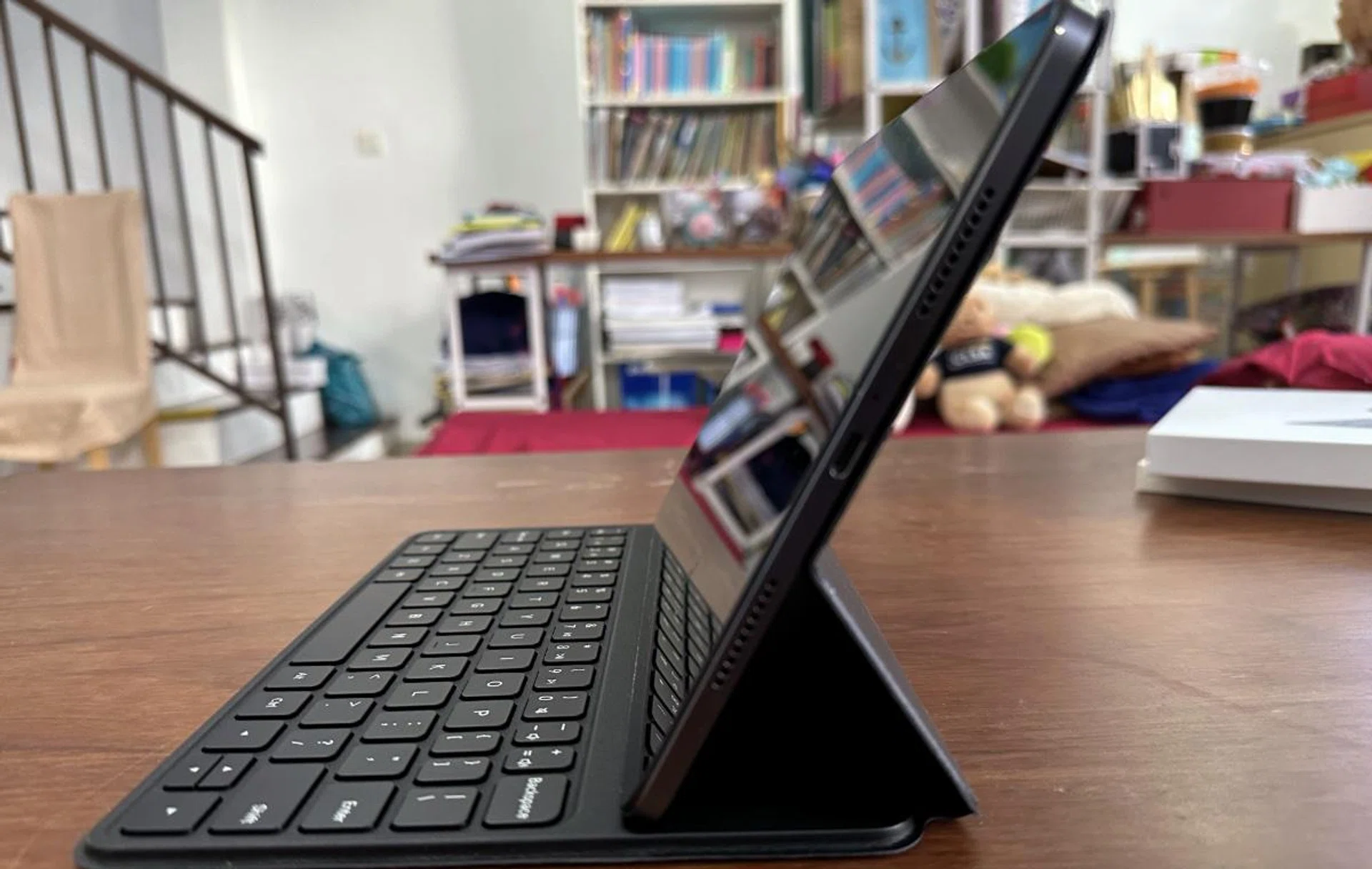
The USB-C port and two of the four speakers.
It is powered by a Snapdragon 870 chipset, 8GB of RAM and either 128GB or 256GB of storage, USB-C 3.2 Gen 1 and Bluetooth 5.2 connectivity, a quad-speaker setup that also supports Dolby Atmos and Hi-Res Audio. All of this is kept juiced and running with an 8,840mAh battery. If you check the specs table above, you'll note that all of this is an incremental upgrade over the Xiaomi Pad 5. Even the processor is just a beefed-up Snapdragon 860 series from more than two years ago when it was pegged as an upper mid-range class. We'll share more in further pages if we find it adequate for everyday use today.
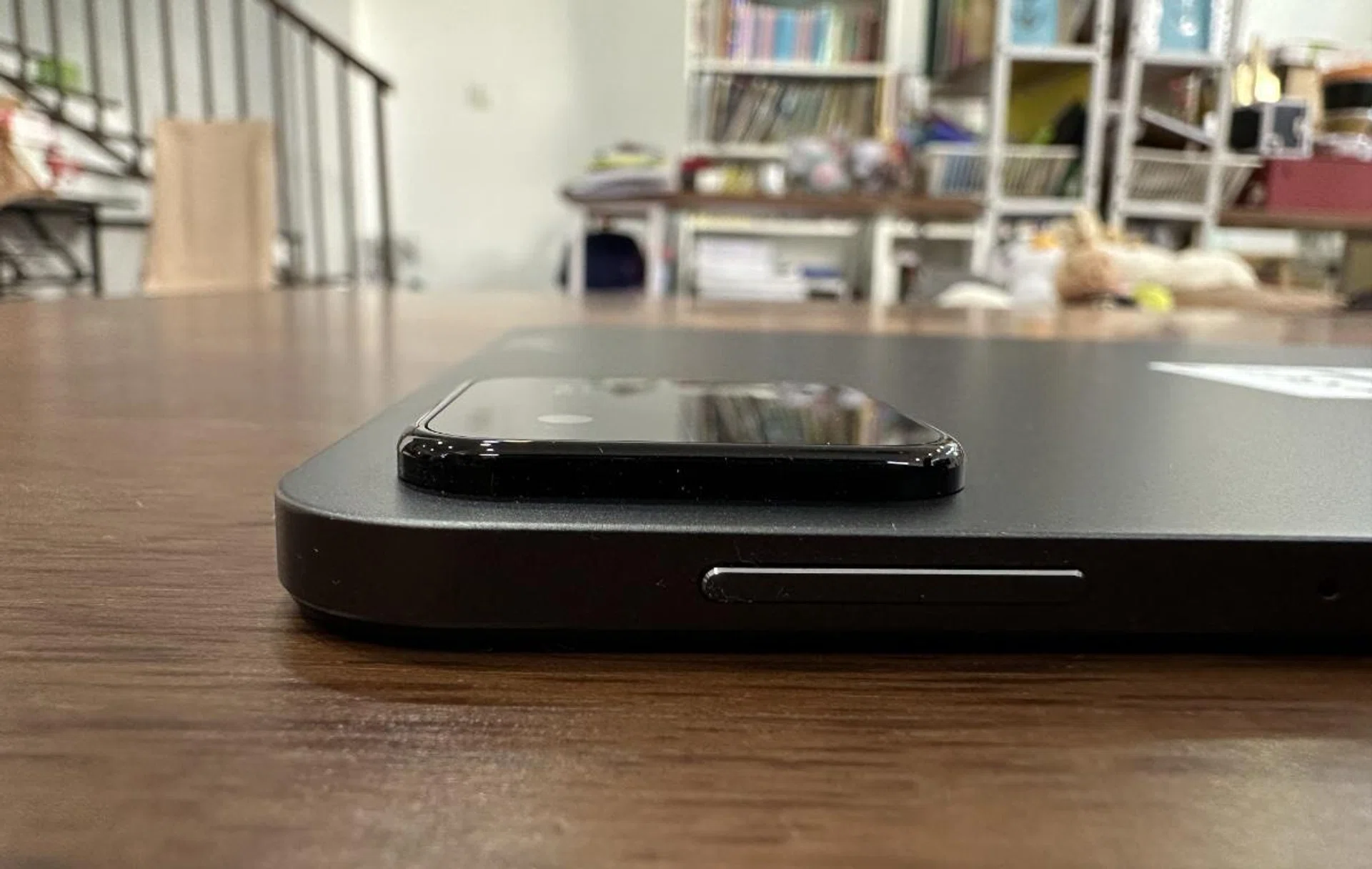
What the Pad 6's sizeable camera bump looks like.
While not as popular as a smartphone for photography, the Xiaomi Pad 6 still comes with a 13MP rear camera that is housed in a sizeable camera bump and an 8MP front camera. I really don’t get the need for the large camera bump, as it’s so large that even when using a cover, the Pad 6 can't lie flat. This might be a concern for some of you as well.
The front camera can be used to unlock the Pad 6 or for video conferencing. To help with this, the camera is a centred ultra-wide front camera with what Xiaomi calls a FocusFrame function that automatically adjusts the camera to keep the user clearly in the middle of the shot, making it somewhat similar in function to Apple’s Center Stage.
Apart from the camera specs that remain the same, the rest of the hardware is a small improvement over the Pad 5.
Despite that, there are a few omissions that feel like Xiaomi deliberately left them out. For one, the Pad 6 unit doesn’t have a SIM card slot and thus must rely on Wi-Fi 6 connectivity. It's odd that it doesn't have a SIM-capable version considering this is Xiaomi's sixth iteration, even if you were okay to pay more for it. Another is a missing headphone jack. Call me old-fashioned, but I like being able to plug in my headphones in a fuss-free manner, and I'm sure many would feel the same since wired earbuds for the same price as a wireless counterpart deliver far better sonic performance. Finally, expandable storage would also have been nice, but that's missing too.
Embracing its look and feel
The Xiaomi Pad 6 comes clad in a metallic rear housing that I really like as it is fingerprint resistant. On the rear, besides the huge camera housing, you’ll also find the three embedded magnets that will hold the tablet in place when the tablet is used together with the tablet's keyboard cover and the normal official cover.
Don’t sneer at those magnets. Small they may be, but they are mighty! They're strong enough to hold the Pad 6 in place when only holding the cover. Barring any form of strong shaking, the magnets should be enough to hold the tablet in place through most situations.

The sleek almost button-free design.
The only buttons on the housing are the power button and volume controls, so there is little clutter. Add to this the slim bezels, and you get a very modern-looking tablet that would easily satisfy most people. Along the 'bottom', you'll find a USB-C port with two of the four Dolby Atmos supporting speakers (with the other two lined at the 'top').

Swiping up on the right and the unlock pattern appears there. And on the left if you swipe there.
Unlocking the screen is a simple matter of swiping up from the bottom. What I liked is that depending on where you invoked this, whether slightly to the right, middle, or left, the unlock pattern would pop up there. This is great if you're only using one hand to access the device. There is an option to use facial recognition to unlock the Pad 6, but none for fingerprint use.
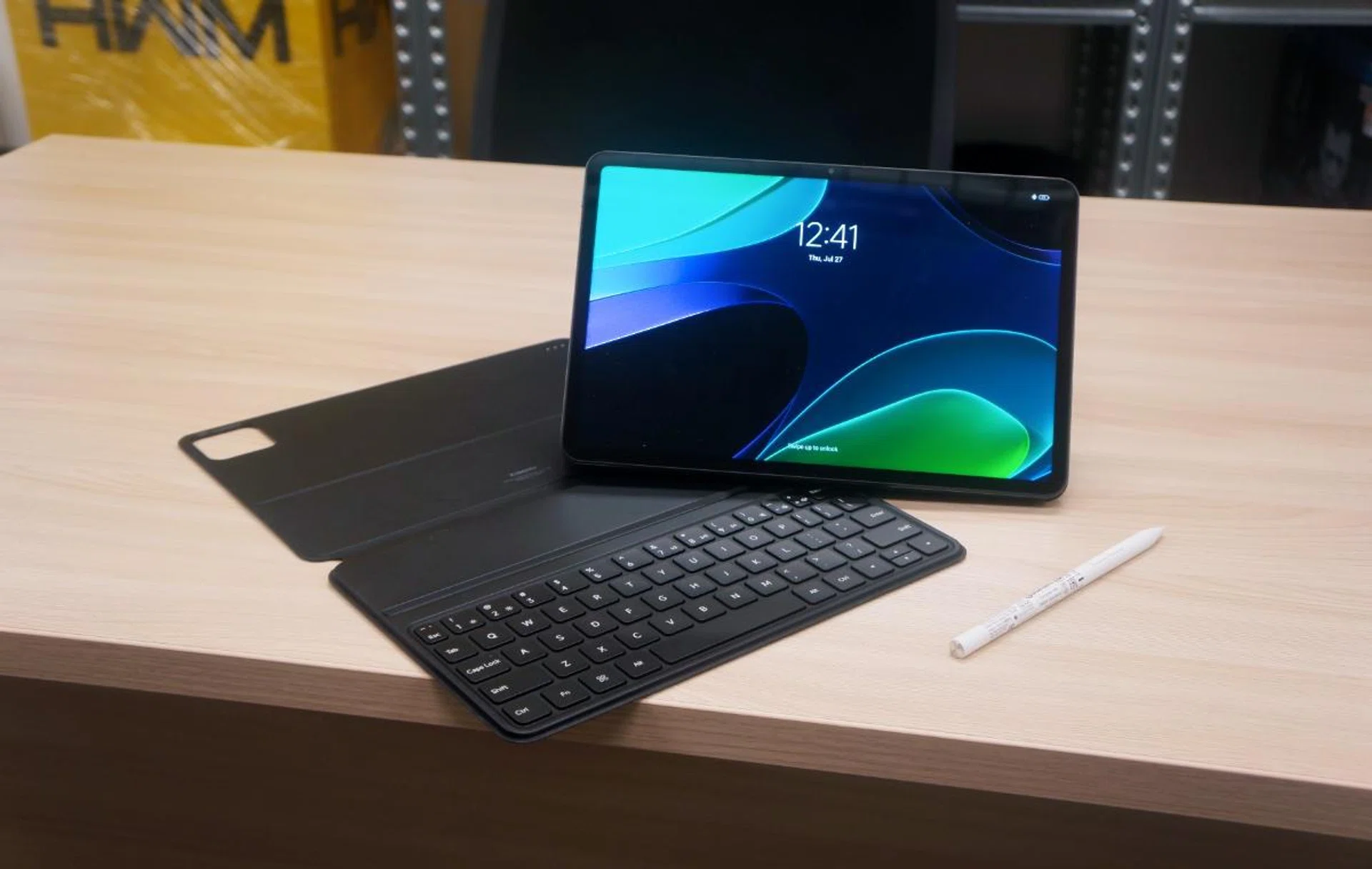
I liked the clean feel of the Xiaomi Pad 6, and overall, it feels solidly built. It was also nice not to really worry about getting it messy with fingerprints all over the rear housing.
When I was carrying it, though, I felt it was heavier than its 490g would have it be. While watching Netflix in bed, I kept feeling as though I could drop it if my concentration lapsed, which would have been rather painful. This could likely be because I'm used to a smaller form factor like an iPad Mini that I normally use; thus, I found holding the Pad 6 with both hands while playing games tiring. So for those looking to jump on the Android bandwagon from an iPad Mini, you might want to factor in that a larger device would naturally weigh more.
To be fair, the weight of the device is one that has actually improved from its predecessor by a good 20 grams, but yet, it's not as lightweight as an iPad Air. Granted, both devices are in a completely different price bracket, but physically, they are similar in size.
So annoying that it has to be shown twice!
The major complaint I have is about the camera bump. Why does it have to be so big that the Tab 6 can't lie flat on my table?
At Work
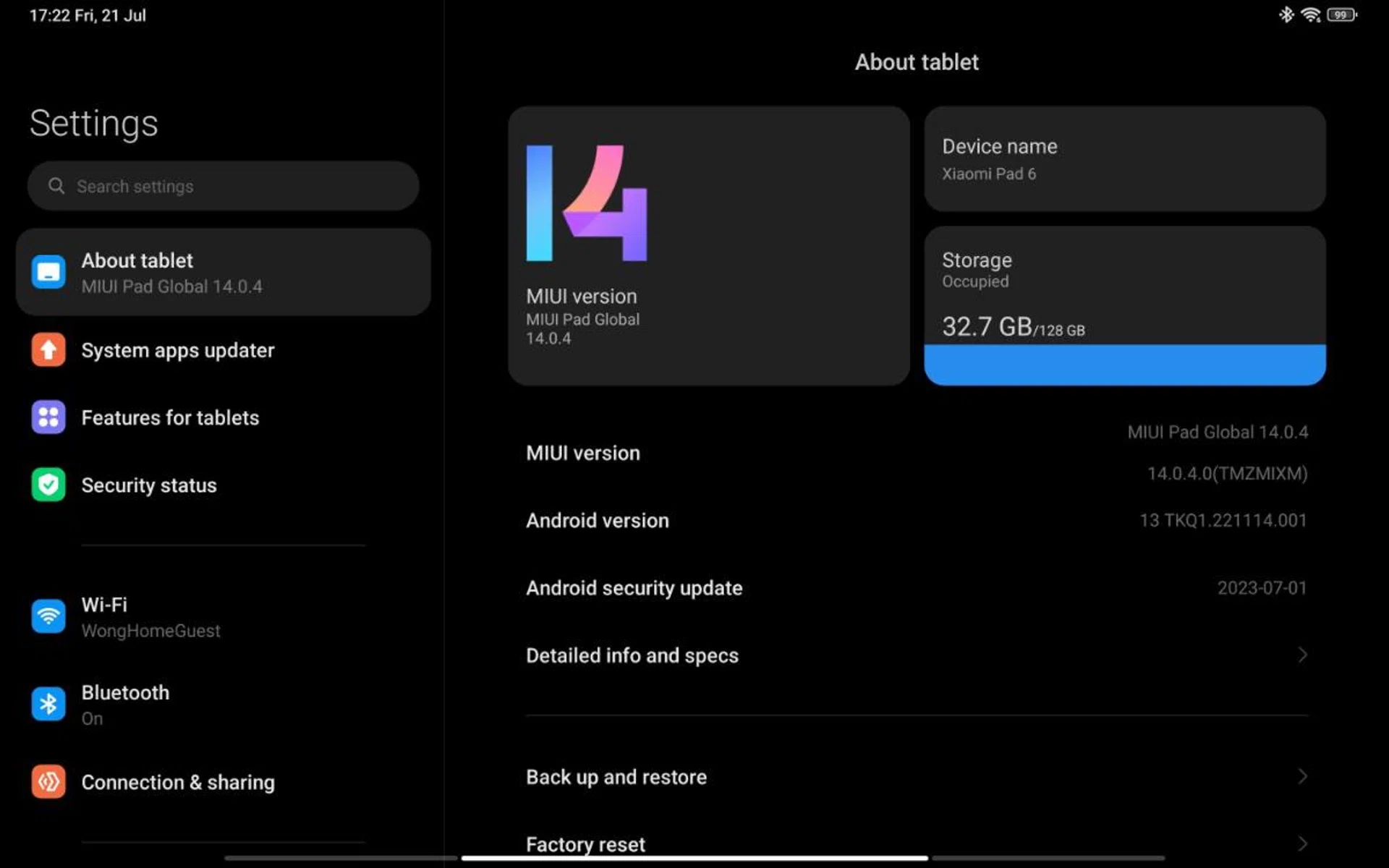
All your tablet's relevant information at a glance.
The Xiaomi Pad 6 runs Android 13 and MIUI 14 for Pad. And best of all, it is relatively free of bloatware. That’s not to say there isn't any, but compared to what Samsung includes on their devices, it’s next to nothing.
In terms of multi-tasking, a few different tools are included that are very much the standard these days.
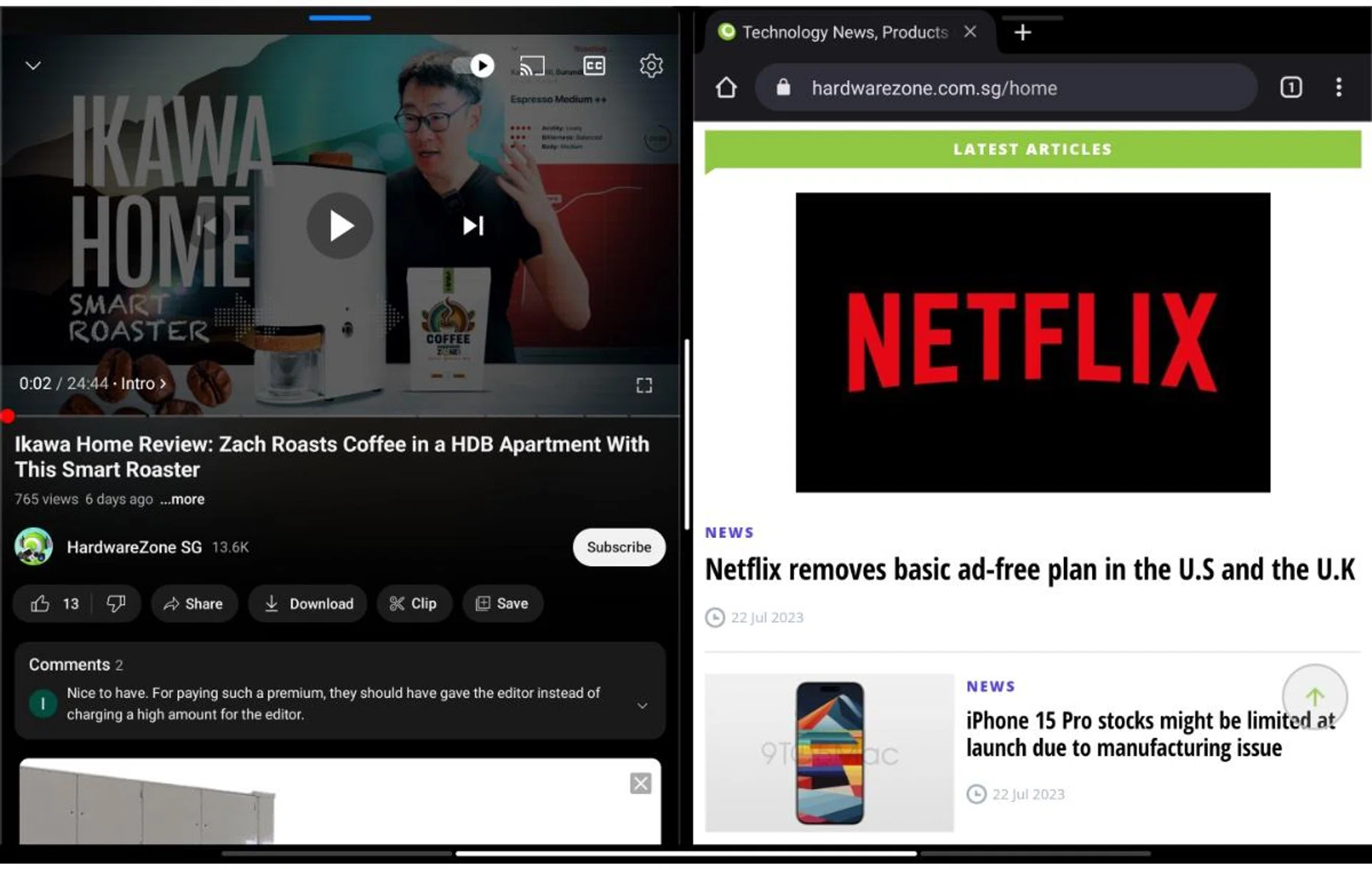
Split Screen is fairly common these days.
First is the most common, Split Screen. This is fairly simple to enable. Swipe up from the bottom to open the Recent apps menu. Long press on the first app you want and select the split screen option. Select another app from the recent menu and you have your Split Screen.
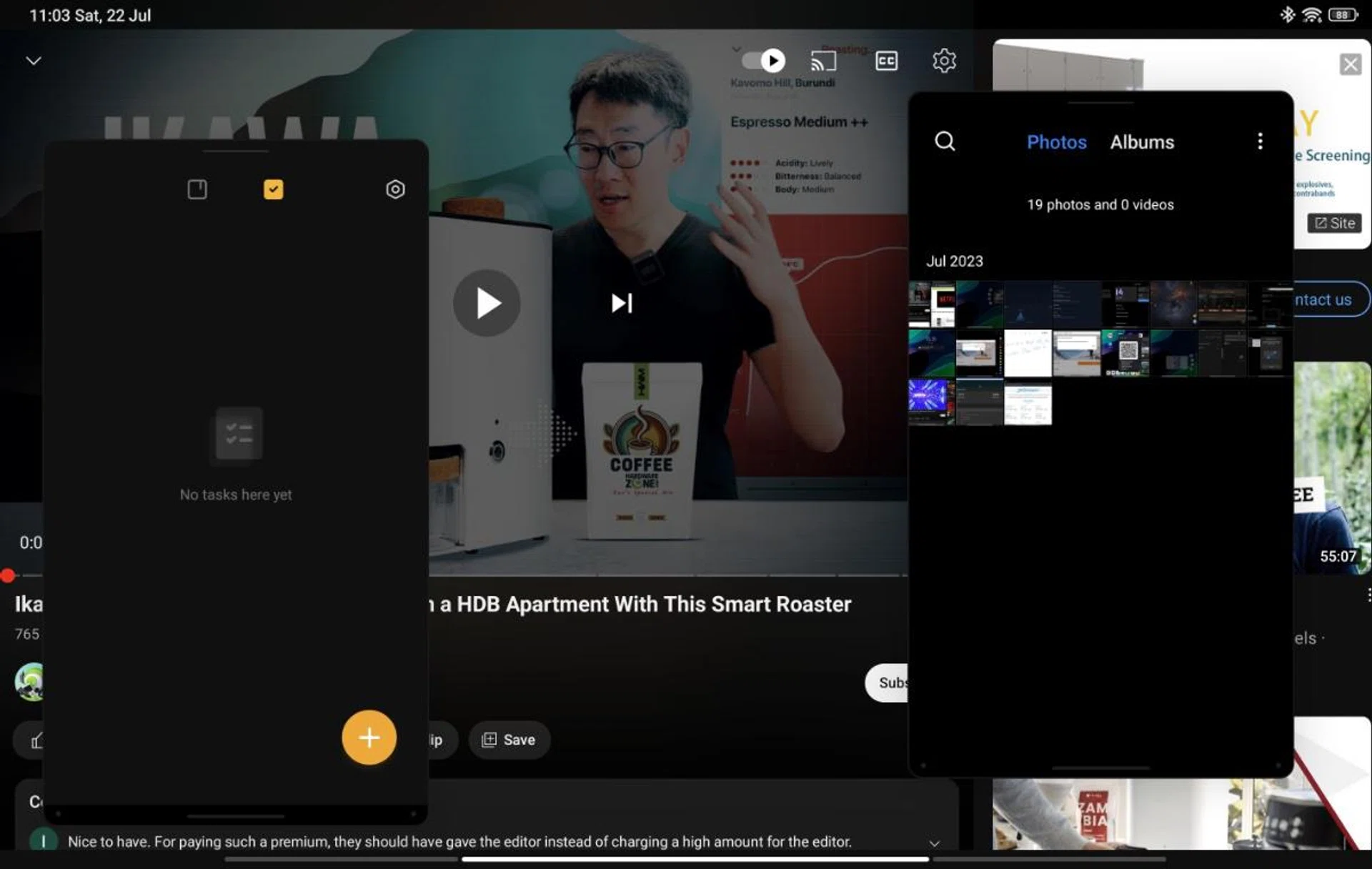
Floating Windows gives you more apps to play with at a time.
The second is Floating Windows. This is done by either opening the recent apps menu and tapping on Floating Windows, or by pulling out the Sidebar to select the apps. Up to two apps can be opened as Floating Windows with a third app in full screen. You can also dock some of them on the right side of the screen. Performing the home gesture will minimise the apps but won't close them. To close them, you need to call up the running apps and swipe up to close the “windows” as you would any running app.
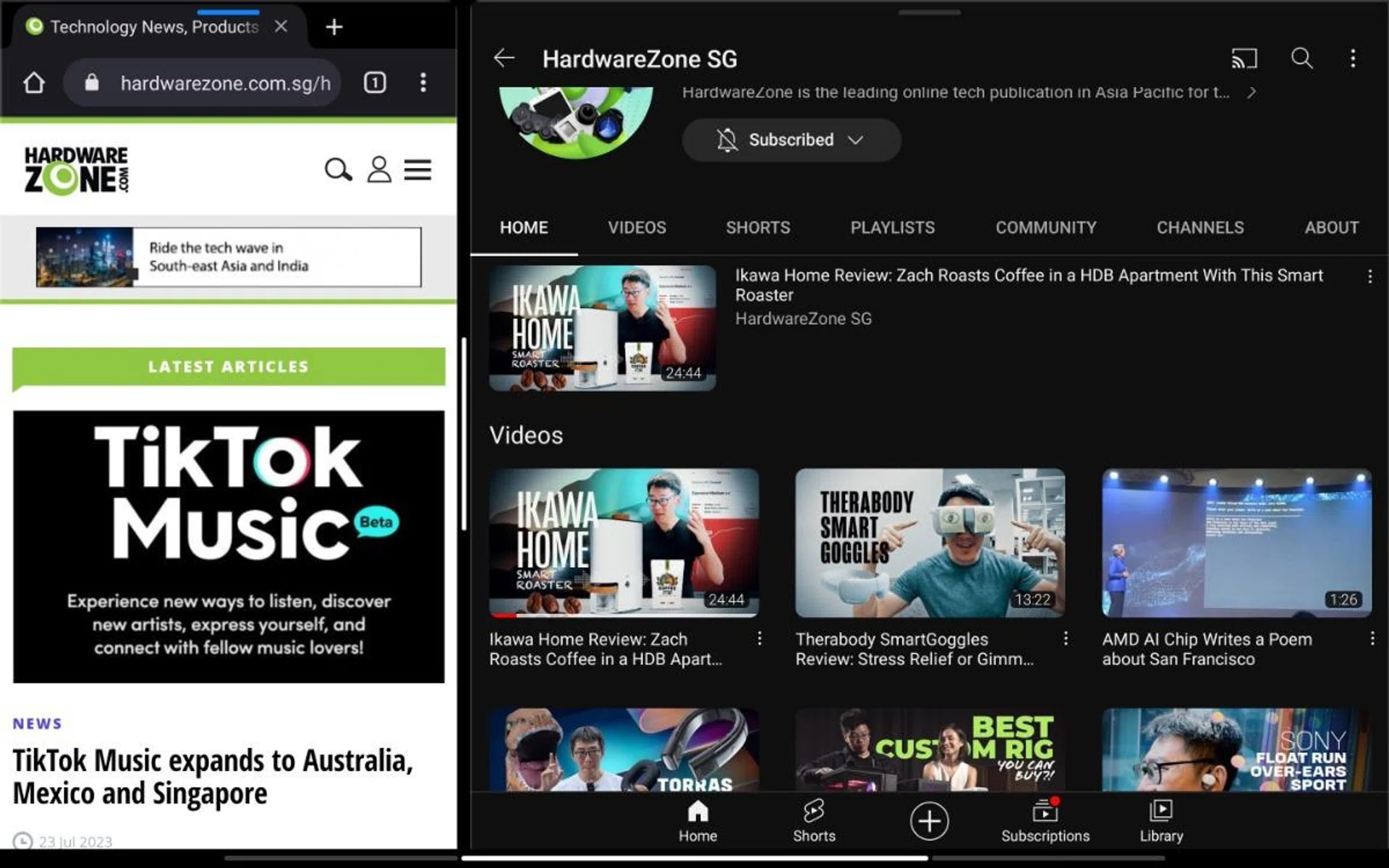
The Multi-Window can be useful when you want to be doing work at research at the same time.
The third option is somewhat similar to the Split Screen mode and called the Multi-Window where one app takes up a third of the screen and another the rest.
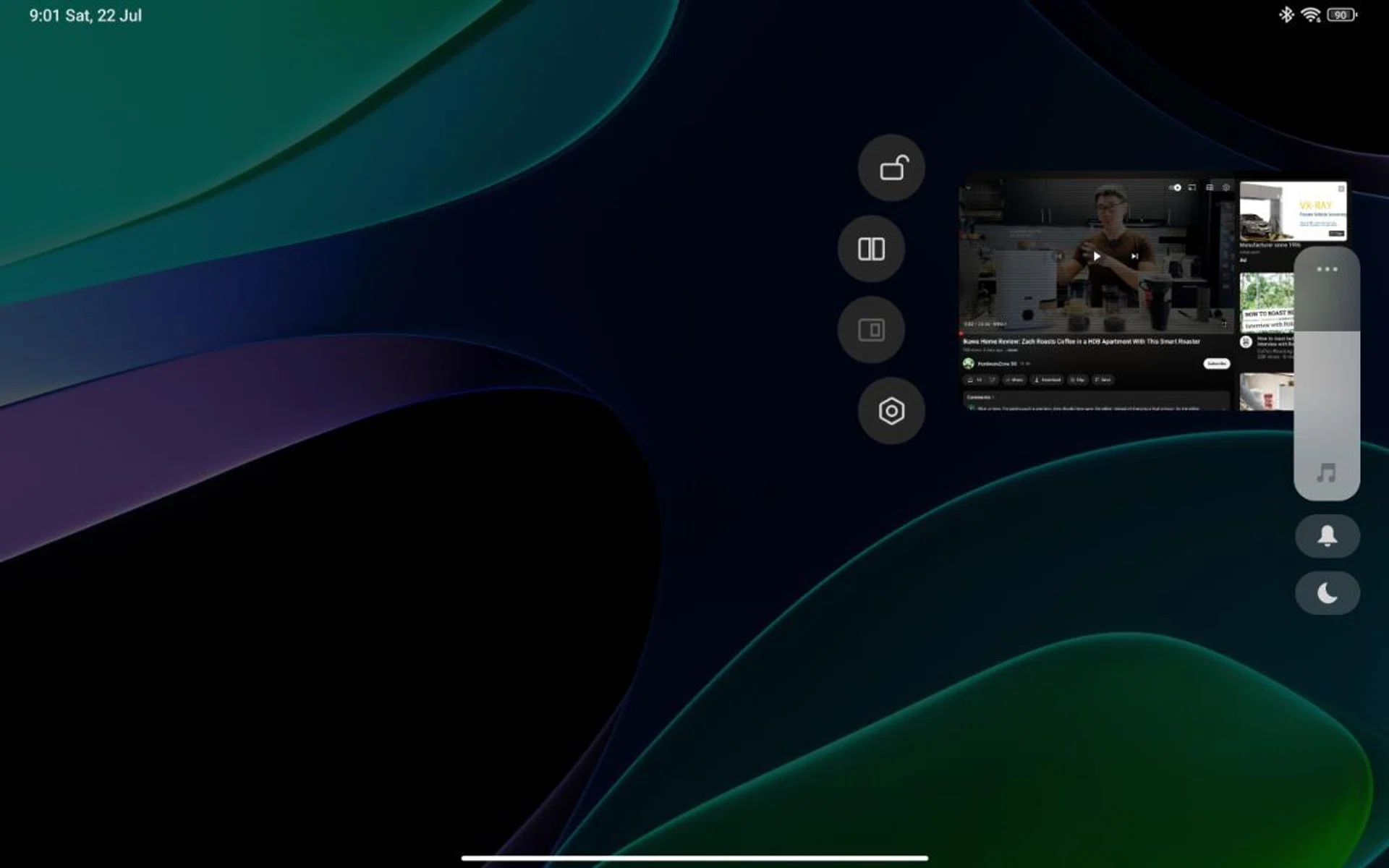
The way Xiaomi's implemented its multi-taking is very good.
I like the way Xiaomi has designed the methods for multi-tasking use. The long hold over the app to call up the options available. it makes deciding what option you want an easier choice.
Unfortunately, we lacked another Xiaomi smartphone so we couldn’t test the Smartphone Link capabilities. This was meant to allow a user to control a smartphone from his Xiaomi Pad 6 by signing into their Mi Account and turning on Bluetooth. For example, they can easily drag and drop images from their phone to the Pad 6.

The WPS Office app come free with the Pad 6.
It comes with the WPS office app so doing work isn’t an issue. Paired with the optional Keyboard Cover and you have Word, PDF, Excel, PowerPoint, and other productivity tools at your fingertips.
I created a Word document and a spreadsheet with no trouble and began to type out my review of the Pad 6 on it. Commands and keyboard shortcuts were all the same as Microsoft Word, so there were no problems. And the same for Spreadsheets.
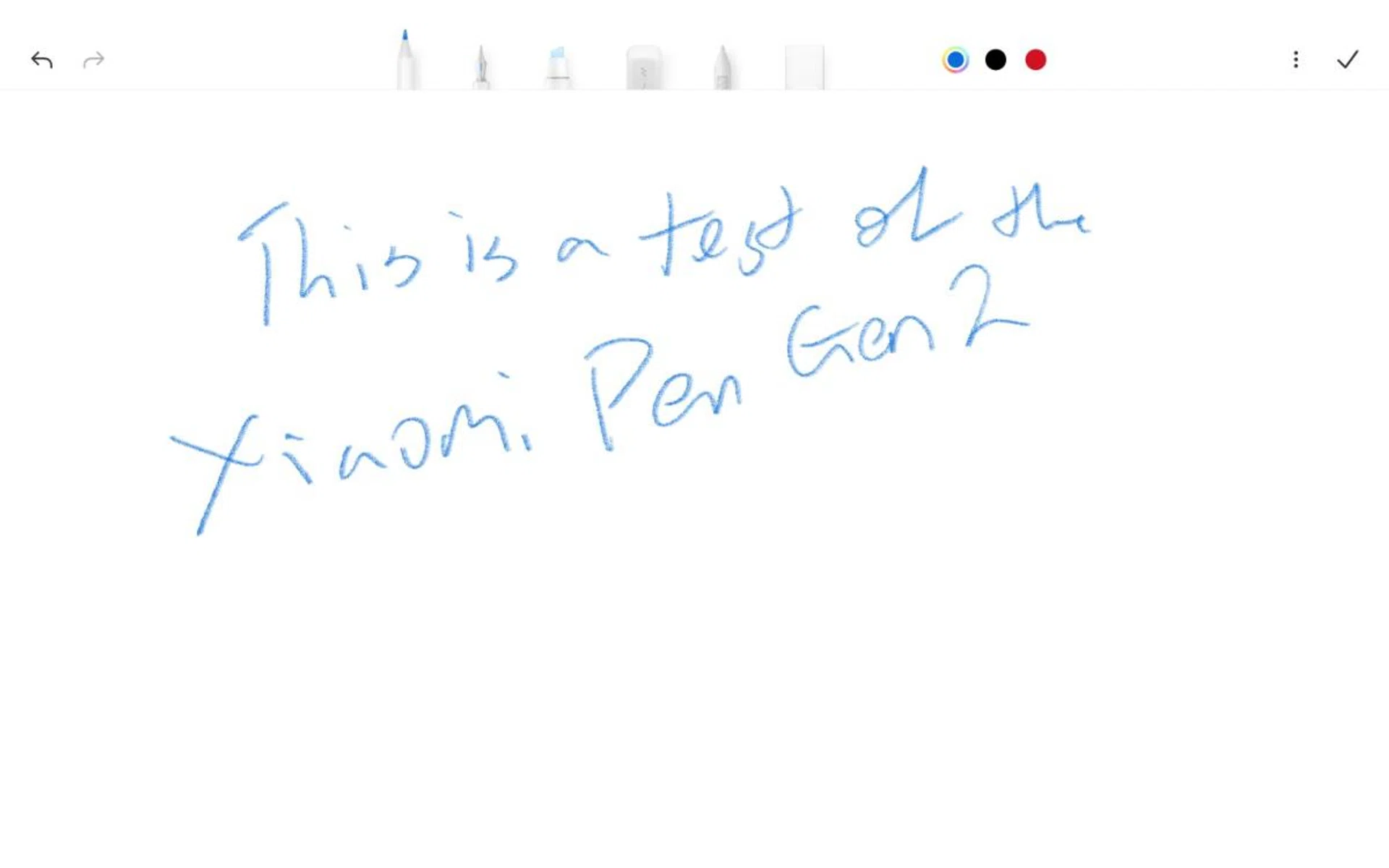
The Notes app has been optimised for use with the Smart Pen, which is an optional purchase.
The Notes app works well with the Xiaomi Smart Pen (2nd Generation), letting you take notes as though you were using paper, or even switch to other tools like a pencil, pen, highlighter, eraser and more.
They may look close, but you'll soon get used to the position of the buttons.
I had no real issues using the pen, but I would have liked some software ability to convert handwriting to typed text. I find that a real missed opportunity.
At Play
When it comes to entertainment, the Pad 6 is no slouch, and this is where the joy (for me) lies.
Netflix was a joy to watch and listen to with its support for Dolby Atmos audio support. That, together with the quad speakers makes for a wonderful immersive nearfield viewing experience. I watched The Old Guard on the Netflix app and the action sequences really stood out with the gunshots and swooshing of the blades really standing out. Watching the same on my iPad Mini 6 felt flat by comparison. So don't write off the audio features for just spec additions to the tablet, they really do deliver like an expensive tablet would.
But while HDR and Dolby Vision support for the Pad 6 is touted by Xiaomi, I didn’t really notice any difference in my viewing on the device. And when watching The Old Guard, only the option for HDR showed up as opposed to my iPad Mini which had the Dolby Vision option. I didn't really notice any difference in the video quality between the two devices when watching the movie although I felt that the Pad 6's display was brighter. In raw specs, both tablets are closely rated at 500 nits for the iPad mini 6, while the Xiaomi Pad 6 is rated for 550 nits. So it seems like the HDR option supported affected the output of the Xiaomi Pad 6. Perhaps a firmware update will sort this out in time to come.
Meanwhile, the Game Turbo app allows you to tweak the Pad 6’s settings for different games. You can change the emphasis you want to balance between frame rate, picture quality, and performance. On the Additional Settings page, you can choose between the Classic or Pro modes, or choose to balance the device’s Swipe response, Sensitivity to continuous touch, Aiming accuracy, and Tap stability yourself.
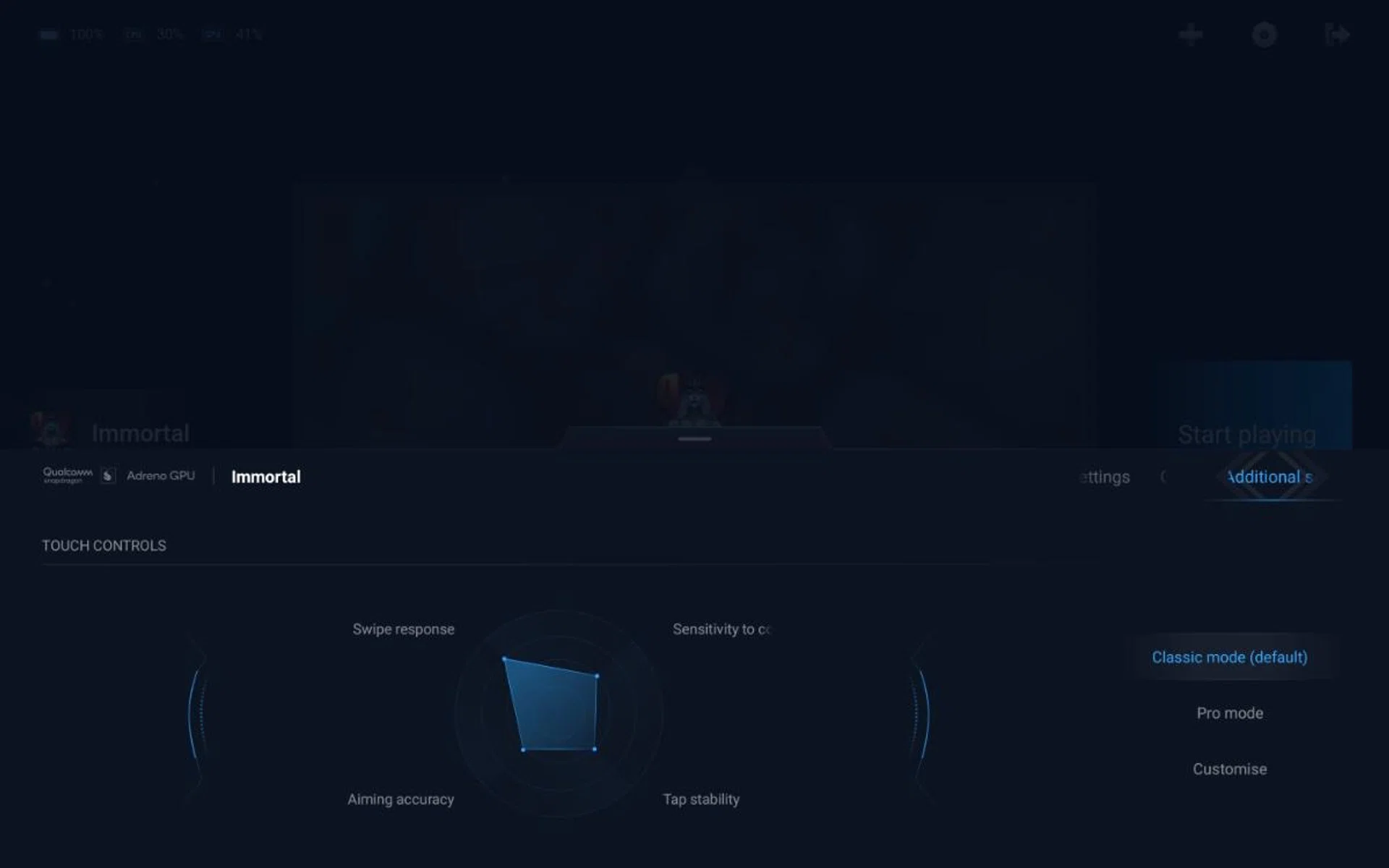
Turn up the refresh rate when you want to game seriously.
With the refresh rate going up to 144Hz and an Adreno GPU, gaming is also silky smooth. We played Diablo Immortal and with the tablet, the gaming experience while navigating the UI and playing the game was silky smooth with no stuttering or tearing.
So in terms of game visuals and sound, the Pad 6 certainly delivered. Again my main concern was the size of the device compared to my iPad Mini. While the larger screen meant I could see more, and enjoy the gameplay better, it was harder to wield properly and for long when carried about.
Trying out the whole family of accessories
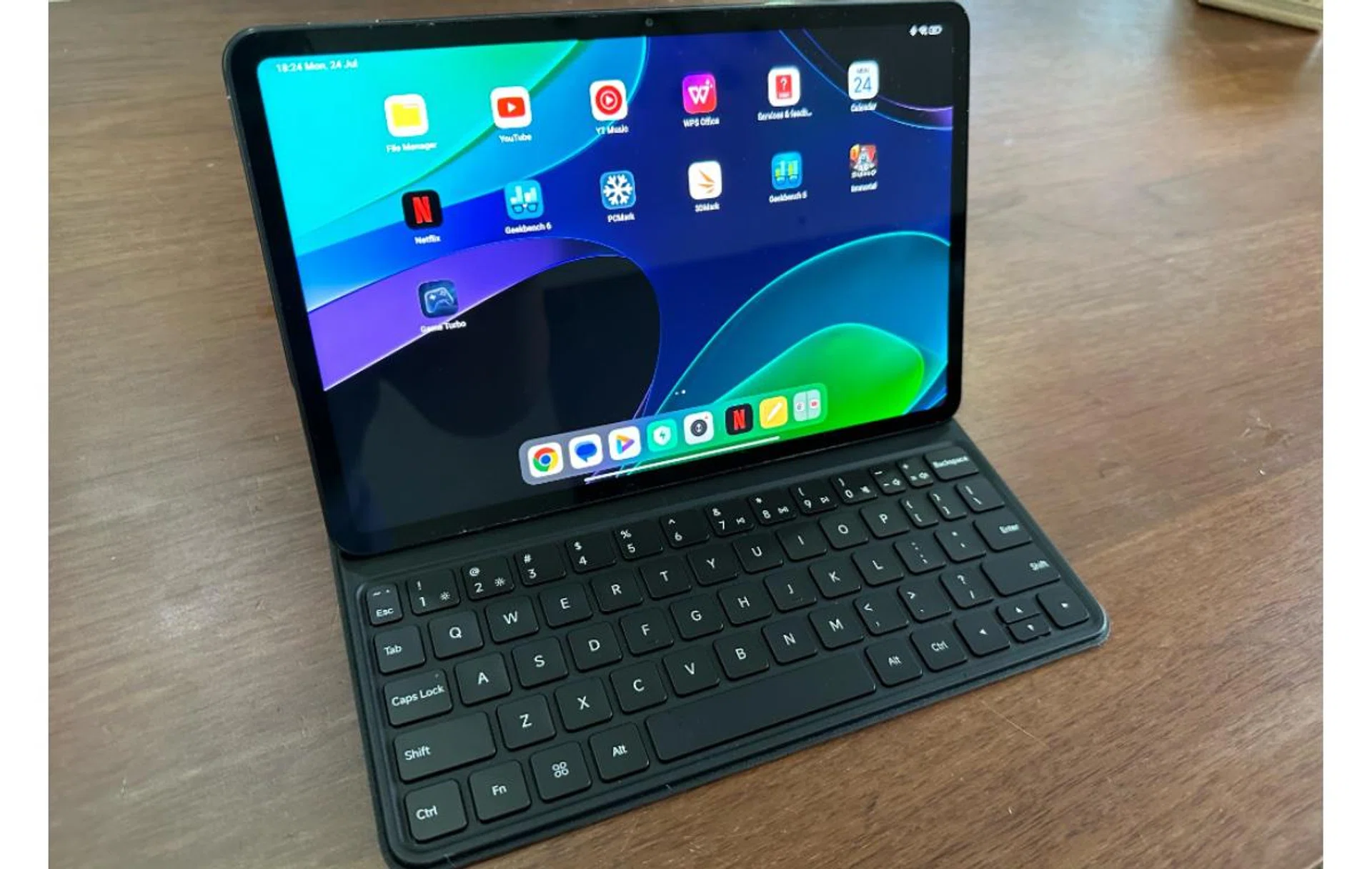
Unfortunately while usable, the Keyboard Cover lacks a trackpad and backlighting.
We were lucky enough to receive all the optional accessories made for the Xiaomi Pad 6. First is an upgraded Xiaomi Smart Pen (2nd generation), second is the Xiaomi Pad 6 Keyboard, and third is the Xiaomi Pad 6 Cover.
Xiaomi says that the Smart Pen now has 4,096 levels of pressure sensitivity, 150 hours of battery life, and a seven-hour battery life after a one-minute charge. It recharges by being placed on top of the Pad 6, although you do need to make sure it’s in the right position. A tad too high, and it won’t charge at all.
It has two buttons on it, one for writing and the second for taking screenshots. Thankfully they aren’t close enough to press each other by mistake.
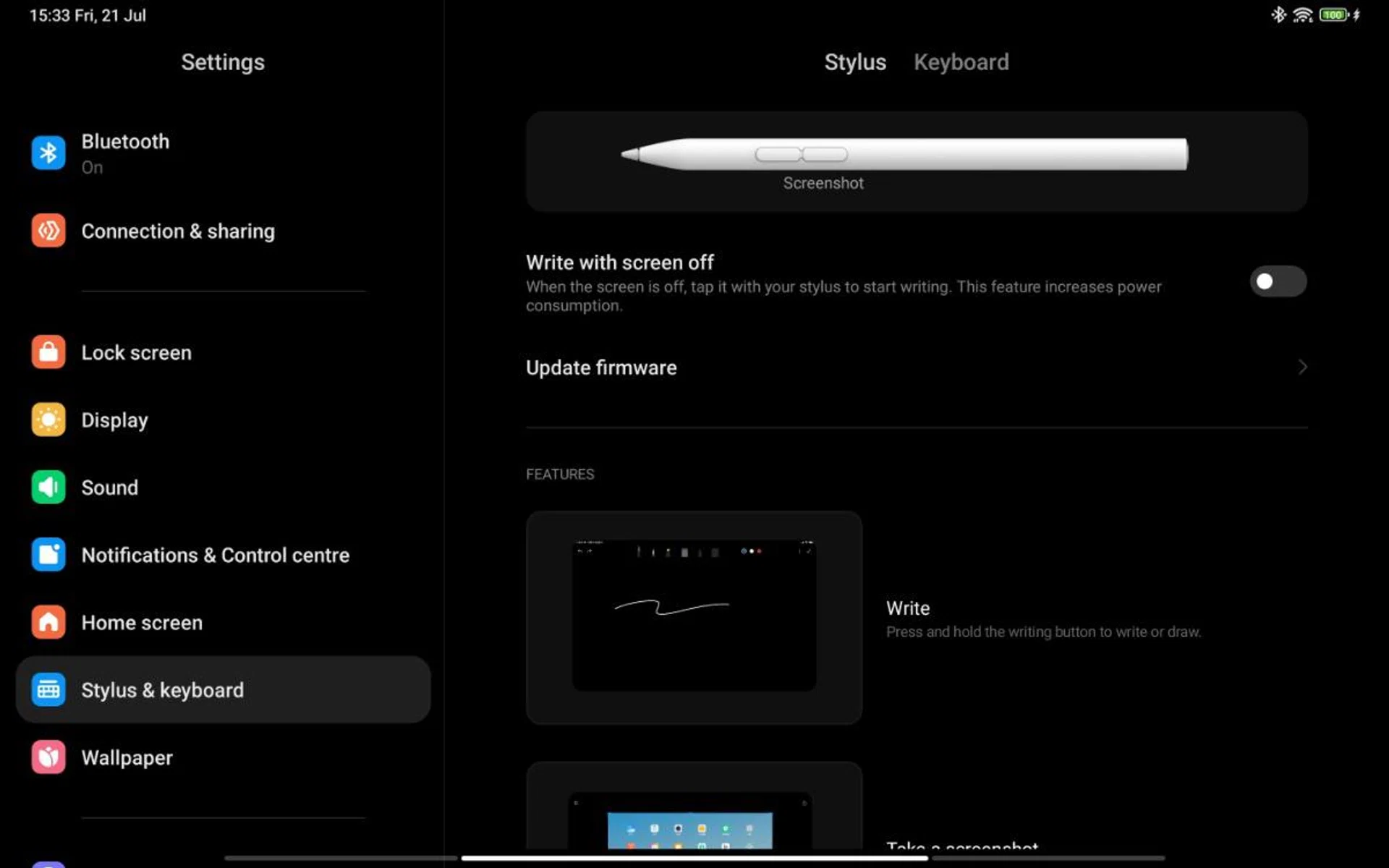
The Smart Pen is easy to set up.
I do like how easy it is to connect. Simply attach it as per charging, and the Pad 6 takes care of it all. It even shows you a little tutorial to get you up to speed using the Smart Pen.
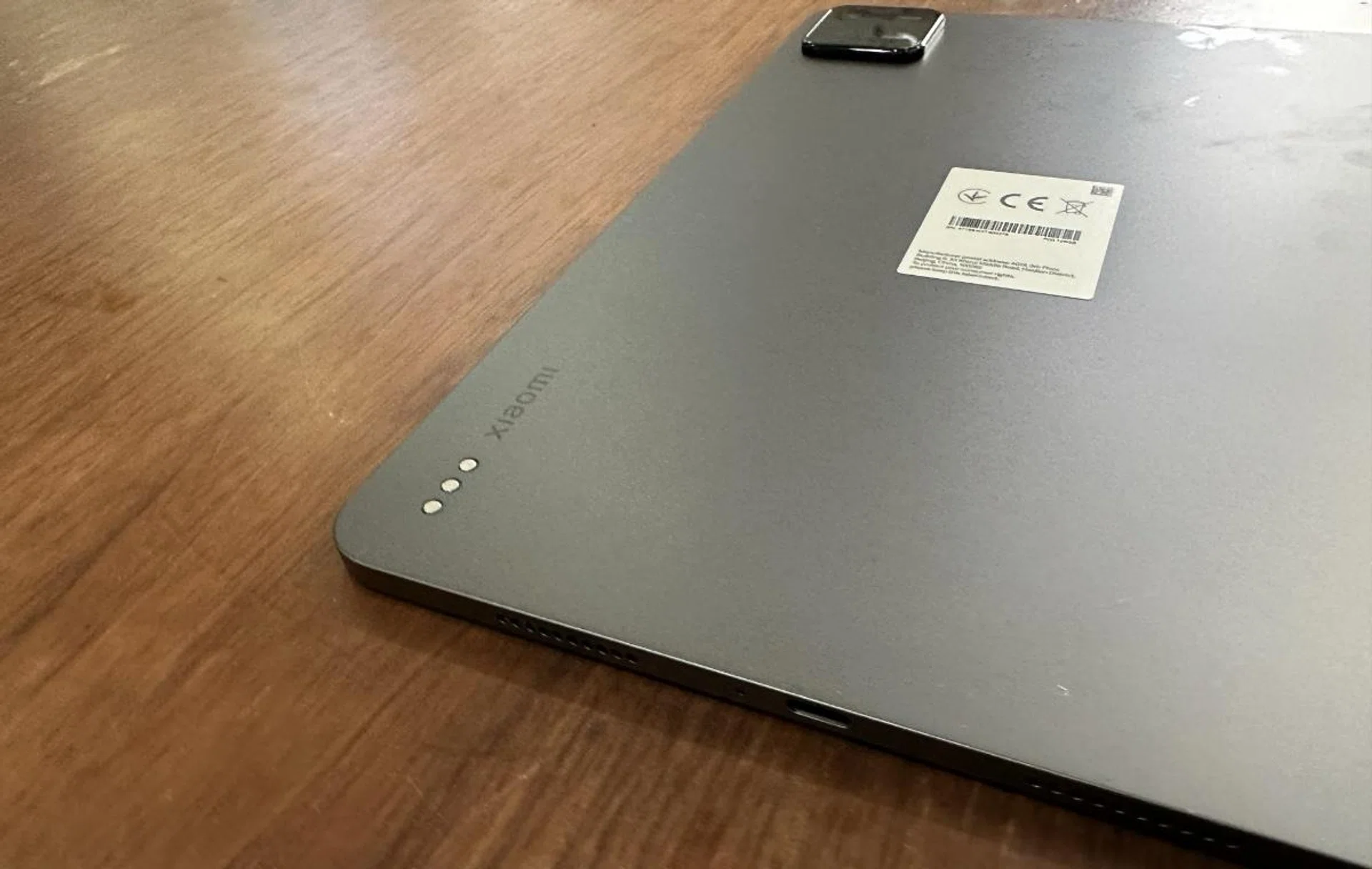
The magnets on the Keyboard Cover. Note the camera bump in at the back, again.
The keyboard cover snaps in place with the use of magnets, although it looks like it has more on the cover itself for a stronger grip with the tablet. The keyboard never felt too small, and I found using it simple with no mis-pressed keys. So that's certainly a positive sign. I also noticed there's a good amount of key travel to them without the keyboard being too noisy.
And as mentioned earlier, I had no problems using the keyboard whether typing a document or within other work apps. Given the touchscreen capability on the Pad 6, there isn’t a trackpad on the keyboard, and honestly, I didn’t really notice the lack of it.

It however lacks any backlighting and strangely can only support the Pad 6 in one position. Someone who is taller than me would have to hunch to view things on the screen. I’d also have liked some place to securely store the Smart Pen rather than the side of the Pad 6.
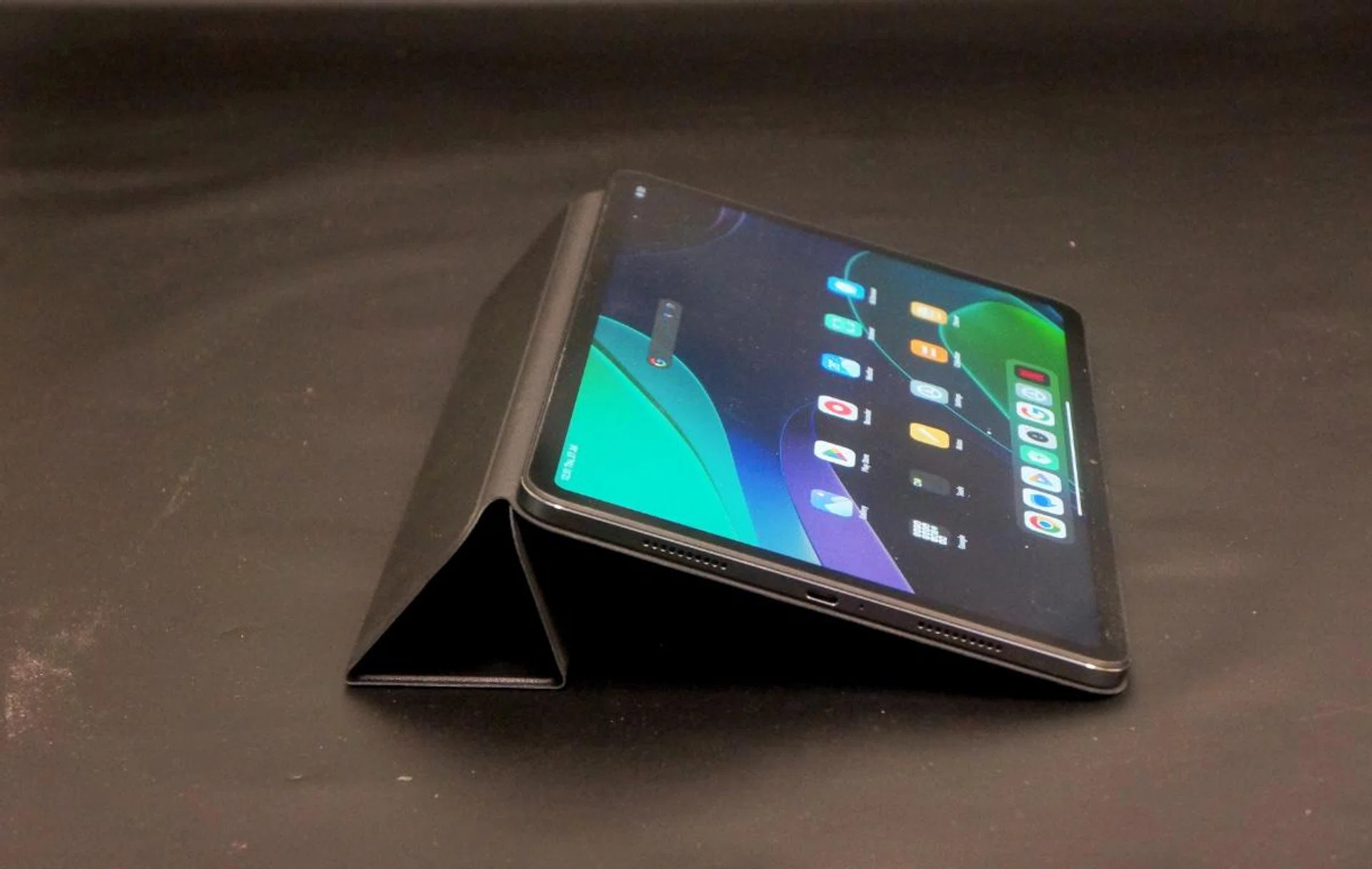
One of the two positions the Smart Cover can use.
The Xiaomi Pad 6 Cover can be used in two positions depending on how its folded. Again, someplace to securely store the Smart Pen would have been nice.
Benchmark performance
To thoroughly test the Xiaomi Pad 6’s performance, we carried out several benchmark tests to see how the Snapdragon 870 chipset, 8GB of RAM, and UFS3.1 storage all perform together.
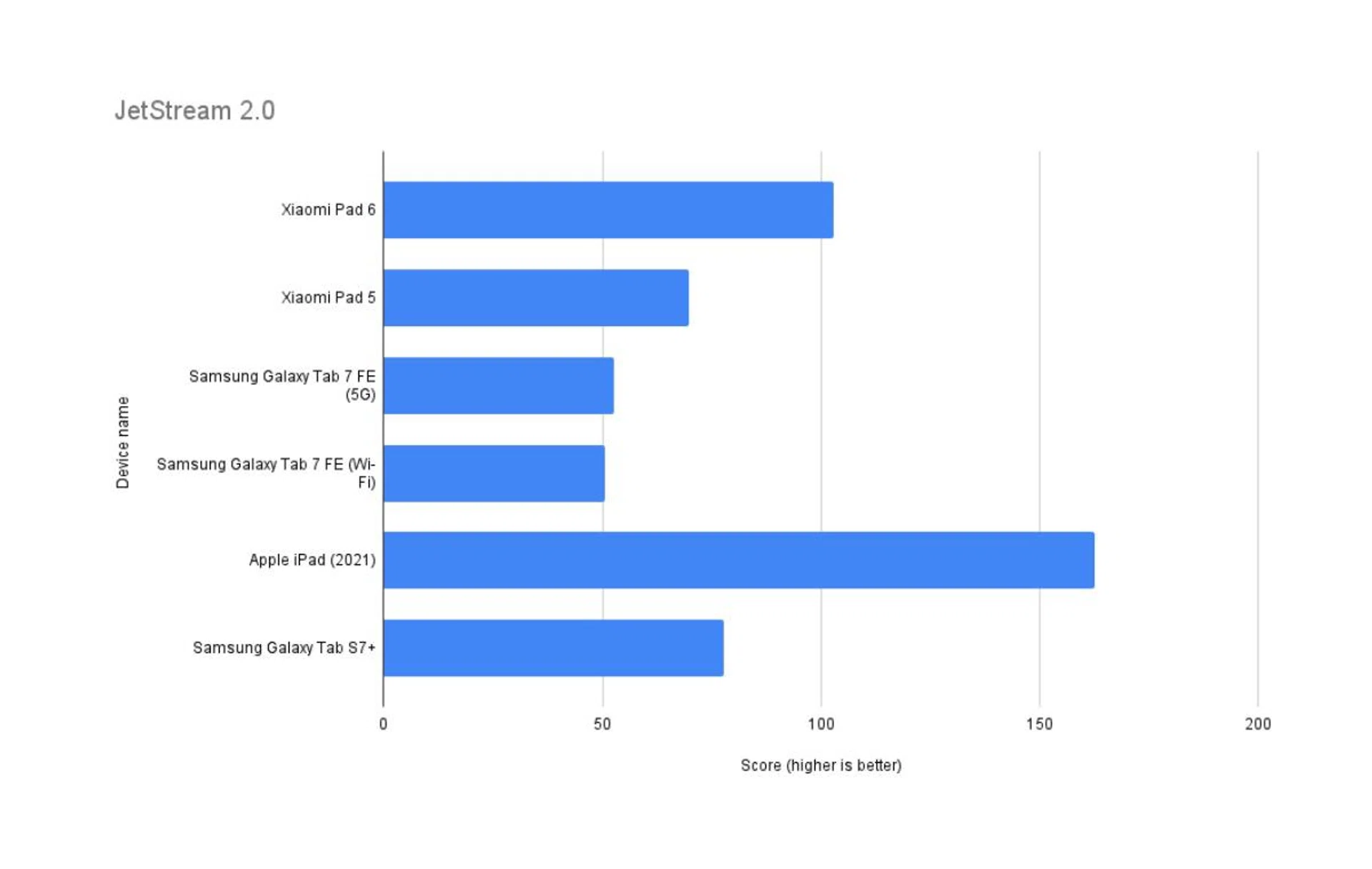
JetStream 2.0
JetStream 2 is a combination of a variety of JavaScript and Web Assembly benchmarks, including benchmarks that came before like SunSpider and Octane. It primarily tests for a system’s and browser’s ability in delivering a good web experience. It runs a total of 64 subtests, each weighted equally, with multiple iterations, and takes the geometric mean to compute the overall score. The higher the score, the better.
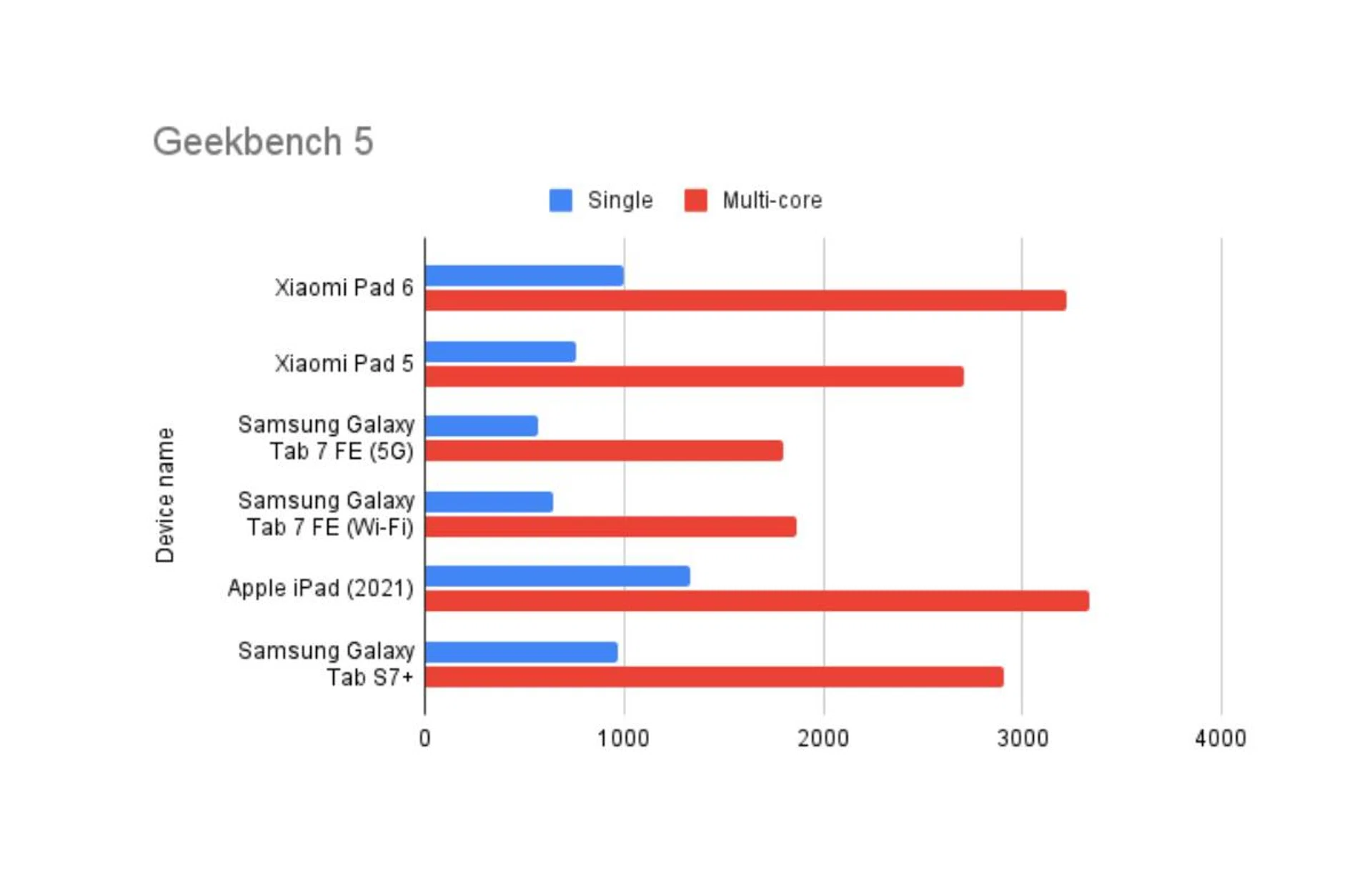
Geekbench 5
Geekbench CPU is a cross-platform processor benchmark that tests both single-core and multi-core performance with workloads that simulate real-world usage. Geekbench 5 scores are calibrated against a baseline score of 1000, which is the score of an Intel Core i3-8100.
Geekbench 6
Our Geekbench 5 benchmarking will soon be replaced with Geekbench 6, the updated version that tests single-core and multi-core CPU performance. Geekbench 6 scores are calibrated against a baseline score of 2500, which is the score of an Intel Core i7-12700. We’ll continue to populate this new benchmark with more scores from our review units before fully transitioning over.

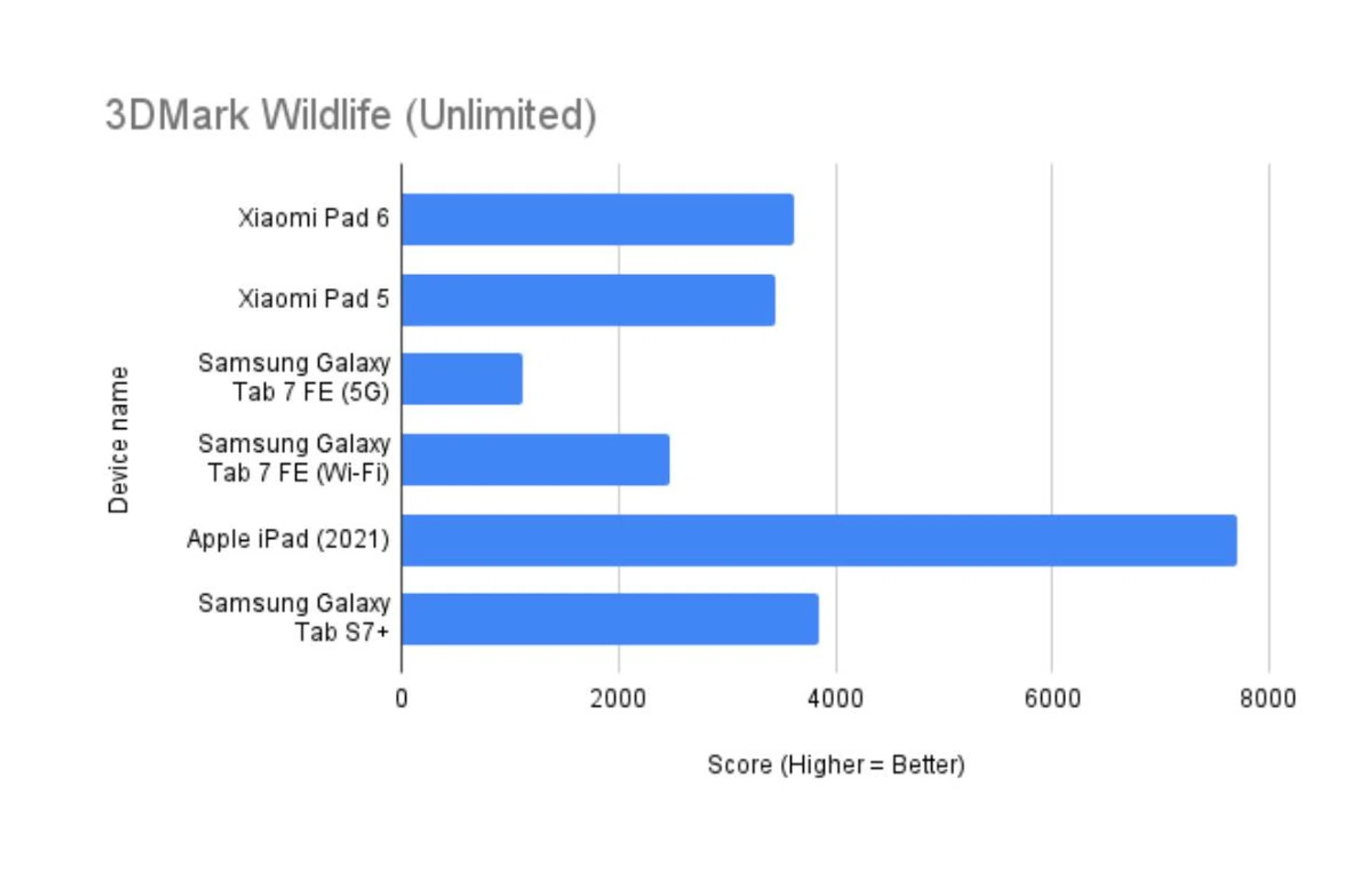
3DMark Wild Life (Unlimited)
3DMark Wild Life is a cross-platform benchmark for Windows, Android and Apple iOS for measuring GPU performance. Its graphics test consists of multiple scenes with variations in the amount of geometry, lights and post-processing effects, mirroring mobile games that are based on short bursts of intense activity. Wild Life uses the Vulkan graphics API on Windows PCs and Android devices. On iOS devices, it uses Metal.
In Unlimited mode, the benchmark runs offscreen using a fixed time step between frames. Unlimited mode renders exactly the same frames in every run on every device, regardless of resolution scaling. The higher the score, the better.
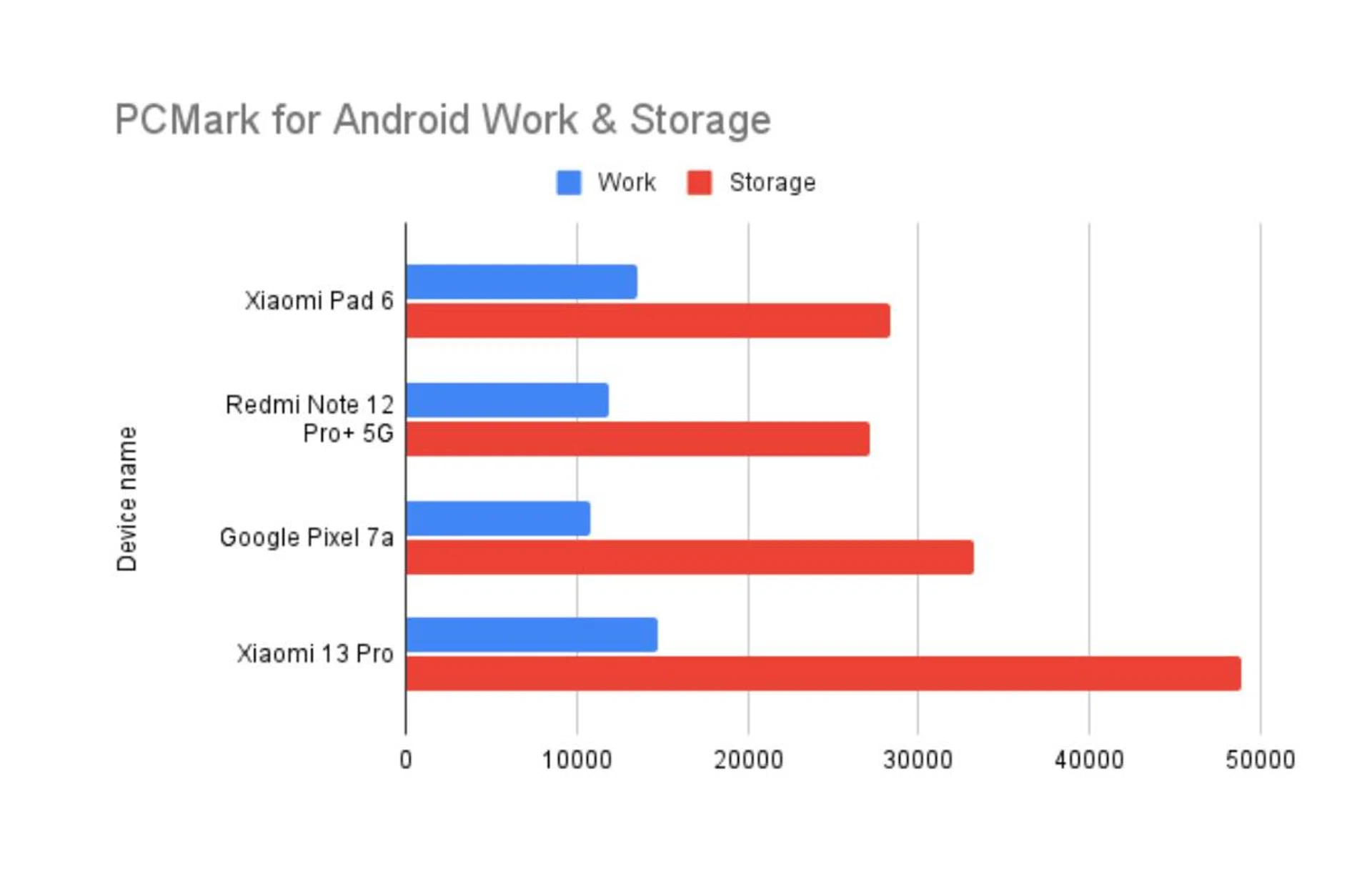
PCMark for Android - Work 3.0 and Storage 2.0
PCMark for Android is a benchmark for testing the performance of Android phones and tablets. The Work 3.0 test checks how the device handles common productivity tasks such as browsing the web, editing videos, working with documents and data, and editing photos. Storage 2.0 checks write-in and read-out performance for internal storage, external storage (if applicable), and SQLite database management. Together, the benchmarks can clue us in on how capable a phone is at handling everyday use. Work 3.0 scores are above, while Storage 2.0 scores are immediately below for each device - the higher the score, the better.
Since this is a newly introduced benchmark in our reviews, we’re building up our database of PCMark scores for Android phones.
Battery life
Our standard battery test for mobile phones has the following parameters:
- Looping a 720p video with screen brightness and volume at 100%
- Wi-Fi and Bluetooth connectivity turned on
- Constant data streaming through email
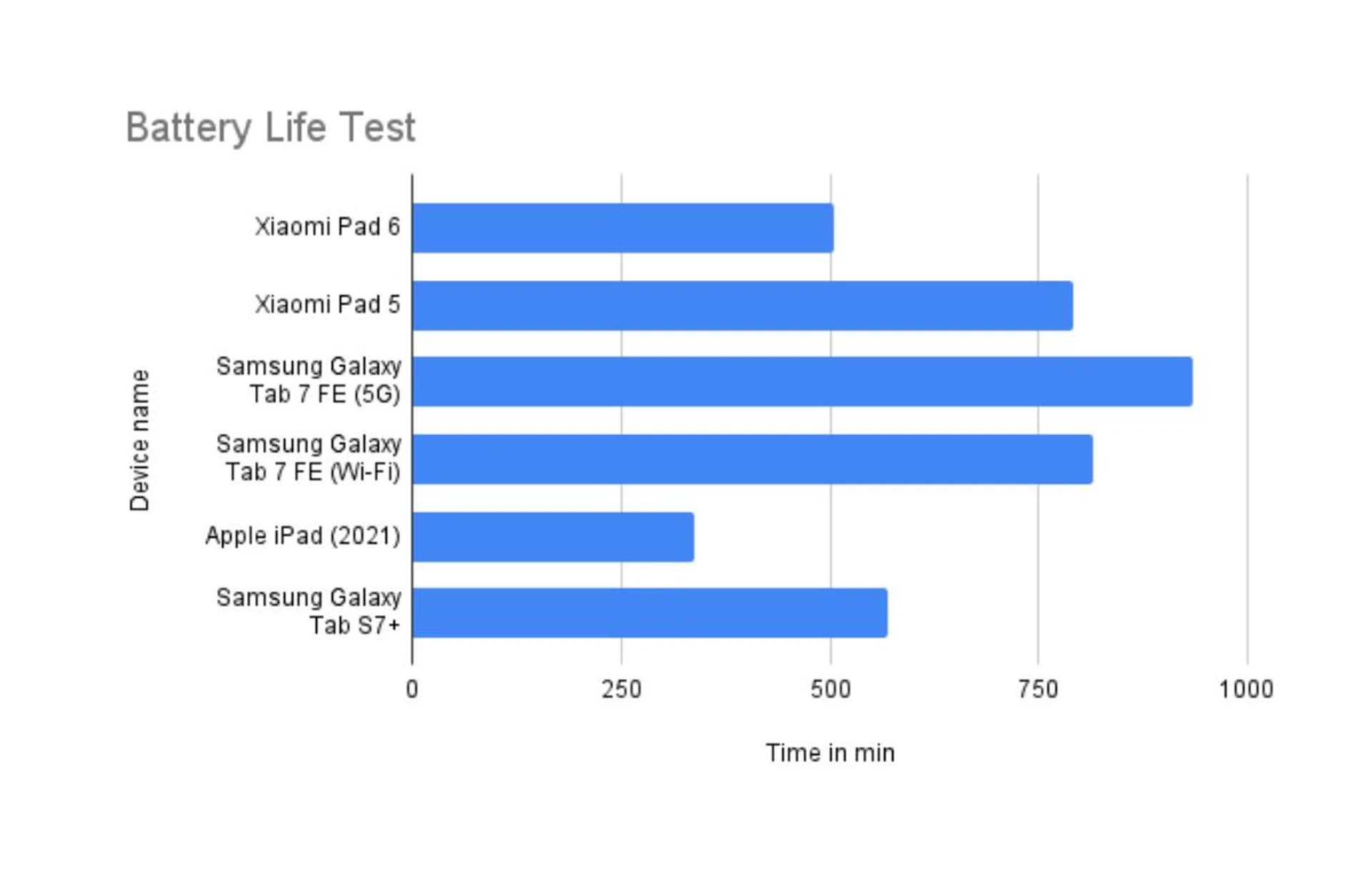
In terms of battery life performance, scaling down the refresh rate to 90hz or 60hz in the device’s settings should help you get longer usage from it. Mine was left at 144Hz because I’d been playing Diablo Immortal, which affected this battery test run, and I didn't have time to re-run it. If the refresh was adjusted to compare appropriately with our other companion tested, it should line up close to how the Xiaomi Pad 5 performed.
Verdict: A valued performer
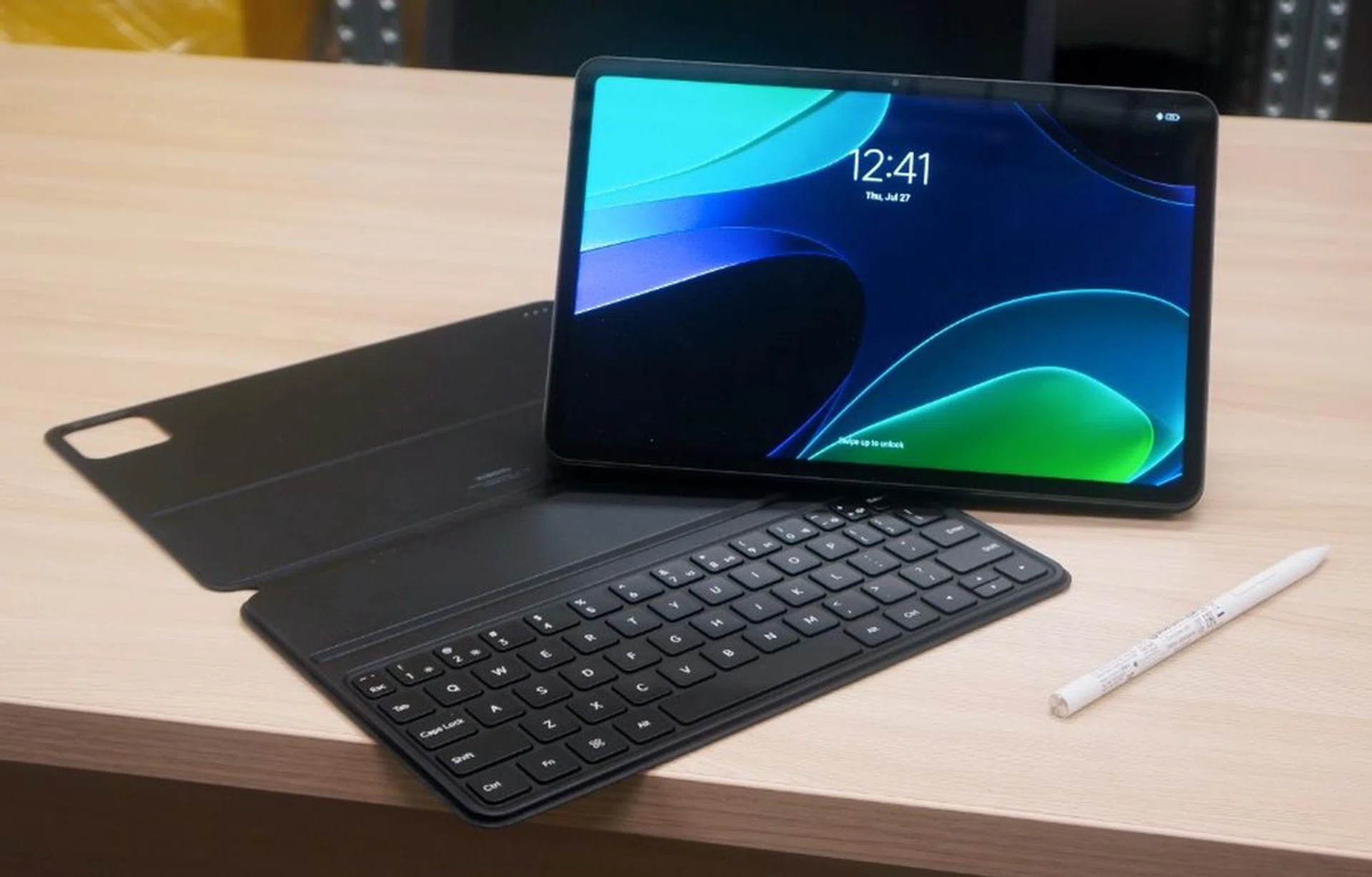
The Xiaomi Pad 6, with its optional Smart Cover and Smart Pen completes its full proposition.
Overall, I found the Xiaomi Pad 6 has a mix of good specs, accessories, software without bloat, great audio capabilities, and a reasonable battery life that rounds out the review for the device.
When compared to the Pad 5, the Pad 6's upgrades make the device feel like it delivers on the company's promise of being a “productivity and entertainment” tablet. Its increased RAM, bumped-up processor, quad-speakers, and family of accessories, make the Xiaomi Pad 6 an all-rounded performer that would keep any tablet buyer content.
Having access to the accessories is nice as they do improve the functionality of the Tab 6 notably, such as getting the tablet to be propped up, replying to some emails, and even taking notes easily.
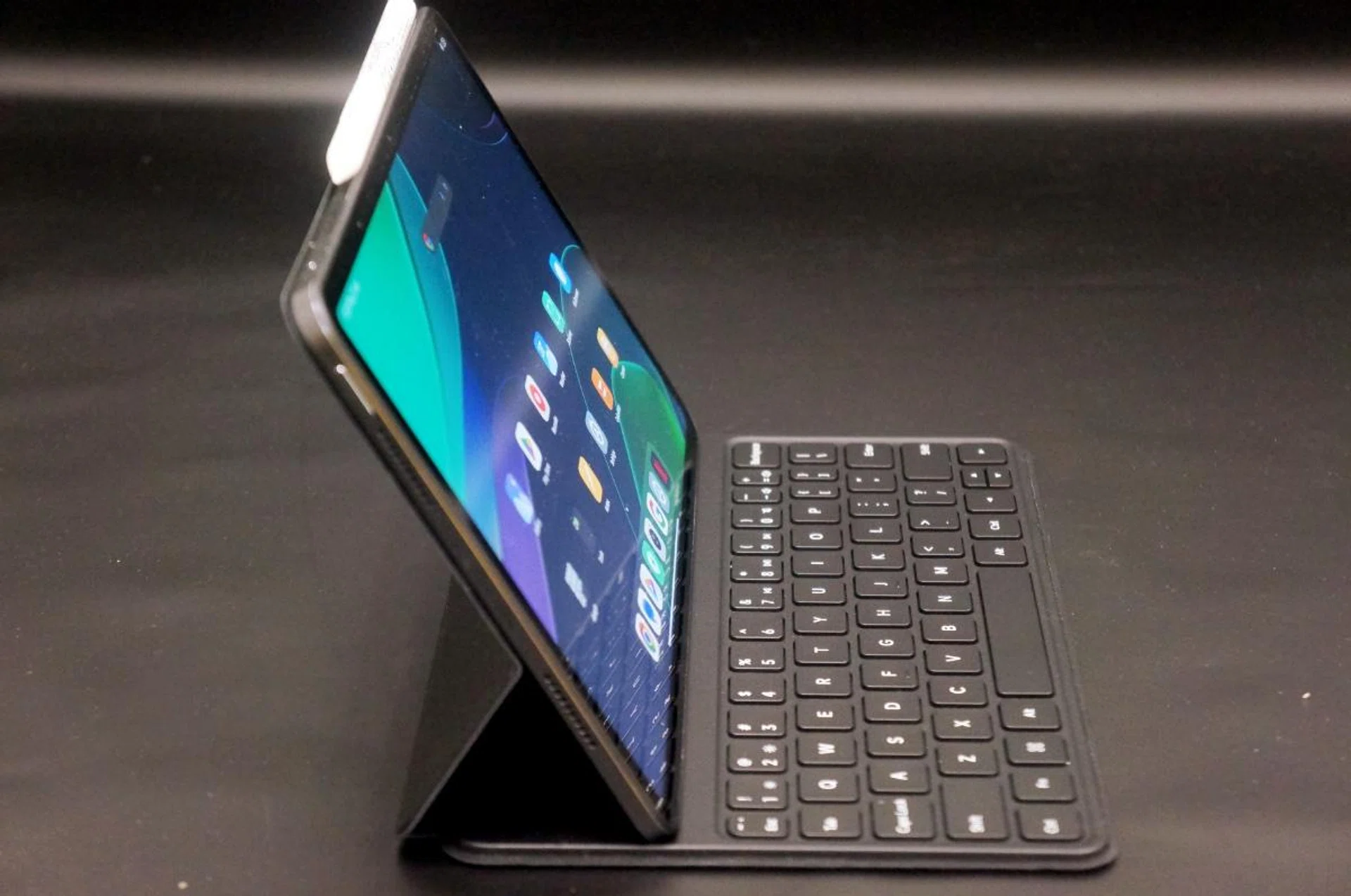
The only position the Keyboard Cover can be used to prop up the Tab 6.
I had no issues using it for work, especially with the Keyboard Cover. Its only limitation is that it only supports one viewing angle. I'd probably end up looking for a third-party cover that allows me more options for positioning the screen, but that might be hard to come by.
Using the Smart Pen or any stylus for work isn't something I’m really used to. So, while it works and some of the software on the Pad 6 is optimised for it, I can’t say that I use it extensively. Another problem I have is that there isn’t any safe place to store it when it’s not in use. But while I personally don't use the Smart Pen much, I can see it being of use to a user who is more graphically minded than I am.
The Smart Cover is pretty much standard and run-of-the-mill for tablets. I think its a nice to have, but I'd only get it if it came free or at a discount.
That said, using the Pad 6 for entertainment is a joy.
You can fiddle around with the settings to get that perfect balance between refresh rate, battery, and performance you want.
For gaming, the ability to choose a balance between frame rate, picture quality, and performance certainly makes a difference to me.
Watching most content on the Xiaomi Pad 6 isn’t a chore. The 2.8k resolution, 11-inch screen, and quad speakers make using the tablet for Netflix a no-brainer for me. But while Xiaomi claims 550nits of brightness, I can't say that I really noticed a difference. Rather, I feel that it needs to be brighter yet.
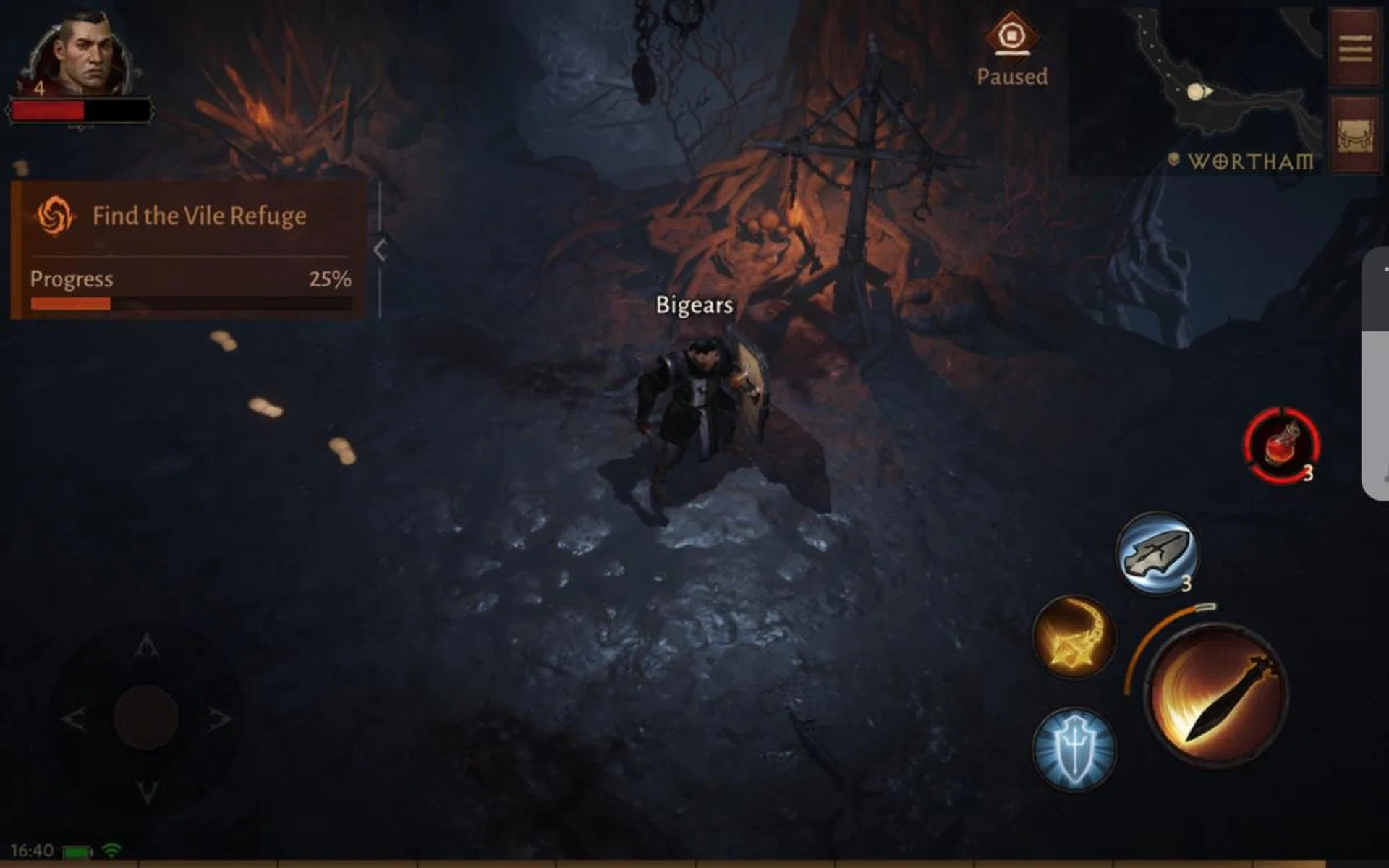
Brightness wasn't an issue playing Diablo, but i felt it could be brighter when watching Netflix.
At this juncture, you might be wondering why Xiaomi's tablet costs so much less than a Samsung Tab S9 when the Xiaomi Pad 6 looks good on paper and in our actual use. For starters, the Samsung Tab S9 uses an AMOLED display with far higher peak brightness. This means it will have inkier blacks and a much richer contrast versus the IPS display on the Xiaomi Pad 6, thus giving you a much more convincing HDR performance and works better in bright environments. Don't forget that the Samsung Tab S9 comes with a flagship processor with far more processing power, is the first modern water-resistant Android tablet, has expandable memory, SIM-enabled versions, guaranteed security and OS updates and many other smaller comparisons that come into play to prop up its asking price.
The bottom line is that the Samsung Tab S9 is priced according to its tier of features, while Xiaomi's Tab 6 offers most of what the everyday user needs at a price that one doesn't mind biting.
The Xiaomi Pad 6 comes in three colourways and is sold at authorised Xiaomi Stores across Singapore as well as exclusively on Lazada.
The 8GB of RAM and 128GB of storage variant will be available exclusively online at S$459, and the other variant with 8GB of RAM and 256GB of storage can be bought for S$529.
The Xiaomi Pad 6 Keyboard and Xiaomi Smart Pen (2nd Gen) is priced at S$129 and S$99, respectively, whereas the Xiaomi Pad 6 Cover can be purchased for S$49.