

Note: This review was first published on 16 March 2022.
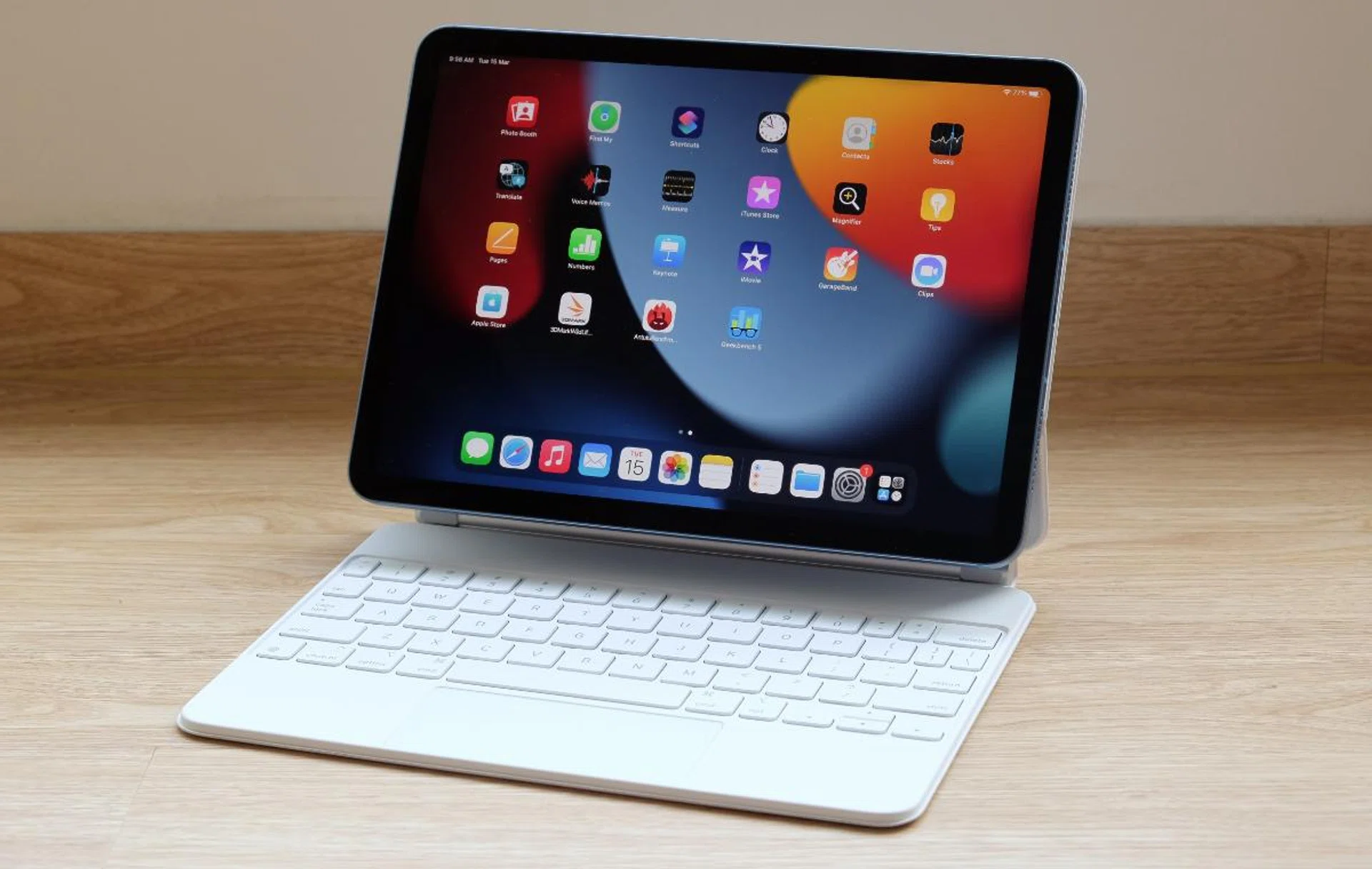
The newest iPad Air gets an M1 chip and some other nice updates all around.
Almost an iPad Pro
The iPad Air was given a thorough refresh in 2020 and in my review I called it an iPad Pro Lite. That’s because it has many of the features found in the pricier iPad Pro. In fact, it seems that Apple has taken a long hard look at the iPad Pro and then stripped it down to its key ingredients for the iPad Air. That approach should be applauded. And fortunately, Apple has taken the same approach again in 2022 with its latest update to the iPad Air.
Spec-bump update
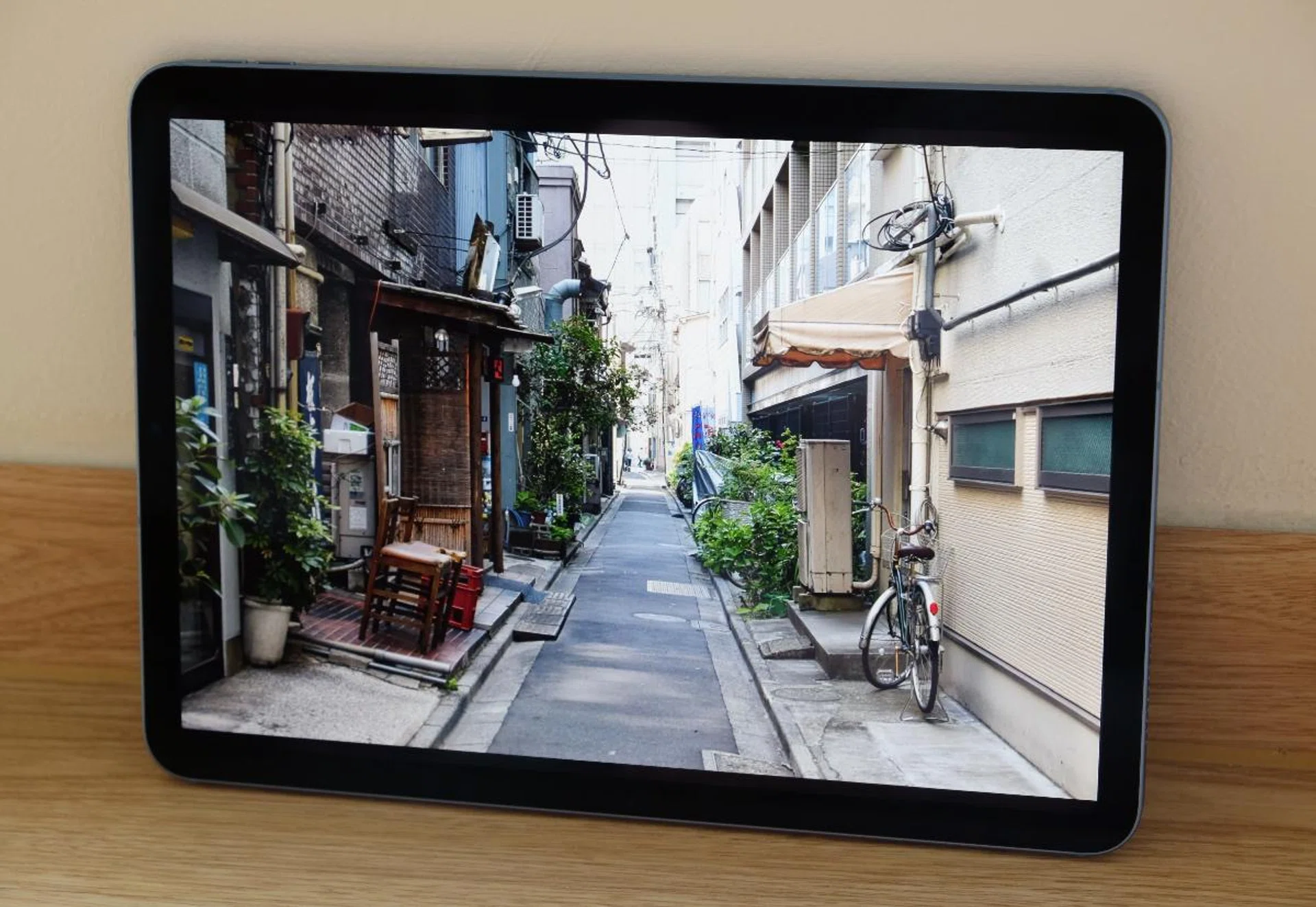
The 10.9-inch Liquid Retina display can't quite match an OLED one but it's still pretty fantastic.
Apple hasn’t done much to change the way its newest iPad Air looks and feel. This latest generation iPad Air looks and feels just like its predecessor. That’s no bad thing because there’s little to fault its design. The 100% recycled aluminium body has flat sides that many love and it feels solid and every bit like a premium device should. It's also thin, compact, and light. The only change in terms of design is colours. There are still five colours to choose from – Space Grey, Starlight, Purple, Pink, Blue – but the hues have been updated.
The 10.9-inch Liquid Retina display is unchanged. So we have a resolution of 2360 x 1640 pixels, P3 wide colour support, and True Tone technology. I know many were hoping for a ProMotion display but Apple is reserving that for its “Pro” iPads. Even though the refresh rate is capped at 60Hz, there are really not many bad things to say about this display. For an LCD display, it’s fantastic. It’s sharp, crisp, and the colours are bright and natural-looking.
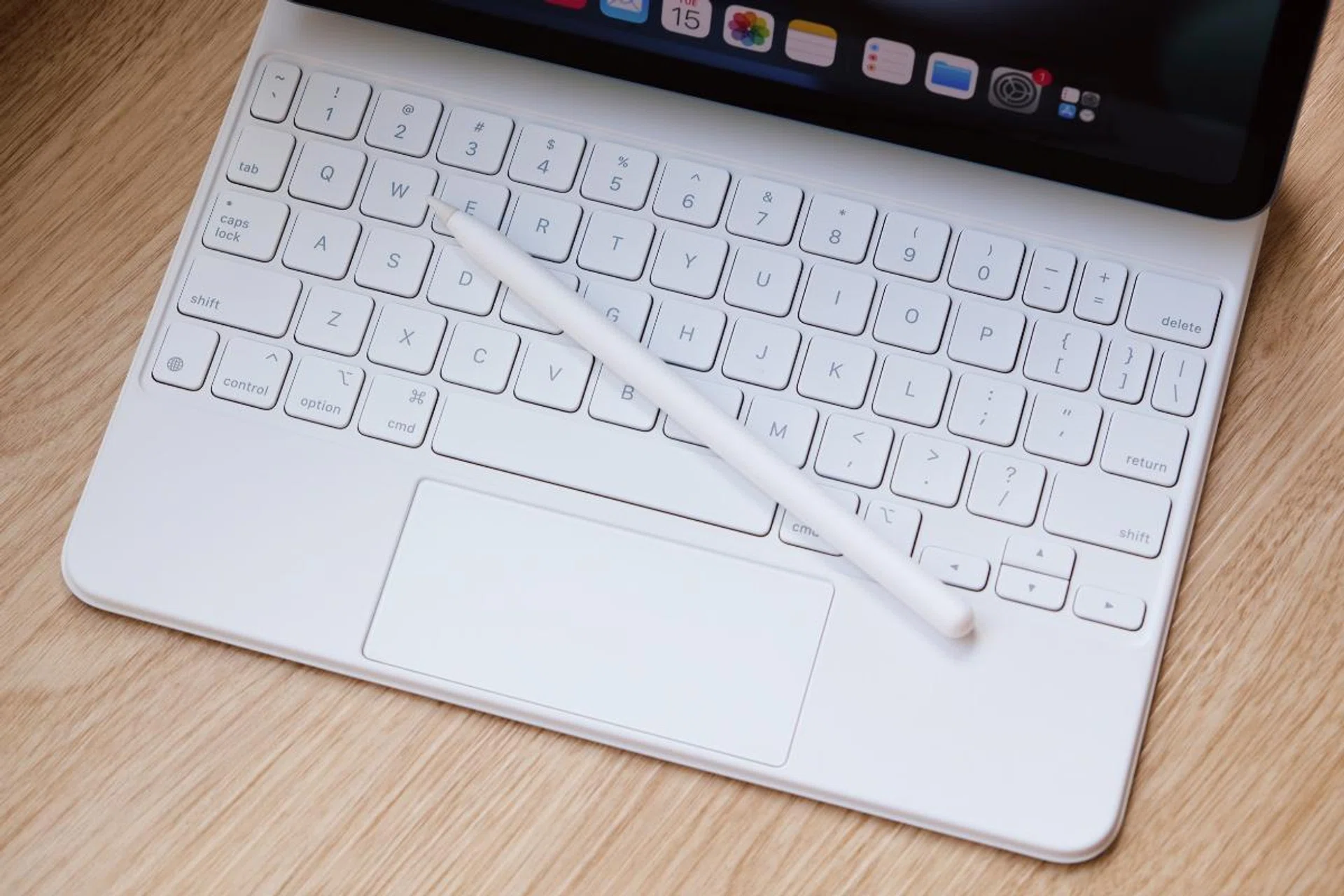
The iPad Air works with all the iPad Pro accessories like the second-generation Apple Pencil and Magic Keyboard.
And as for features, both the new iPad Air and old iPad Air support Apple’s second-generation Apple Pencil. They also have the Smart Connector to use with the Apple Magic Keyboard for iPad and the Smart Keyboard Folio. The rear-facing camera is also the same 12-megapixel unit with an f/1.8 aperture and Smart HDR 3 technology. It will suffice for quick snaps and if you have documents to scan.

One of the few major updates is the front-facing camera. It’s now a 12-megapixel ultra-wide camera unit with a wide 122° field of view that supports Apple’s Centre Stage feature. Using machine-learning and taking advantage of the wide field of view, Centre Stage tracks subjects and keeps them in the middle of the frame even as they move about. And if someone else joins in on the call, it’s intelligent enough to zoom out and reframe itself.
I have written about it in greater detail in my iPad Pro review explaining how it works. And while it might seem like a gimmicky feature at first, I guarantee that you’ll quickly appreciate it after a few video calls with it. It gives you so much more freedom to move around and it's especially helpful if you have someone else with you joining in the call. That said, like its predecessor, there’s no Face ID. Instead, there’s Apple’s good old Touch ID integrated into the top button. It’s certainly not as convenient as Face ID but it works well enough so I can't really complain.
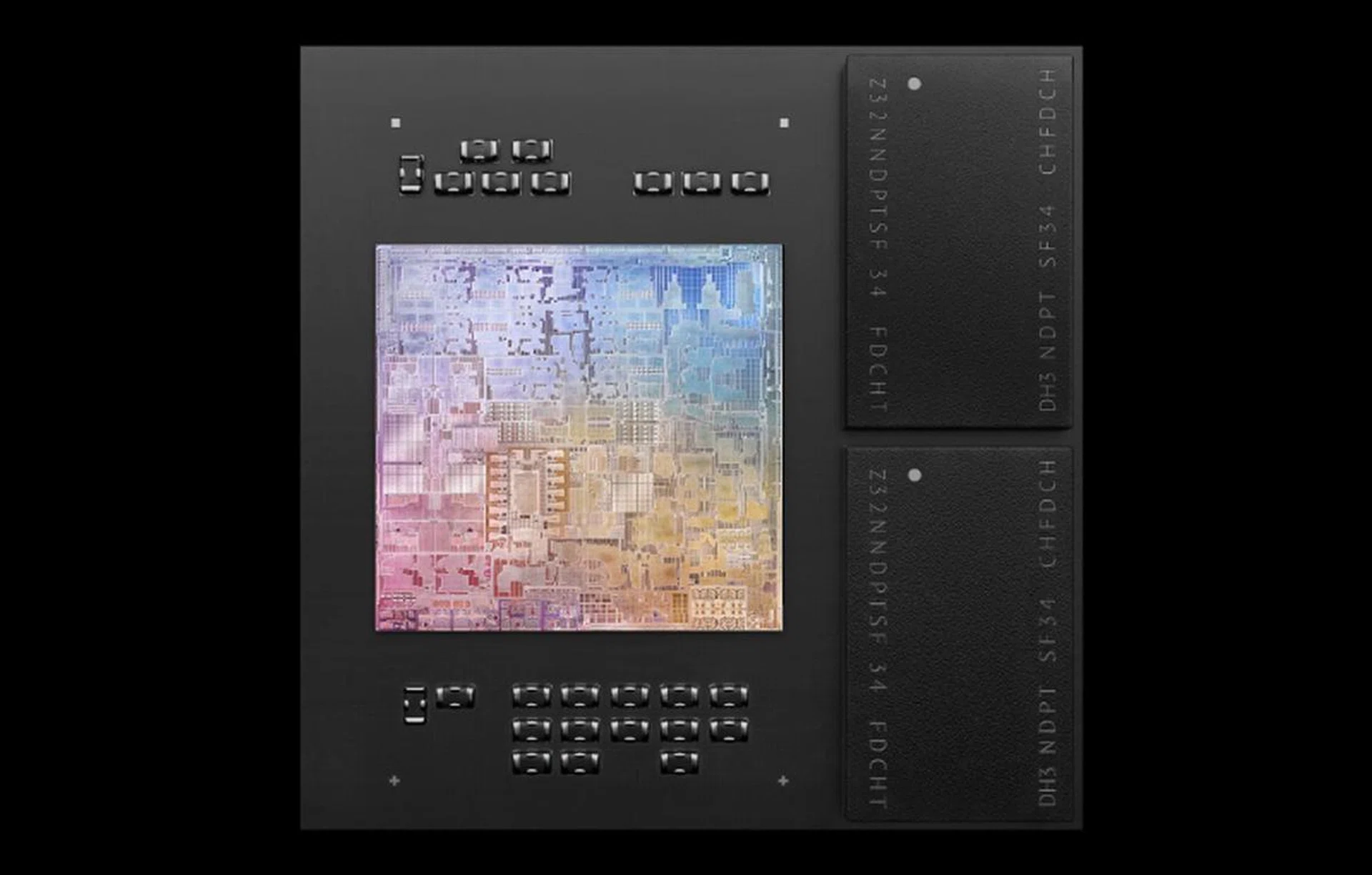
Does a tablet really need an M1 chip? Probably not. But who can say no to more performance?
The other big update is under the proverbial hood. Like the iPad Pro, the iPad Air is powered by Apple’s M1 chip. The M1 chip, if you have already forgotten, was Apple’s first custom chip designed for Macs. But because it’s based on the ARM architecture, Apple can easily use it to run iPadOS too. Performance should therefore be similar to the iPad Pro, which is to say great. The M1 was a chip that has performance rivalling desktop chips and the iPad Pro was easily the fastest tablet we’ve tested. This iPad Air should be no different.
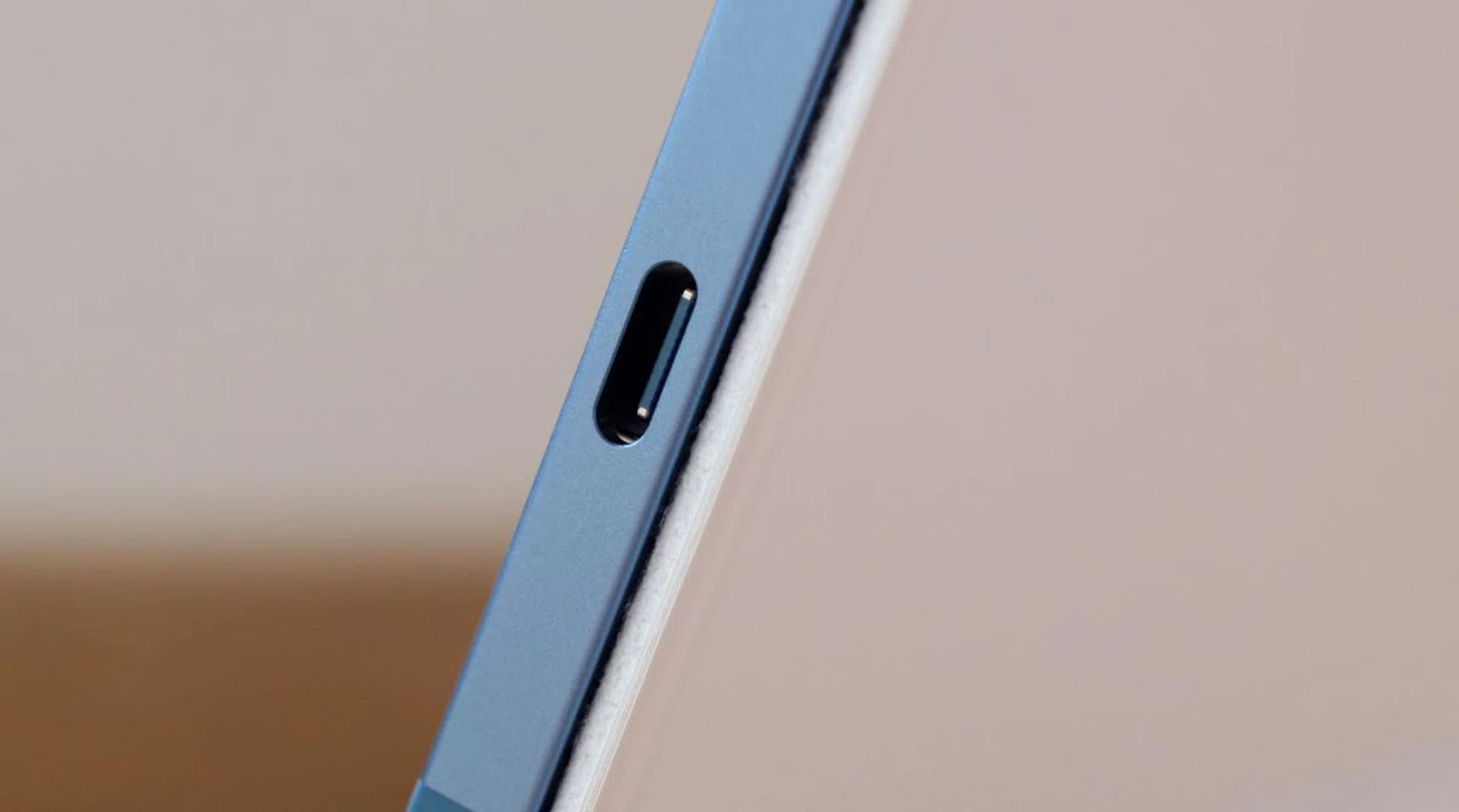
The USB-C port doesn't support Thunderbolt like the "Pro" iPads but it does have higher bandwidth.
Despite having an M1 chip, Apple hasn’t given this new iPad Air a USB-C Thunderbolt 4 port. Instead, the USB-C port now supports USB 3.1 Gen 2 so you get faster transfer speeds of up to 10Gbps – double that of its predecessor. It’s a nice update but outside of external portable SSDs with USB 3.1 Gen 2 support, there aren’t many USB peripherals that I can think of that can take full advantage of this extra bandwidth.
Lastly, the iPad Air joins the iPad Pro and iPad Mini in supporting 5G. It's only the slower sub-6GHz version but you'll still see a good boost in speeds if you happen to be in the right place. While I don't think it’s a must-have killer feature, it's still nice to have and should go some way in ensuring the longevity of the device as we gradually transition wholly to 5G data plans.
Deep integration with Macs

If you have a Mac, an iPad can be a great companion device, especially now that Universal Control is coming. In case you have already forgotten, Universal Control is a new feature in macOS Monterey that will enable users to control multiple Macs and iPads with a single keyboard and mouse. That’s incredibly helpful and opens up a lot of new workflow and work setup possibilities. And even if you don’t have a need to control two systems at once, you can also use the iPad to mirror and extend your Mac’s desktop with Sidecar, which was introduced as part of macOS Catalina in 2019.
Powered by M1
Did Apple really need to put an M1 chip into the iPad Air? Probably not. But are the results impressive? Undoubtedly.
The M1 chip has appeared in numerous Apple devices like the 13-inch MacBook Pro, 24-inch iMac, and iPad Pro, but it's worth covering the high-level highlights again for those who are learning about this chip for the first time.
- Built on a 5nm process
- 16 billion transistors
- 8 CPU cores and 8 GPU cores
- 4 high-performance CPU cores, 4 high-efficiency CPU cores
- 16-core Neural Engine capable of 11 trillion operations per second
- Unified memory architecture
What do these specifications mean? It means you are getting performance that rivals a desktop-class Core i7-10700K processor in a slate-like device that's less than half a kilogram and is just mere millimetres thick. If that's not impressive, I don't know what else is.
Performance analysis
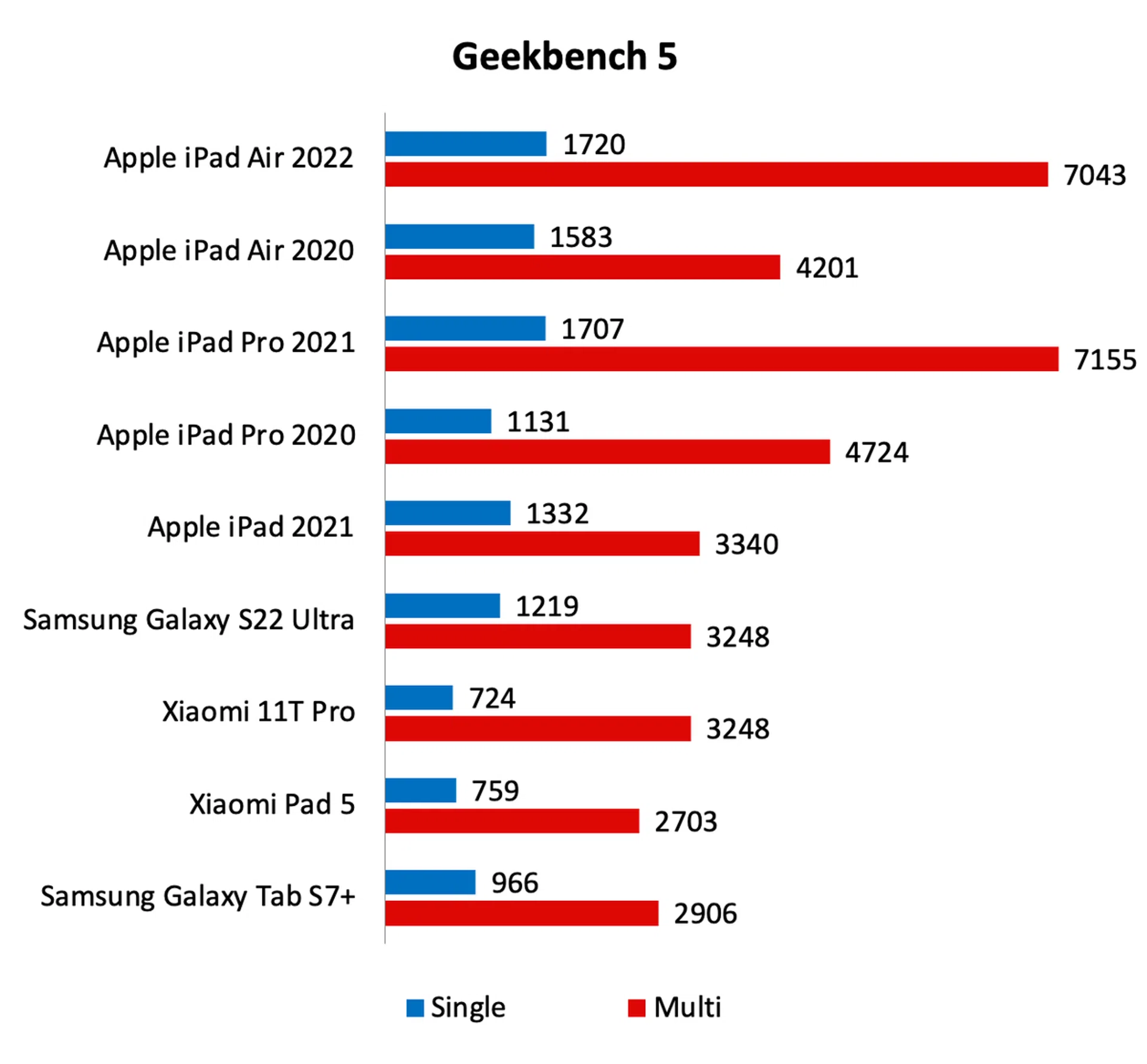
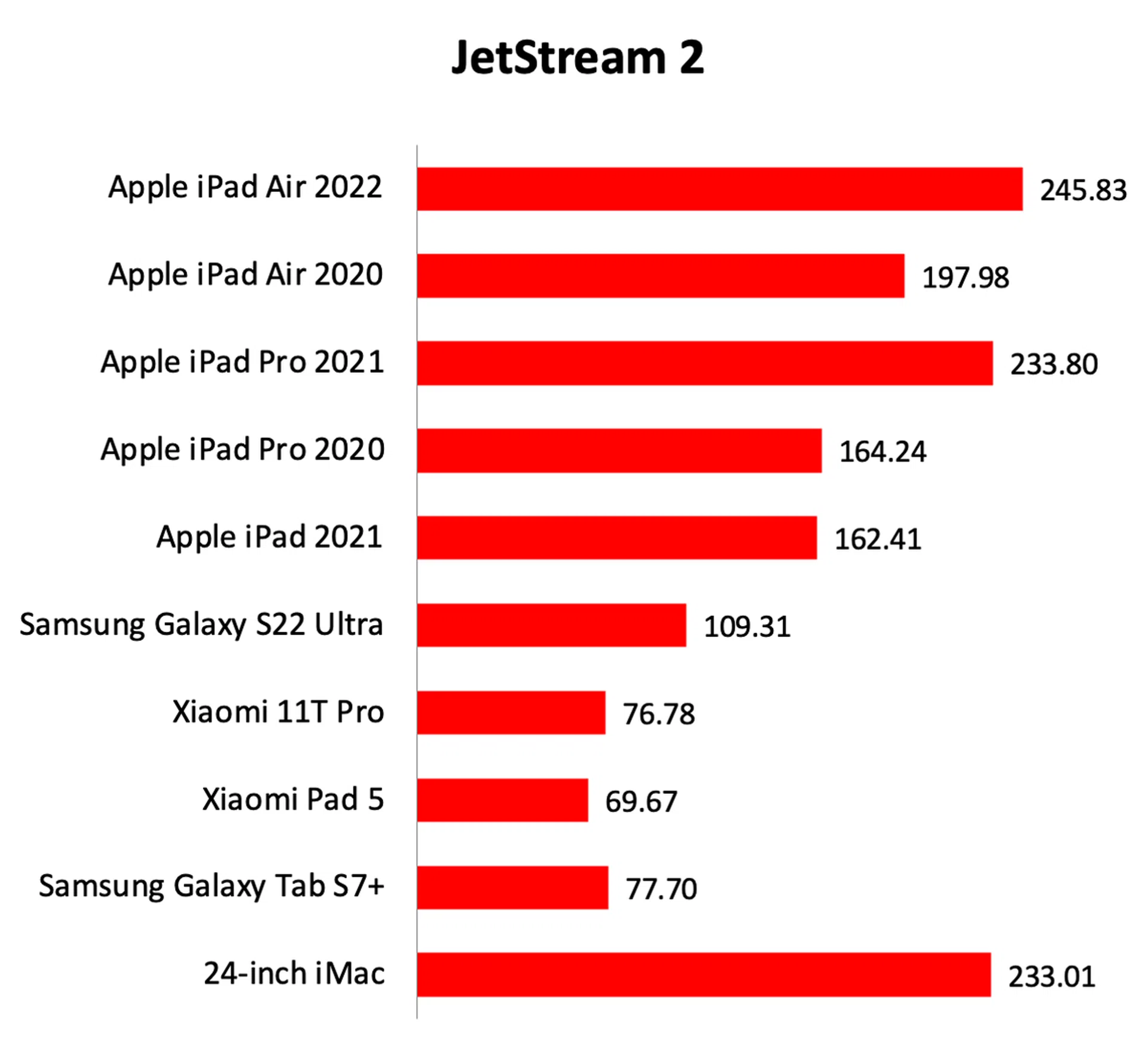
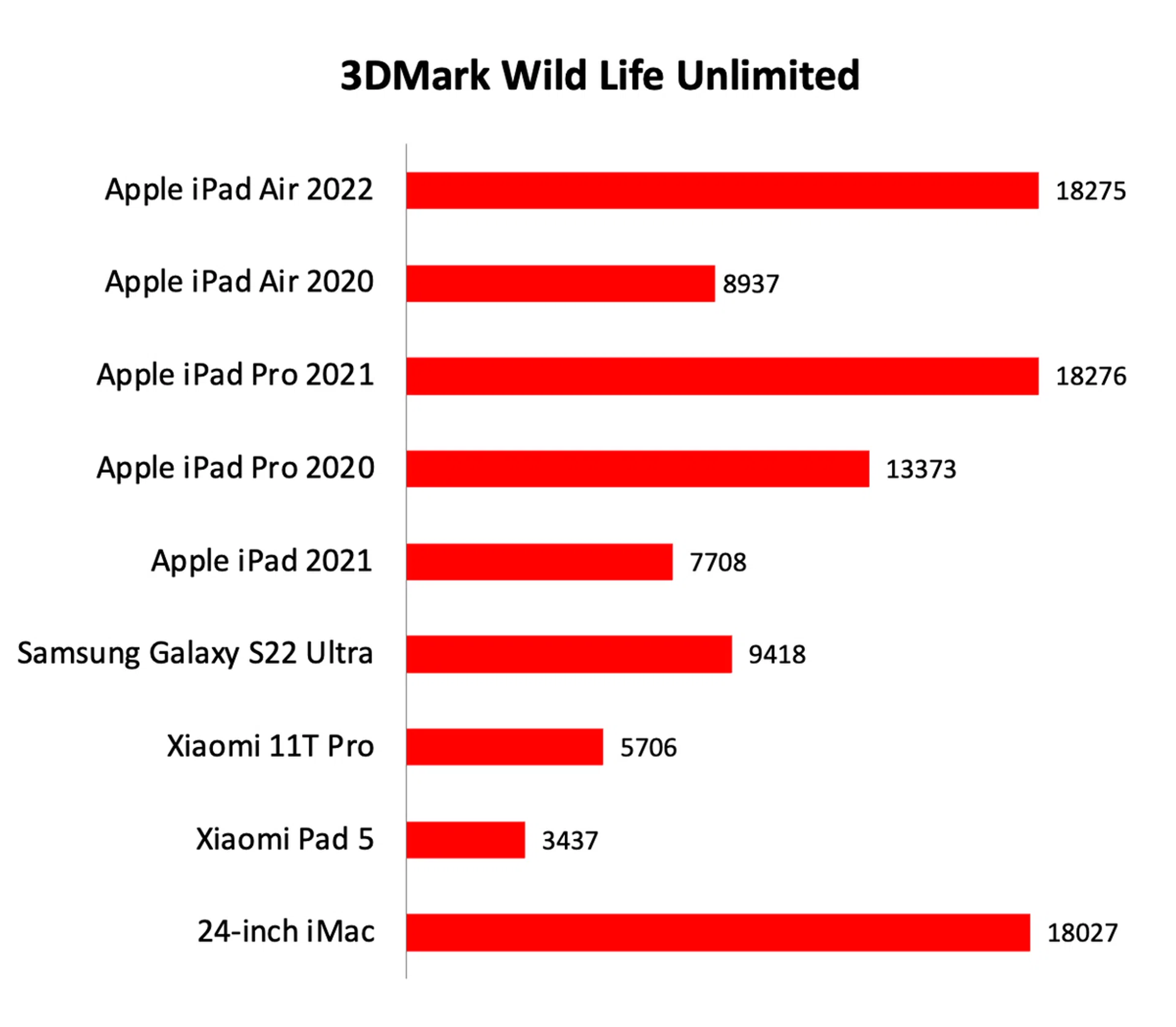
As you can see, the iPad Air’s performance was identical to the pricier iPad Pro – which should come as no surprise since they are powered by the same chip. Compared to its predecessor which had an A14 Bionic chip, this new iPad Air just leaves it for dead. Thanks to the extra CPU and GPU cores, Geekbench multi-core score is up a whopping 67% while 3DMark Wild Life saw a remarkable 93% bump in performance. Whatever you may throw at it the new iPad Air will handle it with ease and aplomb.
Battery life
Our standard battery test for mobile phones has the following parameters:
- Looping a 720p video with screen brightness and volume at 100%
- Wi-Fi and Bluetooth connectivity turned on
- Constant data streaming through email
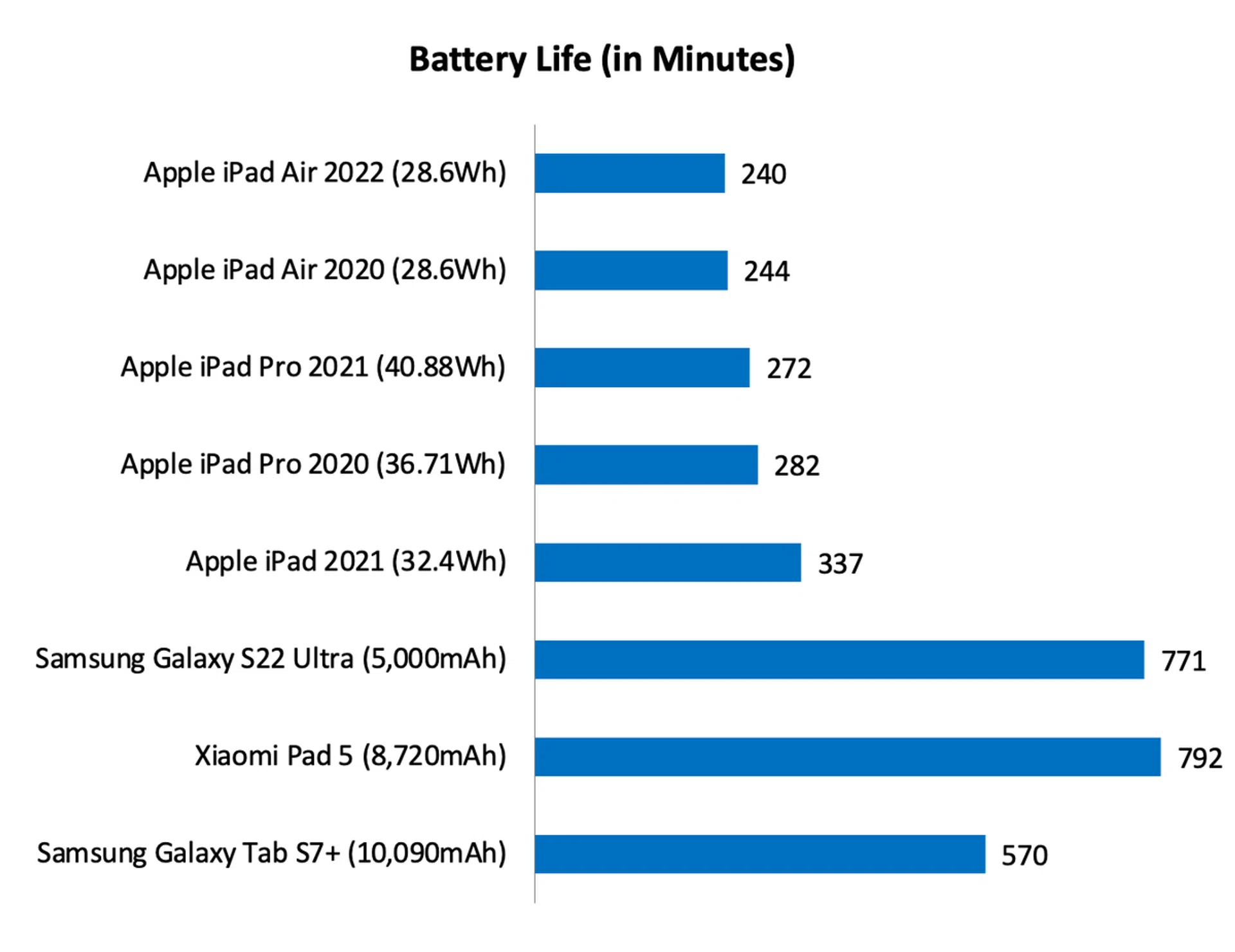
Interestingly, despite the increased performance and the fact that battery capacity remains the same, the new iPad Air lasted just as long in our battery test – 4 hours. This truly is a testament to the efficiency of the M1 chip. But as remarkable as it may be, it’s still a long way down from what Android tablets like the Xiaomi Pad 5 and Samsung Galaxy Tab S7+ could achieve. Incredibly, the Xiaomi Pad 5 lasted over 13 hours.
In the real world, however, battery life was much more acceptable and reasonable. It does dip quite quickly if you are using it on cellular and if your screen brightness is set high, but I could still get around 7 to 8 hours of screen time before I needed to charge it. I found these numbers to be roughly the same as its predecessor.
Still the best iPad for most people (if you can afford it)
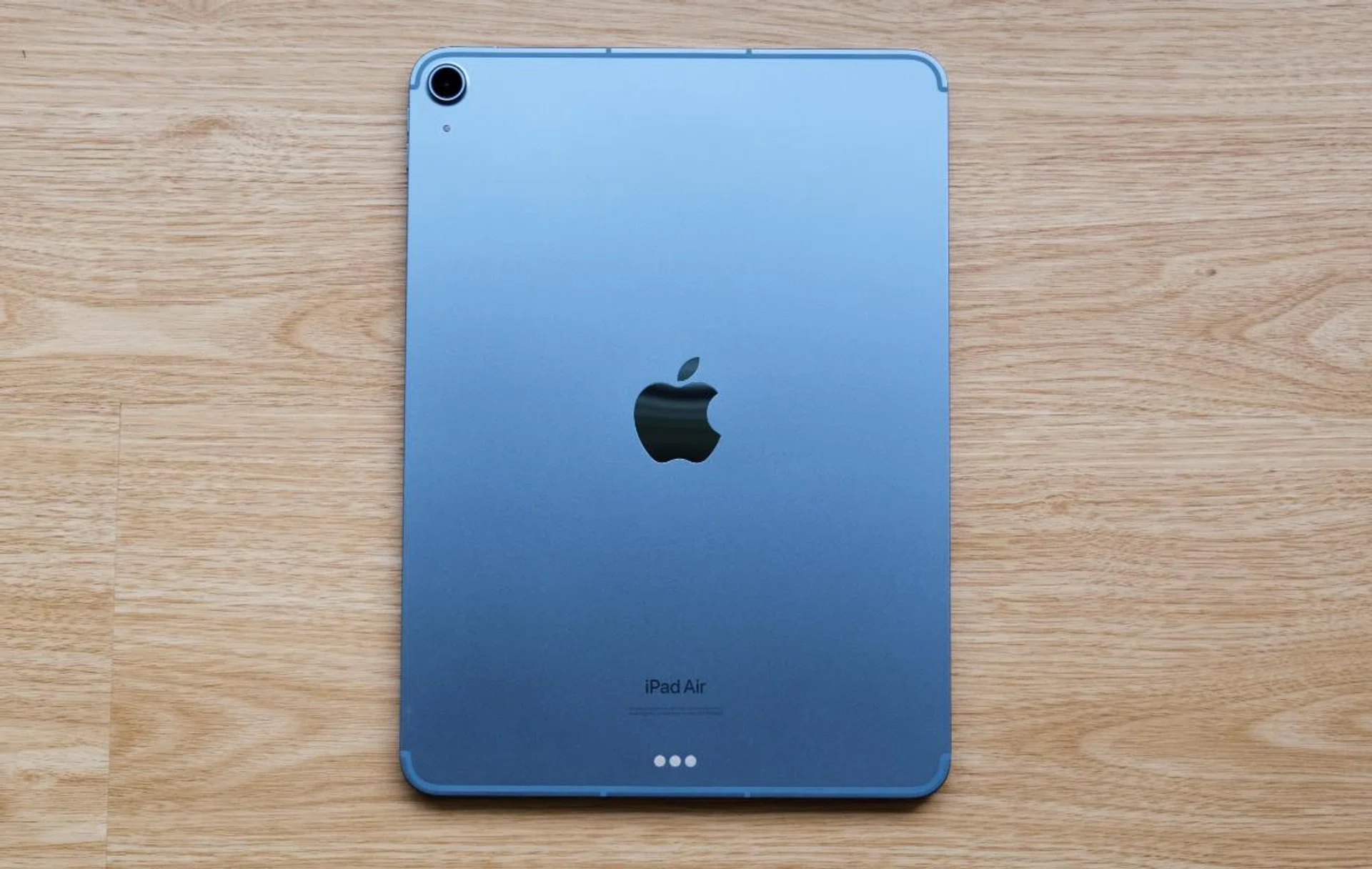
The iPad Air is the best iPad Air in the lineup for most people.
If you are in the market for a new iPad, the iPad Air is probably the best iPad for you. Granted, the iPad Pro has a better display, faster Thunderbolt port, a more advanced camera system with lidar, and more. But ask yourself if you need these features and how often are you going to use them. My guess is not very much. Fact is, the iPad Air offers much of what the iPad Pro does but at a lower price point.
I’m hesitant to use the phase “more affordable” because prices of the iPad Air start at S$879. And that’s for the Wi-Fi-only version with 64GB of storage. The cellular models start at S$1,079. That’s quite pricey for a tablet. Furthermore, accessories are sold separately. A second-generation Apple Pencil is S$189, a Smart Keyboard Folio is S$269, and the Magic Keyboard is – gasp – S$519. I think most people will end up spending well over a grand on this tablet.
Storage | Wi-Fi | Wi-Fi + Cellular |
64GB | S$879 | S$1,099 |
256GB | S$1,099 | S$1,319 |
At this point, you might be thinking, “Right, why don’t get I just get the regular iPad then?” With prices starting at S$499, that’s certainly an enticing option if you want to save money. However, the regular iPad has a markedly less powerful processor (A13 Bionic), its design is quite dated, the display isn’t as nice, its speakers are only on one side, and it doesn’t work with the latest accessories. It really is a basic tablet and the iPad Air provides a much better experience. To put it in another way, I think people would regret more if they settled for a regular iPad when they could have gotten the iPad Air rather than spending the extra outright on an iPad Air.
So yes, the new iPad Air is by no means an affordable tablet. But it makes a strong case for itself as being the best tablet for most people. The design and form factor can hardly be faulted, the display is great, and the performance is utterly peerless. Battery life could be better but that’s my only real complaint. If you are the kind that believes in getting the best things you can afford so that you can use them for a longer time, then this is the iPad to aspire to.
You can find the iPad Air on Apple's Online Store, the Apple Flagship Store on Lazada, and also Amazon.
Our articles may contain affiliate links. If you buy through these links, we may earn a small commission.