
LG G7+ ThinQ review: A solid but uninspired effort
The LG G7+ ThinQ builds on last year's G6 with a slightly bigger display, AI camera features, and a loud Boombox speaker, but is it worth S$1,198? We find out.

Note: This article was first published on 8th June 2018. We've also updated that the phone isn't Dolby Vision HDR certified.
Overview
In years past, LG has been experimenting with some oddball features that didn't always work out. There was the curved LG G Flex, the leather-backed LG G4, and the modular LG G5. Last year, LG ditched the gimmicky features and the result was its best phone in years, the LG G6, an attractive bezel-less smartphone with a great display, an IP68 build and a useful dual camera setup. Unfortunately, it also had an outdated year-old processor and was overshadowed by Samsung's own bezel-less Galaxy S8, which was announced just a month after the G6.
This year, LG has made sure its latest phone, the daftly-named G7+ ThinQ is armed with Qualcomm's latest Snapdragon 845 processor and has once again kept things simple, with only modest upgrades over last year's model, including a slightly larger 6.1-inch notched display, AI-enhanced cameras, and better audio which includes a louder ‘Boombox Speaker’.
But with LG's new safer approach to phone design it does mean that the G7+ doesn't have any standout unique features, like the curved Infinity Display of the Samsung Galaxy S9, the futuristic 3D TrueDepth camera on the iPhone X, or the triple-lens rear camera of the Huawei P20 Pro.
So is it still worth its S$1,198 price tag? Let's find out.
N.B. Like the V30+ the '+' in the G7+ ThinQ's name merely refers to its 128GB internal storage capacity and increased RAM at 6GB. It is otherwise identical to the standard G7 ThinQ with 64GB/4GB respectively (which isn't officially available in Singapore).

Design
You can't escape notches this year, with everyone from ASUS to Oppo releasing iPhone X-lookalikes. Don't expect that trend to go away anytime soon either, as Google has recently announced notch support for Android P.
The notch on the G7+ is fairly small and houses the earpiece, 8-megapixel front-facing camera (an update over the 5MP camera on its predecessors), and some sensors. Below the display, there's a small chin that's about the same size as the ones on the ASUS ZenFone 5 and Samsung Galaxy S9. Once again, no Android phone today even comes close to the completely chinless look of the iPhone X.
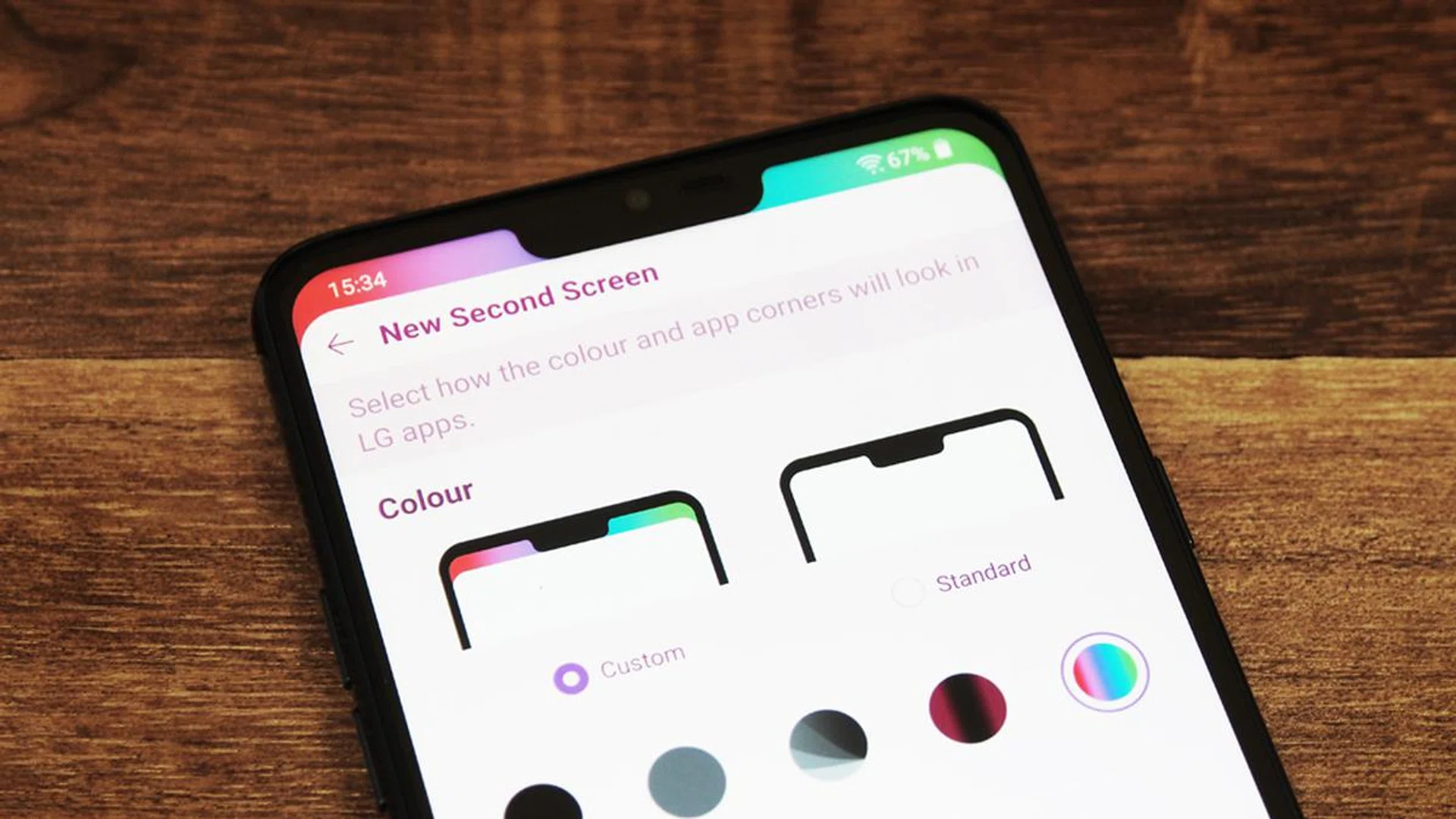
The notch is hidden by default, but you can turn it on, or accentuate it with various colors and gradients. LG never actually refers to the notch as a notch, calling it a "New Second Screen" instead, which I'm guessing is a callback to the second screen on the LG V10 and V20. But that second screen remained active when the main display was off, and could show detailed notifications - this "new second screen" is simply part of the main screen. Calling it a second screen might be LG's way of trying to dodge Apple comparisons, but they're not fooling anyone - just call a notch a notch.
Like the G6, the G7+ has an aluminum frame with a glass rear that is slightly curved at the edges for a comfortable and ergonomic feel in hand. It's a safe and proven design, but not particularly exciting. The phone has almost identical dimensions to last year's model, measuring 153.2 x 71.9 x 7.9 mm and it almost weighs exactly the same too, coming in 1g lighter at 162g. Like last year's model, the G7+ is IP68 rated, which means it can withstand up to 1.5 meters of water submersion for up to 30 minutes at a time.
On the back of the phone, the G7+ has an easy-to-reach fingerprint scanner that sits below the vertically oriented dual rear camera setup. Unlike every other LG device in recent memory, the fingerprint scanner doesn't click to double up as a sleep/wake/power button. Instead, LG has returned the power button to the right side of the phone. Personally, I actually prefer it here as it feels more familiar to me, but longtime LG users might take a few days to adjust. Thankfully, you can still wake the phone by tapping on the fingerprint sensor and unlock the phone thereafter, so it's not a big change.
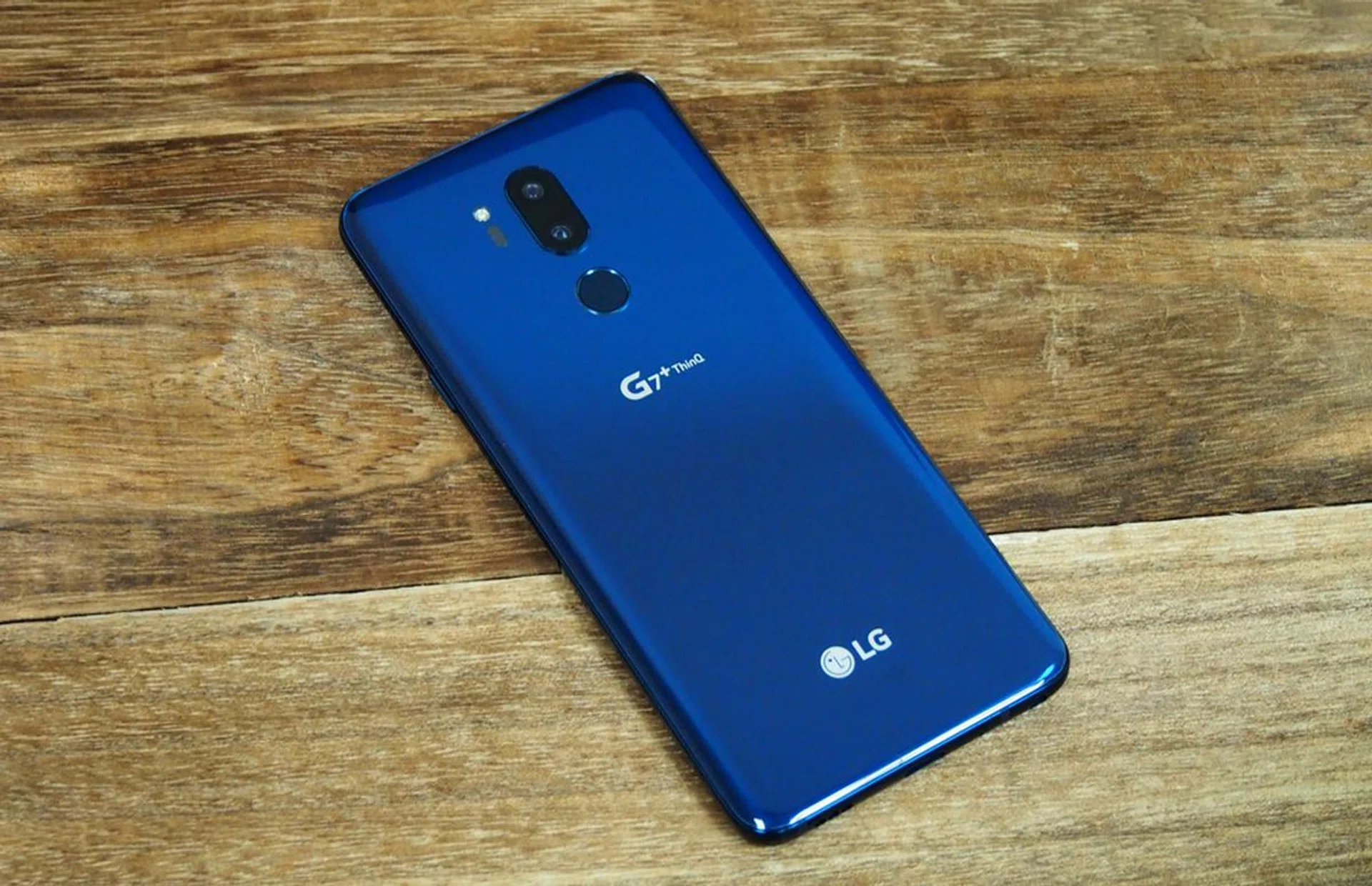
Towards the bottom of the rear there's an LG logo, and higher up there's a secondary 'G7+ ThinQ' logo that I could definitely do without - a simple G7, or preferably no secondary logo at all, would have looked much cleaner. By the way, while I get that LG is really pushing AI this year by putting its ThinQ branding on everything, could they not come up with a better name? LG says ThinQ (pronounced thin-que by the way, not Think, which would have been infinitely better) was chosen because the AI "thinks of you." Groan.
Like the G6, there are individual volume up/down buttons on the left side of the phone. There's also a new dedicated Google Assistant button here below the volume controls. It's very similar to Samsung's dedicated Bixby button, and just like the Bixby button, you unfortunately can't remap it - although you can disable it entirely.
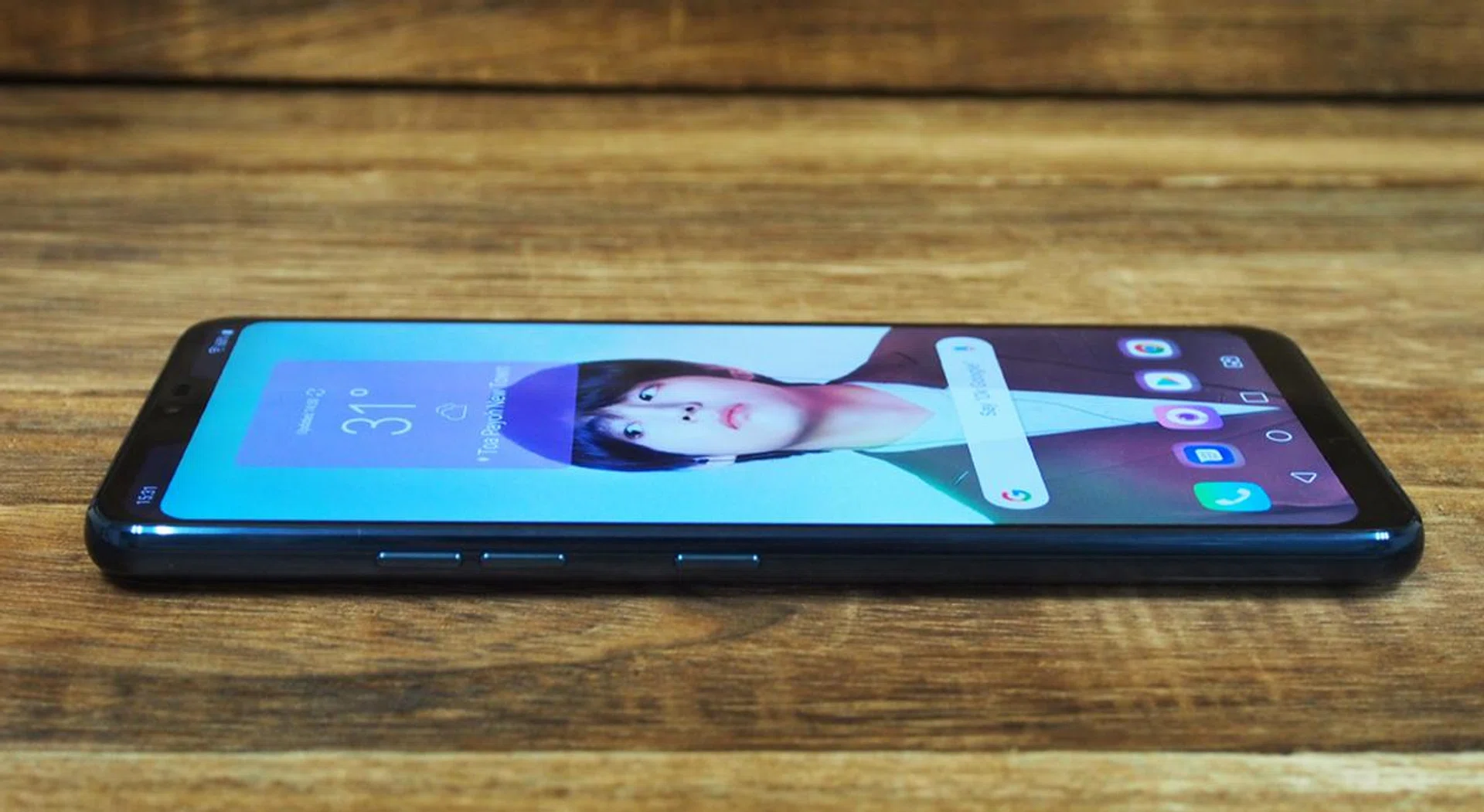
On the plus side, LG's assistant button does at least have dual functionality. A single press launches Google Assistant, while a double press launches you straight into Google Lens. A long press takes you straight into voice commands with Assistant.
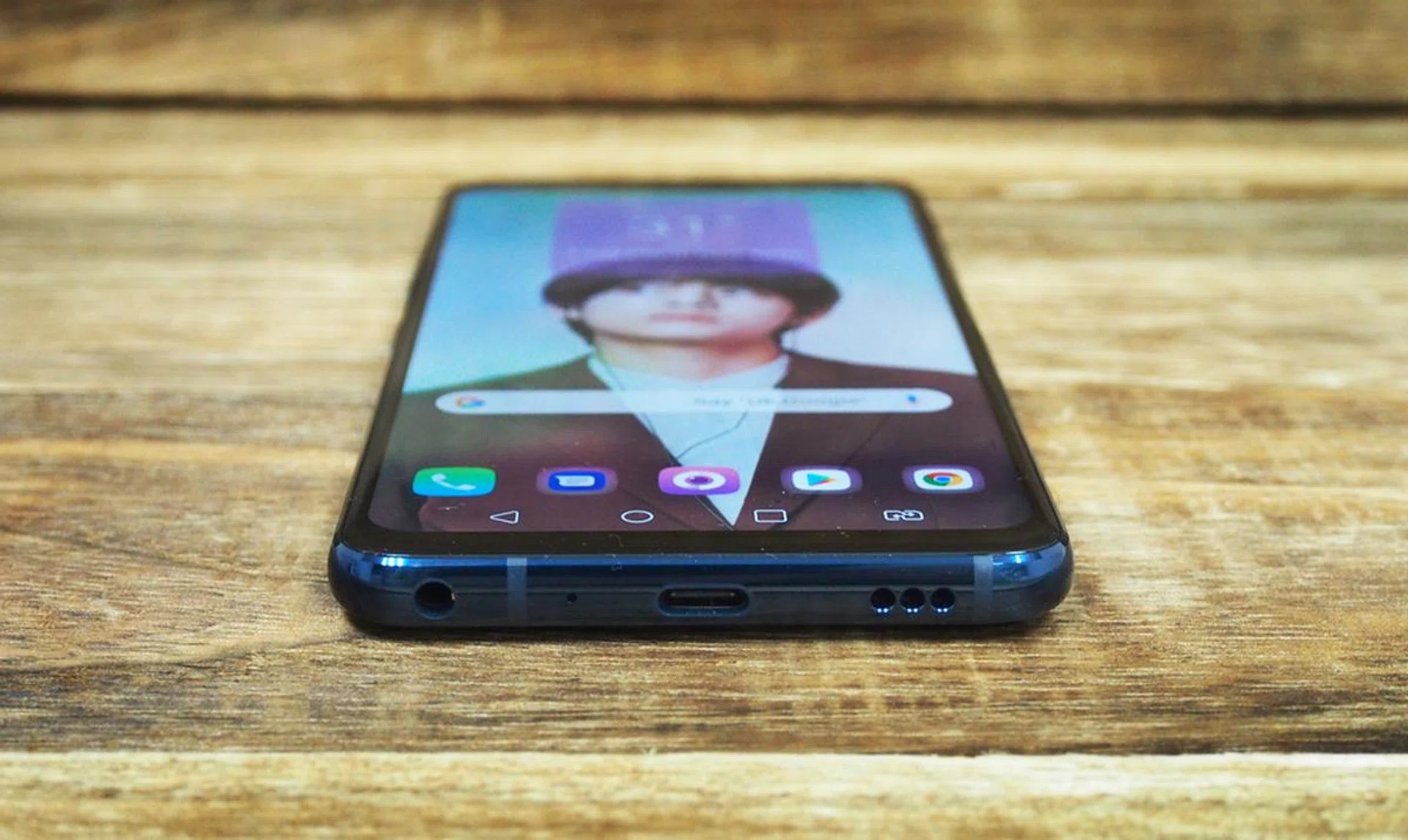
On the bottom of the phone, there's a single downward firing speaker, a USB type-C port, and a 3.5mm headphone port.
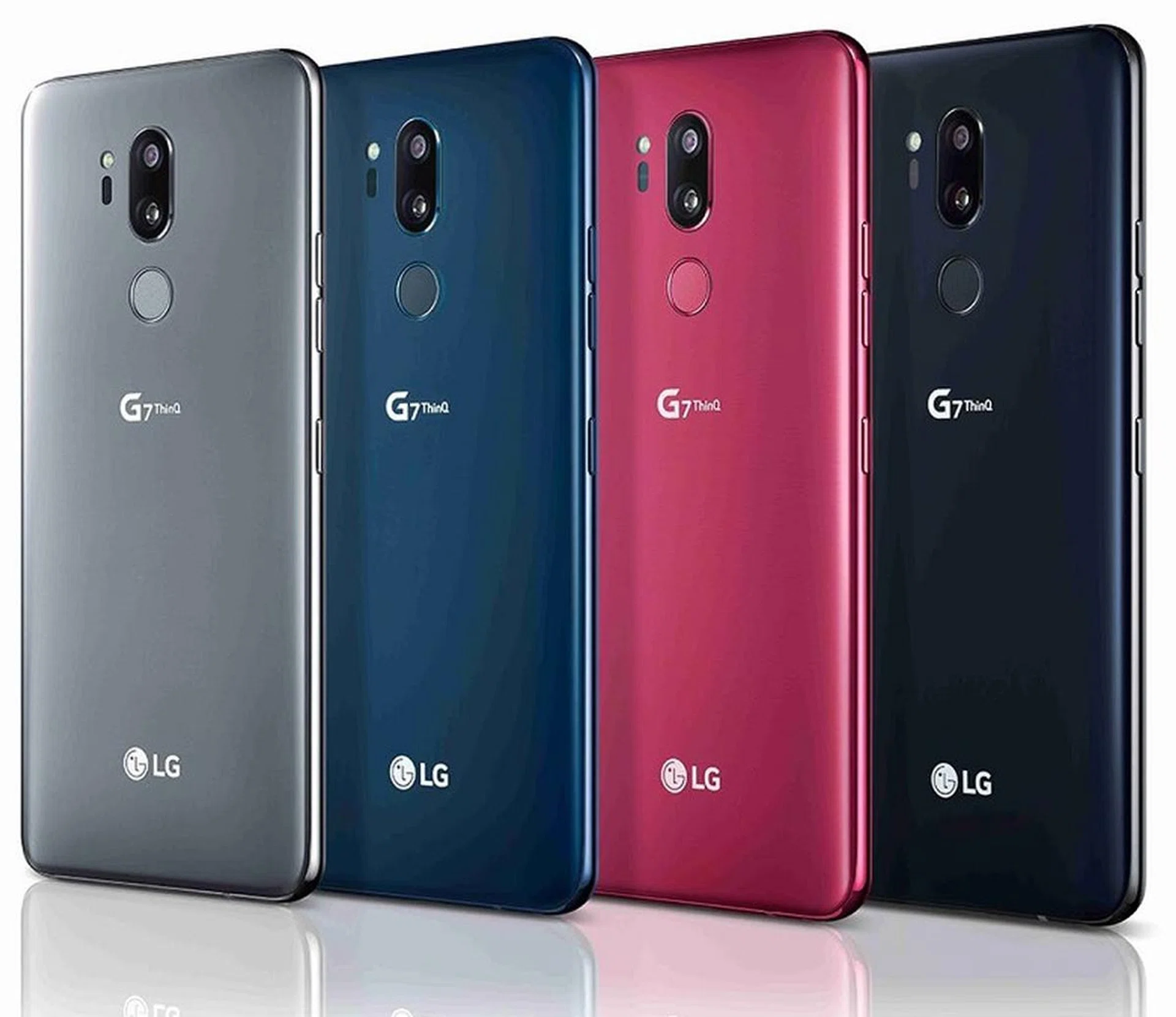
The G7+ ThinQ is available in a bunch of colors: New Moroccan Blue, New Aurora Black, New Platinum Gray, and Raspberry Rose, which unfortunately will not be launching in Singapore.
Display
The G7's display is a 6.1-inch IPS LCD panel with a 3,120 x 1,440 pixels resolution (~564 ppi) and 19.5:9 aspect ratio. It doesn’t have the same perfect blacks and contrasts you'll find on an OLED display, but it still manages vivid colors. However, unlike last year's LG G6, the G7+ ThinQ isn't Dolby Vision HDR certified. Perhaps the loyalties weren't worth to further increase the price of the phone. Despite that, the phone does support HDR10 content, just not Dolby Vision HDR standard. By default, the screen is a little cold, but you can fix this by manually adjusting the color temperature in the settings menu.
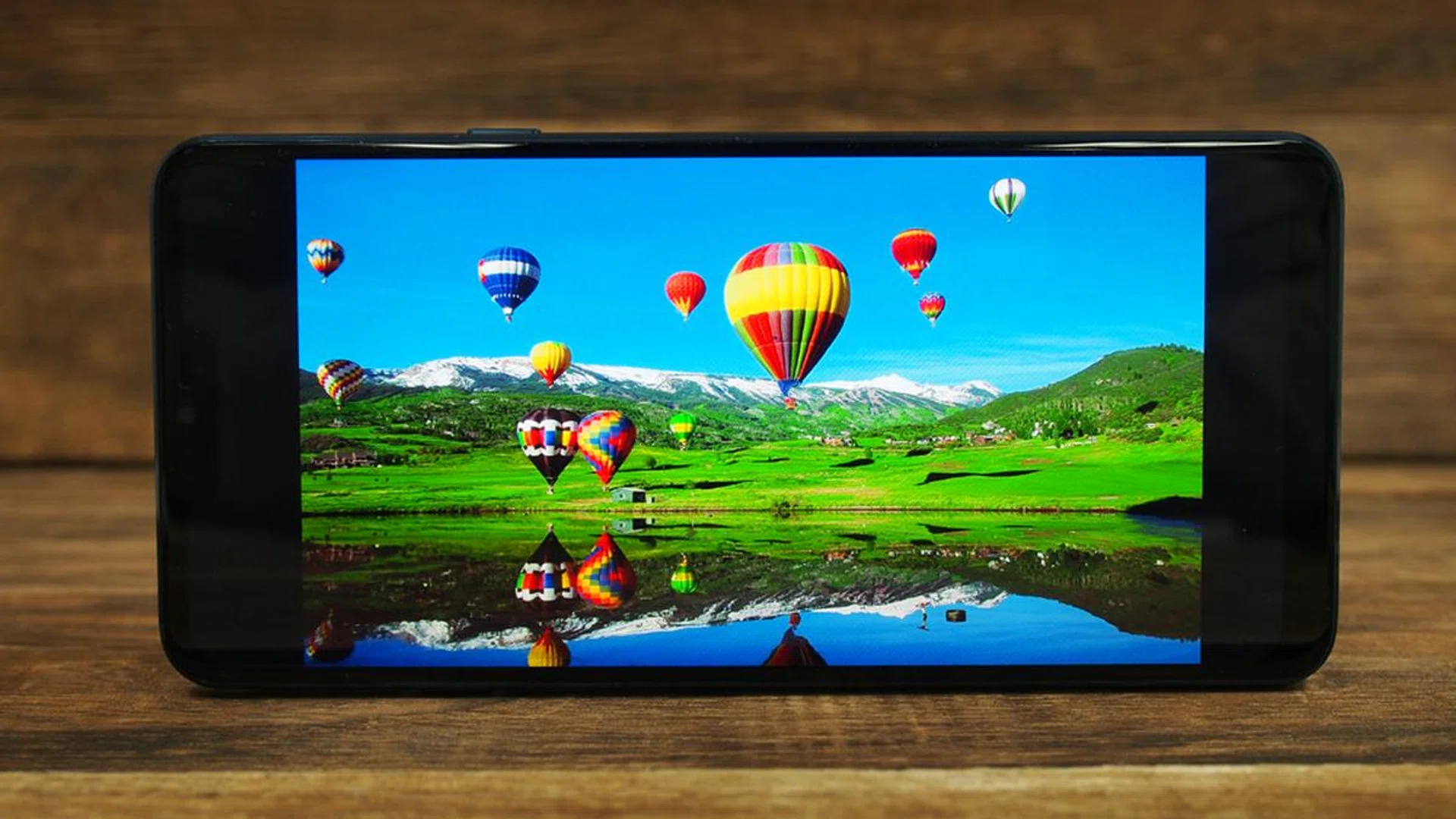
Without any standout unique features, LG has fallen back to promoting features like screen brightness for the G7+, which, let's be honest, isn't tremendously exciting. To be fair, the G7+ can get very bright - maxing out at 1,000 nits, but only when you activate the appropriately named "Super Bright Display" feature.
You do this by tapping the little 'Circle and Sun' icon to the left of the brightness bar in the Quick Settings tray. The icon probably should have been on the right side of the bar, since the slider goes from low on the left to high on the right, and the icon itself is a little confusing since it seems to show a sun behind something, and you're most likely to use this mode when the sun isn't behind something, but whatever.
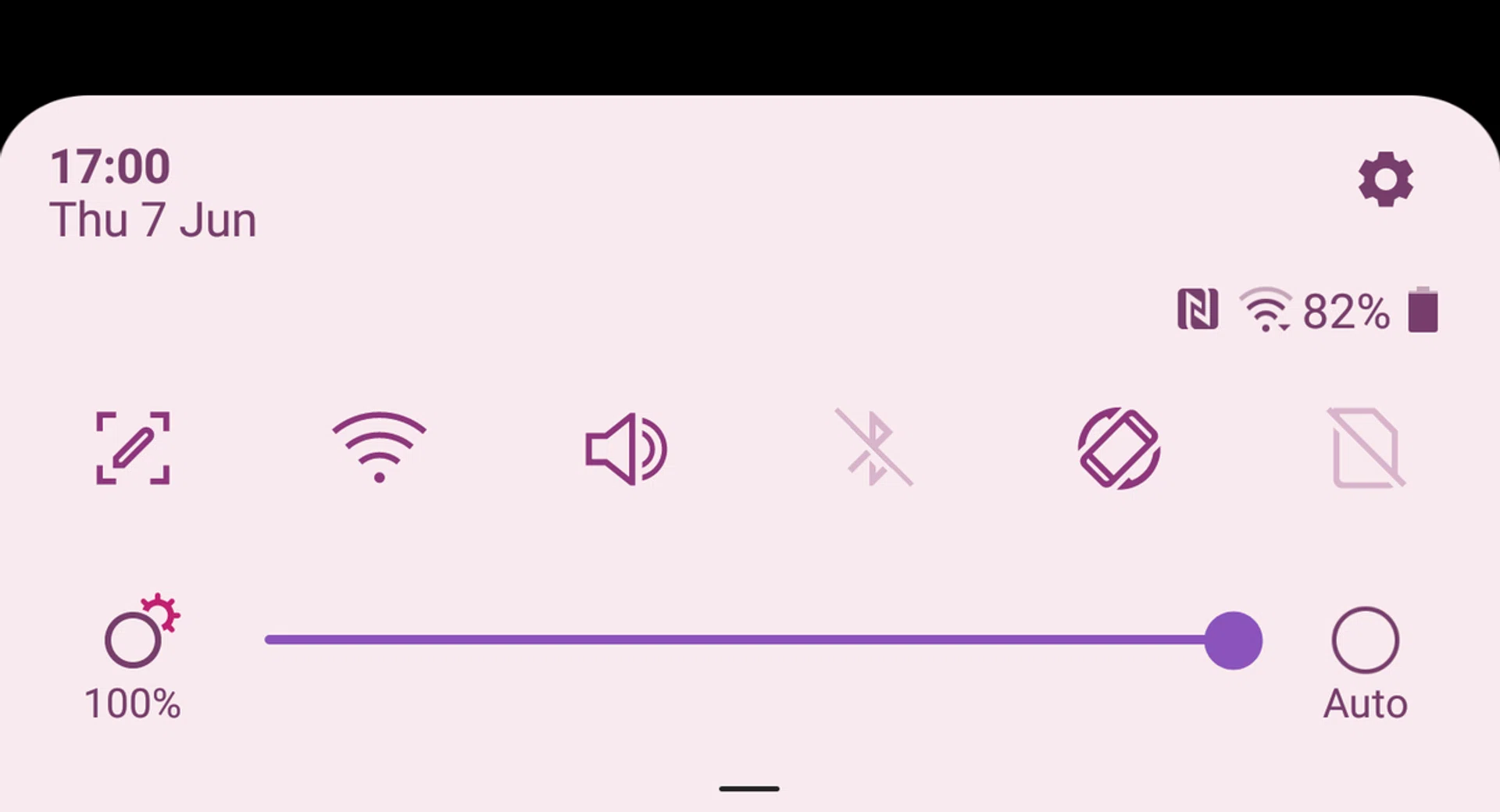
According to LG, the Super Bright Display is 30% more power efficient than the G6 was at peak brightness. Super Bright Display can be activated for three minutes at a time - the restriction is in place to preserve battery life and to avoid overheating. This is just about enough time for you to check and read any messages you might have if you're forced out into the blinding midday sun while you're walking from one place to another.
It's worth noting however that the G7+ isn't the only phone that can achieve 1,000 nits. In fact, Samsung's Galaxy S9 and S9+ can do even better, with a peak brightness of 1,130 nits.
One thing to note about the display is that, for some reason, by default all videos play in an extremely boxed-in format with big black bars on all sides - this is true of both videos and apps like YouTube.
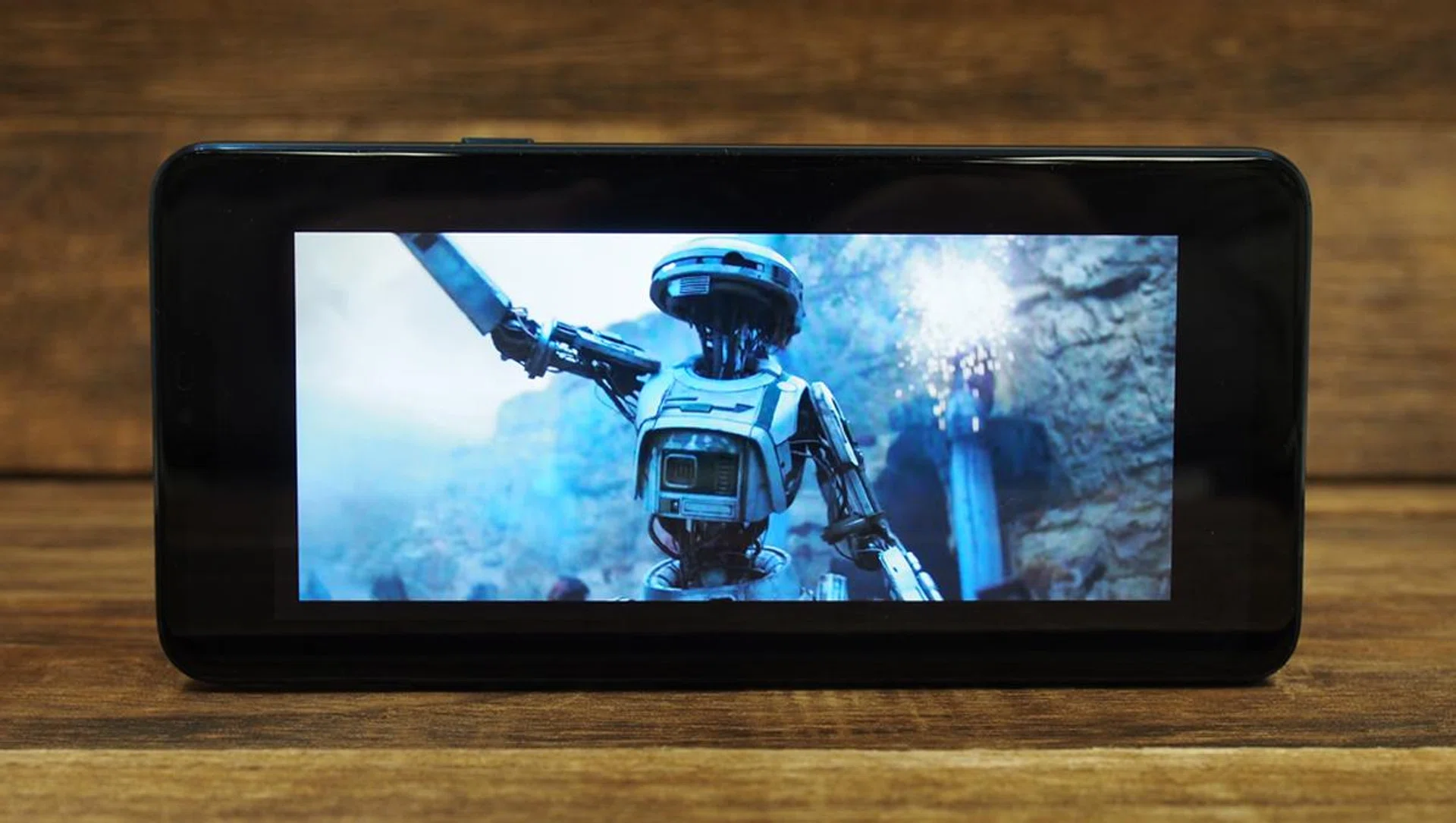
However, you can just pinch zoom the video to fill the screen, and fortunately the zoom stops right before the notch, so you'll never get obscured content. Why this isn't just the default viewing mode is simply baffling.
Audio
The G7+ features a new speaker technology LG is calling a Boombox speaker, which, if you're old enough, probably just conjures up images of the 1980s and John Cusack in 'Say Anything'. LG's Boombox speaker has nothing to do with retro tape decks, but it is plenty loud. The technology utilizes the internal space of the phone as a resonance chamber to deliver more bass than conventional smartphones. If this sounds familiar, it's because HTC's BoomSound speakers also use the same technology.
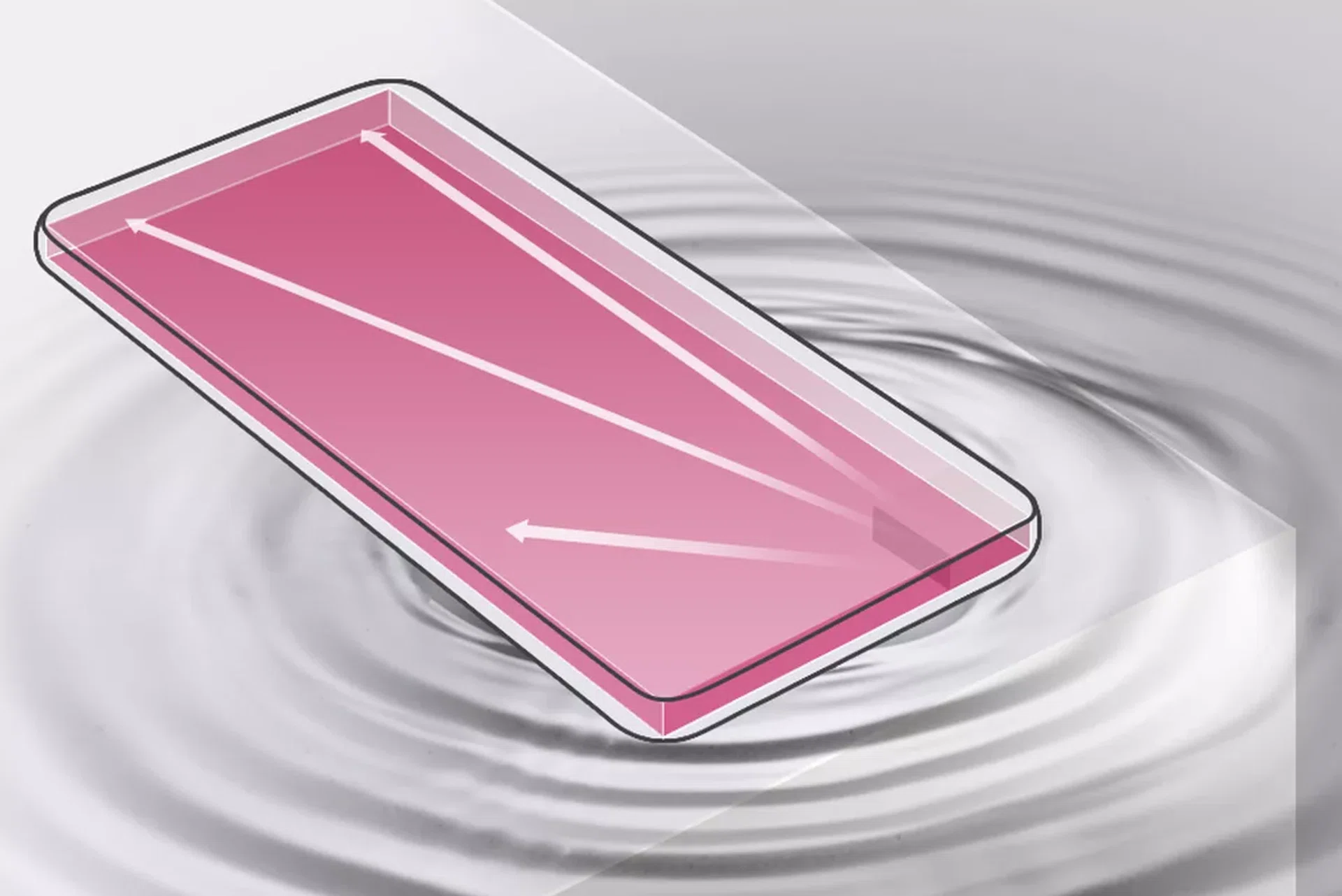
Additionally, when placed on a solid surface, the G7+ will utilize its resonance chamber as a woofer to amplify the bass effect even more. While this works quite well, what's really missing from the G7+ is a stereo speaker setup. Single downward-firing speakers never sound as good as stereo setups, and there's always the risk of muffling the speaker by covering it with your hand. While the G7+ does get quite loud (even more so when you put it on a flat surface), and has a reasonable amount of bass, this is only really useful if you're using it to blast music (and even then, you're better off with a Bluetooth speaker). If you're watching videos, you're holding the phone in your hand and you don't need maximum volume.
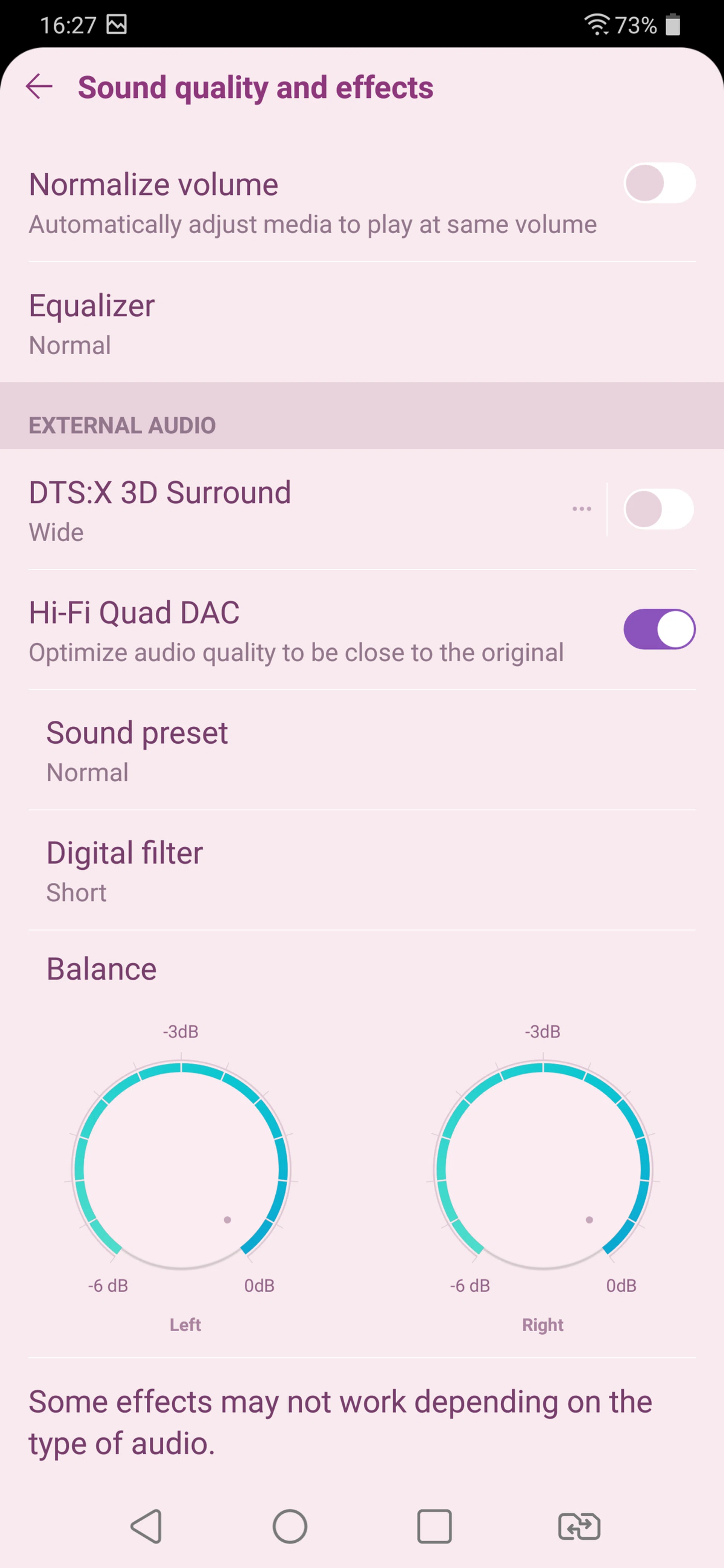
As with all of LG's recent smartphones, the G7+ also caters to the audiophile market, with a 32-bit HiFi Quad DAC built-in. The DAC appears to be the same Sabre ES9218P model found in the V30+. It's worth noting that the DAC is only active when using the 3.5mm headphone jack. If you have a pair of USB Type-C headphones, or you're using wireless Bluetooth headphones, your audio quality will depend entirely on the quality of the DAC inside those devices.
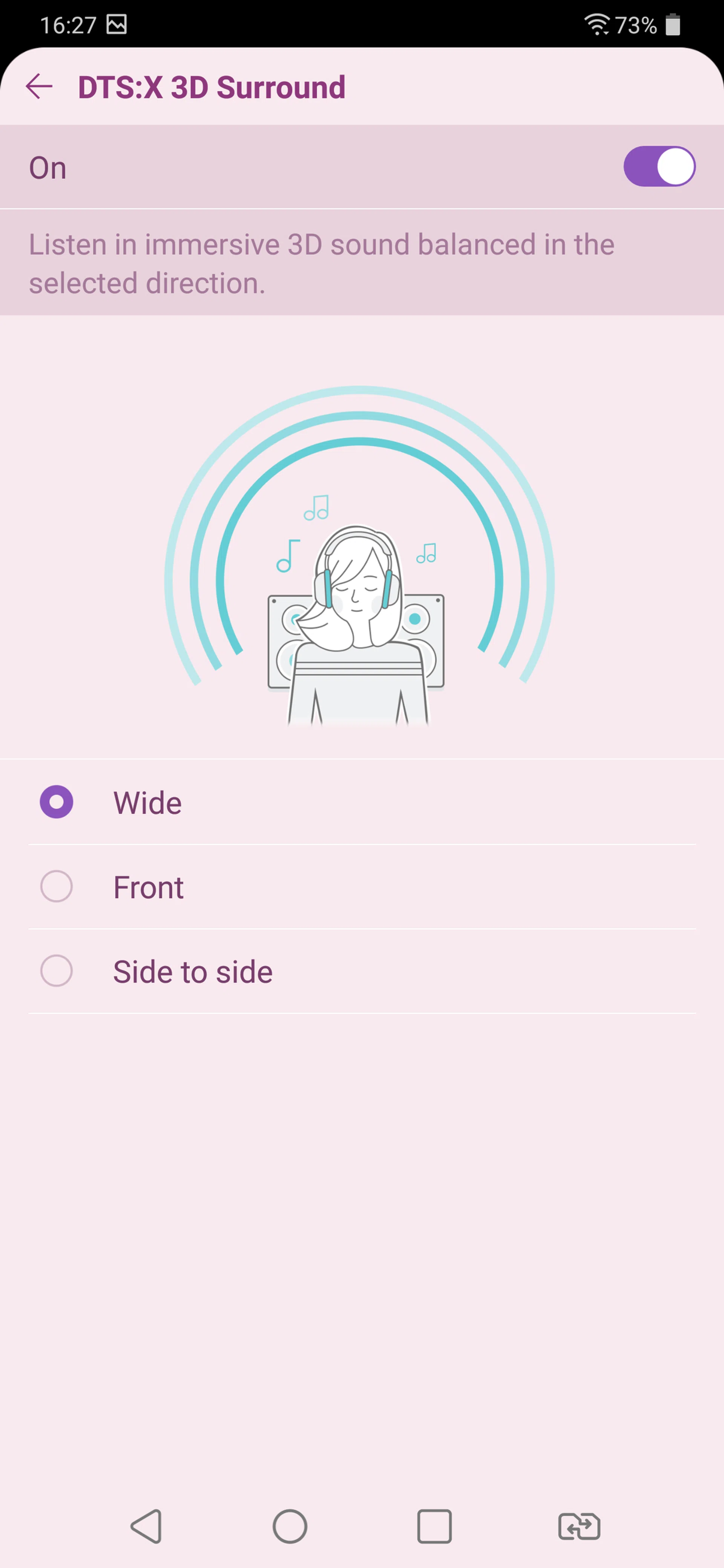
A new addition this year is support for DTS:X 3D surround sound, which simulates a surround sound system when you have earphones connected. You can choose between the sound coming from in front of you, side-to-side, or a “wide” option. The separation effect is quite good, although personally I thought the Dolby Atmos surround sound on the Samsung Galaxy S9 was a little better.
Software
The G7+ runs on Android 8.0 Oreo with LG's own UX 6.0 interface on top. UX 6.0 hasn't changed much from the V30+ and G6 and still favors an iOS style app-filled home screen over Android's standard app drawer. Fortunately, you can restore the app drawer by going to Settings > Home Screen > Select Home > and picking Home & app drawer.
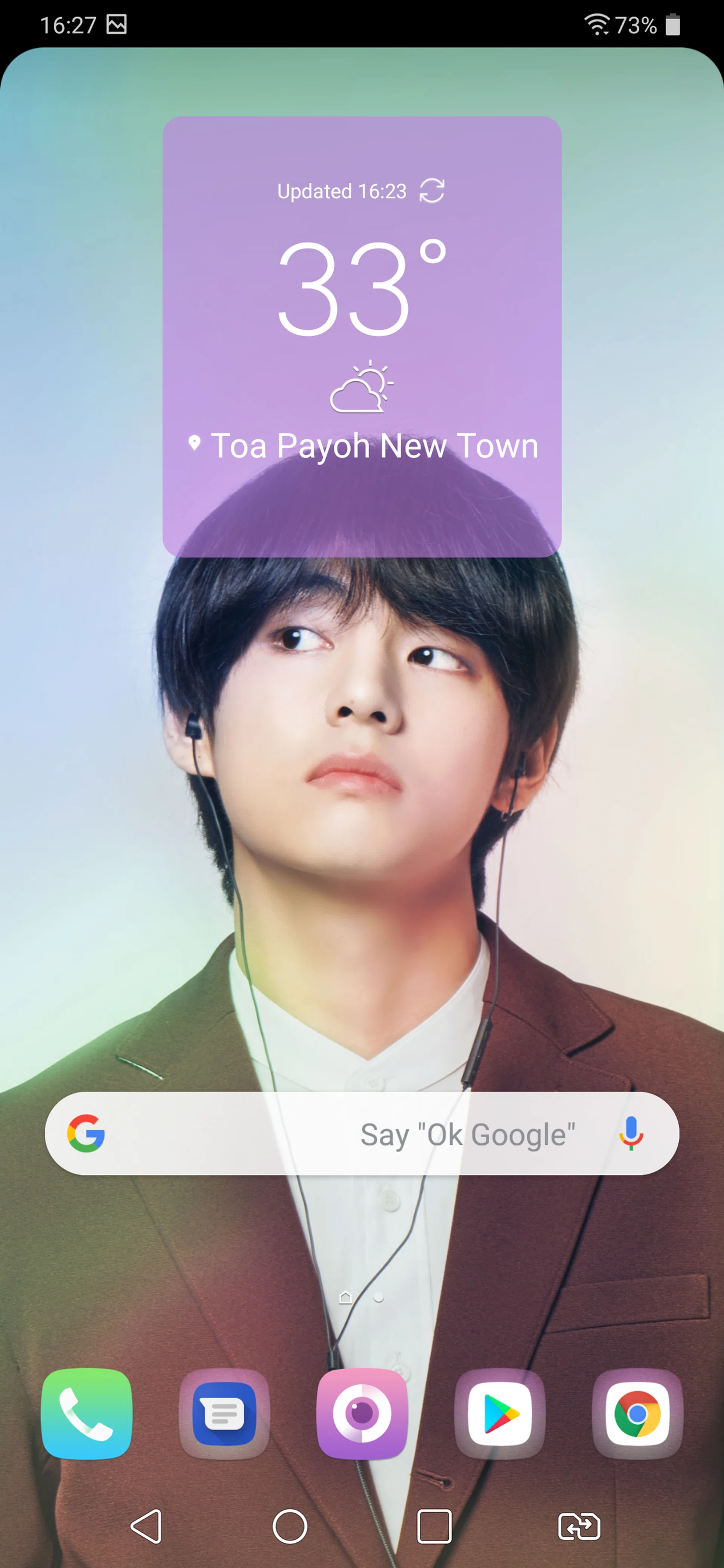
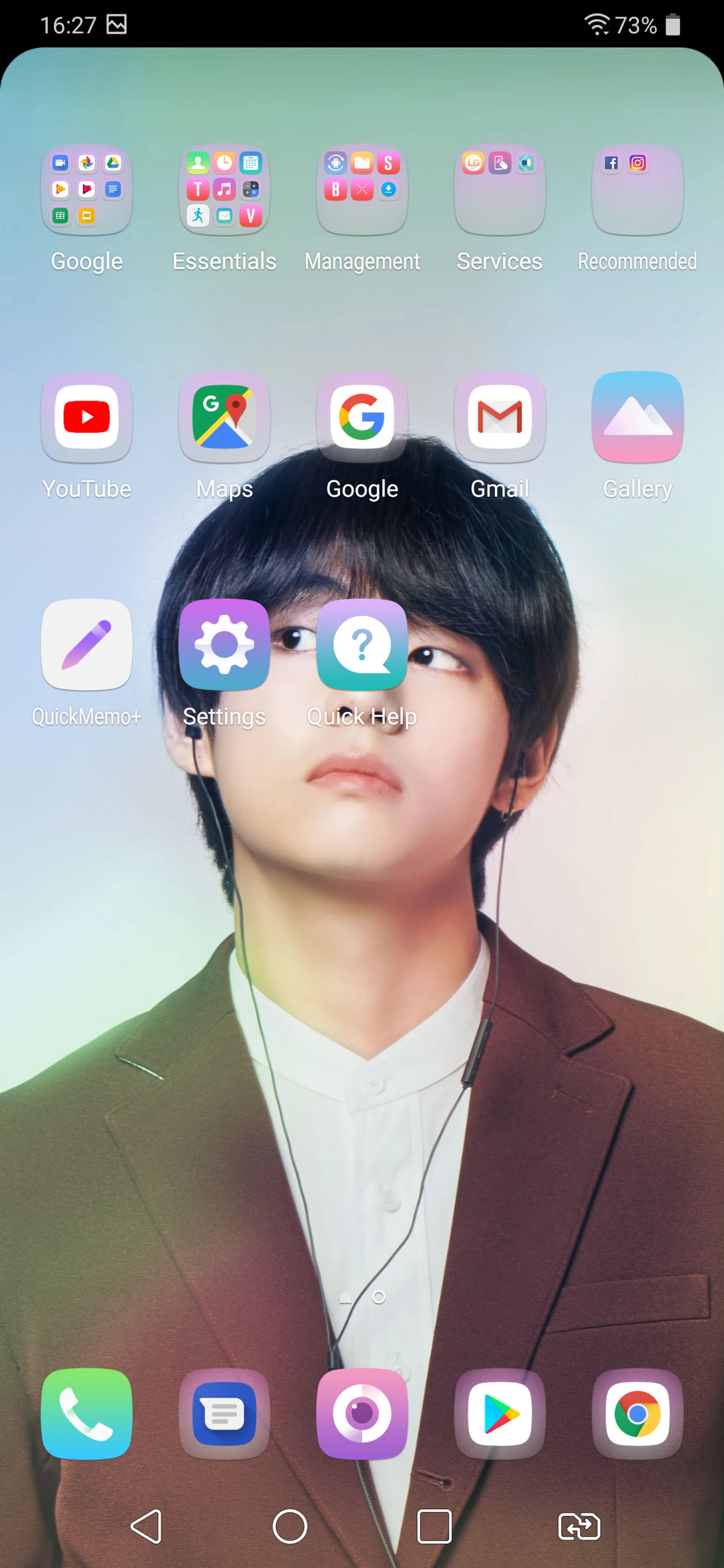
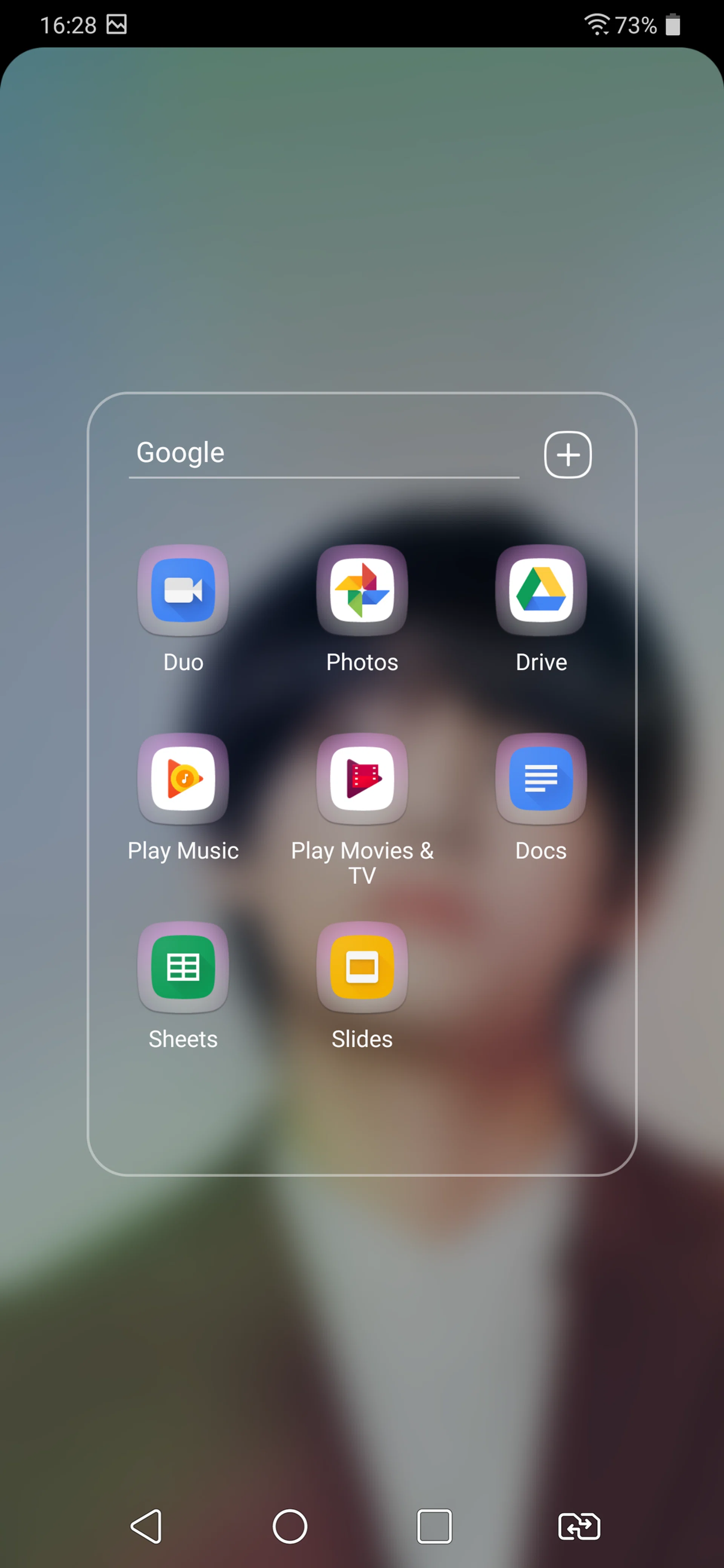
Like before, LG has also re-skinned the icons themselves to look more like iOS icons with rounded square backgrounds applied to every app. This isn't really a problem except with Google's default apps like Chrome and the Play Store, because these can't be skinned to follow LG's re-design, so they just look like folders with the app icon sitting on a grey square background. Even the app folders use an iOS-style full-screen display rather than Android's superior in-place folder popup.
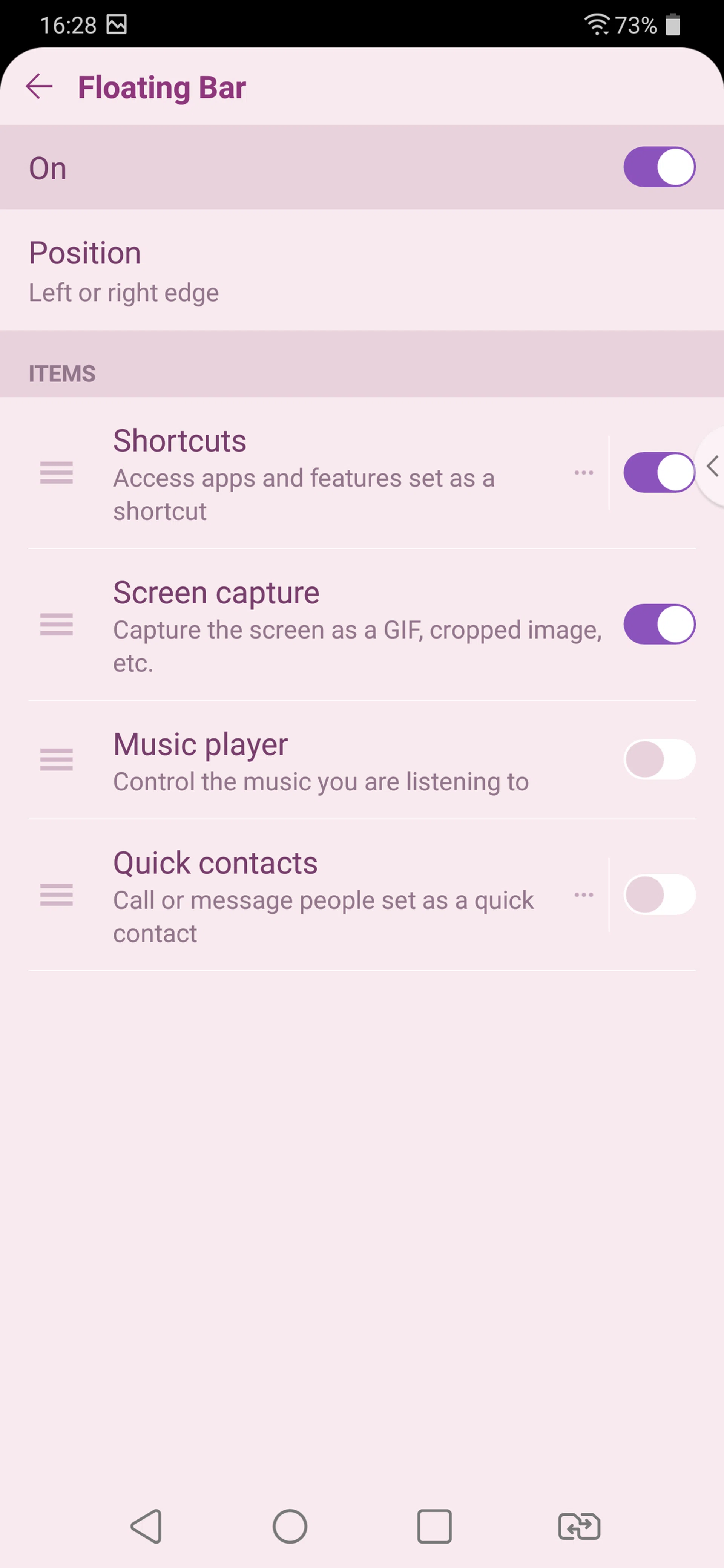
The Floating Bar we first saw on the V30+ is back, and gives you quick access to shortcuts and controls. It lives on the edge of the screen and you can move it anywhere you want, tapping it to show app shortcuts, a set of screen capture tools, contacts, and music controls. I still don't find it to be particularly useful, and it was more distracting than helpful, so I left it turned off (though your personal mileage may vary).
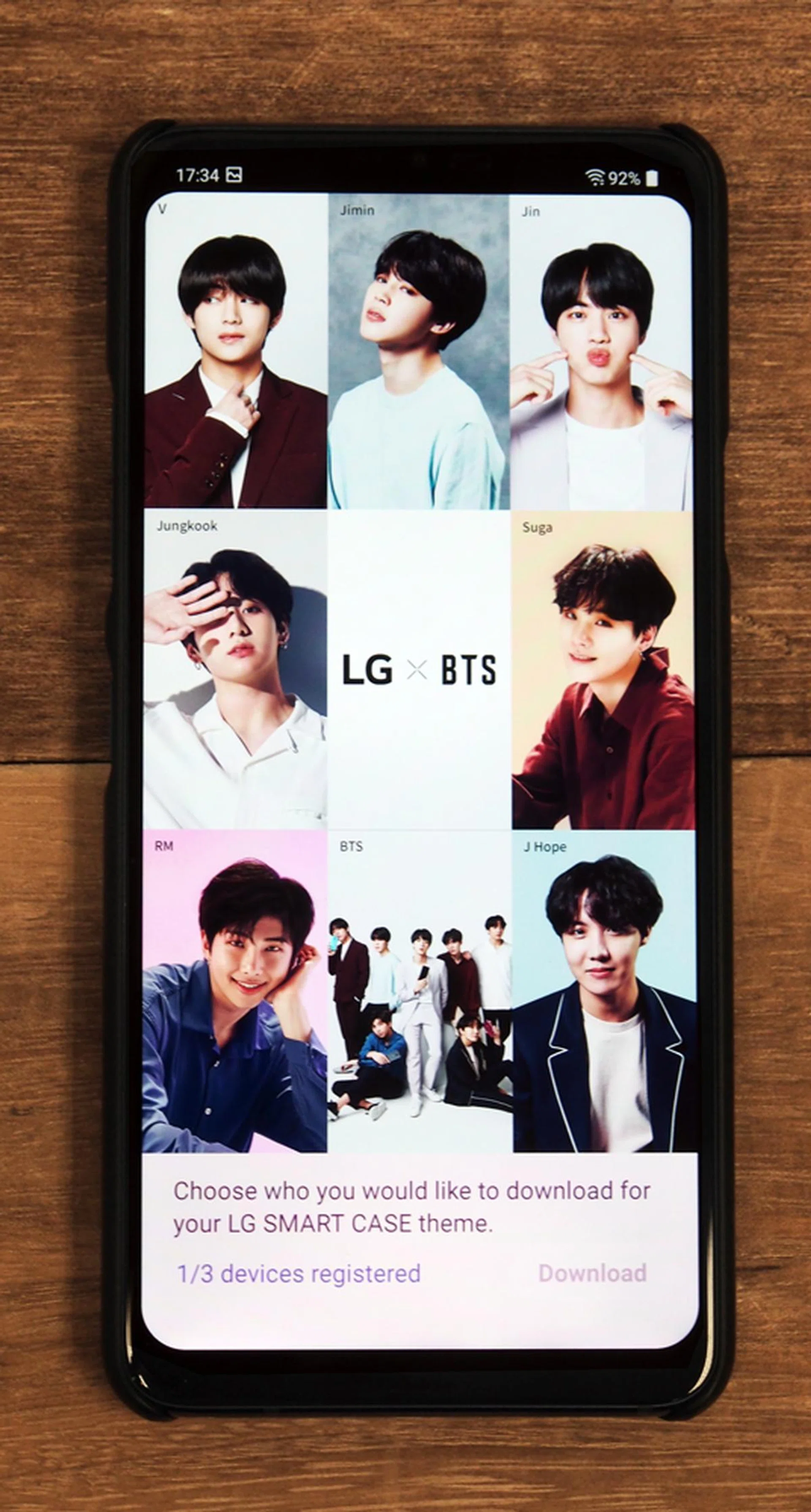
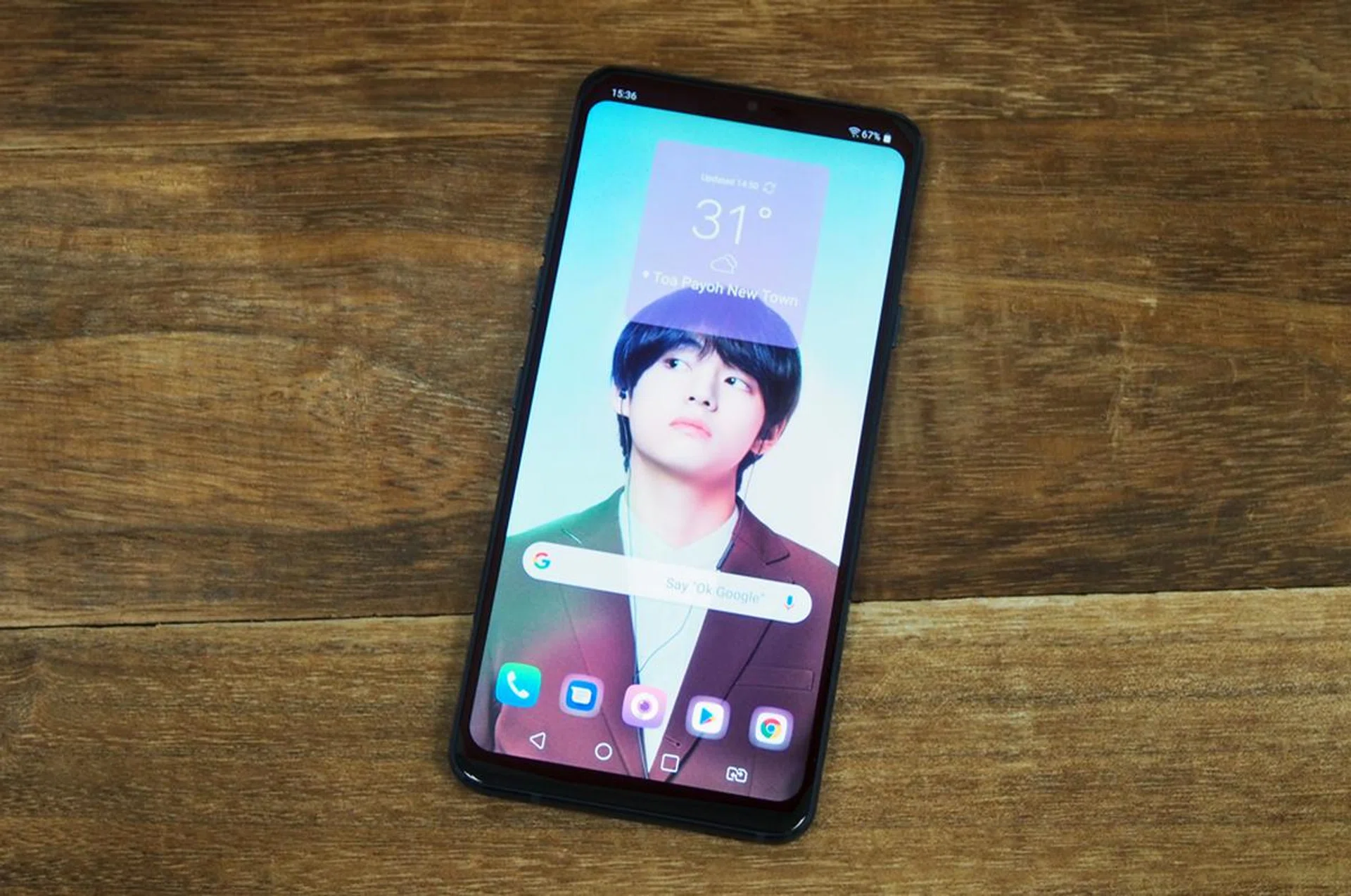
If you're a fan of Korean boy band BTS, LG has collaborated with the group to provide exclusive themes for the G7+, but you can only download them if you have the premium LG x BTS G7+ smartphone case, which costs S$118 but honestly looks just like a S$10 plastic case from Aliexpress. Fortunately, if you purchase the G7+ from an authorized LG retailer, you'll get the case for free, or if you're not a BTS fan, you can opt for a wireless charging pad instead.
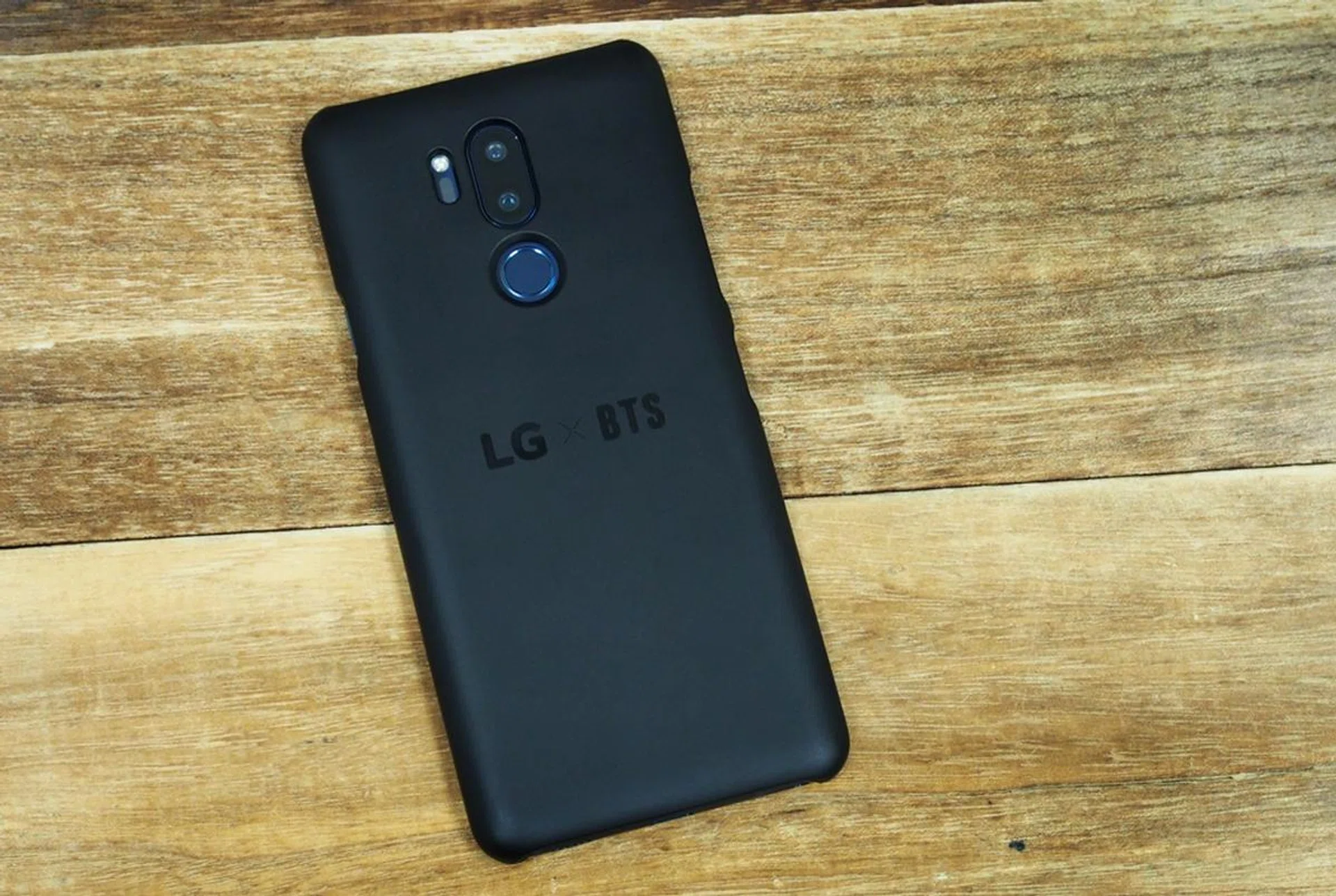
The case has an embedded NFC chip that will let you download BTS themes - there's one for each member of the group, as well as one that features the entire group. Once you've downloaded your theme, you can safely remove the case. The app that lets you download the BTS themes disables screenshots, so I had to take a photo of the phone itself:
If you want to see the case in action, here's LG Singapore Marketing Manager, Bang Youn Hwang, demonstrating it:

It's worth noting that the themes actually "expire" in May next year (which is when BTS' contract with LG is over) so who knows what happens after that date. Even LG wasn't able to tell me.
Benchmark Performance
LG didn't repeat last year's mistake, and this year, the G7+ is powered by Qualcomm's top-of-the-line Snapdragon 845 processor with 6GB RAM. Let's see how it lines up with other flagship devices:-
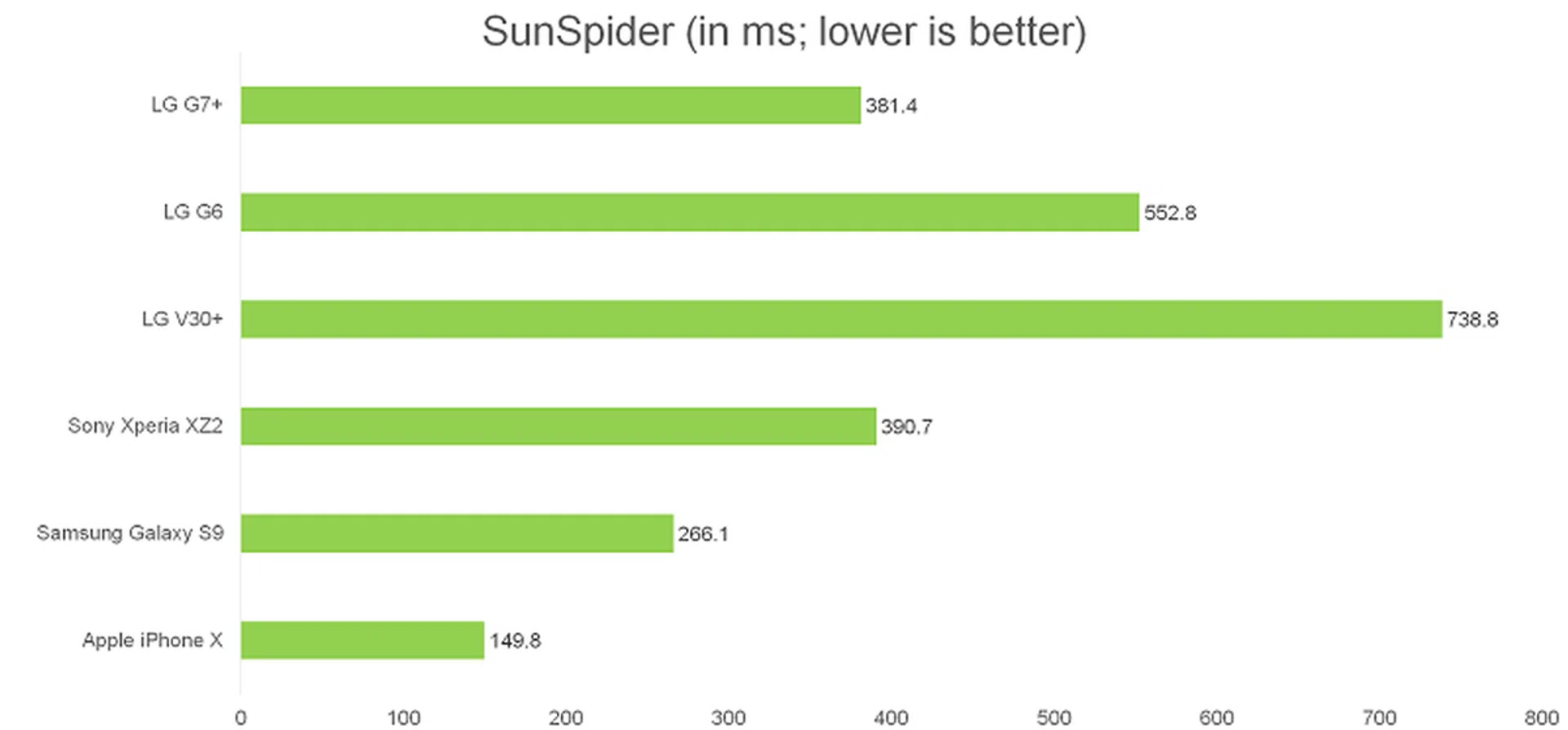
SunSpider Javascript
SunSpider JavaScript measures the browsing performance of a device when processing JavaScript. It not only takes into consideration the underlying hardware performance, but also assesses how optimized a particular platform is in delivering a high-speed web browsing experience.
The G7+ performed quite well here, and was faster than the G6, V30+ and the Sony Xperia XZ2. Apple remains the overall leader in this benchmark thanks to great optimization between Safari and Apple's A11 Bionic processor.
Basemark OS II
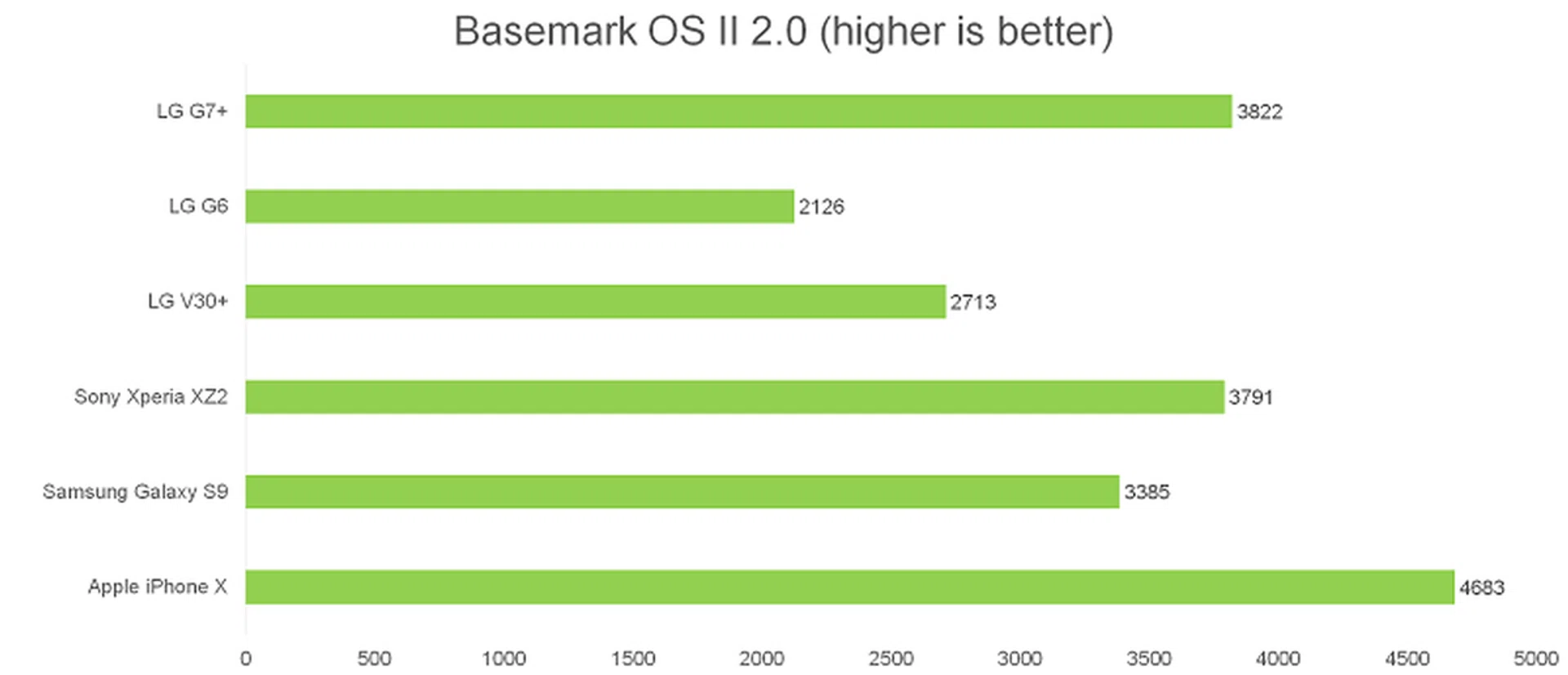
Basemark OS II is an all-in-one benchmarking tool that measures overall performance through a comprehensive suite of tests including system, internal and external memory, graphics, web browsing, and CPU consumption.
The G7+ again scored well and it outperformed everything except the iPhone X.
3DMark Sling Shot
3DMark Sling Shot is an advanced 3D graphics benchmark that tests the full range of OpenGL ES 3.1 and ES 3.0 API features including multiple render targets, instanced rendering, uniform buffers and transform feedback. The test also includes impressive volumetric lighting and post-processing effects. We're running this benchmark in Unlimited mode, which ignores screen resolutions.
The G7+ was once again impressive and even beat the iPhone X in this benchmark. It fell slightly short of the Xperia XZ2, though it's within the accepted deviation of an identical class device.
Imaging
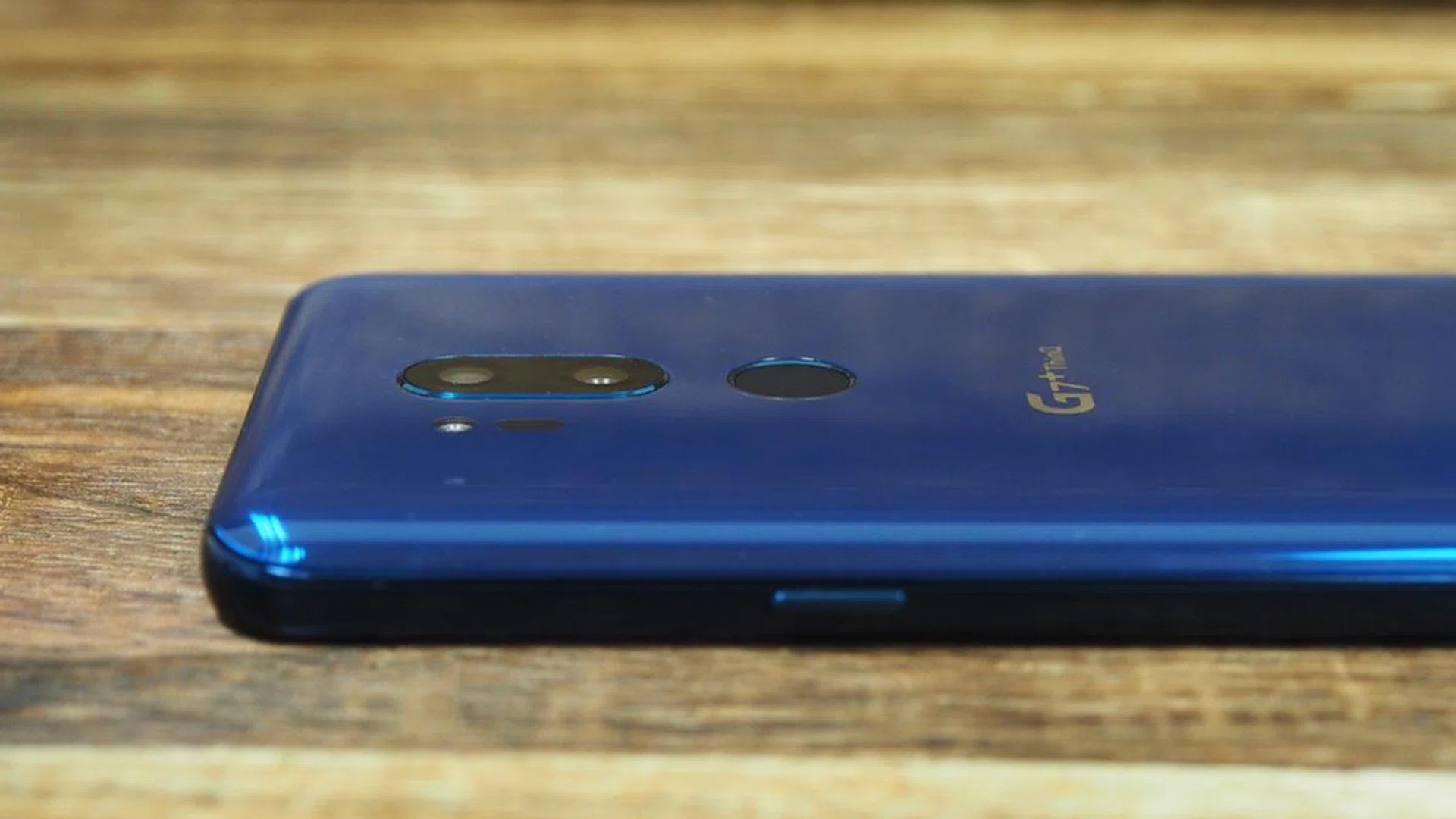
The G7+ has a pair of 16-megapixel cameras on its rear, one with a f/1.6 normal focal length and OIS, and one with a f/1.9 wide-angle lens without OIS. Those are impressively wide apertures - in fact, the only wider aperture you'll find on a smartphone is in the Galaxy S9 - which should make the G7+ camera one of the best around. But it's not.
As impressive as those lenses are, for some reason, LG has decided to pair them with a mid-range Sony IMX351 sensor, which has a small 1/3.1" surface area and just 1µm size pixels. For reference, the only other phones I know of using the IMX351 are 2017's mid-range ASUS ZenFone 4 Selfie Pro, LG's own V30+, and the HTC U11, but at least on the U11 it's only used on the front camera. Even 2015's LG G4 had a larger 1/2.6" IMX234 sensor with 1.12 µm size pixels. For comparison, the S9's camera has a 1/2.55" sensor with 1.4 µm size pixels.
LG says it doesn’t need larger sensors to achieve impressive results, but it's simple physics: the small surface area and pixel size on the G7+ sensor means that it can't capture as much light, reducing the benefits of a larger aperture.
Our test shots show that too. Image quality from the G7+'s main camera is actually quite good in well-lit environments but it's not as good as the S9 or iPhone X camera and there are noticeable processing effects and some obvious smoothing and loss of detail if you zoom in close. In low light scenarios when Super Bright Camera mode isn't automatically activated (more on that below) the camera really struggles, even with the camera in manual mode with the aperture set to wide open. Noise reduction artifacts become readily apparent and there's too much over-processing in any dark part of the image.

Click for full-size image


As for the wide-angle lens, it actually has a narrower field of view than last year's G6, at 107-degrees compared to the G6's 125-degree field of view. But the benefit to that is that there's much less fisheye distortion and I actually found the narrower FoV a bit more usable.

Click for full-size image. This photo was taken at the same spot as the earlier snap using the main lens to give you a better idea of the FoV you get.
AI-assisted Photography
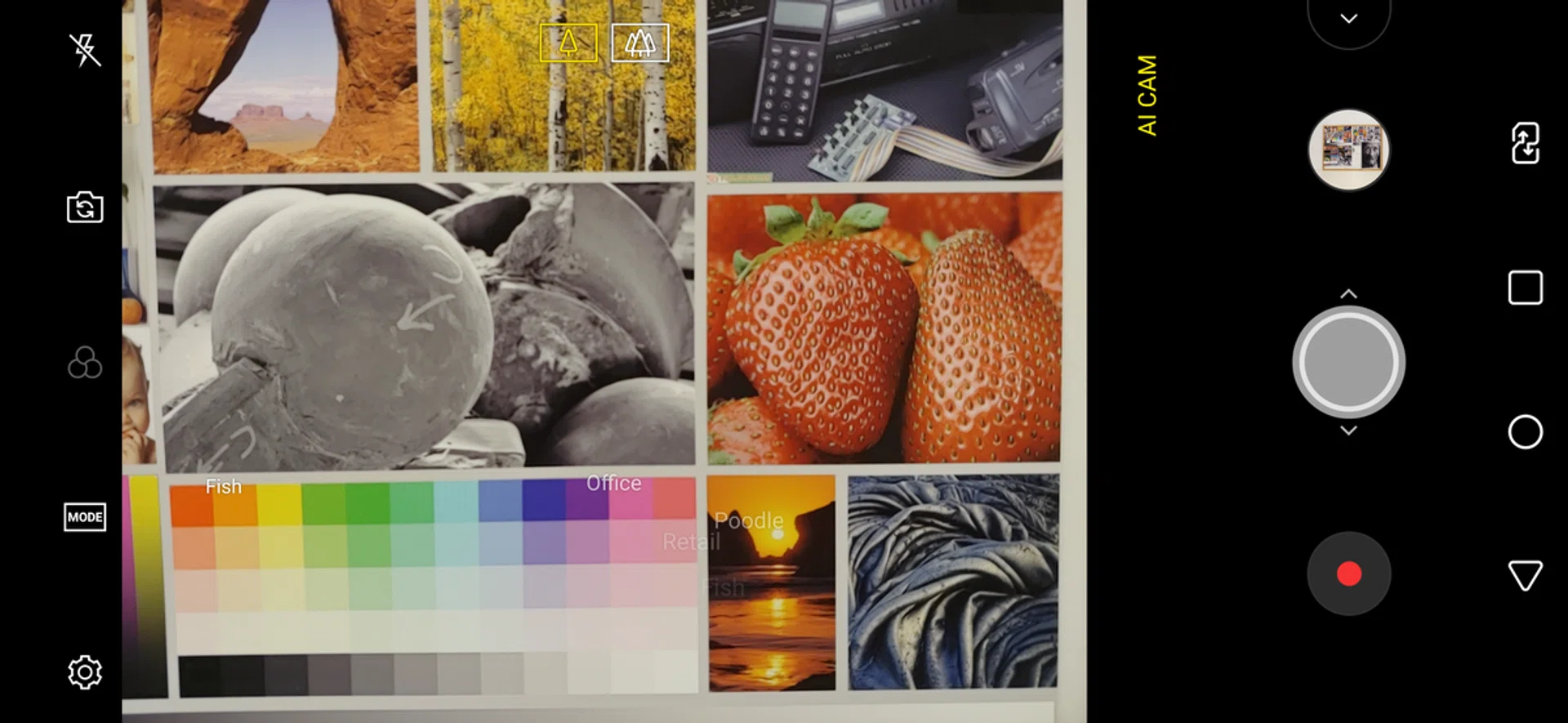

Joining the likes of Huawei and ASUS, the G7+ camera also incorporates AI to try to enhance your photography. Launching the AI camera software will trigger a flurry of floating words as the camera guesses what it is looking at: person, animal, food, etc. and sometimes it even tries to guess the exact species of plant or animal. Sometimes it gets it right, and sometimes it gets it completely wrong - for some reason it thinks everything is a poodle.
Either way, it will present you with an option of four filters to improve your photo. Right now, Huawei's AI image recognition is a little more accurate but according to LG, image recognition will improve over the next few months as the AI is trained on more and more images.
Super Bright Camera
The camera also includes a new Super Bright Camera mode, which automatically detects low-light situations and activates accordingly. The mode will automatically activate in environments of less than 3 lux, while the option to turn it on will pop up in environments between 3 and 10 lux.
Super Bright Camera claims to be able to brighten photos by up to four times. It does this by using pixel binning to combine multiple images into one well-lit photo. It's similar to what Huawei does with the P20 Pro's Night Mode.
The big difference between the two is that LG's Super Bright Camera takes the shot instantly, whereas Huawei's Night Mode takes a few seconds to process. This is because Huawei applies an algorithm to Night Mode that adjusts exposure levels across the image.
Additionally, due to the pixel binning process, LG's Super Bright Camera outputs photos at just 4-megapixel resolution (the P20 Pro gets around this by having a 40-megapixel sensor). As a result, while night photos are certainly brighter, they're also muddier and at 4-megapixel resolution, you end up losing a lot of details.
Here's a shot taken without Super Bright Camera:
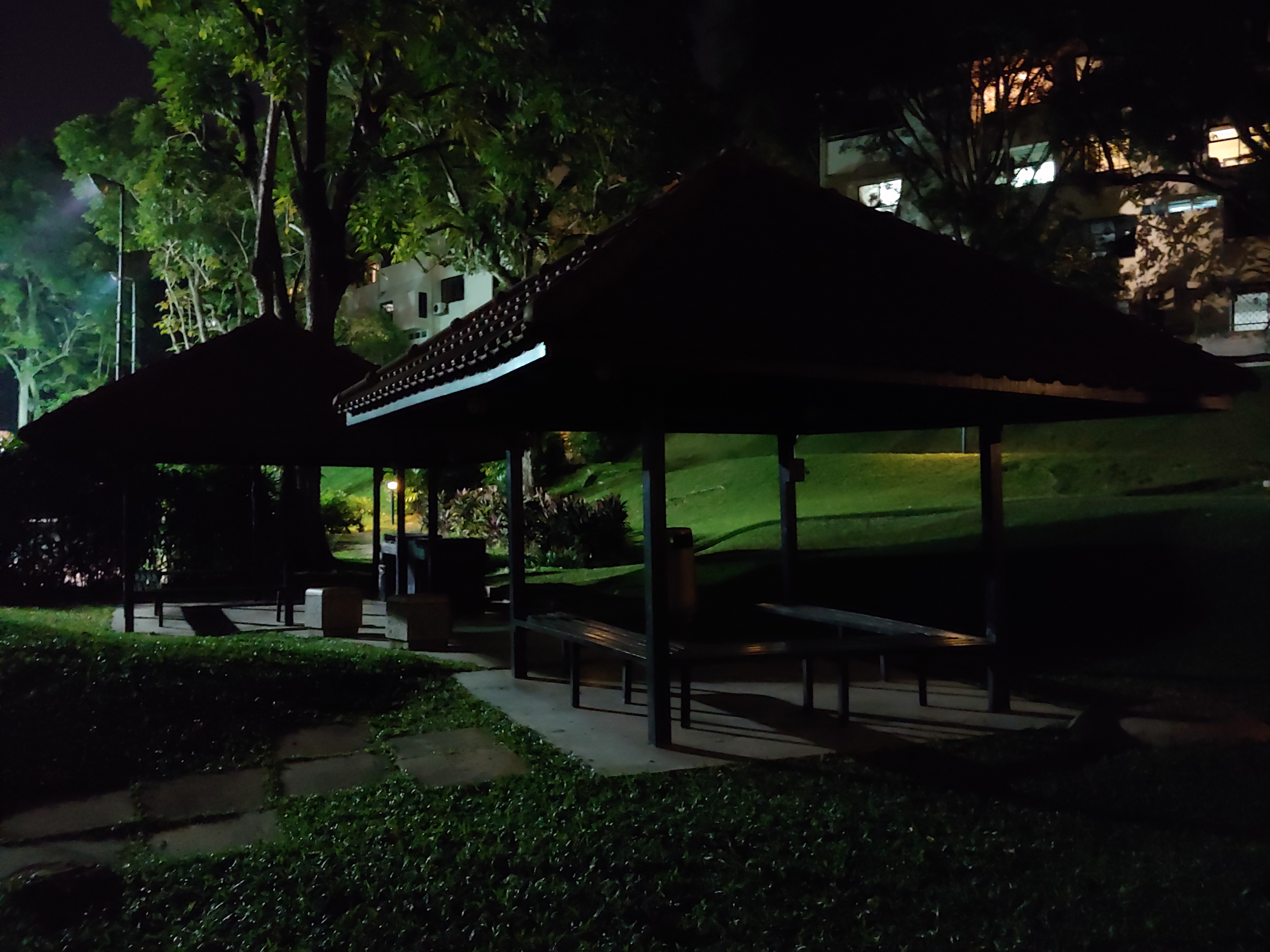
Click for full-size image.
And here's the same shot taken with Super Bright Camera:

Click for full-size image.
The shot is much brighter, but there's visible smearing and it lacks detail.
Finally, here's the same shot taken with the Huawei P20 Pro's Night Mode:
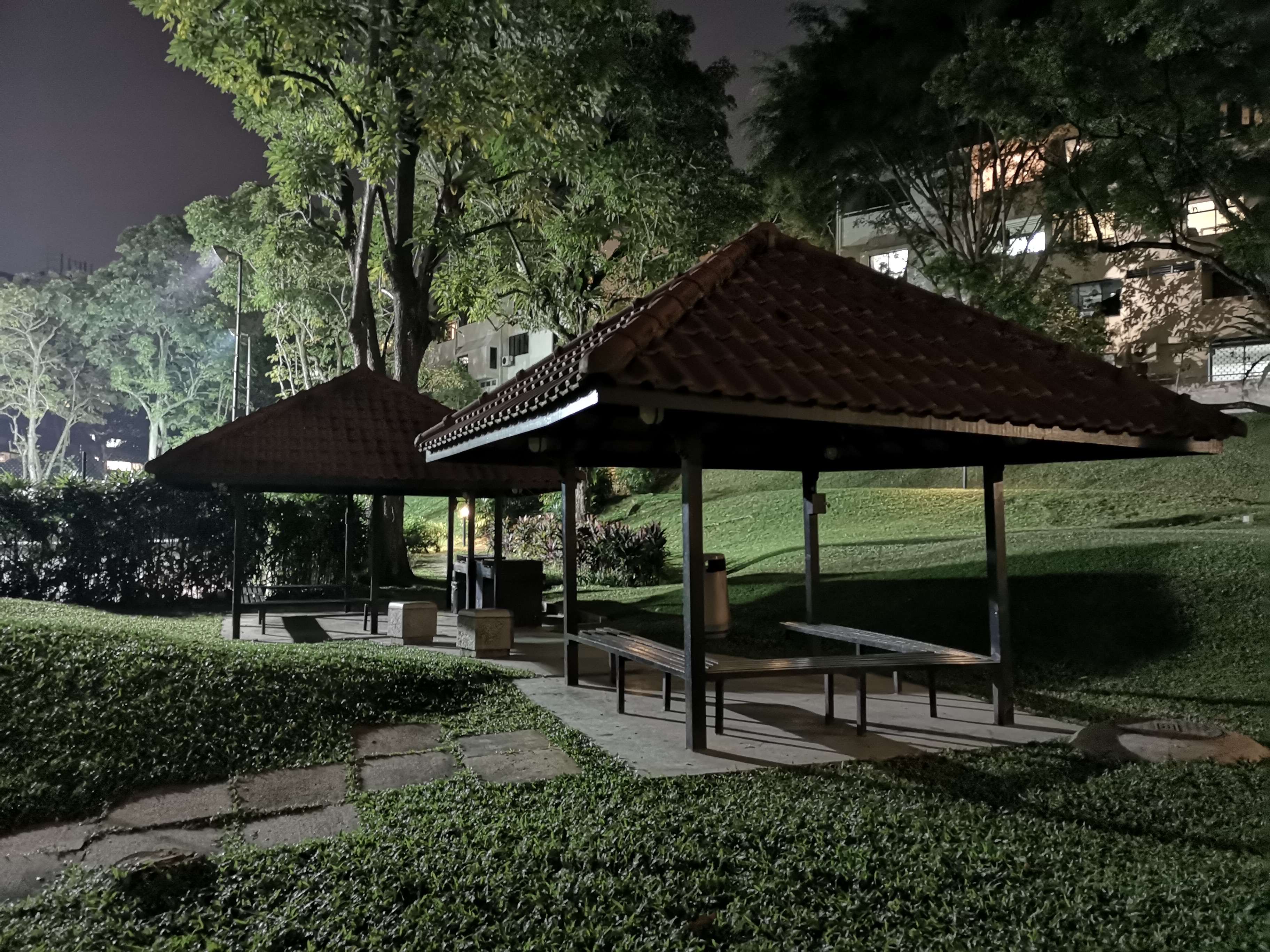
Click for full-size image.
This shot is more evenly exposed, and retains more detail. It also looks more like a night shot, whereas Super Bright Camera looks more like the area is being lit by a floodlight.
Battery Life
Our standard battery test for mobile phones has the following parameters:
- Looping a 720p video with screen brightness and volume at 100%
- Wi-Fi and Bluetooth connectivity turned on
- Constant data streaming through email and Twitter
LG doesn't have a great track record with battery life, and unfortunately the G7+ didn't do much to change that. At 3,000mAh, the G7+ has the smallest battery LG has used since the G5, and it showed too, lasting just seven and a half hours, shorter than every other phone compared, including last year's G6.
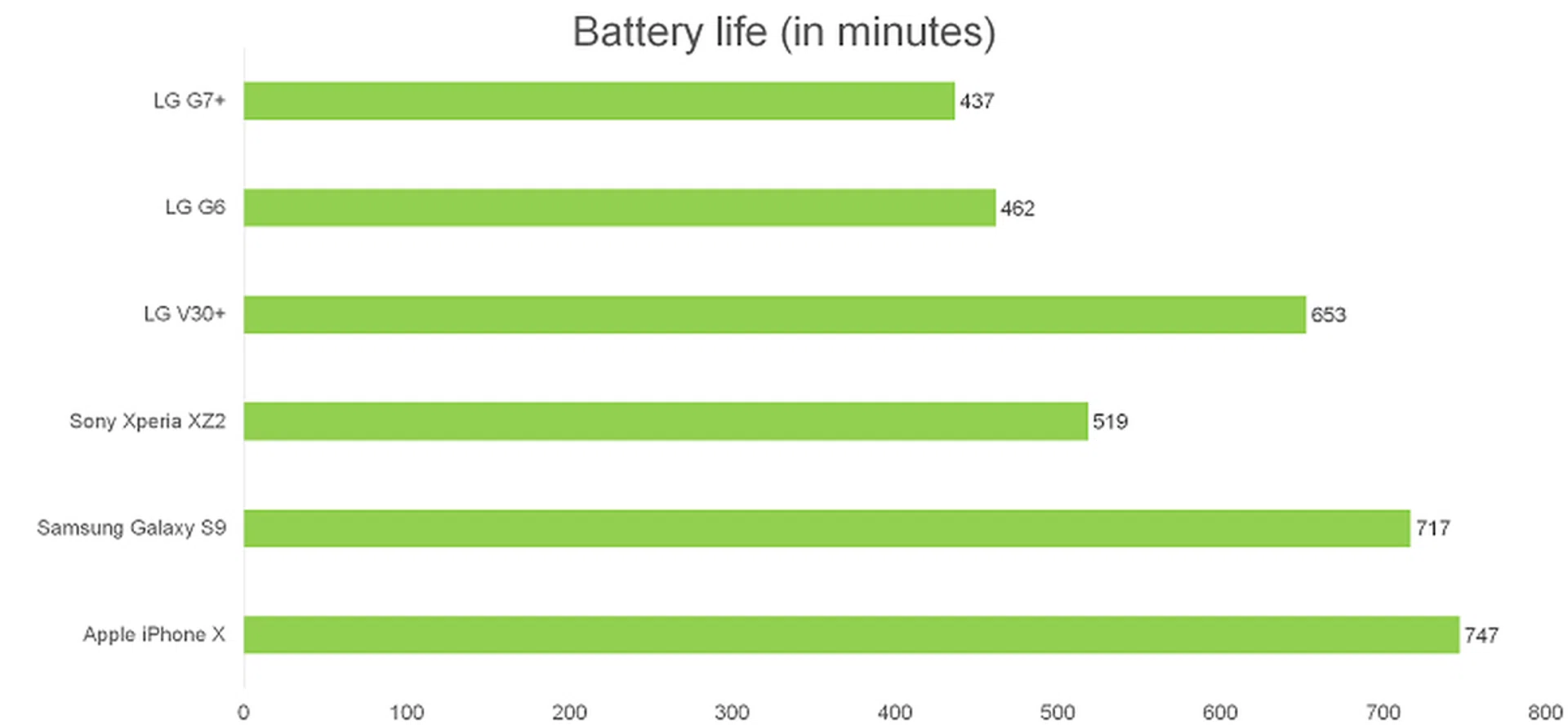
For some reason, despite using a Snapdragon 845 processor, the G7+ officially only supports Quick Charge 3.0, which is the type of charger you get in the box. However, if you can find a Quick Charge 4.0 charger, I discovered that it will actually work too.
Using the included charger, the G7+ got to 40% charge in 30 minutes, but with a Quick Charge 4.0 charger, you'll get about 50% charge in 30 minutes. Wireless charging is supported, but as expected, is noticeably slower.
Conclusion
The G7+ is a reasonably good, but unexciting and risk-averse smartphone. It feels almost like LG has been burned one too many times trying out-of-the-box, experimental ideas, and now it's gone completely the other way and is trying to play it as safe as possible. Everything from the typical aluminum and glass design, to the notched display, and even the Boombox speaker and AI camera features are things we've seen before in other phones.
While I've been critical of some of LG's past devices, I've always applauded the company for trying to do things differently. Yes, hot-swappable batteries and modular technology didn't work out, but at least the G5 offered something different. If you're just looking for a phone that does everything a flagship smartphone is supposed to do, there are plenty of Chinese manufacturers that have mastered the art of producing inexpensive iPhone clones.
LG needs to find a middle ground between weird and wacky innovations, and completely safe, stale risk aversion - especially if it wants to keep charging S$1,198 for its phones. For that price, you can pick up a Samsung Galaxy S9, which has a better camera, better display, stereo speakers, much better battery life, and is just more exciting to look at and use.
If you don't need the power of a Snapdragon 845 processor, but you want almost everything else the G7+ ThinQ has to offer, including the bezel-less display, Hi-Fi Quad DAC, and Dolby Vision HDR display, you can actually get a V30+, or even the G6, for much less than S$1000 now.