
Huawei P20 Pro review: Now you have my attention
Last year's Mate 10 Pro, with its dedicated neural processing unit and AI camera features had tons of potential, but it's this year's P20 Pro that finally realizes that potential, thanks to its incredible triple Leica camera setup.

Note: This article was first published on 11th April 2018.
Huawei, you had my curiosity, but now you have my attention
Huawei has steadily been improving its smartphones for the past few years now, but they've always been just out of reach of being a serious threat to Samsung and Apple's dominance. With the release of the P20 Pro though, that might finally change. Last year's Mate 10 Pro, with its dedicated neural processing unit and AI camera features had tons of potential, but it's the P20 Pro that finally realizes that potential, thanks to its incredible triple Leica camera setup.
First, the specs:
To notch or not to notch
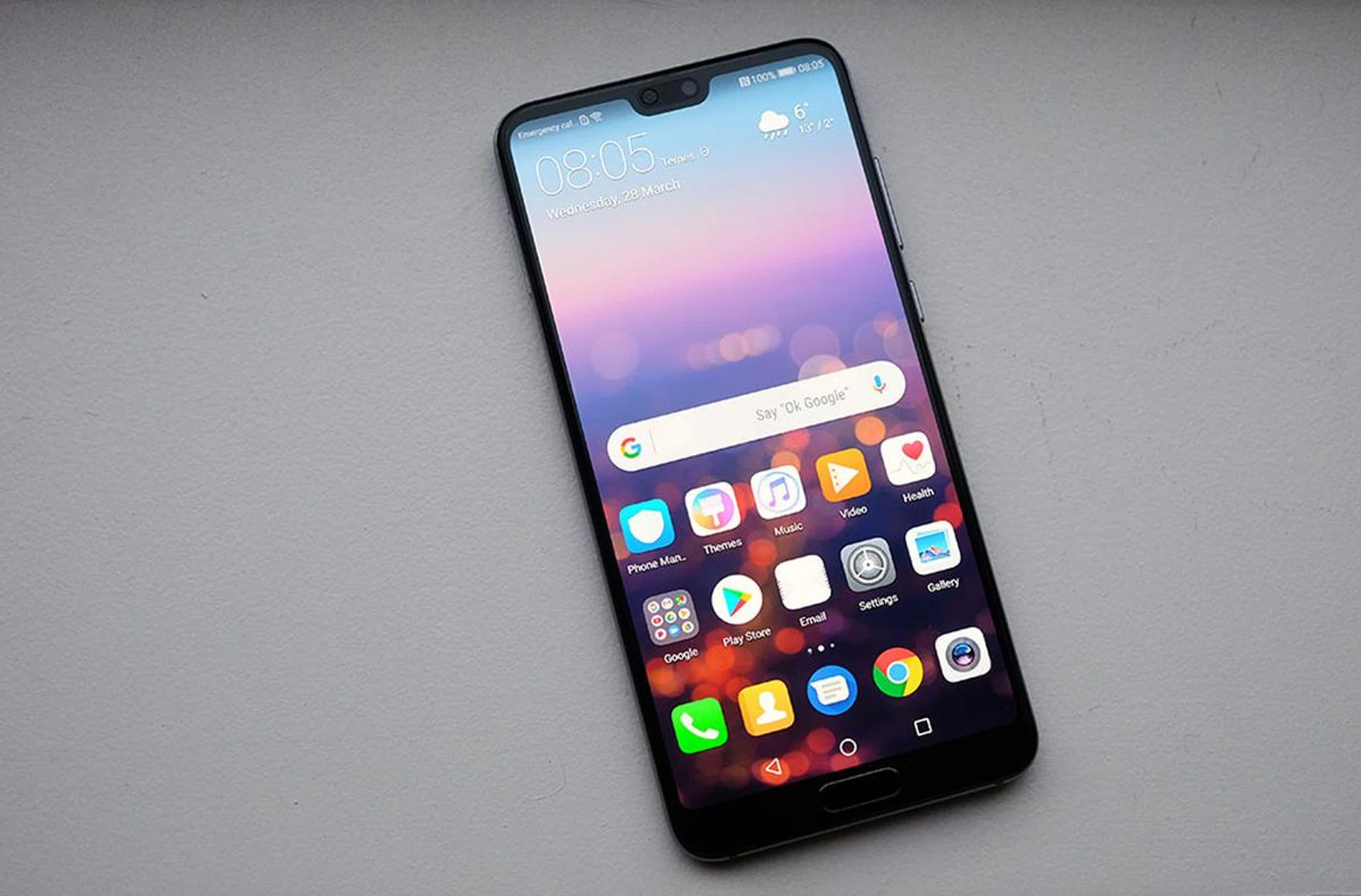
After Apple released the iPhone X last year, a notch in your display has become the hottest trend of 2018. Basically every Chinese manufacturer, from ASUS (okay, ASUS is technically from Taiwan) to Oppo has a notch in their 2018 smartphone display, and we expect more to come. Huawei is no exception, with the P20 Pro having a small notch at the top.
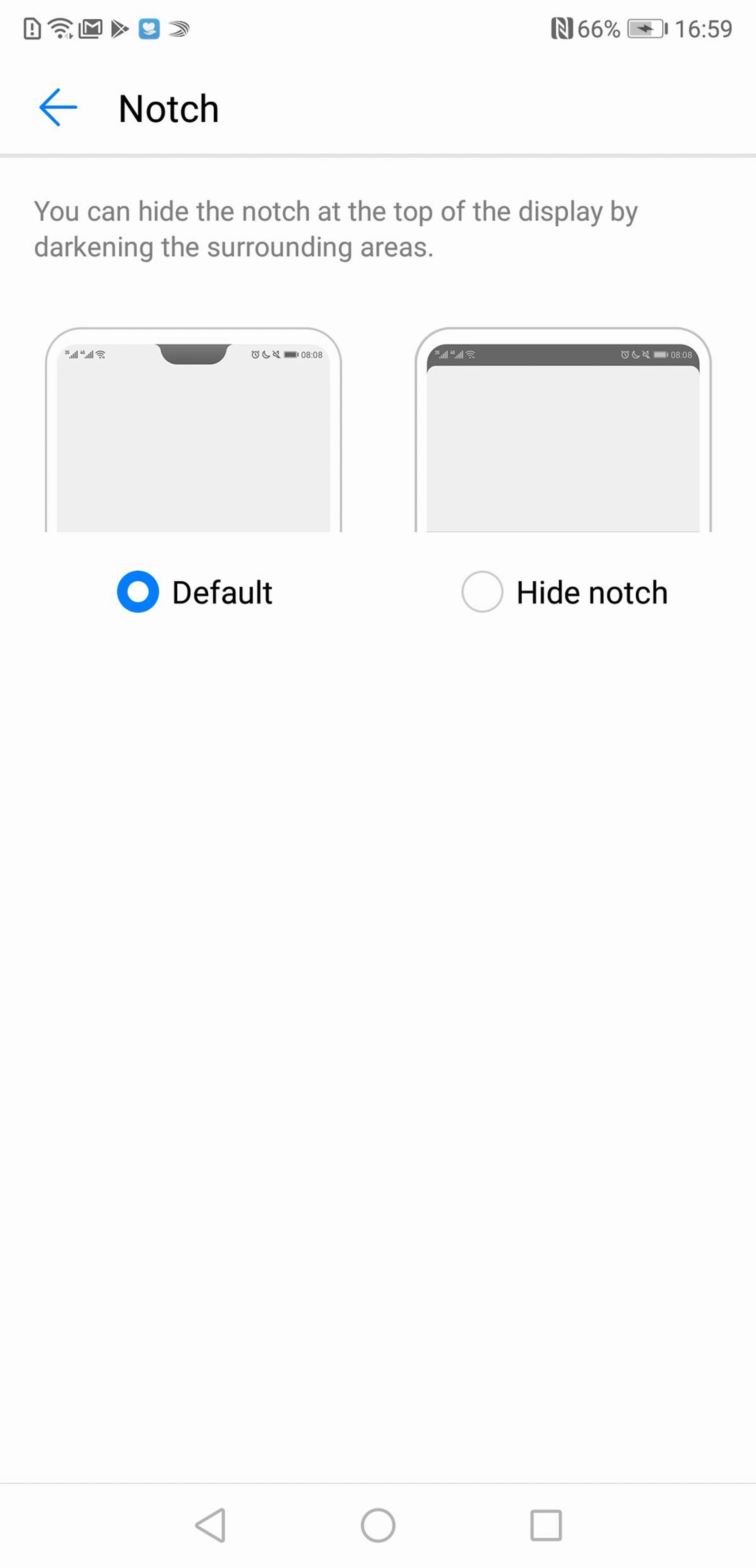
Fortunately, if you're not a fan of notches, there's actually an option to hide it - which really just turns the sides of the notch dark so it's not as obvious.
The phone has a small chin on the bottom, with a home button in it, so with the notch 'hidden', the phone looks more symmetrical, and more like a Samsung Galaxy S9.
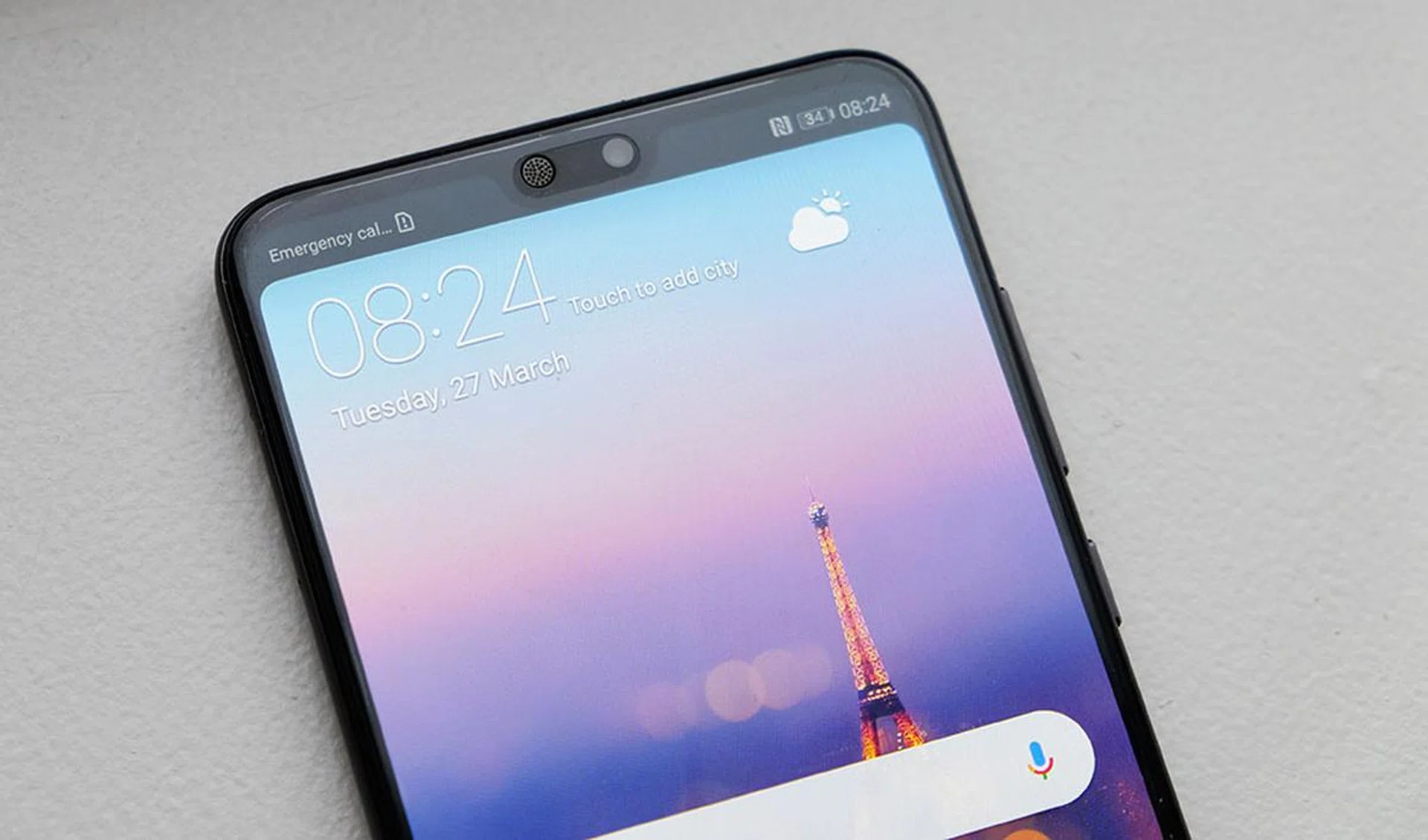
This is with the notch hidden; which do you prefer?
The P20 Pro measures 155 x 73.9 x 7.8 mm and weighs 180g, which makes it both thinner and lighter than your average flagship smartphone. For comparison, the Samsung Galaxy S9+ is 8.5mm thick and weighs 189g. The phone has an IP67 dust and water resistant rating, which means it can be fully submerged in 1m of water for up to 30 minutes.
Design-wise, Huawei has opted for a safe but elegant look that obviously draws some inspiration from the iPhone X - and I don't just mean the notch. You get a a rounded aluminum frame with contoured 3D glass on the back that feels very much like a larger iPhone X in hand. Huawei says that both the front and back glass have oleophobic coatings, but that doesn't seem to help much against fingerprints. The front of the phone has a factory-installed screen protector, but it scratches very easily, and you'll probably end up having to remove it after a few weeks. The back of the phone has a metallic, high gloss finish with a mirror-like shine. The finish is quite similar to Huawei's Mate 10 Pro, and also reminds me of the HTC U11. It's worth noting that while the phone has a glass back, it does not support wireless charging.
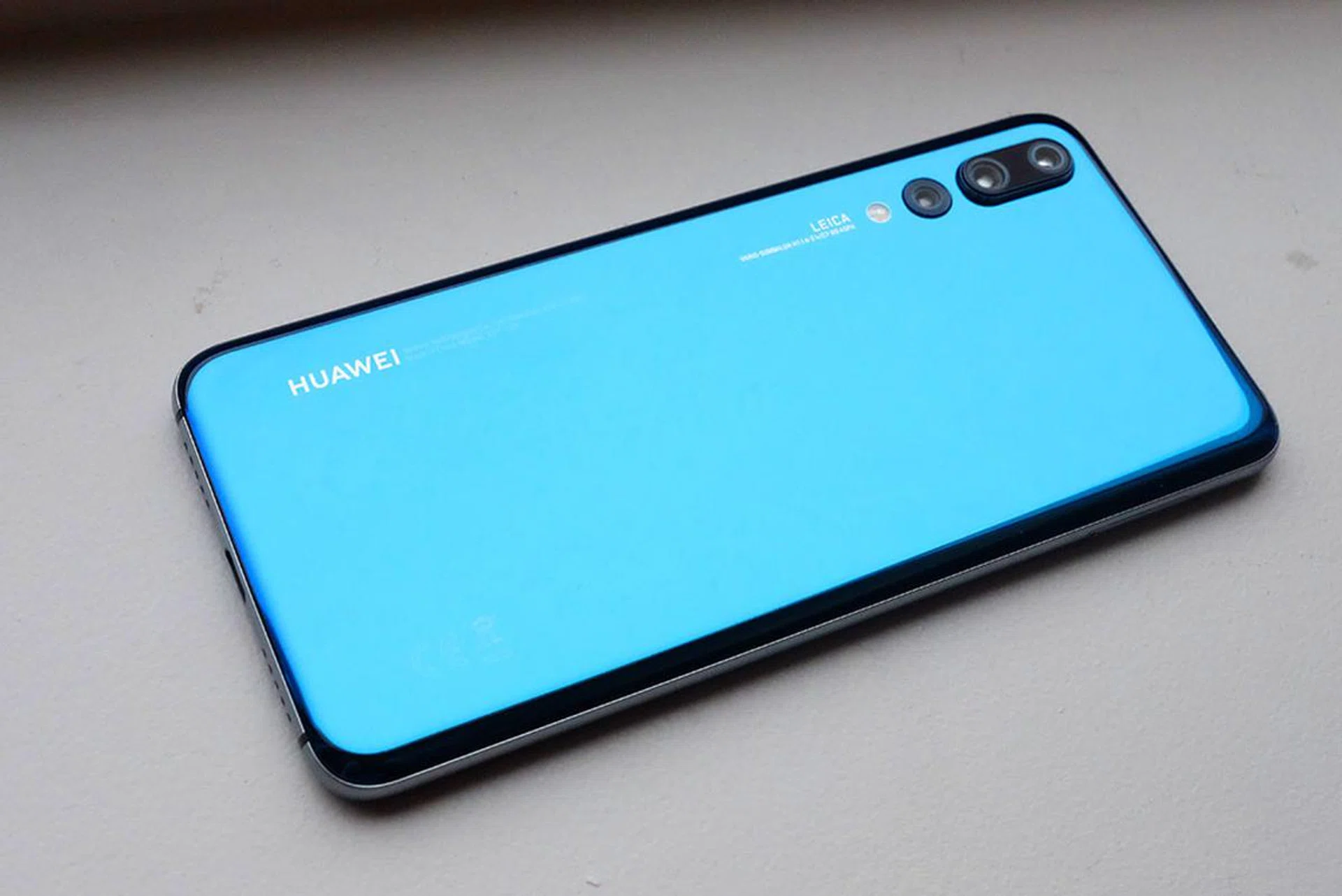
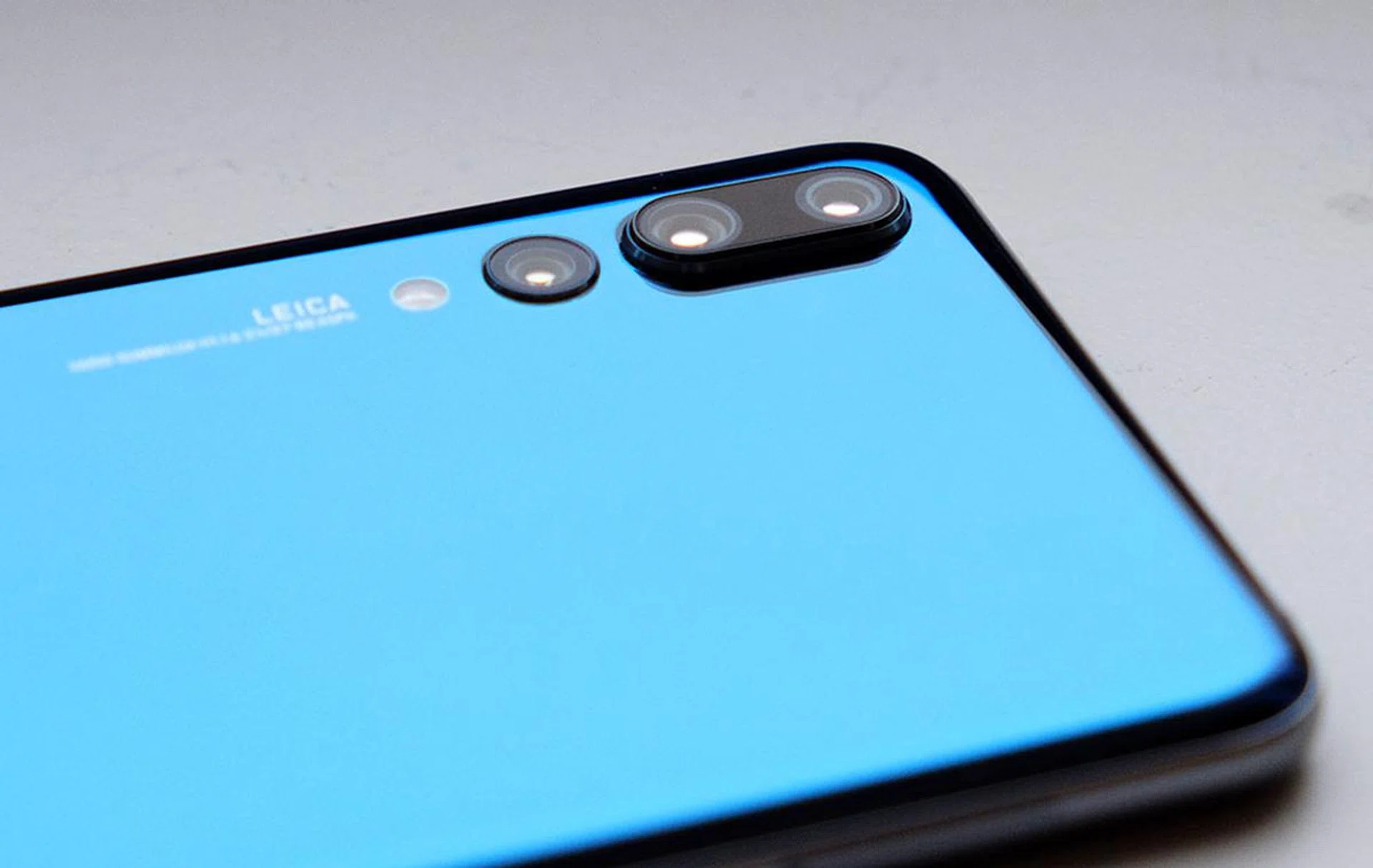
The design elements on the rear of the phone are landscape-oriented to mimic the look of a camera. Back here you'll find the first ever Leica co-engineered Vario-Summilux-H f/1.6-/f.24 triple lens camera module. The triple lens design is split into two modules: the larger double module contains the 40-megapixel f/1.8 RGB lens and the 8-megapixel f/2.4 3x optical zoom telephoto lens, while the standalone third lens is the 20-megapixel f/1.6 monochrome lens. The double module has one of the biggest camera bumps I've ever seen (it's even larger than the one on the iPhone X), while the monochrome lens sit fairly flush with the rear of the phone.
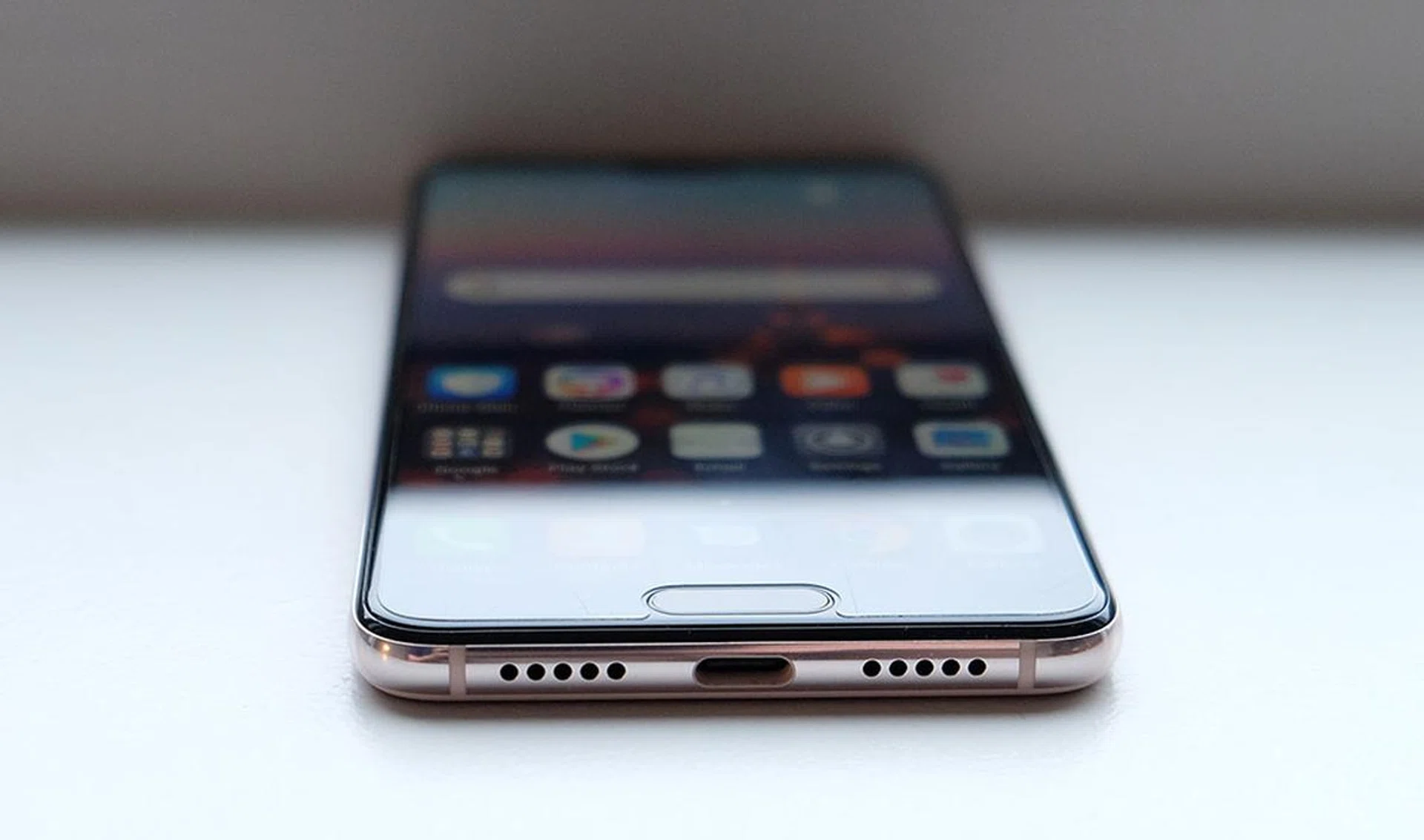
On the bottom of the phone there's a USB Type-C port, flanked by two speaker grilles - which unfortunately means the phone doesn't have a 3.5mm headphone jack (although a dongle is included in the box). The design down here looks almost identical to an iPhone X and, like the X, only the right speaker grille is functional. However, the phone does actually have stereo speakers, with the microphone in the notch doubling up as the second speaker.
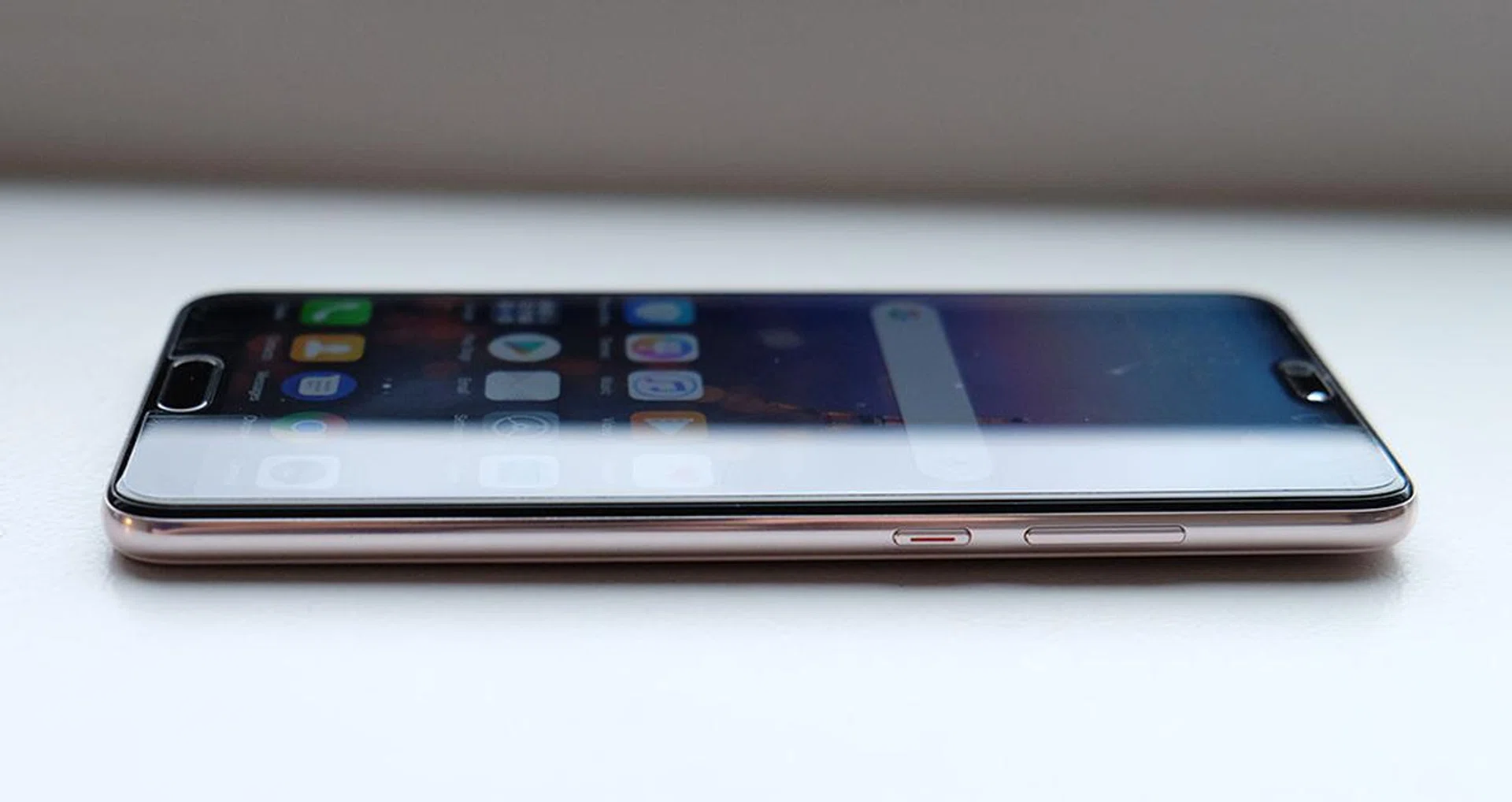
Both the power button and volume rocker can be found on the right-side, while the dual nano-SIM card tray is on the left. Unfortunately, like the Mate 10, Huawei has removed the micro SD card slot, so you're stuck with the 128GB internal storage. This is actually pretty disappointing for a phone that's so centered around photography.
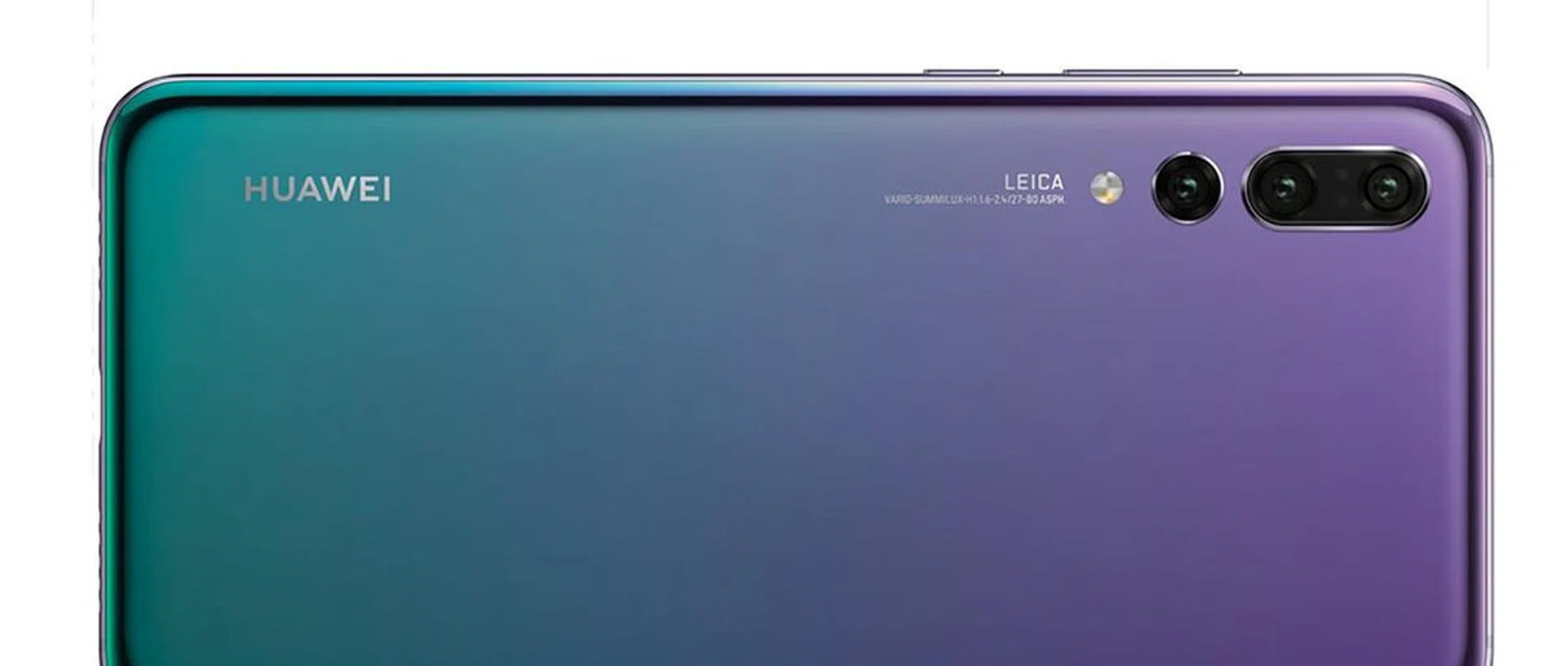
The P20 Pro is available in three colors: Black, Midnight Blue (pictured) and Twilight. Internationally, there's a fourth color, Pink Gold, but in Singapore, that color is exclusive to the P20. The aluminum frame is matte black on the Black model, but is shiny silver on Blue and Twilight. Twilight is probably the most interesting color, due to its color gradient that changes from purple at the top to blue at the bottom.
What's up with that home button below the display?
The P20 Pro is unique among bezel-less smartphones as it keeps the home button below the display. The home button itself is very slim, and the chin on the P20 Pro isn't any larger than the button-less Samsung Galaxy S9 and ASUS ZenFone 5 - and it's actually smaller than the one on the Sony Xperia XZ2. I would have preferred a completely chin-free design, with a bigger display, like the iPhone X, but so far, only Apple has managed to pull that off.
The home button is also smarter than usual, as it also doubles up as a navigation sensor. Unlike other Android phones with a physical home button, there are no capacitive buttons on either side of the home button. Instead, you press the home button to return to the previous screen, or long press it to return to the home screen. You can swipe along it to view the recent apps screen.
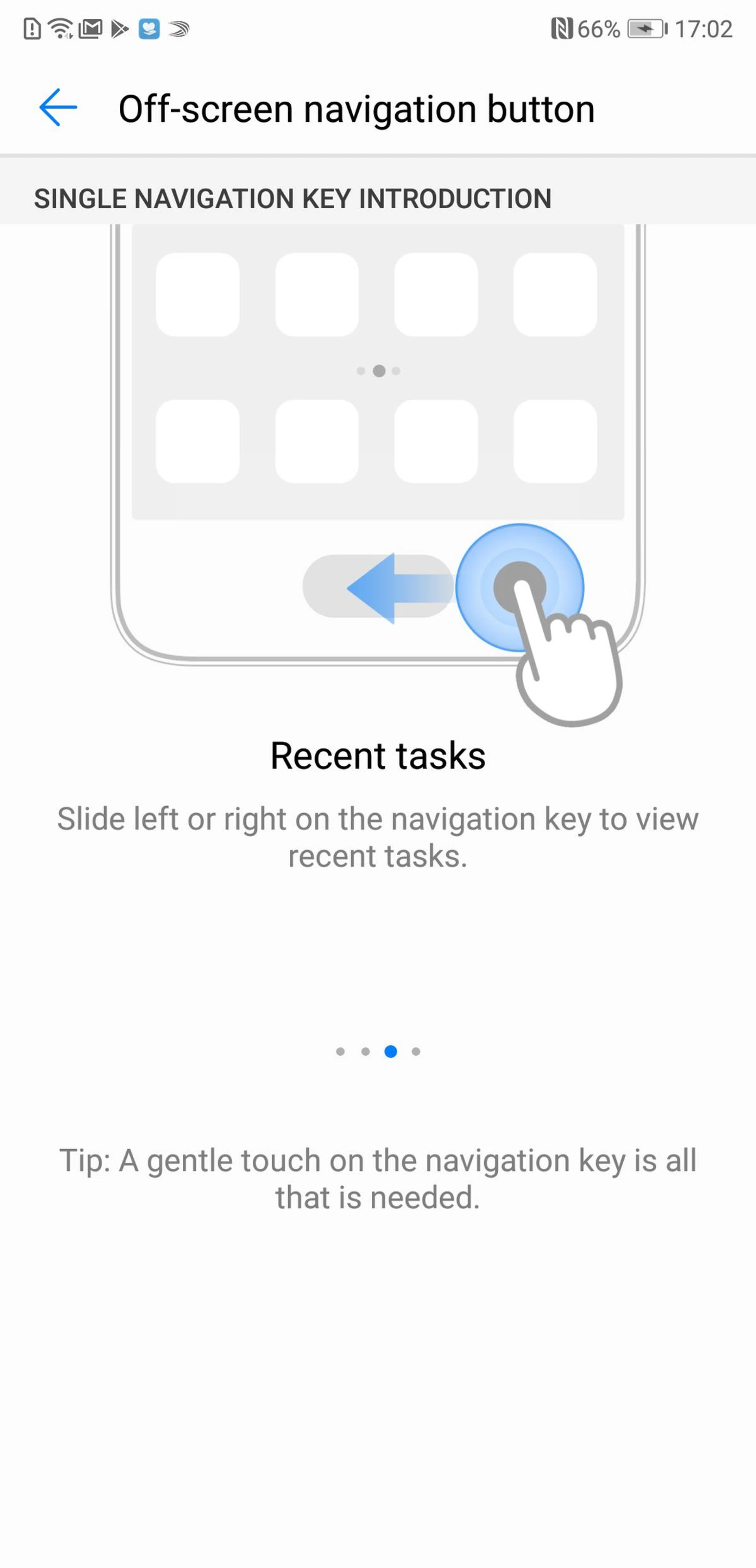
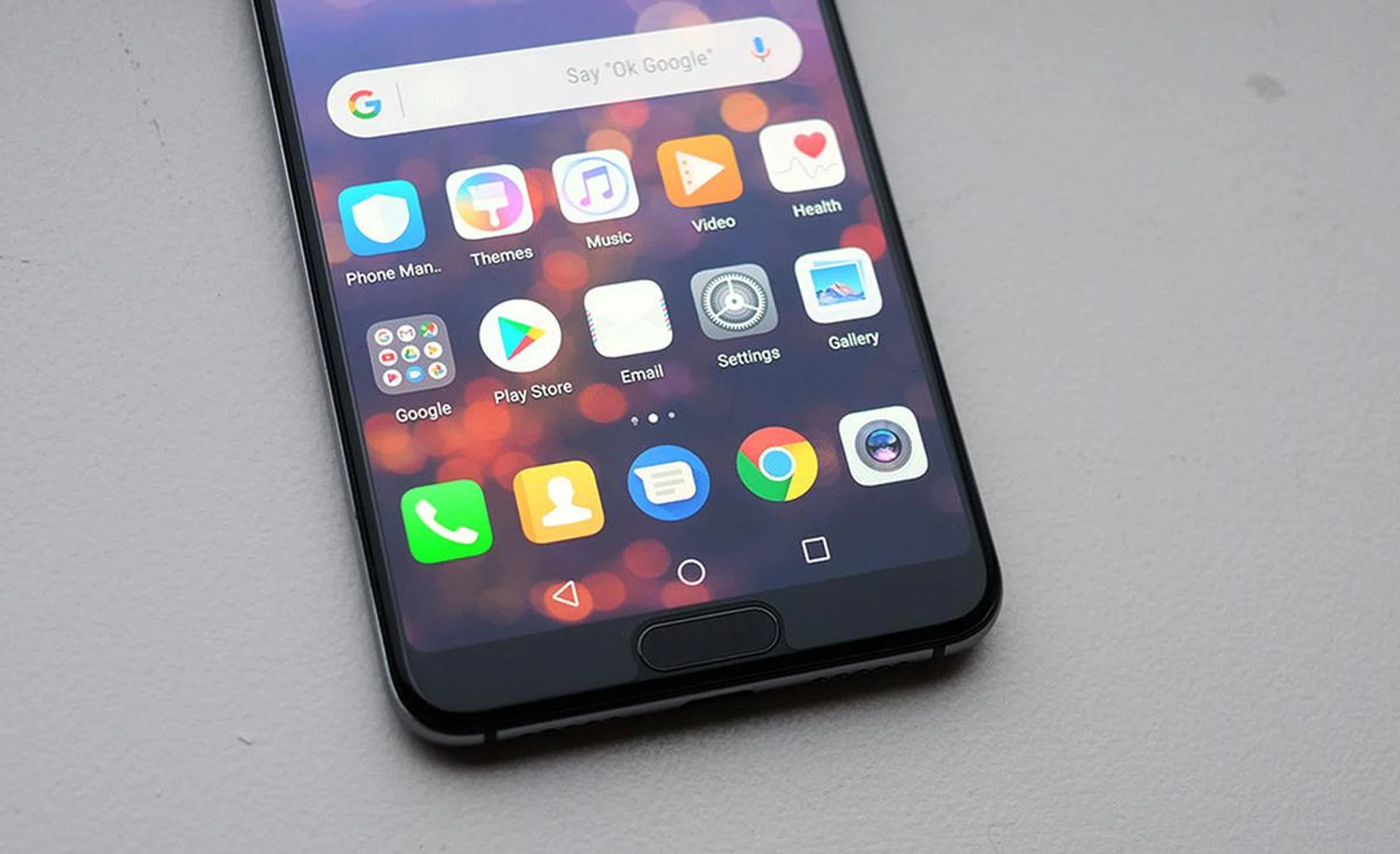
Personally, I feel like it would be more intuitive to have swipe be the back button, and long press to view recent apps, but unfortunately there's no option to customize the navigation sensor. If you can't get used to it, there's also an option for on screen buttons in a variety of layouts like I have below:
If you don't want to use the fingerprint scanner, the P20 Pro also includes a Face Unlock option. On paper, Huawei's Face Unlock should be exactly the same as the face unlock option you find on most other Android phones, using the front-facing camera to compare against an image it saved when you setup the feature.
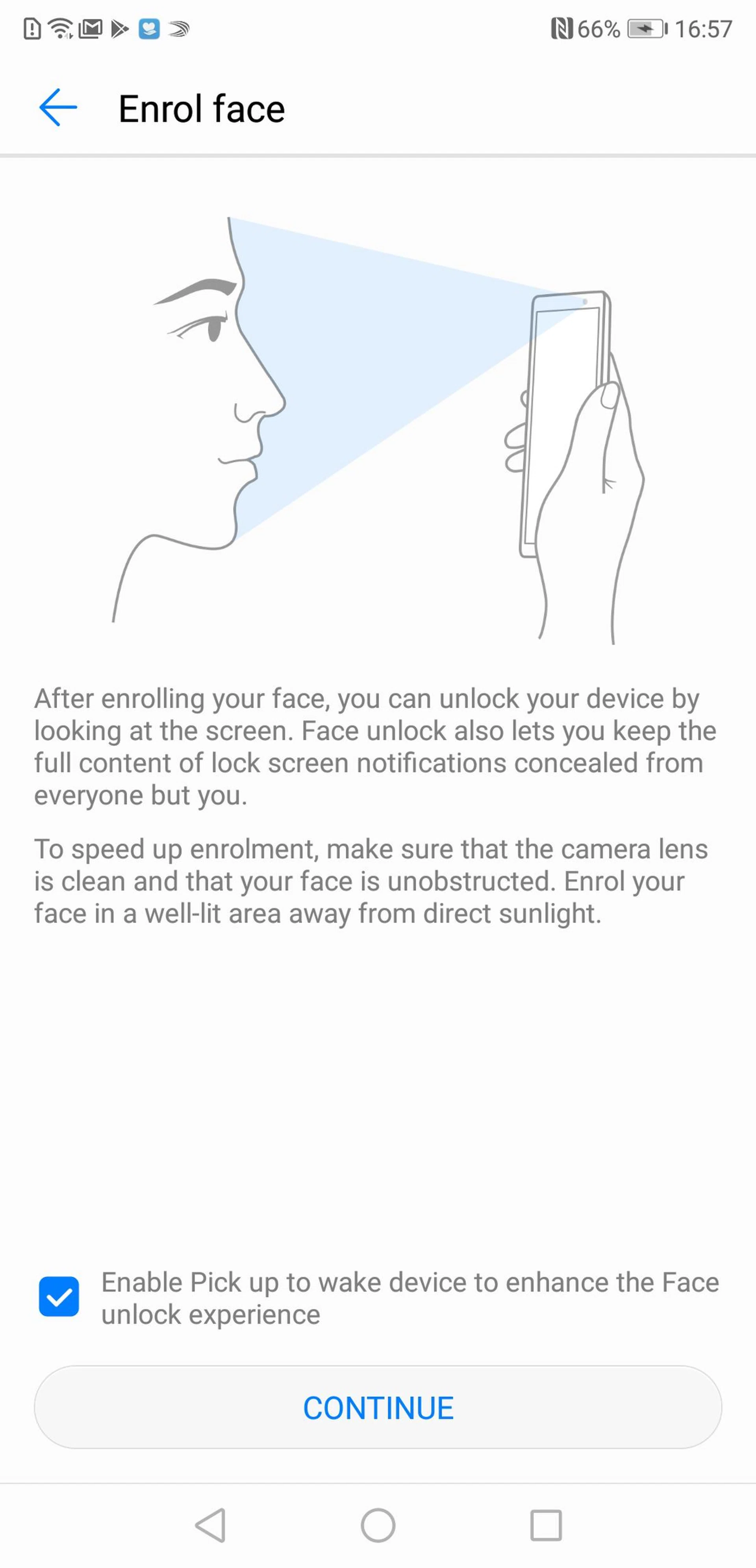
However, after testing the phone for a week, I can confidently say that Huawei's version is way better than any other phone I've used not called the iPhone X - possibly due to a combination of the P20 Pro's 24-megapixel camera and Huawei's excellent AI image recognition. It's lightning fast, unlocking the phone instantaneously, and it works really well in low-light conditions too - I'm not even sure how because it doesn't use IR (sorcery?). In absolute darkness, it takes a bit longer to work, because it waits for the display to turn on first, then uses the light from the display to illuminate your face and unlock the phone. As for security, I wasn't able to fool it with a picture or video recording of myself, but Huawei still won't let you use it for Android Pay (like every other Android-based face unlock system).
Working around the notch
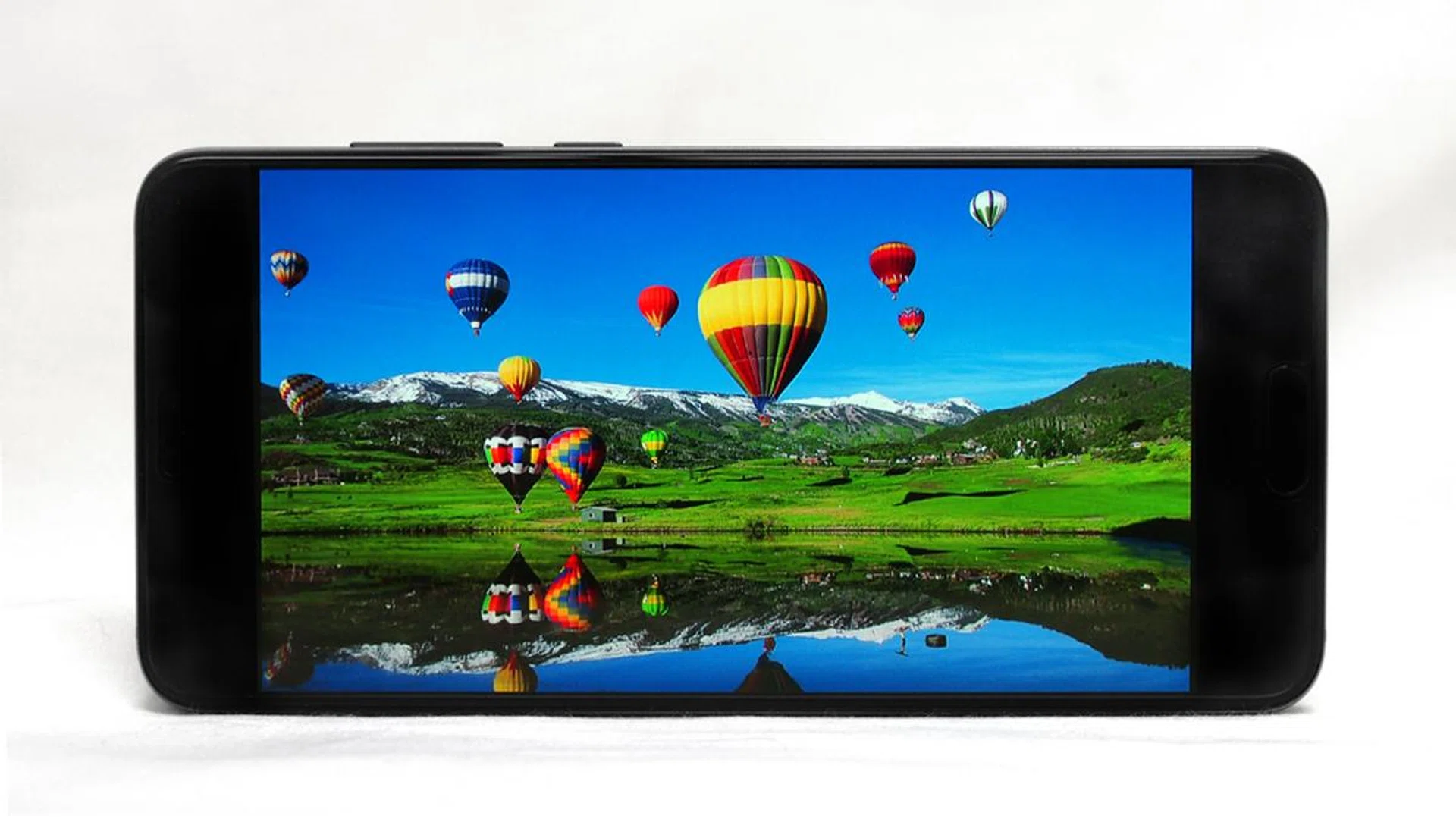
The P20 Pro has a 6.1-inch, Full HD+ 2,244 x1,080 pixels resolution (~408 ppi) AMOLED display, giving it an unusual 18.7:9 ratio (the extra 0.2 is the notch). The default setting for the display is quite heavily saturated and reminds me of older Samsung displays, but fortunately, there are a few color modes you can choose from. The Natural setting is probably the best balance of saturation and vividness, although I still prefer the look of the Galaxy S9 and iPhone X displays. The display is very bright, and can be comfortably used under bright sunlight, and as with most AMOLED displays has excellent contrast. While the P20 Pro's display is lower resolution than both the S9 an iPhone X, I didn't notice any significant difference in sharpness, even when closely inspecting text.
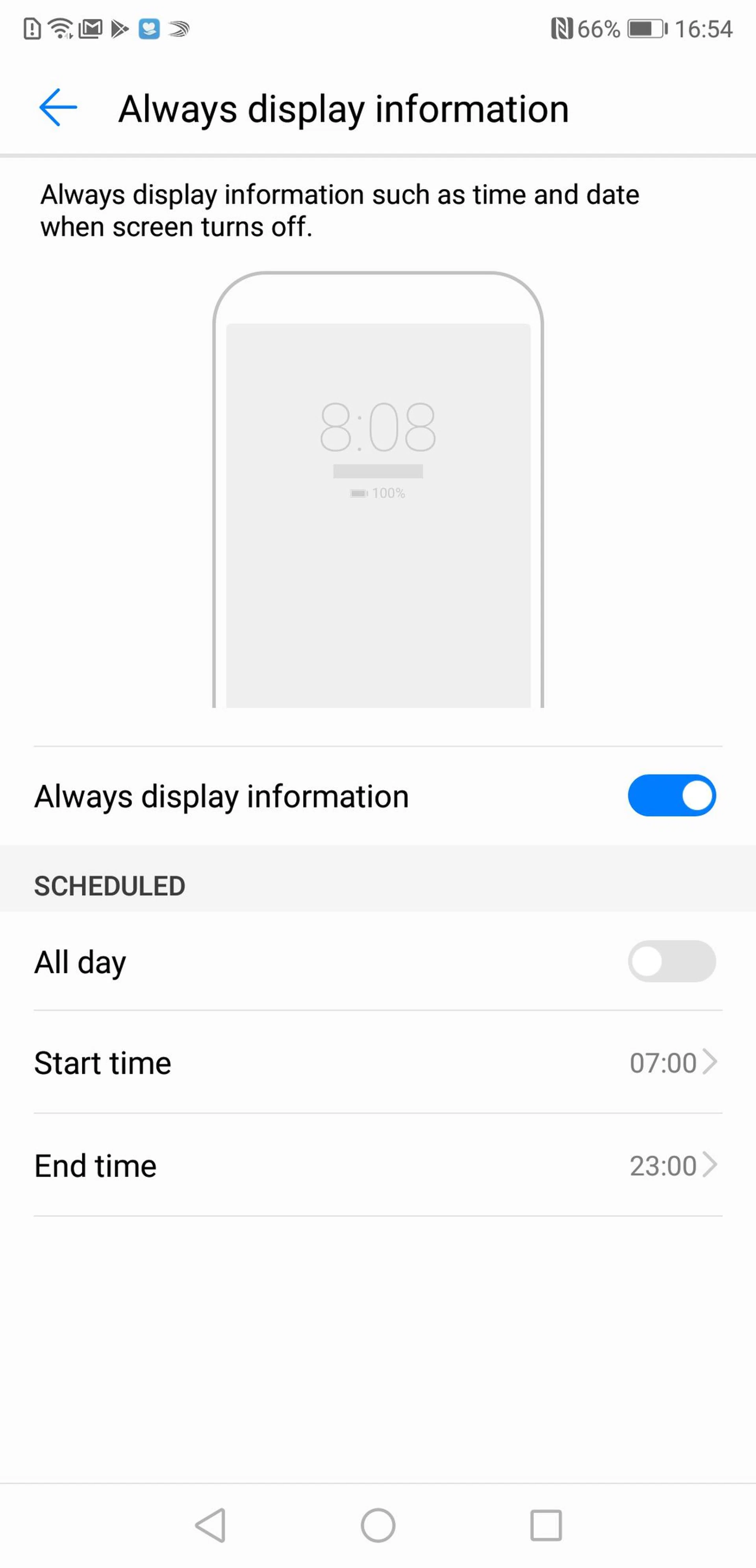
Huawei has included its own version of Apple’s True Tone technology in the P20 Pro's display, which adjusts the color temperature in accordance with ambient light around the phone - it's practically identical to Apple's implementation, and comparing both screens side-by-side, they look roughly the same. Huawei has also included an always-on feature for the P20 Pro, but for some reason, it's buried deep in the settings menu. To turn it on, go to Settings > Security & privacy > Screen lock & passwords > Always display information then toggle the setting on.
Like the iPhone X, the notch in the display presents a few problems for the P20 Pro. Huawei has adjusted its own apps to work with the notch, but other third-party apps do have some issues where key information is hidden behind the notch. As notched displays become more popular, I expect this problem will go away.
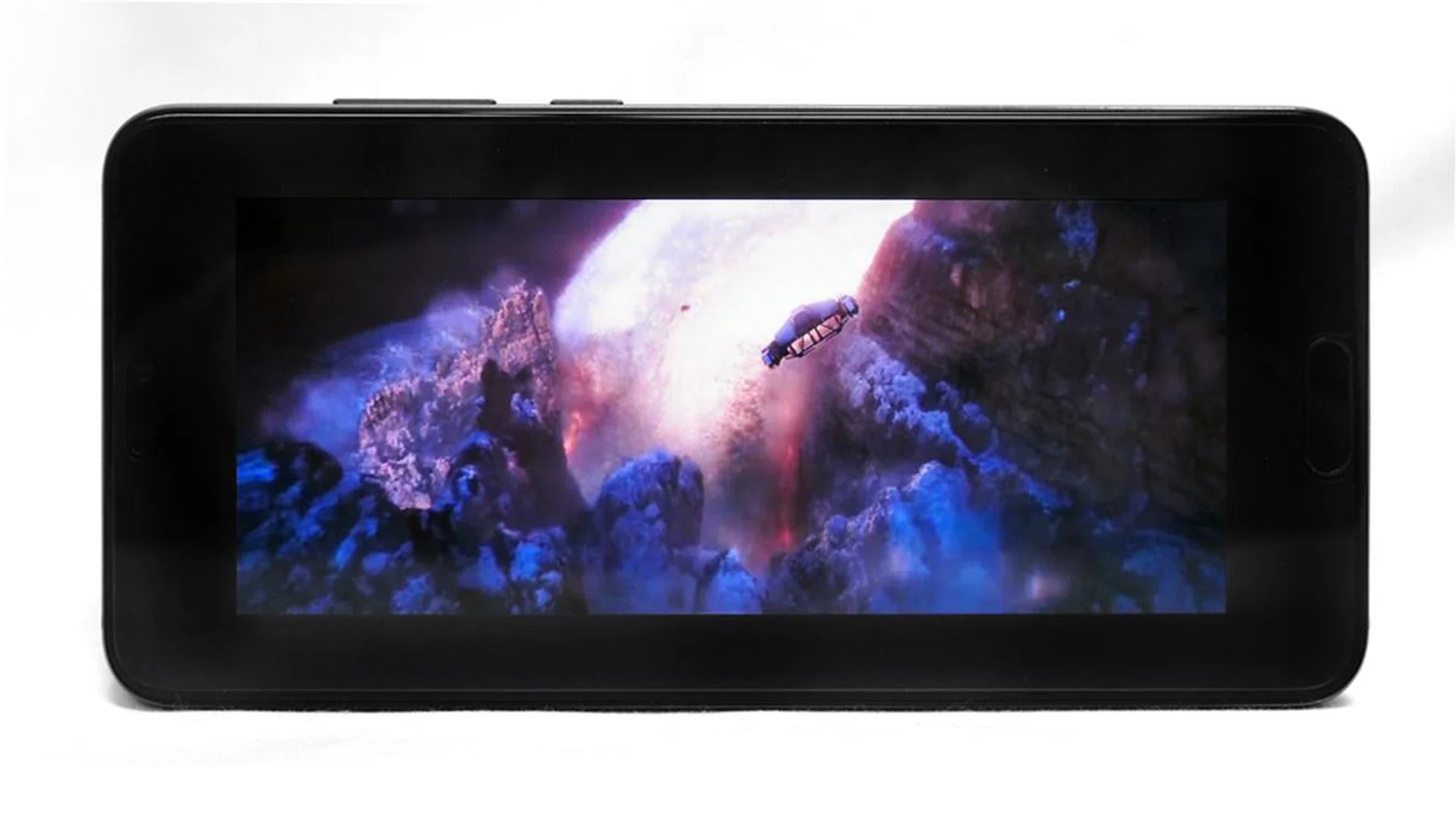
When playing videos (or using YouTube), content will automatically play in a shortened box format so that it doesn't get cut off by the notch. As a result, 21:9 movies like this trailer for Solo: A Star Wars Story play with big black borders all around the content.
Audio from the P20 Pro comes from a pair of speakers - one located in the right speaker grille at the bottom of the phone, and one from the speaker in the earpiece in the notch. This is the same stereo speaker setup Apple uses on the iPhone 8, 8 Plus and X. Sound quality from the P20 Pro is good but not fantastic. It's got plenty of volume, but there's some noticeable distortion at max volume, and the sound quality isn't as rich or deep as the stereo speakers on the Galaxy S9.
EMUI has come a long way
The P20 Pro is running on Android 8.1 with Huawei's EMUI 8.1 skin running on top of it. As usual, EMUI changes Android quite drastically, although Huawei's changes are starting to be more tasteful and user-friendly than they have been in the past.
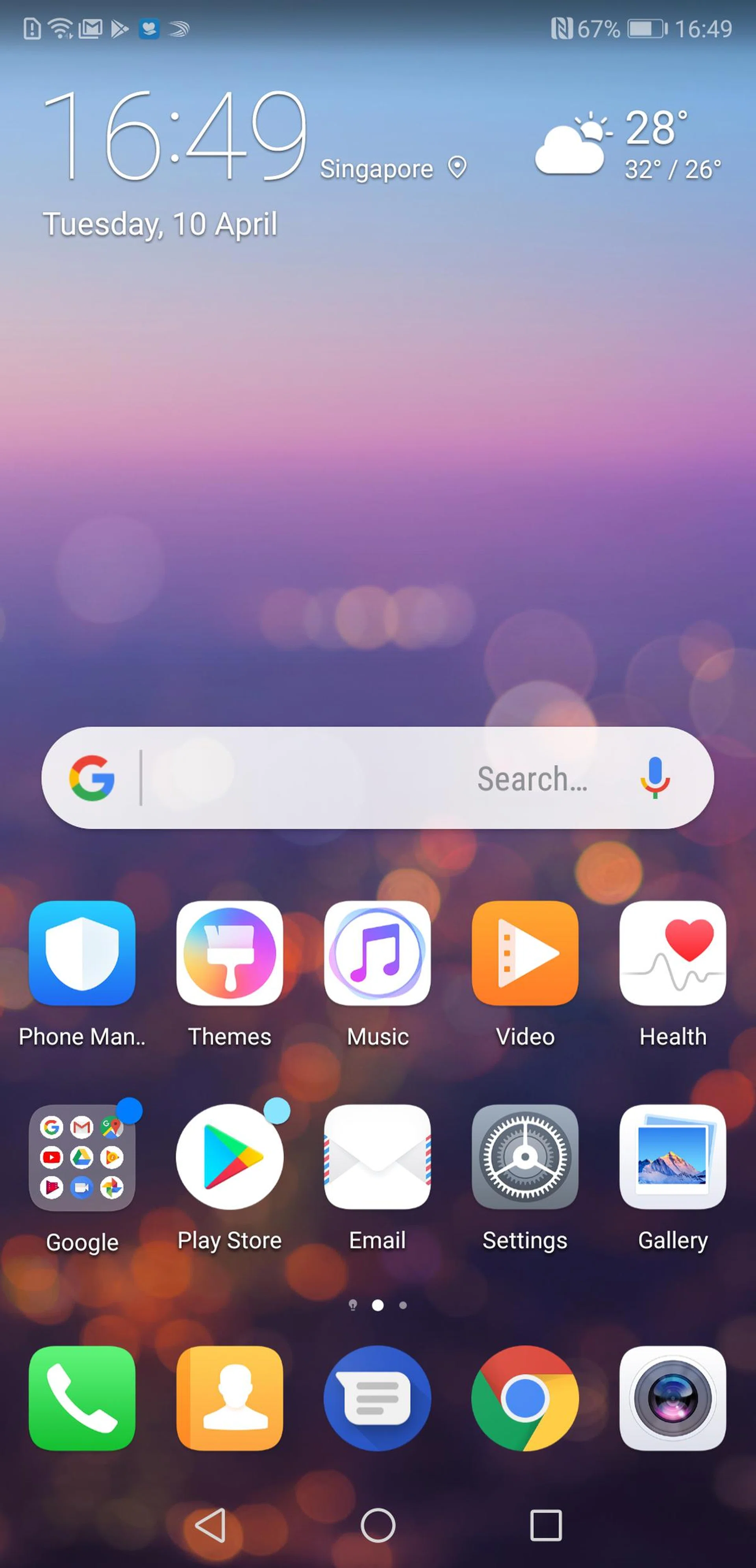
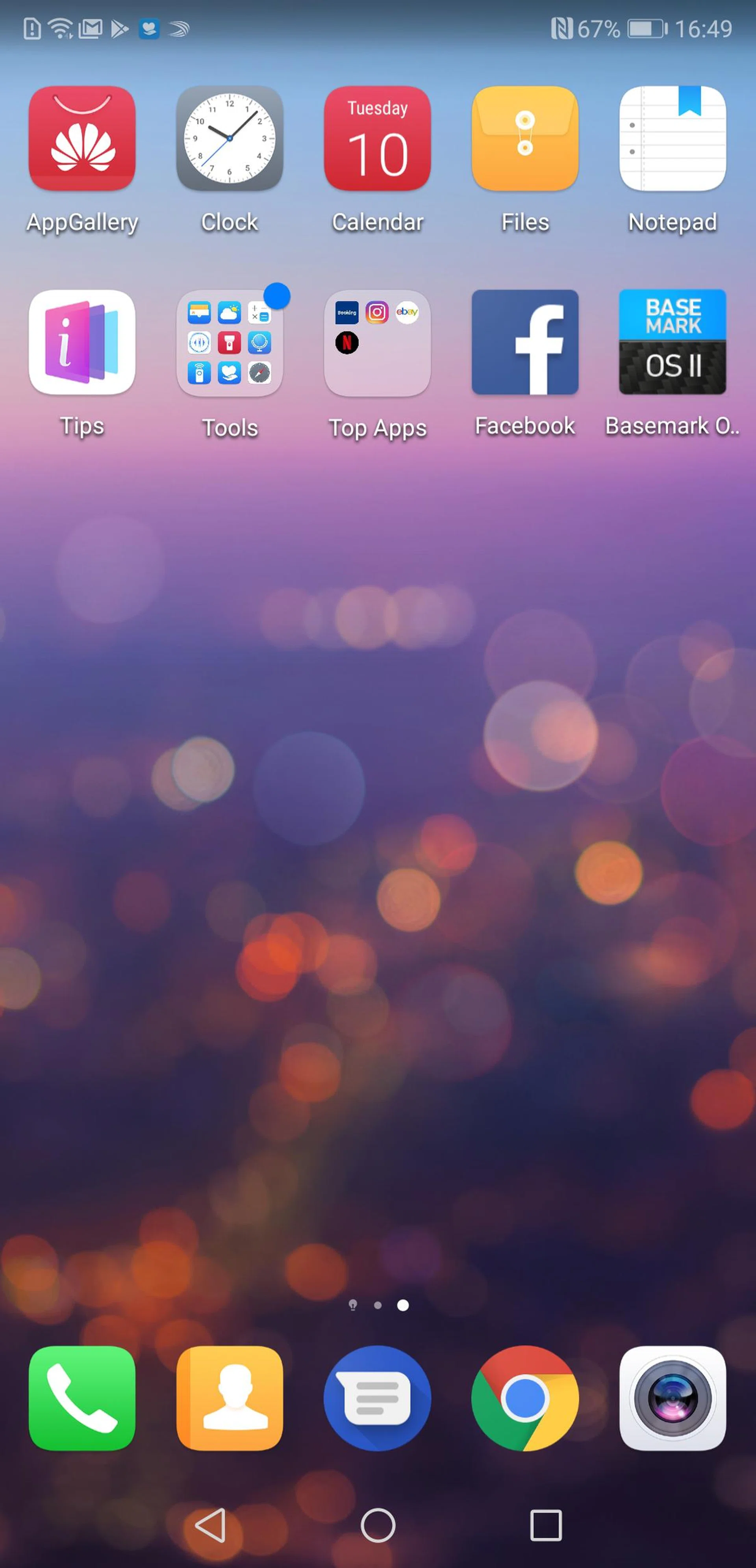
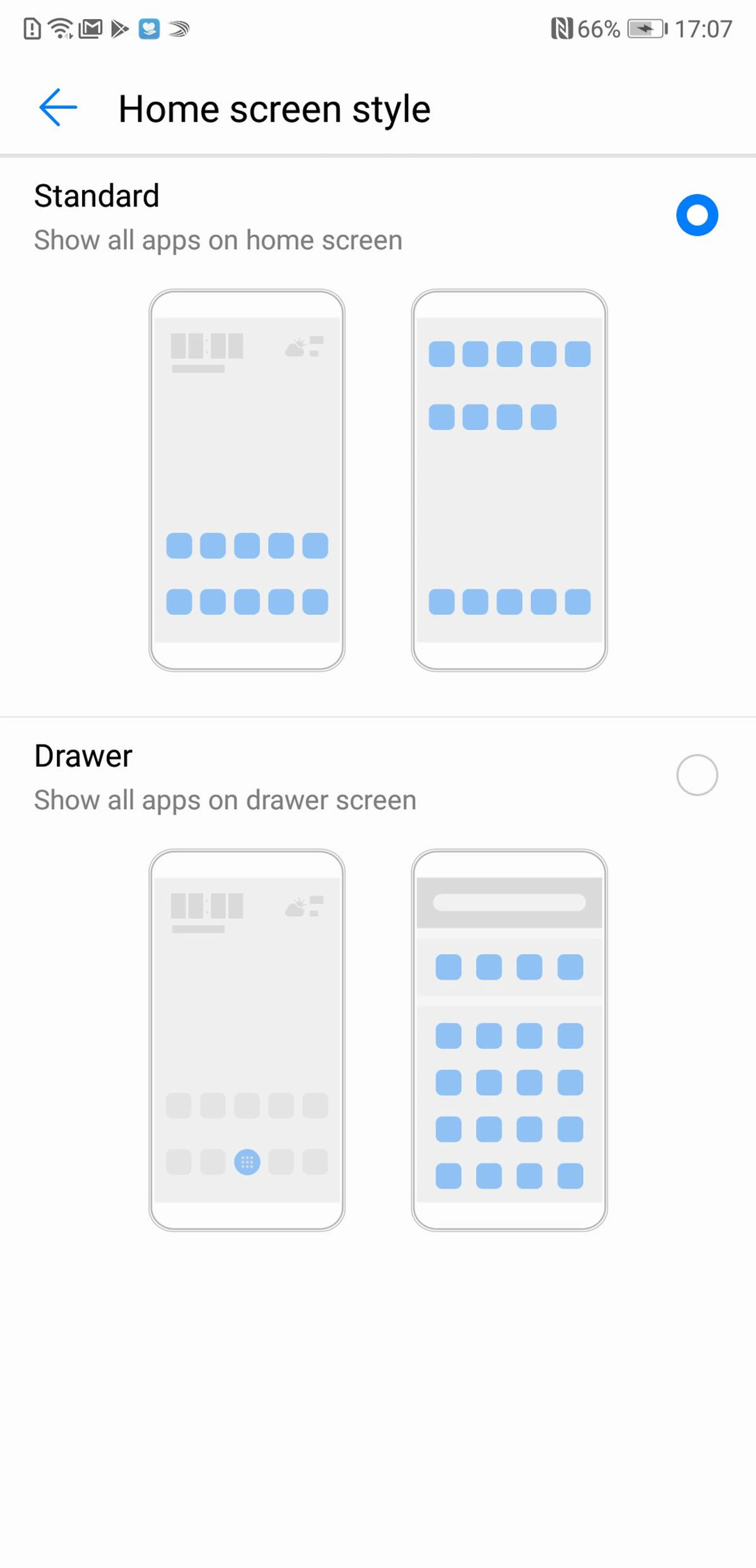
First, some of the more annoying changes. As usual, EMUI reskins the default Settings menu, which makes it a bit frustrating to find exactly what you're looking for. As with most Chinese UIs, it also removes the app drawer from the main menu, favoring instead an iOS-like layout of pages and pages of apps. Fortunately, you can restore the app drawer by going to Settings > Display > Home screen style, then selecting Drawer style.
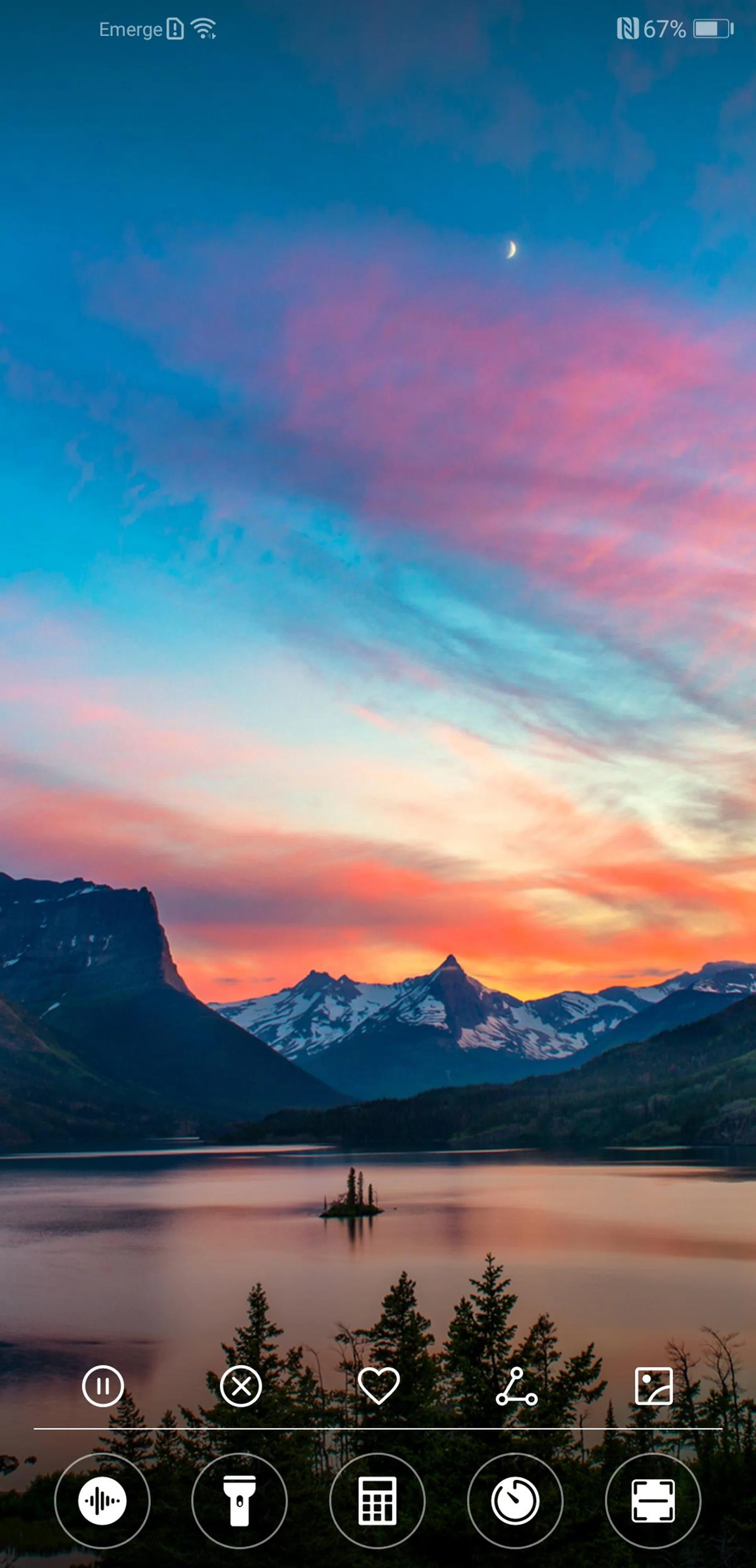
One of the new features I found really useful in EMUI 8.1 is a Quick Settings menu that you can activate from the lockscreen by swiping up from the bottom of the screen. It offers one-click access to a number of core applications including a calculator, torch and voice recorder. There’s even a barcode and QR scanner.
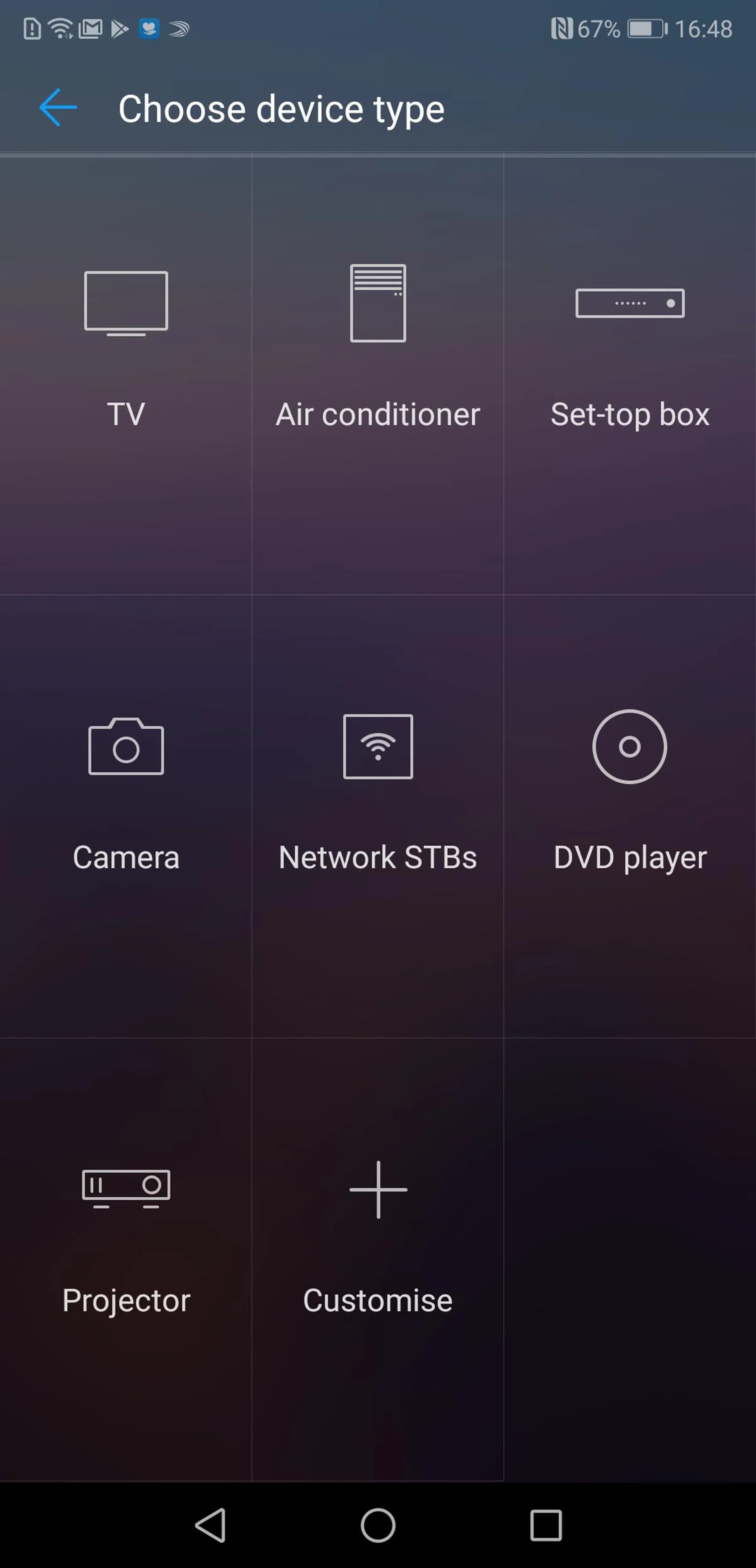
The P20 Pro is also one of the few smartphones around that still has a built-in IR blaster. There's an accompanying Smart Controller application pre-installed to let you take advantage of this. You can use it to control various appliances, from TVs to air conditioners.
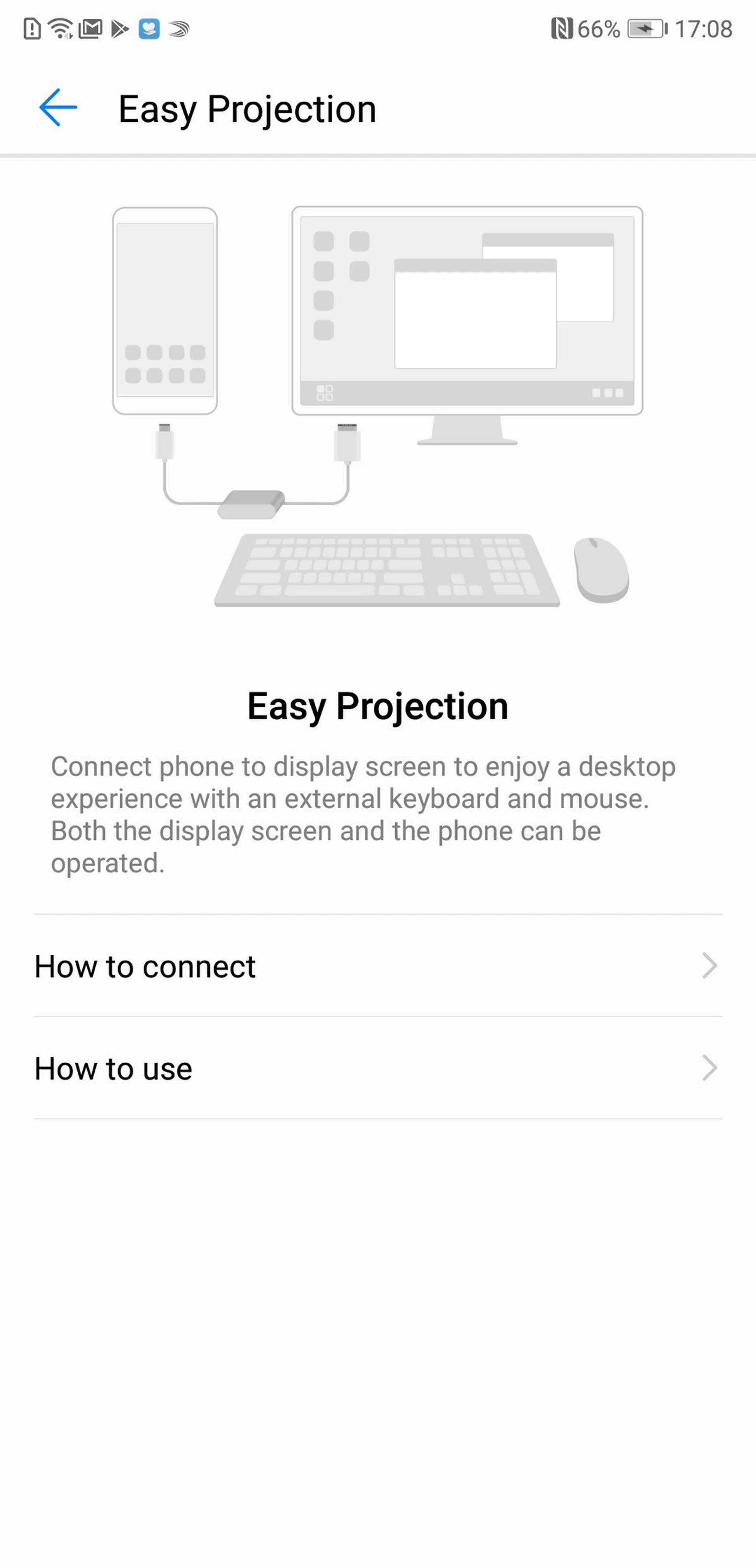
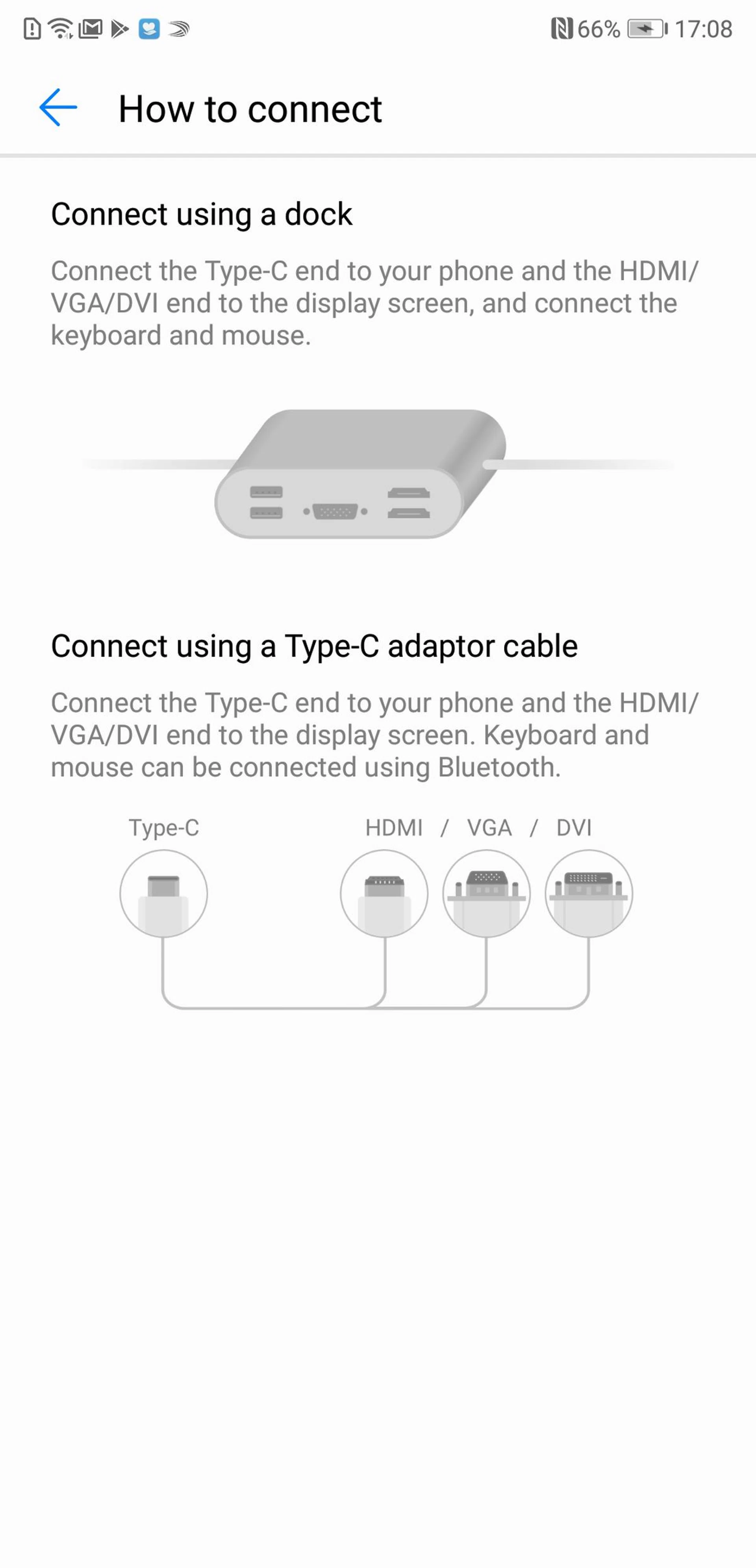
If you want to use your phone to get some actual work done, there's also a very useful Desktop Mode, which doesn't even need a dock like the Samsung Dex. Instead, it functions simply by connecting a USB-C cable to any monitor. You will need to buy a USB-C to HDMI/DVI/VGA cable though, as one isn't supplied with the phone. Once you’re connected, you’ll see a desktop screen that looks a lot like Windows. You can wirelessly connect a mouse and keyboard, or you can use the onscreen keyboard and use the phone’s display as a makeshift trackpad.
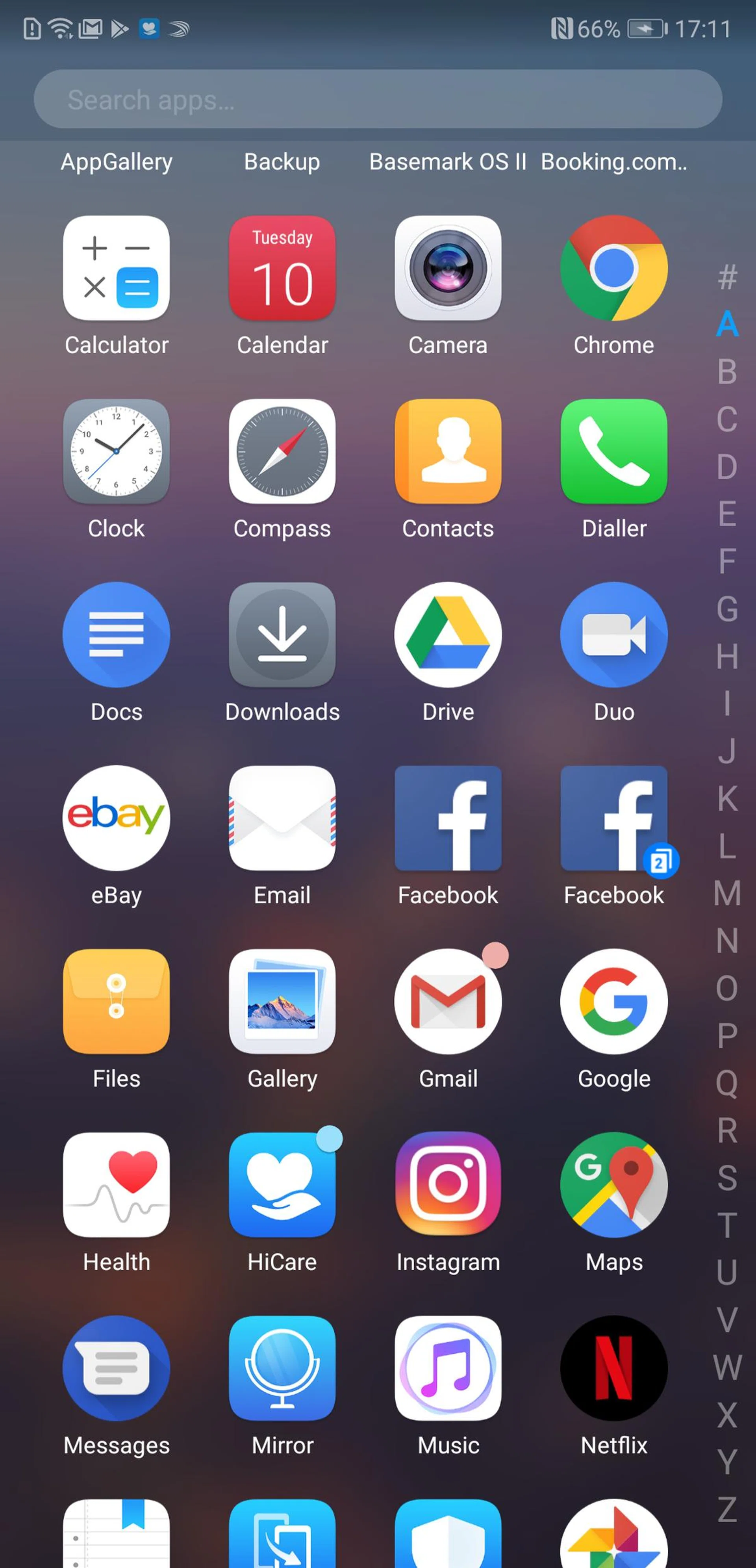
App Twin is an interesting feature that I really like. If you have multiple Twitter or Facebook accounts (I have one for personal use, and one for work) App Twin lets you create multiple instances of the same app on your phone. You can then stay signed in to a different account on each instance. App Twin, like many of the P20 Pro's best features, is hidden deep in the settings. To enable it, go to Settings > Apps & Notifications > App Twin. Only apps that are compatible with App Twin will be listed here.

Huawei's bizarre Knuckle Sense feature is once again present on the P20 Pro. As before, you can knock on the screen twice with your knuckle to quickly capture a screenshot, or you can capture just part of the screen by drawing around the area with your knuckle. Knuckle Sense also has a split screen launcher that we first saw on the Mate 10 Pro. Simply drag your knuckle across the screen to enable split screen mode.
Camera performance
I know these reviews are long, so I’ll give you the short answer first. You’ll be happy with the photos you get from the P20 Pro. They’re full of life and light. Master AI can overdo the processing, so turn it off if you find the shots gaudy.
4K videos look dizzy because there’s no optical image stabilization (OIS). Shoot at 2,160 x 1,080, however, and you’ll find the electronic stabilization does wonders. Night Mode, when it works, is as astonishing as most people say, although it doesn’t work well all the time.
The details
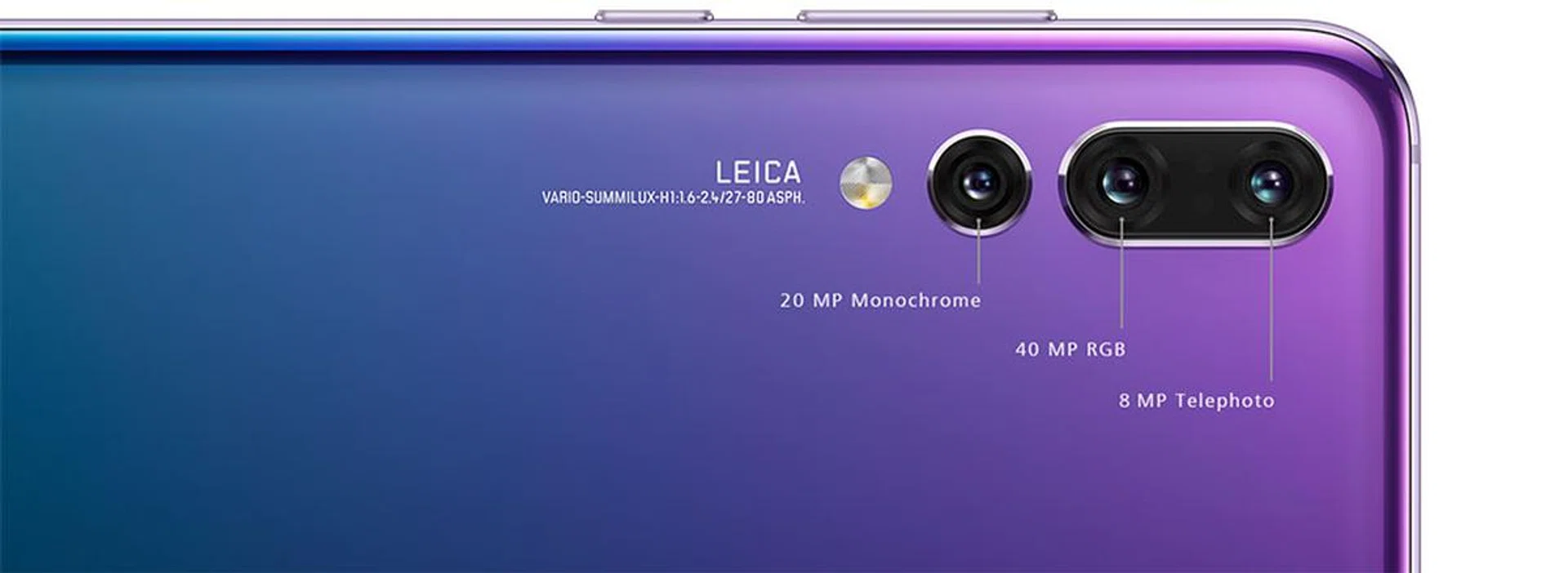
Huawei is ambitious. The P20 is the first smartphone to feature a triple camera combo, and those cameras come with serious specs. The main camera has a 40MP sensor with a f/1.8 lens. At 1/1.7-inch that sensor is twice the size of sensors on flagship competitors like the Samsung Galaxy S9/S9+.
Installing such a large sensor comes with a price though: the main camera doesn’t have optical image stabilization. Only the telephoto camera does (well, that’s what Huawei says. But iFixit’s teardown has revealed OIS on all three camera modules). The telephoto camera has an 8MP sensor with a f/2.4 lens. The telephoto provides 3x optical zoom. That means it shoots at three times the focal length of the main camera, not that it can zoom thrice.
The P20 also offers a 5x ‘hybrid zoom,’ which it says combines optical zoom, digital zoom and a dash of AI to cook a better-looking zoom.
The 20MP monochrome sensor with a f/1.6 lens is there to provide extra detail, which is digitally composited into the final image. Even the front-facing camera is over-specced; it shoots at 24MP with a f/2.0 aperture.
That 40MP, though
A 40MP sensor on the P20 won‘t equal 40MP on a large sensor, because size still matters. The Sony RX1R II, for example, ships with a 42MP full-frame sensor. That sensor resolves our resolution chart perfectly, the P20’s doesn’t.
40MP isn’t the default though, 10MP is. The P20 ‘bins,’ or combines information from four pixels into one for a final composite. As mentioned, it’s also taking details from the monochrome sensor and merging it into the final picture.
There is some advantage to shooting at 40MP. A 40MP raw file from the P20 provides slightly more resolution than a 10MP JPEG, but it’s not a significant leap. There’s vignetting and no digital image stabilization when shooting in raw. I’d stick with 10MP and let computational photography do its thing.
Whoa, those JPEGs

f/1.8 at 3.95mm, 1/900 sec, ISO 200.
Computational photography (SLYT), in case you’ve missed it, is a Very Big Thing now in smartphone photography. It’s been around for a few years, but for my money, the Google Pixel 2 XL and the Samsung Galaxy S9/S9+ are the phones that have taken it to the next level. And you can now add the Huawei P20 to the mix.
There’s a lot the P20 is doing computationally with its JPEGs. This is especially obvious when comparing raw and JPEG files of the same scene. The JPEGs have richer tones and more vivid hues that aren’t just the result of aggressive processing. There’s an impressive lack of image noise, even at high ISOs. It’s likely that the P20 is doing what the Pixel 2 XL and Galaxy S9/S9+ are doing — bracketing a series of images and then compositing them into a final image. And the final results are very, very good.
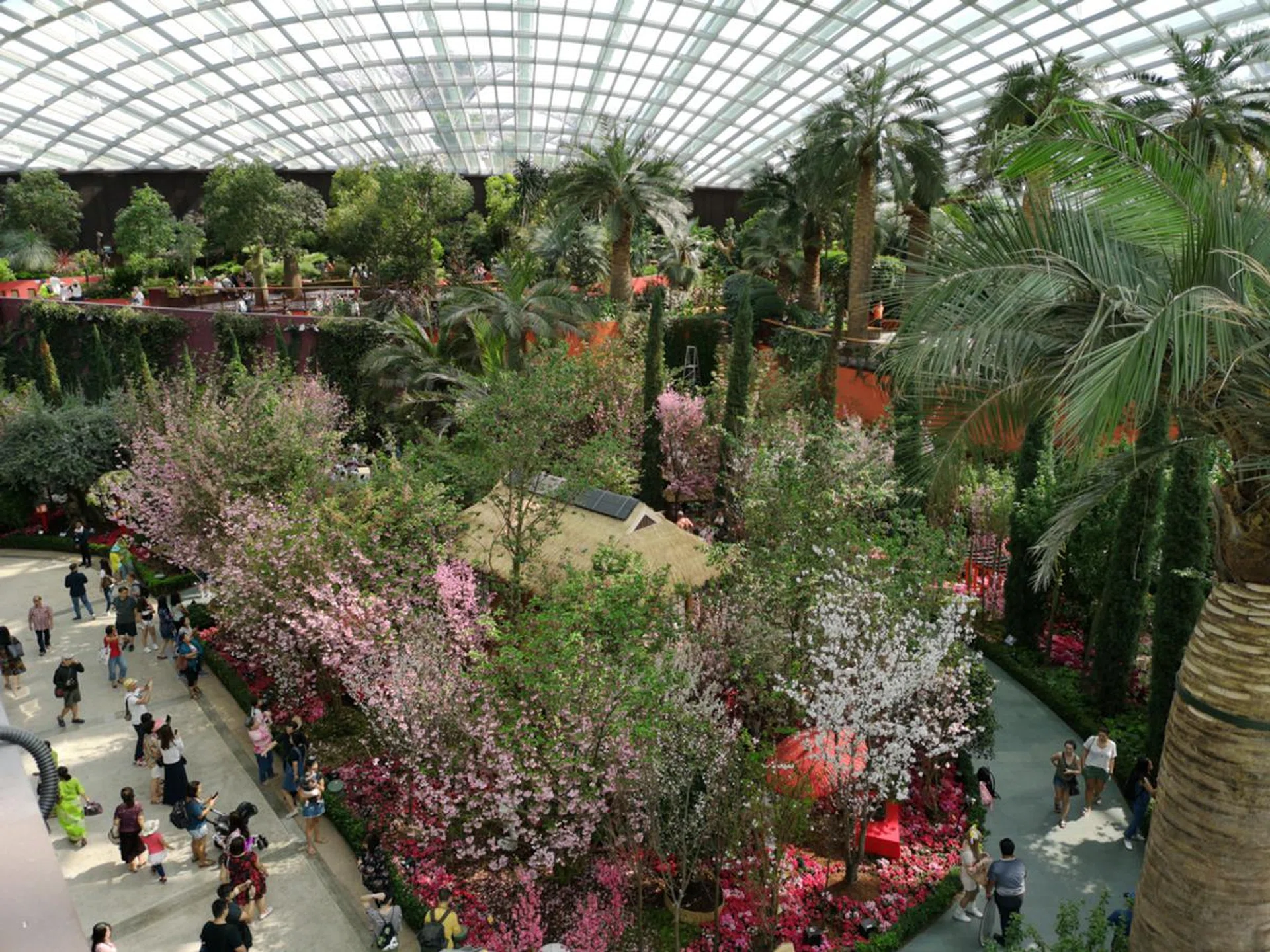
f/1.8 at 3.95mm, 1/350 sec, ISO 50.
Whoa there, Master AI
The P20 comes with a ‘Master AI’ feature that’s supposed to suss out what you’re shooting and apply its favorite filters to it. For example, when I’m shooting grass, it applies a ‘Greenery’ filter, which looks overly contrasty and saturated to me.

f/1.8 with 3.95mm, 1/900 sec, ISO 100. With ‘Greenery’ filter applied via Master AI.

Some of you will prefer the first shot, with the ‘Greenery’ filter applied, compared to this ‘normal’ shot.
If you like your photos heavily seasoned — and in this age of hyper-saturation people do — then you’ll be fine leaving Master AI on. If you want to turn it off, you can simply tap the ‘X’ next to it when a filter appears.
Whoa, Night Mode!
Night Mode lets you capture photos in low light that would otherwise be impossible without a tripod and post-processing. The P20 does this by grabbing a series of exposures, both long and short, then compositing them into a final image. This is HDR (High Dynamic Range) taken to a next handheld level.

f/1.8 at 3.95mm, 0.3 sec, ISO 64. A normal shot that accurately captured how this scene looked to my naked eye. The tree to the right was dark with minimal light.

f/1.8 at 3.95mm, 4 sec, ISO 640. The same scene with Night Mode and it’s astonishing how the shadows have opened up. At the same time, the highlights have been maintained. If you squint closely, though, you’ll see that Night Mode results in a loss of fine detail.
When it works, the effects are astonishing. Details in shadows are revealed, and dark scenes come alive. It even reveals darkened details that I couldn’t see with my eyes.
You can also use Night Mode in daylight as a sort of ‘hyper-HDR,’ but it tends to favor lifting shadows over saving highlights. If you’re shooting in good light, I’ve found that plain old HDR mode works better.
Night Mode isn’t always successful. Sometimes details have double images. Night Mode also has a price. While dynamic range is increased, details are sacrificed and image noise is introduced.
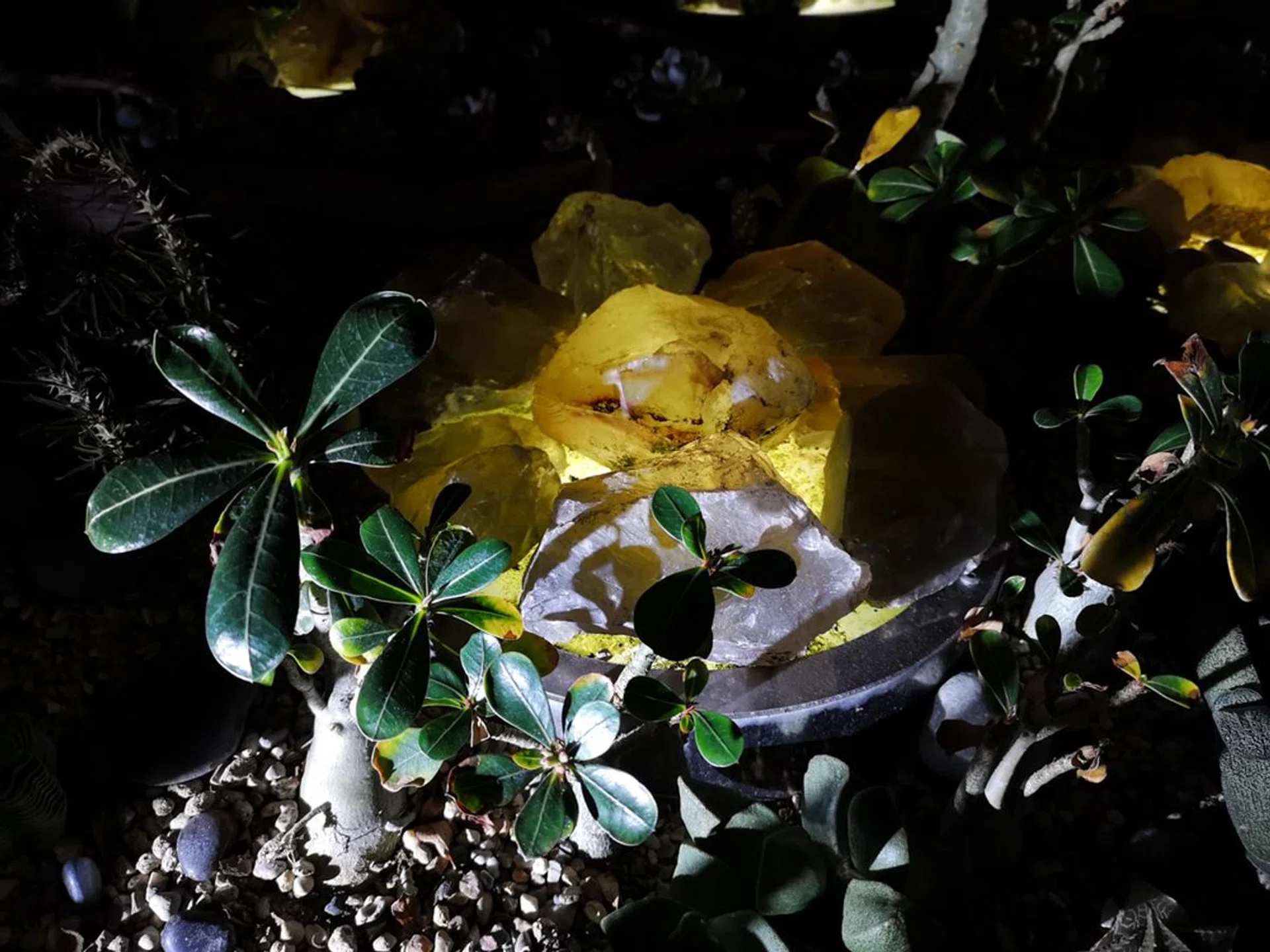
f/1.8 at 3.95mm, 1/50 sec, ISO 400. One more, for the amazes. Once again, this shot accurately captures how the scene looked like in real life.

f/1.8 at 3.95mm, 4 sec, ISO 400. Night Mode is capturing more detail than what I could see with my eyes. But artifacts are more prevalent in this shot. Notice how the leaves in the mid-ground and details in the background have double images.
Oh, videos
4K video looks dizzy because there isn’t any optical image stabilization. Unless you bring your own gimbal rig I wouldn’t suggest shooting in 4K.


At 2,160 x 1,080 however, the digital image stabilization is eerily good. If you move around too much, you’ll see wobbly distortions, especially around the edges. But go slowly, or hold still, and it’s almost like you’re shooting on a stabilizer or tripod. For some odd reason, there’s no zoom button when shooting video.


Half in the bag
3x optical zoom is great. It’s more useful than the 2x zoom you’d get with other dual-camera smartphones. The 5x hybrid zoom (basically digital zoom) is fine. I get more shaky shots with it in low-light. That’s not a surprise, because the longer your focal length, the more susceptible to camera shake the lens is.
Here are more notes from other aspects of the P20's camera performance:-
- Portrait Mode is harder to engage than any other Portrait Mode I’ve used.
- You might get a shaky image when shooting raw, but a sharp one when shooting JPEG. It’s the electronic image stabilization at work, which seems to switch off when shooting in raw.
- You can only shoot raw with the main camera, not with the telephoto.
- There’s no zoom button in Pro Mode.
- Video footage in low light is noisy.
- Panoramas are good. They’re well-stitched — well, there was a headless dude in one and half of a woman in another — but the inanimate detail is seamlessly joined.
- The HDR mode is excellent too. But it’s difficult to engage, as it’s hidden on the ‘More’ menu.
- The front camera is fine.
The P20 is a giant leap forward for Huawei
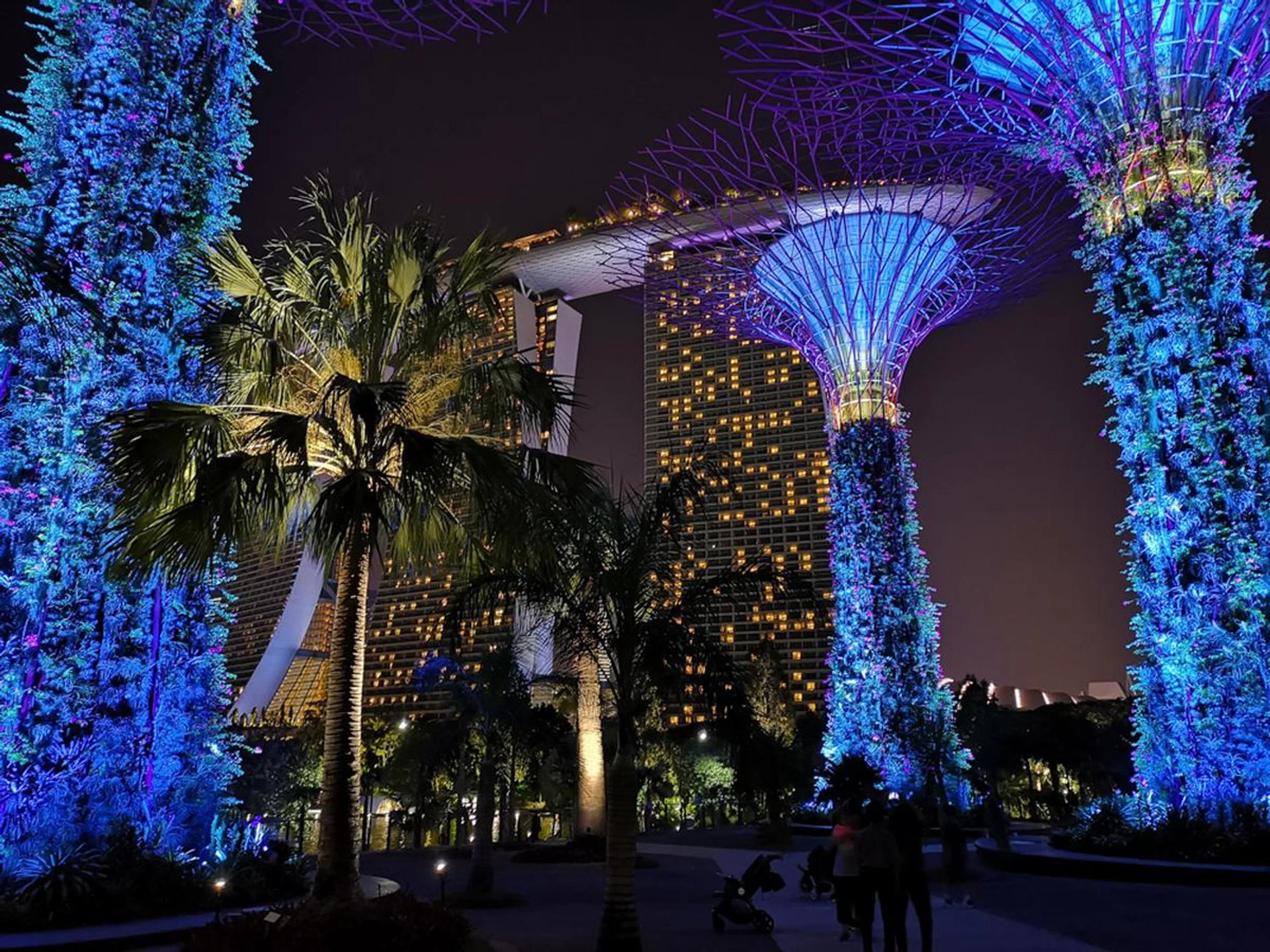
f1.8 at 3.95mm, 1/17 sec, ISO 1,000. Night mode wasn’t even on and the P20 rendered this dark scene beautifully. Image noise is kept to an impressive low and the scene is sharp even without OIS.
The Huawei P20 is surprisingly good. Surprisingly, because I wasn’t that impressed with the P10. The P10’s shots looked good on the P10’s display, but bring them to a bigger screen and their flaws became clear.
Huawei has taken a massive leap forward with the P20 — and just in one year. The JPEGs are astonishingly good, and when Night Mode works it’s magical. But the lack of OIS for 4K video is a sticking point. If you’re fine with shooting videos at 2,160 x 1,080, which offers solid electronic image stabilization, then the P20 has a lot to offer.
Can Huawei's HiSilicon processor compete with a Qualcomm Snapdragon 845?
Huawei (along with Samsung and Apple) is one of the few brands not using a Qualcomm Snapdragon processor in its flagship smartphone. Like last year's Mate 10 Pro, the P20 Pro runs on Huawei's own HiSilicon Kirin 970 SoC paired with 6GB RAM.
The Kirin 970 is a 10nm octa-core processor that uses 4x ARM Cortex-A73 cores clocked at 2.4GHz, with 4x ARM Cortex-53 cores at 1.8GHz. It was also the first commercial chipset to use a Mali-G72 MP12 GPU.
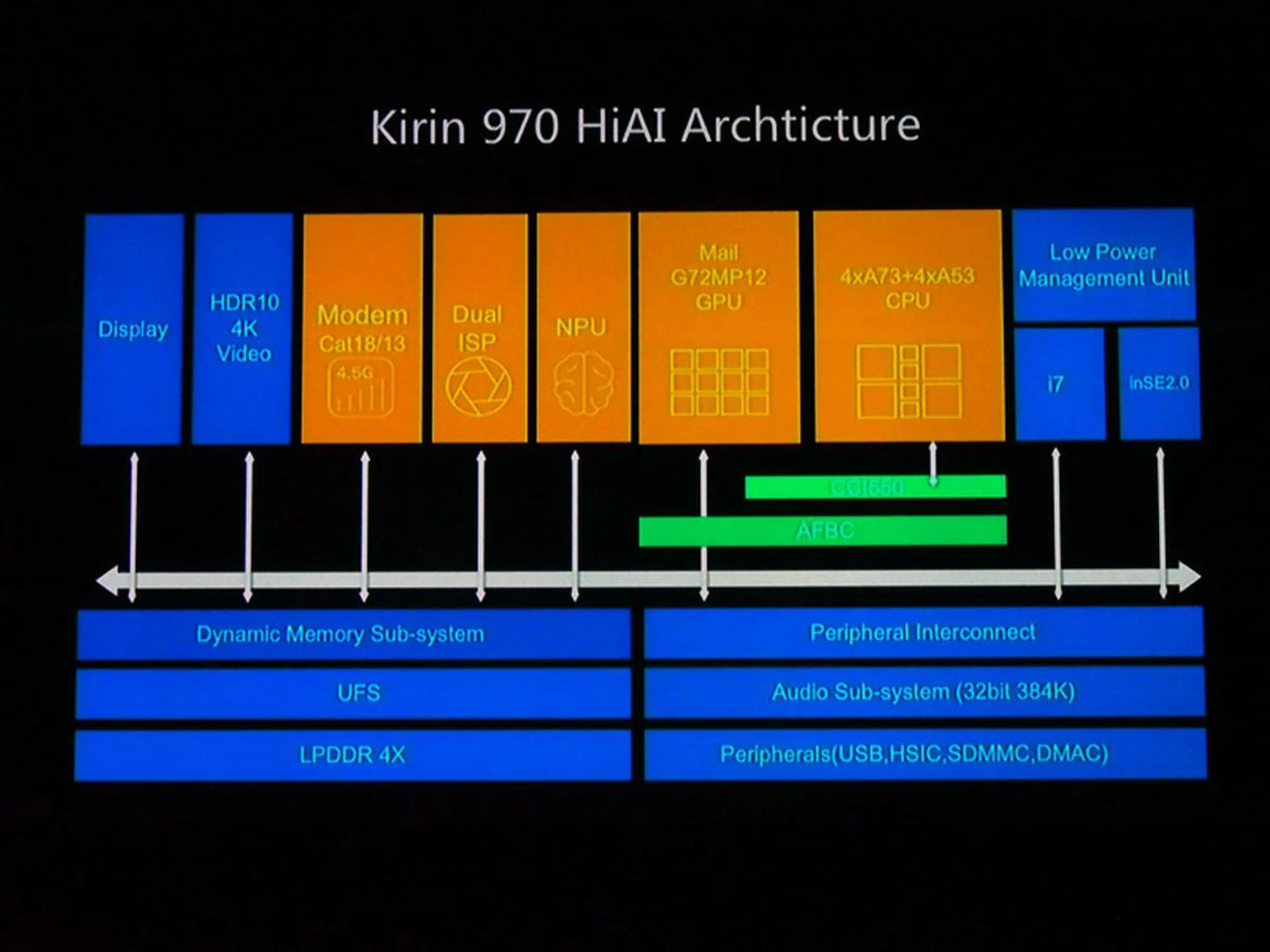
What makes the Kirin 970 special is that it has a dedicated ‘Neural Processing Unit’ that handles all ‘AI’ features. This frees up the main CPU for other tasks.
For more info on the Kirin 970 and its Neural Processing Unit, check out this feature.
Sunspider Javascript
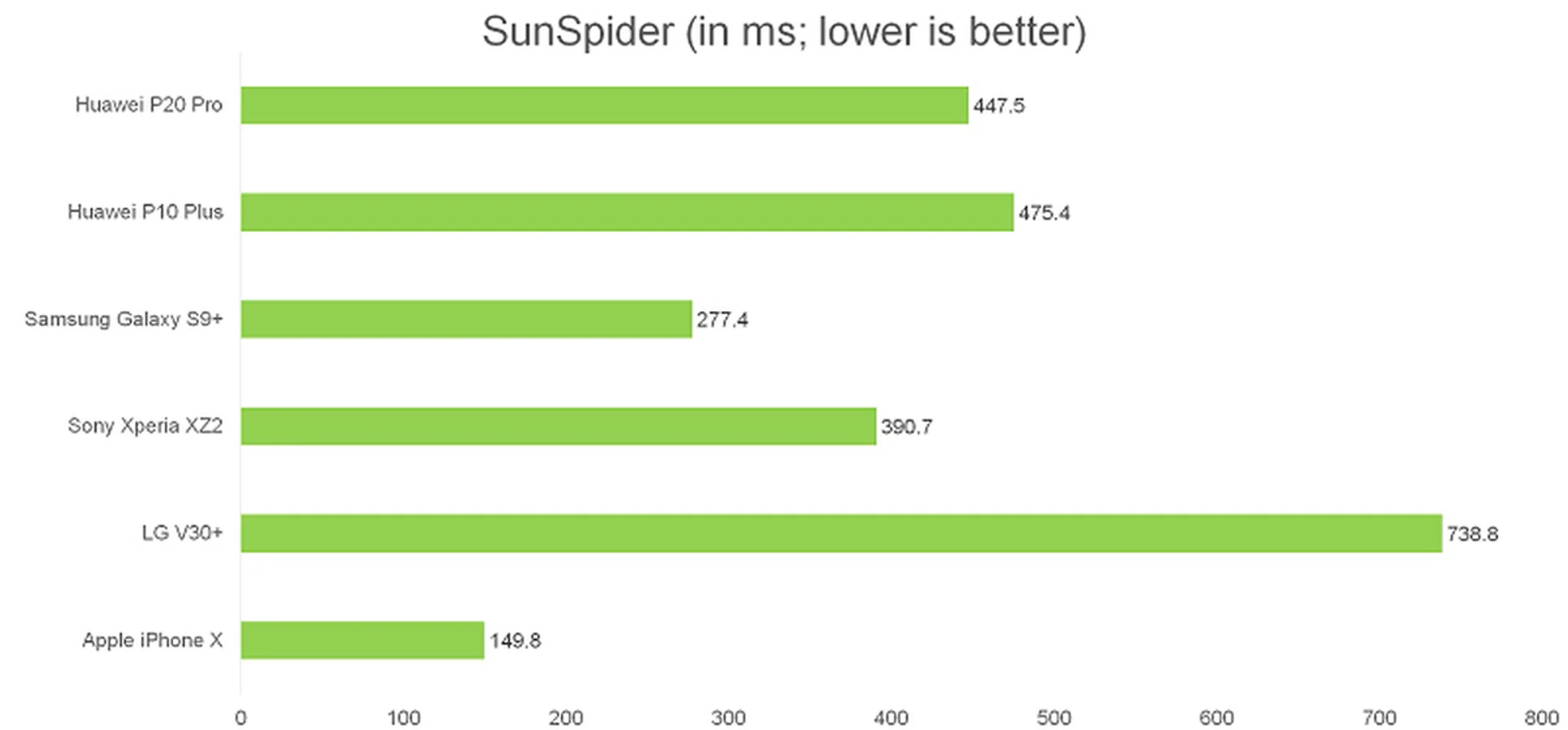
SunSpider JavaScript measures the browsing performance of a device when processing JavaScript. It not only takes into consideration the underlying hardware performance, but also assesses how optimized a particular platform is at delivering a high-speed web browsing experience.
The P20 Pro was faster than older Snapdragon 835-powered LG V30+ but lost to the newer Snapdragon 845-powered Sony Xperia XZ2. Samsung's Galaxy S9+ and Apple's iPhone X were also both faster. Having said that, actual browsing performance was snappy and lag free, without any lag or stuttering, even with multiple tabs open.
Basemark OS II
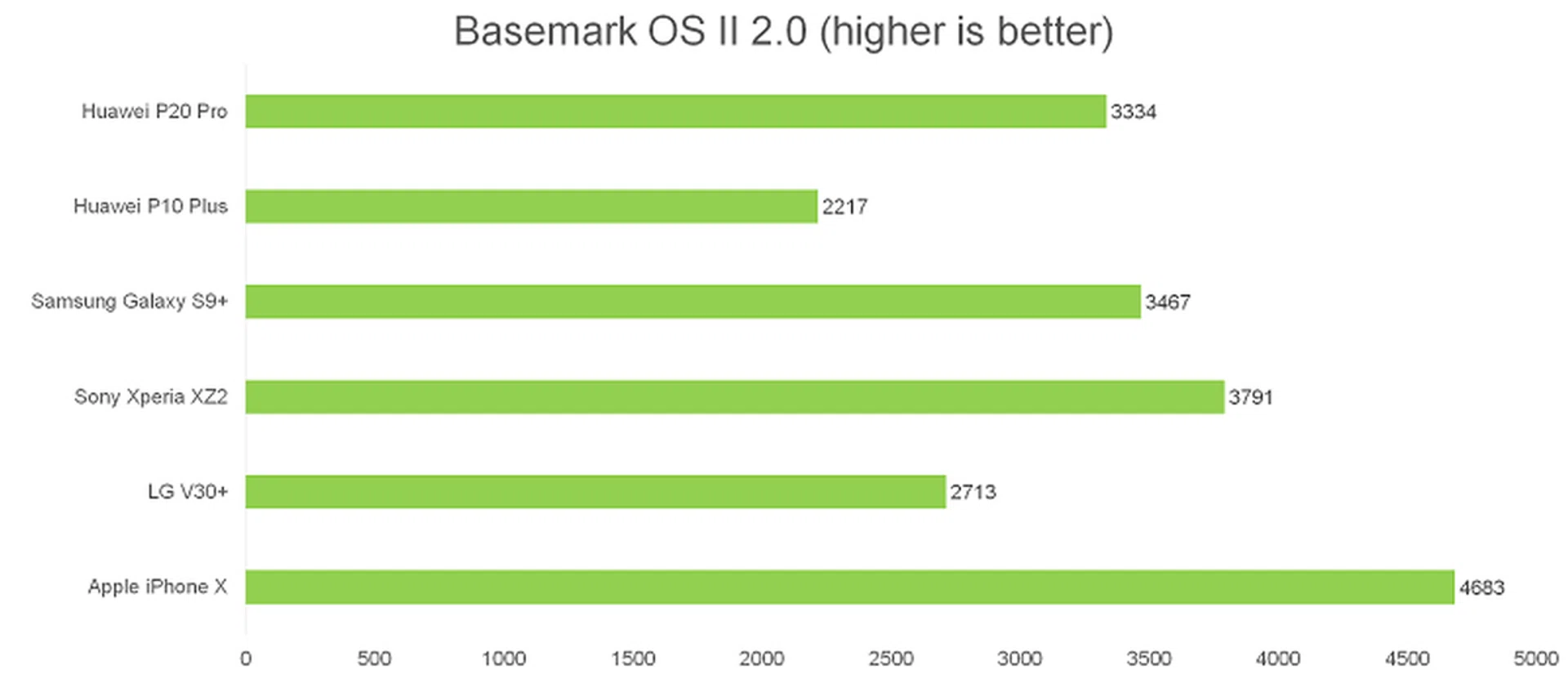
Basemark OS II is an all-in-one benchmarking tool that measures overall performance through a comprehensive suite of tests including system, internal and external memory, graphics, web browsing, and CPU consumption.
The P20 Pro was much better than the P10 Plus and the LG V30+, and was close in performance to Samsung's Exynos 9810-powered Galaxy S9, however it was easily bested by the Xperia XZ2 and iPhone X.
3DMark Sling Shot
3DMark Sling Shot is an advanced 3D graphics benchmark that tests the full range of OpenGL ES 3.1 and ES 3.0 API features including multiple render targets, instanced rendering, uniform buffers and transform feedback. The test also includes impressive volumetric lighting and post-processing effects. We're running this benchmark in Unlimited mode, which ignores screen resolutions.
While the P20 Pro's G72 GPU showed great improvement over the P10 Plus, it still trailed behind every other phone.
Battery Life
Our standard battery test for mobile phones has the following parameters:
- Looping a 720p video with screen brightness and volume at 100%
- Wi-Fi and Bluetooth connectivity turned on
- Constant data streaming through email and Twitter
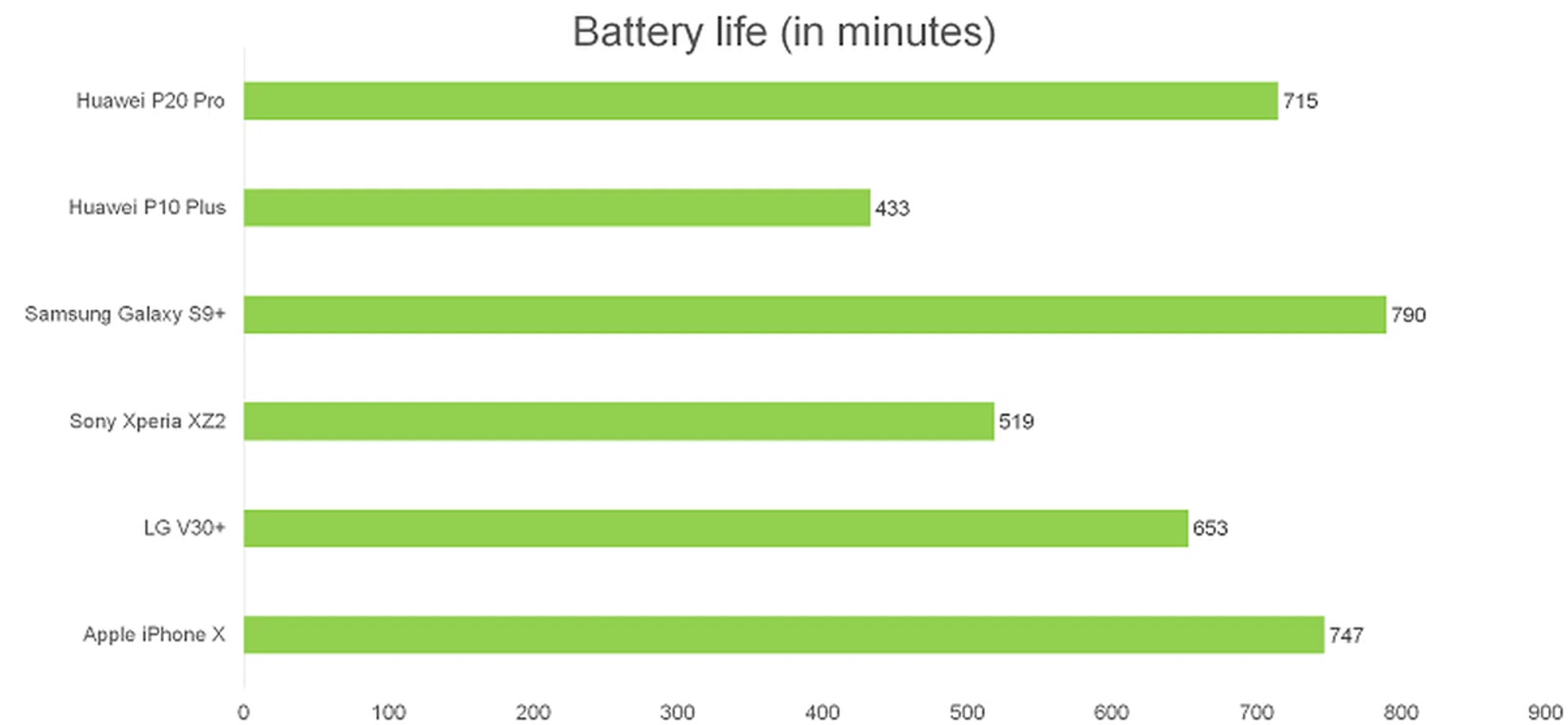
Despite its slim size, the P20 Pro is armed with a massive 4,000mAh battery.
In our video looping battery benchmark, the P20 Pro lasted just under twelve hours, and was beaten only by the S9+ and iPhone X. Anecdotally, in my daily usage, I found battery life and in particular standby time to be excellent, with the phone easily surviving two days without requiring a charge.
The P20 Pro does not support wireless charging, but is compatible with Huawei's SuperCharge fast charging technology, which will get you to about 60 percent in 30 minutes. The last 40 percent then takes about 45 minutes to charge.
So is the P20 Pro a legitimate alternative to Samsung and Apple?
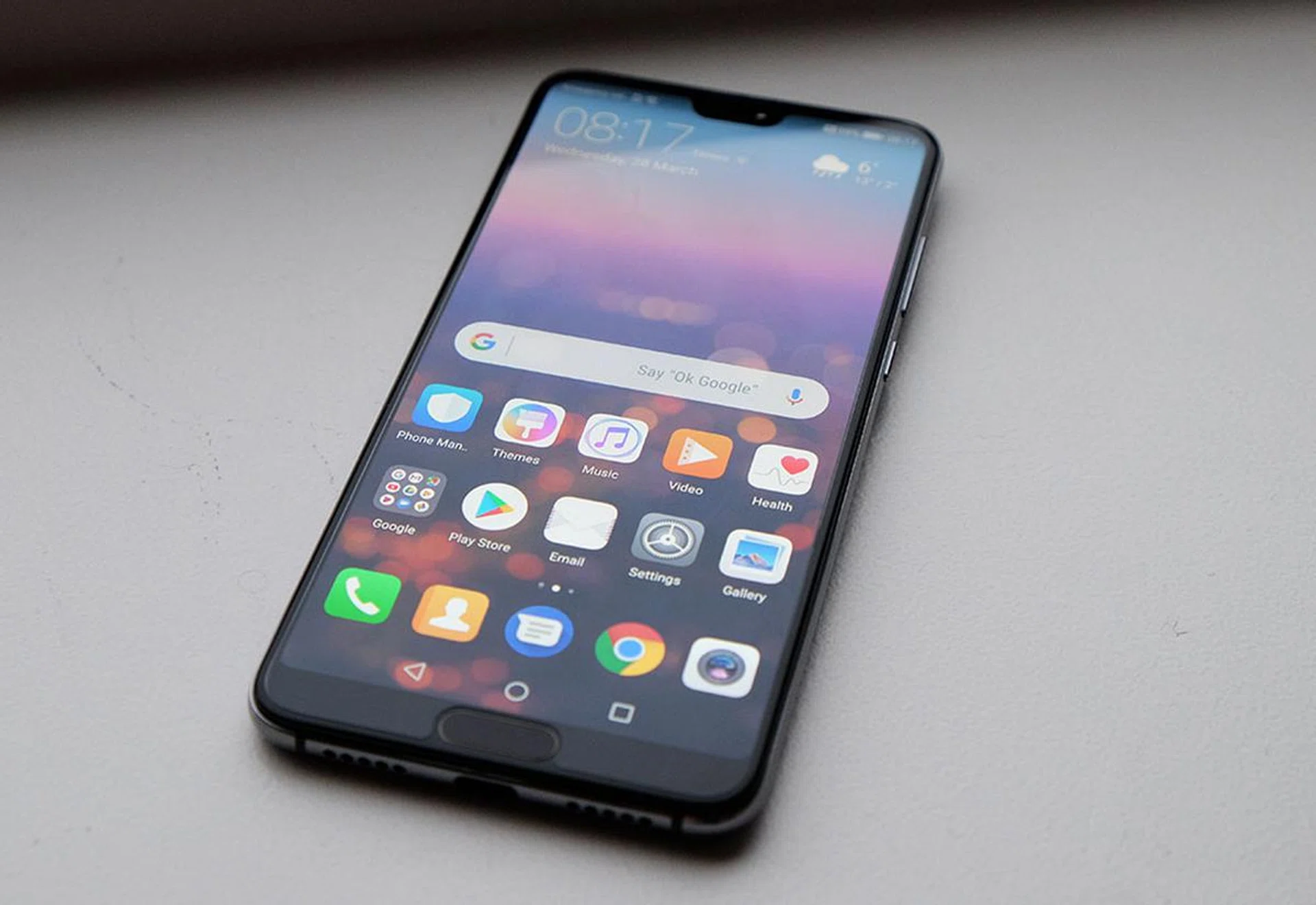
Yes, yes it is. I've been saying for years that Huawei has the potential to challenge Samsung and Apple, but it's only now that it's starting to realize that potential. The P20 Pro is a beautifully designed smartphone, with a slim and light build that looks just as good as any other smartphone out there, Samsung and Apple included. It has a stunning AMOLED display, an IP67 build and still manages to pack in a massive battery.
Of course, there are still a few things that could be improved. While Huawei's HiSilicon Kirin processors are getting better and better, the 970 can't quite compete with Samsung's Exynos 9810 and Apple's A11 Bionic processors. Qualcomm's new Snapdragon 845, which will be inside most of 2018's flagship Android smartphones, is also much more powerful than the Kirin 970. The lack of expandable storage on the P20 Pro is also frustrating, especially for a smartphone that's built around photography.
These are worthwhile tradeoffs though compared to the P20 Pro's real standout feature: its camera. And it's not just the hardware that's improved, Huawei's approach to photography has changed too. Previously, Huawei aimed its efforts at photography enthusiasts and professionals by offering excellent manual modes and a unique RGB and monochrome dual lens setup. But for the majority of smartphone users, this setup was just too advanced to get much use out of. But now, Huawei is trying to make photography more accessible for everyone, so even complete beginners can take great shots. This started with the Mate 10 Pro's AI camera features, and continues with the P20 Pro. Huawei's AI scene and object recognition is ahead of everyone else's and basically guarantees that you can get a great shot, whether it's a portrait, food shot or landscape. And the new Night mode lets anyone take stunning long-exposure night shots without using a tripod or needing to know anything about exposure times. In a nutshell, Huawei's work on the P20 Pro surprises us, but more importantly, it delivers results, which is why we're giving it an Innovation Award.
Finally, it's worth pointing out that the P20 Pro is substantially cheaper than the Galaxy S9 and iPhone X, costing just S$1,148, making it S$50 cheaper than the S9 and S$200 cheaper than the 64GB S9+.
The P20 Pro is the culmination of what's been a long road for Huawei. Gone is the reliance on gimmicky features, and in its place is refinement and innovation - that's something I never thought I would say about Huawei five years ago. If you're interested in owning the best phone out there, it's no longer enough to just consider Samsung and Apple, it's time to pay attention to Huawei.
But what about the P20?
The P20 was launched alongside the P20 Pro and is the cheaper, smaller alternative to it, however, other than their names and the basic look of the phone, they have very little in common. The P20 lacks the P20 Pro's triple camera setup, losing the 3x optical telephoto lens, and using a completely different 20-megapixel RGB and 12-megapixel monochrome dual camera module. It also has an inferior 5.8-inch LCD display, a smaller 3,400mAh battery, 4GB RAM, and only has an IP53 rating (i.e. no water resistance). While the P20 is S$250 cheaper than the P20 Pro, it lacks everything that makes the P20 Pro special. Additionally, at the S$898 price range, there are other phones with better displays and more powerful processors you should consider first, like the upcoming OnePlus 6, Xiaomi Mi MIX 2s and Oppo R15.