
Lenovo IdeaPad Yoga 11 - Power of a Tablet; Portability of a Notebook
Lenovo's IdeaPad Yoga 11 is a downsized version of its popular Yoga 13 convertible Ultrabook, utilizing the same patented 360-degree hinge that lets it easily convert from notebook to tablet, but running on an NVIDIA Tegra 3 processor and Windows RT OS. Will the smaller Yoga find the same success as its bigger brother?

Is the Yoga 11 really the best of both worlds?
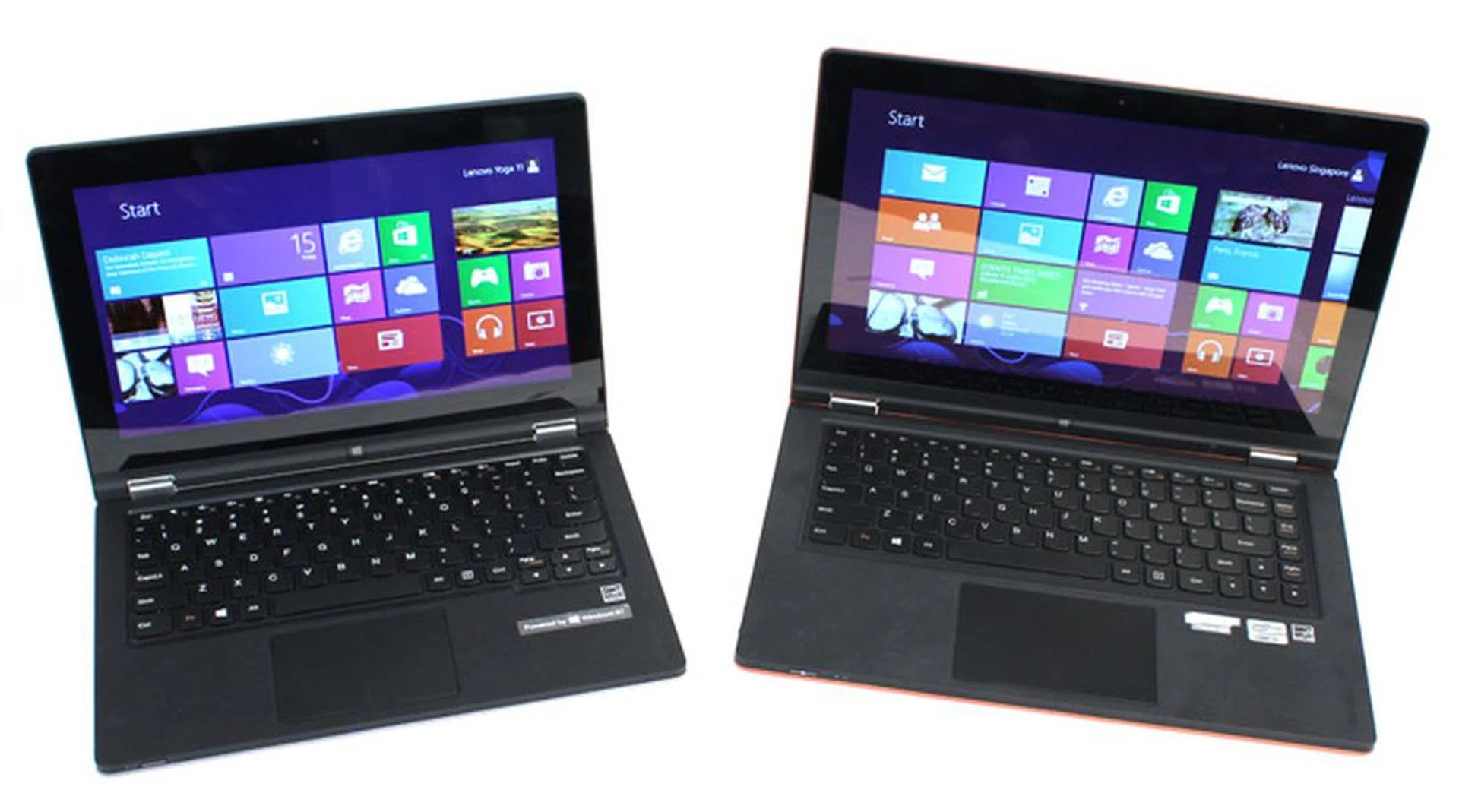
The Lenovo IdeaPad Yoga 11 next to its bigger brother, the Yoga 13
Lenovo's IdeaPad Yoga 13 is a favorite among us for its simple, but well thought out convertible design, with a special patented hinge that allows the screen to flip 360 degrees, letting it easily transition between an Ultrabook and tablet form factor. The IdeaPad Yoga 11 is a downsized version of the Yoga 13, shrunk to an 11.6-inch form factor and running on NVIDIA's 1.3GHz Tegra 3 processor with a Windows RT OS, 2GB RAM and 64GB SSD storage. Screen resolution has also dropped from 1600 x 900 to 1366 x 768 pixels. The Lenovo Yoga 11 is currently retailing for S$1199.

Like the Yoga 13, the Yoga 11 is available in either silver or orange.
The Yoga 11 sounds like a great idea: smaller, lighter, more portable, 11.6-inch form factor which, in theory, should make its tablet mode more usable and accessible to those accustomed to 10-inch tablets, all while retaining the useful ability to convert to a notebook for productivity needs when required. Or as Lenovo puts it, "you have a system that combines the convenience and portability of a tablet with the capabilities of a laptop." Sounds promising, right? Does it deliver? Let's find out.
Similarities to the Yoga 13
Design-wise, the Yoga 11 does everything its larger sibling can do, including transforming into four different user modes:
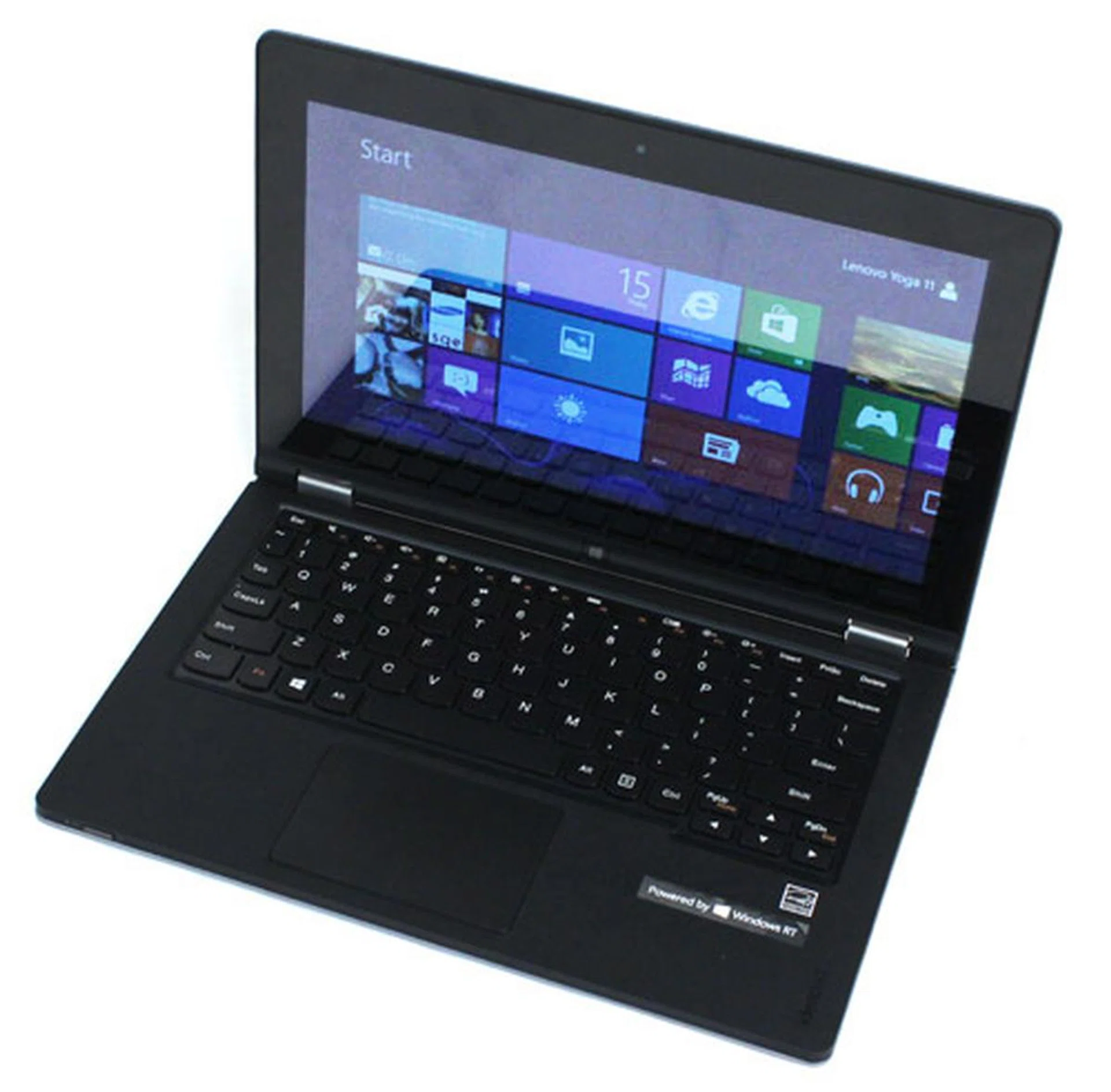
Starting in notebook form factor...
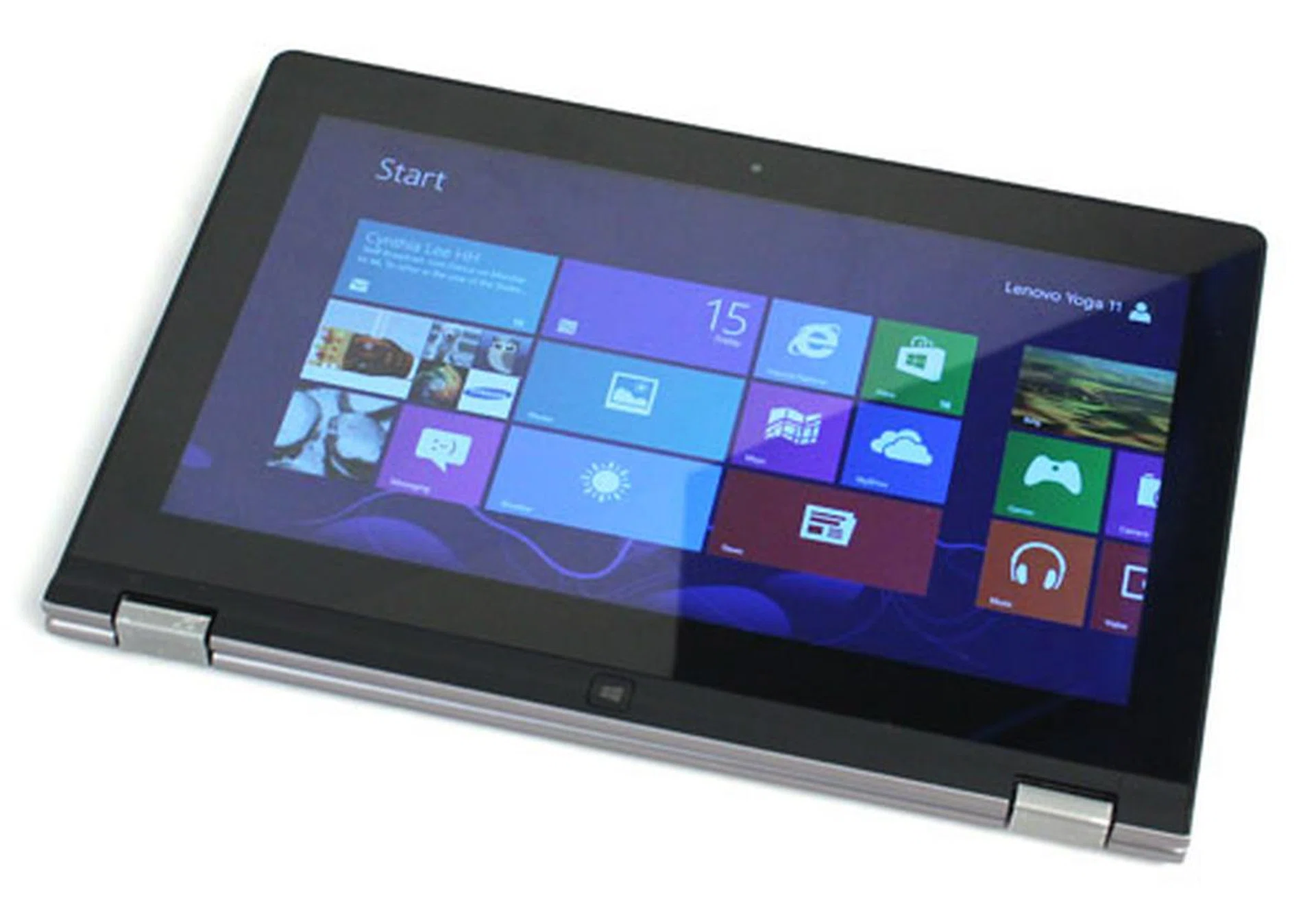
...the Yoga 11's screen can be flipped back and around to turn it into a tablet.
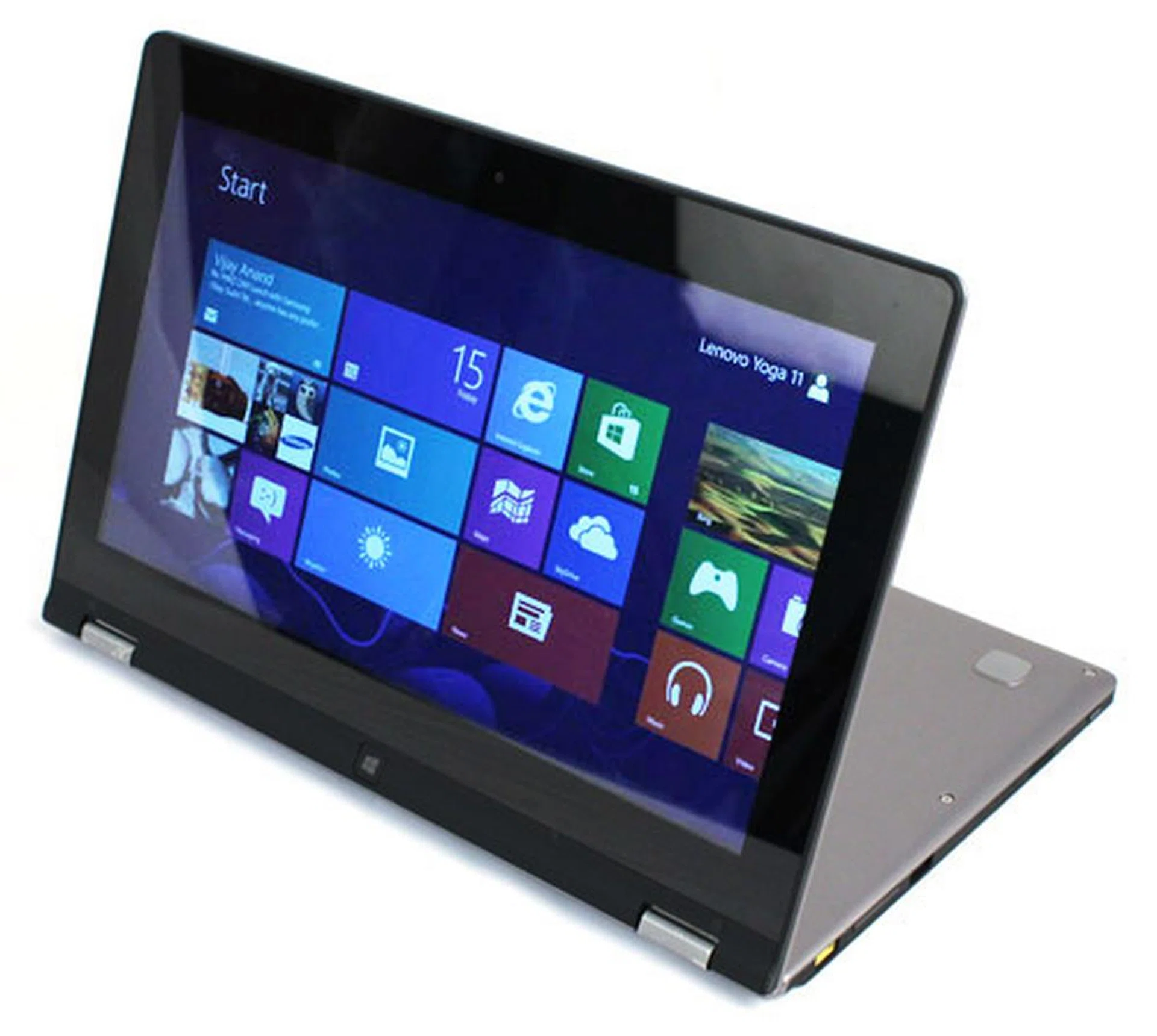
The stiff hinges also allow for a 'Stand' form factor, neatly hiding the keyboard for a smart presentation mode.
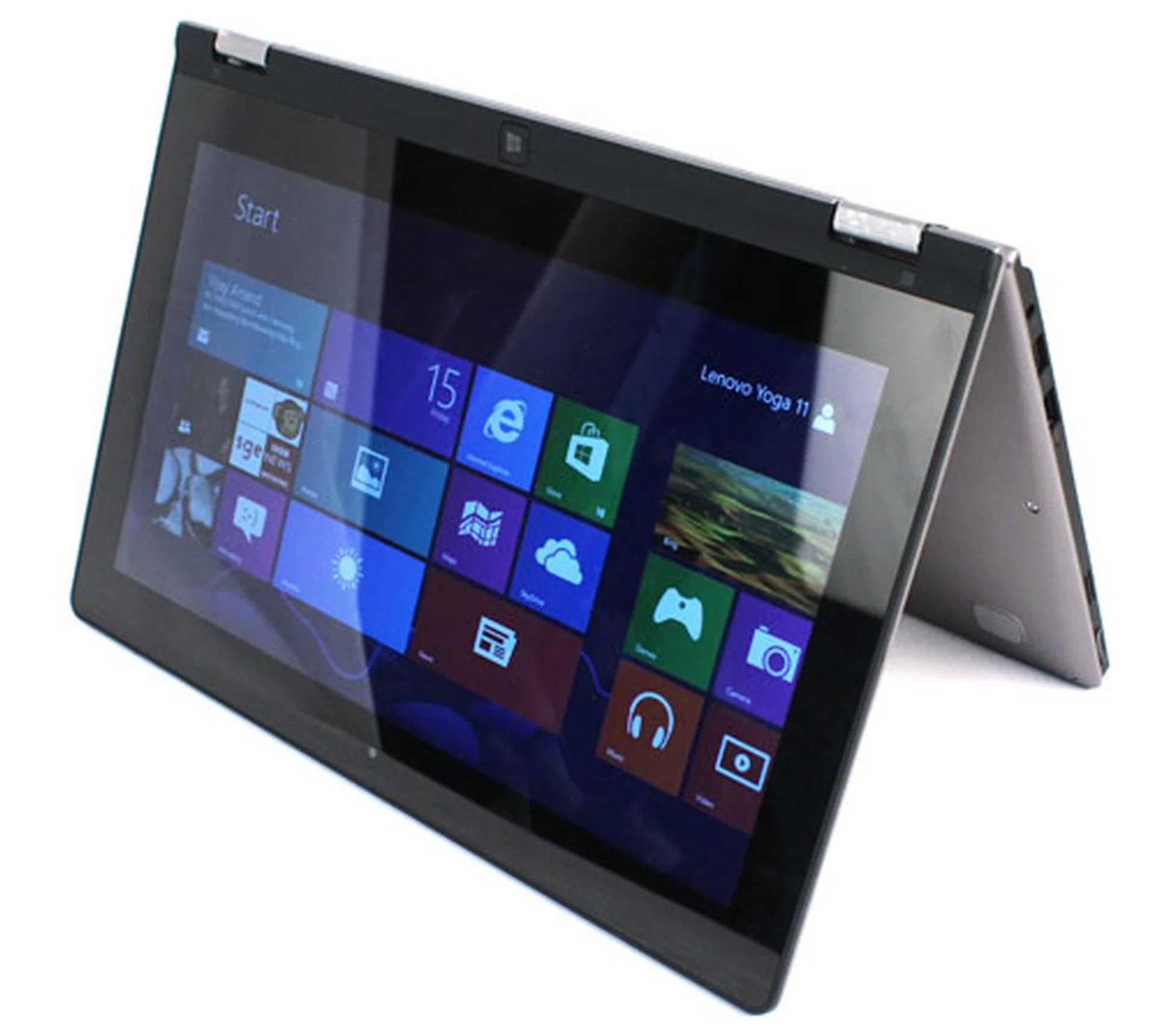
And finally, the 'Tent' mode provides the most stable screen position, ideal for gaming, drawing or any other situation where you need to poke and prod at the screen.
Like the Yoga 13, the keyboard and trackpad are both disabled when the screen is opened more than 180 degrees. This is in anticipation that you would be converting the Yoga 11 to conform to one of the non-notebook usage modes shown above.
Overall build quality remains extremely solid, with little to no flex evident, despite the almost entirely plastic build. The exterior uses the same scratch-resistant coating and the interior keeps the same pseudo-luxurious, soft and grippy faux-leather finish found on the Yoga 13.
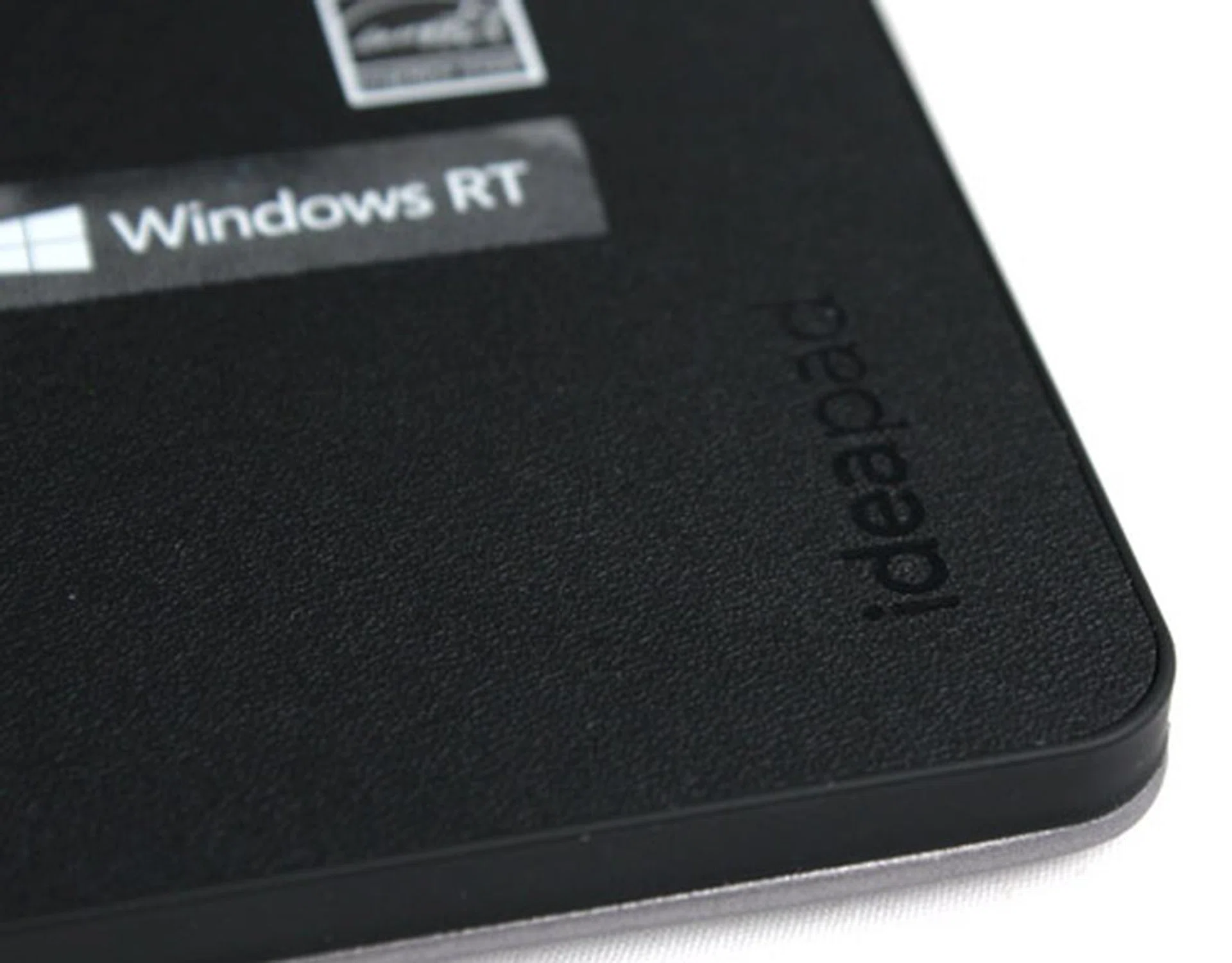
The Yoga 11's wrist rest uses a fake leather finish that provides a pleasingly soft and grippy feel.
Most importantly, the hinges feel very stable and secure, which lends credence to Lenovo's claim that the 360 hinge can withstand over 25,000 high-pressure open/close movements.
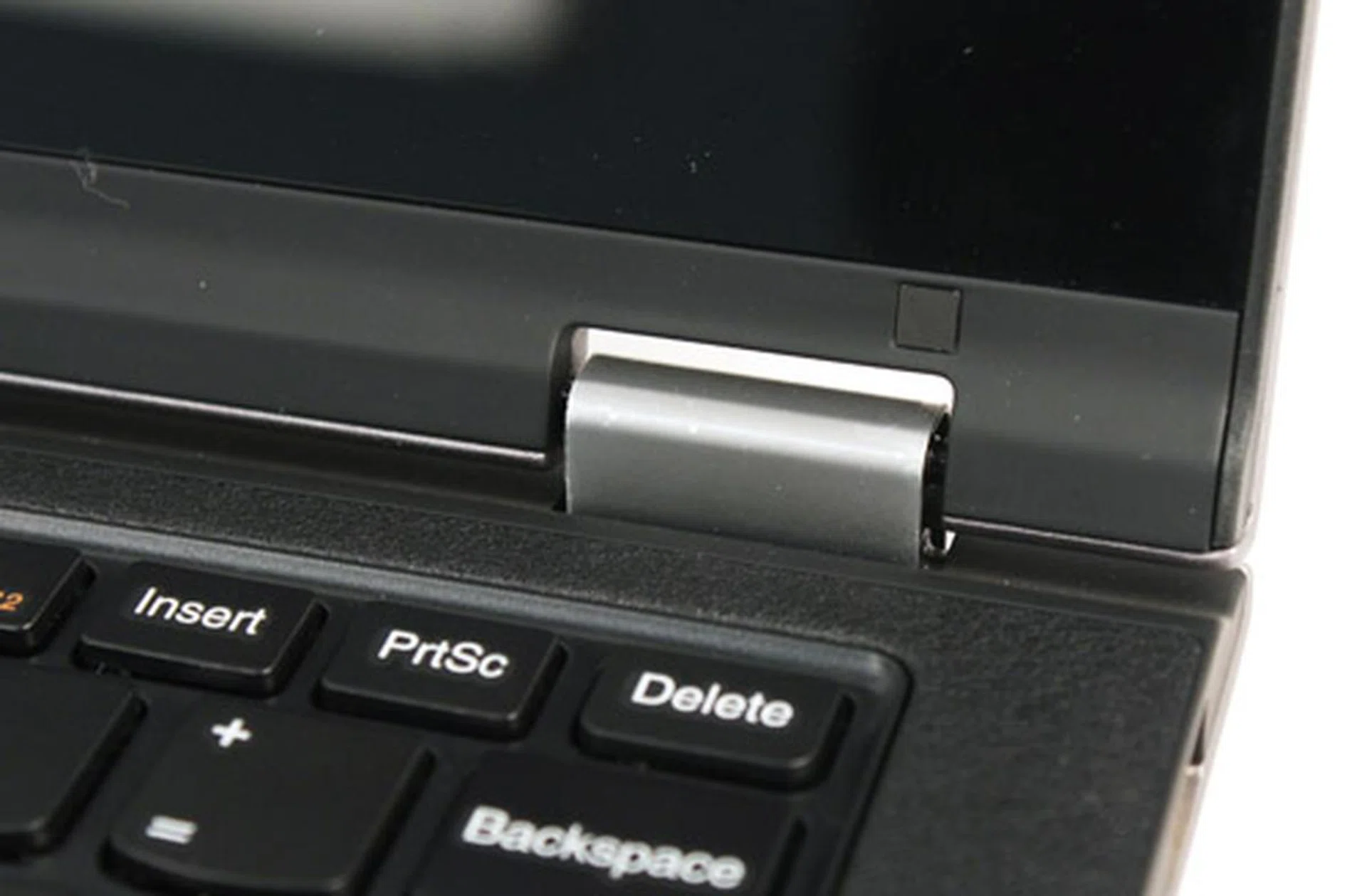
The hinges on the Yoga 11 have the same solid build quality we observed on the Yoga 13.
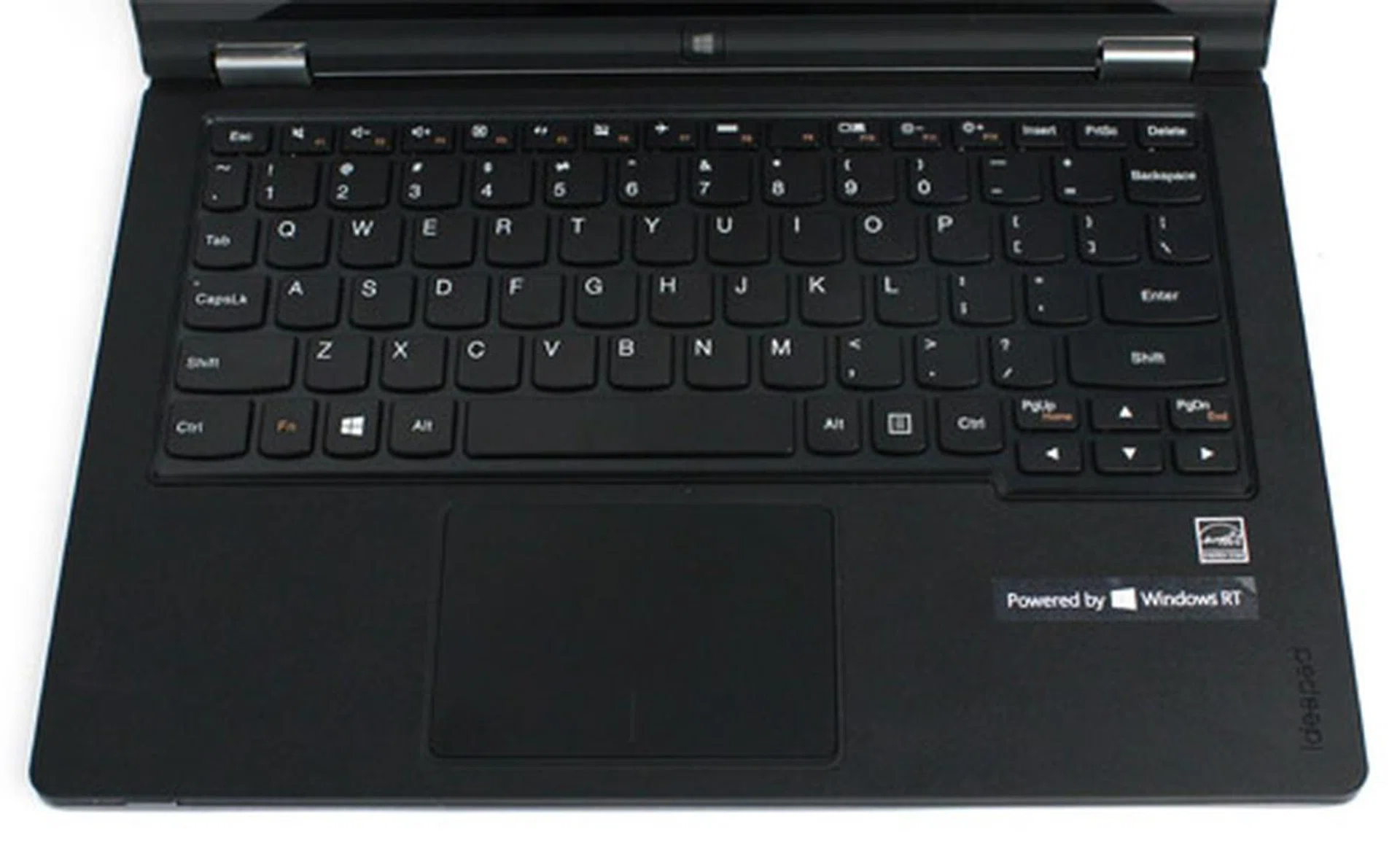
We were also impressed with the Yoga 11's keyboard, which uses the same Accutype chiclet keys as the Yoga 13. The keys have a pleasing resistance, and a fair bit of travel, making for a comfortable typing experience, which is especially impressive considering the Yoga 11's small size. In fact, next to Apple's 11-inch MacBook Air, the Yoga 11 probably has one of the best keyboards we've seen on an 11-inch device. Both the trackpad and touchscreen were also responsive, with no noticeable issues.
More Portable? Yes, But Compared To What?
At 1.27kg, the Yoga 11 weighs in only about 300g lighter than the Yoga 13, which isn't a huge reduction in weight, but yet it's noticeably lighter. It's also about 1.3mm thinner, which on the other hand, isn't really a big enough reduction to notice.
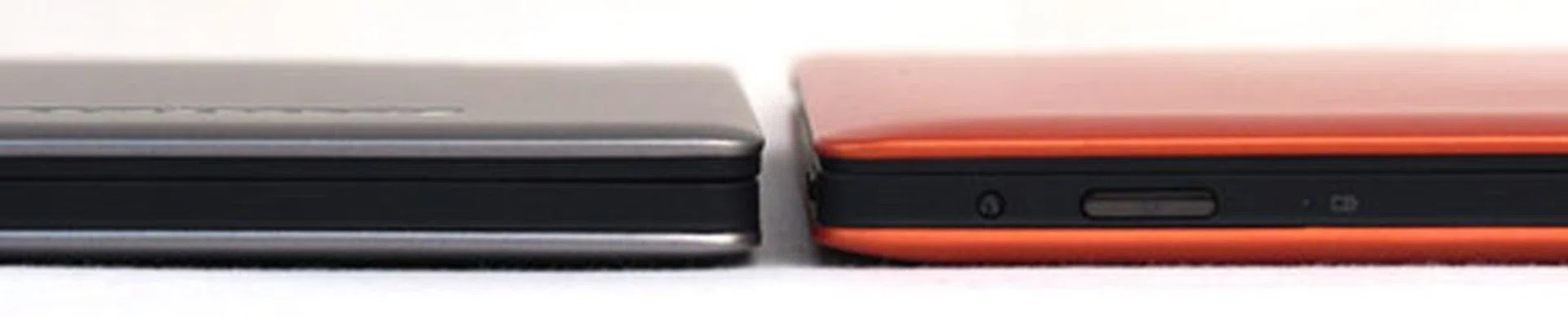
The Yoga 11 (left) is 1.3mm thinner than the Yoga 13 (right), but can you tell?
Holding the Yoga 11 in tablet mode, it still feels quite heavy, despite the weight reduction - and when you compare it to other more conventional tablet form factors such as Microsoft's Surface, it becomes apparent why.
The Surface weighs just 680g, which makes the Yoga 11, at nearly twice the weight, feel downright obese by comparison. Seeing as the keyboard portion of the Yoga 11 is non-functional in tablet mode, we found ourselves wishing that it could be removed to shed some of that excess weight and bulk, similar to a docking hybrid PC such as Samsung's ATIV PC or ASUS' VivoTab RT. Unfortunately, that's not possible so, despite the smaller, more tablet-like size, we still found the Yoga 11 to be too bulky and heavy to be comfortably used as a tablet for any length of time. No matter what Lenovo claims, the Yoga 11 still feels like a notebook first and foremost, with the tablet mode available as a secondary option.
Other Compromises
With the reduction in size, the Yoga 11 has also suffered a loss in screen resolution, dropping from 1600 x 900 pixels to 1366 x 768 pixels. The Windows 8 Modern UI actually looks rather good on 1366 x 768 so this is not a huge concern (and you won't be using the desktop environment anyway, for reasons we explain below), however, a higher resolution screen would have been very welcome (especially considering that we've seen full HD displays on 11-inch machines before). The display itself is fairly bright, and viewing angles were decent.
Audio was quite weak, even at 100% volume. If you're planning on watching any videos with the Yoga 11, you'll definitely want to connect a good pair of earphones or even mobile speaker units.
Connectivity is very average, with the Yoga 11 losing the Yoga 13's USB 3.0 port, using instead two USB 2.0 ports, a combo headphone/microphone port, a multi-card reader and an HDMI port.
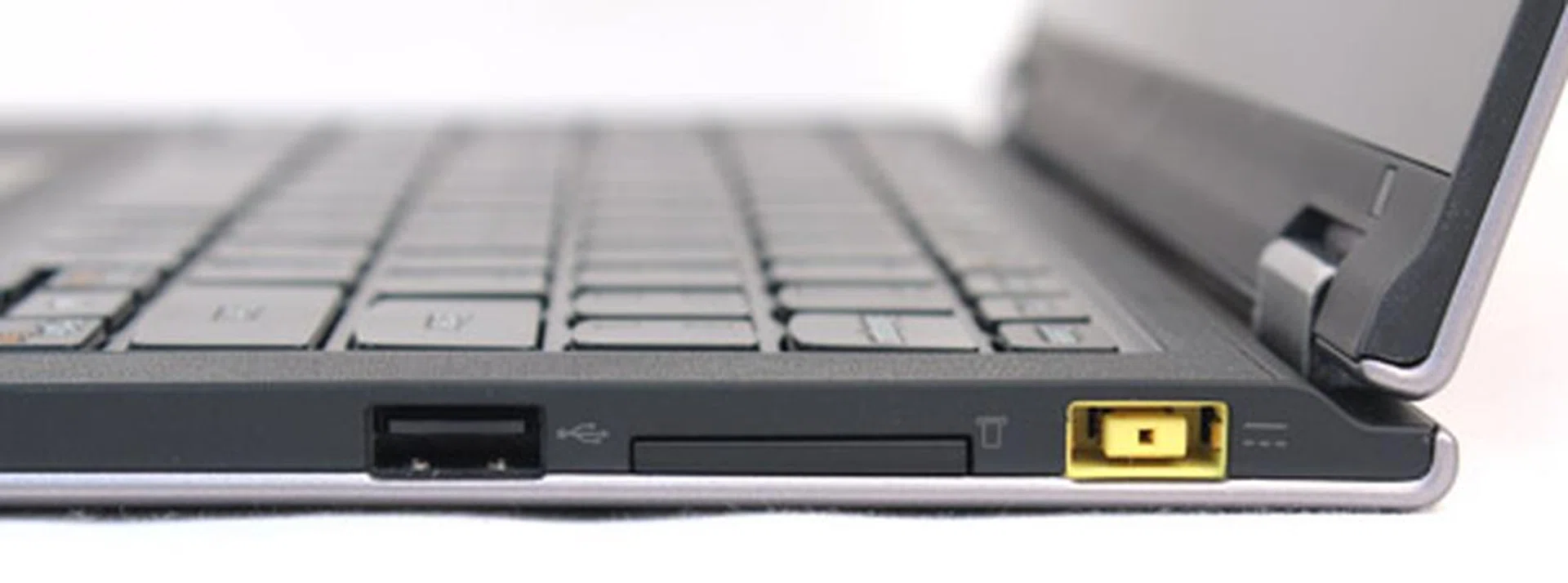
On the right, you'll find one USB 2.0 port, the multi-card reader and Lenovo's proprietary charging port.
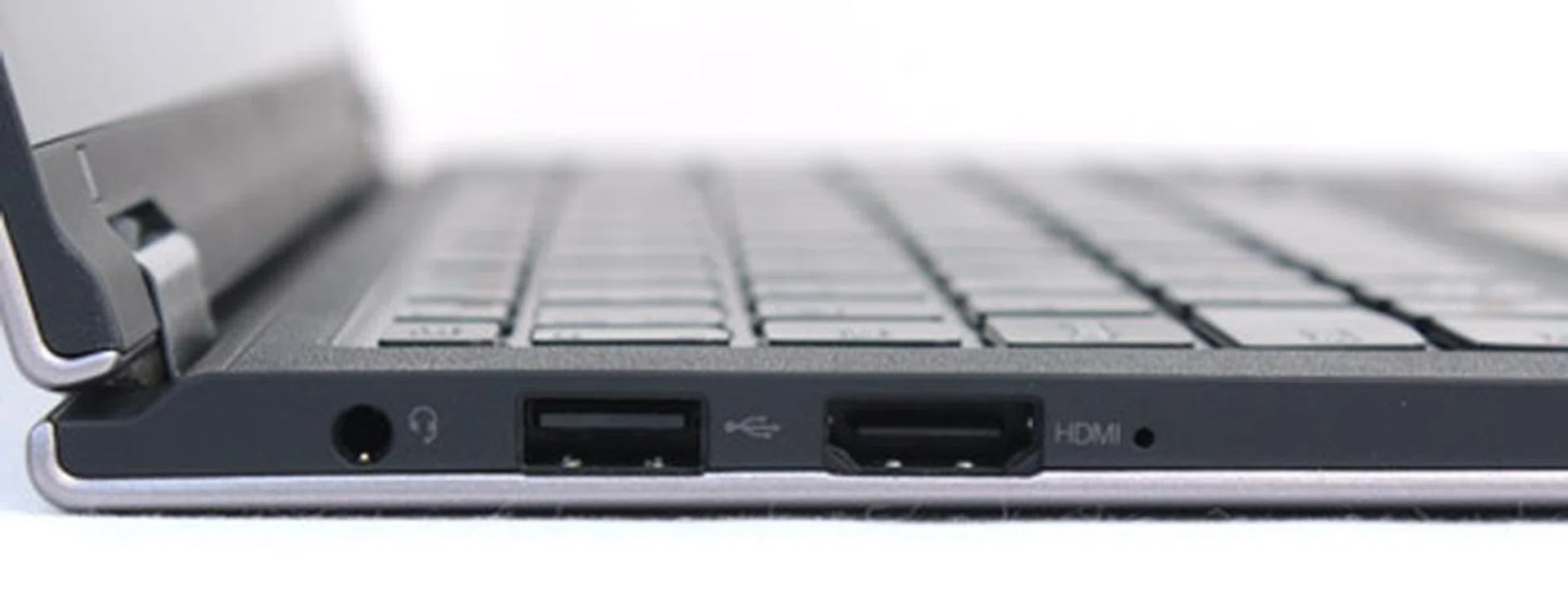
On the left, you'll find the headphone/microphone port, another USB 2.0 port and an HDMI port.
The Windows RT Factor
The biggest difference between the Yoga 11 and 13 comes with the downgrade from an Intel Core i5 or i7 processor to NVIDIA's 1.3GHz Tegra 3 processor, the same processor found on tablets such as Microsoft's Surface and ASUS' Transformer Pad Prime, as well as smartphones like HTC's One X and LG's Optimus 4X HD. This alone is a fairly big drop in processing power, but its a problem compounded by Tegra 3 being unable to run a full version of Windows 8, using Windows RT instead.
If you're not familiar with the differences between the two (you can find out everything you need to know in our Windows 8 Mega Guide), the most pertinent change is that Windows RT will only run Windows 8 apps, which means you can't install any traditional Windows-based applications on the Yoga 11. While this may make sense for a device aimed primarily at content consumption like a tablet, it's obviously a major drawback for any notebook-like product.
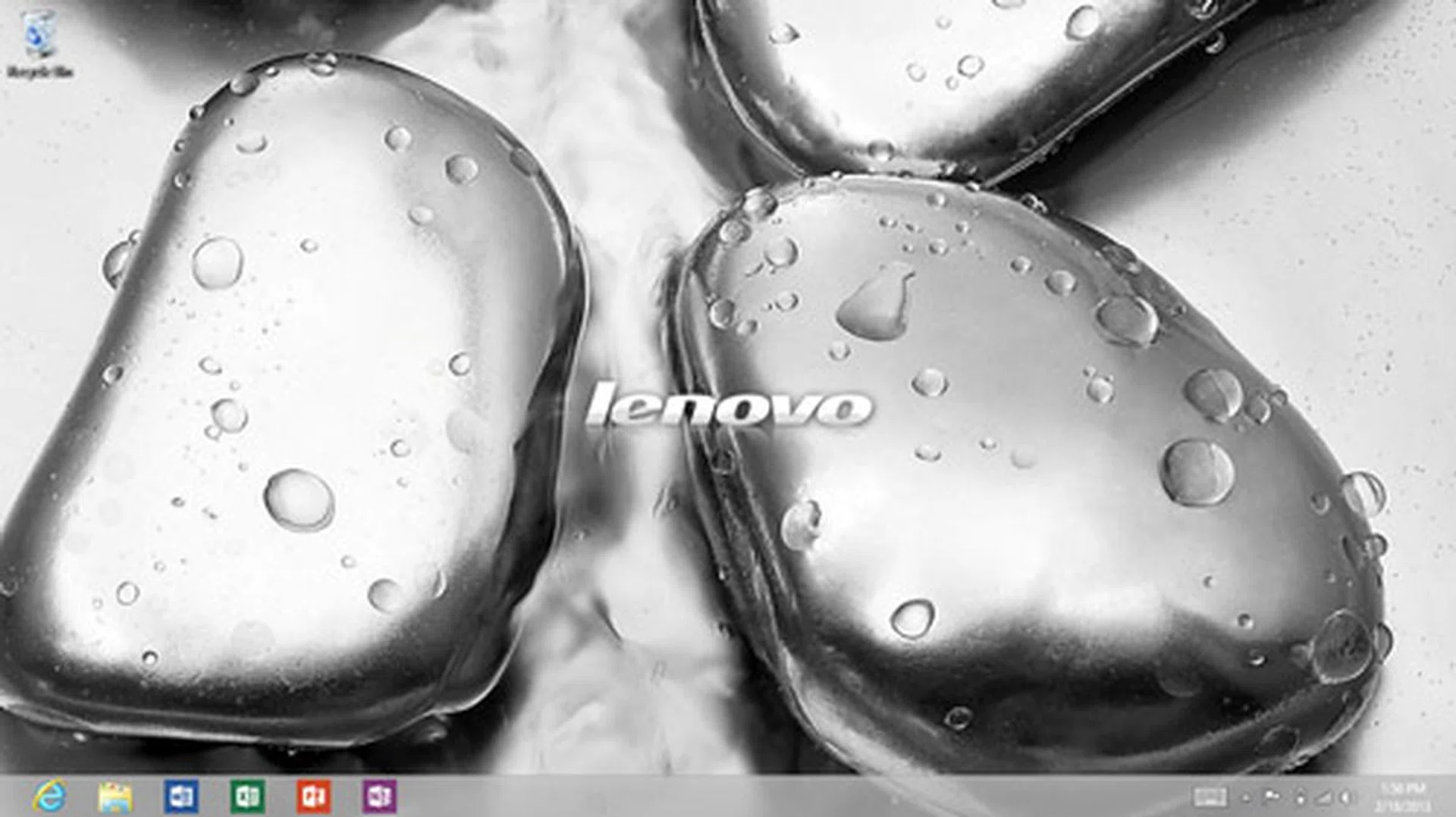
While the Yoga 11 does have a desktop environment, it's of limited use as you can't install any programs on it.
At the time of writing, the Windows 8 App store is still quite limited when compared to Android's Google Play store and iOS' iTunes App Store. Fortunately, the Yoga 11 comes with a few decent apps pre-installed, most notably MS Office 2013 RT, complete with MS Word, Excel and PowerPoint (but not Outlook, instead you'll have to make do with the built-in email app). Of course, these apps don't offer the same level of functionality as the full desktop versions, but they are enough to lend you an edge in productivity against Android or iOS based tablets. The Yoga 11's excellent keyboard also goes hand-in-hand to ensure basic productivity doesn't get hampered.
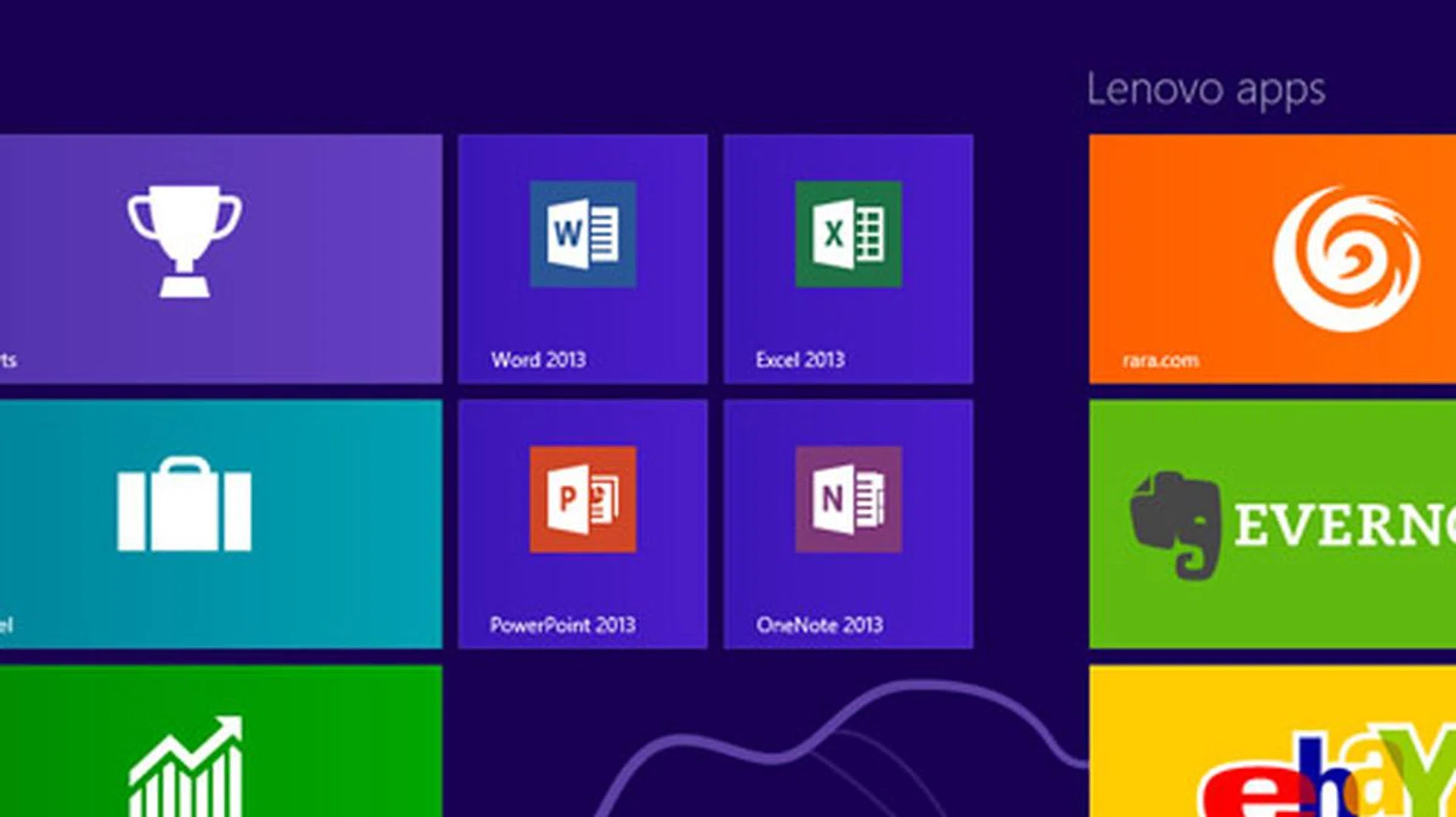
You'll find RT versions of Word, Excel and PowerPoint pre-installed on the Yoga 11. Note that they are still preview editions and they will be updated to the full edition when Microsoft updates its RT edition of the Office 2013 suite.
Advantages of a Tegra 3 Processor in a Notebook Form Factor
The one big advantage the Yoga 11 may hold over other Tegra-based tablets or Intel-based notebooks is when it comes to battery life. While the Yoga 11 may use a tablet processor, but its notebook form factor lets it retain a notebook-sized 4-cell battery, which should give it plenty of juice in the tank. Lenovo rates the battery on the Yoga 11 at 13 hours, five more hours than their rating for the Yoga 13. If it can live up to this lofty estimation, battery life alone could be its saving virtue for road warriors looking for something that will just keep going and going.
The Yoga 11 should also benefit from Windows RT's unique 'Connected Standby' feature, which instead of a traditional 'sleep' or 'hibernate' power state used by most notebooks, uses a super efficient power state that supposedly allows the system to achieve weeks of standby battery life, all while still receiving data updates. Like a traditional 'sleep' mode, the system immediately resumes without any waiting. Connected Standby mode is activated by pressing the power button, or just by leaving the machine alone for a while.
Performance
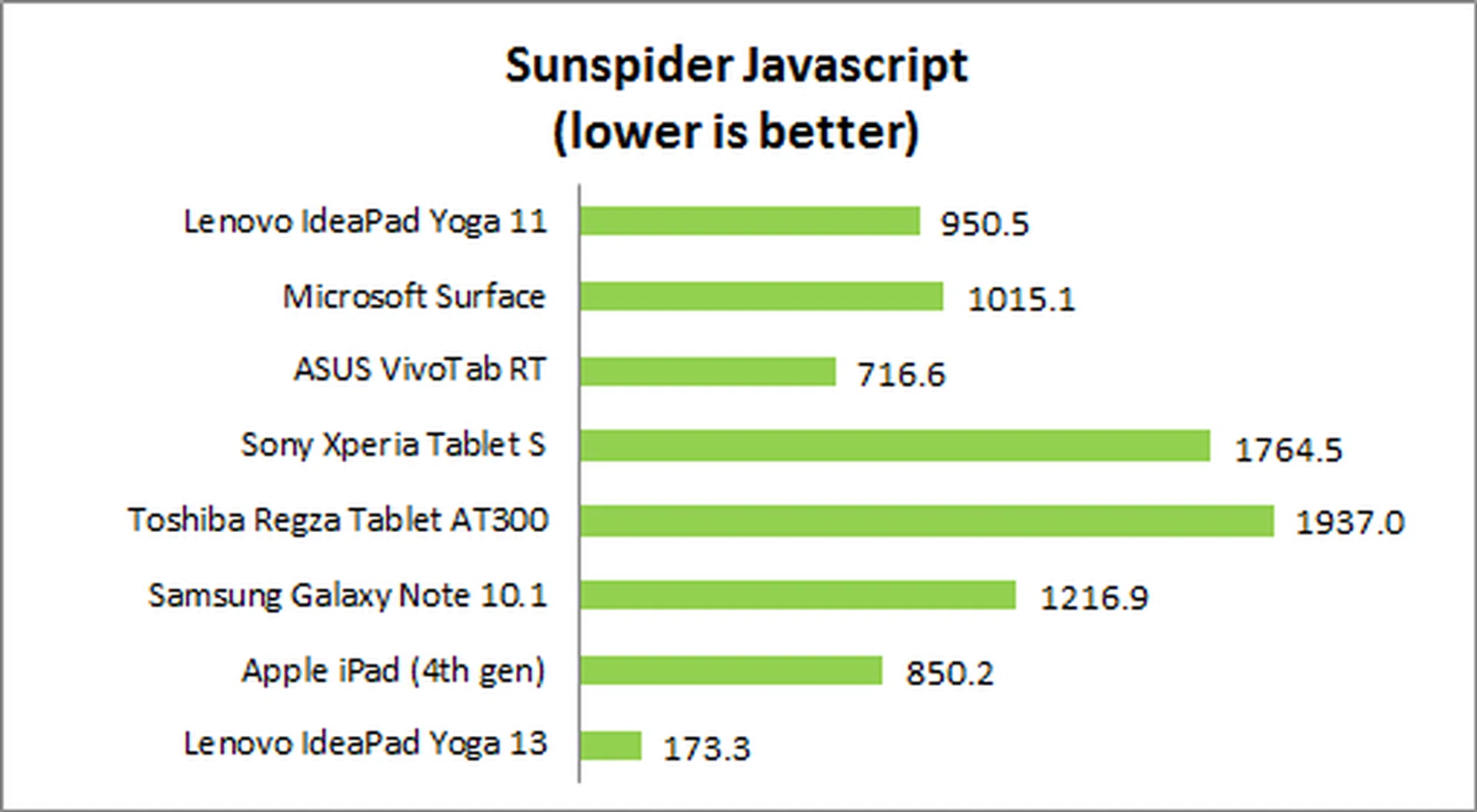
As we were unable to install any of our usual notebook benchmarks on the Yoga 11's Windows RT OS, we'll be using Sunspider Javascript, which is normally part of our tablet and smartphone testing procedures. This test measures browser speed performance on Javascript tasks and is a good measure of content consumption speeds. We'll be comparing the Yoga 11 to other Tegra 3 processor Windows RT devices, as well as a few other tablets and an Intel Core i5 Ultrabook (Lenovo's own IdeaPad Yoga 13).
Device | Lenovo IdeaPad Yoga 11 | Microsoft Surface | ASUS VivoTab RT | Sony Xperia Tablet S | Toshiba Regza Tablet AT300 | Samsung Galaxy Note 10.1 | Apple iPad
(4th Gen) | Lenovo IdeaPad Yoga 13 |
CPU | NVIDIA Tegra 3 quad-core
1.3GHz | NVIDIA Tegra 3 quad-core
1.3GHz | NVIDIA Tegra 3 quad-core 1.3GHz | NVIDIA Tegra 3 quad-core
1.4GHz | NVIDIA Tegra 3 quad-core 1.2GHz | Exynos 4 Quad quad-core
1.4GHz | Apple A6X dual-core 1GHz | Intel Core i5-3317U (1.7GHz) |
GPU | 12-core GeForce | 12-core GeForce | 12-core GeForce | 12-core GeForce | 12-core GeForce | Mali-400MP | PowerVR SGX543MP4 | Intel HD4000 |
RAM | 2GB | 2GB | 2GB | 1GB | 1GB | 2GB | 1GB | 4GB |
OS | Windows RT | Windows RT | Windows RT | Google Android 4.0.3 | Google Android 4.0.3 | Google Android 4.0.4 | Apple iOS 6 | Windows 8 Pro |
Performance was about average on the Yoga 11 for a Tegra 3 Windows RT device, sitting between Microsoft's Surface and ASUS' VivoTab RT. As expected, the Yoga 13's Intel Core i5 processor and Windows 8 Pro OS was vastly superior. As for actual user experience, the Yoga 11 was sufficient in most tasks and we didn't notice any lag while web browsing on Internet Explorer 10, with content loading fairly quickly and no issues with scrolling or zooming in.
Battery Life
We tested the Yoga 11's battery life by looping a video with a resolution of 1280 x 720 pixels on the unit. The test is performed under specific parameters:
- Screen brightness and volume at 100%
- Wi-Fi and Bluetooth connectivity turned on
- Constant data streaming through email and Twitter
Specifications/Device | Lenovo IdeaPad Yoga 11 | Microsoft Surface | ASUS VivoTab RT | Sony Xperia Tablet S | Toshiba Regza Tablet AT300 (3G) | Samsung Galaxy Note 10.1 | Apple iPad
(4th Gen) | Lenovo IdeaPad Yoga 13 | Sony Vaio Duo 11 |
CPU | NVIDIA Tegra 3 quad-core
1.3GHz | NVIDIA Tegra 3 quad-core
1.3GHz | NVIDIA Tegra 3 quad-core 1.3GHz | NVIDIA Tegra 3 quad-core
1.4GHz | NVIDIA Tegra 3 quad-core 1.2GHz | Exynos 4 Quad quad-core
1.4GHz | Apple A6X dual-core 1GHz | Intel Core i5-3317U (1.7GHz) | Intel Core i5-3317U (1.7GHz) |
Display Size | 11.6-inch | 10.6-inch | 10.1-inch | 9.4-inch | 10.1-inch | 10.1-inch | 9.7-inch | 13-inch | 11.6-inch |
Resolution | 1366 x 768 pixels | 1366 x 768 pixels | 1366 x 768 pixels | 1280 x 800 pixels | 1280 x 800 pixels | 1280 x 800 pixels | 2048 x 1536 pixels | 1600 x 900 pixels | 1920 x 1080 pixels |
Dimensions | 298 x 204 x 15.6 mm | 274.6 x 172 x 9.4mm | 262.5 x 170.9 x 8.3mm | 239.8 x 174.4 x 8.8 - 11.85mm | 260 x 178.9 x 9.0mm | 262 x 180 x 8.9mm | 241.2 x 185.7 x 9.4mm | 333.4 x 224.8 x 16.9mm | 320 x 119 x 17.85mm |
Weight | 1.27kg | 680g | 525g | 585g | 595g | 600g | 652g | 1.54kg | 1.3kg |

*Note that both the Lenovo IdeaPad Yoga 13 and Sony Vaio Duo 11 notebooks were tested using a different benchmark (PowerMark), however, we have found the scores to be fairly similar and are comparable for the purpose of this article.
The Yoga 11's battery life was quite impressive but fell short of Lenovo's 13-hour claim, lasting just over nine and a half hours, which was still much better than any of our other machines - be it a tablet or notebook. We suspect that battery life could be drawn out even further with a reduction in screen brightness and audio.
We weren't able to fully test the 'weeks of battery life' claim from Windows RT's 'Connected Standby' mode, however, leaving it in 'Connected Standby' overnight resulted in only a 5% drain in battery life, and it did indeed continue to receive data through email and Twitter, so there may be some credence to these claims.
Portability Index
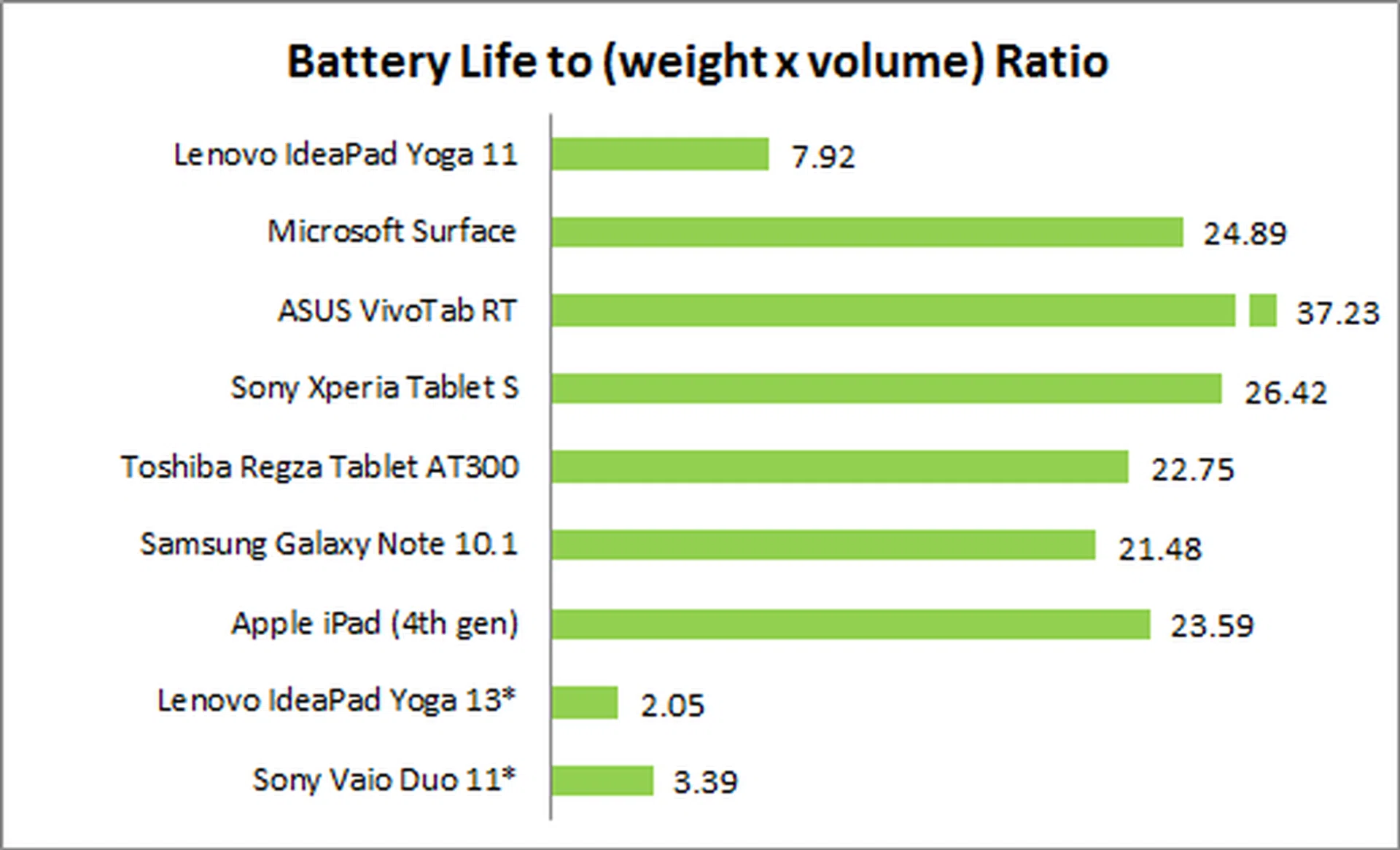
Unfortunately, the Yoga 11's portability index score is very poor when compared to tablets due to its restrictive weight and size. However, it was quite favorable when compared to other notebooks thanks to its long battery life.
Conclusion - A Netbook for 2013?
The Lenovo IdeaPad Yoga 11 is well-built but suffers from limited functionality.
Lenovo had lofty ambitions for the Yoga 11, aiming for the best of both worlds by combining "the convenience and portability of a tablet with the capabilities of a laptop." Unfortunately, our experience with the Yoga 11 showed that to be far from true. In fact, we are more inclined to say that the Yoga 11 combines the worst of both worlds: Its notebook form factor makes it too heavy and bulky to be used as a tablet, while its NVIDIA Tegra 3 processor and Windows RT OS make it too restrictive and underpowered to be used as a true notebook. The result is basically a modern day netbook: an underpowered, but portable notebook that can only really be used for content consumption. And at least with netbooks, they were great value and you could still install programs to the OS.
Why Tegra 3 Makes No Sense In A S$1000+ Notebook
Price is a major concern, with the Yoga 11's S$1199 SRP making it more expensive than other competitive options such as ASUS' VivoTab RT which is just S$949 for the Wi-Fi model or S$1049 for the recently announced 3G model, both of which give you true tablet functionality with their removable keyboards.
The problem with Lenovo's Yoga 11 is that it forces upon you to only use it as a notebook form factor, and while we do agree it comes with a keyboard that's unrivaled in its class, we don't agree with its functionality and price point as stated earlier. At the same price point, you'll find far more powerful Ultrabooks that have no restrictions whatsoever, have more power and run Windows 8 Pro. While normal notebooks at that price point can't convert into a tablet mode, even at the size and weight of the Yoga 11, we've noted that it's cumbersome and not much of an advantage.
All things considered, the only reason to buy a Yoga 11 is if you're sure all you need out of your notebook is basic web surfing and app functionality and you really need nine hours of battery life.
For anything else, there are better and more affordable, options out there. Had the Yoga 11 notebook been priced about about the S$700 range, we could agree with its proposition as it's really designed to be a notebook relying upon the internet for anything from productivity to entertainment (discounting the Windows Store's limited offering). Now doesn't that remind you the purpose of netbooks (which are now supplanted by tablets)? To the best of our knowledge, we don't remember any of them costing as much as a standard notebook.
The Yoga 11 is truly a well put together product like the Yoga 13, but it's unfortunately a misplaced product that didn't scale down well and has conflicting attributes. To an average consumer, this can be quite confusing. On the onset, it looks like a notebook, but it cannot execute anything other than Windows 8 apps. It's priced like a notebook, but it has the limitations of a tablet OS and processor. It can transform into a tablet, but it's too tiring to use it in that form for long. In short, there's a severe mismatch of expectations. Unfortunately, Lenovo can't market it any other way besides a notebook since it's neither a netbook, nor a tablet. See the conundrum?
Still Want An 11-inch Yoga? Hold Out For These Products
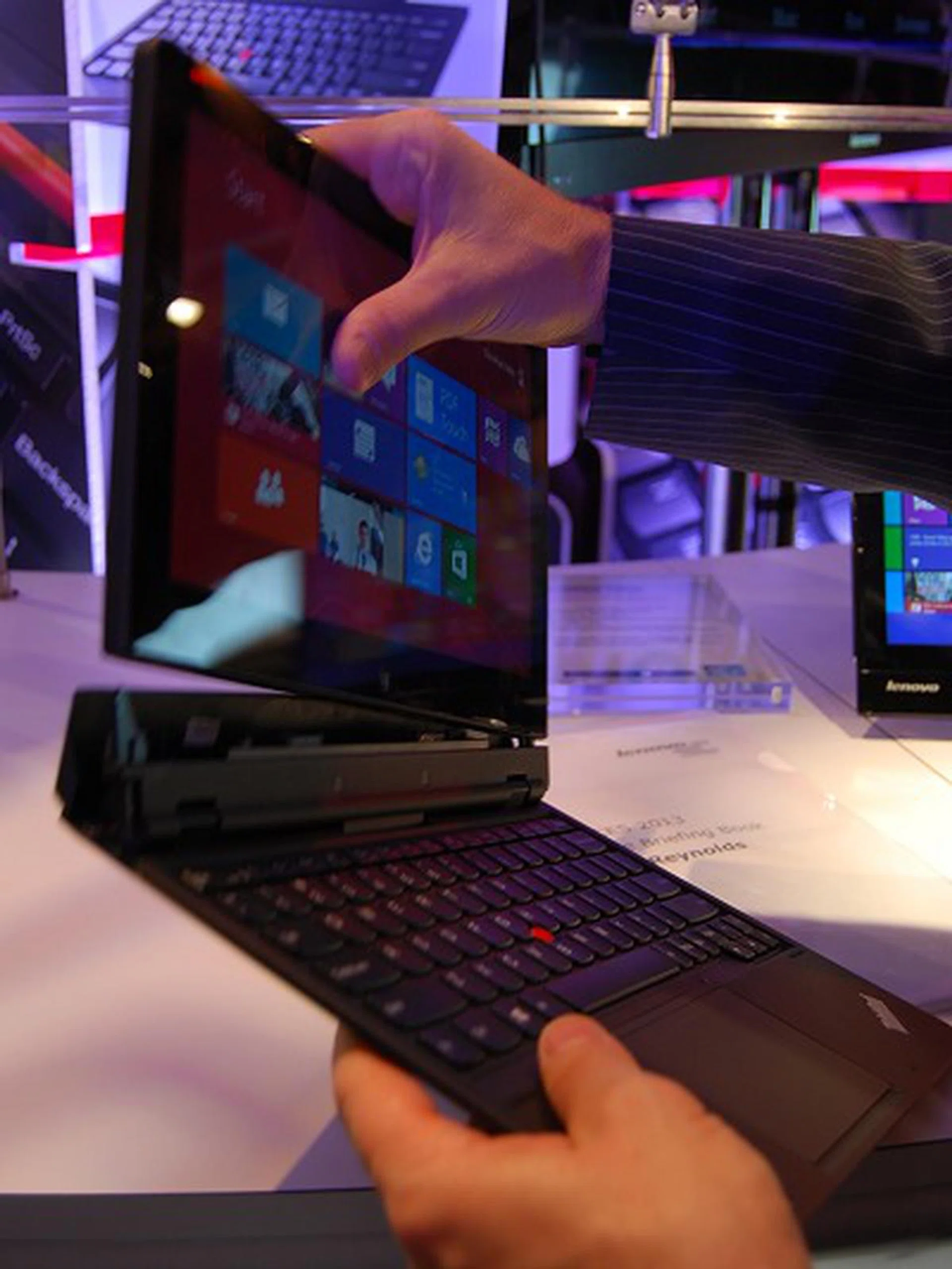
The Lenovo Helix has a removable keyboard for true tablet functionality with a processing platform of a notebook workhorse.
There is a silver lining to all of this though, if you still fancy the idea of an 11-inch Yoga (as we very much do), at CES 2013 Lenovo announced the IdeaPad Yoga 11S which will feature an Intel Core i5 processor and runs Windows 8 Pro making it a true 11.6-inch convertible Ultrabook. No local pricing has been announced yet, however US price is set at US$799, which is the same as the Yoga 11's original US SRP.
And for those wanting an 11-inch notebook with true tablet functionality through a removable keyboard, Lenovo also unveiled the 11-inch Thinkpad Lenovo Helix at CES 2013, which is a bit more expensive at US$1499, but is also a step-up specs wise, with much better connectivity, an Intel Core i7 processor, 8GB of RAM, 256GB SSD, and a full HD 1920 x 1080 pixel resolution screen.
Both the Yoga 11S and Helix should be available sometime in Q2 2013.
Our articles may contain affiliate links. If you buy through these links, we may earn a small commission.