
Samsung Galaxy Z Flip7 review: Peak vibes, great stamina
Samsung has a different form factor for those who treat their phones as an accessory and a statement piece.
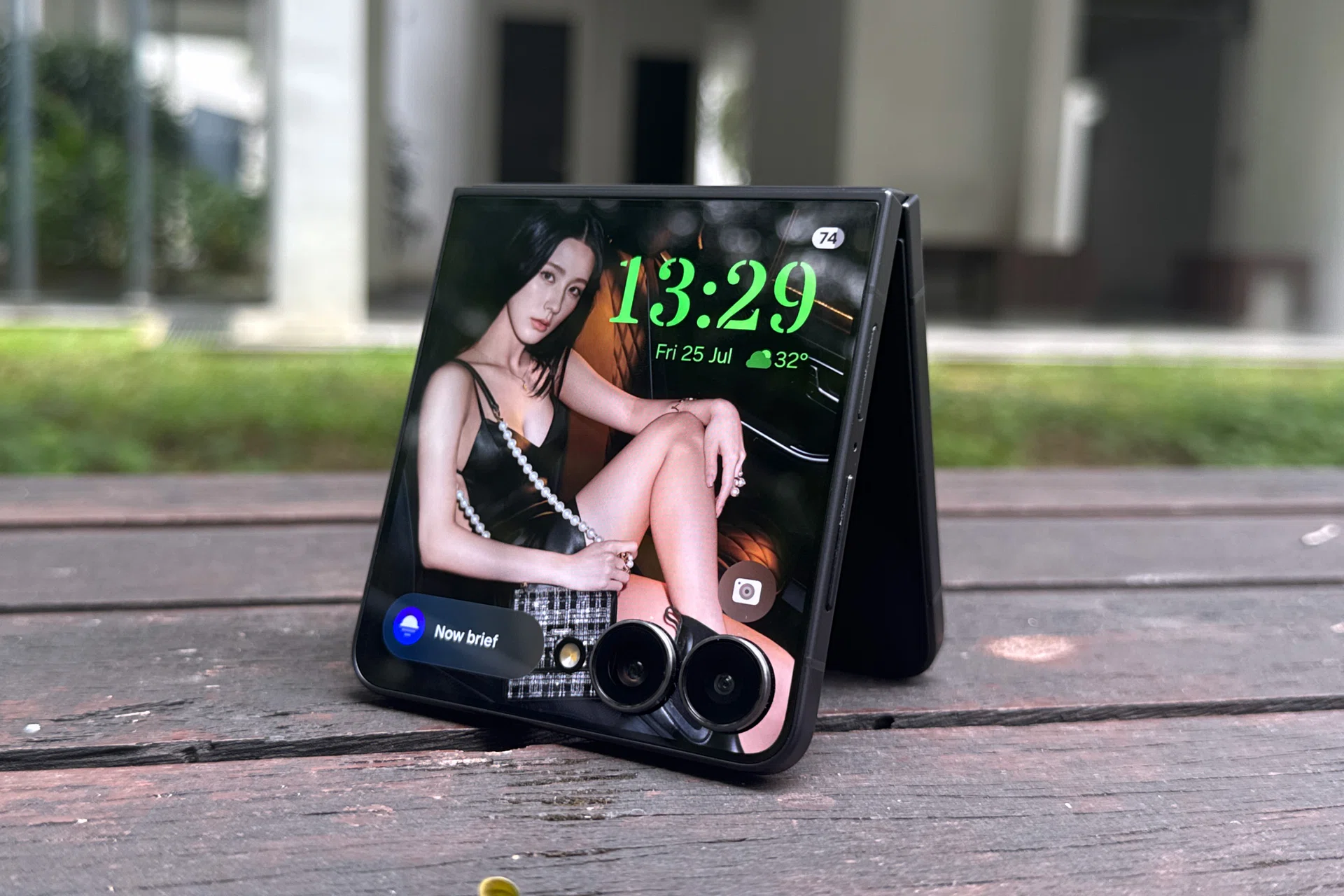
Note: This story was published as a first looks at the device on 15 July 2025. We have completed the full review on 25 July. It was republished as the phones go on retail today.
Overview
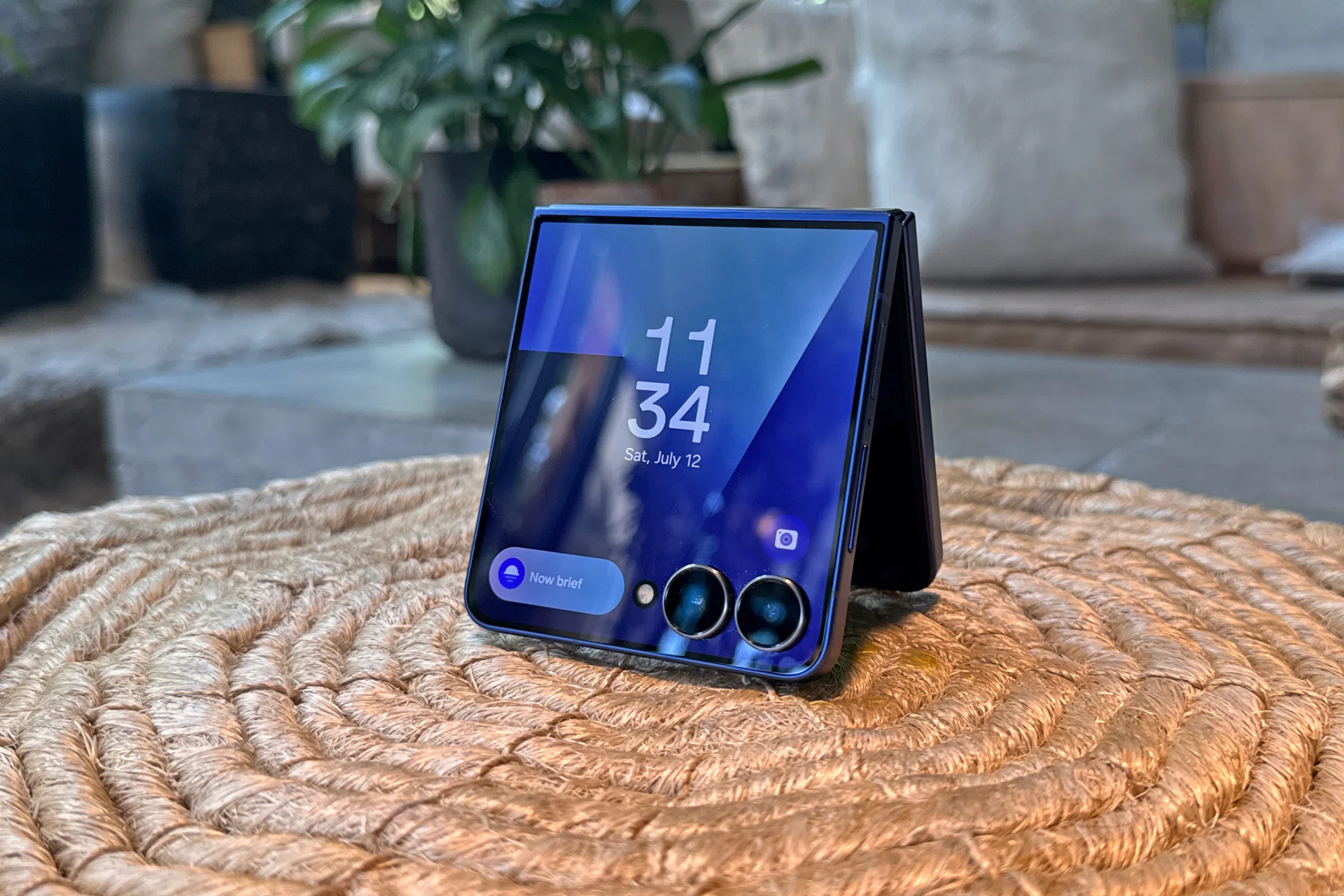
Samsung Galaxy Z Flip7.
While the Galaxy Z Fold7 caters to power users who want productivity for both work and play, Samsung has a different form factor for those who treat their phones as an accessory and a statement piece. That’s none other than the Samsung Galaxy Z Flip7.
The upgrade Samsung is most proud of is the improved 4.1-inch FlexWindow, which the brand has wasted no time in telling us you can use Now Brief and Gemini Live with it. Our review explores how else you can maximise FlexWindow, and whether Samsung implemented it well.
Where to buy the Samsung Galaxy Z Flip7:
- Samsung Shop App / Online Store
- Samsung Official Store on Lazada, Shopee, TikTok, KrisShop, and iShopChangi
- Local telecommunication operators (M1, Singtel, StarHub and ZYM Mobile)
- Consumer Electronics online stores (Best Denki, Challenger, Courts, Gain City, Harvey Norman)
One unexpected shift is the inclusion of the Samsung Exynos 2500 as the processor, rather than continuing with a premium Qualcomm Snapdragon chipset. We investigate whether this change yields any tangible benefits or drawbacks for the clamshell flip phone.
At S$1,648 (256GB), the Galaxy Z Flip7 appears to be a stylish alternative for premium phone users who are tired of their current handsets. But is it? Let’s find out.
FlexWindow, design, handling
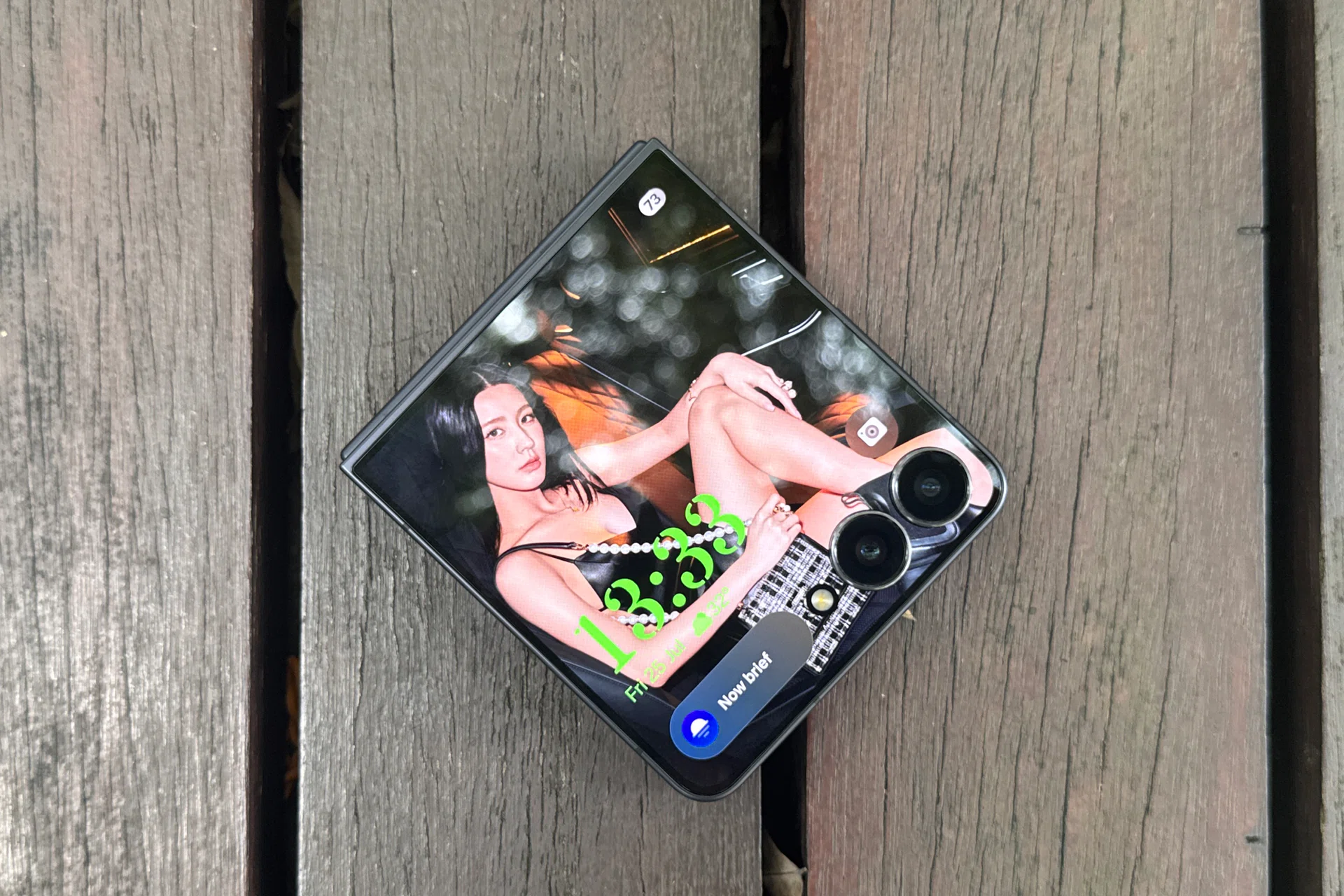
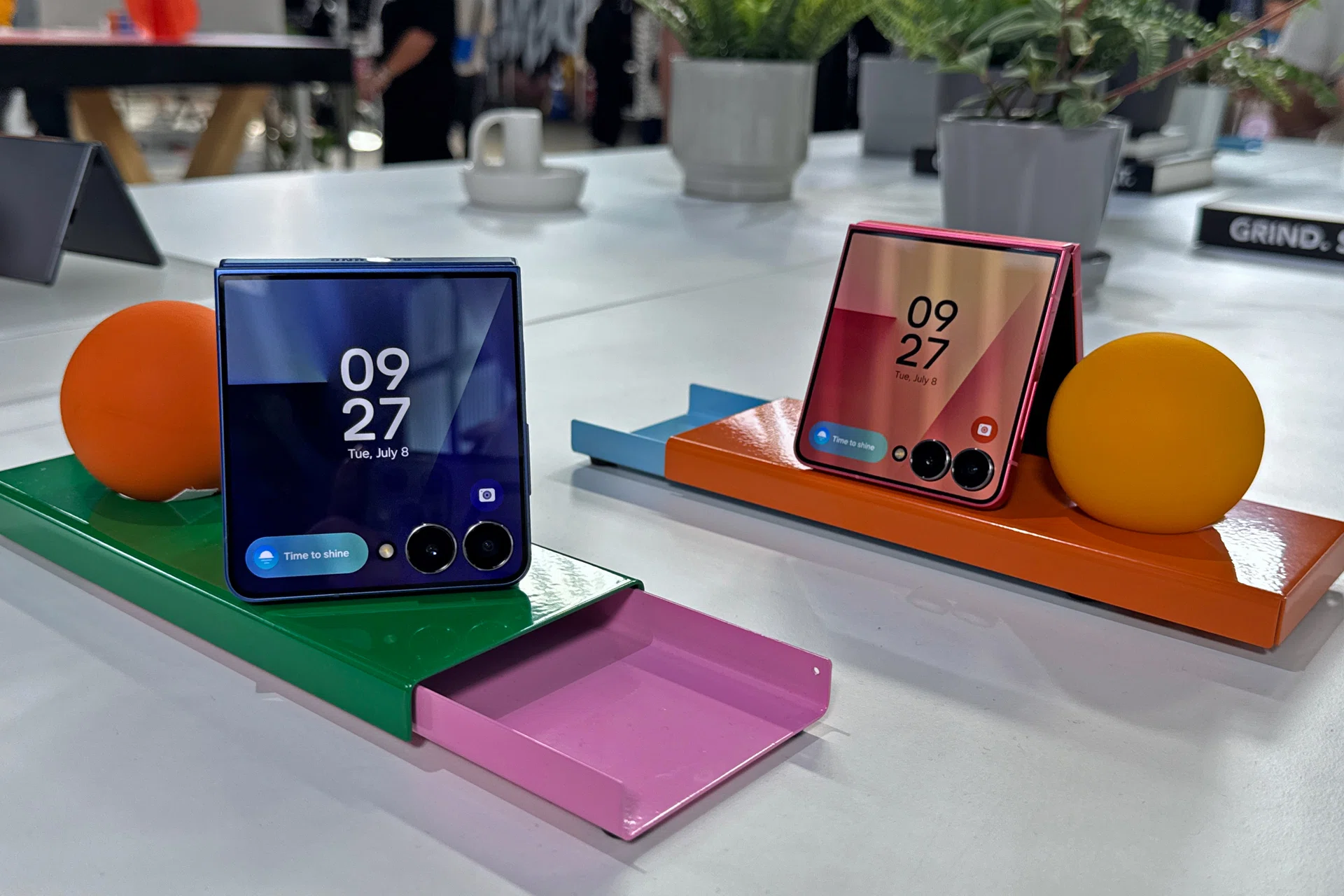
Samsung Galaxy Z Flip7’s FLexWindow is the true flex.
The Galaxy Z Flip7’s all-display, minimal-bezel approach to its 4.1-inch FlexWindow is now closer to a 1:1 aspect ratio (at 948 x 1,028 pixels resolution). The panel also supports a 120Hz refresh rate, a massive upgrade in size and display smoothness from its predecessor, the Galaxy Z Flip6.
However, we find its true appeal within its reduced bezels and thinner camera rims, which are now mere black lines that frame FlexWindow (the previous Flip6 design still had blocky black bars and rings).
To users who prefer boring bar-type phones, this means almost nothing. However, those who value appearances as much as functionality would find these changes a massive aesthetic upgrade.
The new FlexWindow holds rearrangeable widgets like before. By default, you get the weather, calendar, and Now Brief widgets pre-loaded on the first menu. First-party Samsung widgets are also optimised for the FlexWindow, making good use of the newfound real estate.
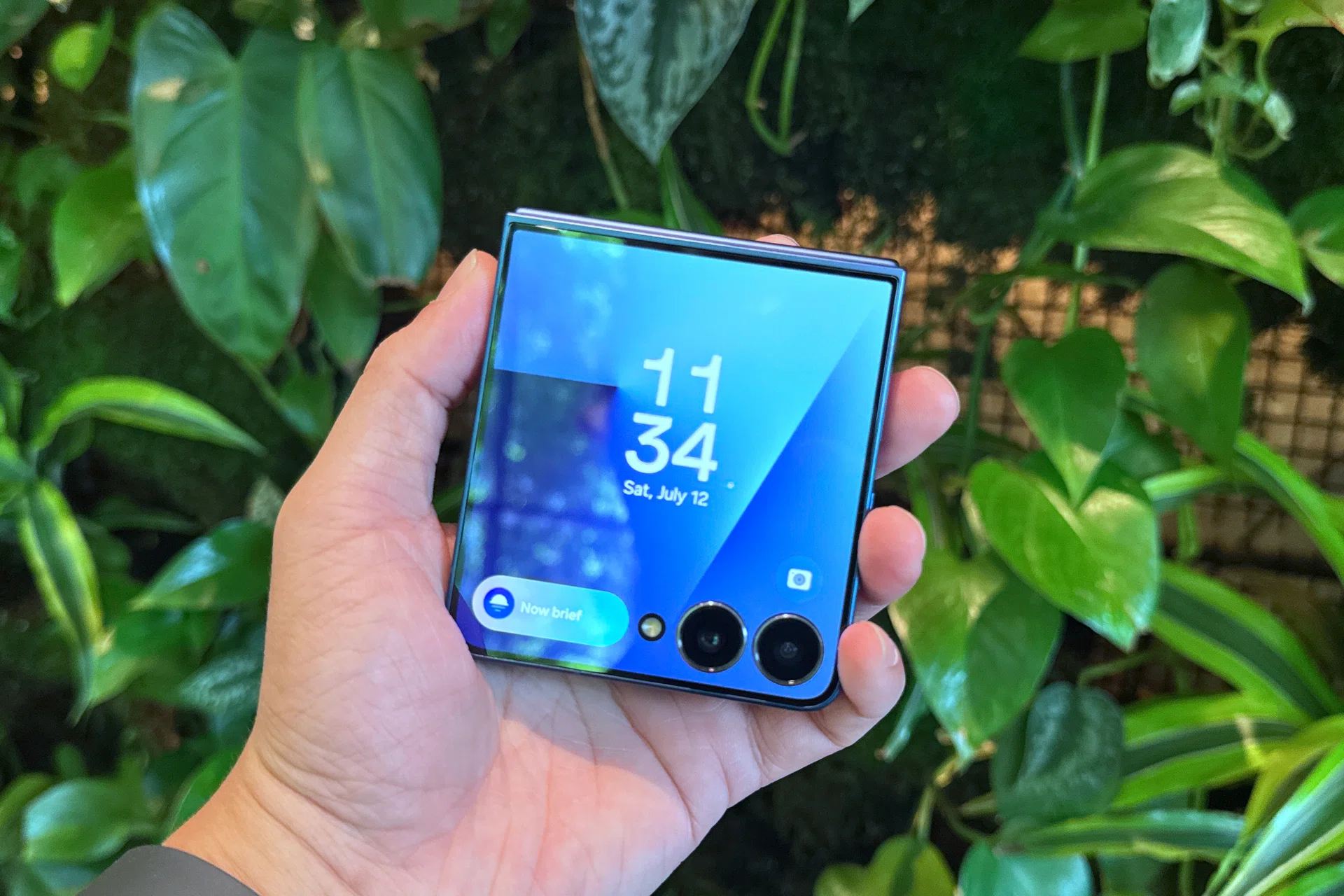
Thinner camera rings and thin bezels all play their part in Galaxy Z Flip7’s aesthetic.
You can also add select apps on FlexWindow like before. It’s under Settings app > Advanced features > Labs > Apps allowed on cover screen. We still see the same four apps supported by Labs, as with its predecessor.
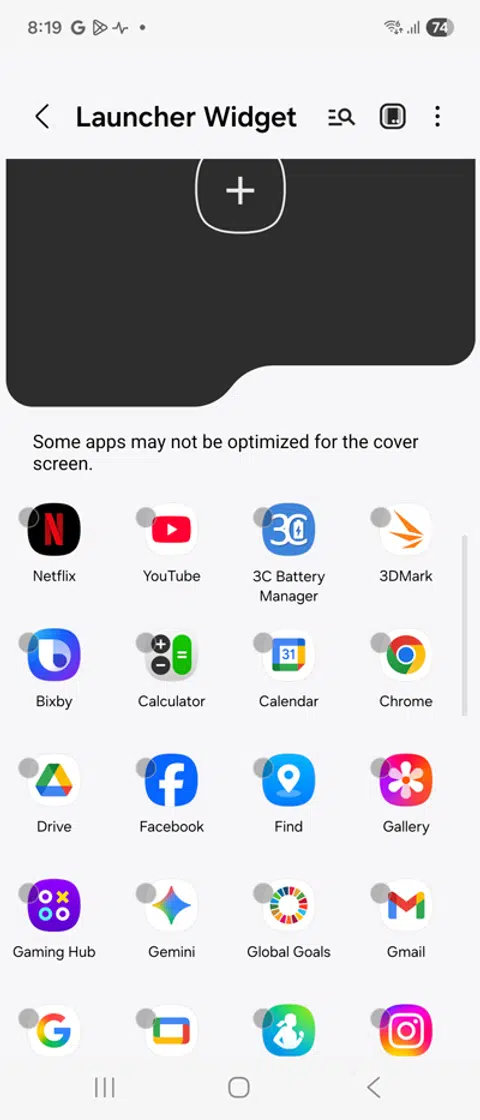
What’s interesting is that the Settings app recommends a third-party app launcher called MultiStar. Samsung does not make it; it’s a third-party option hosted inside its Galaxy App Store and also appears as a shortcut in the Settings app.
This experimental launcher enables more apps on your FlexWindow. To try it, we added apps to the launcher that didn’t require our full attention to use fruitfully: Spotify, the Ookla speed test app (for quick connection tests in public spaces), Google Chrome for light reading, and our work emails.
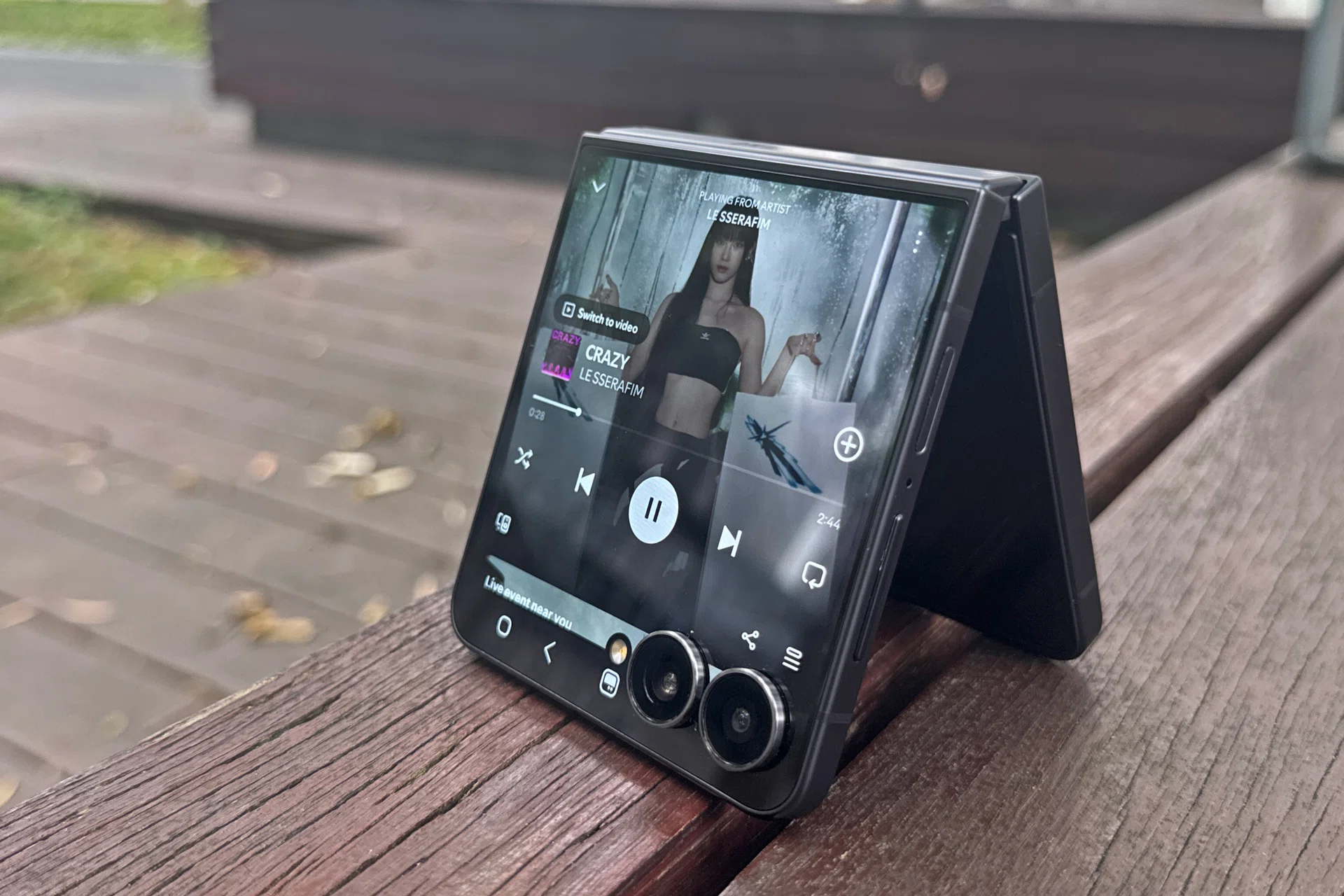
Using MultiStar for Spotify on Cover Screen, Galaxy Z Flip7.
MultiStar is great if you know the app well. For example, we had no issues playing our favourite songs on Spotify, no problems running a speed test when needed, and we felt no difference when leaving work emails on read, especially from people who love to ask you to do their share while giving you none of their salary.

Almost all the controls are accessible. Almost.
The only catch is that MultiStar treats the whole Cover Screen as the app display area, which means the dual cameras can cut off some menus or tabs. In the Spotify example, you can navigate to the previous or next song, adjust the volume using side buttons, and even select songs from the current playlist. However, the cameras block your saved library, which means you need to unfold to select a different saved album or playlist.
To kill the app and save on RAM/CPU usage, you also need to head over to the Main Screen. There are limits to MultiStar, but the right apps and usage can help you maximise the benefits of the Galaxy Z Flip7’s upsized secondary display.
Another Cover Screen addition is Now Brief. Users who appreciate Now Brief and its summaries will likely enjoy the truncated version of YouTube video recommendations, the weather, and how it may impact their commute. Again, how useful it is heavily relies on how interesting you are as a person, and whether you trust Galaxy AI to know that much about your day.
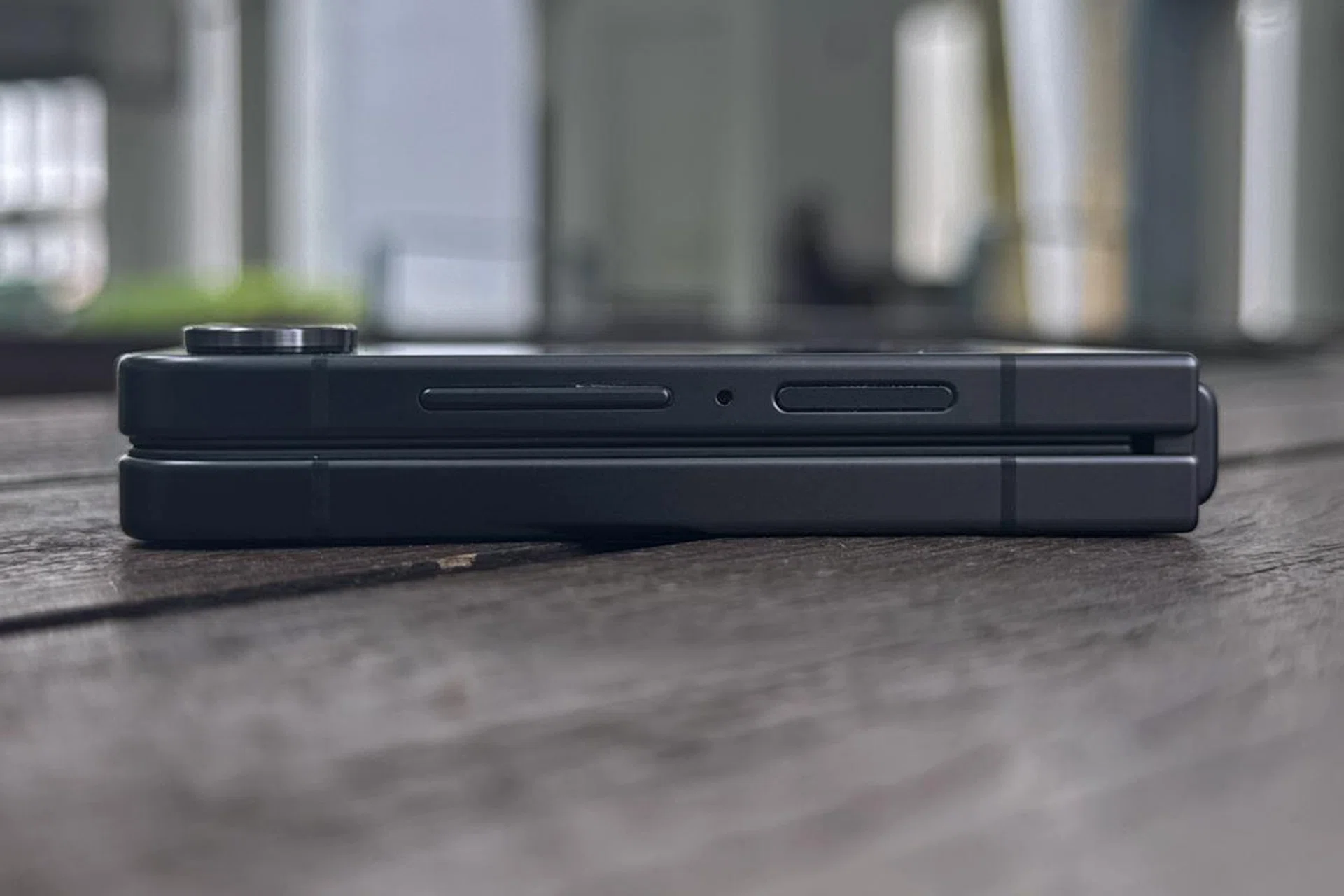
Folding nicely is just as important to the Flip7.
The rest of Flip7’s design is largely similar to the Flip6, with mild improvements like a 0.4mm reduction in thickness (unfolded) and a redesigned hinge to stay parallel when clasped. The phone retains core durability perks like IP48 rating against dust and water, plus a frame made of Armor Aluminium.

Samsung Galaxy Z Flip7 main display.
Its Main Screen (6.9-inch, Dynamic AMOLED 2X, FHD+ resolution, 1-120Hz refresh rate) has the same aspect ratio (21:9) as Fold7’s secondary display. That’s mildly narrower than the Galaxy S25 series and less wide than Flip6’s 22:9 one. Most online content (YouTube, music videos) is filmed in 16:9, so Flip7’s aspect ratio reduces unsightly black bars on the side, although not by much.
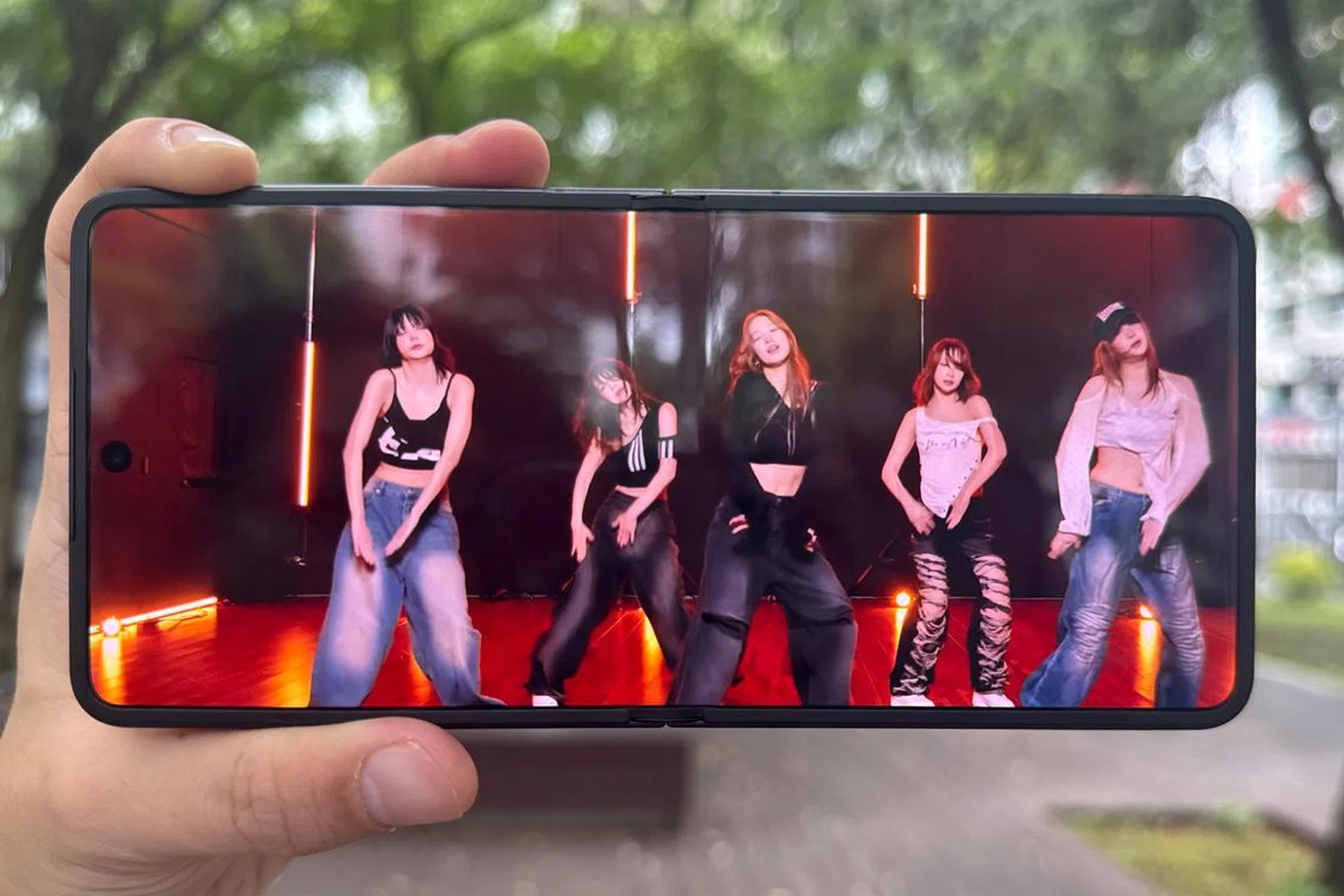
Samsung Galaxy Z Flip7 playing a music video from YouTube.
Sadly, the thick and raised protective bezel around its main display wasn’t noticably thinner like its FlexWindow bezels. We still think is key to its overall aesthetic, but that’s just nitpicking at this point.
One UI 8, Gemini Live, FlexCam
Samsung Galaxy Z Flip7.
One complaint we previously had about Samsung’s flip phones was that they needed an AI feature that effectively uses their upright display with cameras in tow. Even with dual-screen translation, it previously felt like Samsung just decided to cram Galaxy AI into a Z Flip and called it a day.
In just one generation, Samsung made us eat our own words. As presented below:

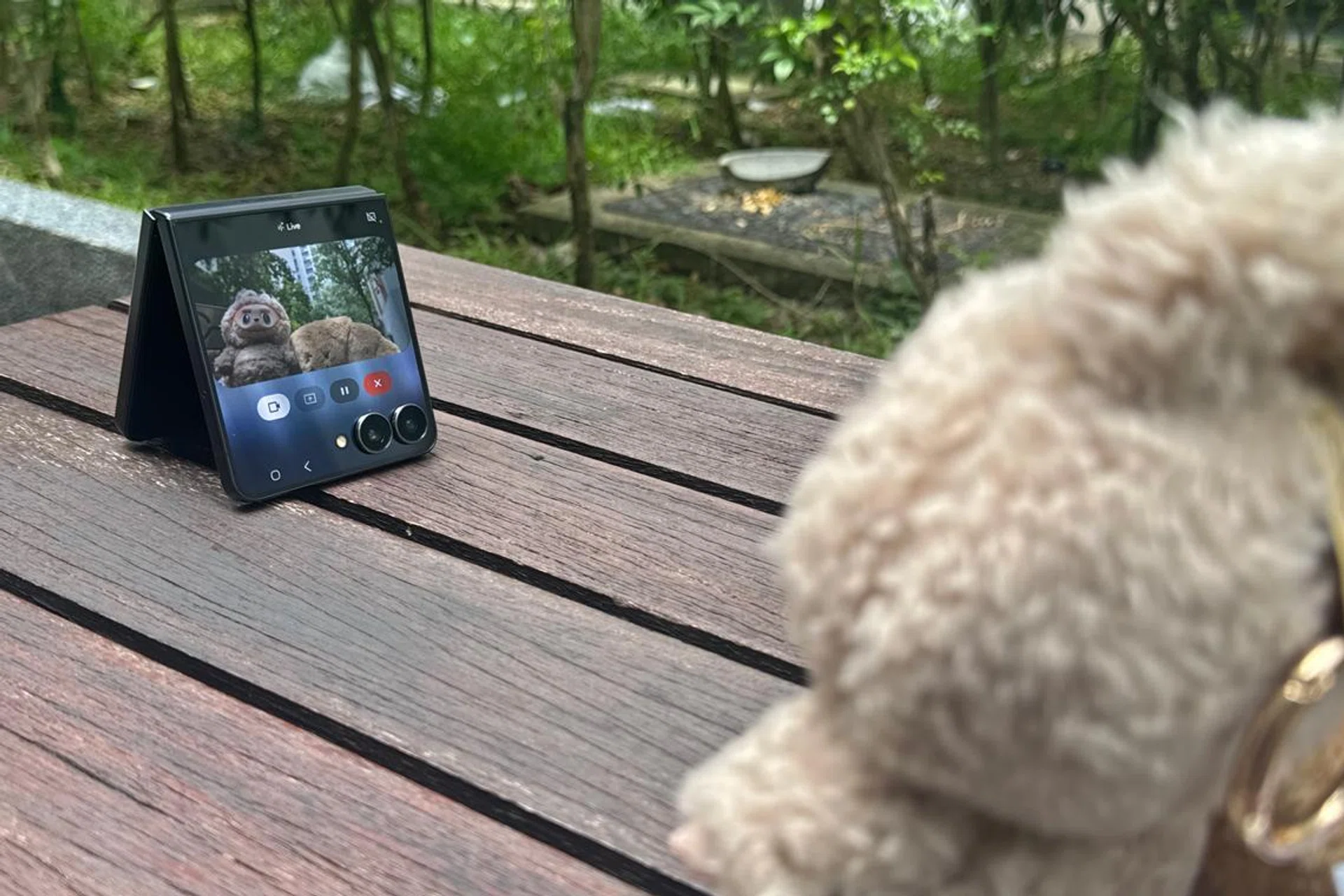
Samsung demonstrated how FlexWindow and Google’s Gemini Live work together, from saving important information on the go, to choosing clothes for a trip.
We think it can also be handy for users who practice dances, martial arts, or even check their workout form in the gym. Sedentary hobbies (e.g. taking care of houseplants and succulents, or building a model kit) can also benefit from this AI feature if you ask the right questions.
Using it comes down to your daily habits and how much you trust an AI prompt to help address your needs. It differs from the text-only AI prompting most people are familiar with, because Gemini Live is multimodal. Your inputs, via the camera, sounds, and the questions you ask, affect the answers Gemini presents to you.
Gemini Live consultation on Galaxy Z Flip7.
Our POV is that FlexCam with Gemini Live is a really good addition to the Flip7. Why be a damsel in distress when you can girl-boss your way through the minor stuff in life? If AI accuracy can’t fulfill the demands of a goddess, simply stop Gemini Live, and unfold fully for a proper online search.
Granted, AI probably can’t replace a true fashionista who can advise you on your wardrobe decisions, but this works in a pinch. Its entire concept seems well thought out, on top of really smooth execution in real-world situations, but it depends on your mobile connection strength.
Imaging performance
Samsung Galaxy Z Flip7’s FlexCam. Cat not included.
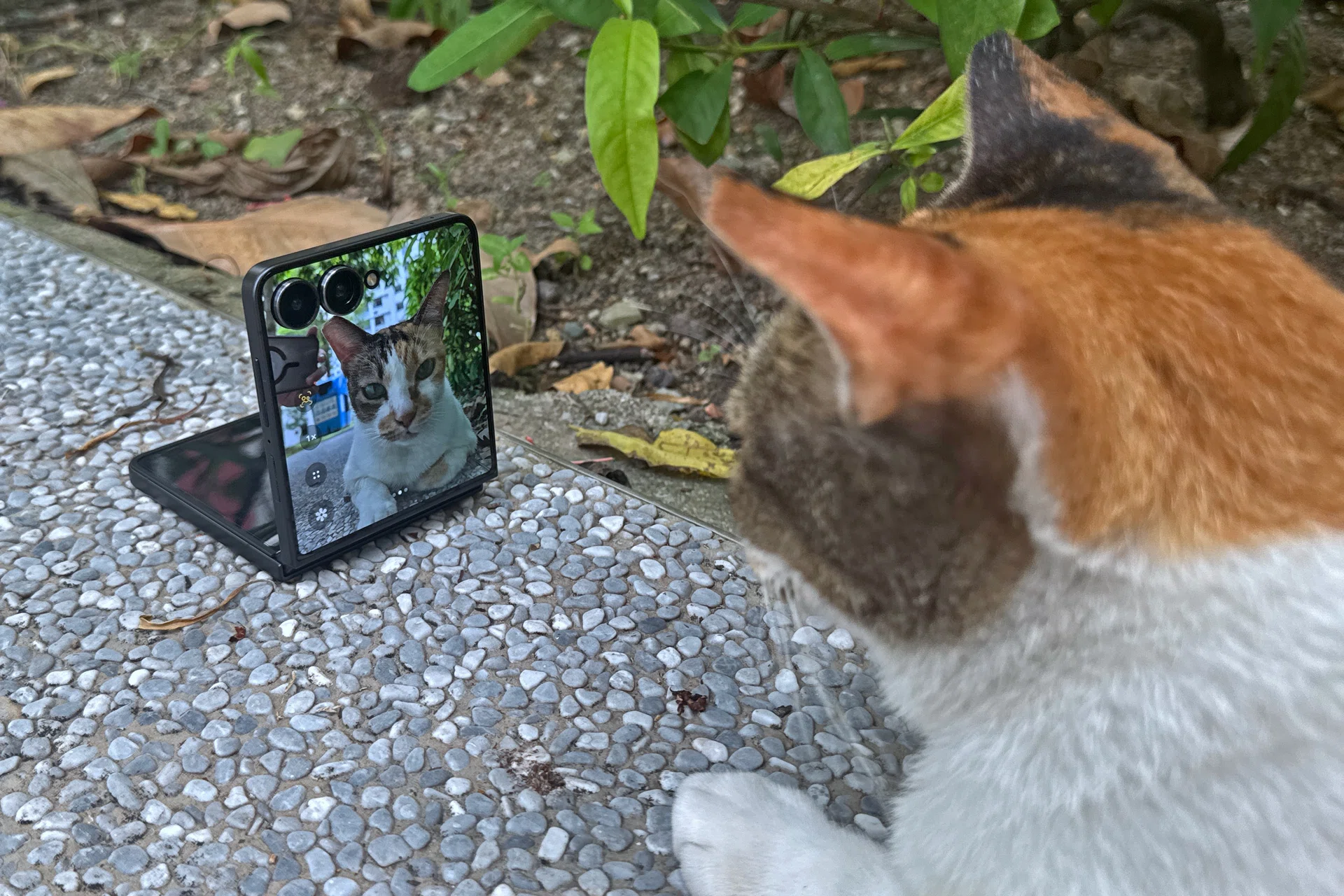
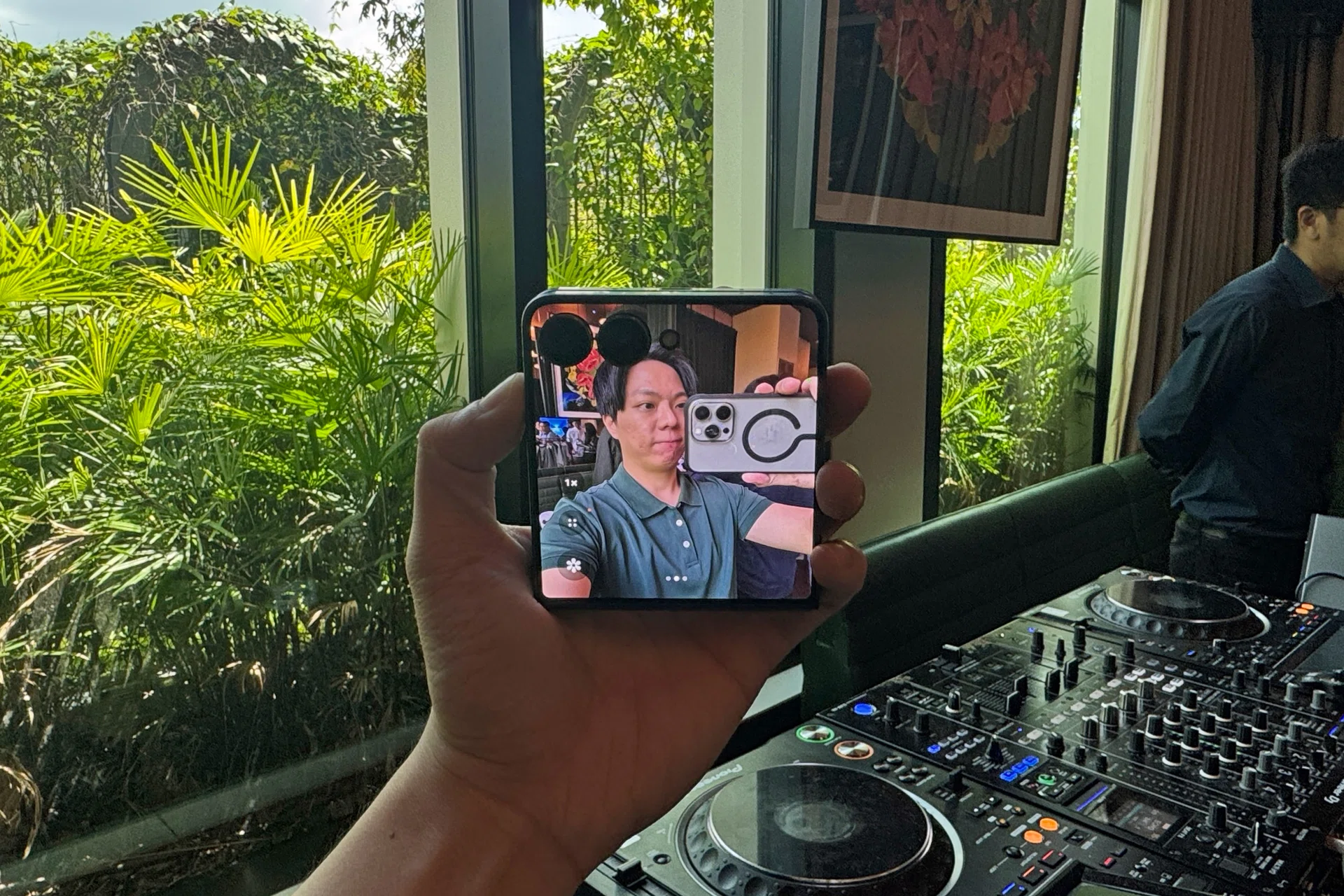
The other obvious benefit of a larger FlexWindow is that your FlexCam selfie previews are now much easier to see. 미친 개쩐다.
| Rear camera type | Specifications |
|---|---|
| Main | 50MP, Dual Pixel AF, f/1.8, 1.0μm pixel size, OIS, 85˚ FOV |
| Ultrawide | 12MP,f/2.2, 1.12μm pixel size, 123˚ FOV |
Something that we don’t see mentioned enough is the glowing visual indicator around the camera rings that tells the user when Flip7’s cameras are correctly focused on the subject.
Another helpful yellow cue is the HDR logo that appears if you’re video-recording with HDR enabled. All this is in addition to AutoZoom, a returning feature that automatically keeps the subject in the frame, hands-free.
Samsung Galaxy Z Flip7 selfie preview.
Since they have similar specs to the predecessor’s cameras, we expect comparable performance to the Flip6.
Benchmark performance
Samsung has decided to use the Samsung Exynos 2500 processor for the Galaxy Z Flip7. This is unlike previous Flip handsets or its Galaxy Z Fold7 sibling, that got the ‘for Galaxy’ customised premium chipset from Qualcomm.
In Singapore, the only other recent alternative is the Xiaomi Mix Flip (S$1,499), which has an older premium chip (the 2024 Qualcomm Snapdragon 8 Gen 3). While the 2025 version of Xiaomi’s flip phone was announced just before Samsung’s, it’s not available in Singapore when we published this review.
You can hit this link to see what the Exynos 2500 has. In short, it’s a 3nm chipset with a 10-core CPU layout based on ARM architecture. Its biggest single core (Cortex-X5) sits at 3.30GHz, alongside a Samsung Xclipse 950 GPU and LPDDR5X RAM.
With decent performance that defied our usual Exynos expectations, we’re excited to see how much more battery life this can translate into for the Galaxy Z Flip7.
The phone was warm to the touch when we put it through its paces during regular use, reaching a peak temperature of 38°C. The slim build might exacerbate the sensation, but it’s nothing to be alarmed about.
Battery Life
Disclaimer: A known bug affects the Galaxy Z Flip7 and Galaxy Z Fold7 running on One UI 8. The bug prevents PCMark’s battery benchmark from proceeding normally until the displays are touched, constantly and repeatedly. The benchmark developers (UL Benchmark) and Samsung are aware of this bug and are working on a solution. To complete this test, we used a macro script to “touch” the devices’ screens, which may mildly impact battery life. We will revisit this test when this bug is fixed.
Our battery benchmark uses PCMark for Android’s Work 3.0 Battery Life, with results shown in minutes. This controlled benchmark simulates real-world usage, such as web and social media browsing, video and photo editing, parsing data with various file formats, writing, and more.
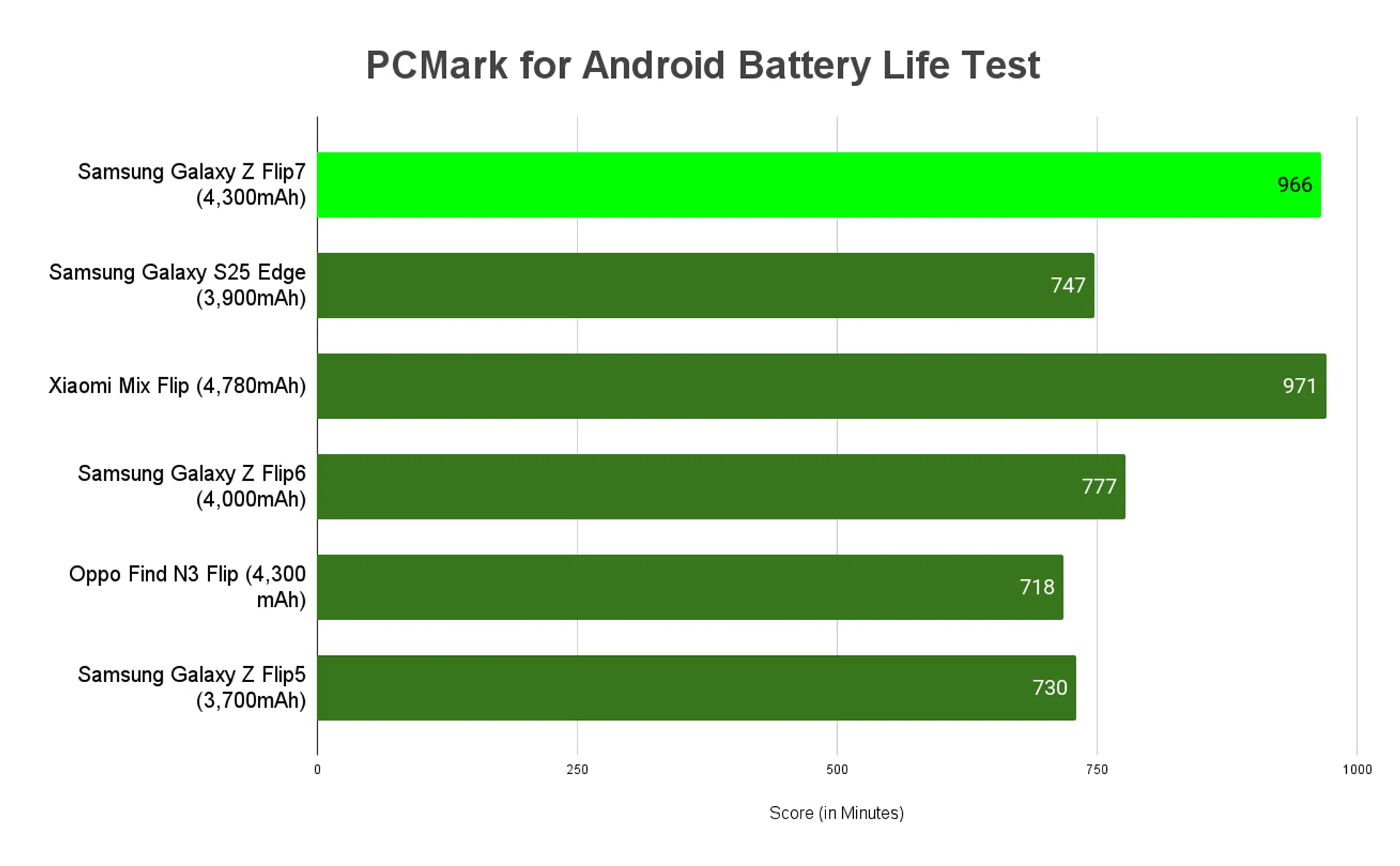
Battery life in minutes.
Samsung Galaxy Z Flip7 uses a 4,300mAh battery. With its 6.9-inch main display (unfolded) and a macro running in the background to mitigate a bug, it managed a little over 16 hours of uptime.
To us, the Flip7’s approach is clear — Samsung is aware its users want performance, and has moved decisively to solve its old uptime issues.
Flip users were mostly comparing clamshells against standard bar-type phones with 5,000mAh or more, given that they have similar main displays. This is where the extra power efficiency (at the slight cost of GPU performance) is the wiser trade-off. Now, there’s one less compromise when choosing clamshell flip phones over normal ones. Style points all the way, baby.
The 25W wired charging clocked in 25 minutes when charging 0-50%, and it took us nearly 90 minutes to get a full tank. Granted, slower charging helps with the battery’s longevity, but we’re not sure if the chronically online users of Flip7 can wait that long.
Conclusion
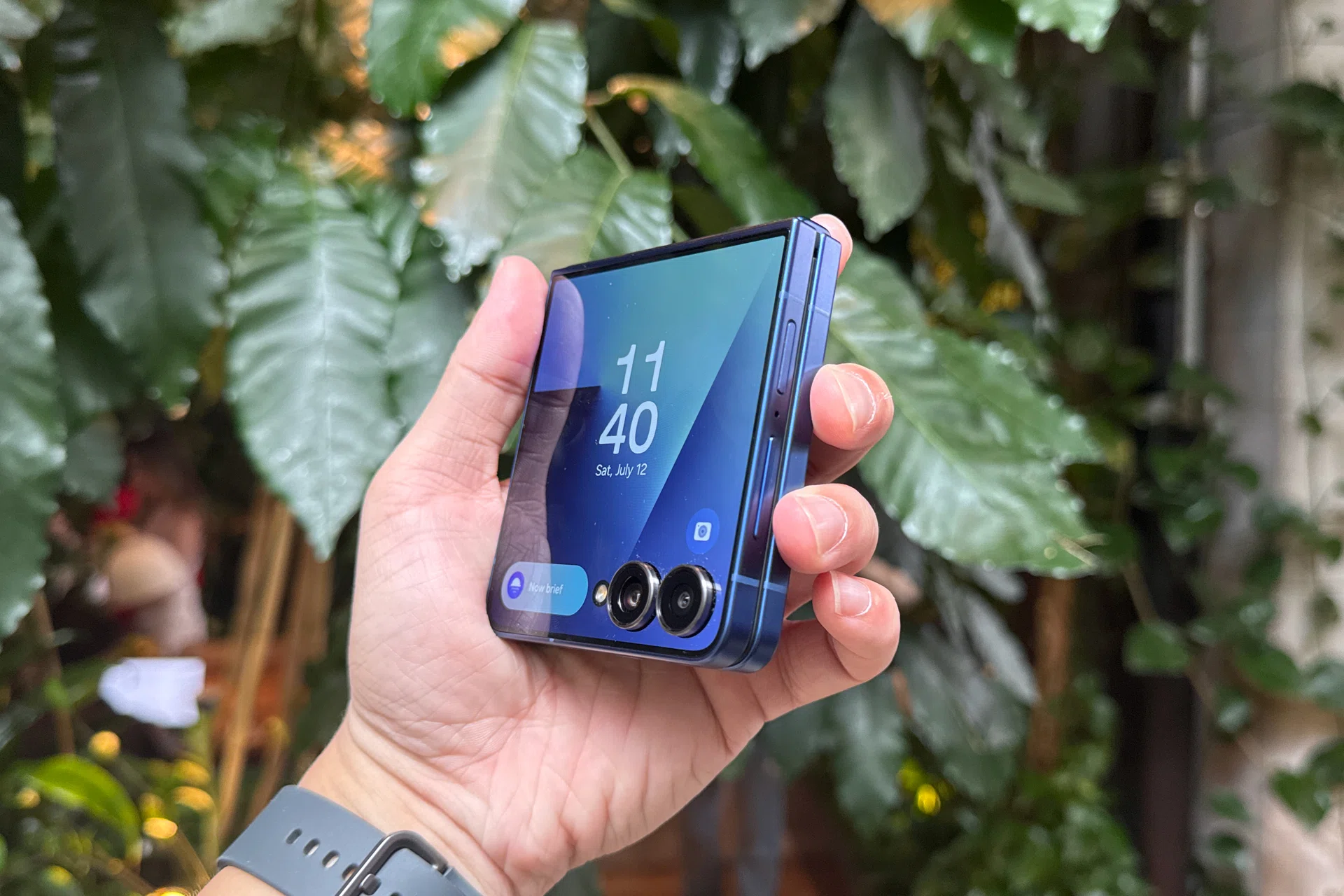
Samsung Galaxy Z Flip7 in Blue.
Honestly, you don’t have many choices when it comes to a flip phone in Singapore. Samsung’s Galaxy Z Flip7, which has caught up to other flip devices, has made it very tough for its rivals to mount a meaningful resistance against a brand that’s backed by a country that places a high value on aesthetics.
Flip7’s obvious draw is the improved and nearly end-to-end FlexWindow. It’s the upgrade that Samsung desperately needed, and they’ve done it effectively. Even the smallest details, such as brightness, smoothness, and bezels, were all accounted for.
Pair that with the FlexWindow’s highly customisable menus, widgets, and apps, and two cameras that take up minimal space, and you have one of the best clamshell secondary screens money can buy.
It also resolved its previous battery uptime issues by switching to its in-house Exynos chipset. While it sacrifices slight amounts of power, it’s a fantastic fit for Flip7 users who need more battery life than raw performance.

Samsung Galaxy Z Flip7 unfolded.
Beyond these crucial changes, all our other demands are relatively minor in comparison. Yes, Flip7 should match up with premium devices that offer higher-rated water and dust resistance, look more attractive with thinner main display bezels, and further reduce device thickness. Perhaps Samsung can consider adding an optical zoom camera for concert recordings as well. They could also improve the charging speeds, in addition to making third-party app launchers fit better on FlexWindow.
However, a wishlist like that is for future Flip phones to think about, since the critical ones were already resolved here.
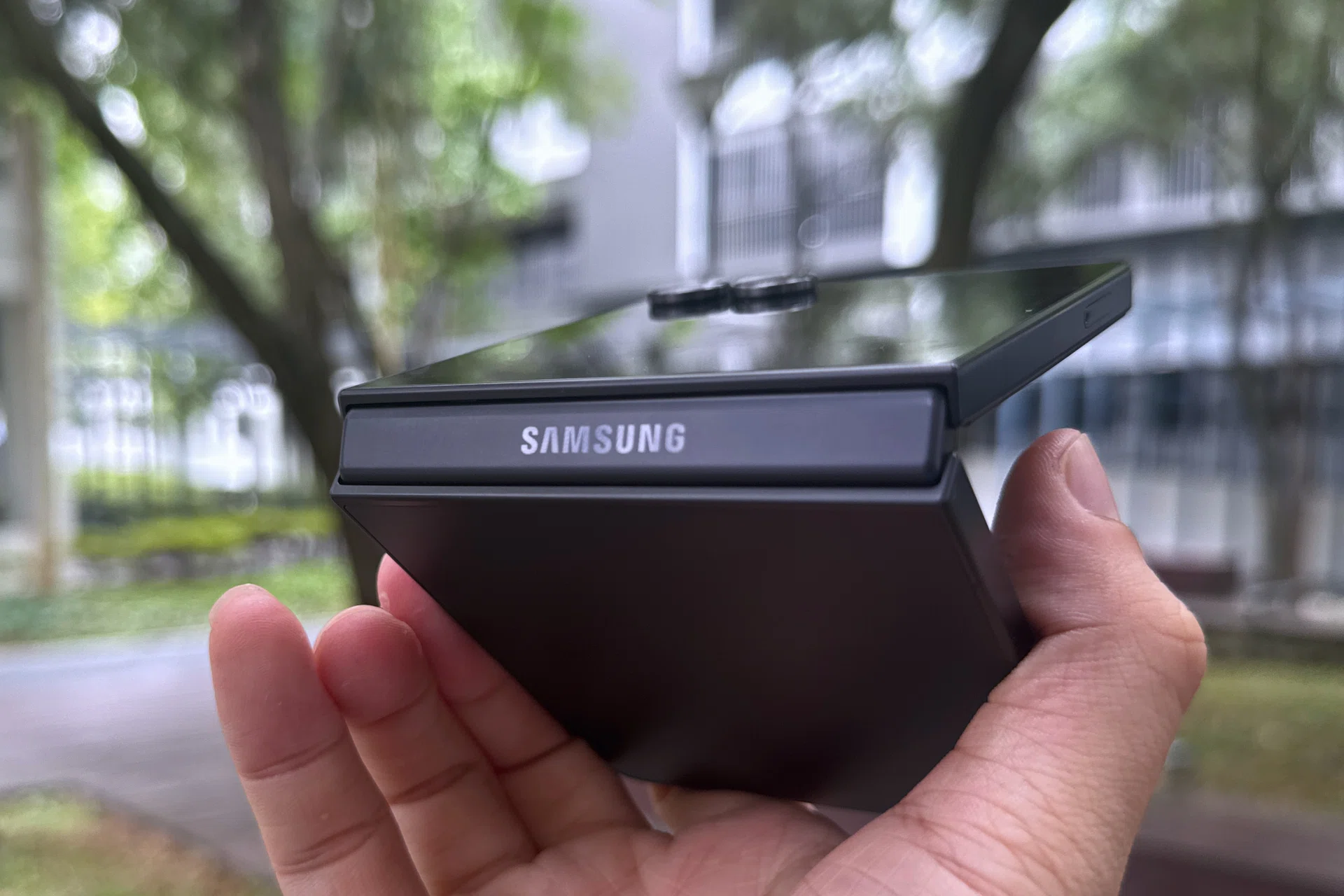
Samsung Galaxy Z Flip7 hinge.
Additional features we’d like to see with this form factor include more practical uses of its FlexCam. The compatibility with Google’s multimodal AI is a step in the right direction, but not everyone is helpless at Google Search or dressing up.
If Samsung is going to convince more XMMs to buy the Flip, more confidence needs to be instilled in its folding main display as well. After all, their budgets are already stretched thin with skincare and cosmetics, cute bags, pretty clothes, blind boxes, and healthy habits. However, that Flip assurance has to come from Samsung’s after-sales services, not the Flip’s capabilities.
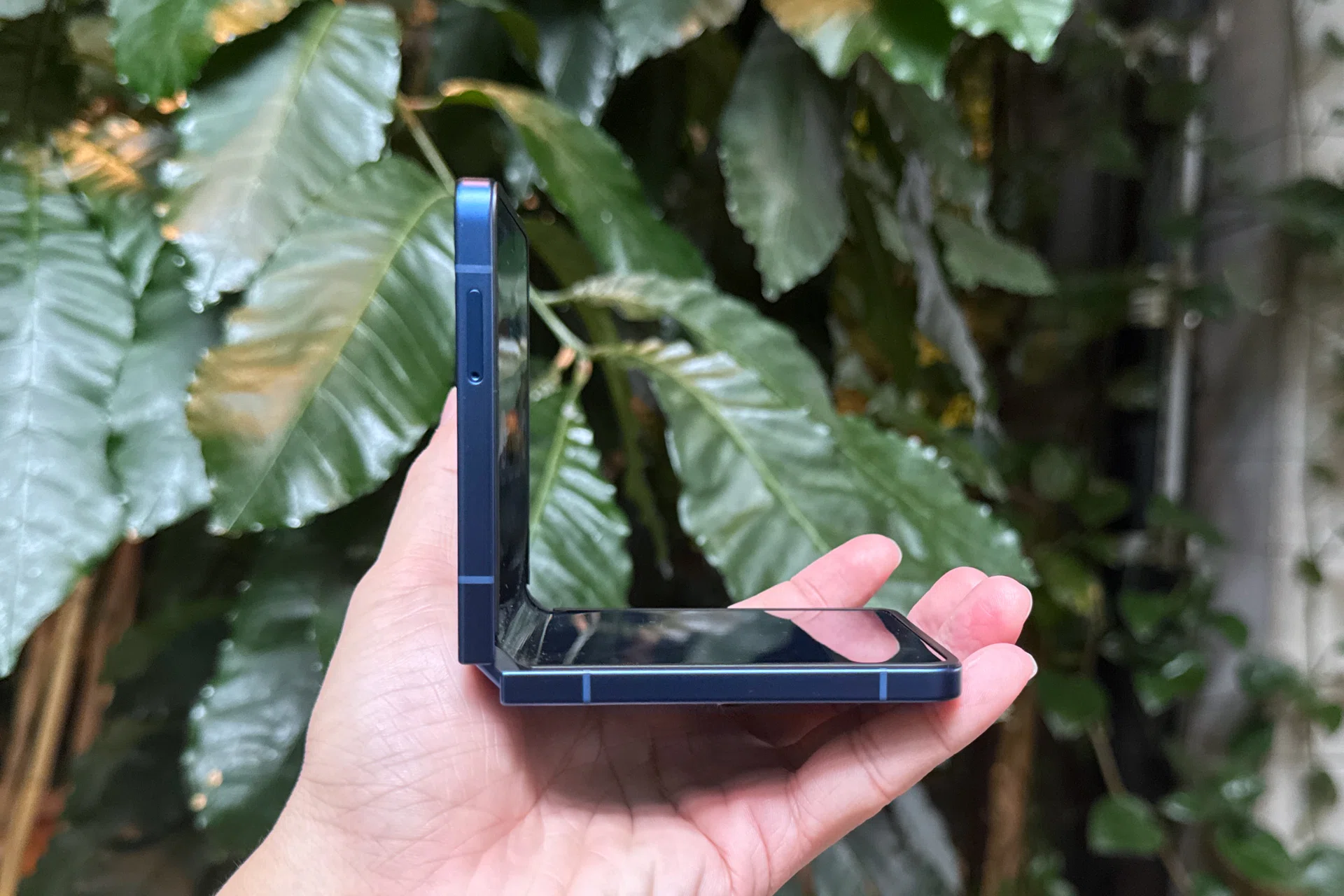
Samsung Galaxy Z Flip7, upright.
Its starting price of S$1,648 (256GB) is also crucial in how the Flip7 is perceived. Unlike the Fold7, which has an astronomical price tag that sets it apart, the Flip7 becomes a viable choice next to standard premium phones. The Samsung Galaxy S25 Edge (S$1,628 for 256GB) is an example of choosing another slightly unique alternative among premium handsets, and now, Flip7 joins that roster.
We think Samsung has done very well with its Galaxy Z Flip7 and are excited about what else they have in store, as it continues to push past its rivals in the same flipping space. If you like the current iteration of FlexWindow, that’s enough reason to pick it over boring, bar-type phones.
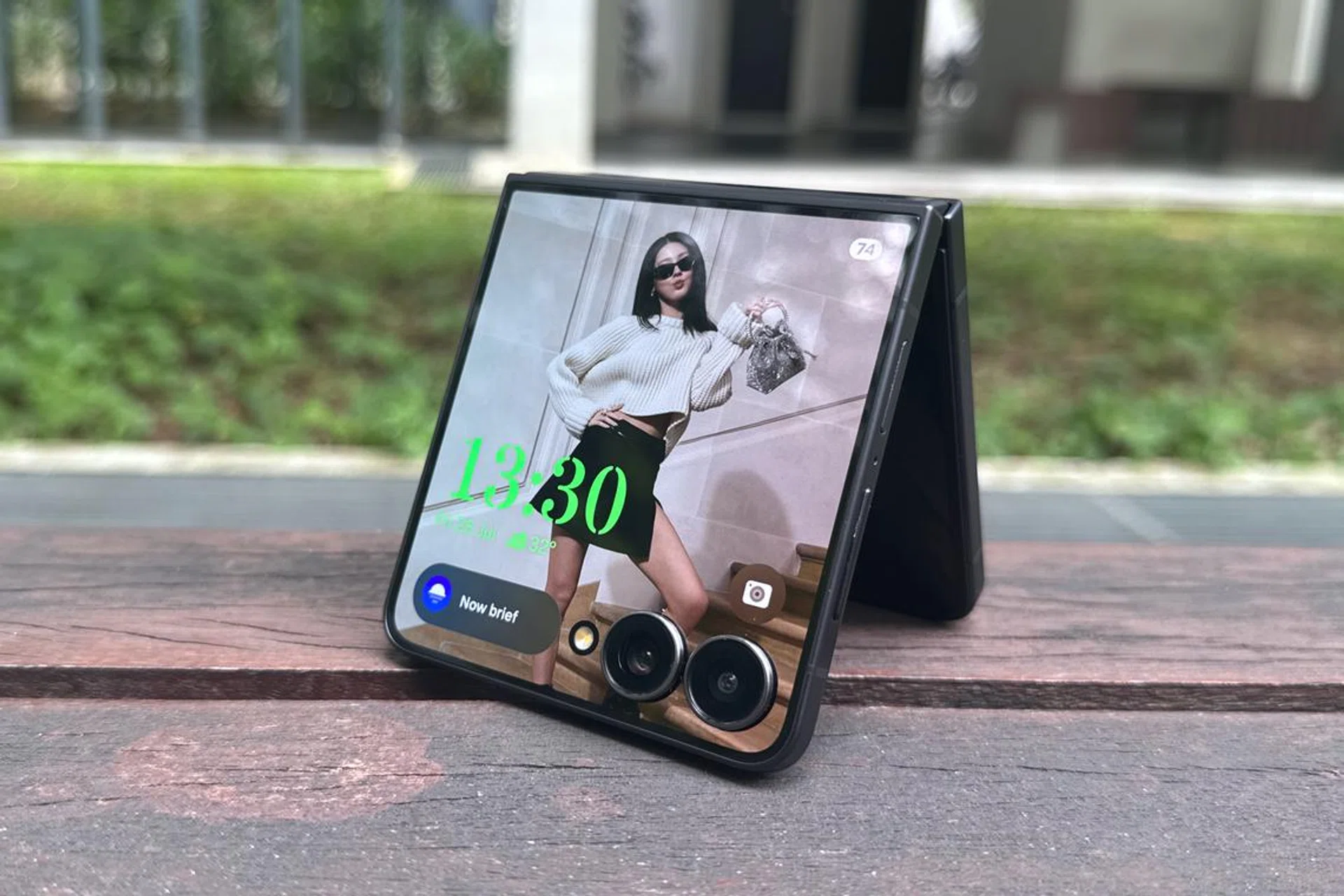
Samsung Galaxy Z Flip7, tent.
The Samsung Galaxy Z Flip7 starts at S$1,648 (256GB) and comes in Blue Shadow, Coralred, Jetblack, with a Samsung online-exclusive Mint colourway. Pre-orders are open with official retail due on 1 August 2025. Go to our pricing and promos article if you’re trying to secure one now.