
Panasonic Lumix DMC-G3 - Stellar Photographs (Updated!)
The Panasonic Lumix G3 sports a new 16.6-megapixel sensor and a redesigned body, and delivers some of the best pictures from Micro Four Thirds yet. Check out how else it does in our review.

Updated : We've finished our evaluation of the retail version of Panasonic's G3, and have upgraded our former preview article (on 20th May) to a full fledged review. We've added an review page, as well as , and a reworked .
Introduction
In October 2008, the kicked off the mirrorless interchangeable lens camera revolution by being the first Micro Four Thirds (MFT) camera to market. Three years later, we're up to eleven MFT camera bodies, nineteen lenses and two other mirrorless systems besides Micro Four Thirds with more rumored to come. One of those eleven MFT camera bodies is the brand-new Lumix DMC-G3, the 'grandchild' of the G1.
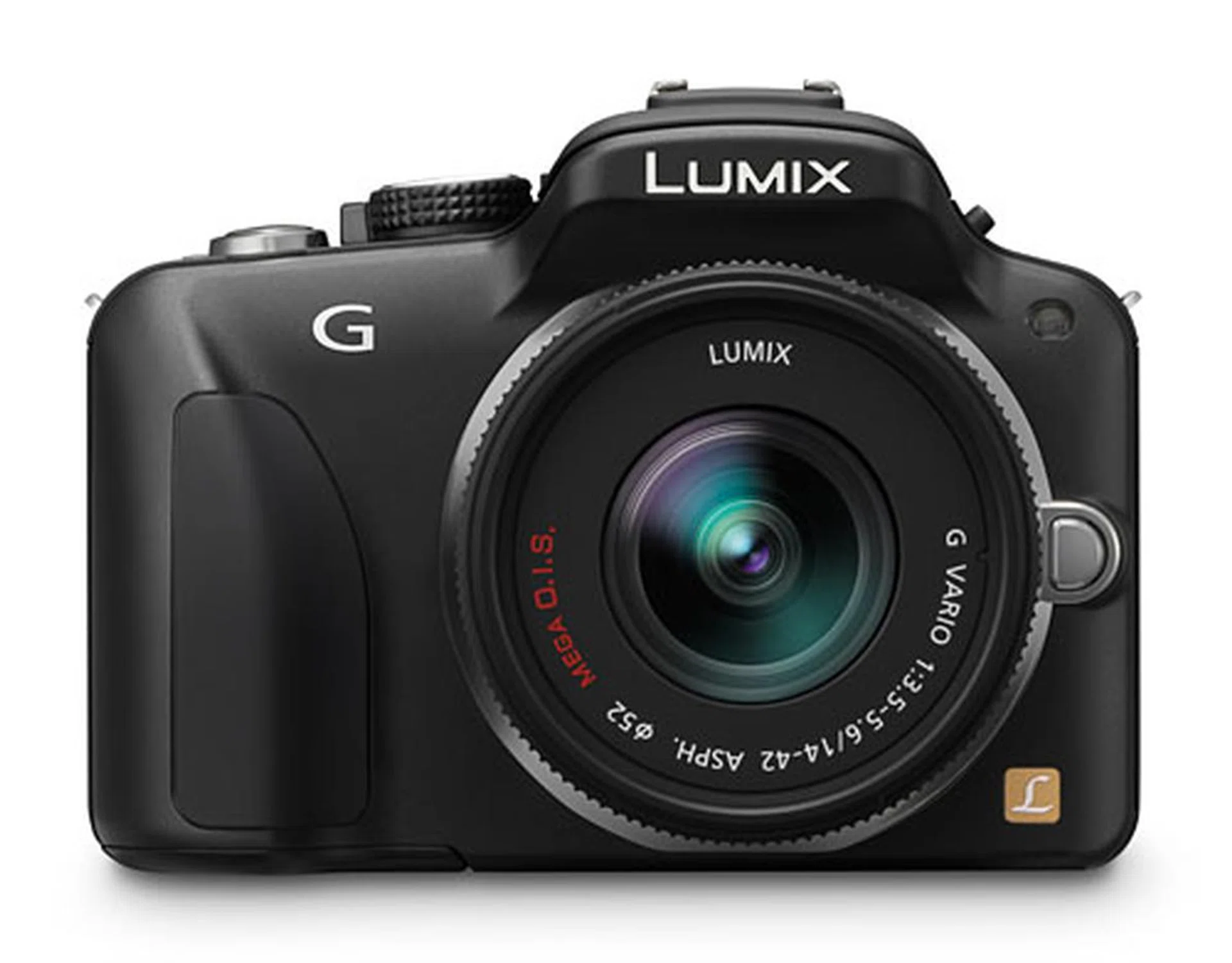
The Lumix DMC-G3 uses a new 16.6-megapixel sensor.
The G3 brings many of the innovations first seen in the and , camera models which sit higher and below the G3 in the food chain respectively. The new 16.6-megapixel (15.8 megapixels effective) Live MOS sensor promises higher resolution and less image noise. The already fast AF has been sped up even further with what Panasonic calls 'Light Speed AF' (what's next, 'Warp Speed AF'?).
It retains the swivel screen from the G2, and full 1920 x 1080 pixels resolution HD video recording, up from the G2's maximum resolution of 720p. It's the smallest interchangeable lens camera with an optical viewfinder (at the time of this writing); the resolution hasn't changed at 1,440,000 dots, but Panasonic says performance has been improved with less color break-up.
It resembles the GF2 more than the GH2; like a chunkier GF2 rather than a slimmed down GH2. It's not as light as the GF2 (265g, body only) however, at 336g (body only) it's closer in weight to the GH2 (392g). It's slightly faster than the GF2, able to squeeze off 4 frames of full resolution images a second, while the GF2 manages 3.2. It also shoots a higher 16MP image over the GF2's 12MP.
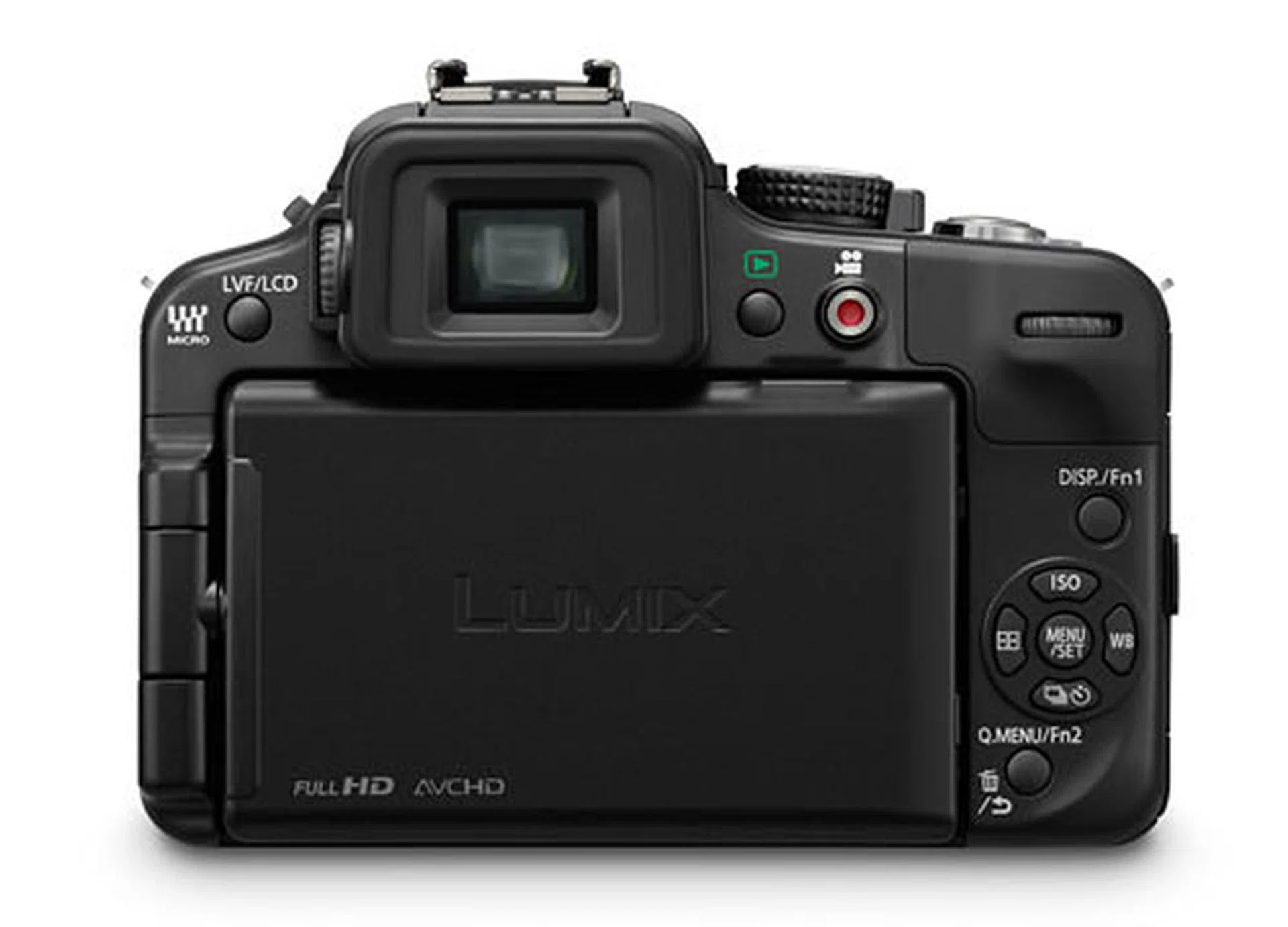
The swing-and-tilt LCD has a 460,000-dot resolution and comes in at 3 inches across.
Design & Handling
We find that the G3 is a physically simpler camera than the G2 was, taking more cues from the GF series than the GH series. The G3 isn't much bigger than the GF2 in comparison, in fact it looks like a GF2 but with a viewfinder and mode dial. The top plate is simple and less complicated than the GH2, and the hand grip is a subtle ridge, rather than the GH2's larger DSLR-like grip.
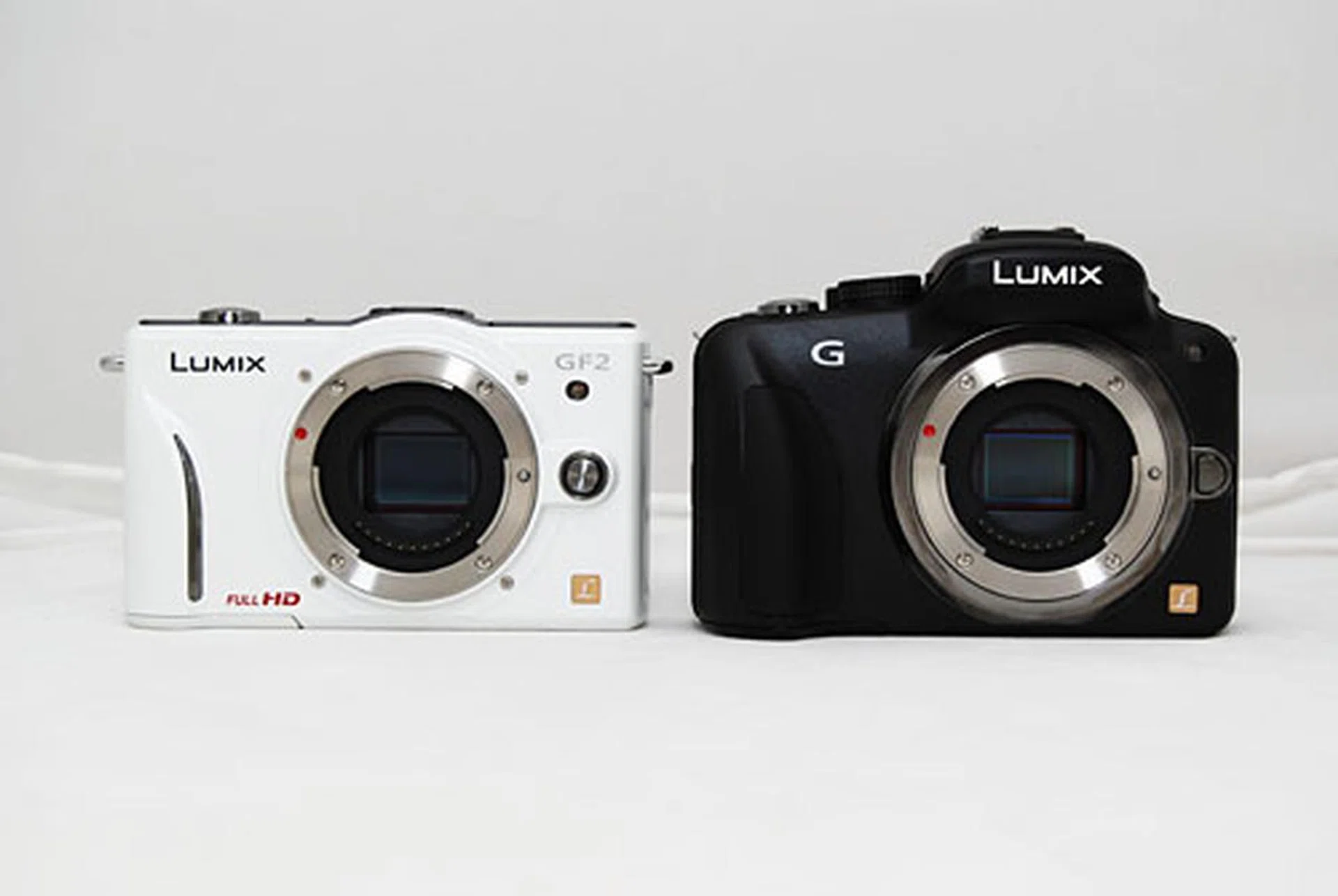
The Panasonic G3 (right) side by side with a Panasonic GF2 (left).
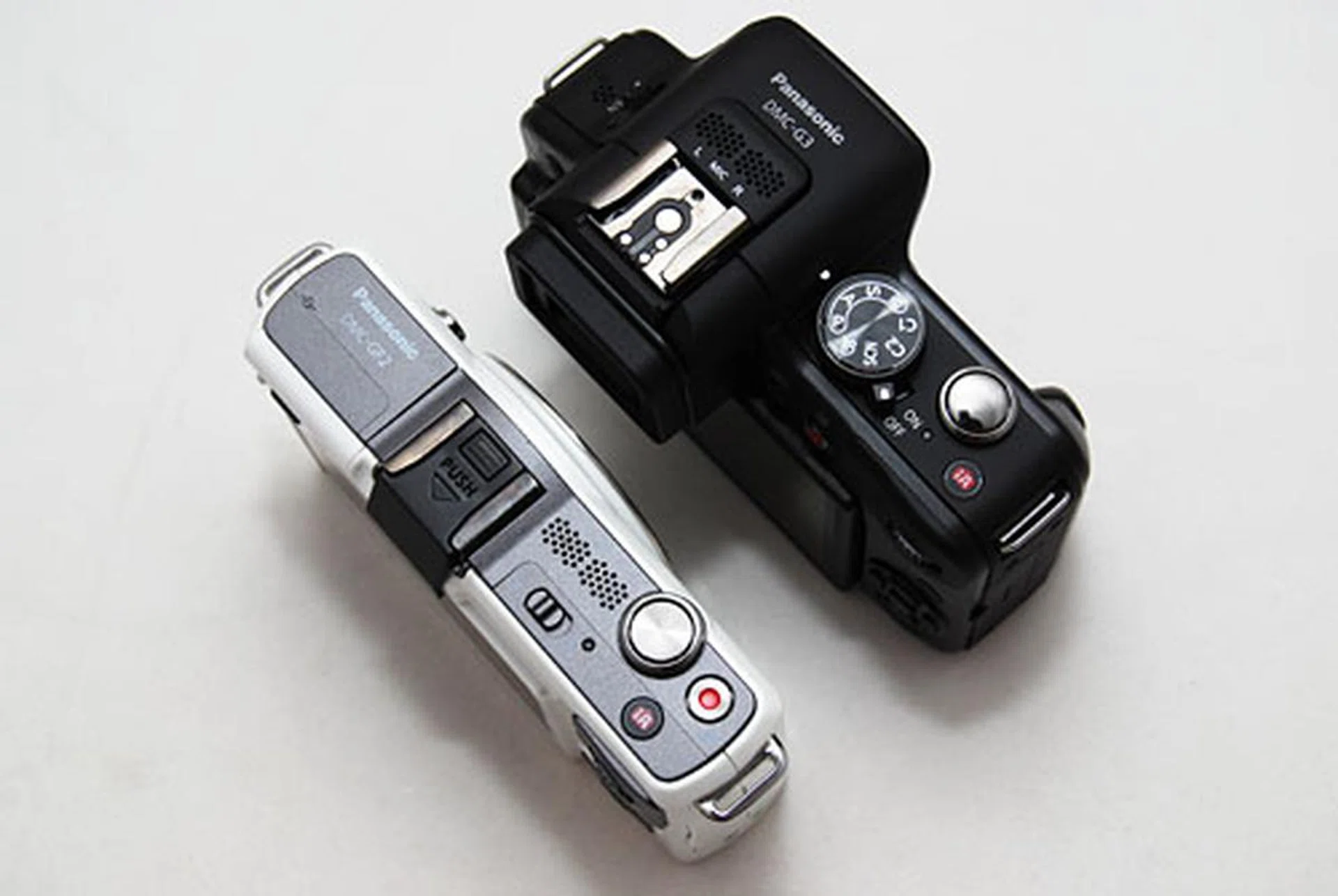
The top plate has less controls than the GH2, and you can see it was designed for simple usage like the GF2.
The top plate's controls have been drastically reduced from the G2, and that's one reason why the G3 is a smaller and lighter camera. The Mode dial has been retained, but simplified with less available modes. The Shooting Mode lever and AF Mode switches have been removed, most likely to save space; but the controls can still be accessed via the Quick Menu.
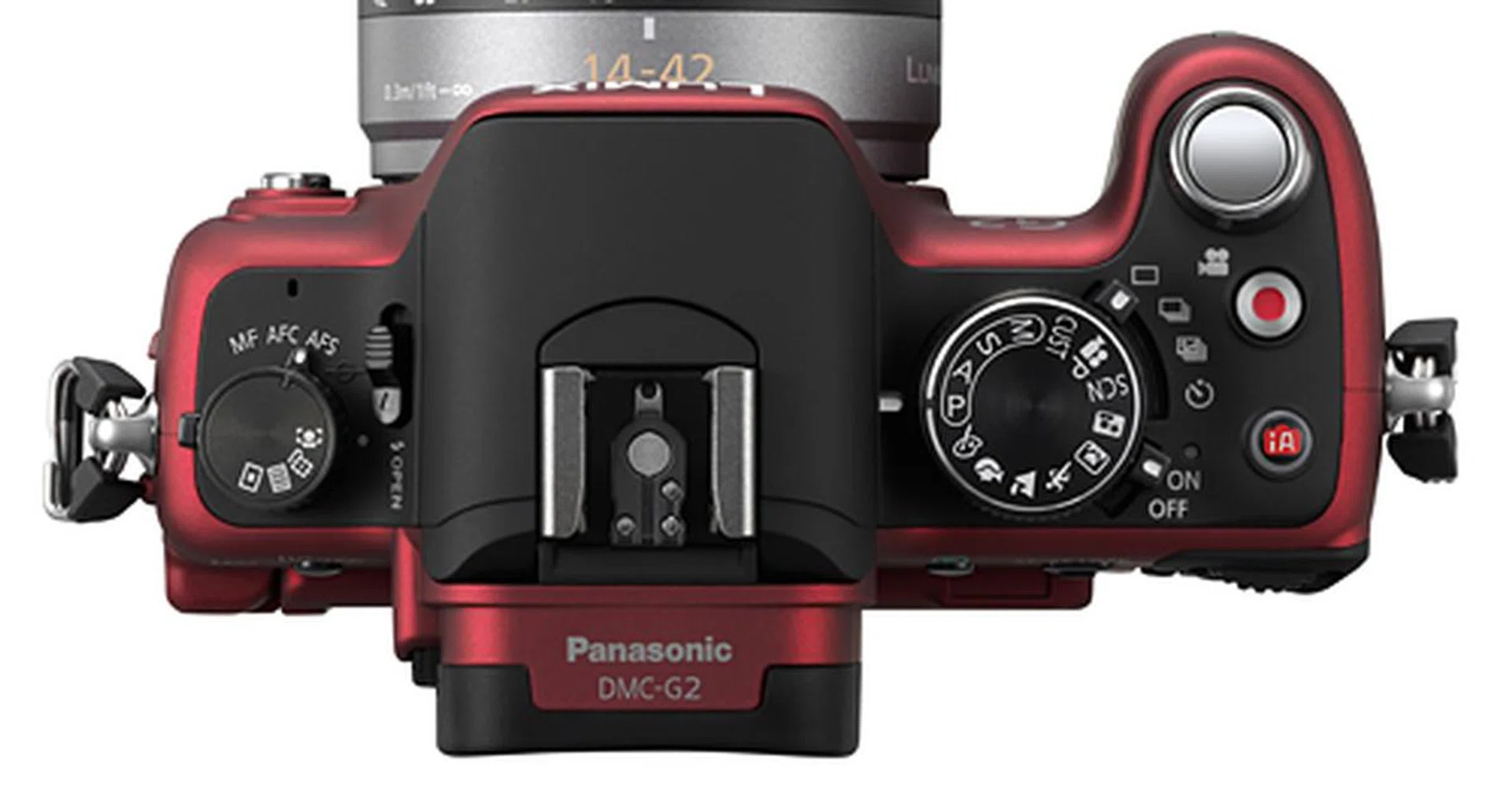
Here's a stock image of the G2 top plate. Many more controls were physically available, most of which have been stripped away in the G3.
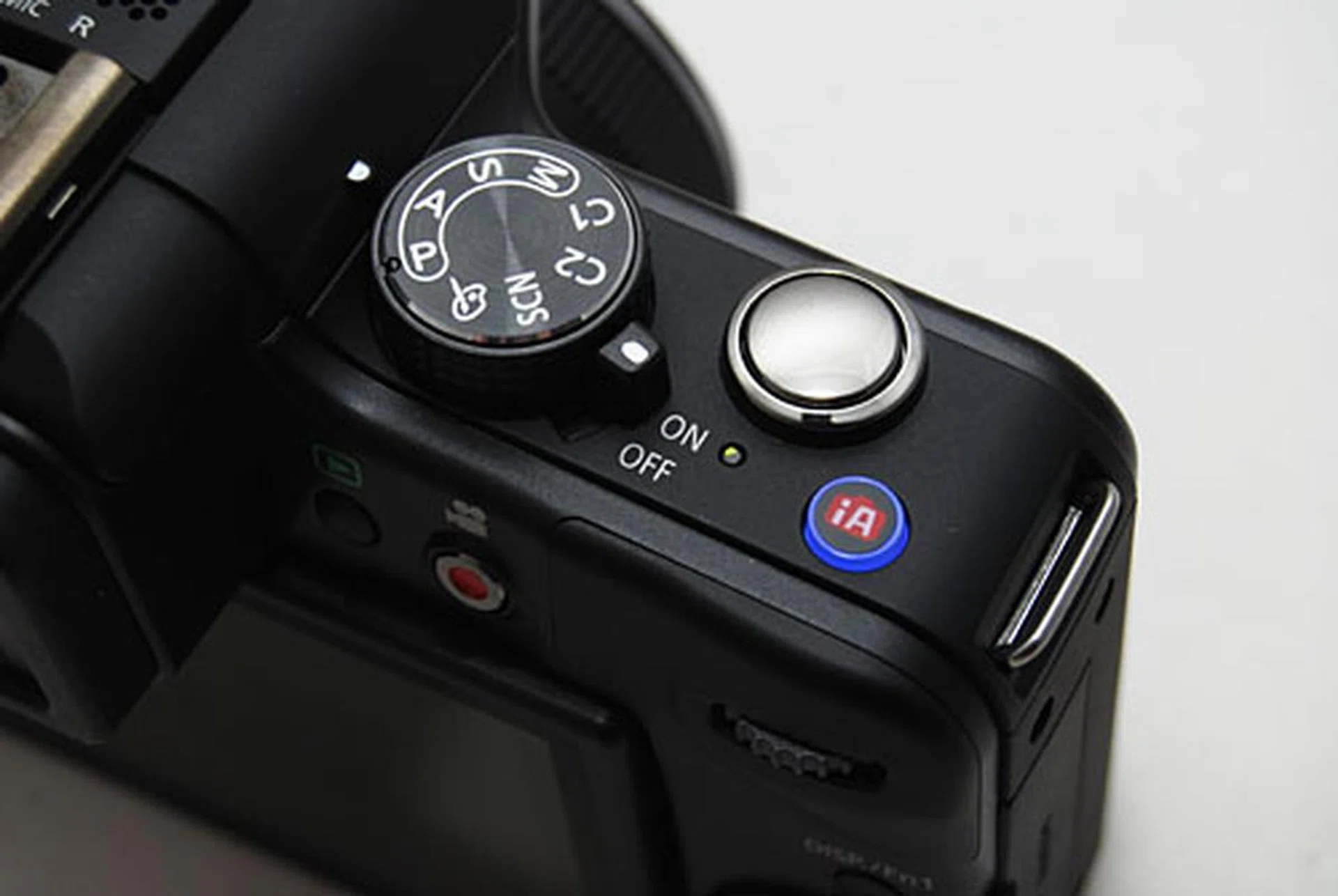
A close-up of the G3 for comparison. The helpful iA button is still there, but the Mode dial has been simplified and the video Record button has been shifted to the back.
As a result of the simplification, the video Record button has been moved from the top of the camera to the back. We prefer it on top, as it was easier to reach with the finger not straying too far from the shutter release button. On the back it can still be reached using your thumb, but it can be a bit of a stretch. The Play button next to the video Record button is also harder to reach, especially if you're reaching with your left hand, as it's hiding just beside the jutting viewfinder.
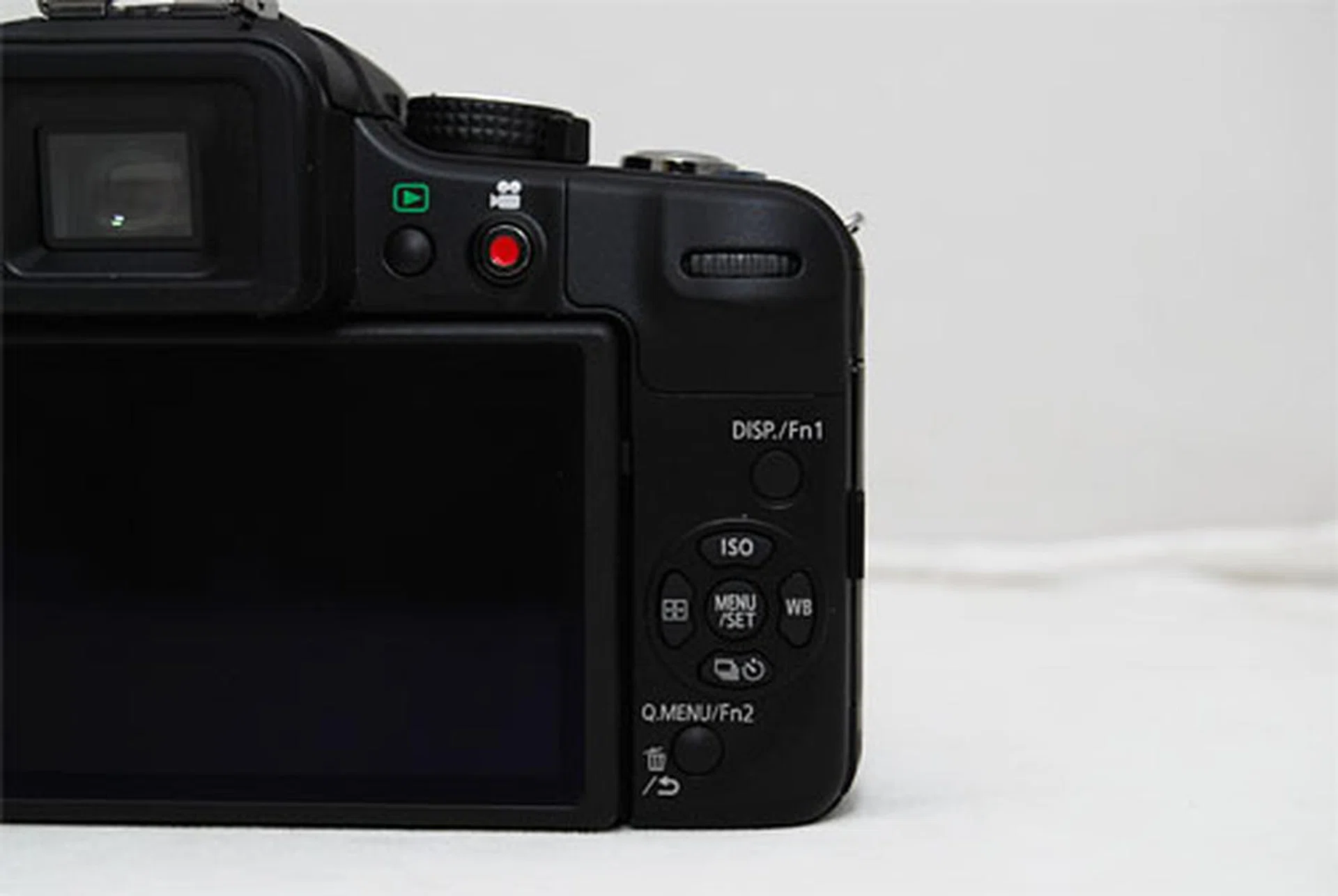
Now located on the back, the video Record and Play buttons are harder to reach.
The ever-useful iA (intelligent Auto) button is still there, and offers users a quick way to switch the camera to full auto mode. A brand new iA+ mode has been introduced, and lets you control aspects like depth of field, brightness and color. The camera shows a sliding scale when you press the control dial, with icons on either end illustrating the changes (the aperture and shutter speed changes are still displayed for more advanced users).
It's a useful change for when you want to take over aperture control in iA mode but don't want to keep going in and out of different modes. We do wonder if users will be confused as to why there needs to be two automatic modes, instead of just a unified option.
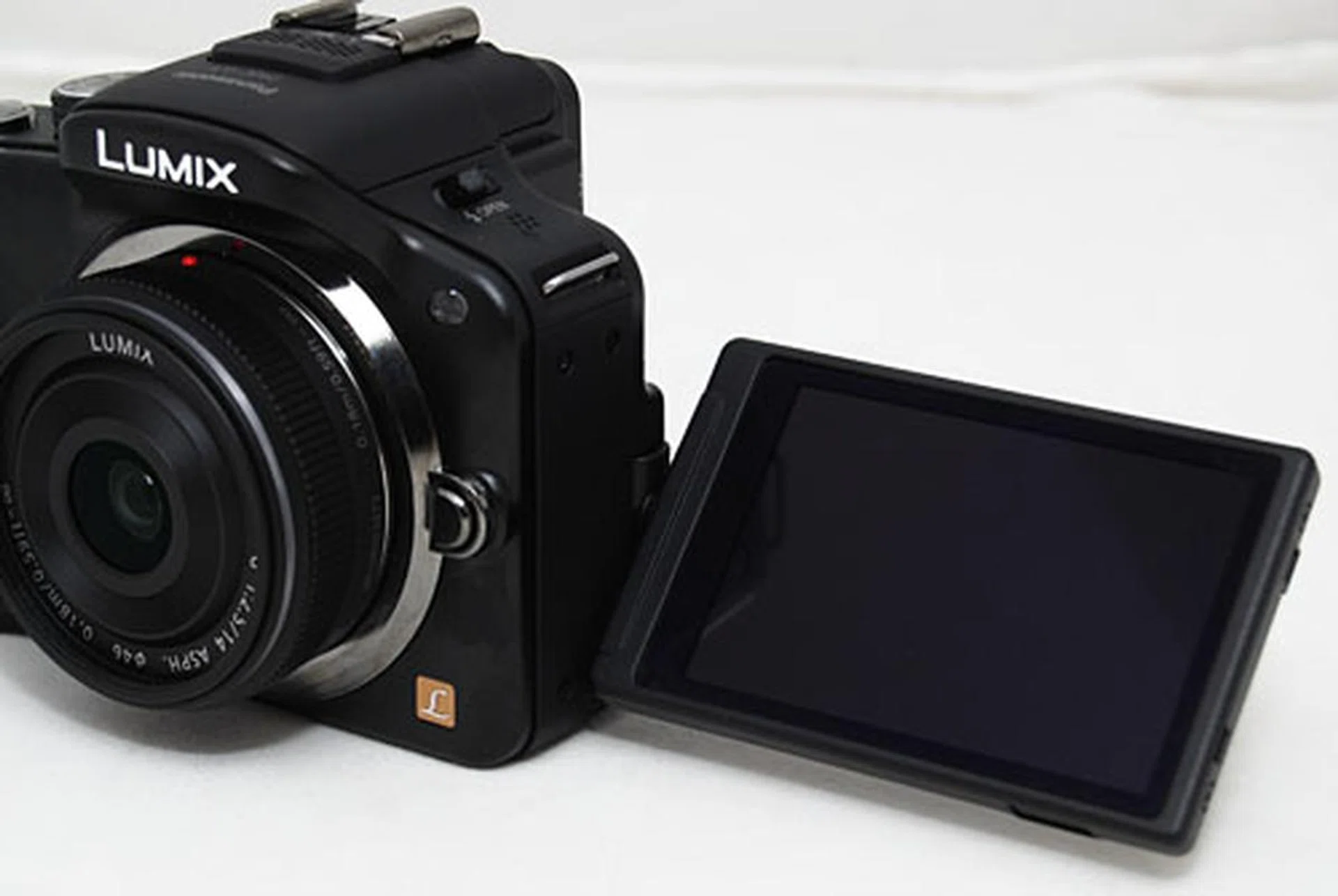
Like the G2, the G3 comes with a swivel LCD screen.
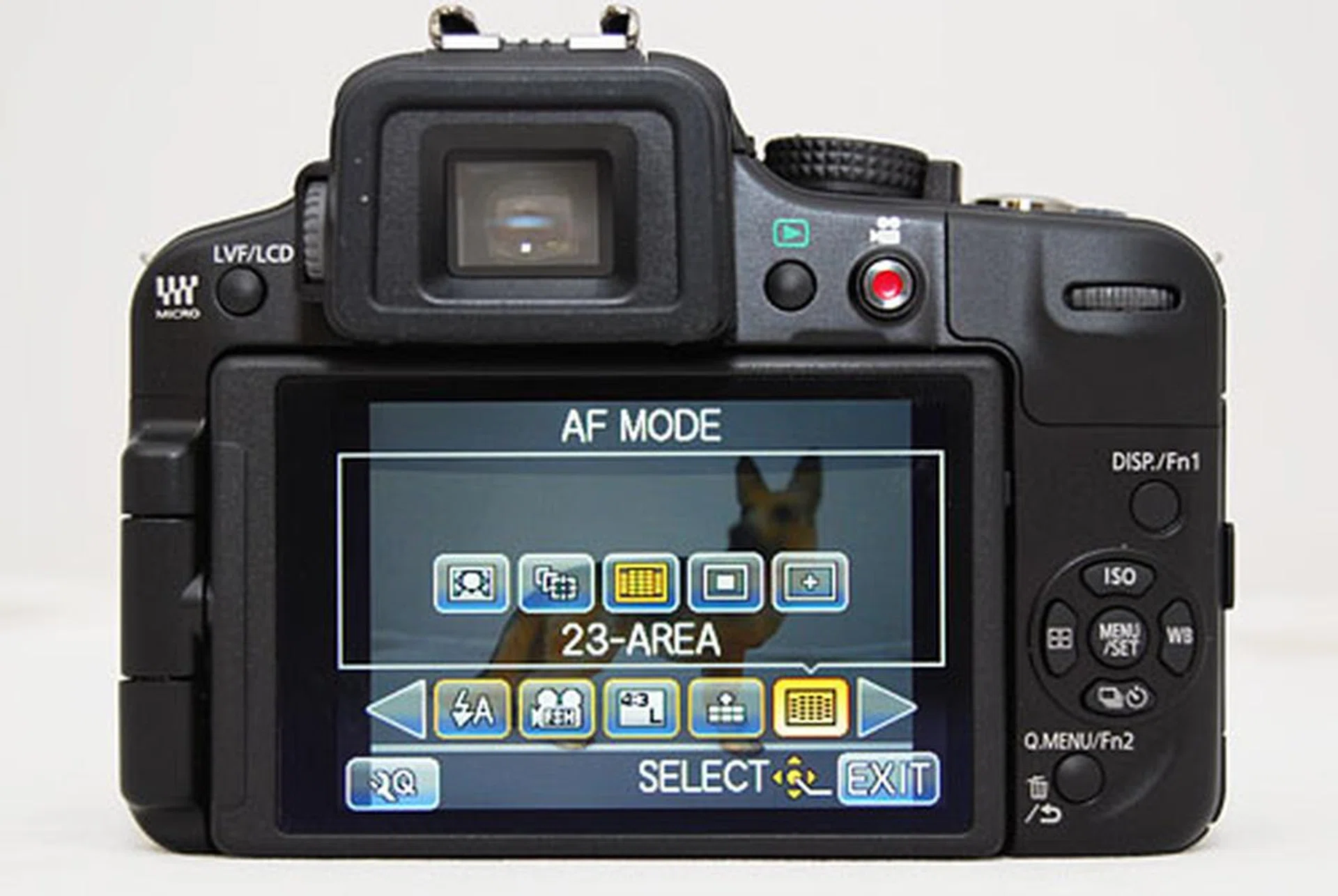
The Quick Menu overlays are a particular favorite of ours. With the touch of a button, you can quickly gain access to essential controls, which you can navigate using the d-pad or via touching on the screen.
Image Performance
We're happy to report that the Panasonic G3 delivers some of the best looking images from a Micro Four Thirds camera yet, thanks to that brand new 16MP sensor inside of it. Image quality has noticeably improved over the G2, with better ISO performance.
Images are clean up to ISO800, and ISO1600 is looking better than ever. Even at ISO3200 noise is fine and well controlled, while ISO6400 is a mess (as usual). We wouldn't go hopping to ISO3200 often, but the G3 offers a better looking last ditch solution at ISO3200 this time than on the G2, at which the same setting was unusable.
Even though the G3 was released at the same time as the GF3, both with new 16MP sensors, they are - surprisingly - not the same sensor. In fact, the G3 delivers cleaner images at higher ISOs from ISO1600 to ISO3200 than the GF3. The G3 even delivers crisper images at ISO3200 than the older, but higher-end GH2, which was a pleasant surprise to us (the GH2 still smokes the G3 in its video capabilities).
The G3 returns a high 20-2200LPH horizontal and vertical resolution, which looks slightly more refined than the results we had from the GH2 and GF3. Colors tend to be rendered a little cooler, and the camera tends to underexposure under challenging lighting conditions. But you can always override exposure, even in automatic mode now with iA+. The ability to tap to focus is a real pleasure and helps immensely in those rare moments when auto-focus struggles.
Below are 100% crops of our test scenes. Click for the full-resolution images.

ISO160

ISO200

ISO400

ISO800

ISO1600

ISO3200

ISO6400
Sample Photographs
These are sample photographs shot with the Panasonic Lumix G3. The photos have not been post-processed and are copyright to SPH Magazines. They are provided for your reference only and we ask that you do not reproduce them elsewhere. Click for the full-resolution images.

f/3.5 at 28mm (35mm equivalent), 1/60 sec, ISO400.

f/5.6 at 84mm (35mm equivalent), 1/80 sec, ISO400.

f/5.6 at 28mm (35mm equivalent), 1/40 sec, ISO3200.

f/1.4 at 50mm (35mm equivalent), 1/30 sec, ISO800.

f/1.4 at 50mm (35mm equivalent), 1/2000 sec, ISO6400.

f/1.4 at 50mm (35mm equivalent), 1/1300 sec, ISO3200.
Conclusion
From the physical changes made to the G3 in comparison to the G2, it's obvious that instead of a slimmed down GH2, the G3 is more like a beefed-up GF3. Whereas the G2 was friendly to the advanced beginner with more dedicated physical controls, the G3 is friendlier to the beginner, with less physical controls and a smaller, lighter body.
The G3 is a pleasure to use. Ease of use has been improved with the new iA+ mode, which now gives you manual exposure control in automatic mode. Not every camera manufacturer seems to pay enough attention to ease of use, and we applaud Panasonic for making it a key focal point in their camera designs.
The G3 also takes Micro Four Thirds' image quality to a whole new level. Not only are images looking clean and detailed, they retain low noise levels up to ISO1600, with ISO3200 significantly better than it was before (even better than on the GH2!).
Certain things could have been improved; the camera tends to lock up if you shoot multiple RAW files while it's writing to file (its specifications state it can shoot up to 7 RAW files in one go), and because it lacks an eye sensor there's no automatic switching between the LCD and viewfinder when you put your eye up to the EVF.
Also, be prepared to pack an extra battery or charger if you're going away on a trip with the G3. We took it out for a day and a half for occasional shooting and it dropped to a single bar by the end of the trip. The battery life is rated for 250-270 shots, low when compared with the G2 (340-390 shots), the GH2 (320-340 shots) and even the GF3 (320-340 shots). For us, this was the most disappointing aspect of using the G3.
The G3 occupies an interesting place in the G-series family. With its simplification, its target market becomes more obvious, encroaching less on GH territory and more on GF ground. It has become more like the , which was an early model even more entry-level than the G1, but for which there was no eventual successor. It seems that the G3 has become the G10's spiritual, if not numeric, successor.
If you used to be a fan of the GF series before it became increasingly simpler with the GF3, you can think of the G3 as an improved GF1 with a viewfinder. It is also a more affordable alternative to the GH2, smaller, with better image quality but less video capabilities (there's no audio jack for an external microphone, for example) and less physical controls. (For comparison's sake, the G3 body alone costs S$899, S$1099 with the 14-42mm kit lens and S$1499 with two kit lenses; the 14-42mm & 45-200mm. The GH2 costs S$1599 with the 14-42mm kit lens, $2399 with the 14-140mm kit lens.)
The G3 will especially be interesting to DSLR users looking for a smaller camera, but still crave using a viewfinder to shoot instead of an LCD. Just remember to charge regularly or pack an extra battery.
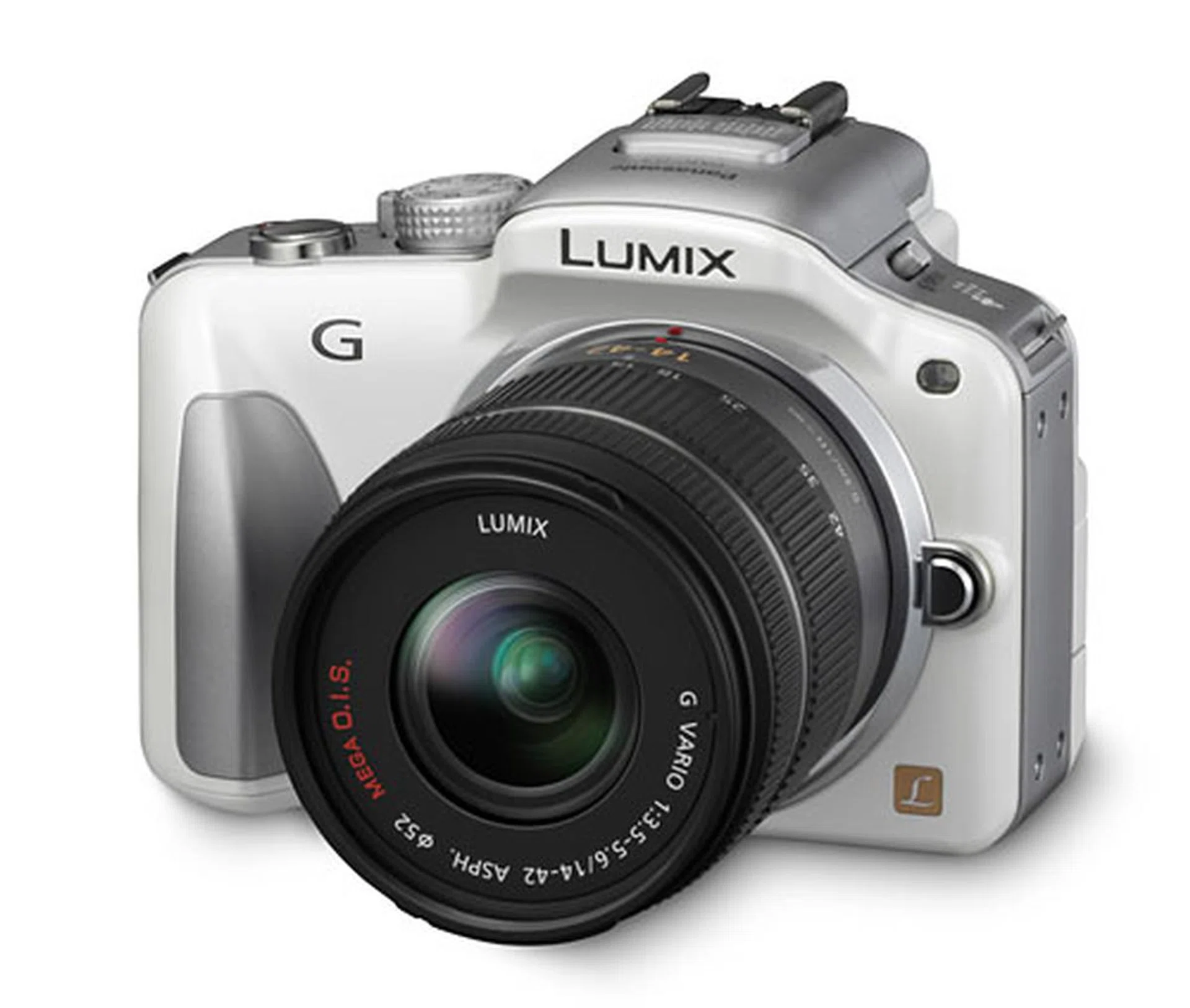
The DMC-G3 is available in black, red, white (shown here) and brown.
Our articles may contain affiliate links. If you buy through these links, we may earn a small commission.