
Razer Atheris review: A wireless mouse for the road
Razer made a mouse for both work and play with the Atheris. This compact mouse works in wireless mode only, and it features Razer's AFT technology for low-latency performance. Here's our verdict.

A mouse for work and play
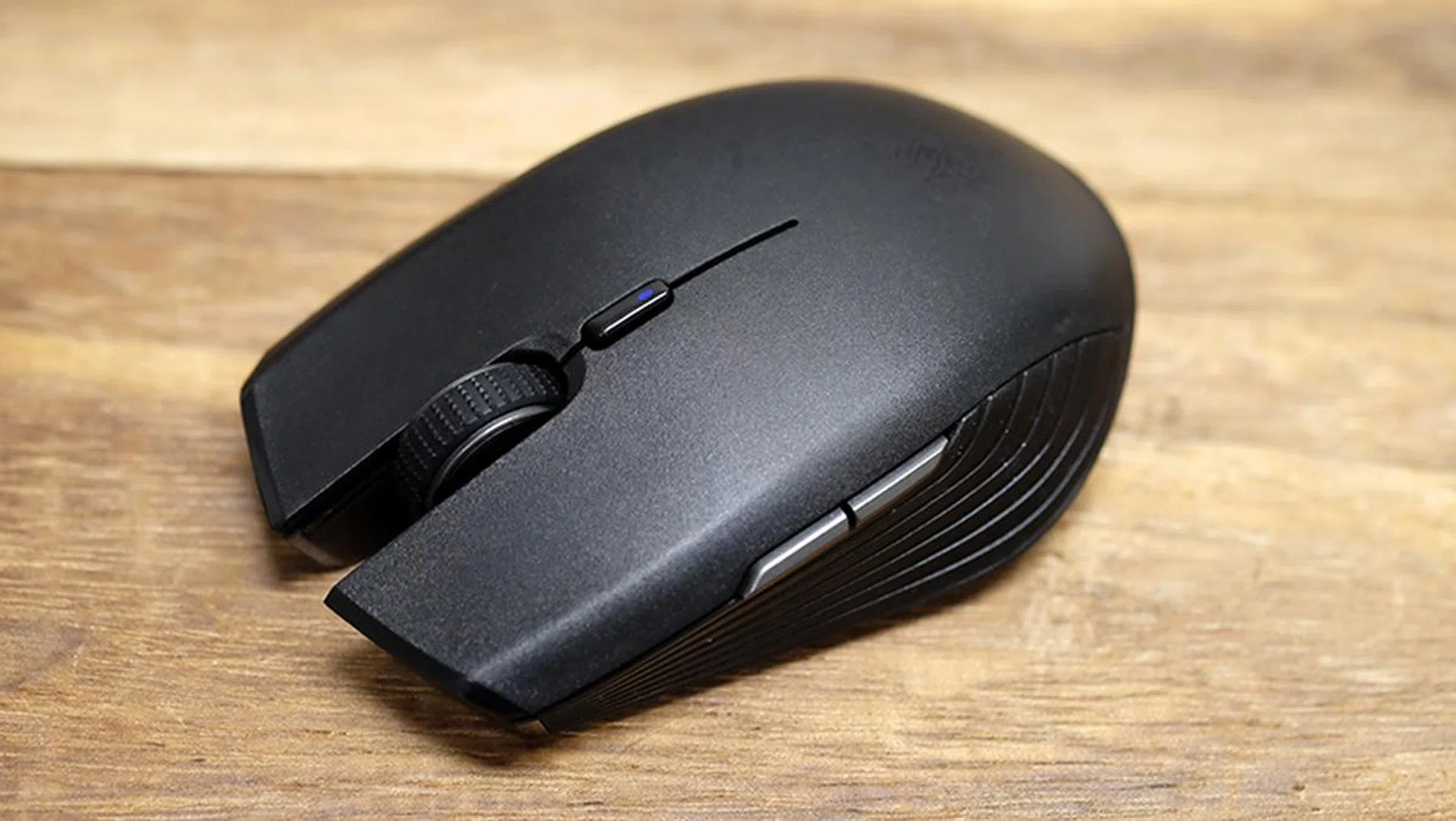
The Razer Atheris is a super compact mouse that you'd be comfortable traveling with.
Razer usually designs for the desk-bound gamer. From full-sized keyboards to Chroma-equipped wired mice, you’re not intended to take most of their gear on the road with you.
This makes the Razer Atheris somewhat of a pleasant surprise, and aside from the Orochi, this might be the only other mouse Razer crafted for the mobile road warrior. Furthermore, it is only the second mouse to feature Razer’s new Adaptive Frequency Technology (AFT), but it crams that technology’s excellent wireless performance into a diminutive body that you can easily take with you to meetings or on a business trip.
In fact, this may be one of the most practical mice Razer has churned out in recent times, and that’s saying a lot for a company that has deemed it fit to make a mousepad with customizable LEDs.
This is also one of the first things you’ll notice when you unbox the Atheris. Where are all the LEDs? The company’s signature Chroma lighting is absent, and even the triple-headed snake logo takes the form of a subtle etching on the main body.
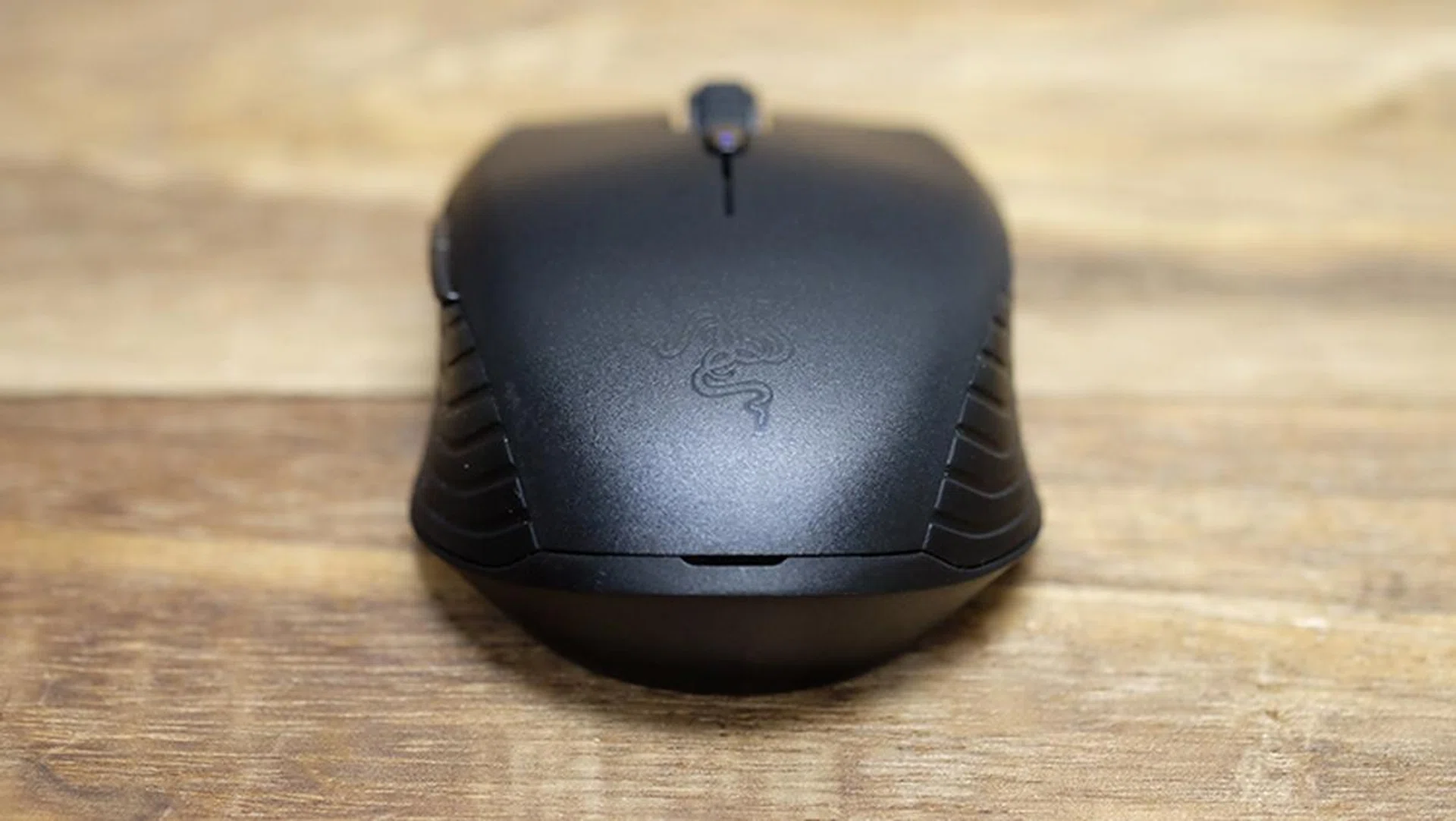
This snake doesn't glow.
There’s a very good reason for that, and the lack of illumination helps the Atheris conserve battery. Razer has singled out battery life as one of the key strengths of its new mobile wireless mouse, and it’s claiming up to 350 hours of continuous use – that’s just over two weeks – from a pair of AA batteries (which are helpfully included in the box).
That said, this only applies when the mouse is connected to your PC via Bluetooth LE, and Razer did not provide a number for when you’re connected using the wireless dongle.
The latter uses the 2.4GHz band and offers a low-latency wireless connection that is supposedly indistinguishable from a wired one, just like the Razer Lancehead, and the good news is that both mice perform quite admirably in this department.
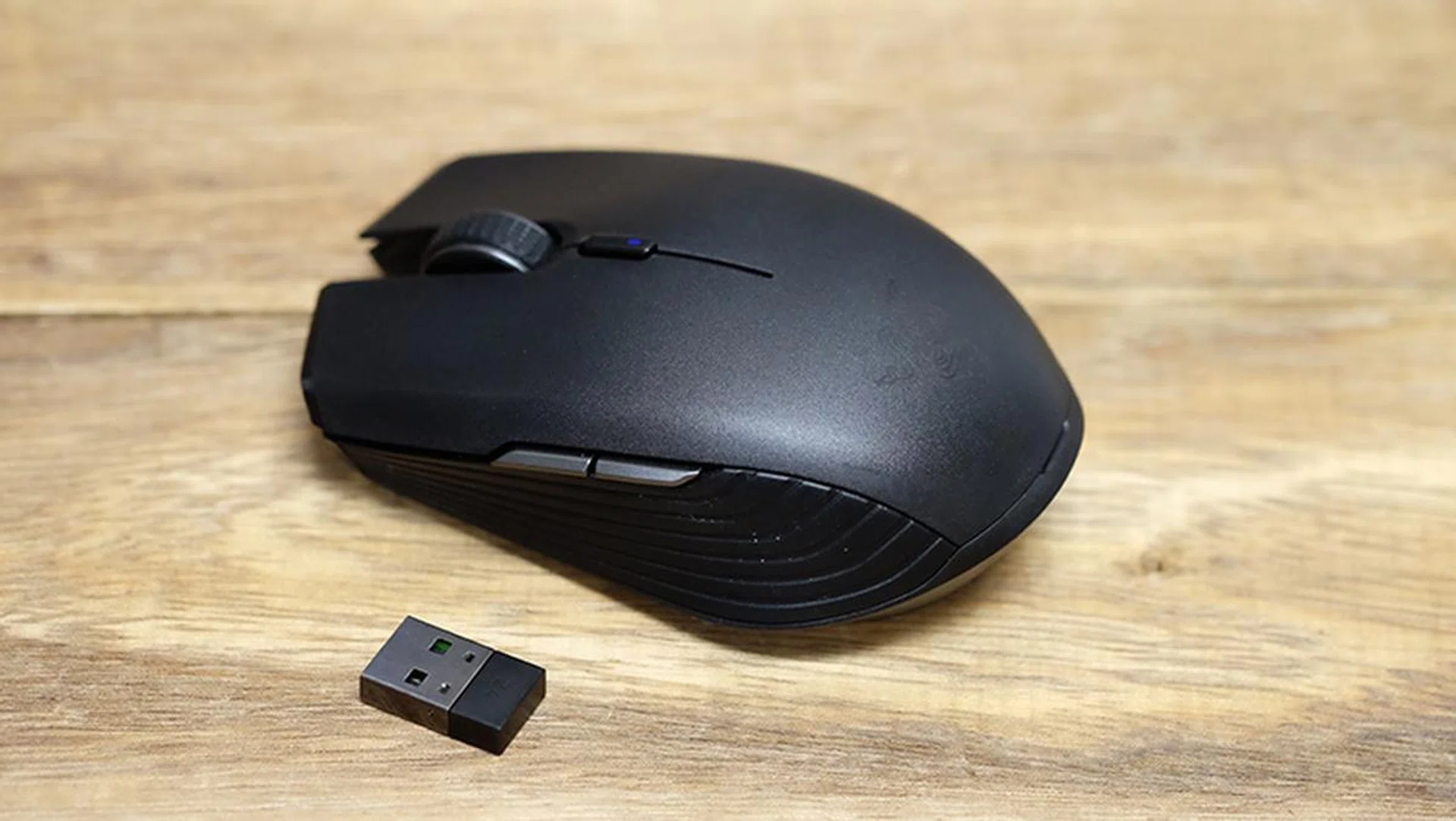
The wireless dongle isn't interchangeable with that of the Razer Lancehead.
AFT works by scanning the different frequencies hundreds of times a second and selects the one with the least interference.This ability to frequency hop helps ensure better transmission stability, in theory, and is what enables the mouse to keep transmitting reliably even in a crowded environment with multiple wireless devices. However, Razer says the Atheris only switches frequencies when it absolutely needs to, thus avoiding performance drops that can occur during this process.
Much to Razer’s credit, the Atheris is responsive and snappy when used with the dongle, and it’s this mode that will likely interest most people. Sure, Bluetooth offers more battery, but the potential for a lag-free experience is quite irresistible. Furthermore, you’re limited to just a 250Hz polling rate over Bluetooth.
Nevertheless, Bluetooth is more than sufficient for regular productivity tasks, and it can come in handy when you’re working with devices like the Surface Pro, which only have one USB 3.0 port. You’ll likely need that port for something else, so the Bluetooth connection can come in handy.
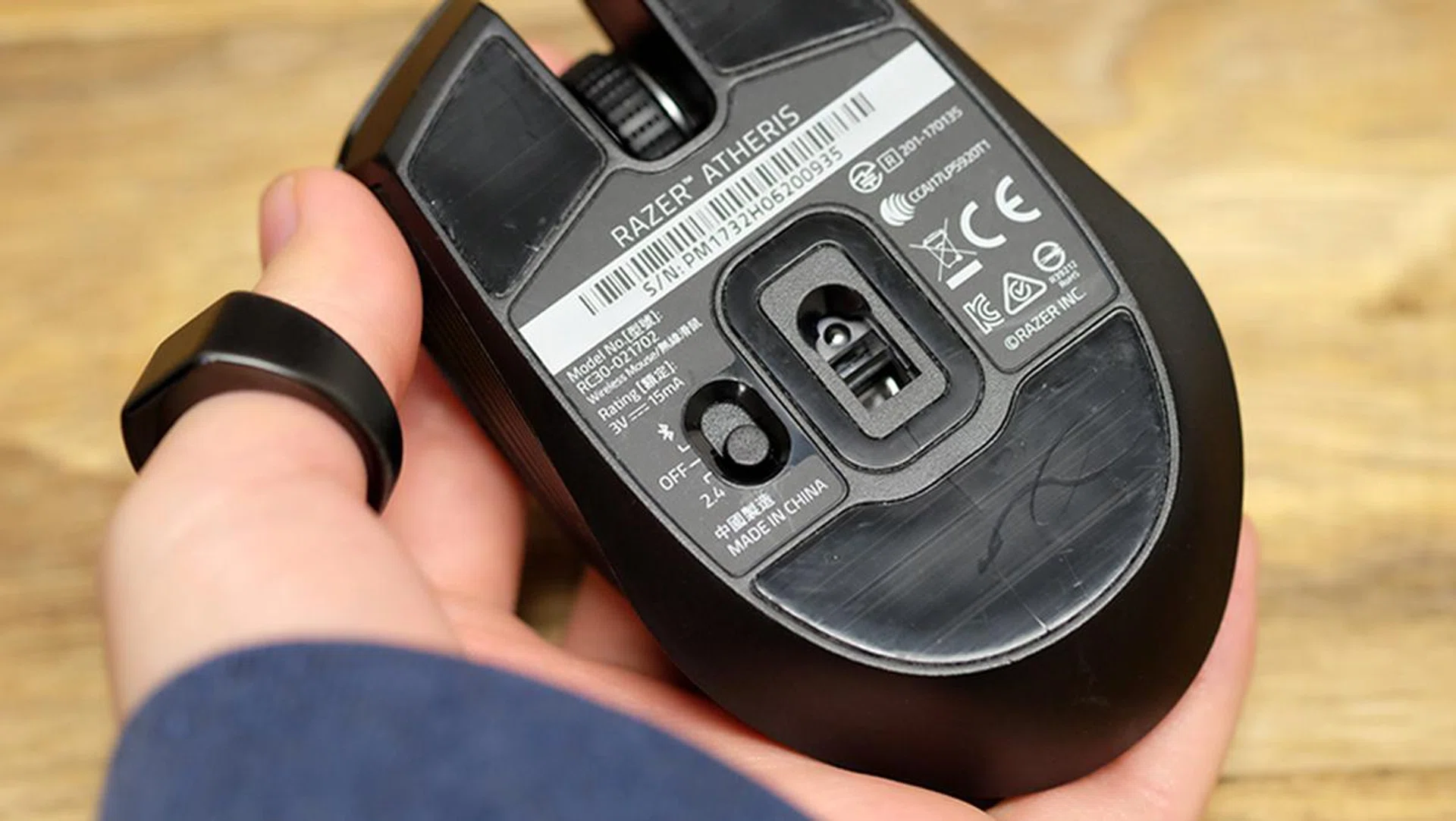
The switch at the bottom lets you easily switch between Bluetooth and 2.4GHz wireless modes. It's also how you power down the mouse.
Battery life proved freakishly good, even on the 2.4GHz connection and a 1,000Hz polling rate, and we were able to get through an entire work week on the mouse and then some. When the battery falls below 10 per cent – you can set the threshold anywhere from 3 to 10 per cent in Synapse 3 – an LED light on the DPI button will start blinking.
Here’s where it gets a little confusing though. The Atheris only works with Razer Synapse 3, the upcoming update to Synapse 2.0 that is still in beta, and the battery level indicator in that software took a perturbingly long time to go down from 100 per cent.
Either the Atheris has phenomenal longevity and literally sips power, or there are some bugs in the beta software to be ironed out. The software also reports varying battery levels, albeit within a few percentage points of each other, when the mouse is plugged into different machines. At the time of writing though, the Atheris is still going strong after a week of use at work – it's sitting at 90 per cent in Synapse 3 – and it seems like it still has plenty of juice left in it. That said, you'll probably see higher battery drain if you use it mostly for gaming.
Design and Features
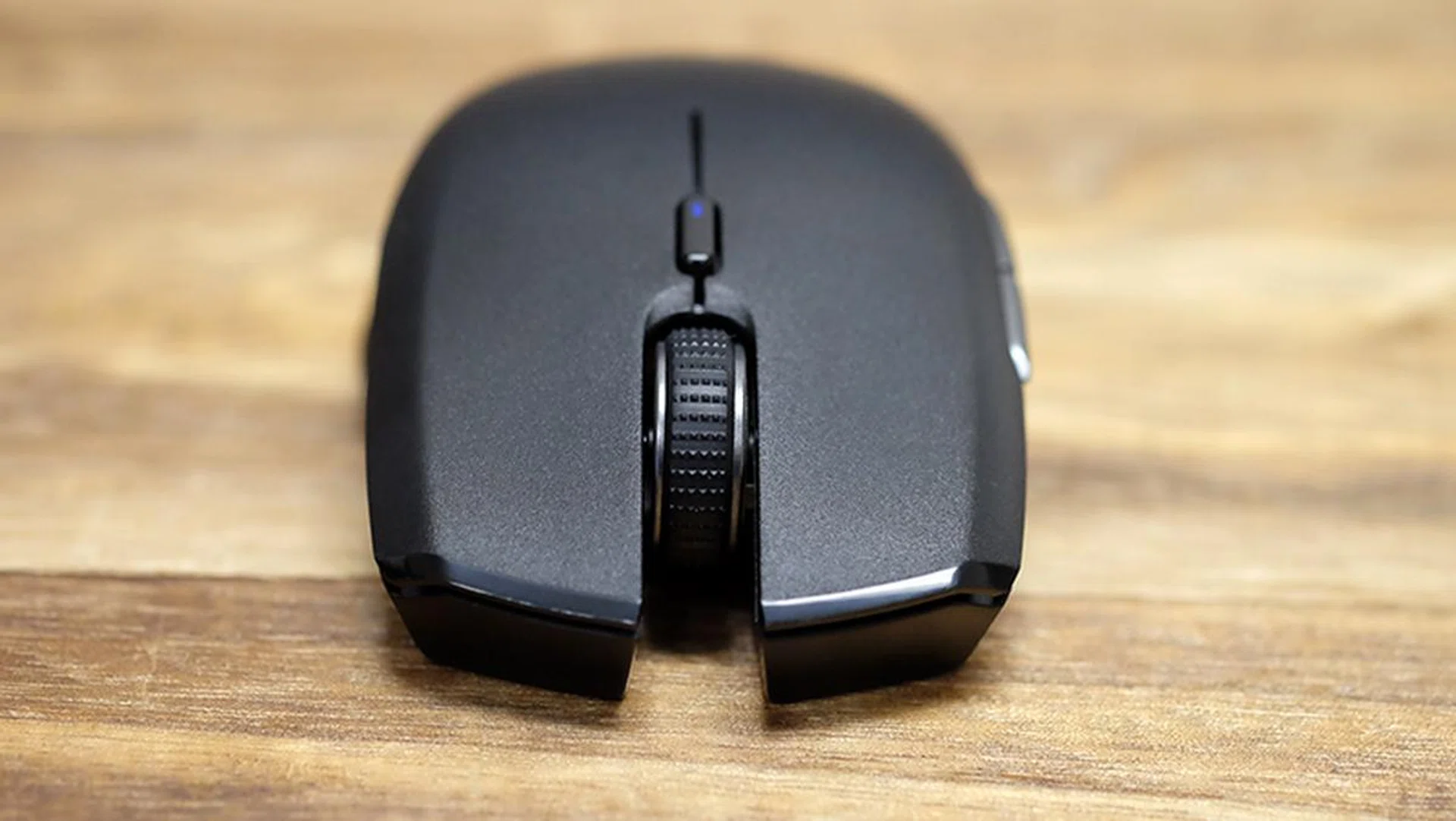
You can see here the blue LED on the DPI cycle button. This will blink when the battery is low.
Like the Lancehead, Razer has built in a convenient storage compartment for the dongle, an invaluable feature for a mouse intended to be used on the go. The main panel on the mouse’s body can be lifted up easily to reveal the battery compartment and a small slot for the dongle, and everything feels really robust and well put together.
The panel itself isn’t fidgety at all, and we really like how easy it is to remove and replace, and still feel super secure. Part of that is probably due to the magnets at the rear, which help guide it back into place and hold it down.
The Atheris is a tiny mouse, measuring just 99.7 x 62.8 x 34.1mm, which is really similar to the Orochi. It’s meant to be easy to pack up and stow away, which may be why Razer opted for a pair of AA batteries instead of an integrated, rechargeable power source. No rechargeable battery means no need for an additional charging cable, but it also takes away the option for wired mode.
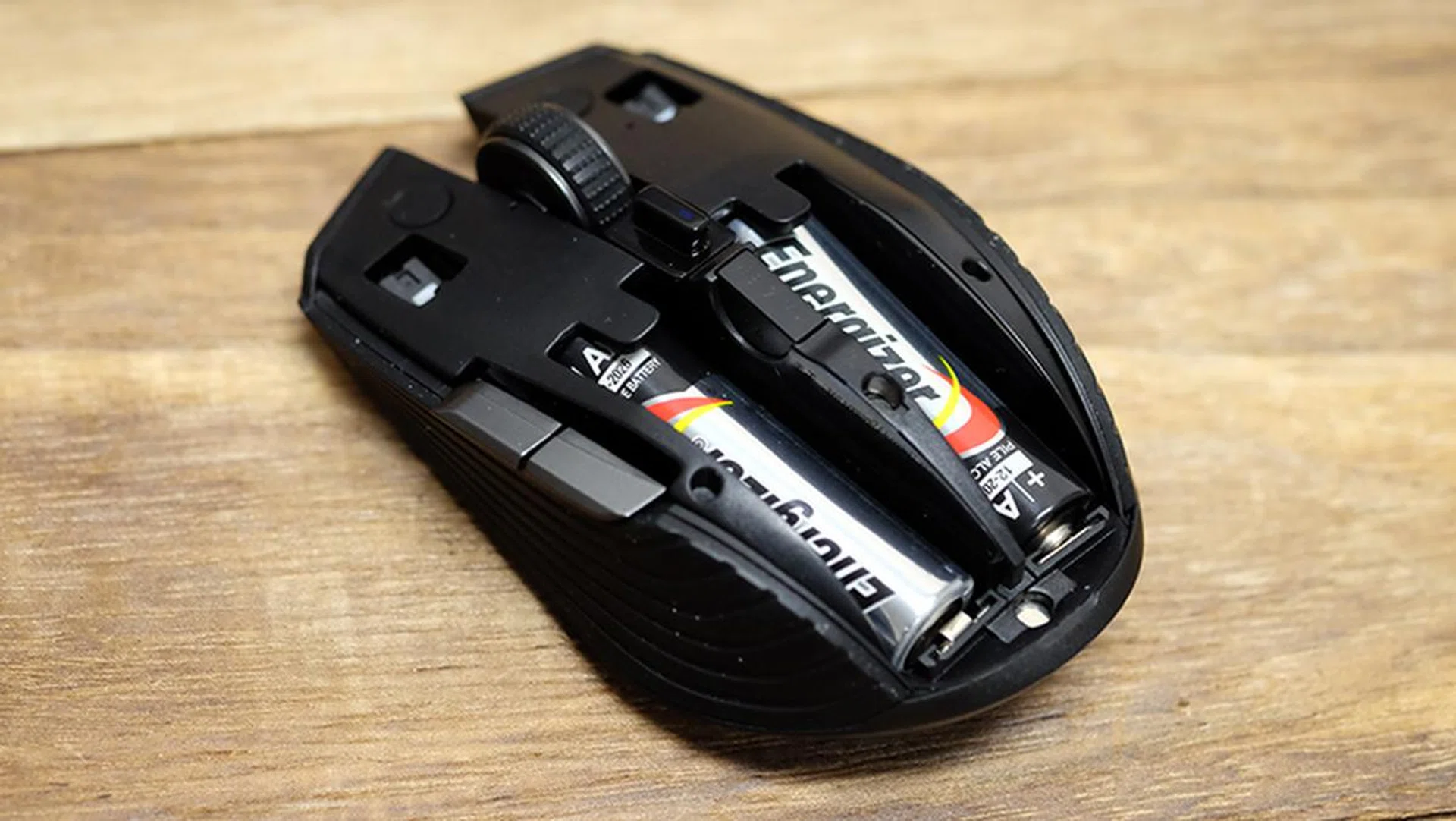
The wireless dongle slots neatly into the niche between the two AA batteries.
Some folks might also find it a bit troublesome to constantly have AA batteries on hand, but given the strong battery life, you probably won’t find yourself running to the store every other week. That said, if you do run out of batteries, the lack of a cable renders the mouse essentially useless.
The small size means that the mouse is best suited for claw or fingertip grips, so it’s not as accommodating as its larger siblings that have more space to work with. The Atheris is actually in a similar class as mice like the Logitech MX Anywhere 2S, except it comes with additional features to make it more suitable for gaming.
In fact, there are a couple of key features that we like on the Atheris that are missing on the MX Anywhere 2S – a place to stow the dongle in the mouse itself, and the presence of the middle-click on the scroll wheel. The Logitech has the ability to easily switch between multiple devices, but if you only plan to use the Atheris with your laptop, this can be overlooked.
The grooved rubber side grips are similar to the ones found on the Razer Lancehead, and they do their job of giving you a better grip quite well. The matte plastic surface feels nice as well, and it feels like it should hold up well under heavy use.
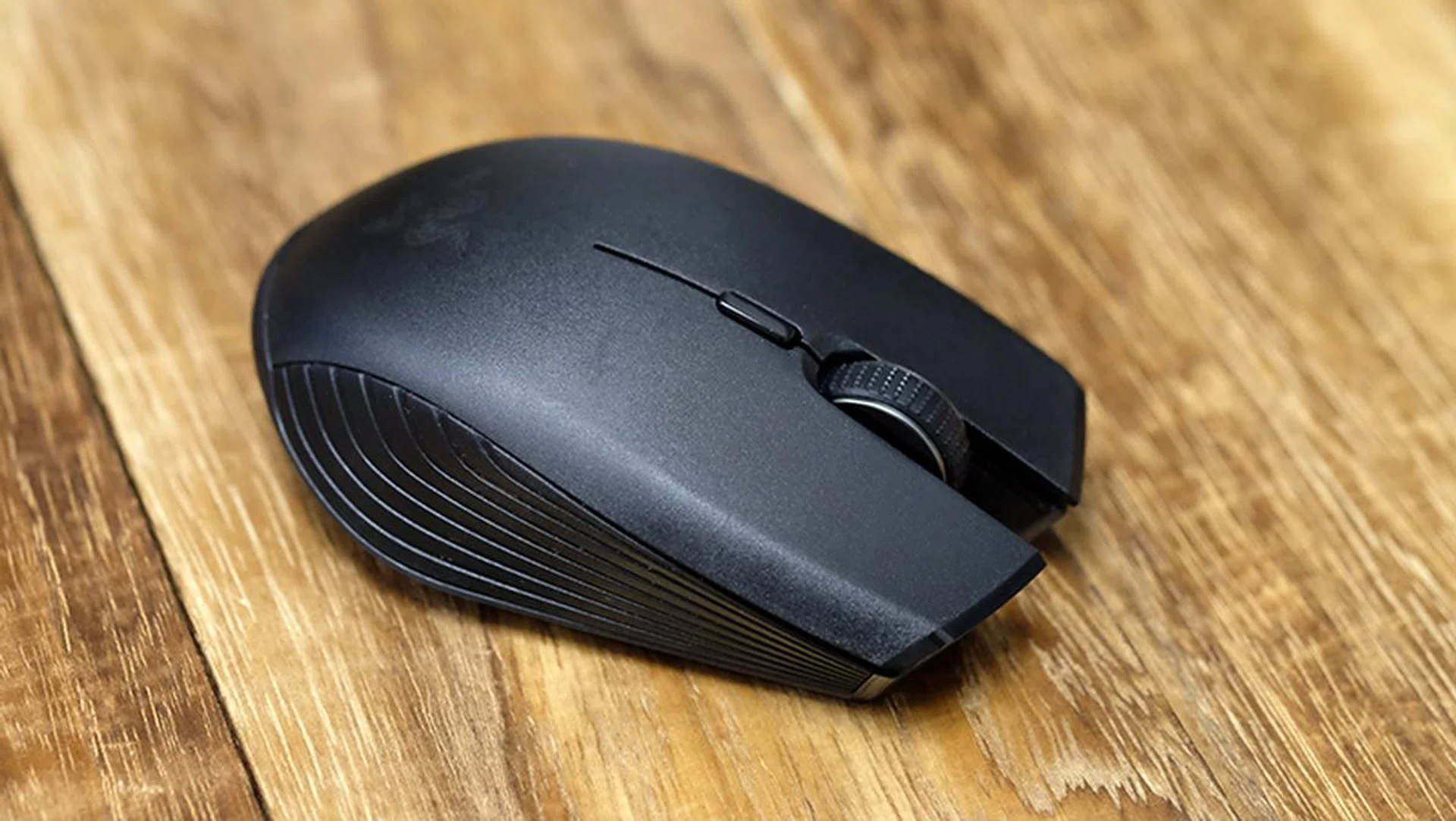
The rubber side grips take a leaf from the book of the Razer Lancehead.
It also features a very capable 7,200DPI optical sensor, a welcome choice over the laser sensor that Razer put in the Lancehead. Where tracking is concerned, the mouse performed as it should, and there was no noticeable acceleration or jitter. It weighs 66g without the pair of AA batteries, but the weight just about doubles once you add the batteries in, so this isn’t a light mouse.
You shouldn't expect to use it as your main gaming companion, and its size means it isn’t going to be that comfortable over long hours of gaming for most people (it's also super difficult to palm comfortably). It’s primarily a travel mouse, with the added bonus of enabling you to game on the side, but it fortunately manages these two seemingly conflicting use cases quite well.

The Razer Atheris looks small even beside the Logitech G Pro Gaming Mouse, a rather compact mouse in its own right.
The lift-off distance can be adjusted in the Synapse 3 software, but the lowest value worked fine for us. The software also lets you set up to five sensitivity stages, which you can cycle through using the button located below the scroll wheel. In addition, there are a total of five individually programmable buttons, so you can map various keyboard functions or app shortcuts to the different buttons.
Another new feature on Synapse 3 is support for Razer Hypershift, which is the company's version of things like Logitech's G-Shift or Roccat's Easy-Shift[+]. This essentially lets you hold down a pre-configured button to activate a second set of controls, effectively doubling the number of custom commands you have access to. There's no dedicated button for this on the Atheris, so if you want this feature, you'll have to bind it to one of the other buttons, such as the DPI cycling button.
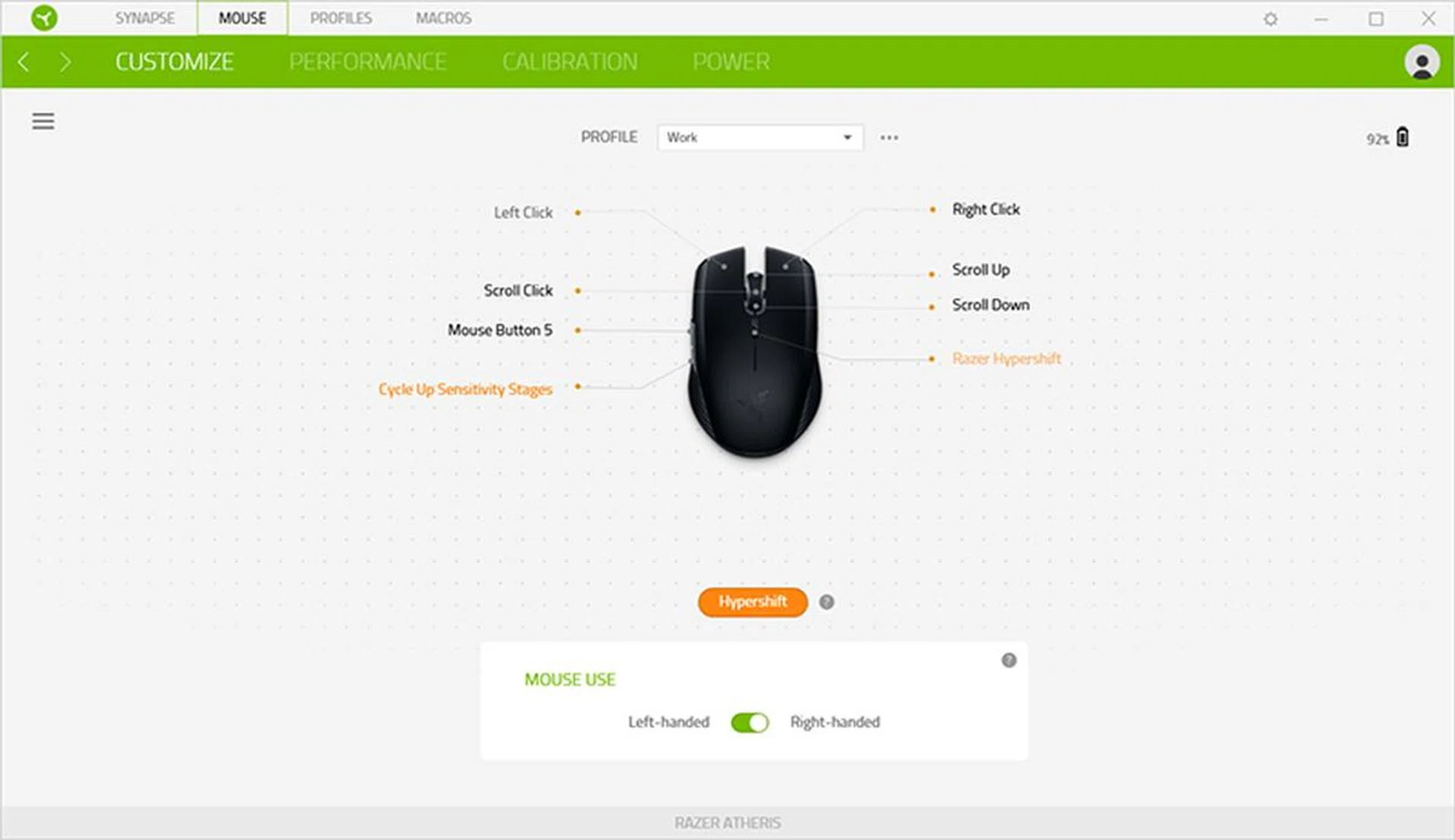
Hypershift lets you assign a second set of functions on top of existing commands.
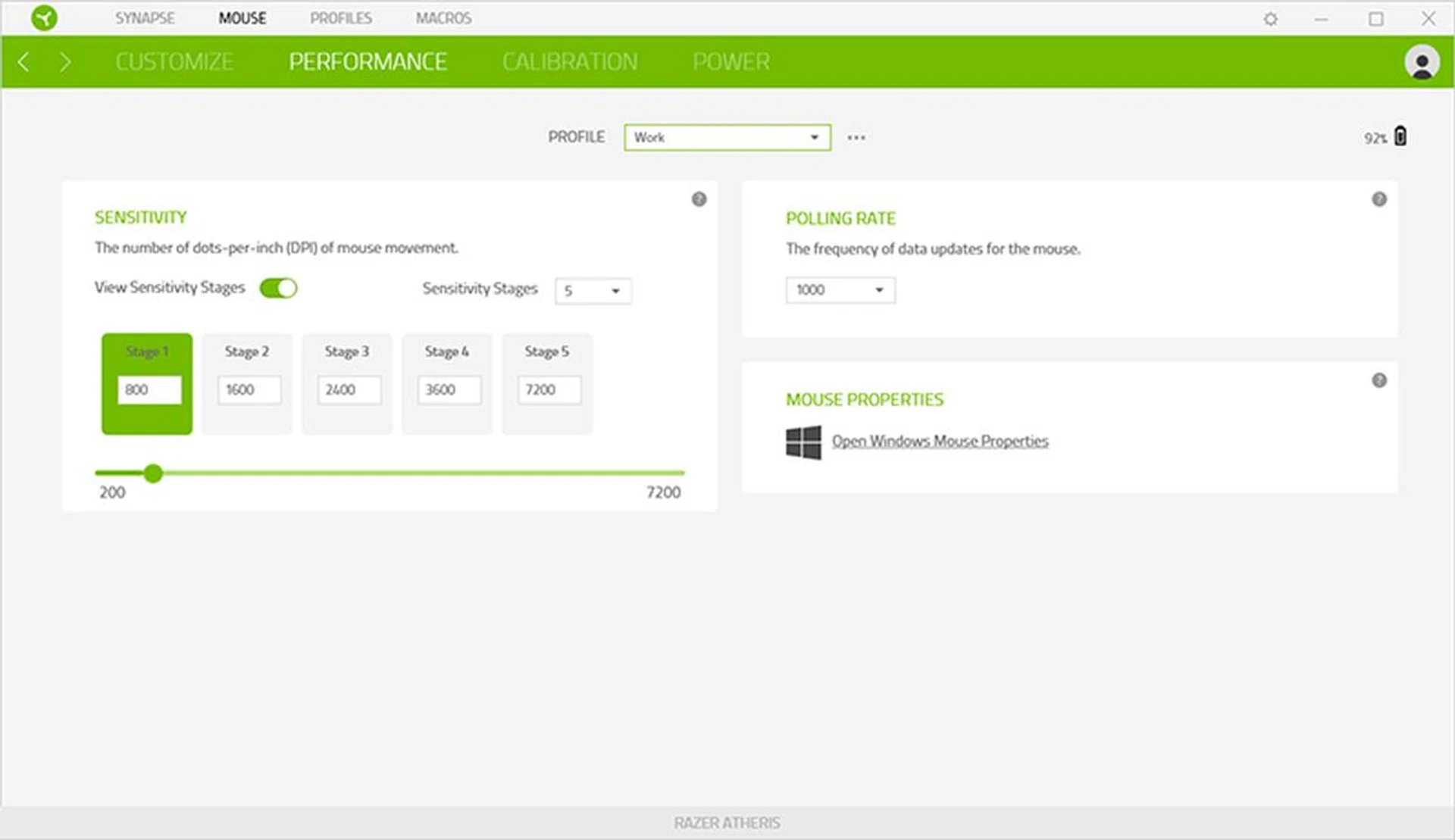
Synapse 3 features a completely refreshed interface.
And despite the ambidextrous shape, and the ability to switch between left- and right-handed modes in Synapse 3, this is still a right-handed mouse at heart. The forward and back buttons are located only on the left, so lefties will have a hard time accessing them. That said, the buttons feel nice and springy, which isn’t exactly a given on a mouse this size.
Finally, our initial impression of the scroll wheel was that it felt stiffer than average, but after some getting used to, it became easy to appreciate the clearly defined notches to it.
Conclusion
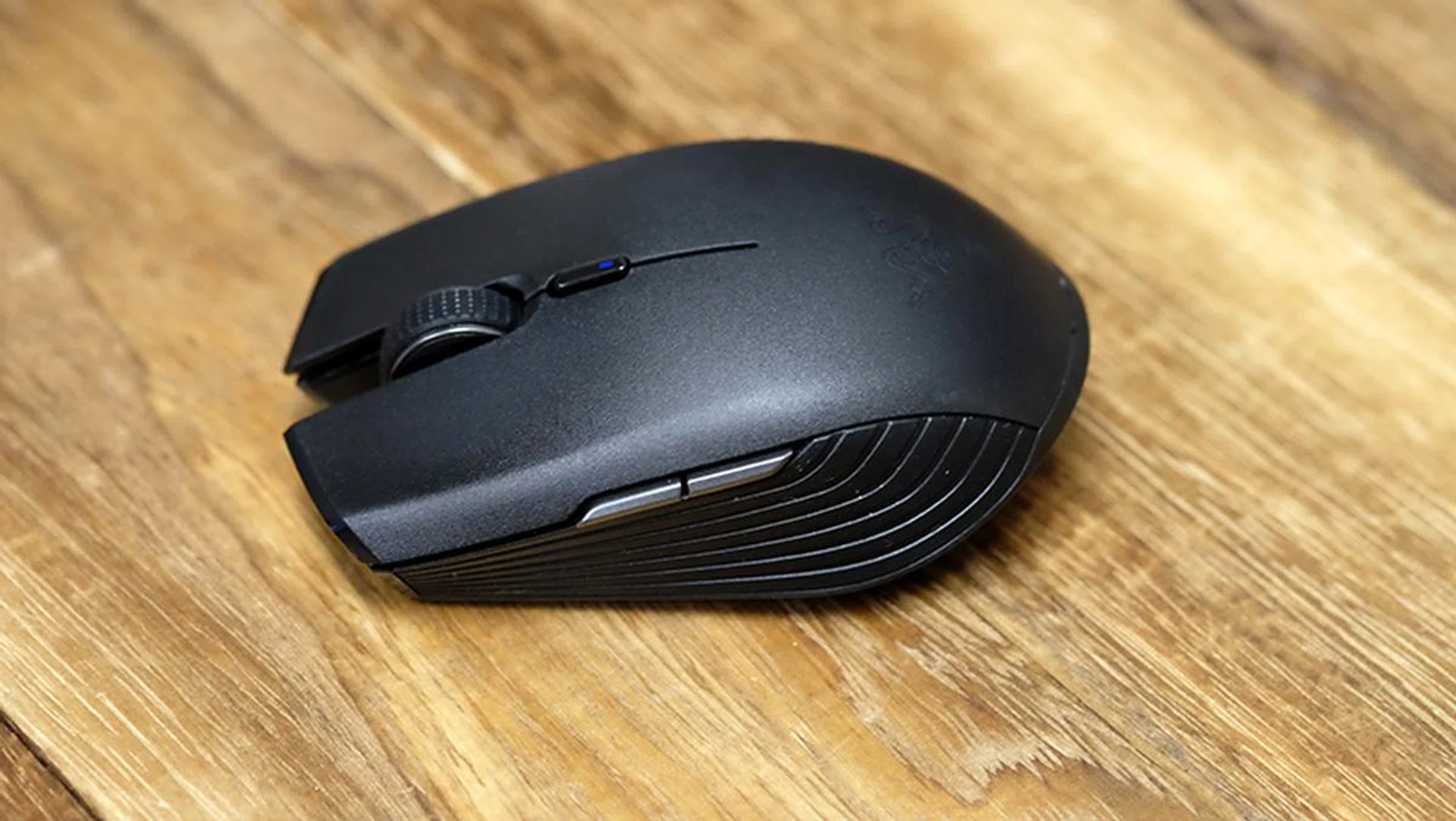
This is one very capable and tiny mouse.
Razer has checked most of the boxes when it comes to creating the ideal mouse for your notebook. It’s small and compact, but comes with the full complement of features.
Build quality also feels solid, so you don’t feel like you’re missing out on much. Sure, folks with larger hands might have a harder time with it, but that’s an inevitable trade-off of making it more portable.
There are some bugs in the Synapse 3 beta software that need to be fixed, but that aside, there’s little to dislike about the Atheris with its long battery life and attractive design.
It costs S$84.90, which is a fairly reasonable price, all things considered. It lacks the multi-surface tracking of the darkfield laser on the S$129 Logitech MX Anywhere 2S, a huge boon for a travel mouse, but it’s also a lot cheaper, and you can even get a few games in with it.
Our articles may contain affiliate links. If you buy through these links, we may earn a small commission.