
Panasonic Lumix DMC-GX1 - A Top Still Photography Companion
The Panasonic GX1 is the successor to the popular GF1. It's been a long two-year wait for this camera, and we're eager to see if this is the Micro Four Thirds camera to get for Christmas.

Introduction
In late 2009, Panasonic released the Lumix GF1, which turned out to be a wildly popular camera. Panasonic subsequently released the GF2 in late 2010 and the GF3 in June 2011. Even today, you can still find owners praising their two-year old GF1s and recommending it to others. Why?
Besides the fact that the GF1 was a great little camera, Panasonic took the GF line in a different direction with the GF series, dropping the physical controls which enthusiasts desire in favor of a touch-screen and smaller body sizes. We appreciated the new GF models for what they were - easier to use and easier to carry cameras for the everyday user. But it wasn't what the people who loved the GF1 were clamoring for.
Five months ago, a new hope appeared when Panasonic’s Director of DSC Business unit Ichiro Kitao revealed that they had plans to split the GF series into two separate lines; and release a GF camera for the more experienced photographer. Rumors abounded of a 'GF Pro', and the GF1 faithful saw a light at the end of the tunnel.
From GF1 to GX1: More Pixels, Faster Shooting Speeds & New Controls
What Panasonic has released isn't named the GF Pro or the GF4, but a new GX series. The GX1 comes with a 16MP Live MOS sensor, which Panasonic says is brand new, and not the sensor found in the G3. The high-speed Venus engine promises quick AF speeds of 0.09 seconds, slightly faster than the G3 and GF3's already quick AF speeds of 0.1 seconds. It shoots up to 4.2 frames per second at full resolution, and 1920 x 1080 pixels full HD video with stereo sound. The touch-screen introduced in the GF2 remains, with a new feature called the Touch Tab.
Battery life is shorter than the GF1 though (based on official specs), which was rated good for 350-380 shots at full charge, while the GX1's battery is rated to last 300-340 shots (to Panasonic's credit, the GX1 has approximately 11% longer battery life compared to the G3 which uses the same battery). The GX1 and the GF1 have similar dimensions; the GX1 is slightly smaller by about 3mm on each side, and lighter than the GF1 by about 13g. The GX1 includes even more physical controls than the GF1; the physical Mode dial, which went missing on the GF2 and GF3, makes a comeback with two Custom modes.
These are impressive specs, but does the GX1 measure up to the expectations laid down by the success of the GF1? Is the wait for a spiritual successor to the GF1 finally over? Or has it been too long, and has the GX1 appeared too late? We delve deeper in the following pages to show you what the new GX1 can achieve.
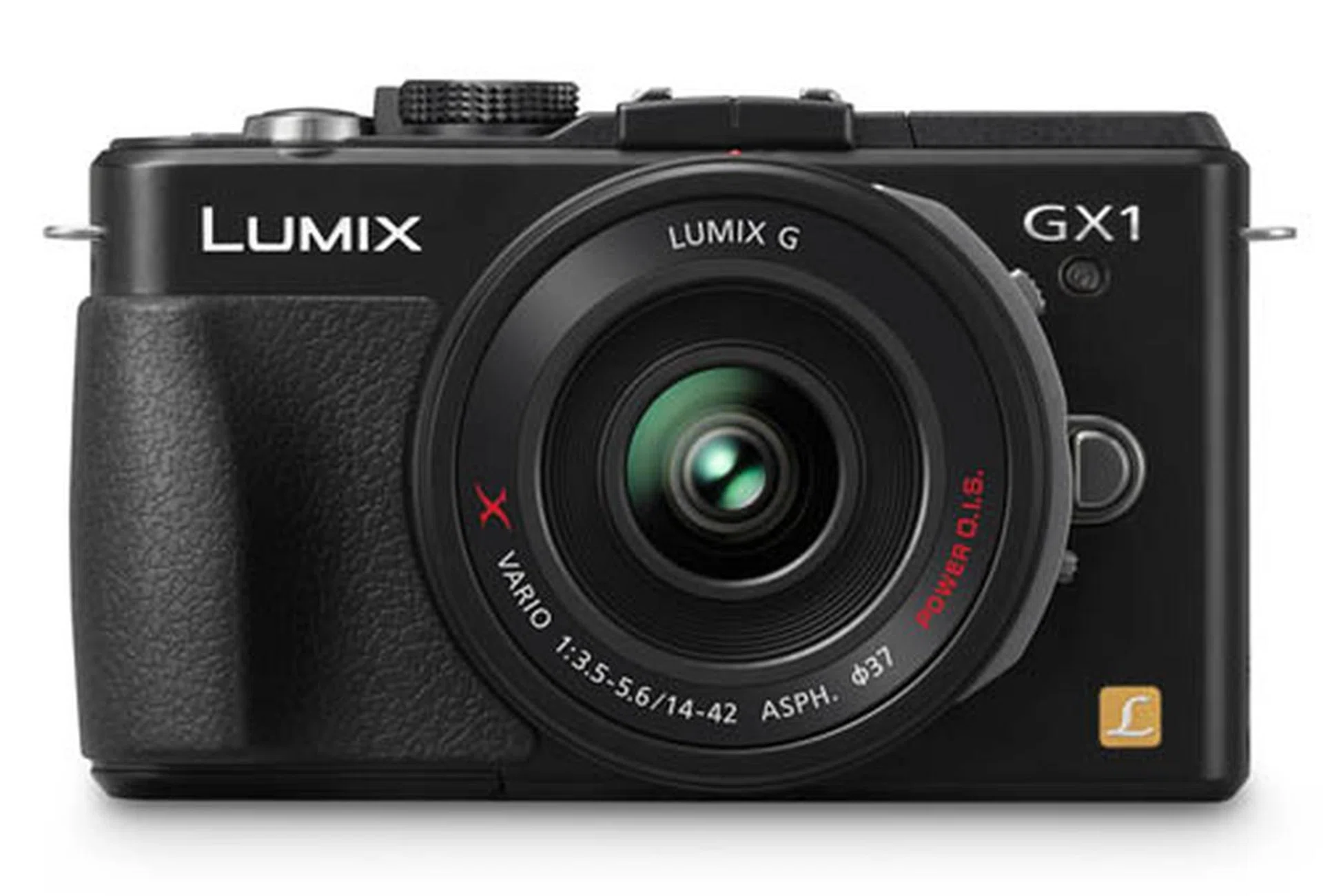

Panasonic's Lumix GX1 Introduction Video

Design & Handling - Part 1
The Lumix GX1 isn't going to win any awards for its good looks, but then again, being good-looking isn't what it's designed for. It comes in two colors, black and silver. While the silver body looks more sophisticated with the two-tone contrast playing between the silver body and the black grip, the white text on the silver body may not be as clear as on the black body. See for yourself in the shops to see which you prefer.
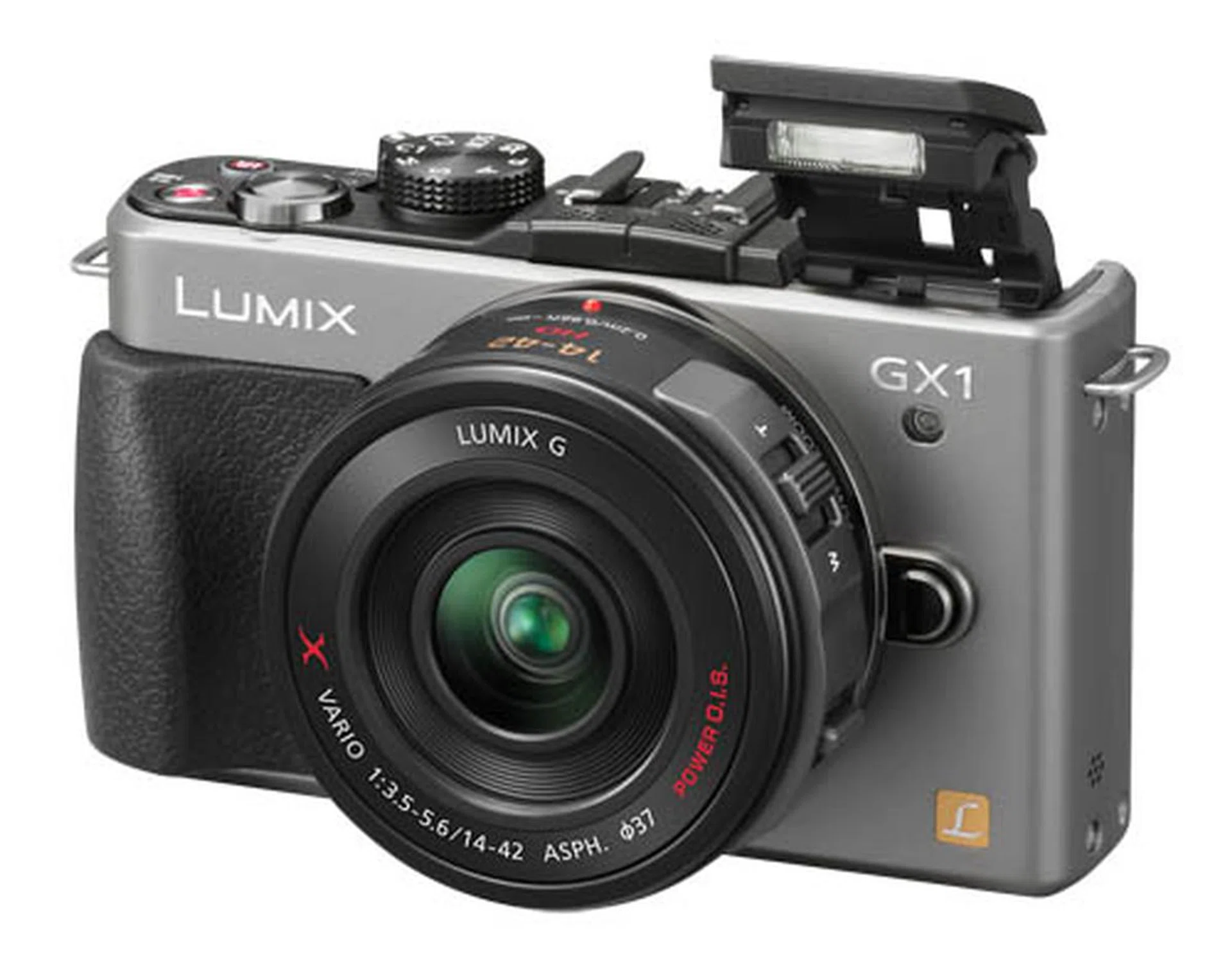
Shown here is the GX1 with a silver body.
Feeling a Little Claustrophobic
Besides the choice of color, you should also try and see if the GX1's grip appeals to you. In theory, the molded black grip should improve the GX1's handling, but this reviewer could never get comfortable with it. Because it's so aggressively shaped, it forces you to hold the GX1 in a certain way instead of giving you the liberty of holding it any way you'd like. When we passed the GX1 around the HardwareZone team though, some of our writers liked the new grip, so we would suggest trying it out for yourself.
We did discover that if you use the new X 14-42mm lens with the GX1 (pictured below), your fingers will constantly brush against the circumference of the thick lens - it can get to feeling quite claustrophobic around there. With the regular, smaller 14-42mm lenses you don't feel the same squeeze.

The black edition of the GX1 body.
A Smooth Combination of Touch & Physical Controls
Like the GF1, with its wealth of physical controls, the GX1 is an ideal compact for the enthusiast photographer. But the GX1 goes one step further with added touch-screen controls to make the camera even more intuitive to use.
For example, to manually set a focus area, you can tap right on the d-pad, select the 1-Area AF mode, then move the AF target around the screen to position it. Or you can simply tap the screen when you're in the 23-Area AF mode, and the GX1 will confine its auto-focus efforts to that area of the screen you tapped.

The GX1 lets you define focus areas simply by tapping the screen.
The d-pad's dedicated buttons mean you're only one-tap away from changing ISO, white balance, drive and AF modes. Two Function buttons can be customized to any of the 25 available controls. One particular favorite is the Preview command, which gives you a preview of how your image will actually look if shot with current settings, instead of the brightened preview the LCD usually shows when shooting.
If those aren't enough, the Quick Menu button to the bottom left of the d-pad calls up a list of controls on the screen, like flash, image quality and photo styles. And yes, these controls can be customized too. And don't be fooled by the two C (Custom) modes on the Mode dial - there are in fact four Custom modes available, one set to C1, and three can be set on C2, then selected via the menu.
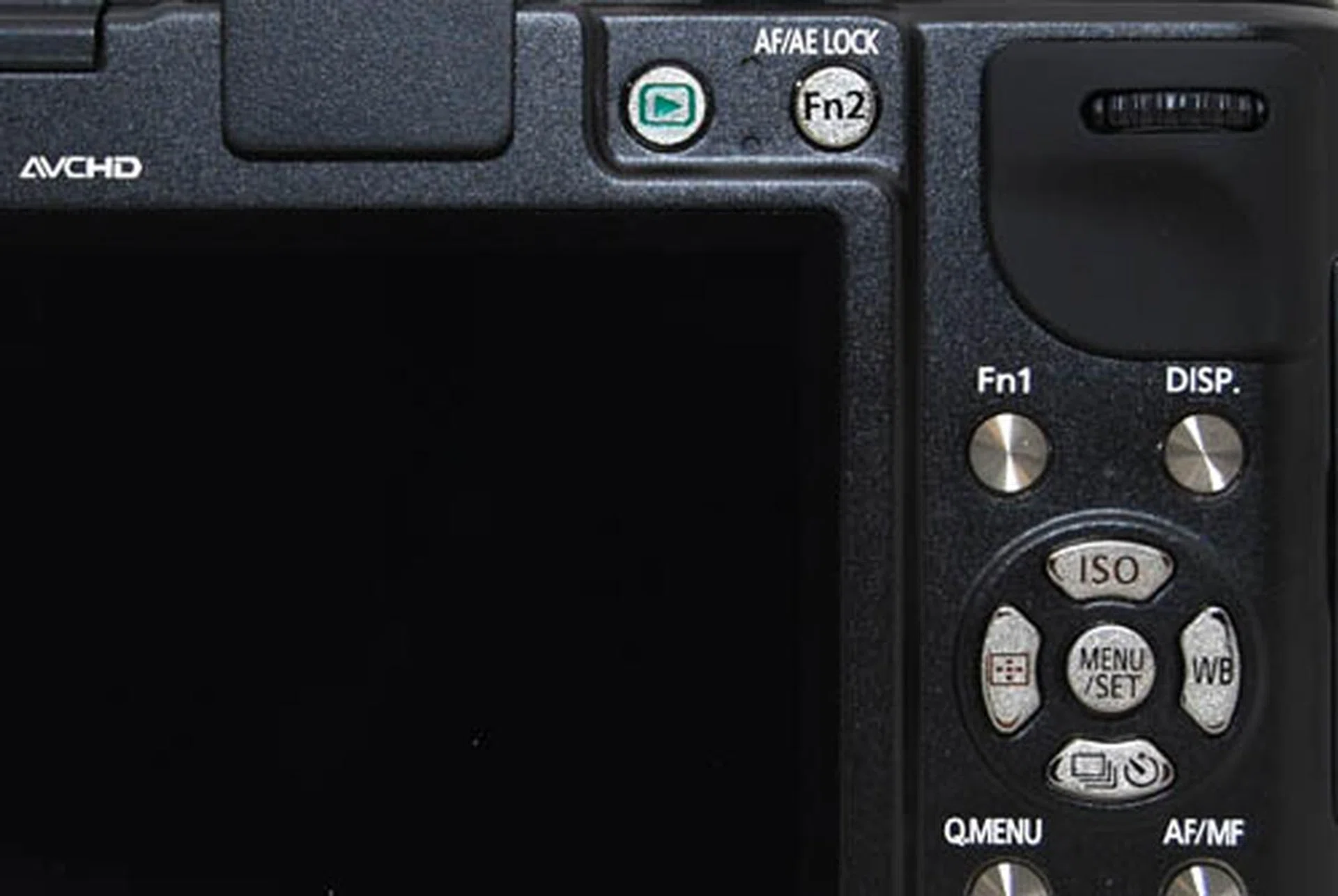
The GX1 comes with two physical Function buttons, which can be customized to trigger any of 25 available commands.
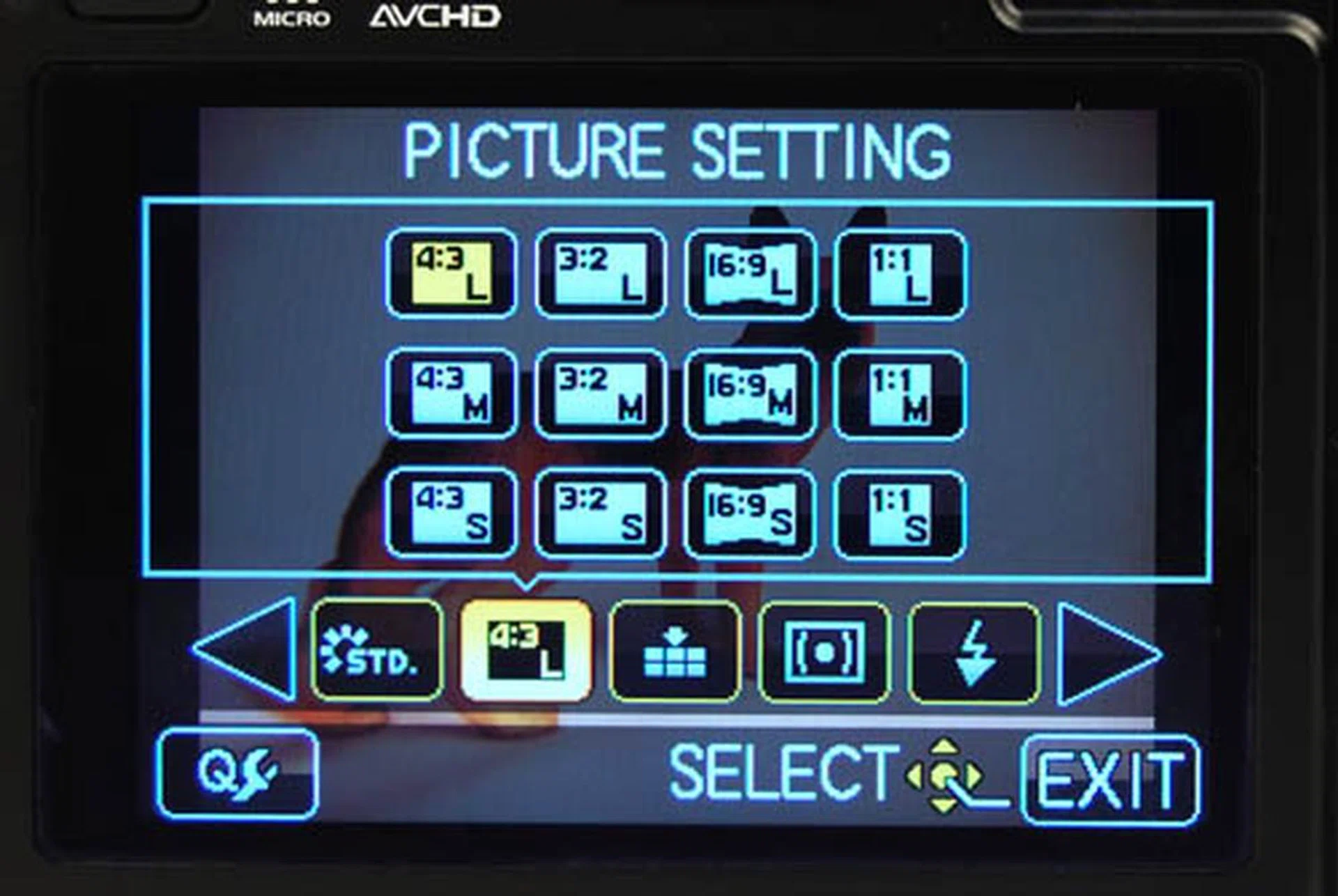
The Quick Menu button brings up a list of commands, which can be customized to your liking.
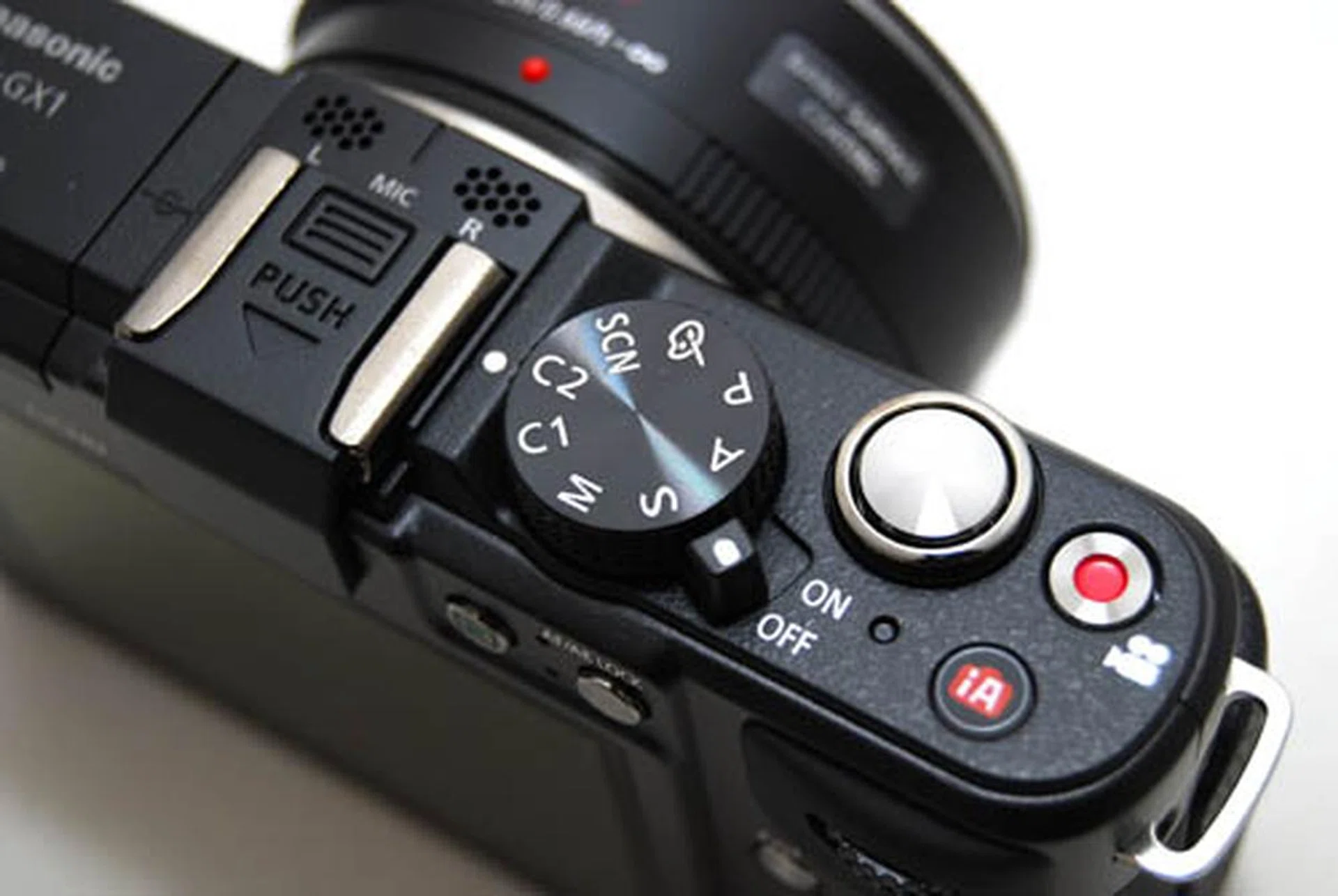
The dial says two, but there are in fact four Custom modes available on the GX1.
The dual-function rear control dial, a long favorite on Panasonic G cameras, gives you quick and easy access to shutter speed/aperture and exposure compensation control. When in shutter speed or aperture priority modes, the dial determines those settings, and when pressed, it switches over to control exposure compensation. In Manual mode, pressing the dial switches between shutter speed and aperture control. It's fast and easy.
In short, the GX1 handles like a dream for photographers who love to be able to manipulate the camera's settings quickly and easily. We only see one shortcoming; the Quick Menu button feels too small and awkwardly placed for comfort, sitting right on the edge of the camera, and squeezed in-between the d-pad and the end of the back plate. But because you can access the settings provided by the Quick Menu via other means, whether on the dedicated controls, saved on the Fn buttons or through the menu, this inconvenience is mitigated somewhat.
Oh, and if you just don't like touch-screen controls, there's a setting for that too. The GX1 lets you turn them selectively off, or all off in the menu. Nice.
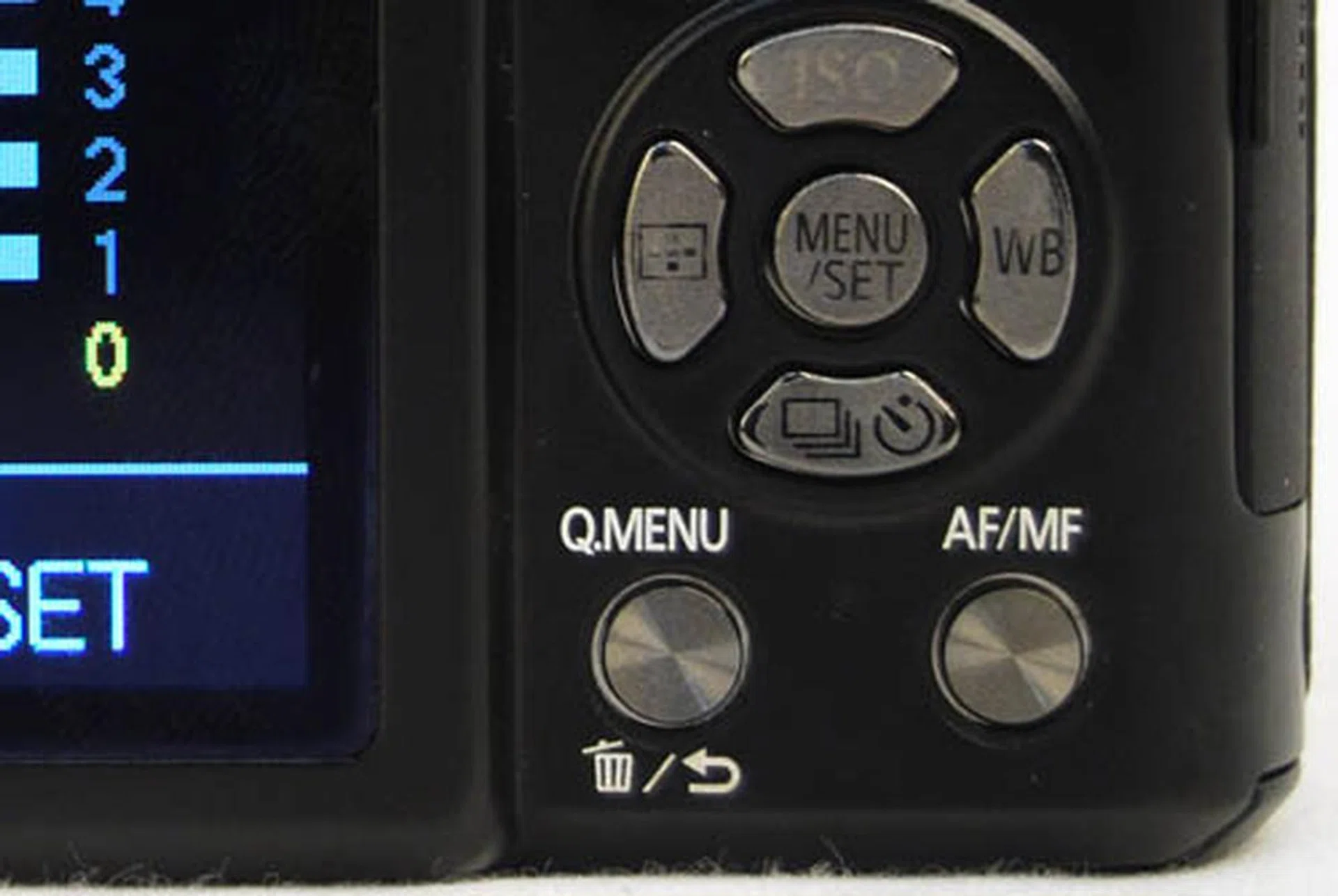
The Quick Menu button is a tight fit.
New - The Touch Tab
The GX1 introduces a new feature to Panasonic's touch-screen stable. The Touch Tab is a drawer of touch commands - think of it like a small Mac OS X dock - which you can tap to show or hide. On show, you get four additional touch commands, touch to zoom, touch to shoot, and two digital Function controls which can be customized (that brings the total number of Function keys on the GX1 to four). Tap the arrow key to hide the Touch Tab (actually, it's more like pick with your fingertip instead of tap, as the target area is quite small).
It's an interesting innovation to give even more functionality to the user, and if you find it too troublesome, Panasonic has thoughtfully given you the option to turn the Touch Tab off.
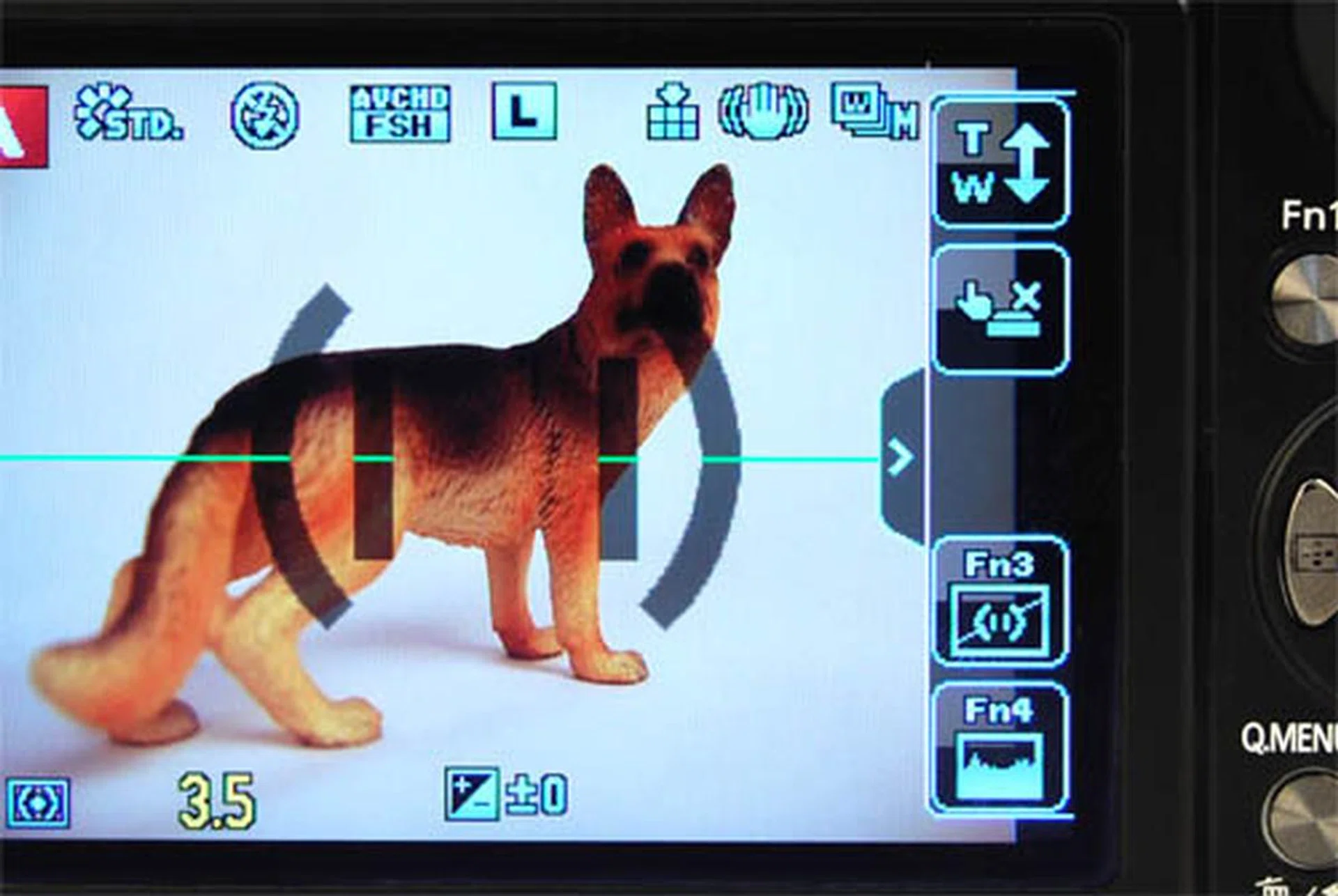
The Touch Tab 'drawer' to the right of the screen can be shown or hidden with a tap of the arrow icon.
iA Makes the GX1 as User-Friendly as a GF Series Camera
In case everything has sounded terribly confusing till now, all you need to know is that there's also a control to clear the confusion. Just press the iA button below the shutter release, and the GX1 goes into Intelligent Auto mode. In Panasonic's brilliant iA mode, you don't need to know anything about shutter speed, aperture setting or ISO sensitivity. All you need to do is frame the picture and press shoot. In that sense, the GX1 isn't just for the advanced user, but also easily available for the casual photographer, making it an ideal camera to share with the family.
The iA button is also handy when you have settings all manually primed for a different kind of shot, say, a landscape, when you spot a new, fleeting subject, like a cute cat, and have no time to switch settings. Switch to iA, let the camera dictate the settings, grab your shot, and switch off iA to get back to your original settings. Easy.
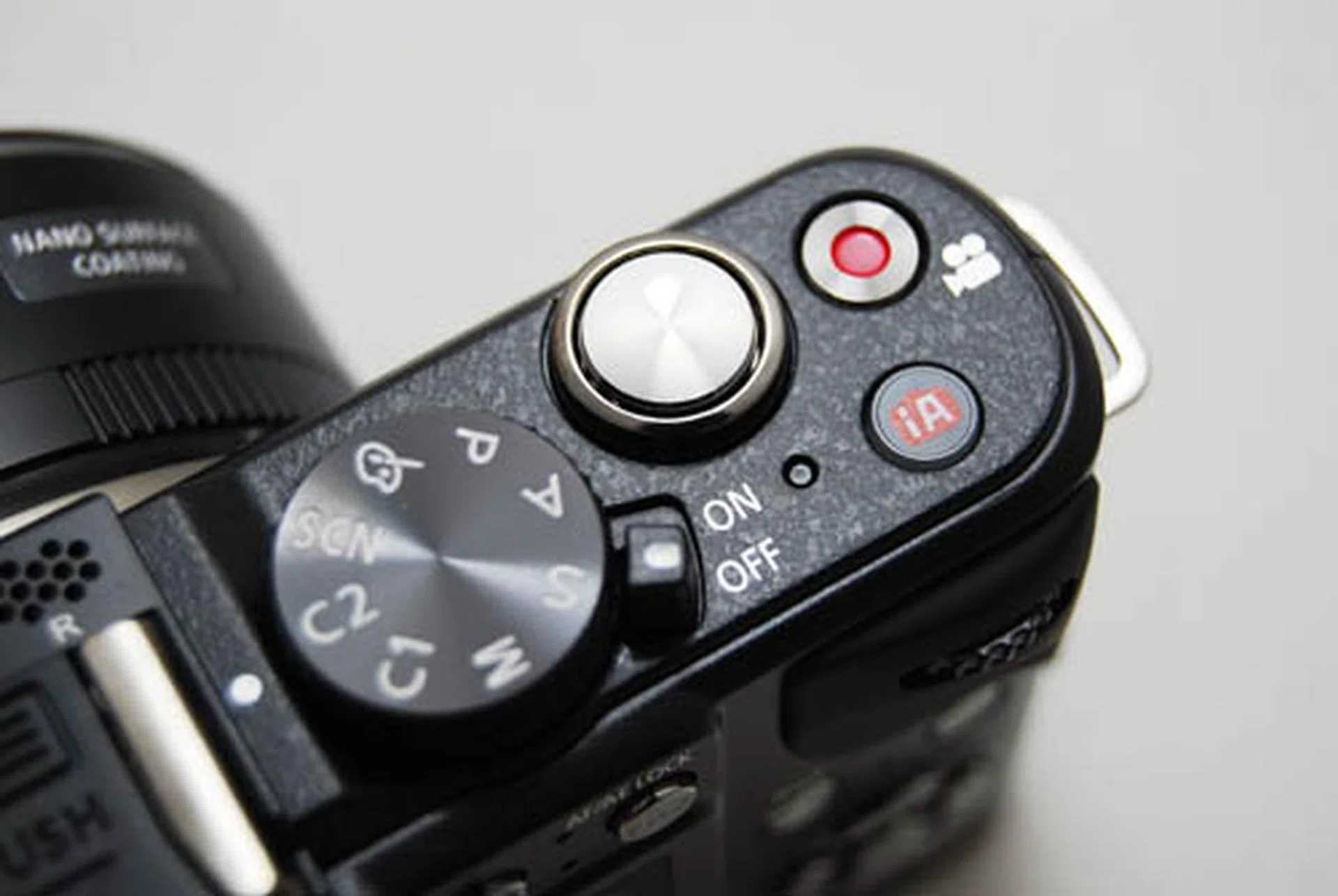
Instead of having to turn the Mode dial, the iA button switches the GX1 to Intelligent Automatic mode with just one tap.
Design & Handling - The Lumix G X 14-42mm Lens
In reviewing the Lumix GX1, we have to mention the new Lumix G X 14-42mm f/3.5-5.6 lens, as it's likely that Panasonic Singapore will offer the choice of either this or the older 14-42mm as the kit lens. The 'X' is supposed to denote a new premium lens series direct from Panasonic, without the Leica co-branding seen in their previous lenses.
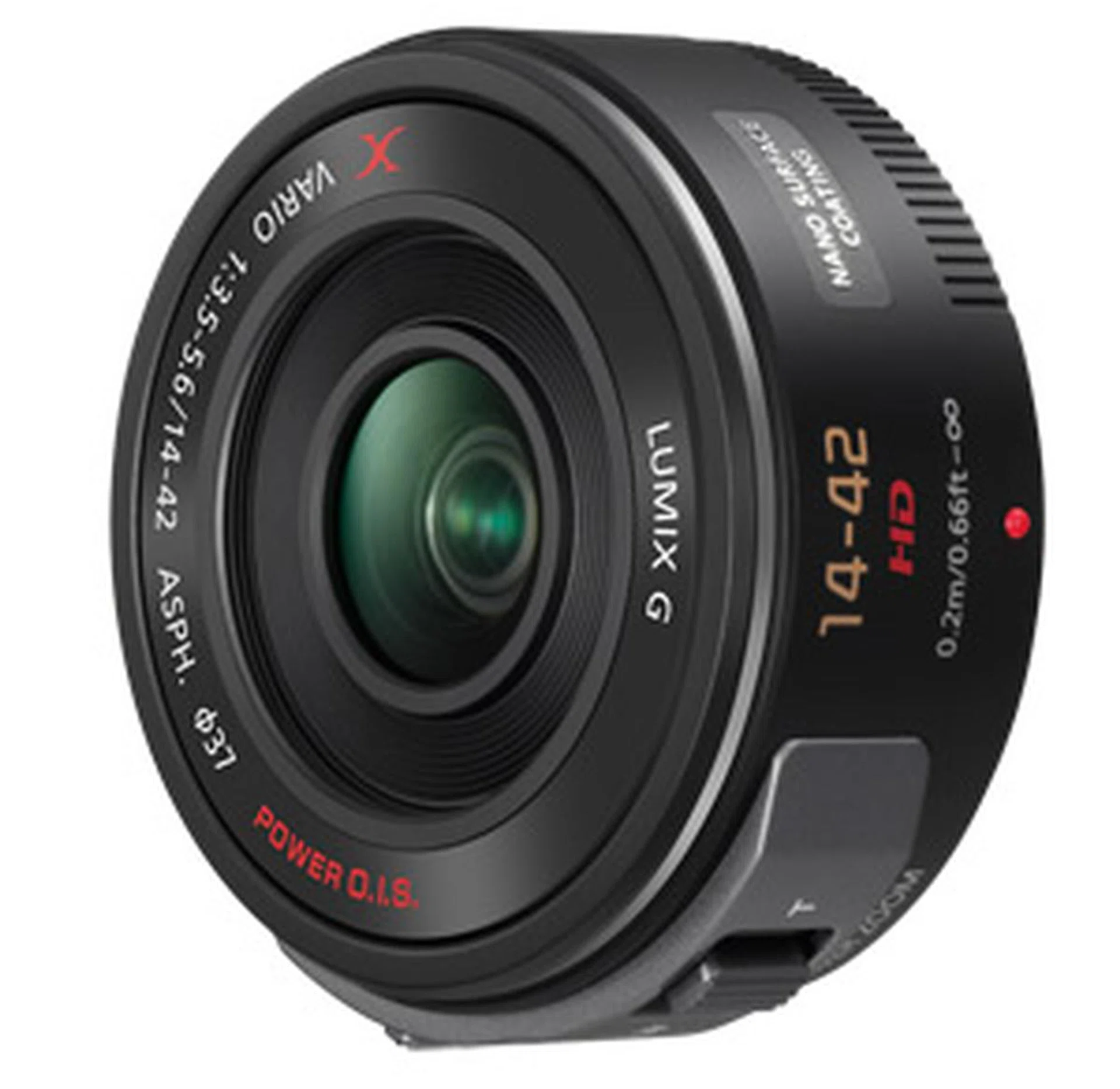
While Panasonic's pancake lenses have been compact and convenient, they have also been fixed focal length lenses which cannot zoom. The X 14-42mm was designed to combine a pancake lens' compact size and the telephoto's zoom range. The lens eschews the traditional zoom ring and instead has a zoom toggle affixed on its side, similar to the zoom toggles you find on camcorders. There is also a manual focus toggle, below the zoom.
It was not love at first sight with this lens, but we wanted to give it a fair go. After having used it for a while, we still have to say that it hasn't grown on us.
The Lumix G Shuriken Logo
For starters, the entire aesthetic of the lens is quite loud, with the two zoom toggles swelling on the circumference of the lens. The 'X' logo on the lens doesn't invoke 'premium', instead it looks more like a shuriken bumper sticker out of Fast and Furious: Tokyo Drift.
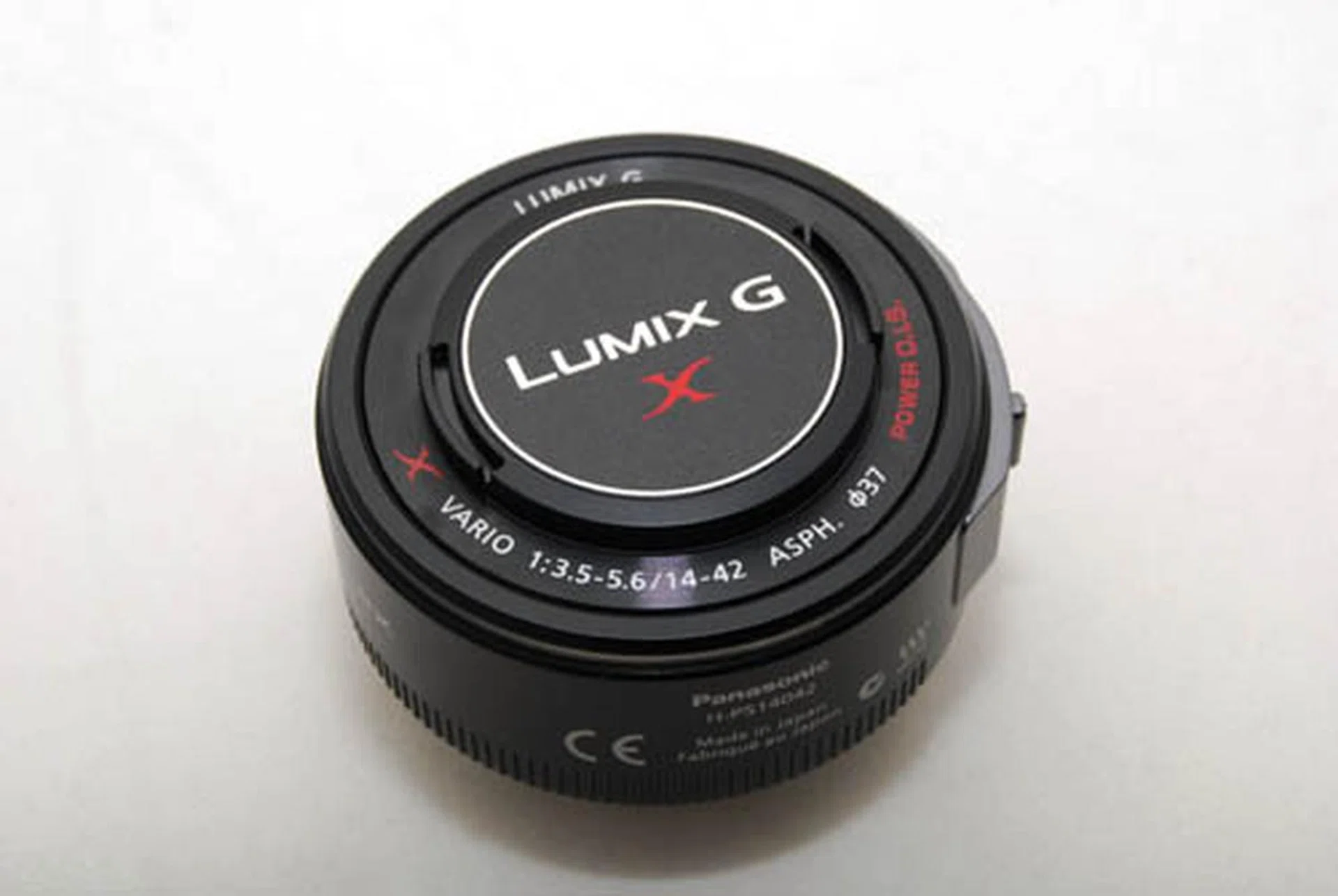
The Lumix G shuriken.
Slow to Zoom, Confusing to Use
Secondly, the lens is confusing to use. Unlike a traditional lens, there are no focal length markings, so you cannot see at a glance what focal length your lens is in. Instead, you have to glance at the screen where a sliding indicator will show you the info, but only when you press the zoom toggle.
This was jarring on many levels. We would be holding the GX1 while walking, then bring the camera up for a shot and find ourselves at the wrong focal length. We couldn't twist the lens to the approximate focal length like on a traditional zoom lens, a quick motion which takes milliseconds, but we had to push the zoom toggle and wait while the lens zoomed. It just took too long.
There were times when we would push on the toggle and wonder why the lens wasn't moving, then realize we were pushing on the focus instead of the zoom toggle. Chalk this up to silliness on our part, but it happened once too often, even after extensive use of the lens. Because the two toggles feel almost exactly the same - the zoom toggle has a slightly wider surface, but both have the same shape and texture - it's almost impossible to distinguish either by feel. You might wonder why we didn't simply look at the lens, well, we had our eyes on the LCD, framing our subject, as we imagine every other photographer would be doing.
In short, the X 14-42mm lens was too frustrating to use while shooting photographs with the GX1. What benefits may be had - its small size - aren't enough to offset its deficiencies.
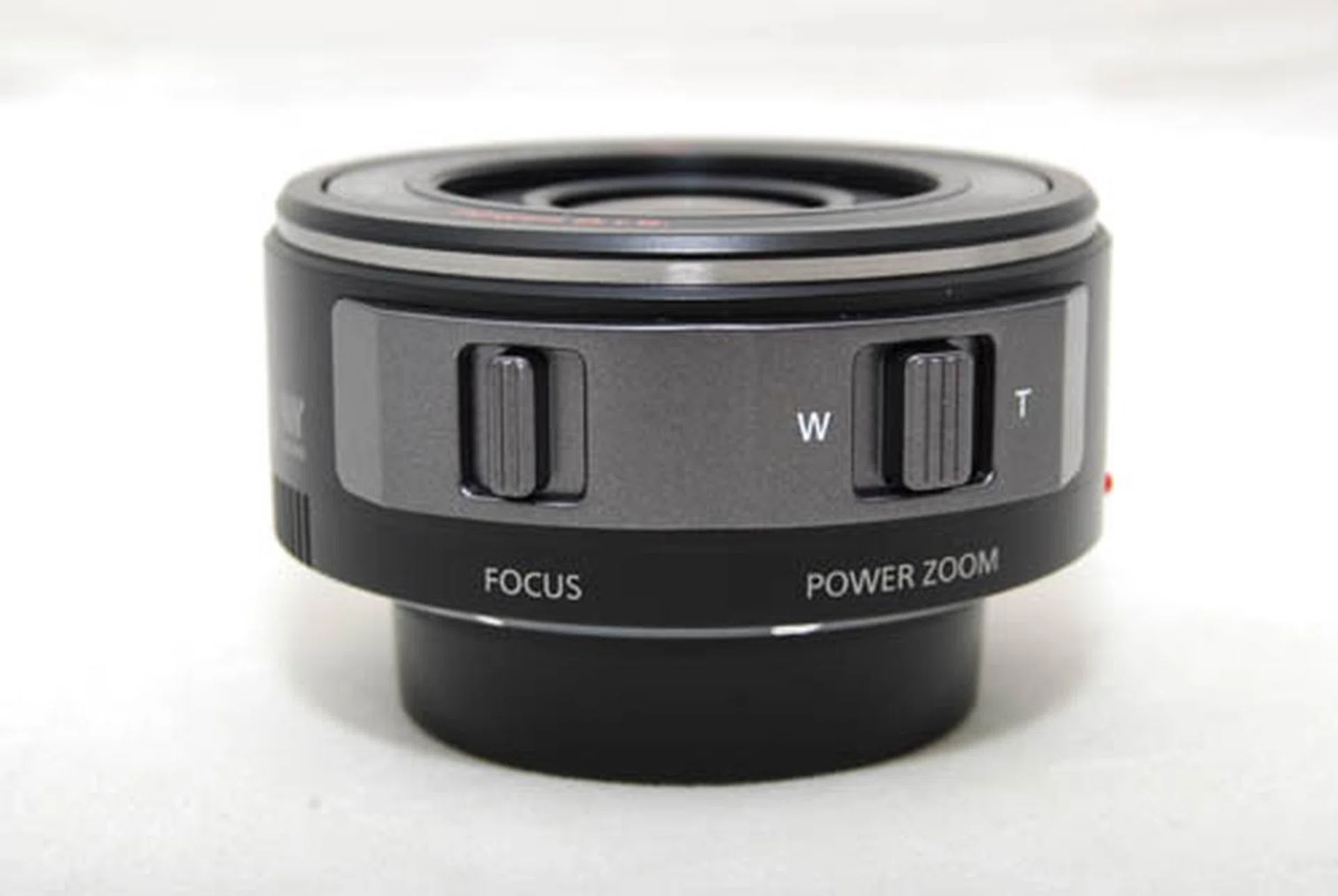
The two toggles are virtually identical, both in terms of looks and touch, making them hard to distinguish.
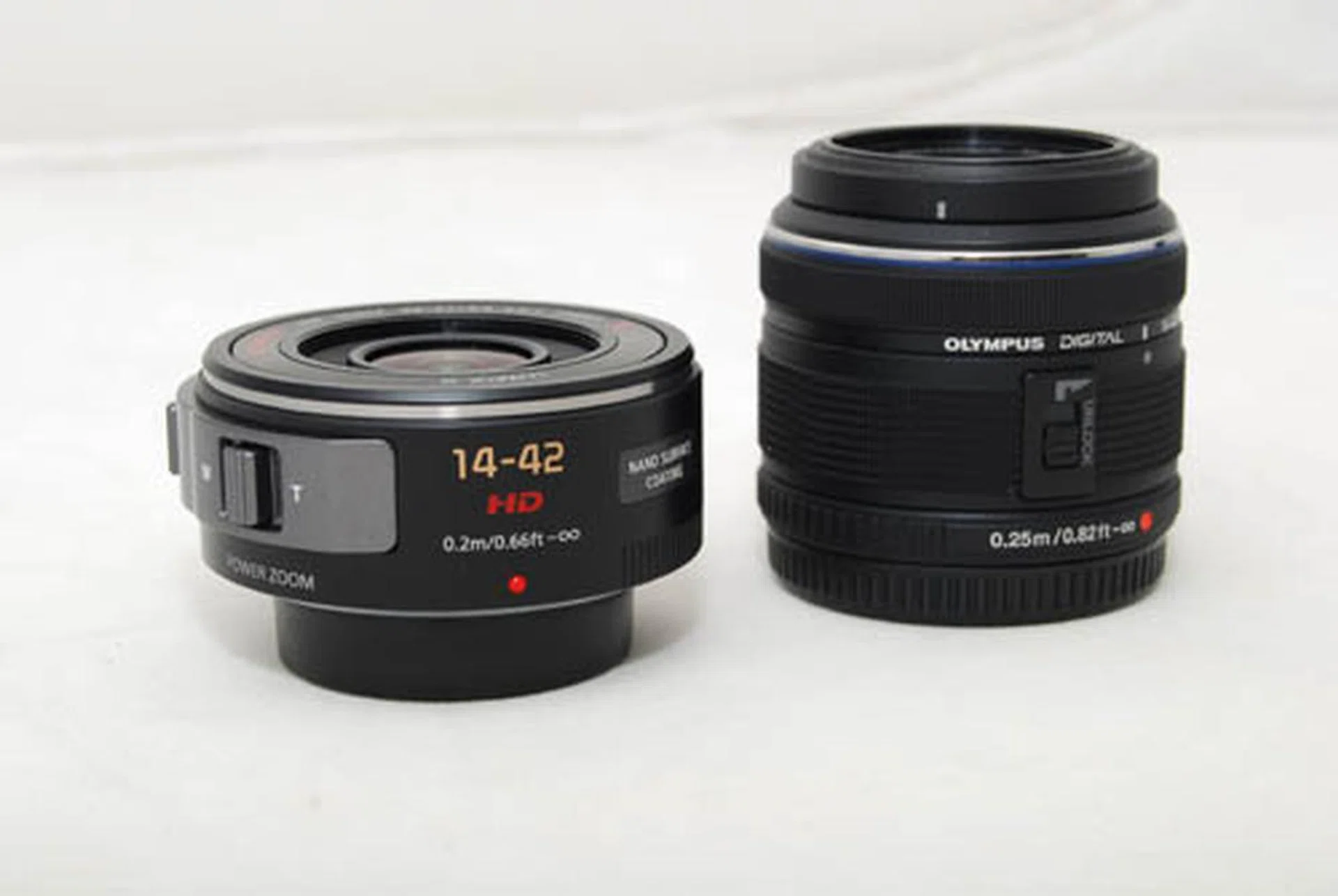
The X 14-42mm lens in comparison to a standard 14-42mm (an Olympus shown here). Both cameras have their lens protectors on below and the Olympus lens is locked.
Better for Video?
It's quite conceivable that the X lens is better suited for shooting video than stills. It's difficult to achieve a smooth zoom with a traditional zoom ring, and the X lens' zoom toggle makes it easier. It's curious then, that the X 14-42mm lens is included with the GX1, a camera which doesn't seem geared towards shooting video at all.
The frame rates are limited for HD video: 1080/25p, 720/25p when recording in MP4, and 1080/50i (sensor output is 25p) and 720/50p (sensor output is 25p) when recording in AVCHD format. Essentially it means that the GX1 really record at 25p only (this is for the PAL version, NTSC records at 30p). And there's no 24p mode in either 1080 or 720. The GX1 also has no audio jack for an external microphone (even though it comes with microphone levels display).
We also imagine that anyone serious enough about shooting video would prefer working with primes, and not a 14-42mm f/3.5-5.6. Perhaps if Panasonic wants to create a 'premium' line of lenses, it could consider making fixed aperture telephotos, a category sorely missing in the Micro Four Thirds catalog. Or take a page from Olympus and release a couple of high quality, appealing primes like the 24mm f/2 and the 45mm f/1.8.
All things considered, the X 14-42mm lens might make a good lens for the casual videographer who wants to grab a few smooth zooming shots. But it's not an easy to use lens for stills, so it won't make a good dual-function all-in-one solution for both stills and video.
Image Performance
The 16MP sensor inside the Lumix GX1 is Panasonic's latest and greatest, building on the success of the sensor launched with the G3. In our opinion, the GX1 has the best looking images yet seen from a Micro Four Thirds camera.
The GX1 produces images with deep and rich colors, with especially vivid reds, and it garners a high 2200 x 2200LPH from our resolution chart. It also manages image noise quite impressively, striking a good balance between keeping image detail and curtailing noise – in fact, it has the best ISO performance we've seen yet from the Micro Four Thirds stable. We'd shoot comfortably with the GX1 up to ISO1600, and it retains more detail than its closest competitor the E-P3 at this setting.
Here are some 100% crops of real-world ISO comparisons between the GX1, the Olympus E-P3 and the Sony NEX-5N. You'll notice that at ISO1600 and up, the grain produced by the GX1 is finer and less destructive than the E-P3, while the NEX-5N produces the best results thanks to its larger APS-C sized sensor. What's interesting is how you can see the GX1 doesn't lag too far behind the NEX-5N.
Panasonic Lumix GX1

ISO400

ISO800

ISO1600

ISO3200
Olympus PEN E-P3

ISO400

ISO800

ISO1600

ISO3200
Sony NEX-5N

ISO400

ISO800

ISO1600

ISO3200
Sample Photographs
These are sample photographs shot with the Panasonic Lumix GX1. The photos have not been post-processed and are copyright to SPH Magazines. They are provided for your reference only and we ask that you do not reproduce them elsewhere. Click for the full-resolution images.

f/8 at 28mm (35mm equivalent), 1/200 sec, ISO160.

f/2.2 at 90mm (35mm equivalent), 1/1600 sec, ISO160.

f/5.6 at 28mm (35mm equivalent), 1/25 sec, ISO1600.

f/5.6 at 28mm (35mm equivalent), 1/60 sec, ISO800.

f/3.5 at 28mm (35mm equivalent), 1/60 sec, ISO1600.

f/5.6 at 32mm (35mm equivalent), 1/15 sec, ISO6400.
Conclusion
The Panasonic Lumix GX1 presents an evolutionary, rather than revolutionary, upgrade from the GF1. In fact, you could pretty much think of the GX1 as the GF2, if the actual GF2 had never happened. Those who have waited two years for a new GF1 could feel a little disappointed (even ourselves) that the GX1 doesn't take a giant revolutionary leap, especially since in the past year both Sony and Fujifilm have redefined the mirrorless camera with the NEX-7 and X100 respectively.
Have we changed our minds after having used the GX1 in the real-world? Yes. The GX1 is a dream to use, thanks to its combination of quick and accurate auto-focus, image quality and plethora of controls laid right at the photographer's fingertips. The only thing we don't like is the uncomfortable and forced grip, which can be a subjective experience, and the X 14-42mm lens, which is difficult to use for stills photography. You can easily try the GX1's grip in the shops for yourself, and opt for the standard non-X 14-42mm kit lens if you want to focus on stills instead of video.
Panasonic GX1 vs. The Competition
How does the Panasonic GX1 compares to the Sony NEX-7? Both are the mirrorless system cameras of choice for advanced photographers looking for a compact secondary camera with DSLR-like control.
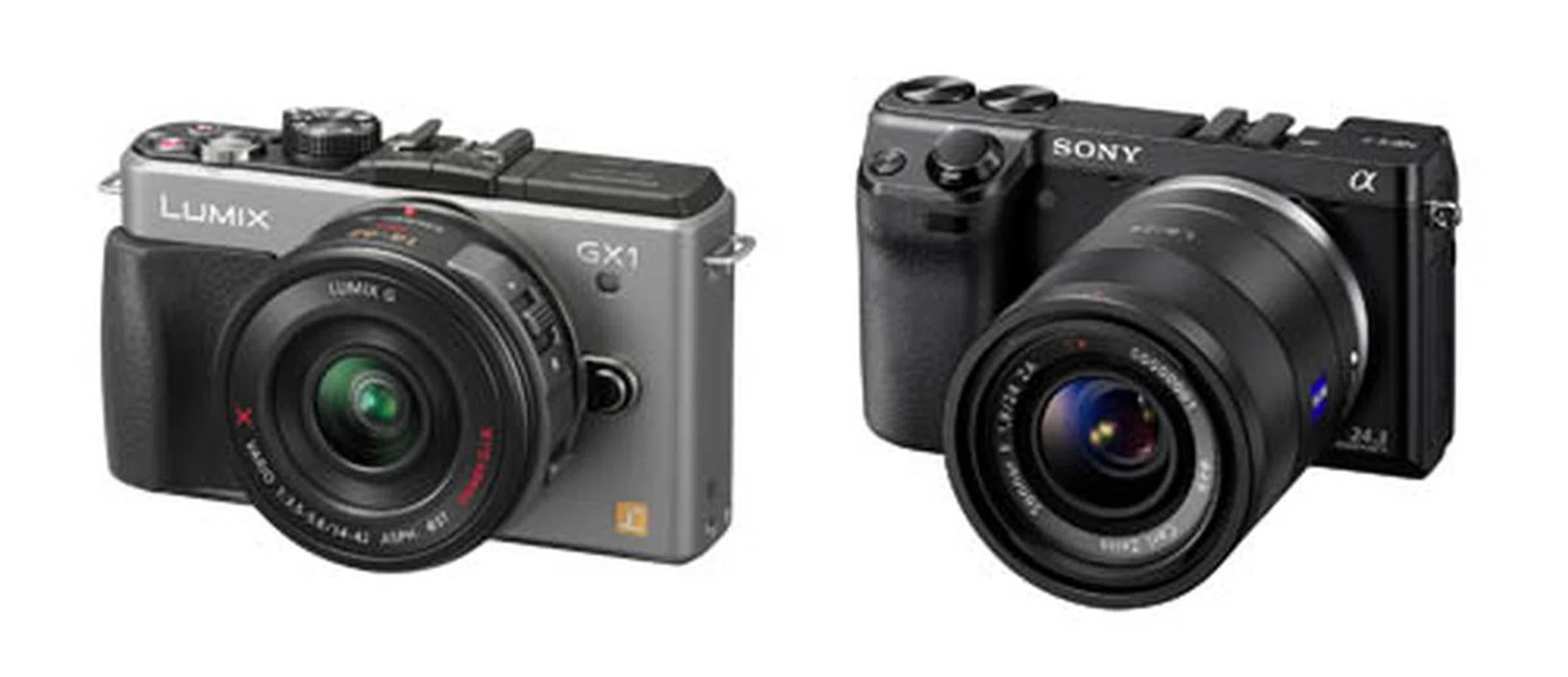
One is the actual successor to the GF1, while the other is perhaps the ultimate fulfillment of the GF1's potential.
While you can say the GX1 is Panasonic's actual successor to the GF1, Sony's NEX-7 is the ultimate fulfillment of the promise made by the GF1 - that of a great compact camera with full manual controls and impressive image quality akin to a APS-C DSLR camera. With its innovative Tri-Navi system and APS-C large sensor, the NEX-7 is the ultimate mirrorless camera in the market today. But it comes with drawbacks; the NEX system lenses are noticeably bigger than lenses from the Micro Four Thirds standard, and while local prices haven't been confirmed, the NEX-7 is definitely going to be more expensive than the GX1.
But what about the Sony NEX-5N then, which is priced more closely to the GX1? The APS-C sized sensor in the camera gives it an edge in terms of image quality, but the NEX-5N's manual controls aren't as extensive as the GX1's. For users for whom manual, physical controls are important, the GX1 has the edge.
As for the Olympus PEN E-P3, the GX1 has better ISO performance. We'd shoot comfortably up to ISO800 with the E-P3, but we'd go up to ISO1600 with the GX1. Keep in mind though that we're nitpicking here, and other users who don't pixel-peep might be very happy going up to higher ISO settings. Paradoxically, while the GX1 makes a lot of controls available, it might feel like all too much for some users who want just the right amount of controls presented to them, and the E-P3 fits the bill comfortably here. The E-P3 also has image stabilization in-camera (none of the Panasonic MFT cameras do), and the ability to trigger wireless flash.
Honestly though, the GX1, NEX-7, NEX-5N and E-P3 are all solid cameras in their own right, each with their own strengths and weaknesses. Comparing at this level of quality is really like comparing Olympic sprinters, where the differences are defined in hairbreadths.
The GX1 is the Best MFT Still Camera Today
It's tempting to imagine what could have been if the GX1 had been the original successor to the GF1, and if we were already onto the GX3 by now. Could Panasonic have made a camera to rival the NEX-7 in terms of usability and the X100 in terms of style? Instead of delivering a much improved GF1, could they have leapfrogged the competition and created something entirely different with the GX series? It's easy to imagine, but it would also be silly, unrealistic and unproductive. The real world is harder, and execution is so much more difficult than dreaming of ideas.
If you want a NEX-7, get a NEX-7. If you want an X100, get an X100. If you want the best Micro Four Thirds camera yet made for still photography (because the Panasonic GH2 is still king of the hill for video), get the GX1. If you want an advanced compact camera with lots of control, yet is still easy to use, get the GX1. The GX1 currently sits among the cream of the crop of all mirrorless system cameras today, and it is easy to recommend, especially so for GF1 users who have been waiting a while to upgrade.
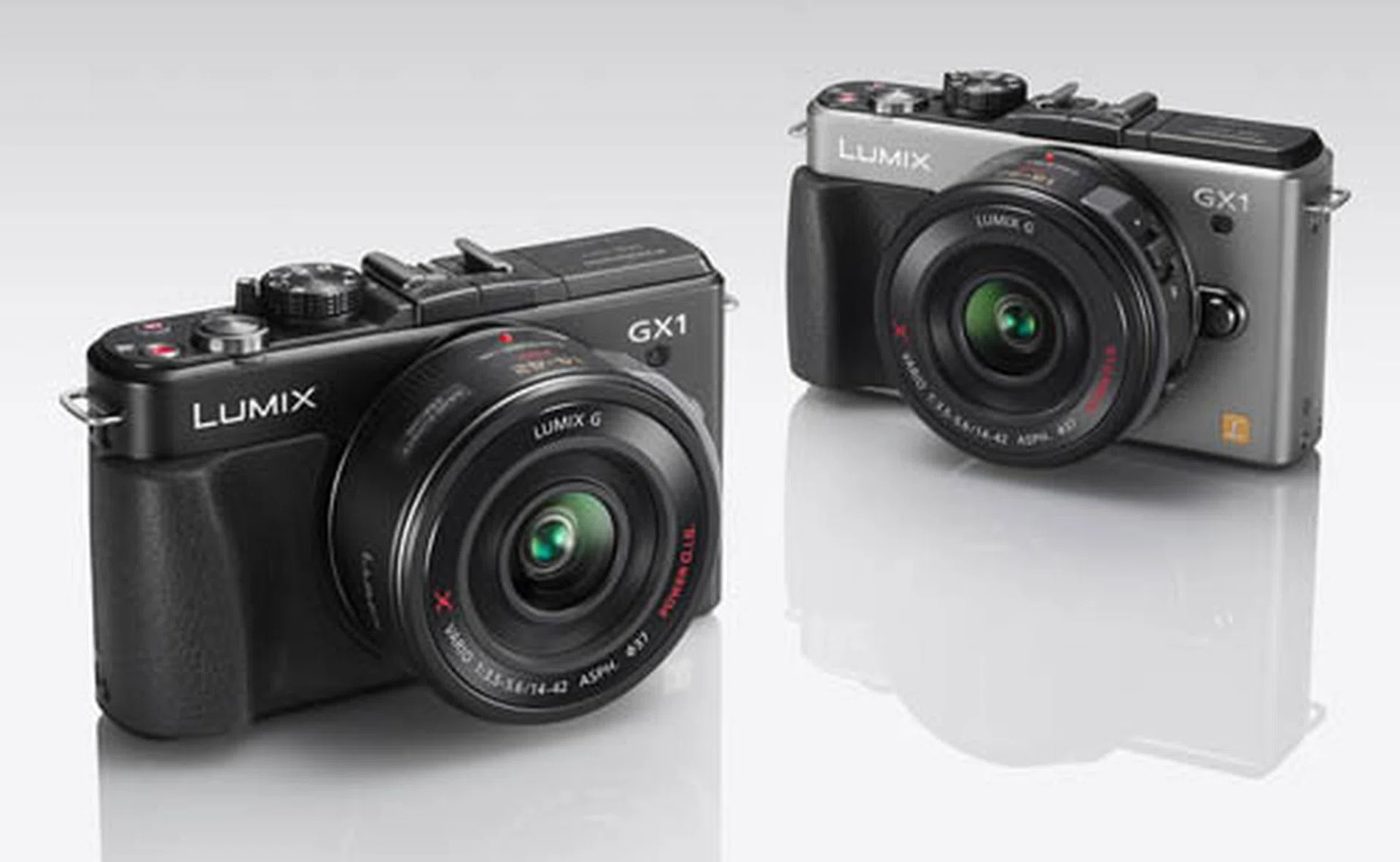
Choices are aplenty at this enthusiast level of mirrorless cameras. The important question would be, what do you expect out of the camera? From our findings, as far as excellent still photography and control is concerned, the Panasonic Lumix GX1 gets our nod.
Our articles may contain affiliate links. If you buy through these links, we may earn a small commission.