
Panasonic Lumix GF2 Review - A Compact Micro Four Thirds
It has been 14 months since the release of the Panasonic Lumix GF1, arguably Panasonic's most successful Micro Four Thirds camera to date. We've given the GF2 a spin, and here's what we found about the camera.

A Micro Four Thirds Camera for the Compact Shooter
Note: Since publishing the preview of the Panasonic GF2 prototype on November 11th, we've gotten our hands on a production unit and given it a spin. As the body design and handling remains the same, we've left the all this information intact, and added on the image quality results with sample photographs for downloads. With all this, we were able to pen a formal conclusion and update the original preview article to a full fledged review.
It has been 14 months since the release of the Panasonic Lumix GF1, arguably Panasonic's most successful Micro Four Thirds camera to date. In fact, the GF1 - despite its limitations - was one of our favorite cameras in 2009, landing in HWM's top 20 gadgets of the year for its image quality, portability and ease of use. So it should come as no surprise that the GF2 lands amidst a great deal of anticipation and expectations. We've had a prototype of the GF2 over the long weekend and have a few first impressions of the camera.
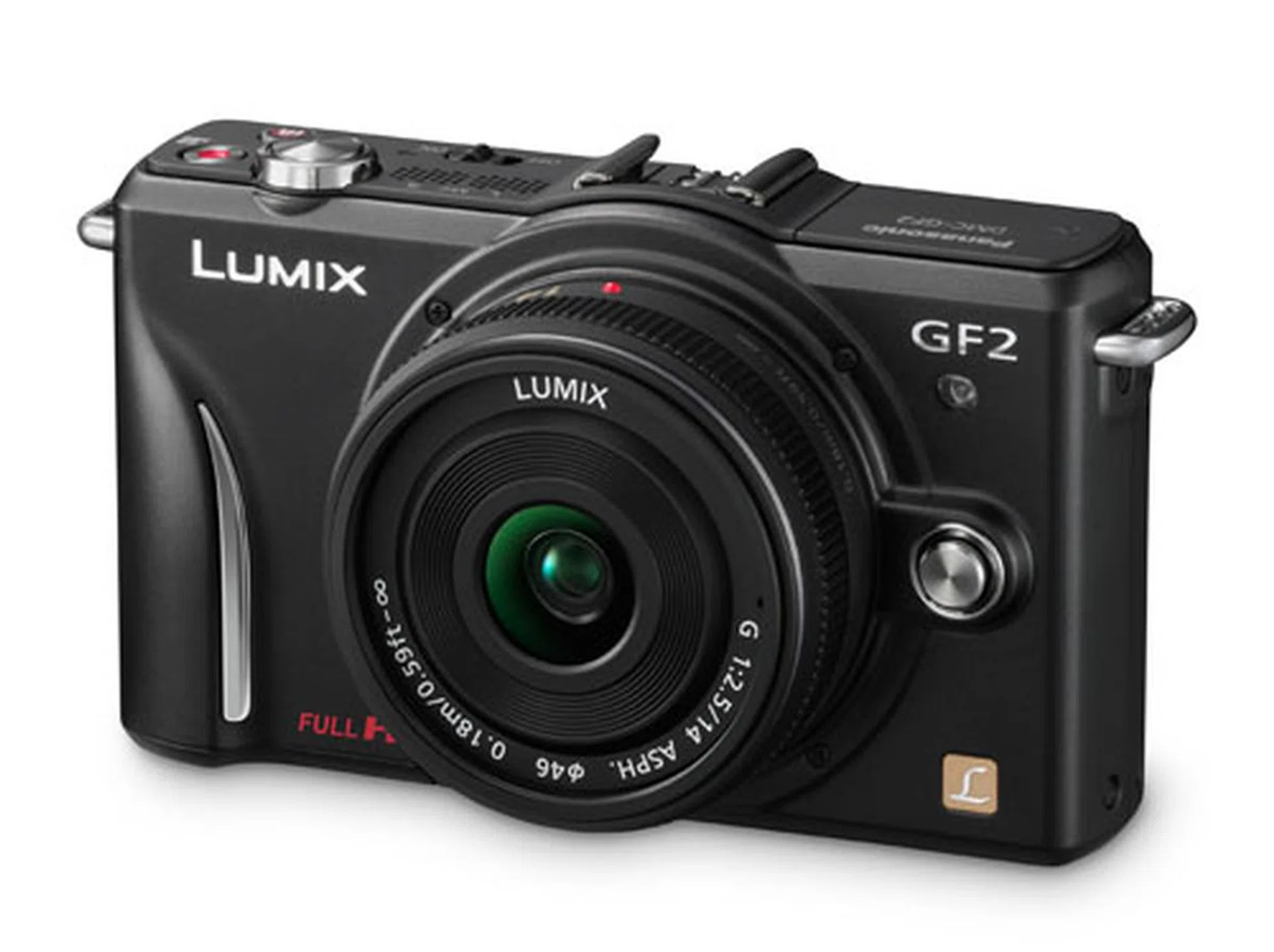
What's New?
The GF2 is smaller and lighter, when compared to the GF1 the size of the GF2 has been reduced by an impressive 19%, and the weight by 7%. Impressively, that's not been done by shaving off features. In fact, the GF2 packs more features than the GF1. It now includes a touch-screen for touch controls including Touch AF and Touch Shutter. And where the GF1 only recorded 720p video to AVCHD Lite, the GF2 records full 1080i HD video in AVCHD format with stereo sound. Other notable notable mentions:-
- A Venus Engine FHD promises faster performance with 3 CPUs.
- Intelligent D-Range Control optimizes the dynamic range in an image so that both light and dark areas are captured.
- Intelligent Resolution Technology promises to produce sharper images.
What's missing though is the Mode dial, which has probably been left out to reduce size. There's no USB port, so you can only transfer files using the memory card. The size reduction has also hit the battery, from a 9Wh battery in the GF1 to a new 7.3Wh battery in the GF2.
Read on to find out how the new body handles, if the new touch-screen works, and how the GF2 subtly shifts focus from the targeting the enthusiast, to the mainstream consumer.
Design & Handling - Physical Controls
A Smoother GF Camera
When compared to the GF1, the GF2 presents a more streamlined, almost more feminine body with its curves and slimmer profile. While the GF1 looked like a utilitarian box, the GF2 is more stylish. The Panasonic LX and GF series have shared similar-looking designs, so it's interesting to see the GF2 echo the curved grip first seen on the Panasonic LX5, which breaks the mold of the straight grips seen on the GF1 and LX3.
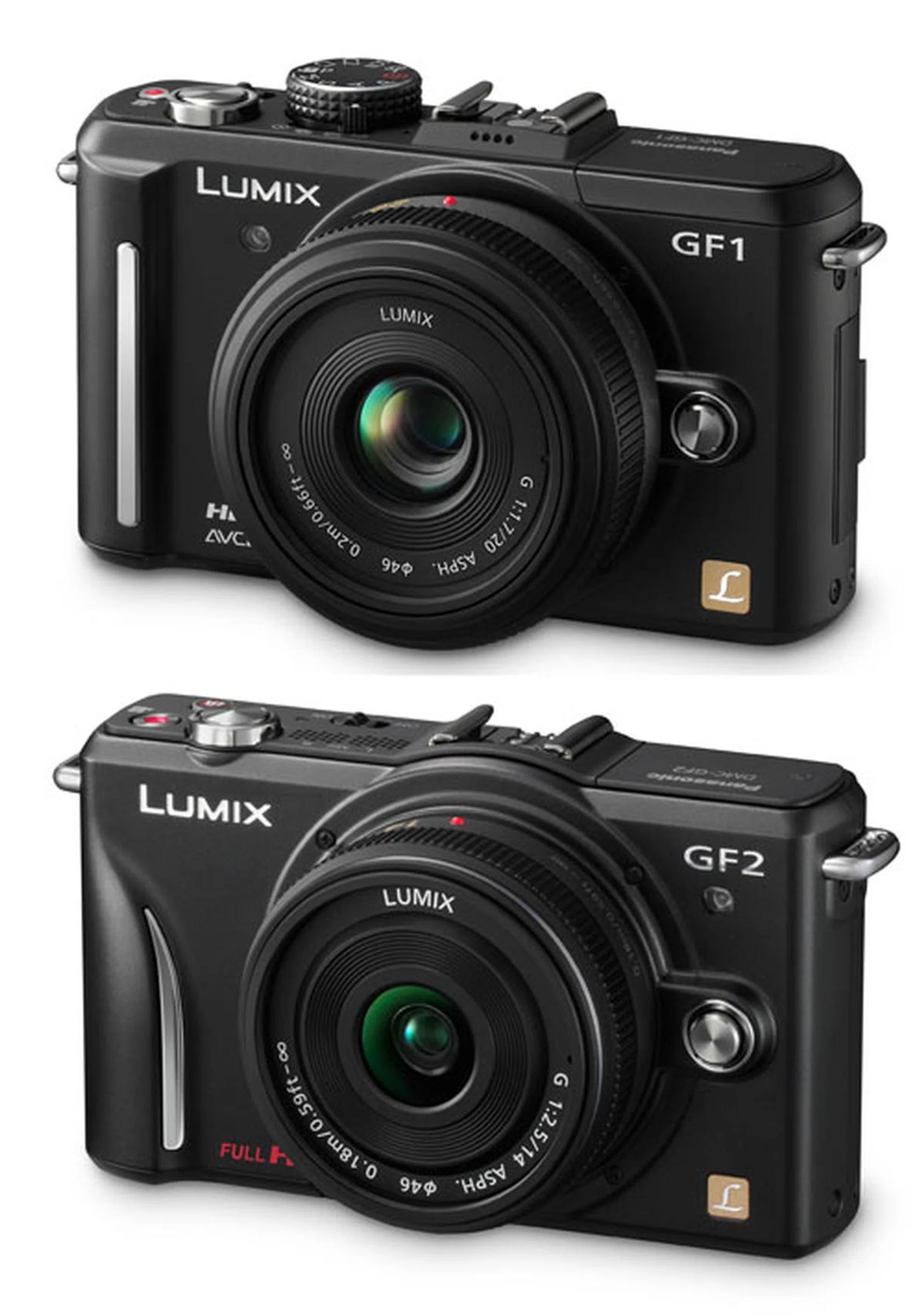
You can see the design changes between the Panasonic Lumix GF1 (top) and the GF2 (bottom) in this picture (not to scale).
We're still feeling ambivalent about the look of that curved grip though. While it does feel more natural to hold than a vertical grip, it looks out of place - like a suddenly graceful element on an otherwise straight body.
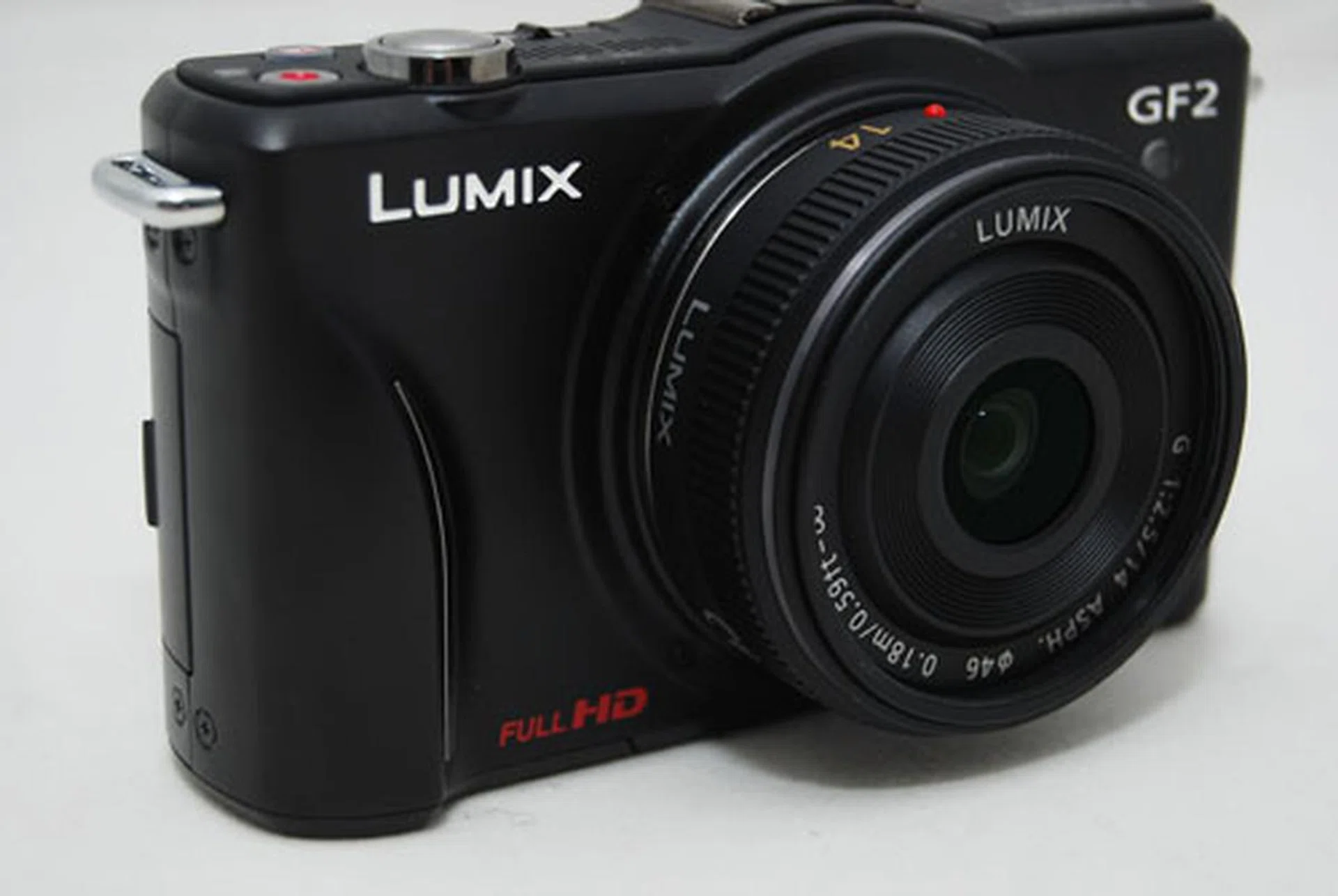
Another angle of the GF2 camera.
The other very visible change is the missing physical Mode dial, which makes the GF2's silhouette more streamlined, and more like a compact camera than a rangefinder-ish type of camera.
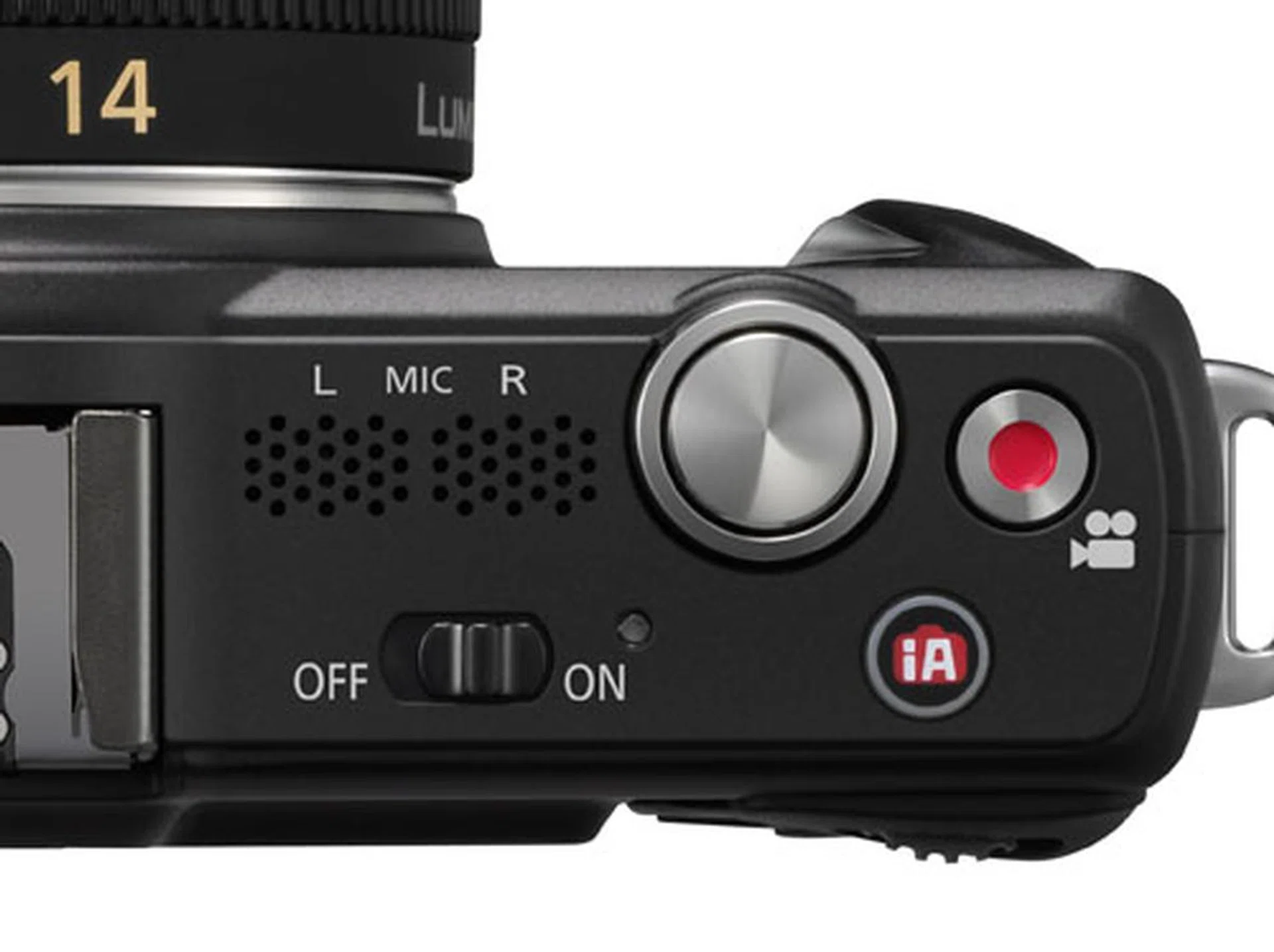
The always-useful iA button and video Record buttons are still here, as are a new pair of stereo speakers. What's conspicuously missing is the large Mode dial from the GF1.
How Big is the GF2 with a Standard Lens?
And while we're on the subject of streamlining, we must say that the new and slim 14mm F/2.5 lens really helps make the GF2 compact. But it's not likely that everyone will be shooting with a fixed lens, especially not someone who's looking for an all-in-one compact camera replacement. So here's a look at the difference in size between the 14mm pancake lens and the other kit lens, a telephoto 14-42mm.
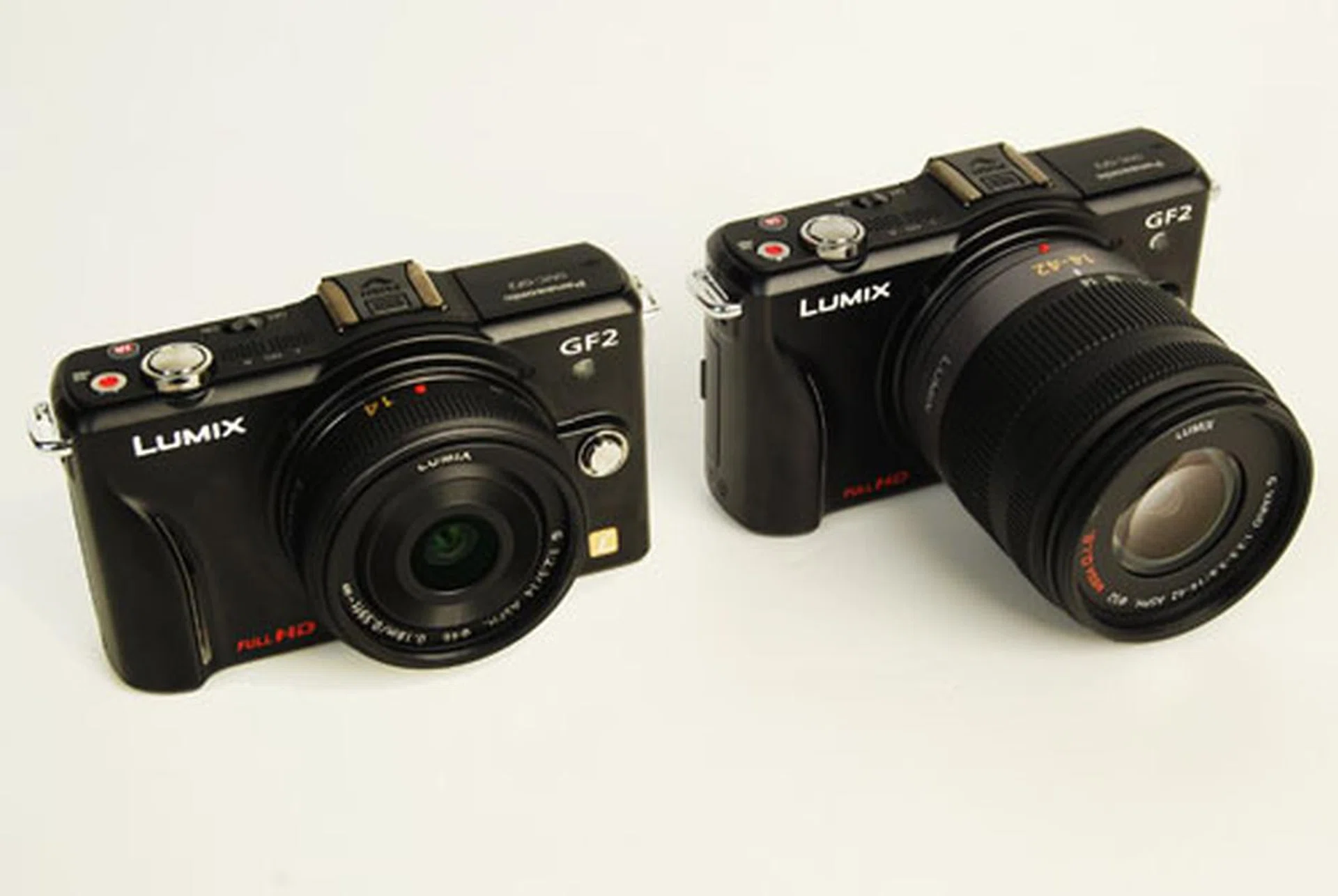
While the 14mm pancake (left) reduces the GF2's size and weight, we imagine more people will want to carry the 14-42mm (right) zoom lens for more versatile shooting needs.
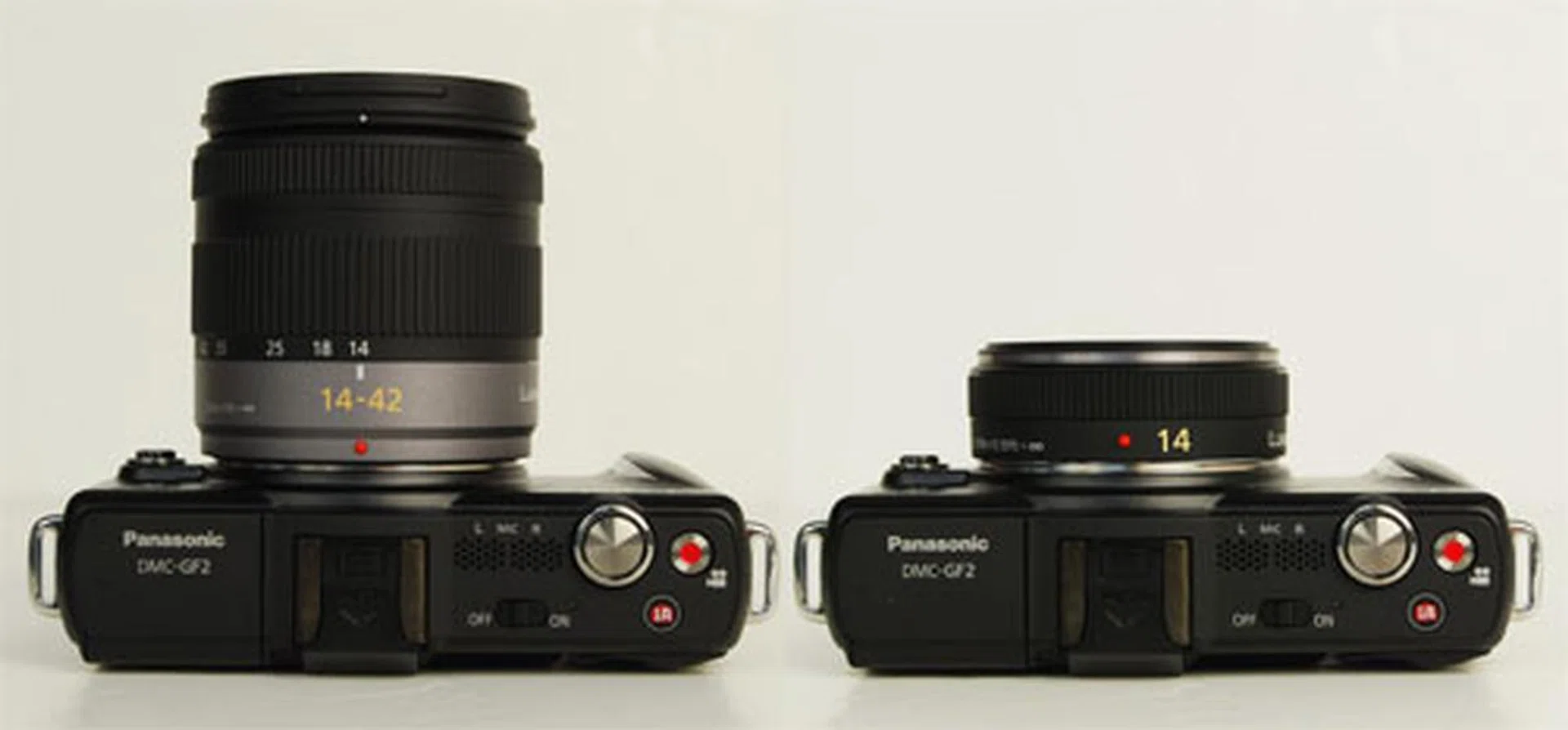
Another look at the differences in size between the 14-42mm kit lens (left) and the 14mm kit lens (right).
Pop-Up Flash Pops Even Further
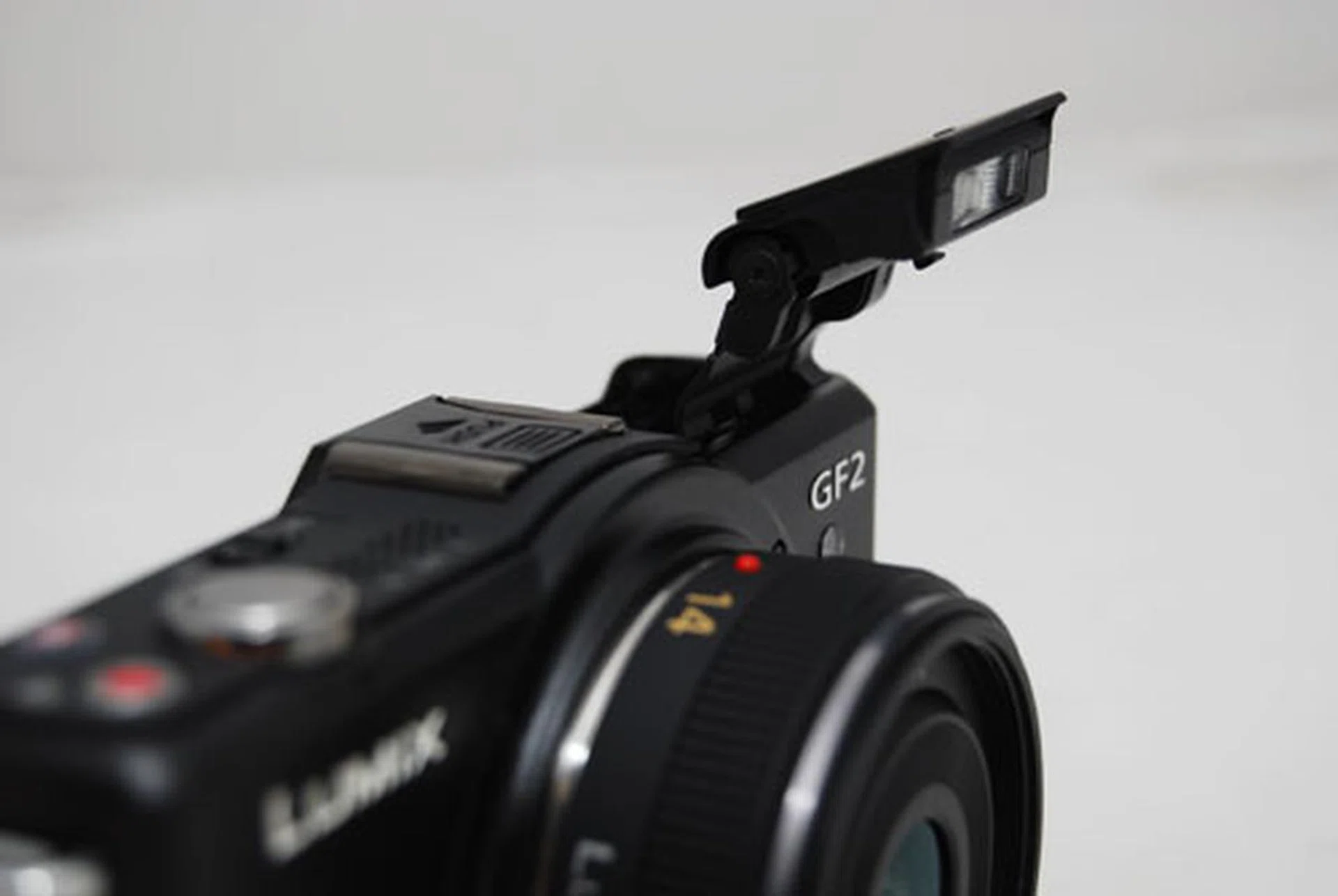
The innovative pop-up flash is back, but this time it extends further out than before. According to Panasonic, this helps prevent vignetting.
Never Want to Give You Up
While the Mode dial has disappeared, the all-important click-able scroll wheel remains. One of our favorite innovations from Panasonic, the scroll wheel gives you control over priority settings like aperture or shutter speed, just like on a DSLR camera. Click it, and it gives you exposure control. In Manual mode, clicking it toggles between aperture and shutter speed control. This makes manual control that much easier, and while we can live without a Mode dial, we couldn't live without this scroll wheel.
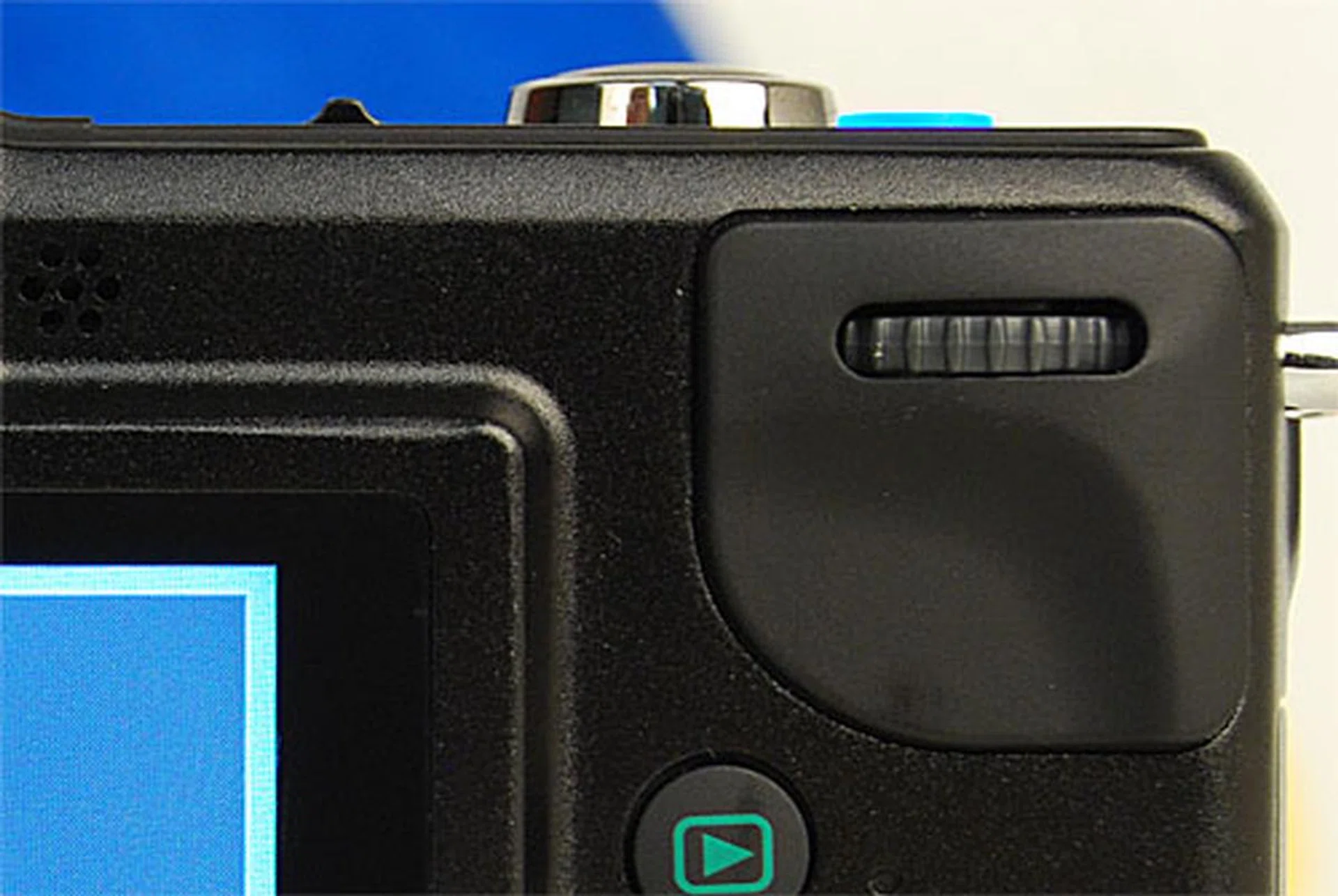
Never mind the Mode dial, we love you scroll wheel. Never go away.
But if the physical Mode dial has been removed, what replaces it? Find out on the next page.
A Touch Kind of Camera
So where is that Mode dial? Well, it's not entirely gone, it's just gone digital. Instead of a physical dial, you now switch modes using the GF2's software interface. While it's not as quick as a manual dial, it still turns out pretty easy to do, thanks in part to the new touch-screen.
There are two ways to switch modes on the GF2. The first is to go through the main menu by pressing the Menu button in the center of the d-pad. That will take you to another window where you can switch modes.
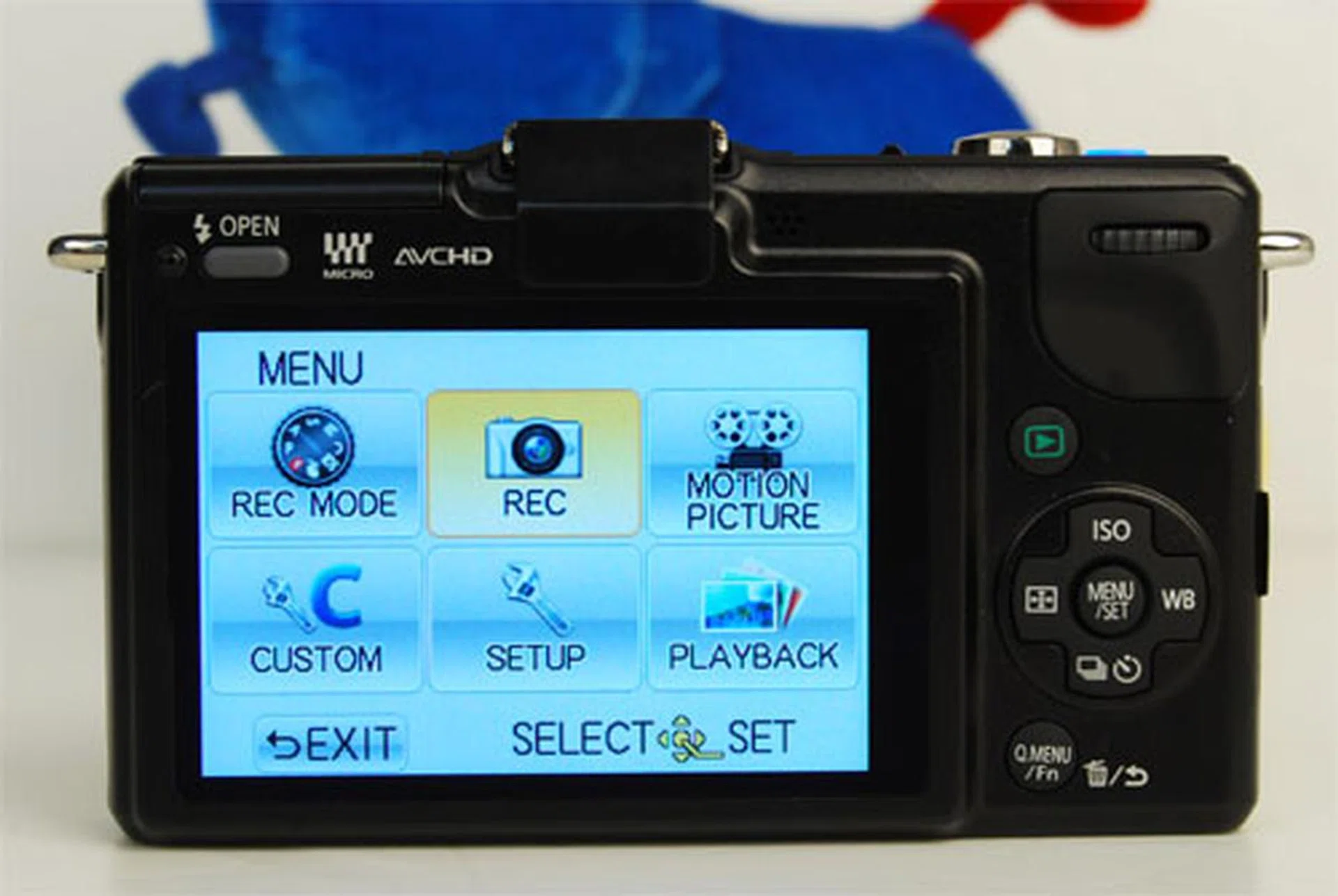
Pressing the Menu button on the d-pad will take you to this central menu. Choosing Rec Mode on the top left will take you to the mode switching menu.
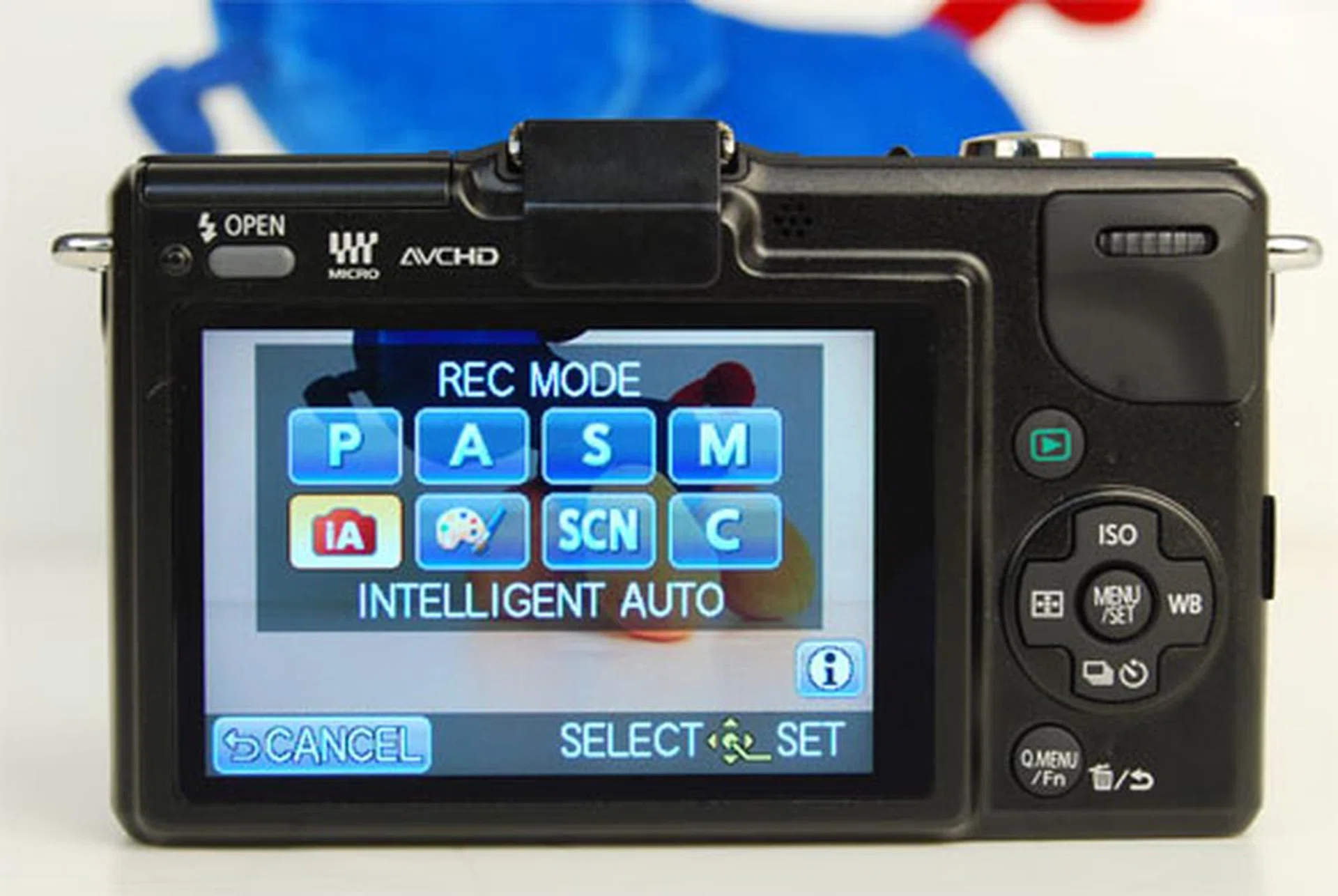
Switch modes using the d-pad or the touch of a finger. This screen replaces the physical Mode dial.
If that sounds like one too many steps to you, the second way is quicker. Below is the standard display you'll see when you're shooting. Simply tap the mode indicator icon (which is currently on 'A' for Aperture Priority) and it'll take you to the same mode switching screen as above.
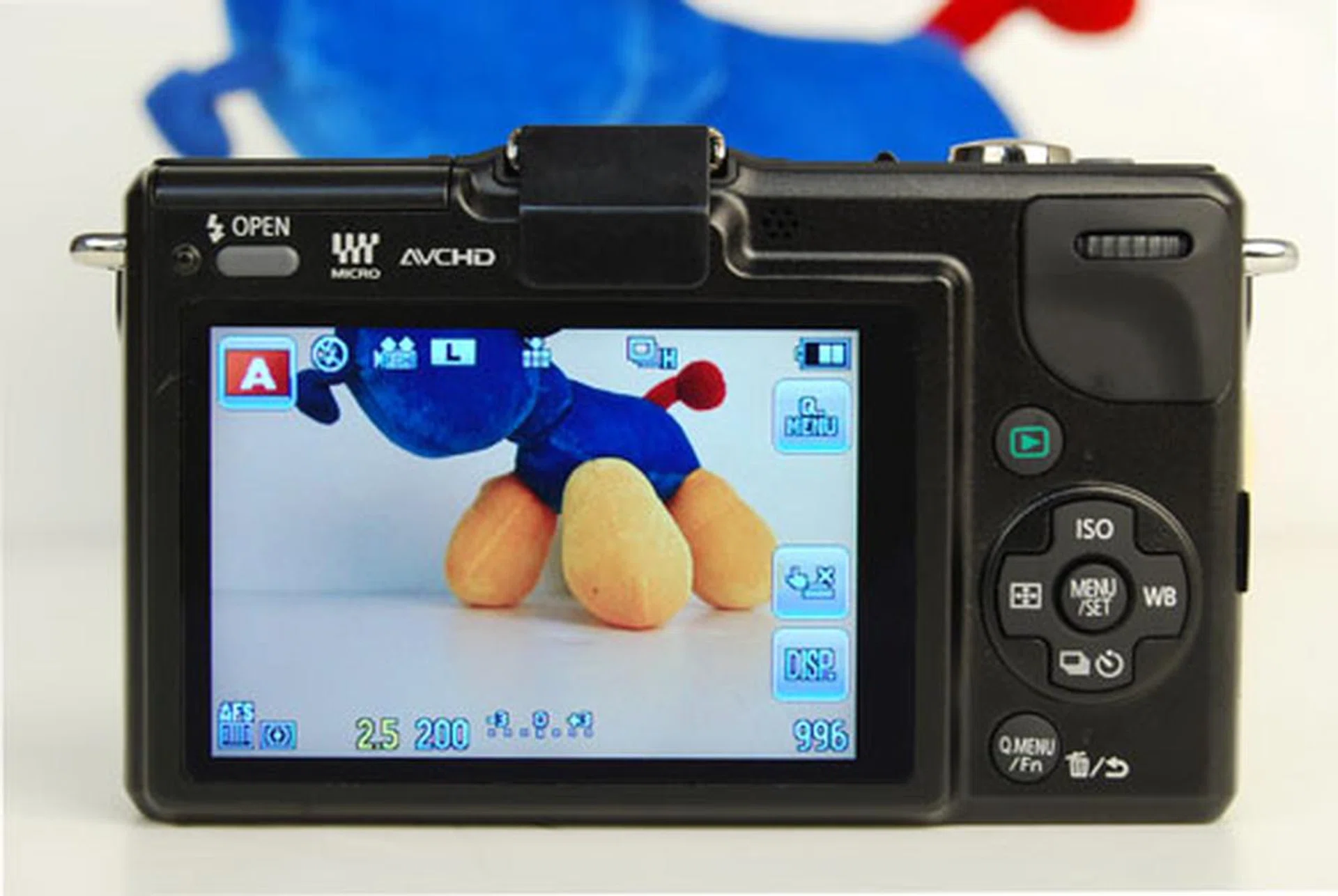
Simply tap the red mode indicator on the top left to go to the mode dial interface.
We imagine that most GF2 owners won't be switching modes so often, so the absence of the physical mode dial probably won't be felt. This seems to bear out in actual use; we habitually shot in Aperture Priority mode to take advantage of the new 14mm F/2.5 lens, but for other circumstances like landscape shots we simply turned on iA (intelligent Auto) mode using the iA button on top of the camera. When we wanted Aperture Priority back we simply switched iA off with the press of a button. If we wanted to shoot video, we simply hit the video Record button to immediately start shooting. There was very little need for a physical Mode dial and when we wanted to switch modes, it was easy and quick enough to do so.
A Quicker Quick Menu
Besides the more in-depth Menu, like other Panasonic cameras, the GF2 has a useful Quick Menu with immediate access to often-used settings like focus and metering modes (other useful settings like ISO and White Balance have their own dedicated buttons on the d-pad). Like the Mode dial, you can bring up the Quick Menu in one of two ways, either by its dedicated button below the d-pad, or by pressing the Q. Menu icon on the display.
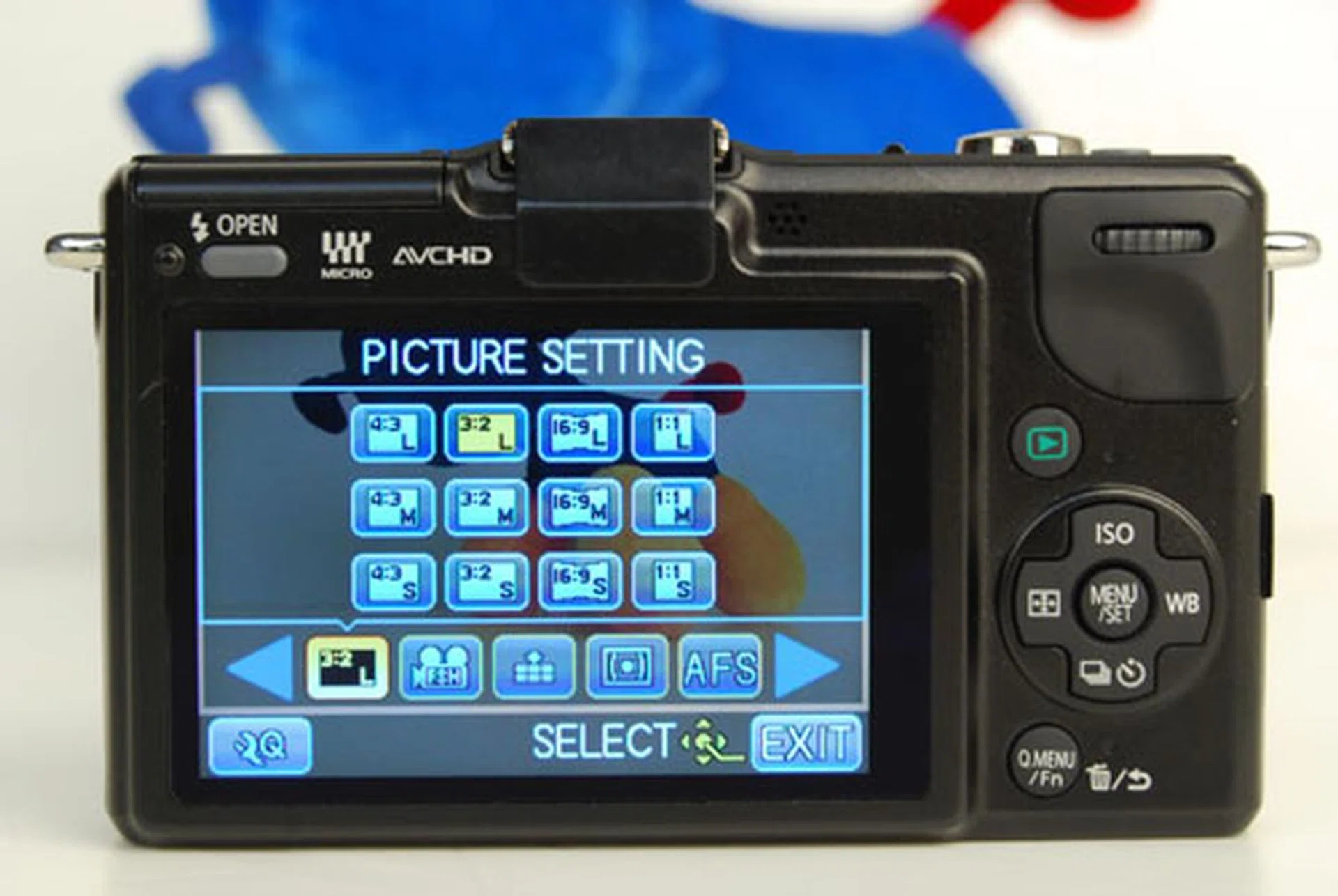
The Quick Menu window. Scroll through commonly-used settings via the icons below, and then change them accordingly.
The Quick Menu can be customized by tapping the 'Q' spanner icon on the bottom left. This brings up a screen where you can simply drag and drop icons to create your own Quick Menu. While this is useful, we felt the lack of a Mode dial icon. Sure, you can already switch modes two ways, but since it's a Quick Menu for everything at a glance, why not have it in there too as an option?
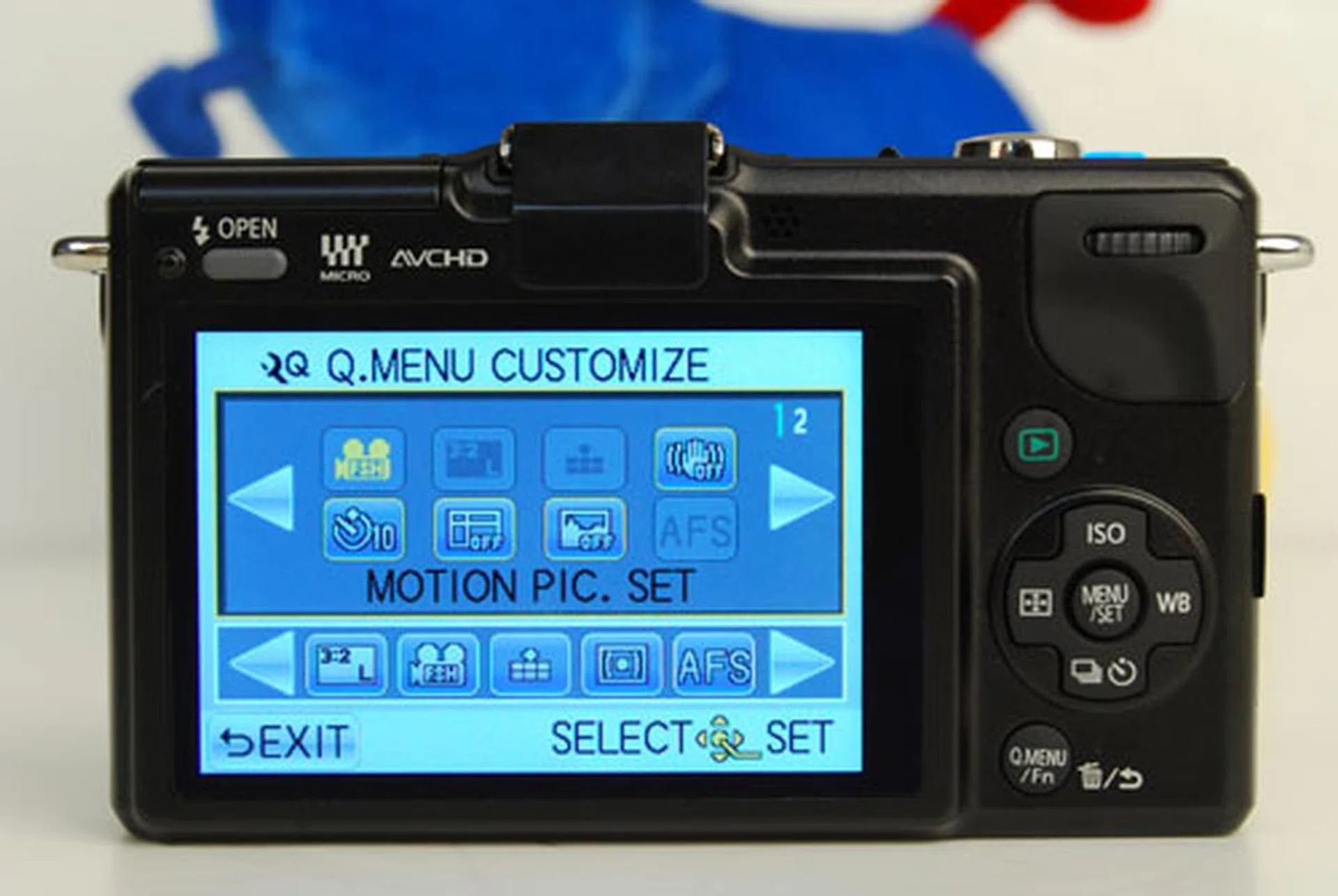
The Quick Menu can be customized to your liking by simply dragging and dropping icons.
Touch to Focus, Touch to Shoot
New to the GF2 are "touch to focus" and "touch to shoot" controls, as well as a touch de-focusing control. Touch to focus and touch to shoot do just what they describe, and they're welcome and easy additions to an already easy-to-use camera.
If we look at the display screen again (see below photo), you'll see a finger and button icon on the right side of the screen. It has an 'X' next to it right now because the function is switched off, but simply touch it, then touch anywhere on the screen again and it will focus on that area and take a shot. It feels fast and works well.
Touch focusing is one of our favorite new features. When shooting, simply tap the area of the screen where you want the focus to be, and the GF2 will further fine-tune its focus confined to that area. While the GF2 gets its auto-focus right most of the time, it's a quick and handy tool to have the ability to change your focus areas with a simple tap.
Can you find the "touch to focus" and "touch to shoot" controls? It's the second icon the right column of buttons on screen.
Touch-defocusing lets you control just how much the background is in focus, what photographers refer to as background blur or bokeh. While in iA mode, tap the icon of a woman with the checkered background, and slide your fingers to bring more or less of the background into focus. It's an intuitive way to control aperture, and Panasonic has wisely capped the aperture setting to a maximum of F/11 to avoid overly long shutter speeds.
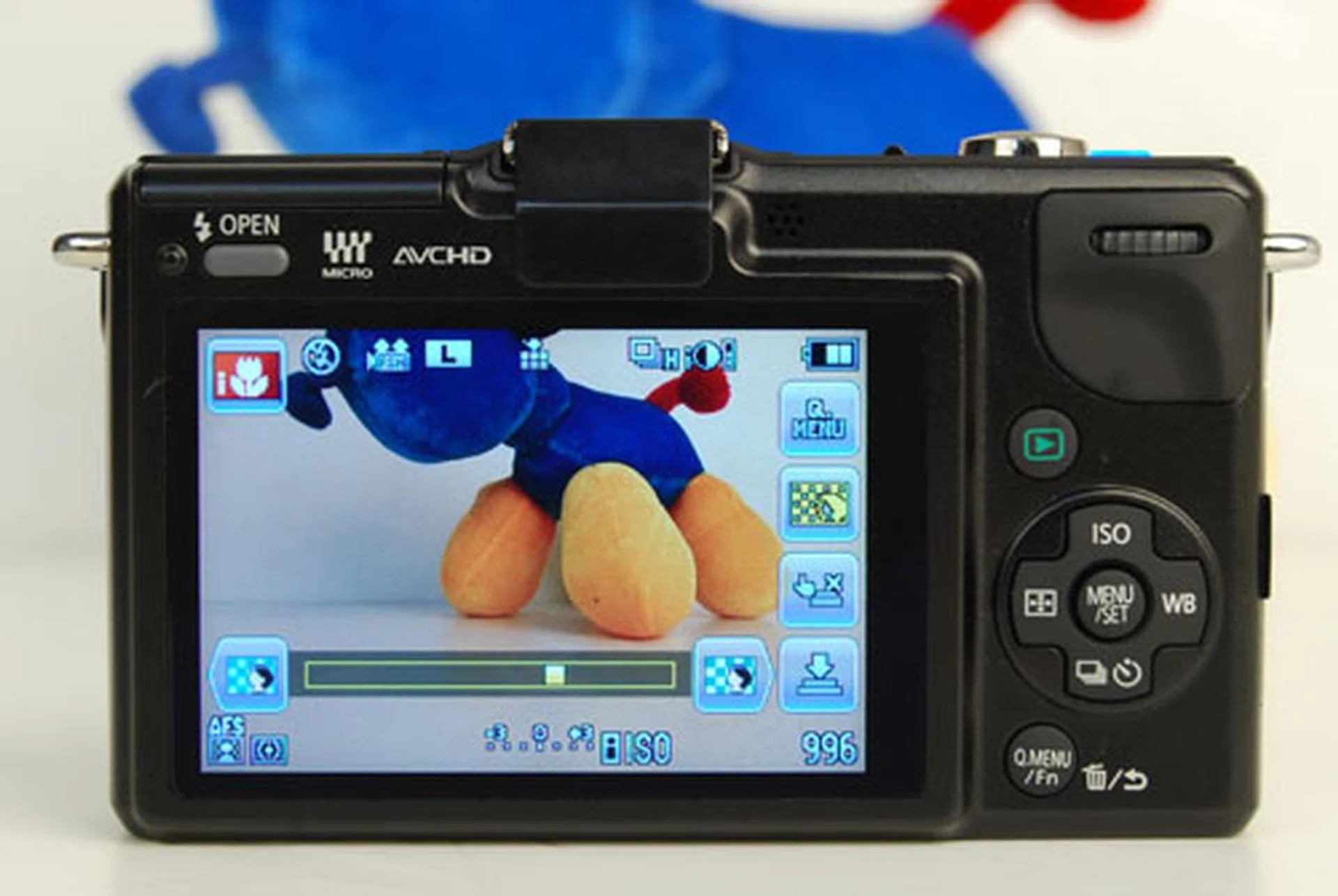
Use your finger to control the slider and bring more or less of the background into focus. The results can be immediately seen on your display. Now anyone can create a 'bokeh' effect easily.
Size Comparisons with Mirror-less Cameras
By a stroke of luck, we had a few other mirror-less cameras in the office for the HWM December Multi-Test shoot-out. So we decided to do a quick visual comparison of the difference sizes between the GF2 and some of its competitors.
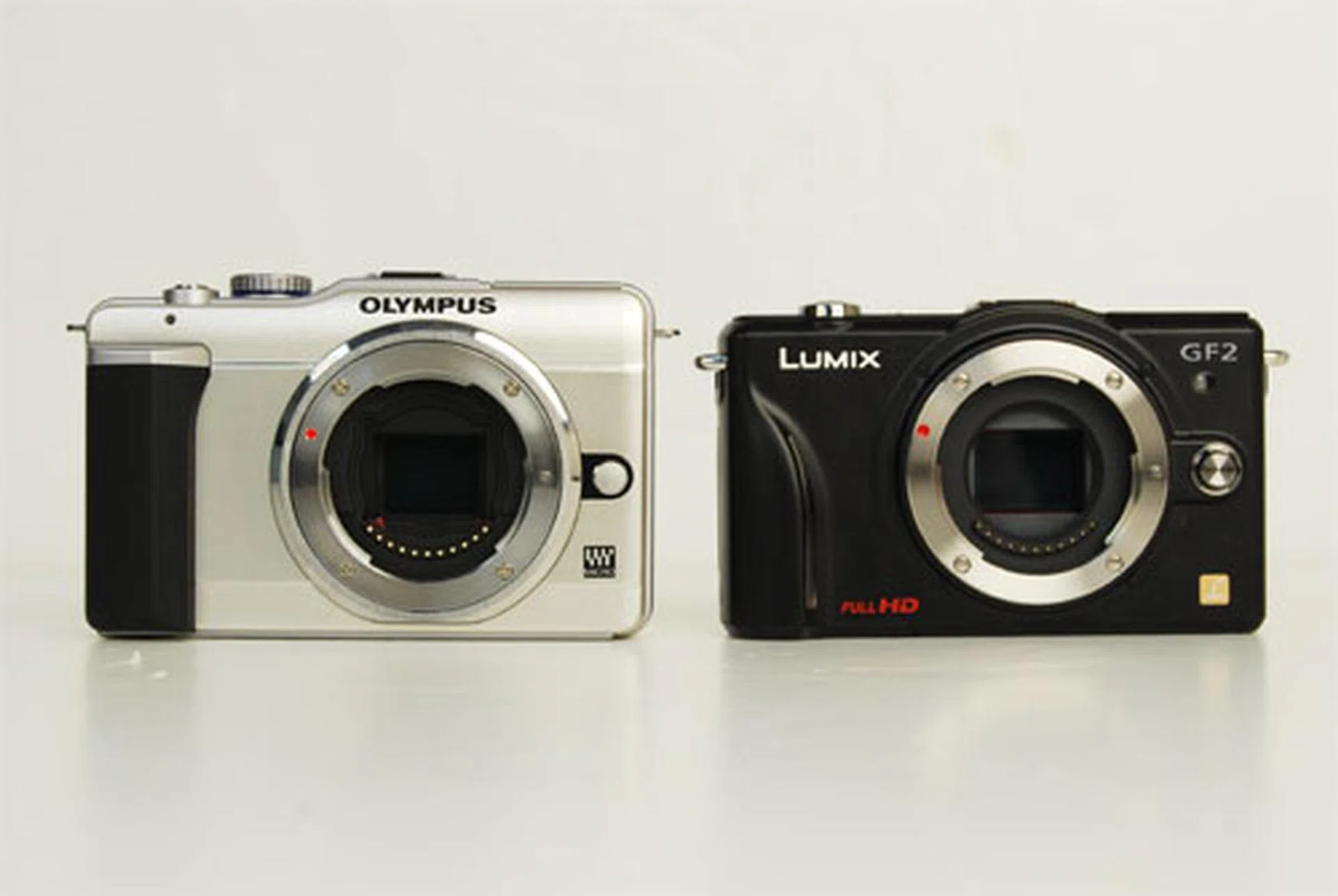
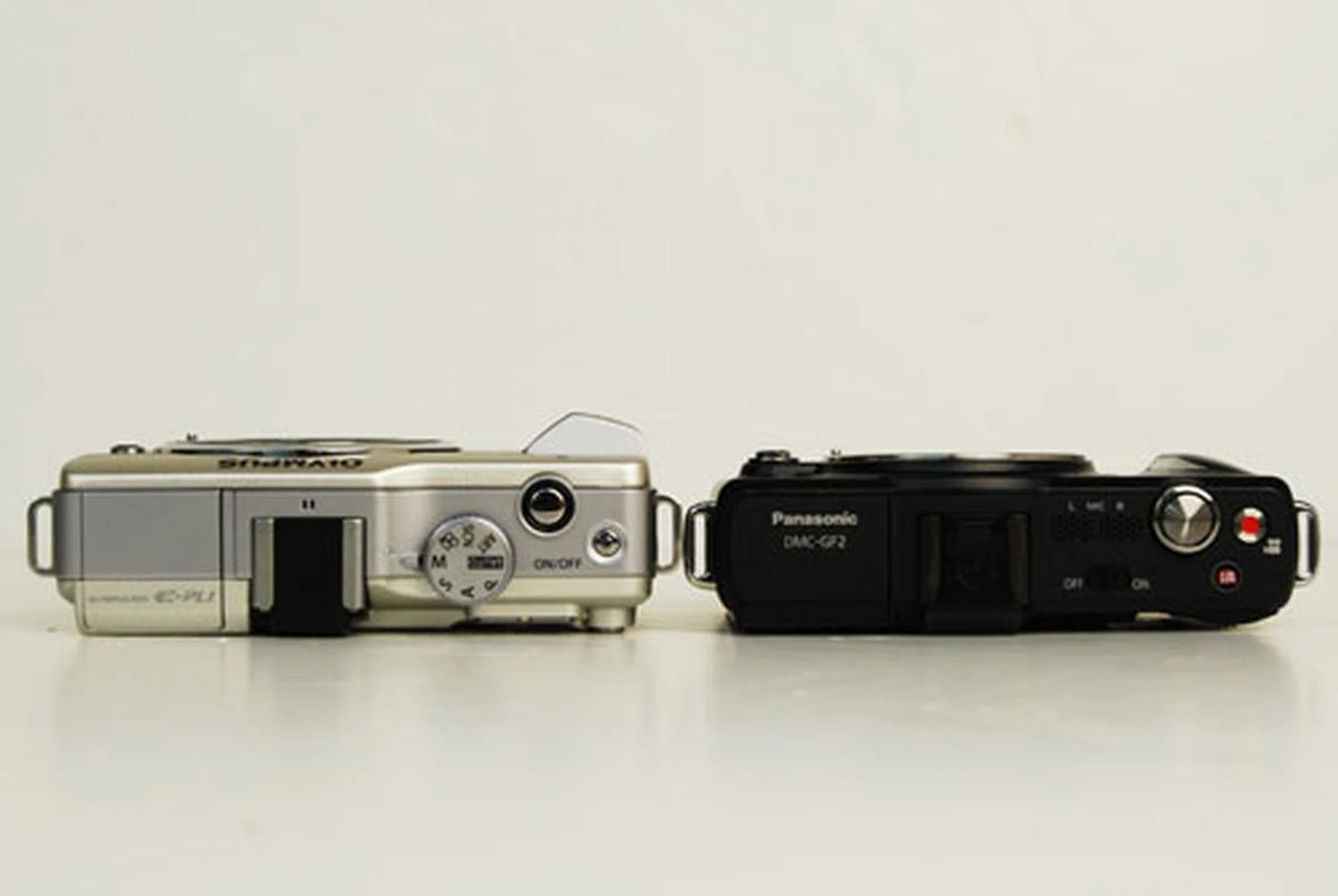
Panasonic Lumix GF2 vs. Olympus PEN E-PL1
The Olympus PEN E-PL1, another Micro Four Thirds camera, was released in February 2010, and is a close competitor to the GF series in both form and function. Here we can see that they're quite similar in size, but the GF2's body is slightly lighter at 265g to the E-PL1's 296g.
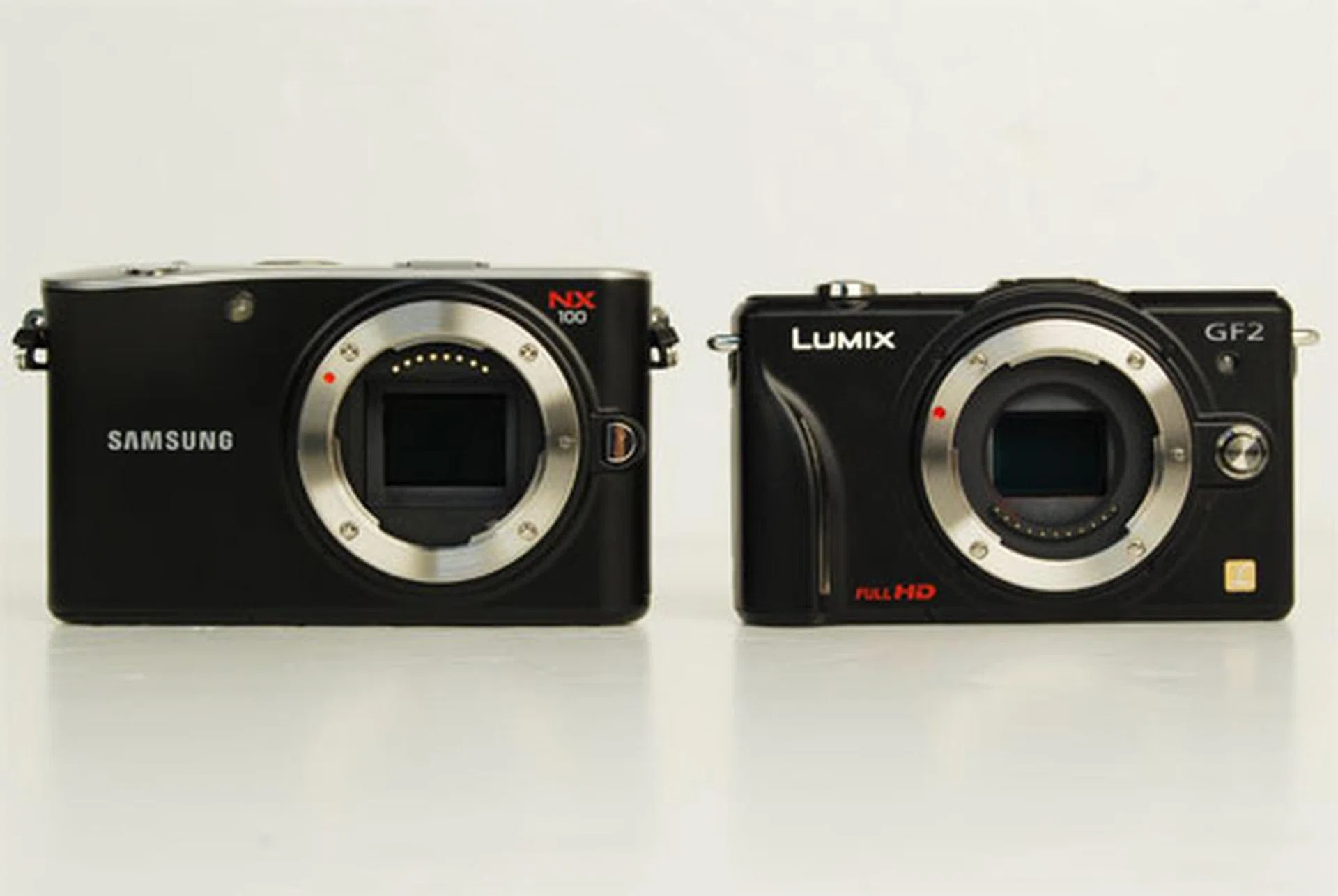
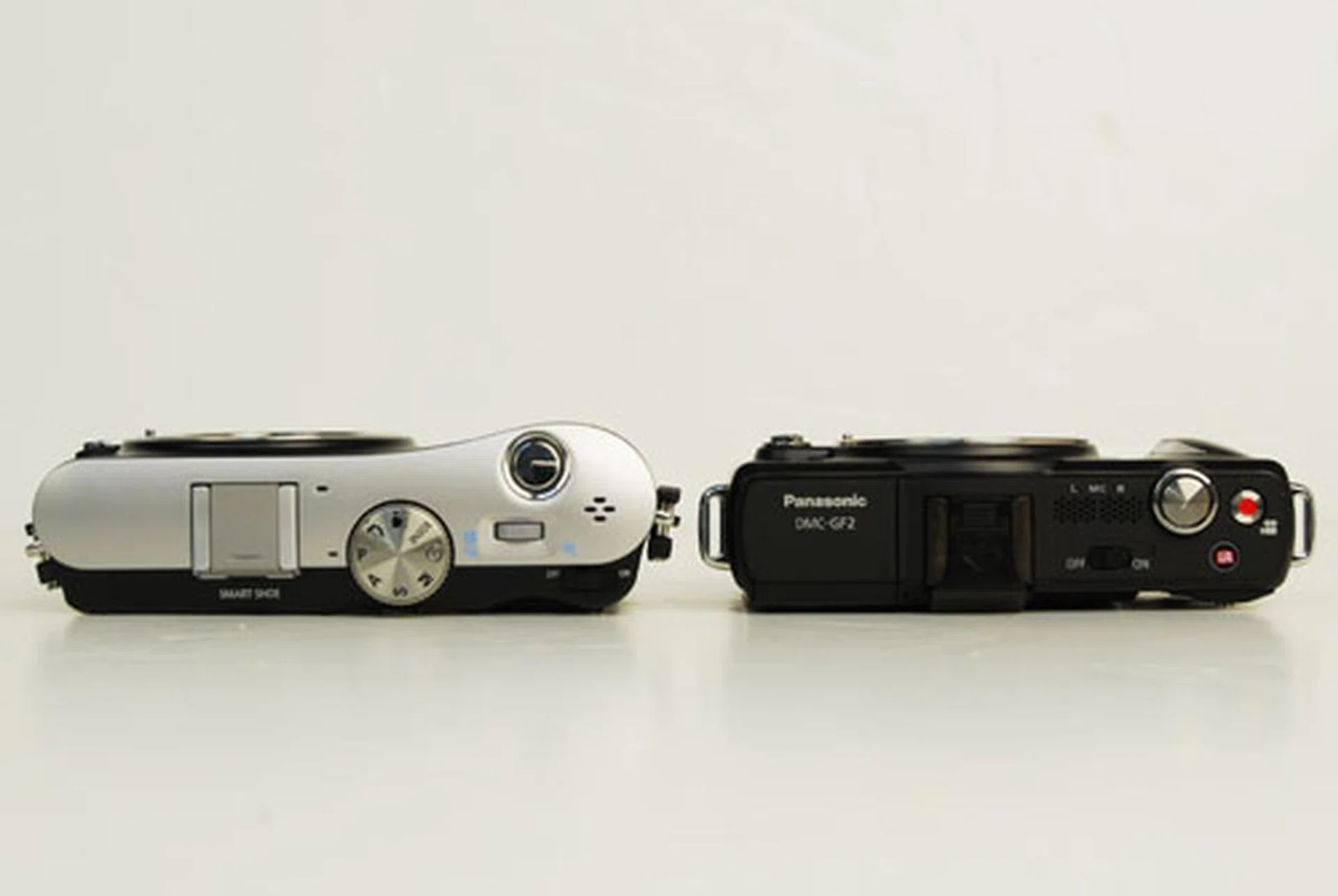
Panasonic Lumix GF2 vs. Samsung NX100
Announced in September 2010, the Samsung NX100 packs a larger APS-C sized sensor than the GF2's Micro Four Thirds sensor, so it's no surprise that the NX100 is slightly larger and also slightly heavier at 282g to the GF2's 265g.
Panasonic Lumix GF2 vs. Sony NEX-3
The Sony NEX-3 was announced in May of this year, together with its sister camera the NEX-5. Considering that the NEX-3 has a larger APS-C sized sensor (in fact, you can see both sensors in the photo), it's remarkable how similar in size it is to the GF2. Do note however that it has a larger lens mount and thus larger lenses than the GF2's.
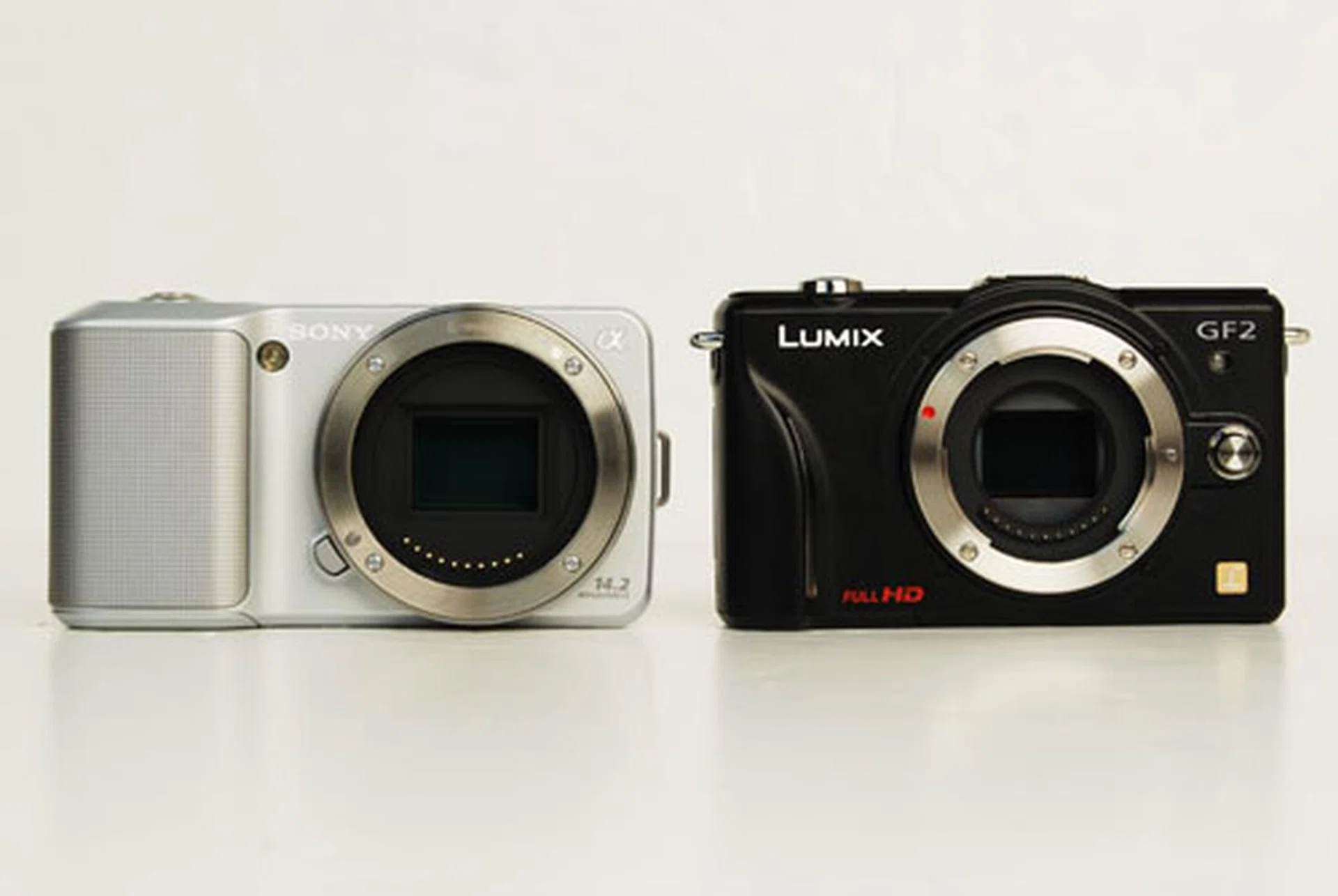
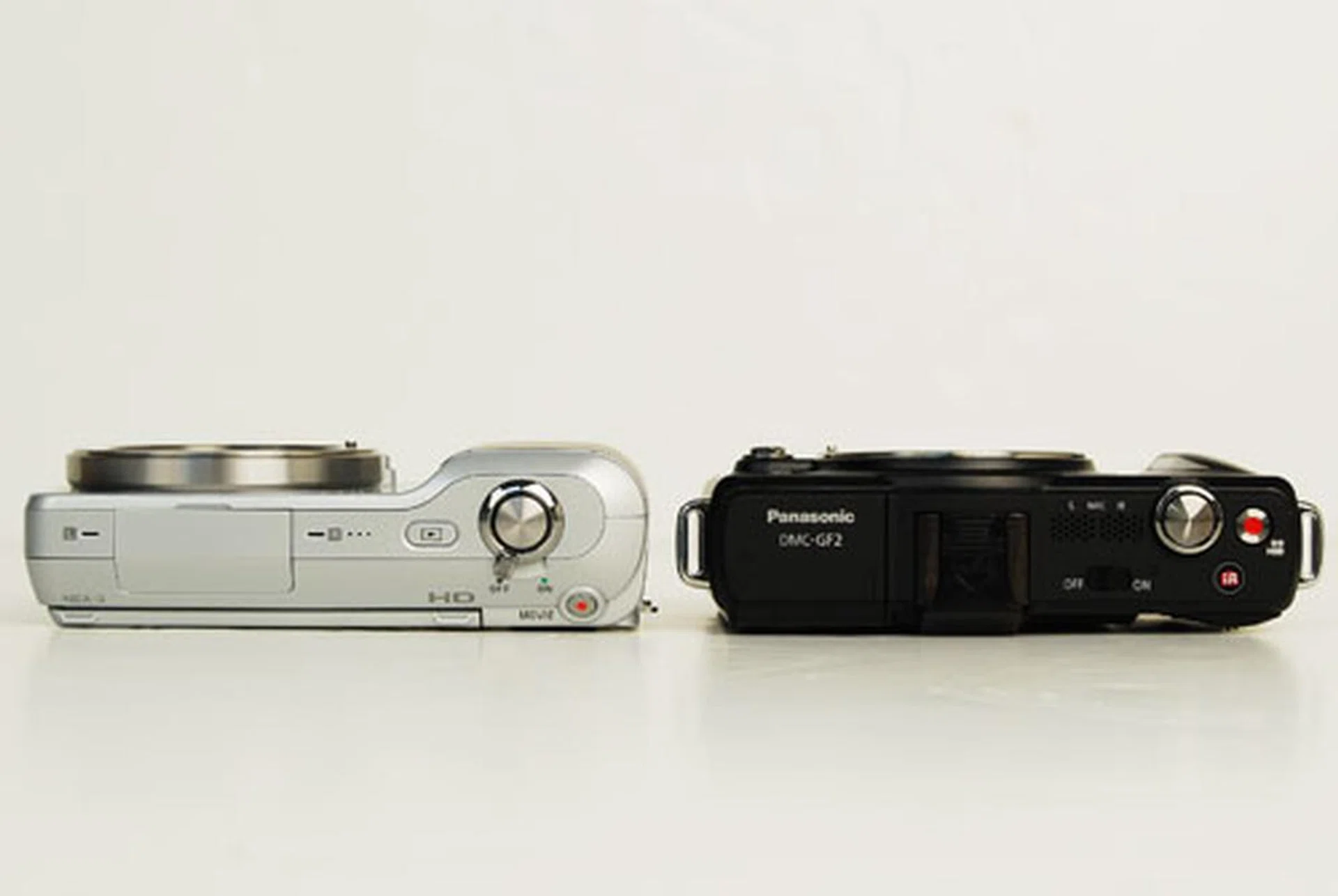
Image Performance
Generally, we found images from the GF2 to be good and an accurate gauge of Micro Four Thirds' (MFT) image quality in general. ISO sensitivity peaked out at around ISO1600, which seems to be a quality barrier that other MFT cameras haven't broken. Resolution is good, with clean detail in images.
Images are perfectly clear and clean up to ISO800, and details start to blur at ISO1600, which you can use in a pinch, but from ISO3200 image noise becomes noticeably visible. See the 100% crop of our test scene for examples.

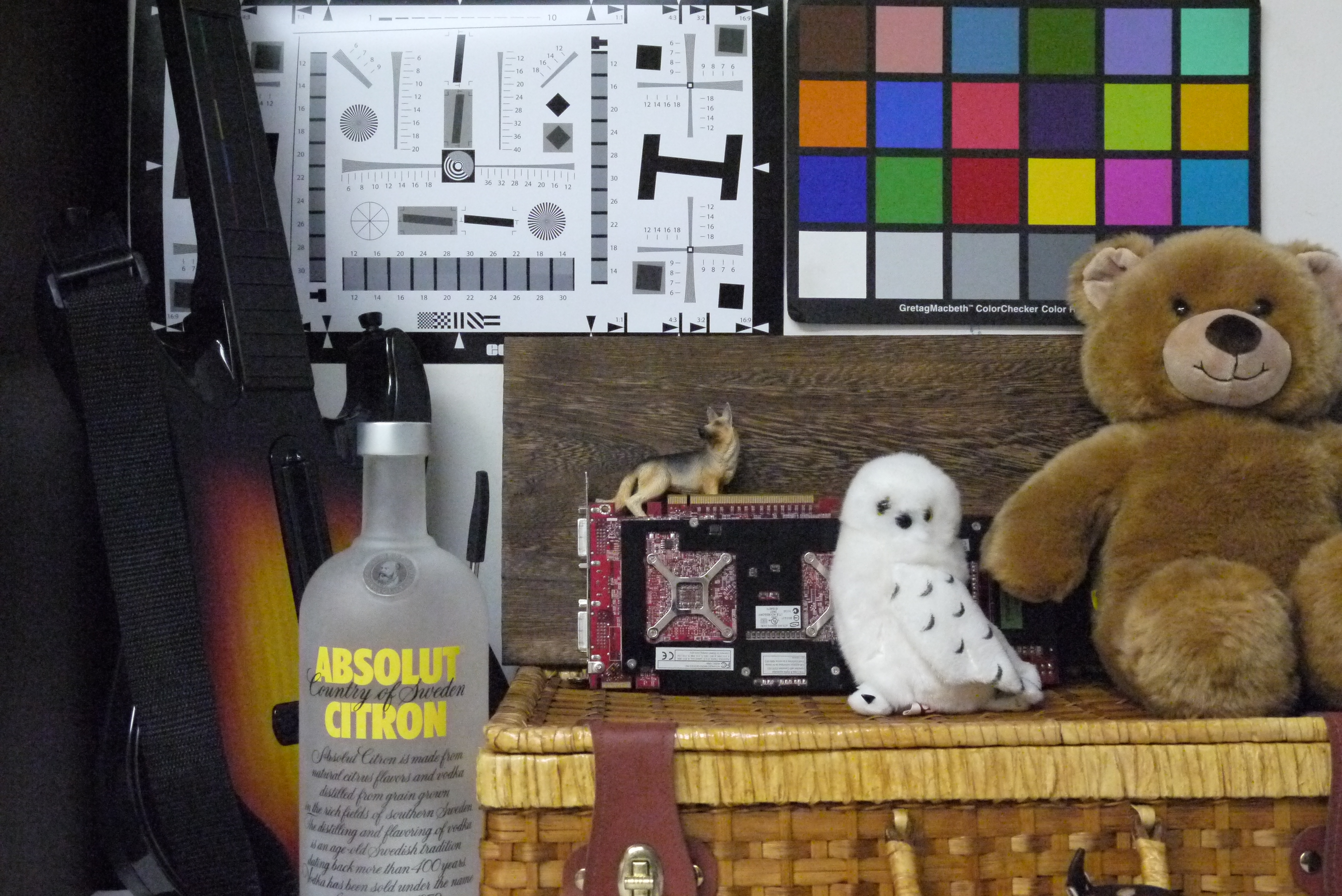
Our full test scene.
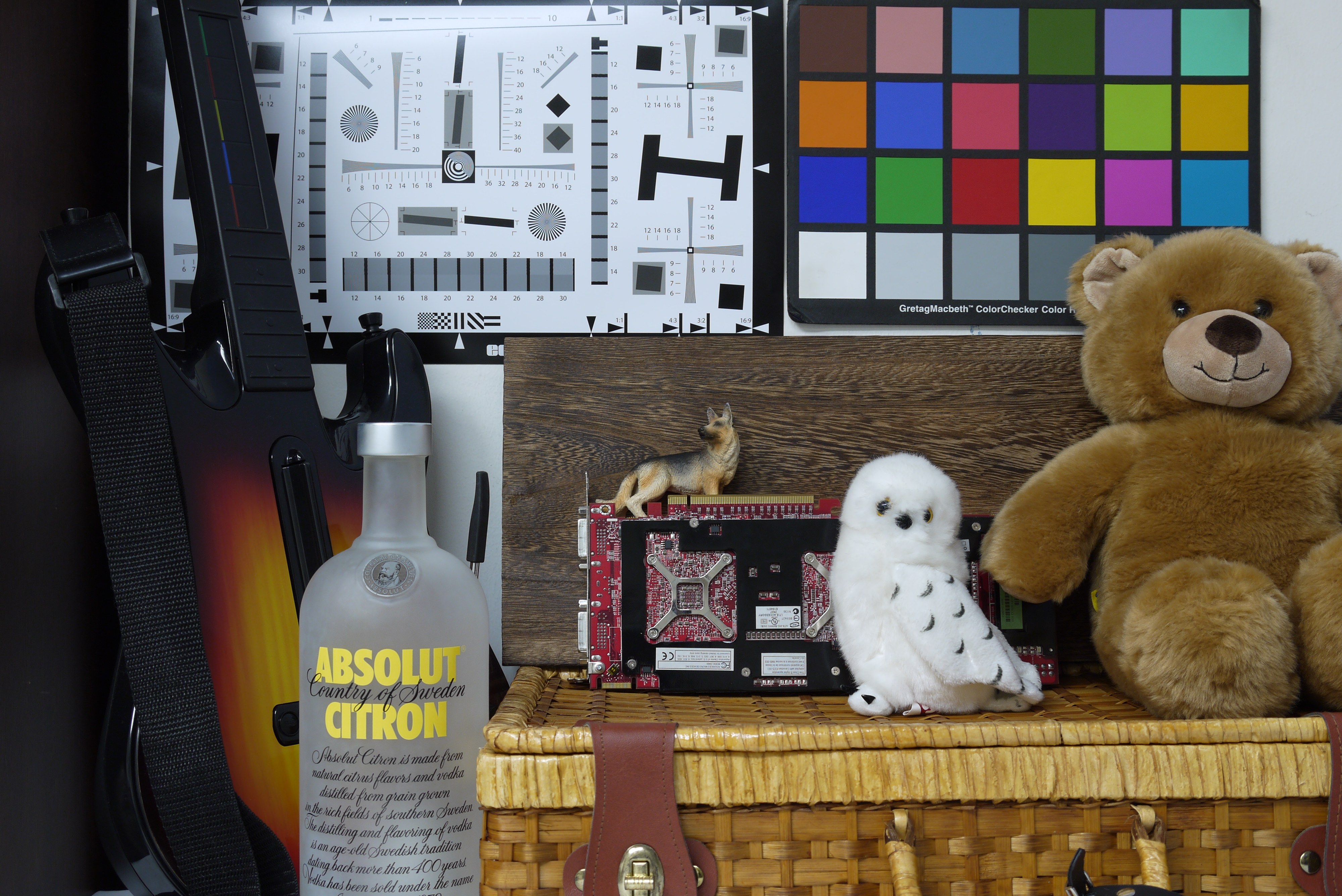
A 100% crop of the above scene. Shot at ISO100. Click for the full image.
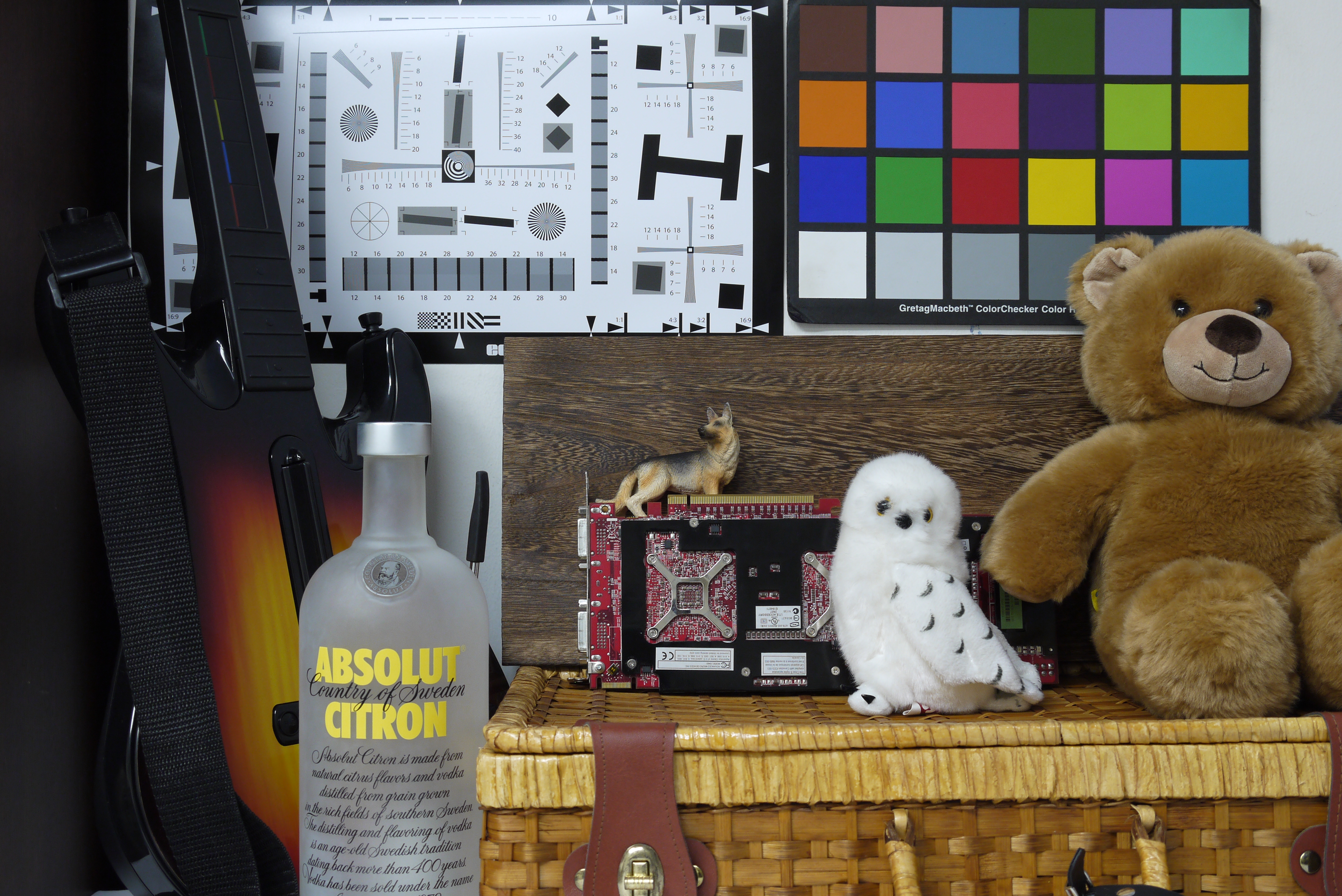
Shot at ISO200. Click for full image.
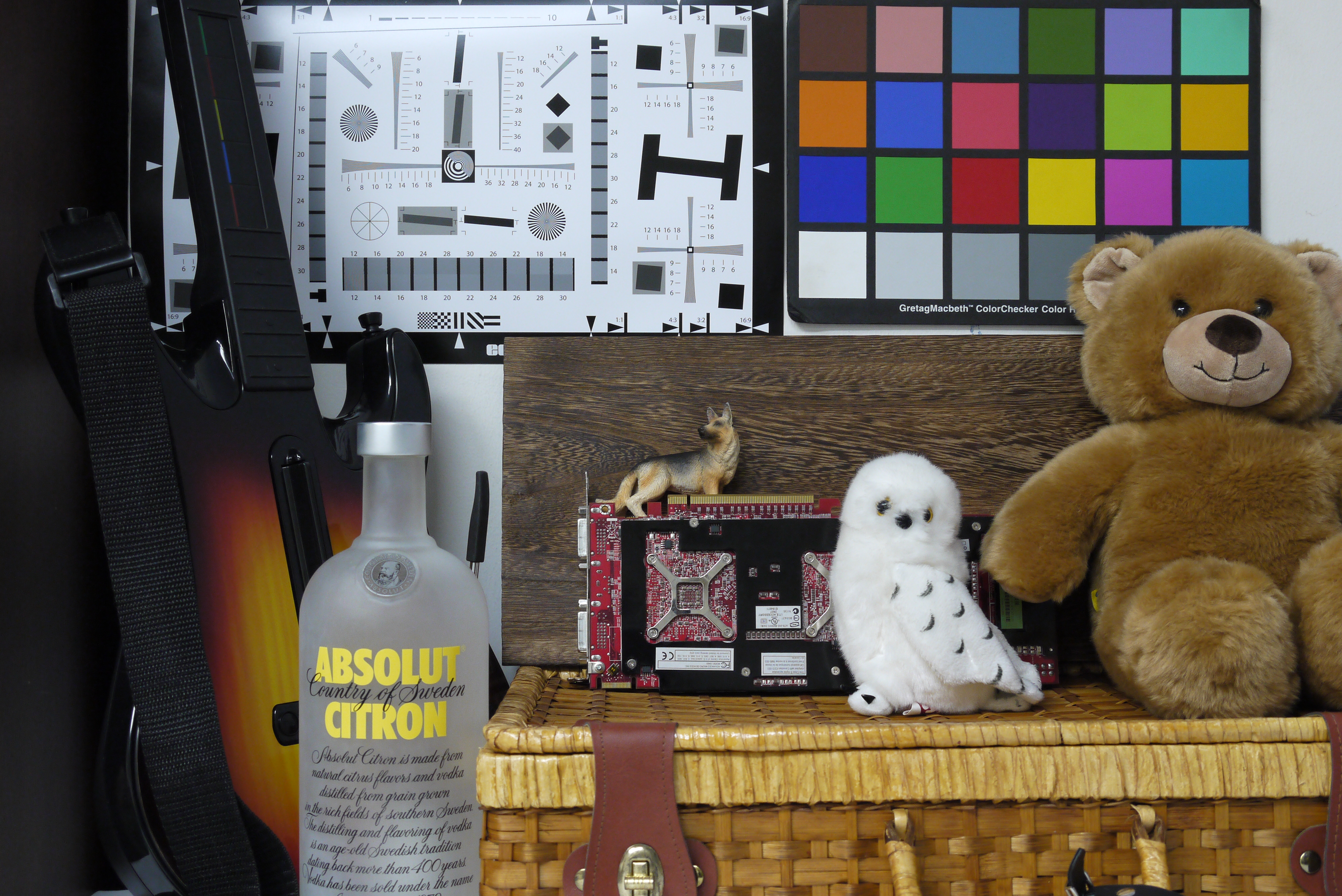
Shot at ISO400. The image is still quite clean and free from noise. Click for full image.

Shot at ISO800. Here's where image noise starts appearing and interfere with image detail, but we're still quite comfortable with this. Click for full image.
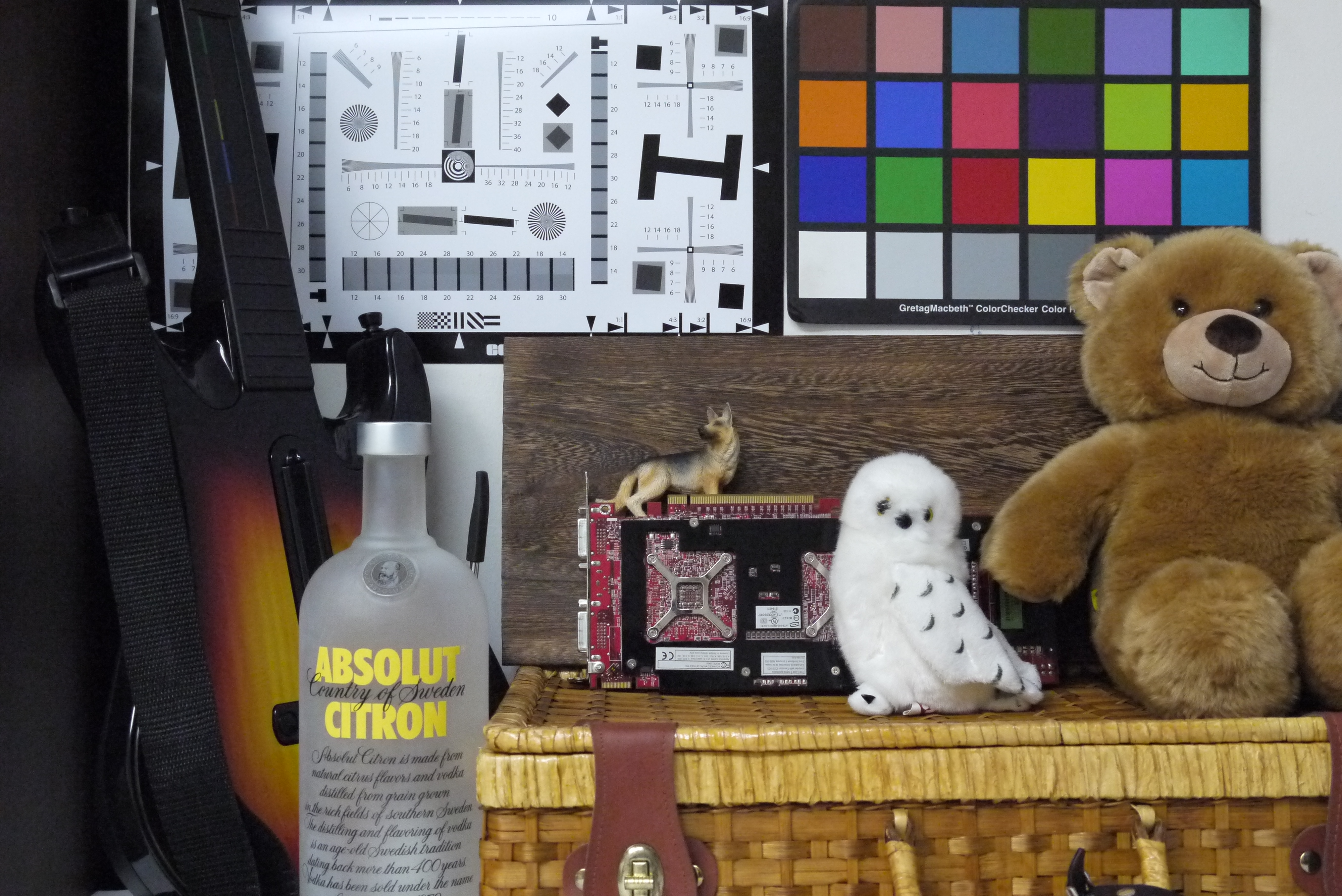
Shot at ISO1600. The details are starting to blur, but we'd still shoot at this setting in a cinch. Click for full image.
Shot at ISO3200. Here you see that image noise has really eaten into the details. Click for full image.

Shot at ISO6400. Let's not go here. Click for full image.
Colors are bright and punchy; sometimes a little too punchy but purists can always shoot in RAW.


The camera shoots a high 1800 x 1800LPH on our resolution chart.
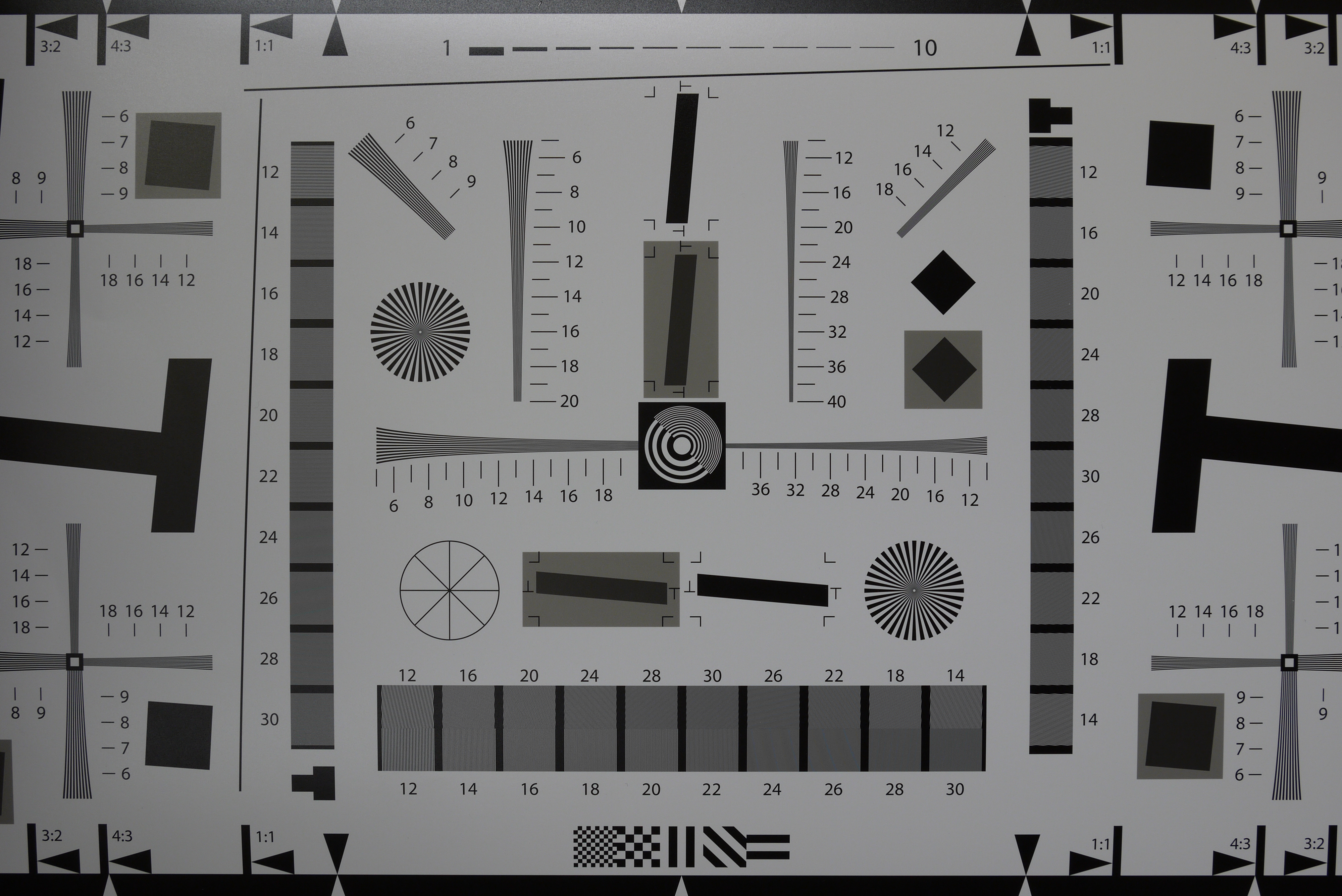
Shooting with the 14mm pancake lens, we noticed some soft vignetting around the edges when shooting wide open.

Shot with the 14mm pancake lens at F/2.5.

Shot with the 14mm pancake lens at F/3.5.

Shot with the 14mm pancake lens at F/5.6.

Shot with the 14mm pancake lens at F/8.0.
Sample Photographs
These are sample photographs shot with the Panasonic Lumix GF2. The photos have not been post-processed and are copyright to SPH Magazines. We kindly ask that you do not reproduce them elsewhere. Click to see the original full resolution photo.

Shot at f5.6, 1/60 sec, 87mm, ISO400.

Shot at f5.2, 1/20 sec, 70mm, ISO400.

Shot at f5.6, 1/60 sec, 87mm, ISO400.

Shot at f2.5, 1/60 sec, 29mm, ISO800.

Shot at f8, 1/80 sec, 29mm, ISO3200.

Shot at f4.6, 1/8 sec, 51mm, ISO400.
Final Thoughts
There's a lot to like about the Panasonic Lumix GF2. It's amazing how Panasonic has squeezed more features like a touch-screen and full HD video recording into a smaller camera, no doubt helped by the removal of the Mode dial and the use of a smaller battery. With the GF2, Panasonic comes closer to the goal of a compact camera with a large sensor.
Paired with a 14mm pancake lens, the GF2 feels incredibly light and small. And its speed and handling is top-notch. Like the GF1, the GF2 feels like a camera you can trust; simply point and shoot and its quick AF (auto-focus) and metering paired with face recognition gets the shot right most of the time. And it gets the shot quickly, even in-between shots, with none of the lag associated with compact cameras.
Yet it handles with the convenience of a compact camera, and even looks more like one, thanks to its new design.
Touching is Recommended, But Not Compulsory
Touch controls on Panasonic's Micro Four Thirds system started on the more powerful G2, and it's interesting to see them here in the smaller, less powerful GF2. Like the G2, the GF2 does touch control right. Controls are mostly responsive and fast - and no, not every camera with a touch-screen is as responsive (the number of times we wanted to throw touch-screen cameras to the wall...gah).
The best thing about the GF2's touch-screen controls is that, like the G2, they are complementary and not compulsory. This is so important: the touch-controls are there if you want them, but if not, you can use the camera just as well without them and rely on the physical controls. So just in case touch-screen controls are the bane of your fingers' life, or you find the physical controls too stiff (not the case for us), you can control the camera either way. And best of all, you can control the camera both ways; access the menu via the Menu button, then tap on the screen icon to get what you want. This makes the camera so much easier to use.
The Truth about Lenses
We're going to bet that when the GF2 launches, you'll see more marketing images of it with the 14mm pancake kit lens than the other 14-42mm kit lens - just because it looks so much slimmer in comparison!
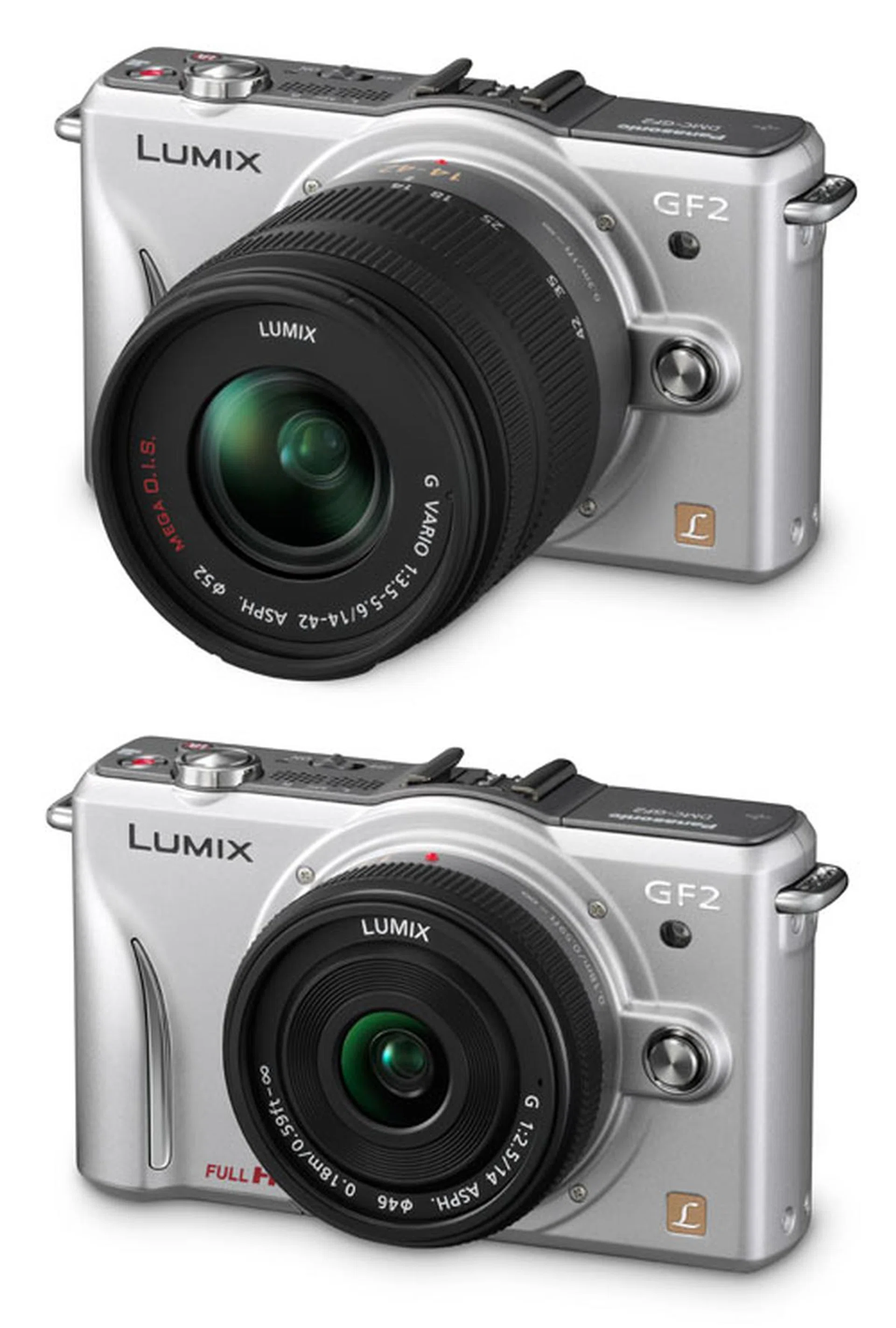
Check it out - which makes you want to buy more? The GF2 with the 14-42mm kit lens (above) or the 14mm pancake lens (below)?
We're not saying it's dishonest marketing, because there will be people who'd want to carry the GF2 with nothing but the 14mm F/2.5 pancake lens on: people like us. Carrying a fixed lens has its limitations, you can't zoom so you can't get shots from far away, and you won't always get the framing you want. But you get benefits too, like that quick wide open F/2.5 aperture and some delicious background blur.
But we're not everybody, and we recognize that there will be people who're hoping to replace their compact cameras with the GF2. They're most likely to want an all-in-one camera with the zooming lenses they're used to, so they'll most likely carry the 14-42mm kit lens rather than the 14mm pancake.
So take the lens you'll be using into account when considering a purchase, not a marketing image.
Talking about lenses, it looks like the 14mm F/2.5 lens is the new 20mm F/1.7. While the GF1 had a 20mm F/1.7 kit bundle, the GF2 has only the 14mm, the 14-42mm or both as a bundle. The 14mm is not a bad lens, at a 35mm equivalent of 28mm, it gives you a wider field of view than the 20mm (40mm in 35mm equivalent) so you can grab shots in tighter environments, like group shots in a small room.
At the same time, the faster F/1.7 lens is still delicious and its longer focal length makes portraits look more natural. If any retail outlet is listening, we wonder if they'll consider an unofficial 20mm F/1.7 bundle with the GF2. Anybody?
Image Quality
We're quite pleased with the image quality from the GF2. It doesn't break any new ground in the Micro Four Thirds world, we're still doing 12MP and ISO performance safely peeks out for us at ISO1600. It's not quite DSLR-quality, but it's better than any compact camera. Resolution is top-notch, with clear details.
We'll go out on a limb here and say that if you're looking at the GF2, image quality isn't your top priority. Rather, a balance between convenience, usability and image performance is what you're probably looking for, and the GF2 delivers.
A Micro Four Thirds GF2 or an APS-C Sensor Competitor?
The GF2 finds itself landing in wilder territory than the GF1 when it first came out. Back then, Panasonic and Olympus enjoyed a brief monopoly of the mirror-less interchangeable lens market, being the first and only ones on the market.
Since then, the market has exploded, with Samsung and Sony both bringing their own mirror-less interchangeable lens compact cameras, with native mounts, packed with DSLR-equivalent, APS-C sized sensors larger than Micro Four Thirds'! What's an MFT camera to do with now two-year old technology?
Still, it's not all doom and gloom for the Micro Four Thirds (MFT) standard. Amongst the mirror-less interchangeable lens cameras in the market today, the MFT standard boasts the largest number of lenses, with more already announced. Panasonic MFT camera owners can use Olympus MFT lenses and vice-versa. There are mounts for third-party lenses, including mounts for Leica lenses (granted, you lose things like auto-focus with these mounts). There are even delicious third-party lenses which mount directly like the recently released Voigtländer Nokton 25mm f/0.95 lens.
Sure, lens envy is something that only infects the enthusiast, not the consumer for whom the GF2 is mainly targeted. And sure, APS-C sensor cameras like the Sony NEX are capable of higher resolution and cleaner ISO performance. Still, the robust release of lenses for the MFT system imparts a certain glow of health to it, and it looks set to grow even further - we wouldn't count it out just yet!
Is the GF2 a Large Compact or Compact DSLR?
The Panasonic GF1 was an attractive camera like for both consumers and enthusiasts. It delivered good image quality with ease-of-use and superb AF with the intelligent iA (intelligent Auto) mode for the consumers. At the same time, manual control for the enthusiast was readily available with the twist of a Mode dial and the twirl of a scroll wheel.
For the enthusiast, those manual controls are still there in the GF2, just a half-step further away in the interface. For the consumer, the GF2 has become a much more accessible camera, with really easy-to-use touch controls, and the excellent AF and iA modes still there.
The GF series has been Panasonic's most consumer-ish, entry-level cameras in their Micro Four Thirds line-up. And the GF2 feels a step closer towards that direction, with more features added to make shooting easier for the consumer. For another indication that the GF2 is more heavily weighted towards the consumer, notice that while the Panasonic LX5 still retains a physical Mode dial, the GF2 has done away with it. Yet, the nice part of the GF2 is that the manual controls are there if you want them, not too far away, and easy-to-use when you want them. Just going by the design and handling, it looks like Panasonic has produced another winner in the GF series.
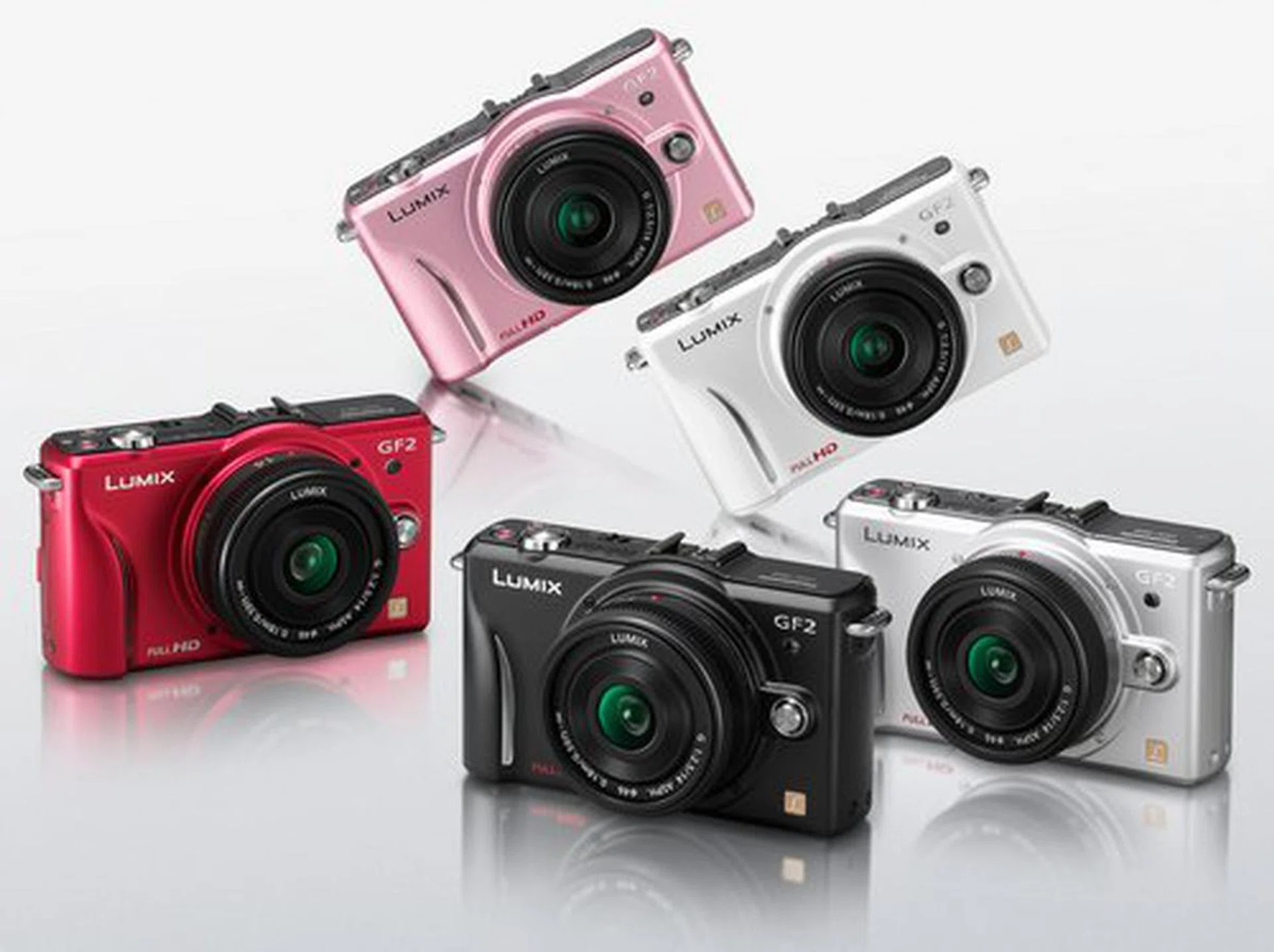
How do you know when it's a consumer camera? When the marketing images are warm, friendly and come in many colors.
Prices & Availability
Neither pricing nor availability has been confirmed, but we've heard that the GF2 will be selling either late this year or in January (not very helpful, we know). At the moment, there are three kit lens bundles available, either with the 14mm, the 14-42mm or both. At the same time, Panasonic hasn't confirmed yet if all kit bundles will be available in Singapore.
Keep your eyes peeled on HardwareZone.com though, because you'll know the prices and availability as soon as we do.
Our articles may contain affiliate links. If you buy through these links, we may earn a small commission.