

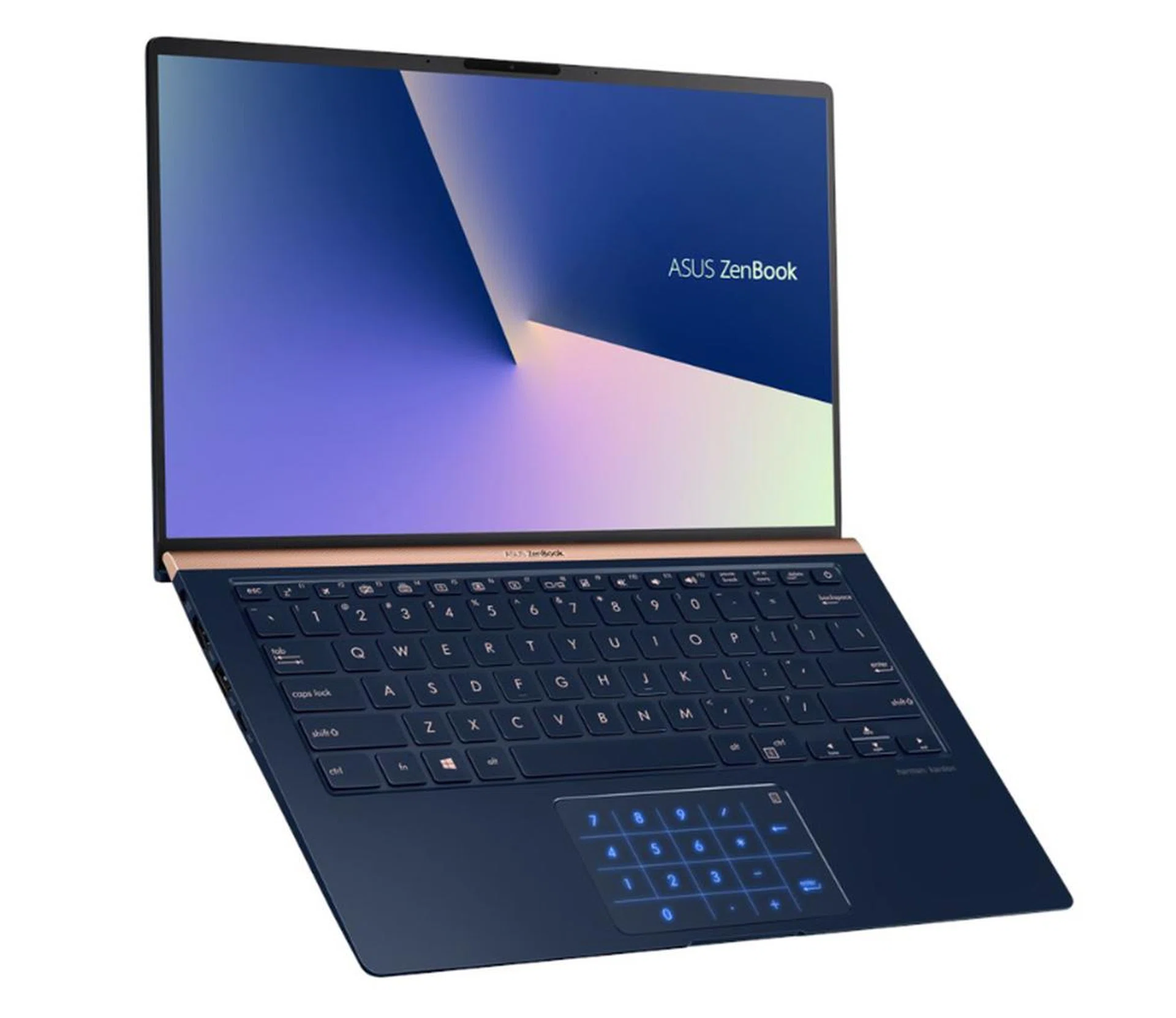
The new ASUS ZenBook 14 is a super compact 14-inch notebook that is smaller than most 13-inch notebooks.
Another ZenBook? This is so confusing.
I hear you and ASUS does too. I have been told that there are plans to streamline the ZenBook line-up but the notebook we have here is the newest ZenBook 14, specifically the UX433 that was announced last year. It has taken a while but they are finally here.
So, what is the ZenBook 14?
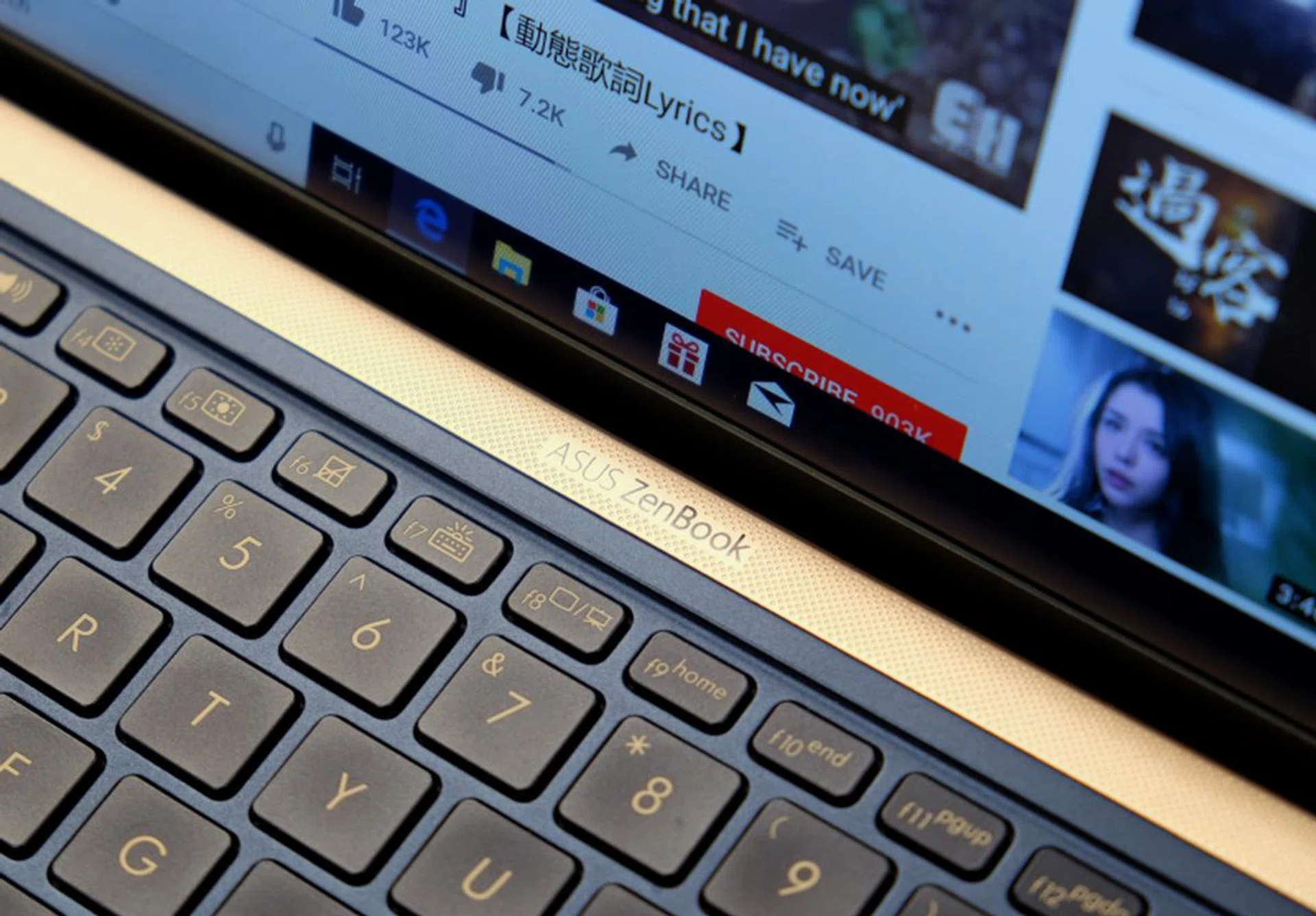
The grille above is actually decorative and not for the speakers. The speakers are actually positioned on the underside and fire downwards.
It’s a super compact 14-inch notebook. Thanks to super thin bezels that are just 2.9mm thick at the sides and clever packaging, the ZenBook 14 is one of, if not the world’s smallest 14-inch notebook.
How small is it?
The new ZenBook 14 weighs just 1.09kg, which makes it one of the lightest 14-inch notebooks around. It's 15.9mm thick, which is a bit thick compared to some of its rivals but it makes up for it by having full-size USB-A and HDMI ports (more on this later).
In terms of overall dimensions, it's even smaller than last year’s ZenBook 13. Incredibly, it’s also smaller in footprint than many 13-inch ultraportable notebooks. Just take a look at the table below.
Model | Width | Depth | Footprint |
ASUS ZenBook UX433 (14-inch) | 31.9 cm | 19.9 cm | 634.81 cm2 |
Acer Swift 5 | 32.9 cm | 22.8 cm | 750.12 cm2 |
Apple MacBook Air | 30.4 cm | 21.2 cm | 644.48 cm2 |
Dell XPS 13 | 30.2 cm | 19.9 cm | 600.98 cm2 |
LG gram 14 | 32.3 cm | 21.2 cm | 684.76 cm2 |
MSI Prestige PS42 | 32.2 cm | 22.2 cm | 714.84 cm2 |
Razer Blade Stealth | 30.4 cm | 21.0cm | 638.4 cm2 |
It looks dainty, will it survive the rigors of daily life?
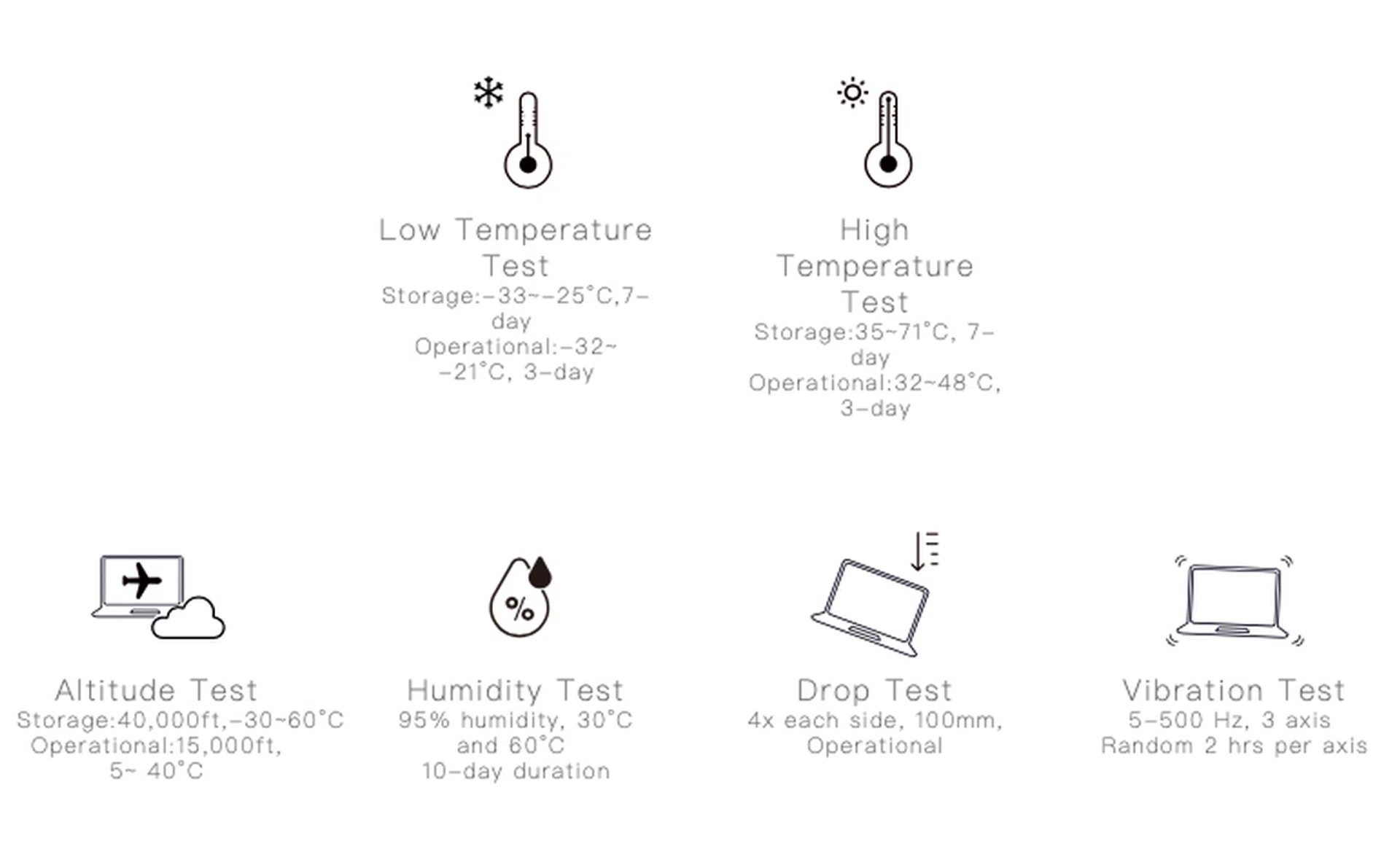
The ZenBook 14 is more durable than your average notebook.
Yes. As a matter of fact, the ZenBook 14 meets the demanding MIL-STD-810 standard for reliability and durability. This means it's tested to work in a wide range of temperatures, altitude, and even humidity. It's also drop tested and vibration tested. In short, it's markedly more durable and rugged than most notebooks.
That's good to know. But how is it positioned in the ZenBook line-up?
Good question. The ZenBook 14 is ASUS’ new mainstream ultraportable notebook. The ZenBook S, which is thinner and lighter and comes with Thunderbolt 3 support, is the brand’s flagship ultraportable notebook.
Makes sense. What specs does this machine have?
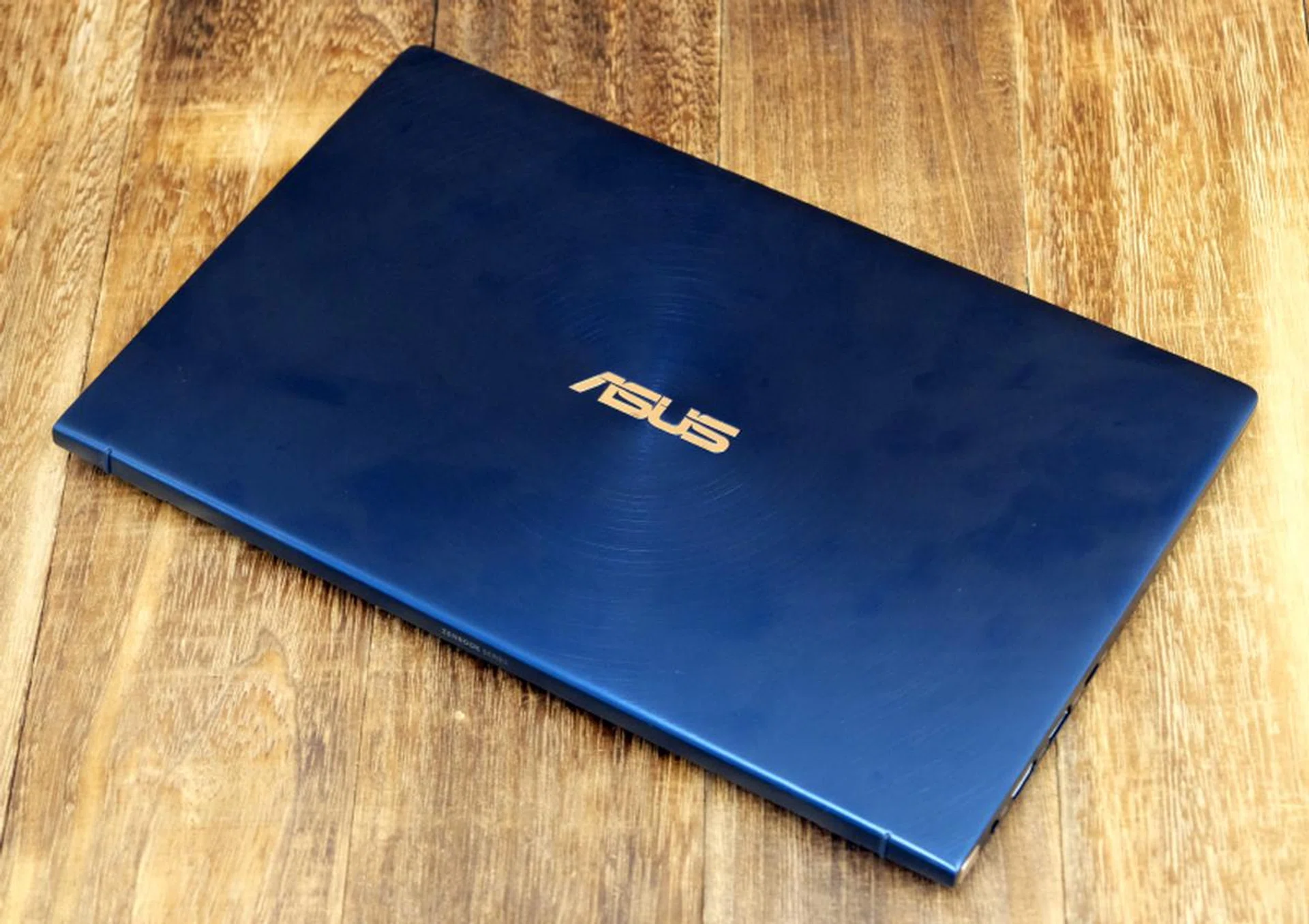
The ZenBook 14 is compact and comes in two colors: Icicle Silver and Royal Blue.
Two configurations will be available in Singapore and both come with Core i7 processors, specifically the latest 8th generation Whiskey Lake Intel Core i7-8565U. Here’s a table detailing the specifications of the two configurations. Take note if colors are important to you as they are exclusive to the selected configuration. In other words, Royal Blue is only available on the model with discrete graphics while Icicle Silver only comes with the one with integrated graphics. As such, we're reviewing the version with discrete graphics.
Processor | Intel Core i7-8565U | Intel Core i7-8565U |
Memory | 16GB | 8GB |
Storage | 512GB PCIe SSD | 256GB PCIe SSD |
Graphics | NVIDIA GeForce MX150 2GB GDDR5 | Intel UHD Graphics 620 |
Finish | Royal Blue | Icicle Silver |
Price | S$1,898
(check current price on Lazada) | S$1,598
(check current price on Lazada) |
What ports does it have?
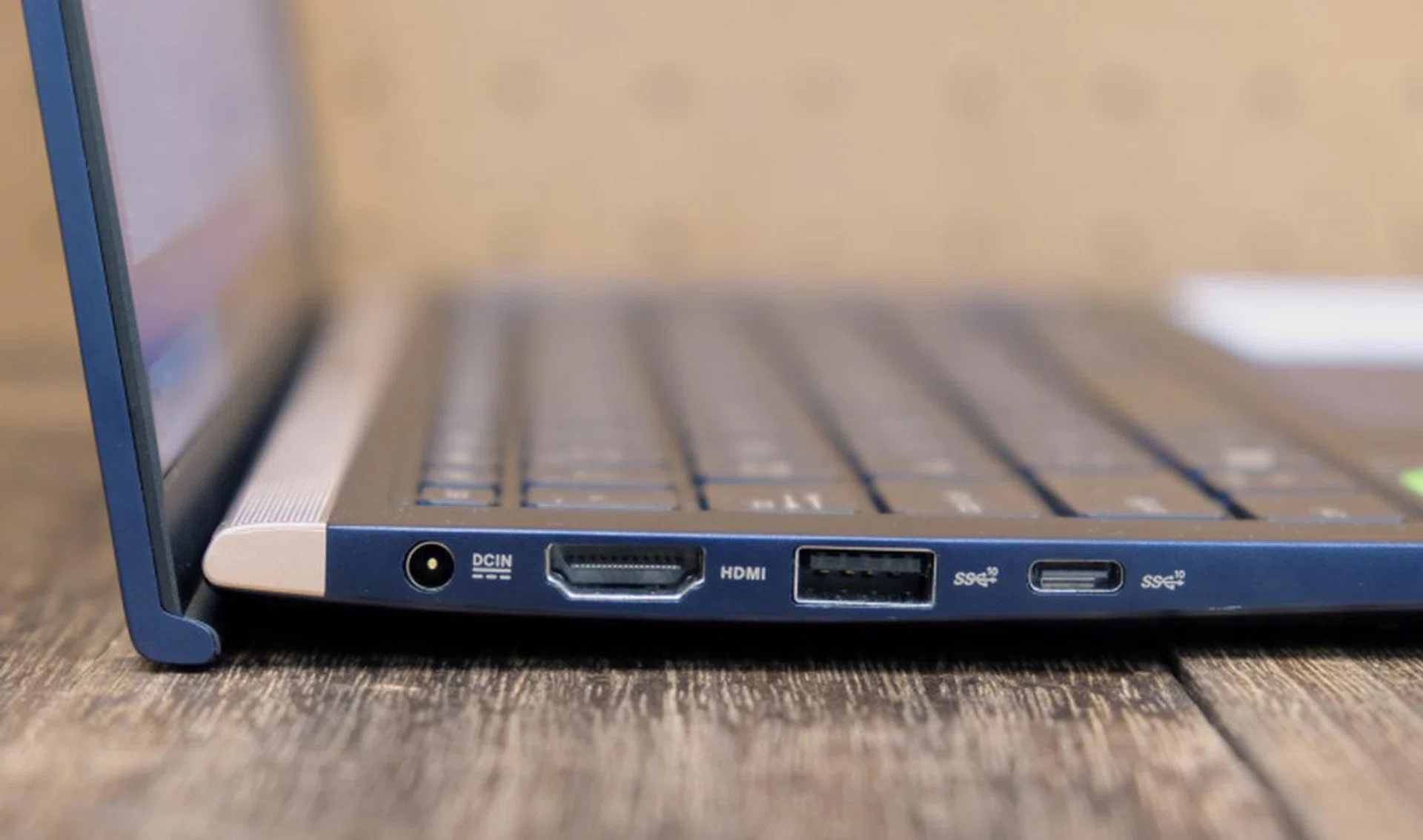
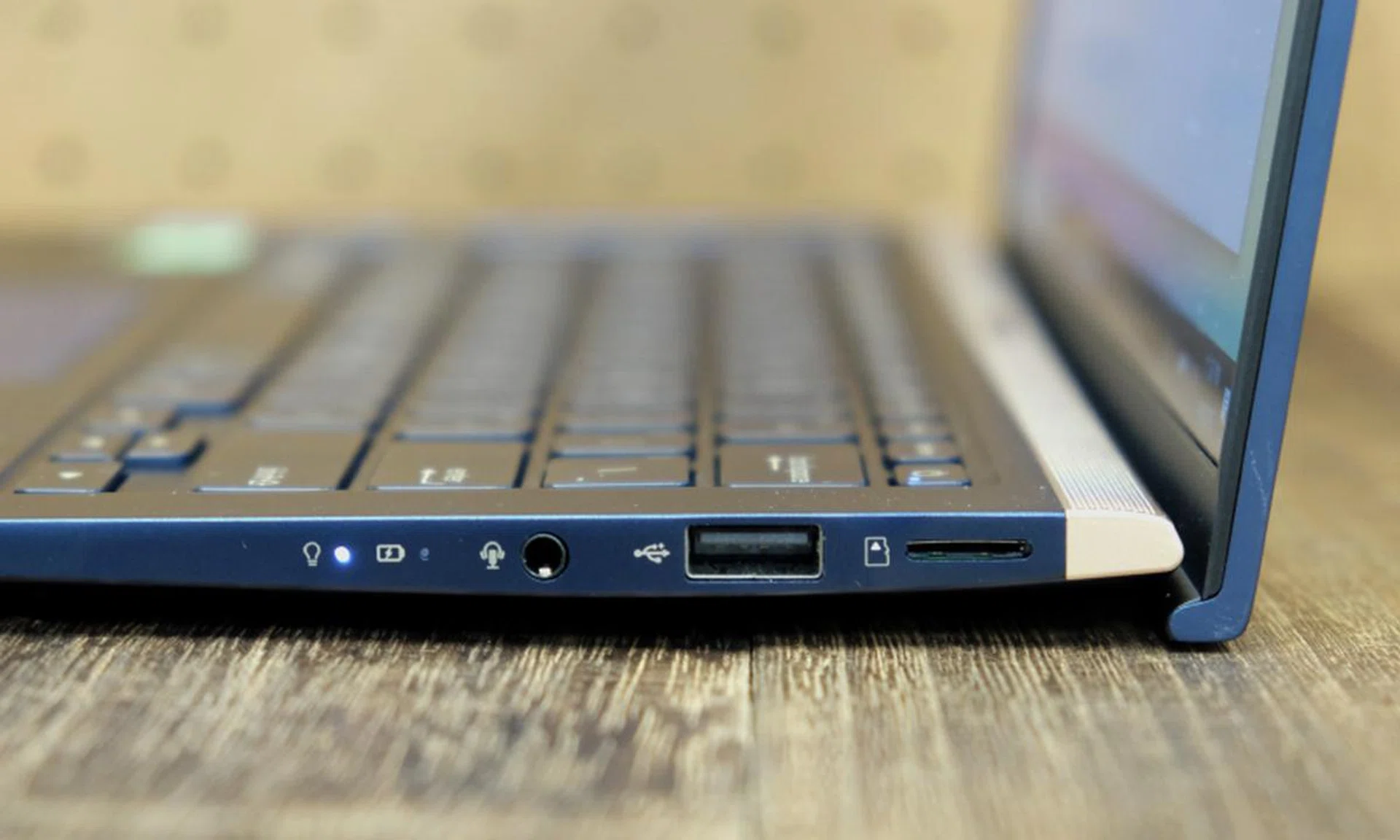
On the left is a HDMI port, a USB-A (USB 3.1 Gen 2) port, and a USB-C (USB 3.1 Gen 2) port. The USB-C port can't be used for charging. You need that DC-in jack.
The ZenBook 14 comes with two USB-A ports (one USB 3.1 Gen 2 and the other USB 2.0), a full-size HDMI port, a microSD card reader, and a USB-C port supporting USB 3.1 Gen 2. There's no Thunderbolt 3 support, so take note if using an external graphics dock or the ability to pair up with ultra-fast Thunderbolt 3 portable external SSDs is important to you.
Another thing to note is that the USB-C port does not support power delivery so it cannot be used to charge the notebook. Charging has to be done using a traditional DC-in jack, which is a bummer especially if you are already heavily invested into the USB-C ecosystem and have spare chargers lying around.
How’s the display?
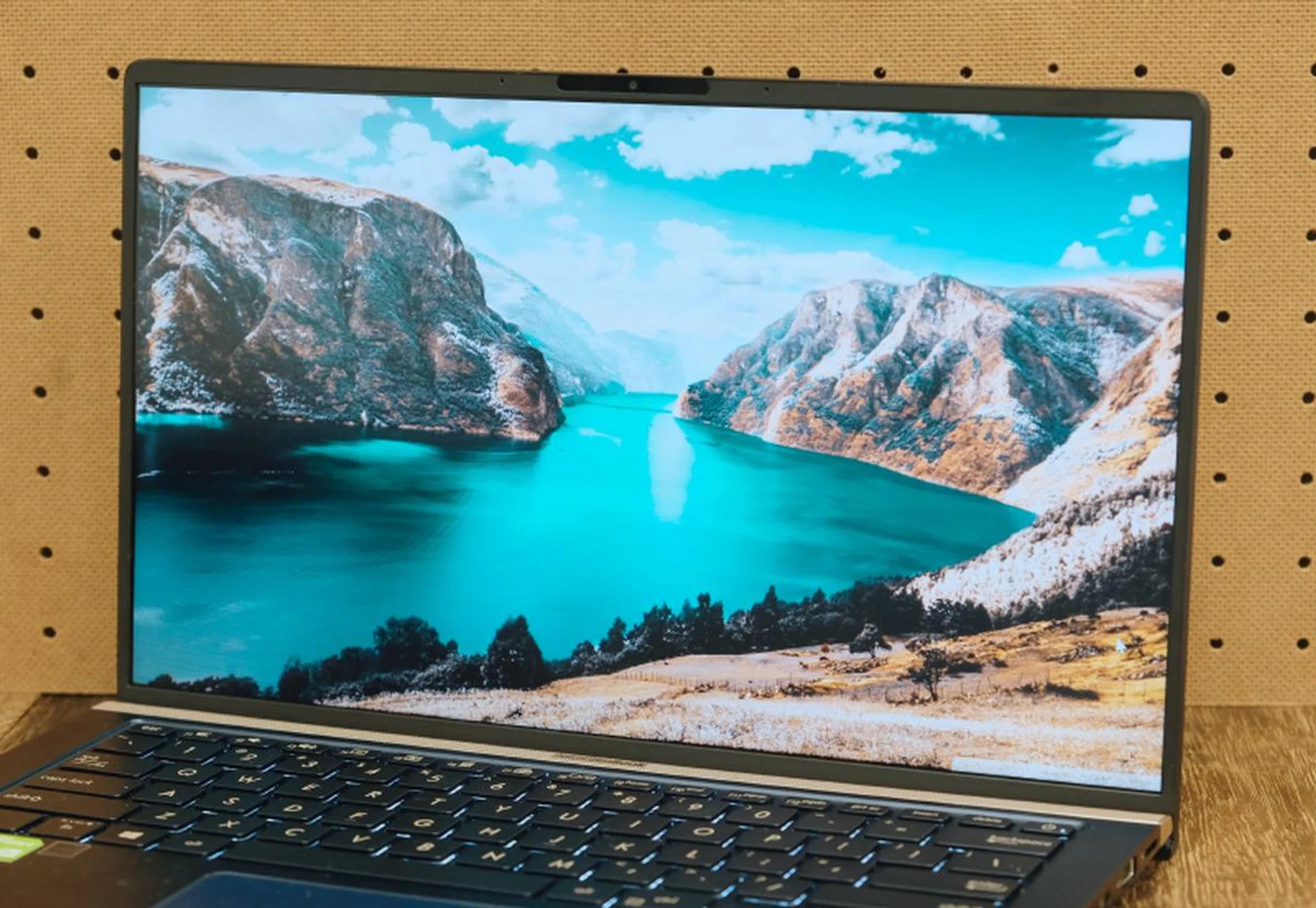
The thin bezels make the display look larger and more dramatic.
Thanks to its thin bezels, the 14-inch display looks bigger than it actually is. It has a matte finish so reflections and glare are kept to a minimum - useful especially if you are using it outdoors. It only has Full-HD resolution but it looks sharp and crisp enough. It’s also sufficiently bright too. Dim displays is a problem that affects numerous notebooks so it's nice that ASUS is addressing this in the new ZenBook 14.
ASUS claims it supports 100% of the sRGB color space and colors look spot on. It certainly looks better than some of the older ZenBook models that we have seen. And finally, since it’s an IPS display, viewing angles are good too. It isn’t touch-enabled, however, and that could be deal-breaker for some people. But if that doesn’t bother you, overall, it’s a pretty great display.
I heard the ZenBook 14 has a NumberPad?
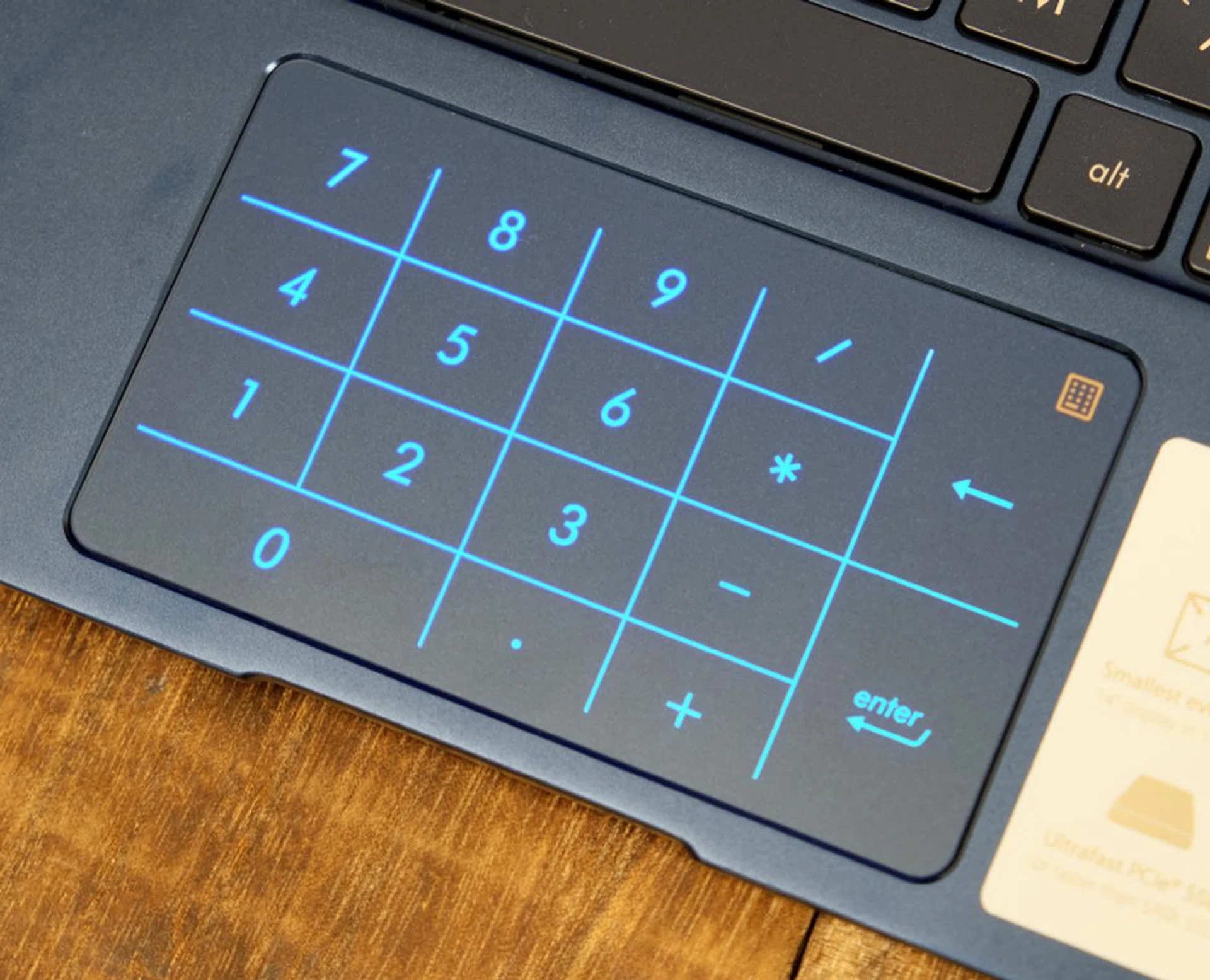
The NumberPad can be quite handy.
Yes, the NumberPad is a virtual number pad. It can be invoked on the trackpad by a simple press of a small button on the side of the trackpad, allowing users to quickly input numbers just like they would with a dedicated number pad. It's an interesting take on delivering features that only exist on a larger notebook. The clever bit is that users do not need to disable the NumberPad to continue using the trackpad normally. Thanks to finger rejection technology, the trackpad is able to intuitively discern whether or not users are trying to use the virtual number pad or navigate using the trackpad.
In practice, however, this finger rejection technology is somewhat of a hit and miss thing. Navigation with the NumberPad activated is alright, but the trackpad gets confused when you are tapping on the trackpad to click on something. There is a simple workaround and that is to use a hard press to let it know that you want to click on something. Anyhow, it's best to turn the NumberPad off when you are not using it.
Is it useful? Well it depends on how much number crunching you're dealing with, but the option is there when you require a traditional number pad layout. The only thing that feels off is the positioning of this virtual keypad. Unlike the Zephyrus series of notebooks that has the trackpad on the right of the keyboard (and doubles up as a number pad too conveniently), the Zenbook 14 is relying on a traditional trackpad's placement, thus a wee bit more hand movement is required.
How are the keyboard and trackpad?
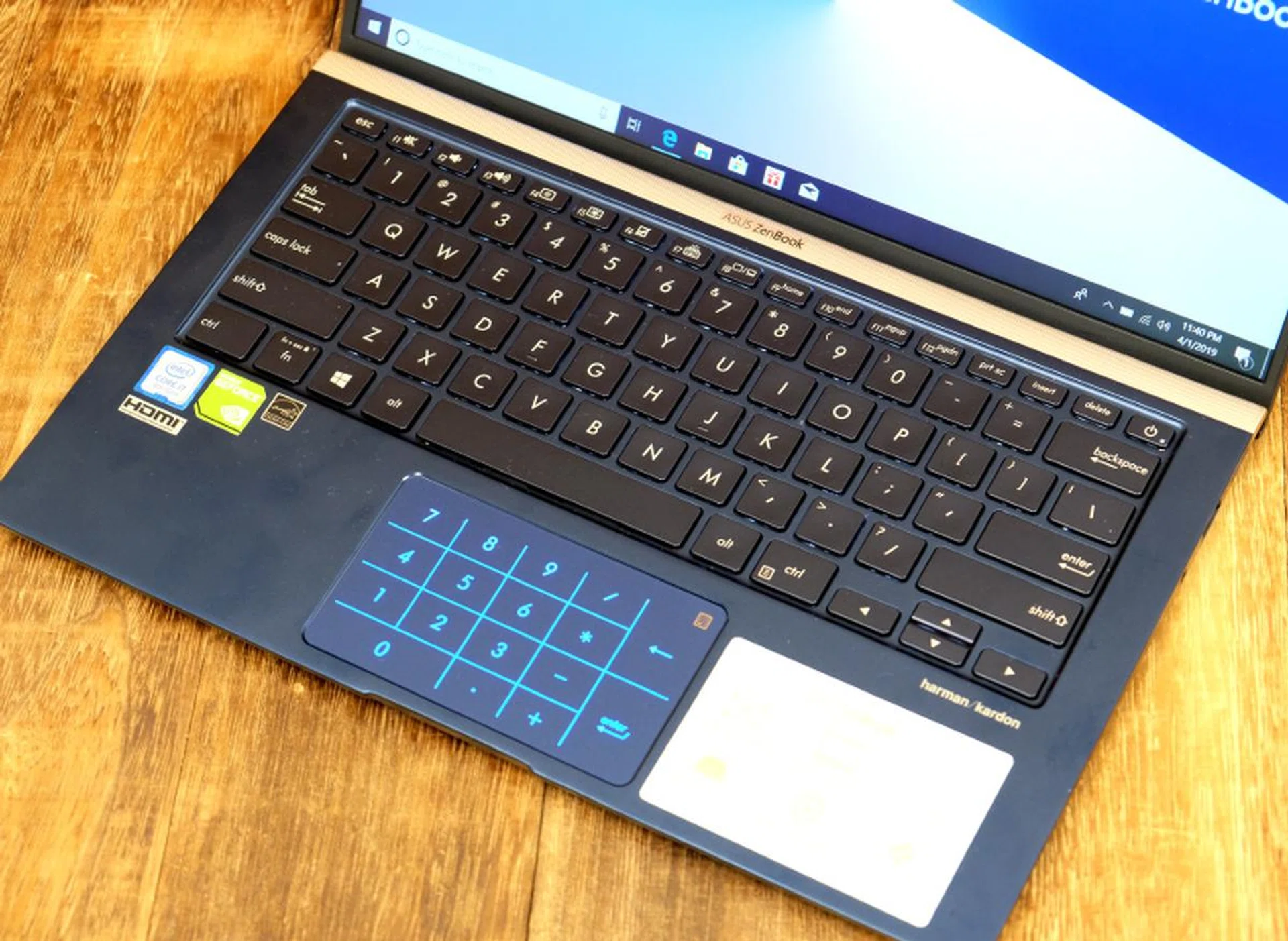
Whatever space is available is taken up by the keyboard and trackpad.
The keyboard is very usable. The keys are full-size and the layout is conventional. Coupled with a decent amount of key travel, most people can get used to it easily. Furthermore, the ErgoLift angles the keyboard making it more comfortable to type on.
The ZenBook 14 has a Windows Precision touchpad and so it is accurate and responsive. The ability to switch to a virtual number pad is quite cool too and can be useful in some situations. However, the trackpad is quite cramped - a consequence of the notebook’s small footprint. It’s sufficiently wide at 10.5cm but at 6.1cm in height, it’s one of the narrowest trackpads we have used, especially on a 14-inch notebook. Only the XPS 13 (10.5cm by 6cm) is smaller.
What's ErgoLift?
Notice how the display actually lifts the keyboard at an angle?
It's a hinge mechanism that lifts the keyboard and tilts it at a slight angle. Primarily, it helps make the ZenBook 14 nicer to type on but it also has a nice side benefit of creating extra space under the notebook to improve ventilation. Finally, it also helps the downward firing speakers by positioning it closer to the surface. To be honest, the angle of tilt isn't too great. It's just 3 degrees but it has a noticeable effect of making the ZenBook 14 more pleasant to type on. On the flip side, the speakers still sounded tinny and lackluster.
How does it perform?
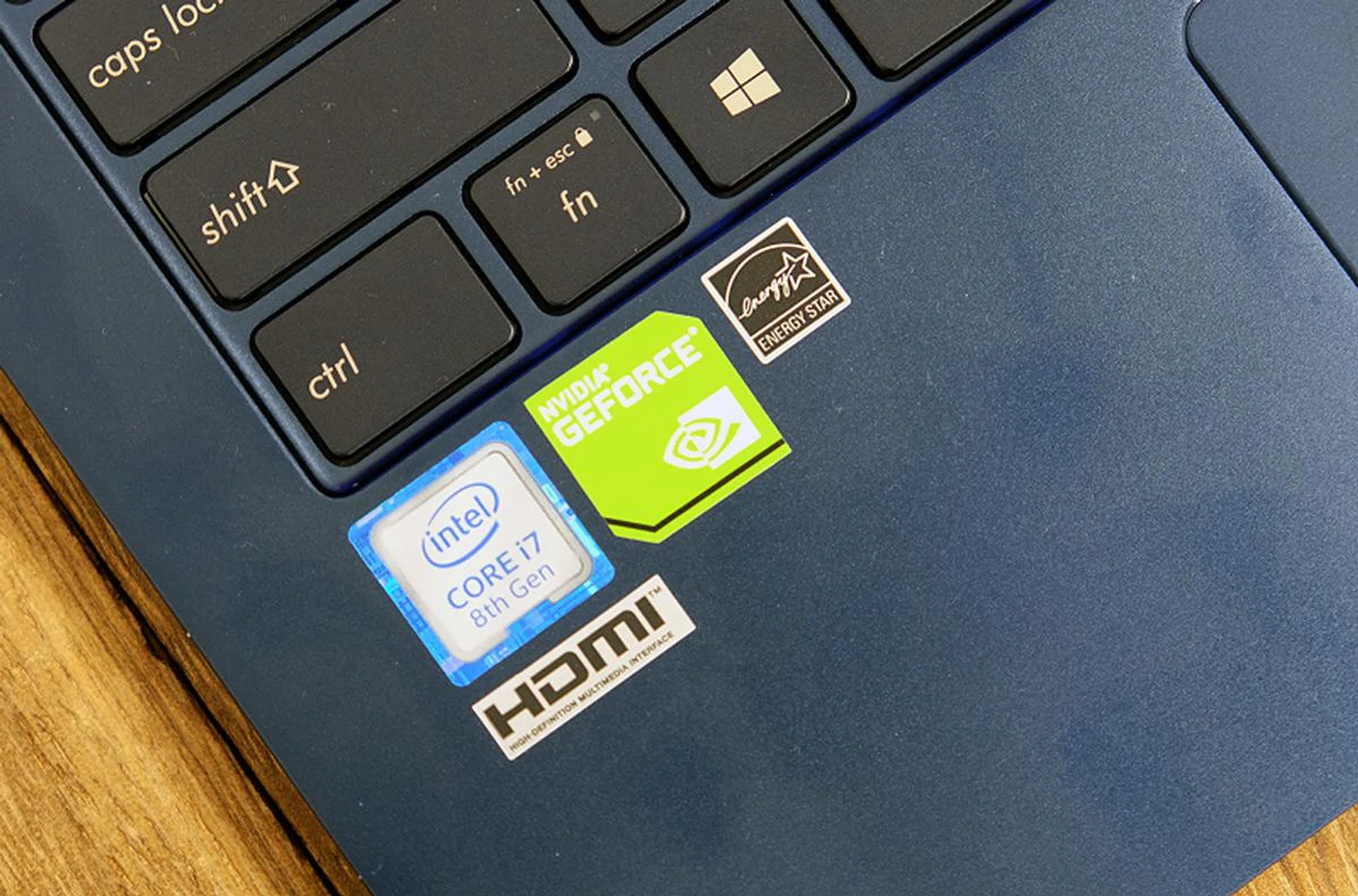
The ZenBook 14 is one of the few ultraportable notebooks to feature discrete graphics.
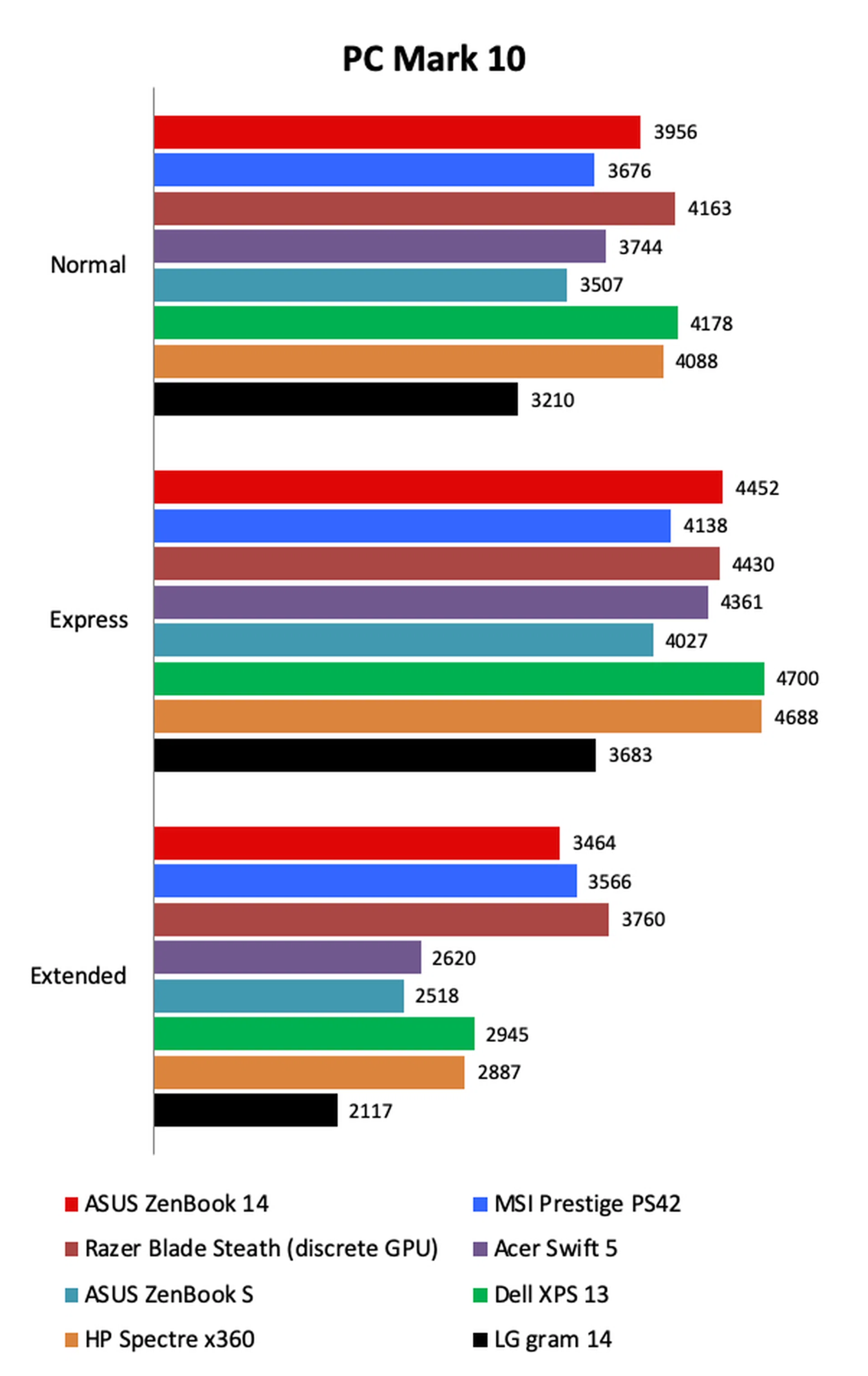
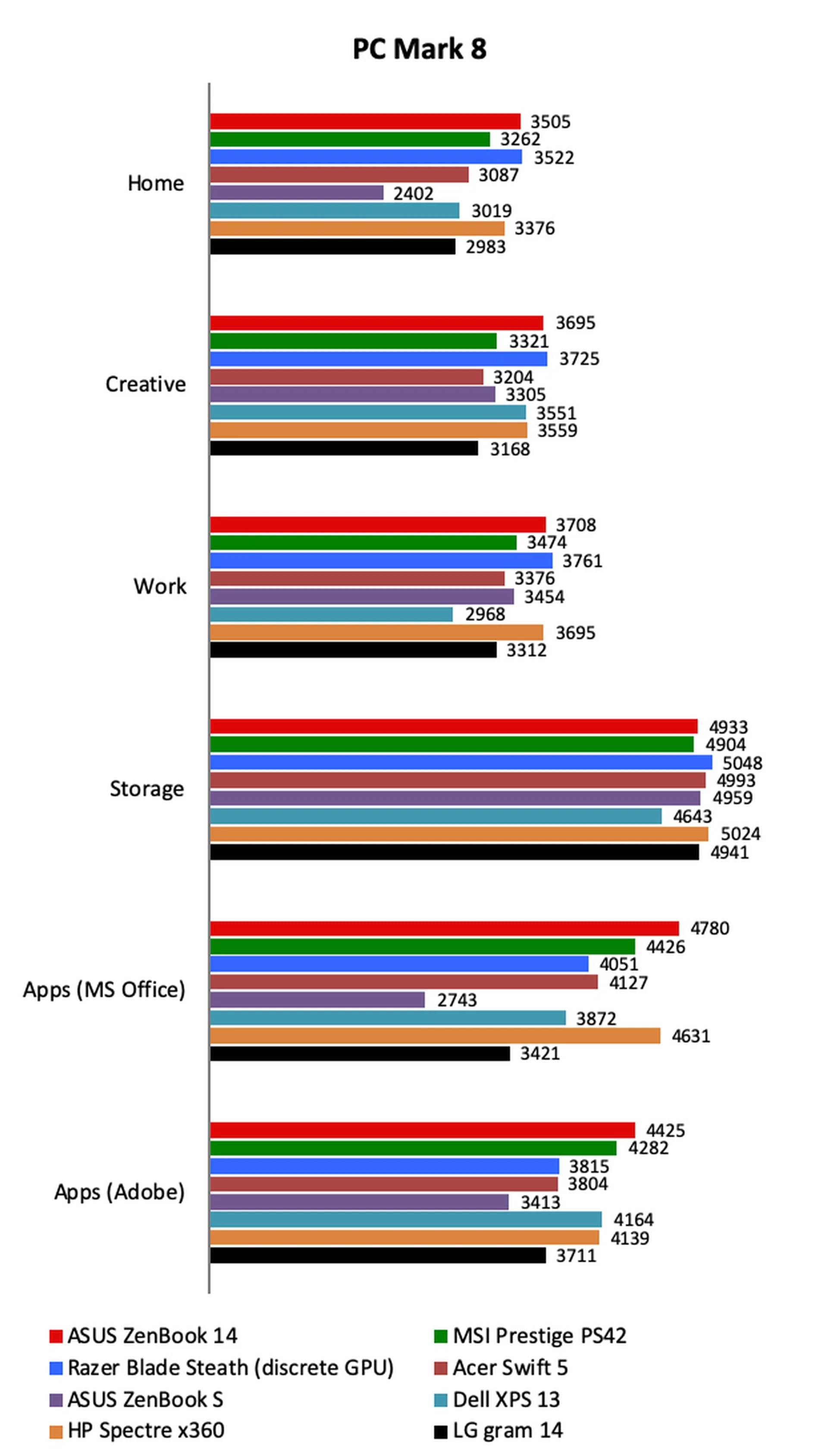
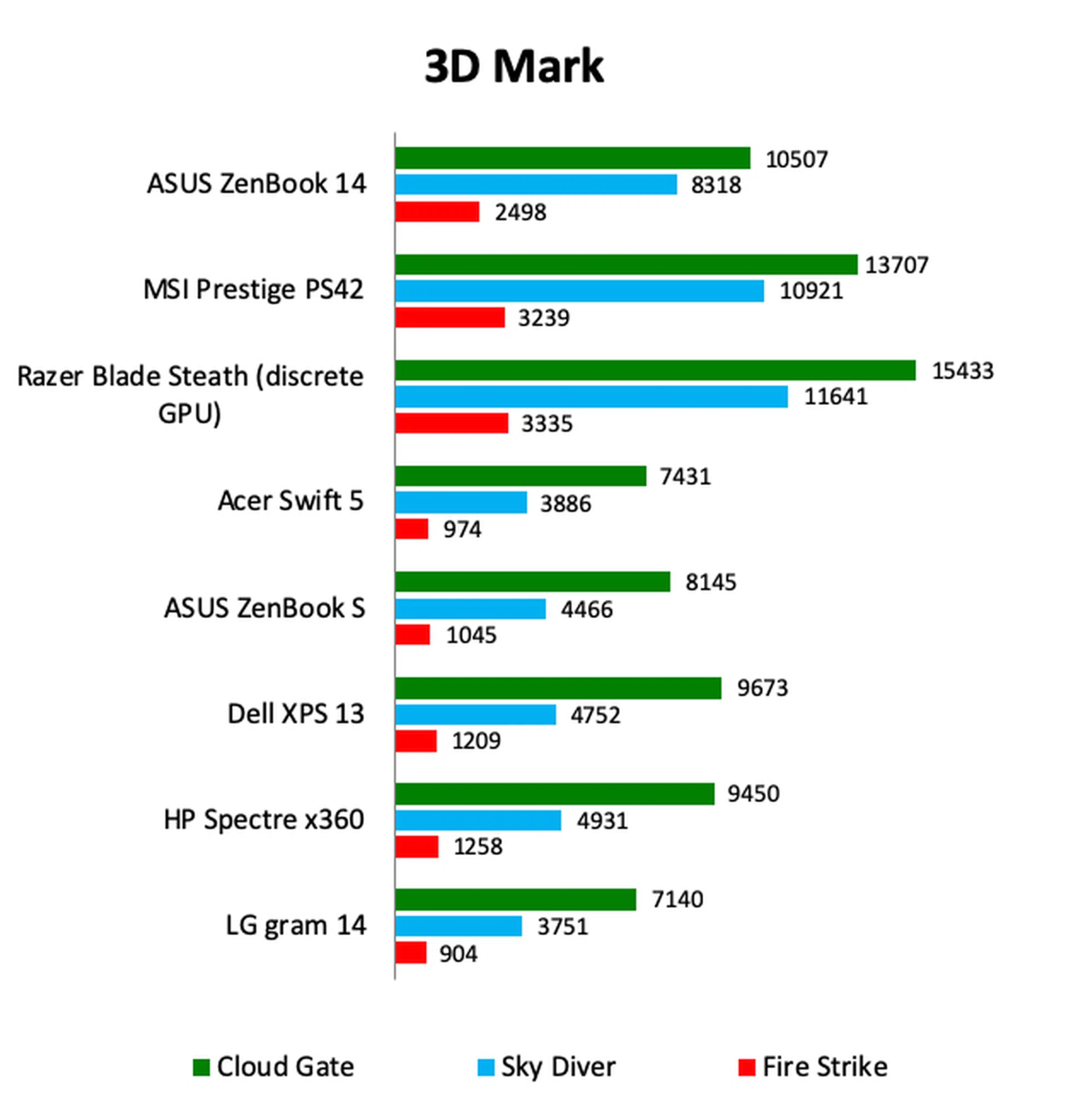
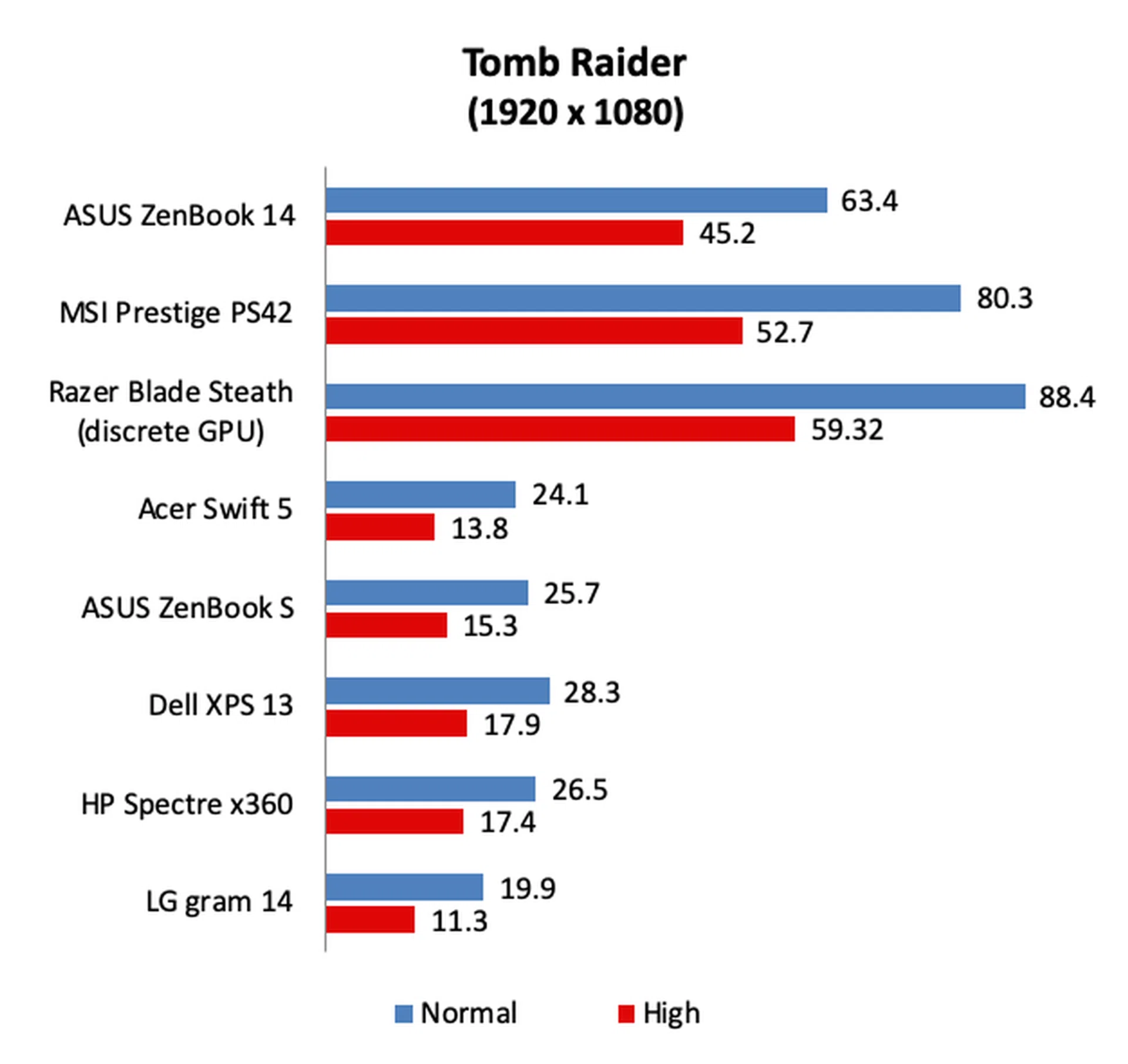
Performance was a mixed bag. On the one hand, general computing performance was quite good as the graphs of PCMark 8 and PCMark 10 will show. And thanks to the discrete NVIDIA GeForce MX150 chip, the ZenBook 14’s graphics performance was significantly better than comparable ultraportables reliant on Intel’s integrated graphics solution. However, if we compare the ZenBook 14’s graphics performance to the MSI Prestige PS42 and Razer Blade Stealth, which also have the same discrete graphics, we can see that its performance on graphics intensive benchmarks like 3DMark and Tomb Raider doesn’t quite match up. It seems then that the ZenBook 14’s design doesn’t allow for the GeForce MX150 to maximize its potential as some kind of throttling is at work here.
[hwzcompare]
[products=661947,653644,656180,651982,638335,642966]
[width=200]
[caption=Test Notebooks Compared]
[showprices=1]
[/hwzcompare]
Show me the charts!
The ZenBook 14's general computing performance is good but its graphics performance could be better. Even though it was clearly superior to notebooks dependent on Intel's integrated graphics, it was considerably slower than the MSI Prestige PS42 and Razer Blade Stealth - both of which have the same NVIDIA GeForce MX150 graphics chips that the ZenBook 14 has. However, the difference in graphics performance is likely due to the use of a slower grade GeForce MX150 GPU. Still, it's plenty fast over integrated graphics, just not the same standard as its other peers.
How's the battery life?
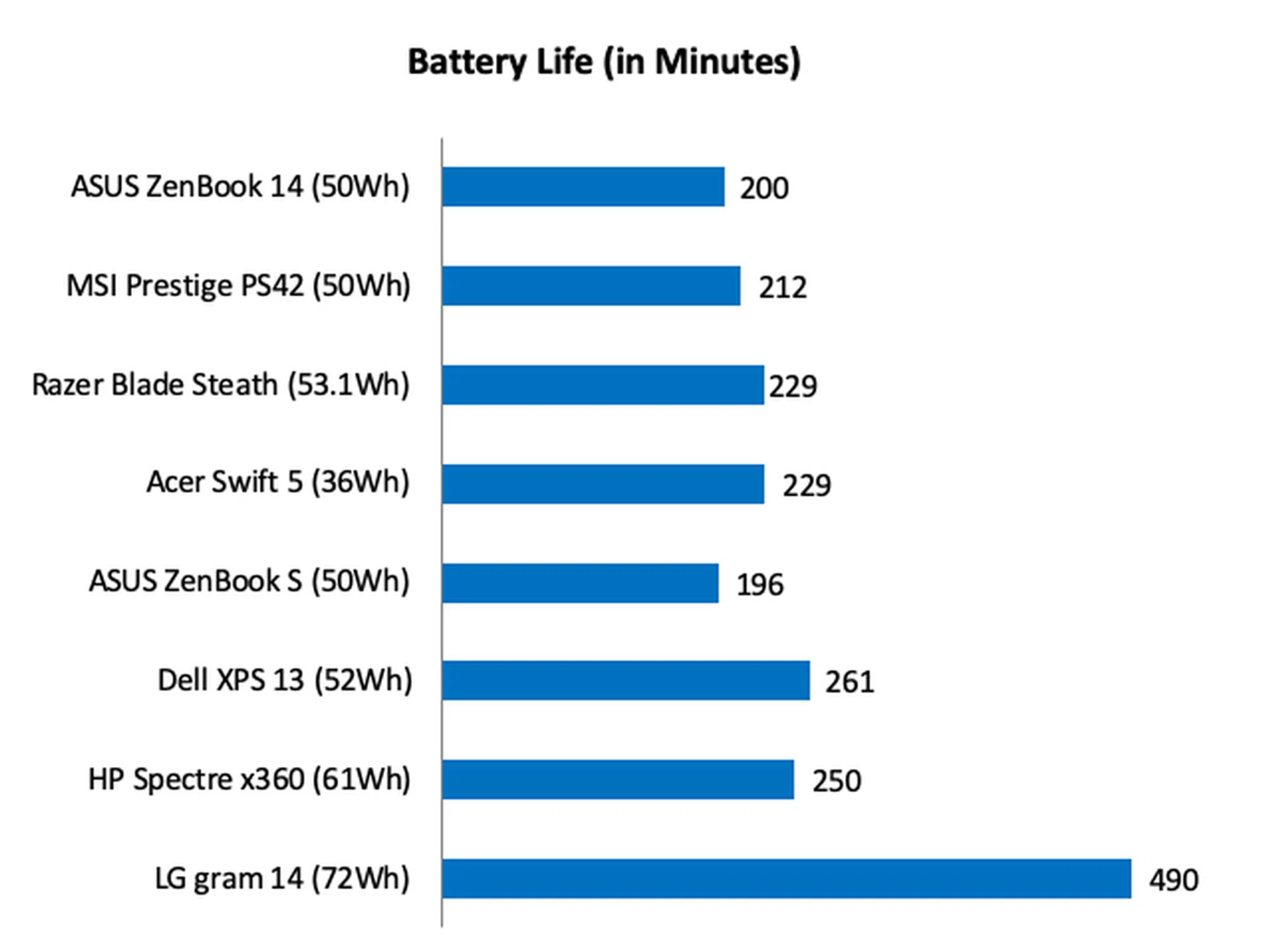
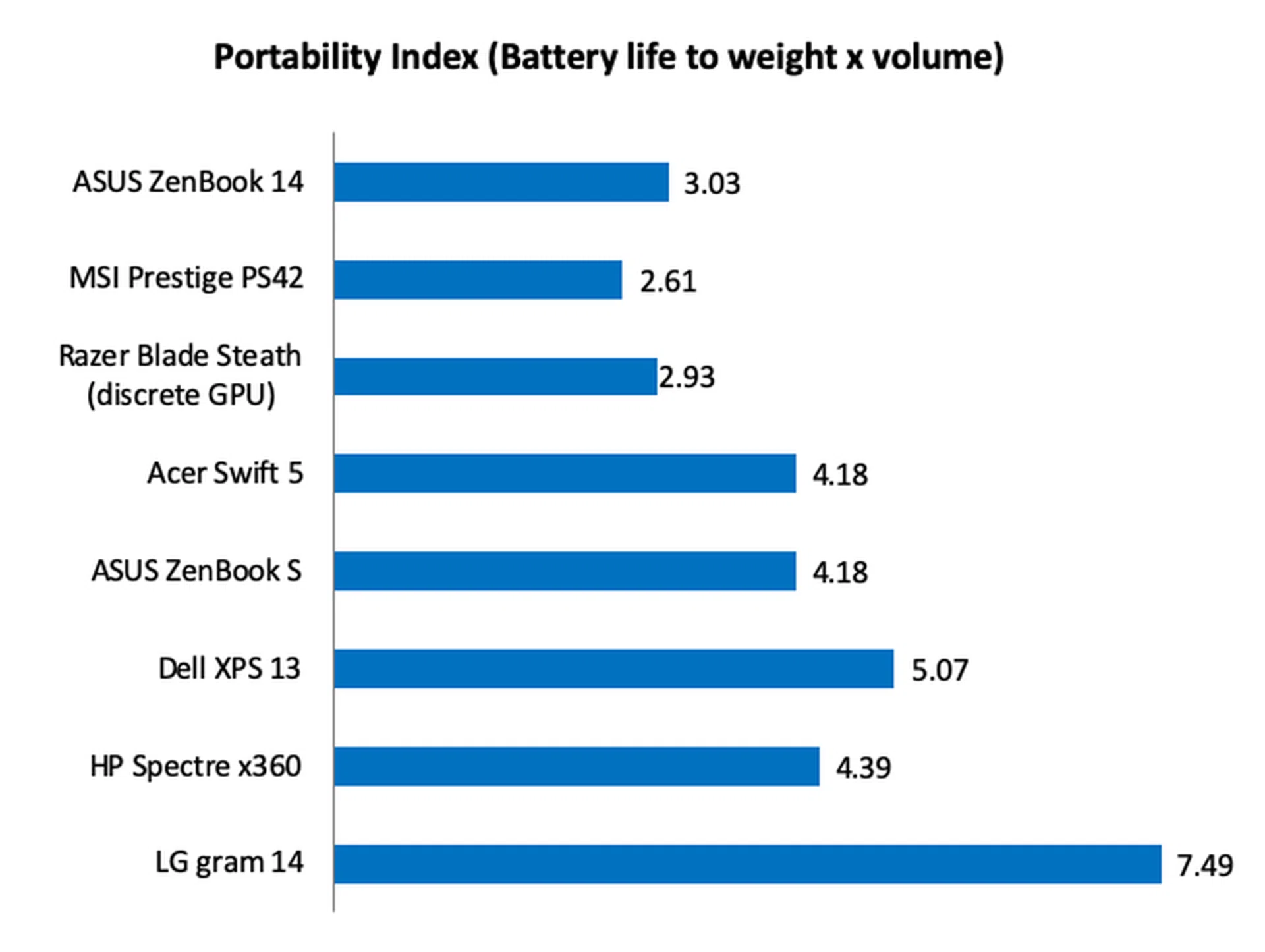
Despite having discrete graphics, the ZenBook 14’s battery life was quite good, clocking in at 200 minutes or 3 hours and 20 minutes in our intensive battery test which consists of productivity workloads, video conferencing, and light gaming. It’s almost the same as the MSI Prestige PS42 but a bit shorter than the Razer Blade Stealth which has a slightly larger battery.
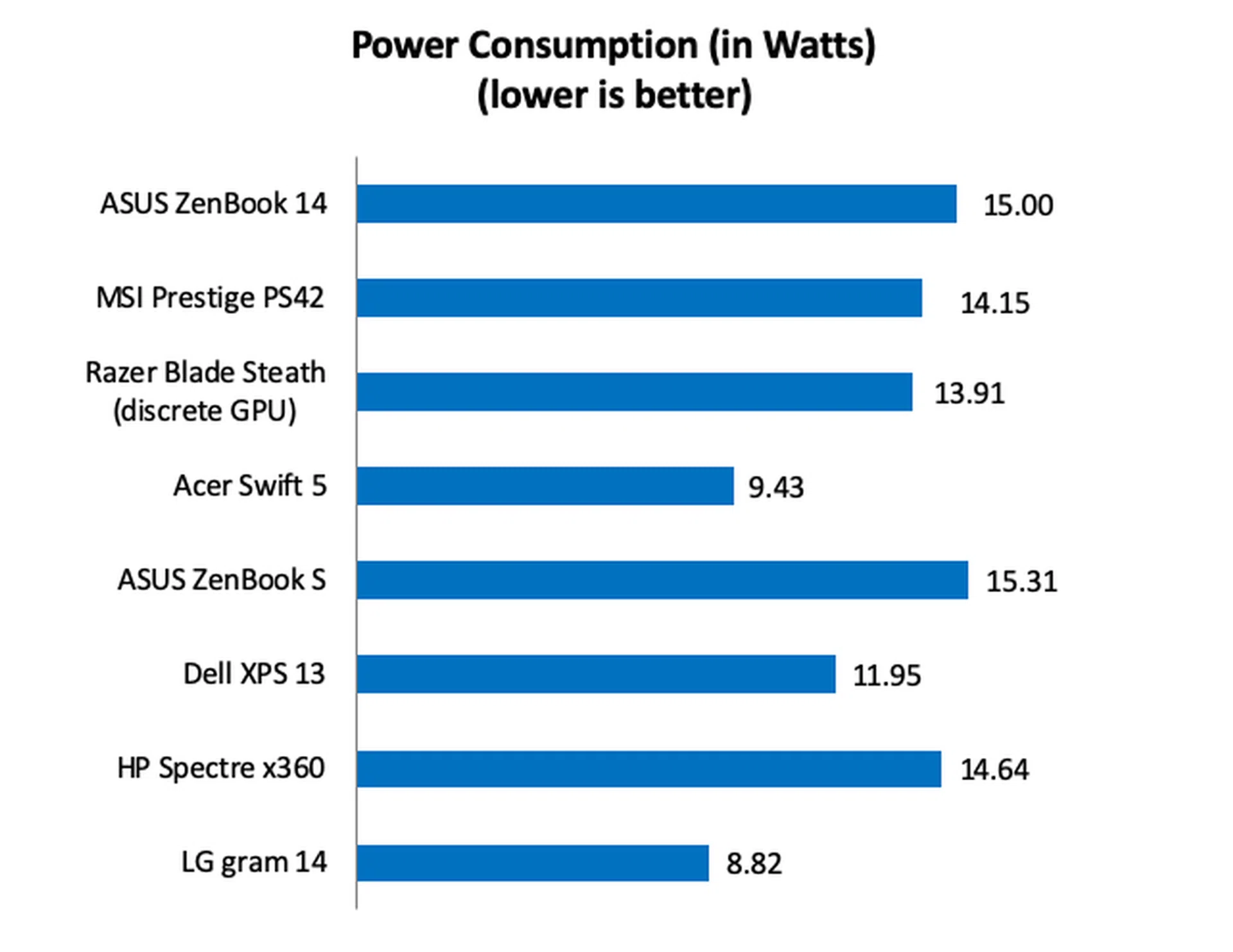
Using our Portability Index which takes into account dimensions and weight, the Prestige PS42 managed a ratio of 3.03. It was the highest ratio amongst notebooks with discrete graphics and a large part of that is down to the ZenBook 14's compact footprint and slim chassis.
So how does it compare to its rivals?
The ZenBook 14 is a strong offering in its price range. Its keenest rival is the MSI Prestige PS42 because both are slim and light, and both feature NVIDIA GeForce MX150 discrete graphics. The MSI is slightly cheaper at $1,799 and better graphics performance, but the ZenBook 14 counters with a more modern Whiskey Lake class processor and superior build quality. Personally, I would pick the better made ZenBook 14 over the Prestige PS42.
The Razer Blade Stealth is another keen rival. It has a sleek design, is arguably even better build, supports Thunderbolt 3, and performs even better in graphics-intensive workloads. However, it is considerably more expensive. At S$2,479 or S$581 more, the Razer has the same processor and memory but only half the storage - the green triple-headed snake commands a premium. For the budget-conscious and value hunters, the choice is clear.
Final thoughts
The ZenBook 14 offers tremendous value.
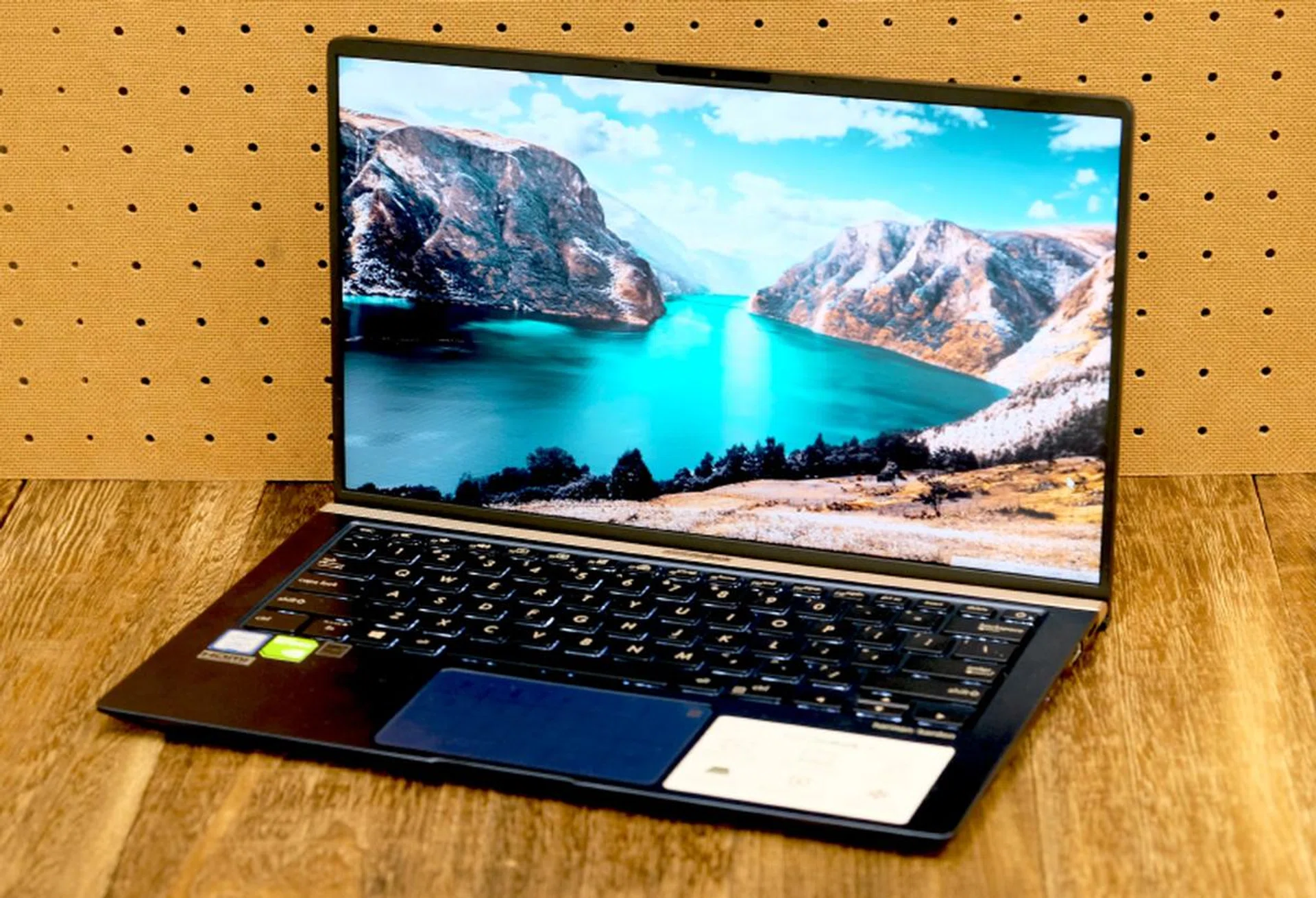
The ZenBook 14 is an excellent mainstream notebook from ASUS with lots to like and little to fault. The overall design is outstanding, especially when you consider it is more compact than most 13-inch notebooks and it even meets the MIL-STD-810 standards for ruggedness. It also has a ton of useful and thoughtful features too, such as the ErgoLift hinge, the NumberPad, and full-size USB-A and HDMI ports. General performance was good too and the battery life is decent for a system with its specifications. And then there’s its attractive price. The only things that count against it are the lackluster graphics performance, lack of Thunderbolt 3 support, and the narrow trackpad. All things considered, it’s one of the best bang for buck notebooks you can buy, thus earning our Best Value seal of approval.
Our articles may contain affiliate links. If you buy through these links, we may earn a small commission.