

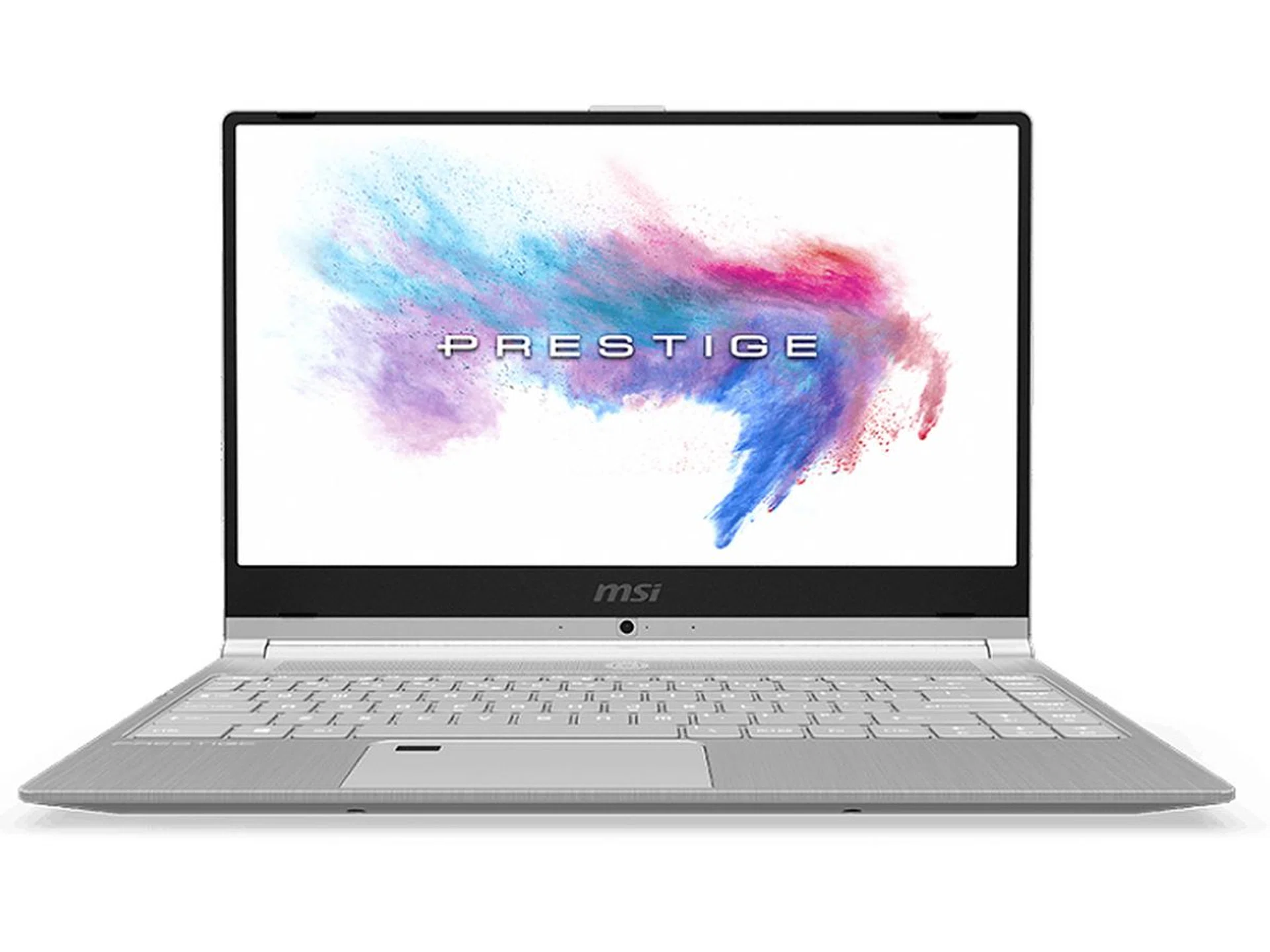
MSI's latest ultraportable packs a few surprises.
Woah, is this another MSI gaming notebook?
Not really, the Prestige PS42 is actually MSI’s take on an ultraportable notebook. It was unveiled at Computex 2018 and it signals their intention to expand beyond gaming notebooks.
What’s so special about the Prestige PS42?
Simply put, it’s an interesting take on an ultraportable notebook with features that are unusual and hard to find in a notebook of this class.
So what are they?
There’s a couple so let’s go through them one by one - beginning with design.
Alright then, let’s begin with design.
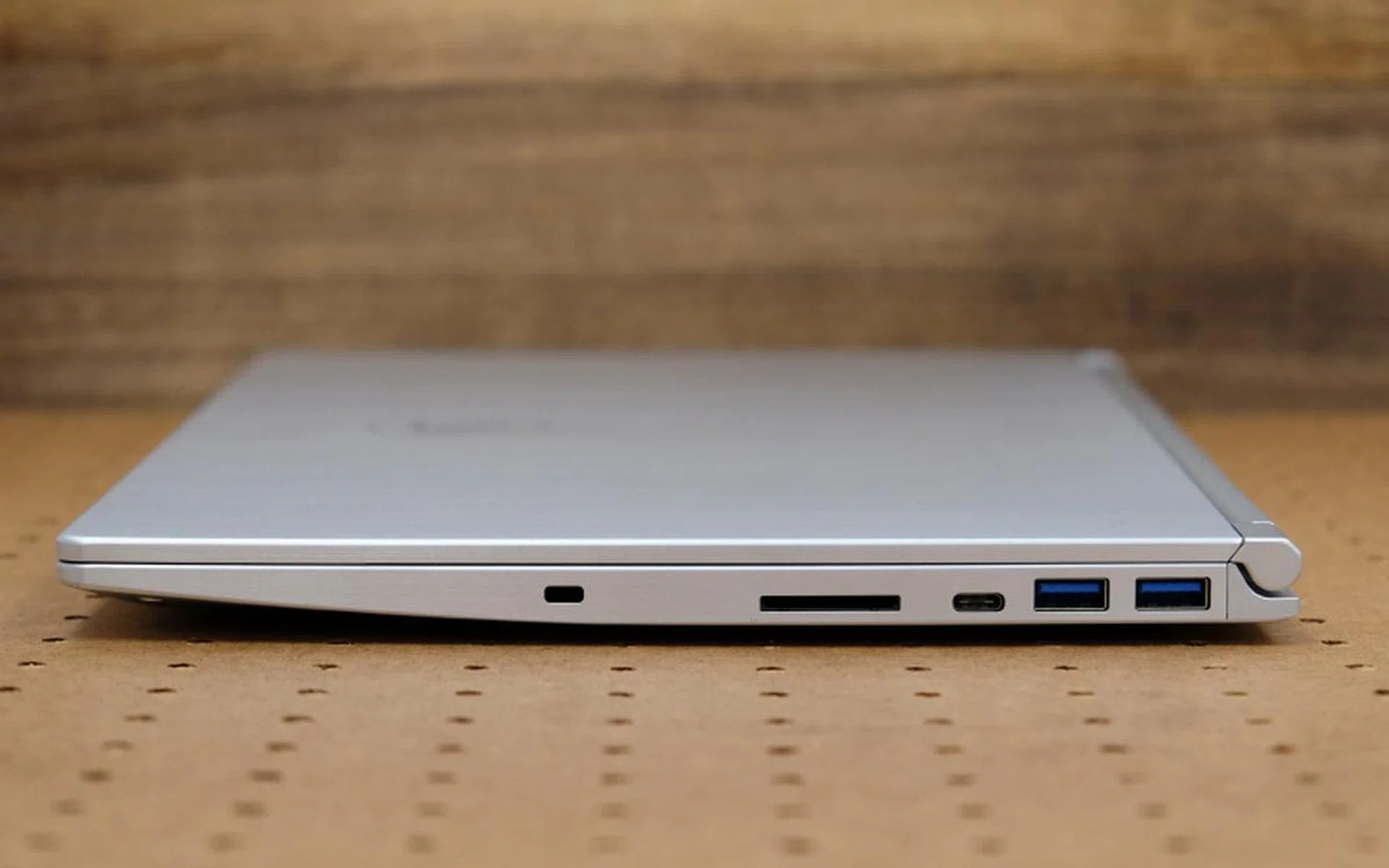
The Prestige PS42 is 15.9mm thick at its chunkiest point and only weighs 1.19kg.
The Prestige PS42 comes in a nondescript silver brushed aluminum chassis. The only design flourish is the MSI dragon logo on the front lid. It looks a little out of place as the dragon logo is more closely associated with MSI’s gaming notebooks. Nevertheless, the Prestige PS42’s lightness is remarkable. It weighs just 1.19kg, making it one of the lighter ultraportables around. Thickness is 15.9mm, which is a little on the thick side but it makes up for it in other ways (as you will see later).
How’s the build quality?
It’s not great but I won’t call it woeful either. Compared to leading contemporaries like the XPS 13 and recently released MacBook Air, there is considerable flex in the body and the entire unit doesn’t feel anywhere as solidly put together.
How’s the display?
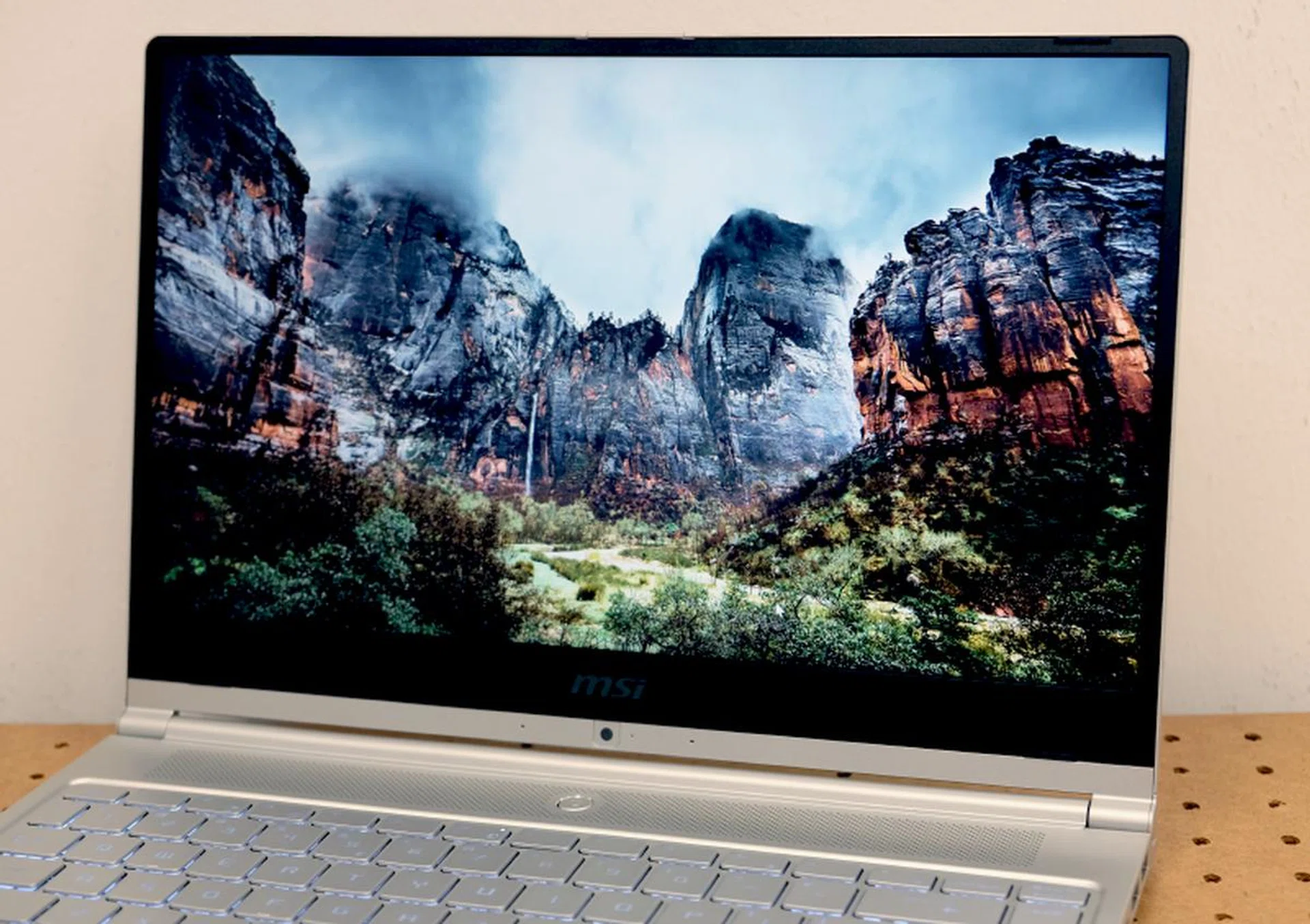
The display is a little too dim even at its brightest setting and pictures have a slightly grainy quality to them.
The Prestige PS42 comes with a 14-inch Full-HD (1,920 x 1,080 pixels) IPS display. It isn’t touch-enabled. At 5.7mm, the bezels are quite thin but the XPS 13’s 4mm thick bezels are even thinner. Because the bezels are so thin, the web camera has been reposition below the display - something to take note of if you happen to use web cameras often. The display's specs sound good on paper but it has some shortcomings that prevent it from being great. The picture is quite sharp but there's a graininess to the display and it never gets quite bright enough.
Fortunately, there are a couple of upsides. The matte finish means that glare and reflection are less of a problem for the Prestige PS42. Additionally, it has a nifty feature called MSI True Color that contains a list of presets that enables users to quickly change the display’s color modes to suit whatever you are doing. Some presets include sRGB, Gamer, Designer, Movie, and Office. Curiously, I found that it looks best with the Gamer preset.
What’s powering it?
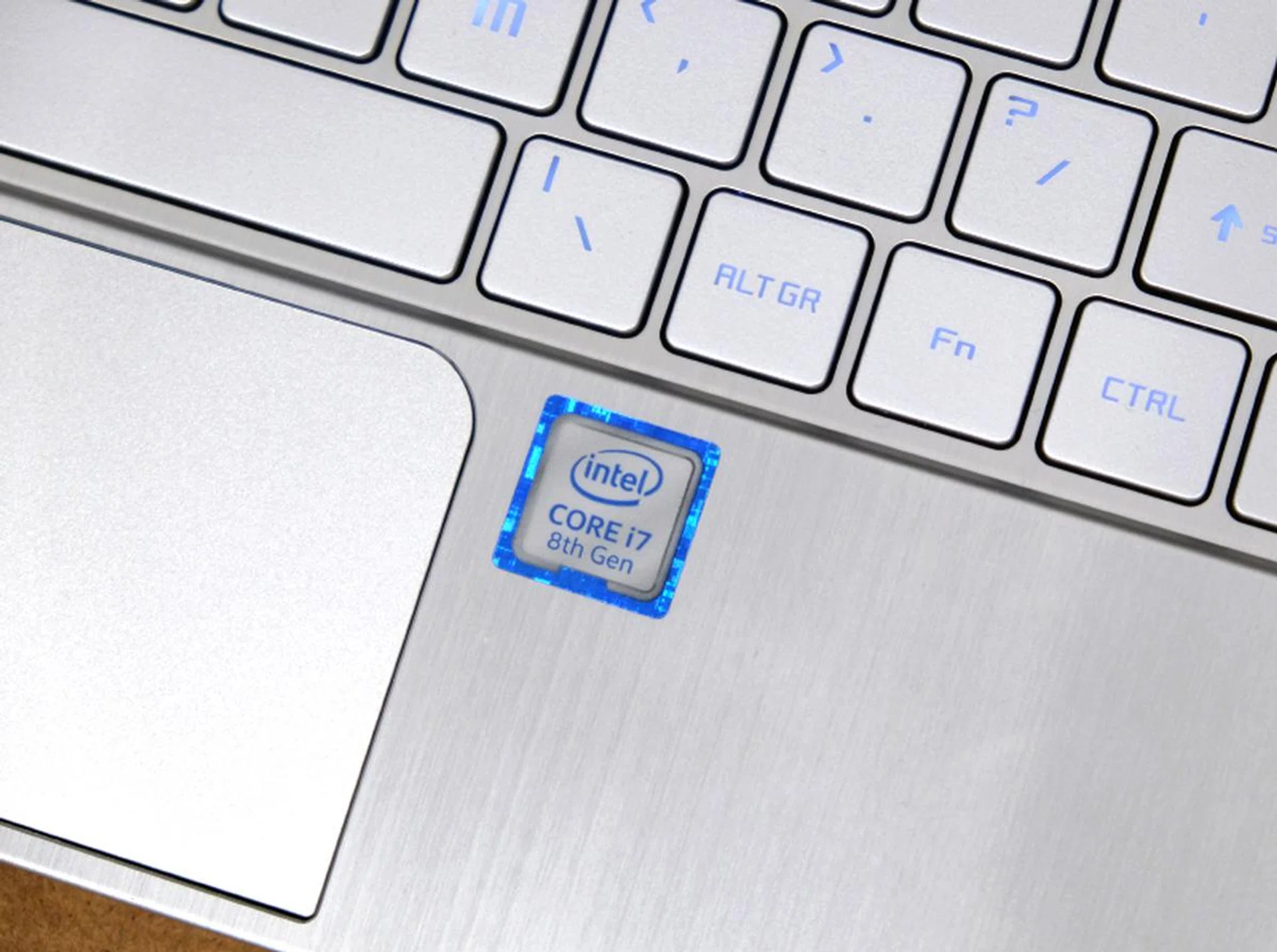
The Prestige PS42 comes with a 8th generation "Kaby Lake R" processor.
Our test unit comes with pretty impressive specifications. Inside, the Prestige PS42 is powered by the quad-core Core i7-8550U processor, 16GB of DDR4-2400 RAM and a 256GB SSD. Pairing the Core i7 processor with 16GB of RAM makes sense but the 256GB SSD seems stingy. For a system with a Core i7 processor and 16GB RAM, a larger 512GB SSD would be more reasonable. But nevermind what our test unit is specced out as there are minor changes to what's available in Singapore (more on this at the end of the page).
At any rate, the most impressive thing about the Prestige PS42 is that it has discrete graphics in the form of the NVIDIA GeForce MX150 - a rarity amongst ultraportable notebooks. Though it isn’t a full-on gaming tier GPU, it is still a massive upgrade over Intel’s lackadaisical integrated GPUs.
What ports does it have?
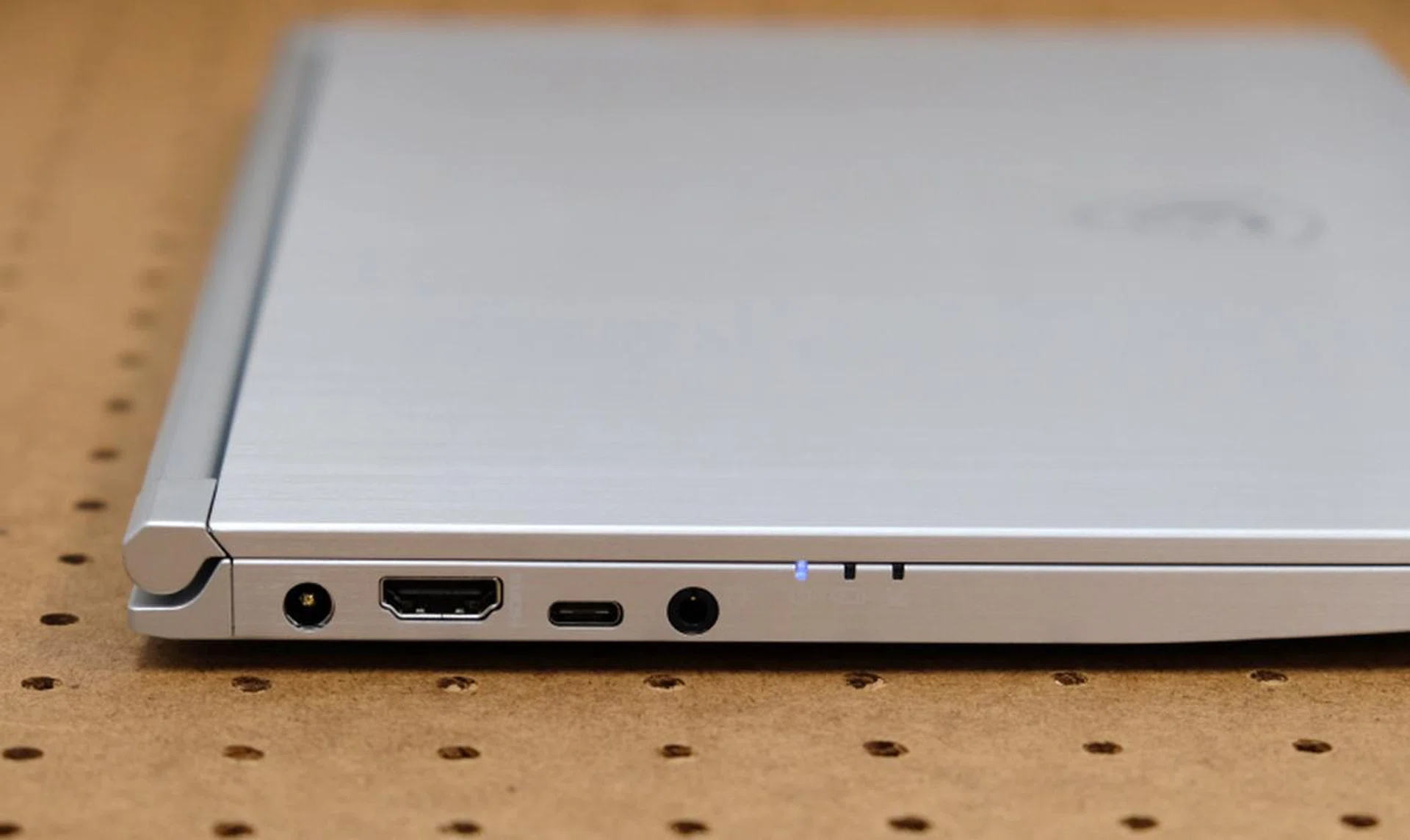
On the left, you have the power jack, HDMI port, USB-C port, headphone/microphone combo jack, and LED status indicators.

On the opposite side are the full sized SD-card reader, second USB-C port, and two USB-A ports.
The thickness of the Prestige PS42 has its upside and that’s in the ports that it offers. Unlike most modern ultraportable notebooks which have fully embraced USB-C, the Prestige PS42 still comes with USB-A ports supporting USB 3.1 Gen 1 speeds. This means you don’t need unwieldy adapters to continue using your USB accessories and peripherals. It is also one of the rare ultraportable notebooks to still feature a full sized SD card reader - most competitors either offer a microSD carder reader instead or forgo card readers entirely. Finally, it has a full-size HDMI port and also two USB-C ports supporting USB 3.1 (Gen 1). It has a headphone/microphone combo jack as well. My only complaint is that it doesn’t have USB-C Thunderbolt 3 ports, but that can be forgiven considering the price point of the Prestige PS42 notebook (more on this later).
How’s the keyboard and trackpad?
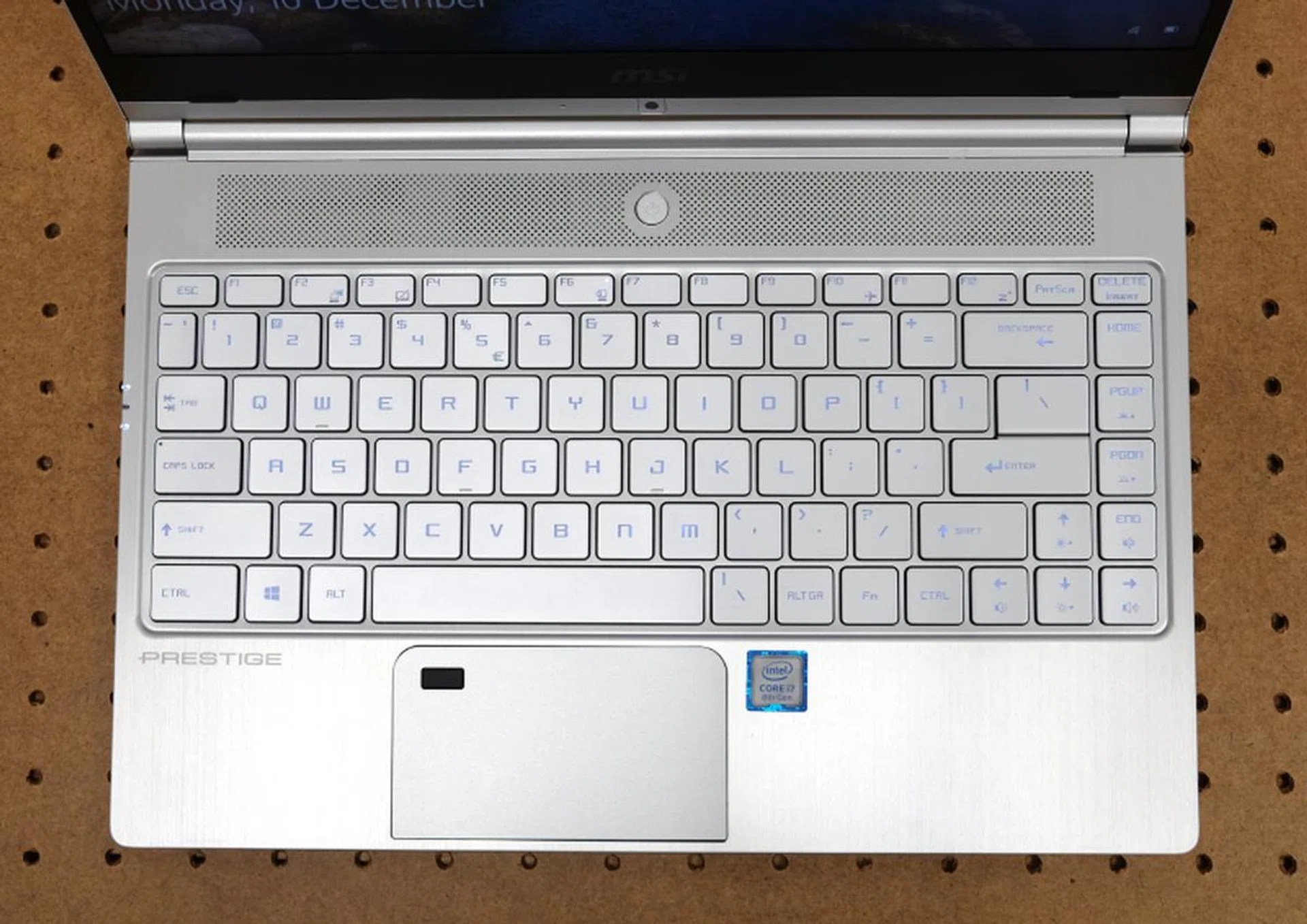
The keyboard is very decent and usable. Note the slightly odd placement of the "FN" key.
It’s very decent and usable. The only quirk is the “FN’ key, which is positioned to the right of the spacebar. Otherwise, the layout is fairly conventional and all the keys are where you would expect them to be. The keys are large and have a decent amount of travel and resistance to them. My only real gripe with the keyboard is the amount of flex you get if you happen to type with heavy strokes as I do, but that’s really a problem with the build rather than the keyboard itself.
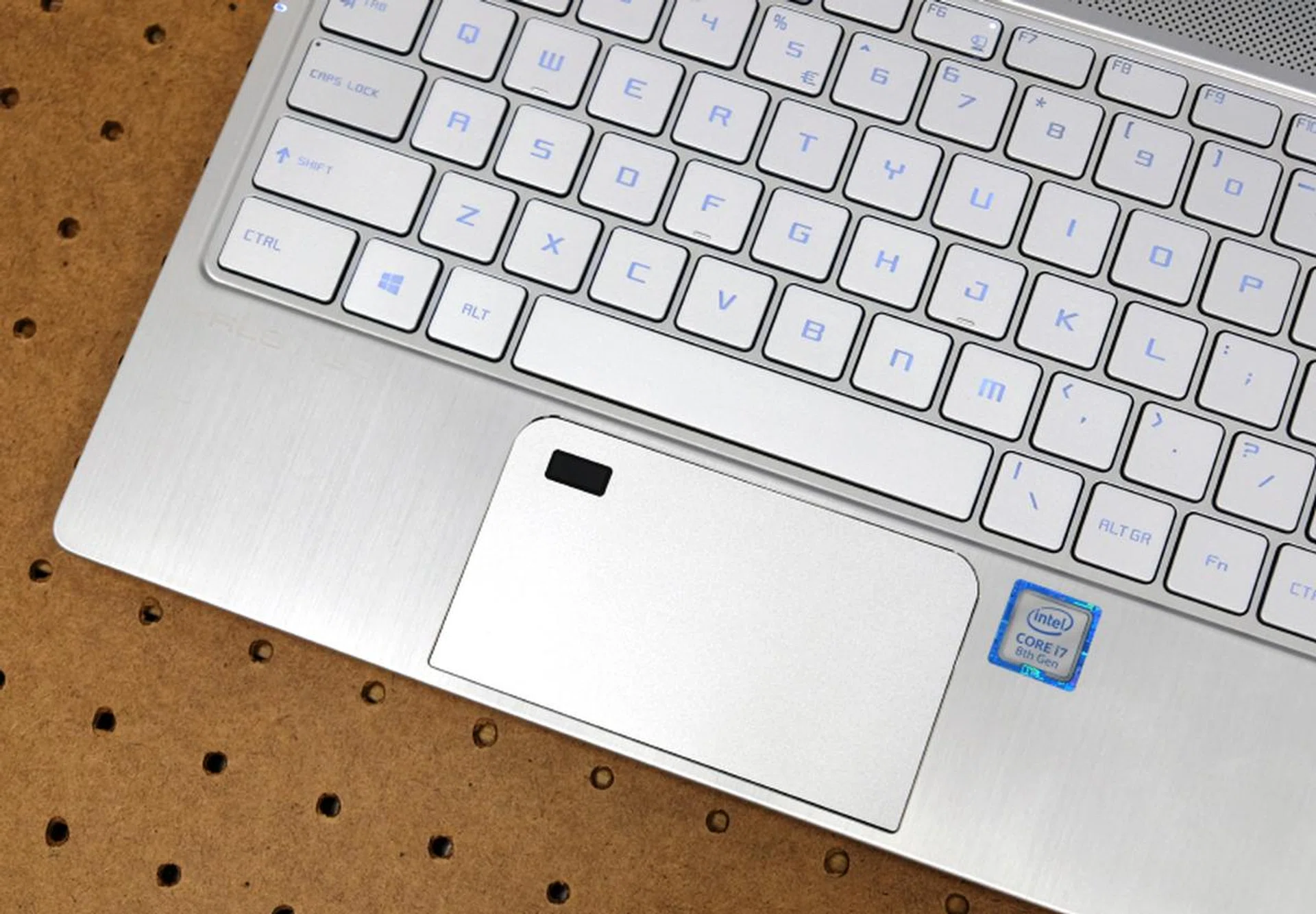
The trackpad is far too small to be used comfortably for long periods.
The clickable trackpad, on the other hand, is surprisingly small by today’s standards. The display isn’t touch-enabled so you have to use the trackpad, and it doesn’t help that the fingerprint reader is integrated into the trackpad which makes the usable area even smaller. You have to wonder why MSI didn’t reposition or make the speakers smaller so that they could accommodate a larger and more usable trackpad. The only consolation is that it is a precision trackpad and it is accurate and responsive. Another probability is that MSI could have made a design assumption that anyone who needs to use the notebook for long periods would pair it with a mouse rather than use the trackpad, which is also a logical calculated assumption.
Any other interesting features?
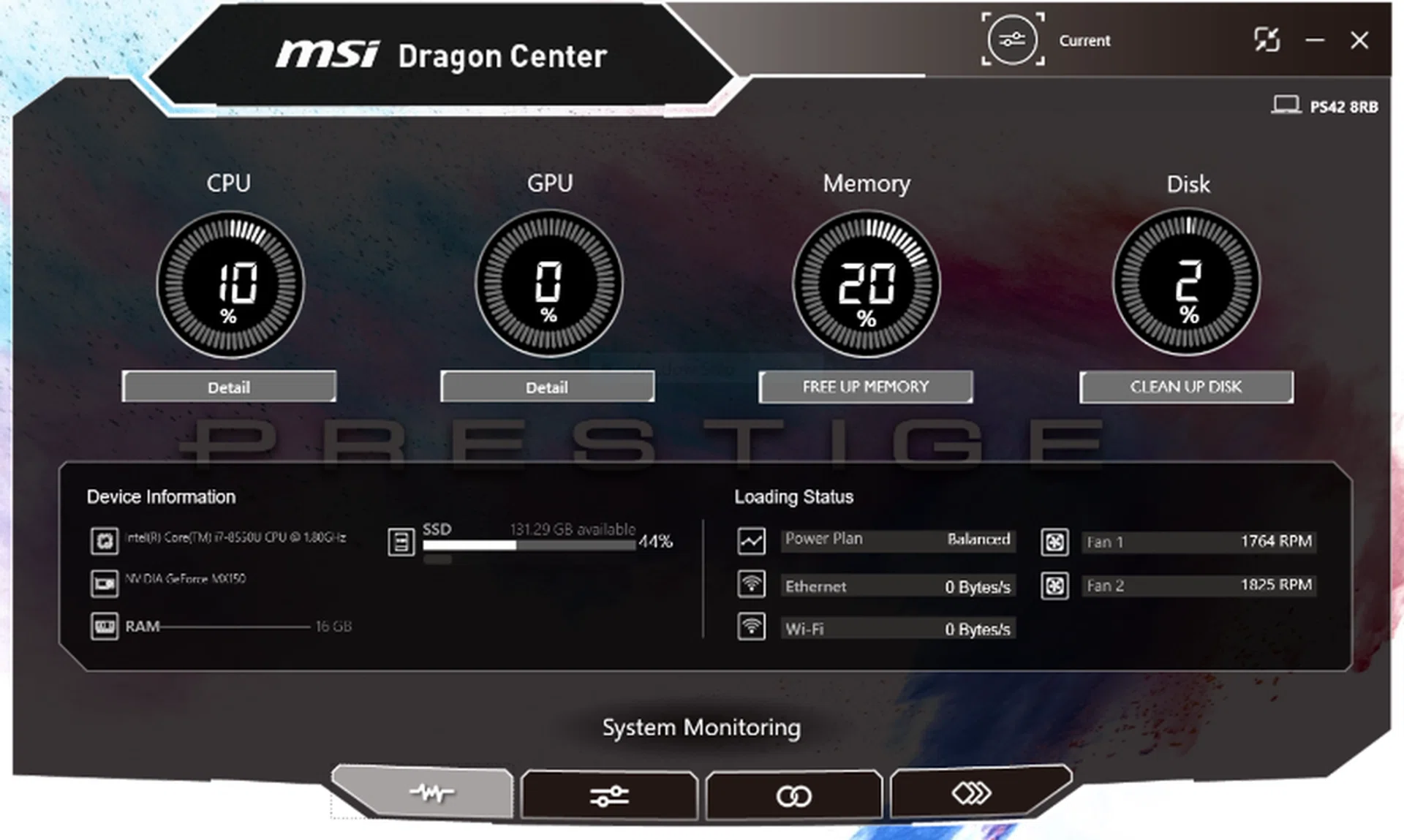
MSI Dragon Center... what a name for a system monitoring and customization utility.
Funny you should ask because, yes, the Prestige PS42 comes preloaded with something called the MSI Dragon Center. It’s a system monitoring and configuration software that shows you system information like your CPU usage and memory load. It also lets you change its power plans and performance modes. It’s quite interesting to see especially if you like to geek out over things and if you like to tinker with the way your system runs.
How much does it cost then?
As I mentioned earlier, our review unit comes with a Core i7 processor, 16GB of RAM, and a 256GB SSD, but MSI has made alterations to the configurations available in Singapore following feedback. Here are the two SKUs that are available locally. Despite the minor differences between the review and retail units, what we have on hand will still be indicative of the performance of the Prestige PS42 notebooks that you can get here.
Prestige PS42 Model | High-end | Entry-level |
Processor | Core i7-8550U | Core i5-8250U |
Memory | 8GB DDR 2666MHz | 8GB DDR4 2666MHz |
Storage | 512GB NVMe PCIe SSD | 256GB NVMe PCIe SSD |
Graphics | NVIDIA GeForce 150MX 2GB GDDR5 | Intel UHD Graphics 620 |
Price | S$1,799 | S$1,399 |
The key differences between the two are the processor, memory, and graphics solution. The important thing to note here is the price. The entry level comes in at just S$1,399 which is quite attractive but the higher end model is even more impressive when you consider for that for just $400 more you are getting a high-end mobile processor, half a TB of SSD storage, and discrete graphics!
How does it perform?
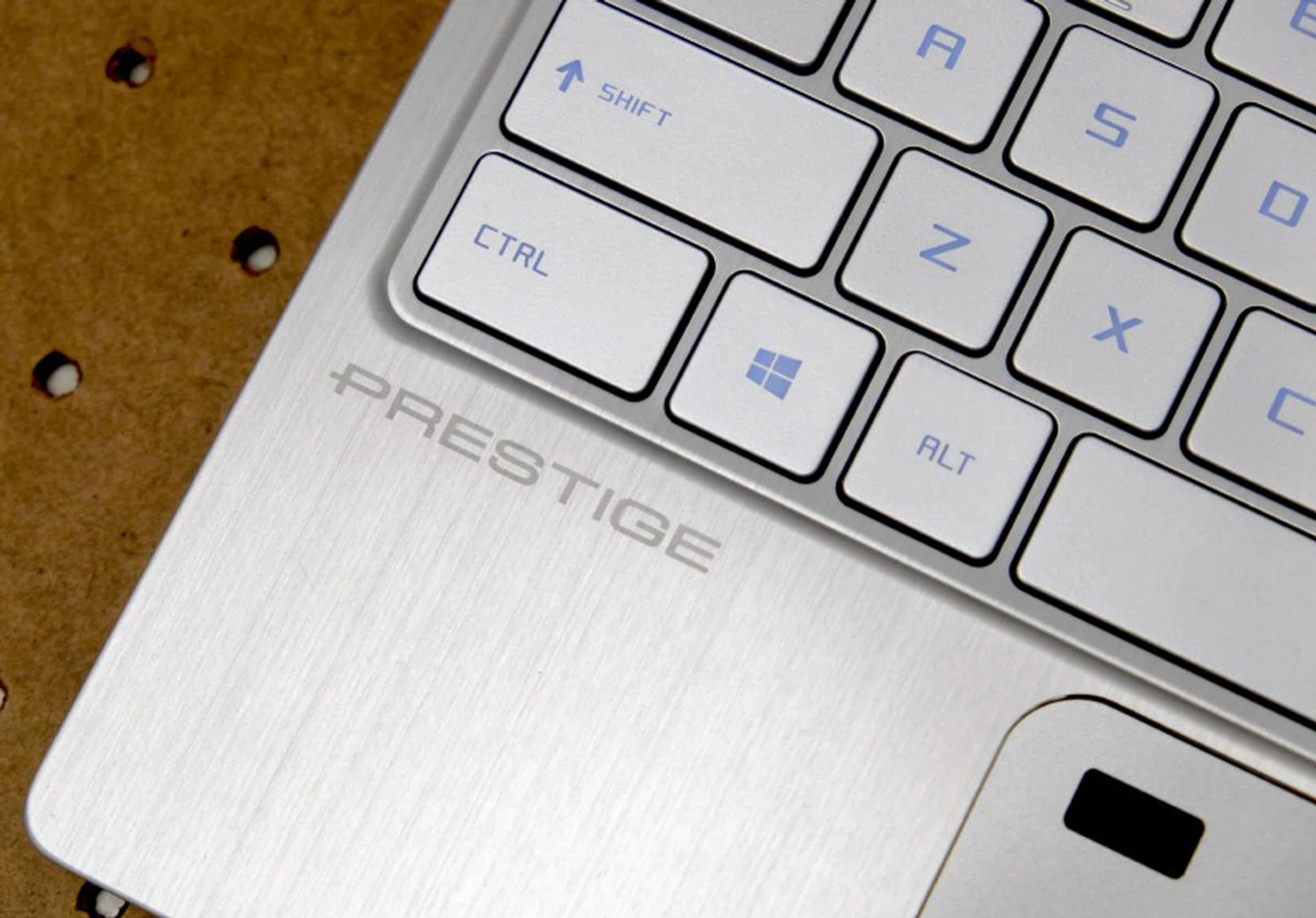
Performance is class-leading because of its discrete graphics chip.
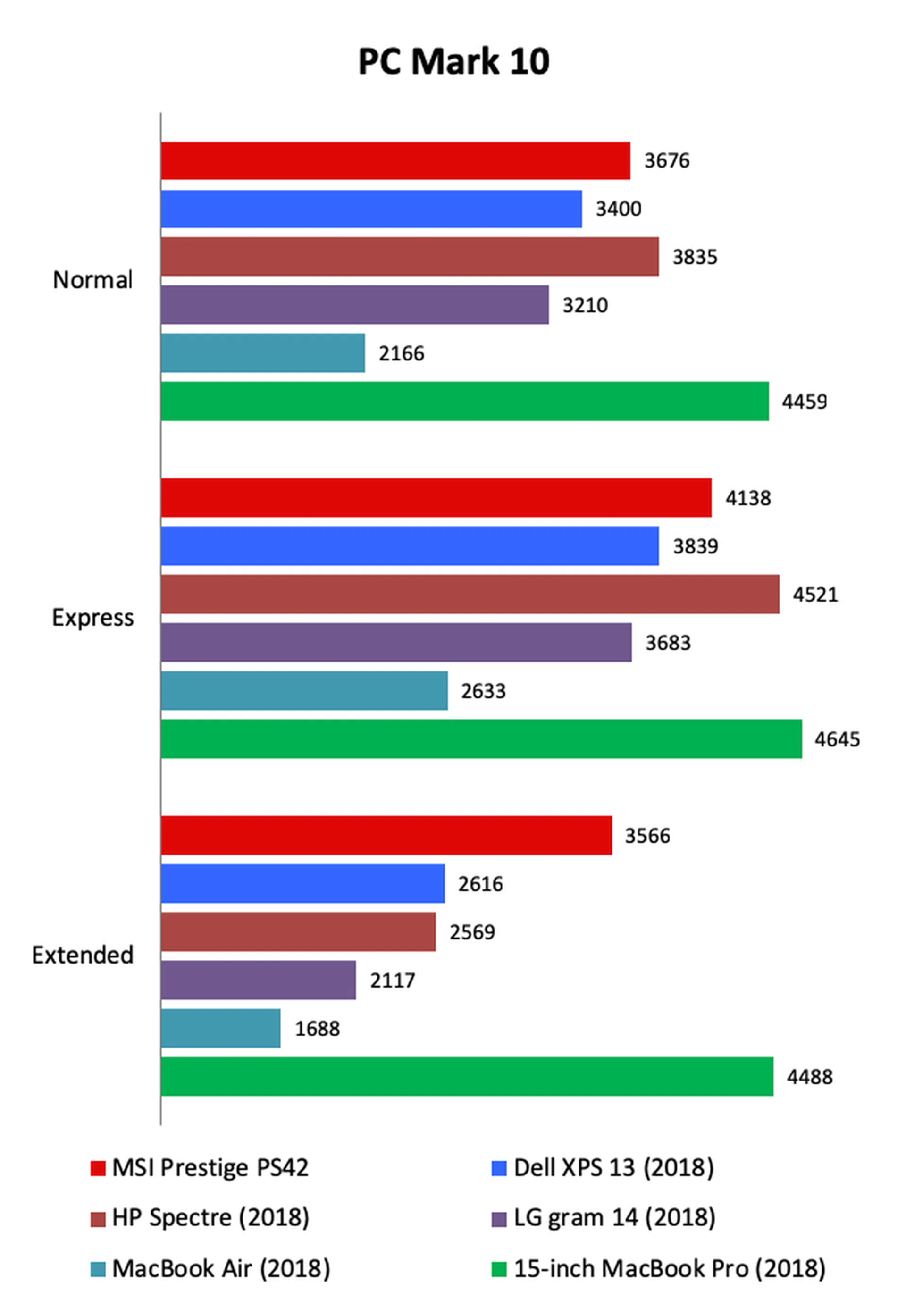
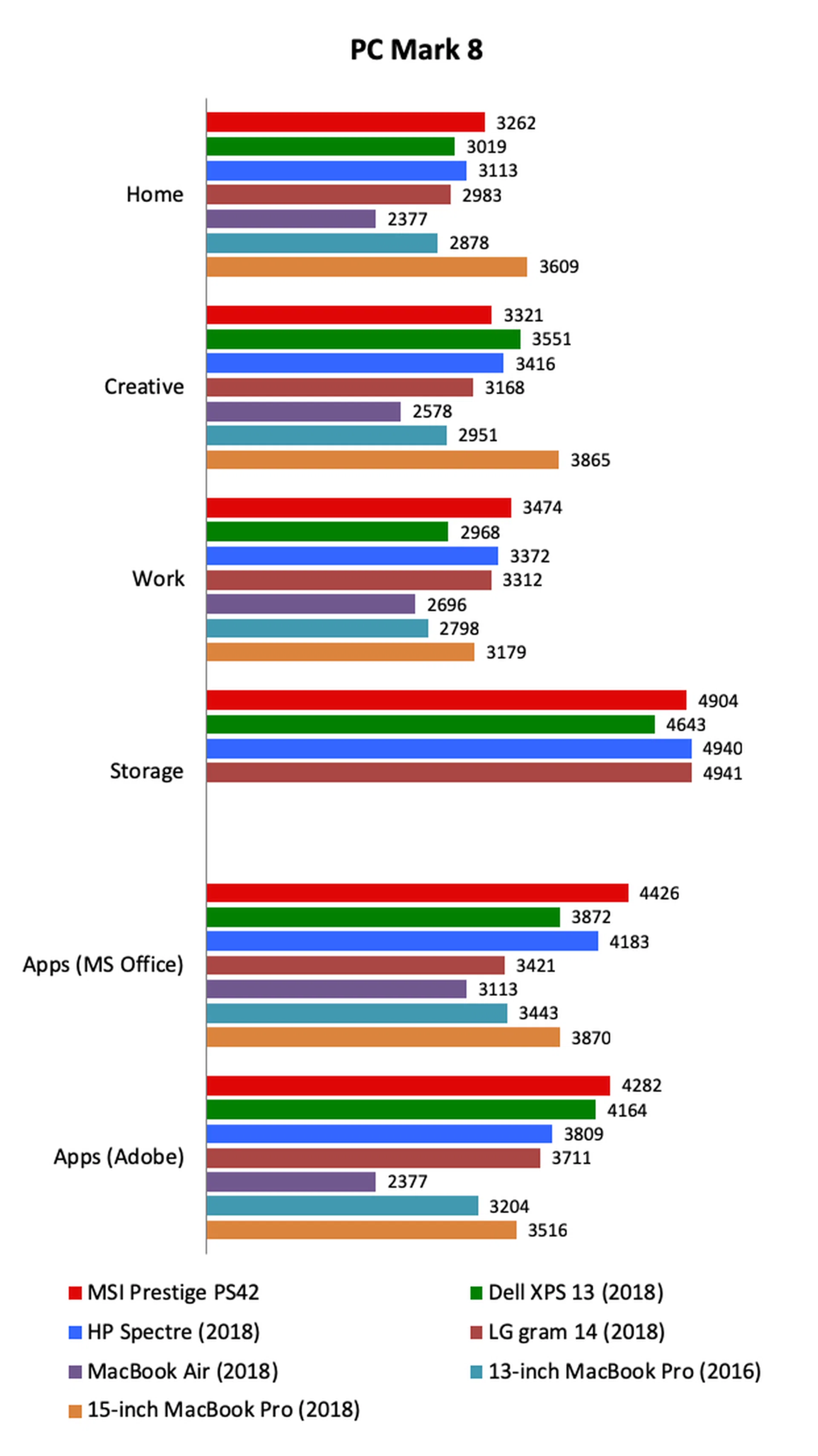
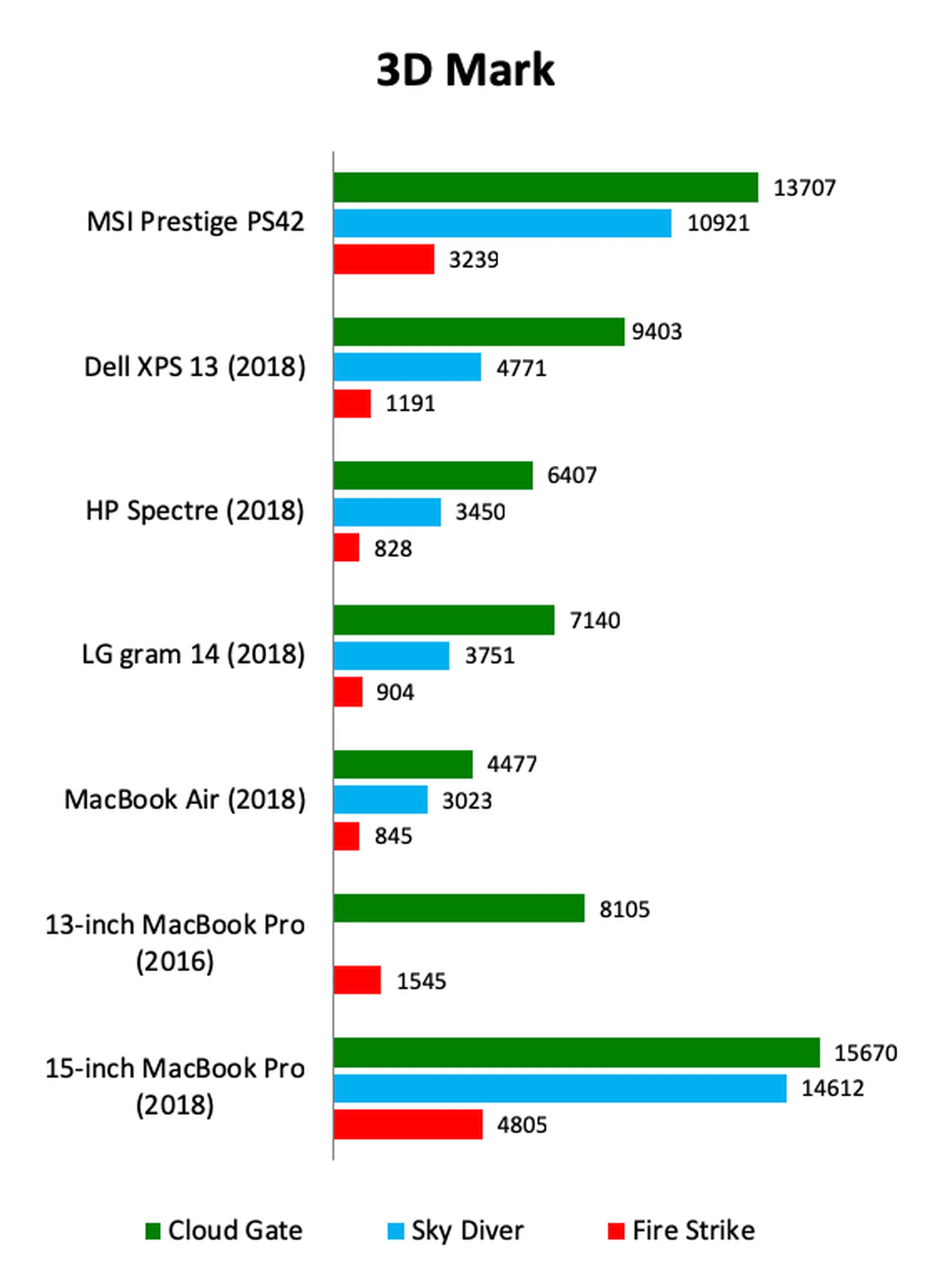
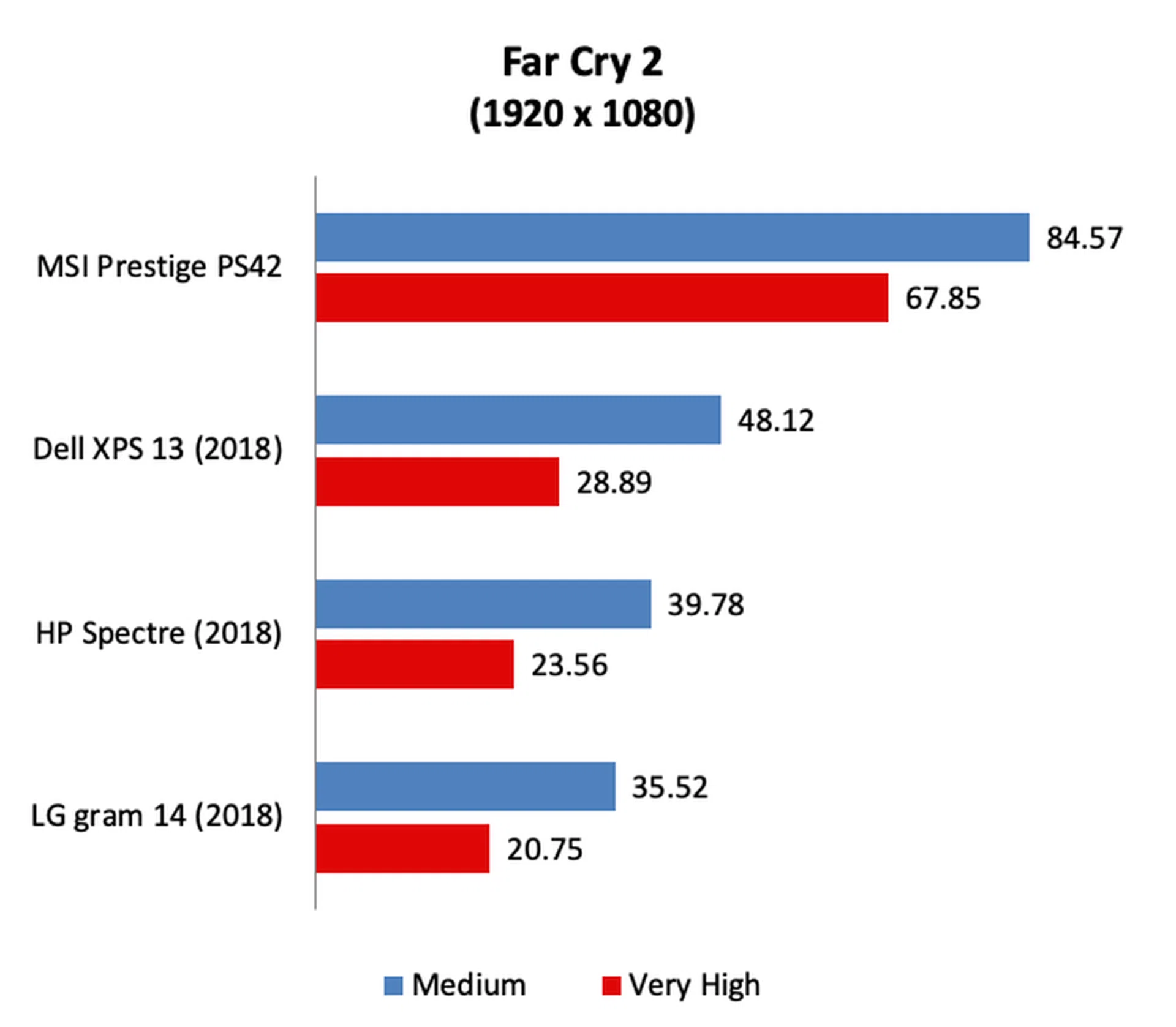
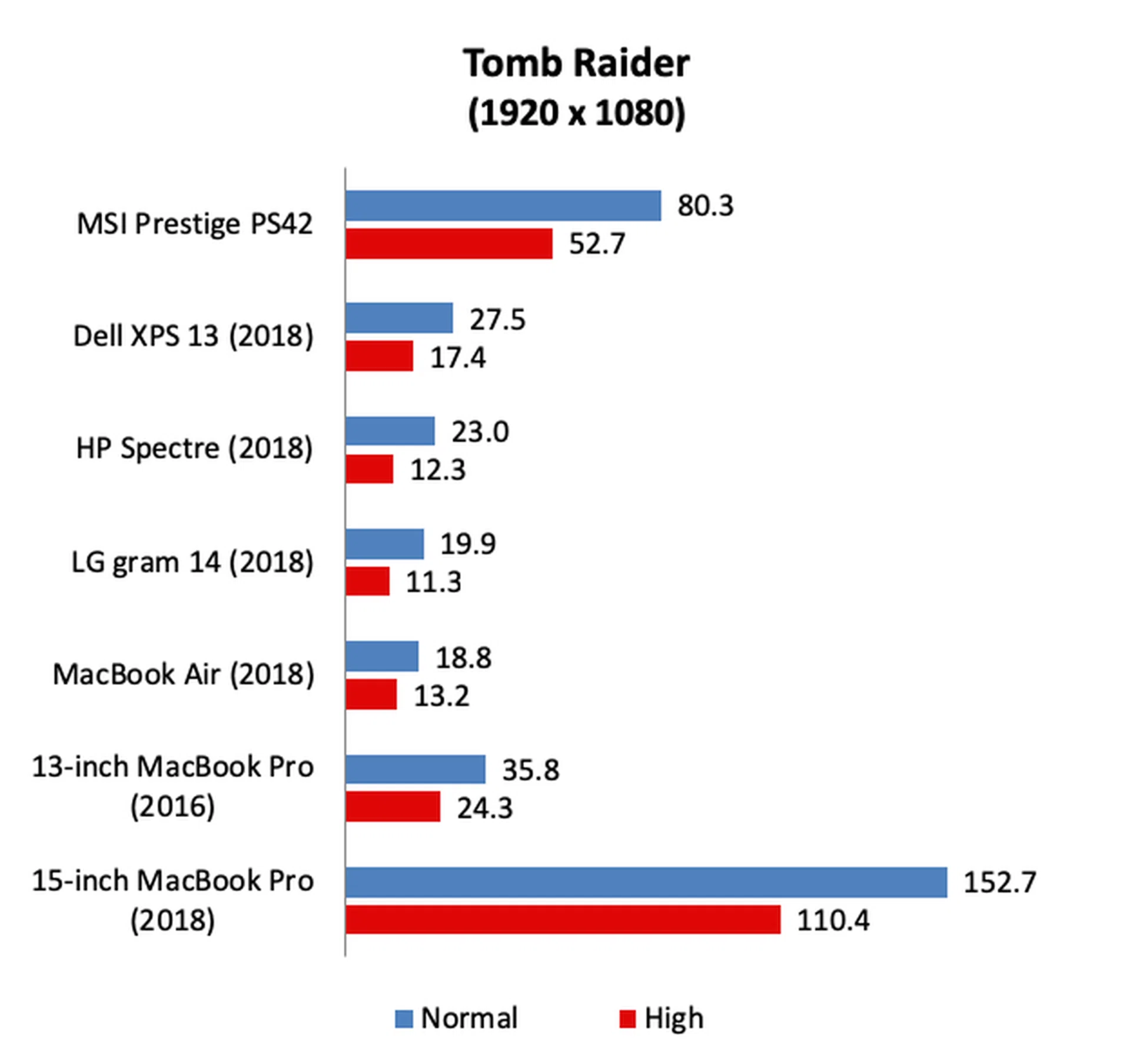
As you might expect, the Prestige PS42 was a strong performer thanks to its powerful Core i7 processor and discrete graphics chip. Amongst the other ultraportables, it was easily the fastest especially in graphics intensive workloads and in gaming. On 3DMark’s intensive Fire Strike workload, the Prestige PS42’s score over other ultraportables relying on Intel’s integrated GPUs can be as much as over 300% greater. On Far Cry 2 and Tomb Raider, its frame rates were easily double, making it the only ultraportable that we've tested that's capable of comfortably running these games at Full-HD resolution.
[hwzcompare]
[products=653644,638335,642966,652151,577863,644806]
[width=200]
[caption=Test Notebooks Compared]
[showprices=1]
[/hwzcompare]
Show me the charts!
Here they are, pay attention to the Prestige PS42’s advantage over its rivals who are powered by Intel’s integrated GPU. The difference is startling and clearly demonstrates the NVIDIA GeForce MX150’s superiority over Intel’s integrated graphics solutions.
How's the battery life?
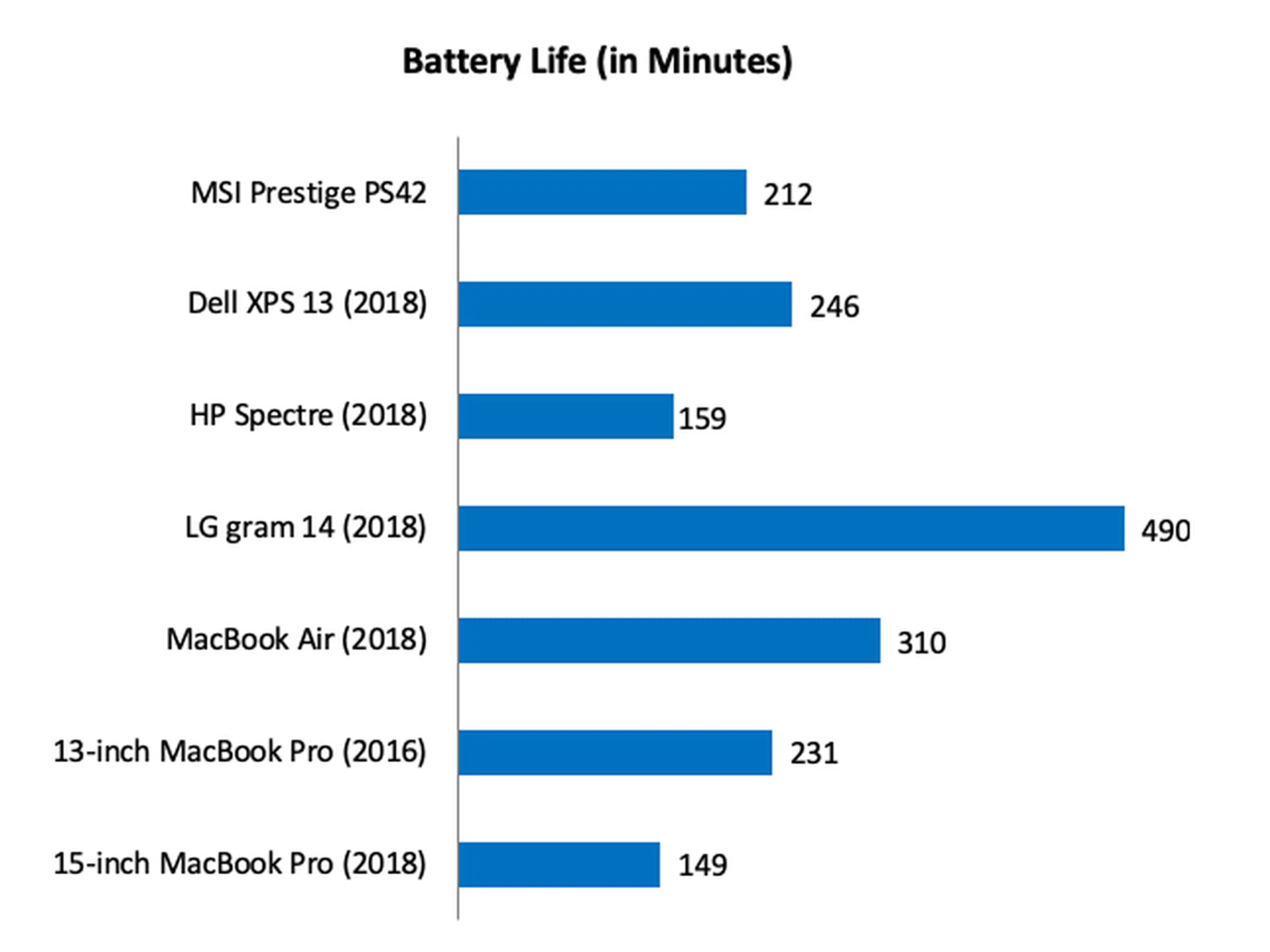
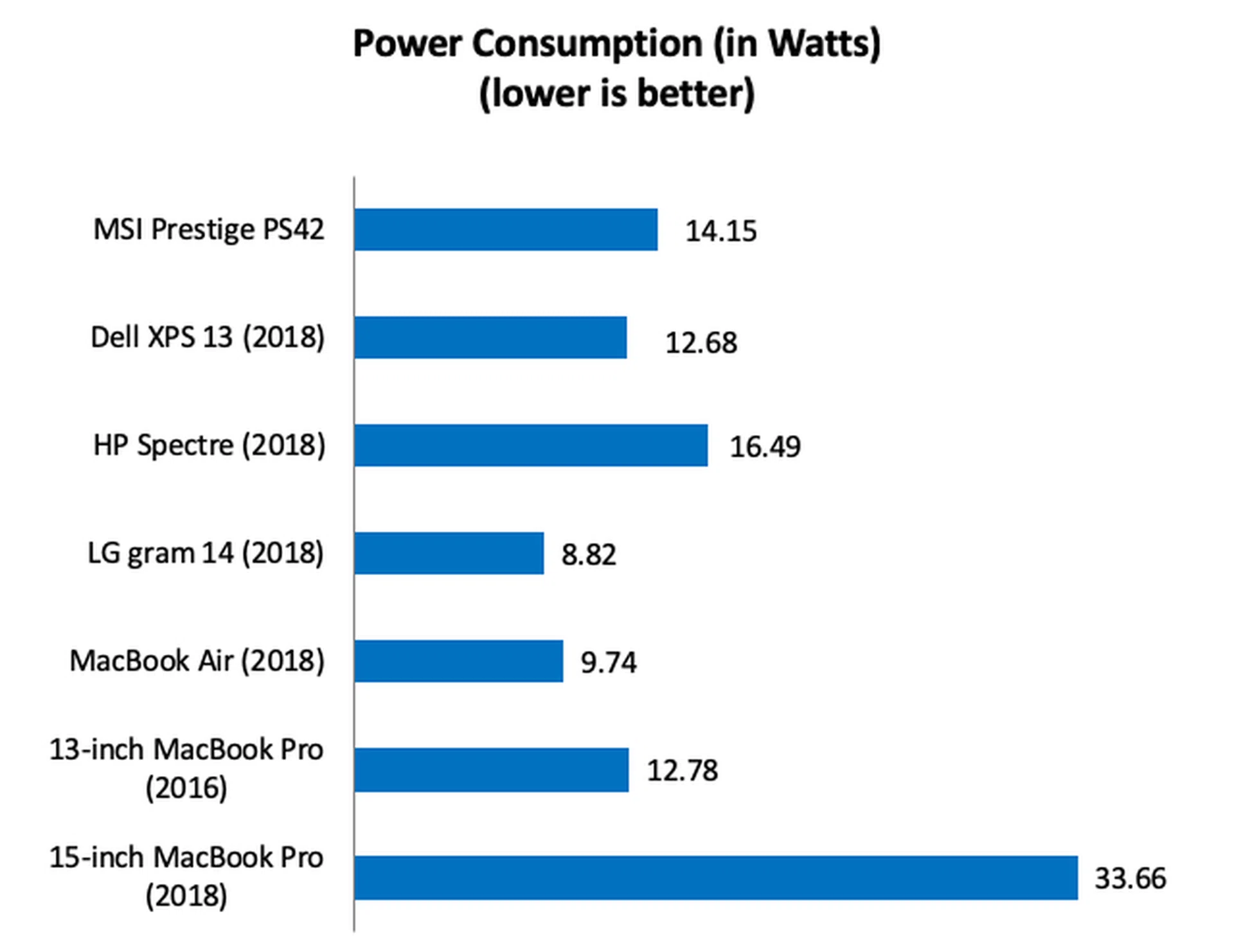
Despite boasting a discrete graphics chip, the Prestige PS42’s battery life is actually quite good. On our intensive battery which consists of productivity workloads, video conferencing, and light gaming, the Prestige PS42 managed to last 212 minutes or 3 hours and 32 minutes - that’s half an hour shorter than the XPS 13 but nearly an hour longer than the Spectre. Bearing in mind its performance, I would say its commendable.
Using our Portability Index which takes into account dimensions and weight, the Prestige PS42 recorded a ratio of 2.61. It's a decent outcome but behind rivals like the XPS 13 and Spectre which are thinner and more compact. Still, it's a good ratio when you factor in its class-leading performance.

So how does it compare to the competition?
Very well, actually. If you look at its performance and price, it is easily the class-leader. Because it is the only ultraportable that we've tested with discrete graphics, its performance - especially in graphics-intensive workloads - is untouchable. For anyone who is into gaming and wants an ultraportable, the Prestige PS42 is a very attractive proposition.
It is priced very competitively too. For well under two grand - S$1,799 if you haven't been paying attention - you get a Core i7 processor, 8GB of RAM, 512GB SSD, and discrete graphics. Few notebooks come close. The entry-level gram 14 from LG is S$1,999 but it has a Core i5 processor and no discrete graphics. The Swift 3 from Acer is probably the Prestige PS42’s keenest competitor on the performance/price front. For $1,698, you get specs that are identical to the Prestige PS42 including discrete graphics, but it is slightly heavier. Another close competitor is the ASUS UX430UN. For a dollar less, you get the same Core i7 processor but with 16GB of RAM instead of 8GB, a 512GB SSD and the same GeForce MX150 discrete graphics. But, the ASUS is slightly heavier and it uses a slower SATA-based SSD. The Prestige PS42, therefore, still has the upper hand when it comes to portability.
Final Thoughts?

Far from perfect, but the MSI Prestige PS42 does have a couple of redeeming qualities that can make you overlook its flaws.
While the MSI Prestige PS42 represents excellent value from a performance and price standpoint, there are some concerns worth highlighting. To begin, build quality is clearly not on the same level as some of its peers and that detracts from the overall user experience. For a company that has so much experience building notebooks, it's quite surprising that the Prestige PS42 feels the way it does. Additionally, the display also isn’t quite up to scratch in my opinion - a bit too dim and too grainy. The trackpad is also tiny by today's standards and makes me want to use a mouse. Finally, while the notebook does have USB-C ports, they don’t support Thunderbolt 3. Granted, Thunderbolt 3 devices are pricey and still pretty rare, but one always wants to know that his/her investment is ready for the future.
Still, when you take into account the performance it offers and its price, it’s easy to overlook the Prestige PS42’s shortcomings. In short, the Prestige PS42 isn't perfect but it does have redeeming qualities that can make you overlook its flaws.
Our articles may contain affiliate links. If you buy through these links, we may earn a small commission.