

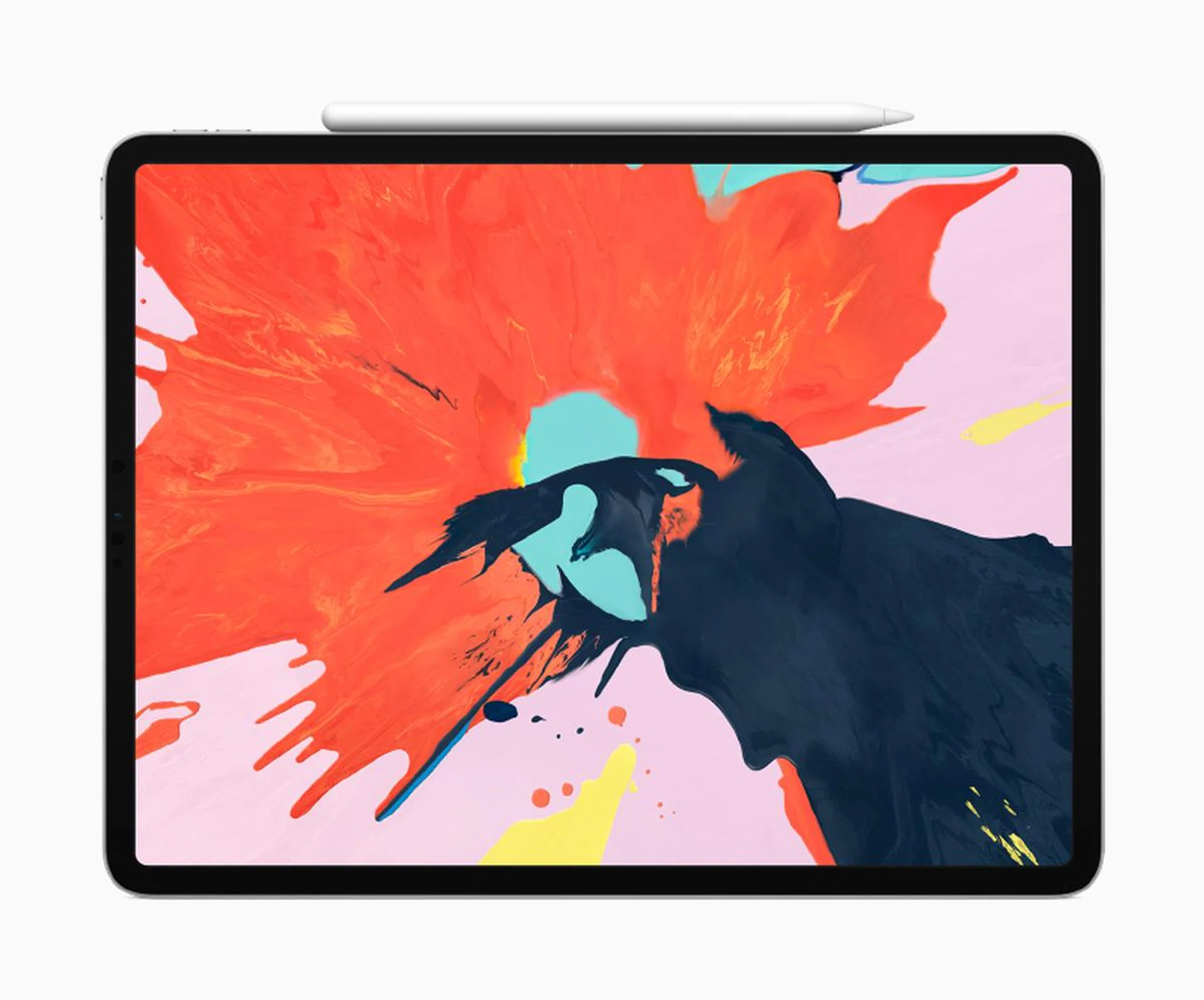
Meet the new third generation iPad Pro.
Another iPad?
This is the newest iPad Pro and it is the biggest update to the iPad Pro ever. The latest iPad Pro has an all-new design to go along with massively upgraded internals. It also comes with new accessories: a second-generation Apple Pencil and an updated Smart Keyboard Folio. You could probably say they've pretty much changed everything.
An all-new design you say?
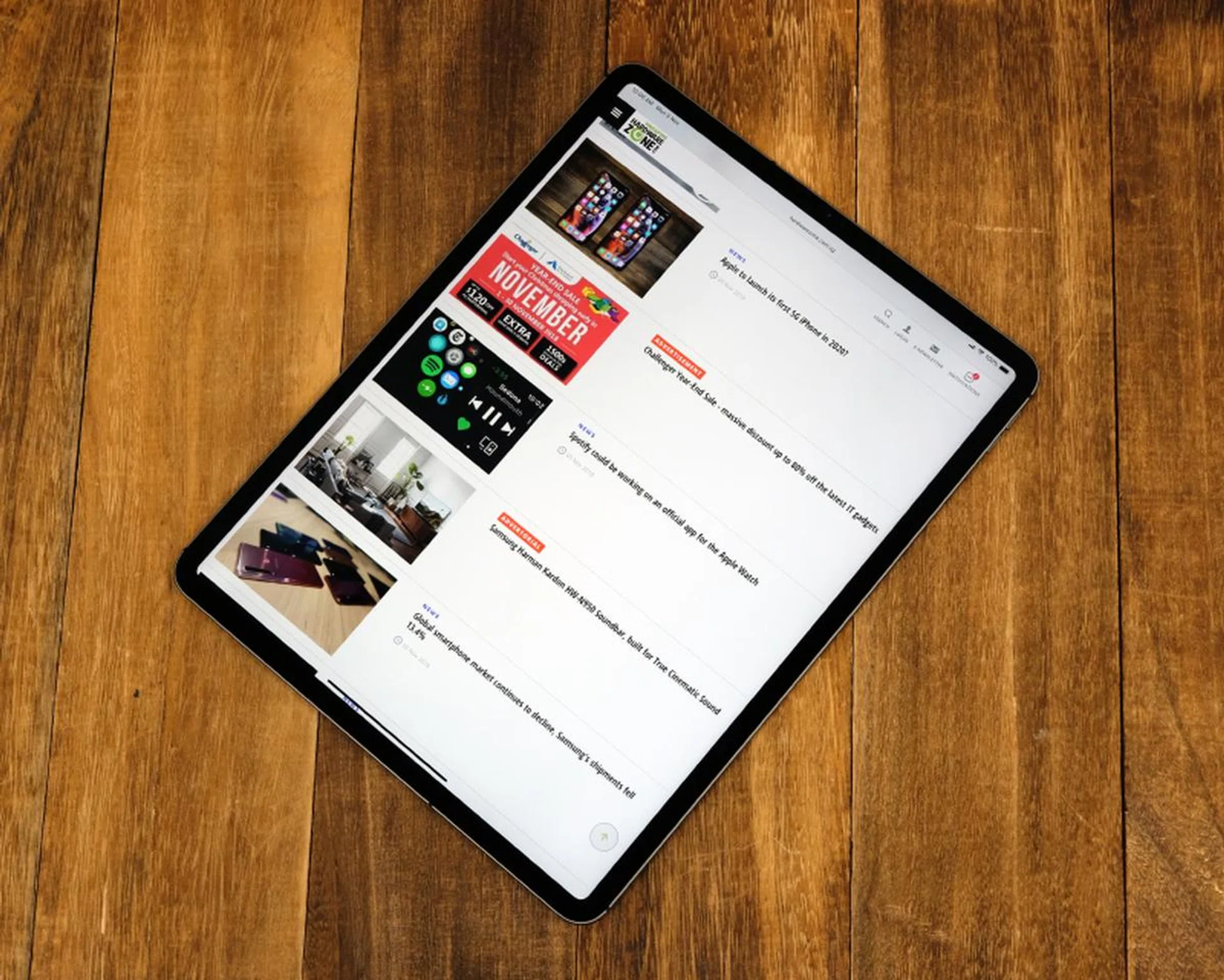
There's no Home button and the bezels have been shrunk.
The first thing you will probably notice is that the new iPad Pro has no Home button. Yup, like Apple’s latest phones, the iPad Pro has no Home Button and relies on Face ID to log in (more on Face ID later). The lack of the Home Button, along with the new Liquid Retina-class display, means Apple was able to shrink the bezels to give the new iPad Pro an all-display design. The bezels are not completely invisible though. It’s not as thin as the bezels on the iPhone XS and XS Max and but it is considerably less conspicuous than its predecessor, especially along the top and bottom of the display when holding it in portrait mode. The chamfered edges of older iPads are also gone and in its place are square sides that call to mind the old iPhone 5.
Does it still come in two sizes?
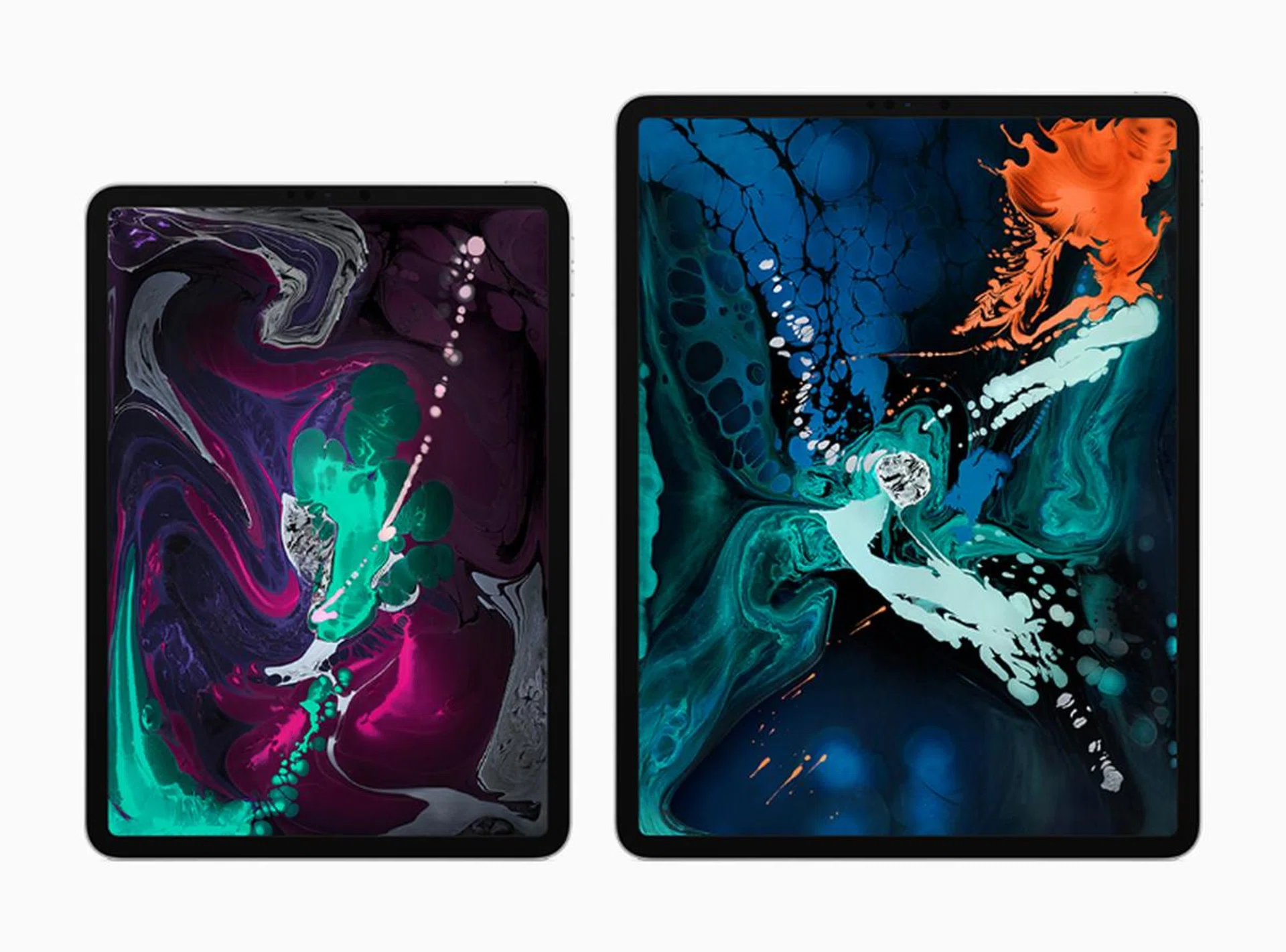
You can get the new iPad Pro with an 11-inch or 12.9-inch Liquid Retina display.
Yes, it does. We still have a 12.9-inch model but the existing 10.5-inch model has now been bumped up to 11-inches. Because of the thinner bezels, the new 11-inch iPad Pro has the same footprint as the old 10.5-inch iPad Pro. Even their weight is identical at 468g.
The new 12.9-inch iPad Pro, on the other hand, is substantially more compact than its predecessor. Its smaller bezels and thinner form factor have allowed Apple to shrink its overall volume by 25%, making it a lot more portable. The 12.9-inch iPad Pro also weighs about 8.5% less at 633g.
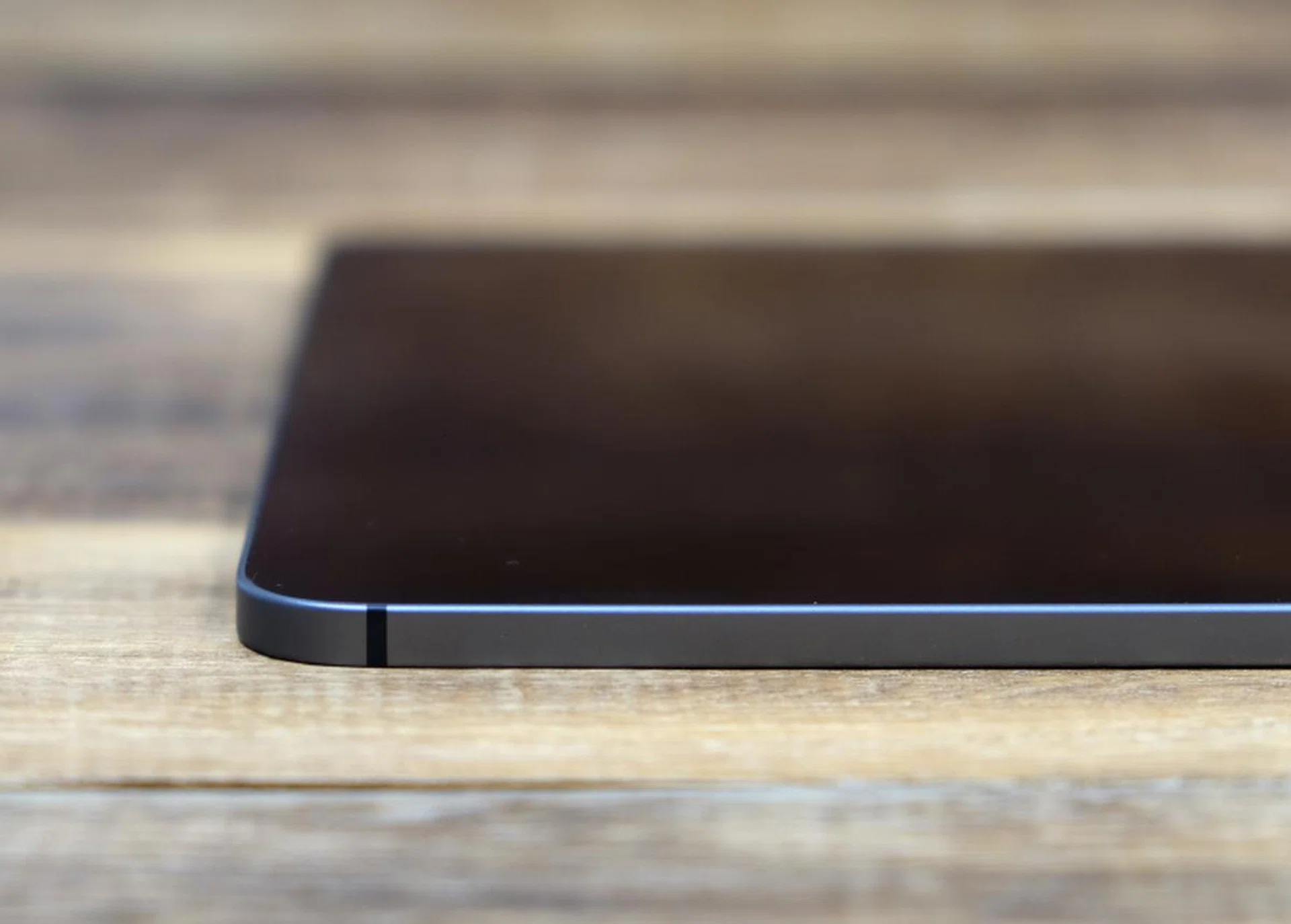
The new iPad Pro is just 5.9mm thick.
Finally, both the new 12.9 and 11-inch iPad Pro tablets are just 5.9mm thick, the thinnest ever for an iPad. In the hands, as I noted in my hands-on article, the two tablets feel wonderfully thin and light. Apple has said that they always wanted for the iPad to be a ‘magical piece of glass’ that could be anything users wanted it to be. With the latest iPad Pro, they are closer to that vision than ever before.
Wow, tell me more about that display.
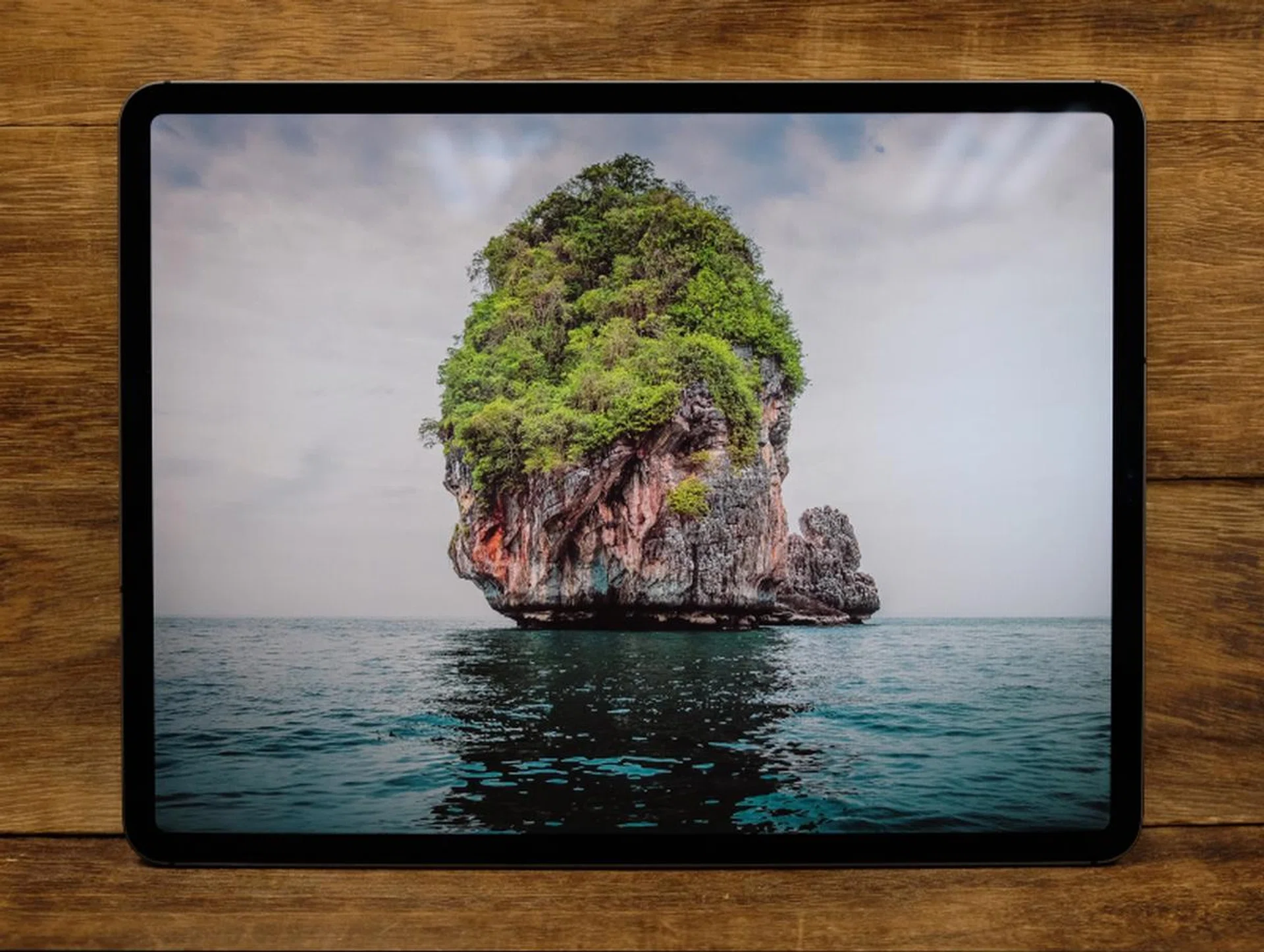
It's a fantastic display.
The latest iPad Pros feature Apple’s new Liquid Retina-class displays - the same kind found on the iPhone XR. It has rounded corners, supports the DCI-P3 color space, and also supports Apple’s ProMotion technology (variable refresh rate, first covered in our iPad Pro 2017 review) and TrueTone technology. The 11-inch model has a display resolution of 2,388 x 1,668 pixels (similar to its predecessor) while the 12.9-inch model has a display resolution of 2,732 x 2,048 pixels. Both displays have identical pixel density counts of 264 pixels per inch. Apple’s iPads have traditionally boasted had great displays and the latest iPad Pro tablets are no different. The displays on the new iPad Pros are sharp, vibrant, and crisp.
Wait, there’s no Home button so how do you log in?
Face ID, just like the iPhone X, XS, XS Max, and XR. But what’s really cool about Face ID on the iPad Pro is that it has been reworked so that it works regardless of the orientation of the device. It doesn't matter if the iPad Pro is in landscape or portrait mode or even upside down, Face ID just works. Orientation aside, Face ID also works at steeper angles and greater distances. In practice, this also means that the new iPad Pro doesn’t have a fixed orientation. This is hands down the best implementation of Face ID yet and I hope they bring it to iPhones in the future.
What’s powering it?
The A12X Bionic powers the newest iPad Pro tablets.
Powering the latest iPad Pro is the A12X Bionic processor, which is essentially the A12 Bionic processor found in the iPhone XS, XS Max, and XR but on steroids. This processor has a whopping 10 billion transistors. The CPU is an octa-core design with four high-performance cores and four efficiency cores while the GPU consists of seven cores. In comparison, the A12 processor in the new iPhones has two high-performance cores, four efficiency cores, and a quad-core GPU.
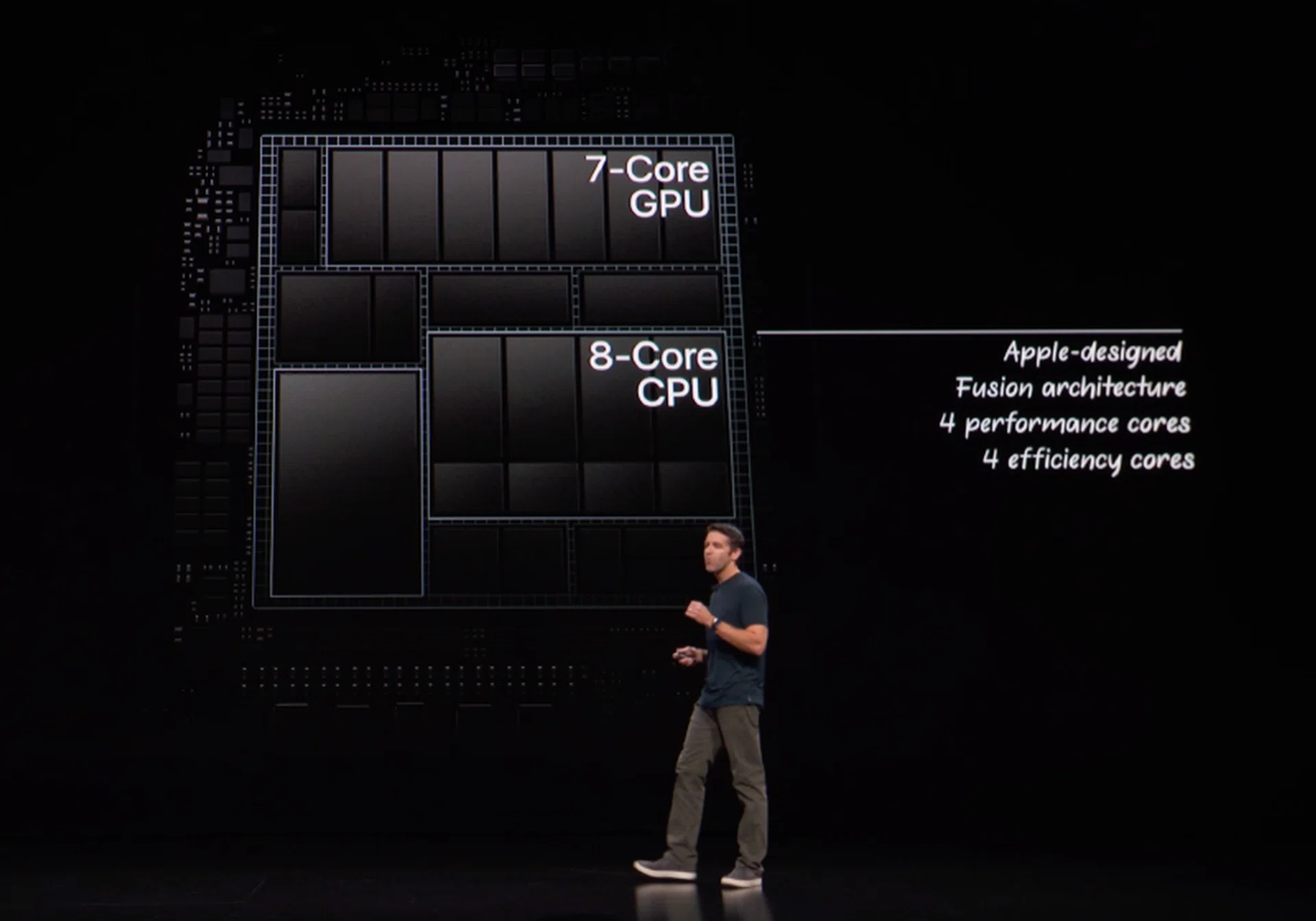
It's a beast.
More importantly, the A12X Bionic processor delivers substantially more performance than its predecessor, the A10X Fusion. When comparing the two, Apple claims that the new A12X Bionic is up to 35% faster in single-core operations and up to 90% faster in multi-core operations. But more amazingly, Apple also claims that the A12X Bionic is faster than 92% of all portable PCs sold in the past year and that it also offers graphics performance that is comparable to the Xbox One S gaming console.
So is it really that powerful?
I know you are eager to know but we’ll talk more about performance on a later page. Let’s concentrate on the rest of the iPad Pro’s new features that we've covered in-depth on the next page.
What about ports? I heard that it doesn’t have a Lightning port?
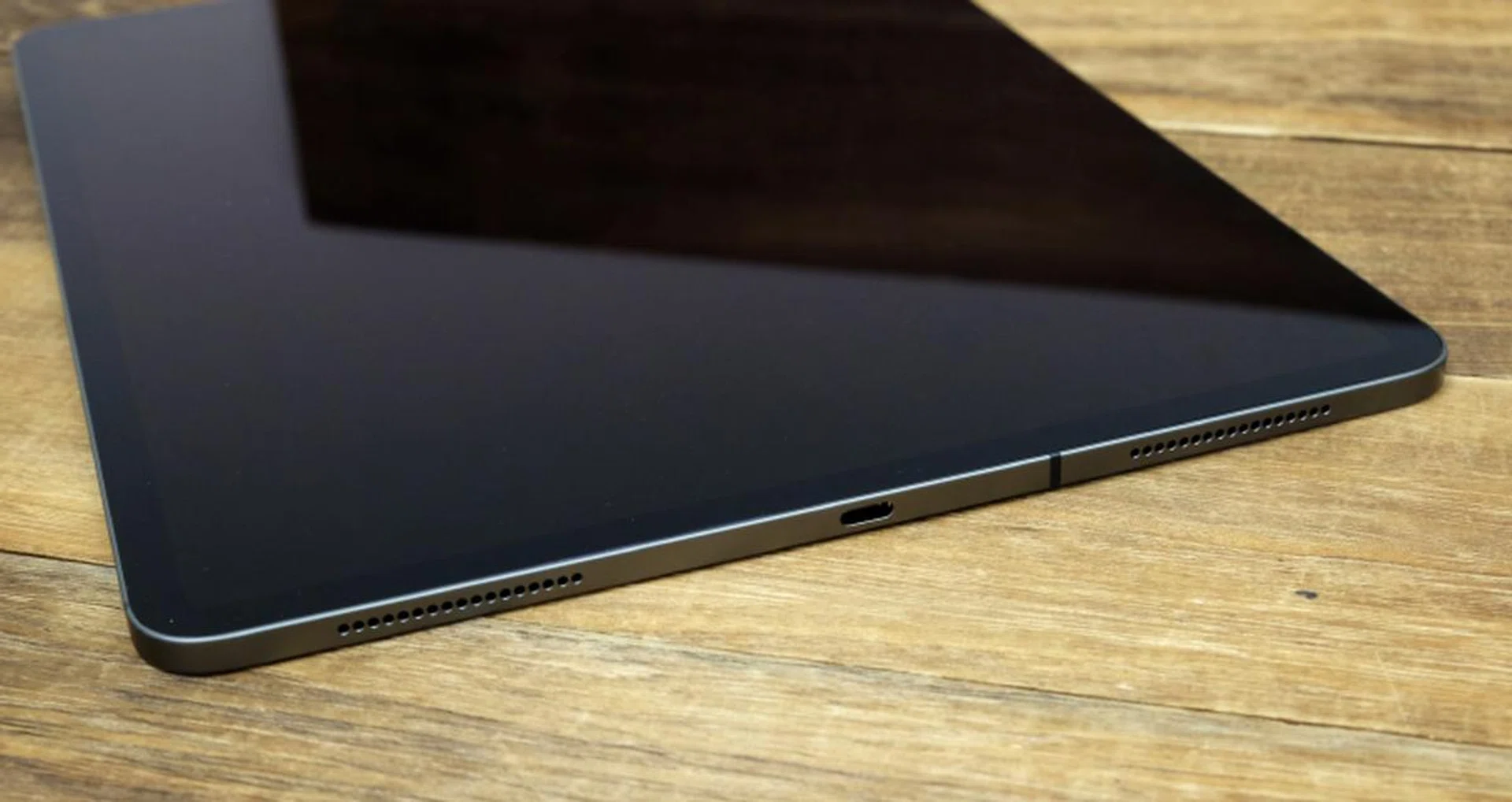
Goodbye Lightning port. Say hello to USB-C.
Yes, Apple has ditched the good old Lightning port for a USB Type-C port. One thing to note is that it isn’t a Thunderbolt 3 port, it does, however, support USB 3.1 Gen 2, which means you can get data transfer rates of up to 10Gbps. You can even use the USB-C port to charge your iPhone (as long as you have the right cable or adapter).
The decision to switch to a USB-C port is significant because it means the iPad Pro can now play well with a greater range of accessories. I haven’t had the chance to play around with it much but I did manage to import photos off my SD card using a USB SD card reader and a USB-C to USB-A adapter. Apple says you can connect the iPad Pro to cameras to quickly preview and edit photos or musical instruments to easily record performances. But I think what’s going to be most beneficial to users is that you can use the USB-C port to output to external monitors and docks to increase connectivity.
Can I connect to external storage devices?
No, Apple has strict implementations on how the USB-C port should work and one of the restrictions is that you cannot connect external storage devices like USB flash drives or even USB external portable HDDs to it. This means that if you have to wirelessly transfer files and documents to the iPad Pro.
To be sure, these limitations have existed even on the older iPad Pro tablets. Like the new iPad Pro, older models couldn’t read external storage devices even if you had the Lightning to USB connector. For readers who have already invested heavily into the Apple ecosystem, this isn’t a huge deal since you can use AirDrop to easily send files from one Apple device to another. It’s also not a problem if you already have iCloud and you use it to sync your files on your Desktop and Documents folders on your Mac.
What about the headphone jack?
There’s none. To achieve the iPad Pro’s slim dimensions, Apple decided to remove the headphone jack. I guess it's a fair trade off but I also can't deny that it can be annoying especially if you haven't already invested in a pair of wireless headphones.
I heard a lot about the new Apple Pencil, tell me more.
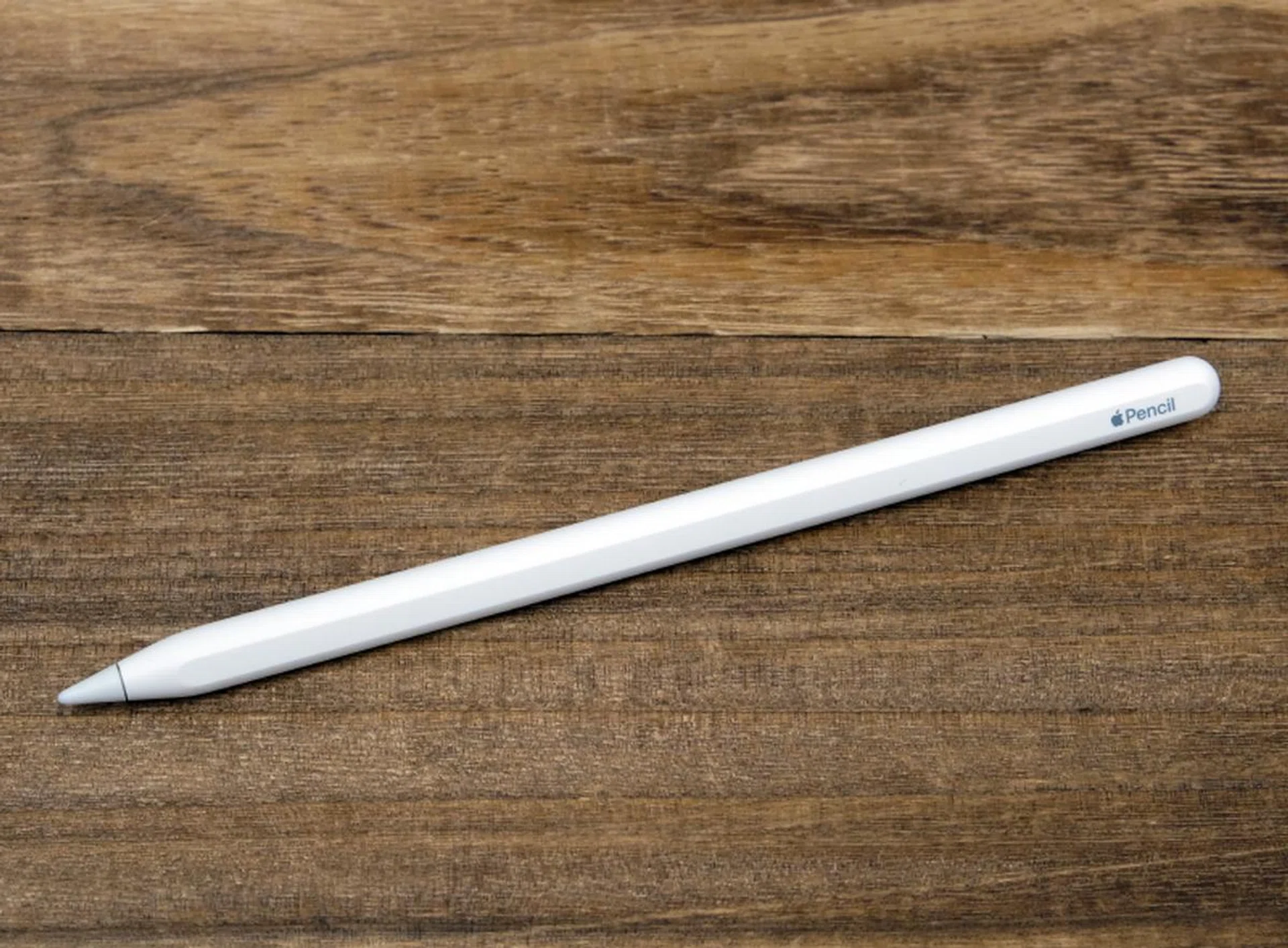
The Apple Pencil now charges wirelessly and attaches magnetically to the side of the iPad Pro.
Apple had to come up with a new Apple Pencil since the new iPad Pro no longer has a Lightning port. Remember, the old Apple Pencil paired and charged itself via a Lightning port. Apple could have easily swapped the Lightning port on the old Apple Pencil and replaced it with a USB-C connector but that wasn’t what they did. Instead, they took the opportunity to make a couple of meaningful updates to the Apple Pencil.
For a start, the design has been improved, most notably with a flat side that prevents the Pencil from rolling away. The Apple Pencil now also has a matte coating that makes it slightly easier to grip. Also, there’s no detachable cap over the tip now so you don’t have to worry about losing anything.
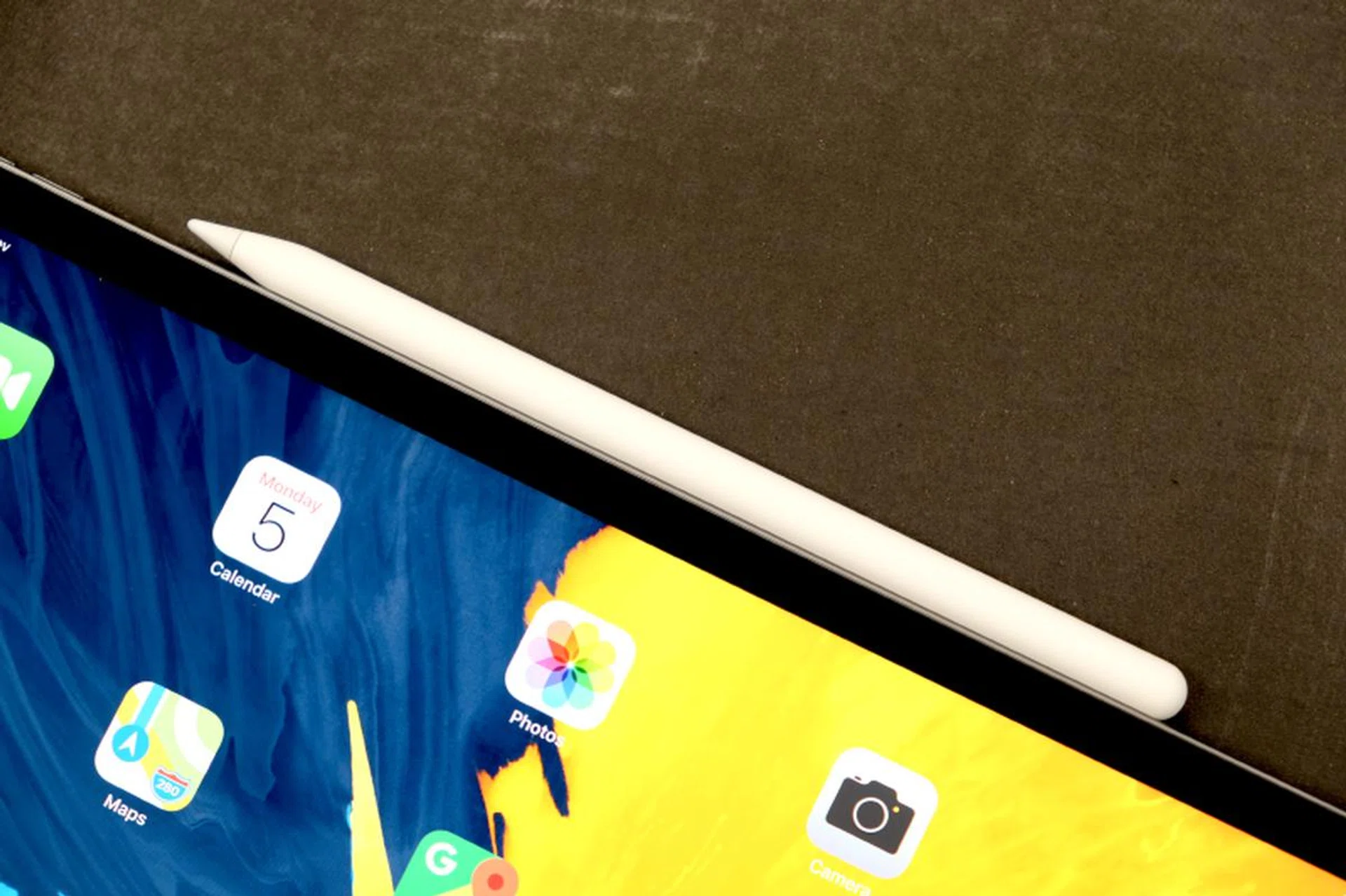
The Pencil now attaches magnetically to the side of the iPad Pro.
The new Apple Pencil now attaches magnetically to the side of the iPad Pro, which makes storage a lot easier. The attachment is quite secure, but the Pencil can still detach itself if you put it in a bag filled with other items. That aside, we check out how secure the Pencil is when magnetically attached to the iPad Pro:-
I know some users would have preferred if the Pencil stored itself away within the iPad itself but such a design would necessitate either a thinner pencil or a thicker tablet both of which are not ideal. As it is, the new Apple Pencil feels great in the hands.
There is also support for gesture controls. Double tapping on the side of the pencil near the tip allows users to quickly switch controls. This is app dependent but on the Notes app it can be customized to switch between the current tool and the eraser, or to switch between the current tool and the last used tool, it can also be configured to show the color palette. We briefly tried it in action at the launch event:-
And the Smart Keyboard Folio?
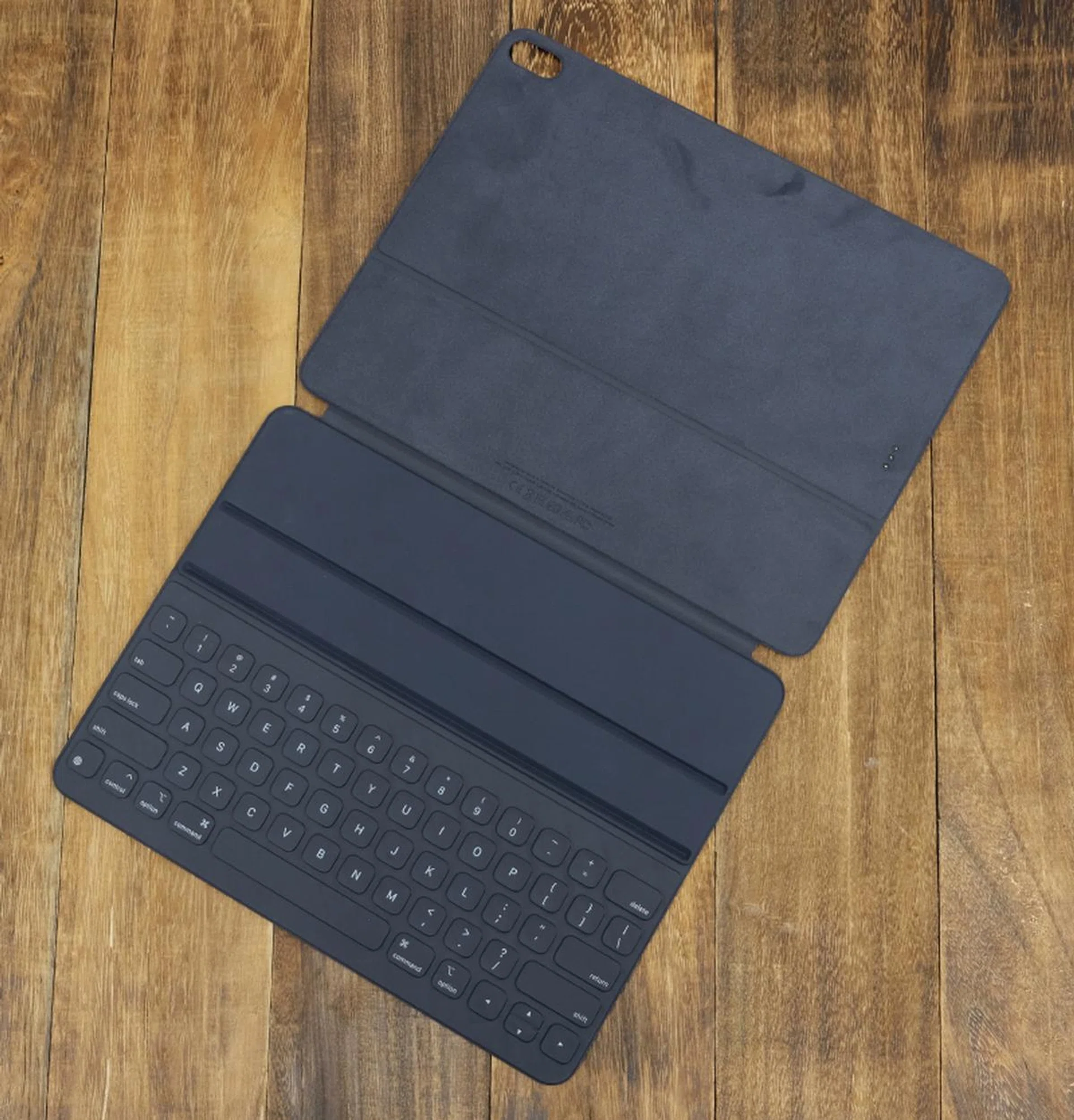
The Smart Keyboard Folio protects the front and back of the iPad Pro. It does add a bit of thickness when in use.
Ah yes, the Smart Connector on the latest generation iPad Pro tablets has been repositioned. It used to be on the side, but now it is behind near the bottom. Needless to say then, this requires a new Smart Keyboard. For anyone who has used earlier Smart Keyboards, the new Smart Keyboard Folio will feel familiar. The keys are covered by a fabric-like material and are large enough to make typing comfortable. The big change to the Smart Keyboard Folio is that it now protects the front and back of the iPad and that it has two viewing angles. The older Smart Keyboards only have a fixed viewing angle, which makes it restrictive depending on how you are using the iPad. Having two viewing angles make it much more comfortable to use especially if the iPad Pro is on your lap.

The Smart Keyboard Folio can be used at two angles.
Ok, so just how powerful is it?
I talked about how powerful the new A12X Bionic processor earlier, now let’s look at the benchmarks.
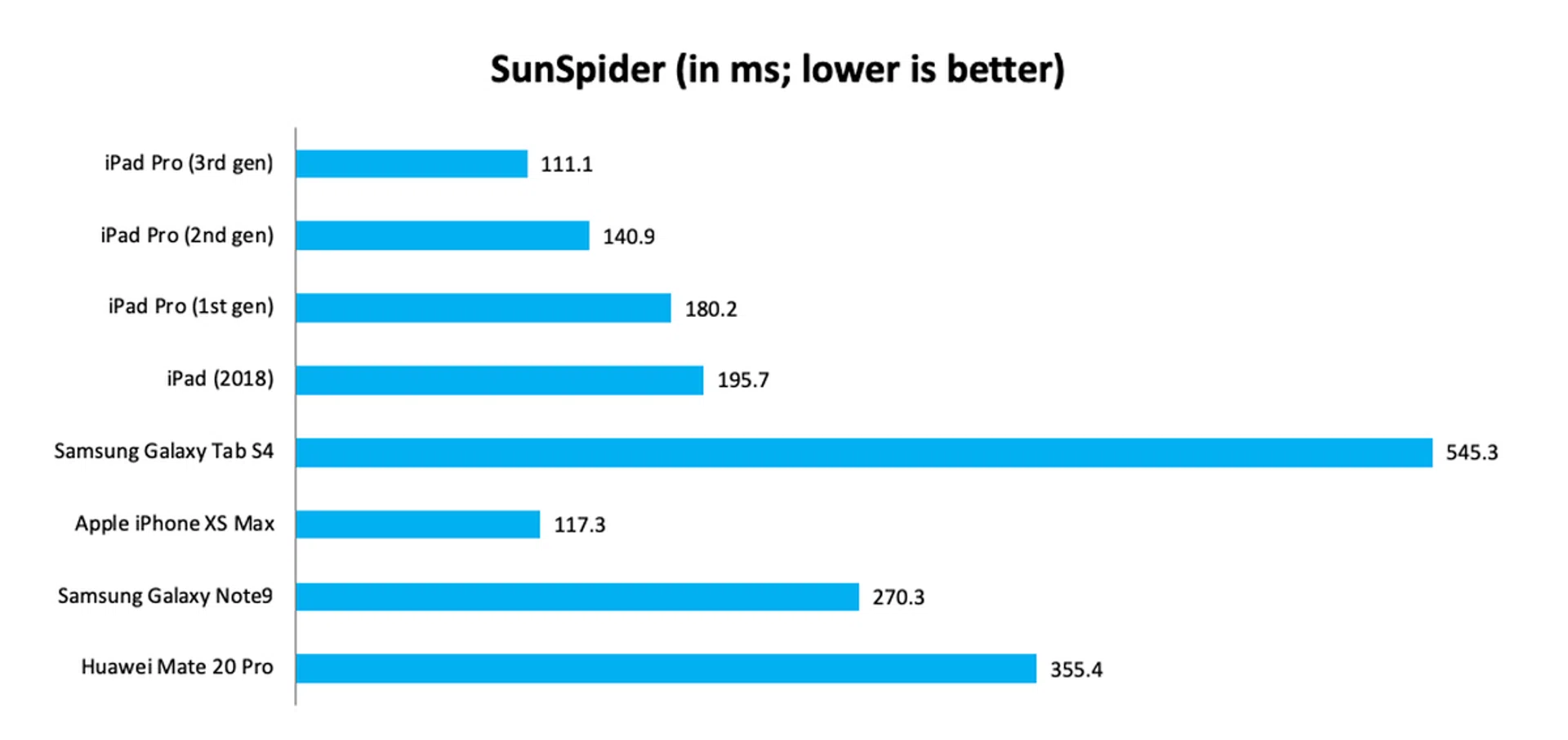
In SunSpider, the new iPad Pro managed a score of just 111.1 ms, making it over 20% faster than last year’s iPad Pro. It also compares favorably against the latest flagship Android devices like the Samsung Galaxy Tab S4 and flagship smartphones like the Huawei Mate 20 Pro and Samsung Galaxy Note9. The only thing that comes close is Apple’s very own iPhone XS Max. Interestingly, the first generation iPad Pro from 2015 remains competitive even against today’s flagship Android devices.
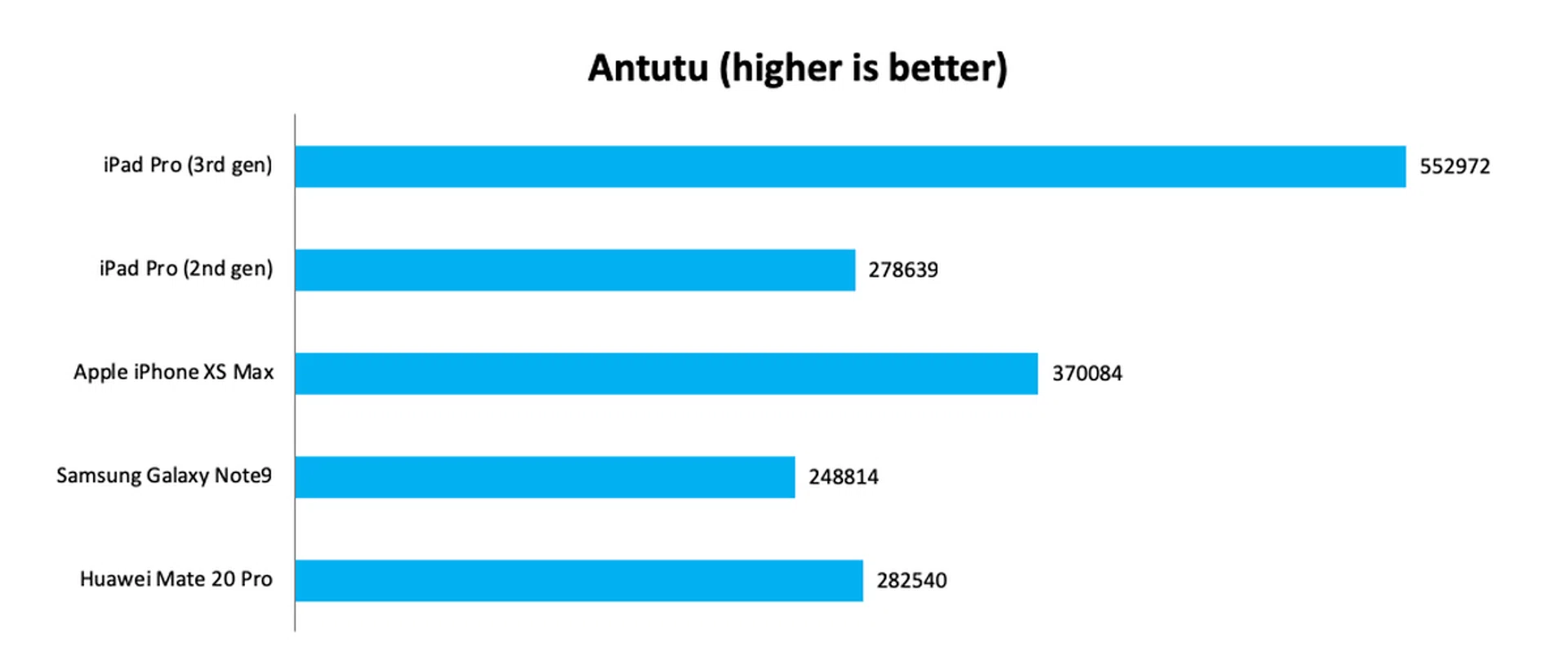
The new iPad Pro impressed on AnTuTu as well, scoring an amazing 552,972 - an improvement of over 98% over last year’s iPad Pro. Nothing else came close, not even the iPhone XS Max, whose score of 370,084 was a long way off from the new iPad Pro.
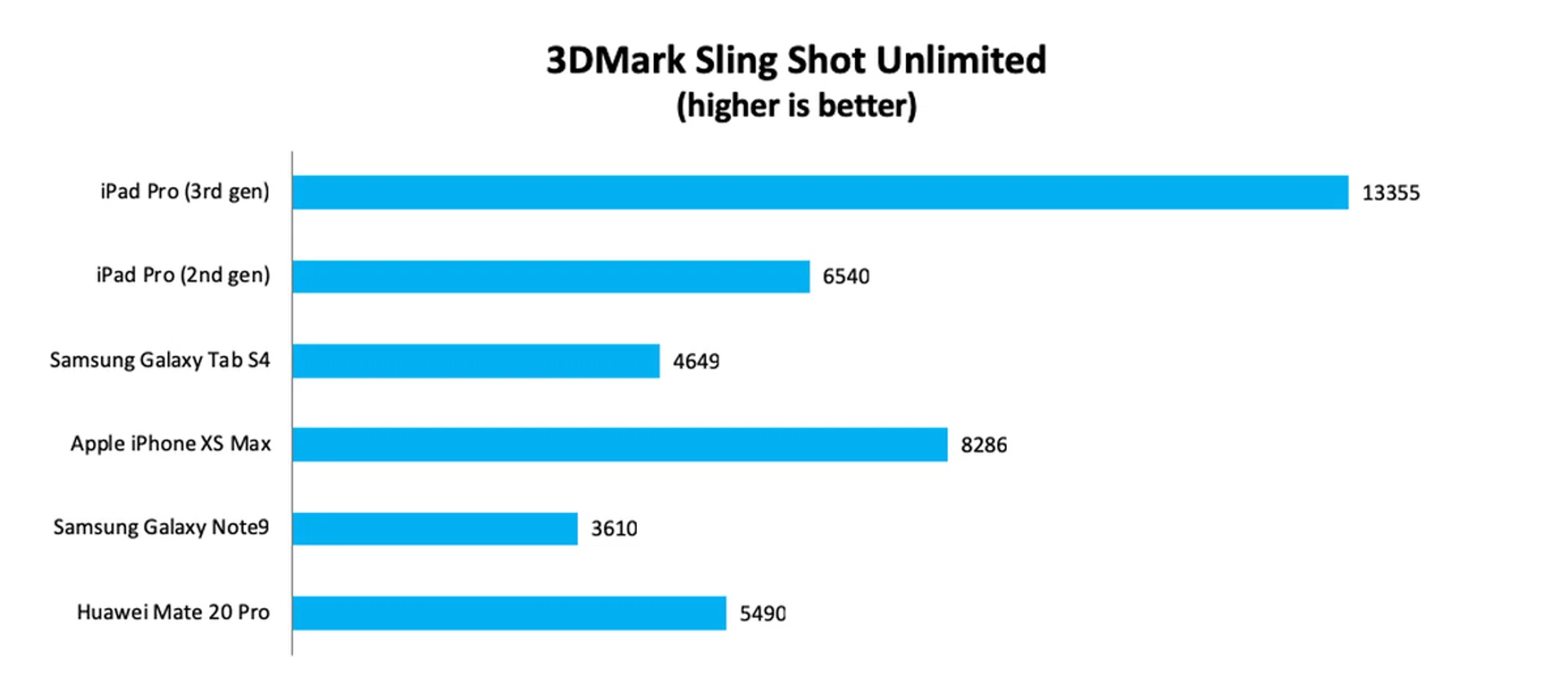
Finally, on 3DMark, the new iPad Pro’s scores obliterated anything we have tested so far. On Sling Shot Unlimited, it recorded a score of 13,355, which was 60% more than the iPhone XS Max and over 100% more than last generation’s iPad Pro. Against Samsung’s new Galaxy Tab S4, the latest iPad Pro scored nearly three times as much.
Apple made bold claims about the performance of its latest A12X Bionic processor and from the benchmarks at least, it would seem that the claims are spot on. The latest iPad Pro is the fastest device we have tested so far and is unmatched by any device.
Performance charts below and for reference, these are the respective iPad Pro models released to-date:-
- iPad Pro (3rd gen) - Referring to the just-launched iPad Pro as reviewed here today.
- iPad Pro (2nd gen) - This is the 2017 iPad Pro.
- iPad Pro (1st gen) - This is the 2015 iPad Pro.
How's battery life?
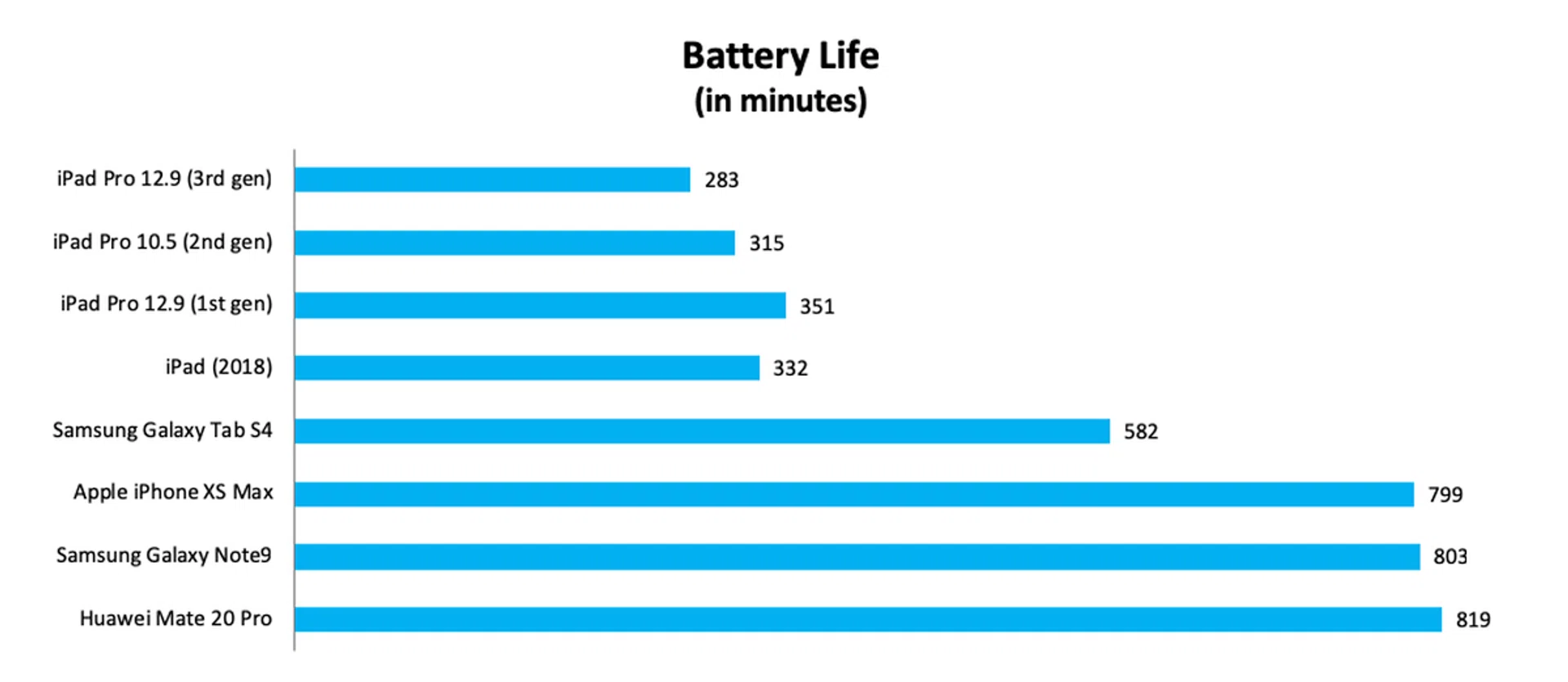
Our battery test has the following parameters:
- Looping a 720p video with screen brightness and volume at 100%
- Wi-Fi and Bluetooth connectivity turned on
- Constant data streaming through email and Twitter
Battery is the only weakness of the new iPad Pro. In our battery test, we found that the iPad Pro lasted 283 minutes or 4 hours and 43 minutes. This is a tad shorter than last year's 10.5-inch iPad Pro, which managed 315 minutes or 5 hours and 15 minutes. It is a whole lot less than the Galaxy Tab S4, which managed an amazing 9 hours and 42 minutes. That said, the iPad Pro's battery life is still pretty remarkable especially when you consider its performance and its portability.
iPad Pro or MacBook Air?
This is the question that I have been asked a lot over the past few days but let’s look at price first with this handy chart below that we've compiled.
64GB | 128GB | 256GB | 512GB | 1TB | |
MacBook Air | - | S$1,789 | S$2,079 | S$2,369 | S$3,529 (1.5TB) |
iPad Pro 11-inch | S$1,199 | - | S$1,419 | S$1,719 | S$2,319 |
iPad Pro 11-inch (cellular + accessories) | S$1,877 | - | S$2,097 | S$2,397 | S$2,997 |
iPad Pro 12.9-inch | S$1,499 | - | S$1,719 | S$2,019 | S$2,619 |
iPad Pro 12.9-inch + accessories | S$2,207 | - | S$2,427 | S$2,727 | S$3,327 |
In terms of cost, the 11-inch iPad Pro is comparable to the new MacBook Air. A fully tricked out 11-inch iPad Pro with cellular connectivity along with the Apple Pencil and Smart Keyboard Folio costs roughly the same as a new MacBook Air with the same amount of storage. The 12.9-inch iPad Pro, on the other hand, costs substantially more if you want to add cellular connectivity and the Apple Pencil and Smart Keyboard Folio.
So where does that leave us?
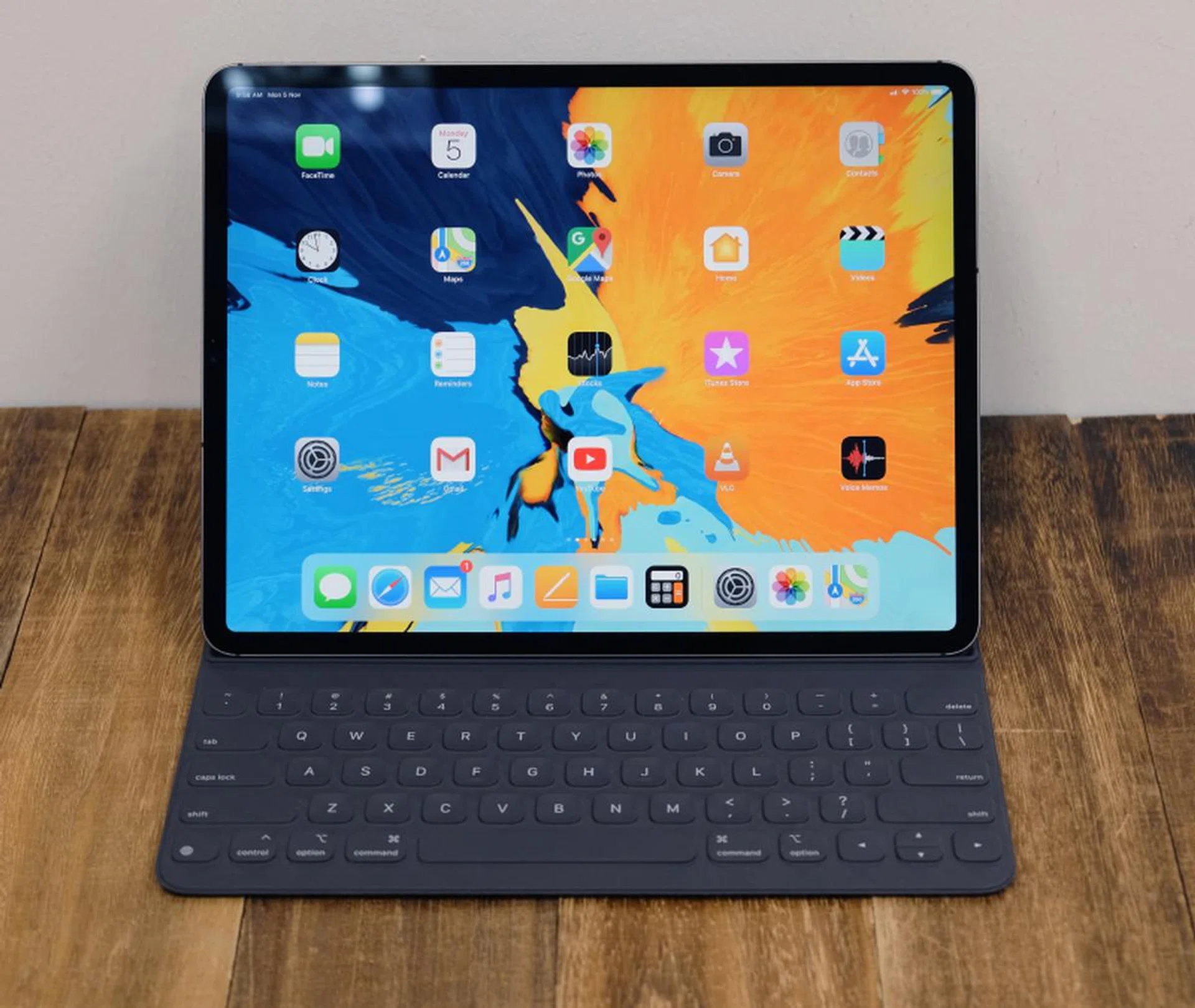
For many, the iPad Pro could very well be their primary computing device.
All things considered, I think Apple has priced the new iPad Pro quite closely to its new MacBook Air. Since price isn’t a major factor, the answer to the question above is, and I hate to say it, it depends. It really does. Personally, for an old-timer like me who grew up on OS X and macOS, the good old MacBook in its various forms is hard to give up. iOS 11 introduced certain features that made iOS more desktop-like but habits are hard to break and as capable as iOS and the new iPad Pro is, I’m still most comfortable doing my work on a Mac notebook.

That said, Apple has been keen to promote the iPad as a device that can replace your desktop and I think many people will be perfectly fine using the iPad Pro as their primary productivity device. Especially if you are already an iOS power user and you have no requirement to run apps that require macOS. My wife, for example, does almost everything on her phone and only uses her MacBook to type the occasional email or document. For people like her, the iPad Pro (and the iPad) is perfect.
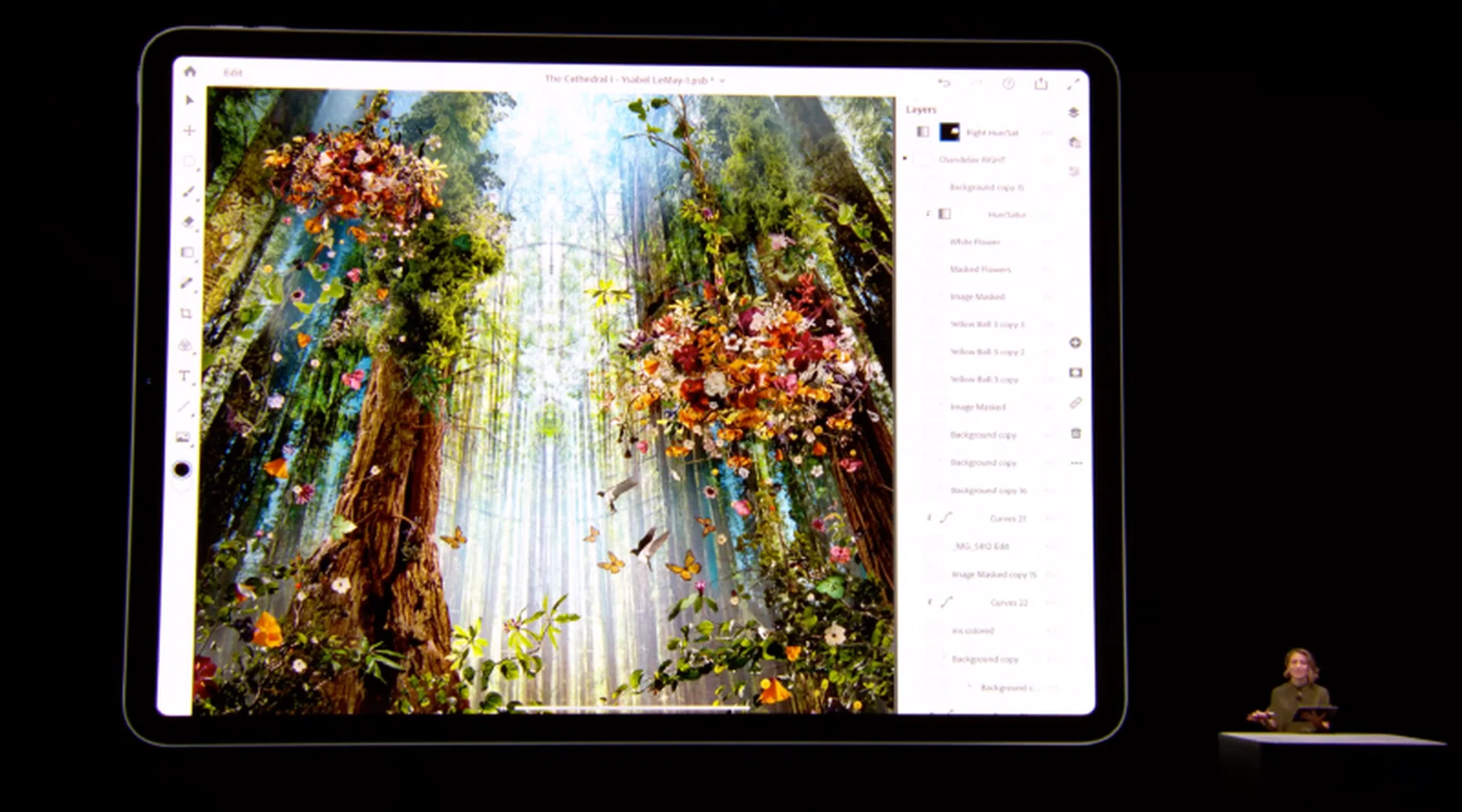
The iPad Pro can handle a 3GB PSB file like it was a regular JPEG.
Furthermore, there are certain things that the iPad Pro does better. When it comes to graphics-intensive workloads, the iPad Pro has a leg up on all but the most powerful notebook computers. In the hands-on area after the keynote, I saw the iPad Pro manipulate a 3GB 12,000 x 12,000 pixels PSB file with over 150 layers on Photoshop like it was a regular JPEG. It was super fluid. But more importantly, to get the same kind of experience on a regular notebook or desktop would require a pretty expensive high-end setup with lots of memory and discrete graphics.
Like I said in my review of the new iPad earlier this year, the idea of using an iPad for all your computing needs is very attractive and I think the newest iPad Pro comes even closer to enabling that dream. It is super portable and its performance is off the charts. If you are even considering making the switch, I think you should definitely go check out the new iPad Pro. You might be pleasantly surprised.
Any parting words?
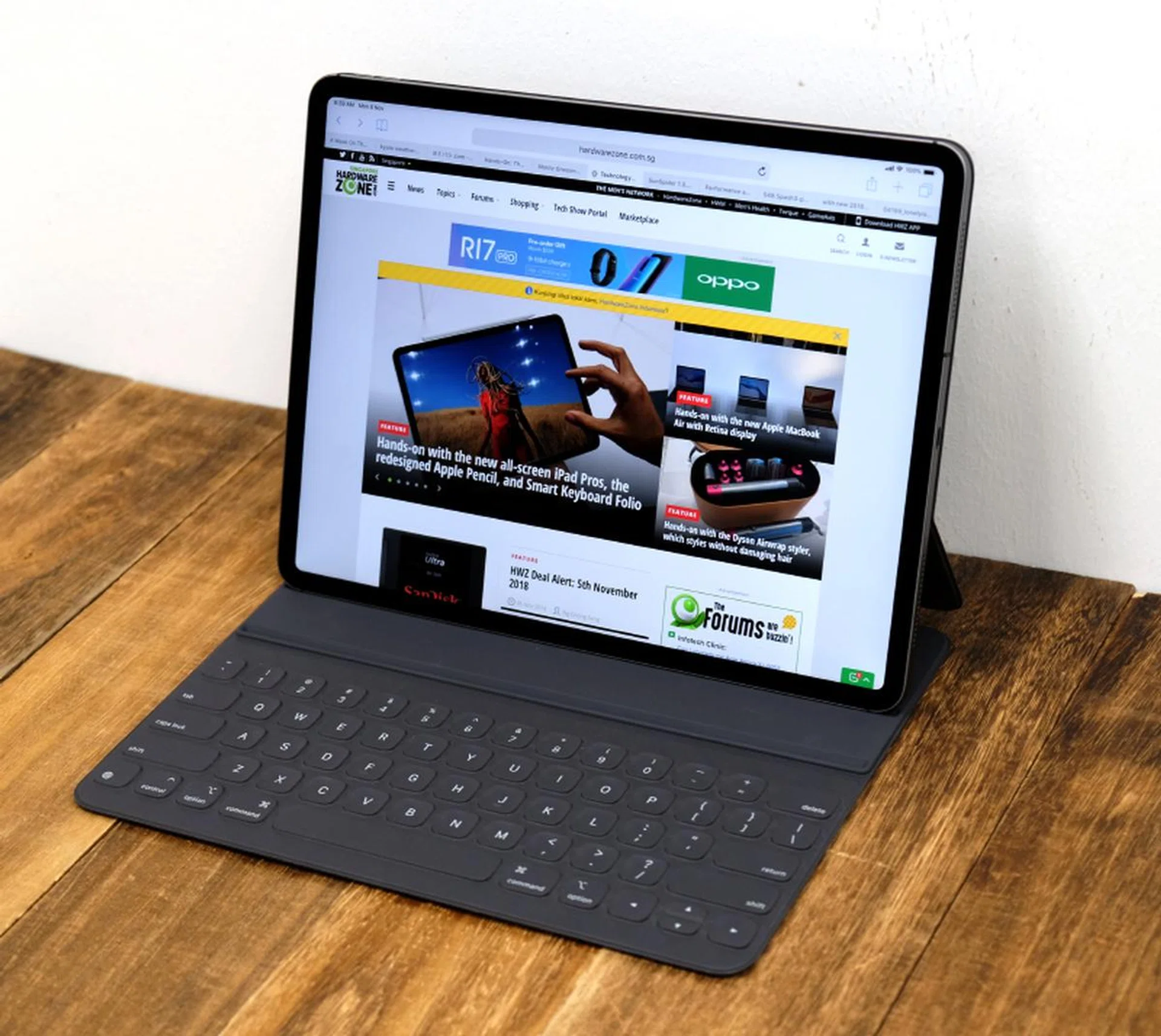
Hands down the best tablet you can buy today.
If you think about it, even the latest notebooks today are compromised machines. If we want something thin and light, we have to sacrifice performance. And if we want performance, we have to be ready to lug a heavy machine around. But the new iPad Pro doesn’t hold to these aphorisms. There’s no compromise. It blends superlative performance into a thin and light body. It is a tablet with no equal. If you can afford it, this is the best tablet available right now. The only question is if it fits your lifestyle, needs, and usage patterns. If it does, I think you will be very pleased with the new iPad Pro.
Our articles may contain affiliate links. If you buy through these links, we may earn a small commission.