
Stay safe and cyber-secure with ASUS’ Wi-Fi 6 routers
(SPONSORED) ASUS' range of Wi-Fi 6 routers are one of the first to score a Cybersecurity Labelling Scheme (CLS) rating from the Cyber Security Agency (CSA) of Singapore. Find out why it matters!


Stay safe and cyber-secure with ASUS’ Wi-Fi 6 routers
In today’s world, it goes without saying that the Internet is no longer what it was twenty or thirty years ago. It is a massive and constantly expanding digital space, and as its branches continue to spread farther and wider, so too have the nature of cybersecurity threats adapted and evolved to match.
We need to ensure that we are well protected against them, and that all begins with having a strong first line of defence in our homes and workplaces. To be more specific, we’re talking about the one thing a modern household or office space simply can’t do without - the humble Wi-Fi router.
How safe is YOUR router?
But before we really get into the nitty-gritty, do you know what the CLS rating of your router is?

If you play a lot of online games, a good router not only ensures good and stable latency but offers cyber security protection as well.
Don’t worry if it’s the first time you’re hearing about this. Between acronyms like CLS and CSA, we know it’s a lot of information to take in, so let’s break down what exactly those names are, and more importantly, how they keep you safe from cybersecurity threats.
Fundamentally, the Cybersecurity Labelling Scheme, or CLS for short, was recently launched by the Cyber Security Agency of Singapore (CSA) to cover and rate consumer smart devices according to predetermined levels of cybersecurity provisions. Much like how today’s movies have different age ratings, the CLS rates how secure your everyday smart devices (such as Wi-Fi routers and IP cameras) are according to different benchmarks, providing users with a gauge of the most cyber-secure smart devices on the market. Peace of mind is everything when one navigates something as expansive as the Internet of Things (IoT), after all.
Still, perhaps what is most impressive about it is that it is a first-of-its-kind initiative within the Asia Pacific region, which is rather surprising considering how accessible the Internet is these days. Regardless, we’ve done up a simple breakdown of the four CLS benchmarks below, so you’ve got a rough idea of how the certifications are handed out.
- Level 1 - The product meets basic security requirements such as ensuring unique default passwords and providing software updates.
- Level 2 - The product has been developed using the principles of Security-by-Design such as conducting threat risk assessment, critical design review and acceptance tests, and has fulfilled Level 1 requirements.
- Level 3 - The product has undergone assessment of software binaries by approved third-party test labs and fulfilled Level 2 requirements.
- Level 4 - The product has undergone structured penetration tests by approved third-party test labs and fulfilled Level 3 requirements.
As implied, a Level 4 certification is clearly the highest bar a smart device can meet in terms of cybersecurity, as it not only highlights devices that have passed cybersecurity penetration tests, but software binary analysis, various lifecycle requirements and the basic security protocols as well. Essentially, these benchmarks are cumulative in nature, meaning that devices with a Level 4 certification can also be assumed to have fulfilled the requirements for Levels 1 through 3.
ASUS isn’t “mesh-ing” around
With the definitions and acronyms out of the way, it’s time to address how you can go about enhancing your security, and this is where ASUS comes into play. Case in point, two of the company’s Wi-Fi 6 routers - namely the ROG Rapture GT-AX11000 and RT-AX88U - have succeeded to be the first in earning the CLS’ highly sought-after Level 4 rating among Wi-Fi 6 routers. This makes them the perfect upgrade for anyone considering the jump to Wi-Fi 6.
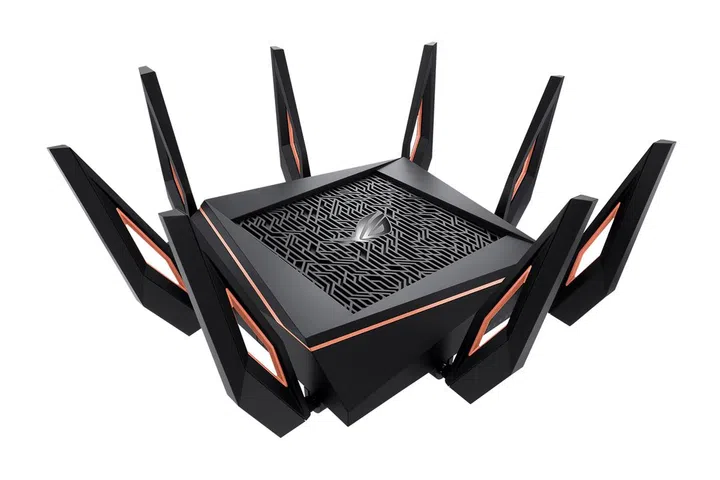
ROG Rapture GT-AX11000 gaming router.
As for why you might want to make the upgrade, if you’ve looked around online for routers and other smart devices recently, you might have come across the term “Mesh Wi-Fi” in one form or another. At the basic level, this refers to a trending bit of technology that involves placing additional router nodes around “blind spots” in areas with weak Wi-Fi reception, effectively creating a “mesh” of connectivity in your home or office. For more on this topic, head over to our guide.
As for how this ties back to ASUS’, not only are their routers AiMesh capable - an ASUS technology that allows their individual routers to be 'meshed up'. This means you can mix and match the nodes freely among other ASUS routers or even use them as the main Wi-Fi source in the event that your primary one goes down. To see how it's done, check out our testing here. On top of that, their products also come with their own suite of security features, such as lifetime AiProtection protocols.
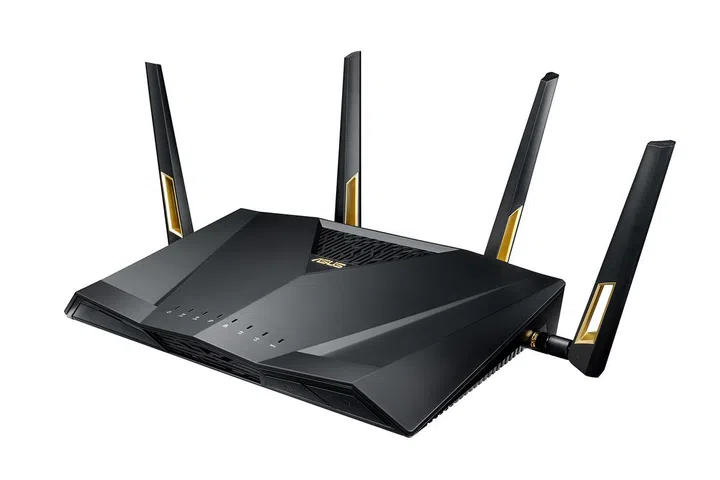
ASUS RT-AX88U router.
Specifically, this neat bit of software comes with a commercial-grade intrusion prevention system, or IPS, that can perform in-depth scans of both inbound and outbound internet data. This allows it to detect and block all common cybersecurity threats, supplementing a conventional suite of firewalls, WPA2 encryption, TLS protocols and URL filters. As the cherry on top, AiProtection is even capable of keeping itself updated 24/7 thanks to the Trend Micro data centre on the cloud, so you and your loved ones can surf the net and always enjoy your favourite media with complete peace of mind.
However, depending on which ASUS router you select, you will either receive the Classic or Pro versions of AiProtection. Most of the offerings are the same between both variants, except for the IPS, Internet Activity Dashboard and Content Filters for websites and apps, which are only available on the Pro version.
So, what does ASUS have in its lineup?
As you might have guessed, the final stop on this checklist concerns the routers themselves. Apart from the two routers with Level 4 CLS certification, ASUS also has ten other routers that have attained a Level 2 certification.
Specifically, these are the RT-AX53U, RT-AX55, RT-AX56U, RT-AX86S, RT-AX86U, RT-AX89X, RT-AX92U, ZenWiFi XP4, ZenWiFi XT8 and the ZenWiFi AX Mini XD4 routers. Although they certainly aren’t as well-equipped as their two brethren, they’re still capable of keeping out most today’s cybersecurity threats.
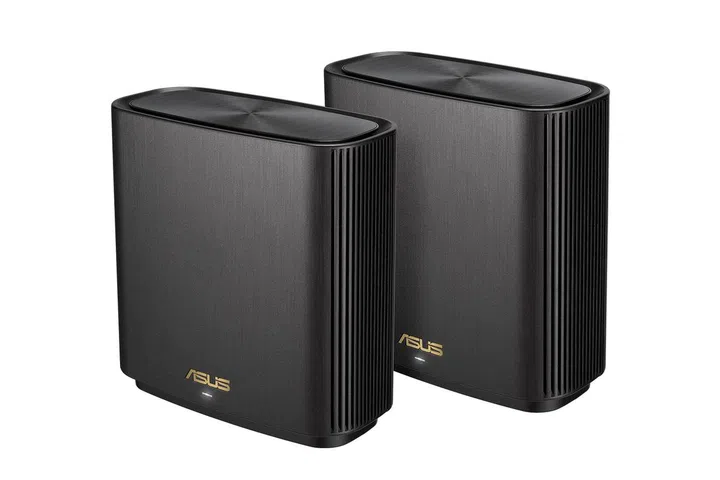
ASUS ZenWiFi XT8 routers, which also happen to be HardareZone and HWM Tech Awards 2021 winners for the Best Wi-Fi 6 Mesh Networking System.
However, there’s absolutely no reason not to set up the sturdiest possible defence if you can afford it. In that case, you’ll want to jump aboard with the ROG Rapture GT-AX11000 and RT-AX88U, and the former is the better choice among the two if you’re looking for a gaming router, as its handy LED indicators make it a cinch to troubleshoot. Furthermore, it also comes with the ROG Boost function, which allows gamers to automatically activate or deactivate Aura RGB or QoS settings that can affect gameplay experiences. For a more detailed write-up, feel free to peruse our review of it.
On the other hand, the RT-AX88U is probably more ideal for general purpose usage, like streaming your favourite shows, conducting research for your work or projects and many more everyday needs. As noted in our review, it brings extremely impressive connectivity and performance to the table, offering as high as 70% faster speeds at a 5m range compared to some of the other options on the market. Impressively, it has even been shown to be capable of beating out other mesh Wi-Fi units – making it one very powerful router.
For more information on ASUS’ line-up, head on over to their official store page.
Our articles may contain affiliate links. If you buy through these links, we may earn a small commission.