
ASUS RT-AX89X AX6000 router review: Master of connectivity
The RT-AX89X is a high-end AX6000-class Wi-Fi 6 router from ASUS with lots of ports. Does it deliver?

Note: This review was first published on 22 July 2021.
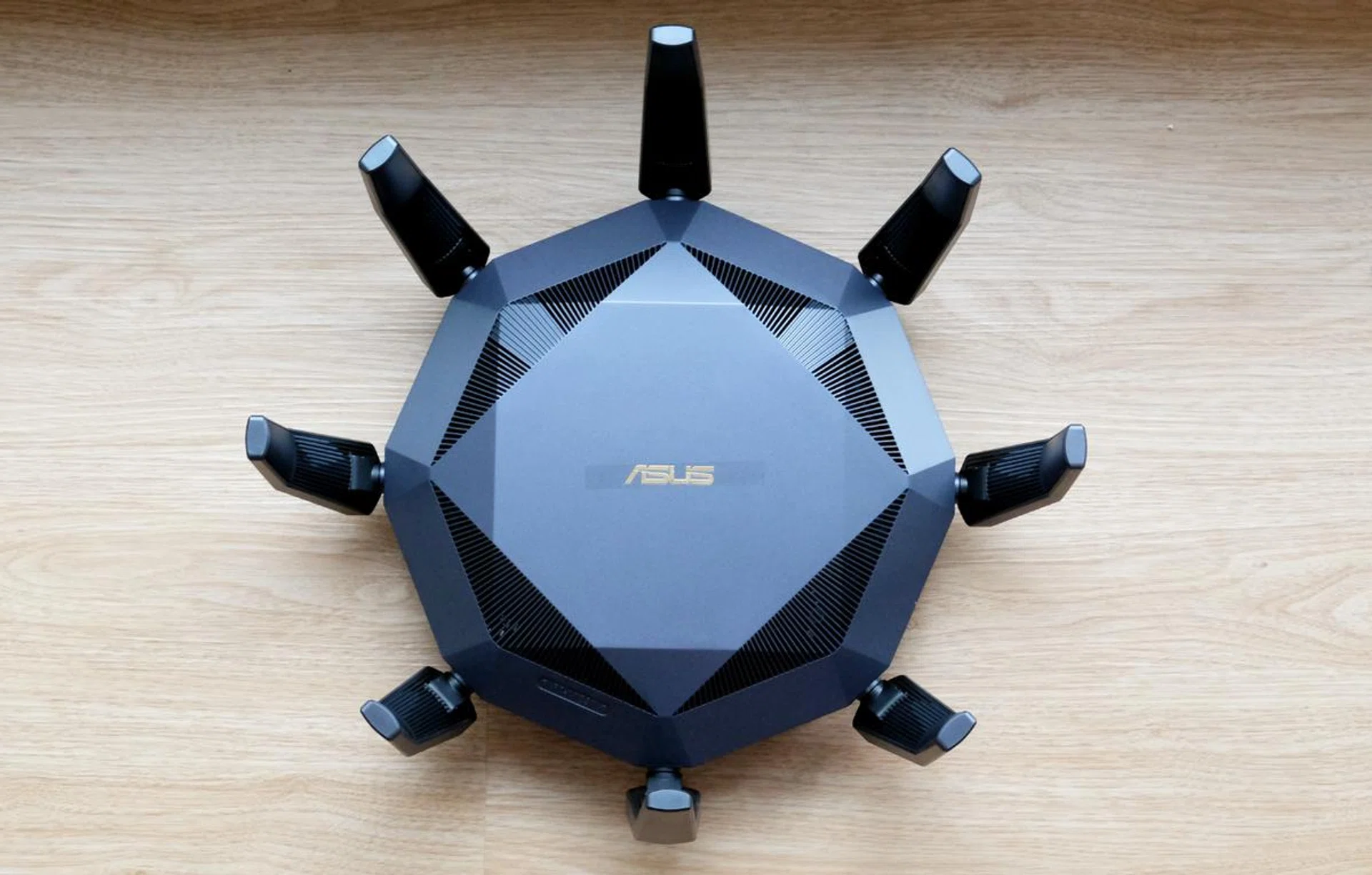
With its large antennas, the ASUS RT-AX89X is a super conspicuous router.
ASUS’ penchant for wacky-looking routers continues with its latest RT-AX89X router. Similarities with the earlier ROG GT-AX11000 router are obvious. This is a router that celebrates its high-end specifications. After all, it is ASUS’ newest flagship Wi-Fi 6 router. But is it all show and no go? Before we find out, we have to talk about its eight antennas.
Design
To say that the RT-AX89X is a conspicuous router would be an understatement. The eight external antennas dominate, yes, but the router itself is also very large and heavy. The measuring tape reads 35cm at the widest point. And wisely, ASUS has decided against having wall mounting brackets on this router because its weight, according to ASUS, is a hefty 1.28kg.
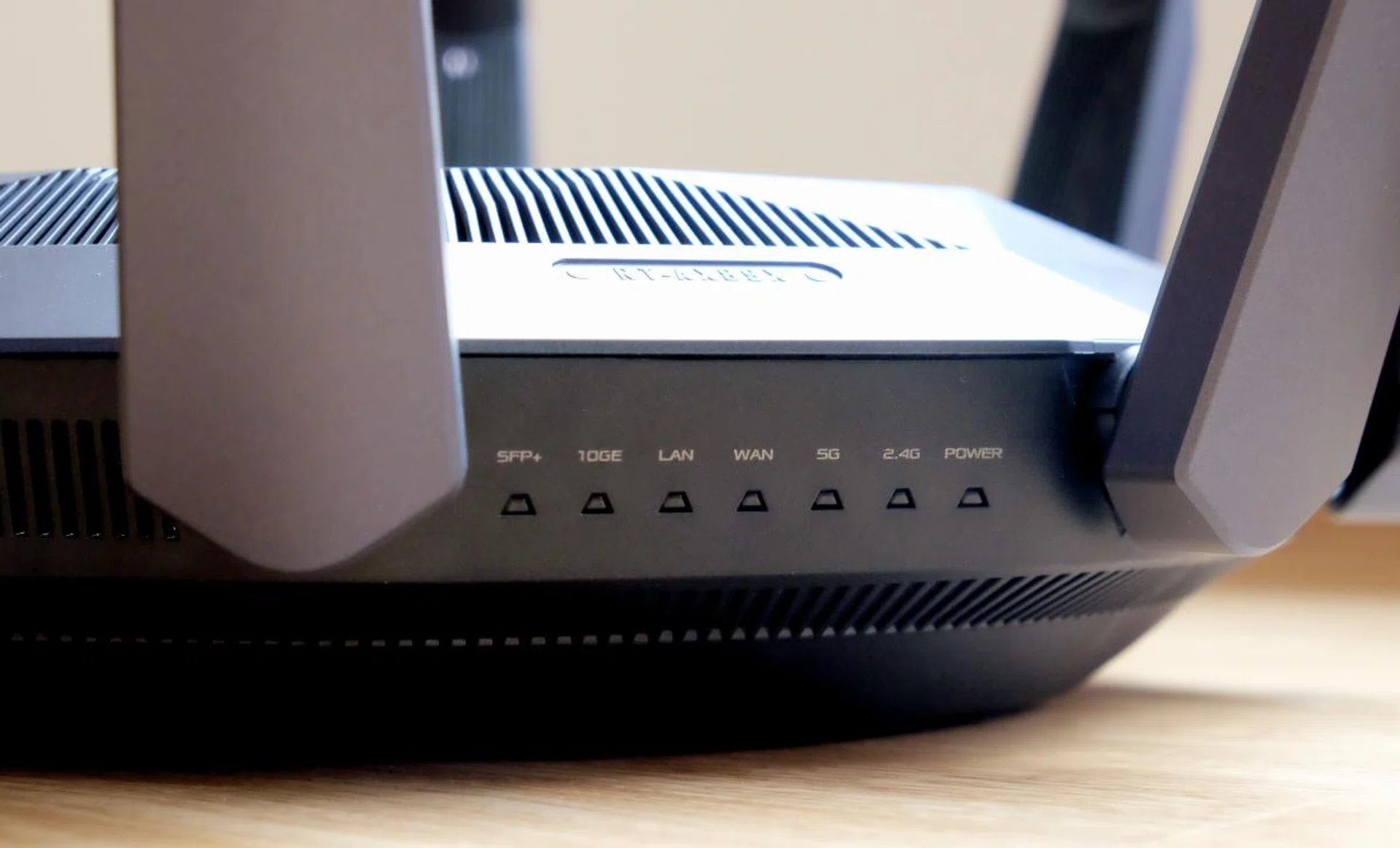
The LED status indicators are handy but can be hard to read depending on their position.
Putting its prodigious size and massive antennas aside, the other components of the router are actually quite restrained. The router itself comes in a flat shade of black, the ASUS logo on the top doesn’t flash, and there are no RGB lights to distract and annoy. Instead, the only lights are the LED status indicators on the side, which aren’t really prominent at all. Also, the indicators highlight one of the problems of the router’s octagonal design in that you can’t see them at all if they are positioned away from you.
But even all these can’t quite hide the fact that this router is quite garish. It would be perfectly acceptable if it was a ROG router but since this isn’t, they could have gone with a more conventional shape like a rectangle and infuse it with more elegant aesthetics.
Specs & features
The fact of the matter, however, is that most people either won’t care or they’ll put up with the way this router looks because of its sheer specs and features.
Let’s go over the basics. At its heart, this is a dual-band 12-stream AX6000-class Wi-Fi 6 router. Four streams are dedicated to the 2.4GHz band which serves up speeds of up to 1,148Mbps while the remaining eight handle the 5GHz band and delivers speeds of up to 4,804Mbps. It’s fast but you’ll need compatible Wi-Fi 6 devices to take full advantage of these speeds. Fortunately, most new phones, tablets, and notebooks already do, so you’ll get at least get some of the speed benefits of Wi-Fi 6.
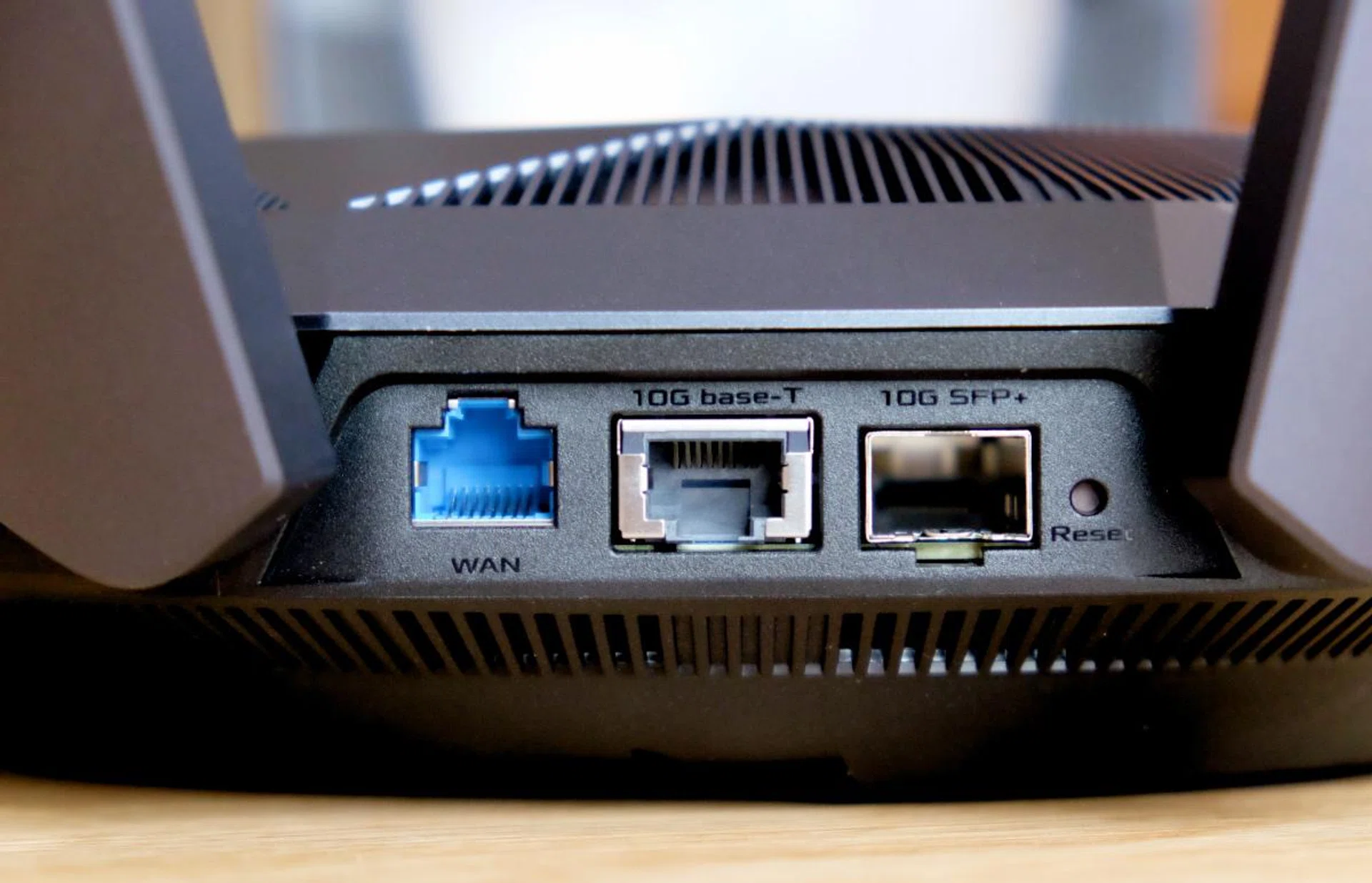
The RT-AX89X has two 10Gbps ports.
Outstanding wireless performance is just one side of the coin. The RT-AX89X router has a ton of connectivity options. There’s a single Gigabit Ethernet WAN port and also two 10Gbps ports – one Base-T and another SFP+ – which is handy if you subscribe to a 10Gbps fibre plan or if you have a fairly high-end NAS that supports 10GbE connections.
There are also eight Gigabit Ethernet LAN ports and two USB-A USB 3.1 Gen 1 (5Gbps) ports for you to hook up devices like NAS systems, TVs, gaming consoles, printers, and more.
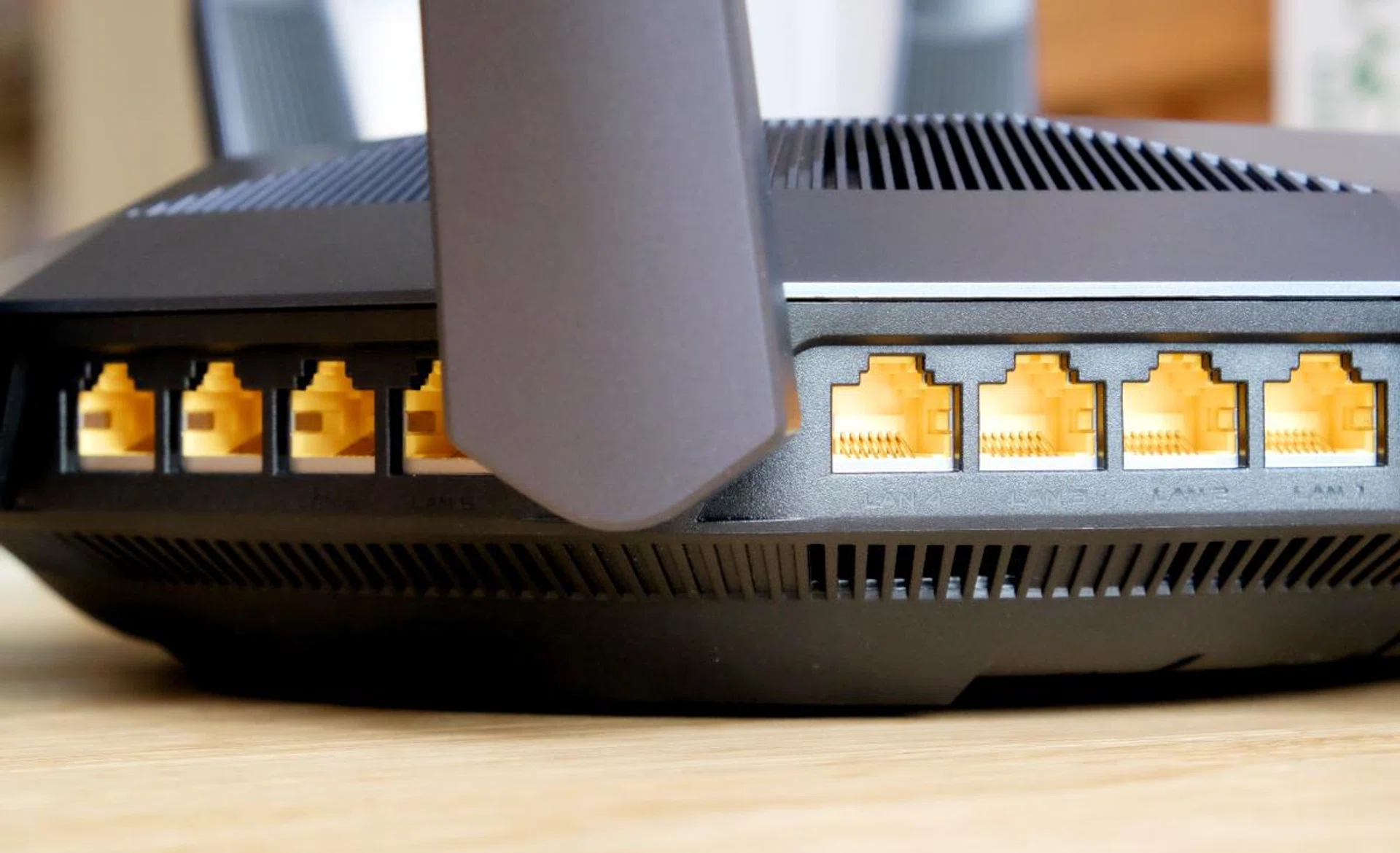
Need multiple LAN ports for your TV, game consoles, and NAS systems? Will 8 LAN ports do?
The features don’t end there. You can find more in the router’s management system. The UI would be familiar to anyone who has used an ASUS router in the past decade. It looks daunting at first but the myriad of tabs are well-labelled and the entire system is actually quite logical. It’s rather easy to find the options and features you are looking for even if you are new.

The router management interface should be familiar to longtime owners of ASUS routers.
Some features worth highlighting include DFS (dynamic frequency selection). This is particularly handy because it lets you use channels typically reserved for government services. Since DFS isn’t supported by many routers it stands to reason that these channels would be less congested and should therefore provide better performance.
Another key feature of ASUS routers is AiMesh. I covered this in greater detail here but the gist of it is that it lets you form mesh networks using other compatible ASUS routers. This can be useful if the router you are replacing is still functional and supports AiMesh as it lets you repurpose it as a mesh node as opposed to having to throw it away, which is an awfully wasteful thing to do.
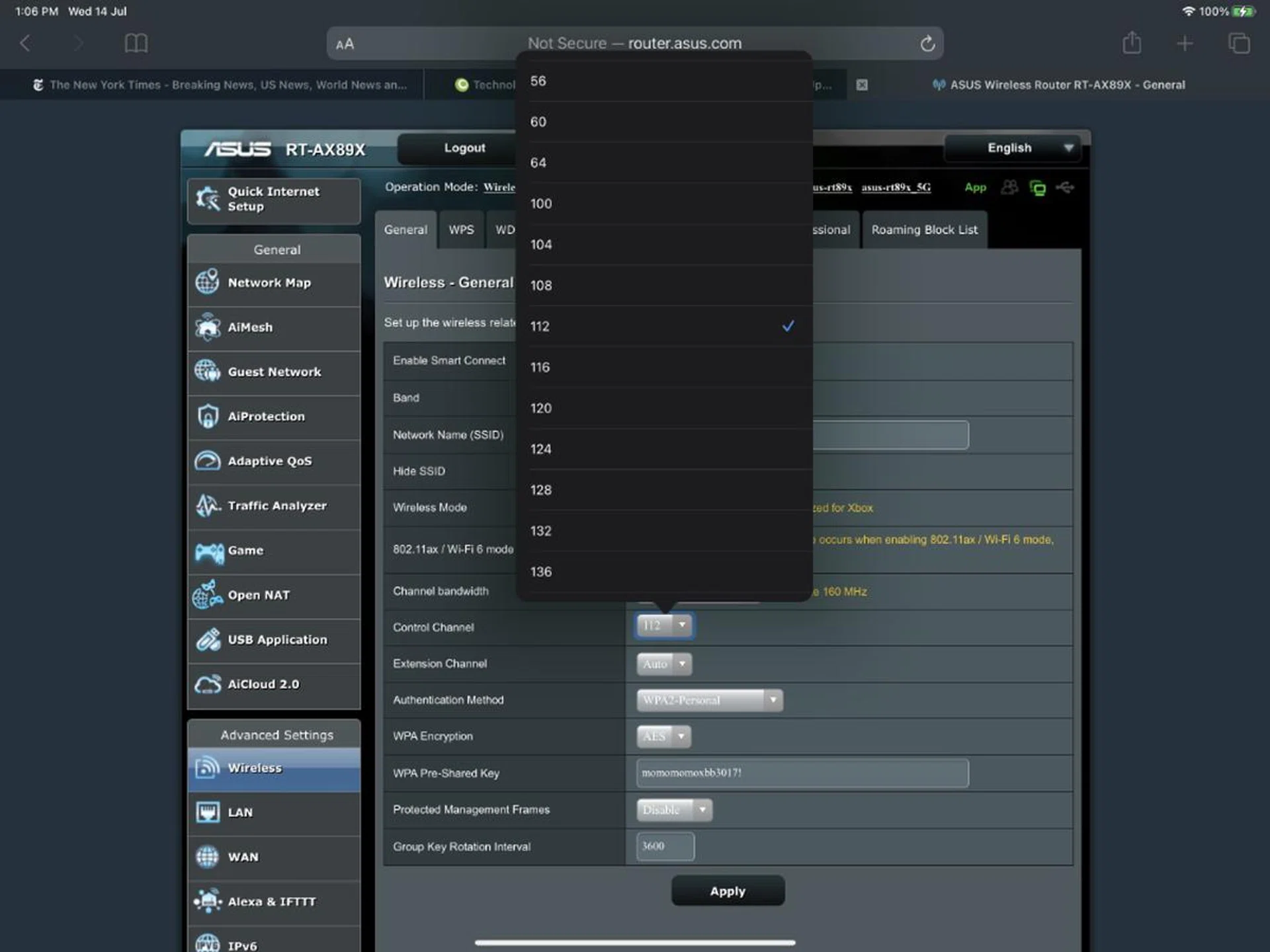
Apartment dwellers will likely appreciate support for DFS most as it lets you select less congested Wi-Fi channels.
There’s also a Game tab that greets you with three options: Gear Accelerator, Mobile Game mode, and Open NAT. Gear Accelerator is really a form of device-based QoS. It lets you prioritise connections based on devices so that your most important devices get the best performance. Mobile Game mode can only be activated on your mobile device using the ASUS Router app. It optimises the connection on your mobile device for gaming by placing it as the highest priority device in your QoS settings. The last option in the Game tab is Open NAT which contains pre-configured port forwarding settings for specific games to help you get an Open NAT for the best possible connection to the game servers. Some titles supported by this feature include Dota 2, CS: GO, Fortnite, Minecraft, League of Legends, PUBG, and more.
If all of these seem familiar that’s because these features are also found on the RT-AX86U router that I reviewed late last year. And so the same caveats apply. While these gaming features are quite handy, they won’t match what a full-fledge ROG gaming router like the ROG GT-AX11000 can offer. The latter shows even more information such as ping deviation as well as the ping statuses of popular games like Dota 2.
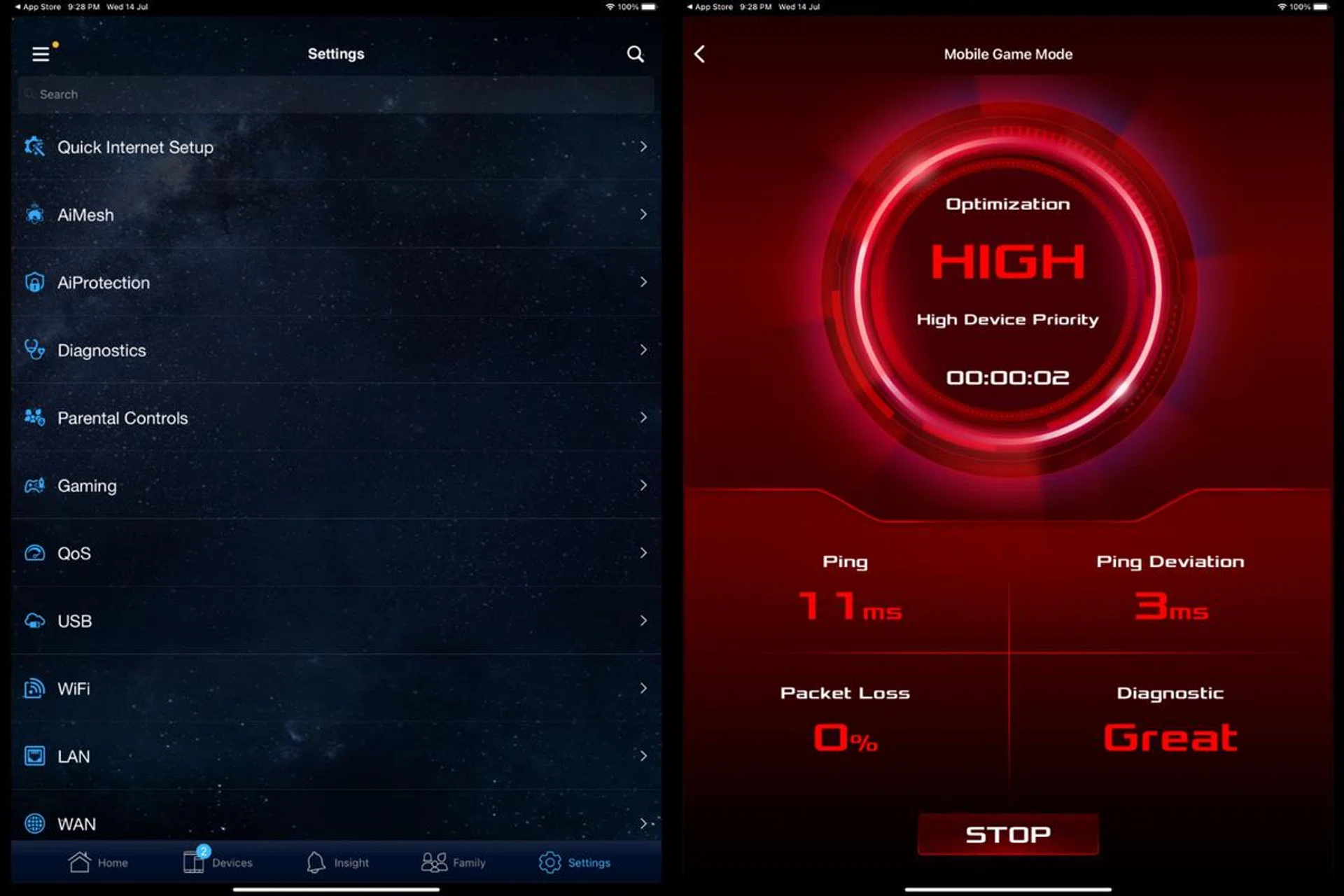
The mobile app for the router is truly powerful and not some thoughtless add-on just to tick off marketing checkboxes.
Impressively, most of the above-mentioned features can be managed using the ASUS Router app on your phone or tablet. It’s hands down the most full-featured mobile router app and some users might find it really useful especially if they need to check or turn on or off some settings on their routers while they are away.
Performance
To test the ASUS RT-AX89X router, we are using our standard test setup that consists of two notebooks – one acting as a host machine and another as a client device. The router acts as a gateway. For systems where manual settings are possible, a channel bandwidth of 160MHz is selected.
Since the RT-AX86U is a Wi-Fi 6 router, we needed a Wi-Fi 6 client device. For that, we are using the ASUS ZenBook UX425 , which supports Wi-Fi 6 via an Intel AX201 wireless card.
Performance will be measured by calculating the speed achieved when transferring a 1GB zip file. We will do multiple tests at different distances to simulate use around a typical 5-room apartment.
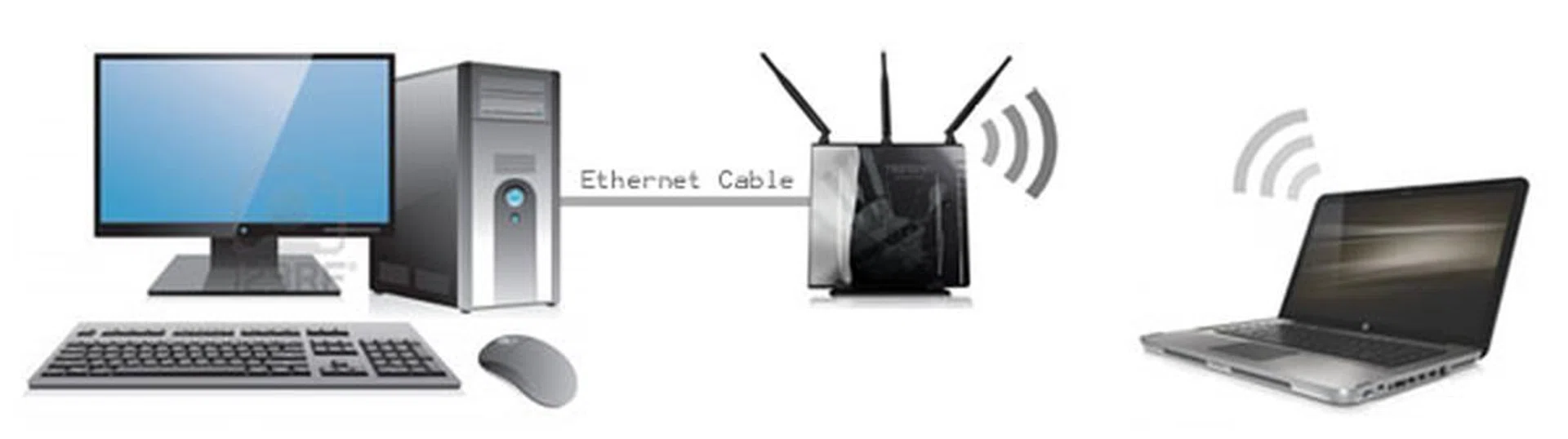
Here's a graphical representation of our test setup.
The router was placed in the living room and we repeated the test from four locations in the flat, starting from the closest to the router and then to the farthest.
Here are the locations and the rough ranges that they represent:
- Living room (2 metres, clear line of sight)
- Bedroom 1 (5 metres, behind closed door)
- Master Bedroom (12 metres, behind closed door)
- Master Bathroom (12 metres, behind two closed doors)
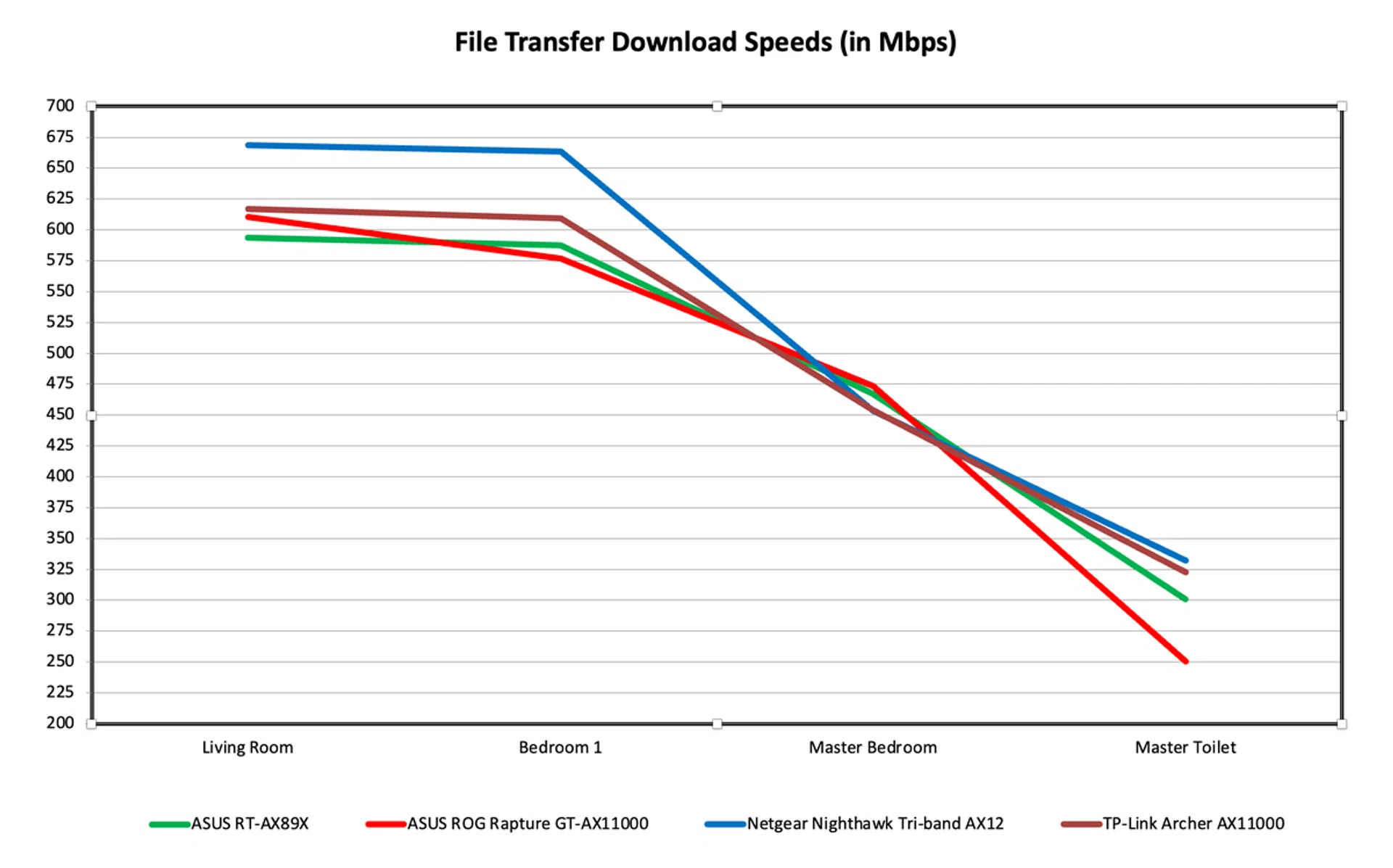
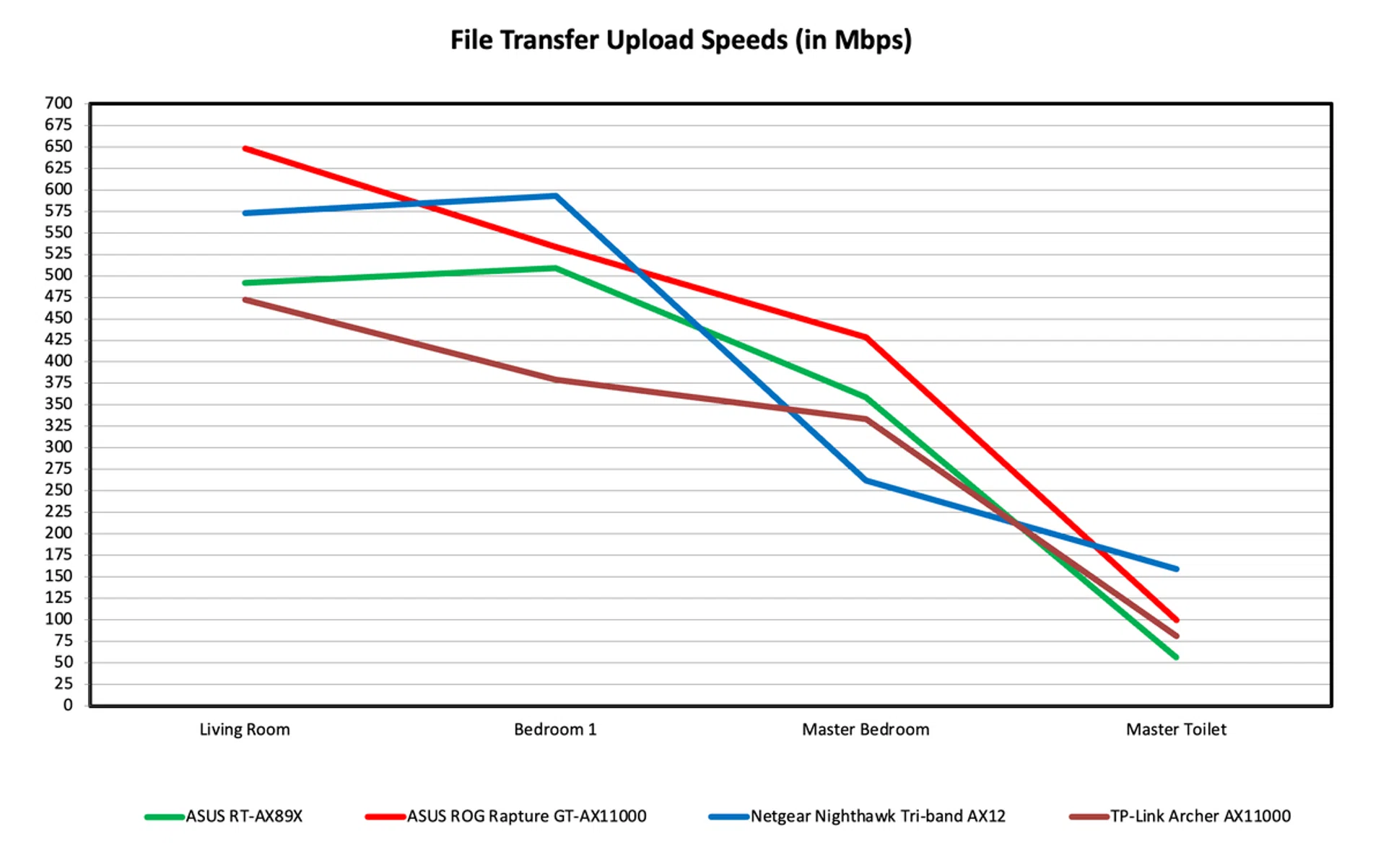
The performance of the RT-AX89X was generally comparable to that of AX-11000-class routers featured in our past shootout. Download speed in the living room was slightly slower but its download performance at the other ranges were middle of the pack. It managed to clock over 300Mbps in the master bathroom, which is quite remarkable and at these speeds even streaming 4K Netflix videos shouldn’t be an issue. Upload speeds were generally alright except for the farthest range in the master bathroom where it was only a smidge above 50Mbps. Overall, I think the best way to sum up the RT-AX89X's wireles performance is that it's decidedly average.
A router for power users
At S$699, the RT-AX89X is one of the most expensive standalone routers you can buy right now. But it backs up its monstrous price tag with respectable performance and a great feature set.
I see it as a rather specialised router, one that will appeal most to power users who demand the robust wired connectivity. There’s no other Wi-Fi 6 router with dual 10Gbps, 8 LAN ports, and two USB 3.1 ports. If you have a 10Gbps fibre connection, a high-end NAS, and multiple systems to connect to, this is the ideal router for you.
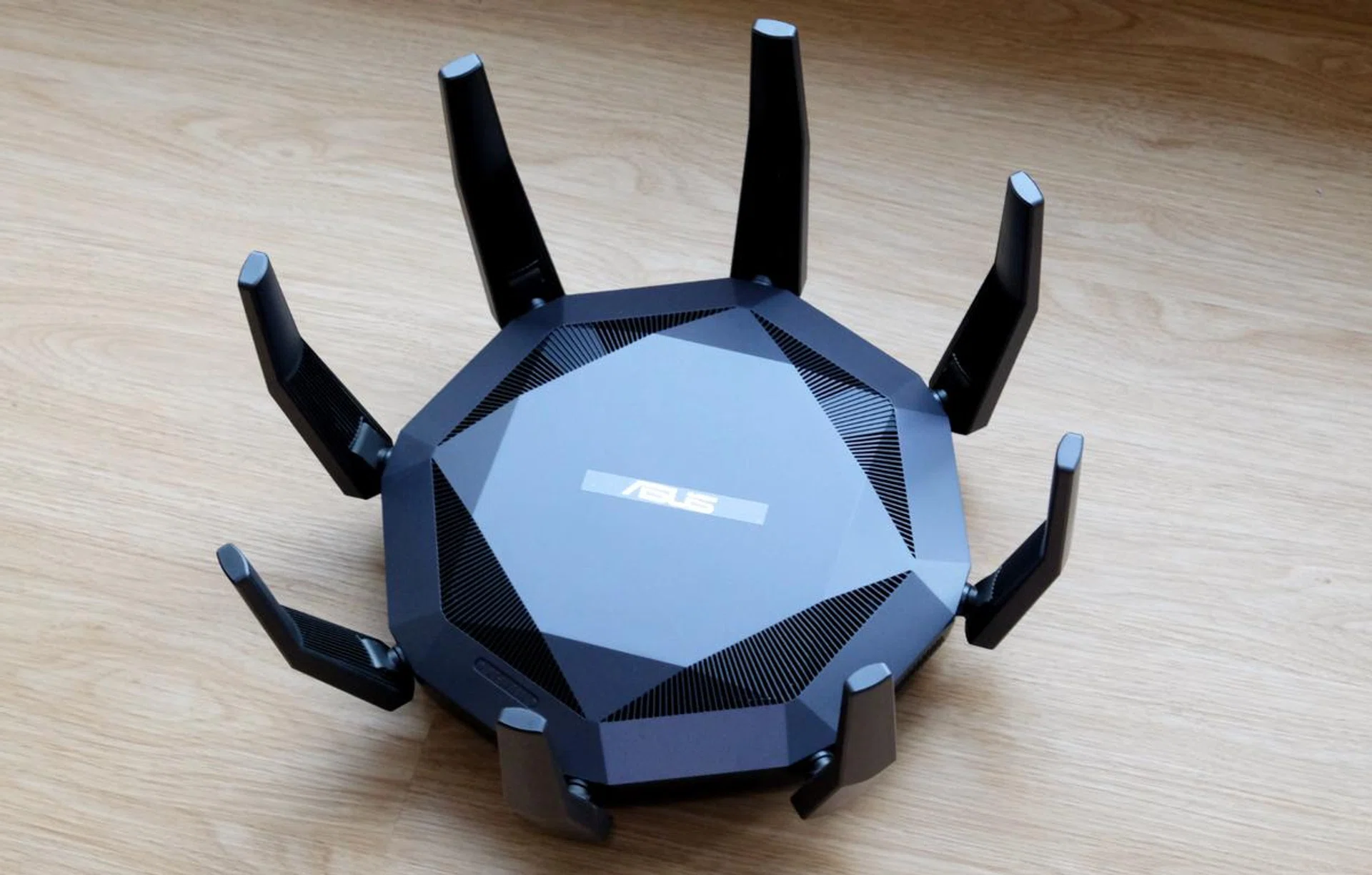
The ASUS RT-AX89X has a huge price tag but it brings with it unbeatable connectivity. Wireless performance isn't bad either.
But if your priority is wireless performance then your needs will probably be better served by a tri-band router. The extra network can help especially if you have a lot of users and wireless devices at home.
All things considered, the RT-AX89X is a great router with decent wireless performance and an outstanding set of features. It has tons of ports, support for DFS, the ability to form mesh networks with compatible routers, and a great mobile app for easy management and controls. My only wish is that it wasn’t quite so big and its antennas were less conspicuous.
You can find the ASUS RT-AX89X router on the ASUS Flagship Store on Lazada.
Our articles may contain affiliate links. If you buy through these links, we may earn a small commission.