
NZXT Switch 810 Special Edition - A Hybrid Giant
The NZXT Switch 810 has been given a minor refresh in the form of a limited edition matte finish model. We check out this hybrid full tower casing to see if it's the casing hardcore enthusiasts want.

The Hybrid Full Tower Casing
Where computer casings are concerned, NZXT is an upstart when compared to veteran names like Antec and Coolermaster, but that hasn’t stopped them from making some really interesting and bang-for-buck products. Despite being established only in 2004, NZXT was the winner in our budget casing shootout some two years ago, wowing us with its high-end features, commendable build quality and attractive looks.
Today, we are looking at the NZXT Switch 810. The casing has been around for awhile now, but ours here is the limited edition Switch 810 with a special matte finish.
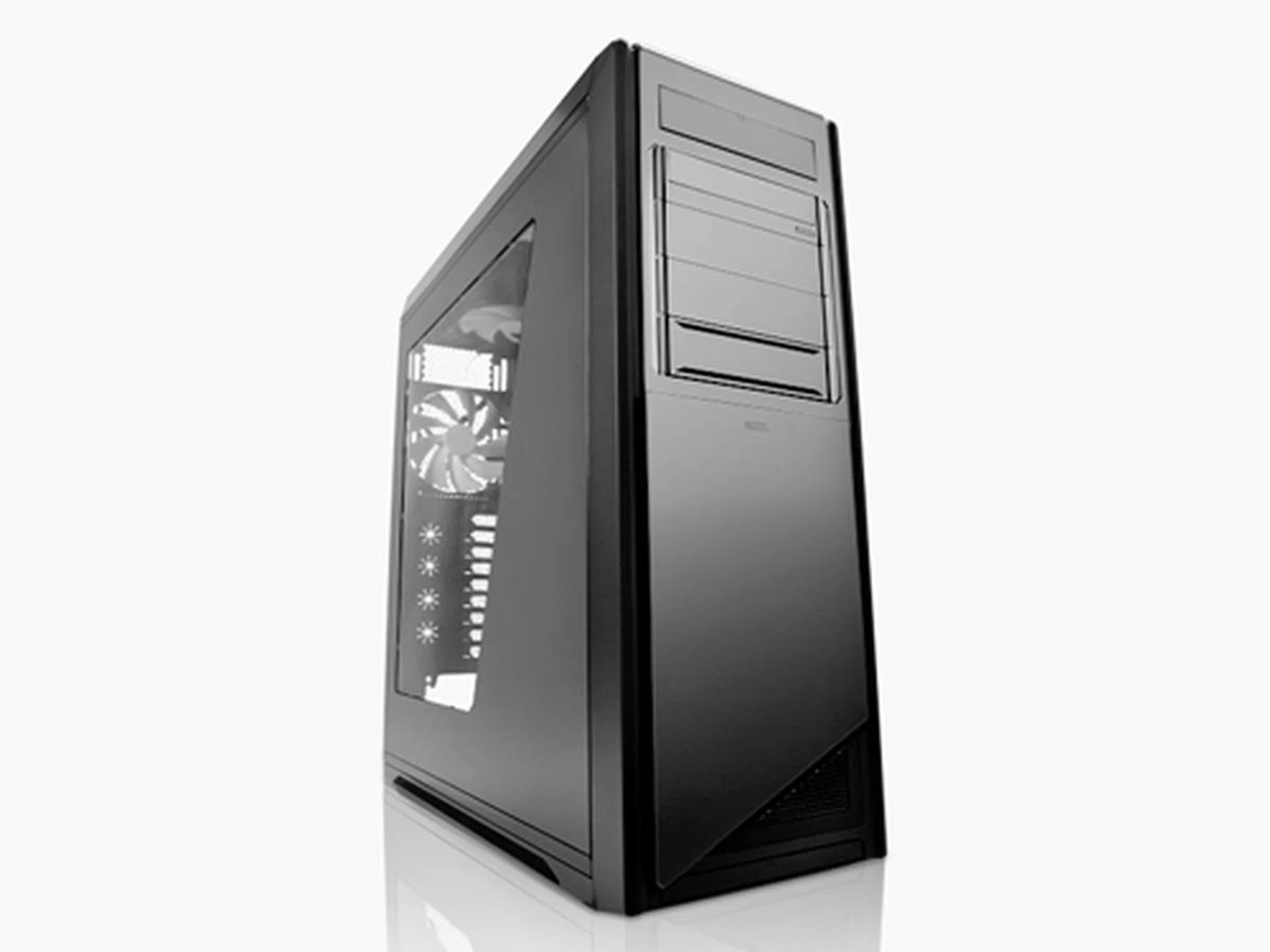
The Switch 810 full tower casing can accommodate either liquid-cooling or air-cooling setups.
The Switch 810 has been dubbed by NZXT as an hybrid full tower casing. It gets its special “hybrid” status thanks to its ability to fully support liquid or air-cooling (though we wonder which reputable casing model can't do that anyway). That aside, our special edition Switch 810 has all the features that makes the standard Switch 810 such a formidable casing, including a unique internal fan cooling system, nine expansion slots, support for USB 3.0 and a large motherboard tray area that can accommodate extra-large E-ATX and XL-ATX motherboards. Tempted? Read on for the details.
Casing Dimensions &Specifications |
|
Drive Bays &Expansion Slots / Ports |
|
Case Cooling |
|
Power Supply |
|
External Design
On the outside, the Switch 810 cuts an imposing figure. The casing stands at close to 60cm tall and tips the scales at a hefty 14.42kg thanks to the use of heavier SECC steel and plastics in its construction. That said, the Switch 810 does feel pretty sturdy and solidly-built.
Our special edition Switch 810 comes with matte black finish which gives the casing a solemn, if somewhat dull look. For those who like showing off, the right panel features a humongous clear window that lets users display their components in all its glory. The matte finish doesn't reflect light, so for those who are looking for something that’s more eye-catching or, for lack of a better word, bling, NZXT has the Switch 810 available in regular glossy black and white too. For fans of Star Wars, the white Switch 810 is the one you want, because its combination of white and black accents gives it a Stormtrooper-look which we find highly appealing.
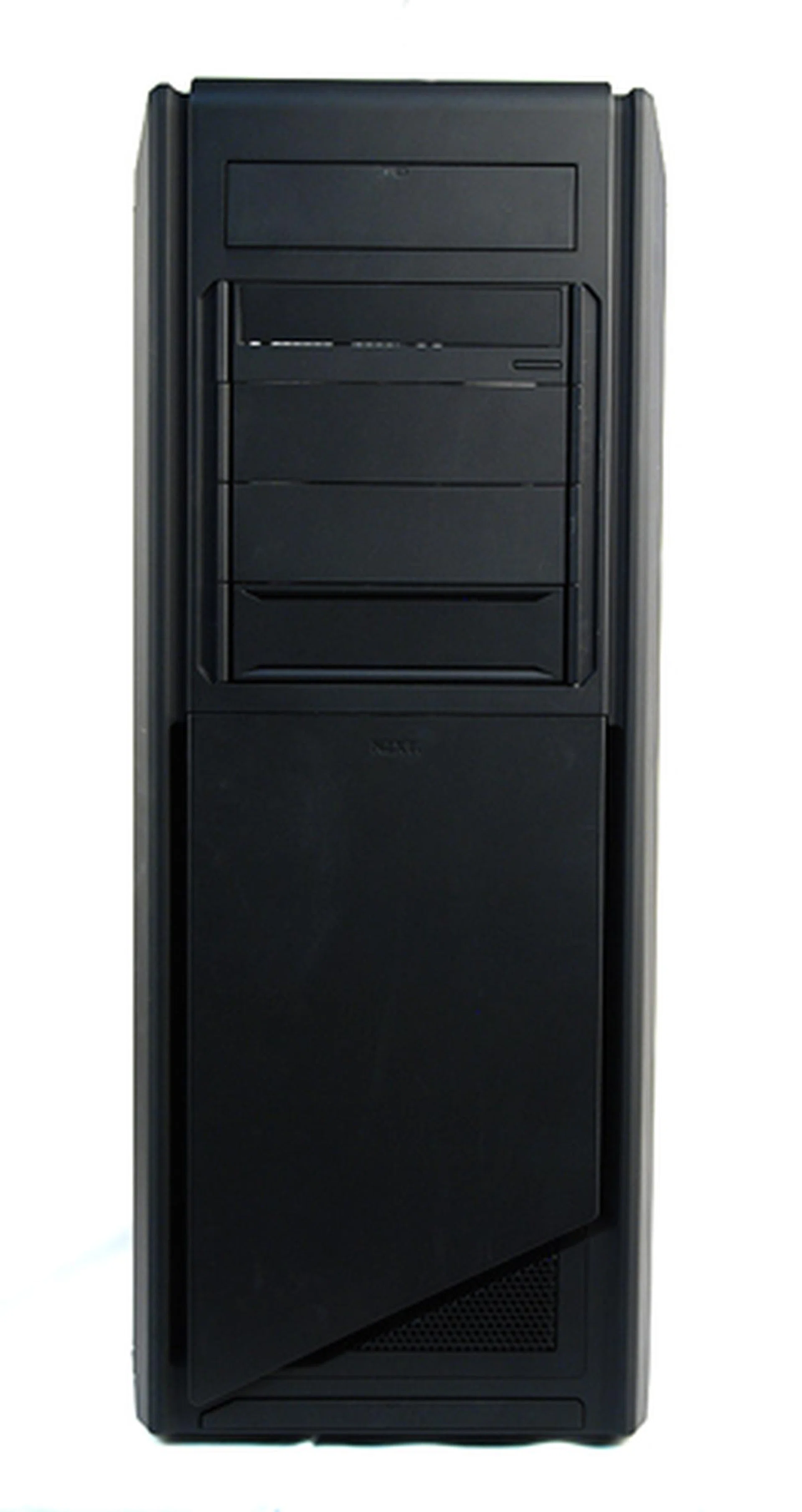
The front panel is clean and minimalistic - no fancy lights or any conspicuous fans. Some may have reservations of its "plastic" look, but appearances are only skin deep.
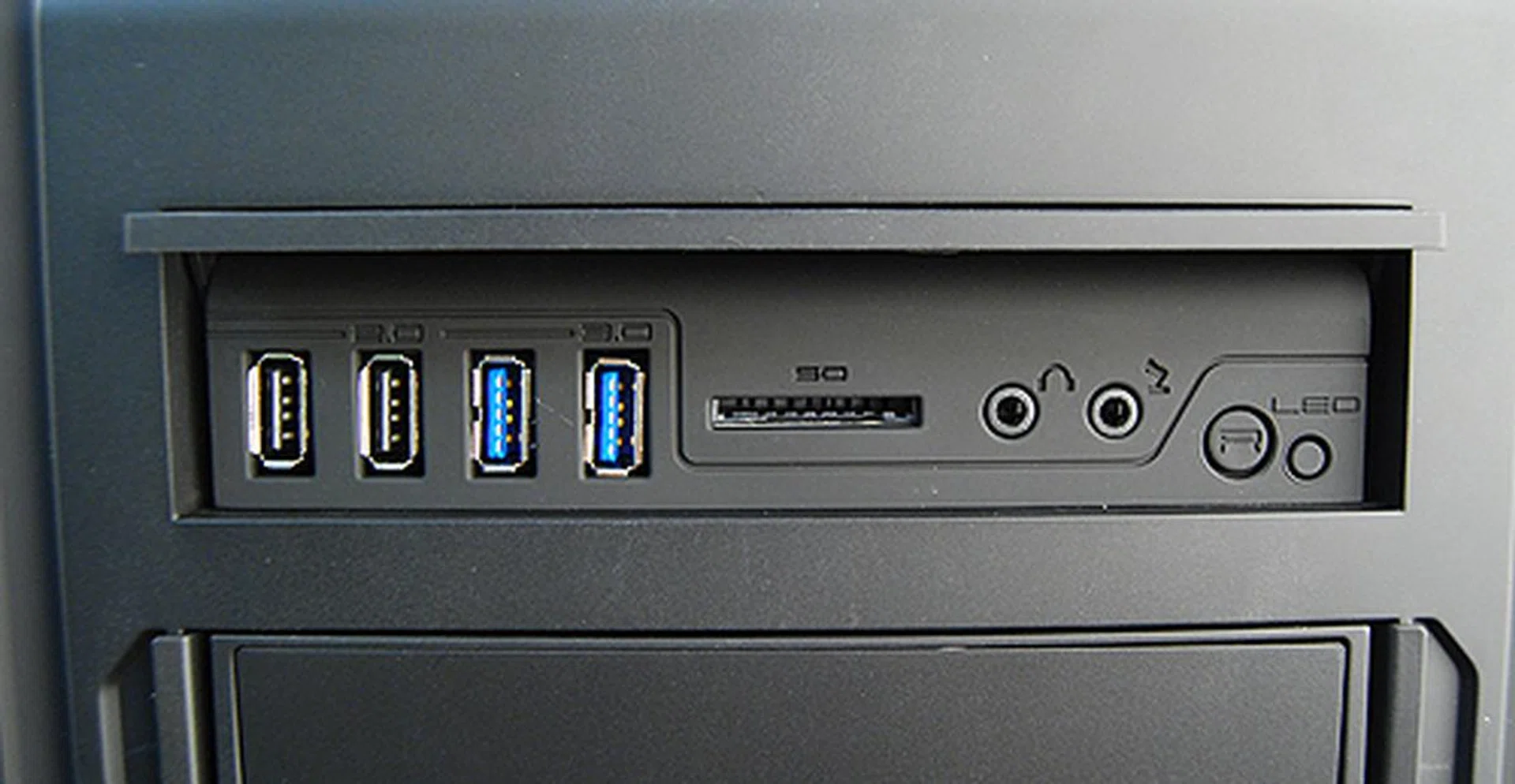
The front I/O ports are accessed by flipping open this panel near the top of the case. On that note, we must say that the opening mechanism is not the most elegant and is a bit awkward to use. Inside, there are two USB 2.0 ports, two USB 3.0 ports, a memory card reader, headphones and microphone jacks, an LED on/off button and a reset button.
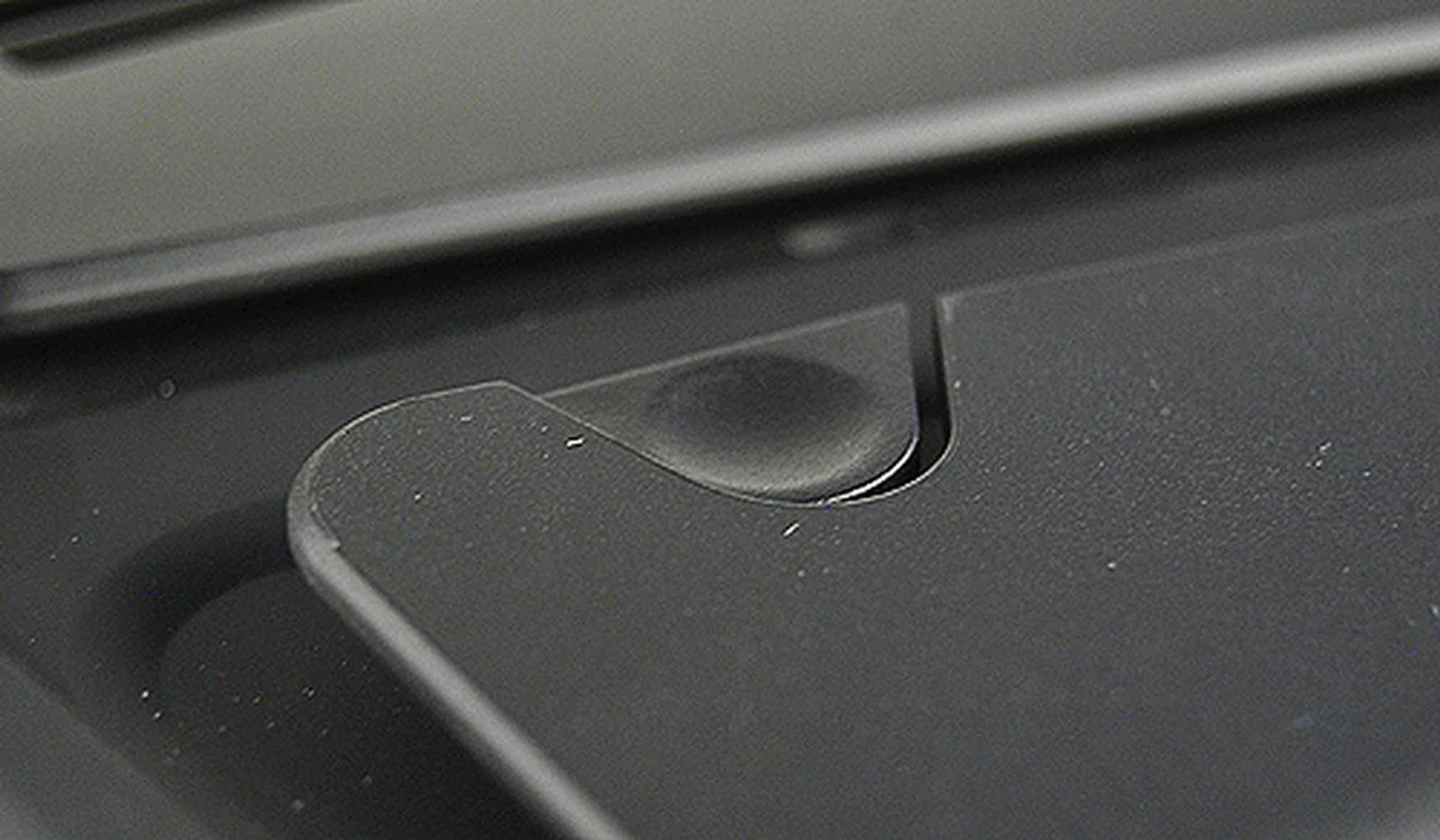
Where's the power button? It's found on the top in a rather illogical place. Most of us from the team who saw the casing for the first time thought it was a button that opens the front panel.
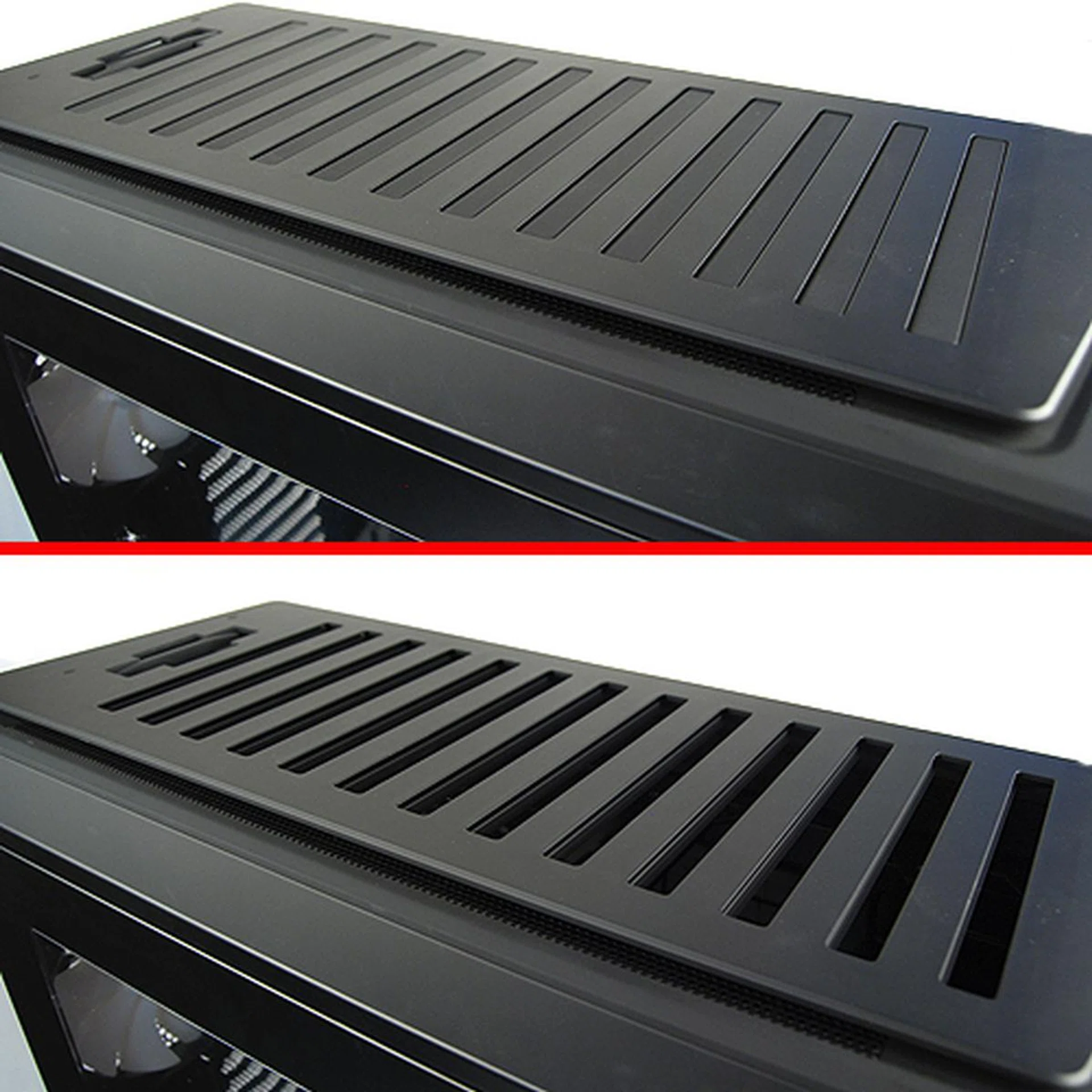
At the top panel of the case, the Switch 810 has a pretty cool trick - we can open and close the several top vents by means of a switch lever at the back. It kind of feels like operating sluice gates on a dam of sorts. Underneath, there’s a single 140mm fan with space for up another two more. We're not very sure when you might want to block the top vents, but if you ever have a need for it, Switch 810 has that factored in.
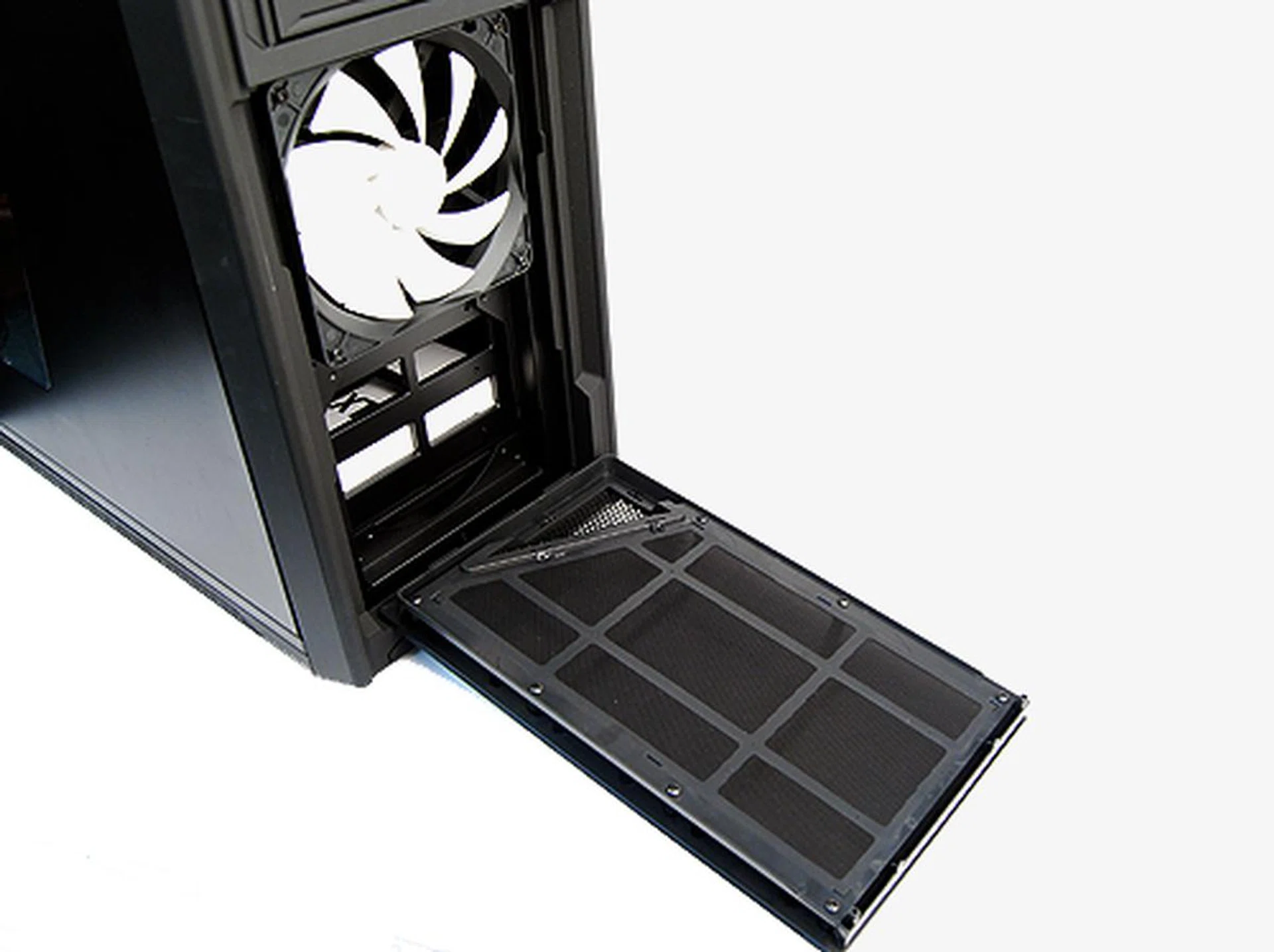
The Switch 810 can accommodate up two 120mm or 140mm fans on the front intake area. Easily serviceable dust filters are provided, which is a nice touch.
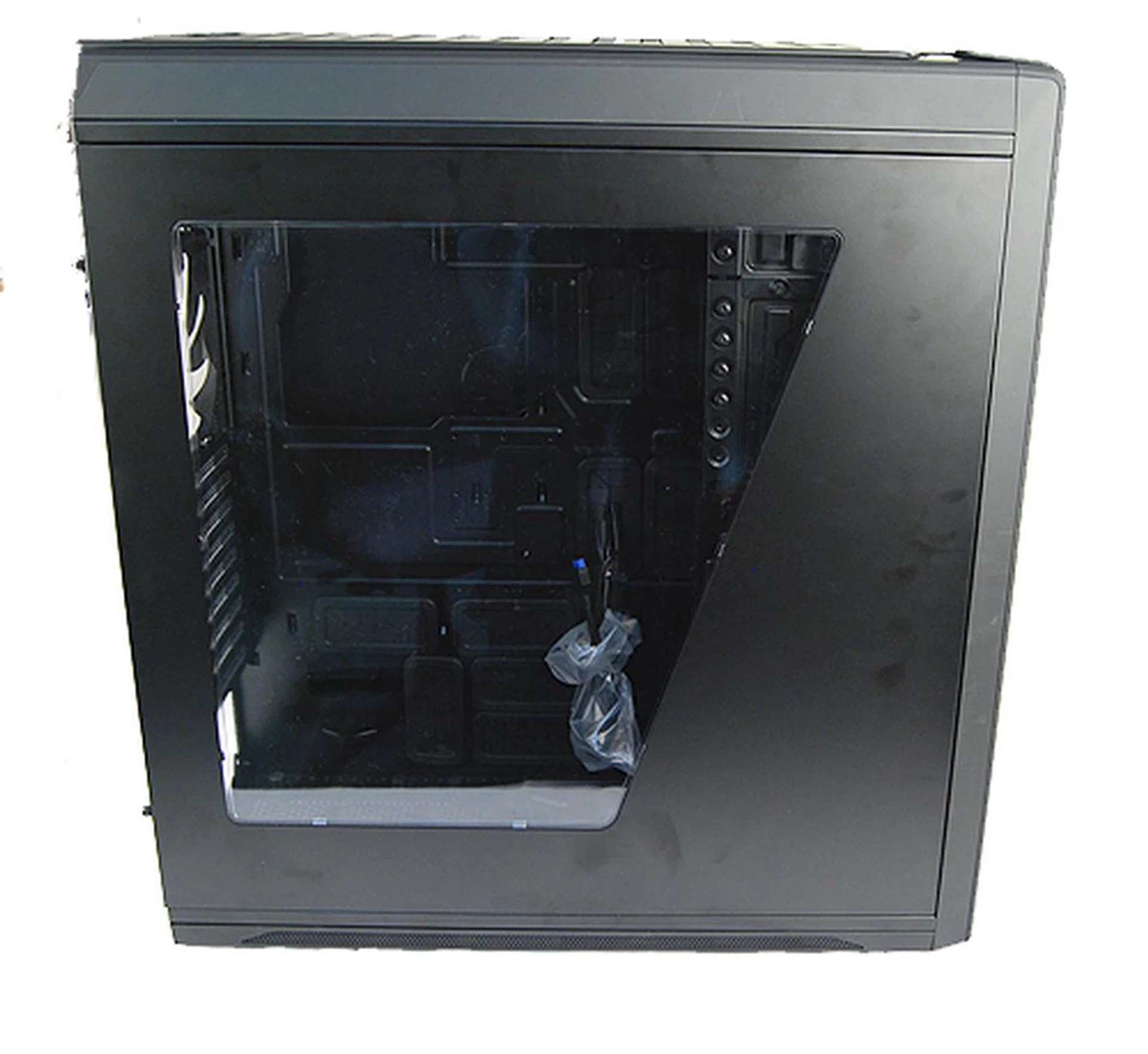
For those who like showing off, the right panel features a humongous clear window that lets users display their components in all its glory.
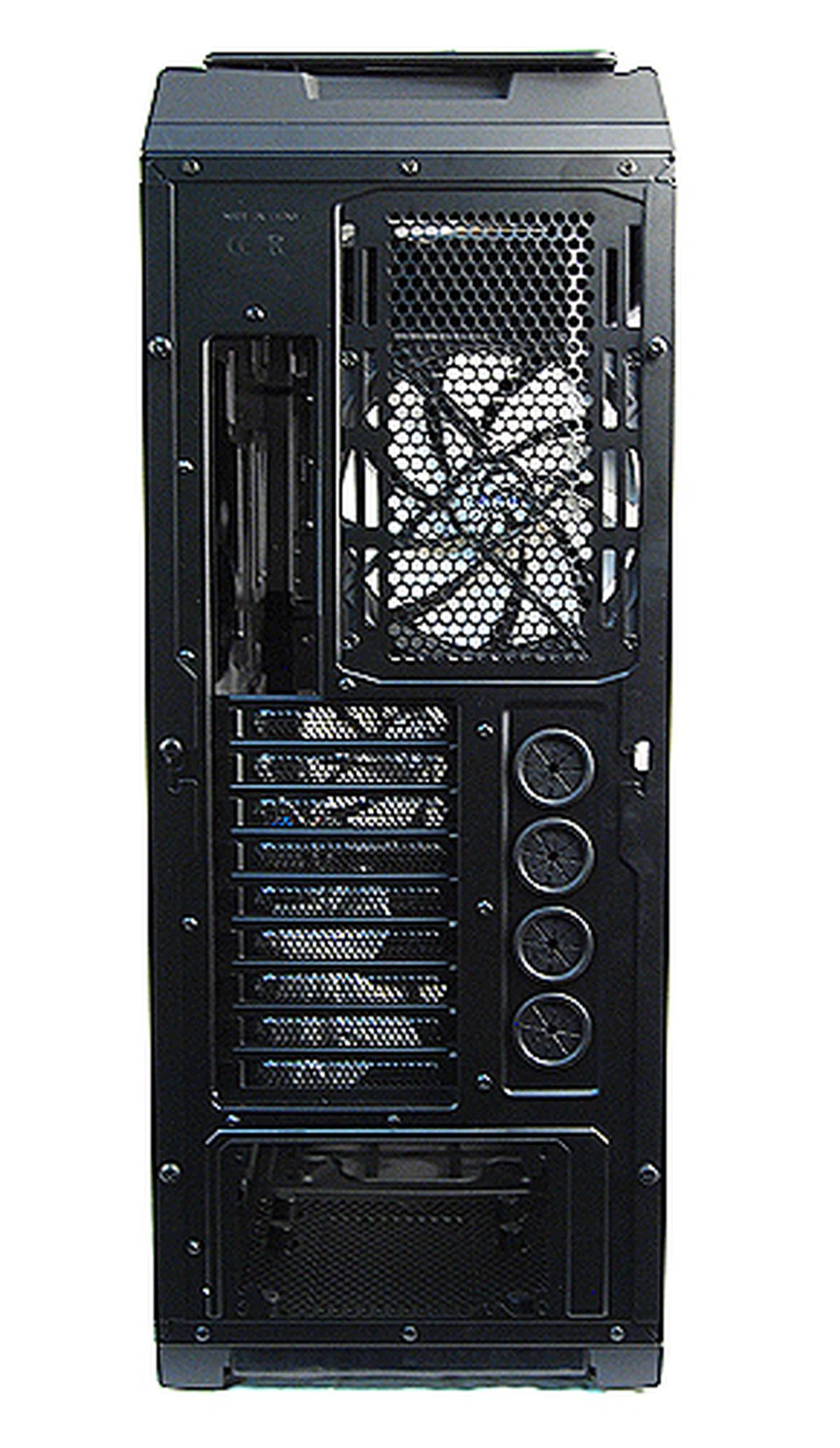
Looking at the rear, the two things that instantly caught our attention were the nine expansion slots and four rubber grommets to facilitate serious liquid-cooling setups (e.g., on the CPU and GPU components).
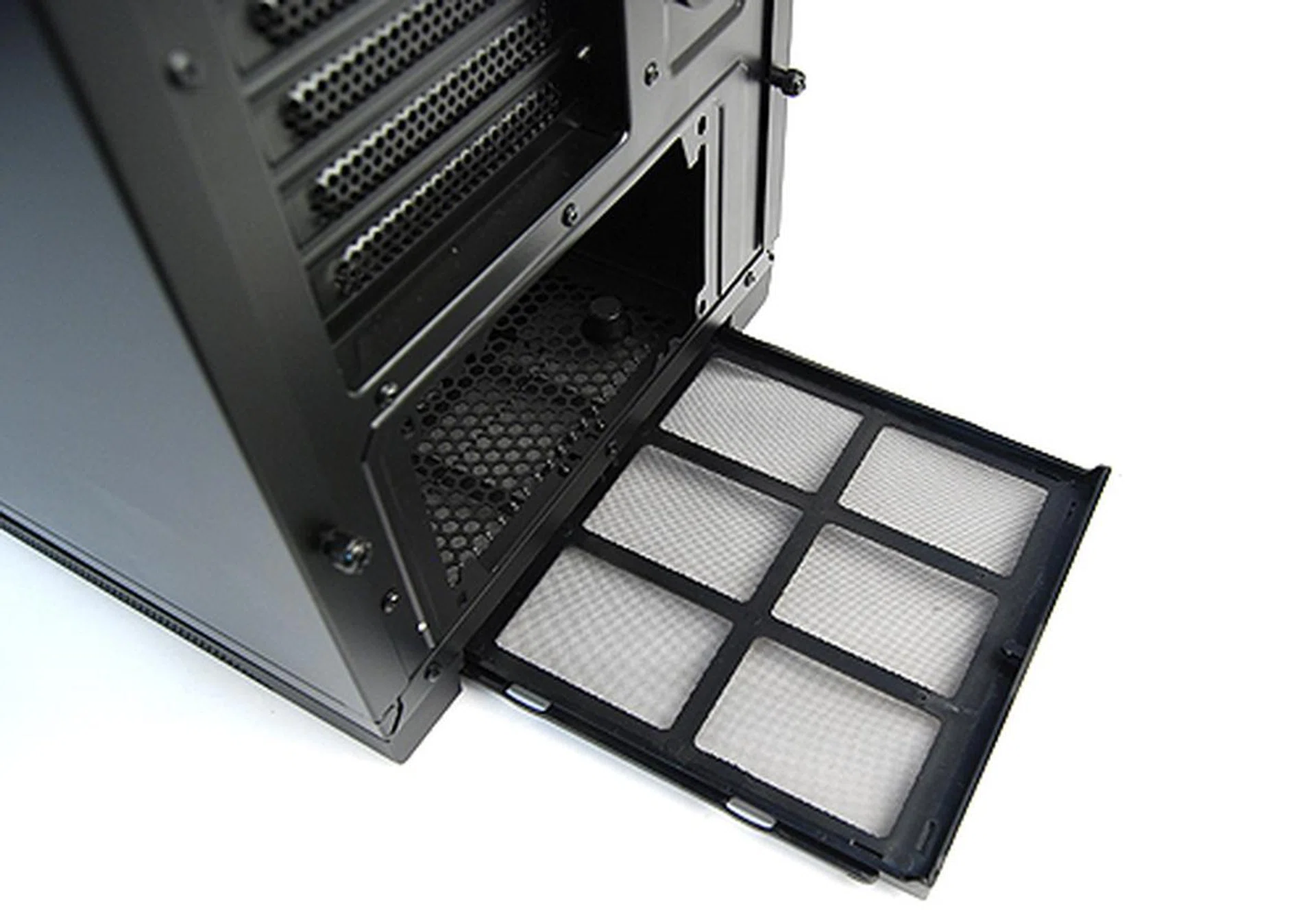
There are dust filters at the bottom too for the PSU bay's air intake area - how thoughtful.
Internal Design
Peeling the side panels open, we are greeted by the Switch 810’s cavernous interior, which is not surprisingly actually if you think about the casing’s humongous dimensions. Also, the motherboard tray is full of openings and cutouts for cable management. Lastly, the motherboard tray is capable of accommodating the larger E-ATX and XL-ATX form factor motherboards as well.
As for installing components, optical drives are installed simply by sliding them into the drive bay and locking them into place like you would on any other decent casing. Installing hard drives is equally straightforward but because of the the Switch 810’s unique internal fans, this requires users to install their hard drives from the opposite side. Installing regular 3.5-inch hard drives is a tool-less affair requiring you to simply use the provided installation racks, but smaller 2.5-inch SSDs would require you to manually screw the SSD to the rack.
The motherboard tray has been nicely marked out for the various motherboard form factors, but you would need your screwdriver here because installing the motherboard requires the use of regular standoffs and screws. Once the motherboard is in place, you’ll find that there’s plenty of cutouts in the tray for routing your cables. There’s also a fair amount of space behind the motherboard tray and around the tray so overall cable management should not be a problem.
As befits the Switch 810's "hybrid" billing, there's tons of space within the casing itself to install radiators for liquid-cooling. Users can choose to either install radiators at the top of the casing, or at the bottom, or if they prefer, outside the casing as well.
Overall, installation is fairly straightforward stuff and is what we would expect from an enthusiast grade casing. One minor gripe is that the thumbscrews of the casing are done rather tightly, such as the ones that secure the side panels and expansion bay slots, and requires a screwdriver to undo (at least upon initial usage). Other than that, the Switch 810 has a well-designed and spacious interior that would surely please most users.
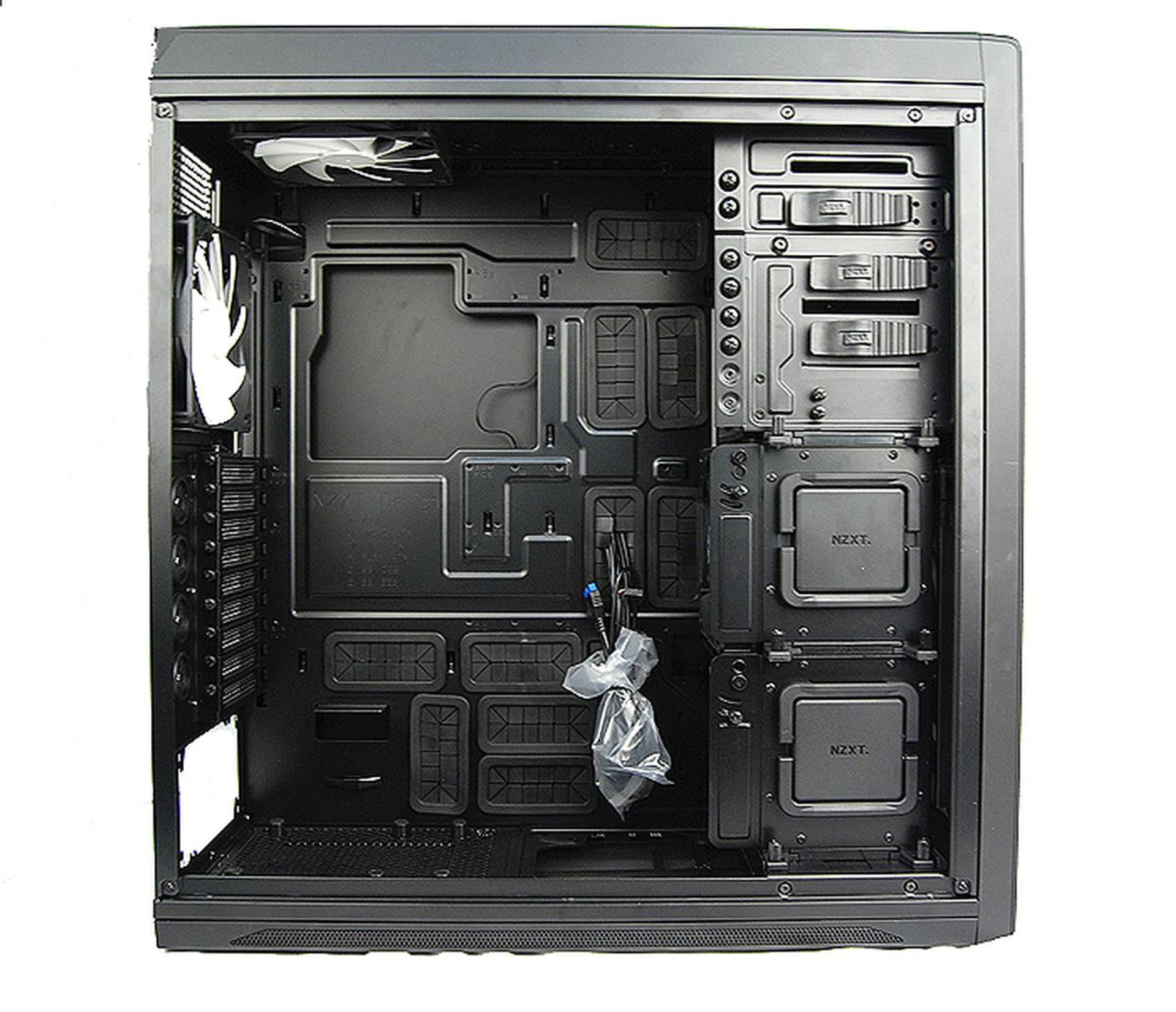
The internals of the Switch 810 is simply humongous. There's really no other word to describe it.
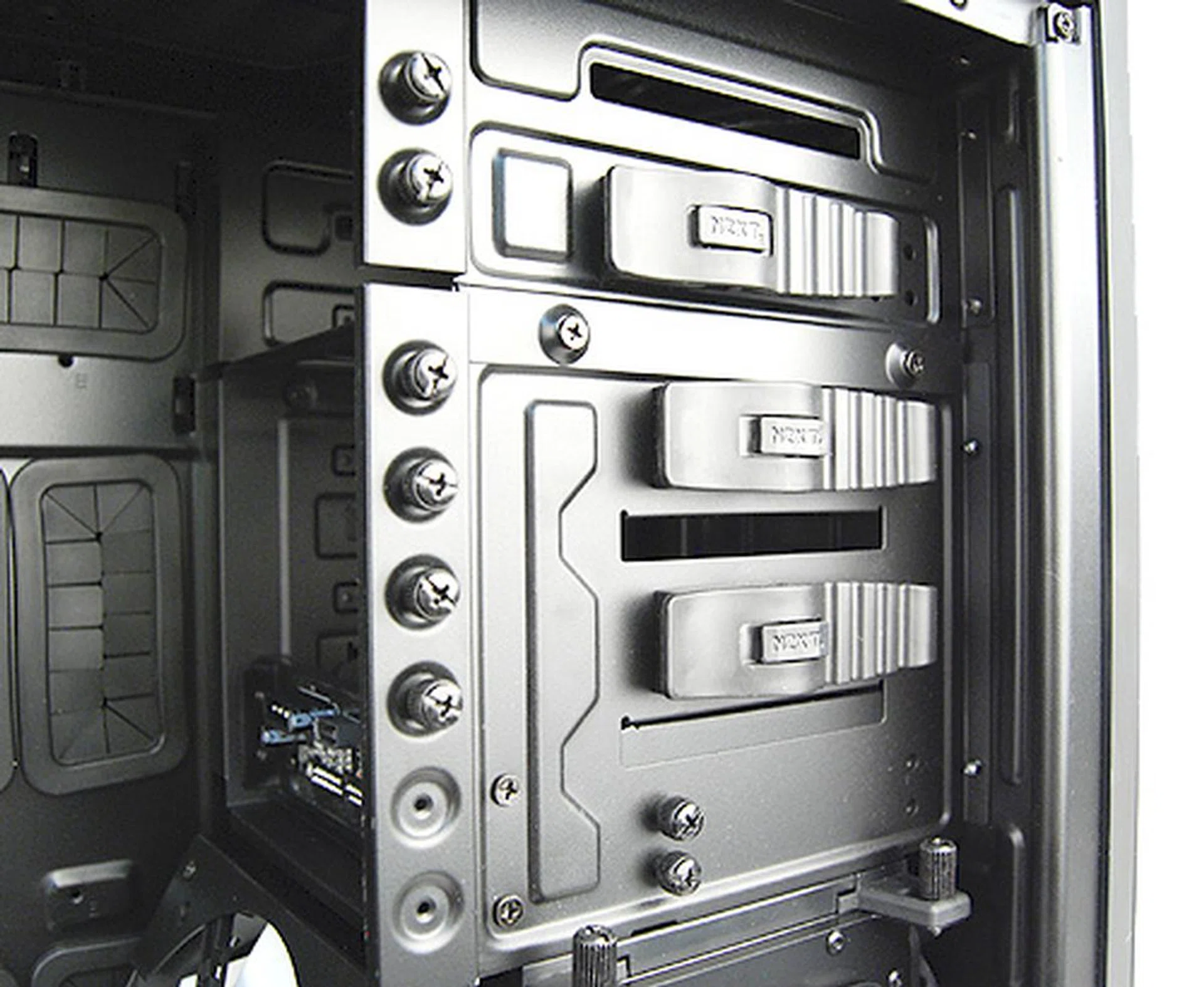
There are three 5.25-inch drive bays for optical devices or even mounting internal storage RAID units. The fourth drive bay is a hot swappable dock that can be used with a regular 3.5-inch hard drive or a 2.5-inch SSD.
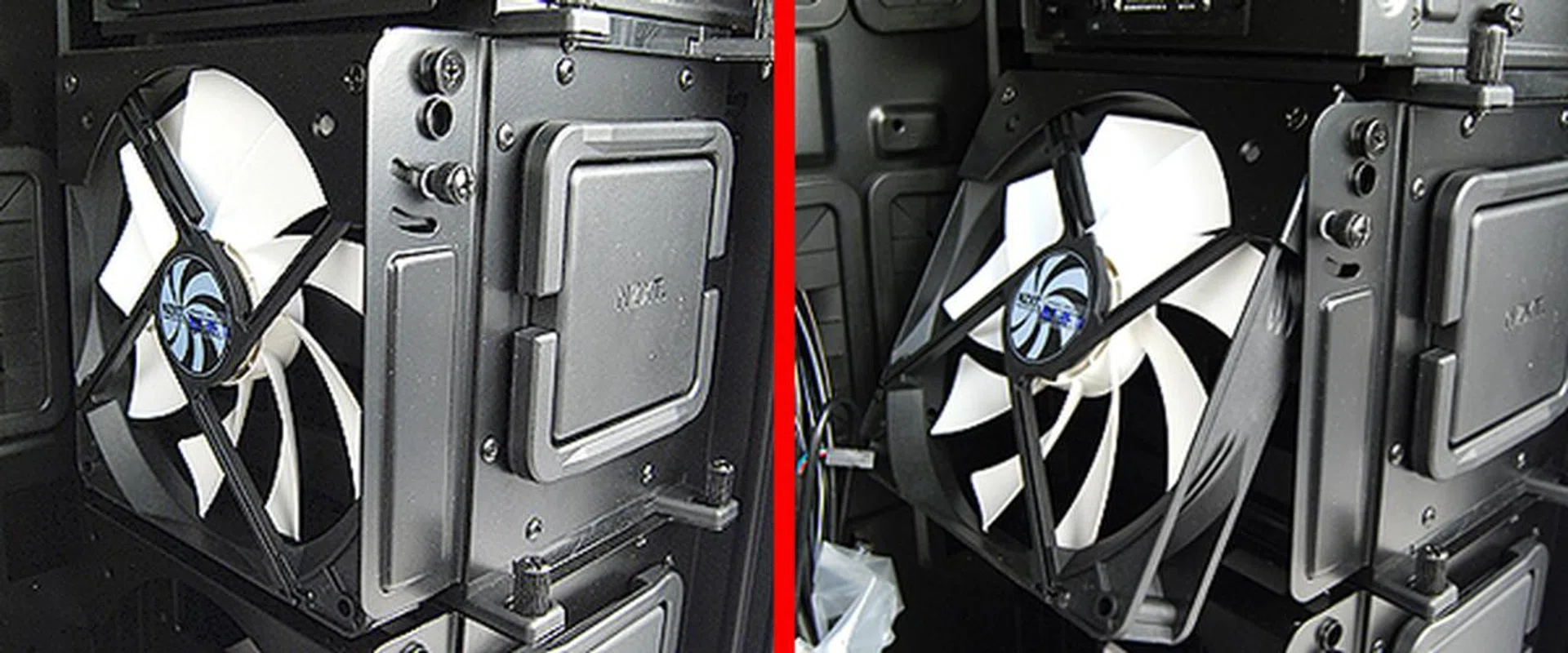
Below the optical drive bays and attached to the side of the hard drive cage is a single internal fan that can be tilted to direct more air towards the CPU area. The case comes with a single internal fan with the option for users to add another at the side of the second hard drive cage below.
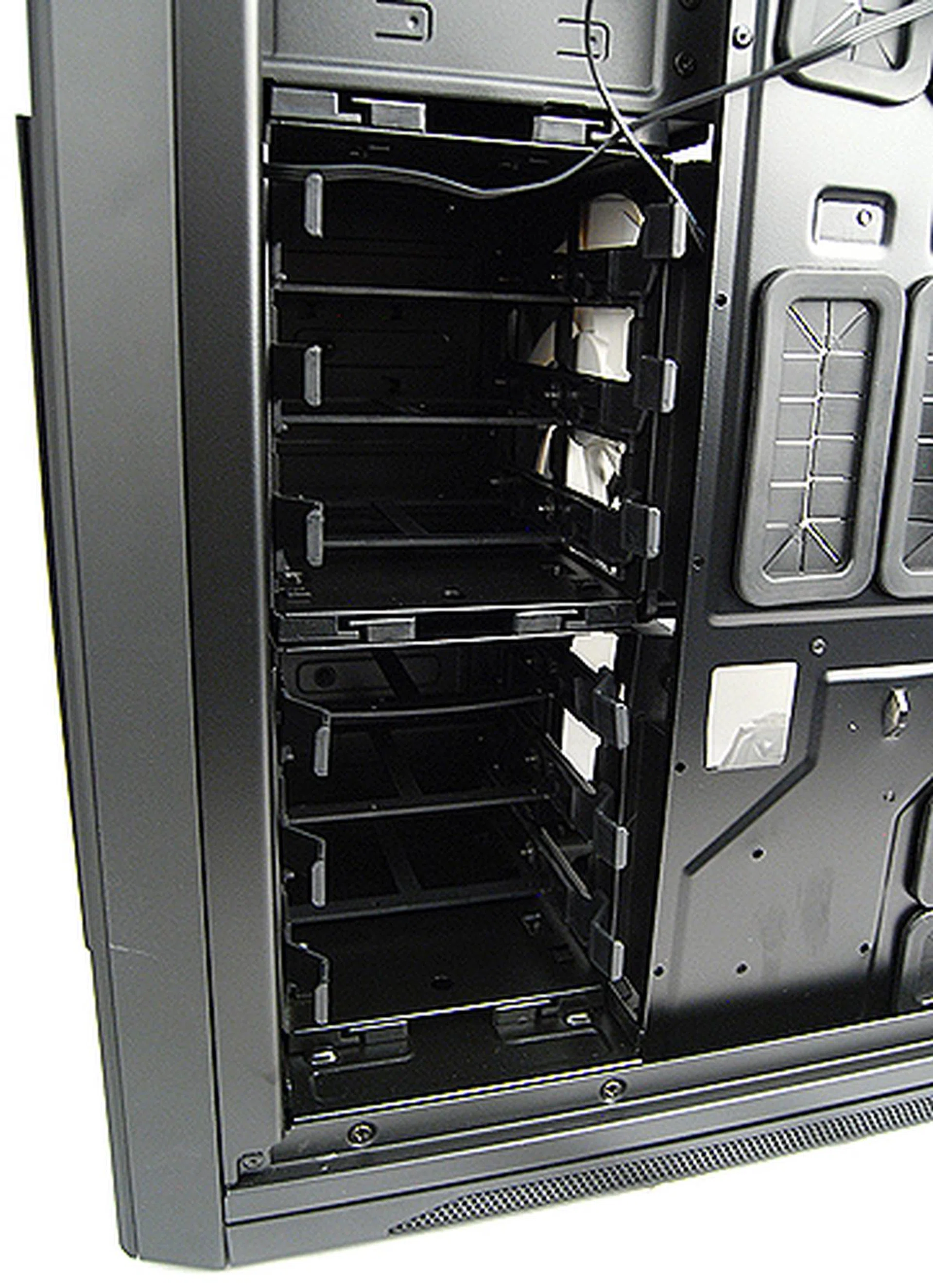
Because of the unique internal fans, hard drives need to be installed from the other side of the case.
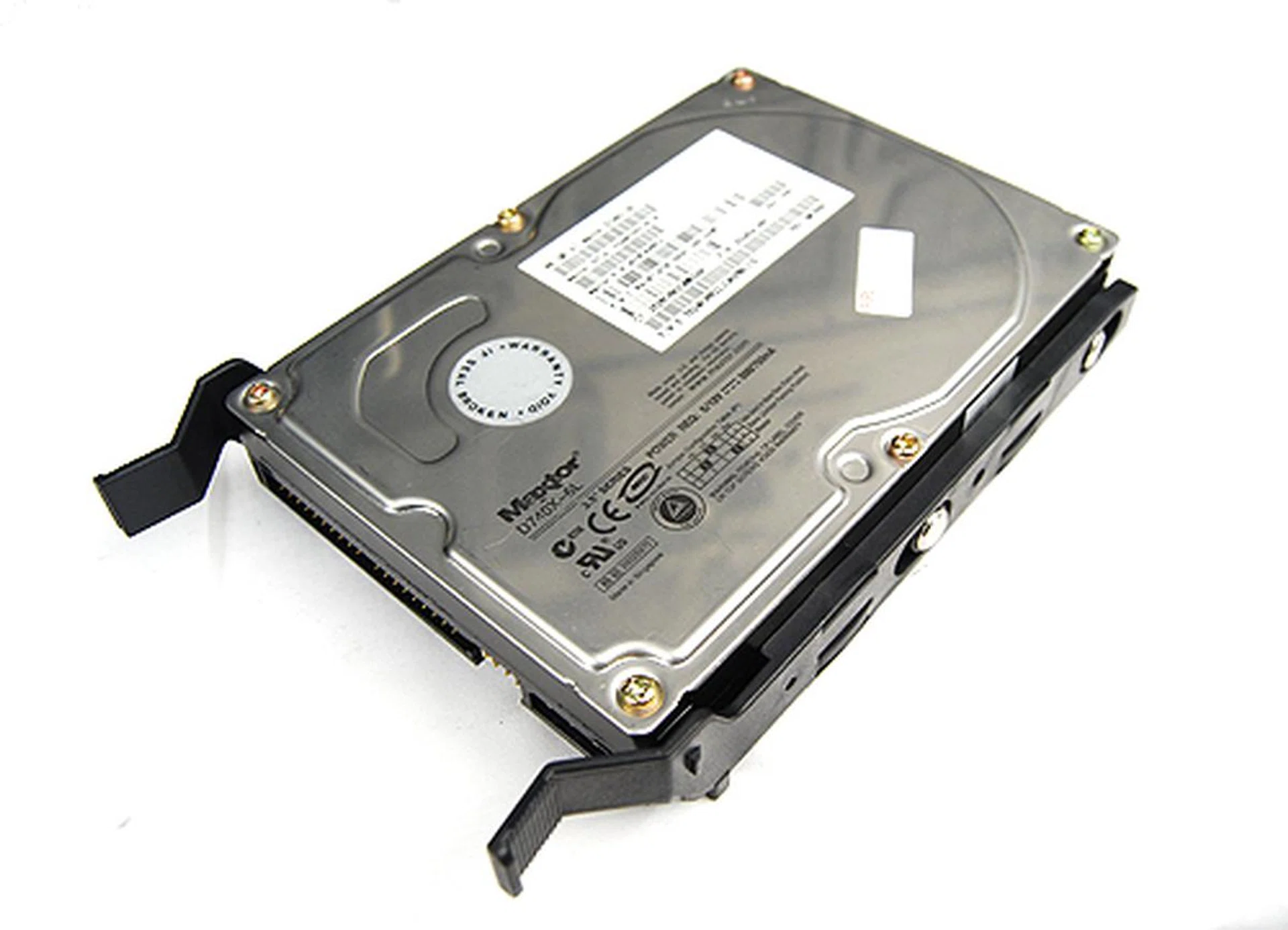
Installation of hard drives is dead simple. Slip it into the bracket and slide the drive in and you are good to go.
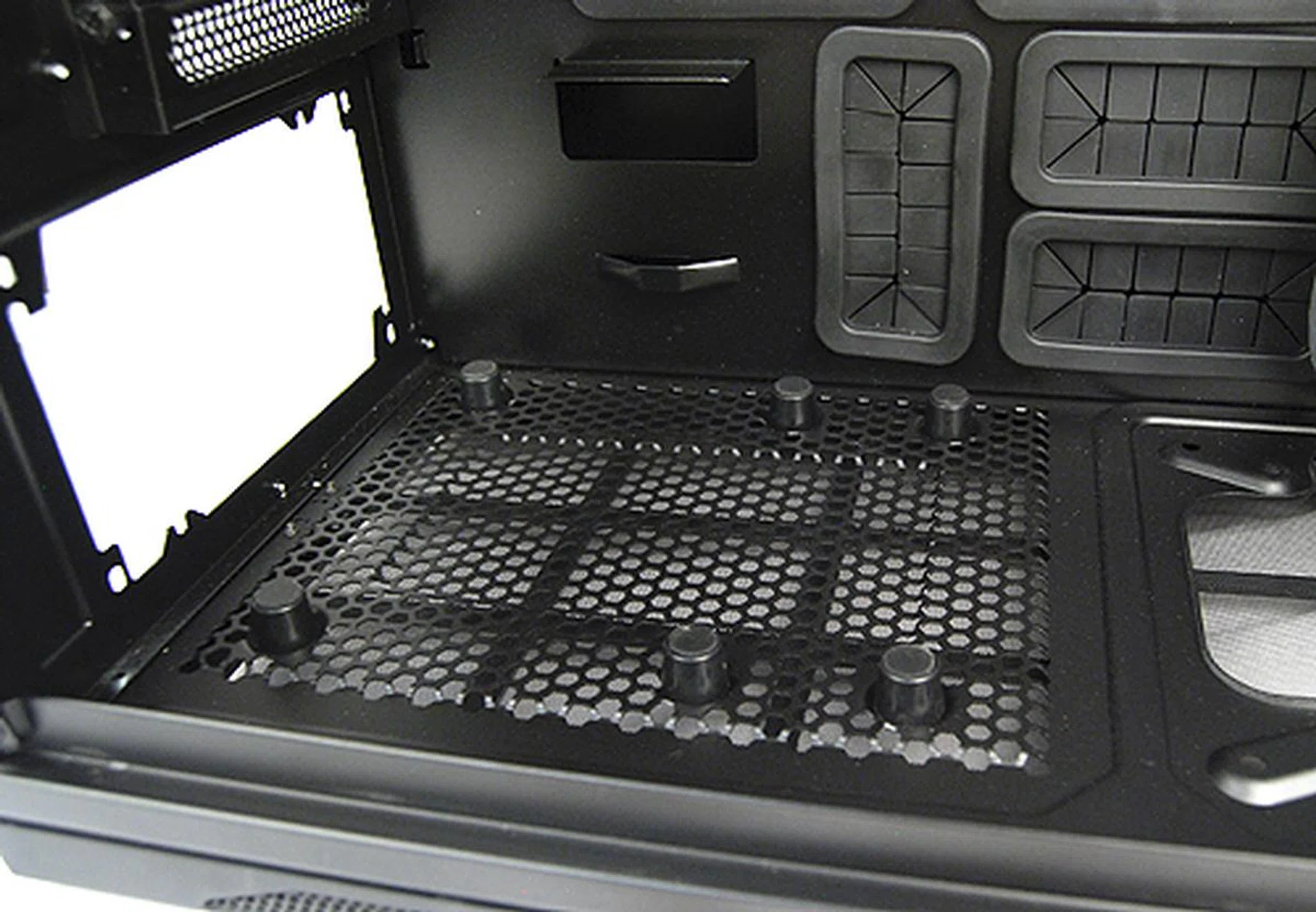
The PSU bay has unusually large rubber feets to reduce vibration.
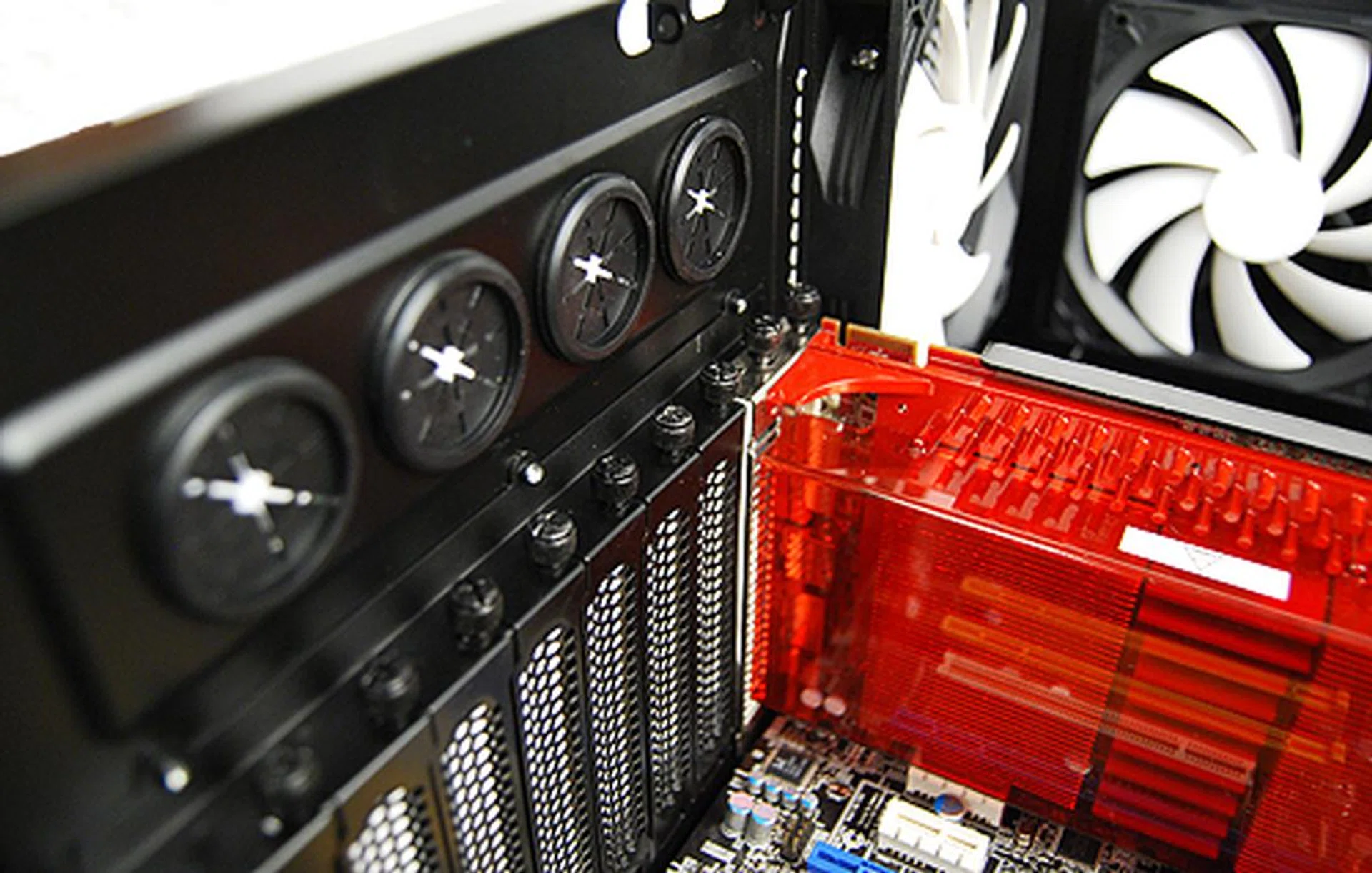
Installation of expansion bay devices such as graphics cards require you to undo thumbscrews. Seen are are also the four grommets for liquid-cooling setups.
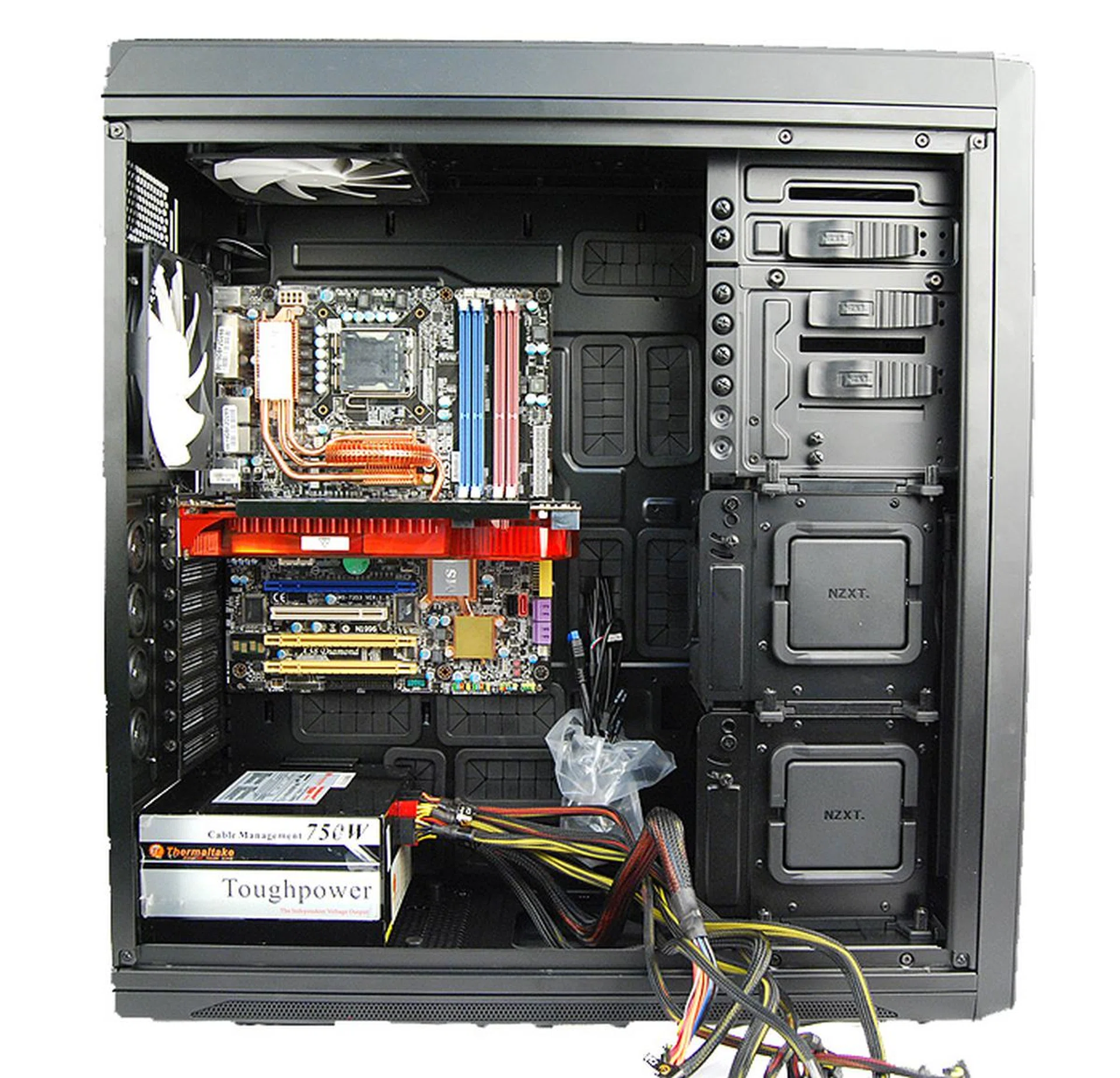
Even with our motherboard installed along with a large 11-inch Radeon HD 3870 X2 graphics cards, there's still tons of space.
The Friendly Giant
Since its inception, NZXT has made a reputation for offering bang-for-buck enthusiast-grade casings and the Switch 810 Special Edition follows in this tradition.
On a whole, the Switch 810 Special Edition is a competent casing packed with loads of features and tons of space. The casing can accommodate motherboards of all form factors from mini-ITX right up to the larger E-ATX and XL-ATX, which means you won’t have to worry about changing your casing in future if you should feel the need to upgrade to even more serious gear. Its numerous cutouts in the motherboard tray area and the ability to adapt to liquid-cooling setups also offers users more flexibility and options.
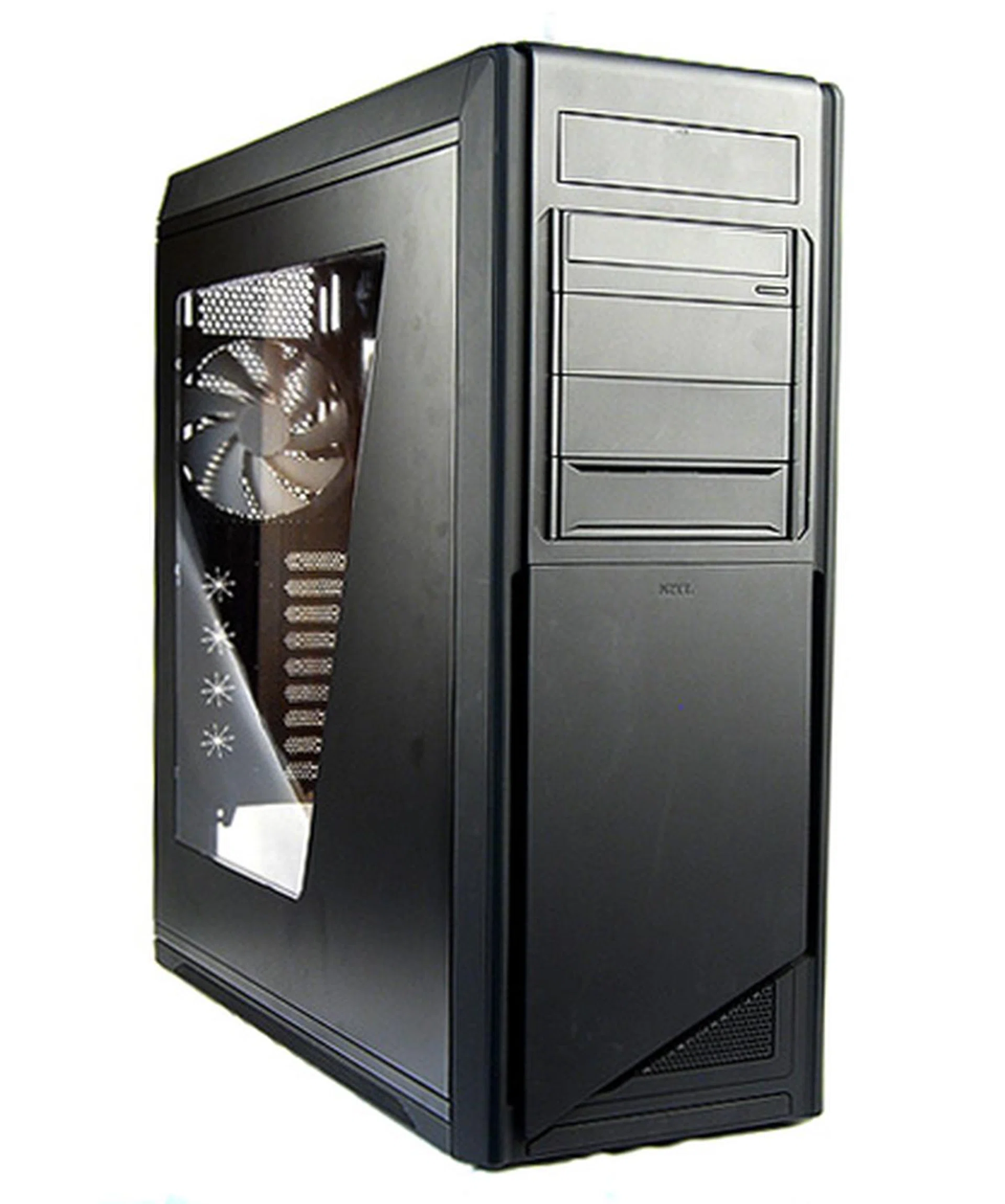
The Switch 810 is an excellent casing for enthusiasts who need a full tower casing to accommodate their gear.
What’s more, at S$299 the Switch 810 Special Edition is also competitively priced, considering most full tower casings from more established names such as Antec and Cooler Master go for significantly more. Speaking of which, the Special Edition Switch 810 also comes in gunmetal color, and that also goes for S$299. The regular Switch 810 casings, on the other hand, go for about S$288. The regular Switch 810 casings are the ones we would opt for since the matte black finish doesn’t really add anything to the casing, unless you personally prefer its appearance (which in our observation doesn't differ much).
In closing, the Switch 810 is an interesting and feature-packed full tower casing that is surprisingly simple on the outlook, but offers tons of flexibility and should serve enthusiasts well.
Our articles may contain affiliate links. If you buy through these links, we may earn a small commission.