

Note: This review was first published on 27 Oct 2020.
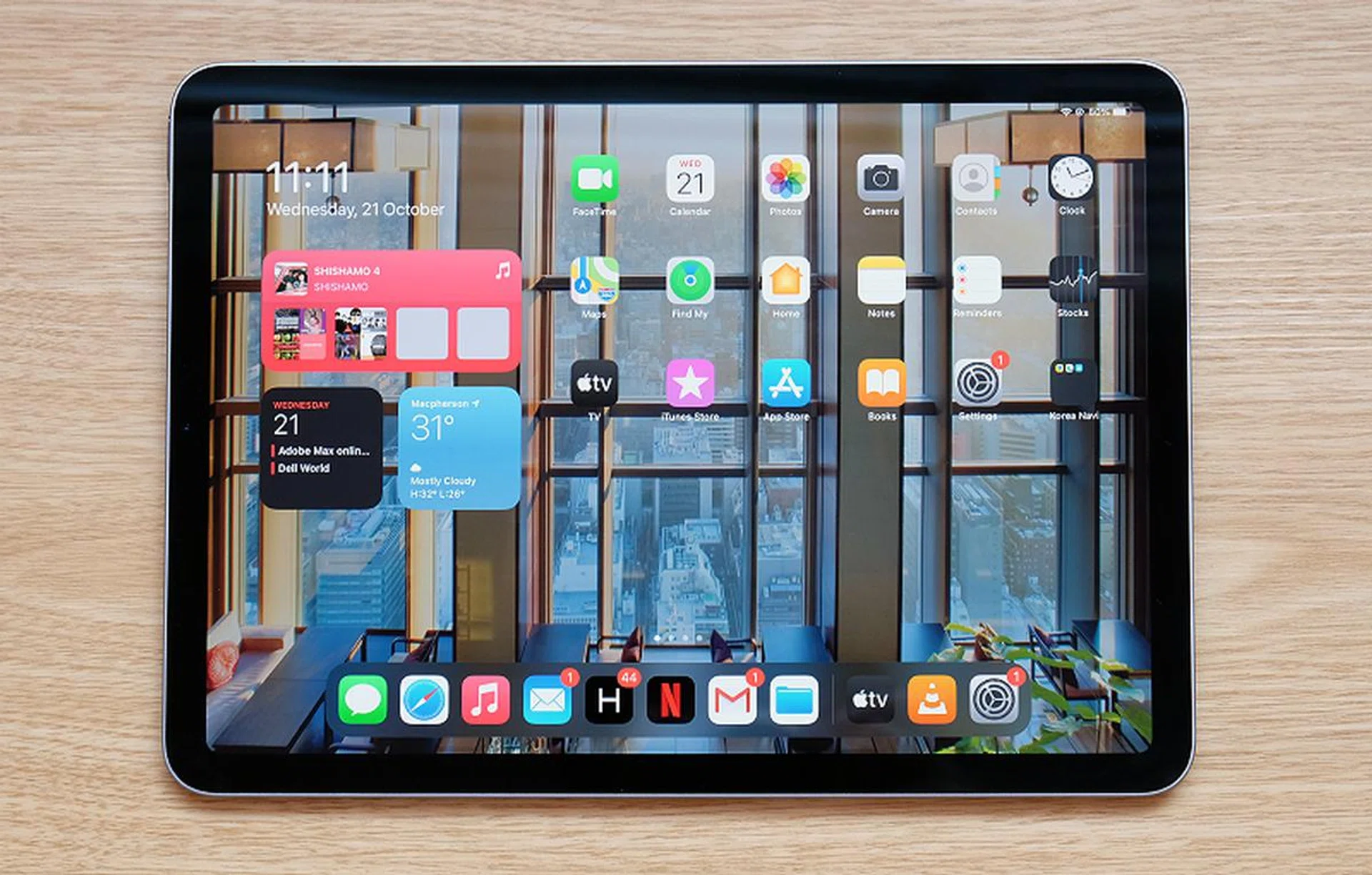
The latest iPad Air is almost physically identical to the 11-inch iPad Pro.
Same, same but different
I lost count of the number of times that I stared at the iPad Air and then realised it doesn’t actually support Face ID. It may look identical to the 11-inch iPad Pro, but this being Apple’s mid-range tablet offering, it misses out some on some features that the “pro” iPads have. Even so, it has a lot to offer and, on paper, looks like the best iPad for most people.
Design and features
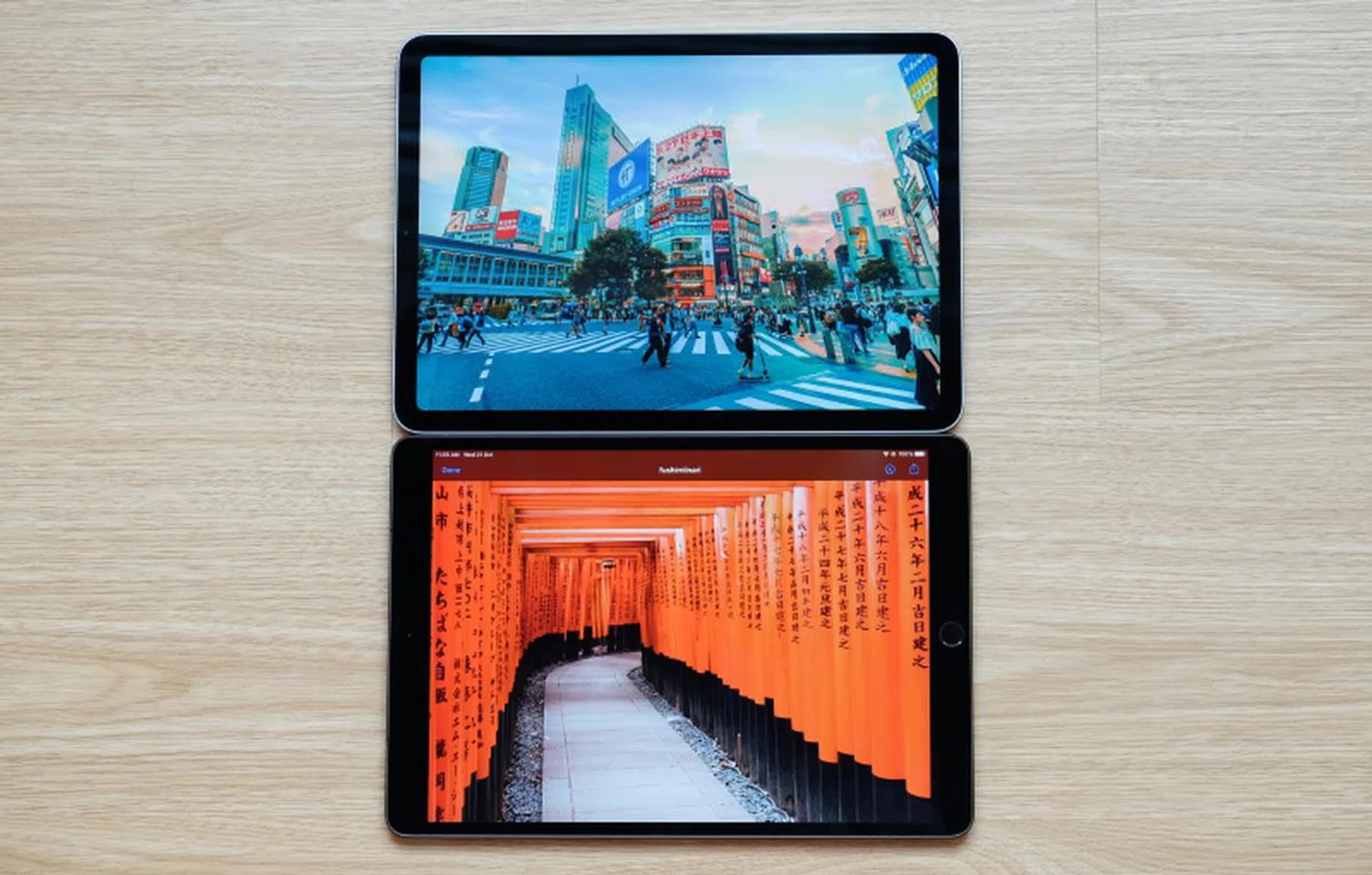
The new iPad Air above and last year's iPad Air below. The bezels are thinner and the Home button is gone. The display is also slightly bigger.
As I said in my first impressions piece, the latest iPad Air – now in fourth-generation guise – is almost physically identical to the 11-inch iPad Pro. The only differences are that the iPad Air is oh-so-slightly thicker (6.1mm vs 5.9mm), it only has a single camera, and it comes in more colours. Speaking of colours, this is Apple’s most colourful iPad. The iPad Air is available in five colours: silver, space grey, rose gold, green, and sky blue.
It’s difficult to fault the design. It’s compact, thin, and at just 460g, also really light. My only gripe is that the bezels around the display are a bit thick by today’s standards. Hopefully, this gets addressed when Apple updates the iPad Pro (rumoured to be happening early next year).
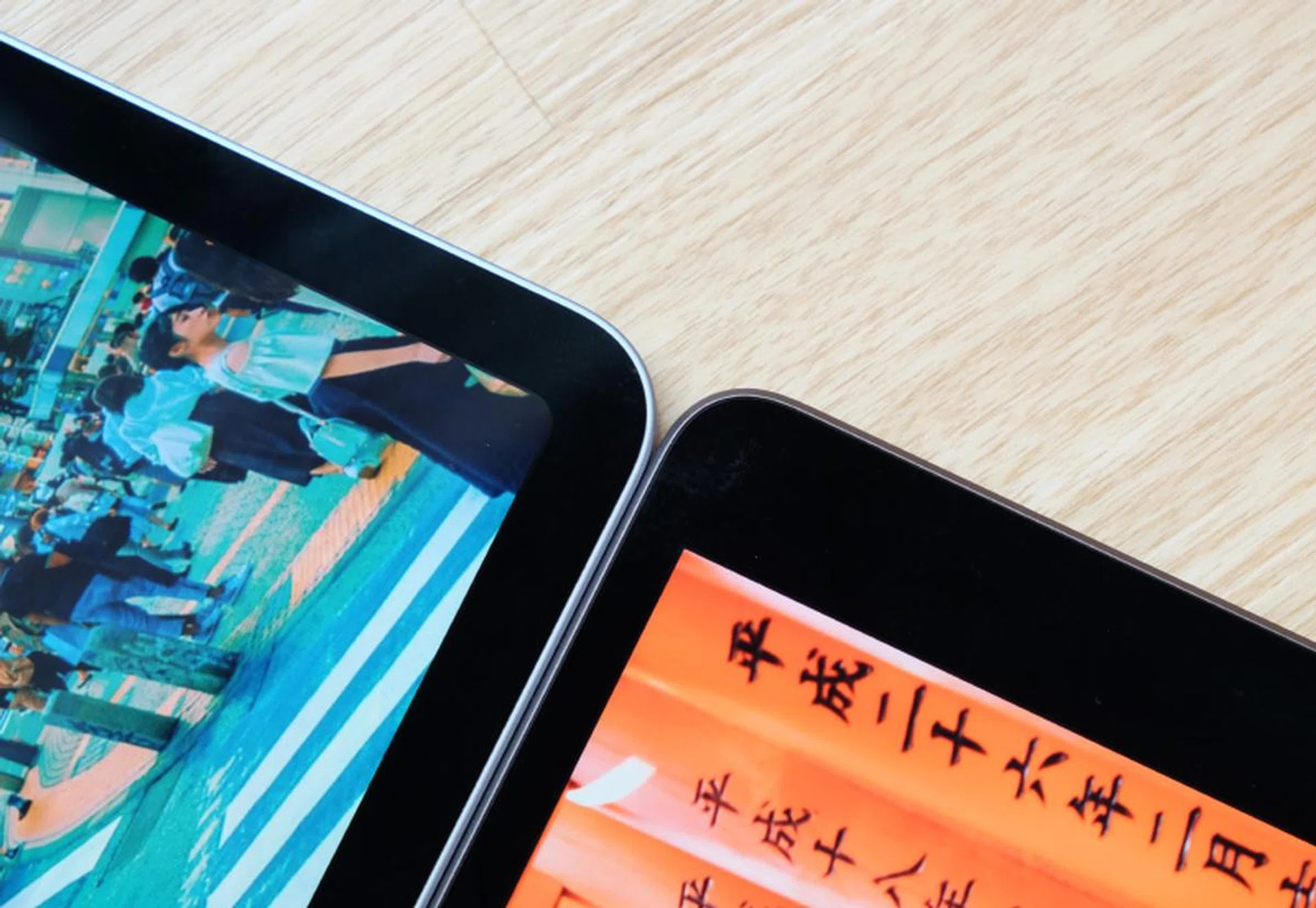
The bezels above and below the display are a lot thinner, but the old iPad Air has thinner bezels on the sides.
The display measures 10.9 inches across and it’s a Liquid Retina display – Apple’s fancy name for its LCD displays with curved corners. Like many other Apple devices, the display is first-rate. Resolution is an entirely adequate 2,360 x 1,640 pixels which means razor-sharp visuals. It supports the P3 colour space so colours are vivid, bright, punchy – in a word, excellent.
Its only shortcoming is that the iPad Air lacks ProMotion technology, so refresh rate is limited to 60Hz. Next to an iPad Pro, the iPad Air is less fluid. What’s more apparent, however, is that Apple Pencil inputs are noticeably laggier. If you write a lot with an Apple Pencil, this could be bothersome.
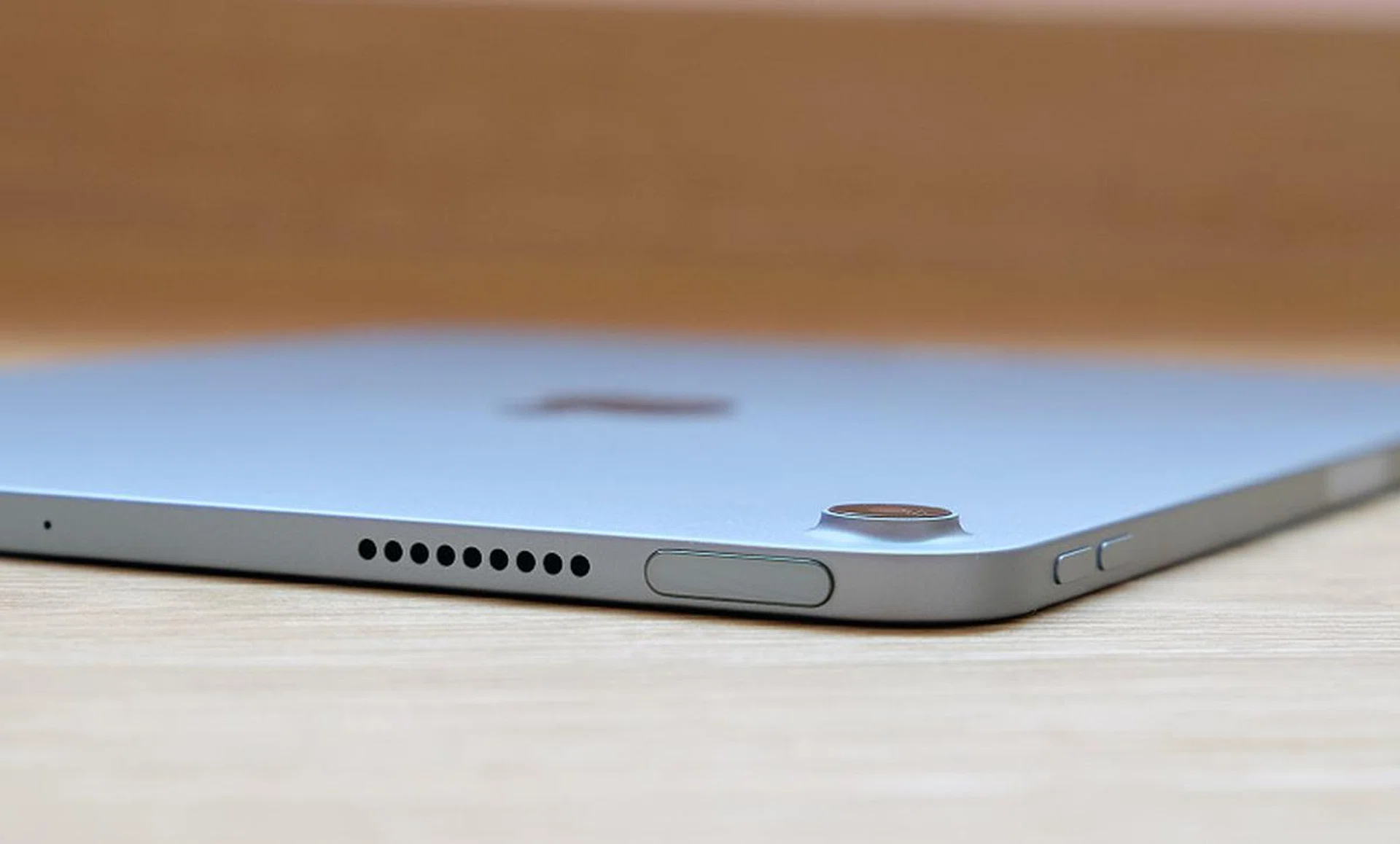
Apple has integrated the Touch ID sensor into the top button.
Watching movies and videos on the new iPad Air is thoroughly enjoyable. Not only because the display is beautiful but also because for the first time in an iPad Air, the speakers are positioned at the top and bottom of the display, which creates a proper stereo effect when used in landscape orientation.
I mentioned earlier that the iPad Air doesn’t support Face ID. Instead, it relies on Apple’s good old Touch ID technology for biometric authentication. Using Touch ID is probably going to feel strange for users who have become accustomed to Face ID on newer iPhones. But it works well here. The Touch ID sensor has been integrated into the top button, which is quite amazing considering how thin the button in. Nevertheless, Apple assures that it is just as effective and secure. It’s certainly fast, and as for security, I could only unlock it with the two fingerprints that I have authorised and nothing else, so I have to assume that it’s just as secure as the Touch ID systems in older iPhones.
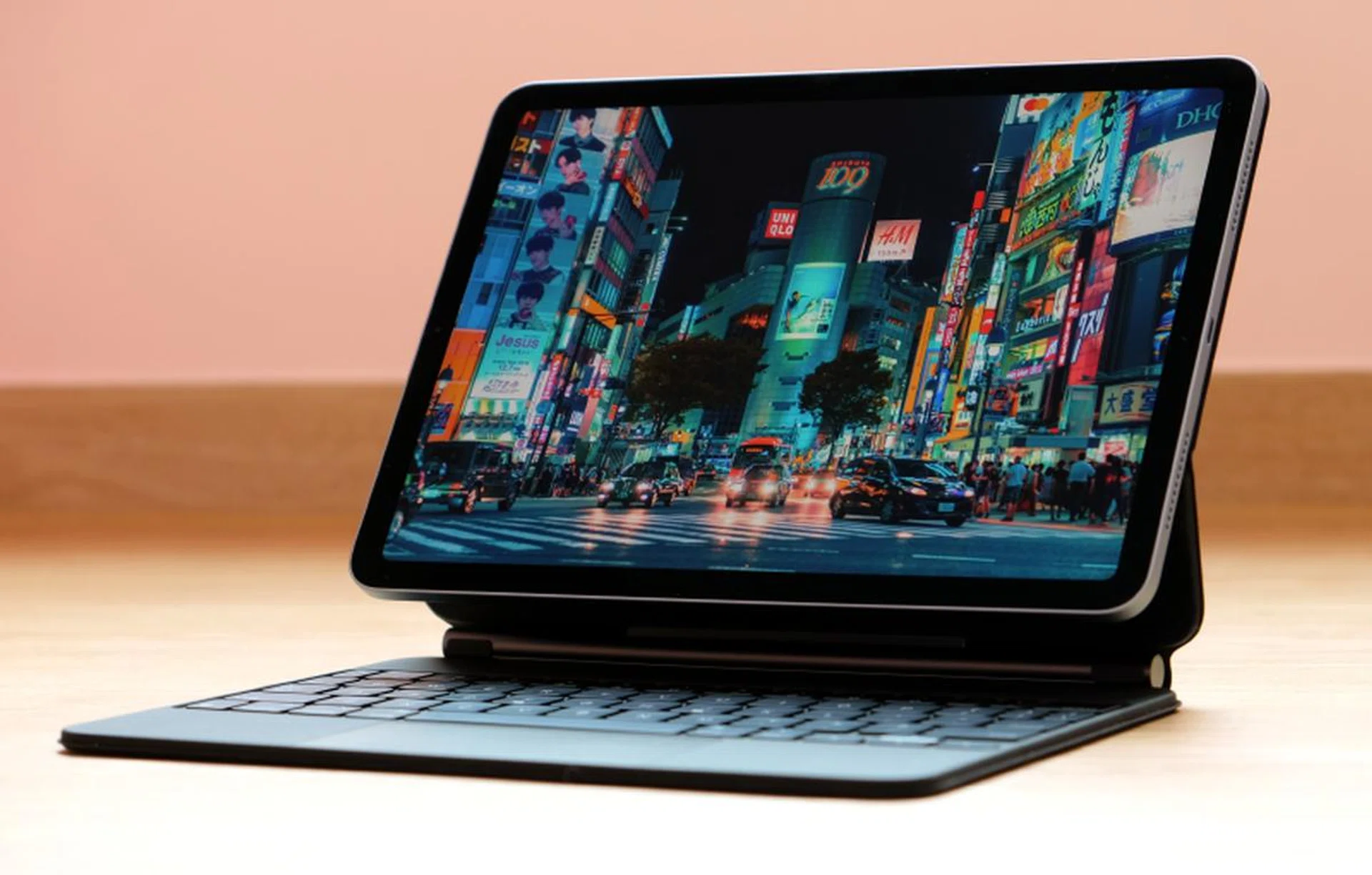
The iPad Air will work with accessories designed for the 11-inch iPad Pro, including the Magic Keyboard.
The iPad Air ditches the old Lightning port in favour of a USB-C port and Smart Connector. There’s no argument, USB-C is the superior connector. It’s more versatile and opens the iPad Air up to a wealth of USB-C accessories. As for the Smart Connector, it means this new iPad Air will work with accessories designed for the 11-inch iPad Pro, including the excellent but very expensive Magic Keyboard. And since we are on the subject of accessories, the new iPad Air will also work with the second-generation Apple Pencil, which attaches magnetically to the side for quick pairing and charging. The flip side to all this is that if you are coming from last year’s iPad Air, you’ll need to repurchase your accessories.
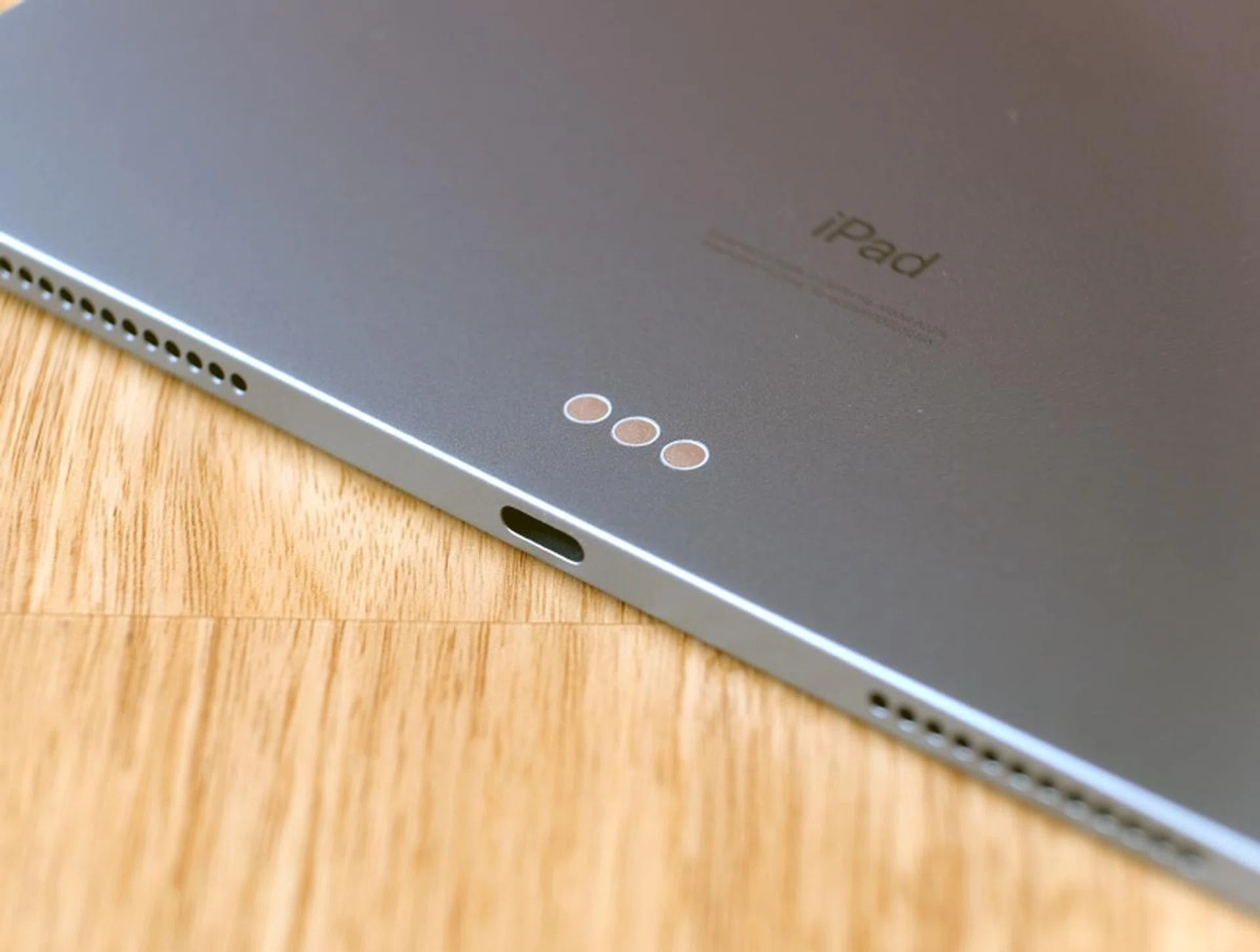
Happily, the iPad Air ditches the Lightning port for a more modern and versatile USB-C port.
No one should be taking photos or videos with their iPads, but if you absolutely must, you’ll be happy to know that the rear-facing camera has been improved. There’s only a single camera and it shoots at 12 megapixels with an f/1.8 lens. It can also record 4K videos at up to 60fps. It’s decent, but really, the only thing you should be doing with it is scanning documents.
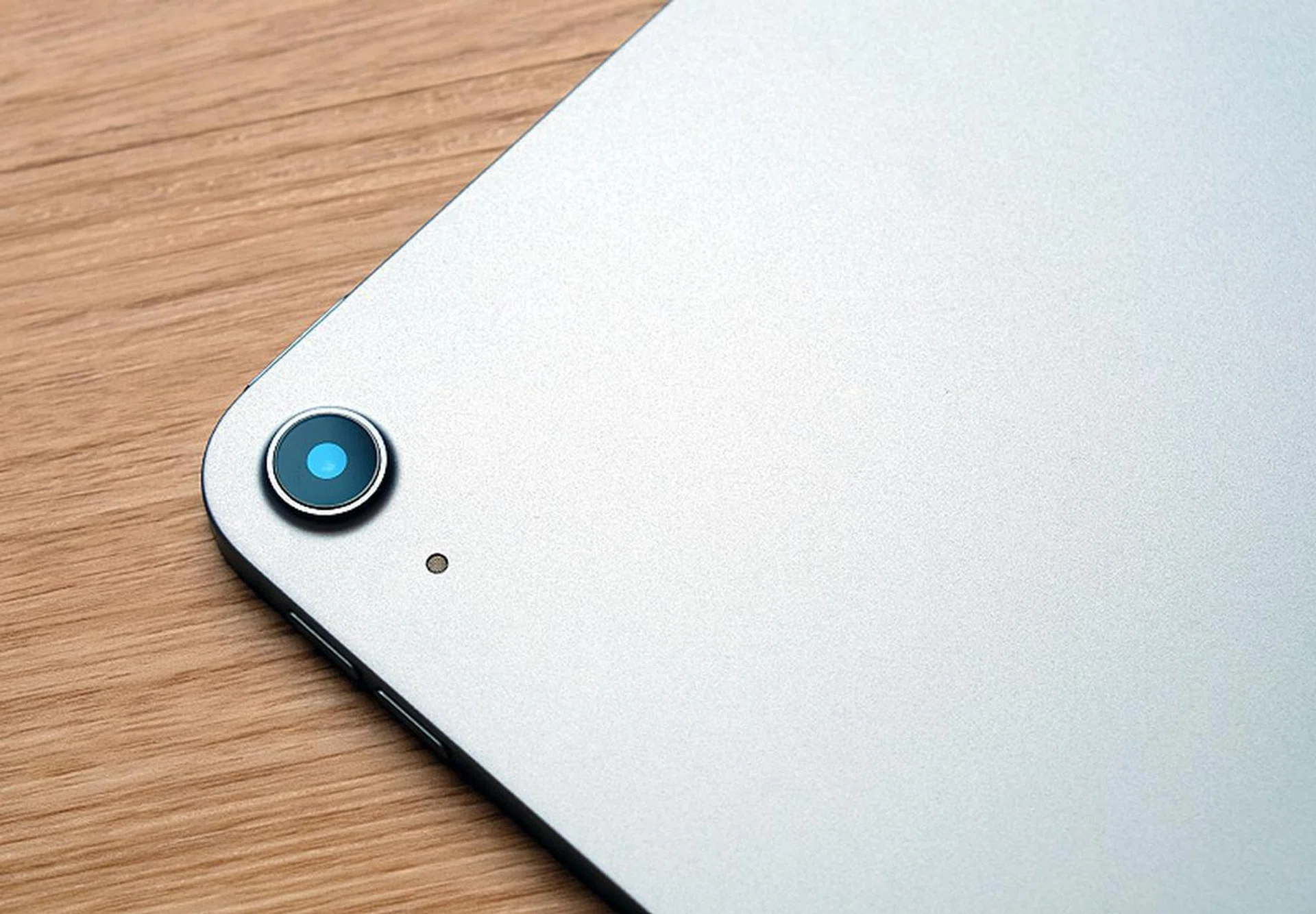
The iPad Air only has a single rear-facing camera.
The front-facing camera is unchanged and so it still shoots at 7 megapixels and records in Full-HD. As a result, quality isn’t the greatest, which is something you might want to take note of if you are going to be using it for video conferencing. Speaking of which, because the front-facing camera is above the display, it will appear on the sides when you are using it in landscape mode. If this is your preferred orientation for video conferencing, this means you’ll inevitably end up looking off to the sides to other participants.
Performance analysis
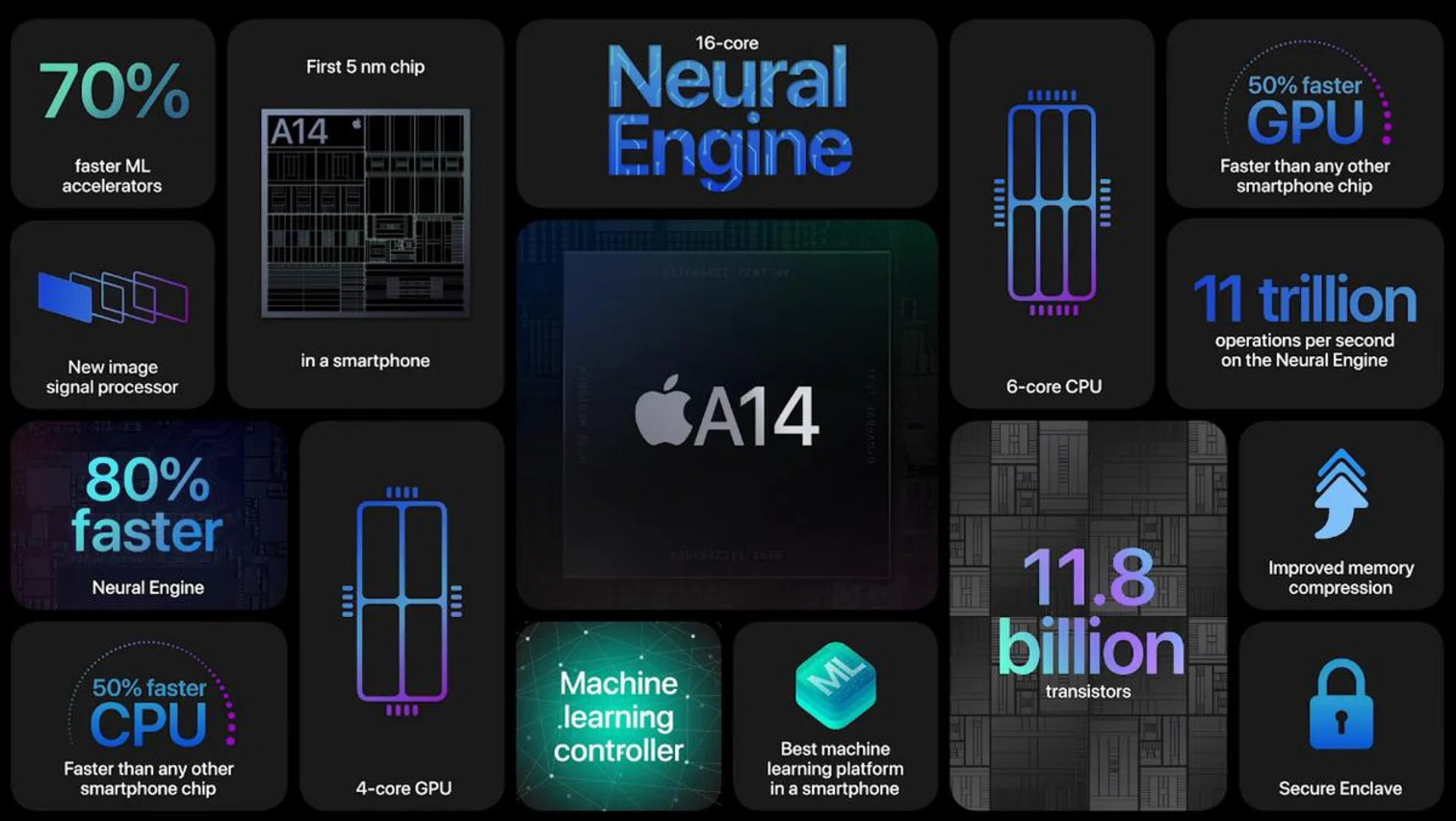
Inside the iPad Air is the same processor found in the new iPhones.
Powering the iPad Air is Apple’s latest A14 Bionic, which they are keen to boast is the world’s first 5nm processor used in a mobile device. It’s also the same processor used in the iPhone 12 and iPhone 12 Pro. And if you’ve already read my review of those phones, you’ll know that it’s a beast that stomps all over the competition.
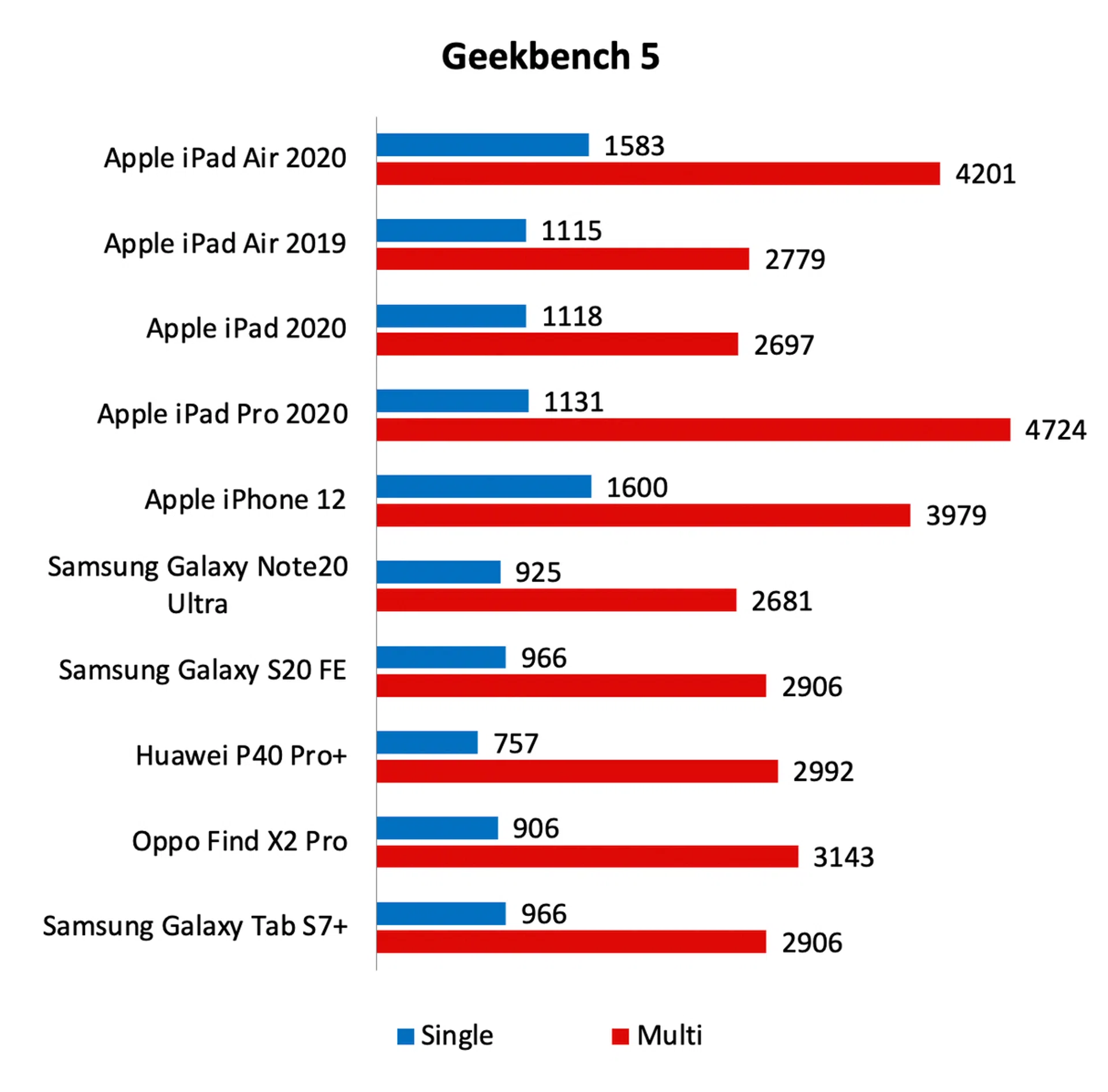
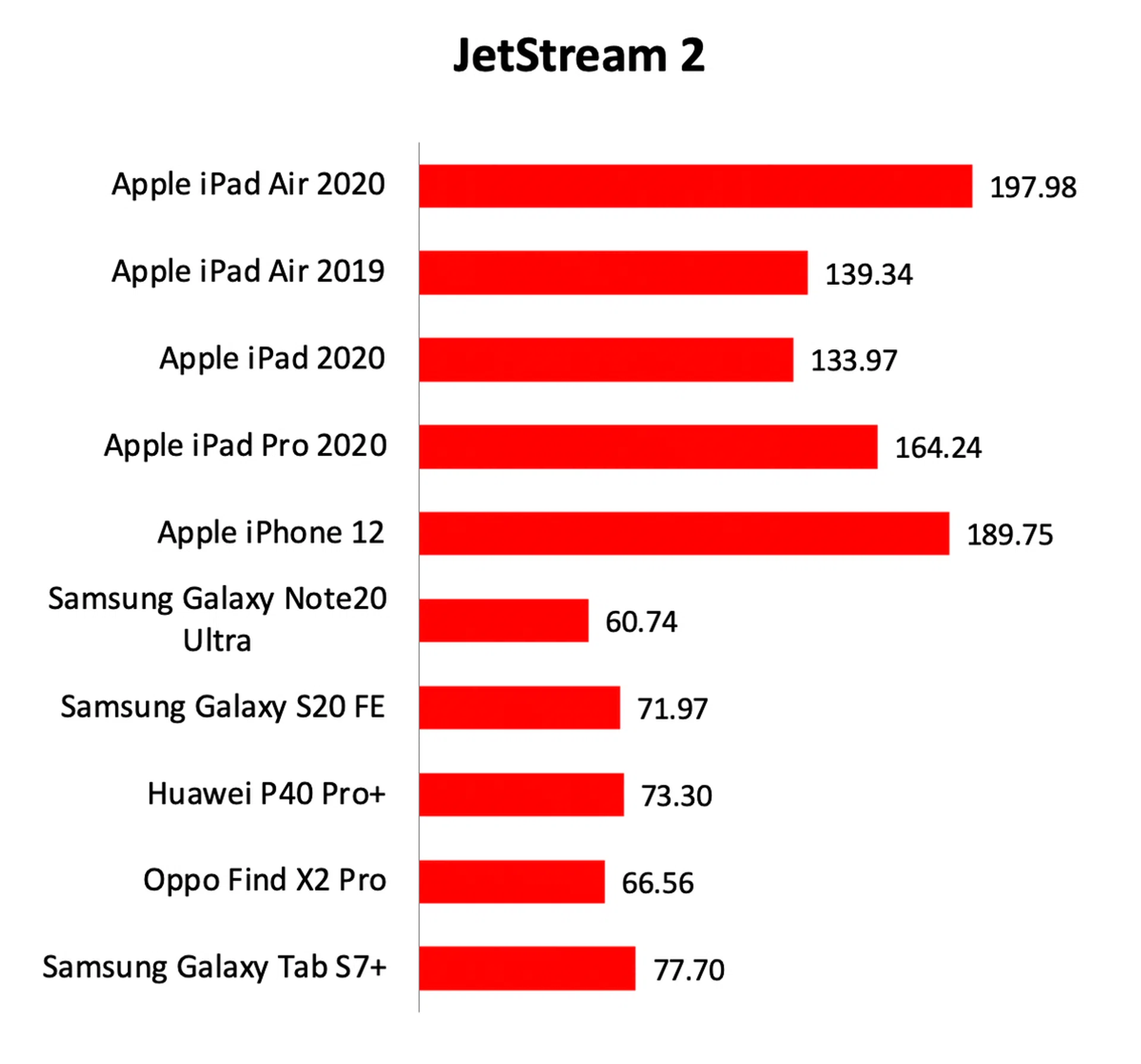
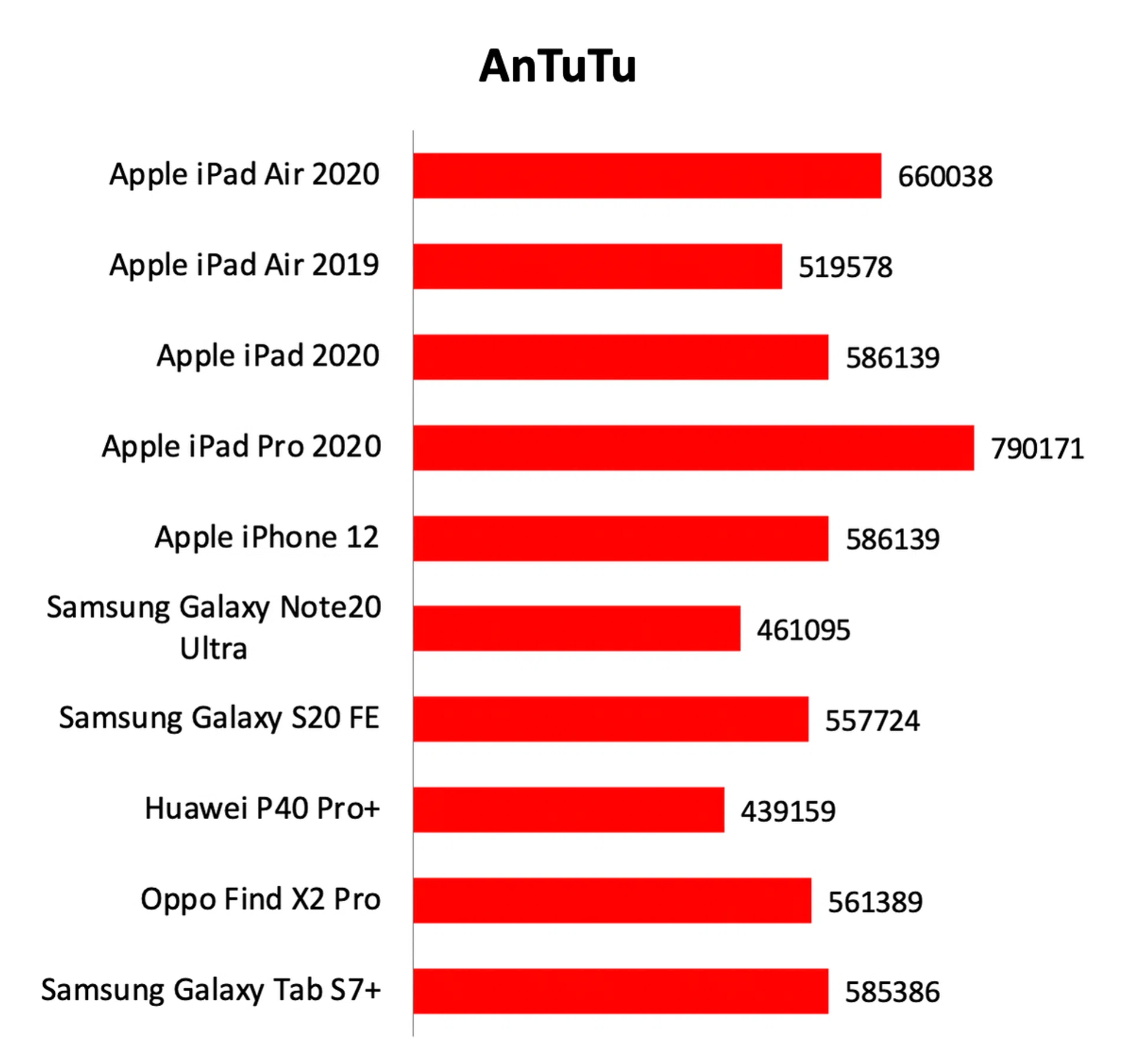
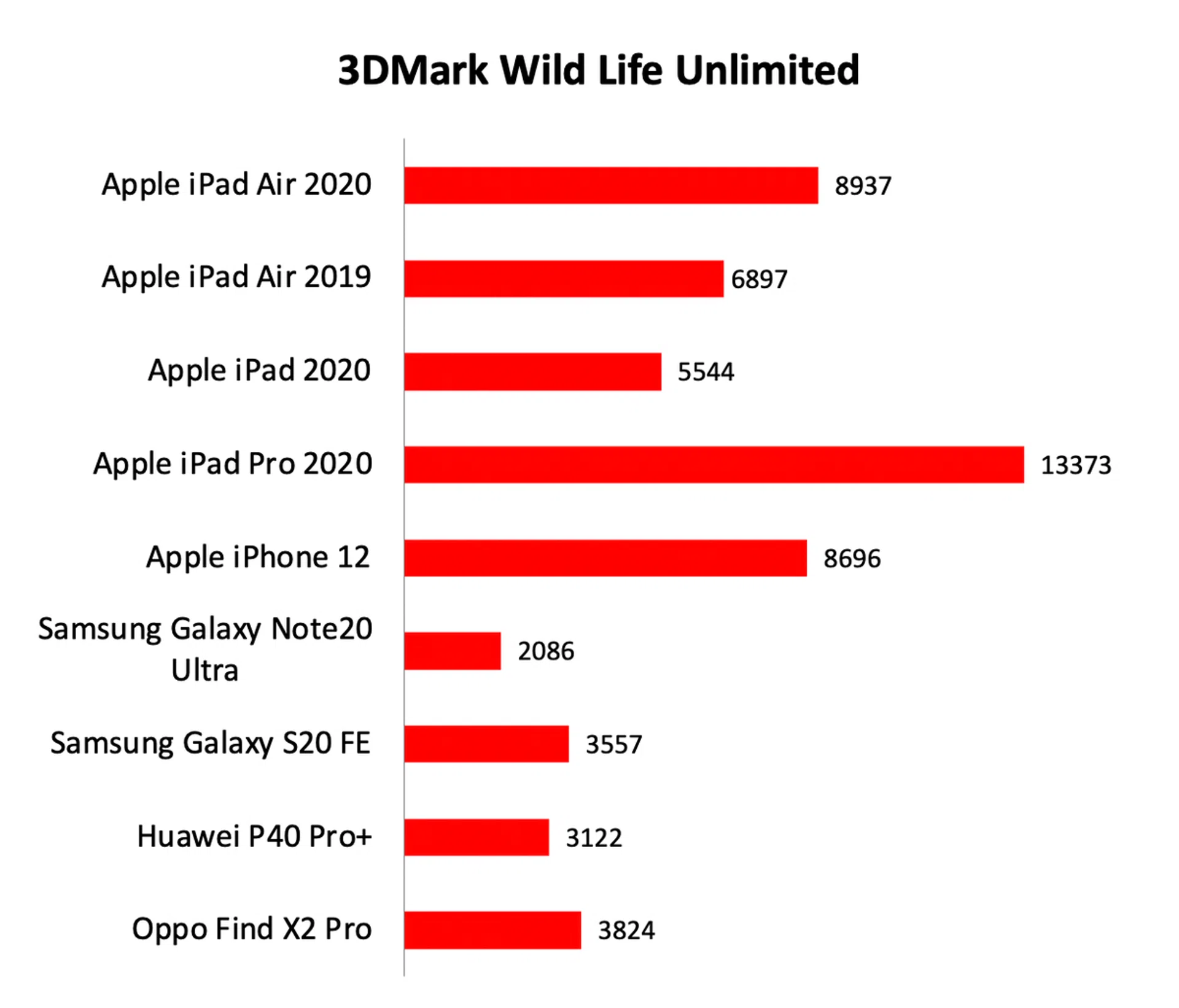
Looking at the charts, the new iPad Air offers very substantial increases in performance over its predecessor. It’s also a great deal faster than the entry-level iPad that was announced earlier this year. The iPad Pro still holds a lead in more categories but that’s to be expected given that its A12Z Bionic processor has more CPU and GPU cores than the iPad Air’s A14 Bionic processor.
Given that it’s powered by the A14 Bionic chip, it’s no surprise to see that the iPad Air ran rings around the latest Android hardware, including the Galaxy Tab S7+. The Galaxy Tab S7+ is arguably the most high-end Android tablet you can buy now but even it and its Snapdragon 865+ processor is no match for the iPad Air.

Battery life
Our standard battery test for mobile phones has the following parameters:
- Looping a 720p video with screen brightness and volume at 100%
- Wi-Fi and Bluetooth connectivity turned on
- Constant data streaming through email
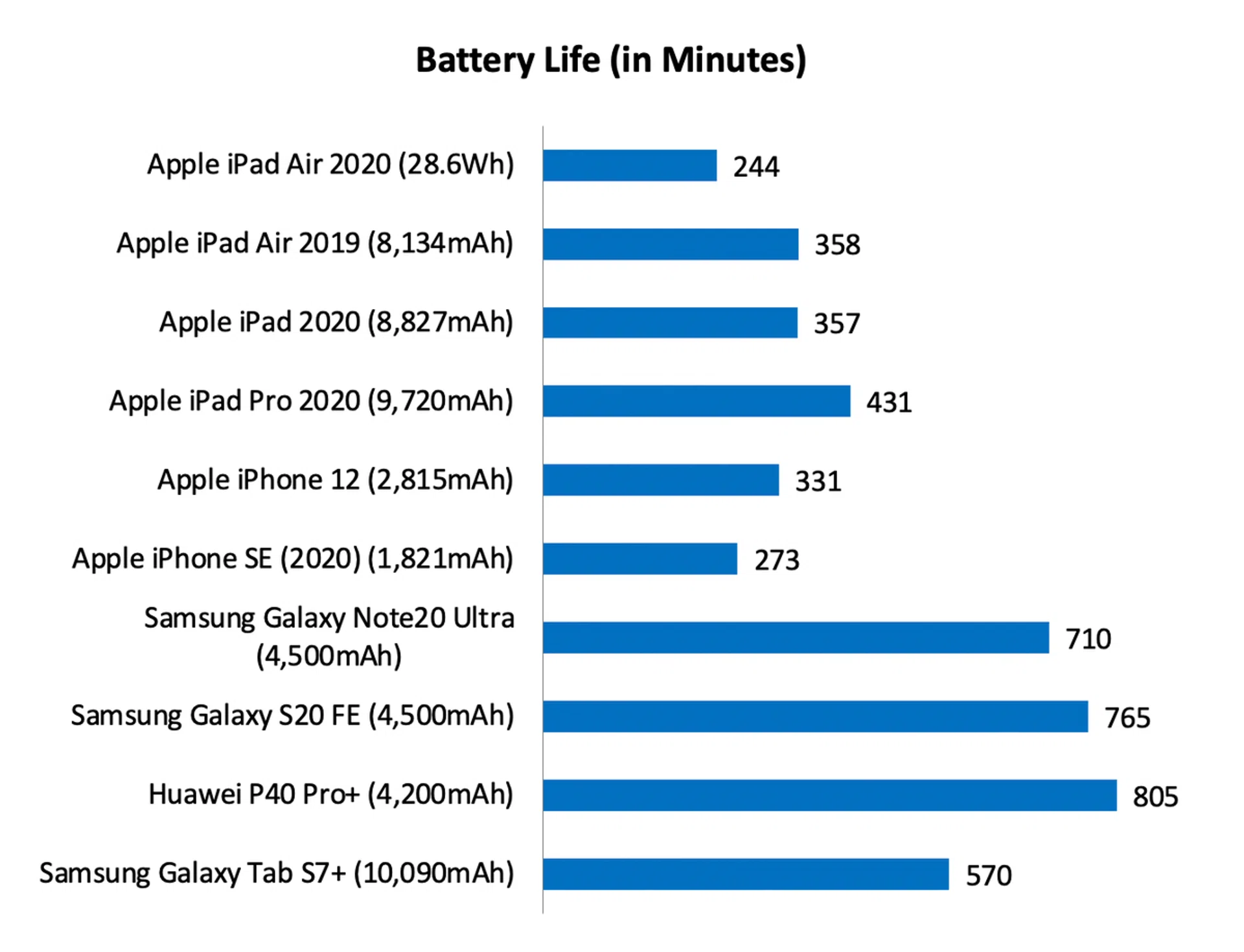
Firstly, I apologise that I’m using a different unit of measurement in the graph. Watt-hour is the spec quoted by Apple and without knowing the voltage of the battery, I’m unable to convert it to mAh to make it easier to compare. What you need to know is that the new iPad Air’s battery is smaller than its predecessor. It’s 28.6Wh vs. 30.2Wh which is about 5% smaller.
Combined with its larger 10.9-inch display, the new iPad Air lasted almost two hours shorter on our battery test. Granted, our battery test is pretty intensive, but that’s not an encouraging sign. It lasted a lot shorter than any other iPad. If battery life is crucial, a bigger tablet always help. The Galaxy Tab S7+ is a battery life champ, lasting over nine hours even with its display at maximum brightness.
In the real world, battery life was acceptable, though, again, noticeably shorter than other iPads I've used. I'm not on the iPad Air the entire day and when used to check and reply the odd emails, watching a bit of videos, and browsing the web, I could easily go two days (roughly 7 to 8 hours of screen time) before I needed to charge it – that's not too far off from Apple's official claim of 10 hours of surfing the web on Wi-Fi or watching video.
The best iPad for most people
To create the iPad Air, it seems like Apple has taken a long and hard look at the iPad Pro and stripped it down to its key ingredients. As a result, the new iPad Air is more an 'iPad Pro lite' than a souped-up basic iPad. This approach should be applauded.
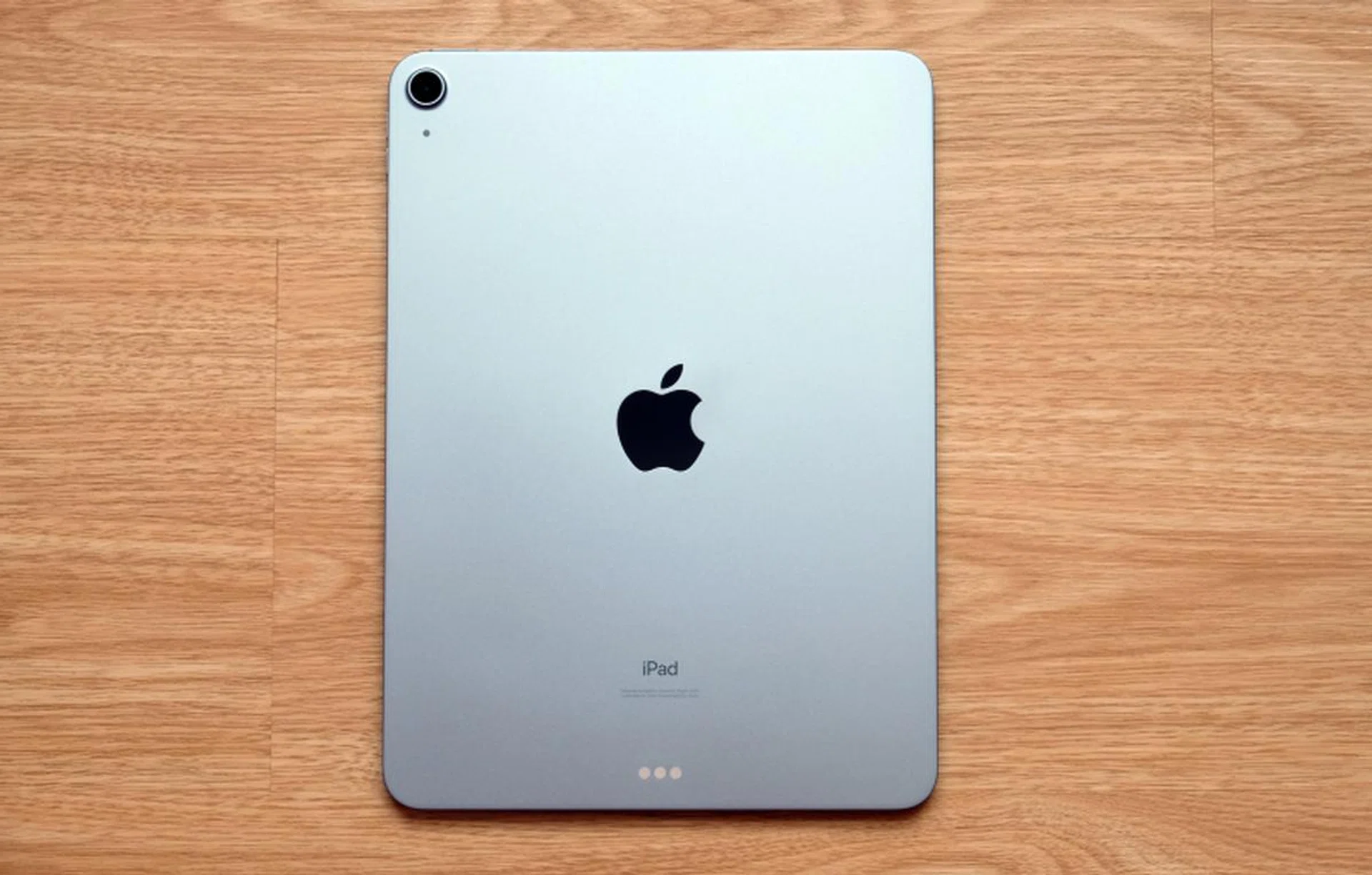
The iPad Air is probably the best iPad in the current lineup.
Be that as it may, it’s still quite expensive. Prices begin at S$879 and are up S$130 across all configurations compared to last year’s model. Fortunately, storage starts at a more reasonable 64GB instead of 32GB of the entry-level iPad. But even so, once you add a couple of accessories and you are looking at an outlay of well over a grand. It’s not cheap. But to be fair, a high-end Android tablet is going to set you back just as much if not more (the Galaxy Tab S7 starts from S$998).
Storage | Wi-Fi | Wi-Fi + Cellular |
64GB | S$879 | S$1,079 |
256GB | S$1,099 | S$1,299 |
Fortunately, the iPad Air delivers the goods. The design and form factor is great, the display is excellent, and the performance is superb. The old adage “you get what you pay for” holds water here. And I would argue that for a device that you are likely going to keep around and use for a couple of years (more than, say, a phone), it makes sense to get the best you can afford now so that you don’t have to upgrade as early.
If your budget stretches far enough, this is the iPad you should get. Just remember it doesn’t have Face ID.
Our articles may contain affiliate links. If you buy through these links, we may earn a small commission.