
Apple's new accessibility features include Eye Tracking, Music Haptics, Vocal Shortcuts, and more
These new features will likely debut in iOS 18 and iPadOS 18 later this year.
#apple #ios #ipados #accessibility

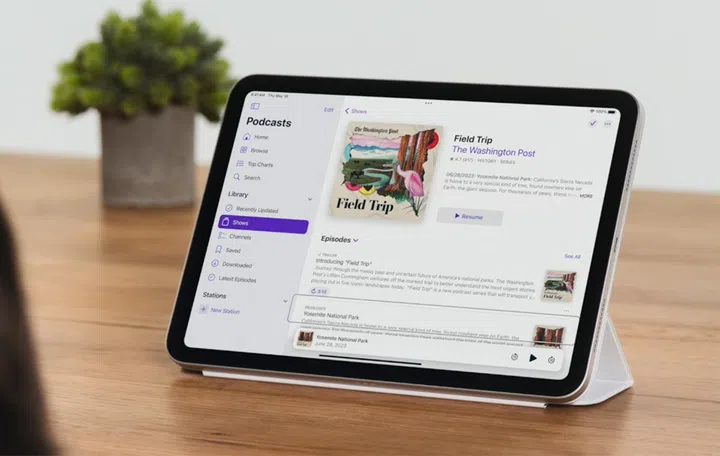
New accessibility features are coming. (Image Source: Apple)
Apple has announced a slew of new accessibility features coming later this year, including Eye Tracking, Music Haptics, Vehicle Motion Cues and more.
The accessibility features are introduced as part of Global Accessibility Awareness Day and make use of Artificial Intelligence and on-device machine learning to make devices more accessible for users with disabilities.
1) Eye Tracking
Using the front-facing camera of iPads and iPhones, Eye Tracking gives users a built-in option for utilising their devices with just their eyes. Powered by artificial intelligence, the Eye Tracking feature uses the front-facing camera to set up and calibrate. Furthermore, Apple has claimed that it will work across iPadOS and iOS apps without requiring additional hardware or accessories (see video above, it takes a while to load).
In the video demo, there was also a demonstration of Dwell Control which allows users to activate and use various elements of an app. The Eye Tracking feature will use on-device machine learning, with all data used to set up and control this feature will be kept on the device.
2) Music Haptics for songs

The API will be publicly available. (Image Source: Apple)
Music Haptics is a way for users who are deaf or hard of hearing to experience music on an iPhone. The feature leverages the Taptic Engine within the iPhone to play taps, textures, and refined vibrations to the audio of the music.
The Music Haptics feature will work across millions of songs in the Apple Music catalogue and will be available as an API for developers to leverage this feature and make music more accessible in their apps.
3) Vocal Shortcuts
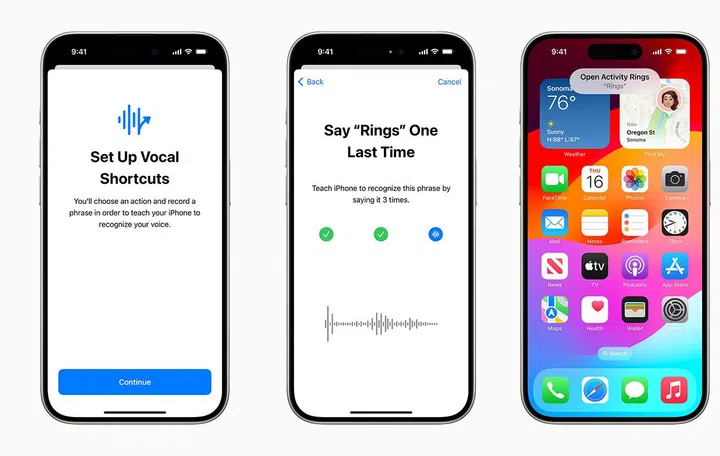
Use your voice to prompt for a shortcut. (Image Source: Apple)
Vocal Shortcuts allow users to assign custom sounds to perform tasks, while Listen for Atypical Speech enhances speech recognition for users with speech difficulties. With these features, users can now utter phrases such as “how hot” and Siri will launch relevant applications such as the Weather app to provide insight into the temperature and humidity. These features build upon existing accessibility options, providing greater customisation and control.
4) Vehicle Motion Cues

Hopefully you can use your devices while in transit now. (Image Source: Apple)
If you’re one to suffer from motion sickness easily when using your devices, it’s probably because of a sensory conflict between what you see and what you feel. With Vehicle Motion Cues, animated dots on the edges of the screen represent changes in vehicle motion to help reduce sensory conflict without interfering with the main content.
The feature uses sensors (likely the accelerometer and gyroscope) built into the iPhone and iPad to recognise when a user is in a moving vehicle and respond accordingly. The feature can be set to show automatically on the iPhone or can be turned on and off in the Control Centre.
5) CarPlay updates
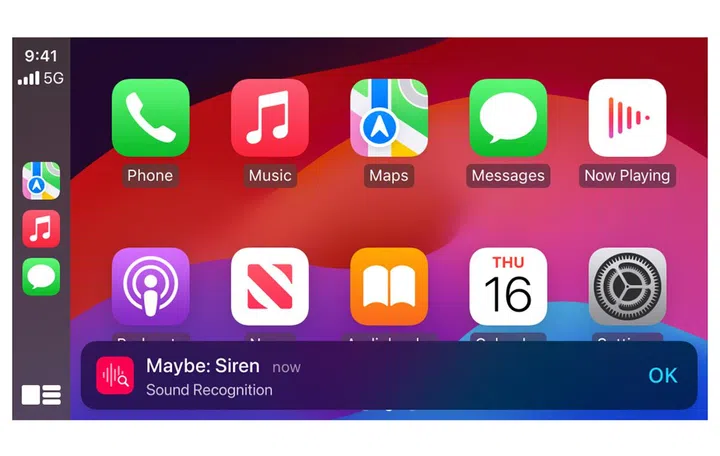
Voice Control now works in CarPlay. (Image Source: Apple)
Coming to CarPlay is Voice Control, which will allow users to navigate and control apps with voice commands. Sound Recognition alerts drivers or passengers who are deaf or hard of hearing to car horns and sirens. Colour Filters make the CarPlay interface more accessible for users with colour vision deficiency, accompanied by additional visual accessibility features like Bold Text and Large Text.
6) visionOS updates
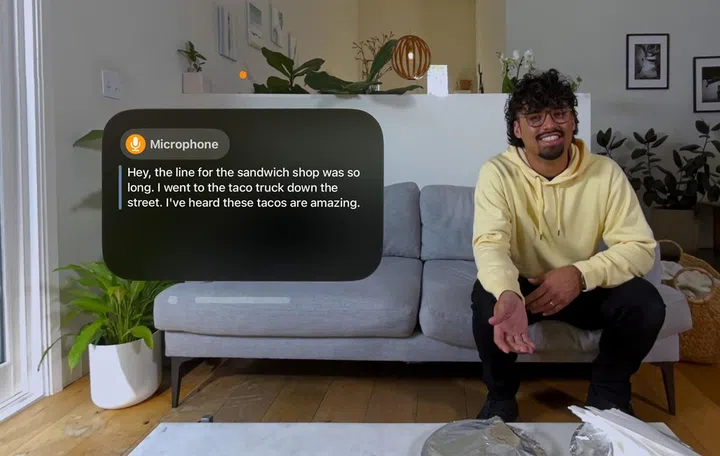
See Live Captions now when wearing the Apple Vision Pro. (Image Source:Apple)
visionOS will introduce systemwide Live Captions, enabling users who are deaf or hard of hearing to follow the spoken dialogue in live conversations and audio from apps. Live Captions for FaceTime in visionOS allow users to connect and collaborate using their Persona. Apple Vision Pro adds features like moving captions with the window bar during Apple Immersive Video and support for additional Made for iPhone hearing devices.
Additional Accessibility Features
Other updates include:
- VoiceOver with new voices, flexible Voice Rotor, and custom volume control
- Magnifier with Reader Mode and easy Detection Mode launch
- Braille Screen Input with Japanese language support and multi-line braille with Dot Pad
- Hover Typing for users with low vision
- Personal Voice in Mandarin Chinese for users at risk of losing their ability to speak
- Live Speech with categories and simultaneous compatibility with Live Captions
- Virtual Trackpad for AssistiveTouch and Switch Control with camera recognition
Availability
Though Apple had only mentioned that these features would be released later this year, they will likely be announced during the annual WWDC as part of iOS 18 and iPadOS 18.
As part of commemorating Global Accessibility Awareness Day, select Apple Stores will host free accessibility sessions, and Today at Apple group reservations are available for community groups to learn about accessibility features together. For more information, you can visit the Apple website here.
Our articles may contain affiliate links. If you buy through these links, we may earn a small commission.