
Nokia Lumia 925 - Setting An Example
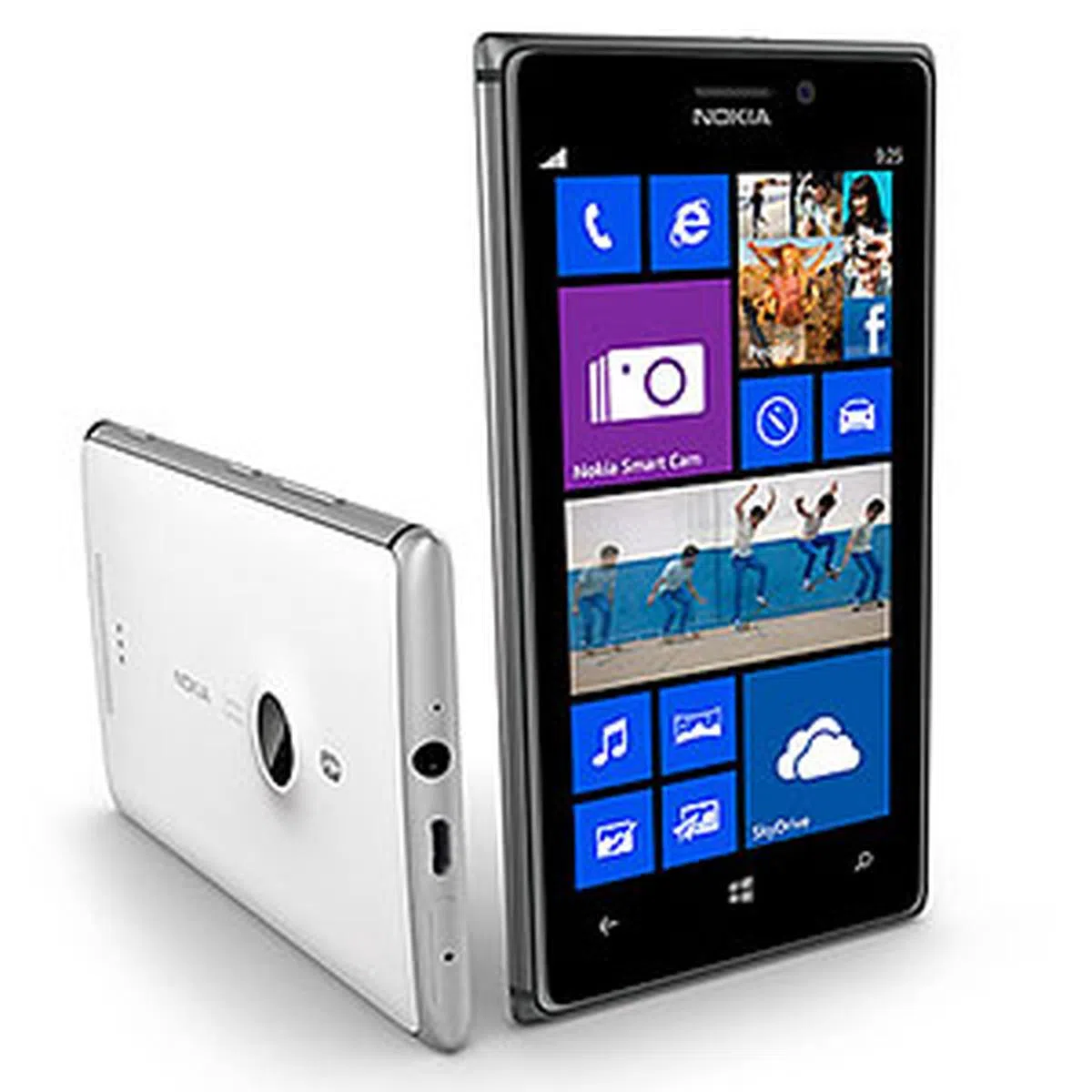
Wrapped in aluminum but with a polycarbonate back, the Lumia 925 comes eight months after the highly regarded Lumia 920. What else has changed; and more importantly, does the 925 live up to its PureView branding? We tell you in this review.

Nokia Lumia 925 - Just a Slimmer Lumia 920?
For a long time, the Nokia Lumia 920 was the best Windows Phone 8 smartphone out there, with a good screen, excellent build quality, beautiful design, and a massively improved camera (compared to the Lumia 900, that is). The updated Windows Phone 8 OS was also tastefully done, and is now generally accepted to be a credible alternative for those willing to look past Android or iOS.
But at a time when competing smartphones were getting bigger screens and ever slimmer enclosures, the Lumia 920 was (to many) too thick and too heavy. (Refresher: At that time, the Samsung Ativ S was about 20% thinner, and the HTC Windows Phone 8X was 30% lighter.) While some were able to overlook that bulkiness (in all likelihood, it's for the 920’s PureView camera and its built-in Qi wireless charging), it’s safe to assume that there were more who couldn’t. Of course, if one’s willing to go one rung down, there’s the much thinner Lumia 820, which sports the same processor but with longer battery life thanks to an AMOLED screen. But it also comes with a lower-res screen and a slightly inferior camera.
Which brings us to the Lumia 925, the heir apparent to the Lumia 920 flagship. If you think that the slight bump in model name suggests few and incremental changes, you’re right. But these handful of changes are no less important, with many of them addressing the key weaknesses of the 920. Let’s take a look at how they compare, specs-wise:
 |
|
Design & Hardware
(Note: We’ve done a hands-on with the Lumia 925, so we’ll summarize the key points here instead of going into great length again.)
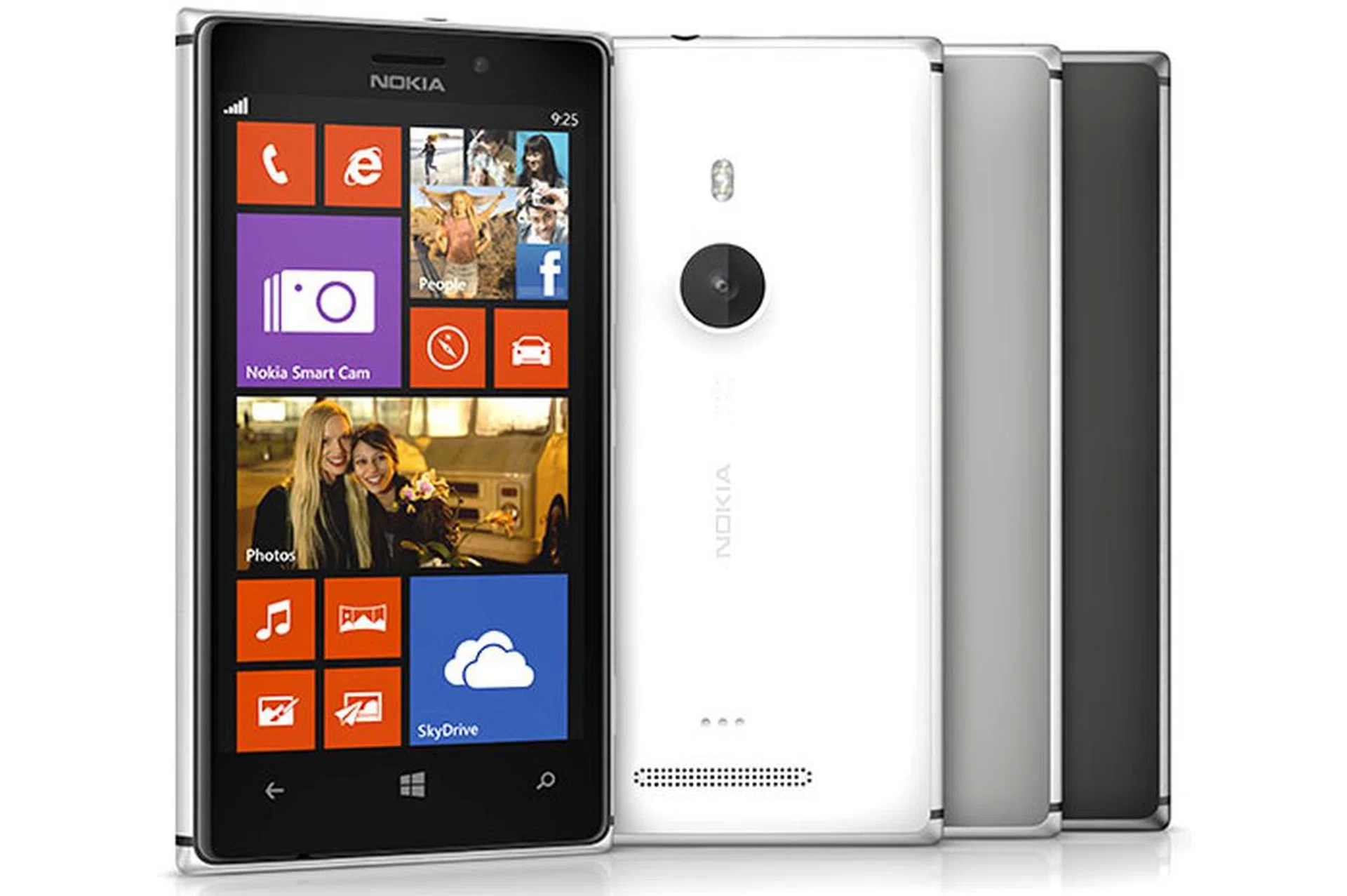
Outwardly, Nokia has ditched (partially) the thick and heavy polycarbonate monoblock that the Lumia line is known for in the 925. The phone now uses a combination of a polycarbonate rear and an aluminum frame (which also doubles as the antenna). Since the latter wraps around the sides of the phone, your finger tips will inevitably come into contact with the metal as you grip or pick up the phone, immediately giving you the impression that you’re holding a premium device. It’s a clever way of making an luxurious-feeling phone without resorting to an aluminum unibody. And perhaps in an attempt to highlight the material change, the 925 only comes in three color configurations: black (both frame and back), silver frame with gray back, and silver frame with white back. Want some colors? Getting a snap-on wireless charging case is one option.
And then there’s the size and weight of the 925: It’s about 20% thinner (8.5mm vs. 10.7mm) and 25% lighter (139g vs. 185g) than the 920. If chunky is the word to describe the 920, the word for 925 is svelte.
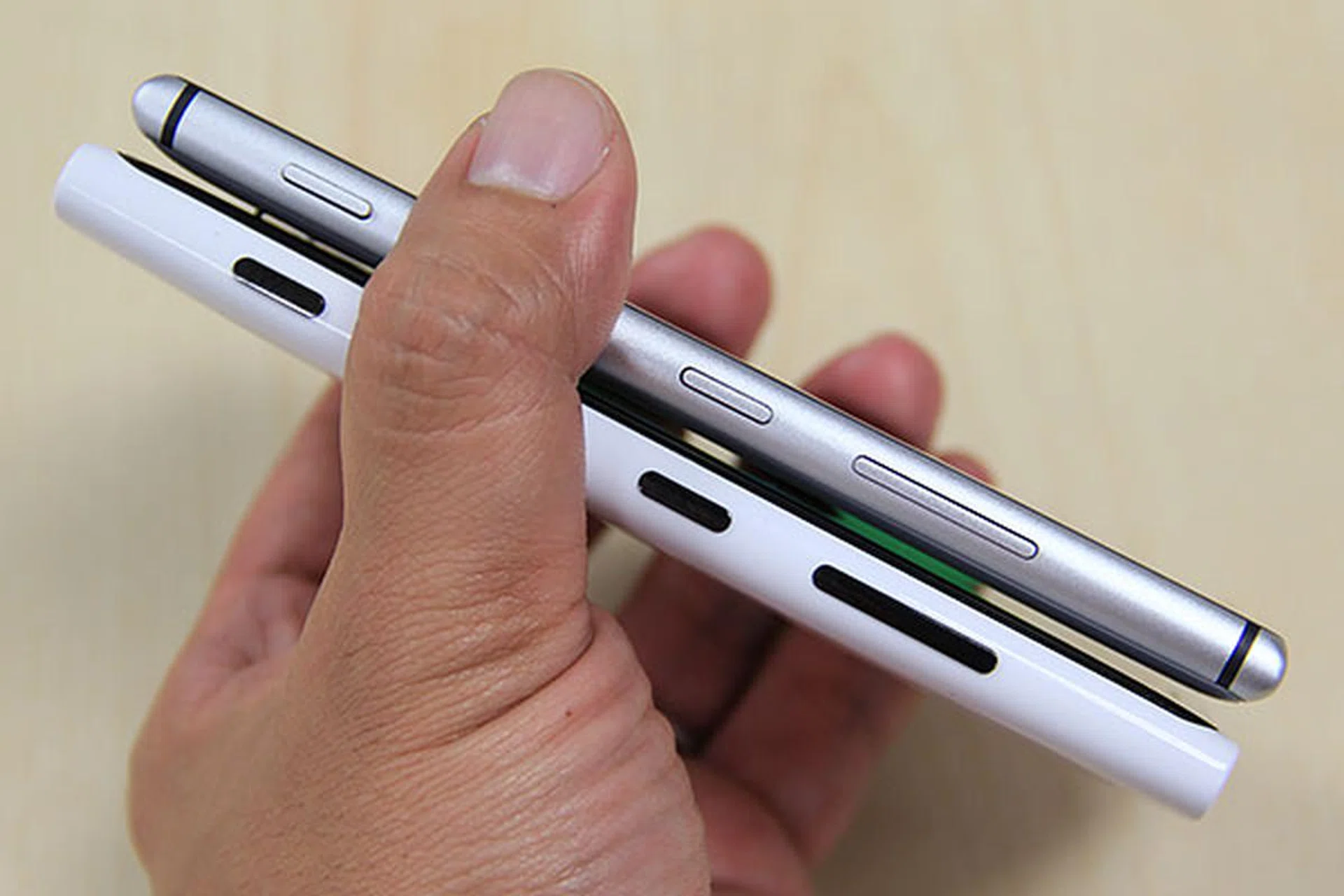
Thinner, lighter, and with a metal frame, the Lumia 925 feels heaps better in our hands than the 920. Similar controls (from left: shutter, power, volume) are found on the right side of the phone.
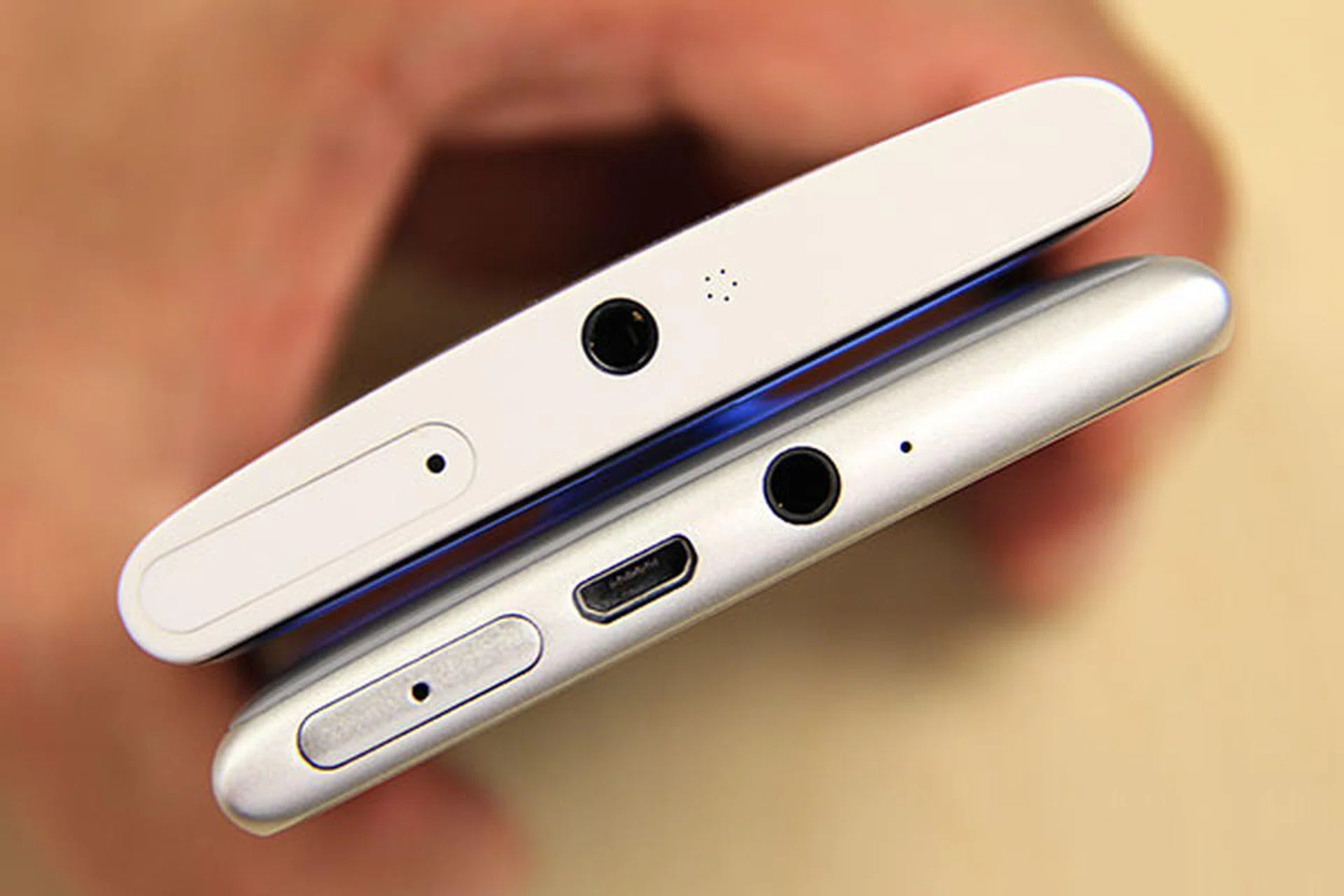
The micro-USB port has now shifted to the top of the phone. Here, you can also see the micro-SIM slot, 3.5mm audio jack, and the secondary microphone. And nope, there's no microSD card slot.
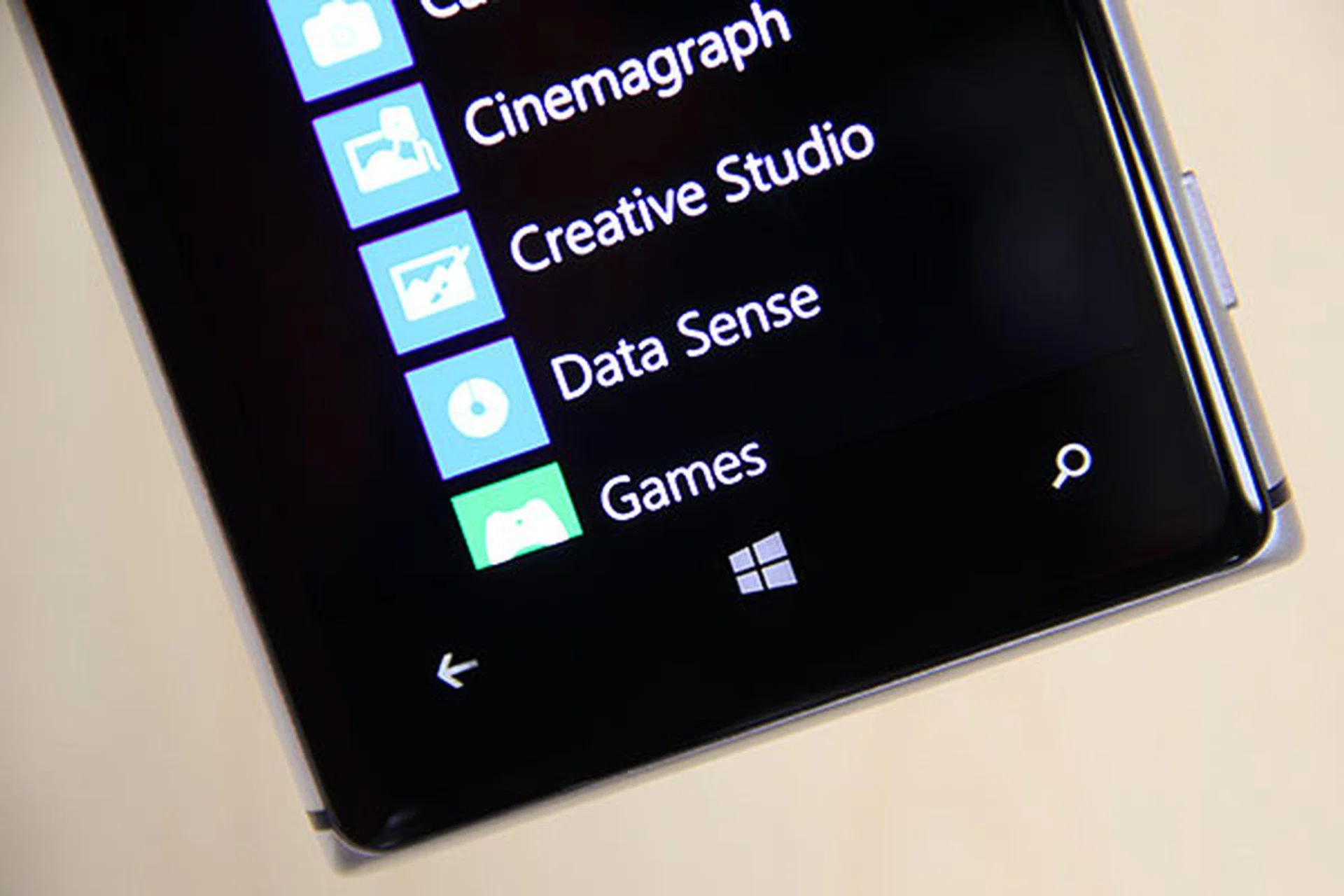
Towards the bottom of the screen sit three capacitive buttons for Back, Home, and Search functions. You can't see it here, but along at the bottom edge of the screen, there's a pinhole that hides the main microphone.
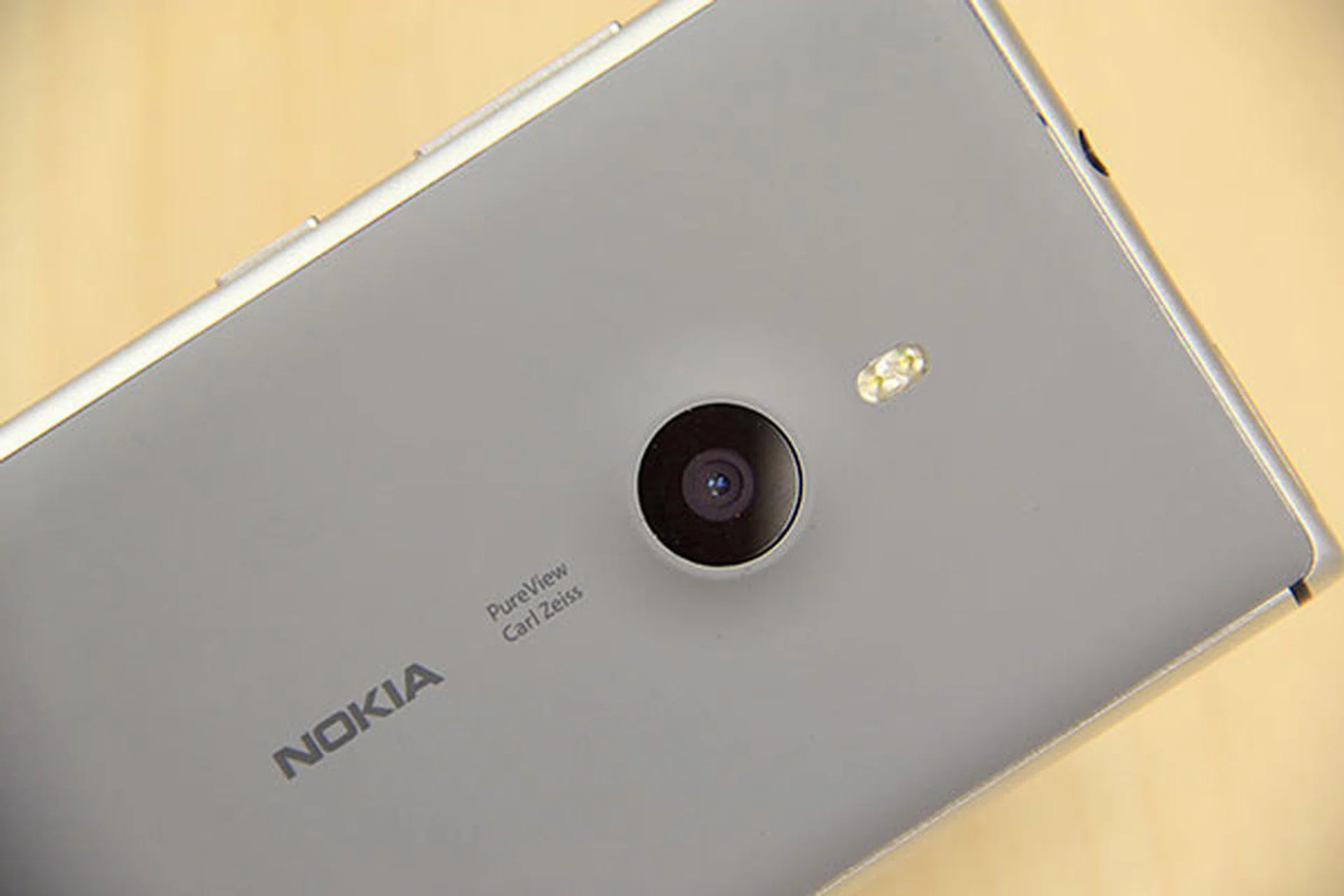
PureView and Carl Zeiss brandings are prominently featured on the polycarbonate back. Above the circular camera lens is the dual-LED flash.
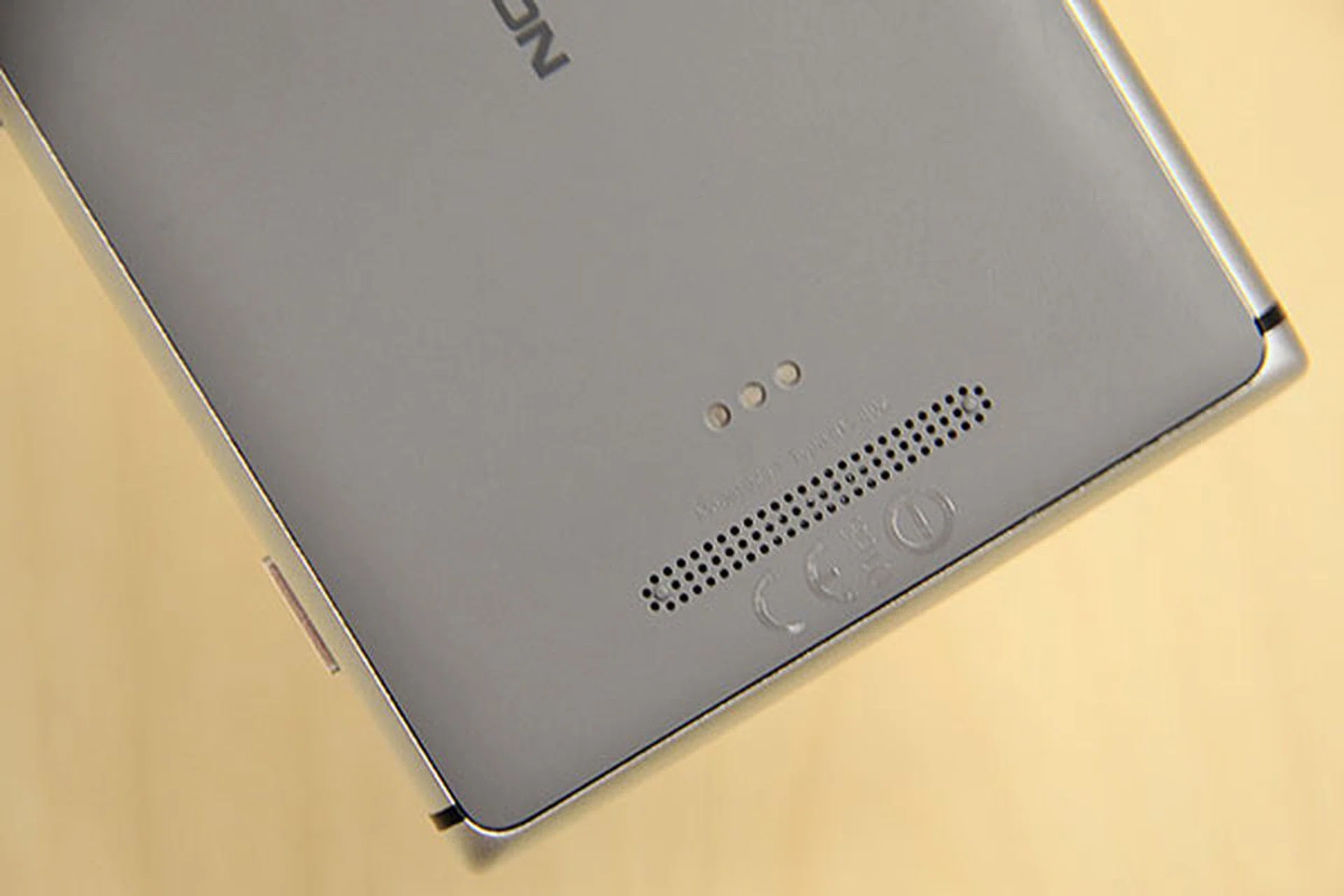
One reason why the Lumia 925 is thinner than the 920 is because it doesn't have the Qi wireless charging built-in. You can always buy a wireless charging shell; hence the pogo pins at the back of the phone.
4.5-inch AMOLED Screen
The Lumia 925 comes with a Gorilla Glass 2-protected 4.5-inch screen that packs 1,280 x 768 pixels, the same as the 920. But the display tech is different: AMOLED on the 925 versus IPS LCD on the 920. The switch to the thinner AMOLED panel is another reason why Nokia is able to slim the 925 down so much. If you’ve used a Samsung Galaxy smartphone with an AMOLED screen before, you’ll know how it looks like: Colors are very vibrant, and seem to jump out at you. Coupled with super-deep blacks and superb contrast, it’s the perfect match for a Windows Phone 8 interface that’s choked full of colorful tiles and black backgrounds. On a black 925 especially, the near edge-to-edge screen is stunning.
Those who like to tick checkboxes in a specs list will be quick to point out that the display doesn’t have a full HD resolution (as it currently stands, Windows Phone 8 doesn’t support it yet, so there’s nothing Nokia can do), and it uses a PenTile sub-pixel layout. To that, we'll say that for most people, there’s no meaningful difference. Pixel density is still high for its size (332ppi), which means screen graphics maintain good sharpness. And unless you’re a pixel peeper, you shouldn’t notice any fuzziness.
More importantly, the screen reacts very well to touch, even if you’re wearing gloves. It goes pretty bright too; this along with Nokia’s anti-reflection ClearBlack screen tech means that legibility under bright sunlight is also very good.
Lumia Color Profile
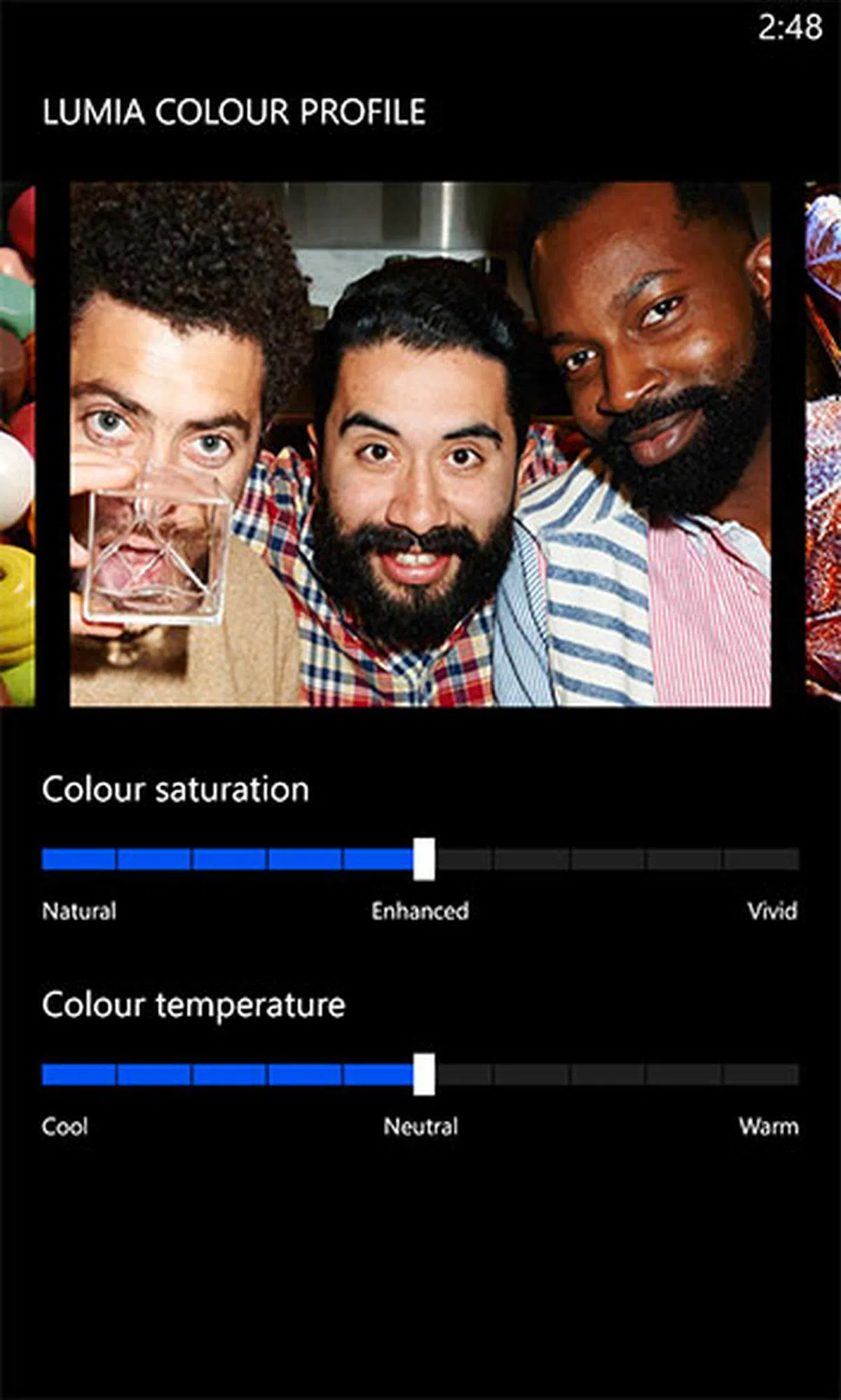
But that’s not all. Remember we say that AMOLED screens have very saturated colors that seem to pop out at you? Some people don’t like that. In the Lumia 925, there’s a feature that not even the Samsung Galaxy S4 has: color profile. More specifically, there are 11 color saturation and 11 color temperature levels to choose from. Want less vivid and more natural colors, or find a picture to look bluish and want to bring more warmth into it? Then check out this Lumia Color Profile setting (under Settings app > System > Display+Touch > Display).
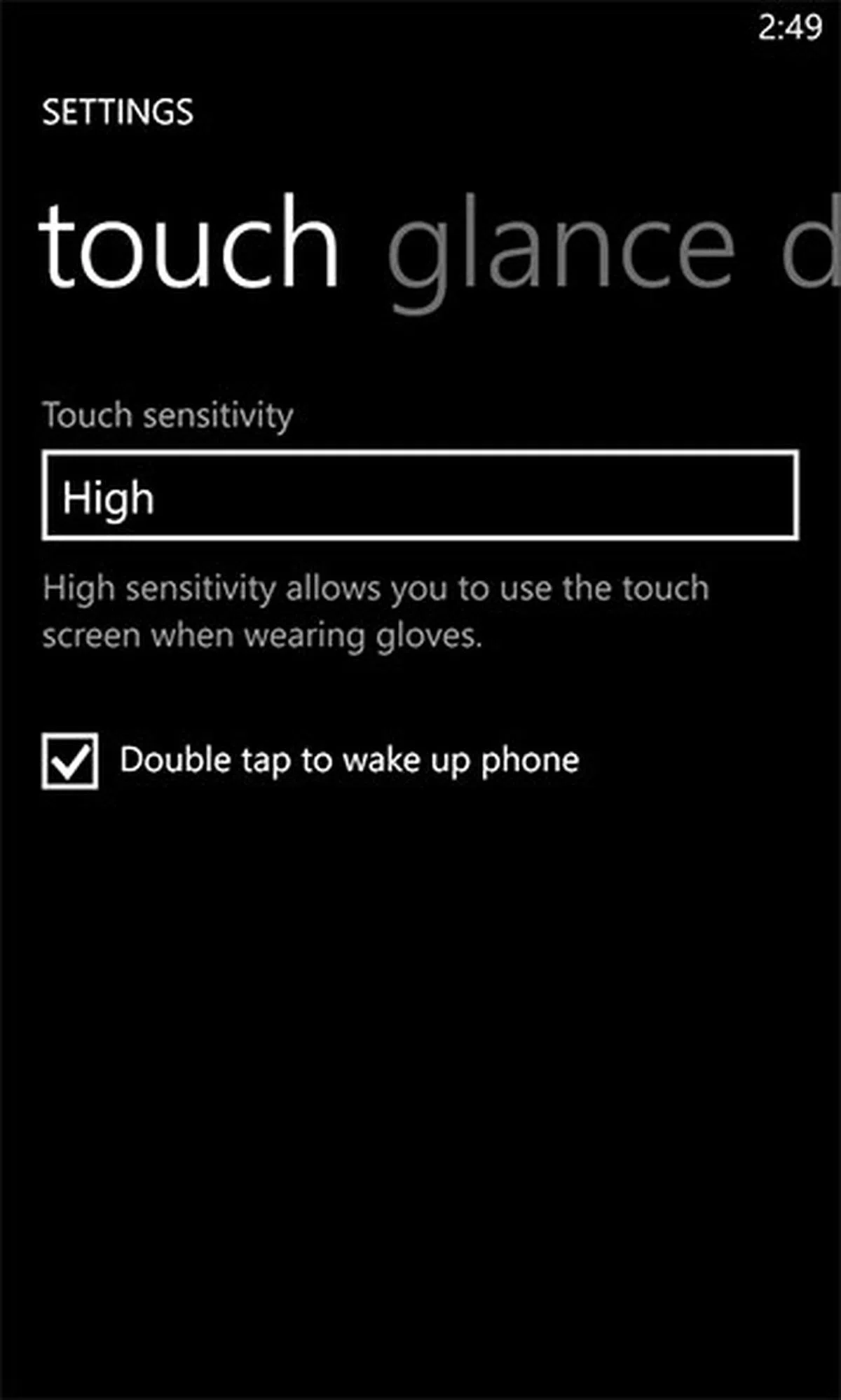
By the way, in the Touch settings panel, you now have to option to double-tap to wake up the phone.
 |  |
Glance Screen
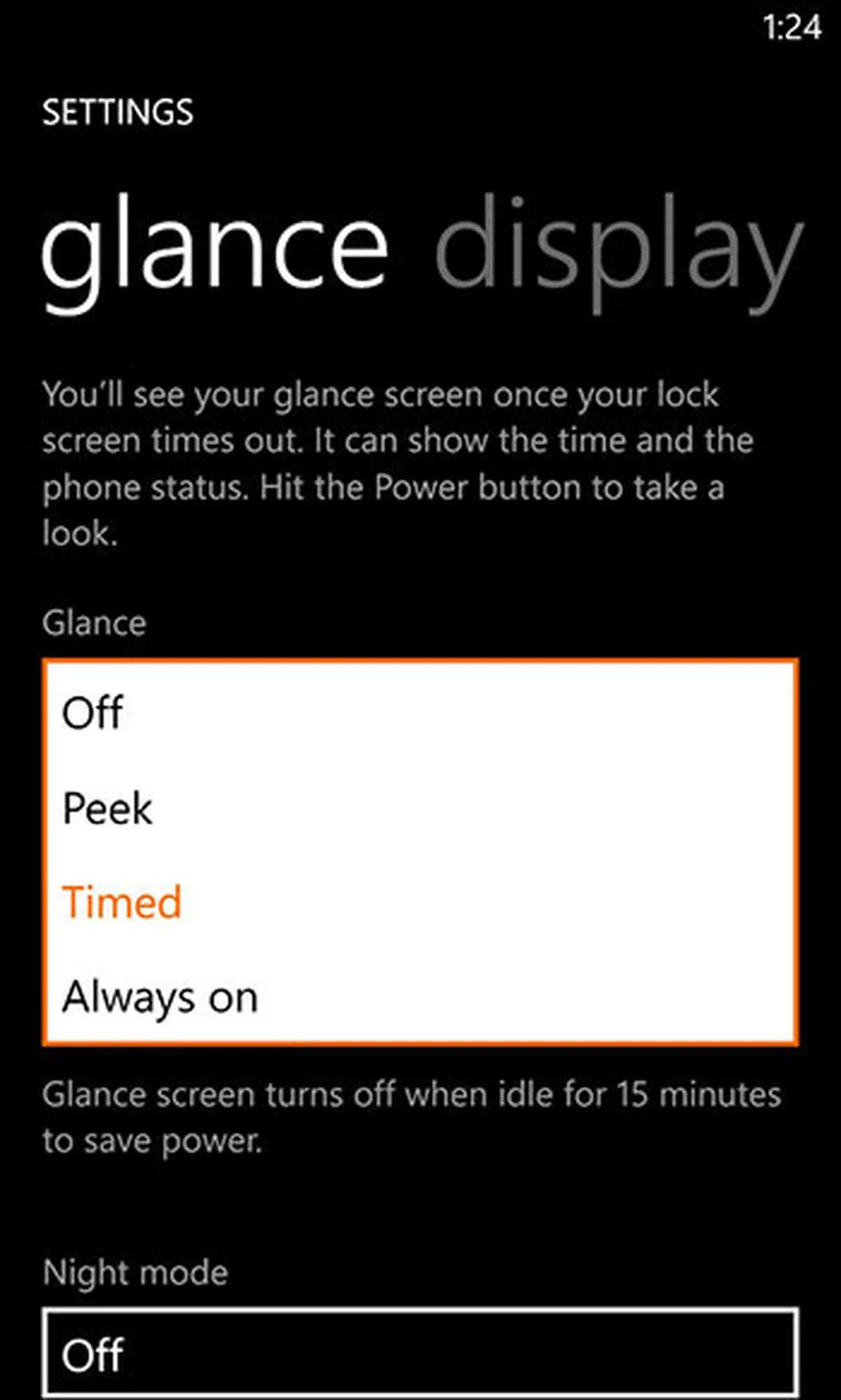
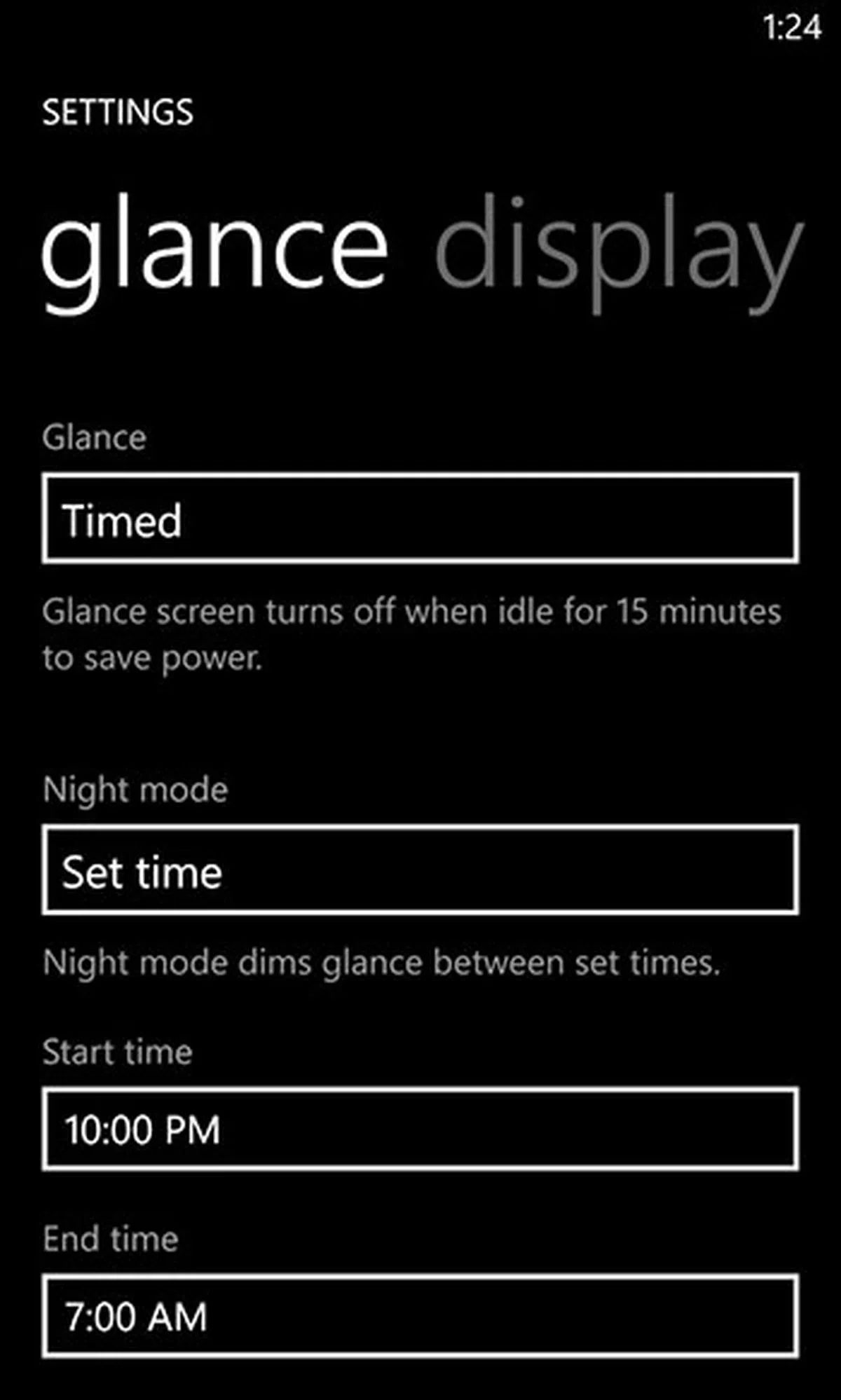
And last but not least, there’s Glance Screen (under Settings app > System > Display+Touch > Glance), which displays a clock on the screen when the phone is in standby mode. (Long-time Nokia phone users will remember this feature in AMOLED-equipped Symbian phones.) By default, Glance Screen is set to Timed (which means it turns off after 15 minutes of inactivity), but you can change it to Always On. Power consumption should be very low for this always-on display clock, since the AMOLED screen ensures that unused pixels are switched off. And to say that this is an always-on clock isn’t entirely accurate either. We discovered that accelerometer, ambient light, and proximity sensors info are also used to determine if this clock should come on. For example, when we took out the phone after putting it in a drawer for a while, we noticed the whole screen was off. But moments later in the light, the clock appeared. Also, the clock disappeared five seconds after we covered the proximity sensor.
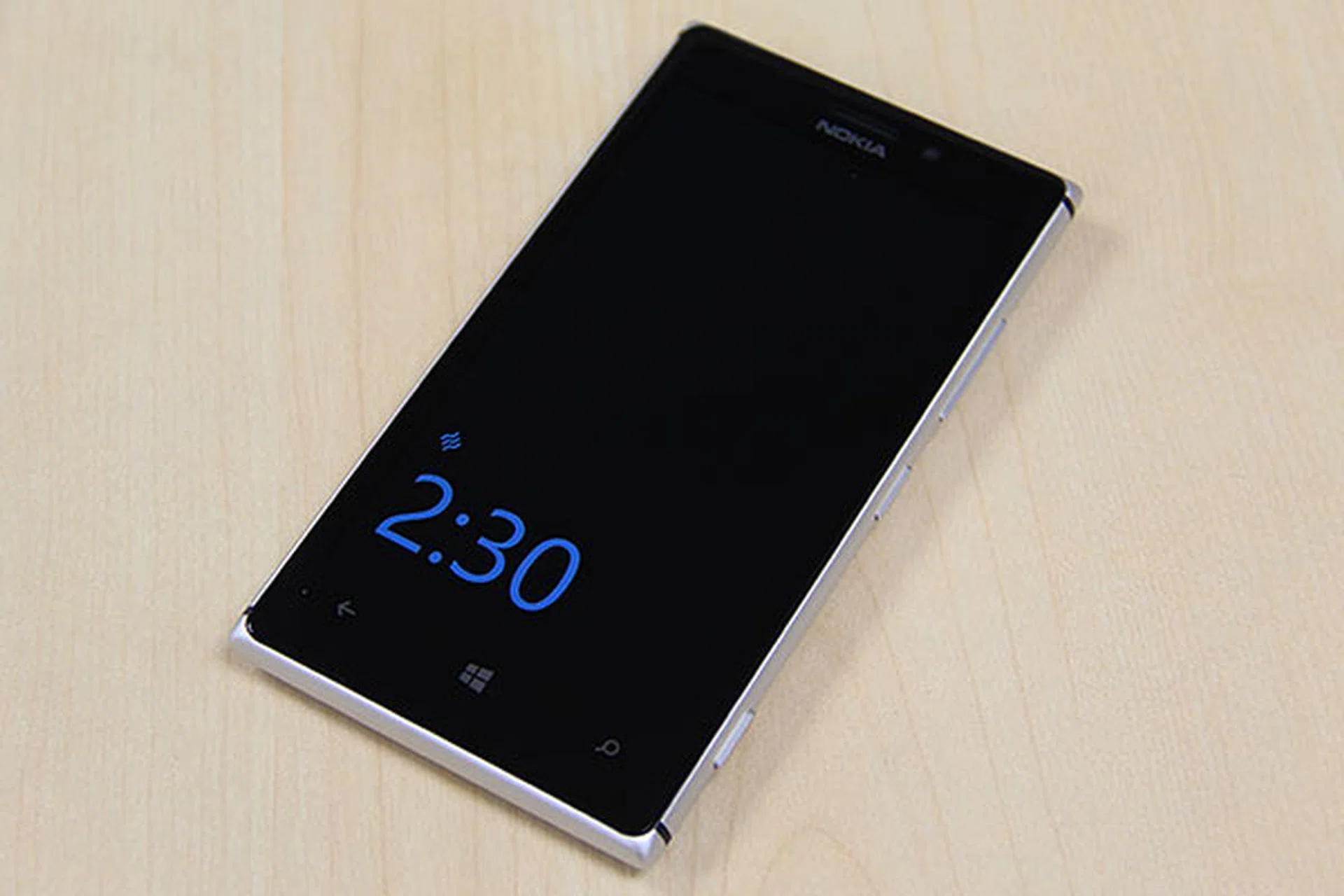
Yes, in the grand scheme of things, Glance Screen is a small feature, but we like it - especially for this reviewer who likes to check the time but doesn’t wear a watch. And if you’ve the latest Display+Touch update, there’s now a Peek option that lets you turn on Glance Screen when you hover your hand over the display, a la the Samsung Galaxy S4's Quick Glance function.
 |  |
Sadly, you can’t see notification icons (for things like missed calls, messages, and email) in Glance Screen, though you can see them in the standard lock screen. Hopefully, this and the old Sleeping Screen feature which allows for custom graphics will arrive in a future update.
Windows Phone 8 GDR2 & Lumia Amber Updates
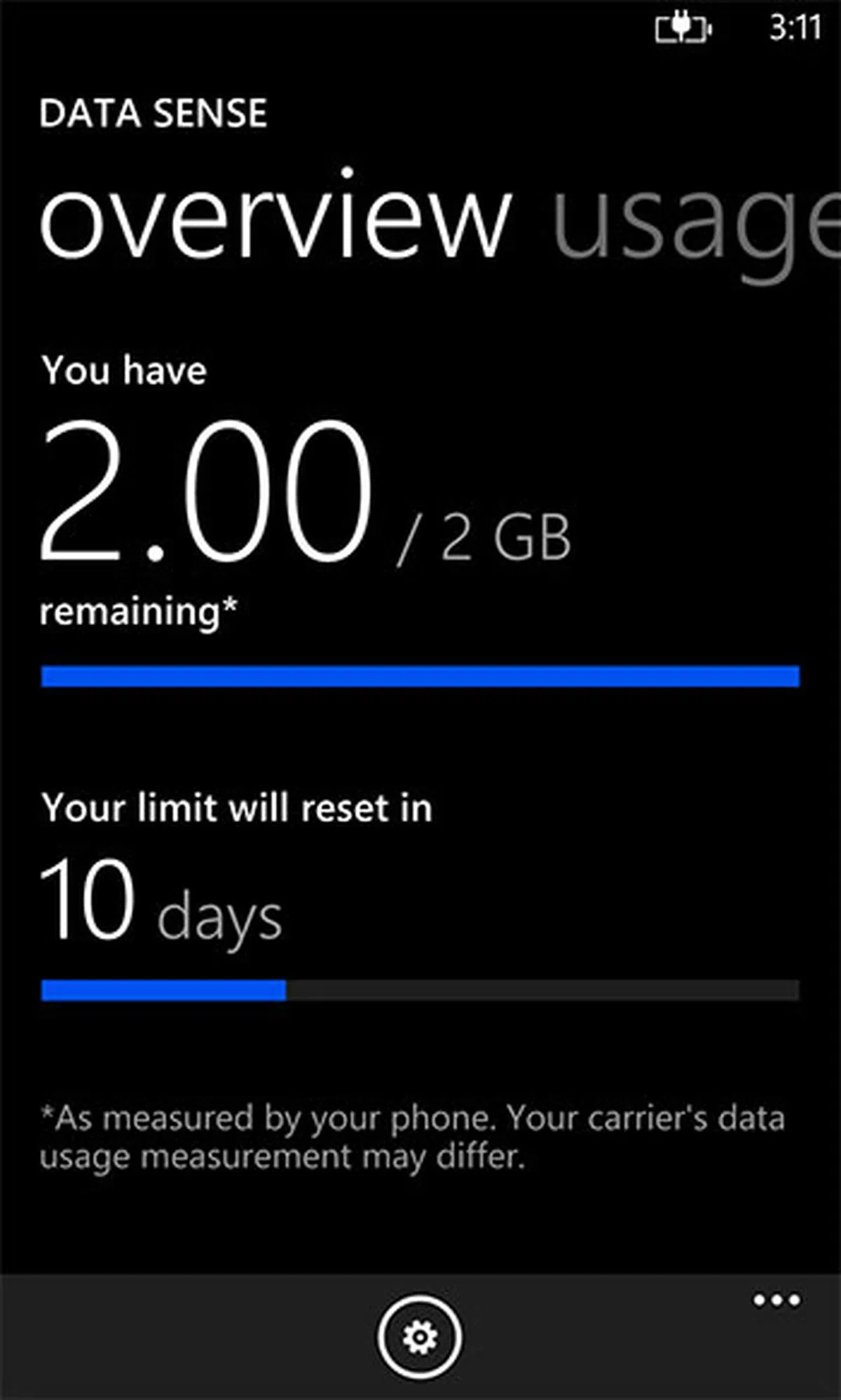
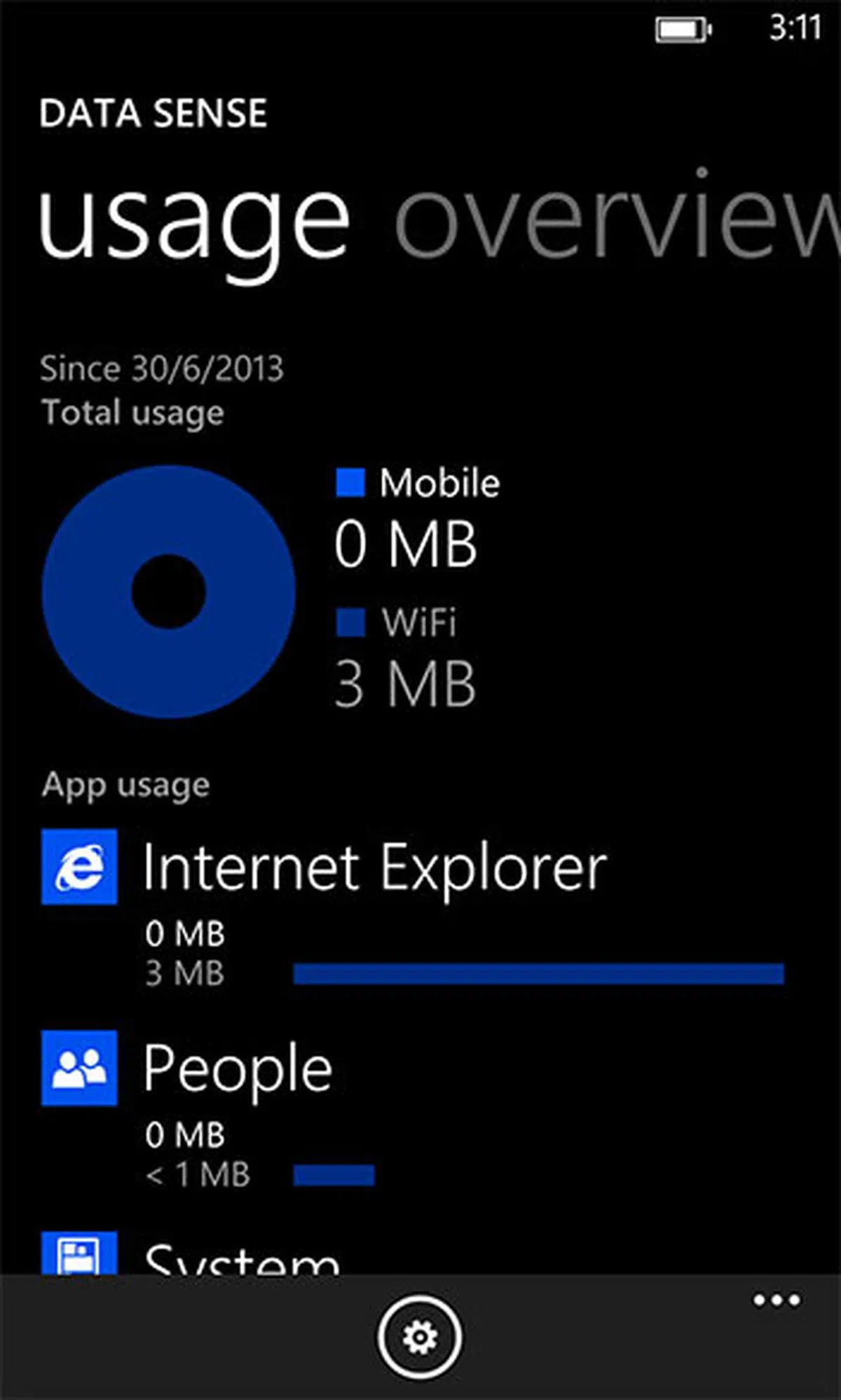
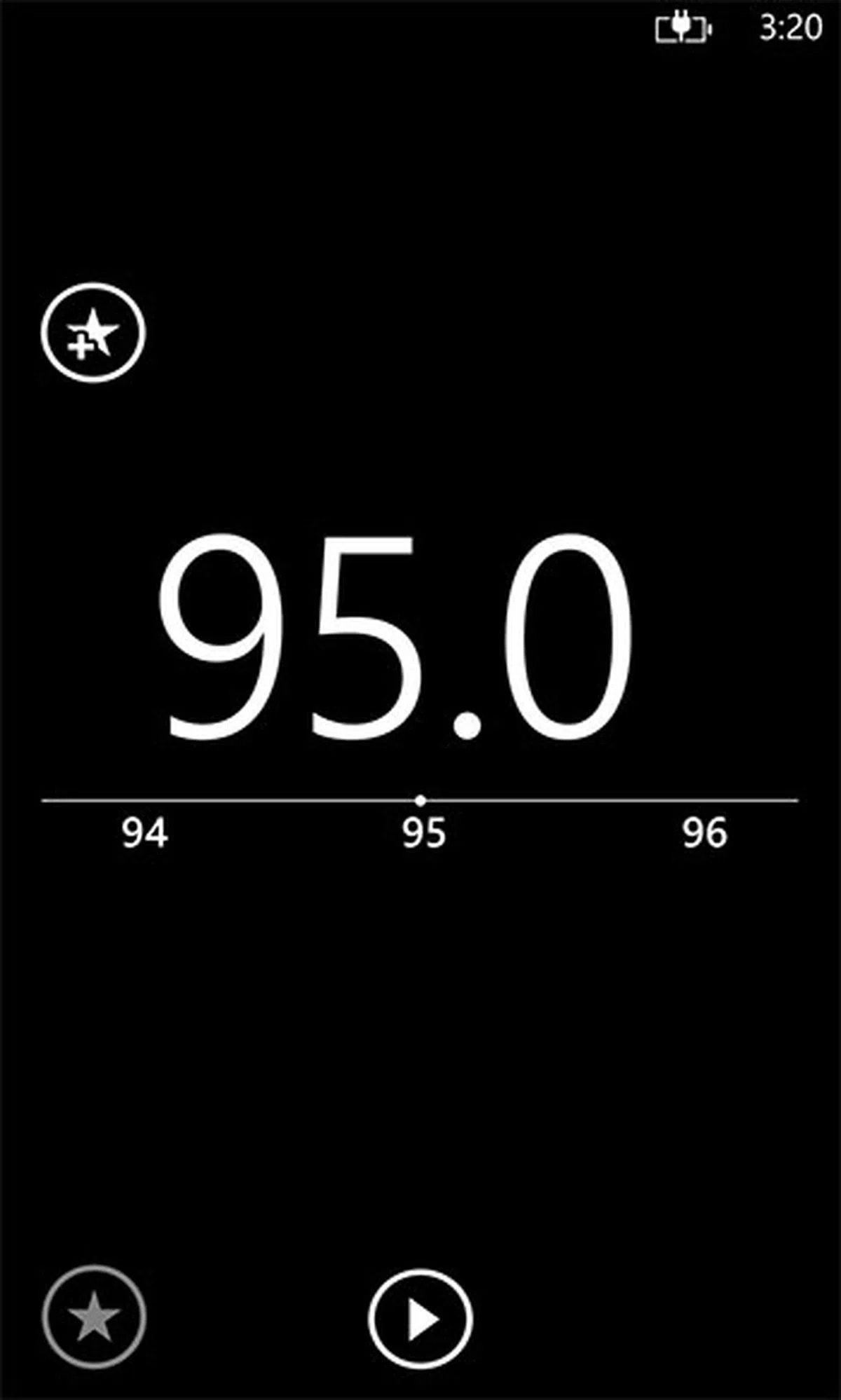
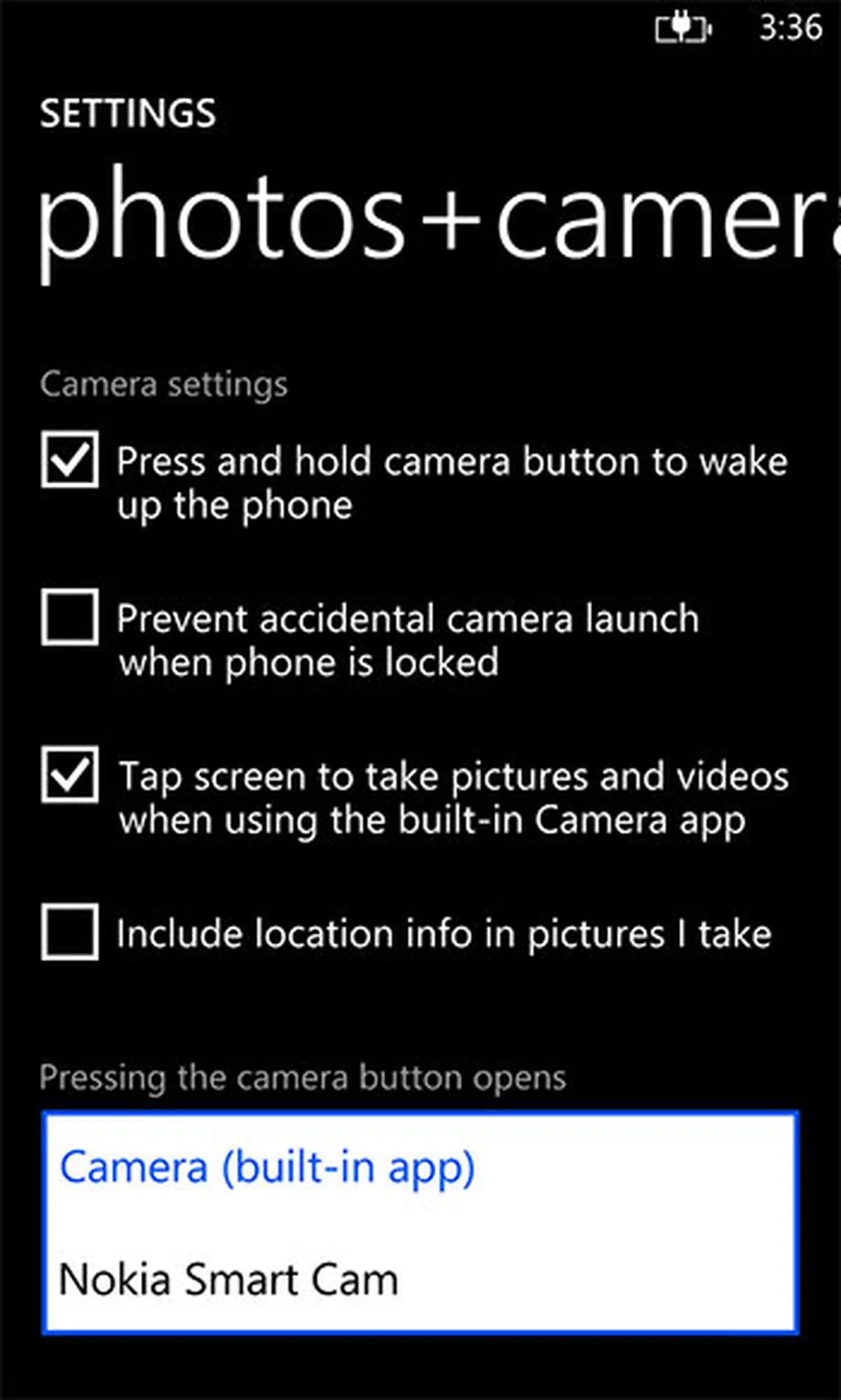
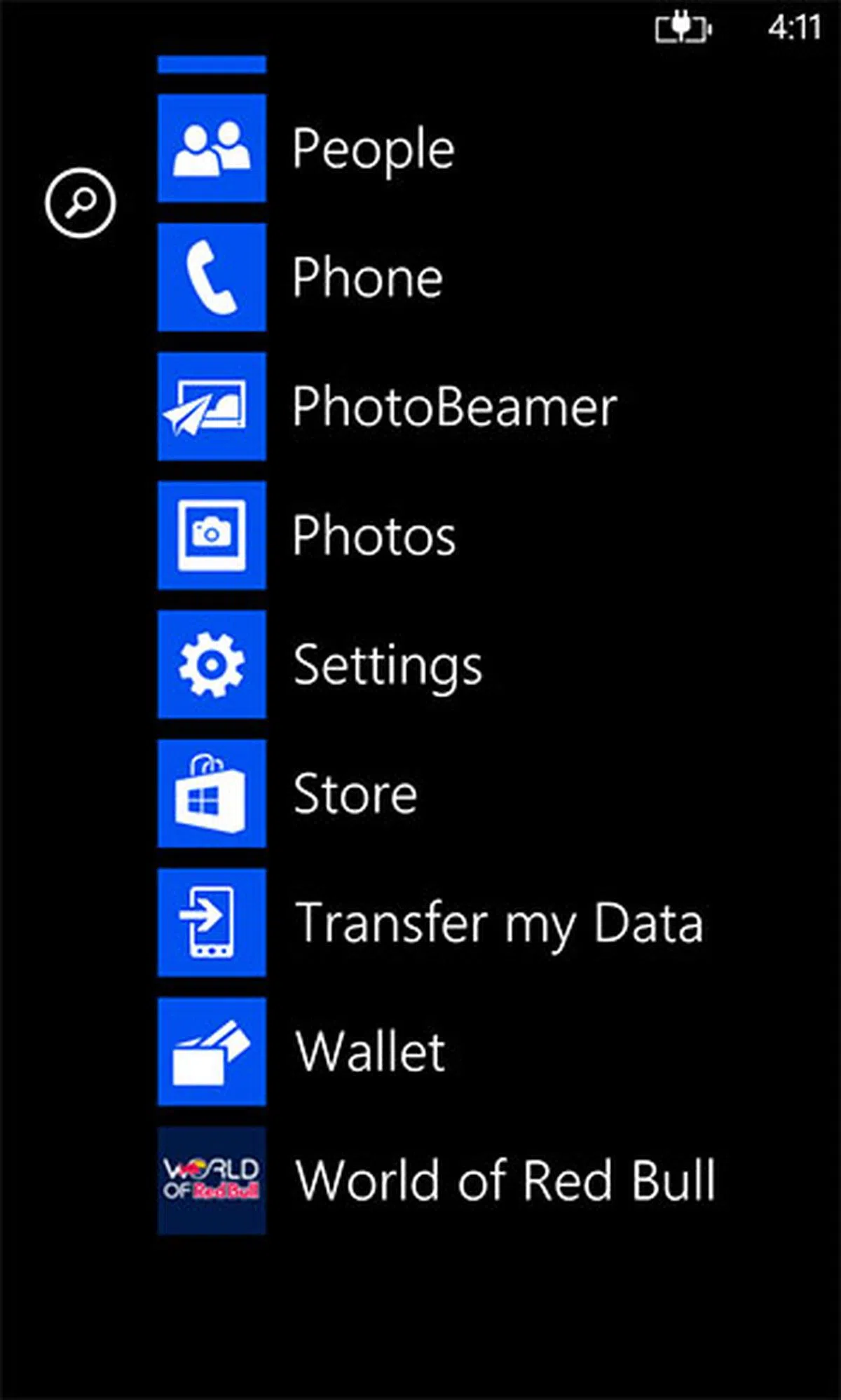
GDR2 (General Distribution Release 2) or Windows Phone Update 8.0.10327.77 or 8.0.10328.78 is the latest OS update for Windows Phone 8 devices; and as we speak, it’s started to roll out to certain devices. It features Data Sense, which lets you keep track of your phone’s data usage, as well as compresses data in Internet Explorer 10 to keep data usage down; an FM radio; improvements and fixes for Xbox Music, Skype, and IE; the ability to set another app as the default camera app; and support for Gmail’s CardDAV and CalDAV. You can see the change log here.
Out of the box, the Lumia 925 already comes with the GDR2 update, which is part of Nokia’s own Lumia Amber update. The latter also includes Lumia-specific features, such as the Glance Screen and double-tap-to-wake features we talked about earlier, a Data Sense app, a Nokia Smart Cam app, and some imaging tweaks (more on this later). The 925 is the first Lumia to get this Amber update, which will also be rolled out to most of the other Windows Phone 8-running Lumias in the near future. So if you’ve say, a Lumia 920, after the update, you won’t be missing out much software-wise, compared to the 925.
 |  |
 |  |
 |  |
Of course, since this is a Nokia handset, we’ve Nokia apps like Here Maps, Here Drive+ (Beta), and Nokia Music. You can get an idea of what they do in our Lumia 920 review, so we won’t repeat it here. For those new to Windows Phone 8, you can check out some of the OS’ key features here to get the gist of it. For existing Lumia users, the Amber update doesn’t change the UI side of things much, so you should feel right at home.
PureView Camera
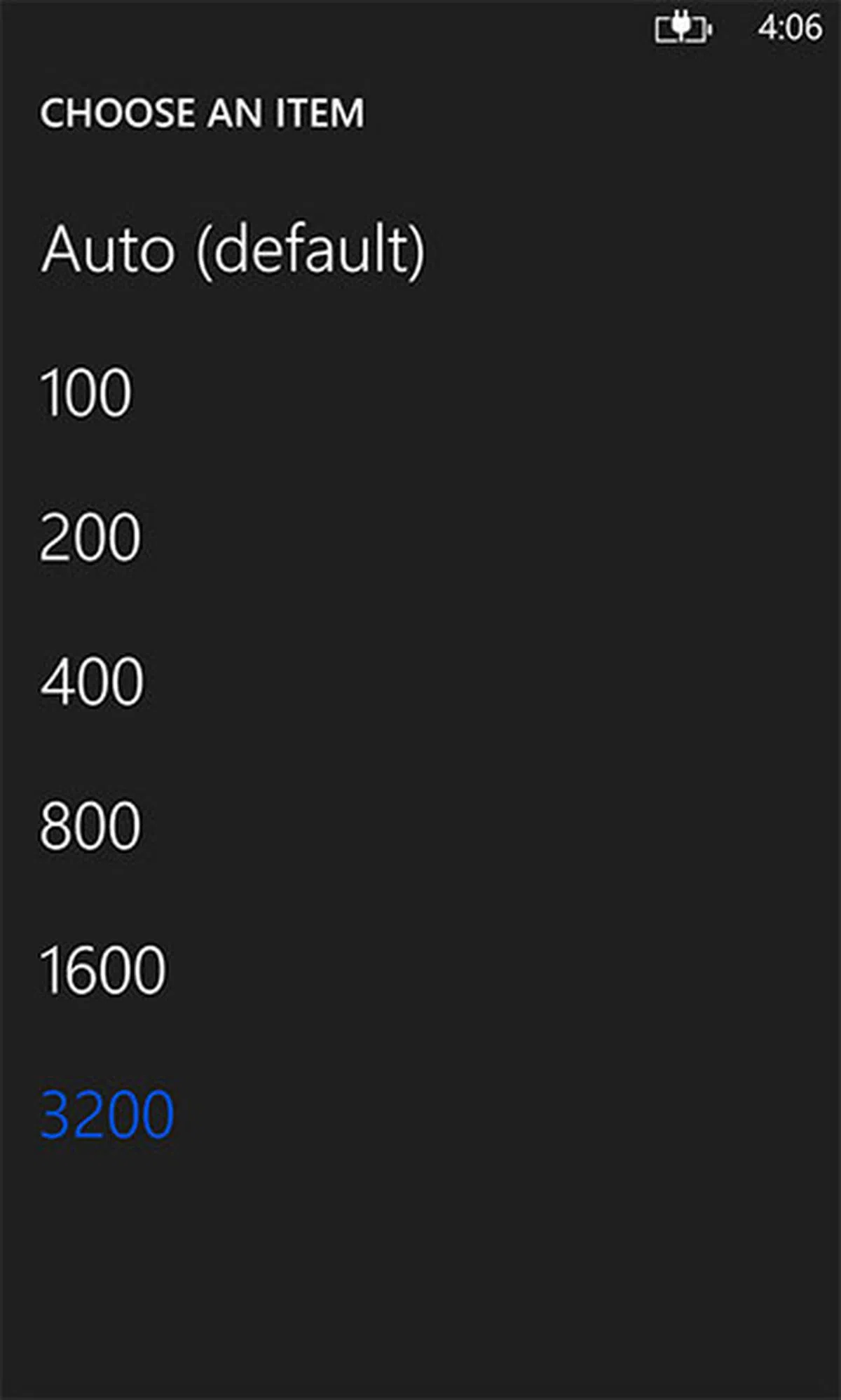
The Belle OS-driven Nokia 808 PureView created a huge stir thanks to its 41-megapixel camera sensor. The Lumia 920 also had the PureView branding, but the camera used an 8.7MP sensor, which was also much smaller (1/3-inch vs. 1/1.2-inch). The new Lumia 925 retains the backside-illuminated sensor of the 920, along with the Carl Zeiss-branded optics, F2.0 aperture, optical image stabilization, dual-LED flash, and support for 1080p video capture at 30 frames per second (the 1.2MP front-facing camera is capable of 720p). What’s changed though is the addition of a sixth lens element, which in theory should help in sharpness. (By the way, most top-end phones (such as Lumia 920, HTC One, iPhone 5) sport a 5-element construction.) And as mentioned earlier, maximum ISO sensitivity is now rated at 3,200, and there are algorithm tweaks to improve detail resolution, color, and noise performance.

Nokia Lumia 925 | Nokia Lumia 920 | Samsung Galaxy S4 | |
Auto | 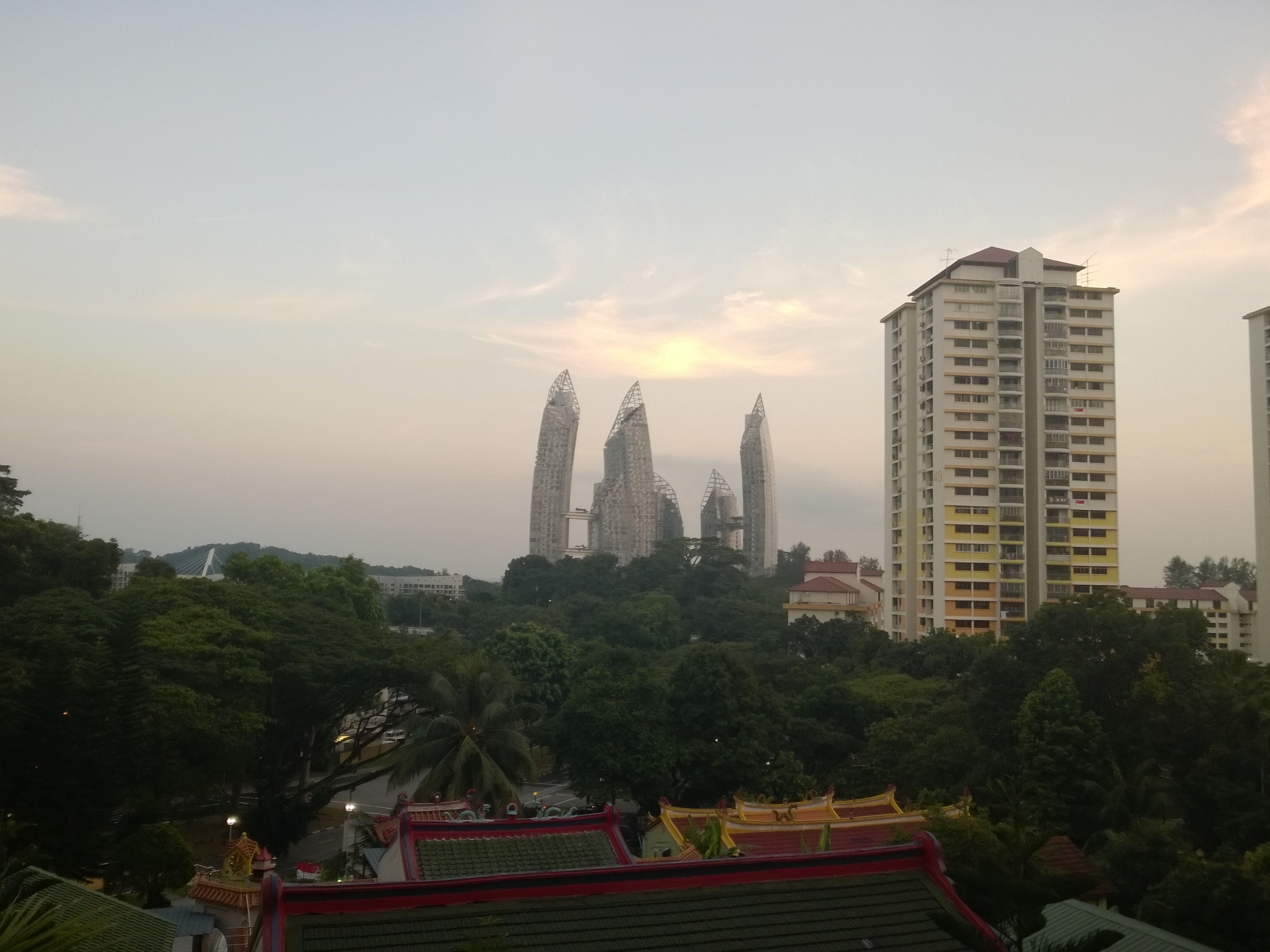 |  |  |
ISO 800 |  |  |  |
ISO 800 | ISO 1,600 | ISO 3,200 |
 |  |  |
*Click image for original version. |
Versus the Lumia 920, pictures from the 925 look slightly duller. Put another way, the 925 produces slightly more natural and accurate colors, though not always the most eye-pleasing at first glance. In the first row of pictures (taken around sunset), you'll also notice that both cameras treat white balance a bit differently. On the other hand, the Galaxy S4 has more details, which is expected since it has a 13MP camera, but its field of view is also narrower (in other words, the Lumia 925 and 920 have a wider lens). Sharpness-wise, it's a tough call between the Lumia 925 and 920. For the most part, they look very similar. In daylight, the 925 probably just edges slightly ahead of the 920; because of the tens of pictures we've taken, we got more sharp and properly focused images with the former.
The Lumia 925 is also capable of going all the way up to ISO 3,200, which the 920 and Galaxy S4 can't. By keeping shutter speed and aperture the same, the picture gets brighter as you turn up the ISO sensitivity. Sure, there's quite a bit of noise at ISO 3,200, but there's no denying that you at least get a useable picture (especially if you downsize it), versus no picture at all. Coupled with an effective optical image stabilization system (where the entire optical assembly moves to counter shakes), the Lumia 925 makes for one excellent low-light snapper. All that said, compared to the Lumia 920, low-light shots from the 925 appear noisier (gasp!). It looks like Nokia has made the noise reduction algorithm less aggressive in order to preserve more details.
The Lumia 925 also includes the new Nokia Smart Cam app, which shoots 10 frames in succession, and provides users with a selection of processing modes. There’s Best Shot that selects the best picture out of the 10 to save; Action Shot that superimposes the 10 pictures (you can select which to exclude) on top of another to create a final composite that conveys motion; Motion Focus that lets you introduce motion blur into the background; Change Faces that lets you choose your favorite facial expressions in the series and combine them to get the perfect shot; and Remove Moving Object that lets you remove unwanted objects (say, a passerby) in the picture. Take note though, to apply all these effects, Smart Cam downsizes the pictures to five megapixels.
To reiterate, the Smart Cam app is part of the Lumia Amber update for Windows Phone 8 devices. The Lumia 920 and 820 will also capture 10 frames at five megapixels each, but the Lumia 720, 620, and 520 will be shooting at 7 frames at one megapixel each. Smart Cam will not be available for older Lumia devices running Windows Phone 7.8 and 7.5.
Performance
Like the Lumia 920, the Lumia 925 is powered by the Qualcomm Snapdragon S4 SoC (MSM8960), with the dual-core processor clocked at 1.5GHz. Graphics-wise, it runs the Adreno 225 GPU. It also has 1GB of RAM.
Nokia Lumia 925 | Nokia Lumia 920 | Apple iPhone 5 | Samsung Galaxy S4 | |
SunSpider
(Lower Is Better) | 908.8ms | 909.2ms | 917.3ms | 773.6ms |
Browsermark
(Higher Is Better) | 1,217 | 1,174 | 1,968 | 1,930 |
Using the Internet Explorer 10 mobile browser that's on both the Lumia 925 and 920, we got almost identical SunSpider JavaScript and Browsermark performances between the two, which is hardly a surprise considering their hardware similarities. Browser performance on the other two non-Lumia phones on the other hand are better than both Lumia phones. This is likely due to the differences in the SoCs and browsers used.
Moving on, it's important to point out that despite the Lumia 925's lowly dual-core CPU, it still offers a butter-smooth user experience on Windows Phone 8. On Android, even the highest-end phone suffers from the occasional lag (case in point: the Galaxy S4). To be fair, since Android 4.1, we've witnessed big UI rendering improvements on Google's mobile OS; coupled with crazy-fast hardware, it's fast approaching iOS and Windows Phone's level of UI fluidity.
Battery Mileage
Like its predecessor, the Lumia 925 uses a non-removable 2,000mAh battery. As always, we subject the phone to our video playback battery test, which includes looping a 800 x 480-pixel video with screen brightness and volume cranked up to 100%. Bluetooth is turned on, so too is Wi-Fi. The latter is connected to a network for constant data streaming through email and Twitter.
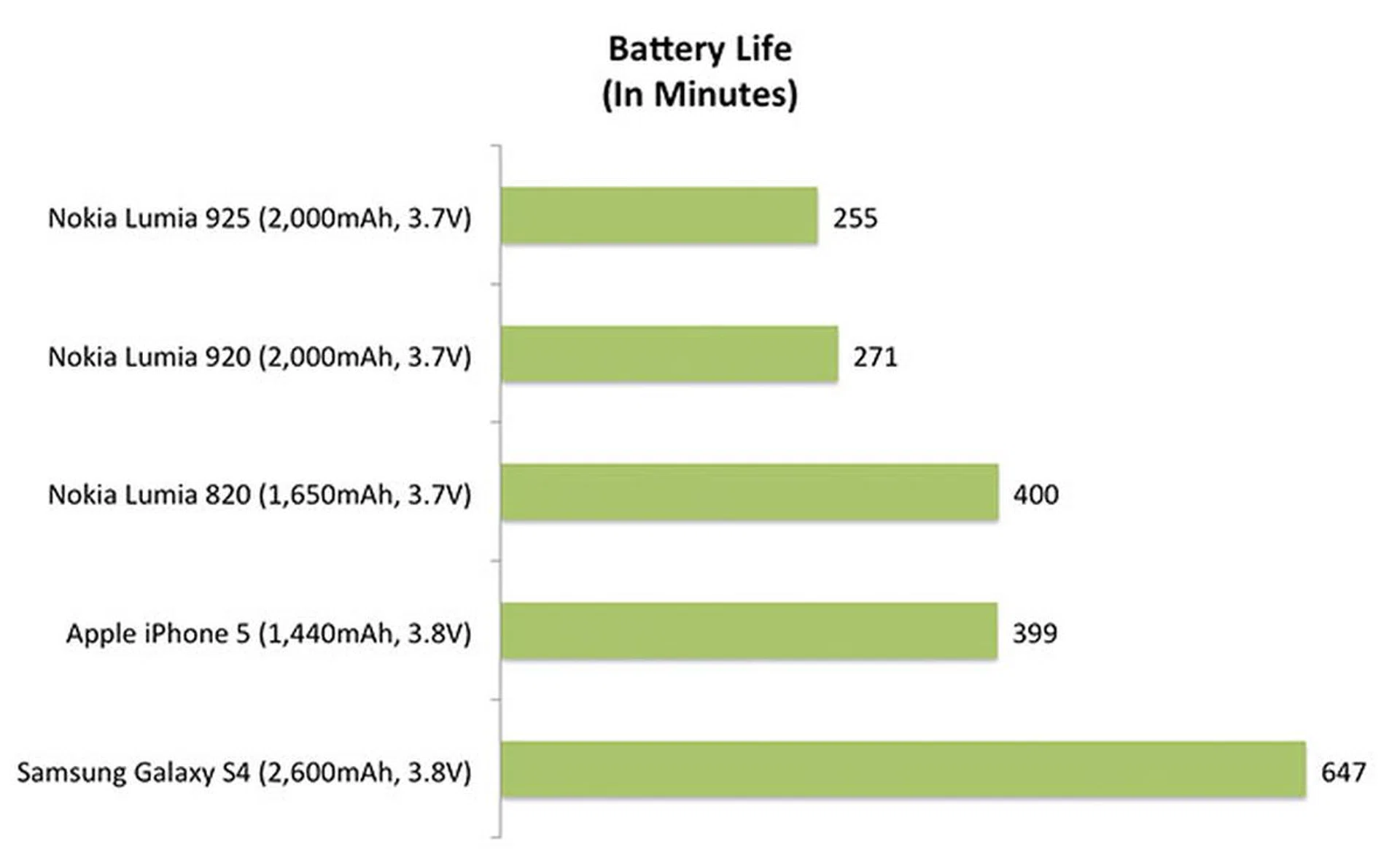
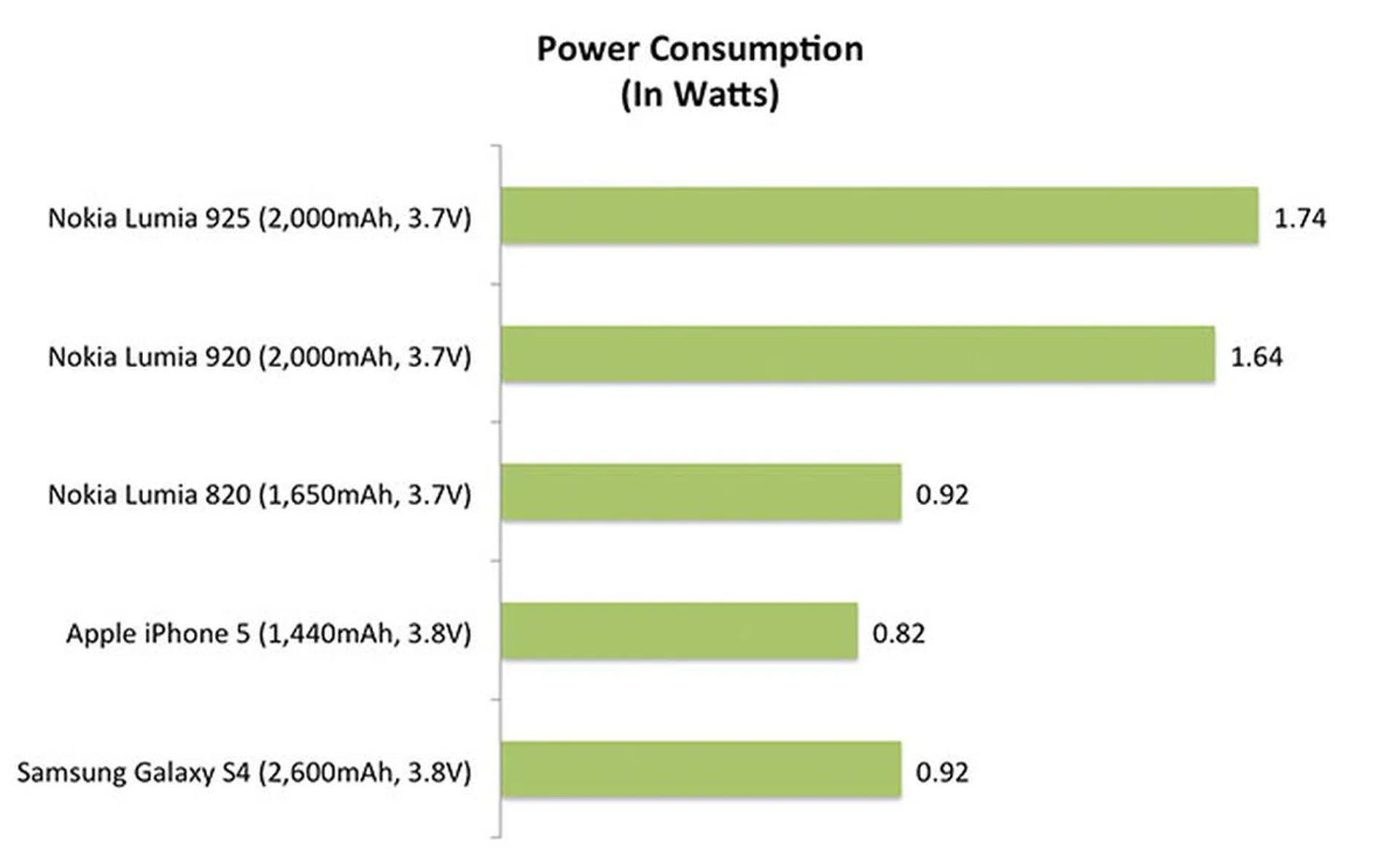

For video playback, the Lumia 925 posted 255 minutes, about a quarter of an hour shorter than the Lumia 920, which is an average showing. For a device that has shed off components like the Qi wireless charging component and its IPS LCD screen for an AMOLED display, the battery life outcome is somewhat disappointing. Are the requirements of the Windows Phone 8 OS more demanding as resolution increases? Or has the Lumia Amber update actually made the device more power hungry? We can't say for sure yet but the vast difference in battery life between this device and the Lumia 820 is frankly staggering. We'll keep close tabs as we review more Windows phones progressively.
Interestingly, while Nokia rates its 2G talk time a tad lower than the 920 (18.3 hours vs. 18.6 hours), it rates the 3G talk time to be higher (12.8 hours vs. 10.8 hours). Browsing endurance over Wi-Fi is also down from 9 hours to 7.2 hours. Clearly, Nokia acknowledges the higher power draw indirectly via these official figures, but we haven't been able to pinpoint the direct cause yet. To give you an idea how the phone performed for this reviewer, with moderate usage on a typical work day, the 925 usually lasted from morning 7 AM to just before midnight the same day. With the same usage pattern, the Samsung Galaxy S4 was able to endure until lunch time the next day. So while it's average for its class and it will suffice for the masses, we expected better due to the changes made to the Lumia 925. Just like the old adage that one can never have enough storage space, the same applies to battery life - especially when people increasingly rely on their mobile phone as an integral part of their lives.
Conclusion: Buy or Wait?
Here comes the most important question: Should you buy the Lumia 925? If you own the Lumia 920, we’ll say save the money. The changes, while good, aren’t sufficiently great enough for you to ditch an 8-month old ex-flagship. Moreover, most of the new software features like Smart Cam, Data Sense, and Glance Screen will also come to the 920 via the Lumia Amber update. The 920 even has more storage (32GB vs. 16GB). Along with the fact that the still-very-good 920 is now going for around S$600 (street price), the value proposition of the 925 seems somewhat weaker.
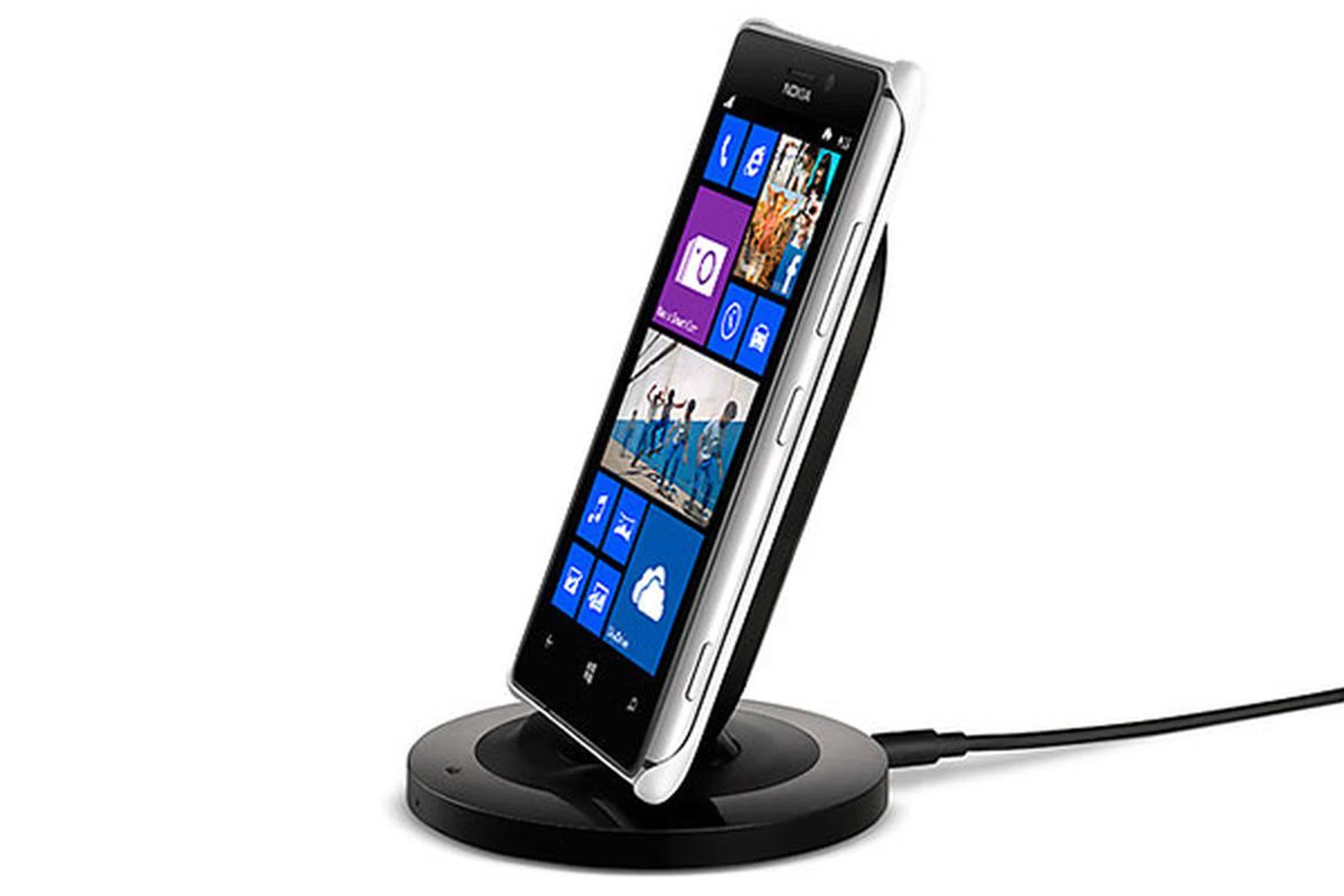
Wireless charging is possible with the help of a snap-on cover and a wireless charging stand (or Nokia's wireless charging pillow).
Of course, we don’t deny that for some, the changes that the Lumia 925 brings are significant. If you’ve always hated the 920’s thick and heavy body or the feel of glossy polycarbonate, then the 925 is for you, with its much thinner chassis and aluminum frame. Many people were also drawn to the 920 for its excellent camera; on the 925, this is improved (in both hardware and software), which can only be good news. Overall handling is arguably better for this reviewer's hands, but users with large hands may have a different opinion.
Naturally, hardware is only part of a smartphone-buying equation. The other part is the app ecosystem. It’s okay if you’ve invested in Windows Phone apps and are happy with the selection available in the Windows Phone Store; but for new users, it’s our duty to remind you to do your share of research. Are the apps you rely on available on this platform; and if not, are there alternatives? While many big-name apps have already come (or committed to come) to the Windows Phone platform (for example, Whatsapp, Twitter, Vine, Flipboard), there are still some who shun it (read: Instagram).
The Lumia 1020 Dilemma
For those who want the best camera in a Lumia phone, you can also wait for the recently announced Lumia 1020, which is the true successor to the 808 PureView - only this time, it runs on Windows Phone 8. It too has a 41MP camera sensor, Carl Zeiss optics with six physical lenses, and optical image stabilization. Unlike the Lumia 925 and 920, it uses a Xenon flash. The 1020 comes with a Nokia Pro Cam app, which thankfully, will also come to the Lumia 925 and 920 at a later date. The camera unit aside, the Lumia 1020’s other hardware is similar to the 925. And its size is now back to the level of the old 920.
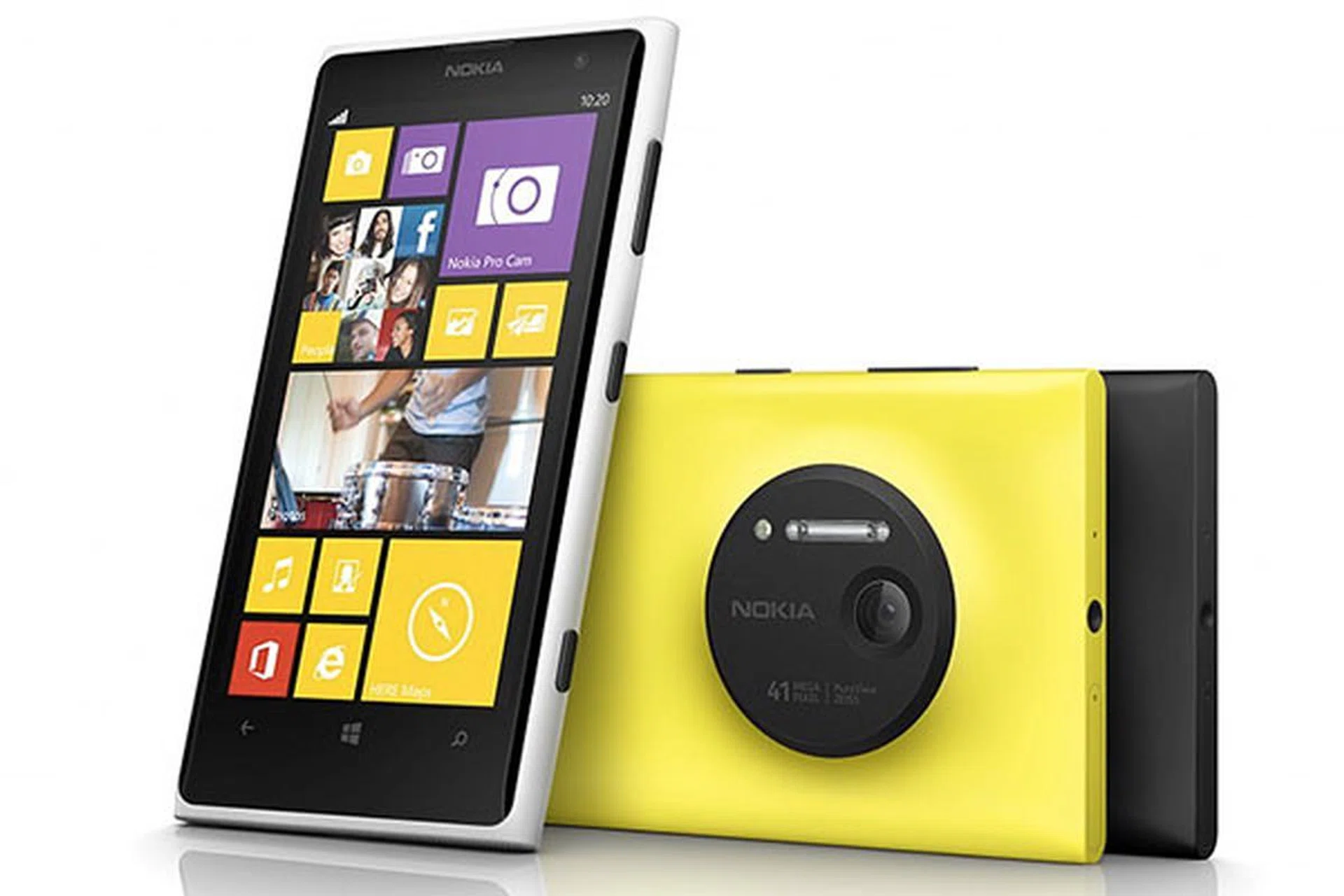
Lumia 920 users, are you holding out for the Lumia 1020? (Image source: Nokia.)
The GDR3 Dilemma
If you’re looking for a Windows Phone with a 5-inch screen that does 1080p, and runs on a quad-core processor, then you’ll be disappointed to know that at this moment, such a device doesn’t exist. Rumor has it that a GDR3 update would arrive towards the end of the year, and along with it, new devices with bigger screens and quad-core chips. The question is: Can you wait?
Pricing & Availability
The Nokia Lumia 925 is now selling at all three local telcos for S$799. Street price though is about S$680 to S$700 at the time of publishing.
Our articles may contain affiliate links. If you buy through these links, we may earn a small commission.