
LG G3 - Good Things Come to Those Who Wait
Of all the Android flagship smartphones, the LG G3 is the last one to be announced. To make up for lost time, the G3 comes packed with the best that LG has to offer such as a Quad-HD display, a rear camera with laser autofocus and a redesigned interface. Where does it stand among the competition? Find out in this review!


Overview
LG stood out from the competition last year with the 5.2-inch G2, which ushered in the unconventional button placement on the rear, the ultra thin bezel, splendid IPS display and useful software features. However, the major complaints about the phone are its plastic build and lack of a memory card slot. Moreover, it came almost half a year after the other Android flagship smartphones had entered the market.
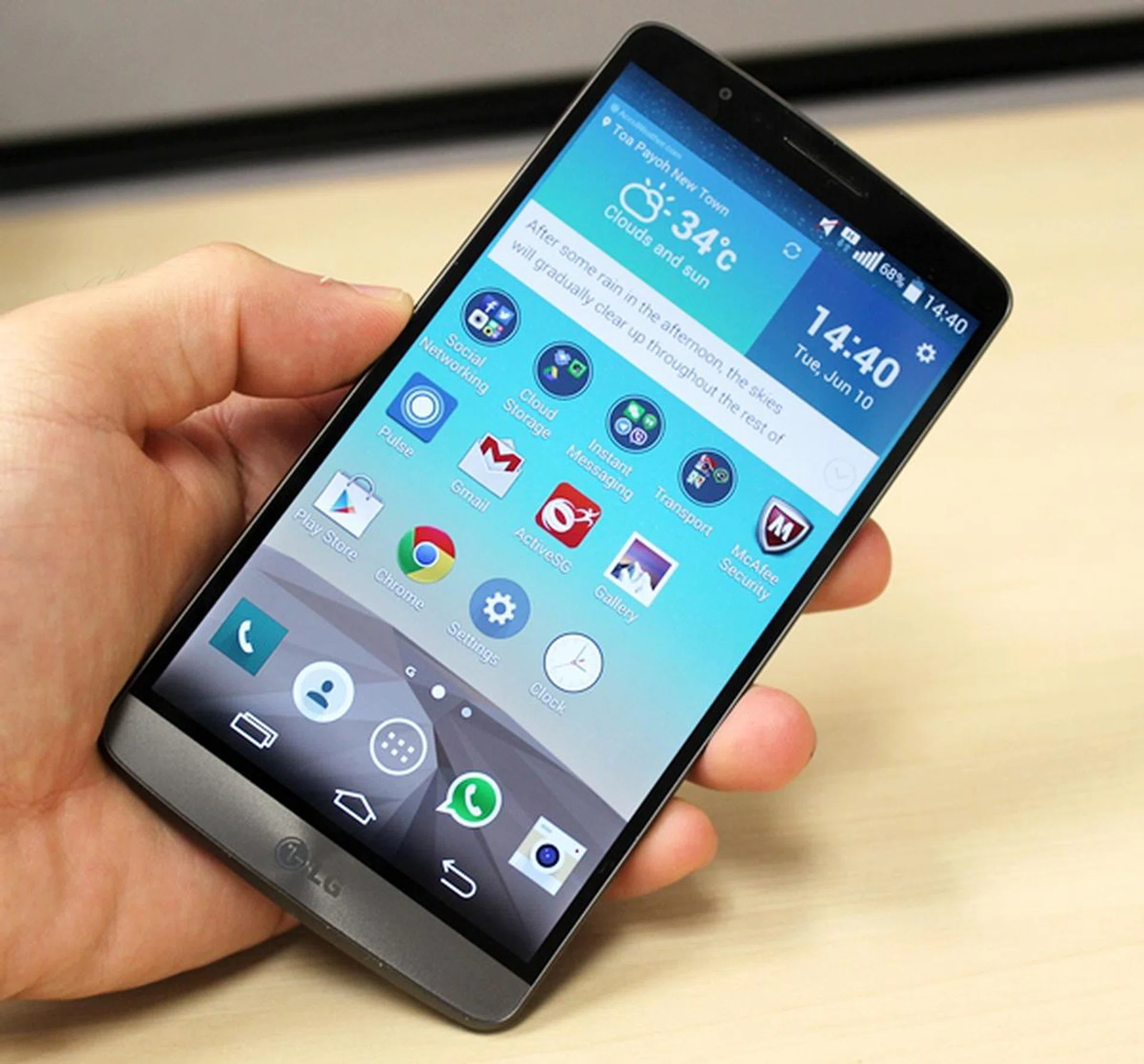
The fact that the LG G3 is the smallest of the big phones is an interesting paradox.
This year, LG made sure it did not miss the boat by taking the wraps off its latest flagship smartphone, the G3 at three cities around the world on May 27. As the last flagship smartphone to hit the market in the first half of 2014, the G3 is brimming with new features to take on the competition. Do good things always come to those who wait? Read on to find out more. Before you do, here's a quick look at what's improved in the G3 from its predecessor and a quick event video demoing some of the phone's key updates: -
Design & Handling
Every phone manufacturer has its own strengths. HTC is second to none when designing a flagship smartphone in the Android space. Sony is well-known for its OmiBalance design language which has served it well. Samsung is the world's biggest phone producer because no one (and we really mean no one) is as capable of churning out different variants in varying sizes and form factors to suit almost everyone's needs. What about LG?

It seems that LG has finally found its calling in the industry; it is a master at making their phones compact without being disadvantaged. If you look at the G2 and G Pro 2, both phones have smaller footprints than their counterparts and we dare say the G3 marks the pinnacle of its design prowess.
The G3 is the most compact phone of its class. How did LG achieve this? The answer is shrinking the bezels around the screen. With a screen ratio of 76.4% (the larger the figure, the more real estate of device's front face is devoted to the screen), LG is able to make the G3 smaller than most 5.5-inch phones. In fact, the G3 is as compact or just a a tad larger than the current crop of 5-inch phones. To illustrate this point, let's take a look at the dimensions of the following devices:
5.5-Inch Phones Compared
HTC Desire 816 | Huawei Honor 3X | LG G3 | LG Optimus G Pro | Lenovo K900 | Oppo Find 7/7A | Samsung Galaxy Note II | Xiaomi Redmi Note | |
Height (mm) | 156.6 | 149.5 | 146.3 | 150.2 | 157 | 152.6 | 151 | 154 |
Width (mm) | 78.7 | 77.4 | 74.6 | 76.1 | 78 | 75 | 80.5 | 78.7 |
Thickness (mm) | 7.99 | 8.9 | 8.9 | 9.4 | 6.9 | 9.2 | 9.4 | 9.5 |
Weight
(g) | 165 | 161 | 149 | 172 | 162 | 173 / 170 | 180 | 199 |
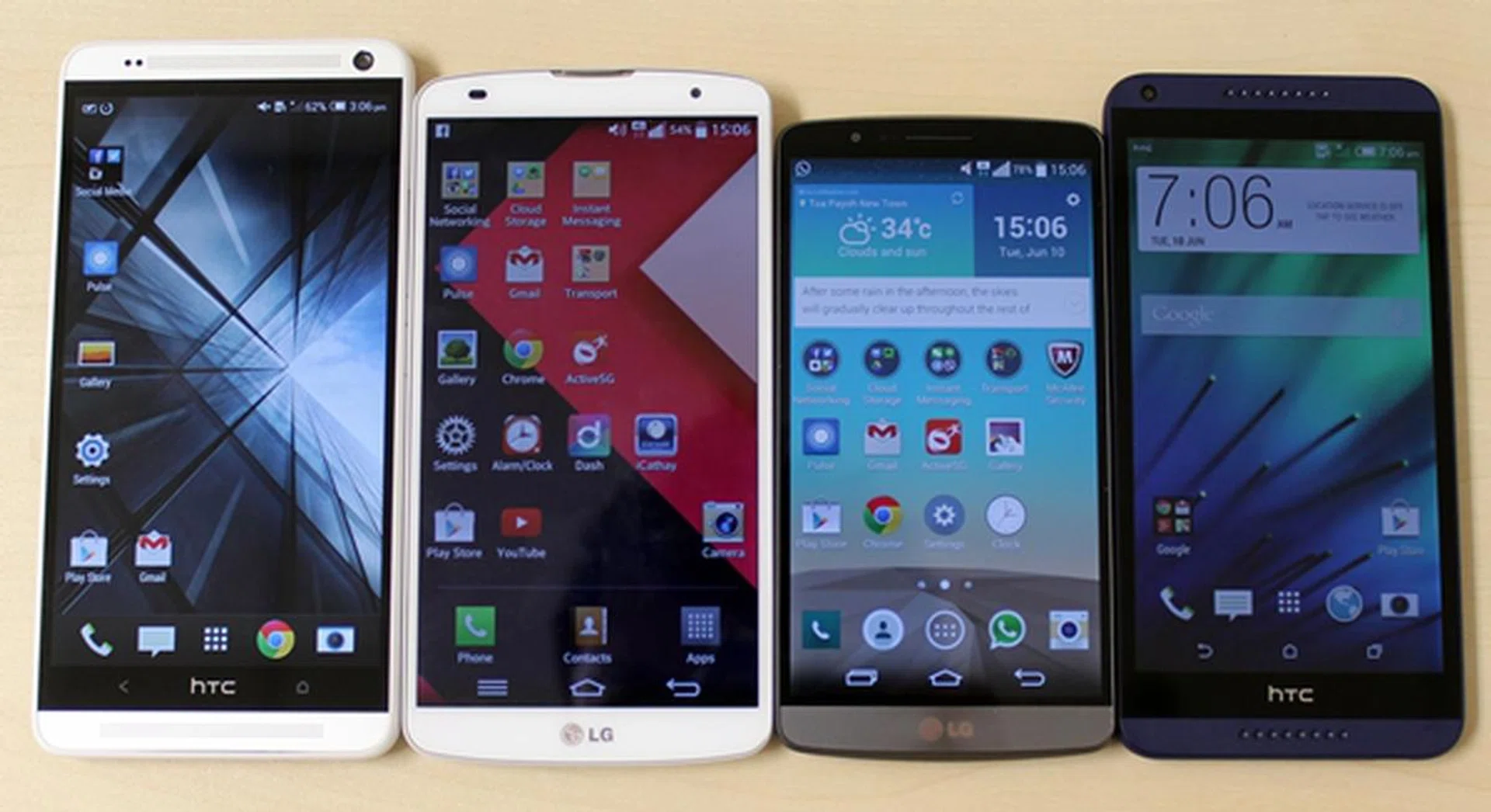
From left to right: 5.9-inch HTC One Max, 5.9-inch LG G Pro 2, 5.5-inch LG G3 and 5.5-inch HTC Desire 816.
5-Inch Phones Compared
ASUS PadFone Infinity (Late 2013) | HTC One (M8) | LG G3 | Samsung Galaxy S5 | Sony Xperia Z2 | Xiaomi Mi 3 | |
Height (mm) | 143.5 | 146.36 | 146.3 | 142.0 | 146.8 | 144 |
Width (mm) | 72.8 | 70.6 | 74.6 | 72.5 | 73.3 | 73.6 |
Thickness (mm) | 6.3 ~ 8.9 | 9.35 | 8.9 | 8.1 | 8.2 | 8.1 |
Weight
(g) | 145 | 160 | 149 | 145 | 163 | 145 |
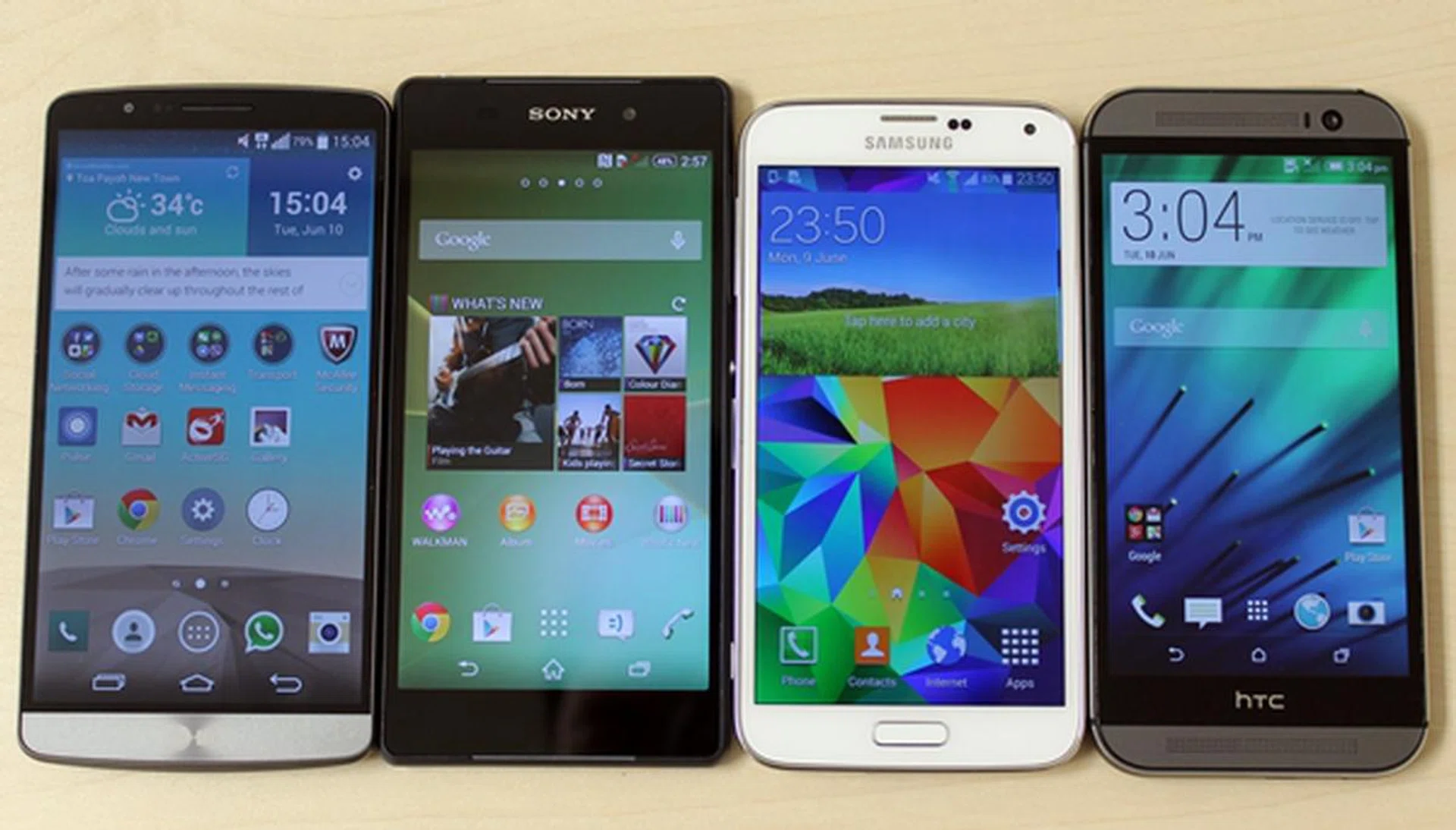
From left to right: 5.5-inch LG G3, 5.2-inch Sony Xperia Z2, 5.1-inch Samsung Galaxy S5 and 5-inch HTC One (M8).
In the context of 5-inch smartphones, the HTC One (M8) is as tall, thicker and heavier than the G3, and the Sony Xperia Z2 is 0.5mm taller, 1.3mm narrower and 0.7mm thinner than the G3. As you can see, the LG G3 is more or less the same size as the 5-inch class phones, but it's the only one to offer a much larger display at 5.5 inches across, thanks to its ultra narrow bezel design coupled with an advancement in its Dual Routing touch sensor technology. It is also the only premium phone available in the local market to sport a QHD screen (more on this later).
Besides shrinking the display's bezels, LG also did a remarkable job with the feel and handling of the G3. It was executed in a fashion that went beyond our expectations. The G3 sports many of the physical traits that we fell head over heels with the One (M8) - the curved back which LG brands as the "floating arc design", rounded corners and brushed metallic look. While it's nice to have these traits on the LG G3, unfortunately, they weren't the first to execute these aspects. Credit has to be given where it's due and that goes to HTC and the One (M8) that was a game changer as far as design and build is concerned.
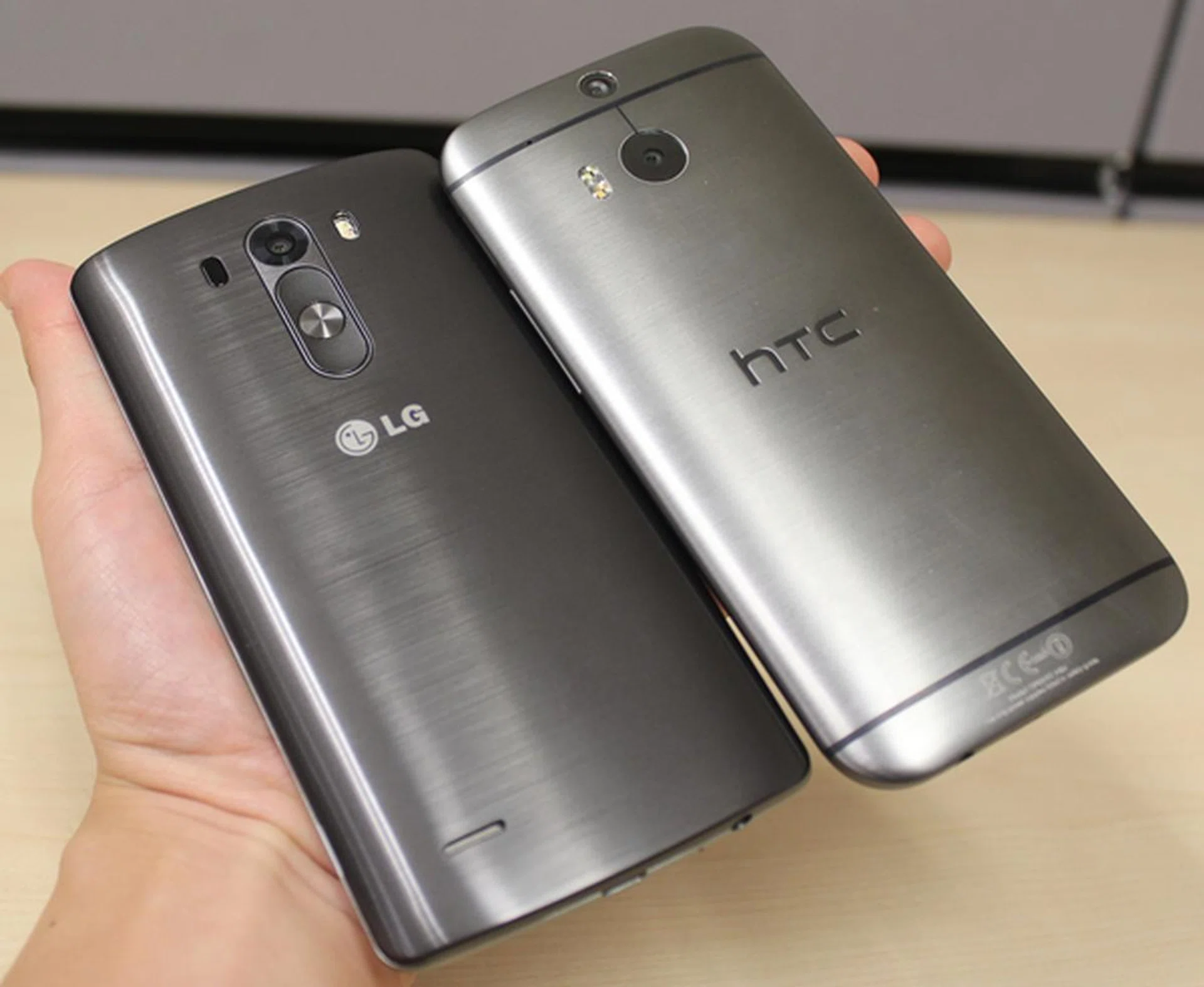
Imitation is the best form of flattery; the LG G3's rear has a metallic finish that is somewhat similar to that of the HTC One (M8).
The doesn't mean LG isn't original in their designs. In fact, they were the first to embark on the rear button design, which is a pretty bold move as it goes against conventional design norms. As proven in our review of the LG G2, the rear button design and handling was a hit and the rest is history. LG's innovative G Flex also featured it, as with the recently launched G Pro 2 .
Now on the G3, LG has made further refinements to it. The newly designed power key and volume controls are no longer protruding and have a more premium texture. The clean and singular layout also makes it easier for our fingers to feel and access the rear buttons. While these rear keys represent an uncharted territory for new users, existing owners of G2, G Flex or G Pro 2 should have no problems adapting.
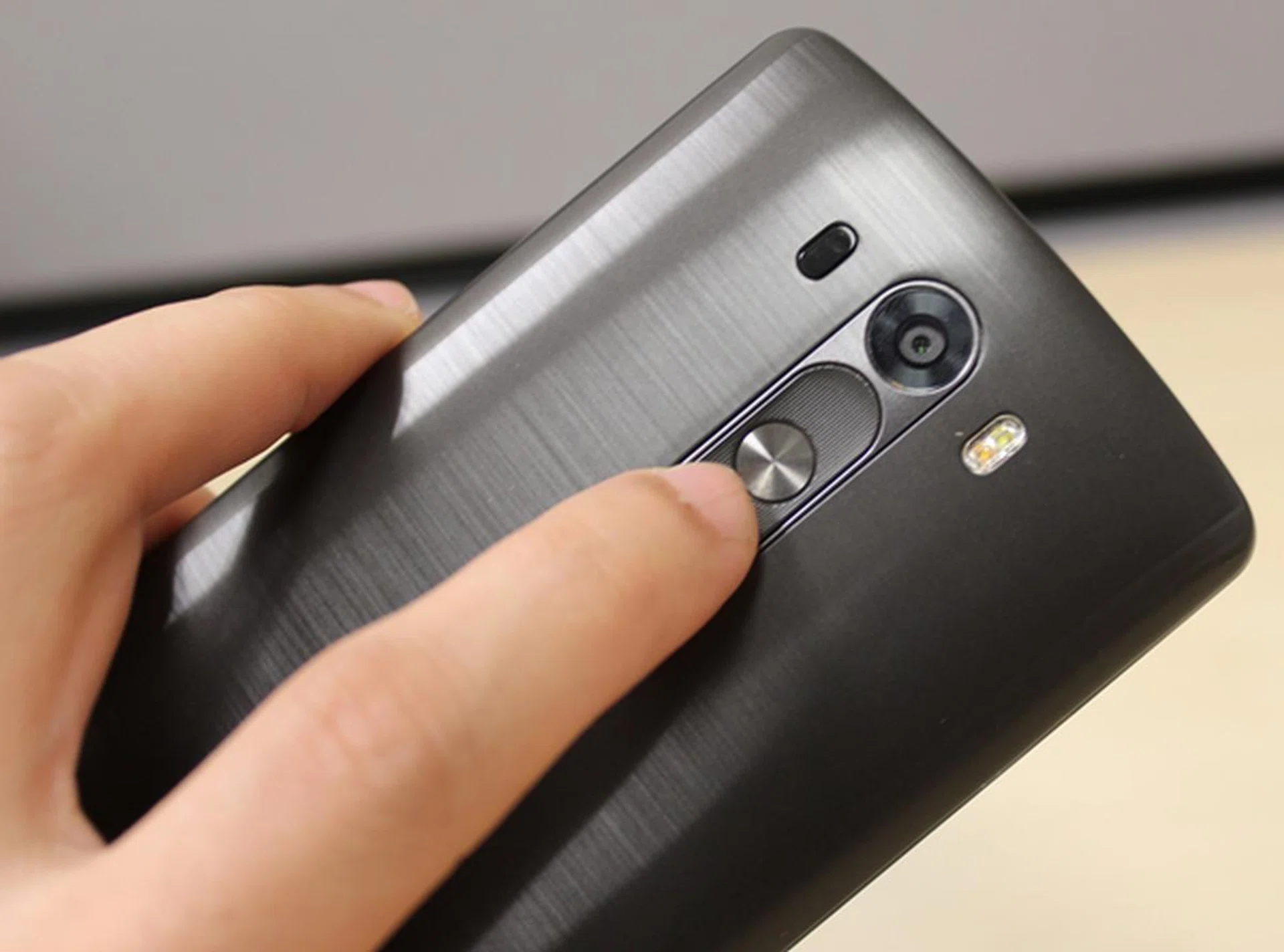
We like the improved feel and texture of the rear buttons on the LG G3.
The end result is a 5.5-inch phone that doesn't look or feel like one; in fact, the G3 handles as well or even better than its 5-inch counterparts. It is really a joy to tote the G3 around and it is a feeling that's best experienced personally. We are confident that anyone who has the opportunity to handle the G3 would agree with our findings.
Now, to set the record straight, the G3 pretends to have a metallic back cover. The imitation is so convincing that it actually fooled some of our friends in believing that the rear cover is made up of the same material as the One (M8). Holding the G3 in your hand will reveal otherwise. While the plastic cover cannot match up to the real thing, its matte finish with intelligently curved sides provide a very comfortable and assuring grip of the device. The feel is unlike any other 5.5-inch phone we've handled before. As icing on the cake, the matte finish also keeps fingerprints and smudges at bay - which was a real problem with the LG G2.
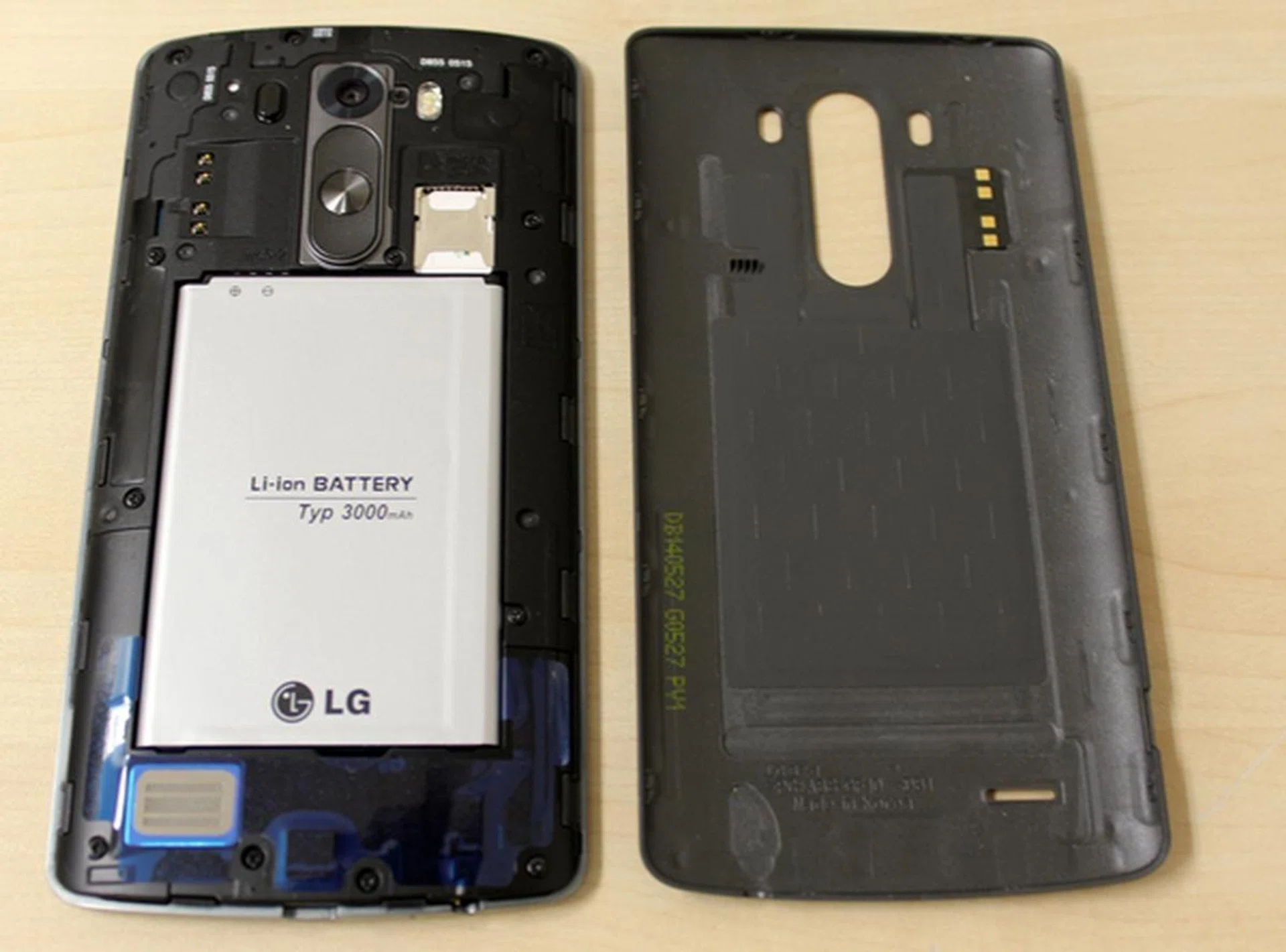
The rear cover can be removed easily without much force. It also secures snugly into the chassis.
You have to remove the battery to access the micro-SIM card. The microSD memory card rests on top of the micro-SIM card slot. Having said that, the microSD card slot supports memory cards up to 128GB. While it's not readily accessible, it's a good advancement to the predecessor's limitation of not having an option to expand the built-in storage capacity. The review unit used for this review is the 32GB variant with 3GB RAM. Out of the box, this model comes with 24.43GB of available storage space.
5.5-Inch QHD Display
The star of the show is no doubt the 5.5-inch QHD display. While LG cannot claim to be the first to debut - Chinese pair Vivo and Oppo have already jumped onto the 2K resolution bandwagon - it can have the honor for bringing a smartphone with QHD display to the mass market. In fact, it will be the first QHD resolution phone to retail in this region.
Going by the numbers - 2,560 x 1,440 pixels or pixel density of 534ppi, the QHD display does look impressive on paper. Do the extra pixels benefit the day to day usage experience? App icons, text and images do look sharper on the G3, but the only time that you can tell the differences is when you place the G3 side by side with the 1080p screens of other flagship devices.
There might be certain games, high resolution images and videos that can put the QHD display to good use, but let's face the truth - there are hardly any apps that are optimized for use with the QHD display. LG presented a strong case during the launch event that the naked human eye is able to discern the differences in screen resolutions. If you have seen the presentation slide (posted below for those who haven't), LG is not wrong. However, there is more to this debate than meets the eye.
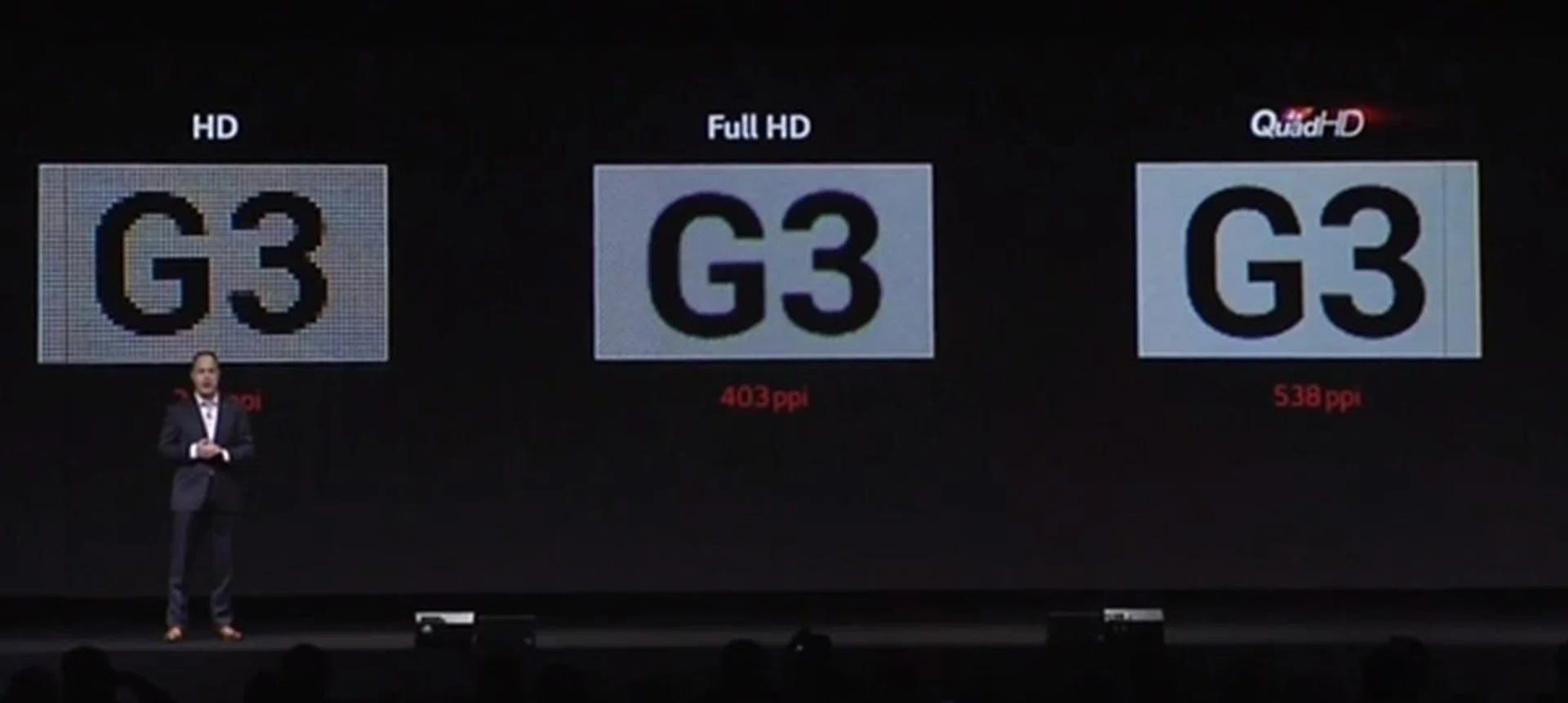
If you haven't noticed, the sharpness is only evident if you zoom in closely to the displayed text. Do you bring the display of the phone that close to your eyes? That's a question that only you can answer.
There are certainly some good things to say about the QHD display on the G3 such as the true-to-life colors, but do not expect the bump in resolution to improve the overall viewing experience by leaps and bounds. For one, the LG G3 is still competing with other premium 5-inch phones and given their display size and Full-HD resolution, the G3 will definitely not lose out as it has a bigger screen and a higher resolution to ensure screen clarity and sharpness is no less impressive. Compared with other 5.5-inch sized phones, the LG G3's screen is just marginally better in general usage.
Accessories for the LG G3
LG will be offering a series of accessories for the G3 which include the Quick Circle Case, the Wireless Charger (WCD-100), Slim Guard Cases, Slim Hard Cases, and the LG Tone Infinim Bluetooth stereo headset. In this review, we will be looking at the Quick Circle Case.
Quick Circle Case
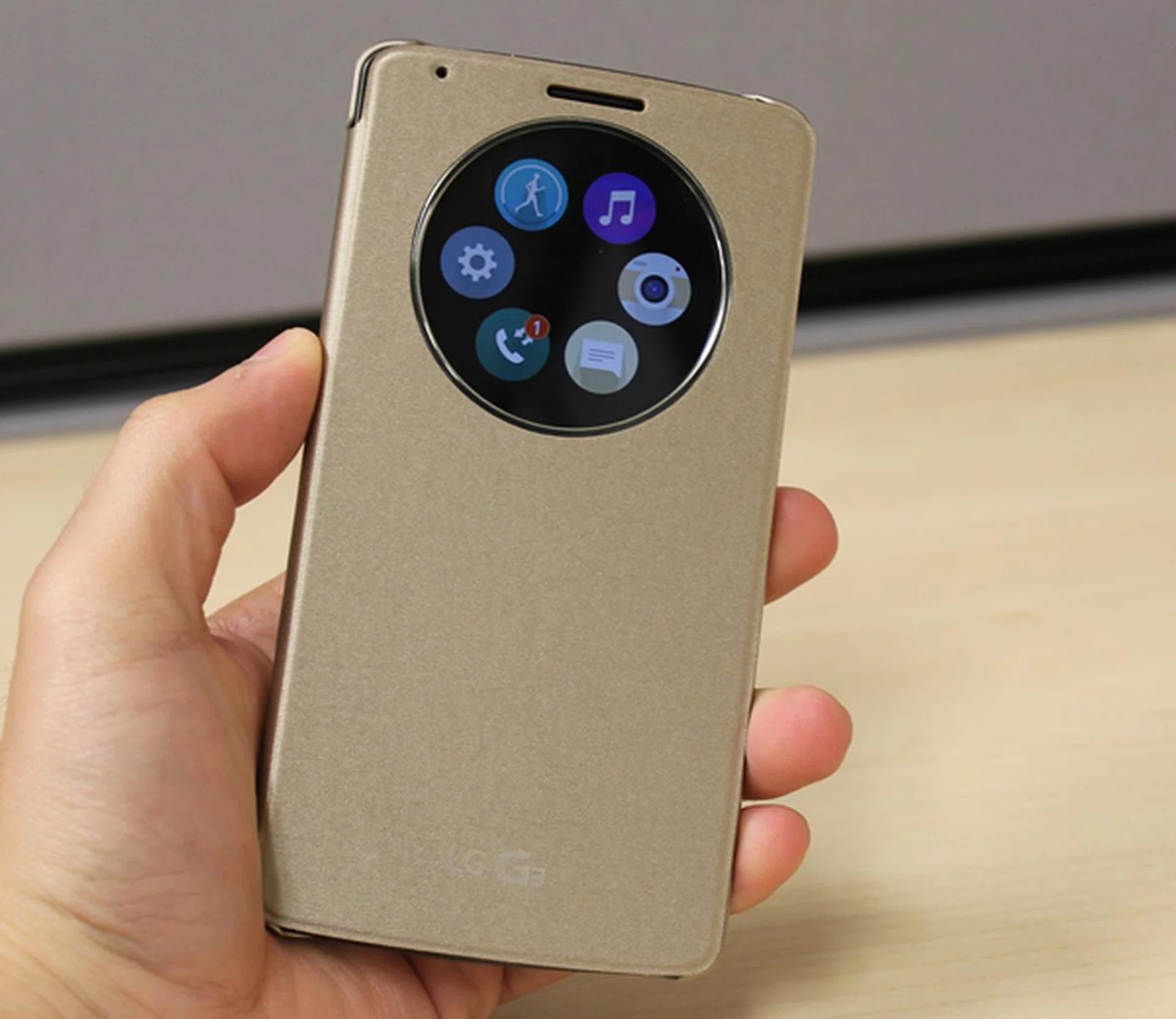
Seen here is the gold LG Quick Circle case for the G3. Two other colors - black and white - will be sold in Singapore at launch on June 28.
There are no prizes for guessing where LG took its inspiration from for its Quick Circle case. As the name suggests, the case has a circular window that gives you direct access to six frequently used functions: settings, call logs, camera, LG Health, Messaging and Music.
 |  | 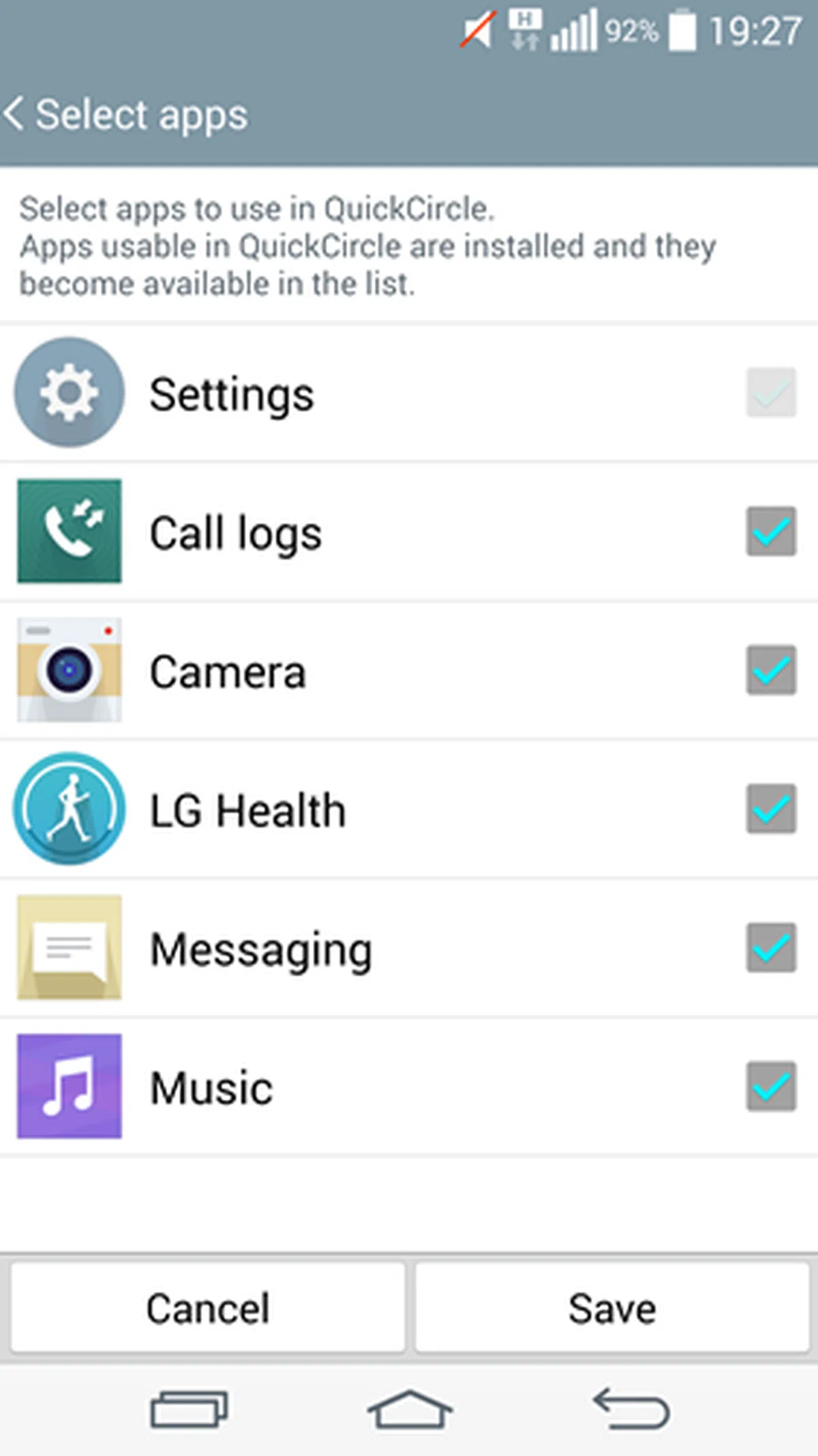 |
At the moment, these are the apps that are supported by the Quick Circle case. The software development kit (SDK) for the Quick Circle case is now available for developers to download. They can use the SDK to customize their apps for use with the case. If you do not need all six apps to be featured, you have the option to hide them.
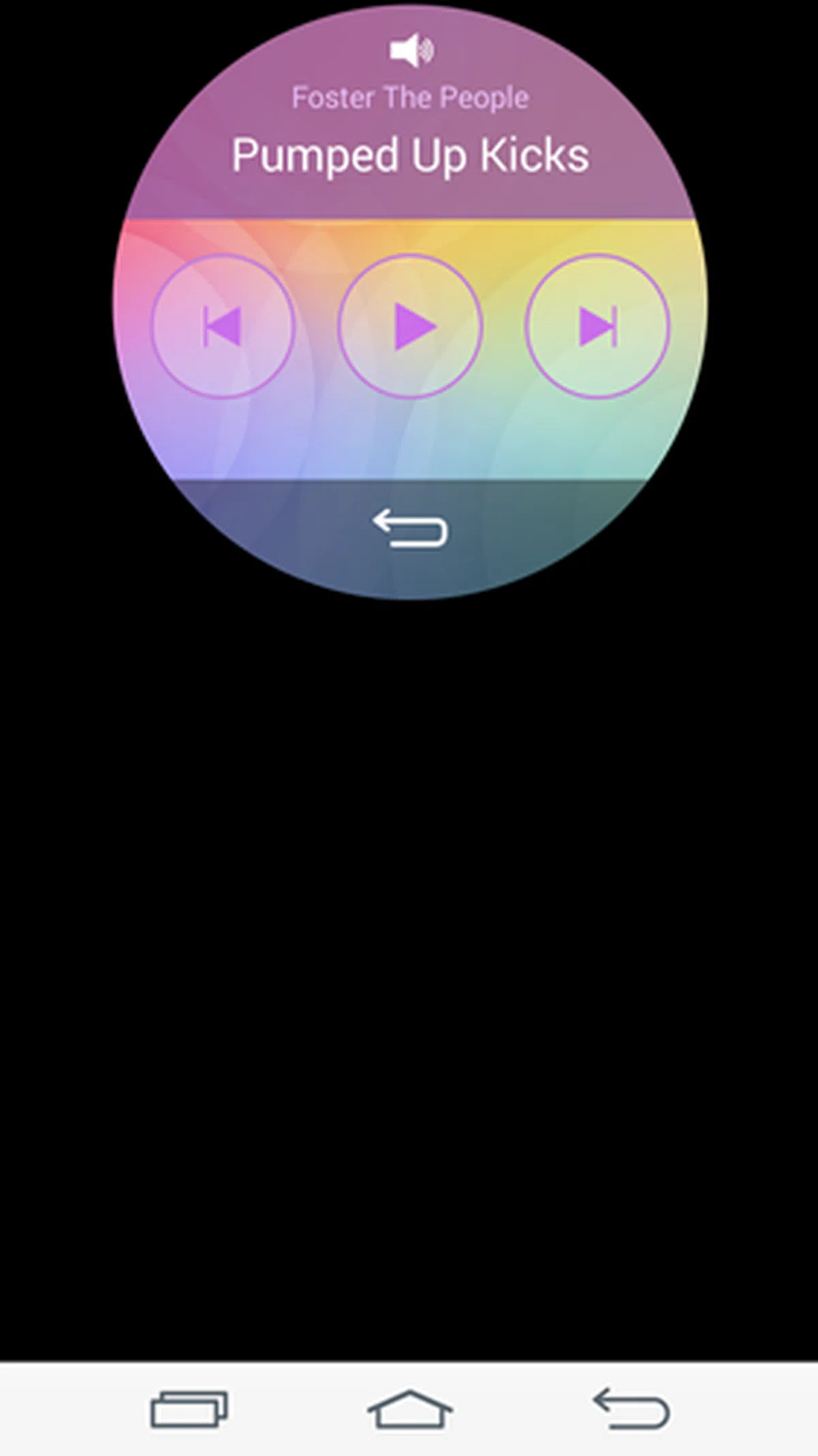 | 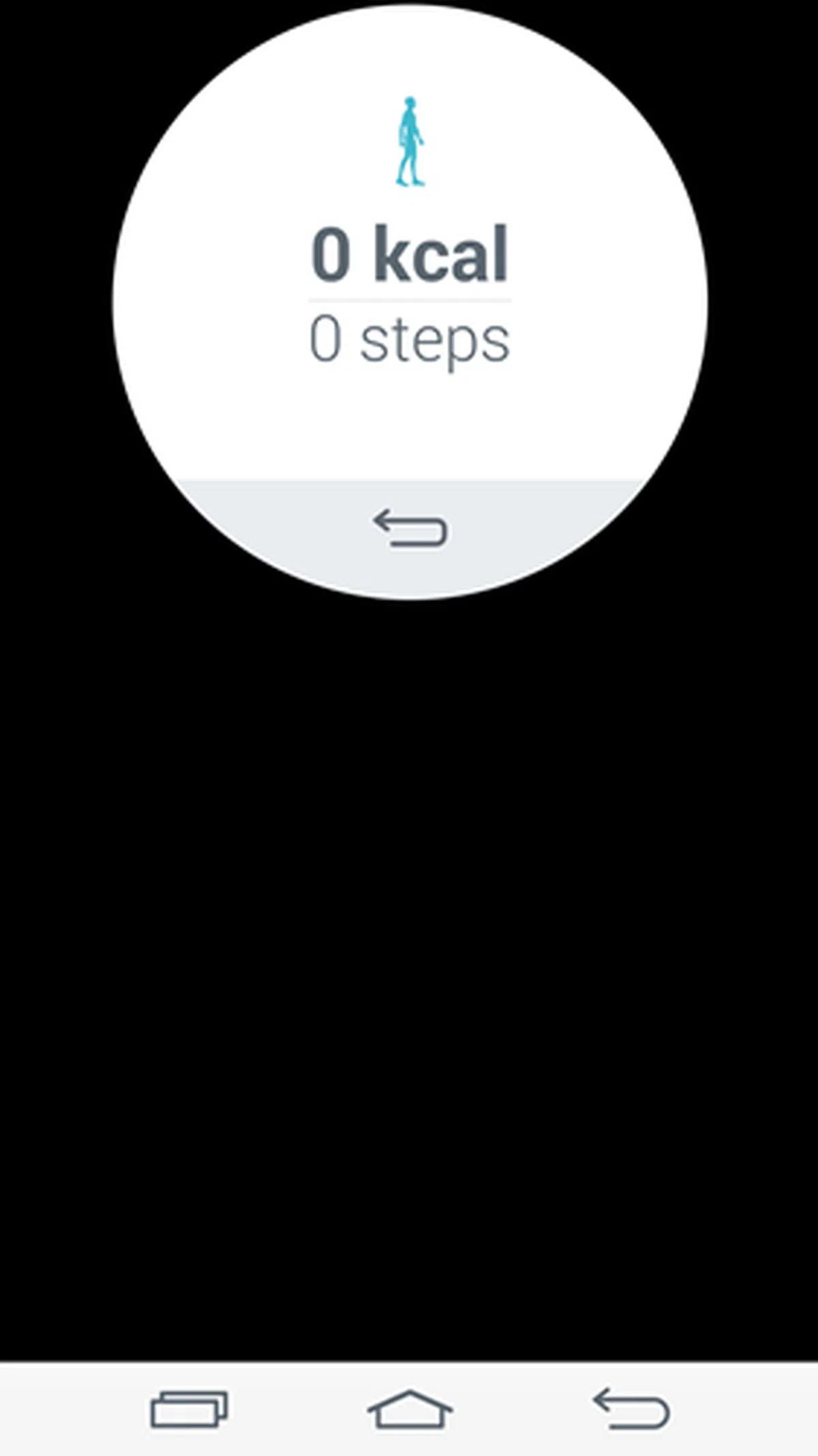 | 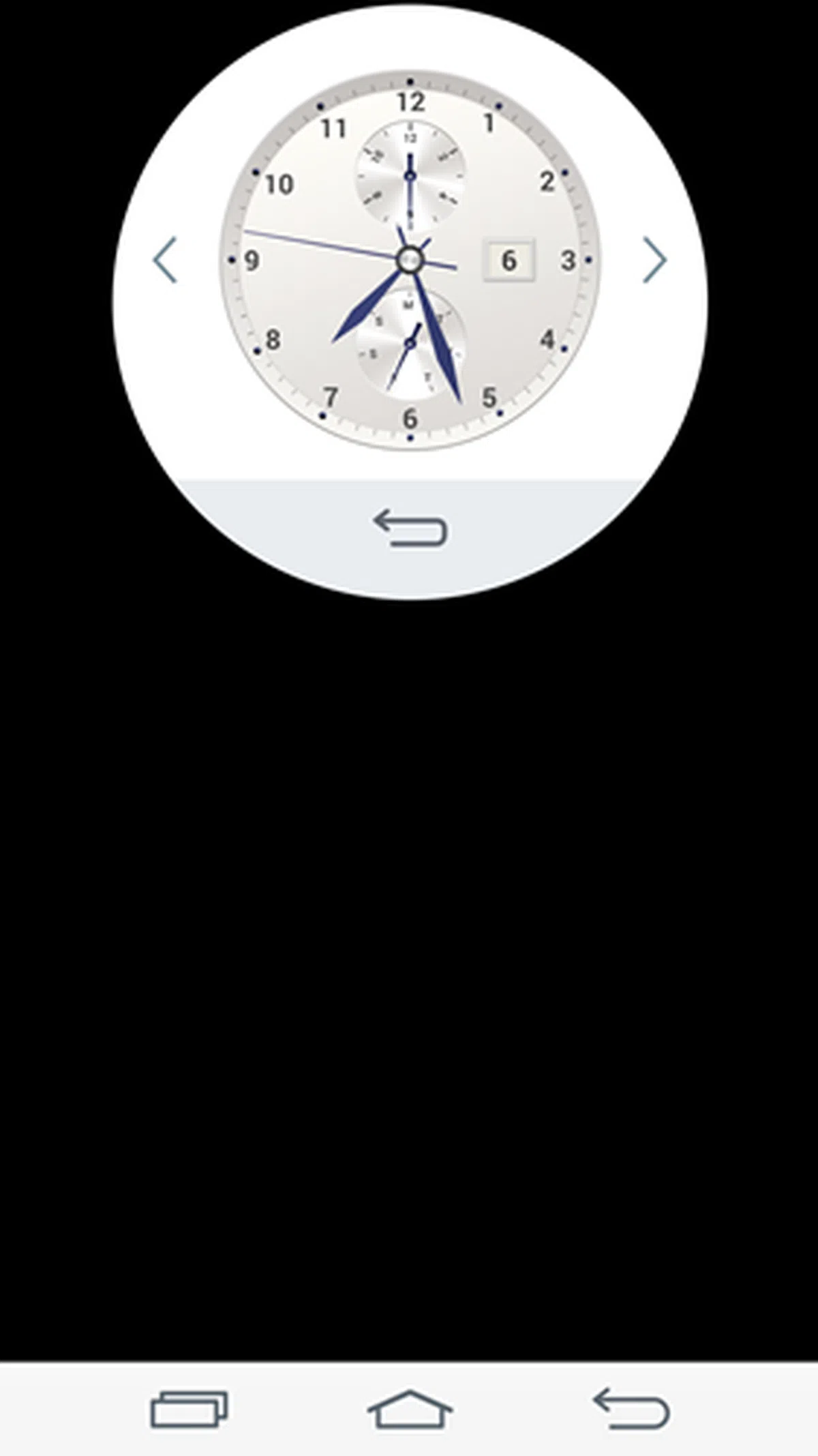 |
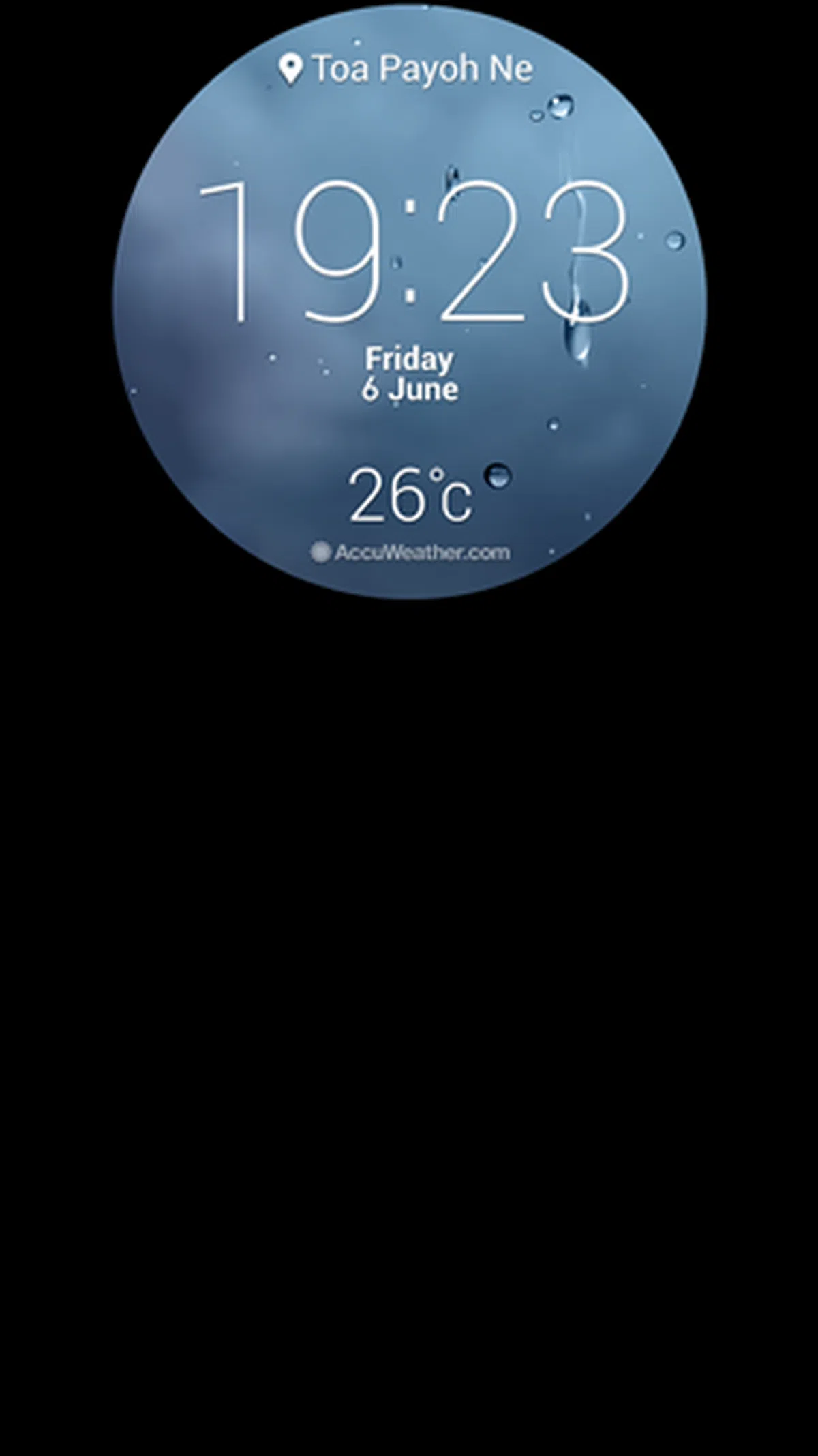
The above three screenshots show how the Quick Circle case gives you access to the music player, pedometer in the LG Health app and to change the clock face. There are a total of 10 clock faces that you can choose from.
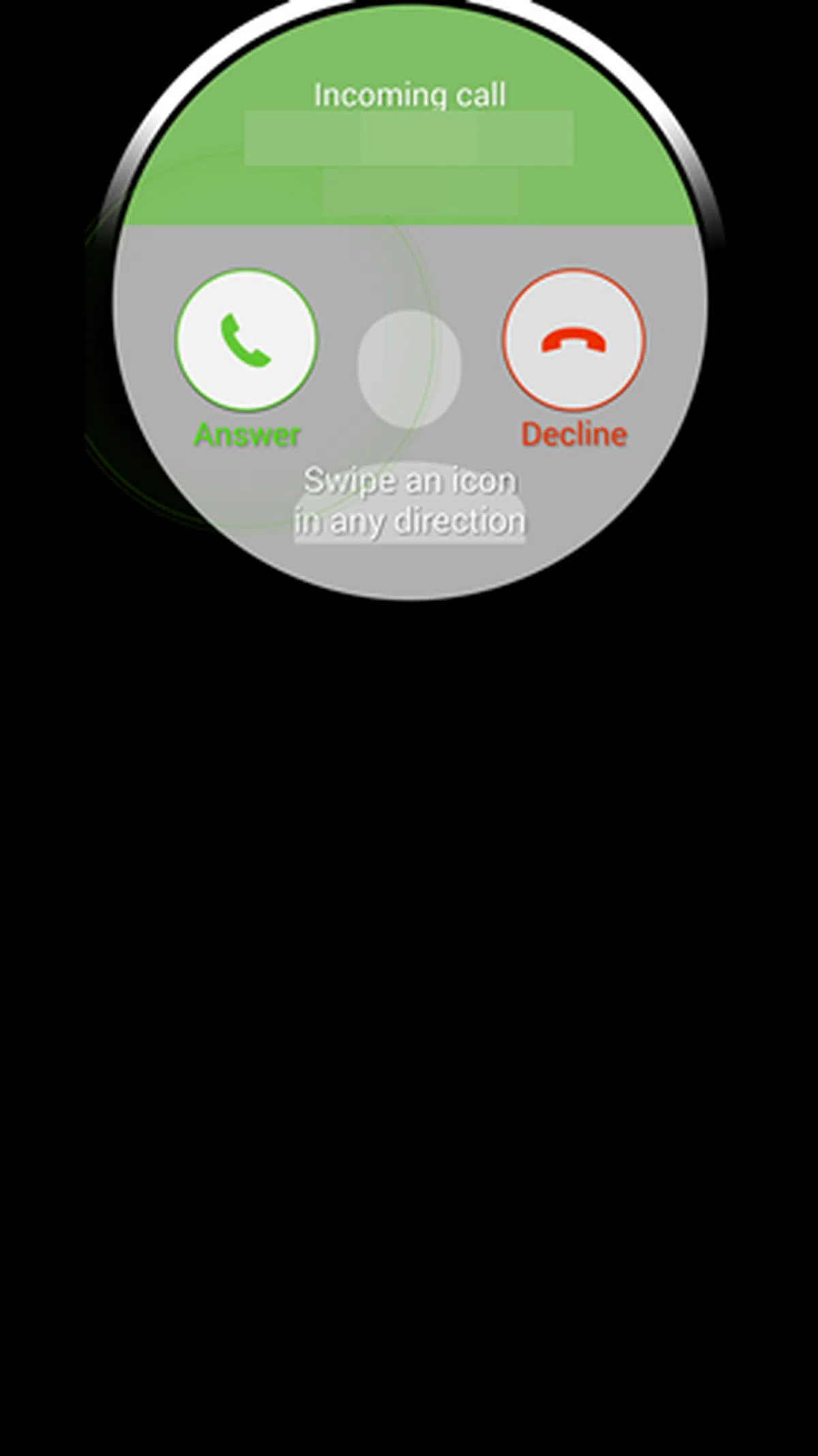 | 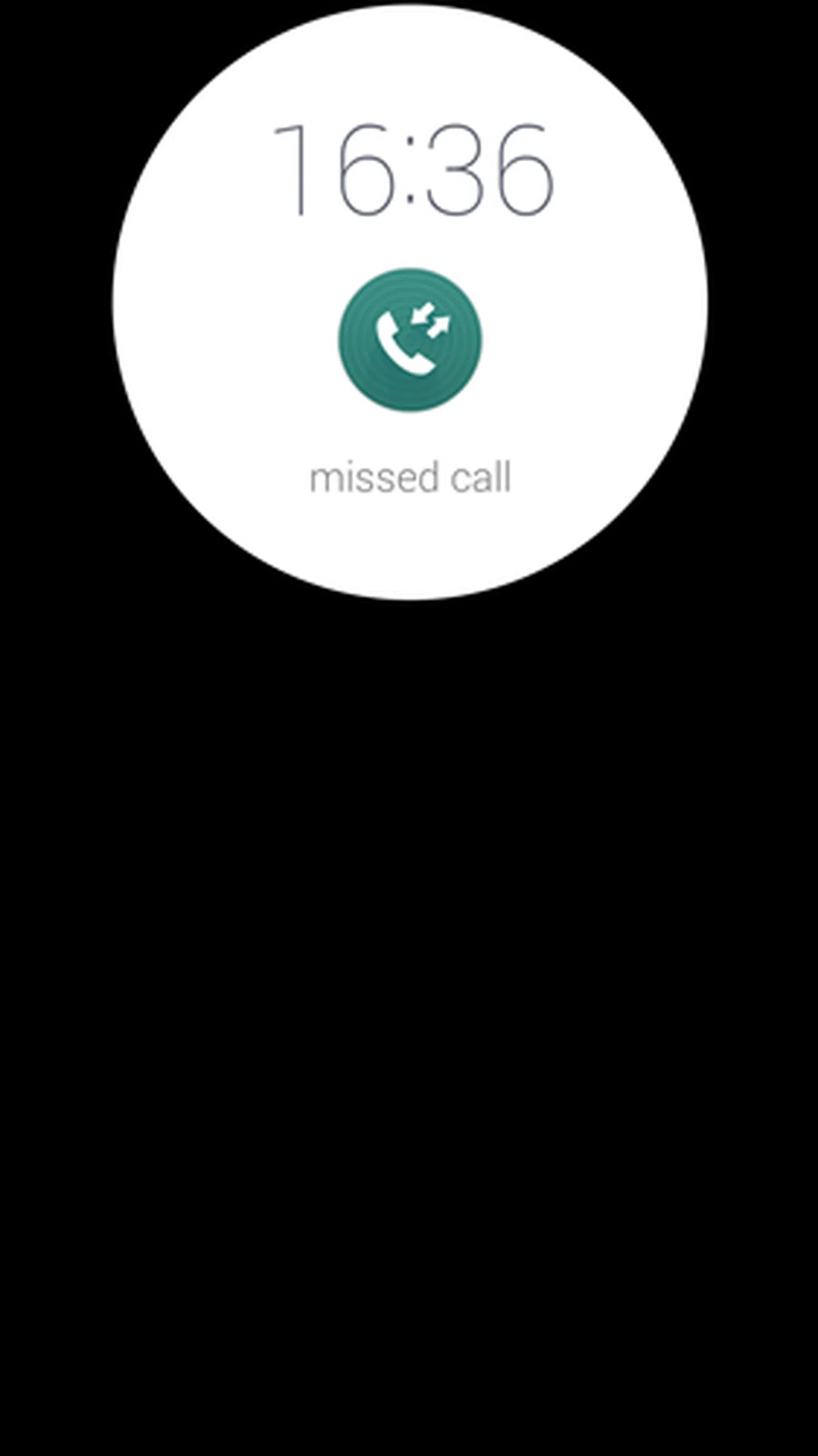 | 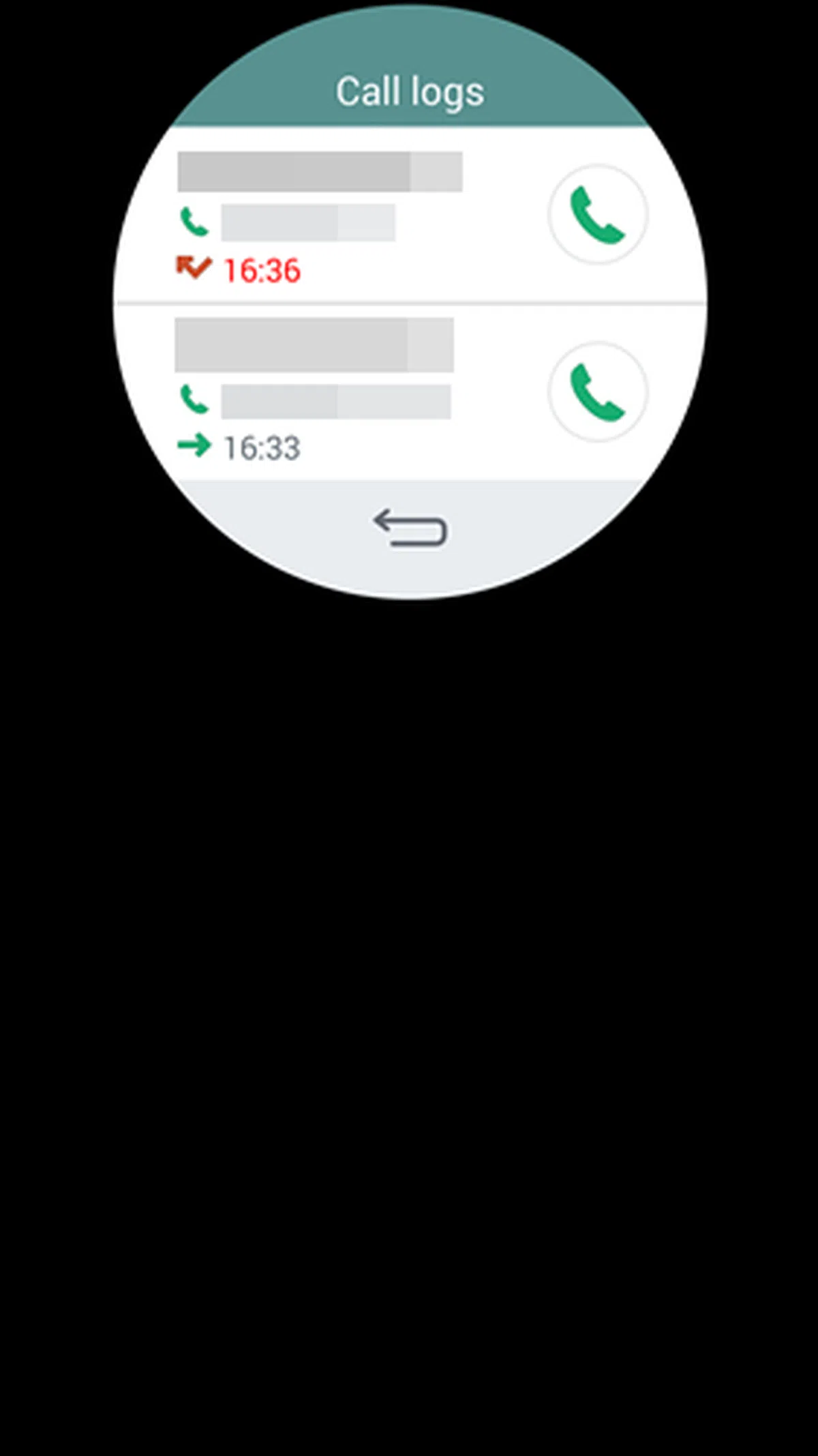 |
You also can answer or reject calls using the Quick Circle case without having to flip open the cover. It also displays notifications of missed calls and upon tapping on the call log, shows you the number and the rest of your call history.
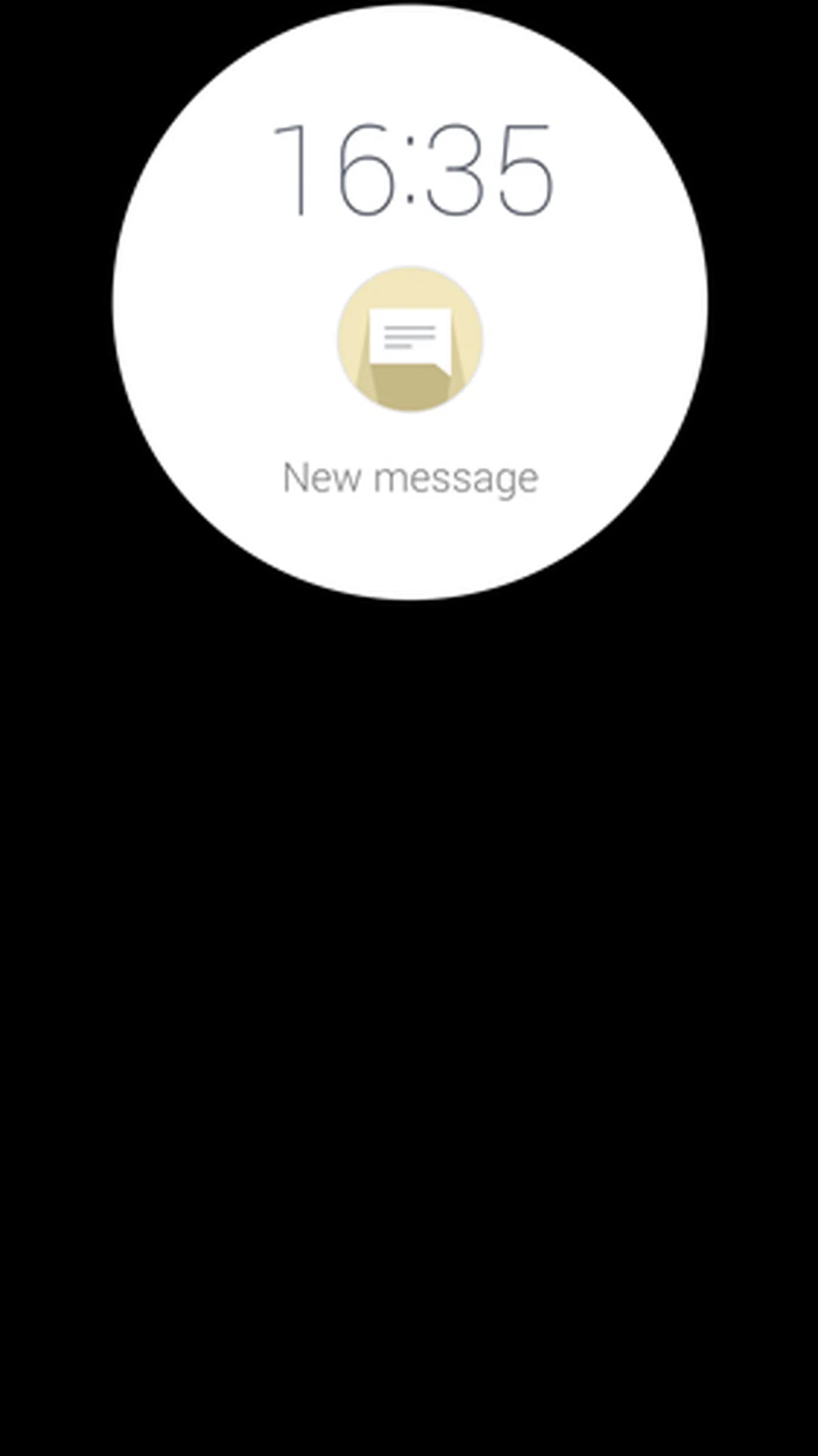 | 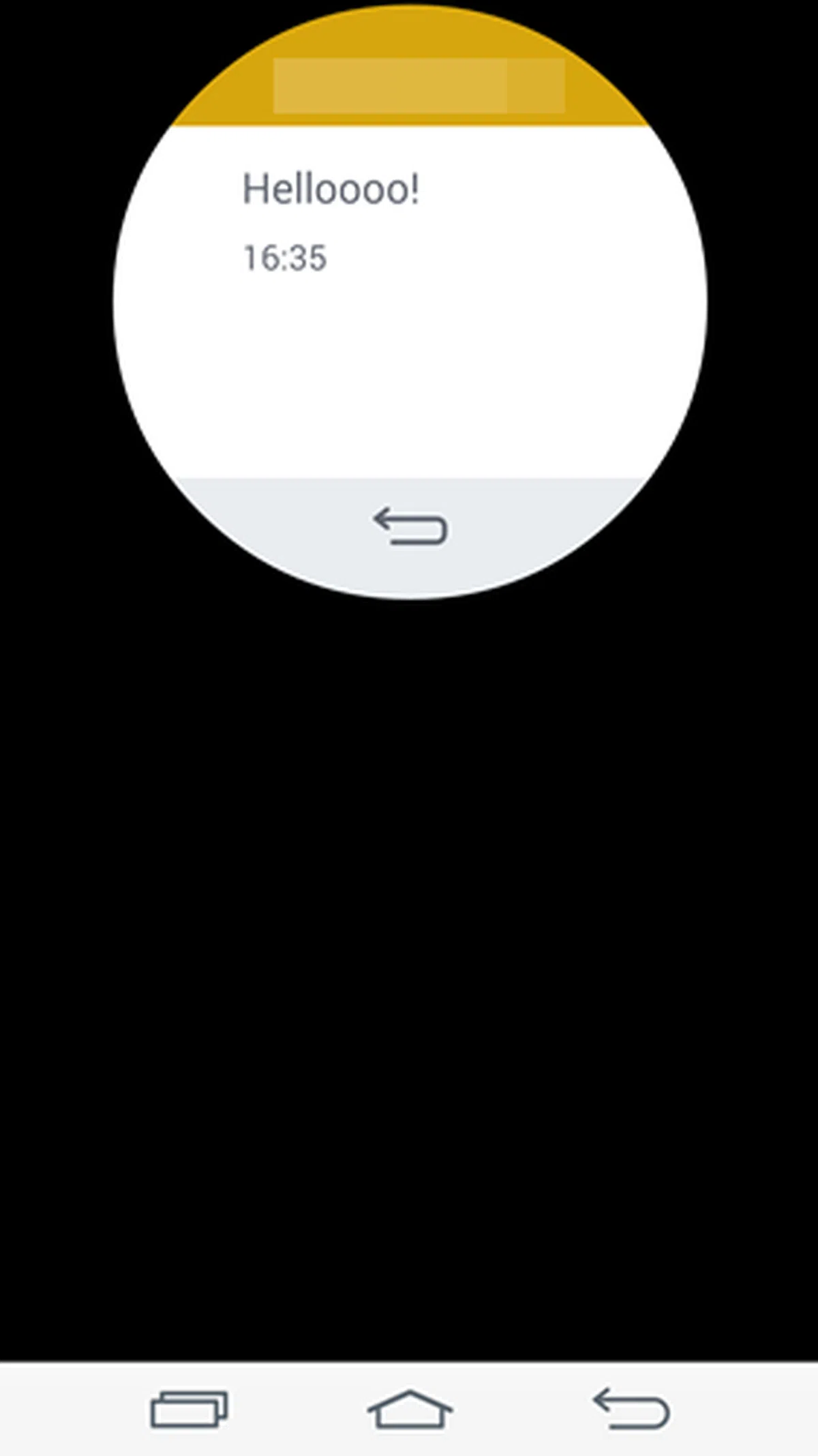 |
Similarly, the Quick Circle case alerts you to unread messages and lets you read them. However, there is no option to reply.
Using the Quick Circle case requires you to remove the back cover and snap the case on. Fortunately, the case is extremely slim and does not add much bulk to the G3. Over the the duration of reviewing the phone with the case snapped on, we found that the circular window was lighted up on a few occasions when we whipped the phone out of our pocket. We're not sure what might have activated it, but we reckon it would have led to some battery drain.
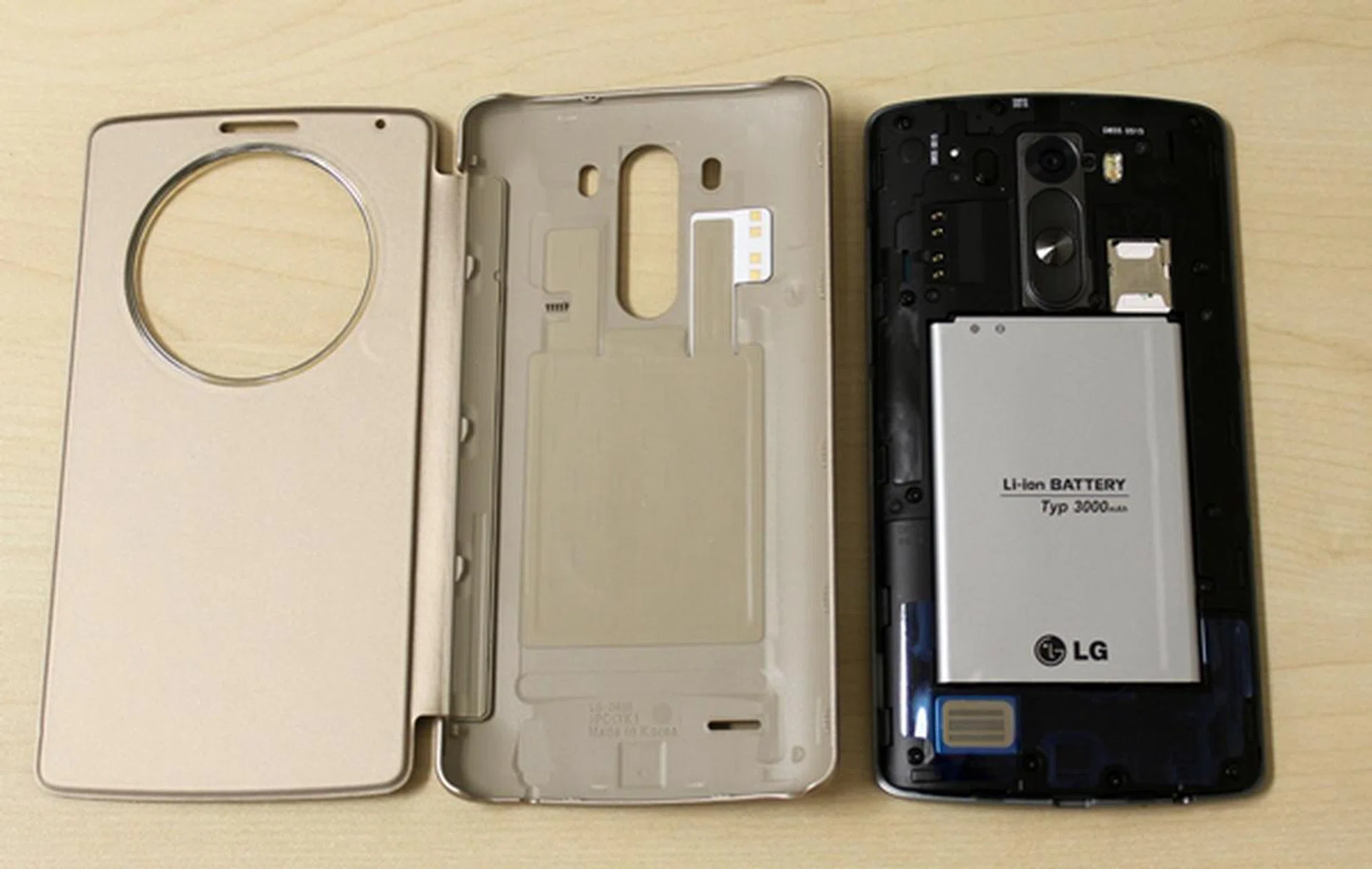
You have to remove the original rear cover to use the Quick Circle Case on the LG G3.
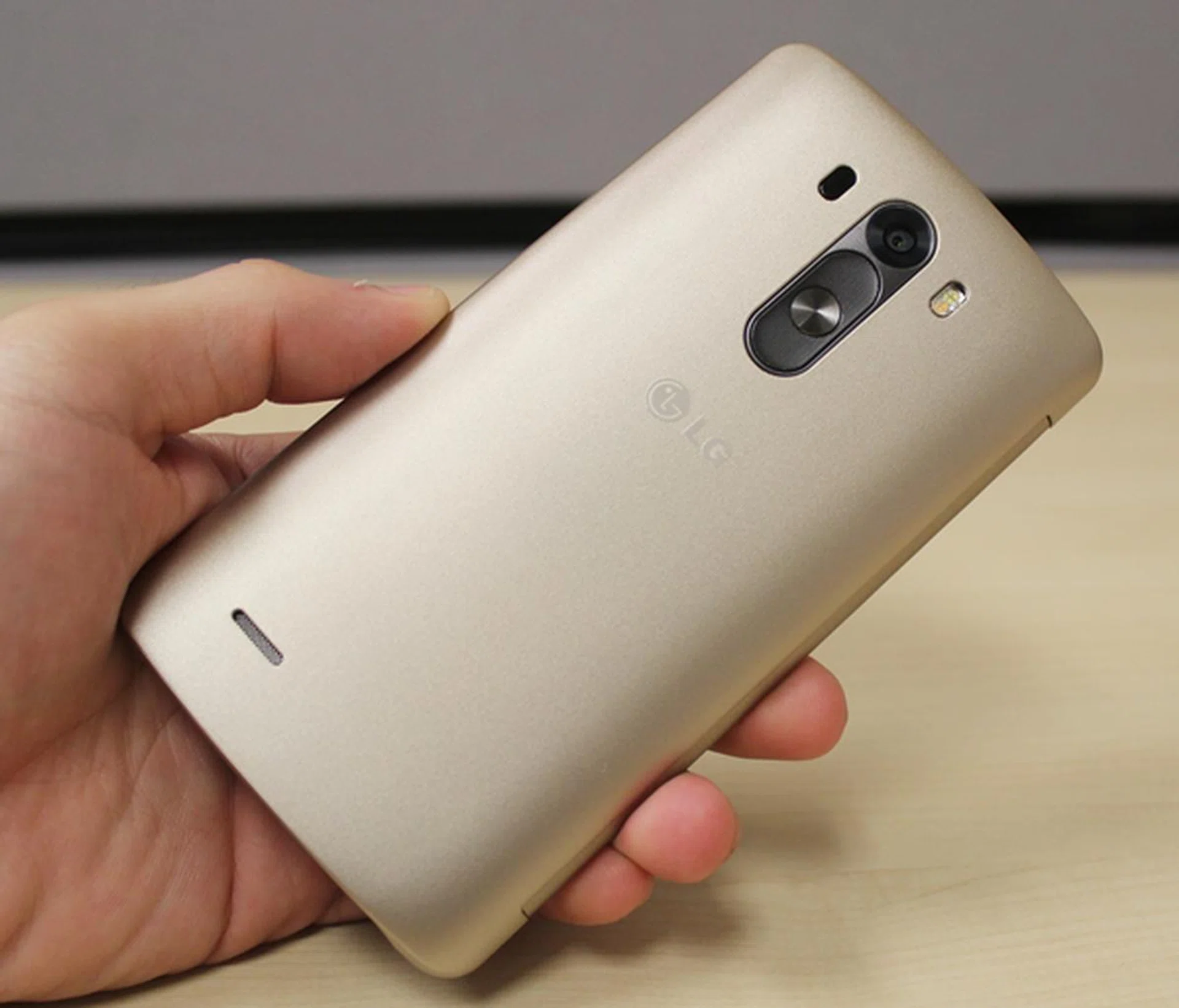
When attached, you'll notice that the Quick Circle case is not very thick to begin with; you can infer from the camera and rear key cutout.
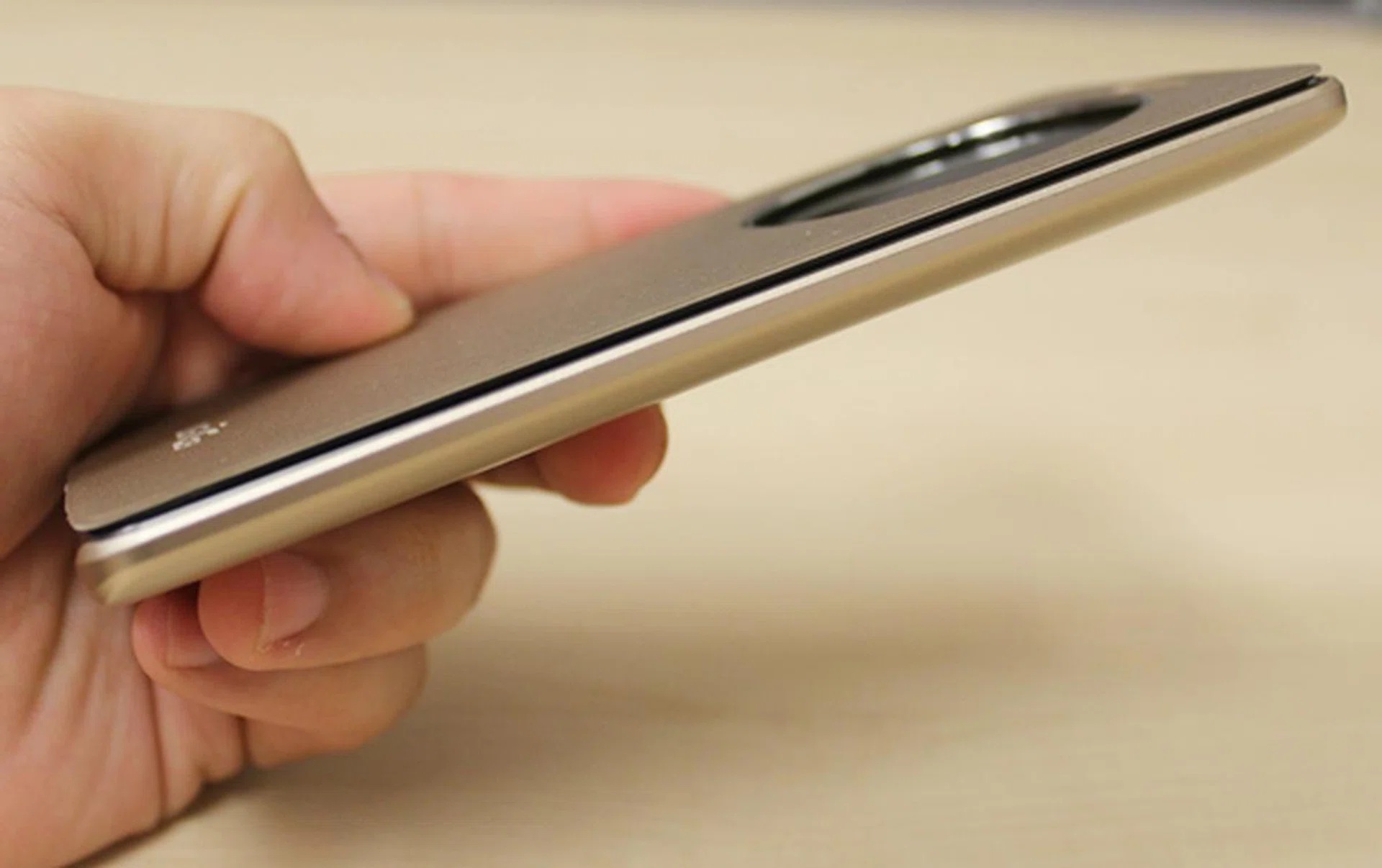
With the Quick Circle case on, you get all round protection for the LG G3 while looking good at the same time.
We found the lack of a battery status indicator on the Quick Circle display disappointing; it would have been better if users can have a quick glance of such vitals without flipping the cover. Last, but not least, we found Quick Circle's retail price of S$98 to be a little on the high side. However If you spend time to analyze the case, you'll realize that like many of the advanced casing covers, this one integrates both wireless charging elements and NFC functionality in addition to sensors integrated to detect the cover's position to inform the G3 what it should display on its LCD screen. All these aspects certainly add to the cost of the Quick Circle case. Gone are the days when phone casings were just their namesake; these days, they are more like 'smart cases'.
Wireless Charger (WCD-100)
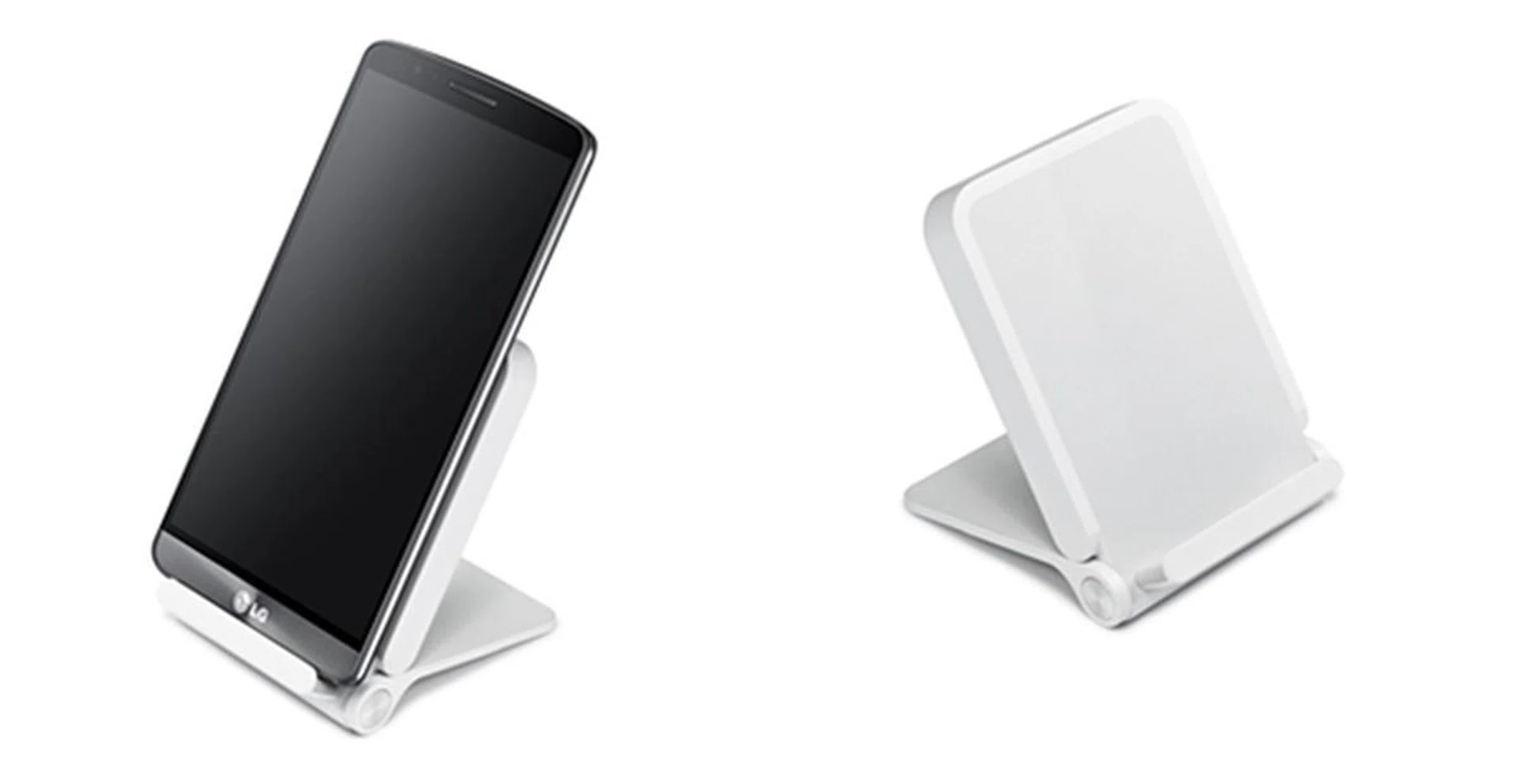
LG is selling the wireless charger for $68. <br> Image source: LG
The Wireless Charger is compatible with Qi's wireless power charging technology and outputs 1.0A current. Weighing at 88g, it is light enough to bring around. You can charge the G3 with its rear cover, Quick Circle, Slim Guard and Slim Hard cases on. If you find the official wireless charger to be too expensive, the G3 can be charged using any other wireless Qi based chargers.
Redesigned User Interface
Like ASUS, HTC and Samsung, LG also gave its user interface a major rehaul. Gone are the cartoonish, uninspiring app designs and inconsistencies of the old interface. The new interface adopts simple flat graphics with a clean, minimalist look.
What you see now are light and crisp typefaces, and apps using the circle - the shape and concept of the LG logo - as the graphic motif. "More mature feeling colors" are chosen over primary colors to give the interface a more refined look.
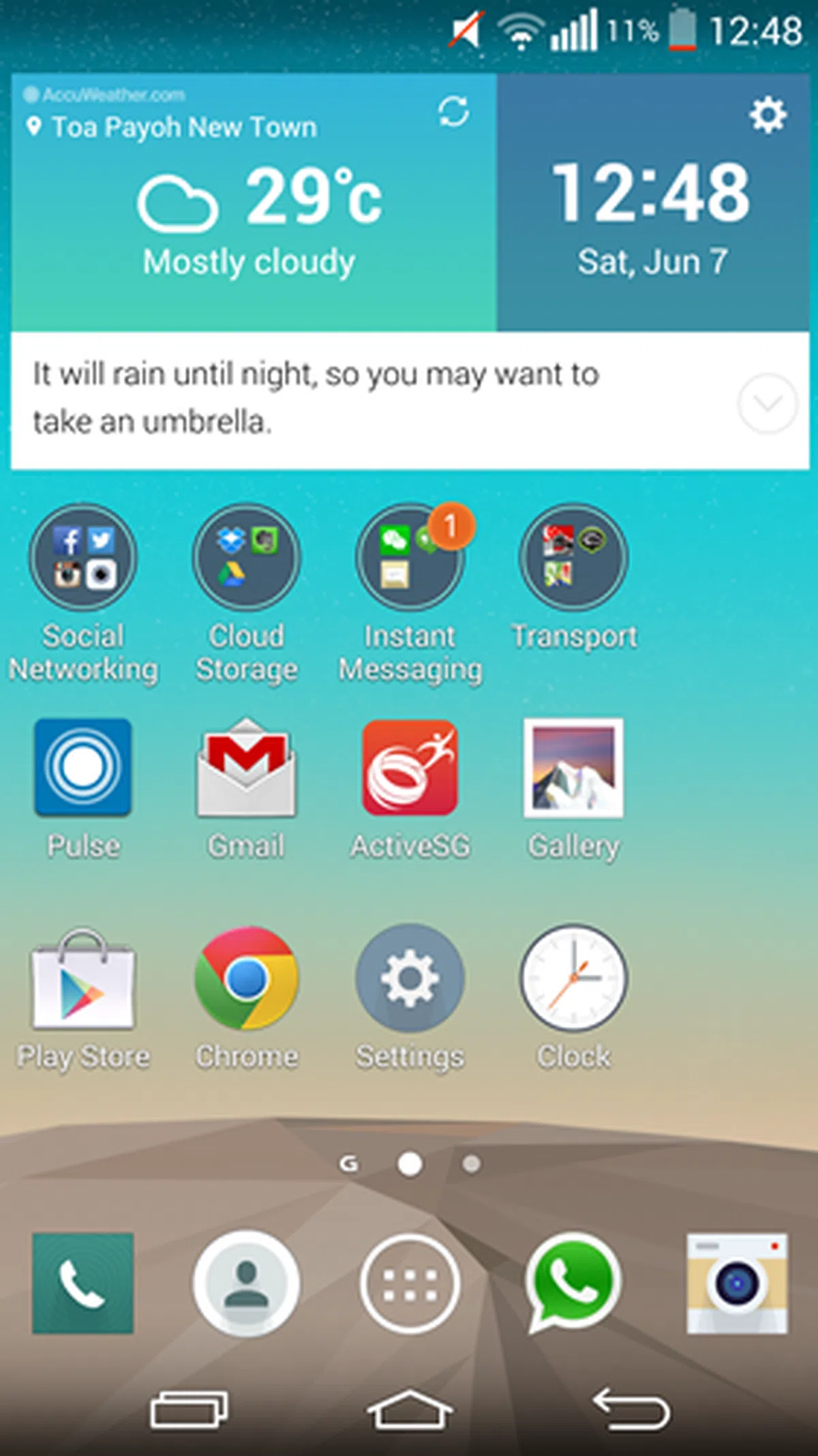
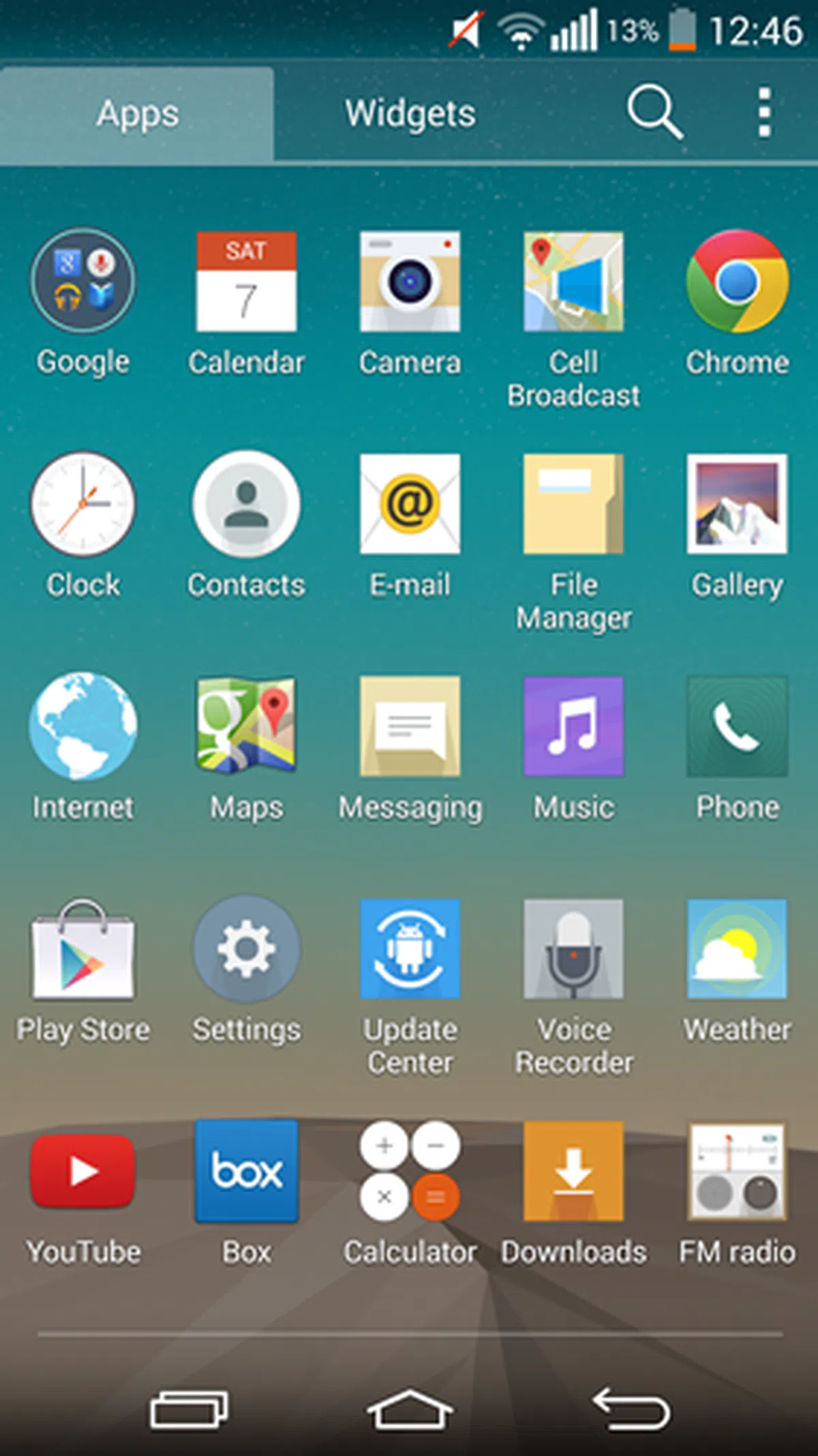
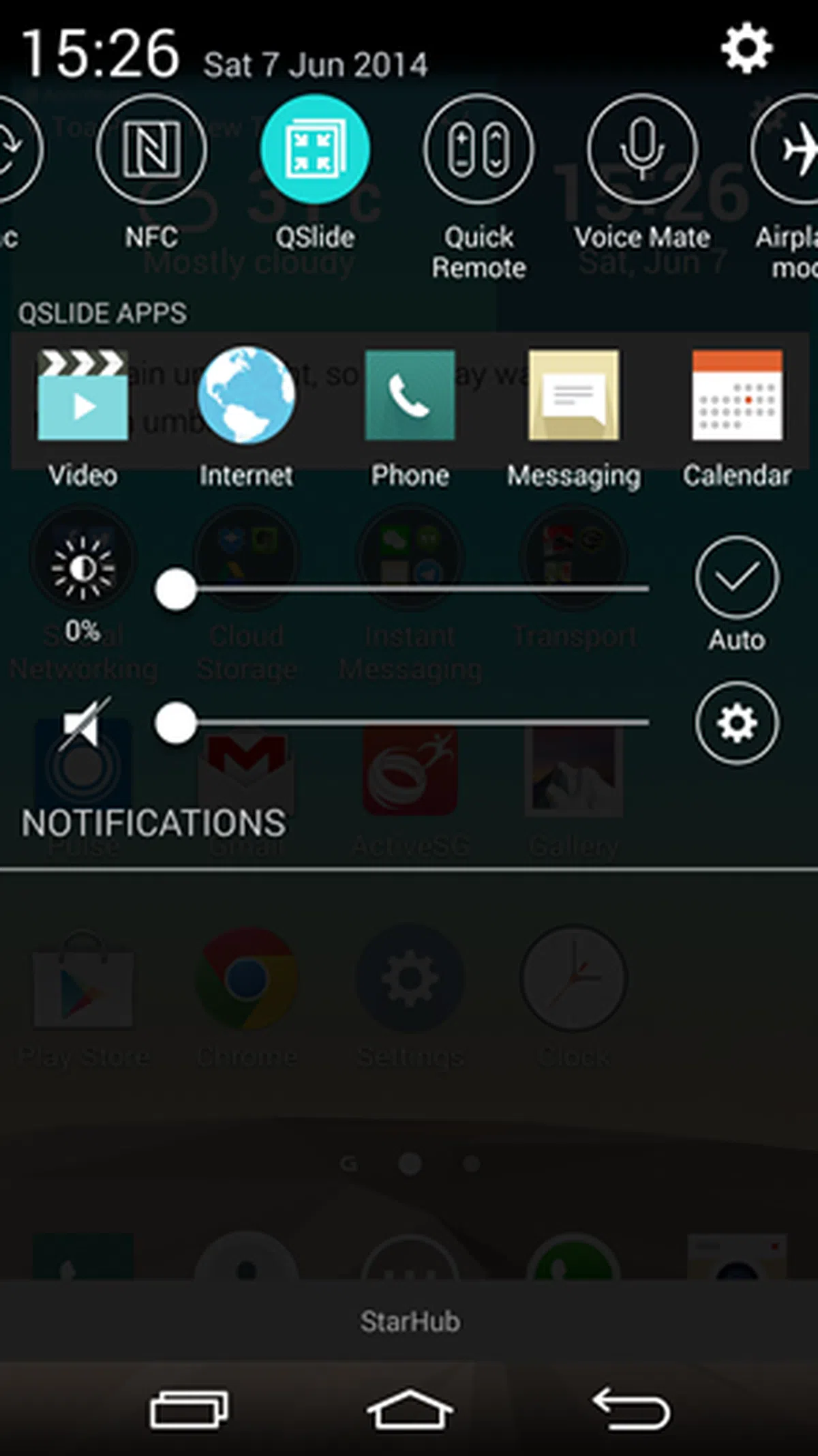
These modifications led to the emergence of a differentiated design language that LG could call its own, one that was lacking in the past few years. Below are some screenshots comparing the new and old interfaces:
New User Interface on the LG G3
 |  |  |
User Interface on the LG G2
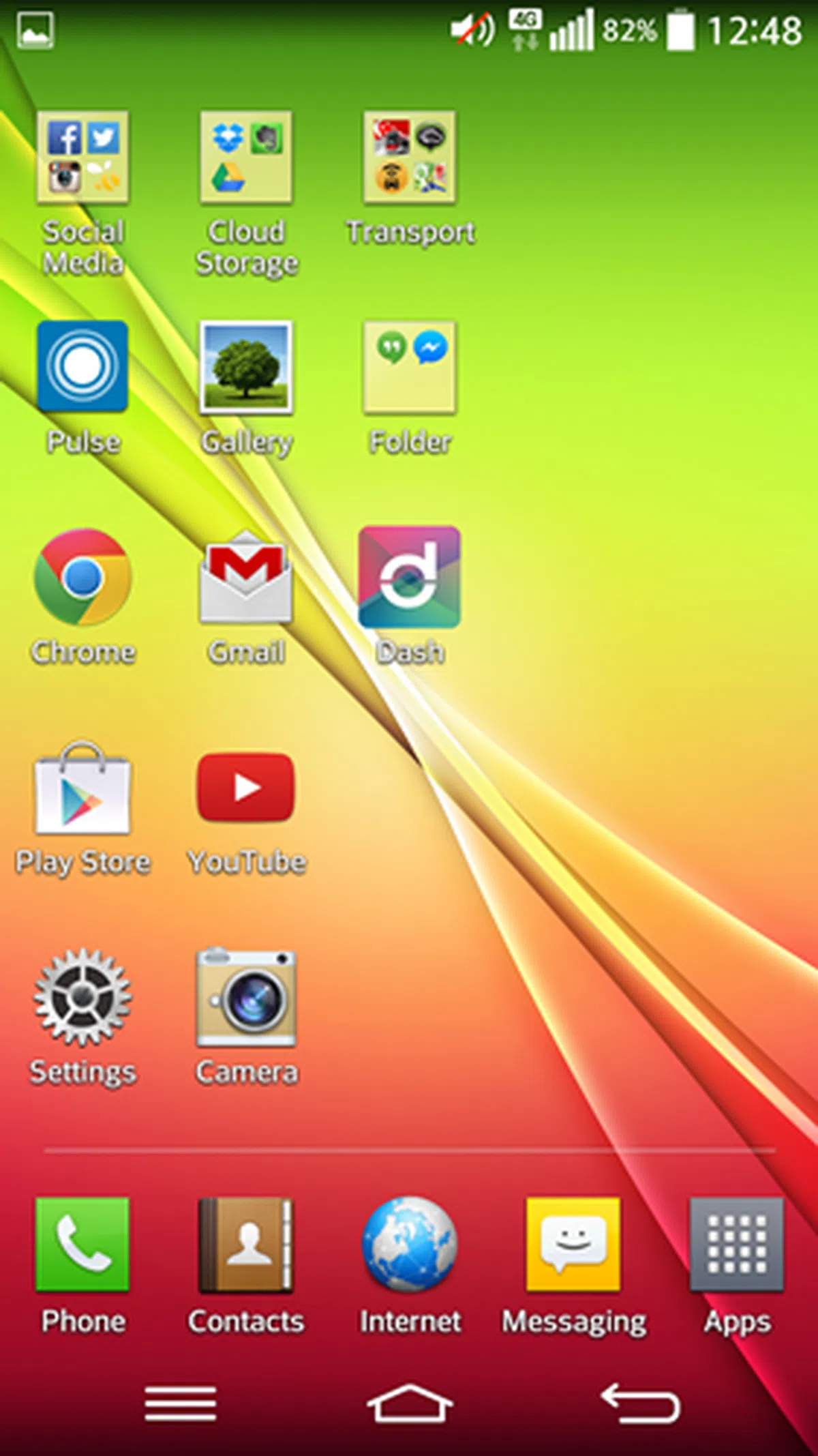 | 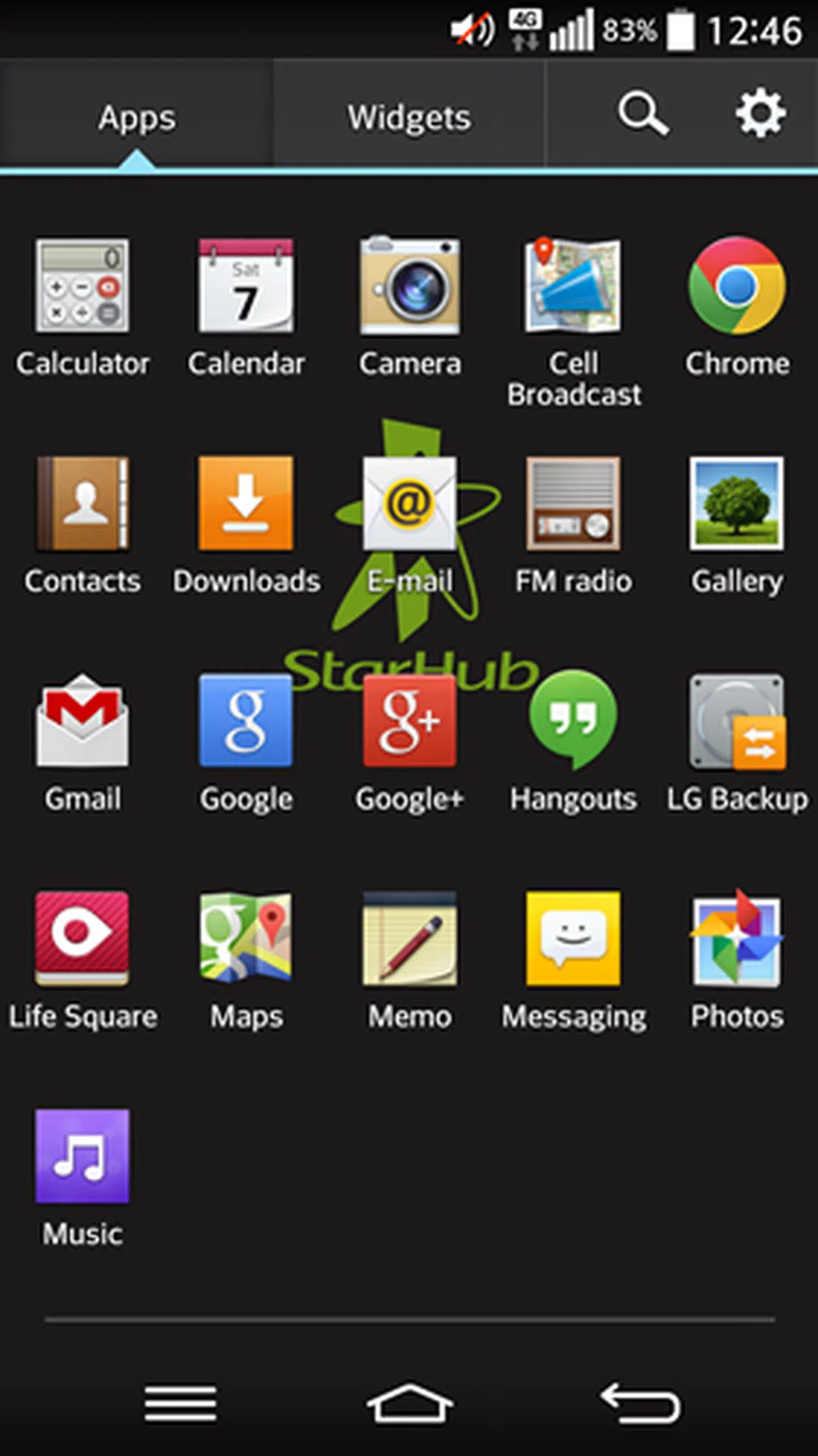 | 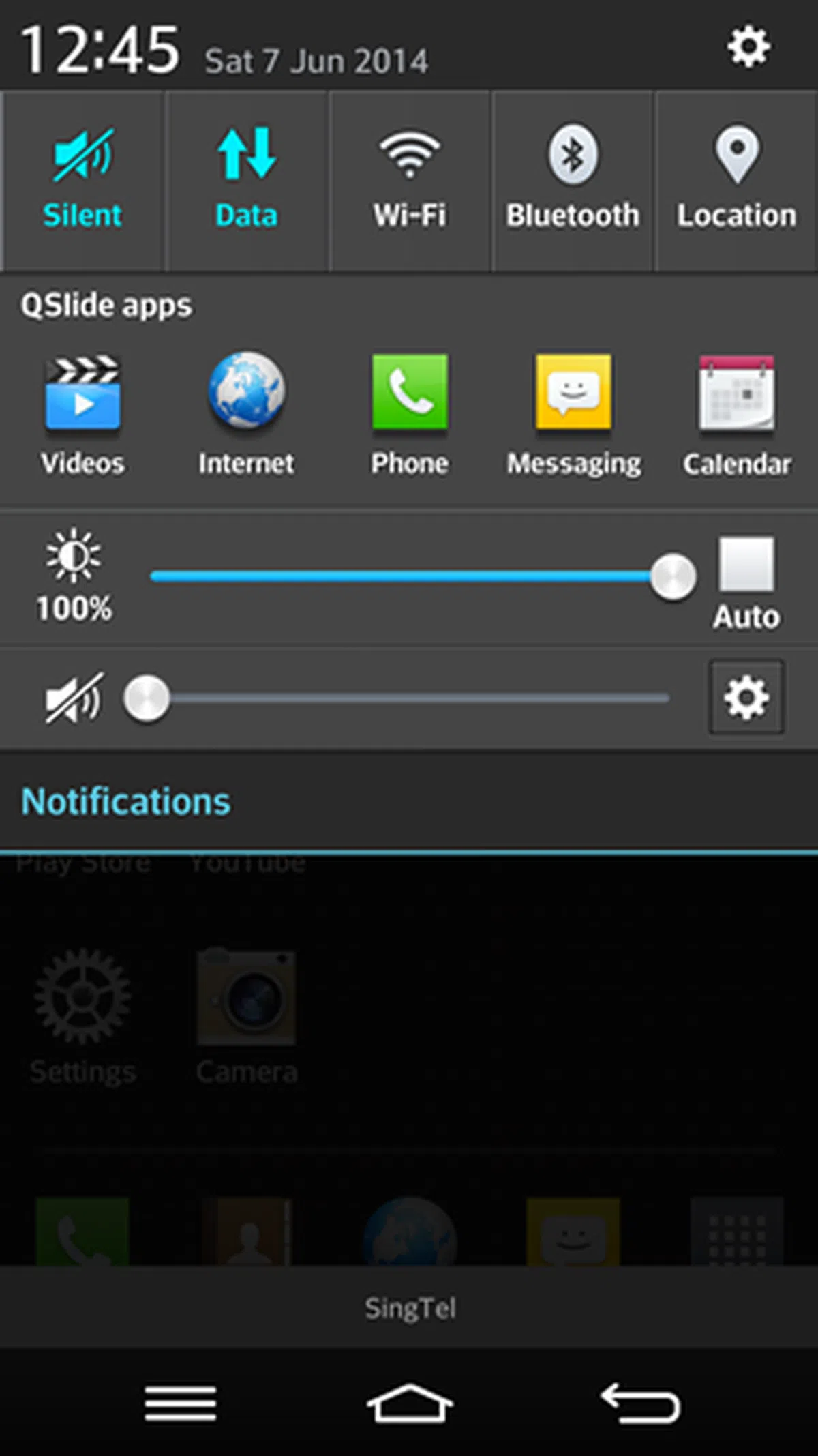 |
You can see that the new interface on the G3 is flattened and simplified. Having used the G3 for a few days, the old interface on the G2 now looks comical and dated. We really like the new app design and typefaces for their modernized and clean appearance. Aside from the aesthetic enhancements, there also are new features in the new interface. Let's explore them below:
Multitasking Panel
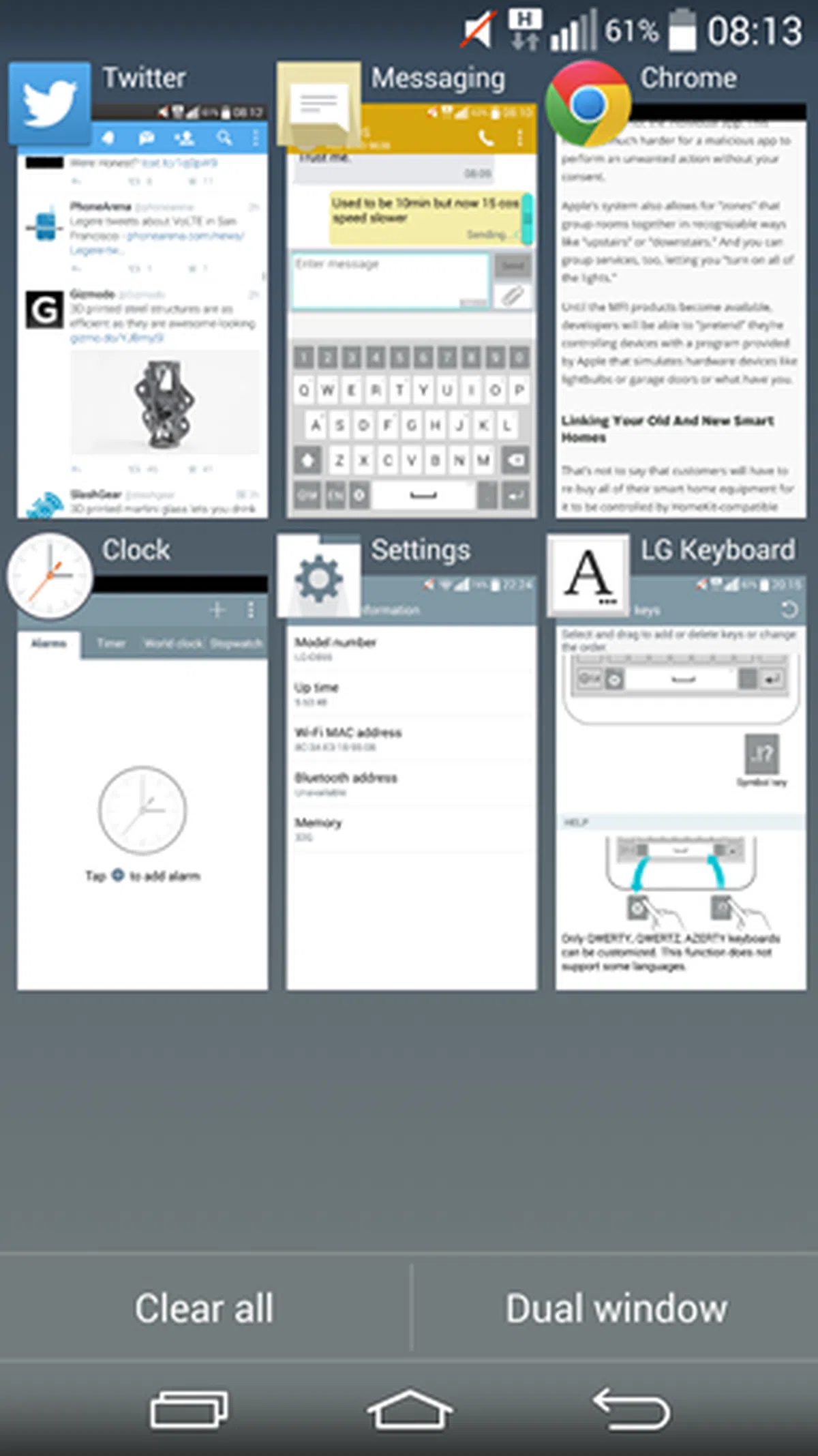 | 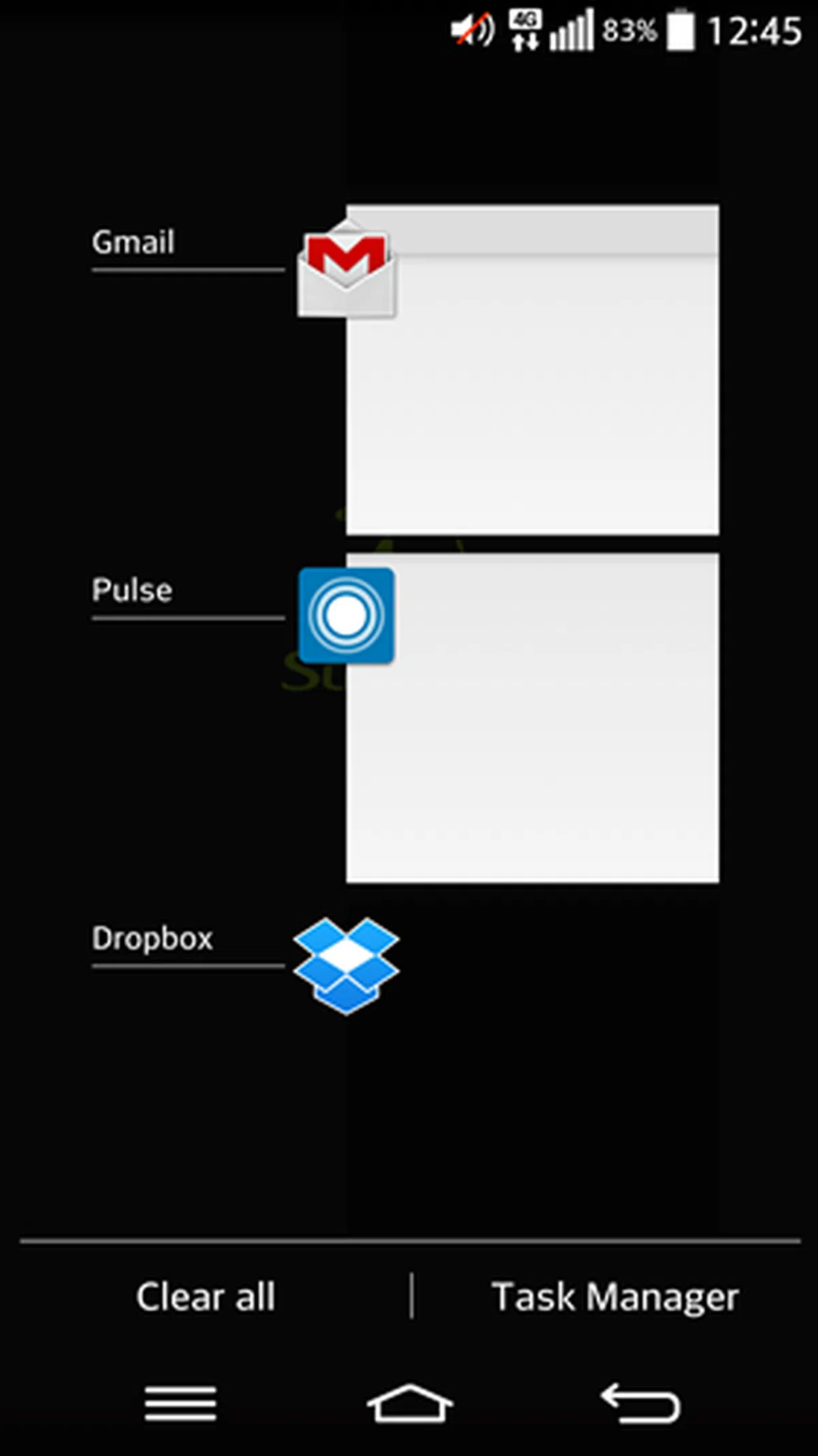 |
The multitasking panel in the new interface shows you the thumbnails of the apps running in the background. It is somewhat similar to HTC Sense 6, although LG's multitasking panel can support up to a maximum of 18 apps whereas Sense 6 only shows the nine most recent apps.
You can either swipe left/right to close an app or hit the "Clear All" tab at the bottom left corner. In the previous interface, the multitasking panel mimics that of stock Android and requires some scrolling to view the apps running in the background.
Ability to uninstall some preloaded apps
 | 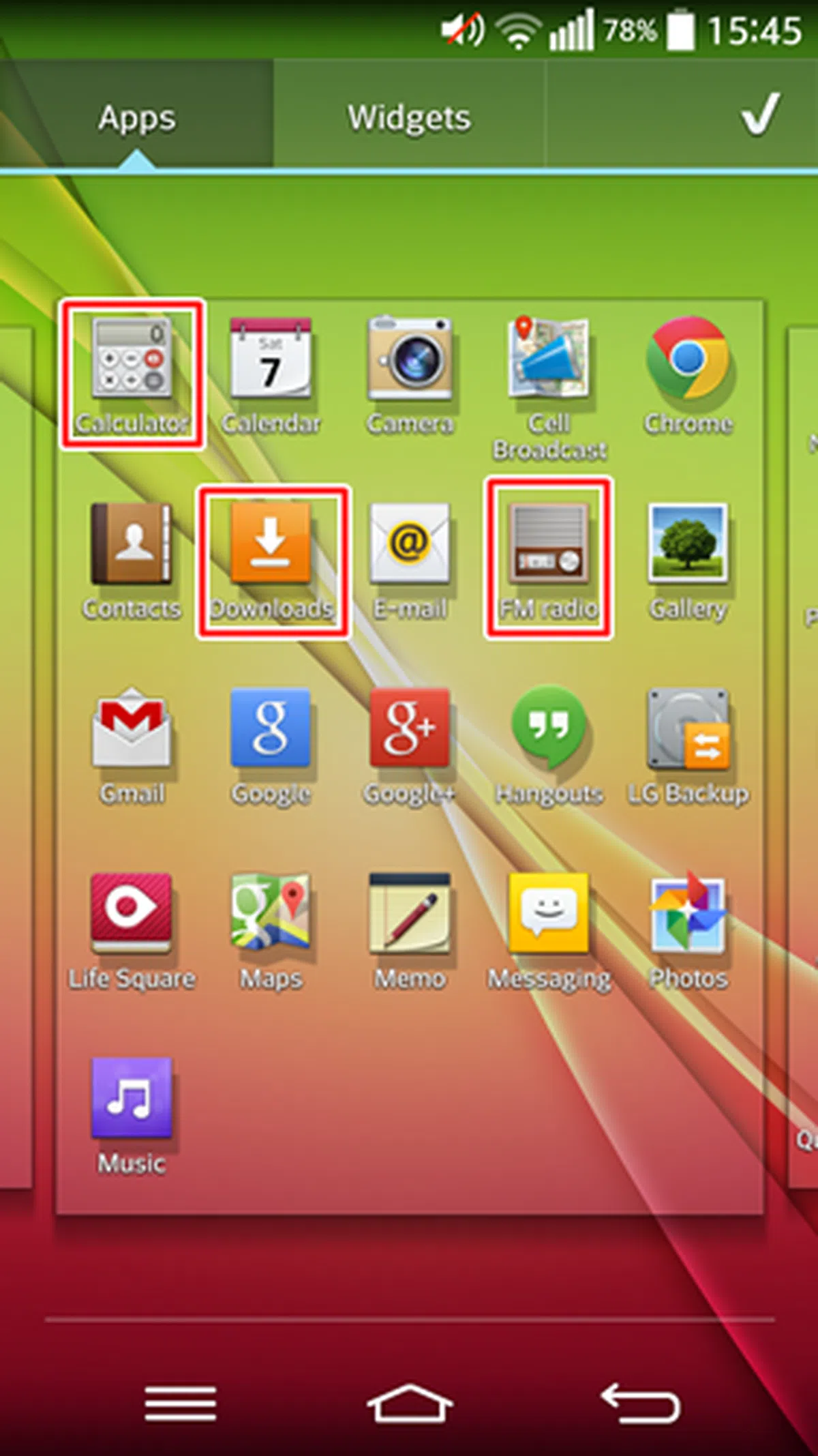 |
The ability to uninstall preloaded apps is still something restricted to the realm of rooting and custom ROMs. LG made it slightly easier for the mainstream consumer to achieve a similar function by having the option to uninstall some, but not all preloaded apps. The G3 also comes with an option to not install the telco apps when you first insert the SIM card on the G3. If you agree to have the apps installed, you cannot uninstall them.
As seen in the left screenshot above, the Calculator, Downloads and FM Radio apps can be uninstalled on the G3. You cannot uninstall them on the G2 (right). There are other preloaded apps such as QuickRemote, QuickMemo+, RemoteCall Service and LG SmartWorld which you can uninstall too. Apps that still cannot be uninstalled on the G3 include the Email app, the File Manager app and Internet (browser).
Gallery
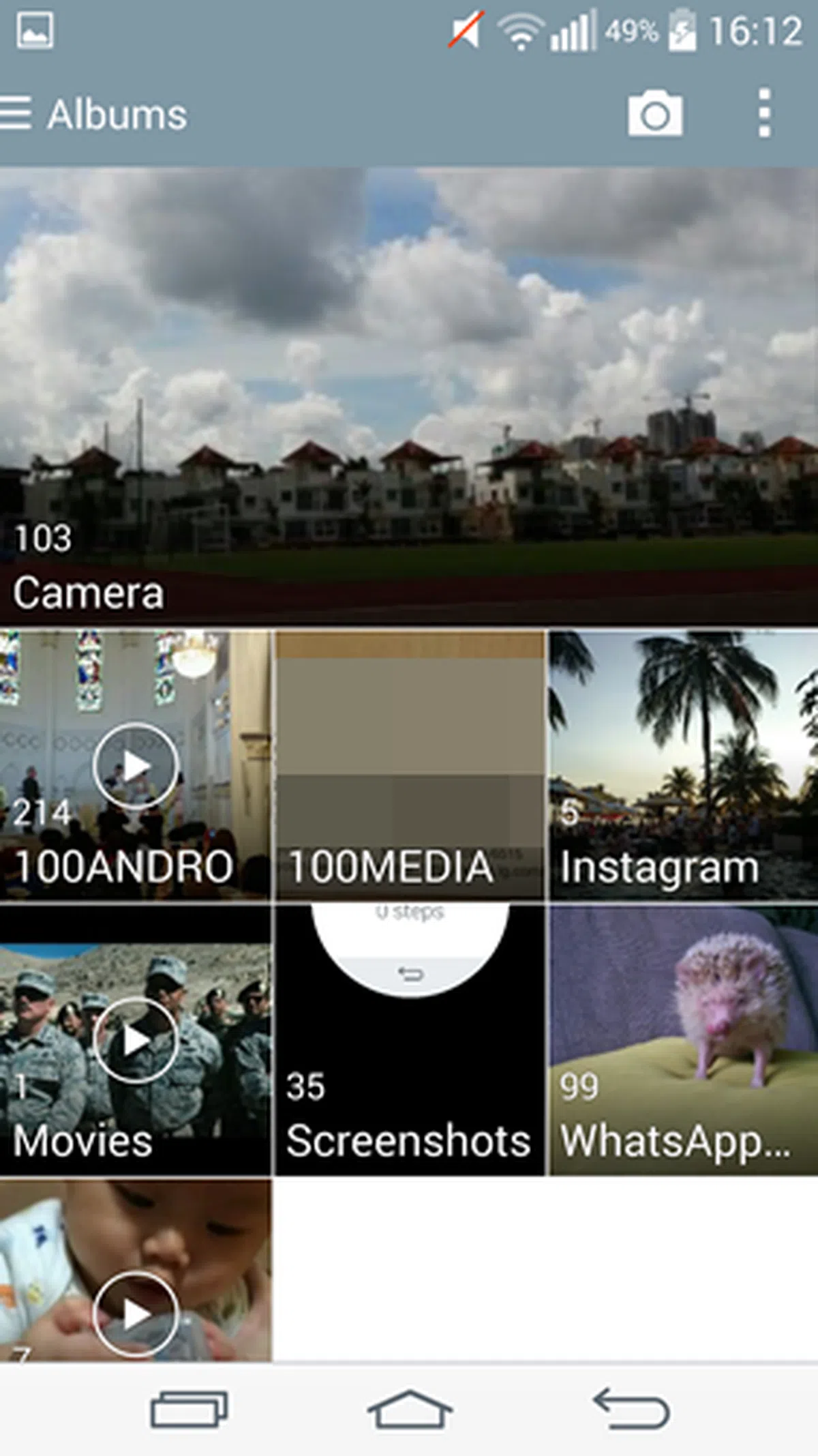 | 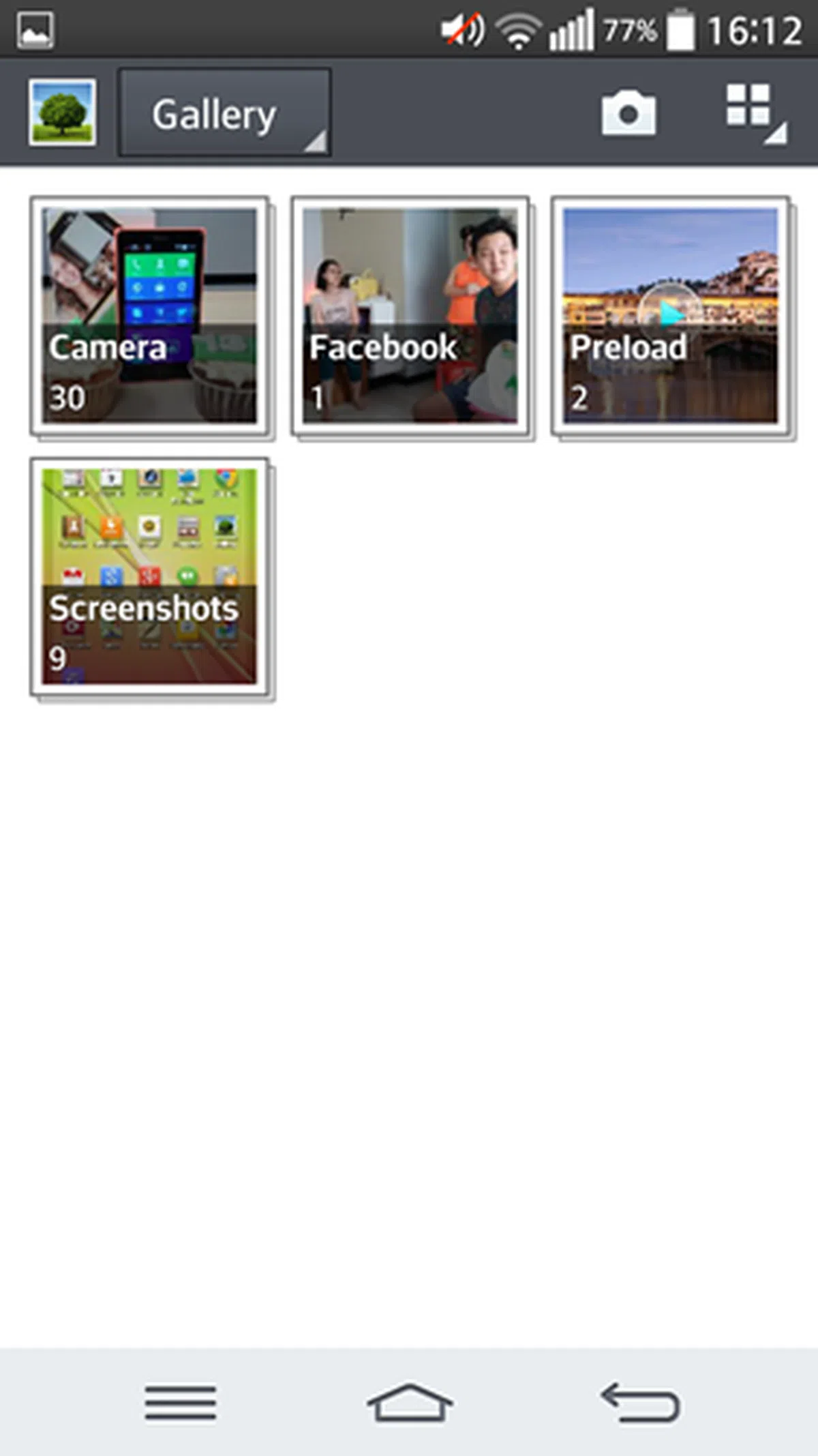 |
The Gallery app in the G3 is revamped to show a larger thumbnail of each album. The Camera folder is given a higher focus with its larger thumbnail preview. Notice how the folder design is flattened in the new interface compared to the slightly raised up design in the older interface.
Smart Keyboard
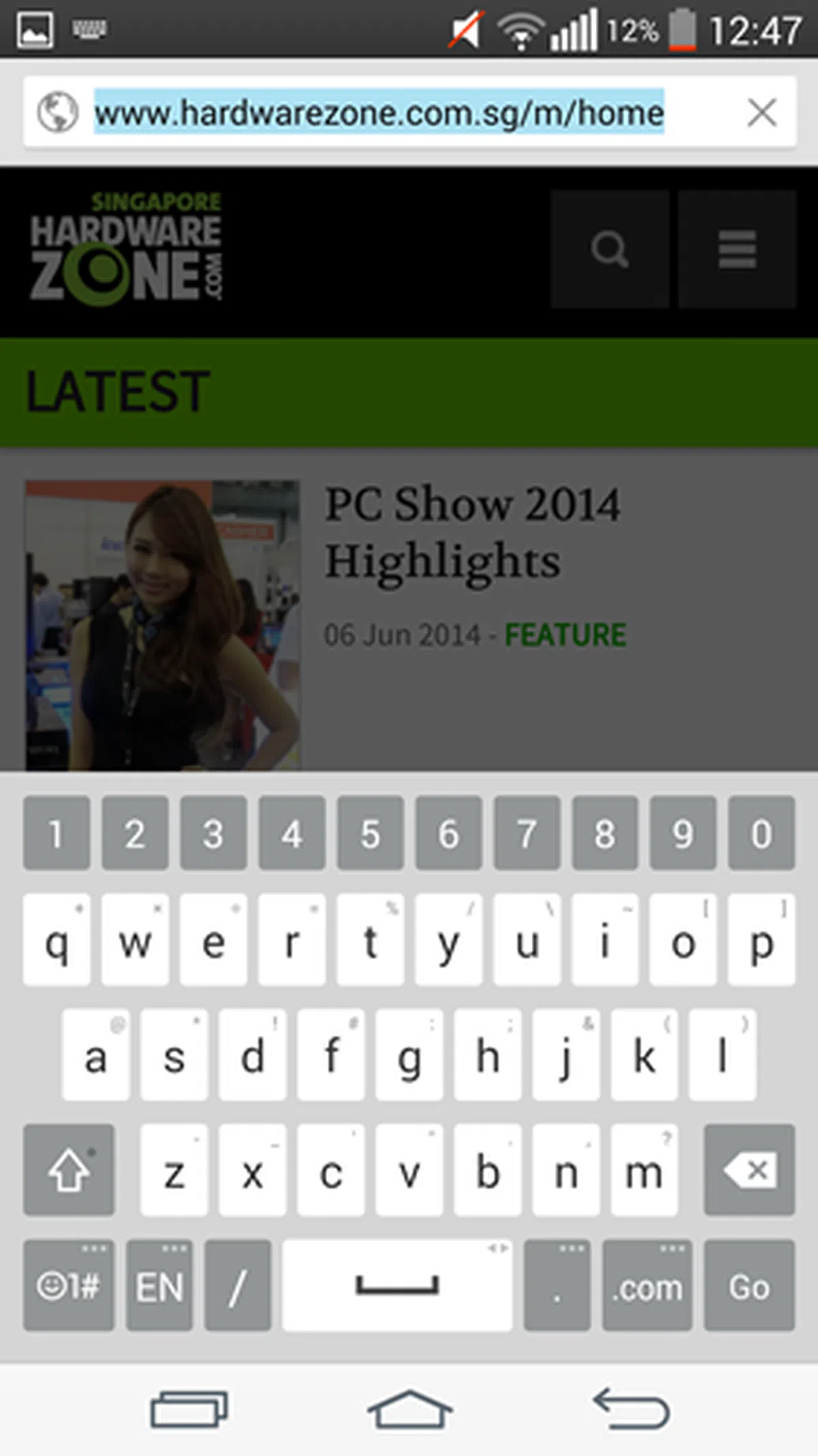 | 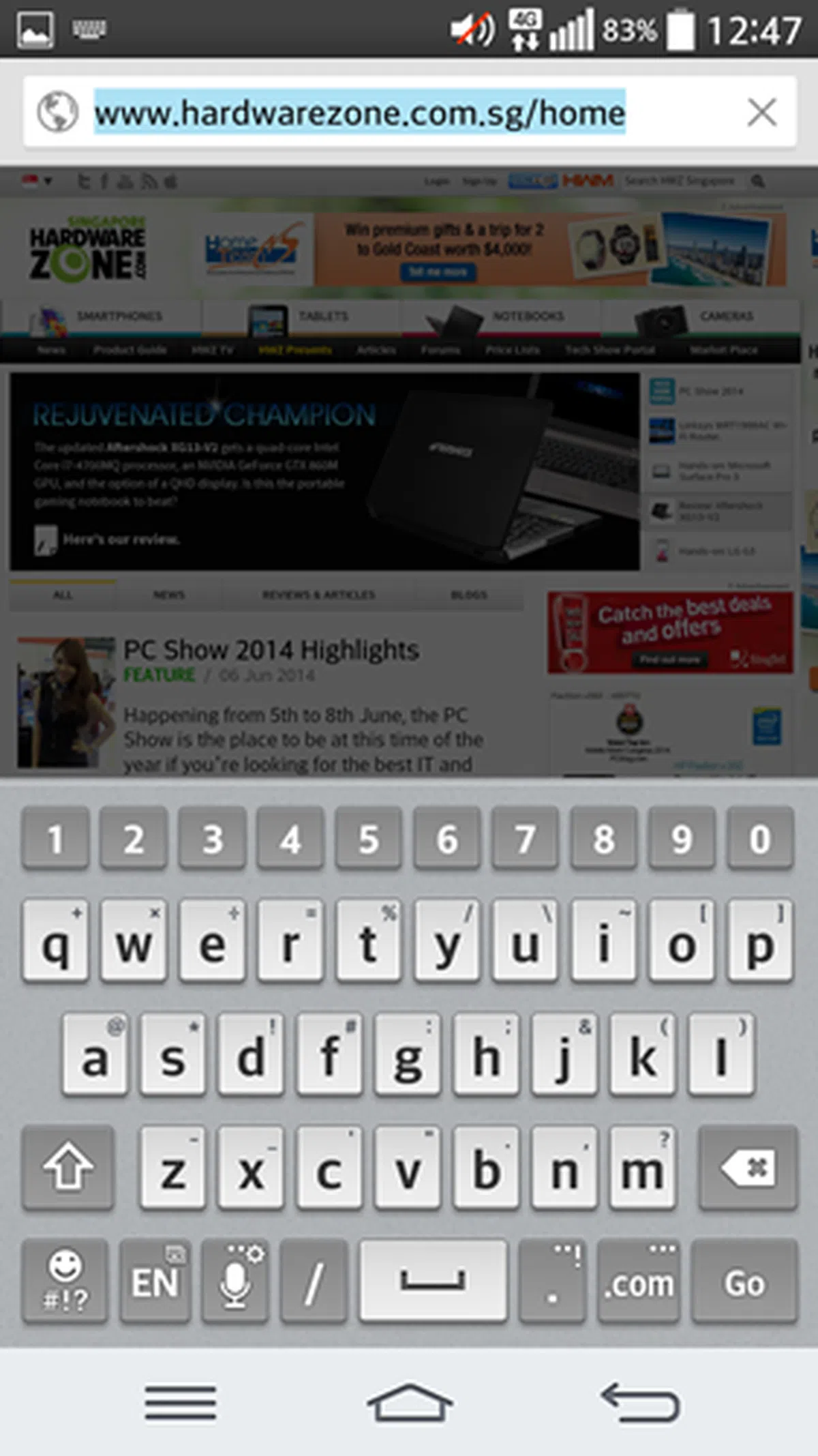 |
The Smart Keyboard is one of the three key features of the new interface as LG believes that the typing experience on mobile devices has plenty of room for improvement. Its Smart Keyboard gives you control over the typing experience in three ways: a redesigned input method, customization of the keyboard, and Smart Touch technology to memorize typing habits.
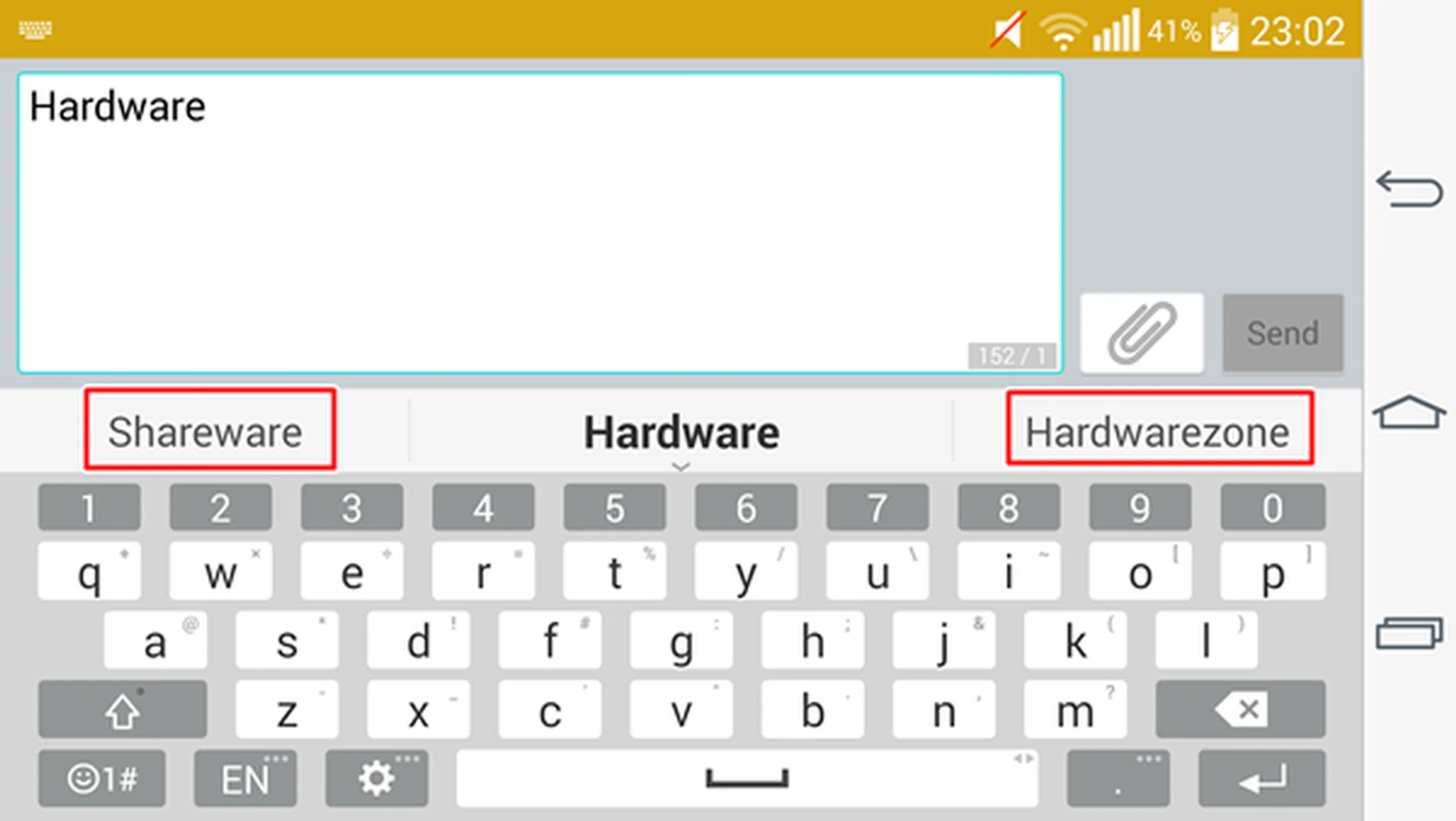
If "hardwarezone" is the word you want to add into the message, swipe up on the right side of the keyboard and it will be added.
Instead of moving your finger up/down between the keyboard and the input area to add/edit text, LG incorporated a swipe gesture in its input method. When typing a message, word suggestions will pop up in the bar above the keyboard. You either swipe up using the left or right thumb depending on the correct word suggestion you want to add in the message. In addition, you can hold down the space bar and slide left or right to move the cursor along the word which you want to correct the typo. Pretty nifty additions.
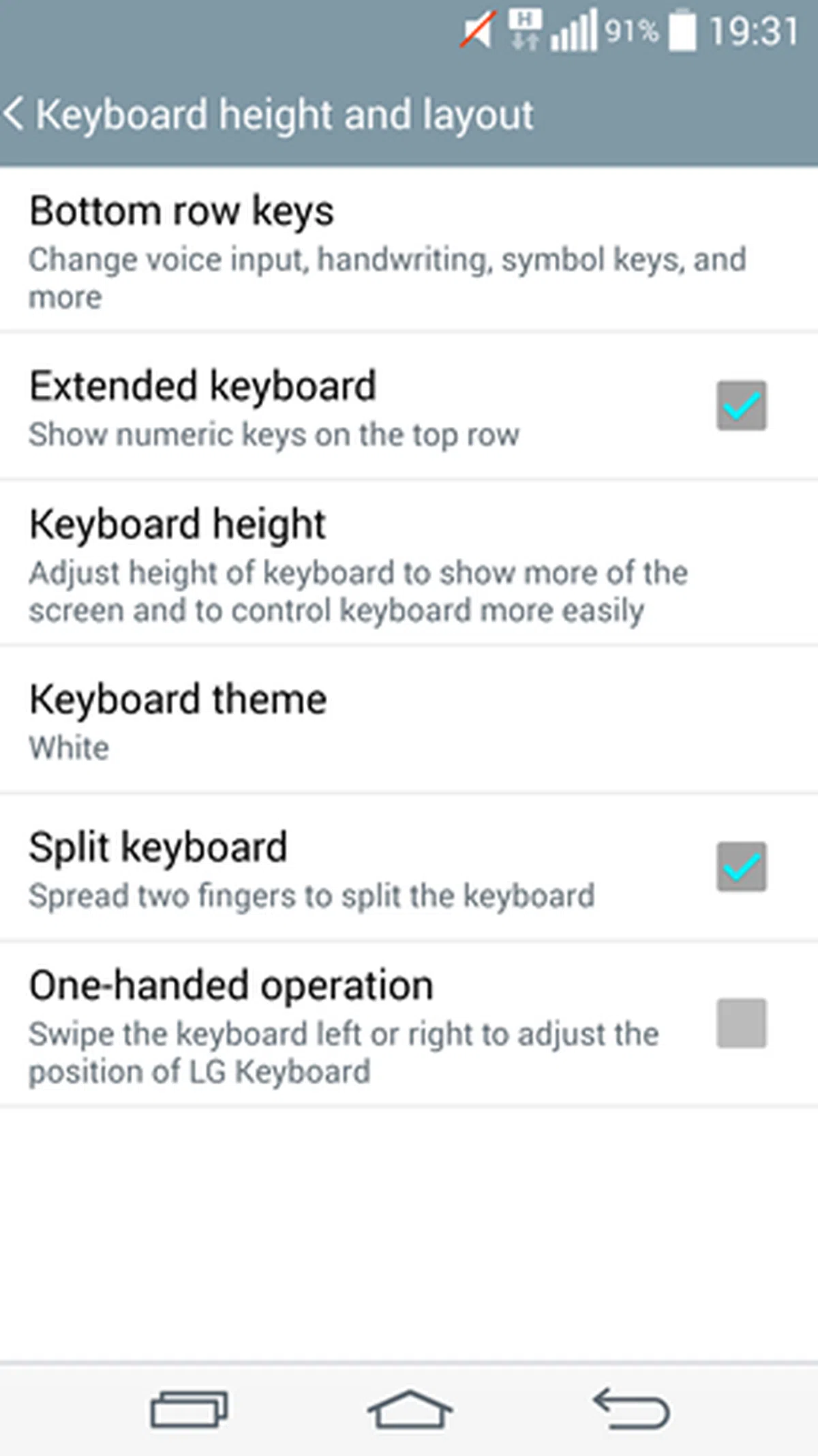 | 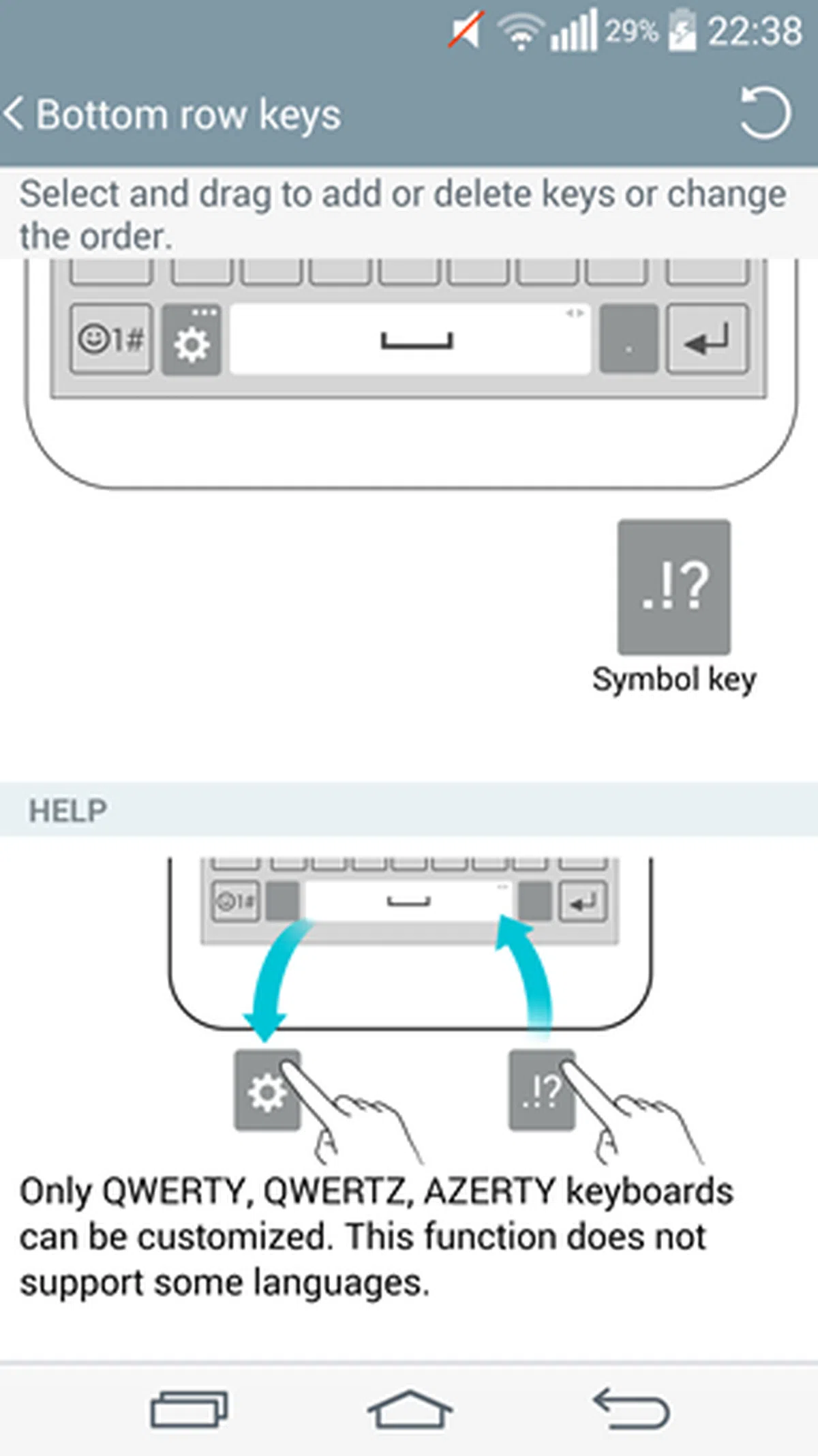 | 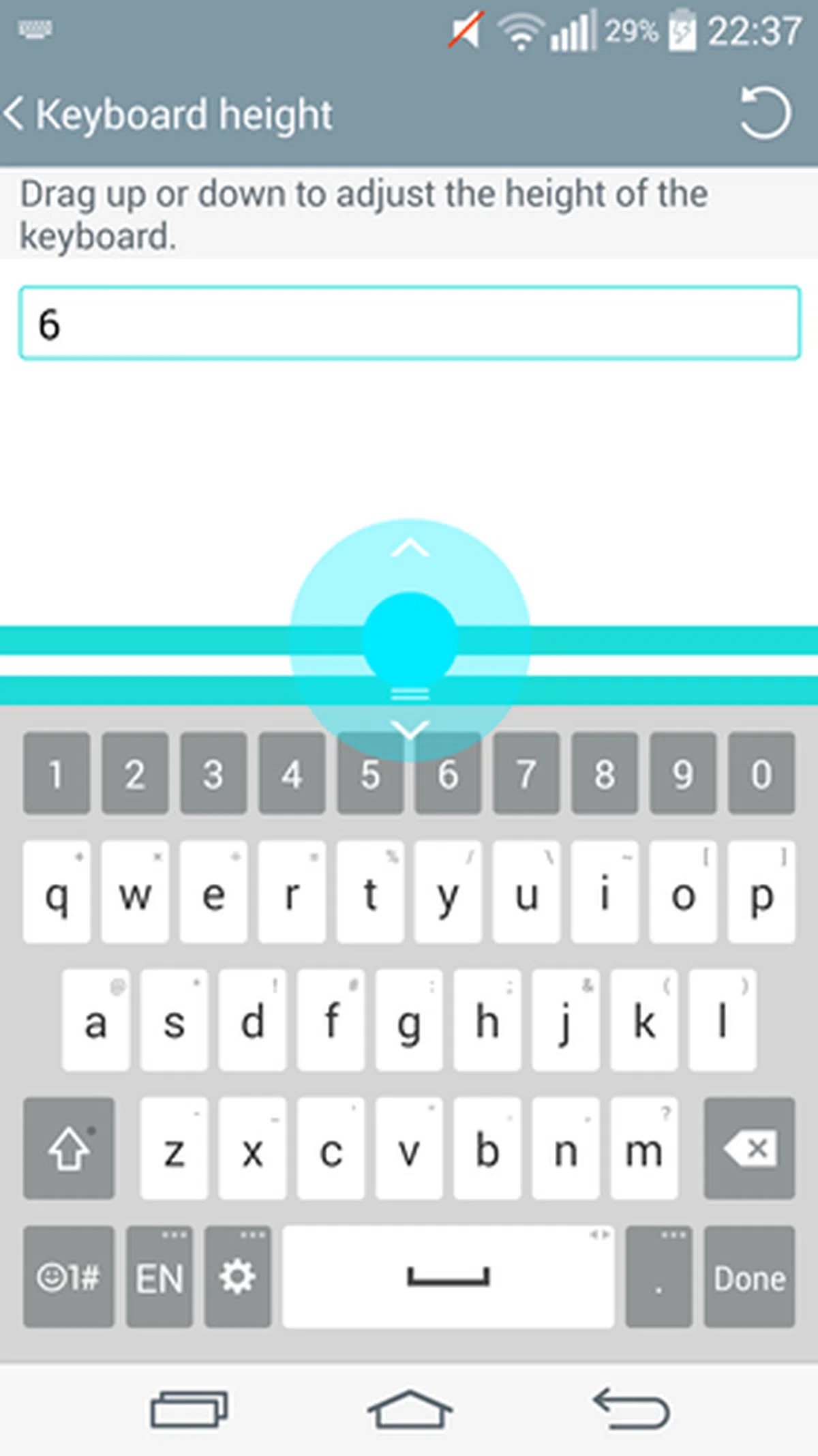 |
The Smart Keyboard also comes with more customization options out of the box. You can adjust the height of the keyboard to suit your hands or position of the thumbs, and select/change frequently used symbols at the bottom row of the keyboard for faster access. In addition, there are two keyboard themes to choose from: white and black to suit different users' preferences.
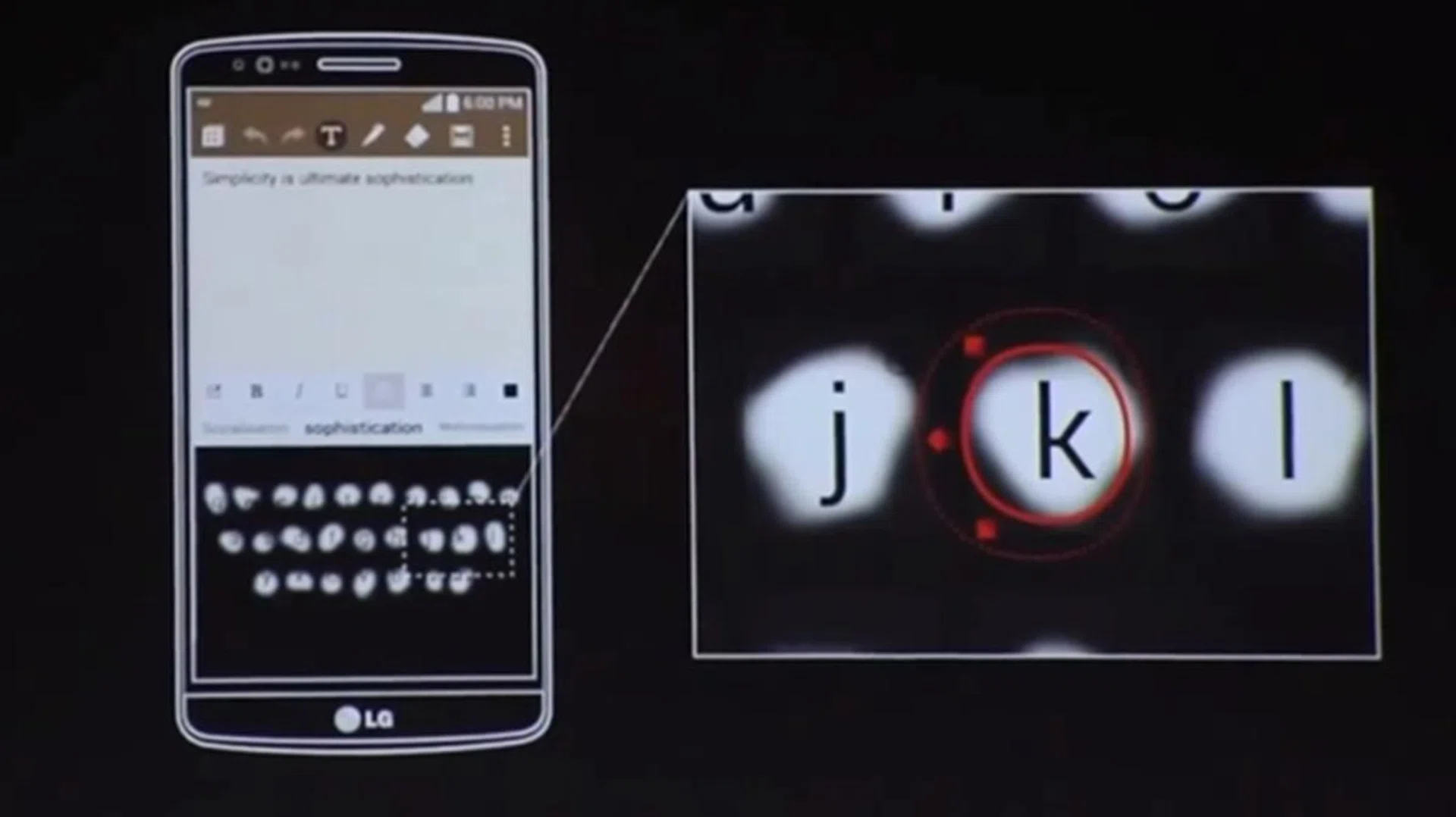
Image source: LG UK YouTube
Smart Touch, commonly known as adaptive technology, learns how you type to help you input text faster with minimal mistakes. According to LG, internal testing of Smart Touch showed that input errors are reduced by up to 75%. During our past few days of usage, we found our typing to be slightly faster and more accurate. Do note that this feature is not exclusive to LG; the keyboard in BlackBerry 10 OS and other third party keyboard apps offer similar features too.
Smart Notice
| 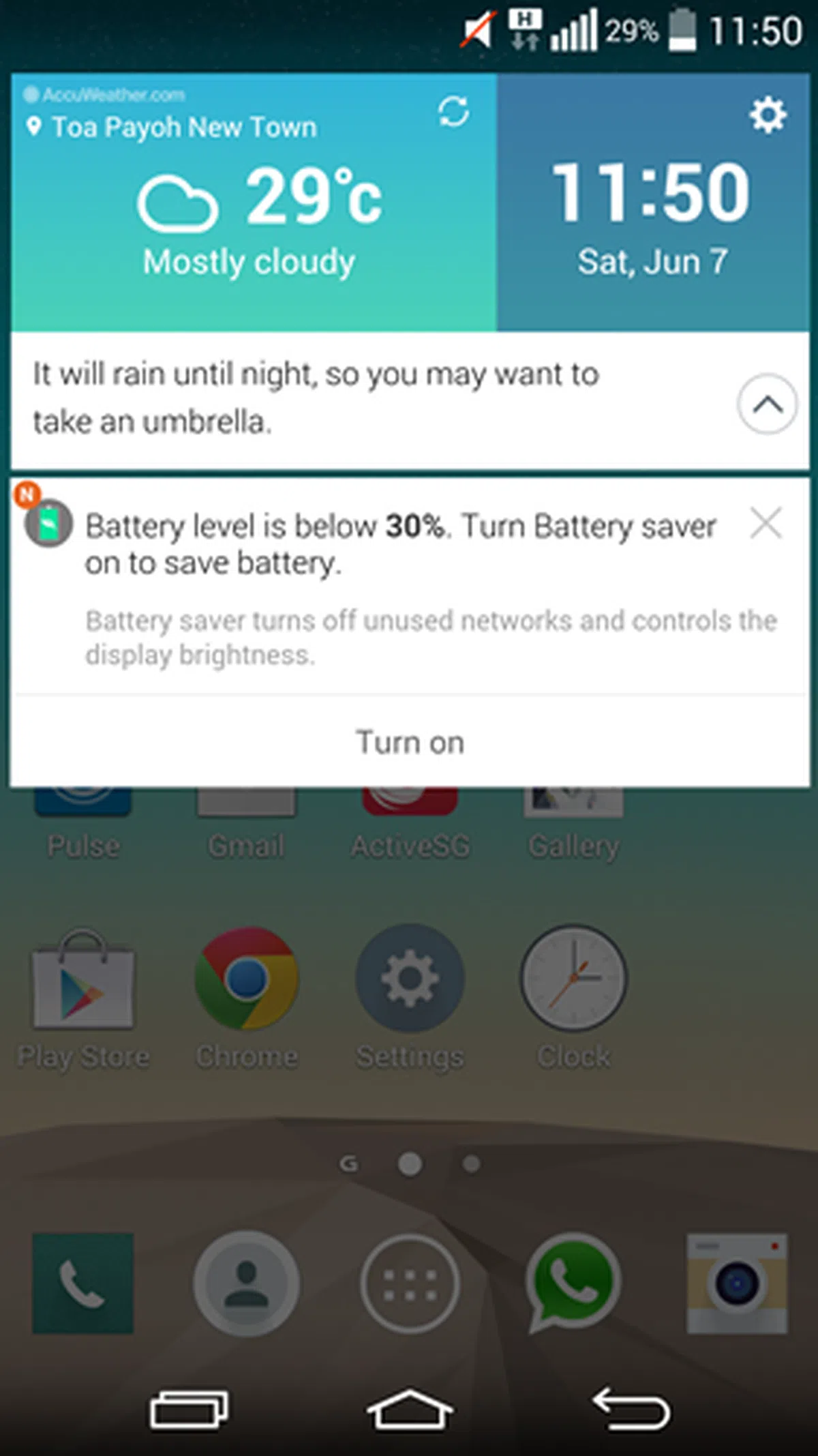 | 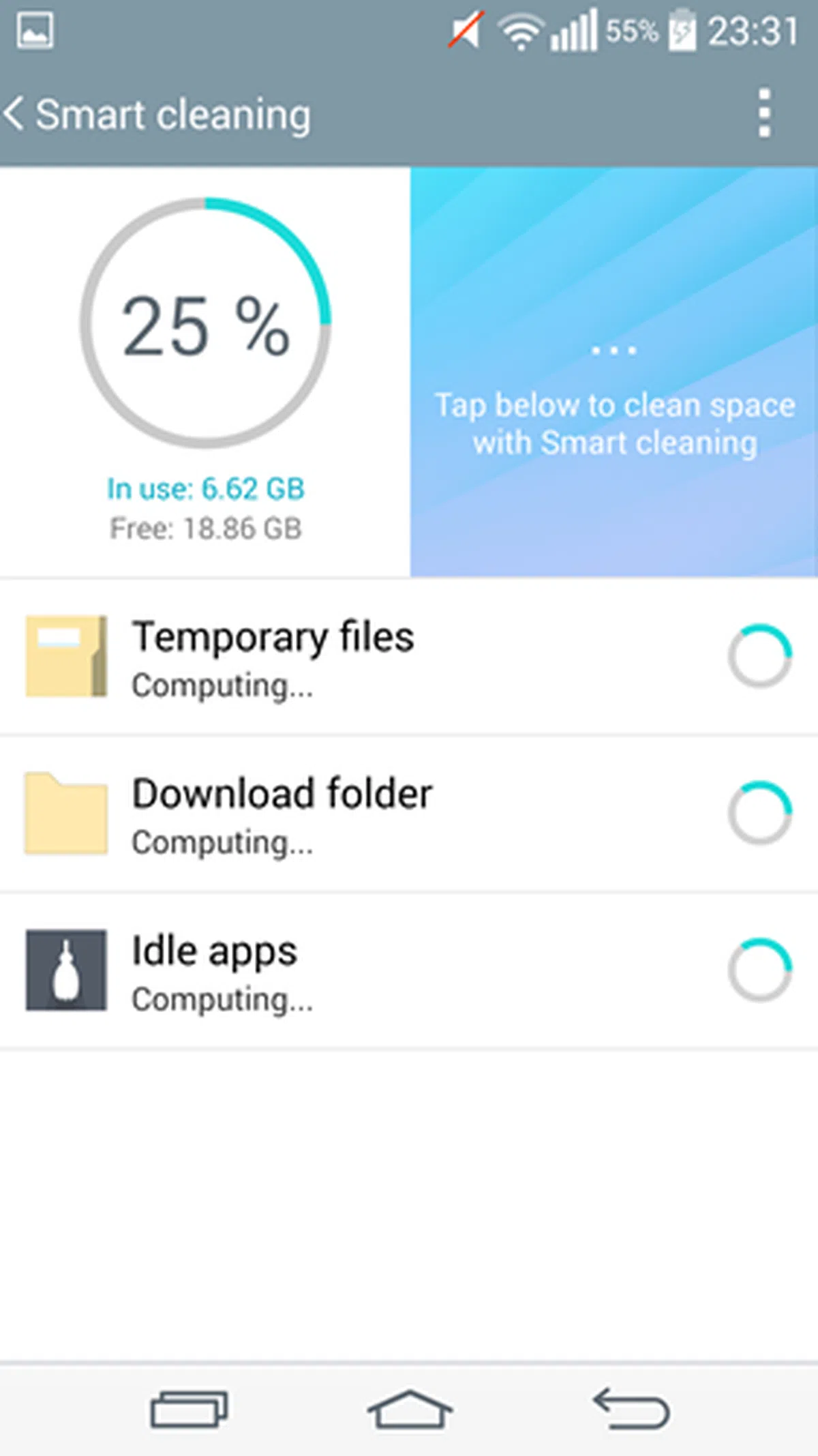 |
LG calls its Smart Notice as a personal assistant. It not only provides basic notifications such as time, location, events and the phone's status, it also analyses them to provide valuable information at the right time.
If you received a missed call and have not called back, Smart Notice will prompt you to do so. Smart Notice will also alert you to add a new number to Contacts if it tracks that there are frequent calls to and from that number.
Based on the phone's status, Smart Notice will prompt you to perform some recommended actions. For example, it will advise you to enable Battery Saver once it detects your battery level dropping below 30%. Large number of unused files (cached data) or apps taking up storage space on the G3 will be highlighted by Smart Cleaning to clear these files or data to free up space.
With GPS and location settings turned on, Smart Notice will alert you to the current weather conditions and advise accordingly. It is more personalized than other virtual assistants in the sense that it would make a recommendation to bring an umbrella if rain is expected at a certain time.
Performance Benchmarks
Like the Android flagship smartphone released in the first half of 2014, the G3 is powered by the Qualcomm Snapdragon 801 quad-core 2.5GHz processor. The G3 comes in two configurations:
- 16GB internal storage with 2GB RAM
- 32GB internal storage with 3GB RAM
The review unit featured in this article is the 32GB model with 3GB RAM. LG Singapore told us that there are no other differences between the two models aside from the internal storage and RAM.
We will be comparing the G3 against the HTC One (M8), the Oppo Find 7A, the Samsung Galaxy S5 and the Sony Xperia Z2. The G2 is also included in the comparison to see the performance disparity between the two generations of smartphones.
Quadrant Results
Quadrant evaluates a device's CPU, memory, I/O and 3D graphics performances.
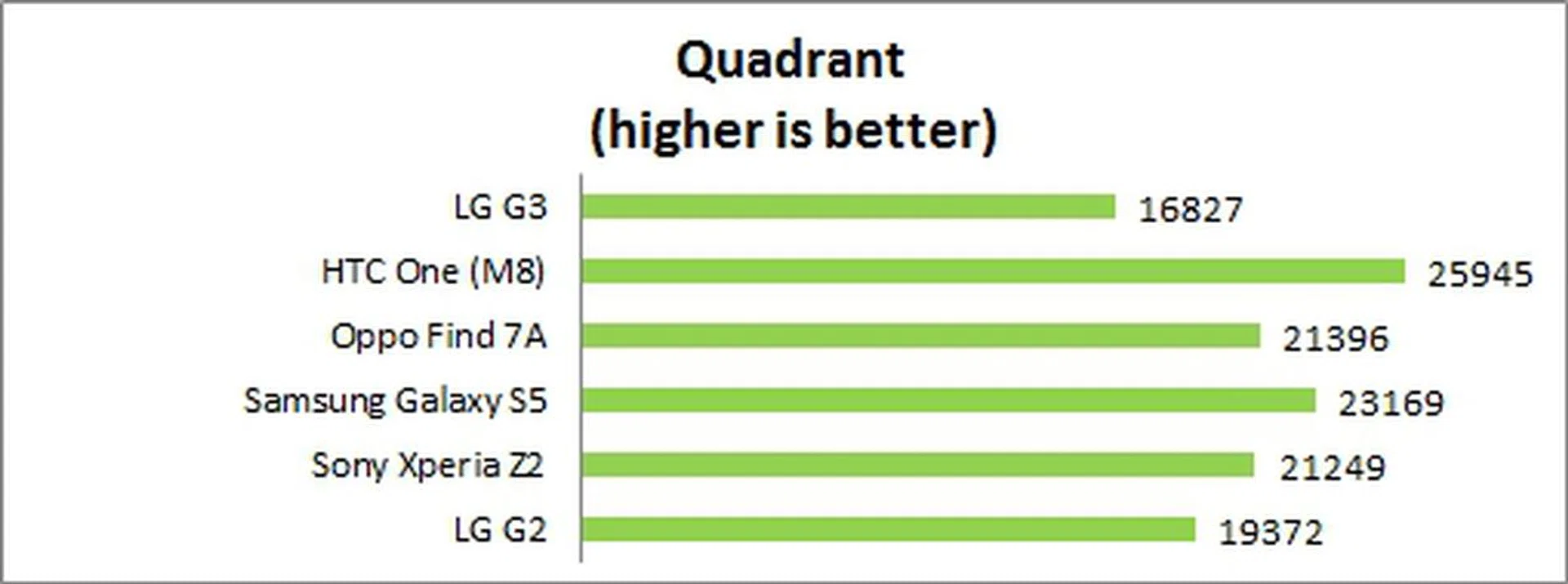
The G3 did not fare as well as the other Android smartphones in the Quadrant benchmark due to three reasons. First, it is the only phone in the comparison to have a QHD display. With a higher resolution display, it is more taxing on the processor and GPU to render more pixels. Second, it is possible that the benchmarks and other apps are not yet optimized for QHD displays. Lastly, the newer background services and interface of the phone could be consuming more resources, but we can't verify that till we use more LG devices that run on the same Android version of interface to see if there's a possibility.
3DMark (2013)
Originally developed as a PC benchmarking tool, 3DMark is now expanded to support multiple platforms including Android OS. The Ice Storm benchmark is designed for smartphones, mobile devices and ARM architecture computers.
For an in-depth understanding of 3DMark for Android, do head over to our article, "3DMark - Android Device GPU Performance Review." In a nutshell, 3DMark consists of three test sections:
3DMark Ice Storm is an OpenGL ES 2.0 benchmark test that uses fixed off-screen rendering at 720p then scales the output to fit the native display resolution of your device. Ice Storm includes two graphics tests designed to stress the GPU performance of your device and a physics test to stress its CPU performance.
3DMark Ice Storm Extreme raises the off-screen rendering resolution to 1080p and uses higher quality textures and post-processing effects to create a more demanding load for the latest smartphones and tablets.
3DMark Ice Storm Unlimited is used to make chip-to-chip comparisons of different chipsets, CPUs and GPUs, without vertical sync, display resolution scaling and other operating system factors affecting the result.
Almost all the recent flagship smartphones maxed out the scores for the Ice Storm and Ice Storm Extreme, hence we will only be looking at the scores for Ice Storm Unlimited.
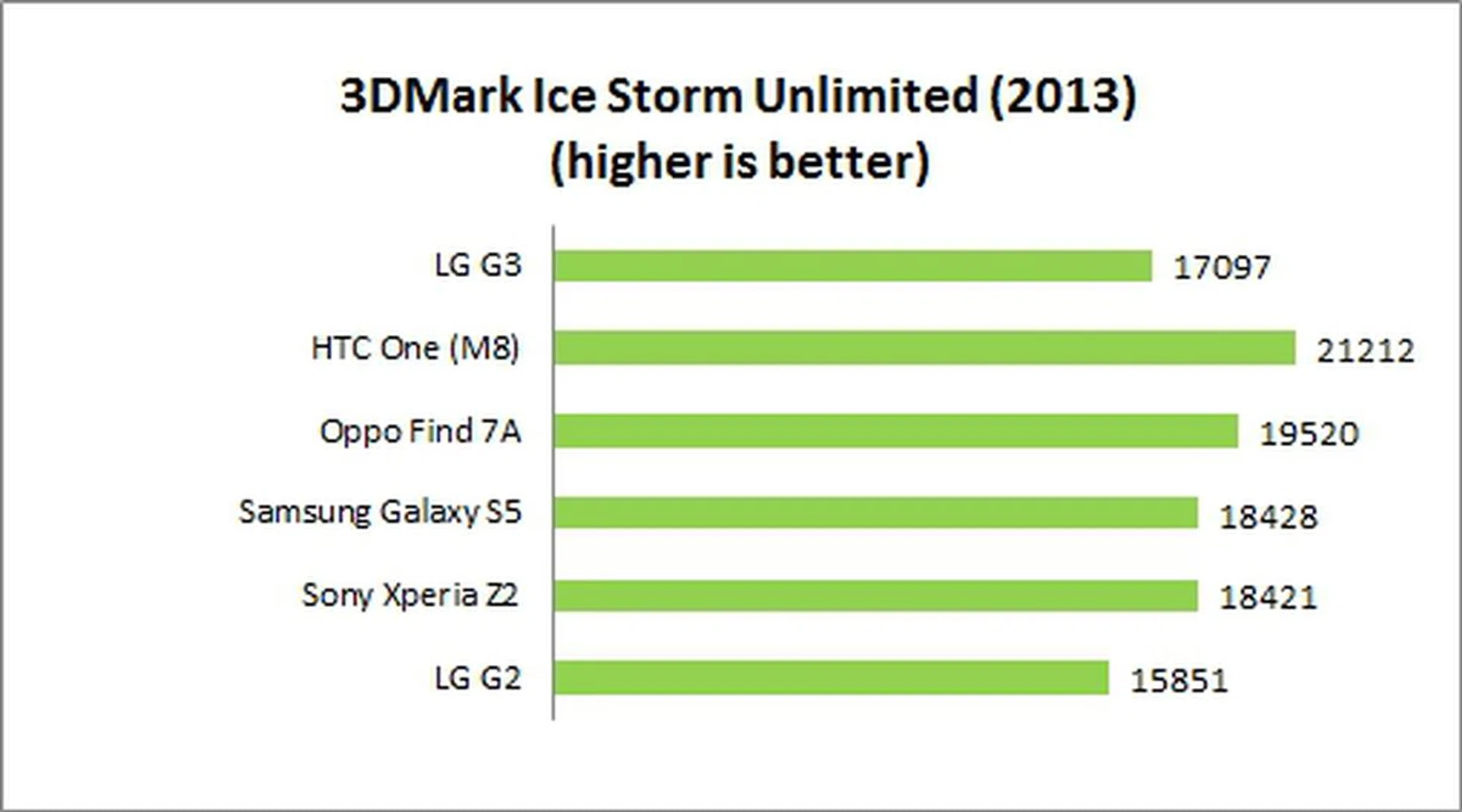
Without display resolution as the limiting factor, the performance of the G3 is somewhat comparable to that of the competition in the 3DMark Ice Storm Unlimited benchmark.
SunSpider Javascript
SunSpider Javascript helps measure the browsing performance of a device when processing Javascript. It not only takes into consideration the underlying hardware performance, but also assesses how optimized a particular platform is at delivering a high-speed web browsing experience.

Even though the G3 is ranked last in the SunSpider Javascript benchmark, its score is on-par with the One (M8) and Xperia Z2. Samsung's Galaxy S5's score is a bit suspicious given their history of cheating in certain benchmarks.
Real World Usage Experience
Synthetic benchmarks aside, the G3 felt smooth most of the time except on some occasions when we could discern that animations and navigation were just not as snappy as we've experienced on other recent Android smartphones. Even though these micro-lags did not occur often or had any adverse impact on the user experience, we felt it is worth mentioning.
Imaging Performance
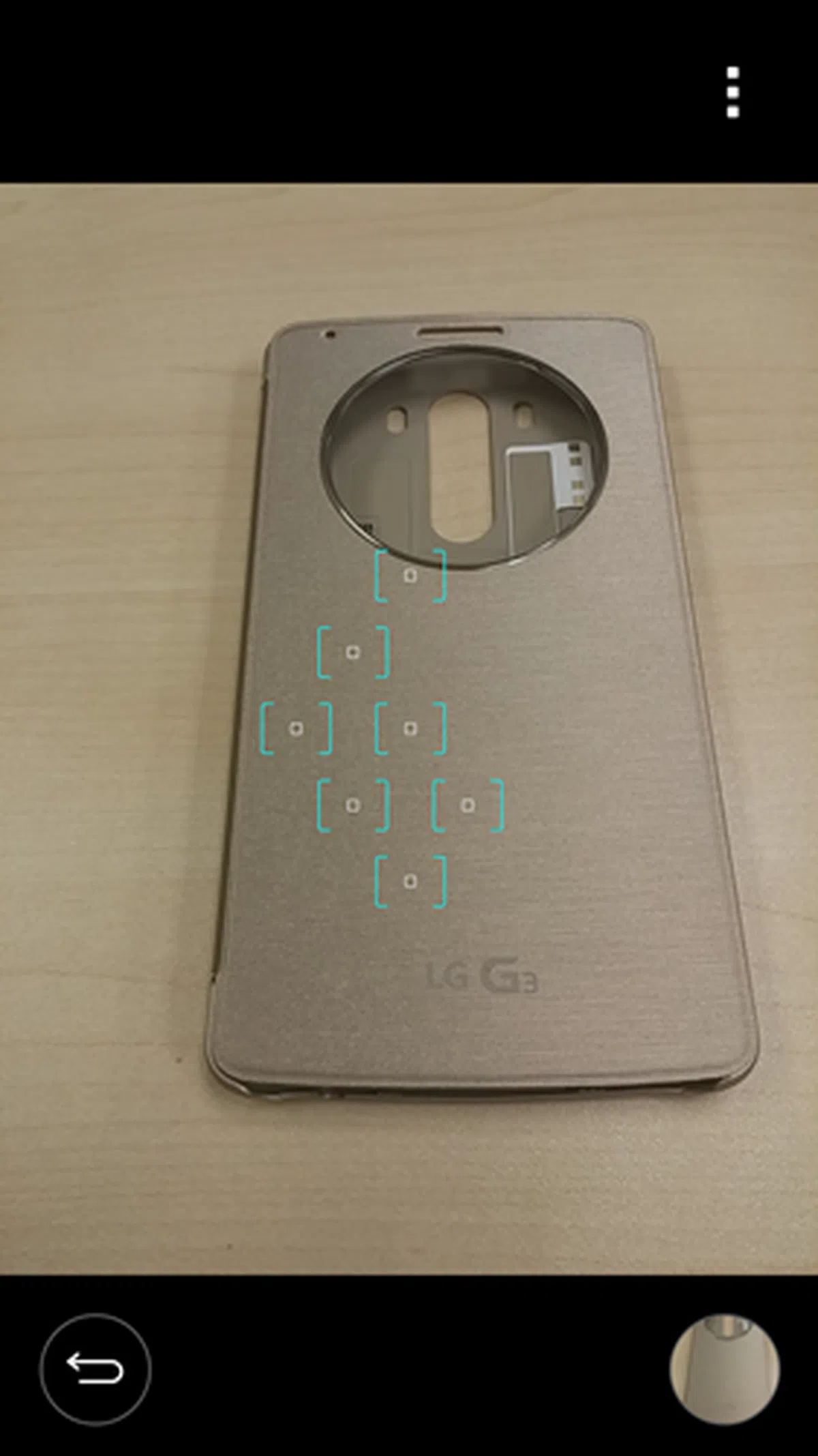
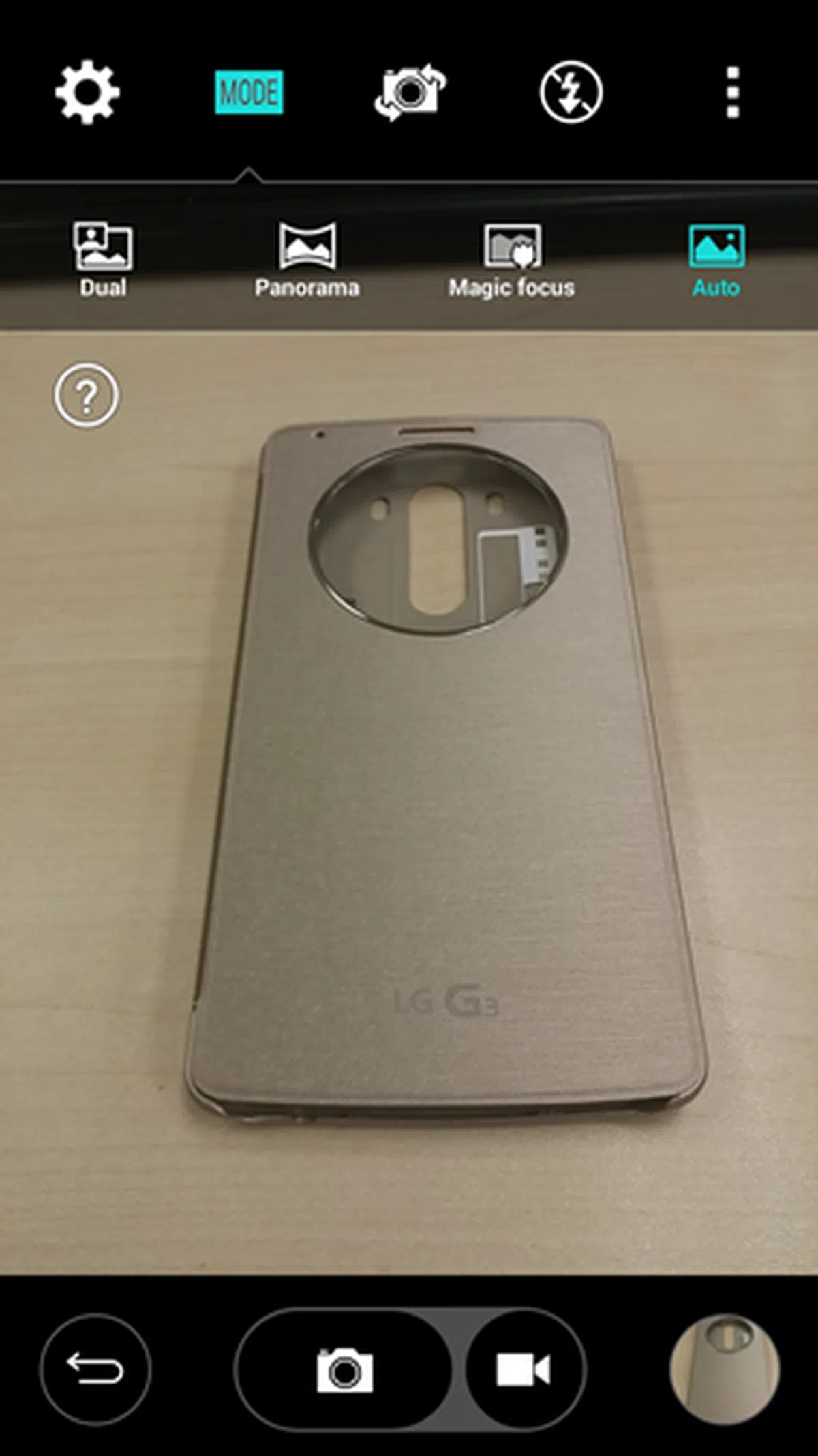
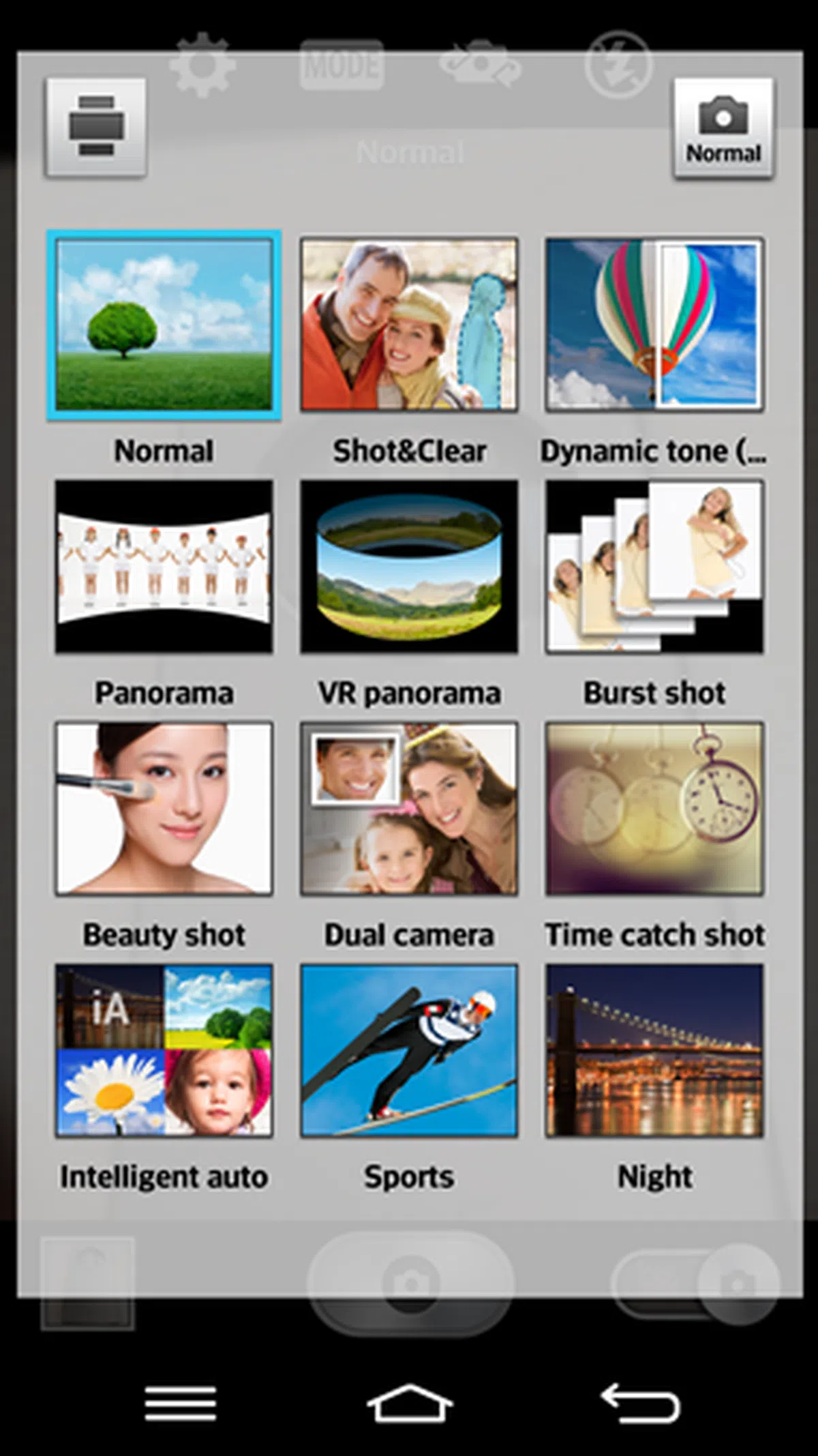
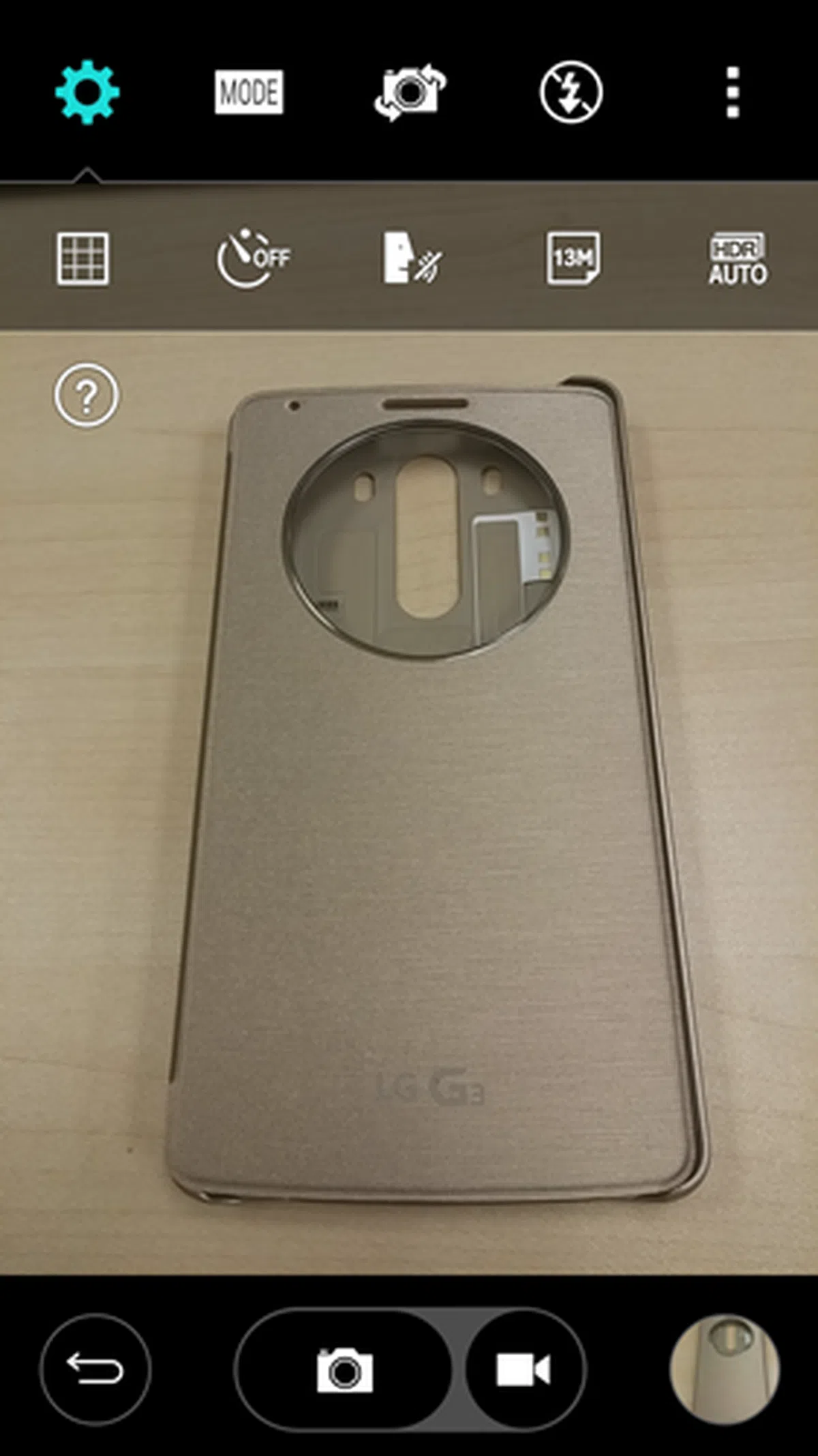
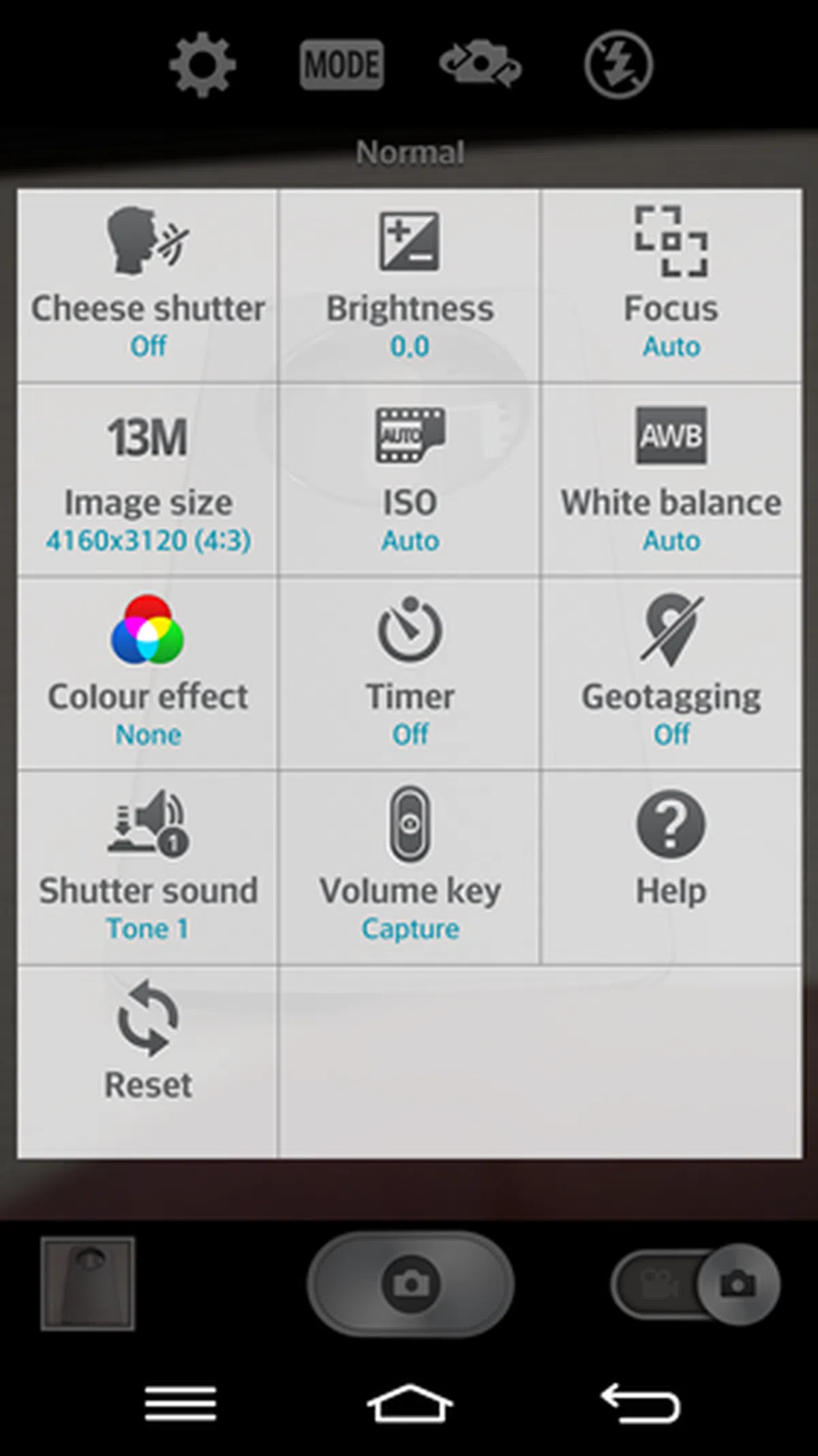
The camera interface on the G3 has been stripped of the superfluous on-screen elements, and resembles that of HTC Sense 6 and Google's Camera app. The number of settings, controls and modes are reduced to at most five. Below are the screenshots of the camera interfaces on the G3 and G2.
Camera Interface Compared
 |  |
 |  |
 |  |
Imaging Tests
At first thoughts, the G3 may seem a little disappointing as it comes with the same camera module as the LG G Pro 2 - a 13-megapixel rear camera with optical image stabilization plus (OIS+). For more information on what OIS+ is and its performance, do check out our review of the G Pro 2.
However, LG had pulled out all stops to make sure the G3 stood out from the rest of the pack by adding a laser autofocus which is the first of its kind in the smartphone industry. According to LG, it is the same technology used in radar guns of traffic police to track a car's speed and in some high-end SLRs. So why use laser technology?
LG believes taking good photos is not all about the megapixel count; it is also dependent on how fast the camera can capture the moment. According to LG, the laser autofocus of the G3 is able to capture a photo in just 0.276 seconds. It is also claimed to help take better photos in low light conditions. In comparison, the One (M8), Galaxy S5 and Xperia Z2 are stated to focus on a subject in 0.3 seconds. In reality, we doubt anyone would notice the difference, but it's good to know that LG has ensured it has the fasted focusing system. As for the image quality, we let the photos speak for themselves:-

The image quality is quite good with accurate colors and good amount of details.

Left: LG G3. <br> Right: LG G Pro 2. <br> It's really hard to tell any significant differences between the photos taken by the two smartphones. In a nutshell, the image quality is similar.

Left: LG G3 <br> Right: LG G Pro 2. <br> In low light conditions, the LG G3 has the slight upper hand; you can see the richer colors in its photo. Sharpness is roughly the same between the two phones.
Battery Performance
Our standard battery test for mobile phones includes the following parameters:
• Looping a 800 x 480-pixel video with screen brightness and volume at 100%
• Wi-Fi and Bluetooth connectivity turned on
• Constant data streaming through email and Twitter
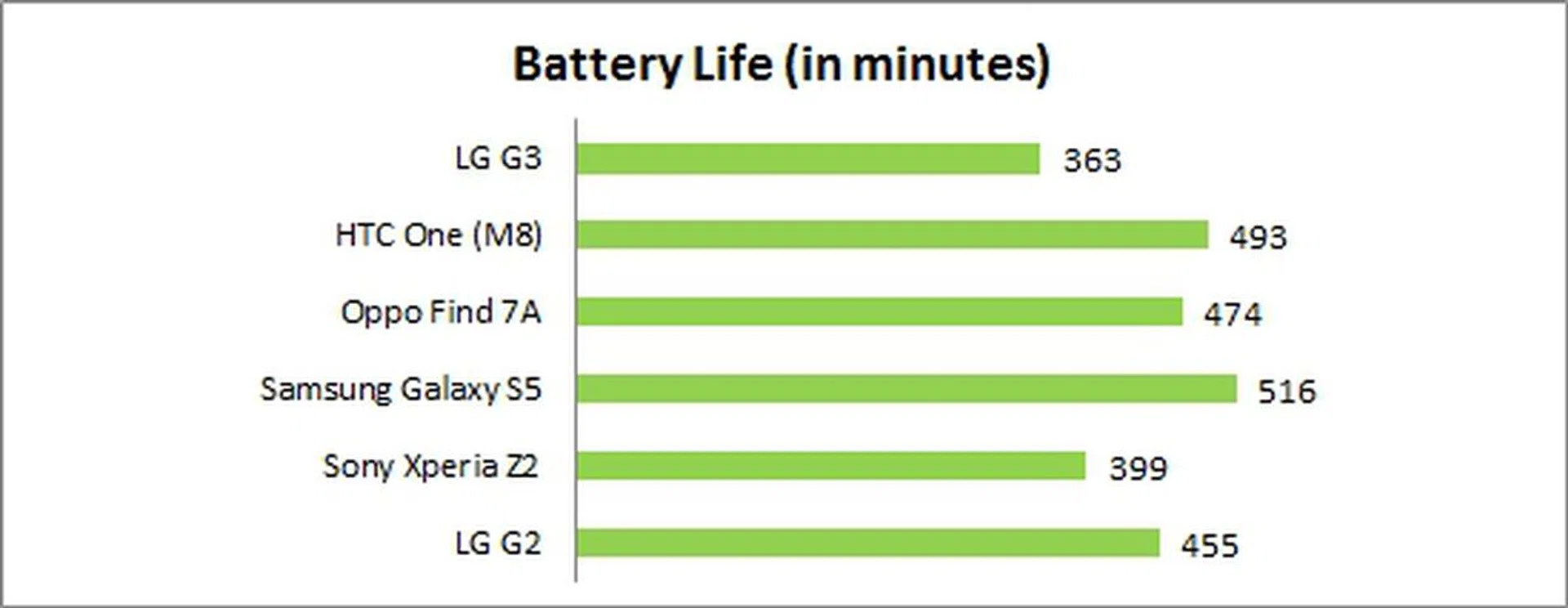
The G3 could last slightly more than six hours in our battery test, which placed it right at the bottom of the rankings. The 5.5-inch Oppo Find 7A, with its Full-HD display and 2,800mAh battery, managed to last about 36% longer than the G3.
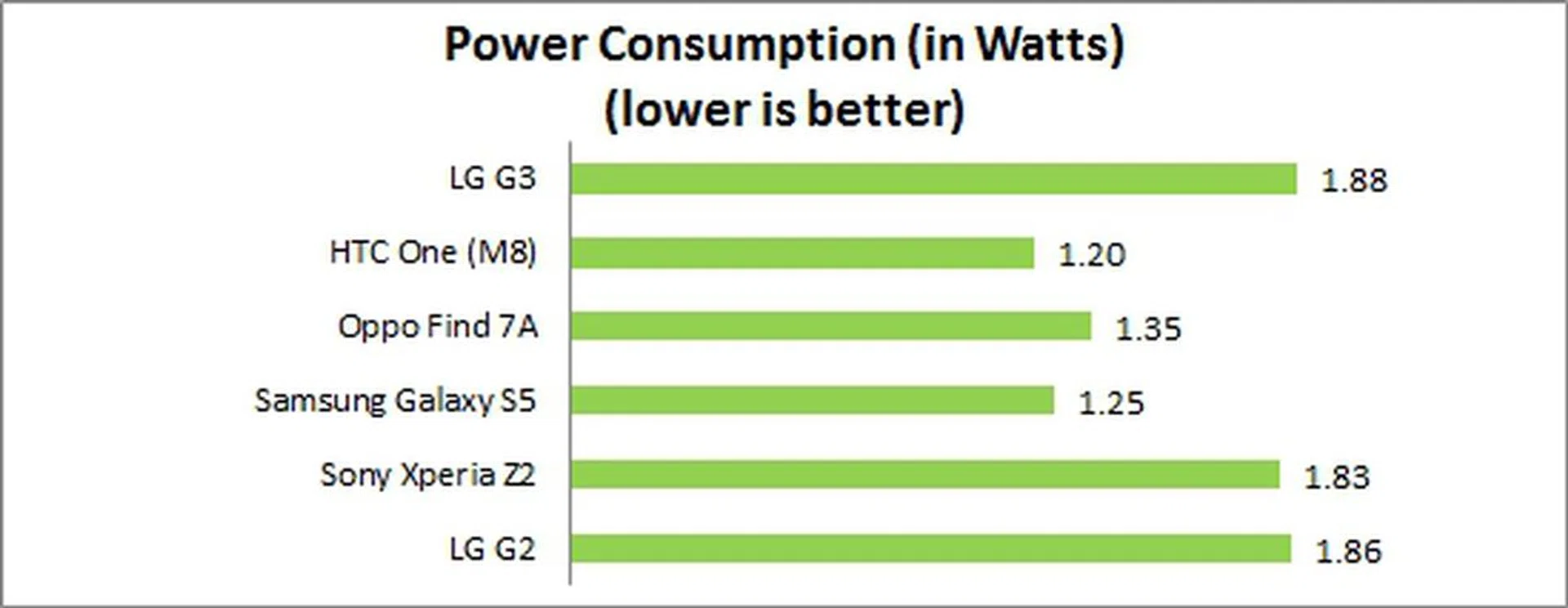
Unsurprisingly, the G3 had the highest power consumption, no thanks to its QHD display. However, if you look at the power consumption of the Sony Xperia Z2 and LG G2, they are actually no better. The new G3 needs to render 77% more pixels on the screen and it powers a larger display without drawing more power than the Z2 or G2. From that perspective, it's more power efficient than those phones. While it can't compete with some of the more power efficient devices like the HTC, Oppo and Samsung, it's not a bad figure at all for the LG G3 given its specs. In fact, the Sony Xperia Z2 is looking a little bad in comparison - both in power consumption and in endurance.
Portability
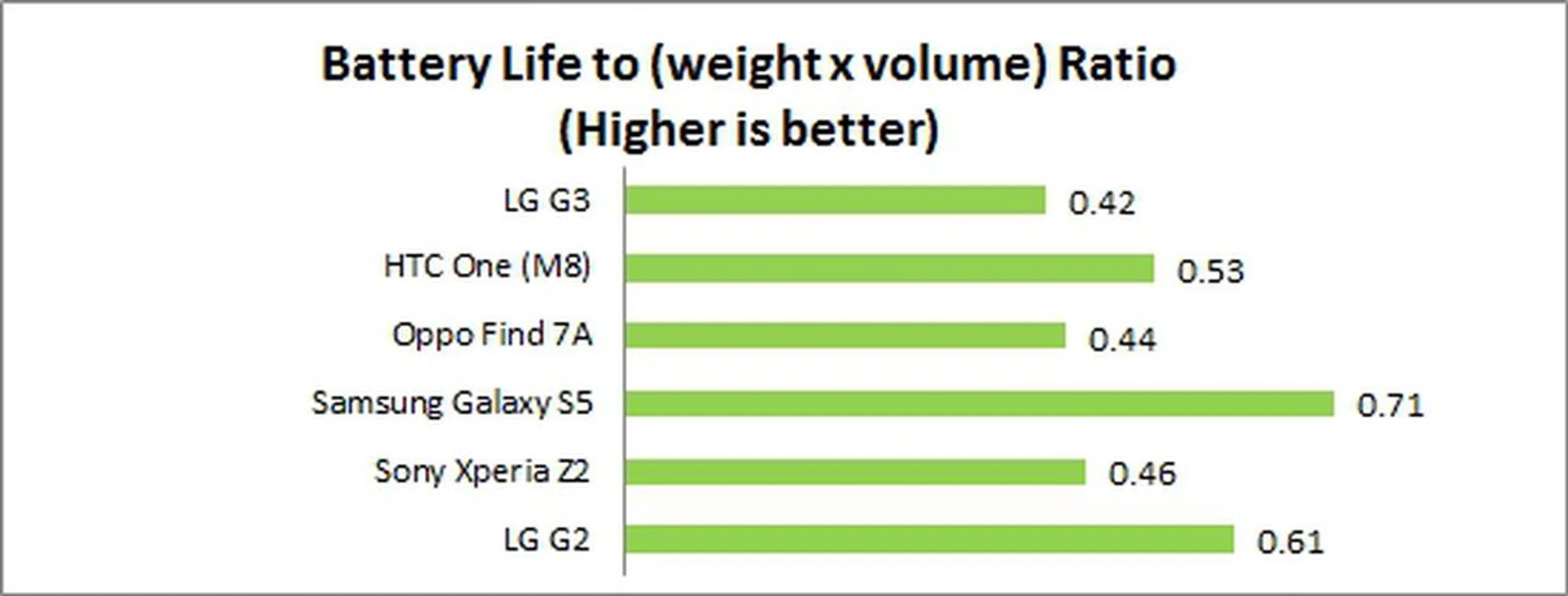
We measure the portability of a device by calculating its battery life to (weight x volume) ratio. Although the G3 is one of the lightest and slimmest devices in this comparison, its battery life dragged down its ranking in the Portability Index. It would probably be fair to compare the G3 with other QHD display equipped devices, but it is unfortunately the only one of its kind now in this region.
Real World Battery Performance
But benchmarking gives only one view to the above assessment. To give you a more realistic understanding on how the G3 fared under real world usage conditions, we included screenshots of the usage and history graphs.
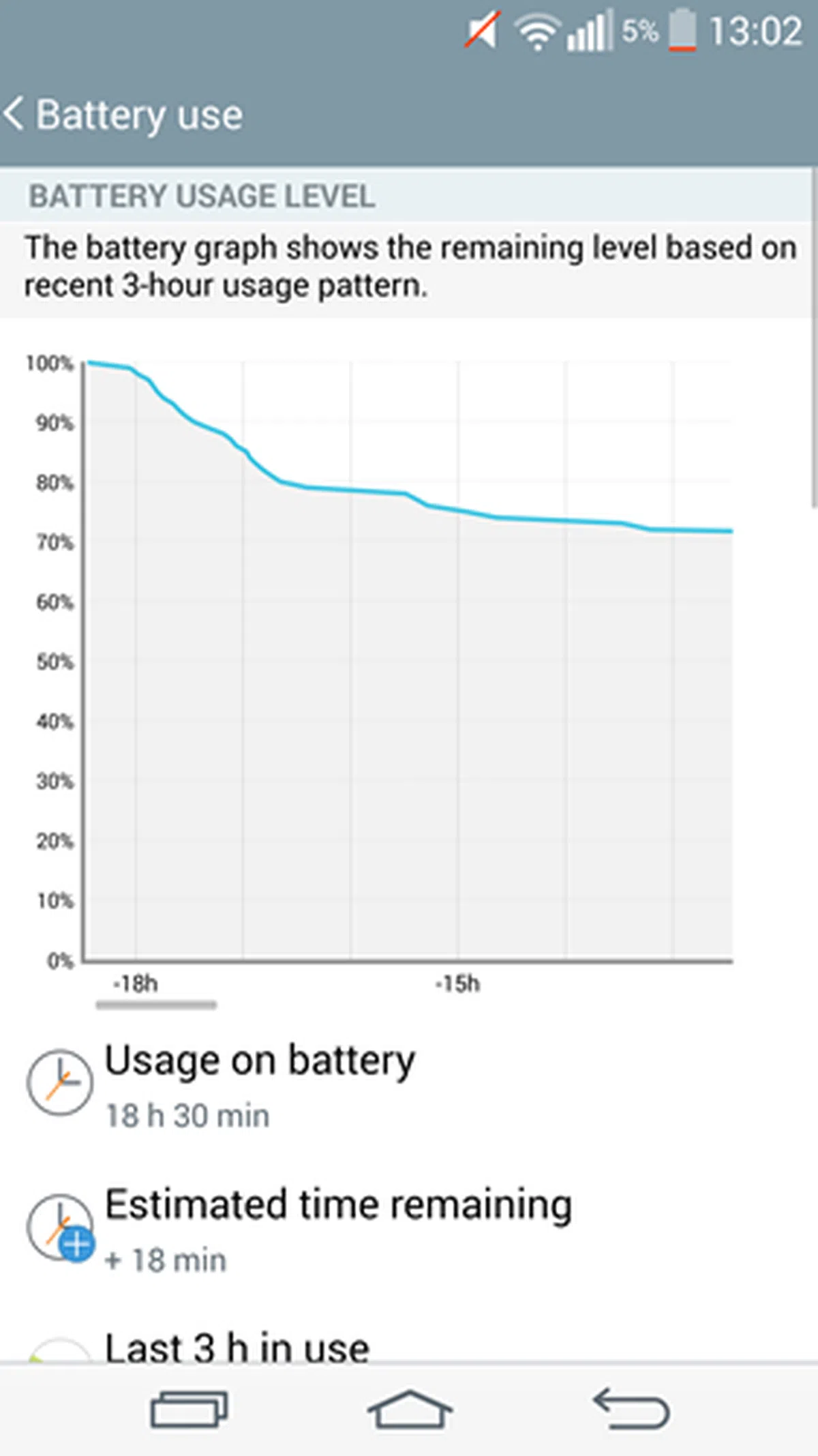 | 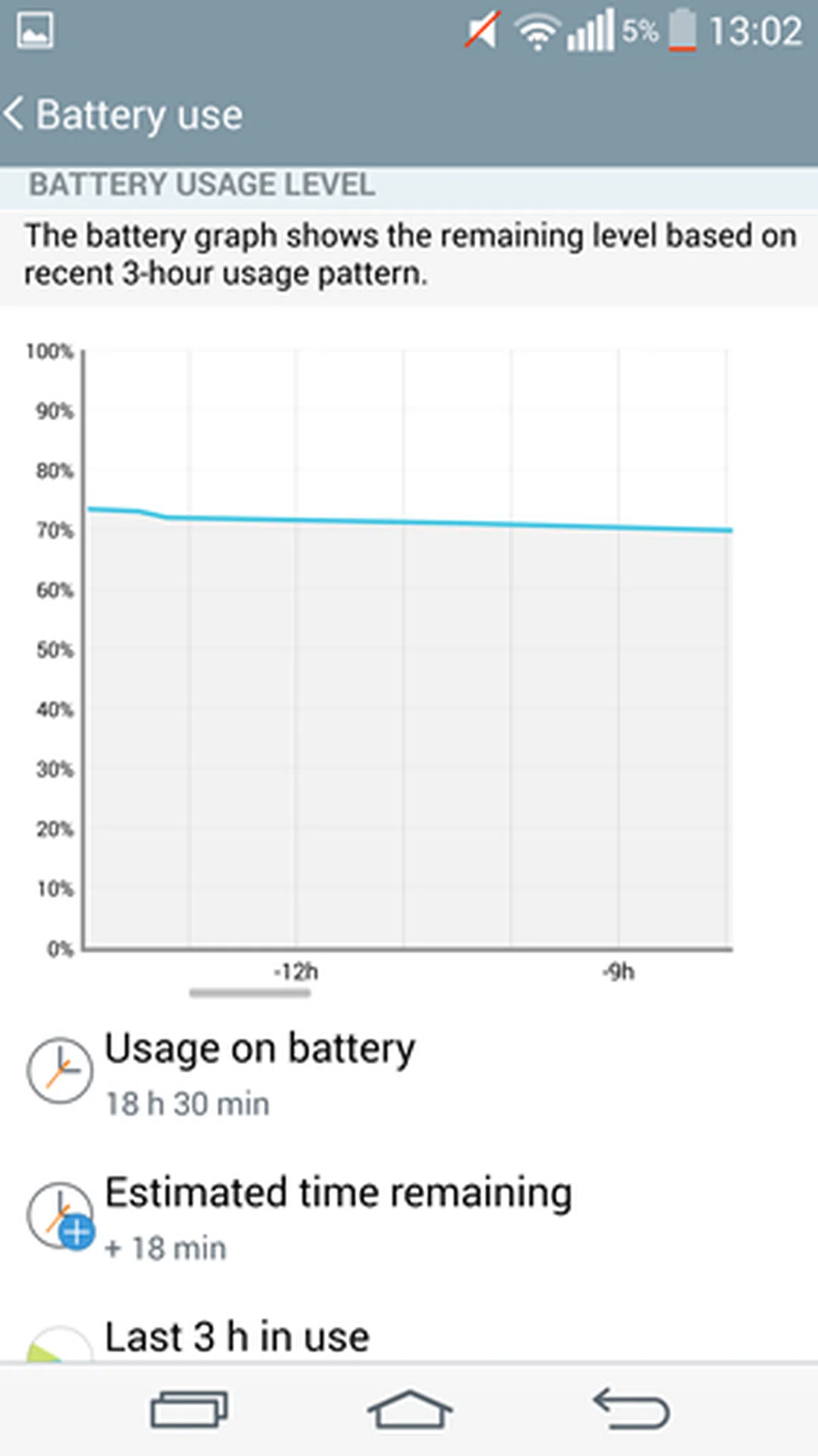 | 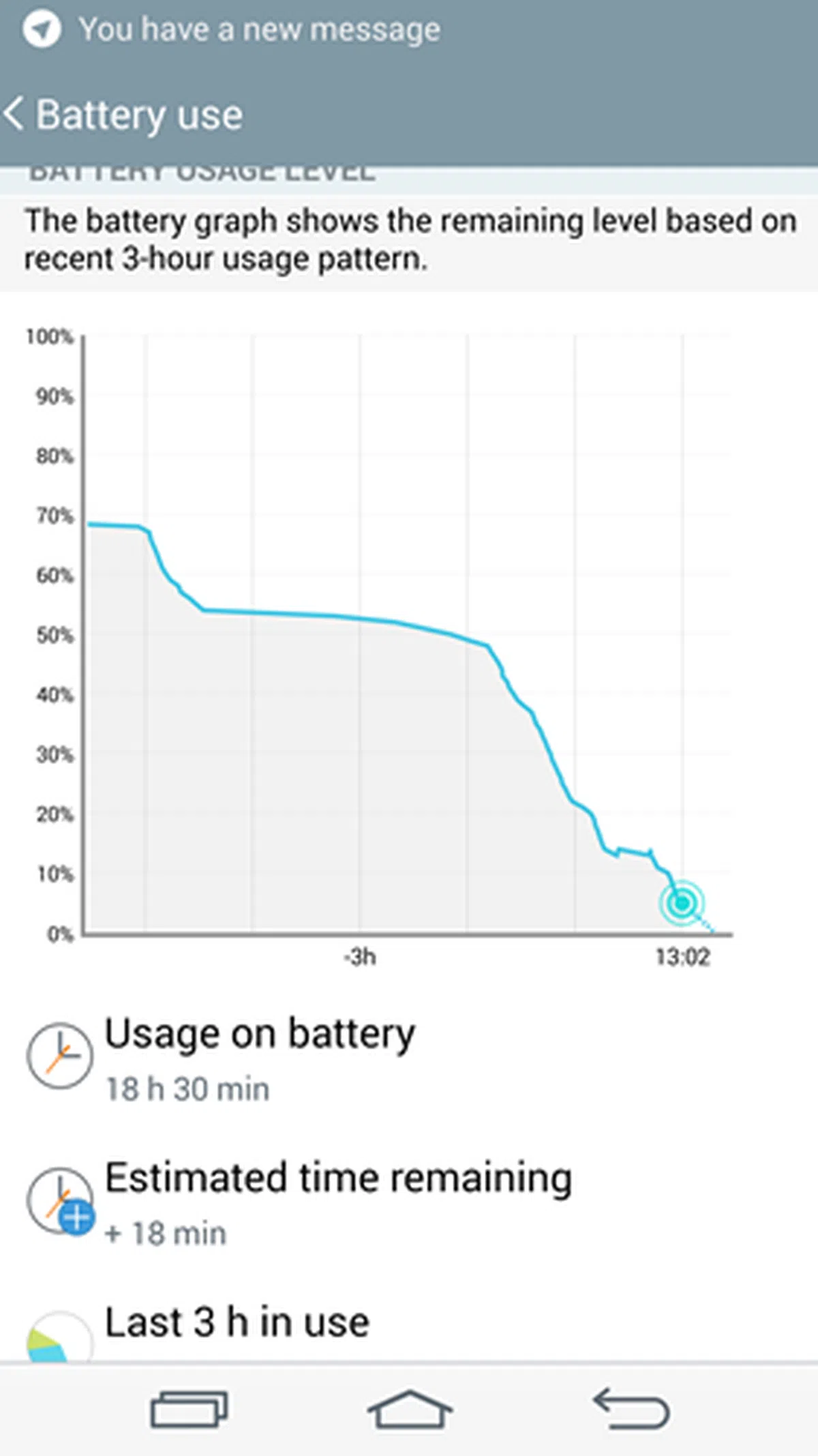 |
As seen from the graphs above, the G3 could last 18 hours and 30 minutes before the battery level dropped to 5%. Screen-on time is 2 hours and 36 minutes. Some notes:
- The device logged onto the 3G network because the SIM card used does not support 4G LTE.
- The device logged onto Wi-Fi connections from time to time.
- Our typical usage scenarios include making some voice calls, texting via WhatsApp, taking some photos and sharing them on social networking sites, the occasional web browsing via Pulse News Reader and emailing.
- We recharged the battery to 100% overnight and put it through its paces the following day. The end results are similar.
To put these numbers into context, we used the Oppo Find 7A as the closest example. The Find 7A held up for about 22 hours and 37 minutes when the battery level hit 8% with screen-on time of 3 hours and 54 minutes. Do note that battery mileage varies depending on your usage patterns.
The battery level dropped rapidly when engaged in web browsing and instant messaging via WhatsApp. This puts LG's claims of its excellent power management features into question. Dubbed the 3A Optimization, LG claims that it is able to lower the power consumption of the G3 through three methods:
- Adaptive frame rate - lowers the refresh rates of the display when viewing still images.
- Adaptive clocking - CPU clock optimization
- Adaptive timing control - optimizes the display's energy consumption
We also found the phone to heat up after prolonged usage. For example, the display felt very warm after a few minutes of voice calls on Viber. The same could be said about its rear after we ran multiple benchmarks for this review.
If it is a consolation, the battery is removable; you can swap an empty battery with a fully charged one if you are on the move and have no access to a power point. Users of the One (M8) and Xperia Z2 are not so lucky to enjoy this convenience. Having said that, LG has no equivalent to HTC, Samsung or Sony's Extreme, Ultra or Stamina modes. What you have is the standard Battery Saver mode, which turns off auto-sync, Wi-Fi, Bluetooth, vibration feedback, brightness level, screen timeout and notification LED to maximize battery mileage.
To be fair to LG, this is the first time we've tested a smartphone with a QHD display. It's not a fair comparison since the other Android smartphones have smaller and lower resolution displays. The purpose of this section is to provide you some insights on its battery performance so that you can manage your expectations. Nonetheless, it would be interesting to see how the G3 fares against future contenders with QHD displays.
Conclusion
LG took its time to refine it's premium smartphone's design, software and features to bring the G3 to the market. Did its strategy pay off? We think so.
From an aesthetics and build point of view, LG has proved that HTC isn't the only phone maker capable of delivering a well designed phone. The G3 offers the best design and handling of any 5.5-inch phone that we've seen in the past year. To make a 5.5-inch phone handle like a 5-inch phone requires a sophisticated level of engineering that LG has shown it is capable of.
While the QHD display offers little utility today, it will futureproof your purchase as the industry is steadily moving in that direction with ever more variety of larger screen devices and higher resolution displays. If not for the availability of optimized apps, the increased resolution will ensure your screen's display stays sharp and clear even though the screen size has increased. The flattened, simple and toned down theme of its new interface is a step in the right direction for LG as it strikes a fine balance between functionality and aesthetics. The laser autofocus may speed up photo taking in certain scenarios, but the improvement to an end-user's overall imaging experience remains questionable as most phones in this class are fairly fast too. Fortunately, the imaging quality of the G3 is good and with optical imaging stabilization, it's one of the better Android smartphone shooters around.
Probably the phone's main concern is its battery performance. Powering a 5.5-inch QHD display is no small feat and the 3,000mAh battery struggled mightily to keep the G3 running till the end of a work day. The display and back also get warm after extended periods of usage. Fortunately, it's not too bad and it's just about managing expectations. Looking back at the past, we've noticed similar battery performance dips when a phone's display gets larger and the resolution gets bumped.
Apart from that, the LG G3 is one of our top recommendations if you are planning to buy an Android flagship smartphone. It addressed all the limitations we've pointed out in our LG G2 review and then went on to improve the phone further on several aspects, some even pushing the boundaries of engineering at this point of time. In essence, you would be hard pressed to dislike the LG G3 other than the limitations of the QHD screen that has dented its battery performance somewhat. For being an excellent all-rounder in the premium smartphones category, we've bestowed the phone with our Editor's Choice Award.
Retailing at just S$868 for the 16GB and S$928 for the 32GB model, the LG G3 is priced lower than the competition. Given the small price differential, we feel most would opt for the 32GB model. Pre-orders will commence at the three telcos this weekend, June 14 to 21. Three colors will be available at launch: Metallic Black, Silk White, and Shine Gold.

The other two colors - Moon Violet and Burgundy Red - will be available at a later date.
Our articles may contain affiliate links. If you buy through these links, we may earn a small commission.