
Samsung Galaxy S7 & S7 Edge review: Samsung makes the Galaxy S exciting again
The introduction of Samsung's 2016 flagship smartphones begs many big questions. Do the new processors means better performance? Are the similar-looking phones any different from the S6 line-up? Does the significant camera change even do anything for its quality? We answer all that in here.
Note: This article was first published on 8th March.
Overview
If you thought the Galaxy S6 and S6 Edge were great smartphones, you'd be delighted to know that Samsung one-upped itself with the brand new Galaxy S7 and S7 Edge. While they may look similar to their predecessors at first glance, Samsung actually managed to refine the Galaxy S7 and S7 Edge while bringing back aspects that were in great demand.
The phone's RAM capacity got a boost to 4GB, and expandable storage (of up to 200GB) makes a return to Samsung’s flagship devices. They also come internally sealed with IP68 certification, which is significantly better than the Galaxy S5’s IP67 rating whose ports were prone to water damage. While all these changes aren’t necessarily new to the smartphone scene, seeing them on the Galaxy S7 and S7 Edge tells us that if you want to be classified as a flagship phone in 2016, there’s a new standard to beat.
Qualcomm is once again working with Samsung by getting them to produce some Snapdragon 820 SoCs, but the Singapore variants of the S7 and S7 Edge are instead equipped with Samsung's proprietary octa-core Exynos 8890 processors. The Korean brand also wanted to raise the bar for smartphone photography, by choosing to design their camera sensor to capture 56% more light than its predecessors, but at 12-megapixel resolution to deliver excellent low light photography performance like never before. Battery too, got a boost, with the S7 touting 3,000mAh and the S7 Edge boasting 3,600mAh. Improved hardware capabilities isn't the only improvement they received as both the S7 and S7 Edge have a whole host of new software features, such as the Always-On Display and other cool features, which we will explore in this review.

So, with the new flagships keeping the same physical appearance, would the hardware and software changes justify an upgrade from the 2015 models? Read on to find out.
Design & Handling
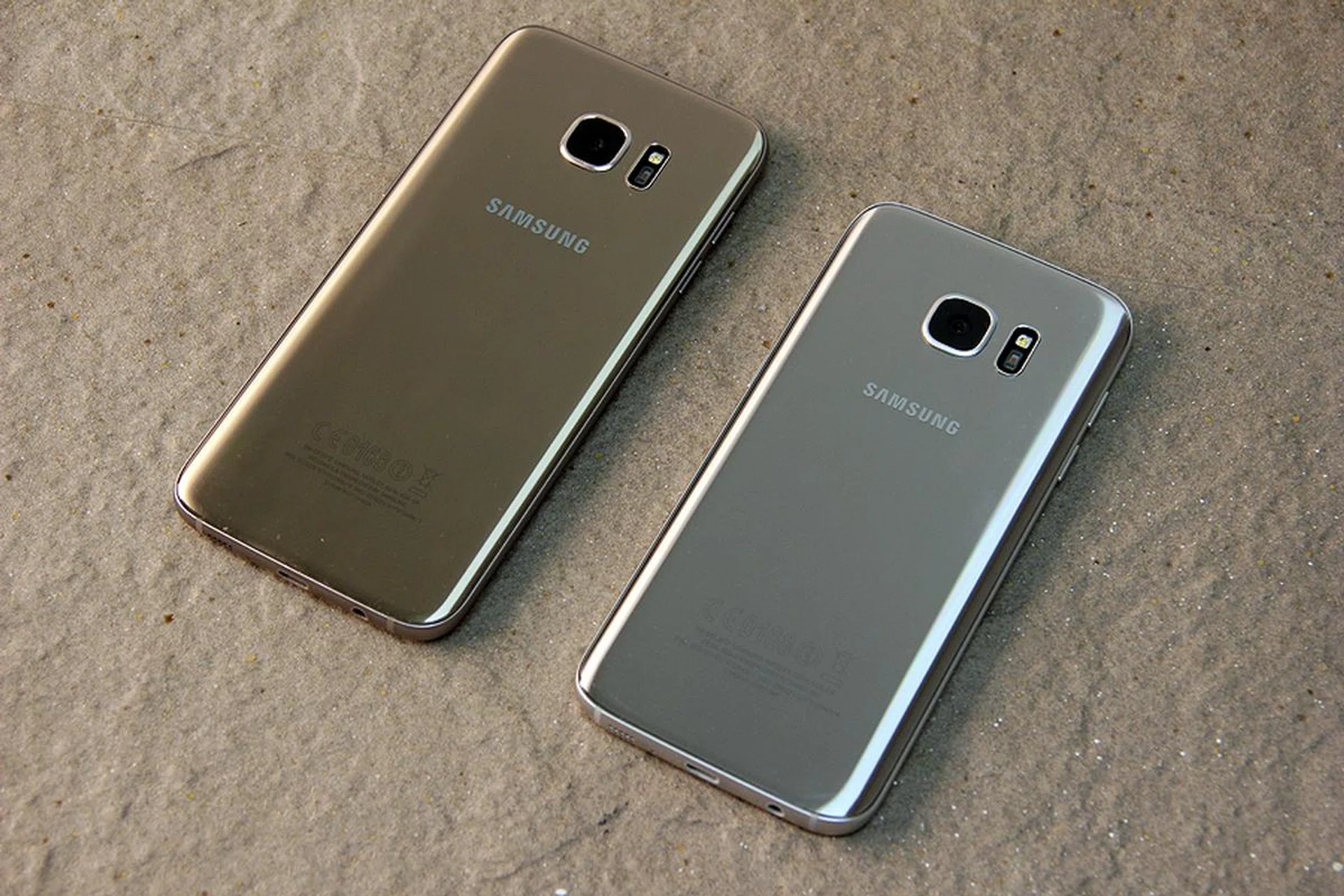
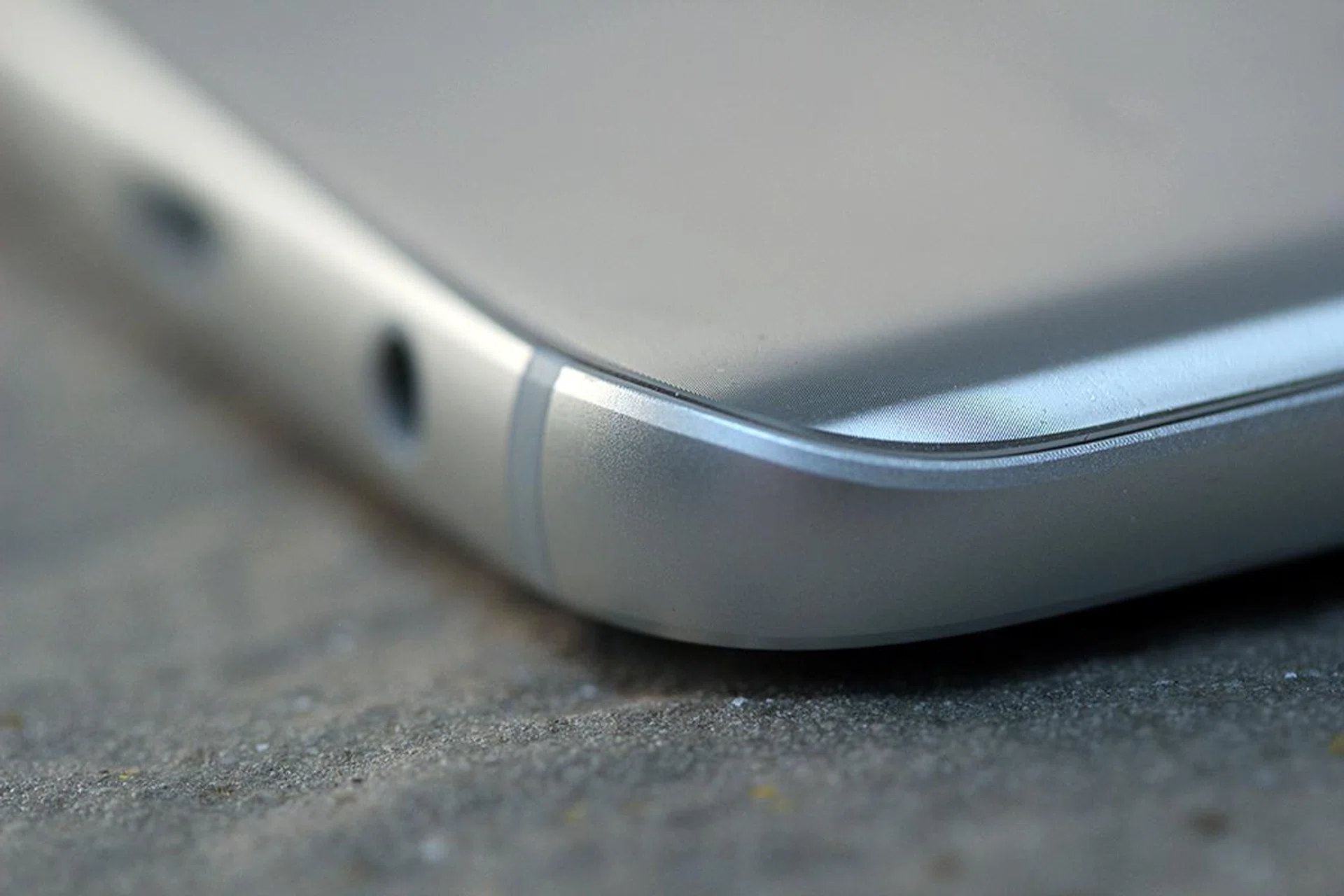
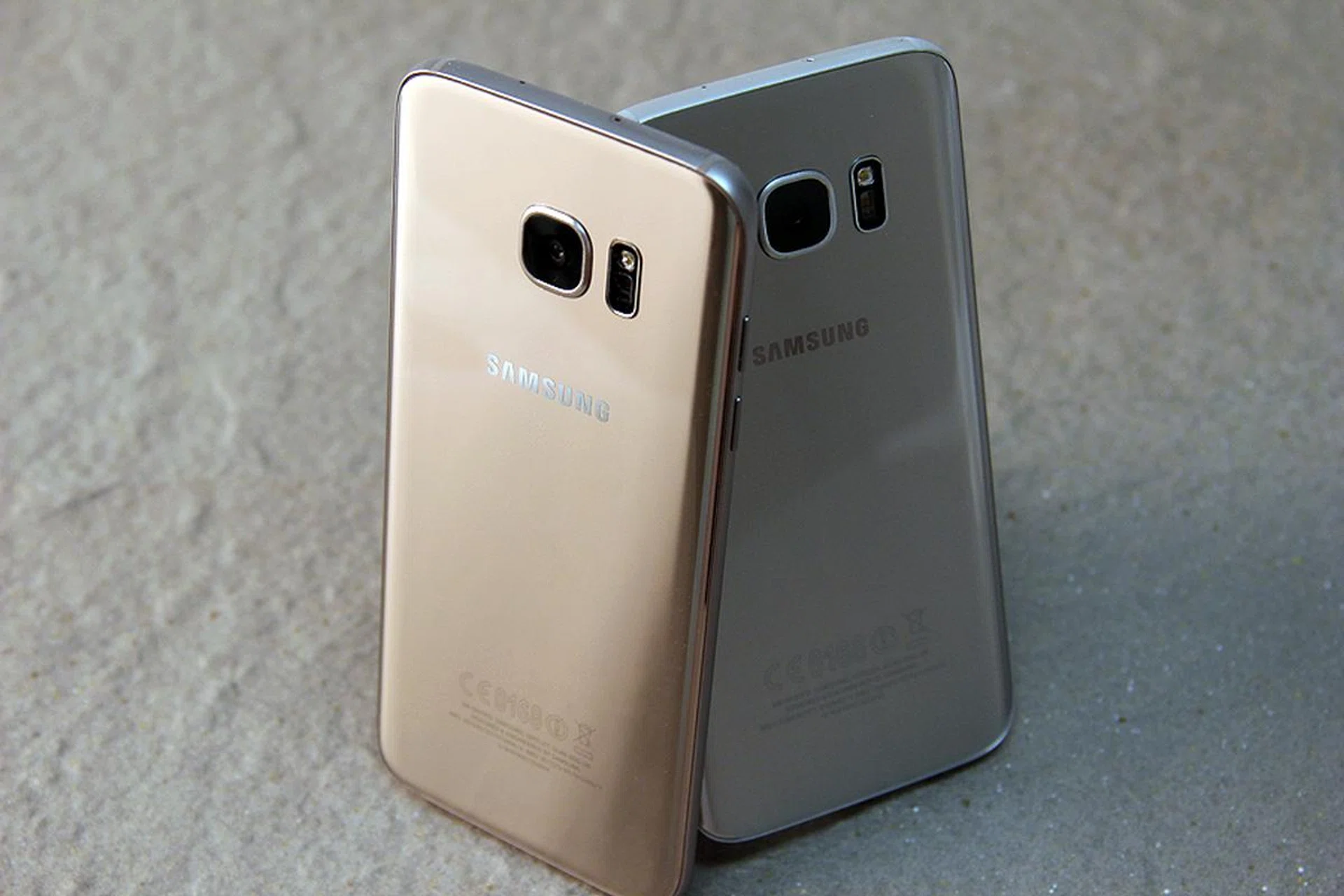
Both the Samsung Galaxy S7 and S7 Edge are constructed with 3D glass that covers the front and back, together with a metal chassis featuring chamfered edges that's visible for the circumference of the device. Effectively, this is not visually different from the S6 and S6 Edge when viewing the phone on its front face. Flipping the devices over to the rear is a different story altogether as the S7 and S7 Edge managed to hide the metallic rims from view. The design lends a different feel from its predecessors thanks to the curved-in sides.
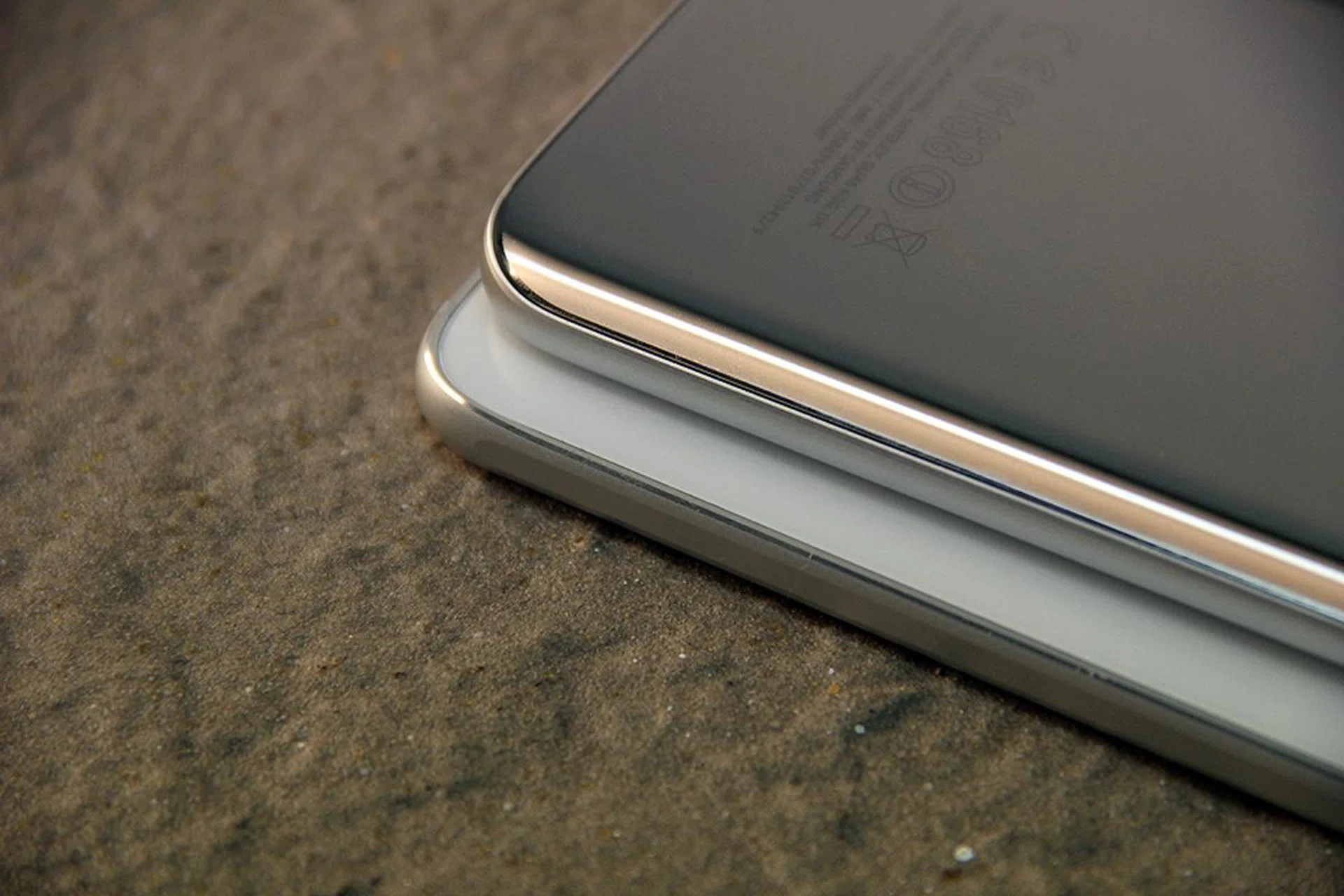
Stacking the Galaxy S7 on top of the Galaxy S6 reveals the key difference in design between these two units. Notice that the newer unit comes with curved sides, as opposed to the relatively angular S6 design.
The new phones also feel entirely different in hand. The S7 felt a lot smoother, while having a better grip than the S6, and it feels secure even when we flipped the phone within our palm. We even had the predecessor model with us to check if we’re imagining the extra comfort in hand. Samsung credited the S7 and S7 Edge's improved feel to a manufacturing process called "3D Thermoforming". The 3D glass (Gorilla Glass 4, no less) was melded to meet the curved metal alloy, creating a seamless, uniform look as you run the fingers from the front, to the metallic side, then to the back.
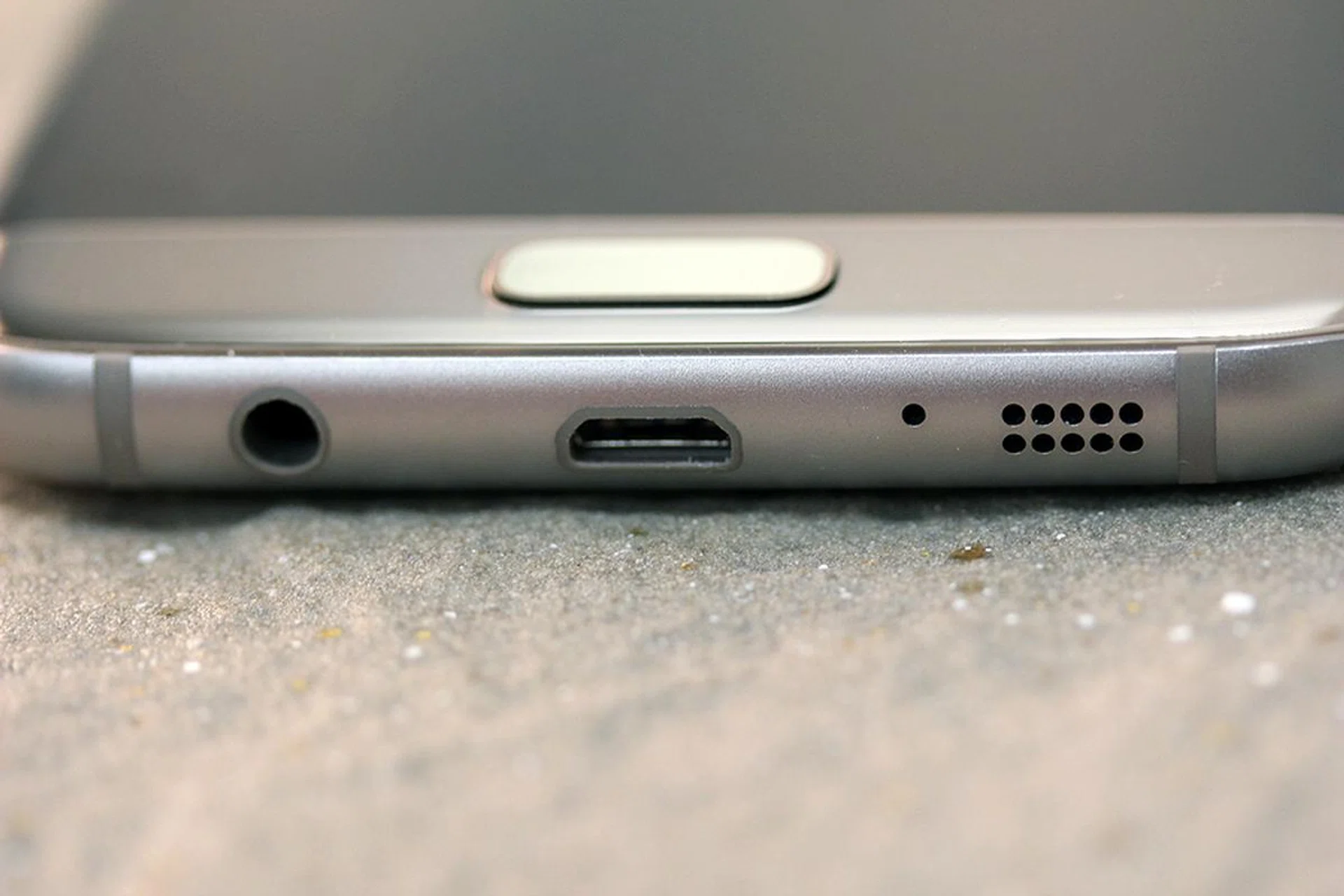
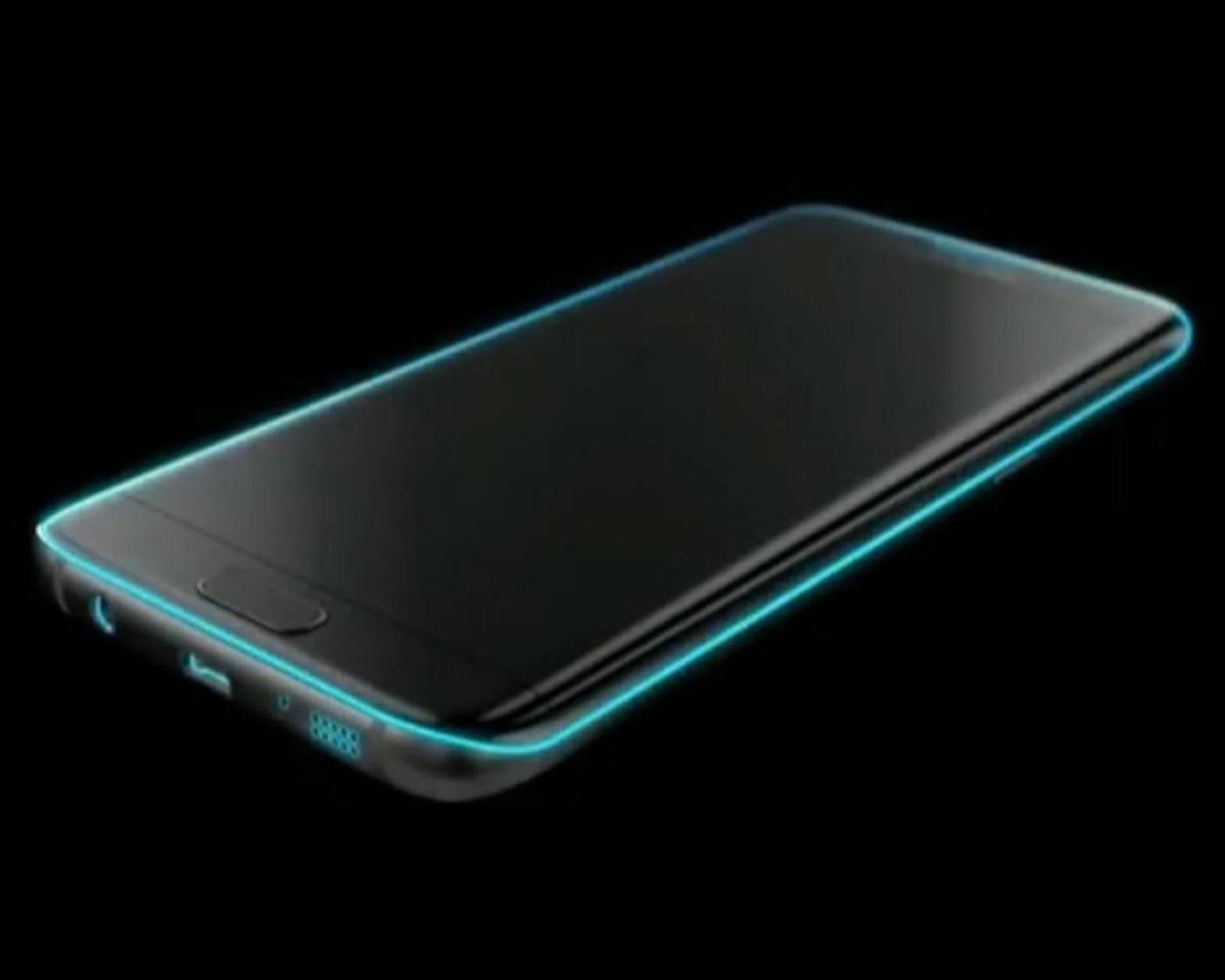
Samsung illustrates the parts of the Galaxy S7 and S7 Edge's internally sealed design, which grants it dust and water protection rated at IP68. Image taken from Samsung's Unpacked 2016 launch event.
As mentioned above, the Samsung Galaxy S7 and S7 Edge now come with IP68 rating, making them dust-protected and resistant towards continuous water submersion in underwater conditions. This is actually better than the old Galaxy S5’s IP67 rating, which meant that the predecessor was protected against dust, but water-resistant only up to 30 minutes at an underwater depth of one meter. Furthermore, the new flagships have a flap-less design, thanks to the phones being sealed internally, with a waterproof micro-USB 2.0 port. All this means the new Galaxy S7 devices not only look swell, but they can be used without worries - be it in rain or shine or if you've accidentally dropped it on the beach and other such daily use scenarios.
For a in-depth look at IP ratings, you can refer to our dedicated feature article here.
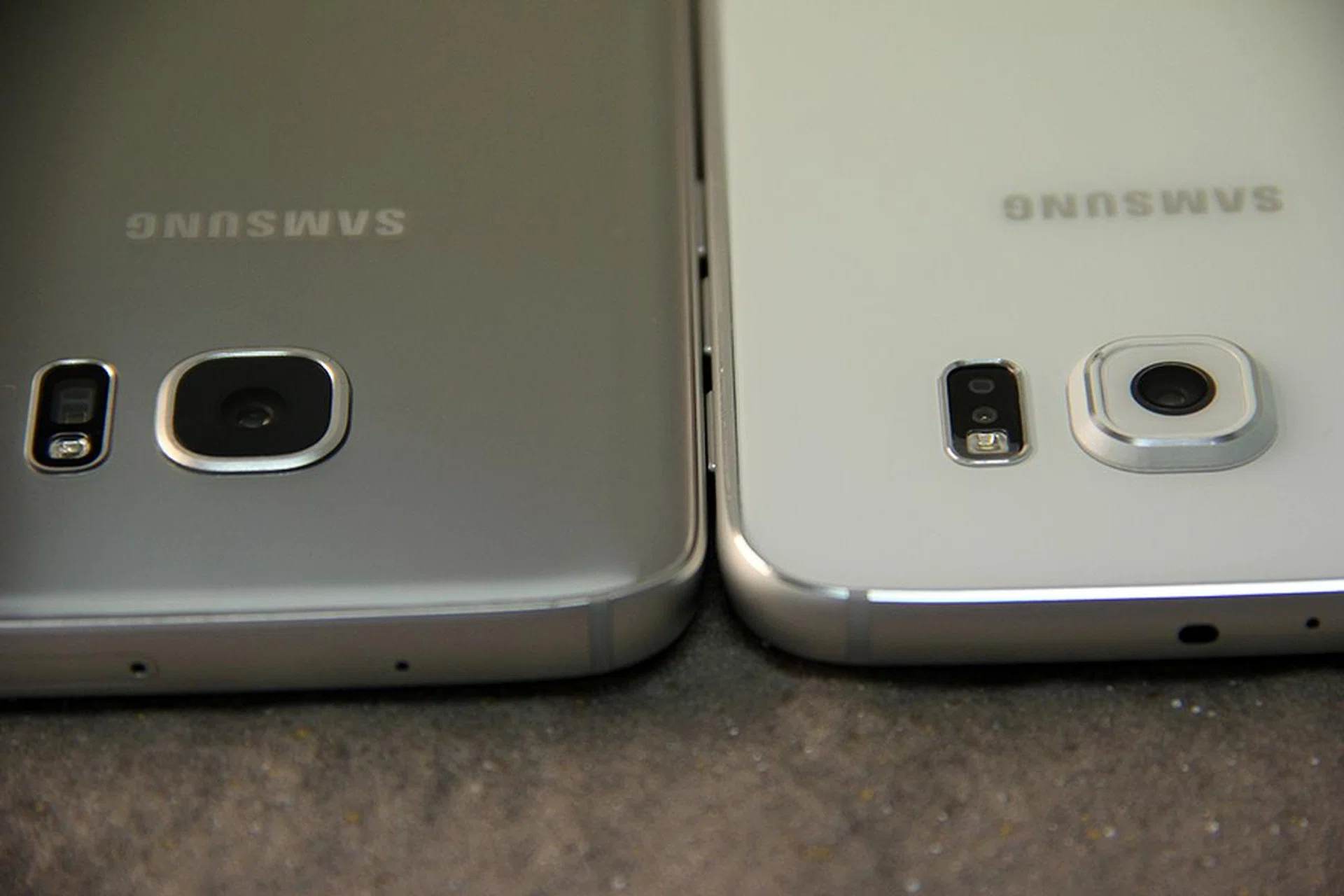
Samsung Galaxy S7 (left) and Samsung Galaxy S6 (right). Notice the difference in the camera bump size?
Our favorite change is none other than the reduced camera bump on the Galaxy S7 and S7 Edge. According to Samsung, they managed to reduce the bump significantly, and it now sits just 0.46mm above the rear surface of the phone. The bump reduction, allowed the new flagships to finally lie flat on tables.
However, take note that the Galaxy S7 is now 7.9mm thick, next to the Galaxy S6’s 6.8mm, and the S7 Edge is 7.7mm thick while the S6 Edge is just 7mm thin. Did the increase in phone thickness help to negate the rear camera bump? Possibly, but the increased thickness of the new devices can be attributed to a mix of factors, such as the internal sealing for waterproofing, the 3D glass body, and the incorporation of better cooling for the smartphone's performance (which will be discussed under the Benchmark Performance section of this review).
Despite the increased profile of the new devices, it's a bygone conclusion that the new phones feel a lot better in the hand when we asked our colleagues to give it a try and that's what matters most. The phones are already so thin these days that it's pointless to keep beating those stats.
Display & Audio
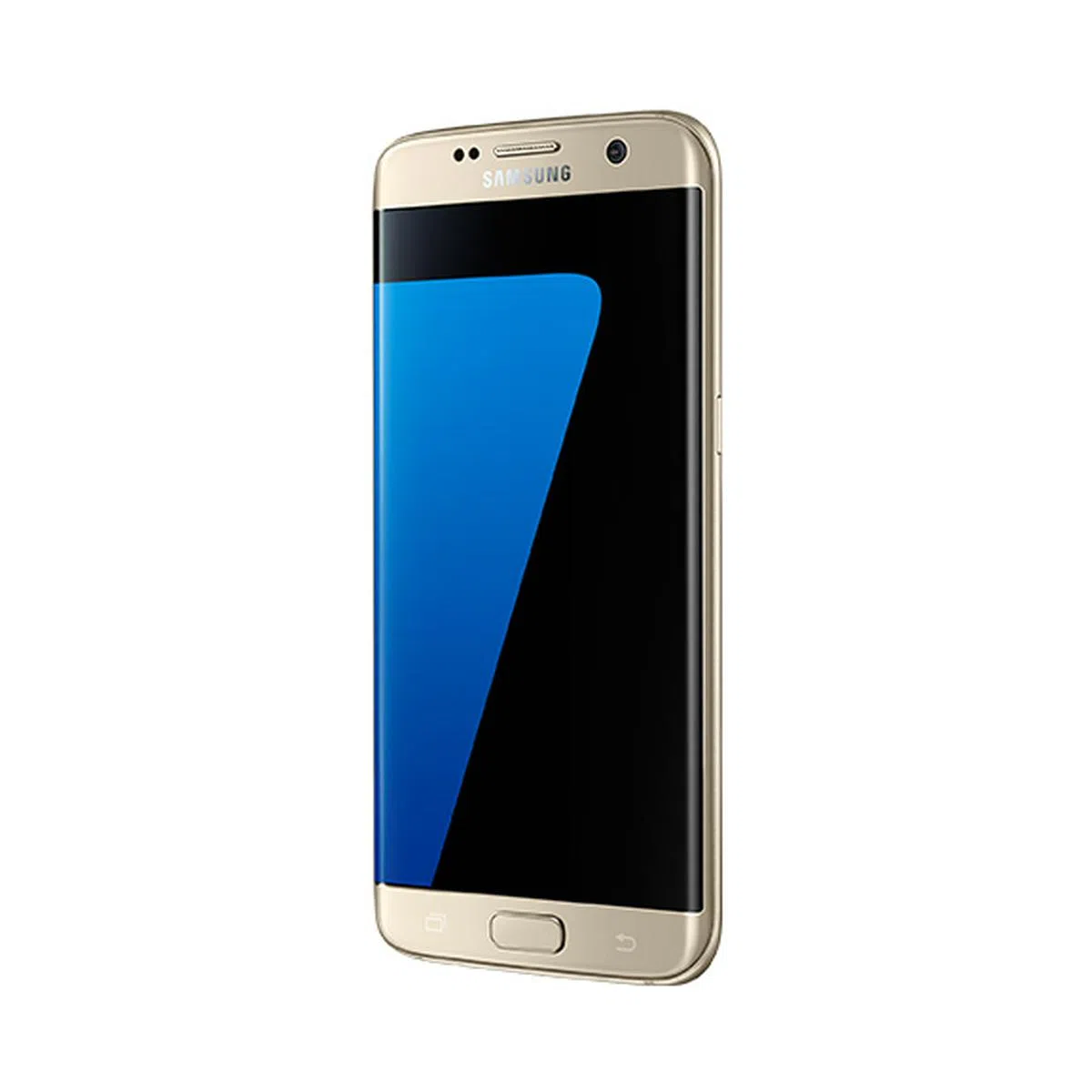
The Edge Screen and its accompanying features on the Samsung Galaxy S7 Edge is the key difference between the two phones available in this release. This iteration sits at 5.5-inches.
The key difference between buying the Samsung Galaxy S7 versus buying the Samsung Galaxy S7 Edge is none other than the Edge Screen on the latter. The difference in display size is partially due to the wrap-around screen on the S7 Edge, and it also made the Edge device slightly larger than its vanilla counterpart.
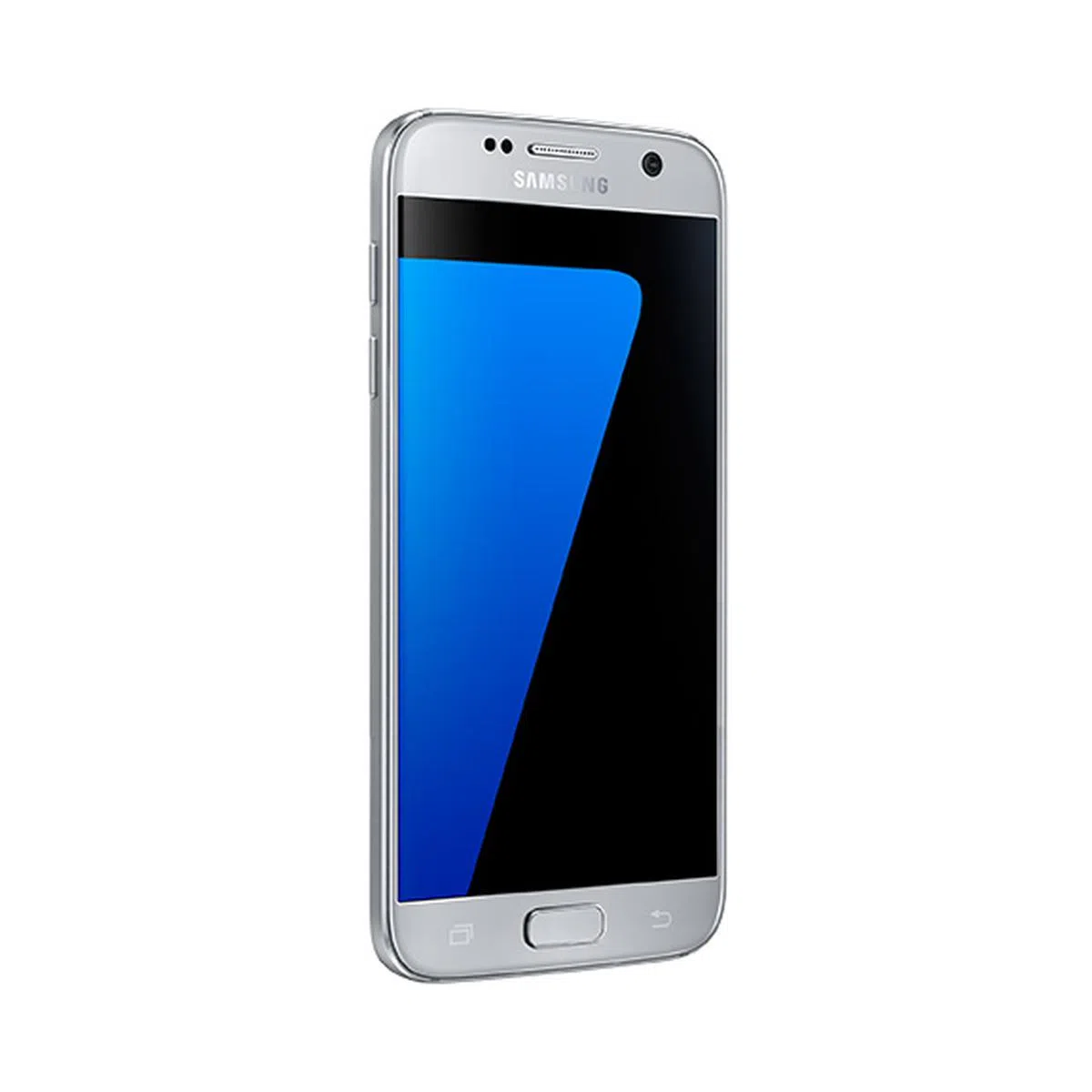
The display on the Samsung Galaxy S7 is a 5.1-inch Quad HD (2,560 x 1,440 pixels resolution) Super AMOLED screen at 577 pixels per inch (ppi). The Galaxy S7 Edge sits at 5.5-inch with the Edge Screen that curves down the sides. Because the bigger display comes with the same Quad HD resolution, it sits at 534ppi. In essence, Samsung kept the 5.1-inch size within its traditional line-up, while the Edge-based phones went through a few size changes – it is now 0.2-inch smaller than the S6 Edge+, but 0.4-inch larger than the Galaxy S6 Edge. It remains to be seen if the 5.5-inch form factor becomes the sweet spot for Edge Screen phones. While we find it just right, some comments we've noticed from other users who've tried the phones at the Samsung Delights event and at the Samsung Experience Stores prefer to have a larger device that's more like the S6 Edge+. This is hard to debate as it's all down to personal preferences.
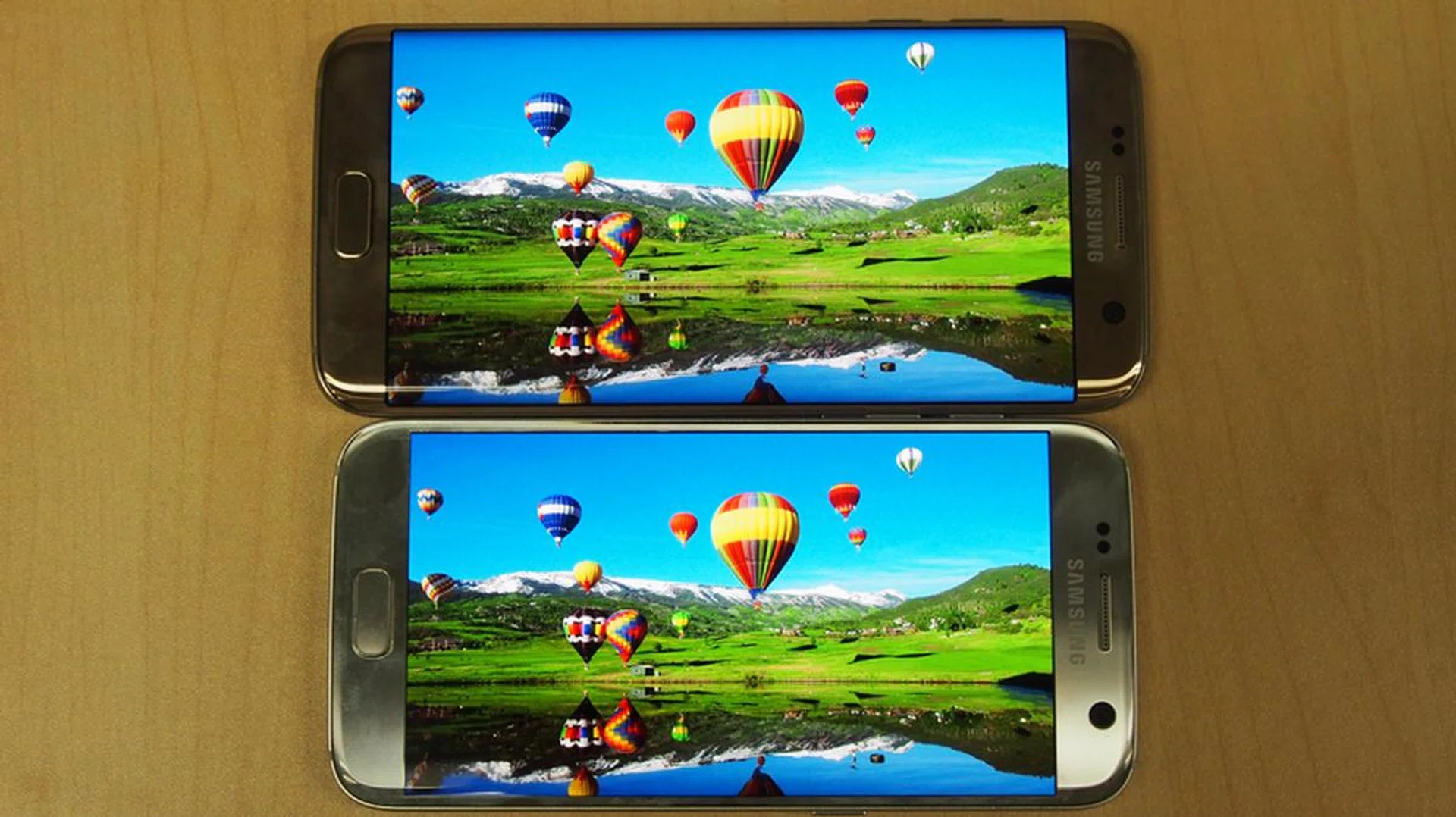
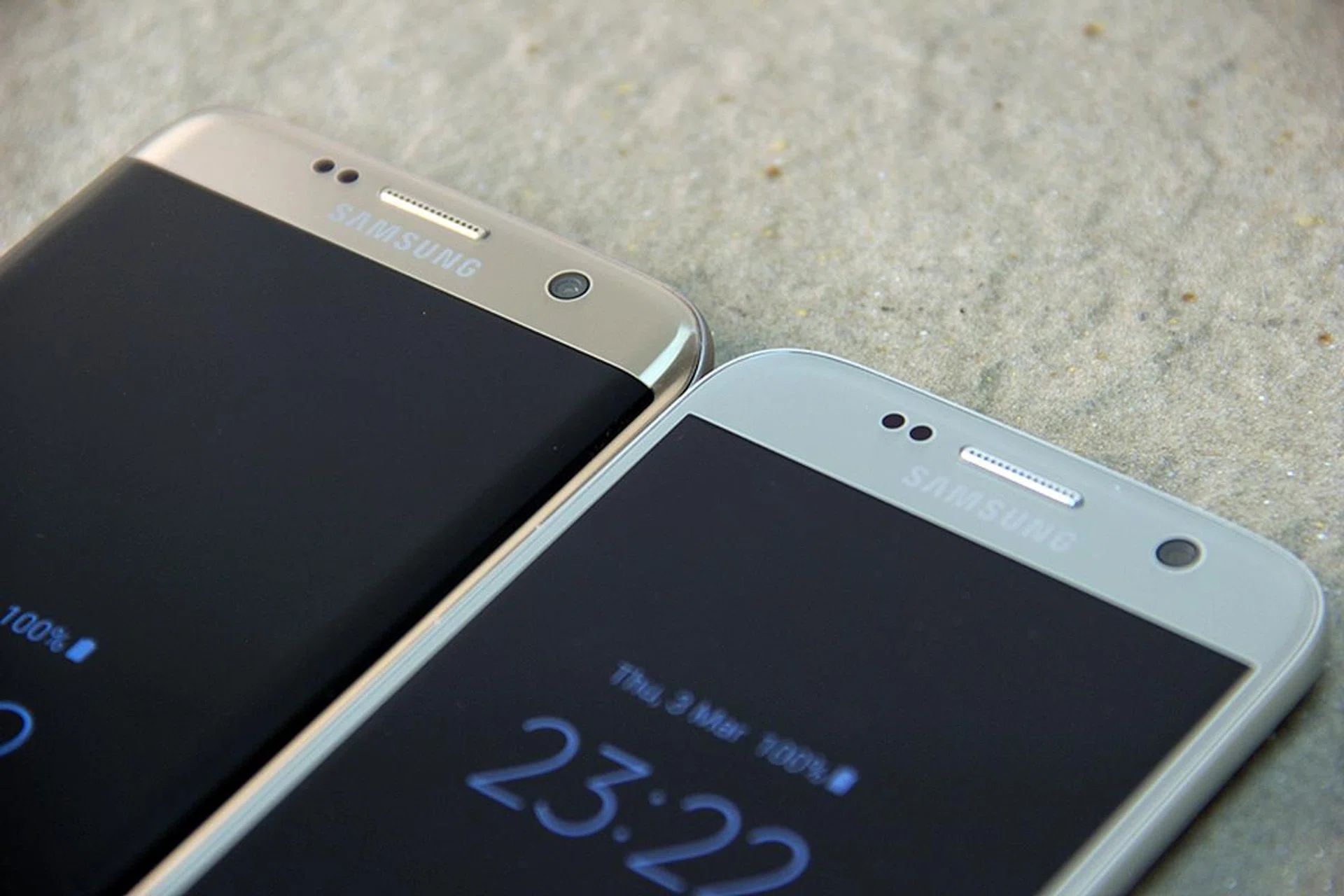
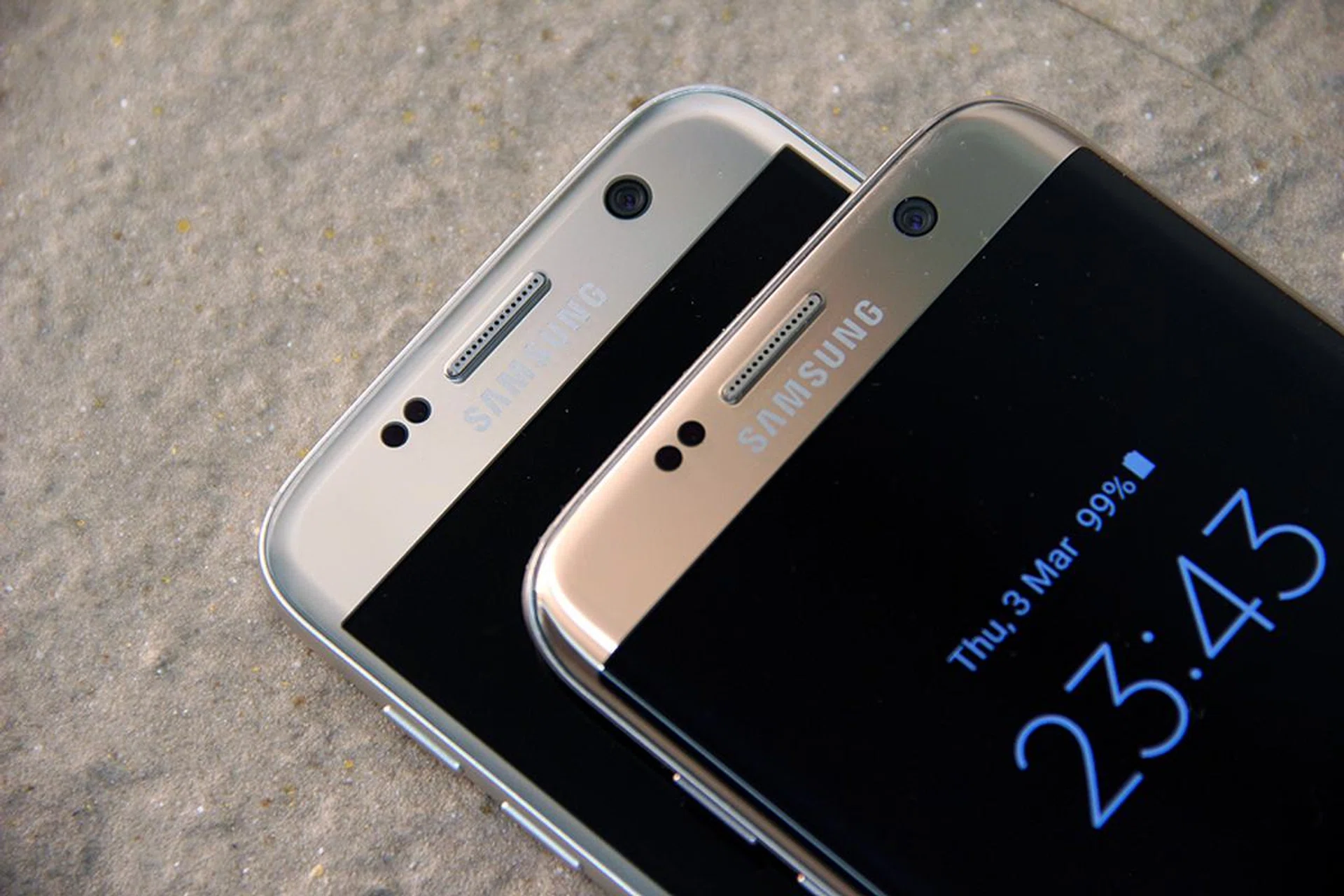
Samsung Galaxy S7 Edge (top), Samsung Galaxy S7 (bottom).
Both phones have near-identical color display profiles. They are equally sharp, and vibrant, and we have no complaints about the screen quality. We noticed some slight differences between our Galaxy S7 and S7 Edge test sets – the Galaxy S7 had better contrast (and therefore better blacks) while the S7 Edge leaned very slightly in favour of reds within the picture. As you can see in our test images above, they are visually similar. Therefore the display is not an issue to us.
Audio on the S7 and S7 Edge is good for something purely functional. They are loud, although the S7 seems louder when placed on the table. The speakers used are also the same ones found on the Note 5 and S6 Edge+.
Features - Part 1
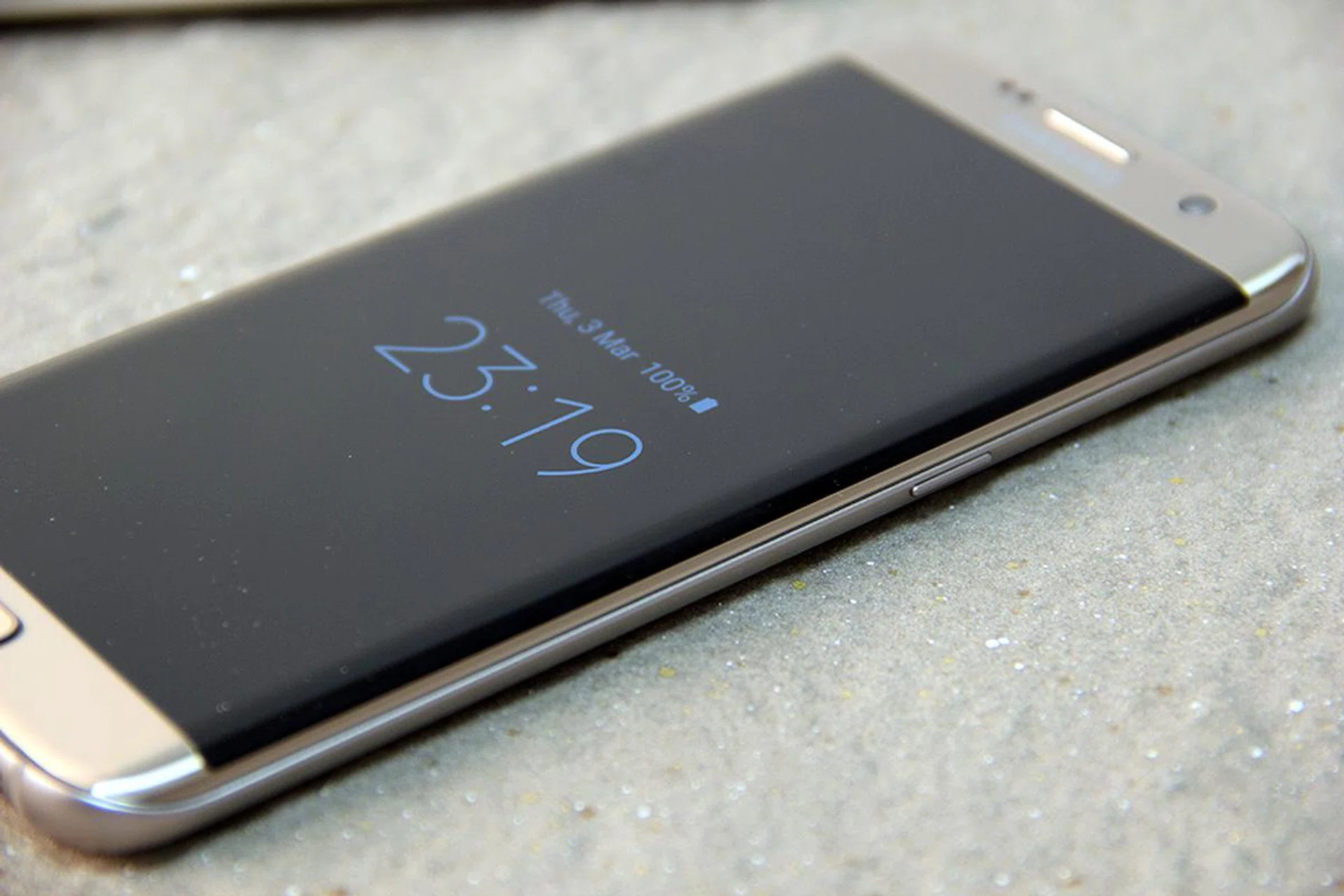
Always-On Display

The purpose of an Always-On Display (AOD) is to show the most pertinent information such as time, date, day, battery status, missed calls and if you've received any messages - even when your phone is idle and locked. From a functional perspective, this sounds great as you get vital updates at a glance. But doesn't an AOD function mean more battery drain?
According to Samsung, AOD uses less than one percent of battery life per hour, and that 20-odd percent of battery drain per day is supposed to justify the "150 times a day" we fire up our screen just to get micro-updates. Even when you consider that the new Galaxy S7 devices pack a larger battery than the S6 and S6 Edge, we're still conflicted over trading precious battery for something that's as trivial as invoking the screen. Fortunately, AOD can be toggled off if you really want every ounce of battery juice.
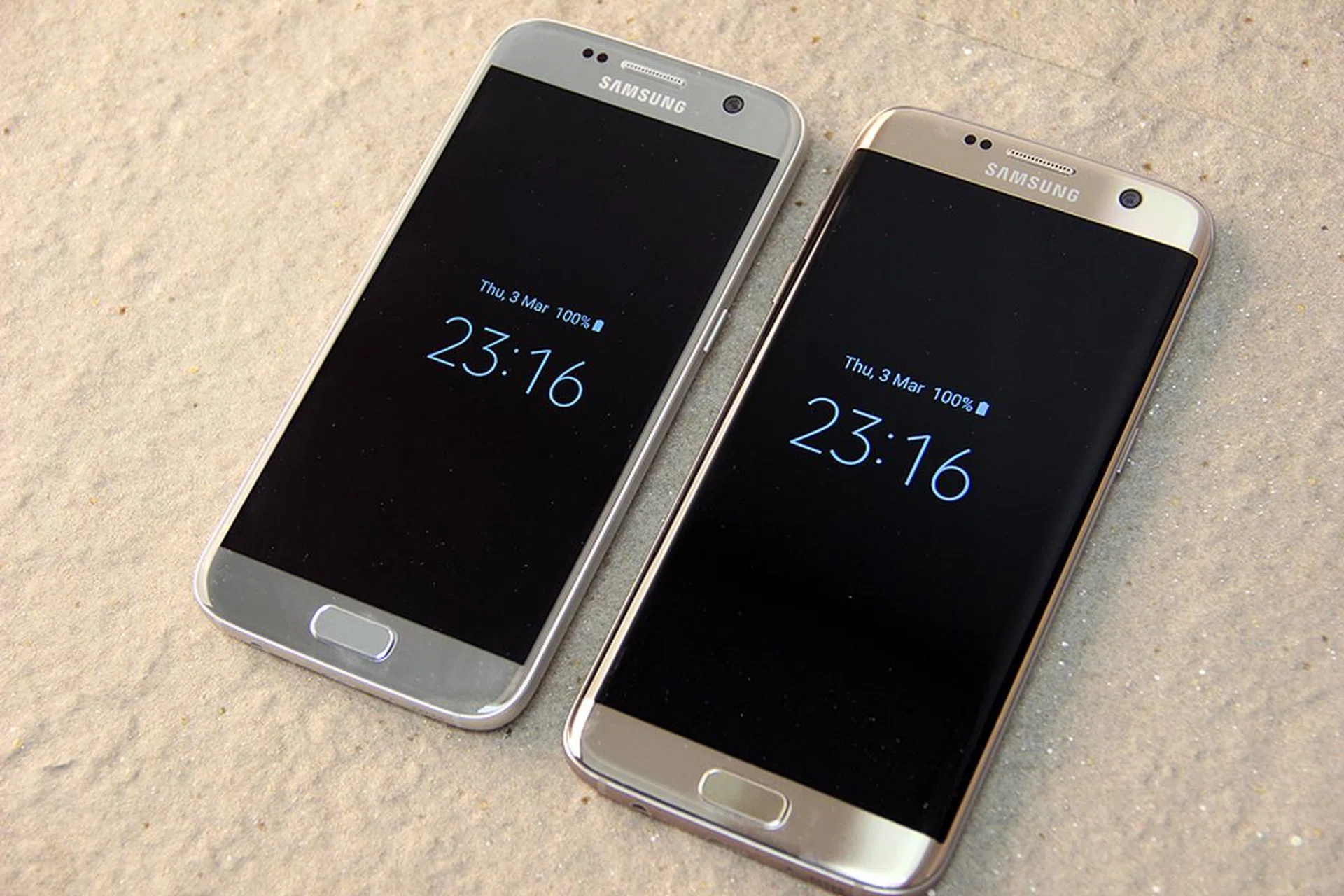
Always-On Display is very handy - if you don't mind trading some battery life over the day.
That said, AOD is the feature that got us hooked on the S7 and S7 Edge. In less than three hours, we grew accustomed to having our time/date/battery life displayed at our convenience – only to be left wondering where these updates went after switching back to our personal smartphones. In a nutshell, AOD is like sweet poison - it drains life away from the phone's battery, but it’s definitely one of the nicer convenience features a smartphone can have. To top if off, the look and feel of the AOD can be customized with several preset templates and options - check out the video above for more details.
We do have one point to nitpick with AOD - it fails to indicate if you've received messages from your popular messaging app(s). At the moment, it seems to only indicate unread SMS messages, but it's unable to tell you if you've received Whatsapp, Line or other chat messages and that can be annoying. Since this is a software feature, we can only hope that Samsung would soon revise the AOD function to indicate unread messages from popular chat apps.
Cleaner TouchWiz interface
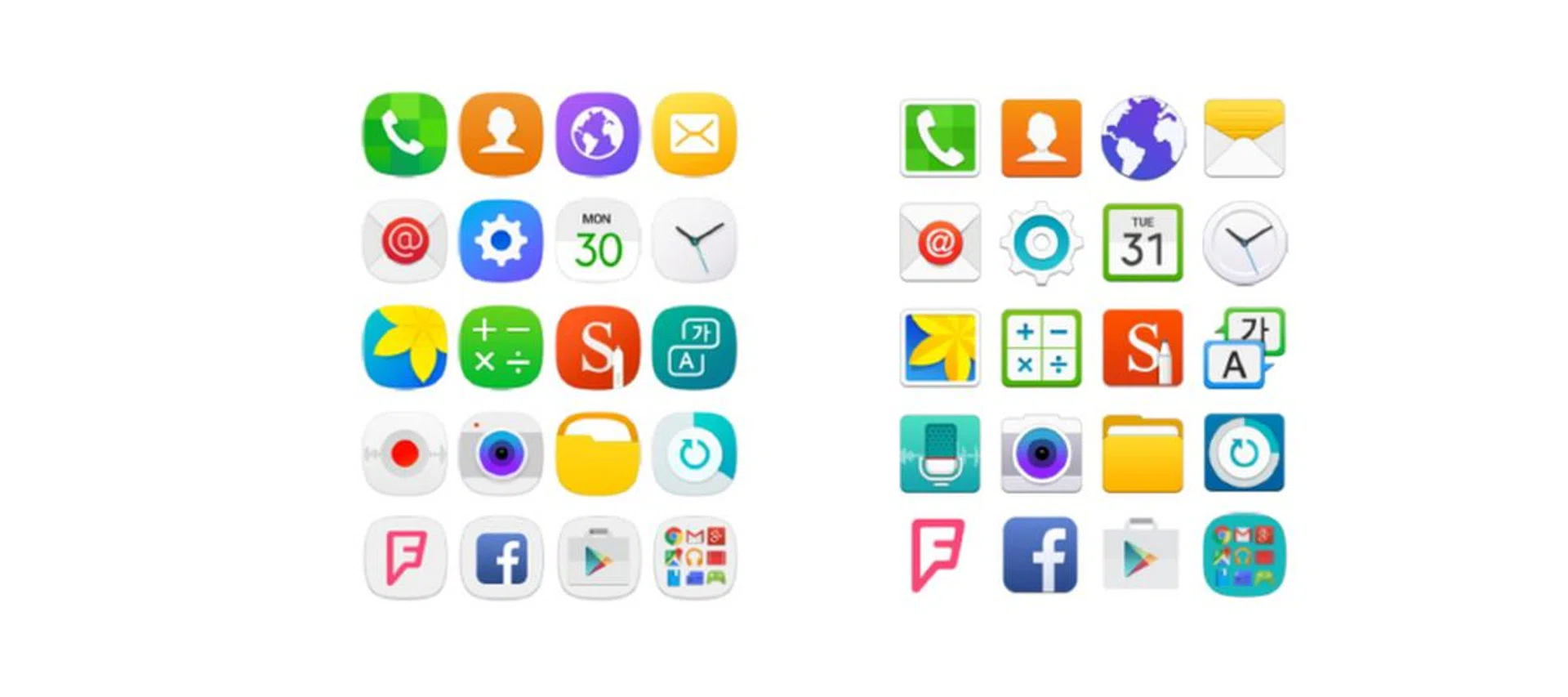
Samsung Galaxy S7 interface (Left) versus the Samsung Galaxy S6's interface (Right).
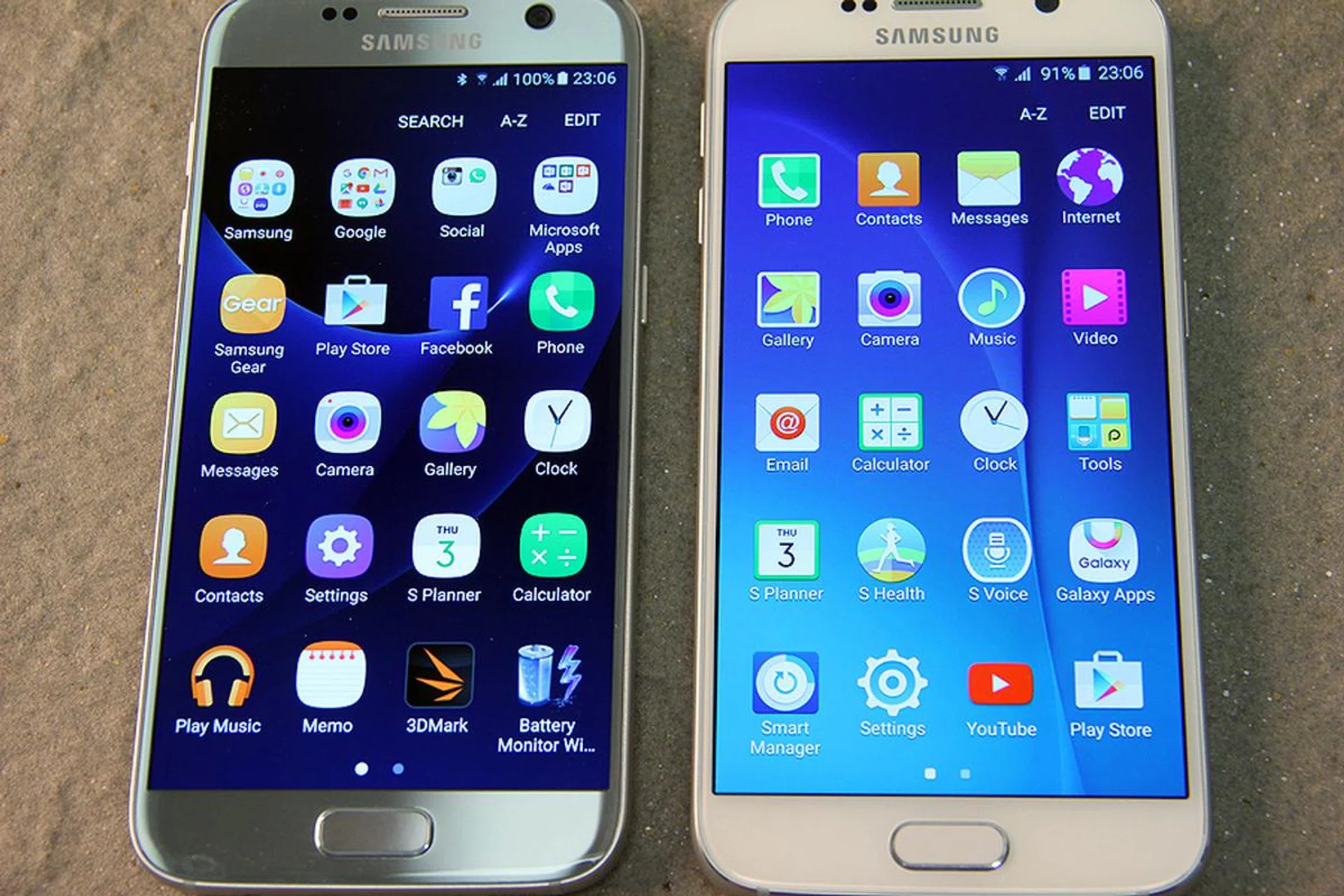
S7 on the left, S6 on the right. Subtle, but the differences are there.
Samsung's familiar TouchWiz interface is the front-end of the Android 6.0 (Marshmallow) OS phone. However, the interface feels much cleaner now. They’ve cut down on the number of apps that populate your screen, save for one Briefing news aggregation tool that's hiding on the left panel of the Home screen. Thankfully, the Briefings feature is easy to disable if you wish to. Most of the Samsung proprietary apps are tucked away in their own Samsung apps folder, making the phone feel less cluttered. Samsung retains the youth-friendly design language of the interface, while using new rounded edges for icons and generous use of gradient-like effects in their bright color palette of choice. This is a welcome change from the older flat and square-ish app icons.
Is 32GB enough?
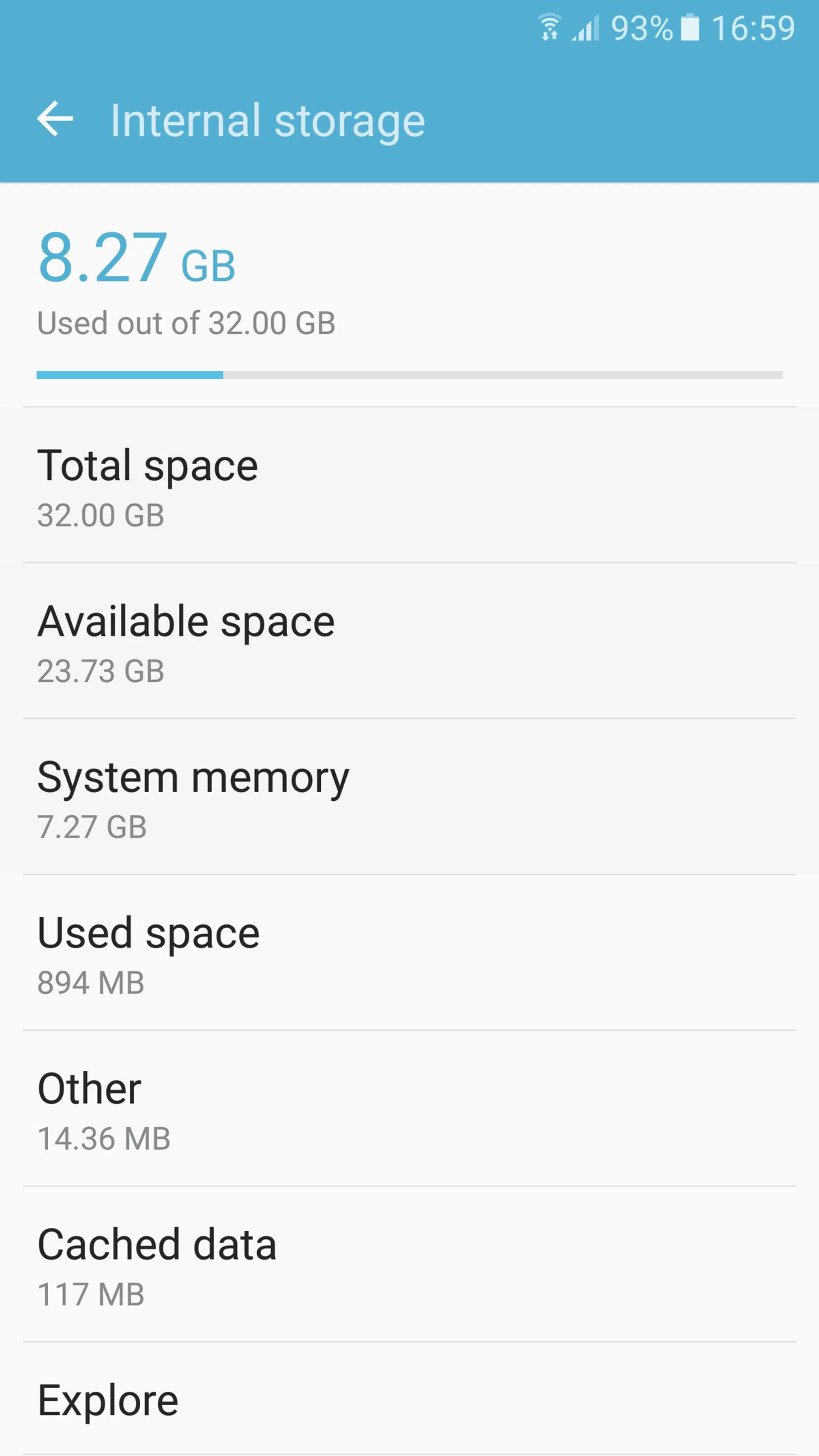
With a handful of benchmarking apps installed, the Samsung Galaxy S7 uses 8.27GB out of its available 32GB internal storage (S7 Edge uses 8.57GB out of 32GB with the same apps installed). We find that the amount of free space left is acceptable, given that the Samsung platform went easy on getting pre-installed proprietary apps onto the phones. Space is always subjected to your own usage patterns, but we feel that the remaining capacity is sufficient for us to install a handful of key productivity apps and games. Don’t forget that Microsoft’s Office suite is already pre-loaded for convenience.
We've had questions about the availability of the S7 and S7 Edge's 64GB models popping up on our Facebook page. However, Samsung has yet to announce Singapore's chance of getting the 64GB sets. Apparently, the US market isn't getting the 64GB models.
Dual nano-SIM and Expandable storage
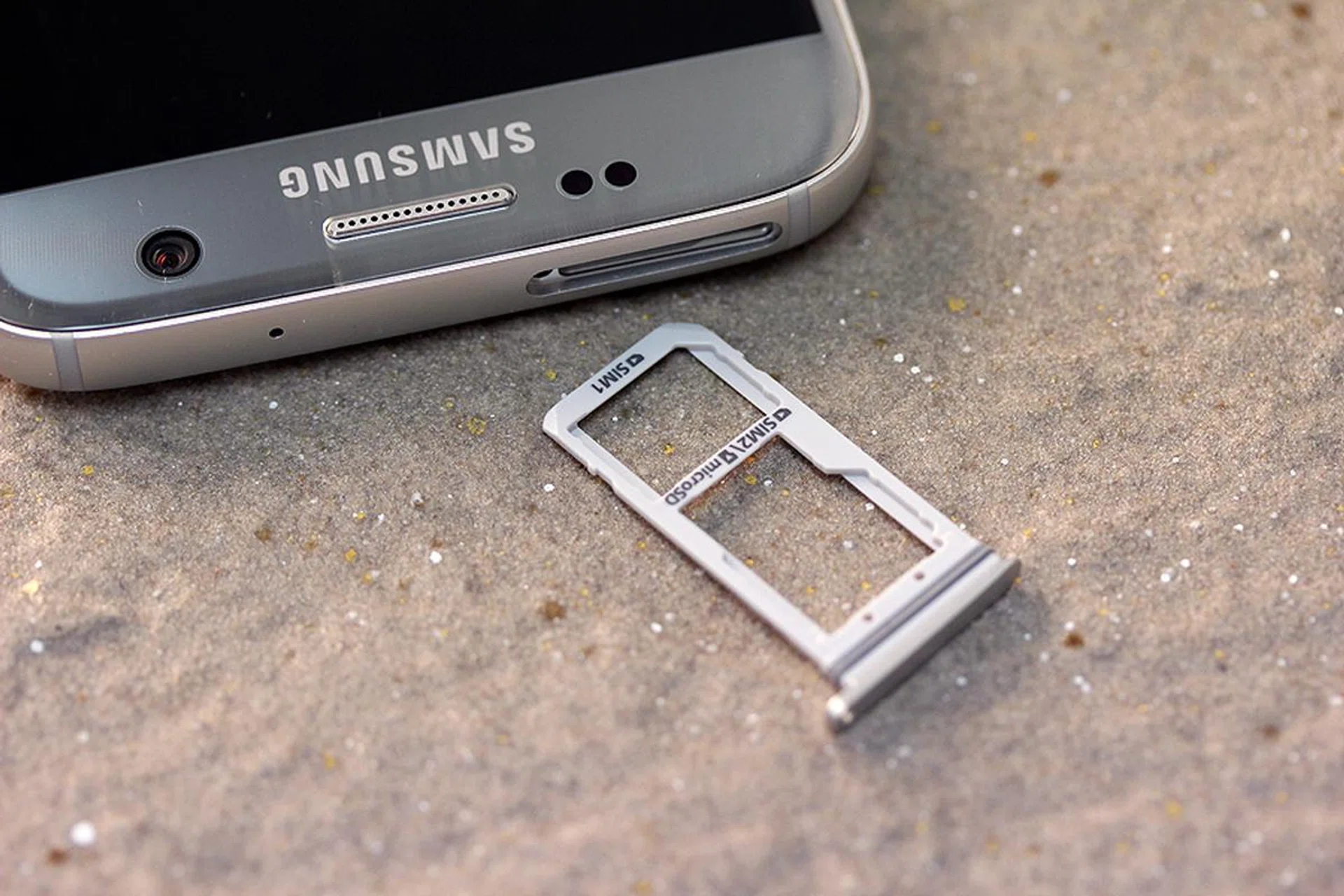
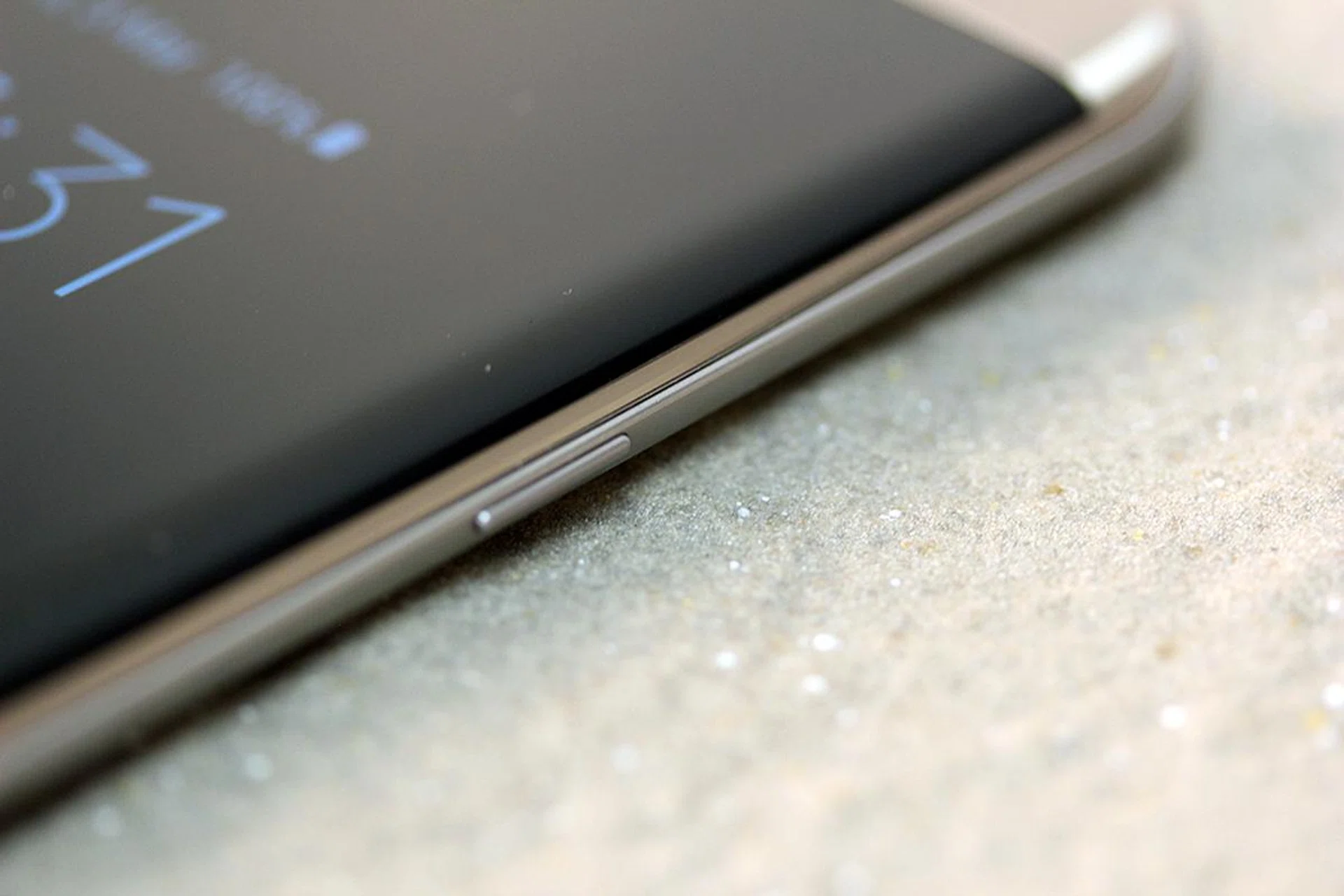
The card tray is a choice between two SIM cards, or one SIM and one microSD card.
Fortunately, Samsung brought back expandable storage to the S7 and S7 Edge - you can now slot a microSD card in (up to 200GB in capacity) to store all sorts of media. If you don’t need the bonus storage space, you could always opt to have two nano-SIM cards in the hybrid card tray instead – the phones offer both configurations. Either slot supports the 4G network, but only one of them can have an active 4G network connection while the other slot will be relegated to 2G network support.
It's worth noting that the S7 allows you to move apps onto your microSD card (like most Android phones from last year). Larger apps, such as games, can run off the external storage card. It helps you save part of your precious 32GB allotment, too.
Features - Part 2
The Game Launcher and Game Tools
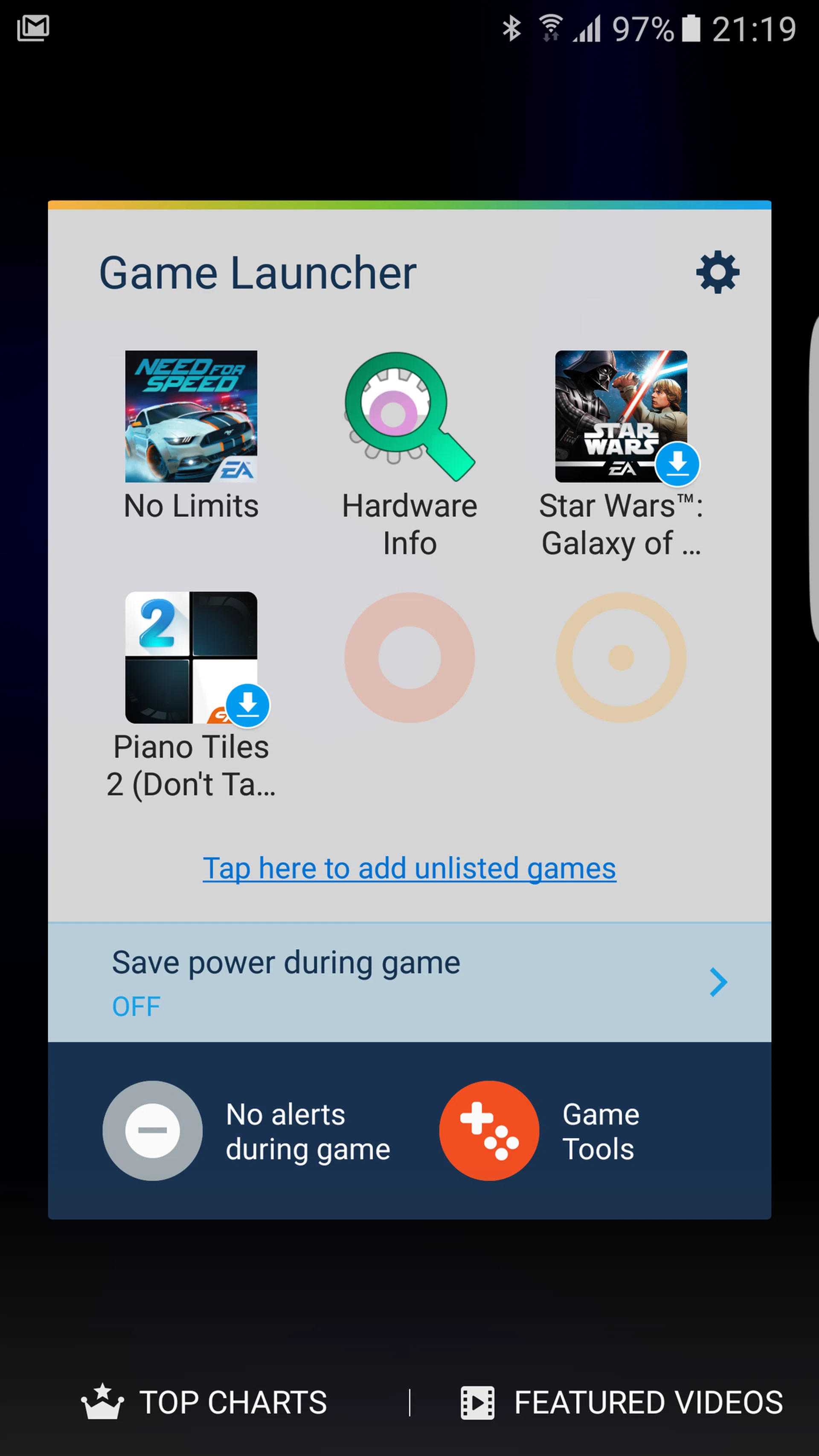
Game Launcher is a new gamer-friendly box on your Home screen that keeps all your game apps in one manageable place. The power-saving options lets you save precious battery juice when gaming, which is ideal for smartphone games that do not emphasize on having mesmerizing graphics. Game Launcher also lets you configure whether you want notification alerts coming in while you game. This makes all the difference between experiencing no interruptions in the middle of a tournament. If you're just looking to kill time, simply toggle the alerts back on again so you won't miss out on anything important.
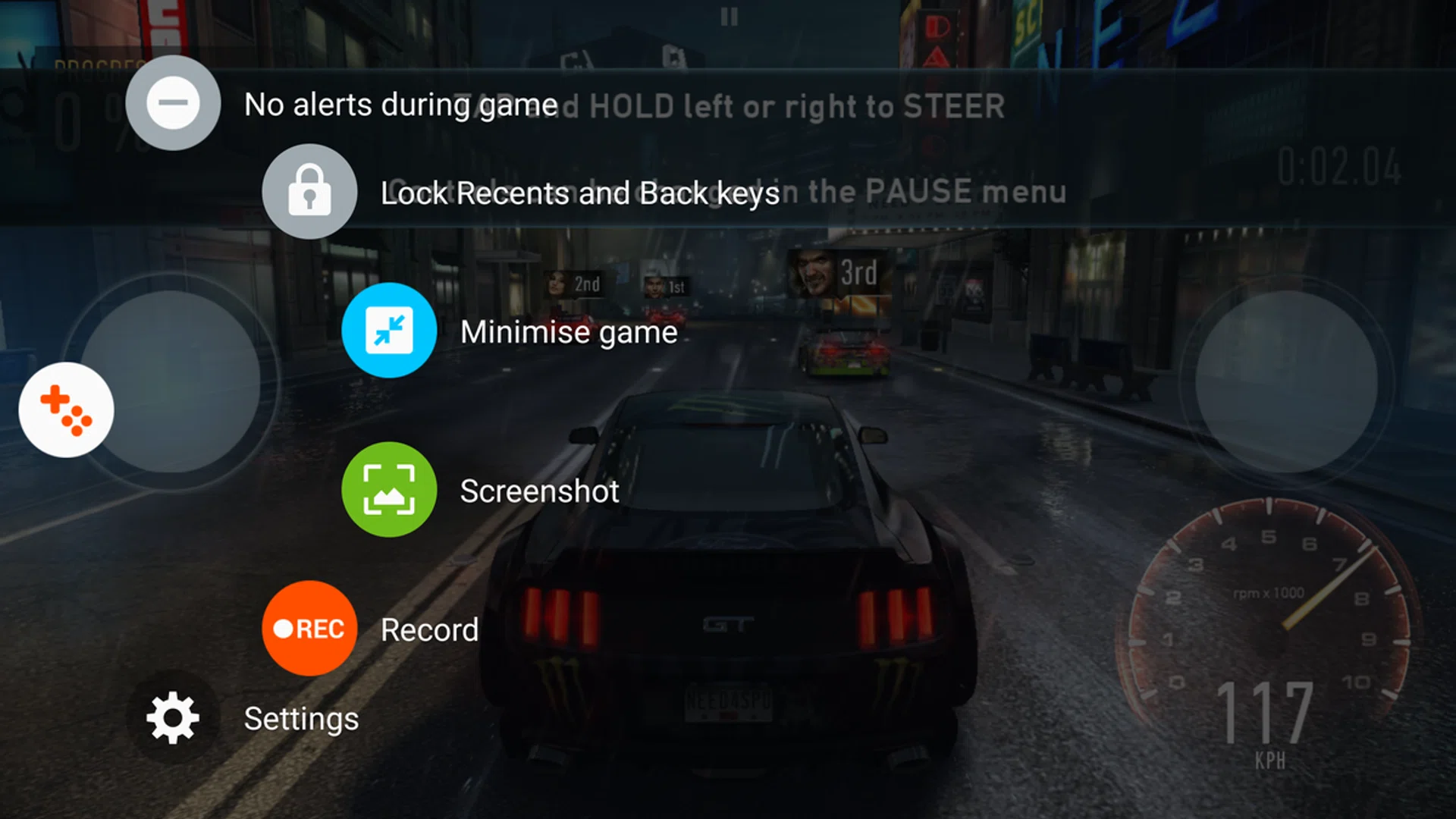
Game Tools menu, while in-game.
What makes gaming even better is the set of in-game Game Tools built into the phone. Once you have Game Tools toggled on, you can have a host of options guaranteed to make your gaming sessions far more fluid. The Game Tools option hides itself well, becoming a tiny translucent button that can be repositioned anywhere onscreen while you're in any game app. Tapping it will give you a decent panel of control over your gaming sessions. Check out this video feature for a complete rundown of options on Game Tools and on the Game Launcher itself:-

Not only does it offer the option to toggle alerts on and off without quitting the game, it also gives you the choice to lock your Back and Recent soft keys (that flank the sides of your Home screen button) to help you avoid exiting the game app unintentionally. The Minimize Game option keeps your game app running, shrinking your game into a tiny bubble that can be tucked away while you take an urgent message or call. Screenshot is pretty straightforward in-game function, but Record is far more interesting and practical, especially for avid smartphone gamers.
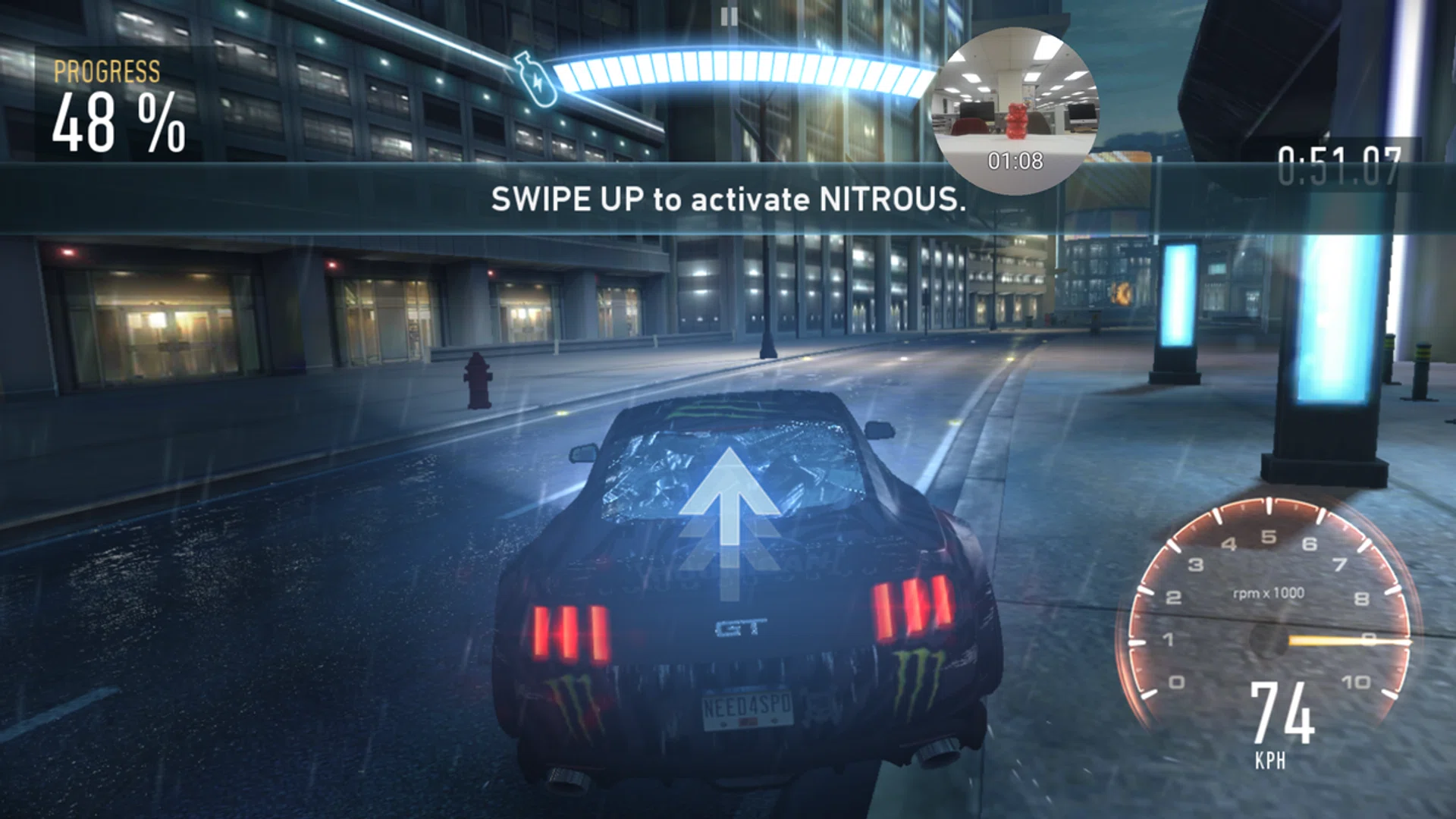
Record in action. Spot the front camera at work!
Record actually tracks your gameplay from your screen, while including your facial reaction in a little bubble that can be repositioned anywhere during the recording itself. It sounds vain, but the Record feature is great for gamers who like to prove that their high-scores are attained by their own effort. The recorded video goes into the phone’s default Gallery, where other photos and videos are stored. Recorded games have a maximum resolution of 1080p, and it’s adjustable in your Game Tools settings.
More functionality in Edge Panel interface

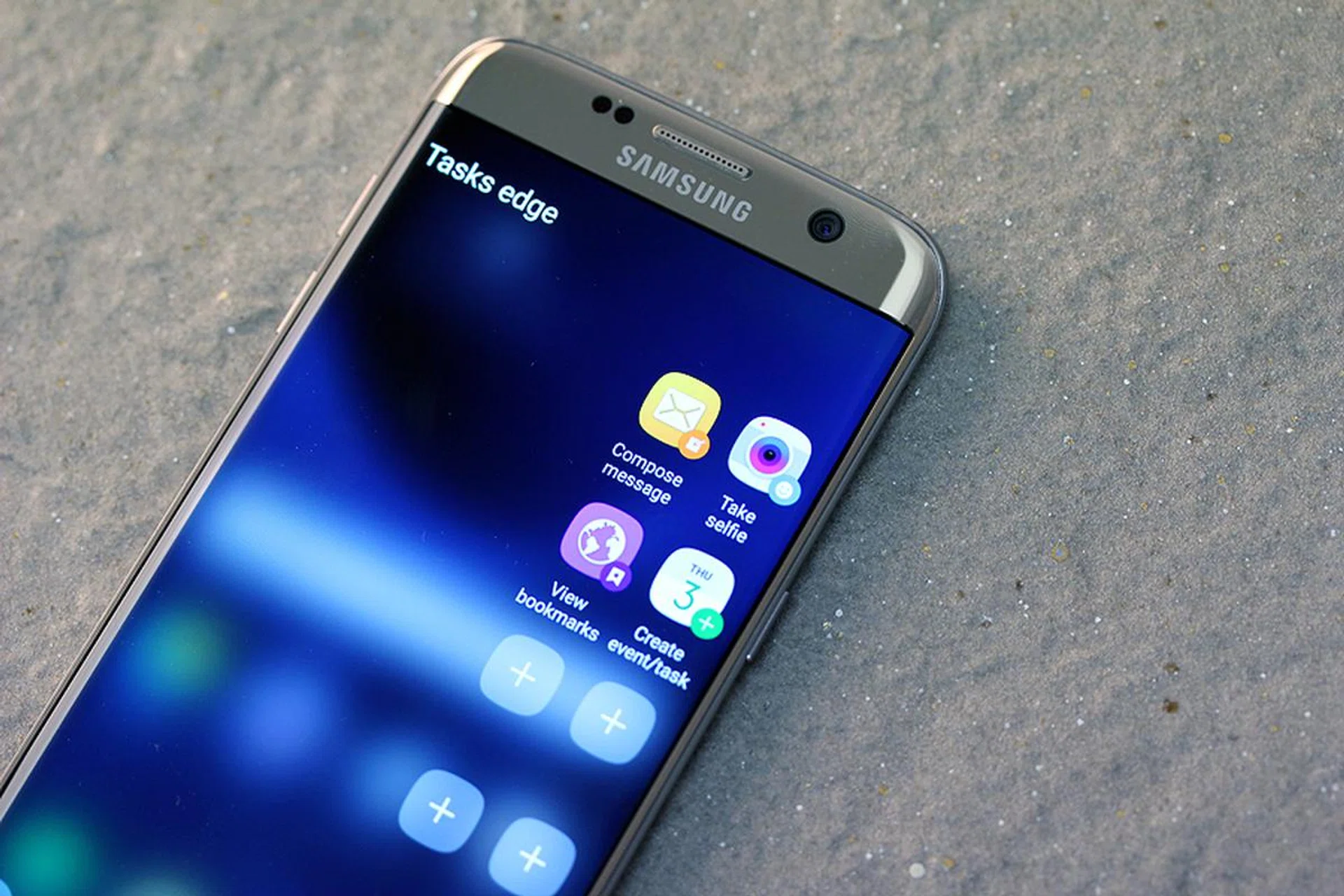
The new Samsung Galaxy S7 Edge has an improved Edge UX with more shortcuts and panels, buffing its functionality to make it less of a party trick. You get to customize the order of the Edge panels on top of tweaking the contents within each panel itself. For example, you can get a shortcut on the new Tasks Edge that lets you e-mail a designated person, eliminating the number of steps taken. People Edge now come with contacts’ names below their profile picture, which is far more intuitive than the old layout that displayed a bunch of nameless floating heads.
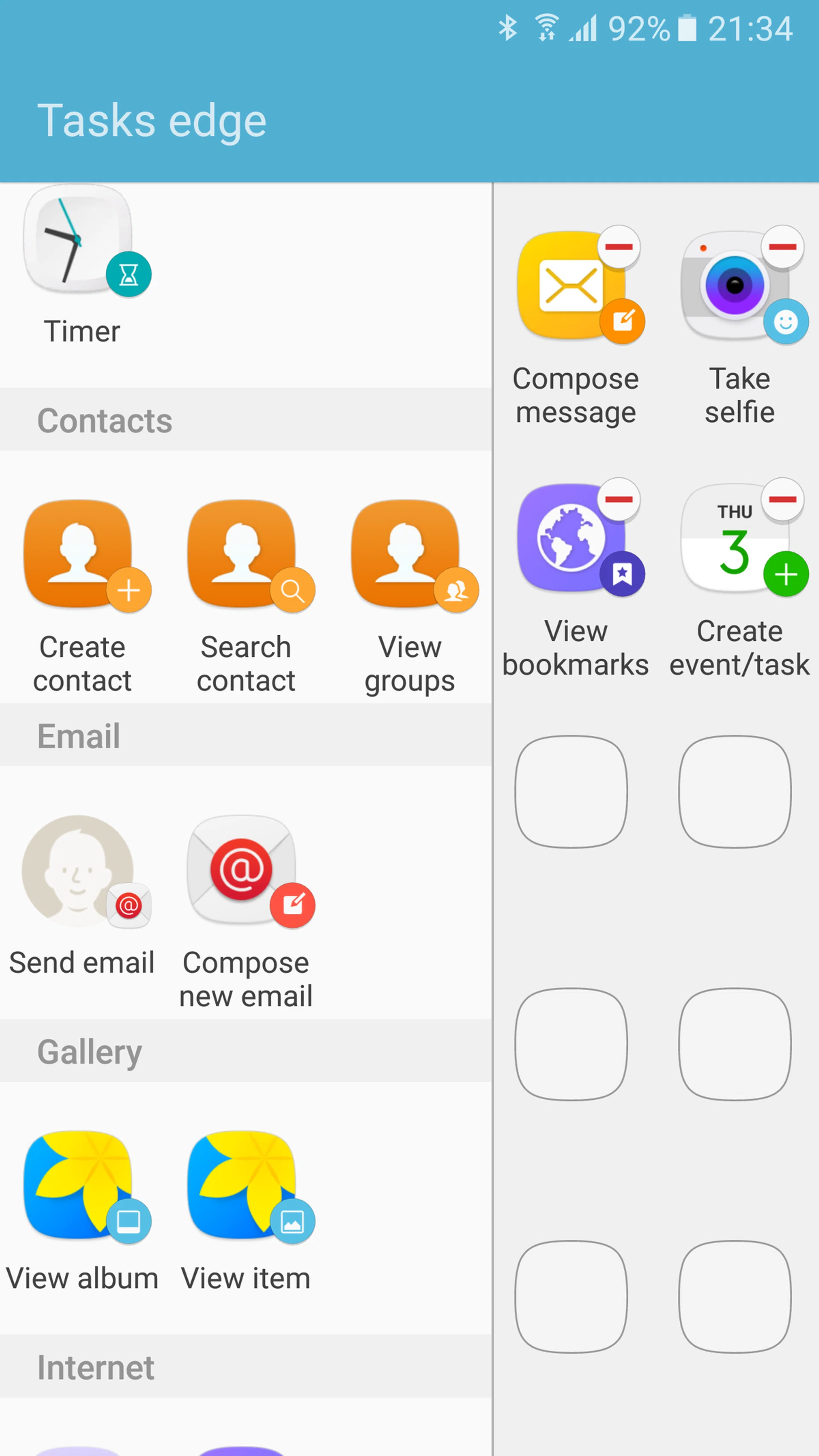
More controls in Task Edge.
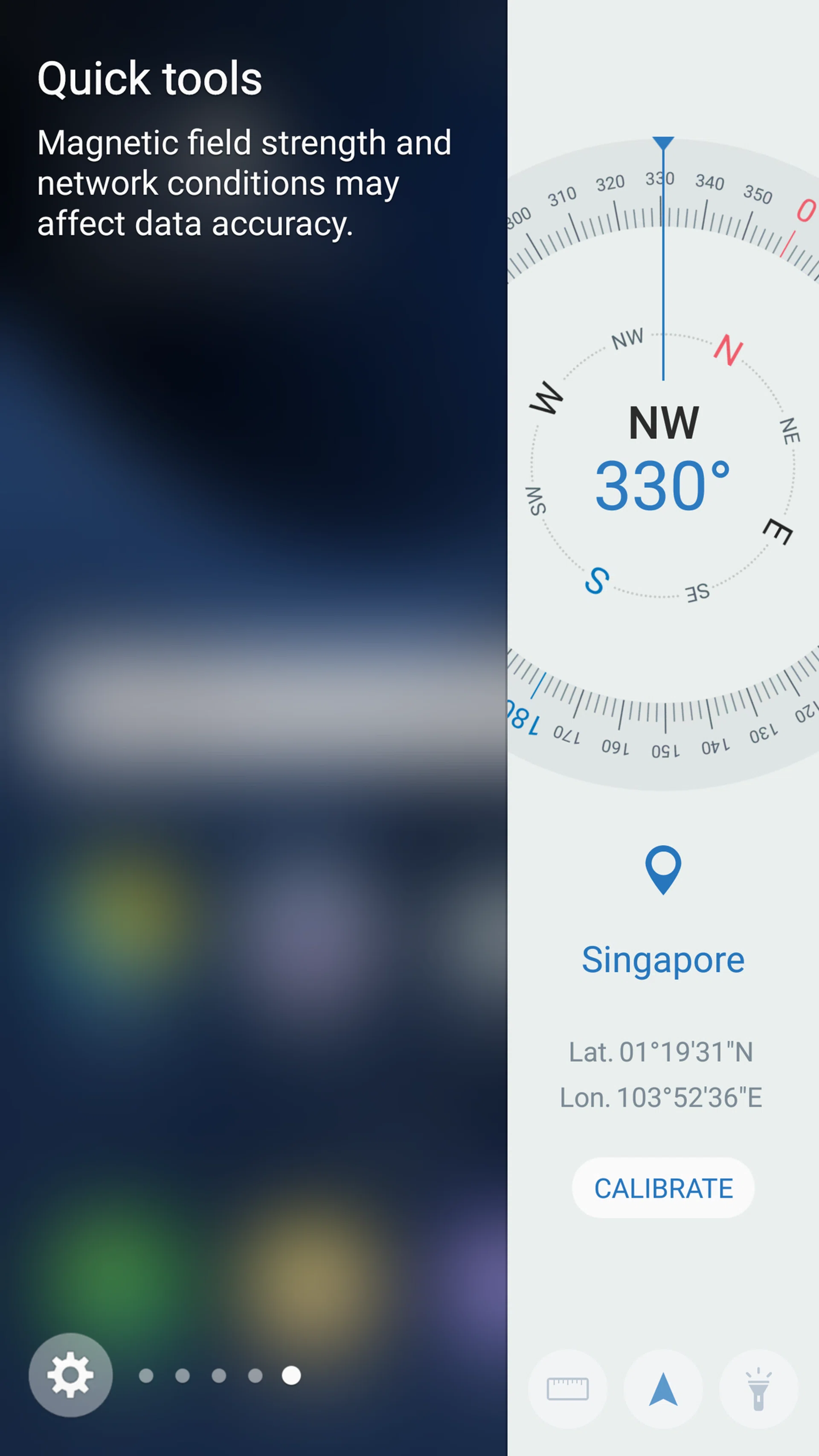
The new Quick Tools.
A new and notable panel would be Quick Tools. It comes with a compass, a torch light with adjustable brightness, and a ruler that provides measurement in inches or in centimeters. The ruler’s scale goes up to 11cm (you can’t swipe the ruler to make it go beyond 11cm).
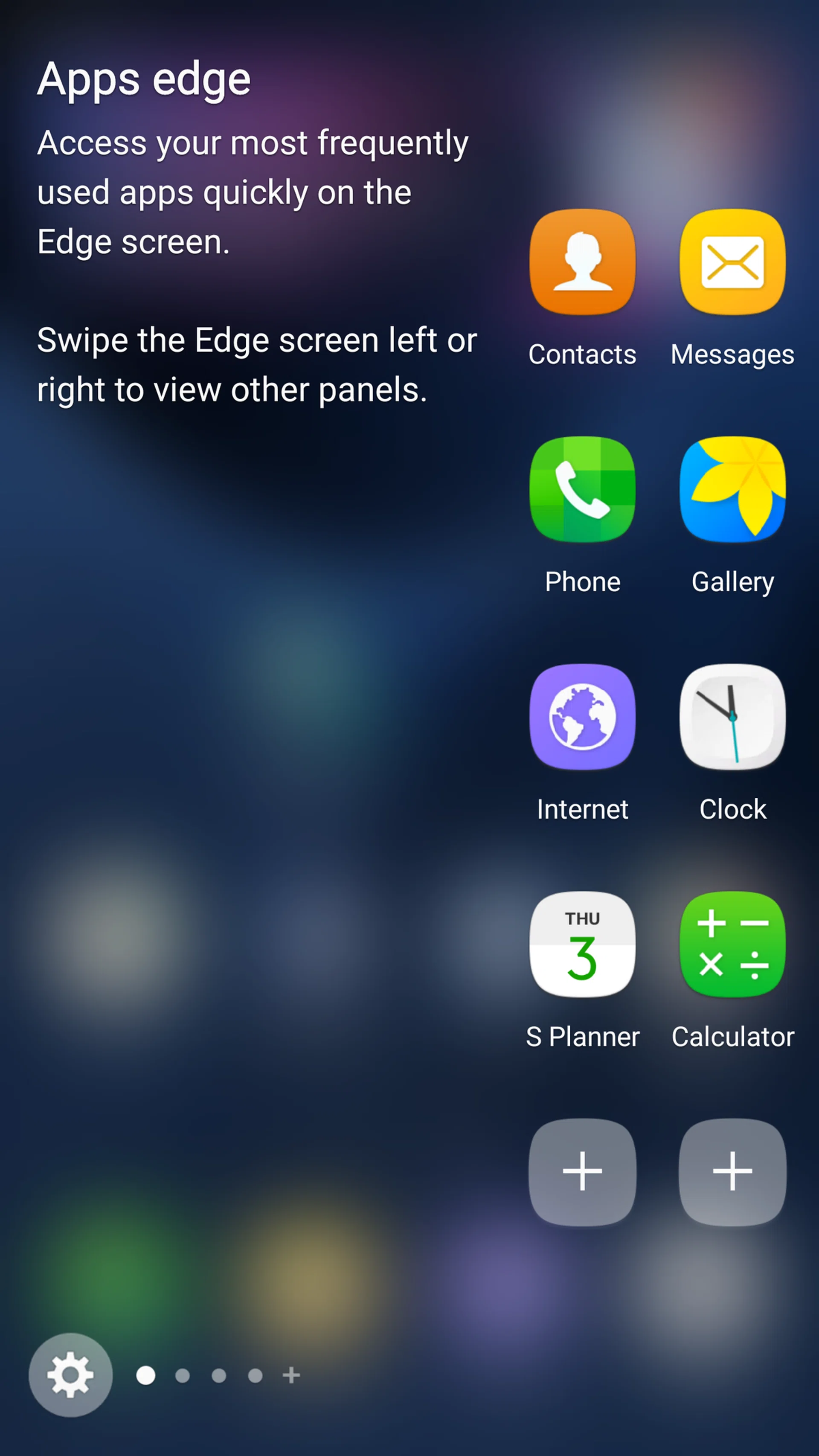
Add two rows in the Edge panel, instead of just one.
The width of the Edge panel is now at 550 pixels display, nearly double in size of the S6 Edge+’s 260 pixels. This increase in panel space is reflected in Apps Edge, where you get to store two rows of apps instead of just one. As shown in our hands on article, you can also adjust the panel size and transparency.
Finally, Samsung released its Edge Panel SDK for third-party vendors to offer their own new panels for S7 Edge users, granting the potential of getting more functionality out of the once-gimmicky feature via non-Samsung apps.
Longer screenshots with Capture More
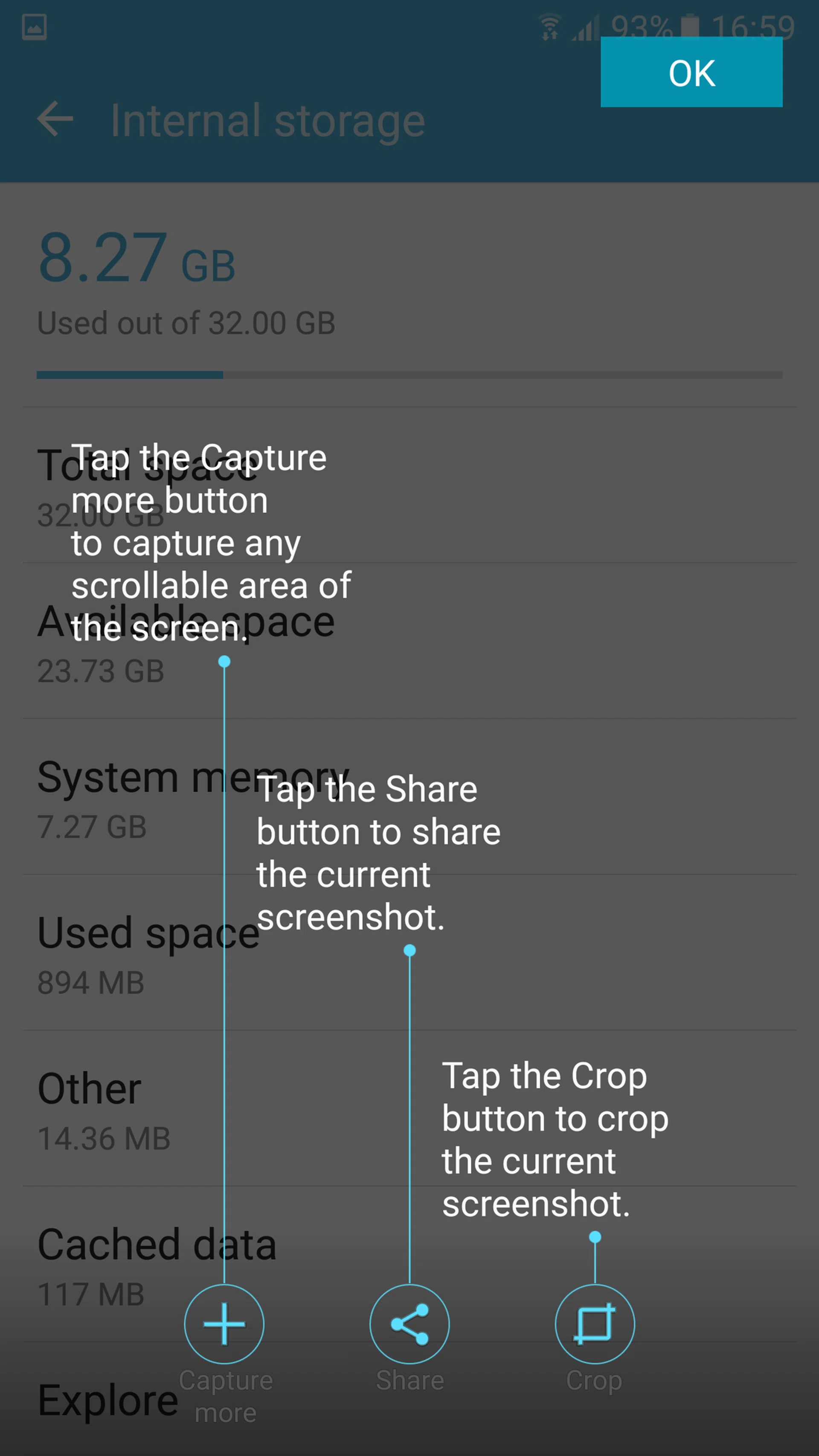
Phone screenshots are captured when you briefly hold down the Home button and Power button. There’s also the Capture More feature which was previously available on the Note 5. Capture More lets you create longer, more complete screenshots, which is ideal for online-shopping websites and long-form articles like our review here. Now you can capture one long page/screen in just one image.
Free-sizing keyboard
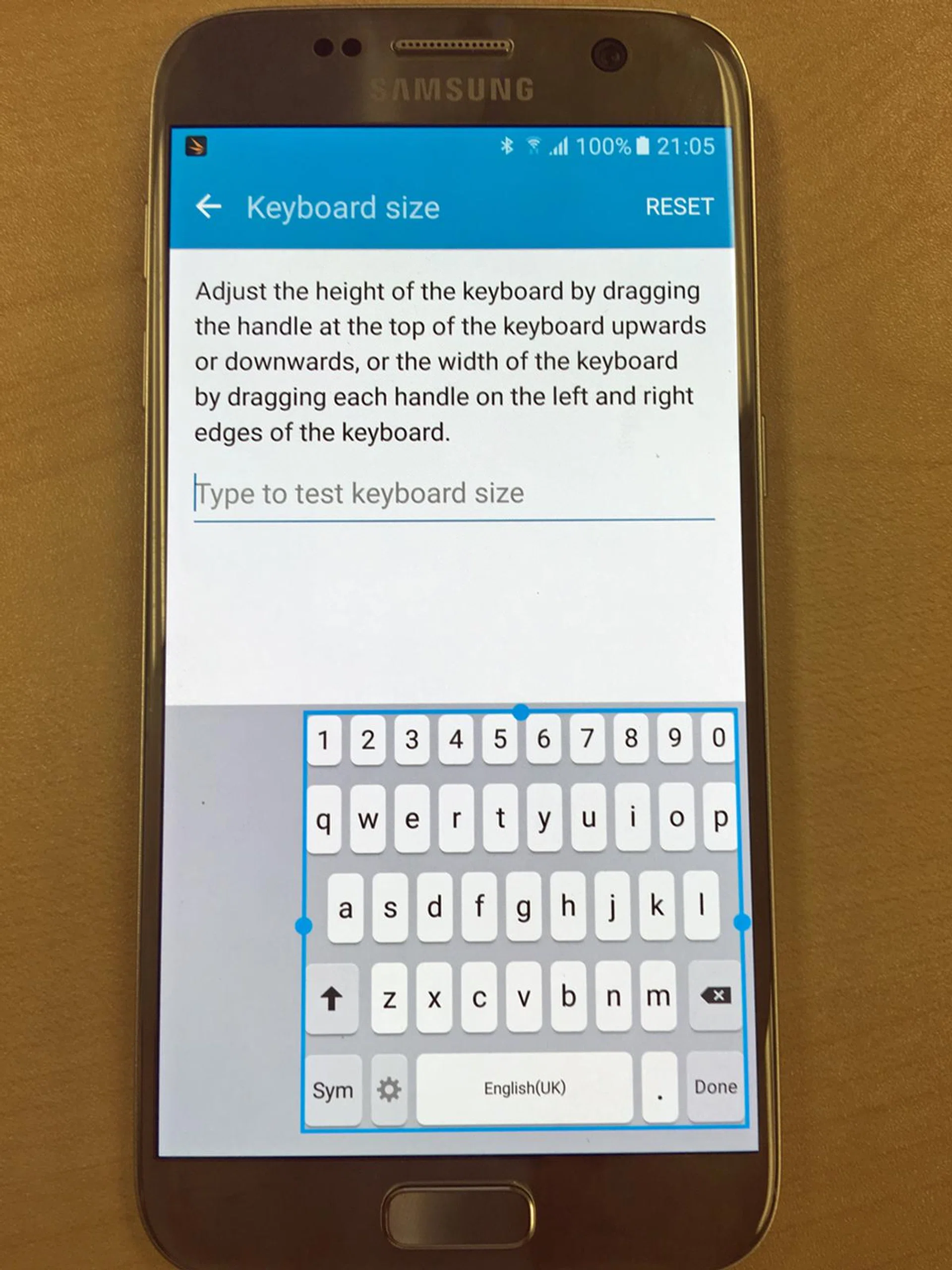
The keyboard size adjustment is more flexible than the phones before it, as it allows you to alter both the width and height of your board layout.
Samsung has a better free-sizing keyboard in the Samsung Galaxy S7 and S7 Edge. The option to resize your keyboard is under Settings – Language and Input – Samsung keyboard. Unlike its competitors, keyboard re-sizing here is done in free-form – you simply scale the keyboard size on the template before confirming the dimensions. We find this extra bit of control a nice upgrade from the usual one-hand keyboard options we’ve met thus far. The Galaxy S6 and Galaxy Note 5 also had the same free-sizing feature, but it only allowed height adjustment, as opposed to the Galaxy S7’s width + height adjustment in addition to where you want to exactly place the keyboard after re-sizing it. This added fine grain control is boon for those upgrading from phones of different screen sizes and quickly adopting to the finger travel required to get inputs registered on the new phone.
Benchmark Performance
Singapore variants of the Samsung Galaxy S7 and S7 Edge get a 64-bit octa-core Exynos 8890 processor. Within the Exynos 8890 is a combination of four Cortex-M1 cores (clocked at 2.3GHz) and four Cortex-A53 cores (clocked at 1.6GHz), together with a Mali T880 MP12 GPU (currently the highest performing GPU within the Mali family). Per Samsung’s claim, the upgraded processors in these phones gives them 30 percent faster CPU speed, along with 60 percent faster GPU speed when compared to the Note 5 and S6 Edge+.
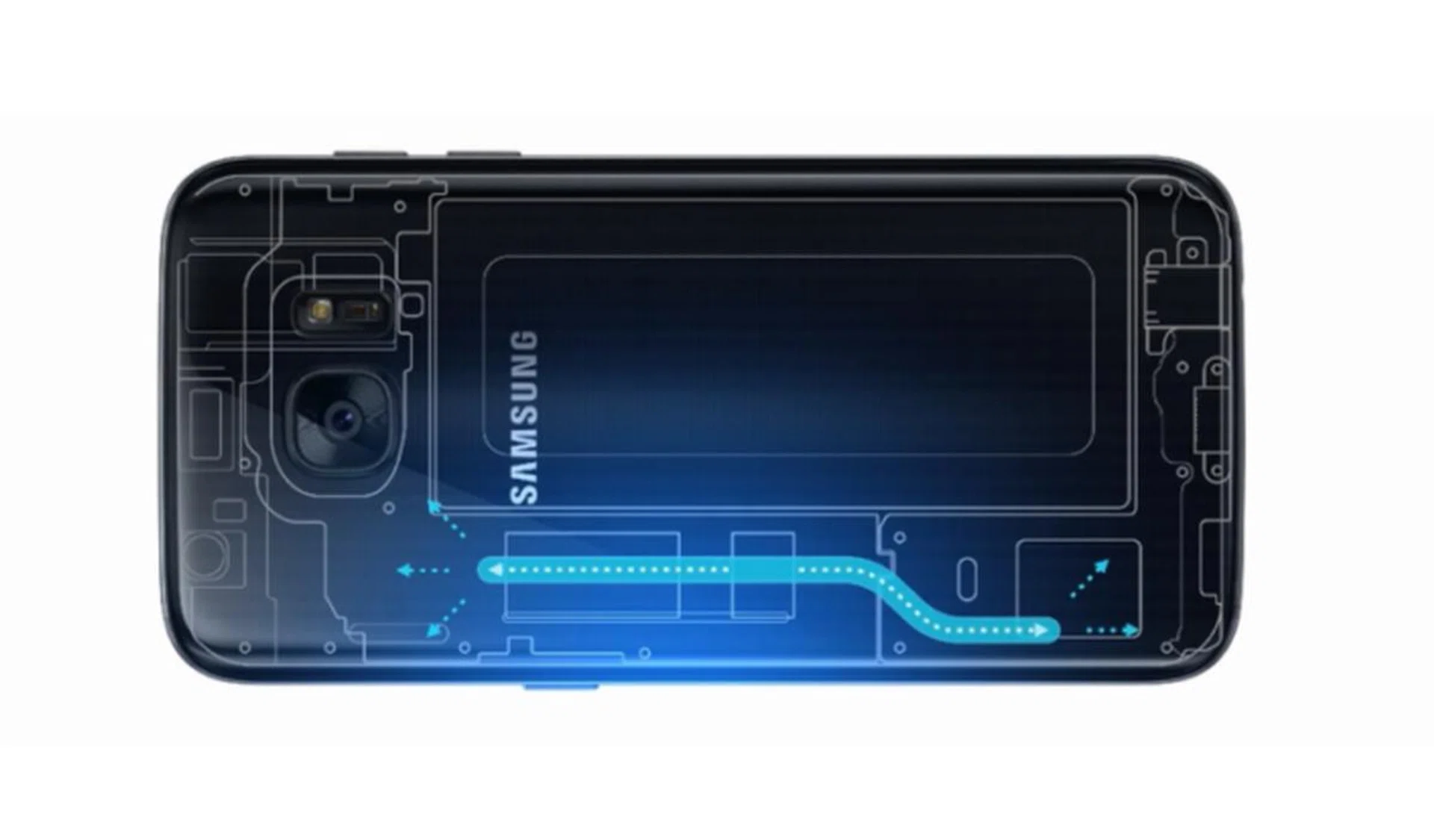
The built-in thermal spreader cooling system in the S7 and S7 Edge.
Both phones were barely warm after the entire course of benchmarking – we attribute this to its built-in “thermal spreader cooling system”. According to Samsung, this built-in cooling system prevents the phones from overheating with a pipe that contains liquid. The liquid vaporizes at higher temperatures, then travels towards the cooler end of the pipe where it condenses and the cycle continues.
Another performance perk would be the S7 and S7 Edge being the first smartphones to support the Vulkan 1.0 API. Unlike traditional OpenGL API, Vulkan 1.0 gives direct control over the GPU and memory allocation, and it takes better advantage of multi-threaded CPUs. Of course, this only advantageous if you've games that are coded with the Vulkan API in mind, so this advantage might be better realized in the future. You can read more about Vulkan 1.0 API here.
We compared the Galaxy S7 and S7 Edge to other flagship phones that surfaced late in 2015. We included the Galaxy Note 5 because it is generally regarded as one of the most powerful smartphones among the 2015 handsets.
Sunspider Javascript
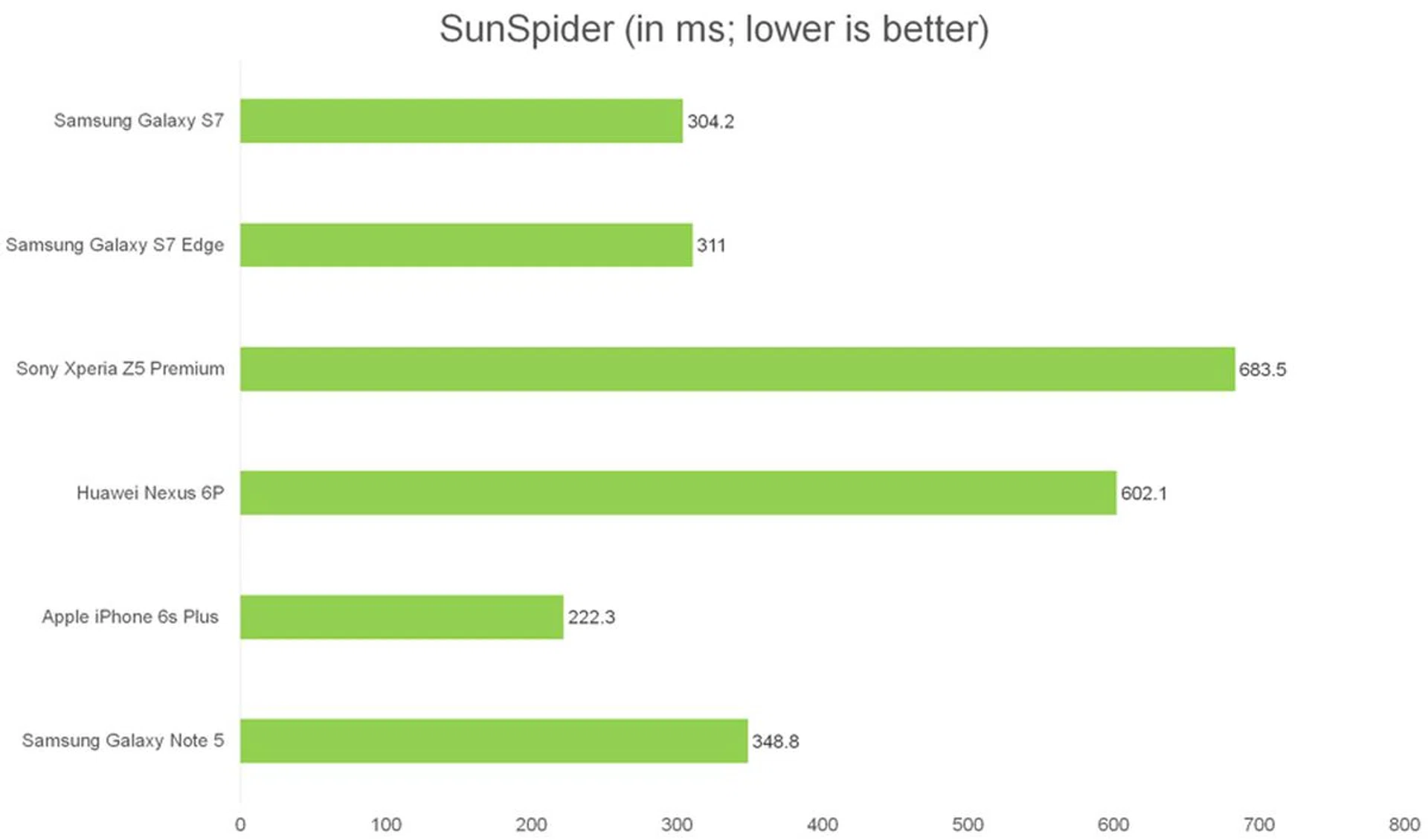
SunSpider JavaScript measures the browsing performance of a device when processing JavaScript. It not only takes into consideration the underlying hardware performance, but also assesses how optimized a particular platform is at delivering a high-speed web browsing experience. As noted in our Note 5 benchmark tests, the Chrome browser is nowhere as optimized as Samsung's built-in Internet Browser app. That said, it’s Samsung optimization we wanted to test, and we took the score generated from their in-built browser app. The results are some of the fastest we've seen for an Android phone and it shows too in actual usage of the built-in browser that it was blazingly fast. Just for kicks, we did try the same benchmark in Chrome with the Galaxy S7 devices and they garnered results in the range of 517ms to 525ms.
Quadrant
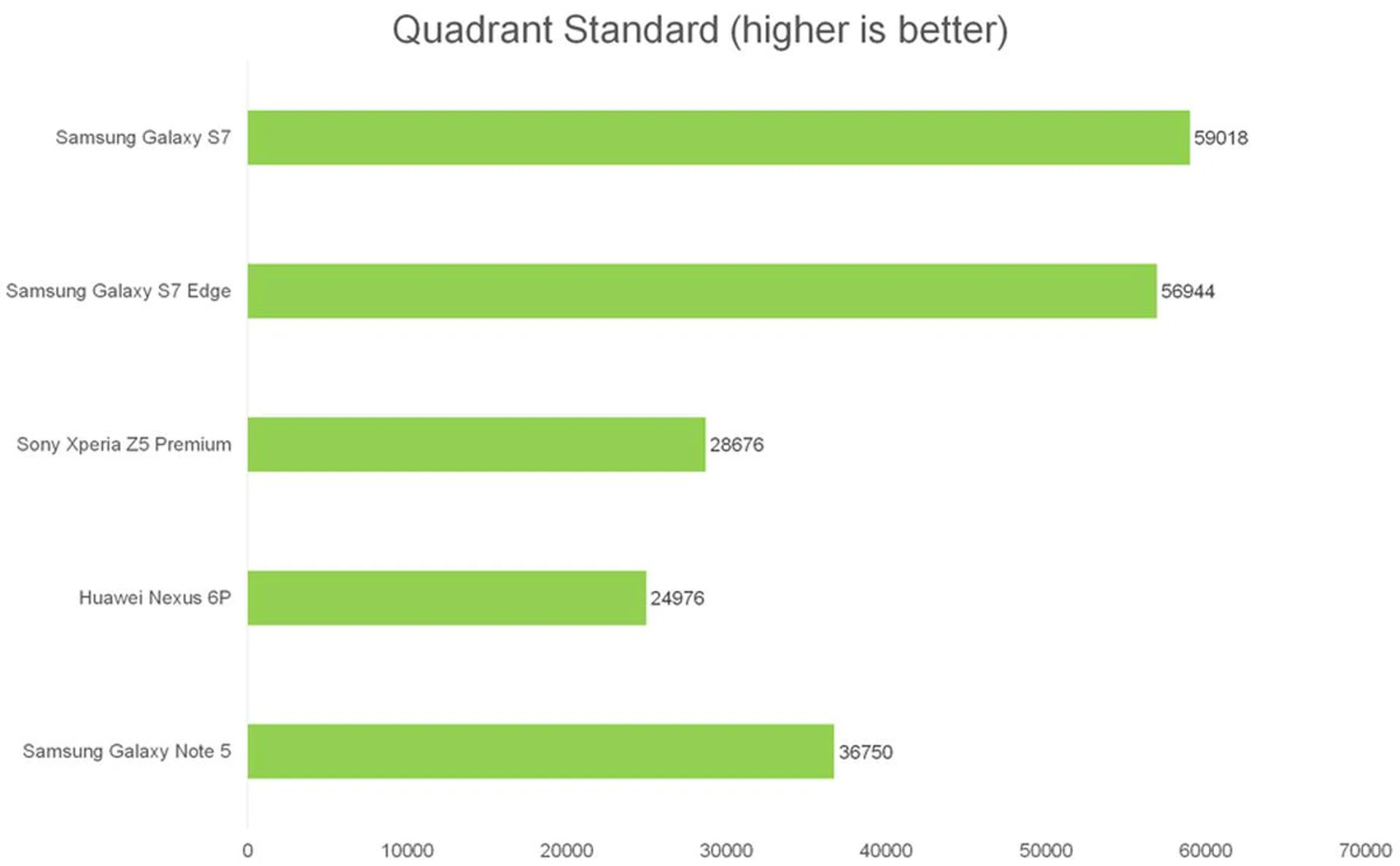
Quadrant benchmarks a device’s CPU, I/O, and GPU performance. The combination of new processors and faster UFS 2.0 storage explains the whopping lead of the Galaxy S7 and S7 Edge. In day-to-day use, both smartphones are certainly smooth and fast at loading just about any app, and there’s no noticeable slowdown even with multiple apps running in the background.
3DMark 2013
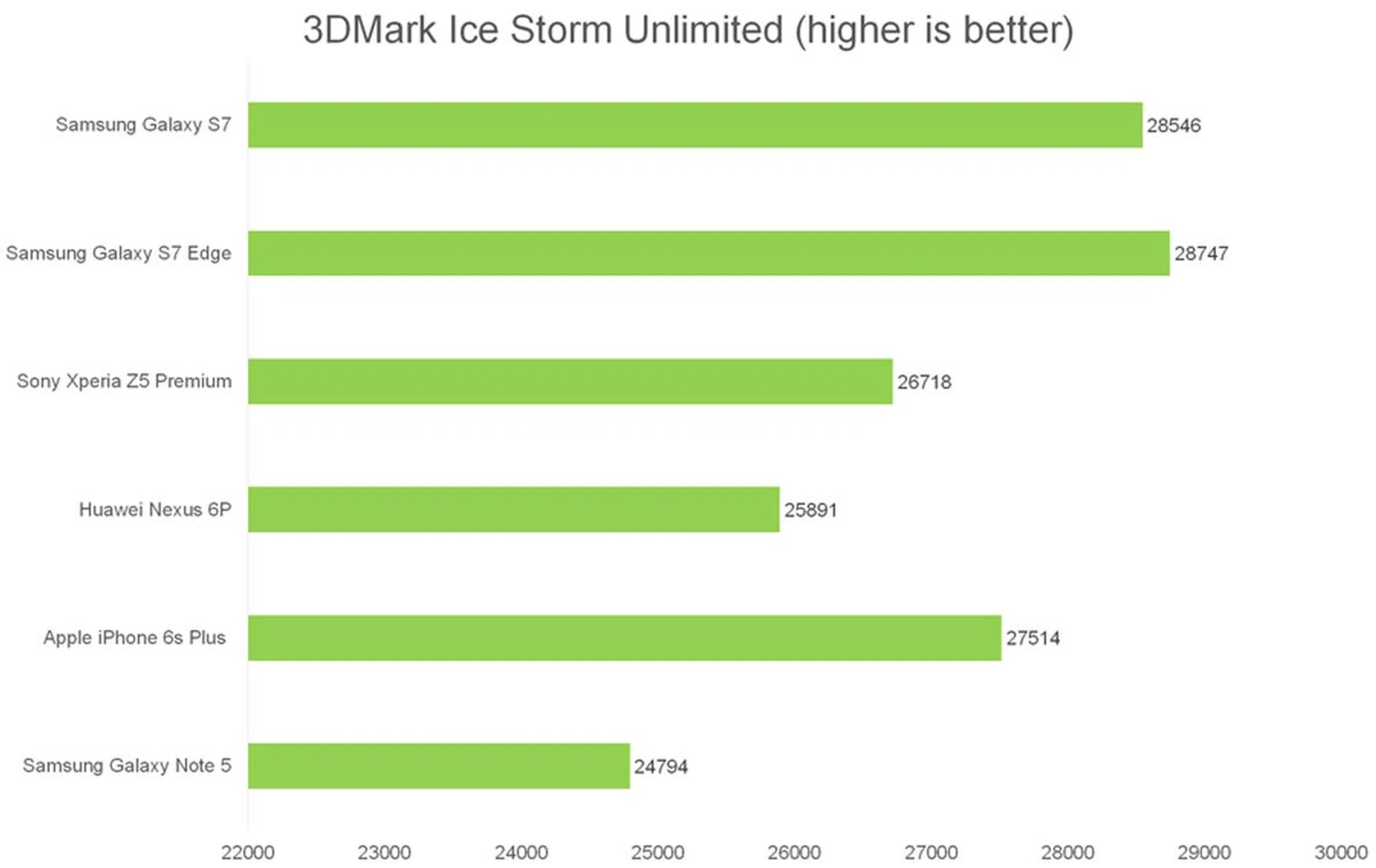
We ran 3DMark’s Ice Storm Unlimited test, which uses a mix of graphics and physics tests to measure hardware performance. The first test measures the GPU’s ability to process lots of vertices, while the second does the same thing with lots of pixels and post-processing effects. Finally, the physics test switches the load to the CPU to test its ability to process physics simulations, while keeping GPU load low. It appears that the Mali T880 MP12 GPU does have a sizeable performance advantage over the Mali T760 MP8 (found in the Nexus 6P). The Apple iPhone 6s Plus originally had the slight lead in graphics performance, but that changes now with the S7 and S7 Edge in play.
As a whole, the Samsung Galaxy S7 and S7 Edge phones are certainly one of the most powerful smartphones you can get now, but we’ll give other brands a chance to update their line-up before we decide if the Samsung flagships are indeed the most powerful phones of 2016.
Camera Performance
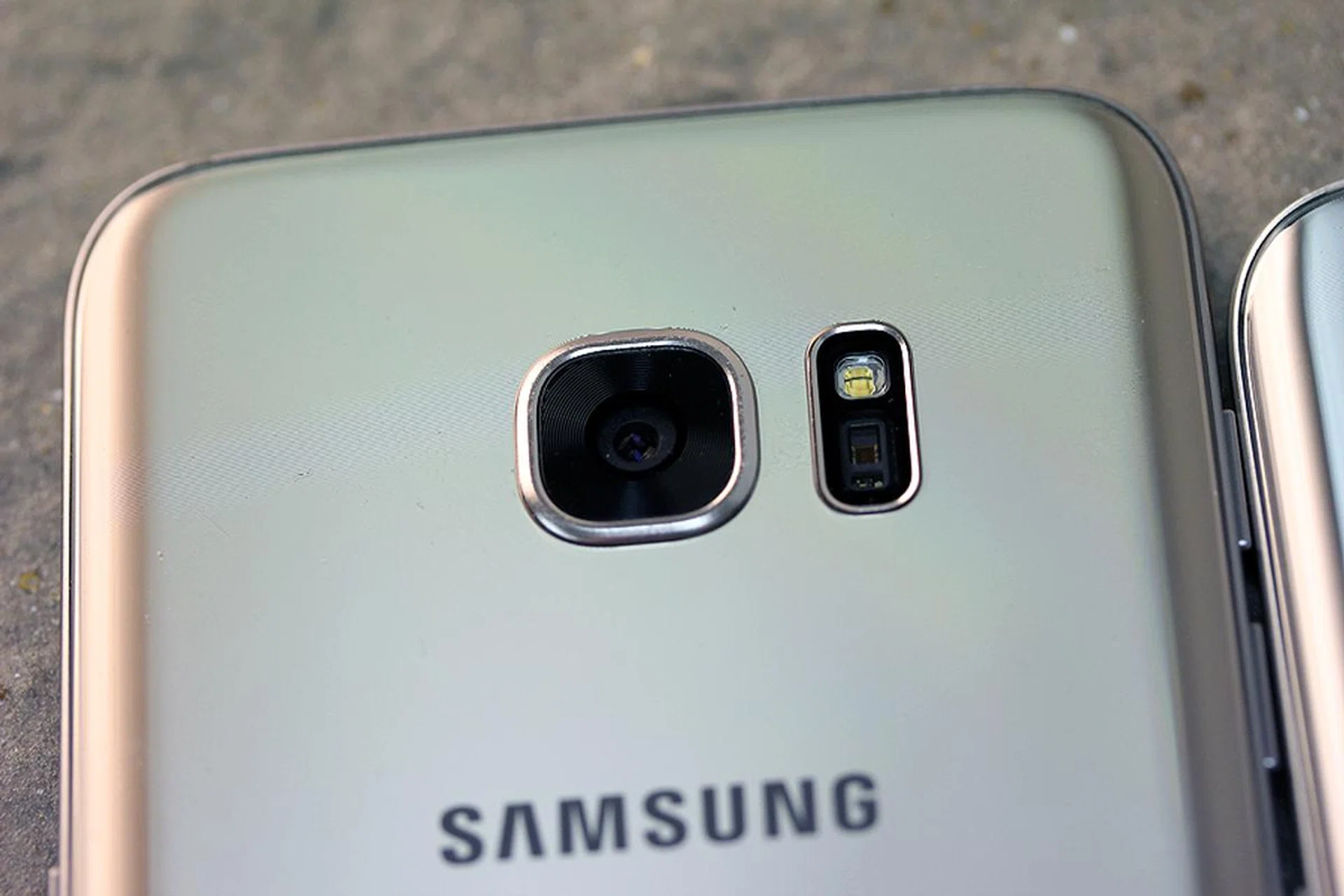
We’ve covered the camera’s specifications in great detail within our hands on and test shoot articles. Samsung Galaxy S7 and S7 Edge now use a 12-megapixel rear camera and a brighter F1.7 aperture on the lens with Smart OIS (image stabilization), moving away from their predecessor's 16-megapixel, F1.9 aperture rear camera. The Galaxy S7 camera’s image sensor has 1.4µm photosites, while the older S6 had photosites that were 1.12µm in size, allowing the S7 and S7 Edge to capture 56% more light than its predecessor.

The S7 and S7 Edge have one more camera change to look forward to. They are one of the first smartphones to have Dual Pixel sensor for their rear cameras. Traditional smartphone cameras use 0.78 percent of a pixel for phase detection autofocus, but the S7 and S7 Edge uses 100 percent of the pixel to do so. This grants the new phones significantly faster autofocus speeds. The pixels on the Dual Pixel sensor also come with two photodiodes that capture light independently, enhancing detection in the dark. During our test shoot, we found that the S7 had an autofocus that’s so fast that we weren’t even sure if it was activated yet – blink and you’ll miss it.
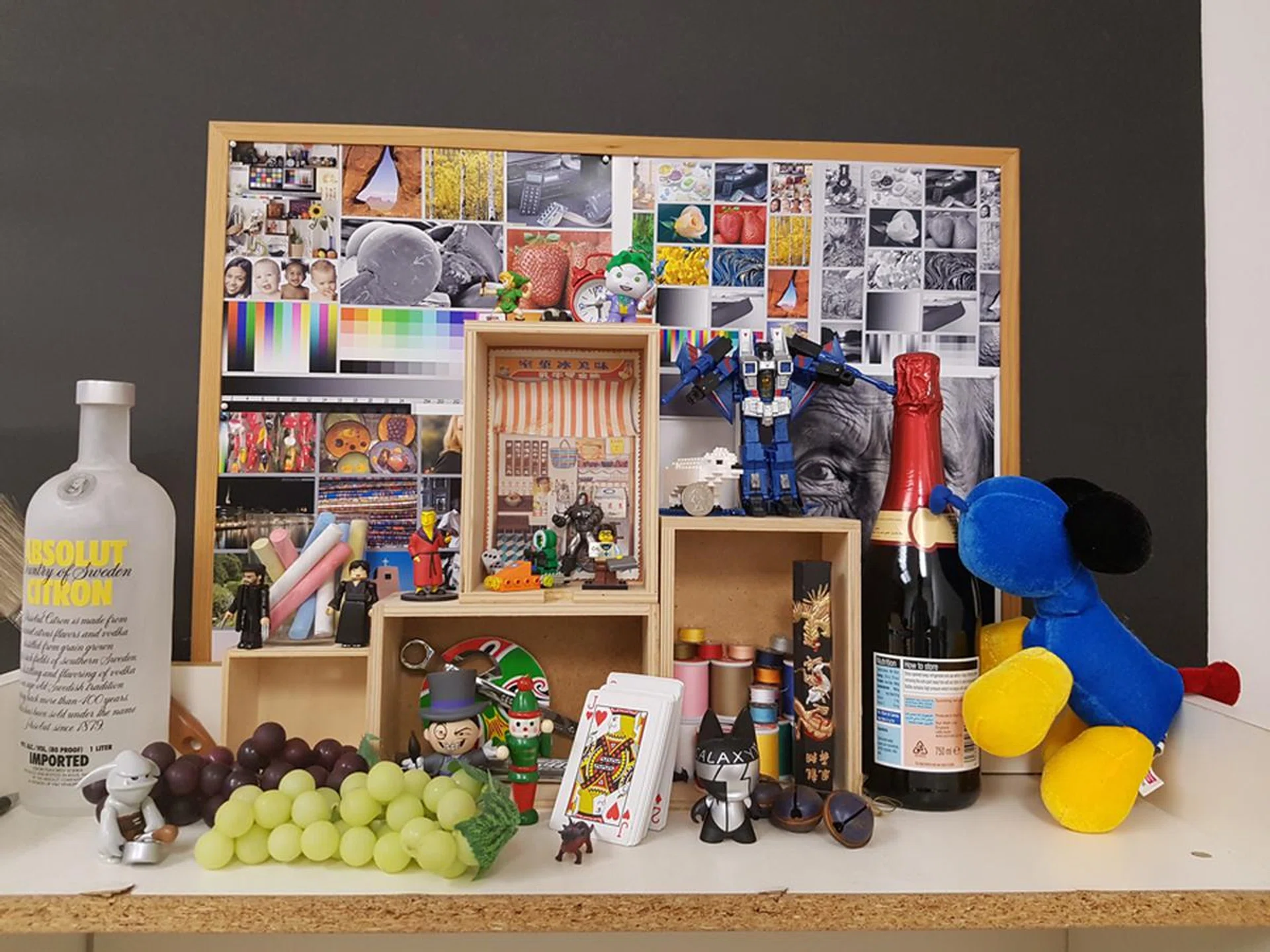
Samsung Galaxy S7.

Samsung Galaxy S7 Edge.
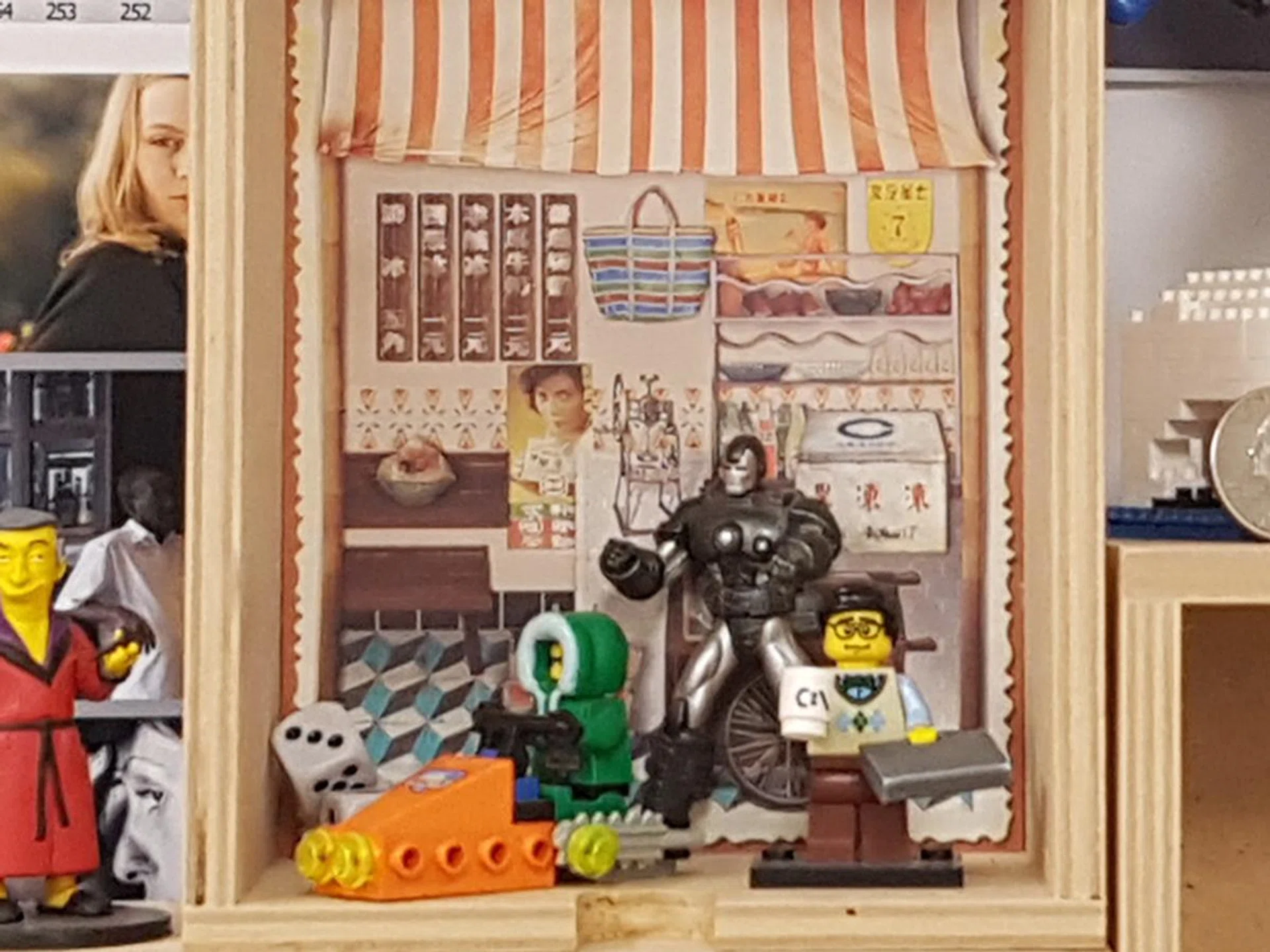
100% crop of S7 Edge's test shot.
Our test images show that the S7 and S7 Edge come with near-identical photo quality. Details show up very well on closer inspection, and there’s barely any color bleed. The color profile is consistent, even if these two images appear a little washed out.
If you want to know how the S7 camera performs at night, check out our test shoot article here. We’ve put the S7’s camera under various low-light conditions to see if there’s any real difference from the S6. We'll also have further comparisons in another dedicated article coming up real soon.
Battery Life
Our standard battery test for mobile phones includes the following parameters:
- Looping a 800 x 480-pixel video with screen brightness and volume at 100%
- Wi-Fi and Bluetooth connectivity turned on
- Constant data streaming through email and Twitter
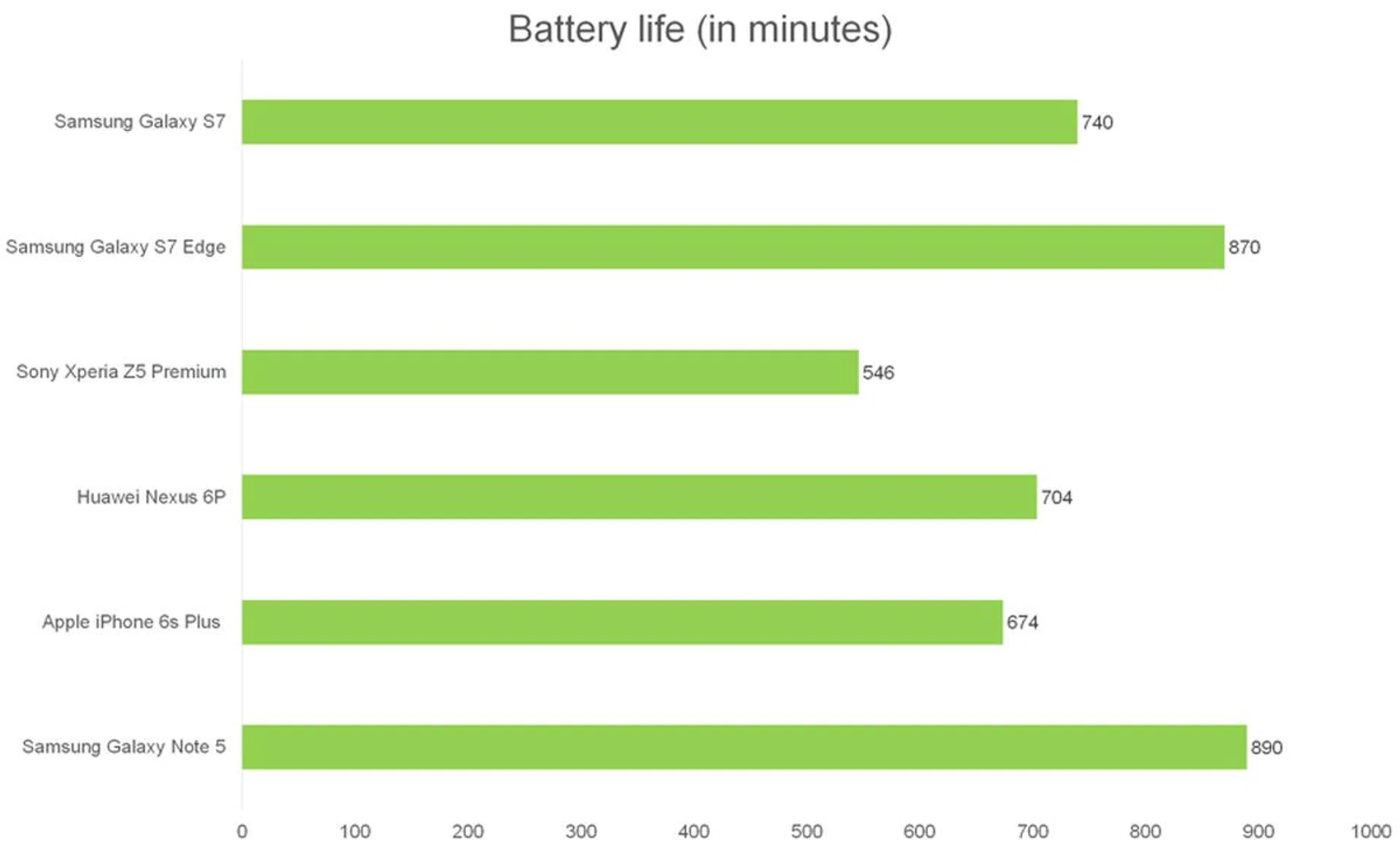
The Samsung Galaxy S7 sports an embedded 3,000mAh battery, while the Galaxy S7 Edge has its battery capacity at 3,600mAh. Since these variants use an Exynos processor, they come with a proprietary fast-charging system –the Samsung Adaptive Fast Charging technology. The ‘adaptive’ aspect of their fast-charging tech refers to the charge speed slowing down as it approaches 100 percent. It’s worth noting that Qualcomm’s Quick Charge is adaptive too.
The Samsung Galaxy S7 Edge was barely outclassed by the extremely battery-efficient Galaxy Note 5. That’s not to say that the new phones have abysmal battery efficiency. The test conducted for the Note 5 was on a non-Marshmallow Android OS version, which can contribute to some differences to the outcome as opposed to the Galaxy S7 devices running on Android 6.0.
OS version differences and the Galaxy Note 5 aside, the new Samsung flagships outperformed all the other phones listed here. The 5.1-inch Galaxy S7 still clocked in a good 40 minutes more than the Huawei Nexus 6P, which had a whopping 3,450mAh battery paired with its 5.7-inch Quad HD display. As seen from the graph, the Galaxy S7 Edge fared even better and was capable of outlasting the Nexus 6P by nearly three more hours!
Apart from our standard battery test run using videos, we also conducted a simple test to figure out the Always-On Display’s real battery consumption rate as opposed to Samsung's claim of less than 1% per hour which sounds fairly significant when you consider a full day with 24 hours. To test their claims, we left the phones locked with AOD enabled and no apps actively running, but still connected to Wi-Fi for notifications. We noted that both phones consumed up 10 to 12 percent of their battery charge in a span of 12 hours. So it seems like Samsung has satisfied its claim that the AOD uses less than one percent of battery per hour.
Should you still use AOD? In our casual everyday use of the phone with AOD enabled, we could easily get the phone to last through the whole day while leaving about 20 to 30% battery life intact before we hit the bed. So while we could potentially get more battery life out of the phone without AOD enabled, the convenience it offers and the balance battery life available at the end of day does seem to indicate that you can afford to leave AOD enabled and not scrooge on its feature offerings.
Conclusion
Considering all that has been crammed into the new Samsung Galaxy S7 and S7 Edge phones, they are certainly worth upgrading to, even if you’re coming from the S6 or S6 Edge. It’s true that the S6’s physical design was a resounding success that now resonates with the S7 devices, but it would be shallow to remark that the new phones look just like the old ones; in fact, that would hold true across other brands and offerings too. In the case of the Galaxy S7 devices, Samsung has actually honed in on user feedback and refined the phone's design and handling aspects to make it a much more pleasing device to use.
The Galaxy S7 devices not only fix some of the features that went missing on the Galaxy S6 series, Samsung even crammed in improvements that were not expected or sought after. For example, waterproofing and expandable storage rightfully made their return, pleasing their fans. They received camera performance upgrades, especially when Samsung could have easily stuck to the S6’s or Note 5's camera and still create a decent follow-up phone to the older 2015 models.
The increased battery capacity on both phones leave a little more to be desired, but Samsung nevertheless managed to put out two flagship phones that still top the benchmark charts across the board. Not having a variant offering more than 32GB internal storage in our market is a bummer, but Samsung managed to negate that point by bringing back expandable storage capability which can take in microSD cards up to 200GB in capacity. Then there are great software features added on like the Always-on Display (though it depends if you want to trade some battery performance for convenience features), the enhanced Edge screen and Edge panels found on the S7 Edge, and not to forget the Game Tools offered to improve your gaming experience and even capture it with ease for bragging rights.
Given the amount of effort that went into making the Samsung Galaxy line-up exciting once more, we’d still say Samsung has it in them to stay relevant to the demands of novelty, balanced against practicality. Now, it’s a matter of assessing how the other 2016 flagships will perform. Until then, the Samsung Galaxy S7 and S7 Edge smartphones are certainly one of the best Samsung phones or even Android phones you can lay hands on - especially if you’re upgrading from a version that came before the S6 or S6 Edge.
The Samsung Galaxy S7 retails at S$998, and the Galaxy S7 Edge at S$1,098. The previous S6 models also retailed at these prices when it first launched, but they did not have the extra features and refinement that's now available on the S7 pair. This makes the Galaxy S7 smartphones one of the most attractive Galaxy S devices launched to-date.
Pre-orders have already begun, with collection starting on 11 March 2016, and walk-in purchases beginning on 12 March 2016. Customers who pre-order will receive a free Samsung Gear VR headset (worth S$148). There's also Samsung Concierge for Samsung Galaxy S7 and Galaxy S7 Edge phones, which promises a wide variety of premium after-sales care and services at a very tantalizing price tag.
We’ve compiled a telco price plan comparison for the S7 and S7 Edge, and even compared the difference between the S7 and S6 with regards to camera performance and photo quality in a real-world setting. For even more content and updates related to the Galaxy S7 devices, you can check them out over here.
 |  |
 |