

Note: This review was first published on 19 Dec 2020.
Sticking to the formula
Since achieving the ability to cost effectively produce large-screen OLED panels some years back, LG has been adopting the same go-to-market strategy for its OLED TVs.
And that’s to come out with many models that are mostly differentiated by their design. After all, since all of them use OLED (with variances in quality, of course, but the deltas usually aren’t night and day) and sport roughly the same feature set, there aren’t many things left outside of screen size that can justify a five-figure OLED TV over a four-figure one.
This strategy has worked well for LG so far and is again repeated this year. In broad strokes, if you’re currently shopping for an LG OLED TV and is only considering the 2020 lineup, there are only three series to choose from: CX, Gallery GX and Signature ZX.
Let’s start with the Signature ZX, an 8K OLED TV that’s only available in an 88-inch screen size in Singapore. With such specs, it’s not hard to understand this is a luxury TV that targets the very rich. If you can plonk down S$60K without batting an eyelid, this is without question one of the best price-doesn’t-matter TVs to get.
The Gallery GX is a super-thin 4K OLED TV that looks best wall-mounted and it packs all the features you’d want on a future-proof TV, including Dolby Vision HDR and Dolby Atmos object-based audio support and HDMI 2.1 features such as high frame rate, variable refresh rate (VRR), auto low latency mode (ALLM) and enhanced Audio Return Channel (eARC).
The GX also takes over the W series as LG’s flagship consumer 4K TV in Singapore this year. To be clear, there’s a WX series, just that LG Singapore isn’t carrying it here. I can only posit that the Gallery GX, which sits a rung below the WX, price and design-wise, is an easier sell: it still sits flush to the wall like the WX (albeit a teeny bit thicker) and it manages to do it without the need to move its ports and speakers to an external unit like the WX.
In short, if you’ve long lusted after LG’s W series ‘wallpaper’ TVs but have been put off by their high price tags and the need to accommodate the compulsory soundbar, then the Gallery series is a more affordable, equally attractive and no less capable alternative. The GX is available in 55-, 65- and 77-inch screen sizes, priced at S$4,799, S$6,999 and S$25,999 respectively.

Both the GX (pictured) and CX can be wall-mounted but the GX will look nicer because it's thinner.
LG CX OLED 4K TV
And then there’s the CX OLED TV. Like the non-suffix iPhone 12 in the iPhone 12 range, the CX is the one that I think most potential LG OLED TV buyers would gravitate towards. Other than losing a few design niceties and more use of plastic (e.g., the rear I/O housing), it is, on paper, as feature-rich as its more expensive and nicer-dressed siblings.
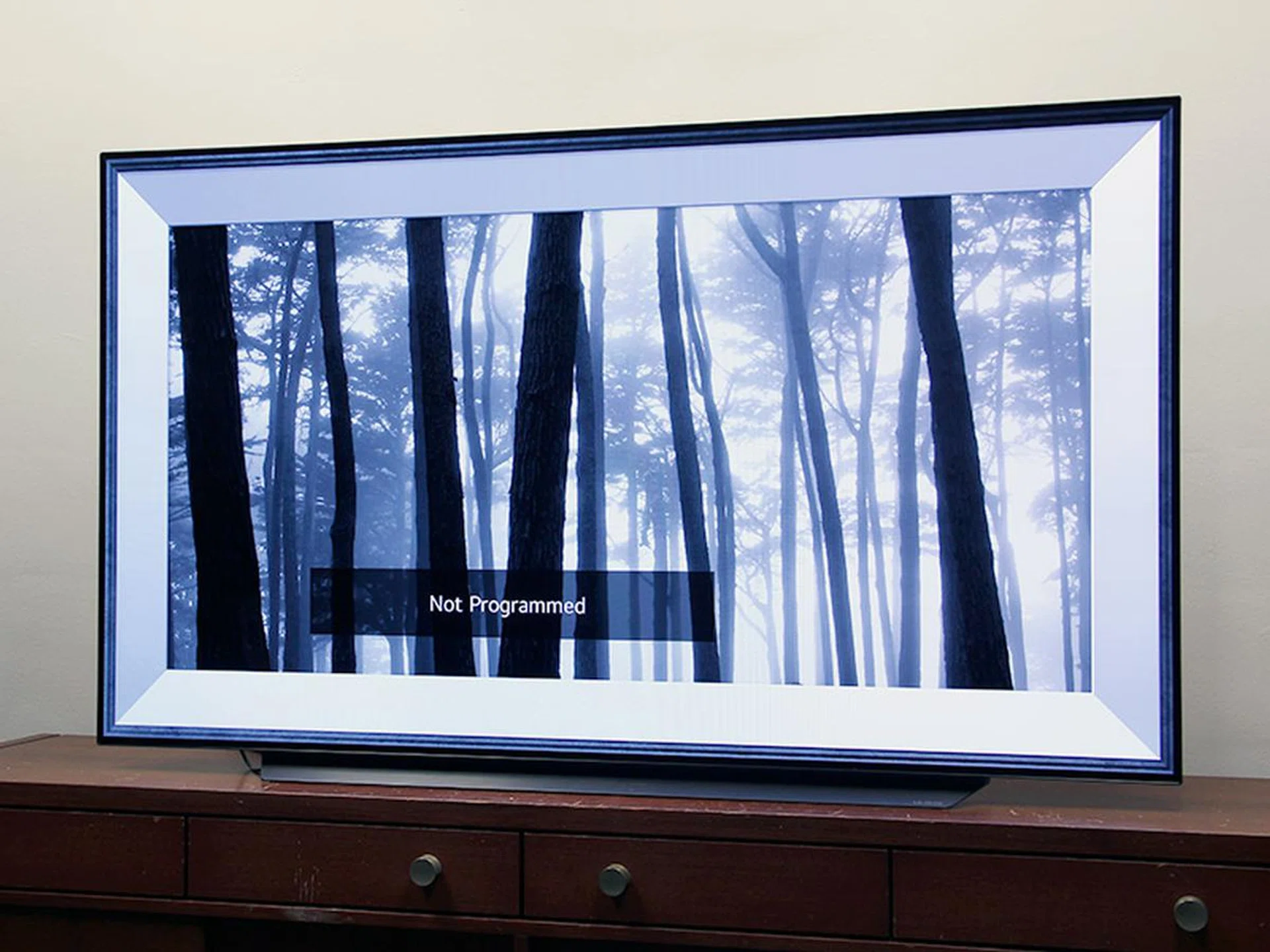
For those who care, the CX also has an Art Gallery feature.
For instance, the CX uses LG’s newest α9 (Alpha 9) Gen 3 AI processor, the same one found in the Gallery GX. The Signature ZX also uses this chip, though customised to handle 8K processing.
The CX also supports Dolby Vision and Dolby Atmos, HDMI 2.1, NVIDIA G-Sync, FreeSync VRR and HGiG, as well as LG ThinQ AI smarts like smart home/IoT control and voice recognition — again, features that are all found on the higher-end OLEDs.
What you don’t get with the CX is the wow factor that a wall-mounted GX brings. Sure, you can also wall-mount the CX but it won’t be able to sit as flush against the wall as the 2cm-thin GX with its custom bracket because half of the CX’s back has this 5cm-thick bulge that’s home to the ports.
The included tabletop stand is sturdy and solidly built, though. To keep things neat, you can bunch up the cables and tuck them into the base before routing them through a hole at the back. One thing you’ve to take note is that this stand doesn’t elevate the TV too far off the tabletop — so any half-decent soundbar placed directly in front of the TV is going to block the picture.
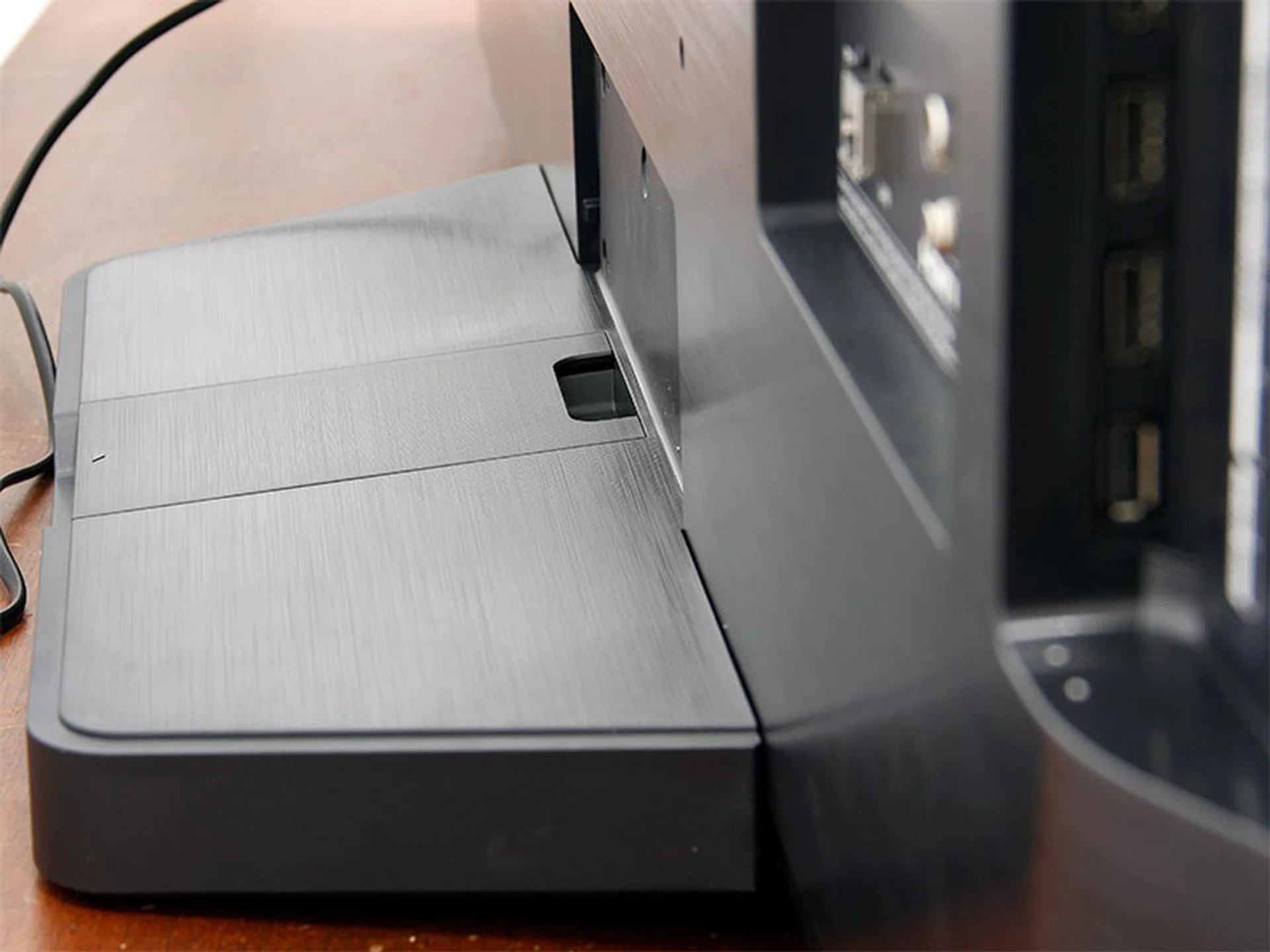
In tabletop mode, the CX stands very sturdy thanks to the wide stand and weighty base. The lower half of the TV looks like an LED TV because of the bump that houses the I/Os.
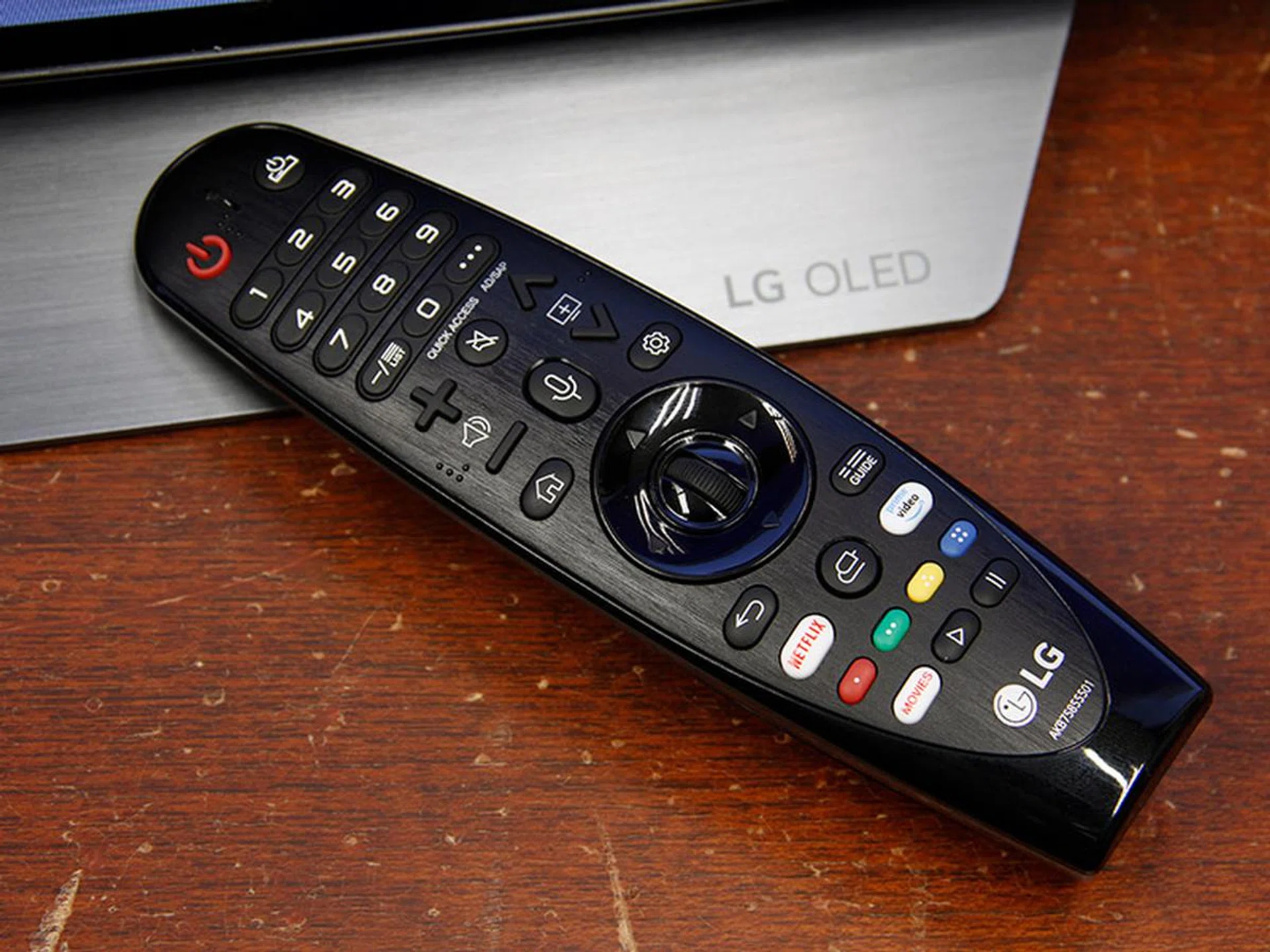
The Magic Remote that comes with this WebOS TV supports voice recognition and has dedicated keys for Netflix and Amazon Prime Video.
Performance
Like the other LG OLED TVs I’ve tested in the past, I disabled on the CX several settings that could potentially interfere with my calibration and manual tweaks.
These include Energy Saving, Eye Comfort Mode, AI Picture Pro, AI Brightness Control, Dynamic Contrast, Super Resolution, Noise Reduction and MPEG Noise Reduction.
Of the lot, I’ve to say the noise reduction settings did help to smooth the picture when I fed the TV low-res signals — so you might want to play around with them if you watch a lot of low-quality, standard-def content. I’ve a few other preferred settings for specific situations, which I’ll expound below.
1.) Bright vs. dark room
In general, OLED brightness hasn’t changed much in the last few years. At around 700 nits for HDR, the CX’s typical peak brightness is about on a par with last year’s C9.
Versus high-end LED-LCD TVs that can ratchet up their brightness to fight against high ambient light, the CX is better suited for nighttime viewing or a room in which you can draw the curtains or dim the lights at will. In a darkened room, OLED’s trademark pure blacks and infinite contrast are obvious and continue to impress.
For dark room viewing, whether it’s HDR or SDR content, the Cinema picture mode is a good starting point as it offers the most accurate grayscale and colours among all the presets. ISF Expert (Dark Room) and Filmmaker Mode, which target BT.1886, are good too if your room is really dark — the picture will look darker but pop more because of the heightened contrast and saturation.
If you want brighter specular highlights, try setting the Peak Brightness (buried under Picture > Picture Mode Settings > Advanced Controls) to High and pushing the OLED Light level to 100. In a bright room, my preference is ISF Expert (Bright Room) because it’s as accurate as Cinema mode but brighter than the for-dark-room presets.

It's OLED so deep blacks are a given. (Image: 2020 LG OLED l The Black 4K HDR 60fps demo.)
2.) Colours & HDR
The CX offers excellent wide colour gamut performance. This has been a longstanding strength of LG's OLEDs.
But the CX doesn’t hold the colours as well as Samsung's QLED across different luminance levels. Coupled with its relatively lower peak brightness, this means the CX won’t be able to display as bright a colour in HDR than, say, the Samsung Q950T.
Does it matter? Yes if you watch a lot of HDR content and want them to appear on the TV as close as possible to the original master. But not so much if you watch a variety of content and often do so in a darkened room. The thing with OLED is that its combination of inky blacks, infinite contrast and perceived deeply saturated colours in that setting is very good at convincing people to overlook its imperfection in the very bright areas/colours.

The CX OLED's HDR peak brightness isn't as high as QLED, but the picture still looks great due to the wide colours and high contrast. (Image: Florian Friedrich's 4K HDR remaster of NASA's First 8K Video from Space.)
3.) Motion
If you want to maintain 24p cadence, the quickest way is to ensure that the Real Cinema setting under Picture Options is turned on and TruMotion (LG’s motion interpolation feature) is off or at Cinema Clear.
I suggest diving into the TruMotion menu only if you’re unhappy with motion smoothness or sharpness. My habit is to skip the presets and go straight to User and adjust the De-Judder and De-Blur sliders to taste.
TruMotion User also includes a setting called OLED Motion Pro (used to be just called Motion Pro), which governs black frame insertion to help increase motion clarity. The High setting will give you the best motion resolution but you also get a dimmer picture and some judder. If you must enable BFI, Medium offers the best balance. Personally, I don’t use BFI because of its inevitable brightness dip.
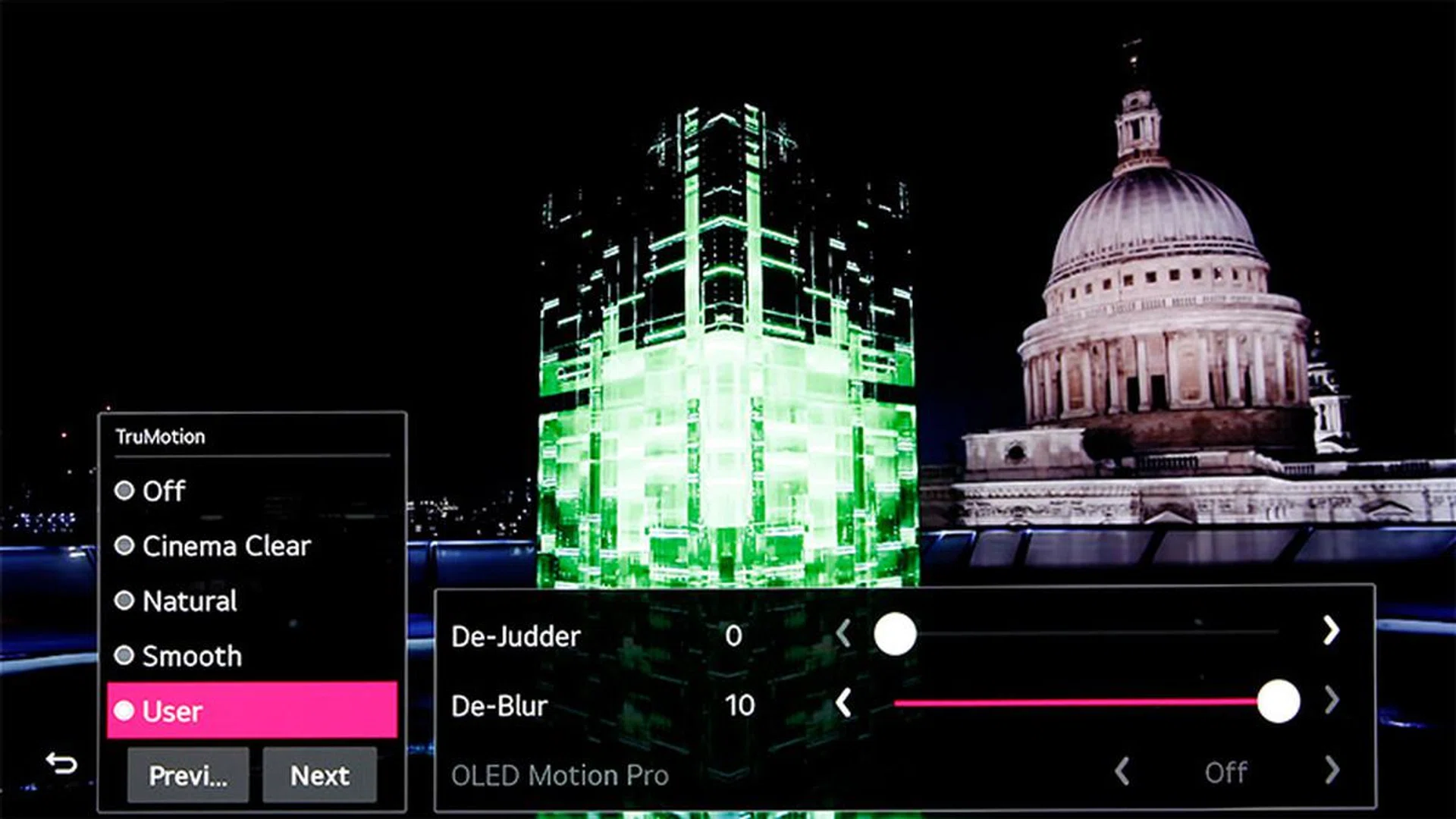
If the show or movie you're watching looks too smooth, try turning off TruMotion.
4.) Gaming
The CX OLED TV makes for an excellent gaming display, thanks to its super-quick response time and very low input lag. For the latter, it’s about 14ms (even at 4K HDR), which is very good and on a par with last year’s C9, though not as low as the 10ms achieved by Samsung's 2020 QLEDs.
The CX also supports HDMI 2.1 and HDCP 2.2 on all its four HDMI inputs, 120Hz high refresh rate at 4K and 4K VRR (40 - 120Hz). As long as you’ve Instant Game Response enabled, ALLM (and Game mode) should engage automatically.
Speaking of VRR, the CX (and LG’s other 2020 OLED TVs) now supports FreeSync Premium after a firmware update. This is in addition to it being an NVIDIA G-Sync Compatible and HDMI VRR-capable display since launch. In all this sounds confusing to you, just know that the CX should handle all flavours of VRR just fine, whichever next-gen console you have. (Note: Xbox Series X defaults to FreeSync if your TV allows it and VRR support is coming to the PlayStation 5 at a later date.)
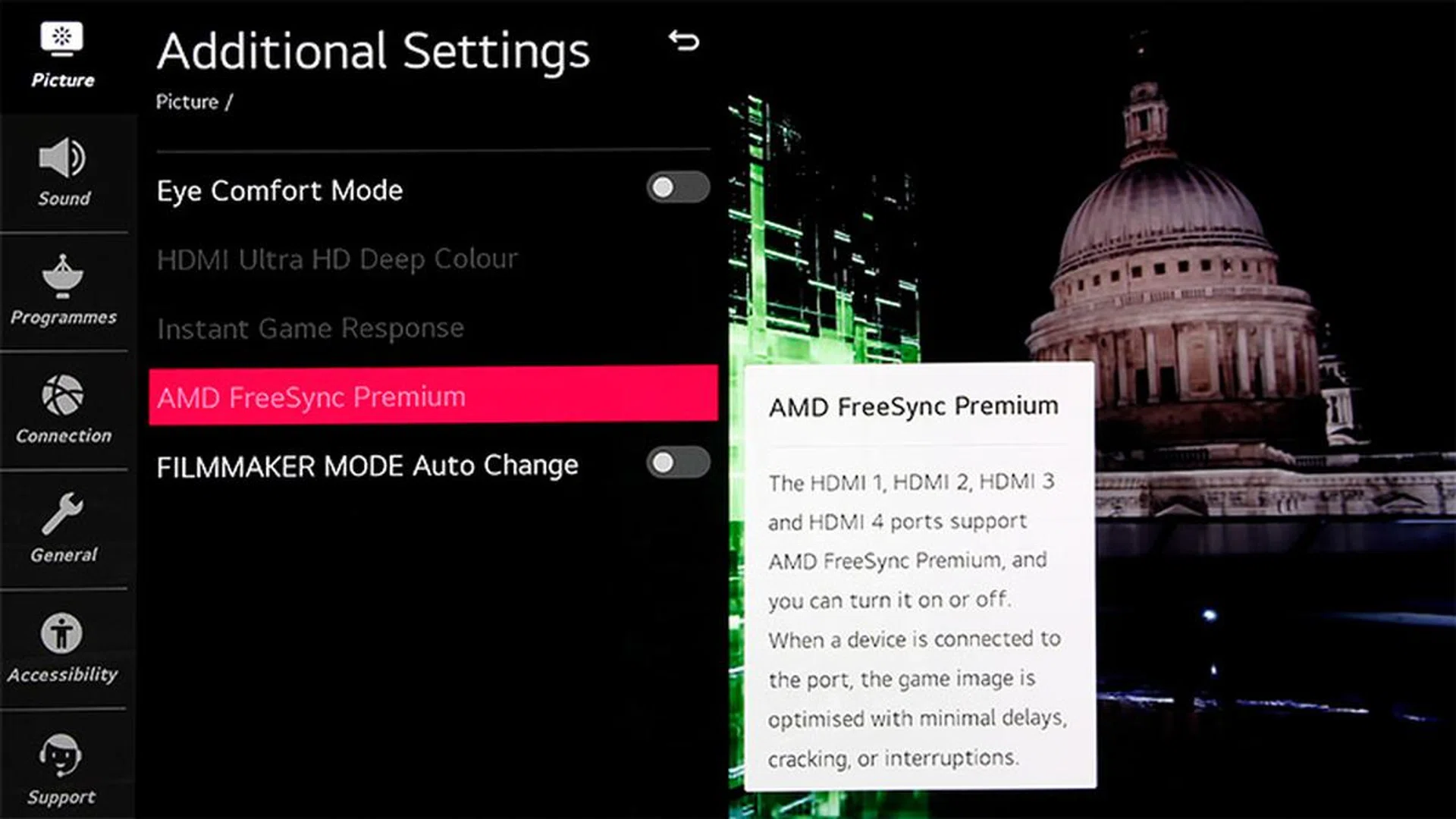
The CX has supported FreeSync since July, so it's ready for the Xbox Series X. When the PS5 gets HDMI VRR, the CX will support that, too.
5.) Sound
Regardless of screen size, the CX packs a 40W, 2.2-channel front-firing speaker system. Like Dolby Vision, you can get Dolby Atmos through the TV’s native apps. Overall, these built-in speakers sound very decent but I’d still recommend Atmos fans to get a soundbar with up-firing drivers because Atmos’ height effects are near-impossible to replicate with built-in TV speakers.
The CX also supports HDMI eARC (port 2), so you can easily loop Dolby Atmos via uncompressed Dolby TrueHD to a receiver.
For some reason, LG has dropped the onboard DTS-HD decoder for its 2020 TVs, which means the CX can’t play DTS audio and you can’t do any DTS passthrough using eARC. You need to find a way or an external device to transcode DTS to Dolby Digital (AC–3). Thankfully, as far as HD audio content goes, there are more content with Dolby Atmos than DTS:X.
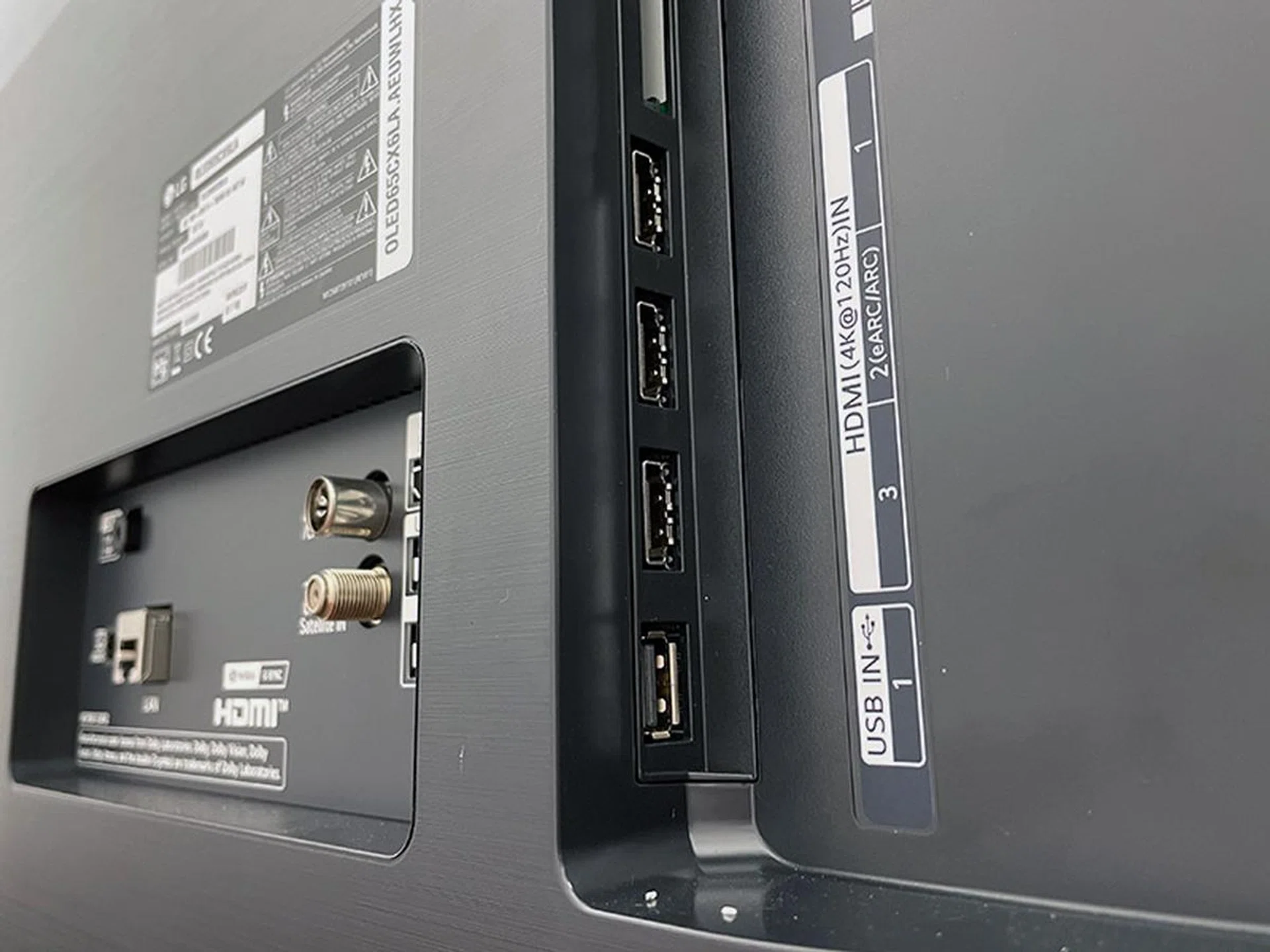
All four HDMI inputs on the CX support 4K @ 120Hz. eARC is also supported.
Test | Score |
Bright room | 8.5 |
Dark room | 9.5 |
Colour | 9.0 |
4K | 9.5 |
HDR | 9.0 |
Motion | 8.5 |
Gaming | 9.5 |
Audio | 7.5 |
(Credit: Florian Friedrich's reformatted 8K/4K/HDR videos of NASA's First 8K Video from Space can be downloaded from his website for free after signing up for a newsletter. A version of LG's The Black 4K HDR 60fps demo video can be found here.)
You can't go wrong with this
I’ll make this short: the LG CX 4K OLED TV offers a great picture quality, with deep blacks, excellent contrast, pleasing colours and very wide viewing angles. You know — just like all the LG OLEDs that came before it.
If you’ve last year’s C9, there’s obviously no reason for you to upgrade or suffer from buyer’s remorse. There’s no huge disparity between their image quality and both TVs support Dolby Vision and Dolby Atmos, HDMI 2.1 with eARC, G-Sync and 4K @ 120Hz, Google Assistant and the new Apple TV app. The most meaningful feature that’s present on the CX but missing on the C9 is FreeSync, but this is moot if you aren’t using the TV for gaming.
C8 and earlier owners, however, should take a serious look at the CX, especially if you’ve just bought an Xbox Series X. The older TVs will now start to show their age due to their lack of HDMI 2.1 and features such as eARC, 4K at 120 fps and VRR (be it G-Sync, FreeSync or HDMI VRR).
The CX’s most obvious rival is Sony’s A8H, another 4K OLED TV. The A8H runs Android TV and supports Dolby Vision, Dolby Atmos and eARC. In general, the LG CX and Sony A8H are neck and neck in terms of picture quality but the A8H is hampered (if you’re a gamer) by its lack of HDMI 2.1 and associated features such as VRR and ALLM.
Finally, if you’re willing to look beyond OLED, then Samsung’s QLED offerings, like the Q95T, are your next best bet. In general, Samsung’s 2020 QLED 4K TVs are better HDR and bright room TVs due to their higher brightness and they work just as well with games (low input lag, FreeSync). But like the more expensive QLED 8K models, you’ve to give up OLEDs’ pure blacks and Dolby Vision and make do with just one HDMI 2.1 port.
The LG CX 4K OLED TV is now in stores. You can get it in the usual 55-, 65- and 77-inch screen sizes, priced at S$4,099, S$5,999 and S$17,999 respectively. Here's how they stack up to their Samsung counterparts if you're looking at credible contenders and options:
Size | LG CX OLED (4K) | Samsung
Q950T (8K) | Samsung
Q800T (8K) | Samsung
Q95T (4K) |
48" | S$3,599 | -- | -- | -- |
55" | S$4,099 | -- | -- | S$5,499 |
65" | S$5,999 | S$12,999 | S$8,499 | S$6,499 |
75" | S$17,999 (77") | S$17,999 | S$12,999 | S$11,499 |
Perks? | -- | Free HW-Q950T soundbar worth S$2,899 | Free HW-Q800T soundbar worth S$1,999 | -- |
These are recommended retail prices, of course; your favourite big-box store should have them at a slight discount. If you want something smaller, maybe as a bedroom TV or an oversized desktop monitor, LG has also recently started to sell a 48-inch version priced at S$3,599.
The best models for each screen size
From a value perspective, if you need a capable screen that does it all and is 55 inches in size or smaller, the LG CX OLED is the obvious choice if you don't necessarily need a TV to be used in a very bright room.
At the 65-inch size bracket, you've a few more considerations to tackle. The LG CX OLED is the cheapest option and given its stellar performance, it looks like the best option again. Once more, you've to weigh your viewing habits such as HDR and bright room usage needs, because these are areas where Samsung QLEDs generally make a stronger mark. Besides the inky blacks of OLED and G-Sync support, the newest QLED TVs perform just as well as the LG CX. The overly expensive Samsung Q950T also has the 8K resolution advantage, but it may not be obvious on a 65-inch screen.
The Samsung Q95T is, however, a premium 4K TV at half the price of the Q950T and is a credible alternative to the LG CX. The Samsung Q95T offers better design and has useful audio features like object tracking sound for 3D sound even from stereo tracks, active voice amplification and more. Additionally, Samsung's One Invisible Connection and One Connect Box are thoughtful features for the modern home that we don't see elsewhere; and while there's no Dolby Vision support, Samsung QLEDs do play nice with the other major dynamic metadata HDR format: HDR10+.
Alternatively, for less design finesse and fewer frills, there's the Q800T, which is also a QLED 8K TV. This will also get you a pretty powerful soundbar as part of the official retail offer package so that you can enjoy Atmos and Samsung's Q-Symphony feature without forking out more money. In short, the Samsung QLEDs are every bit a consideration at the 65-inch size and you can't go wrong with either brand. LG just happens to make the choice easier with a lower price tag and great overall performance. Anyway, if you'd like to check out the competition in detail, you can find out more about the newest Samsung QLED TVs and their features here.
If you decide to go bigger, though, OLED will get very expensive. For instance, the 77-inch 4K CX retails for S$18K and that's several grand more than the 75-inch 4K Q95T. In fact, this price can already net you the Q950T 8K TV, which, remember, also comes with a pretty awesome soundbar. Basically, at 75-inch and above, Samsung typically offers more options that are more attractively priced and pack extras to tip the value scale further in their favour.
Our articles may contain affiliate links. If you buy through these links, we may earn a small commission.