

Note: This review was first published on 27 Sept 2020.
A case of iteration
It seems like yesterday but Samsung’s QLED-branded TVs have been in the market for three years now. Or four if you add the quantum dot-enhanced ‘SUHD’ models that came out in 2016.
Suffice to say, Samsung’s QLED portfolio has grown quite a bit over the years, both number of models and their capabilities. In the early stage (2016 - 2017), QLED focused a lot on picture quality and closing the gap with OLED, hence all the boasting about 1,000 nits peak brightness and 100% colour volume.
The way I see it, Samsung achieved its initial picture quality target for QLED by 2018. From 2018 to 2019, there was this additional focus on HDR and alignment with market trends. It was during this period we got HDR10+ and FreeSync.
In 2019, Samsung went all-in with 8K, bringing no fewer than five QLED 8K models to Singapore. As we’ve seen at CES this past Jan, this aggressiveness continues in 2020: in addition to a new Q950T that succeeds 2019’s Q900R, a comparatively more wallet-friendly Q800T is added to the lineup.
Before I proceed, my editor has a video walkthrough to demo some of the new features on the Q950T and share how close the Q800T ranks — have a look:

In Singapore, Samsung carries both the Q950T and Q800T. For this review, I’m looking at the 75-inch Q950T (QA75Q950TSKXXS).
Samsung Q950T QLED 8K
Hindsight is always 20/20. Straight after CES, my early conclusion was that the Q950T should have been the Q900R. Perhaps not all the parts could come together in time then, so the vision is only realised this year. For those who remember, the Q900R actually started life in 2018 at IFA and then came to CES 2019.
But I digress.
If you’ve waited out last year and are looking to pick up a premium 8K TV this year, here’s a list of Q950T key features (and no-shows) that you must know:
1.) Infinity Screen
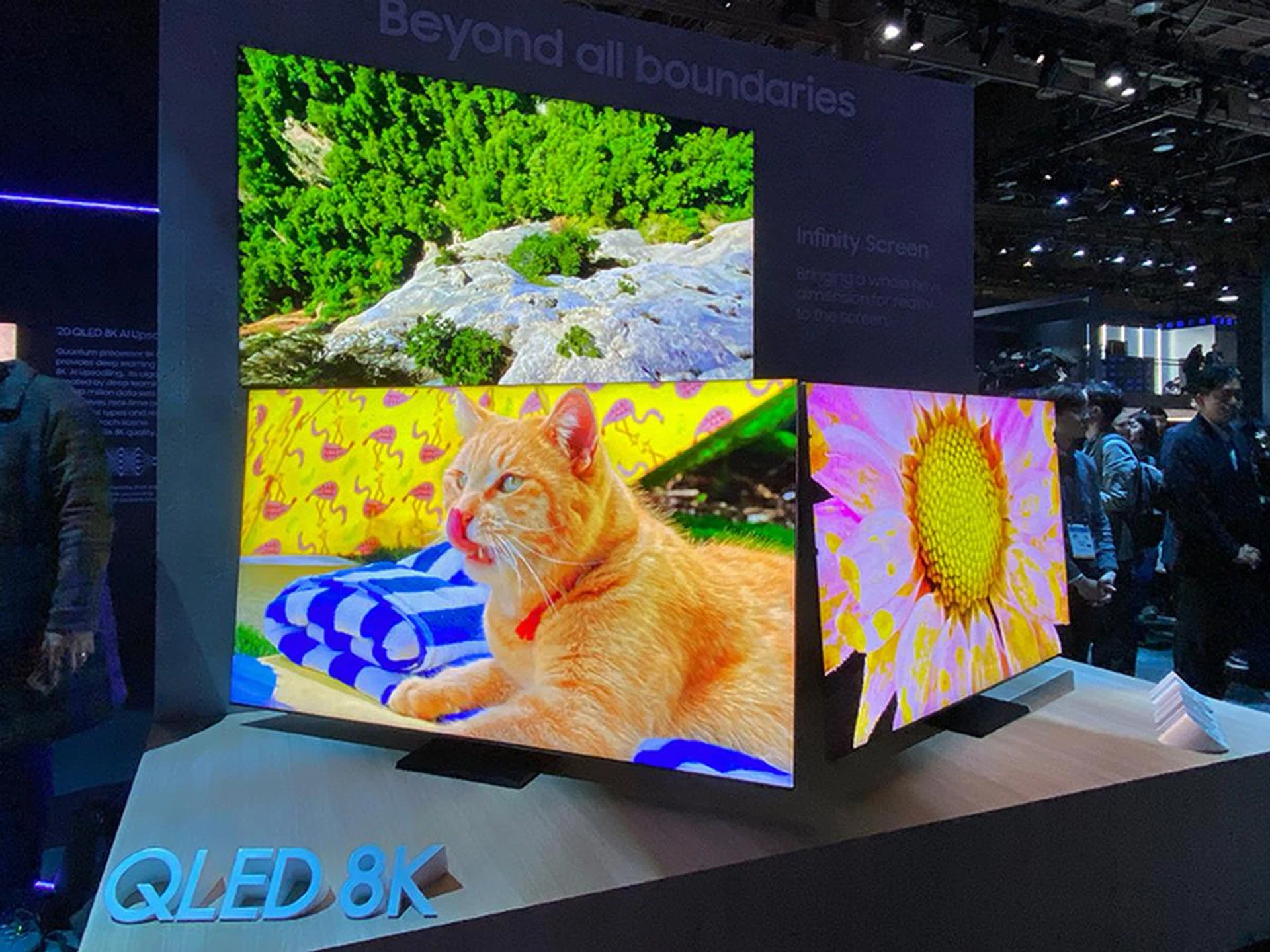
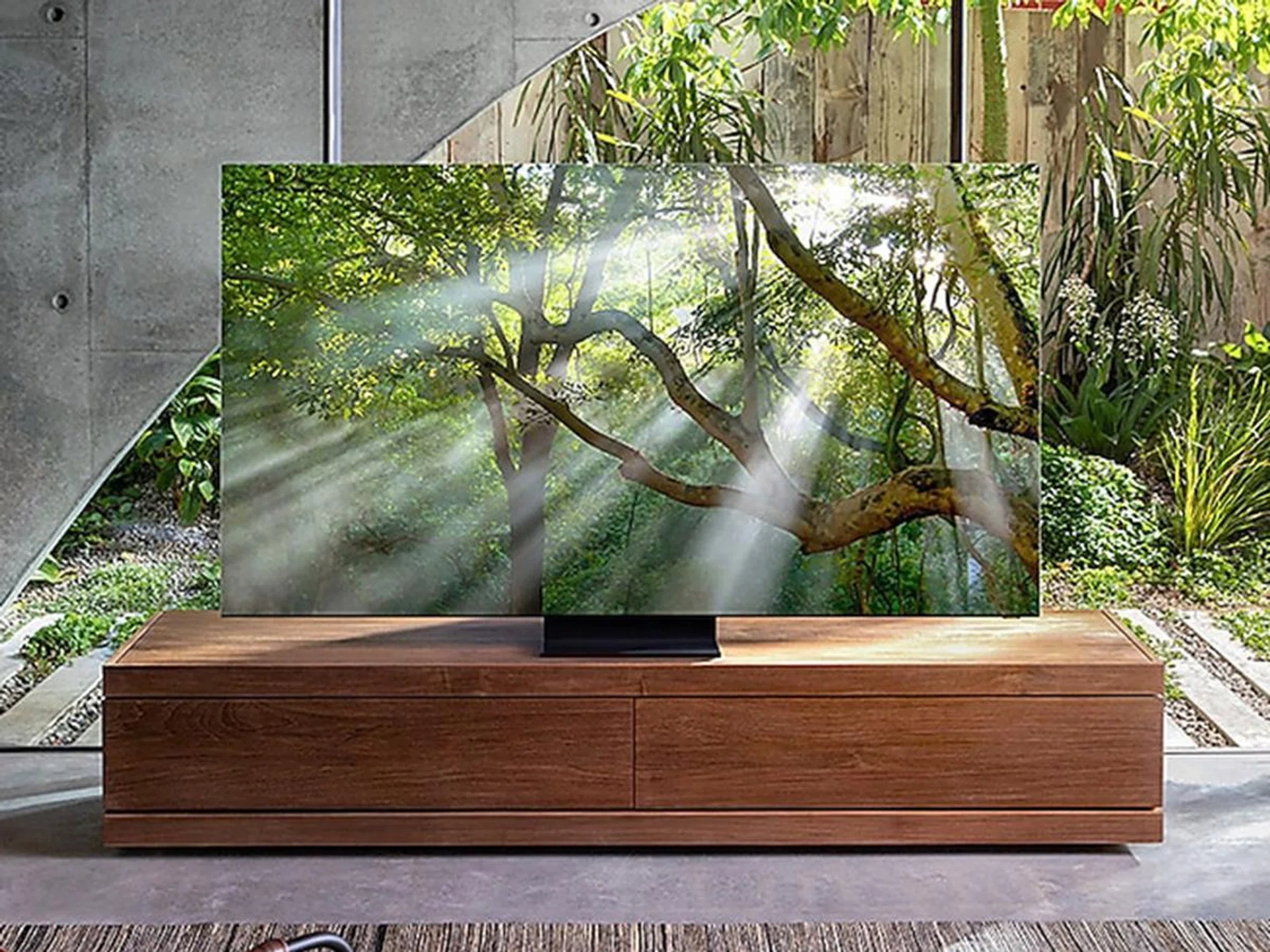
Starting with design, the Q950T has an Infinity Screen, which is Samsung’s way of saying it has (almost) no bezels. Versus past QLED models, the difference is pretty drastic. I won’t mask it: it looks like an OLED TV now.
Of course, OLED is also very thin; and on this front, Samsung has cut down the Q950T’s thickness by fusing the panel tighter with the chassis. The end result is a uniform 15mm-thin slab for the whole TV, regardless of screen size.
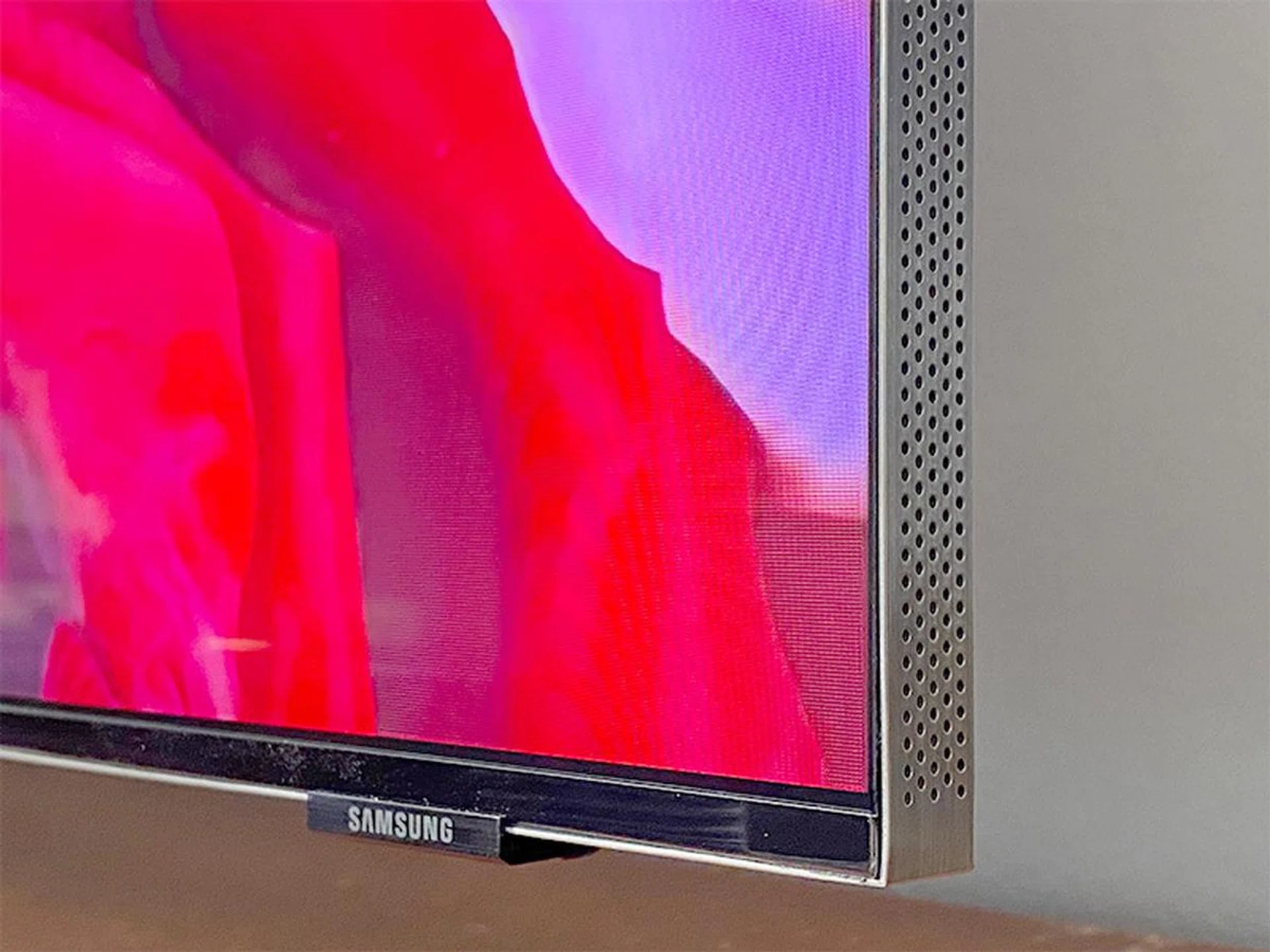
The Q950T cabinet measures just 15mm. The tiny holes along the frame are necessary for the sound to come out.
2.) No Gap Wall Mount, Invisible Connection
Because of its edge-to-edge screen, the Q950T looks best wall-mounted.
While it supports VESA wall mounts, you'll want to use the proprietary No Gap Wall Mount that comes free with the Q950T so that it can sit flush against the wall.
The Q950T also uses Samsung’s One Invisible Connection, a slim cable that transports AV signals and power from the separate One Connect box to the TV.
This One Connect box is where you plug all your AV devices into. Since the cable can go as long as 10m, you now have the freedom to place your equipment rack away from the TV or the TV away from a power socket. A single cable coming out from the back of the TV is also neater and easier to hide.
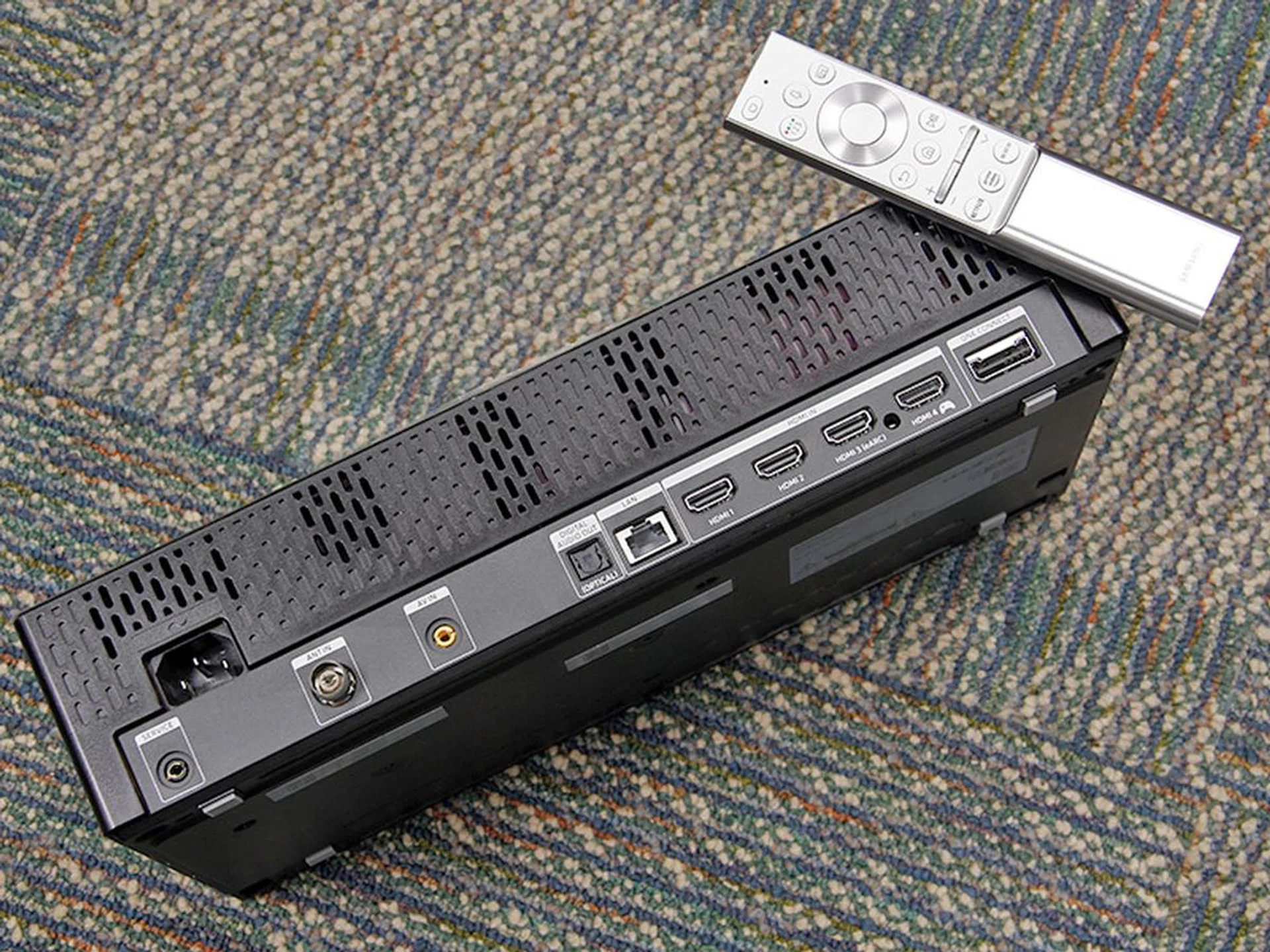
The Q950T doesn't have onboard I/Os — you need to connect your devices to the One Connect box. The benefit is that there's only one thin cable that goes from this box to the TV.
3.) 8K AI Upscaling, Adaptive Picture
The Q950T has an 8K Quantum Processor that intelligently upscales content from any source into 8K.
Compared to last year’s processor, the upgraded chip adds an artificial neural network that uses deep learning to restore fine details in complex images. In theory, this is better than a basic machine learning model that relies heavily on preloaded classifications. The latter is what’s on the Q900R; the Q950T has both.
Also new is an Adaptive Picture mode that automatically adjusts the brightness of the TV based on both the ambient light and scene being displayed.
4.) Object Tracking Sound+, Adaptive Voice Amplifier
Another feature making its debut this year is Object Tracking Sound (OTS), which attempts to track the subject on-screen and create a surround sound-like experience using just the TV’s onboard speakers.
OTS is available on several 2020 QLED 8K and 4K TVs. For the 8K models, Samsung is calling it OTS+, because these TVs have more speakers to create the effect (4.2.2-channel vs. 2.2.2 on the 4K models).
More specifically, you’ll find speaker drivers on the top, sides, bottom and rear of the Q950T.
Also new is Active Voice Amplifier, a pretty nifty tech that can pick out ambient noises, such as sound from a blender or vacuum cleaner. Say someone is vacuuming the room. When the TV hears it, it’ll automatically isolate and boost the voice track so that you can still hear the actor clearly. And when the noise is gone, it'll revert to the original settings. In my editor's video embedded above, you can see this feature demonstrated.
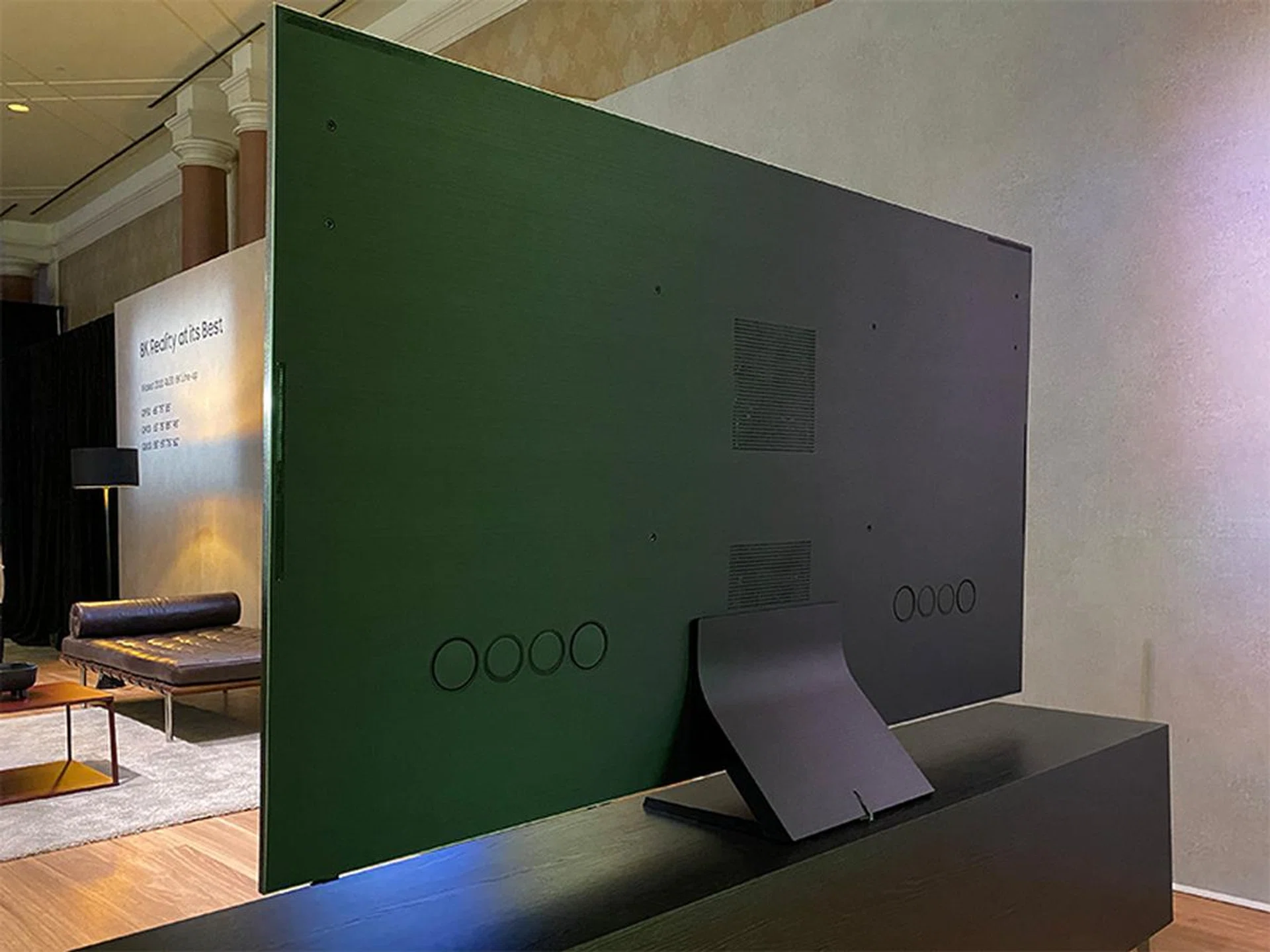
The Q950T has six speakers: two on top, two at the sides and two along the bottom. The woofers are on the back.
5.) Q-Symphony
Q-Symphony is only relevant if you’ve a compatible 2020 Samsung Q series soundbar, such as the HW-Q950T or HW-Q800T. This feature allows you to use the soundbar’s speakers and the Q950T’s two top speakers at the same time to create an even more enveloping sound.
Protip: Samsung is currently running a promotion that gives you the S$2,899 HW-Q950T 9.1.4-channel Atmos soundbar for free when you buy the Q950T (any size). This promo ends Nov 2.
6.) Direct Full Array, HDR10+
All 2020 8K QLED support full-array local dimming. For the Q950T, Samsung is claiming a peak brightness of 4,000 nits, with full-fill at 500 nits.
Expectedly, HDR10+ is the only dynamic metadata HDR format supported — there’s no Dolby Vision.
7.) HDMI 2.1, eARC
The Q950T supports HDMI 2.1 but the One Connect box only has one such port (port #4). It’s a bummer because I’m hoping to see at least two. For comparison, LG’s premium TVs have four.
The Q950T supports eARC (finally). In fact, eARC is available on all 2020 QLED models. The presence of eARC means you don’t have to spend more money to get an HDMI 2.1-enabled receiver to get HDMI 2.1 passthrough for things like 8K60, 4K120 and VRR (variable refresh rate).
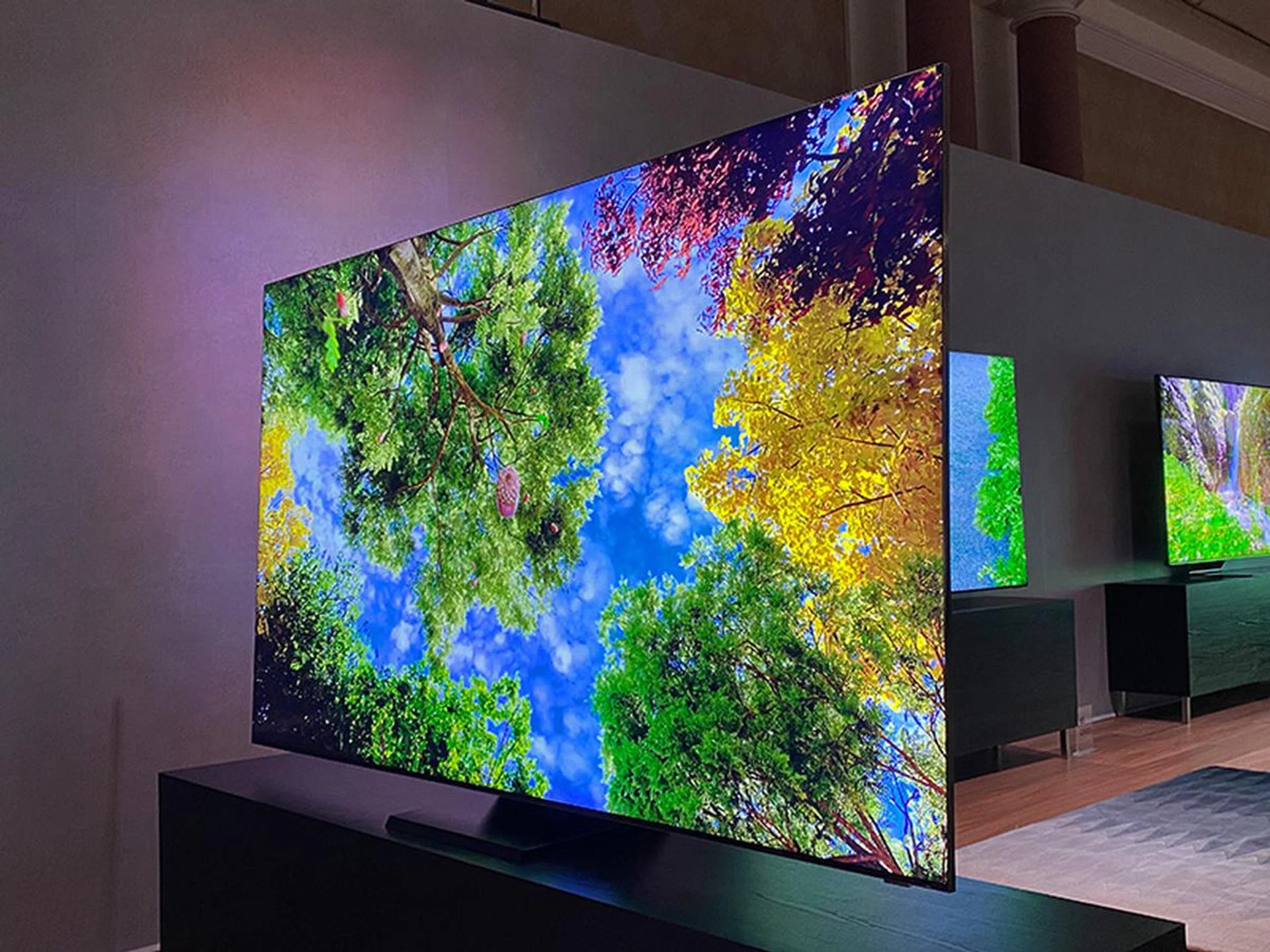
Is this QLED or OLED?
8.) Real Game Enhancer+
Real Game Enhancer+ refers to a suite of gaming-related features on the TV, with the more important ones being AMD FreeSync VRR and 4K @ 100Hz support. The TV doesn’t officially support NVIDIA G-Sync yet.
Also, Samsung claims an input lag of 9.8ms — but more on that later.
9.) Tap View, Multi-View, Google Assistant
Tap View and Multi-View are the two new smarts on this year's QLED TVs.
Tap View lets you quickly mirror your smartphone’s screen by tapping the phone to the TV, while Multi-View lets you to display dual content on the big screen at the same time. Multi-View supports 14 layouts including side-by-side and picture-in-picture. Again, check out the video walkthrough above to see how it works.
In addition to Bixby, the Q950T works with Google Assistant for voice control. At the moment, you still need to connect the TV to an Assistant-enabled device like Google Home but Samsung has promised a firmware update that adds native integration. Built-in Alexa support is unlikely to arrive for Singapore sets, though.
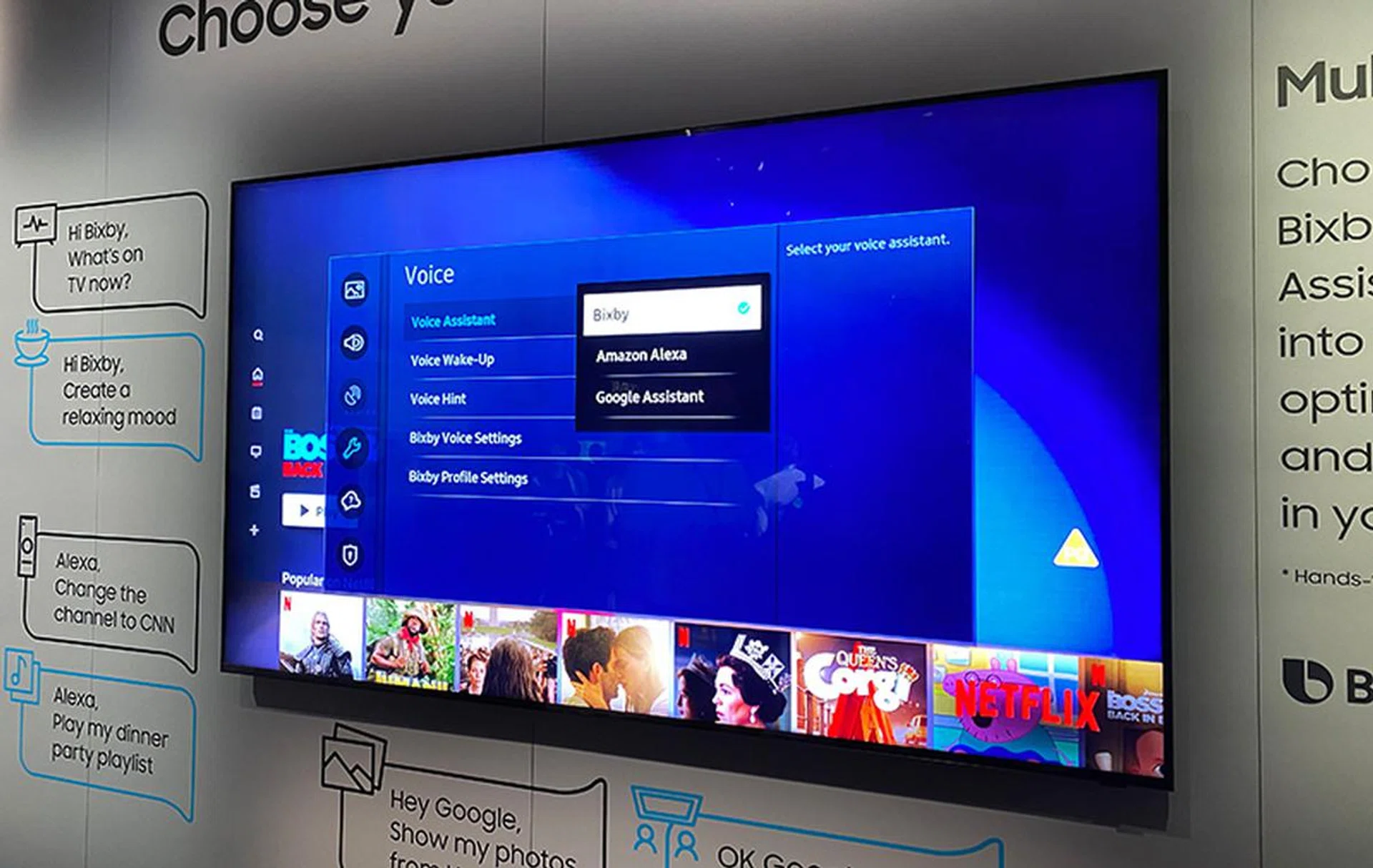
The Q950T is supposed to gain native Google Assistant support in a future firmware update. Alternatively, you can hook it up to an Assistant-enabled device, like Google Home.
Performance
During testing, I disabled all the modes in the Intelligent Mode Settings menu except for the room-detecting and scene-optimising Adaptive Sound, but you might want to selectively enable a couple more based on your needs. For instance, the volume-boosting Active Voice Amplifier can help to maintain dialogue clarity in a noisy room.
Like all the other QLED TVs I’ve tested before, I found the Movie preset to be the best picture mode (read: accurate). I recommend this mode for most content, including live TV and Blu-ray movies.
Filmmaker mode isn't available at launch, but is added after the Aug firmware update.
1.) Bright vs. dark room
The Q950T is ideal for a room with lots of ambient light because it can go very bright to combat glare and reflections.
Viewing angles are also very good, which means family members sitting at different viewing positions will get roughly the same picture quality. Generally, colour shifts and contrast dips only start to get noticeable once you pass ±30° from the centre of the screen — but even then, it's a minor dip.
The Q950T works well in a dark room, too. Blacks still aren’t true blacks like OLED but compared to last year’s Q900R, contrast and black performance are appreciably better this time. The TV’s Ultra Viewing Angle layer scatters light very effectively and complements nicely with the precision-controlled full-array local dimming system to stop blacks turning into greys.

OLED-like inky blacks thanks to precise control of the direct LED backlight unit. (Note: Blown-out highlights due to limited dynamic range of my camera.)
2.) Colours
The quantum dot-enhanced Q950T offers very good wide colour gamut performance and is able to cover the majority of the DCI-P3 colour space — good news if you watch HDR.
Overall, colours are very saturated and vibrant, even at high brightness. I was half expecting some colour dullness because of the Ultra Viewing Angle layer, but that fortunately didn’t happen.

Colours really pop.
3.) 8K & HDR
According to Samsung, the Q950T has a peak brightness of 4,000 nits, with full-fill at 500 nits. The bad news is I’ve never gotten anywhere near 2,000 nits outside of a test environment, much less 4,000. The good news is that it doesn’t matter.
After trying out different picture mode, brightness and local dimming permutations, I managed to get the Q950T to hit 1,600 nits for HDR. That’s excellent — the best OLED TVs struggle to even touch 1,000 nits.
In an actual HDR movie-watching setting, this means that the Q950T is capable of rendering very convincing specular highlights. And it can do so in a very bright room. Backlight blooming, while not totally suppressed, is largely negligible.
It’s a similar story for content like live TV and non-HDR shows: the ability to crank up the Q950T's brightness ensures you don’t get a washed out picture when you decide to let the sun into the living room.
In terms of upscaling, I won’t say the Q950T is miles better than the Q900R. I saw bits of artefacts here and there, but they were usually gone in a blink of an eye. Overall, I'll say 1080p upscaled to 8K still looks good, below 720p to 8K is meh but watchable.

Other than very minute banding, 8K upscaling works well.
4.) Motion
For an 8K TV, the Q950T’s response time is excellent.
Like last year’s Q900R, the Q950T can do motion interpolation all the way to 100Hz, good if you to want smooth fast-moving content with low frame rates. The Blur Reduction and Judder Reduction sliders (both now fall under Picture Clarity instead of Auto Motion Plus) are where you should go to tweak the effects — though as always, turning them all the way down works wonders to eliminate judder for 24p material.
The TV can also do black frame insertion up to 100Hz, thus allowing 100 fps content to still look bright and sharp in motion. My recommendation is to spend some time playing with the LED Clear Motion setting and decide if you like what you're seeing.
While not technically flicker-free, the Q950TS uses pulse-width modulation (PWM) at a super-high frequency to adjust its backlight, which means you’re unlikely to notice anything unless you're very sensitive to flicker.
5.) Gaming
With Auto Low Latency Mode (ALLM), Game mode should come on automatically and activate the most appropriate gaming settings when the TV detects your console.
The Q950T supports FreeSync VRR. It also supports VESA’s Adaptive Sync standard, which means it’s technically ready to work over HDMI with recent NVIDIA GeForce cards (GTX 10 series and above) with the proper driver. NVIDIA does have a G-Sync Compatible certification program to enable a baseline G-Sync VRR experience for such displays — and last I heard, Samsung is planning to get its QLED TVs certified.
The Q950T has an input lag of about 10ms when gaming at 1080/50p. That’s about half a frame, the shortest lag I’ve come across for a TV, LCD or OLED. This maintains even at 4K resolution or with VRR enabled.
Other long-time gaming features include Dynamic Black Equaliser (for seeing objects more clearly in dark scenes) and Game Motion Plus. Game Motion Plus is basically motion interpolation but for games and it affects game smoothness and motion sharpness — so adjust the settings to taste.
If I can nitpick, the presence of a sole HDMI 2.1 port baffles me. What if I’ve both the PlayStation 5 and Xbox Series X? Which one gets the port? I don’t want to choose — I love all my consoles.
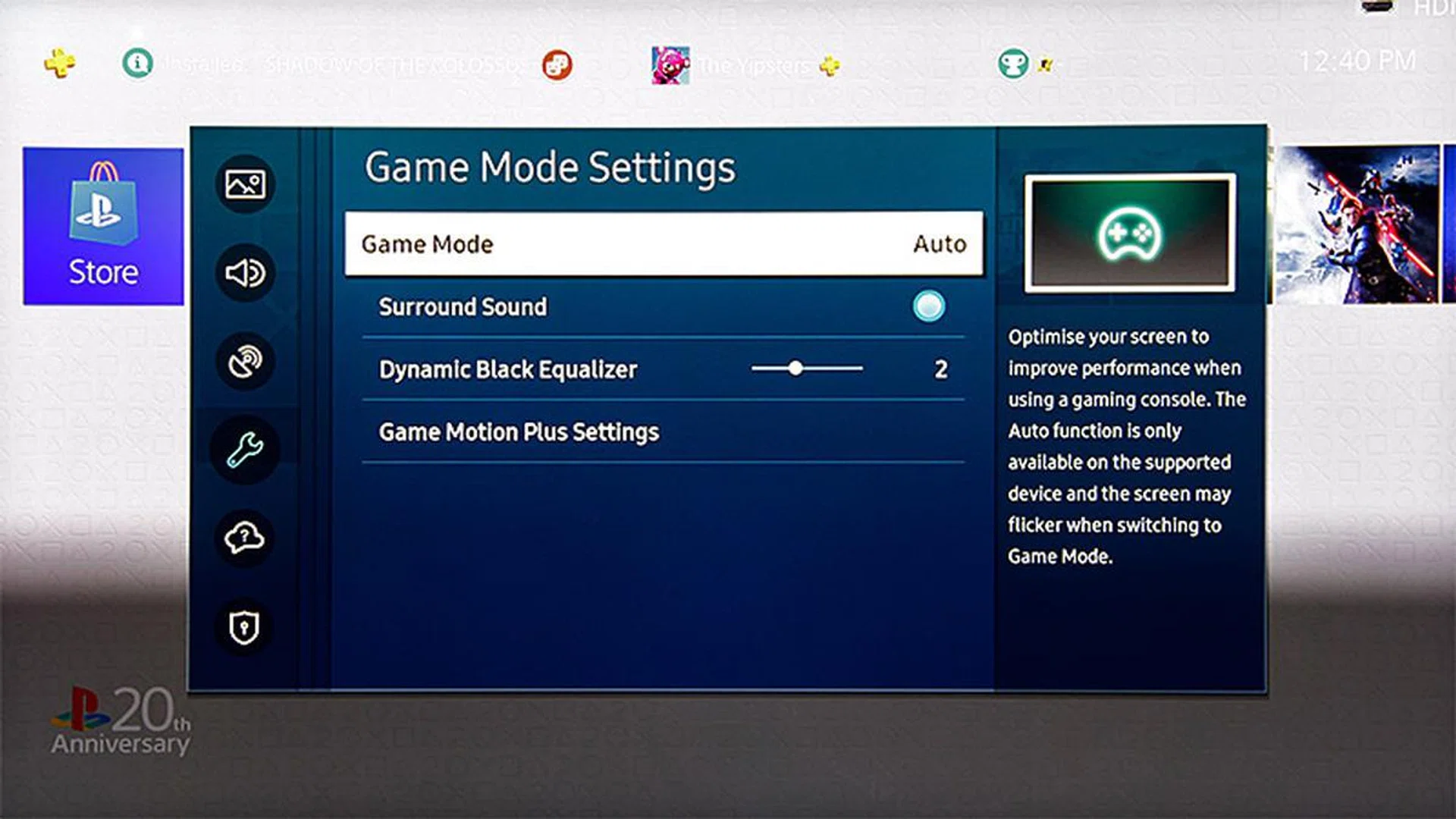
With a compatible console, Game mode will be automatically activated.
6.) Sound
The Q950T has built-in 70W speakers arranged in a 4.2.2-channel-like config. The main draw here is the Object Tracking Sound+ tech, which tracks the action on-screen and directs the audio to the relevant speakers to create a 3D audio experience.
Does it work, though? Yes, there’s plenty of volume and enough separation between the side and top speakers to create a more-than-decent surround imaging. My only gripe is that the bass sounds a bit messy.
Unlike last year’s Q900R, the Q950T supports HDMI eARC so you can do Dolby Atmos passthrough via uncompressed Dolby TrueHD.
Test | Score |
Bright room | 9.0 |
Dark room | 8.5 |
Color | 9.0 |
4K / 8K | 9.5 |
HDR | 9.5 |
Motion | 8.0 |
Gaming | 9.5 |
Audio | 8.0 |
(Credit: Videos for above illustrations can be found on YouTube here and here.)
(Image: Samsung.)
Going from strength to strength
Samsung’s QLED is born out of the company’s desire to make a next-gen consumer TV that isn’t OLED. Semi-officially, I was told that the company was (and still is) spooked by OLED’s burn-in problems. To be fair, large-screen OLEDs’ reliability has improved a lot in the last five years — and you’re unlikely to face burn-in with normal use — but the fact remains that they’re more susceptible than LCDs.
Broadly speaking, Samsung’s QLED has this baseline performance, whether you bought one in 2017 or 2020: over 1,000 nits high brightness and colours that maintain their fidelity over the luminance range. Both combine to make QLED suitable for both daytime and nighttime use and flexible enough for a wide variety of content, be it live TV, Blu-ray movies or HDR.
But OLED’s shadow is always looming. Enthusiasts and critics typically have two complaints with QLED: its narrower viewing angles and non-true blacks. Let me tell you straight up that these will always be true — you can’t change physics.
But you can layer enhancements to up the perceived quality and this is sort of Samsung QLED’s untold story. For viewing angles, the big improvement came last year when Samsung introduced an additional optical layer to the panel. This treatment improves viewing angle range significantly and I’m happy that Samsung has stuck with it for the Q950T. Glare and reflections are further reduced this year, and all these come together to make for a more pleasant viewing experience.
Samsung’s backlight control for its premium LCD TVs has always been top notch and we continue to see it on the QLED models. The Q950T supports full-array local dimming; and while the algorithm is still overzealous at times, it’s this aggressiveness that enables the TV to produce very convincing blacks, with well-defined edges of bright objects and nary any blooming. The main tradeoff is a slight crush of shadow details. All said, the way I see it, QLED has so far been more successful at mimicking OLED’s strengths than the other way round. This is an excellent HDR TV.
The Q950T is a very good gaming display too, thanks to its excellent response time and very low input lag. Game mode used to have a reputation of messing up image quality but this is no longer the case for the last three years. FreeSync also works well and fingers crossed the TV would earn the NVIDIA G-Sync Compatible badge soon.
What I can’t wrap my head around is that there’s only one HDMI 2.1 input. I’m not sure why Samsung didn’t add more since the TV has to connect to a separate One Connect box anyway. Perhaps Samsung thinks if a user is advanced (rich?) enough to have several HDMI 2.1 devices, they probably also have an HDMI 2.1 AV receiver that does all the switching and passthrough?
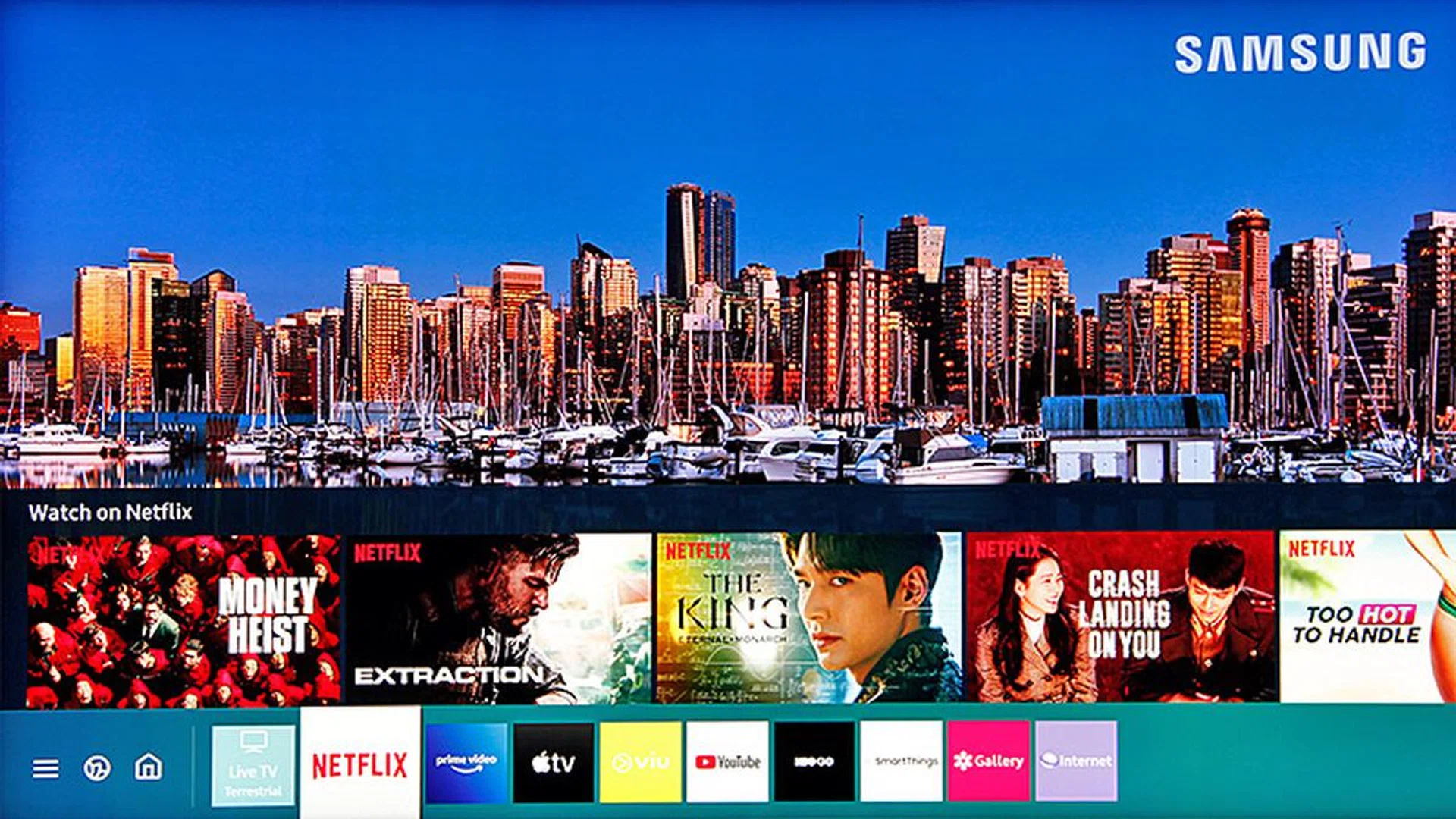
Strange decisions like that aside, there’s not a lot to fault the Q950T. The Tizen-based user interface is uncomplicated (there's even an Apple TV app and AirPlay 2 support), the picture quality seldom falters, the 8K upscaling doesn’t screw things up and the built-in object-tracking sound system is good enough that your first thought after buying the TV won’t be to spend more money to add a surround system. Remember, if you were to buy the Q950T before Nov 2, Samsung is throwing in its flagship HW-Q950T 9.1.4-channel Atmos/DTS:X soundbar worth S$2,899 for free. That’s pretty sweet.
The Samsung Q950T QLED 8K TV is now in stores. Size-wise, you’ve 65 inches, 75 inches and 85 inches to choose from, priced at S$12,999, S$17,999 and S$29,999 respectively. Of course, these are recommended retail prices, which means street prices will be lower (usually by S$1K to 2K).
Our articles may contain affiliate links. If you buy through these links, we may earn a small commission.