
DJI Osmo Mobile 7P review: Could this be the perfect phone gimbal for content creators?
It has a pretty good tracking function, and its price makes it palatable. Would you get one?
#dji #photography #gimbal

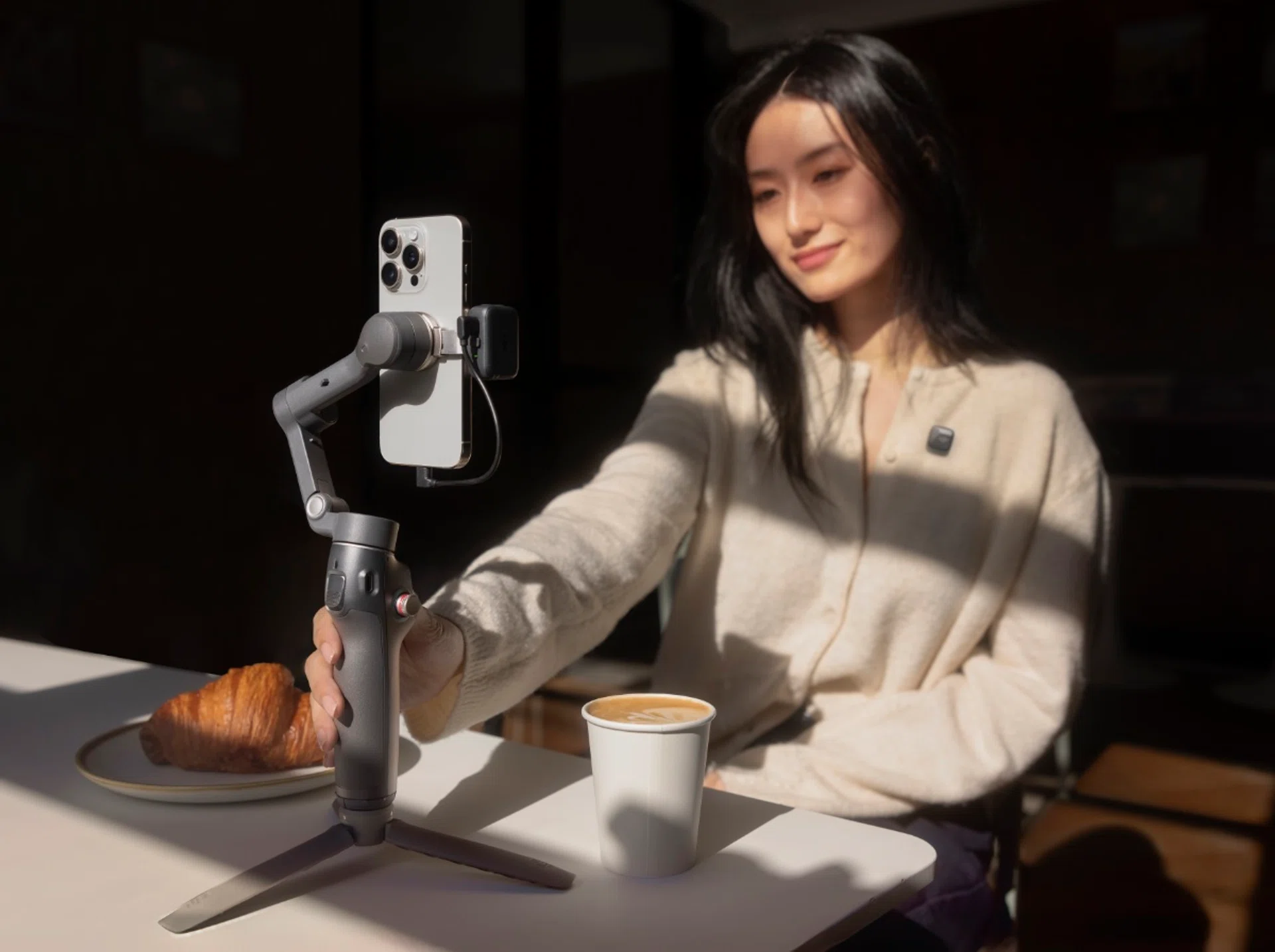
Photo: DJI
Love them or hate them, smartphone gimbals are here to stay, with each new edition bringing just that bit more to the table. After all, whether it’s a travel vlog captured from the back of a rickety truck, or your child’s school concert where tripods aren’t allowed, there are many times where good stabilisation can make a huge difference to the quality of video captured.
Take for example, the subject of this review – the Osmo Mobile 7P.
With this version, DJI is building on what they already know works. Physically, not much has changed from the Osmo Mobile 6. It still sports the familiar design with its built-in extension rod, foldable tripod legs, and a side wheel that lets you finesse your zoom and focus. But the devil, as they say, is in the details. With ActiveTrack 7.0 and the Multifunction Module, DJI is promising smoother tracking and a new degree of creative control. It’s a bold step forward, but does it truly translate into a better mobile filming experience?
Small changes; Big improvements
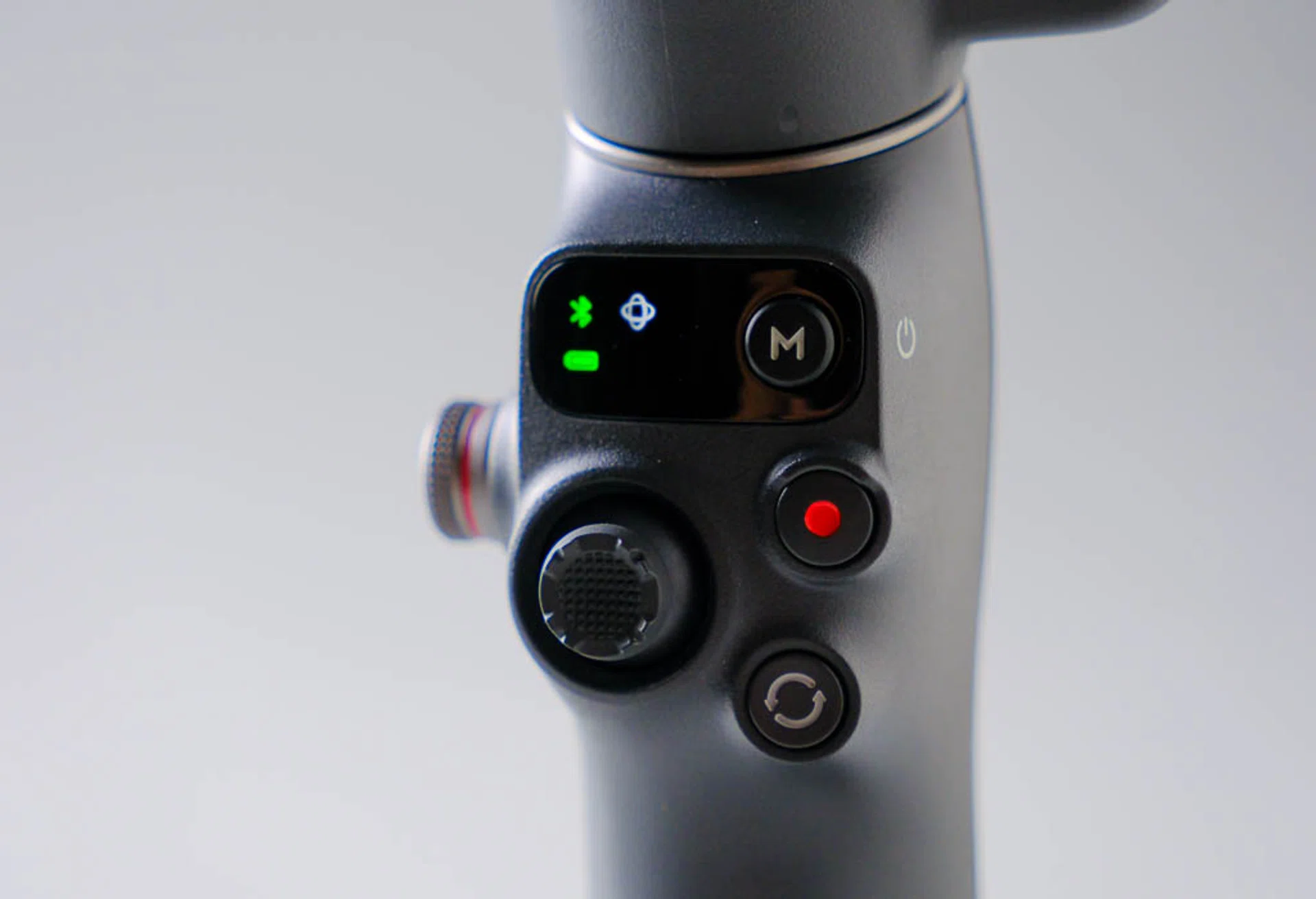
Photo: HWZ
DJI says the Osmo Mobile 7P features a “more powerful three-axis smartphone stabilizer” that maintains the tracking capabilities of the Osmo Mobile 6, and adds their seventh-generation stabilisation technology – ActiveTrack 7.0 – for higher quality video capture.
Physically, the Osmo Mobile 7P pretty much follows the exact same form factor as the Osmo Mobile 6 from 2022. You again get a built-in extension rod for extra reach, tripod legs so you can place the gimbal on a level surface for hands-free operation, and a side wheel on the gimbal’s handle.
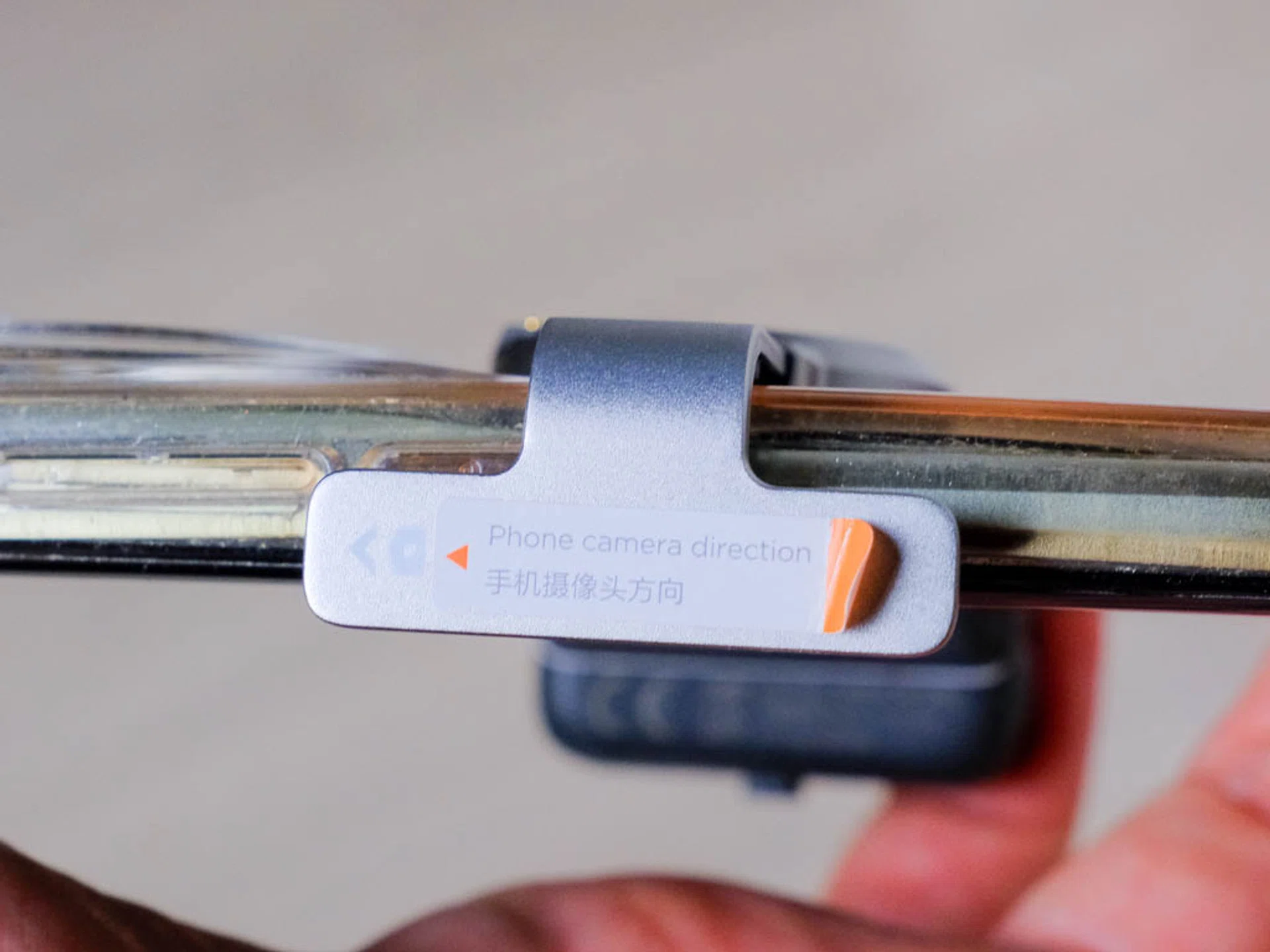
Photo: HWZ
We like the design of the Osmo Mobile 7P. It’s got just enough girth for stability and yet everything folds away neatly so you can quickly get it in your bag. The one thing we didn’t like was the way the Phone Clamp is designed. You really need get this as centered to your phone as possible for optimal stabilisation, but that means getting the clamps right on the hold button of your phone. Which can result in either inadvertent shut downs, or the activation of your mobile assistant, depending on where your phone's buttons are placed.
If your phone has a large camera bump (which is becoming more common these days), then you may not be able to get the mount portion fully flat either, which affects stability. We found that getting our phone as flush as possible to the back of the phone clamp allowed the clamps to fit just over the hold button. Given how smartphone makers are trying to pack more into their camera modules these days, that bump is only going to get larger
Handy little companion
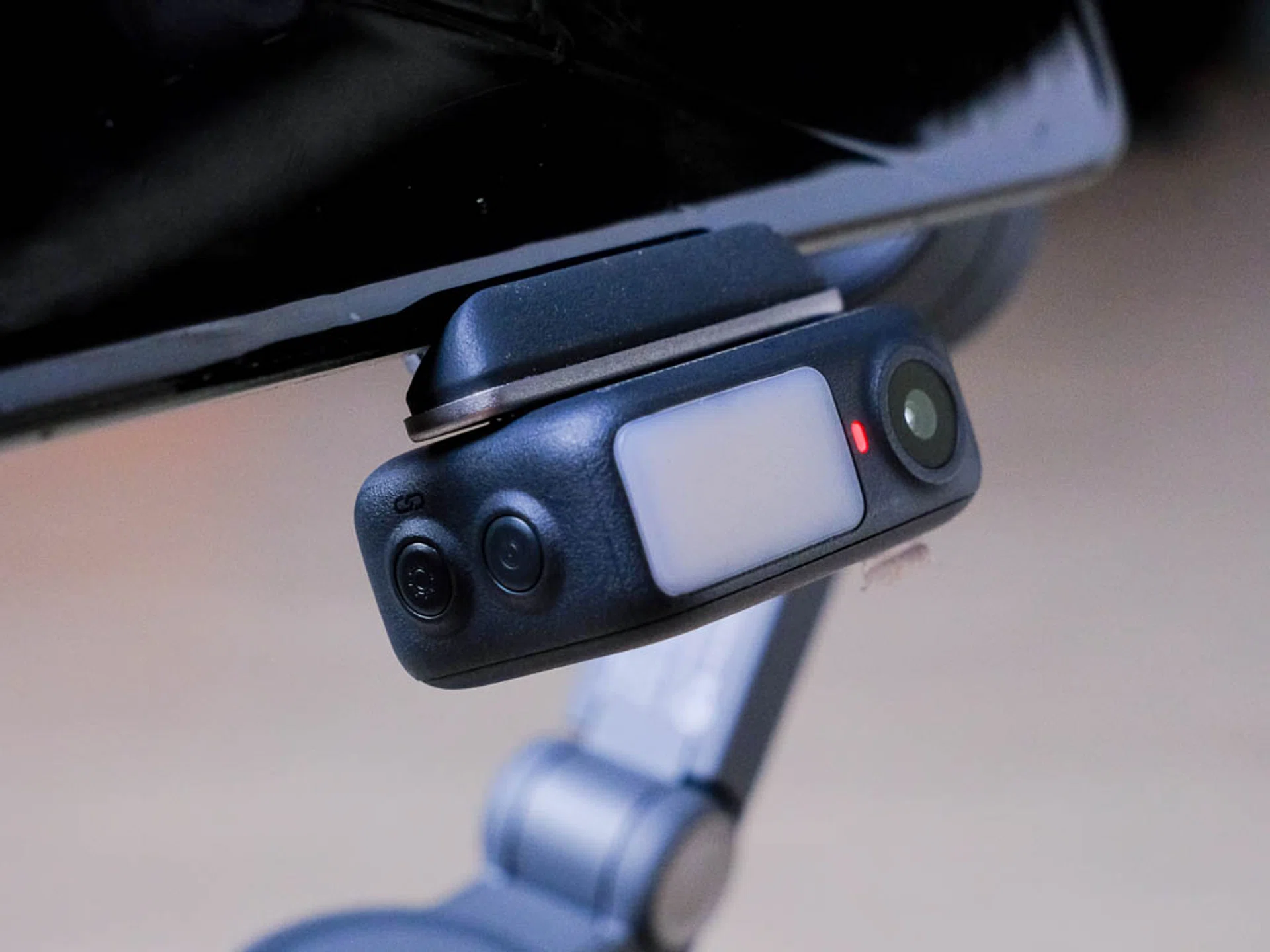
Photo: HWZ
As we mentioned in our news piece, the side wheel offers manual control over zoom, focus, as well as control over the new OM Multifunction Module, which is really the biggest update here.
Lightweight and powerful, the Multifunction Module (or MM) weighs just 19g and measures 4.29 cm x 2.81 cm x 1.70 cm, with a quick-release feature that adds another level of versatility.
It comes with a fill light that gives about 40-lux of fill light (measured from a distance of 60cm from the subject), and has an adjustable color temperature of 2500-6500K. It doesn’t seem like it from the numbers, but the tiny light can really get a little blinding up-close, so we’d say exercise caution when ramping up the brightness.
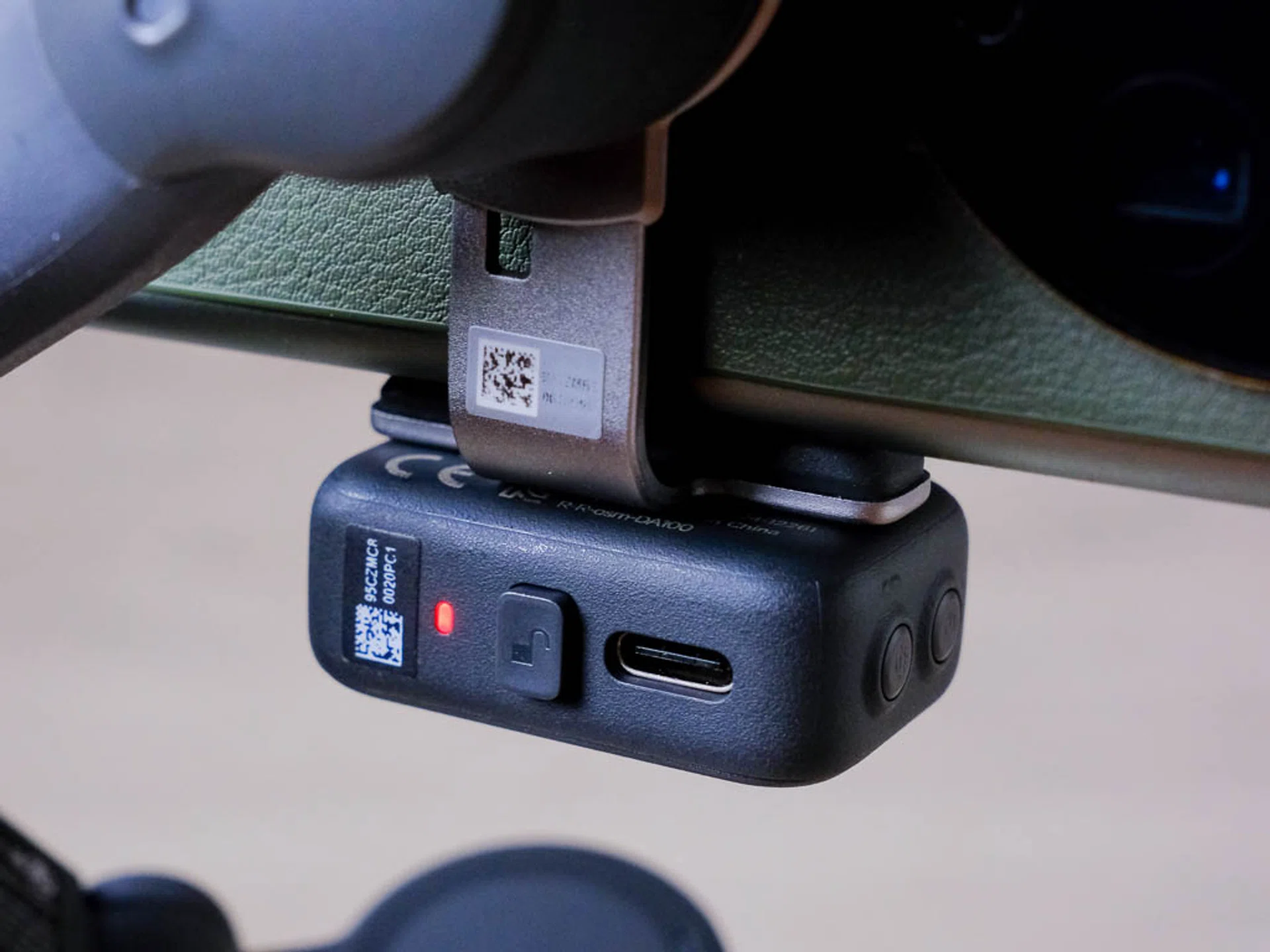
Photo: HWZ
Designed with a quick release catch at the back, you’re meant to turn the MM to match the direction of the camera set you’re using. This is fairly simple in practice, and the magnet at the base of the catch makes for a very fast but secure connection.
The other nice thing about the MM is that it allows the Osmo Mobile 7P to operate with any camera app. DJI says you don’t get ActiveTrack 7.0 if you don’t use the DJI MIMO app, but we found tracking to be very effective even when just using our phone’s native camera app. In fact, in certain cases we felt it handled tracking even better with the phone’s native app!
Whether you prefer the interface of the MIMO, or the built-in color looks of your native camera app is honestly a matter of personal preference. But the point is you now actually have a choice with what to use. And you don’t have to give up the new gesture control capabilities the MM brings.
Hands-free made easy
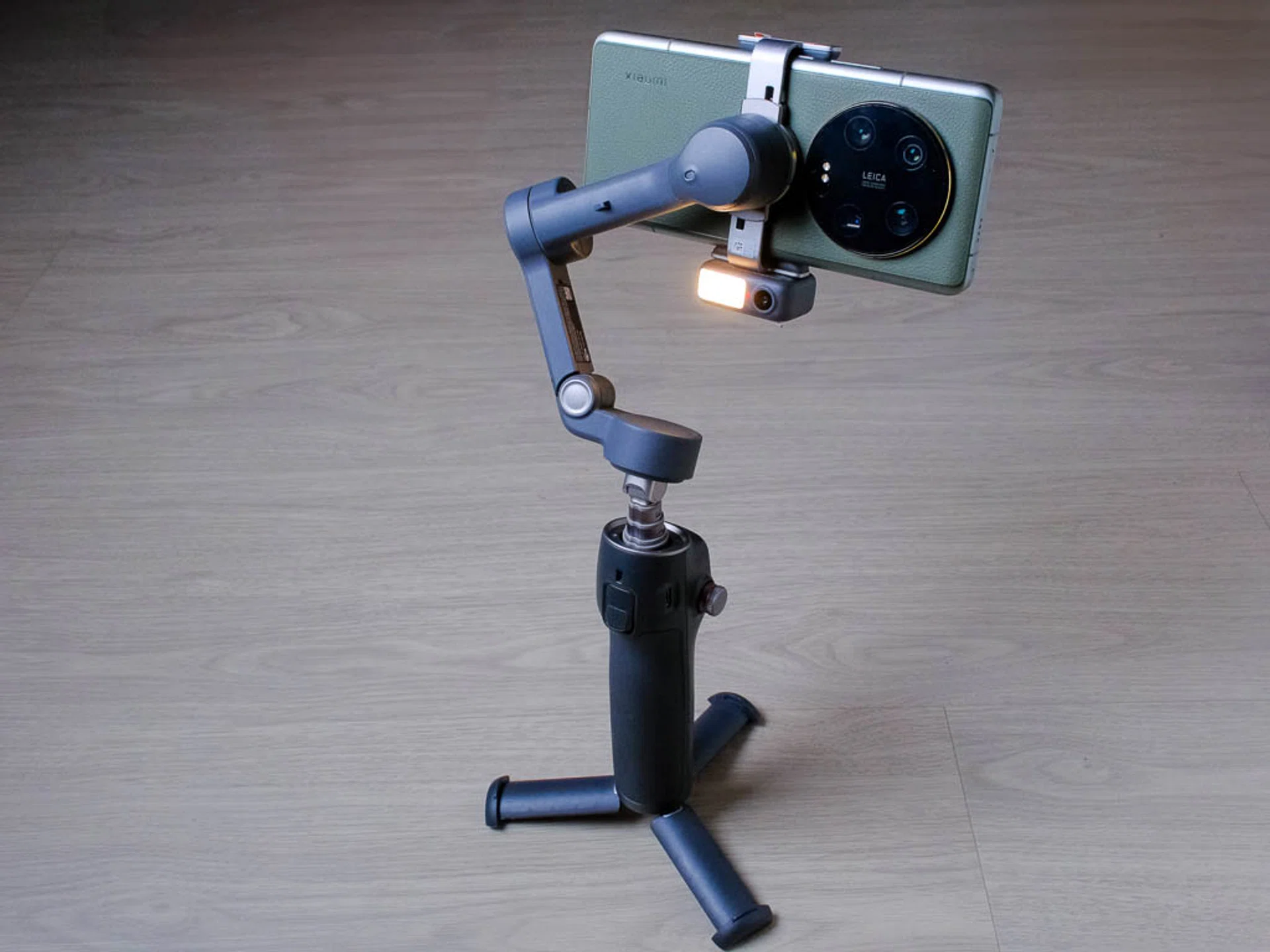
Photo: HWZ
While simple in theory, being able to start and stop video recording with just a gesture is a god-send when you’re operating alone.
The MM allows for three gestures:
- Showing your palm to the module starts or stops intelligent tracking.
- Making a “V” gesture takes a photo after a three second count-down.
- Making a “Double L” gesture with two hands adjusts a subject’s framing.
We found the first two gestures to be most useful. While being able to adjust your framing from in front of the camera sounds like a good idea, it’s fairly difficult to do accurately in practice if you plan on using the rear cameras as you obviously won’t be able to see the screen. Also, the gimbal only recognizes adjustments in the horizontal plane, (i.e. left or right), so if you want to have more sky for example, you’re out of luck.
Tracking wins

In terms of distance to capture, we’re happy to report that the MM maintained stable tracking across the entire length of the basketball court. So, the recommended maximum distance of 5m seems to only be the range within which the MM can accurately recognise gesture controls, and not a limitation of the tracking capabilities. To illustrate this, the screen recording above shows the ActiveTrack 7.0 AF cursor tracking me as I go up and down the court.
We also tried it out during an actual basketball game, and were pleasantly surprised to find that the gimbal was able to maintain tracking even through the crowd of other players on the court.
To Mimo or not to Mimo

If your native camera app tracks just as well or better than the DJI Mimo app, why use it? Well, because it has souped up subject recognition built-in. Like modern ILCs , the MIMO app allows your phone to detect multiple subjects while tracking, so you can quickly switch focus subject with just a tap. Because the focus has already been determined, you won’t get focus hunting in your footage.
Here’s another screen capture to illustrate the point, this time with multiple similar looking subjects (chickens).
At the 0:01 mark, we switched focus from the rooster to the hen. And you can see that the gimbal tracks the hen well, even when two other hens appear in frame. There’s a brief switch towards the end of the clip, but it moves quickly back to the original subject.
One thing we did wish could be added is the ability to track objects. For example, a basketball or soccer ball. For these sports the action is invariably going to be where the ball is and not just on one player, so being able to track the ball would give better coverage of the action.
Just enough juice
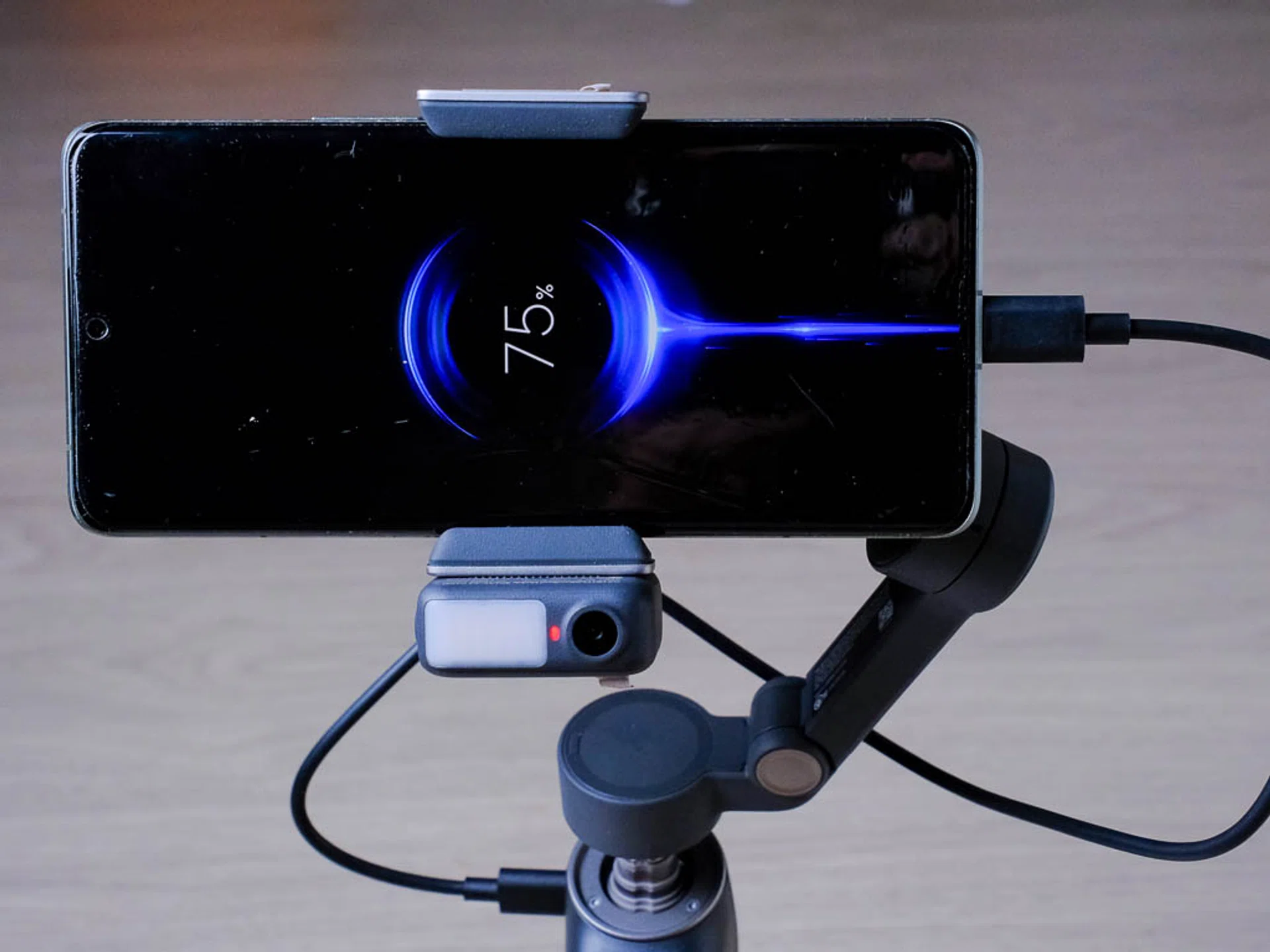
Photo: HWZ
Finally, battery life. The Osmo Mobile 7P’s 3350mAh battery is officially rated for about 10 hours, but this drops to five hours when doing tracking with the MM’s intelligent tracking feature turned on and the fill light off. Charging time takes about 2.5 hours for a complete charge via USB-C, so you can probably get a full morning worth of video, break for lunch to recharge, and continue into the night.
Final thoughts
The Osmo Mobile 7P is a great addition to DJI’s line-up of smartphone gimbals. Not quite a revolutionary product, but certainly an evolutionary one. We love the added functionality that Multifunction Module adds as it truly brings more value to the entire package, giving you more options and better quality. Content creators will love the fact that they can continue to use their own apps, while getting smooth videos from both in front and behind the camera.
At $189, the Osmo Mobile 7P is competitively priced, given it brings improved tracking, a fill light, and charging for your smartphone straight out of the box. For reference, the Insta360 Flow 2 Pro costs $229 just for the gimbal alone. Adding the Insta360 Flow 2 Pro AI Tracker brings up another $60, bringing the total to $289, a cool $100 more. That’s a significant difference, especially considering the tracking performance you get out of the box. If you’re looking to up your mobile video game with better stabilisation, smarter tracking, and a handy fill light, the Osmo Mobile 7P is a smart choice.
Overall, the package is certainly worth considering if you’re looking to upgrade your mobile phone videos.
Our articles may contain affiliate links. If you buy through these links, we may earn a small commission.