

Note: This article was first published on 10 June 2025.
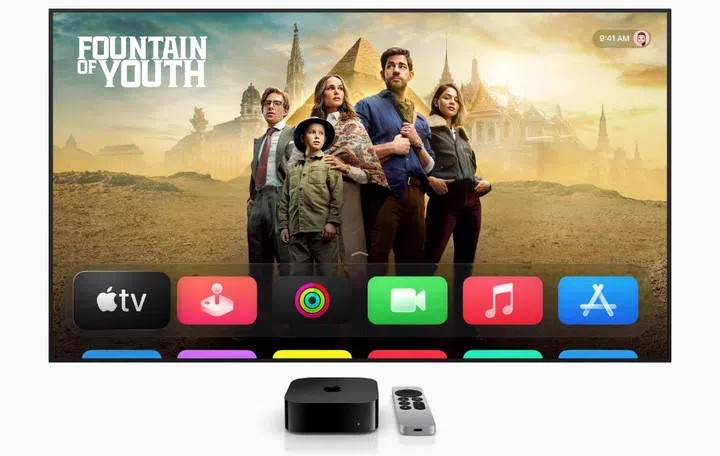
You can enjoy this movie on Apple TV now. Photo: Apple.
indi
During WWDC 2025, Apple announced the launch of tvOS 26 with a host of new features, along with a whole new look, thanks to the arrival of Liquid Glass and a new interface.
Liquid Glass

Photo: Apple.
Liquid glass spans all of Apple's operating systems, adds revamped icons and translucent elements to all of Apple’s devices as it delivers a more unified look and feel to Apple's software platforms.
The new design keeps the content central to the viewing experience while accessing system controls like fast-forwarding or rewinding, starting a sleep timer, adjusting audio, or setting a “Movie night” scene in Control Centre. Apple says that tvOS 26 is designed to keep the focus on what’s playing so users never miss a detail. It reminds me of a prettier and more useful version of Amazon Prime TV’s X-Ray panel.
A prettier and more intelligent tvOS

Photo: Apple.
As mentioned earlier, tvOS 26 also has a new interface. Taking advantage of Liquid Glass, tvOS 26’s new interface now displays new poster art along with an expanded number of show recommendations that pop out on the TV as you navigate through them.

Photo: Apple.
Apple briefly touched upon Display Profiles in tvOS 26. reminiscent of the profiles found in streaming services like Netflix. So you can automatically display profiles when Apple TV wakes, and get your customised library and list of content recommendations pulled from your Apple entertainment library.
Belt out your favourite tunes

Photo: Apple.
A lover of karaoke? tvOS 26 now lets you entertain yourself and loved ones simply by connecting your iPhone to your TV as a handheld microphone for Apple TV and sing your favourite tunes in Apple Music. Turn any gathering into a party as other people can use their own iPhone to queue up songs or react with onscreen emoji. Accompanied by real-time lyrics and visual effects that light up the big screen, Sing in Apple Music now comes with Lyrics Translation and Pronunciation so users can follow and sing along to an even wider variety of songs, even if they don’t know the language.
A better FaceTime experience
If you use your TV to FaceTime friends and family, with tvOS 26, it just got smarter. For example, if your loved ones only speak another language, Live Captions has you covered. It has been expanded to include French, German, Japanese, Korean, Mandarin, and Spanish, so you can use on-device intelligence to display Live Captions for FaceTime conversations, and follow what’s being said in even more languages.
Additional updates

One of the new screen savers. Photo: Apple.
If you connect an external speaker to your Apple TV, you can now choose any AirPlay-enabled speaker as the permanent speaker for your Apple TV. This will help make it easier to connect speakers for more immersive sound.
New Aerial screen savers captured across India, including in Goa and Kerala.
Read more:
- The biggest updates to macOS Tahoe 26 are a dramatic redesign and a more powerful Spotlight
- Apple iPadOS 26 gets Mac-like productivity with the latest updates
- All the key updates for Apple iOS 26, as seen at WWDC 2025
- watchOS 26 gets new improvements and features, but not all Apple Watches will get it
Our articles may contain affiliate links. If you buy through these links, we may earn a small commission.