
Google is looking into reports about Pixel 2 XL’s screen burn-in
Now, there’s a newer, and bigger problem afoot, and Google is “actively investigating” it.

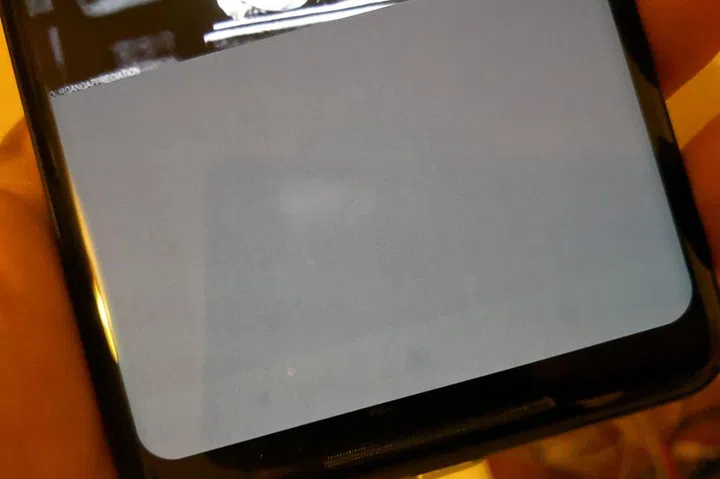
Image credit: @alexdobie (Twitter).
In our review, we noted that the Google Pixel 2 XL had a problem with its display quality – the pOLED panel was grainy, with below-average viewing angles. It’s not exactly the kind of quality you’d expect from a flagship device. Now, there’s a newer, and bigger problem afoot, and Google is “actively investigating” it.
According to Android Central, the particular Pixel 2 XL was only in use for one week, with approximately 3 hours of screen-on time each day. Their simple phone screen test also attracted more reports of screen burn-in issues from other Pixel 2 XL users.
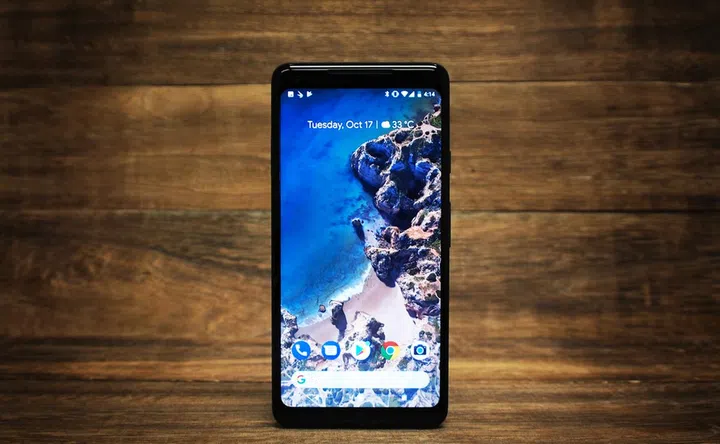
Here’s Google’ s official reply on the matter:
“The Pixel 2 XL screen has been designed with an advanced POLED technology, including QHD+ resolution, wide color gamut, and high contrast ratio for natural and beautiful colors and renderings. We put all of our products through extensive quality testing before launch and in the manufacturing of every unit. We are actively investigating this report."
Screen burn-ins are not new to tech-savvy folks who trawl our sites – it happens to CRT and LCD panels over long periods of time, especially when the display had unique use cases (letterboxing, or idling on static content). Screen burn-ins can also happen to OLED panels, but it usually takes a few months before it starts to show. In this user’s case, it happened in a week.
A burn-in should not be confused with image retention – the latter’s ghost image will fade away after a brief respite, while the former is a permanent, irreversible process that happens when actively-used panels age.
You can test for screen burn-ins by opening a solid-color image in full-screen mode. For a more accurate assessment, leave the picture up for a little longer (approximately 10 minutes) to allow any image retention side-effects to fade away. Any leftovers shown on your screen are likely burn-ins. Of course, we aren’t liable if your display goes kaput from a test like this, but it shouldn’t – especially if you paid good money for your new device.
Source: Android Central via The Verge
Our articles may contain affiliate links. If you buy through these links, we may earn a small commission.