
ViewSonic VX2235wm-5 (22-inch, 2ms LCD Monitor)
Housed in a sleek glossy exterior is the 22-inch Viewsonic VX2235wm-5 whose slim frame belies its powerful performance. Promising an ultra-fast 2ms panel response time and a 4000:1 contrast ratio, we got our hands on one to see if it delivers.

Welcome Back!
It's been a long time since we've done a review on monitors here and while we have been doing reviews via our First Looks section, it feels as though we've come home at last. If you've been peeking in our monitor section, you'll probably feel like you were in a time warp due to the dates of our last entry and we hope this will be the first of many more reviews to come.
Technology wise, we have seen a definitive increase in the desktop real estate space as we move on to larger and wider display panels while at the same time progressing with better response times and brightness/contrast ratios. With the increasing preference of high-definition movies and better graphics cards, consumers have also started getting in on the action by demanding monitors that can handle the high-def movies and higher resolutions for games. Likewise, manufacturers too have aligned themselves with market demands and have been focused on bringing the aforesaid larger panels mainstream. True enough, the 19 to 22-inch monitor space is the most lucrative segment these days judging by their variety and price points.
Today we'll be looking at the ViewSonic VX2235wm-5 22-inch LCD monitor courtesy of the good folks at ViewSonic. We'll be putting this 22-inch beauty through our standard tests, which should give you a good indication of this monitor's capabilities. As part of their X series line, the VX2235wm boasts of a blazing fast 2ms response time and a 4000:1 contrast ratio for displaying even the darkest details, and is an updated model of the previous 5ms response time model (although we've no clue why the new 2ms model is appended with a "-5" prefix).
ViewSonic has claimed that this quick 2ms response timing is due to their ClearMotiv II technology, which uses two core components, Dynamic Structure Technology (DST) and Amplified Impulse Technology (AIT). The former lowers the viscosity of the liquid crystal for faster twisting and to reduce the cell gaps so that electricity can pass through faster. The latter speeds up the liquid crystal response time by using higher voltages. We'll see how true this 2ms panel holds up during testing later.
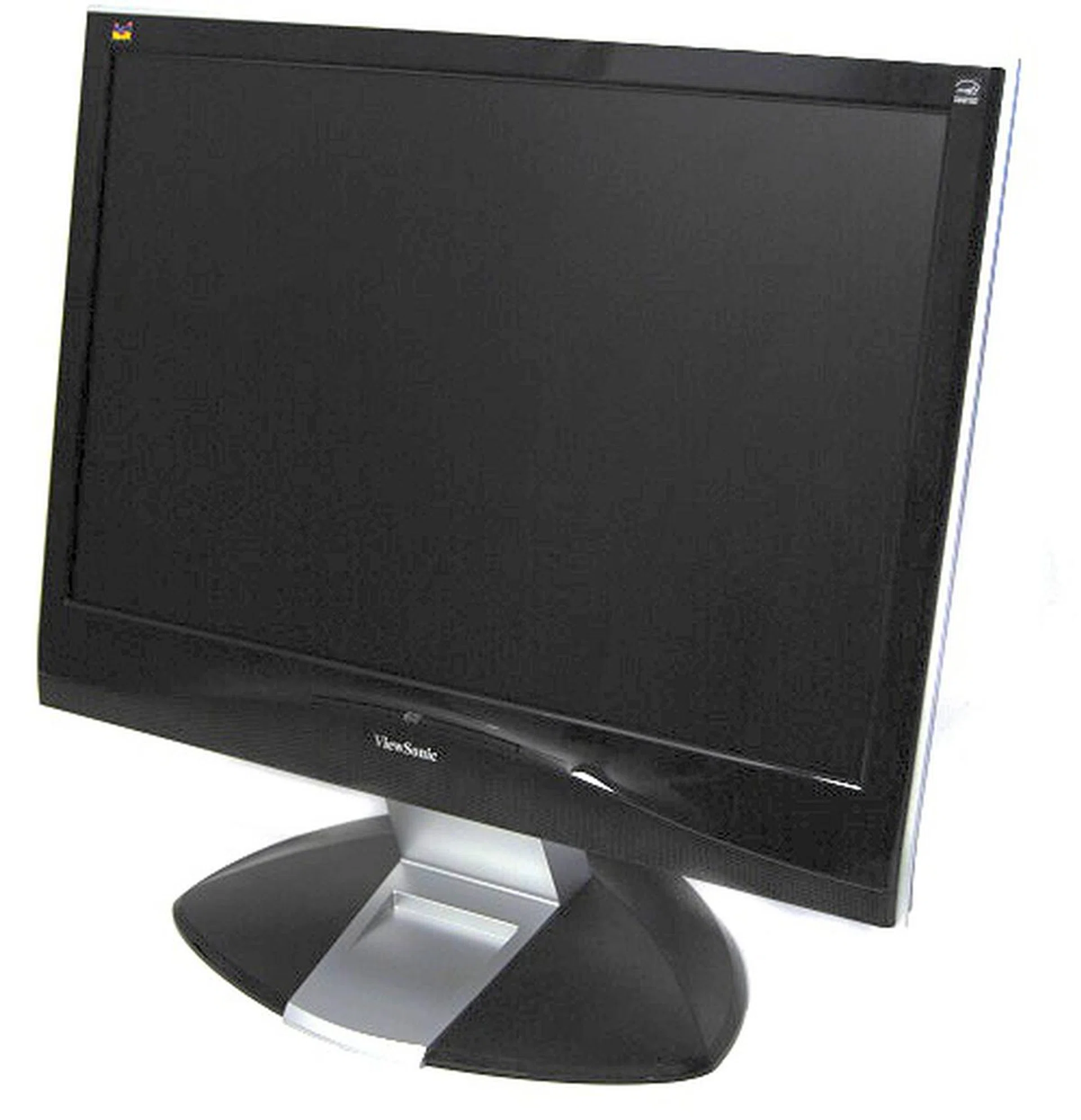
The Viewsonic VX2235wm as seen from the front.
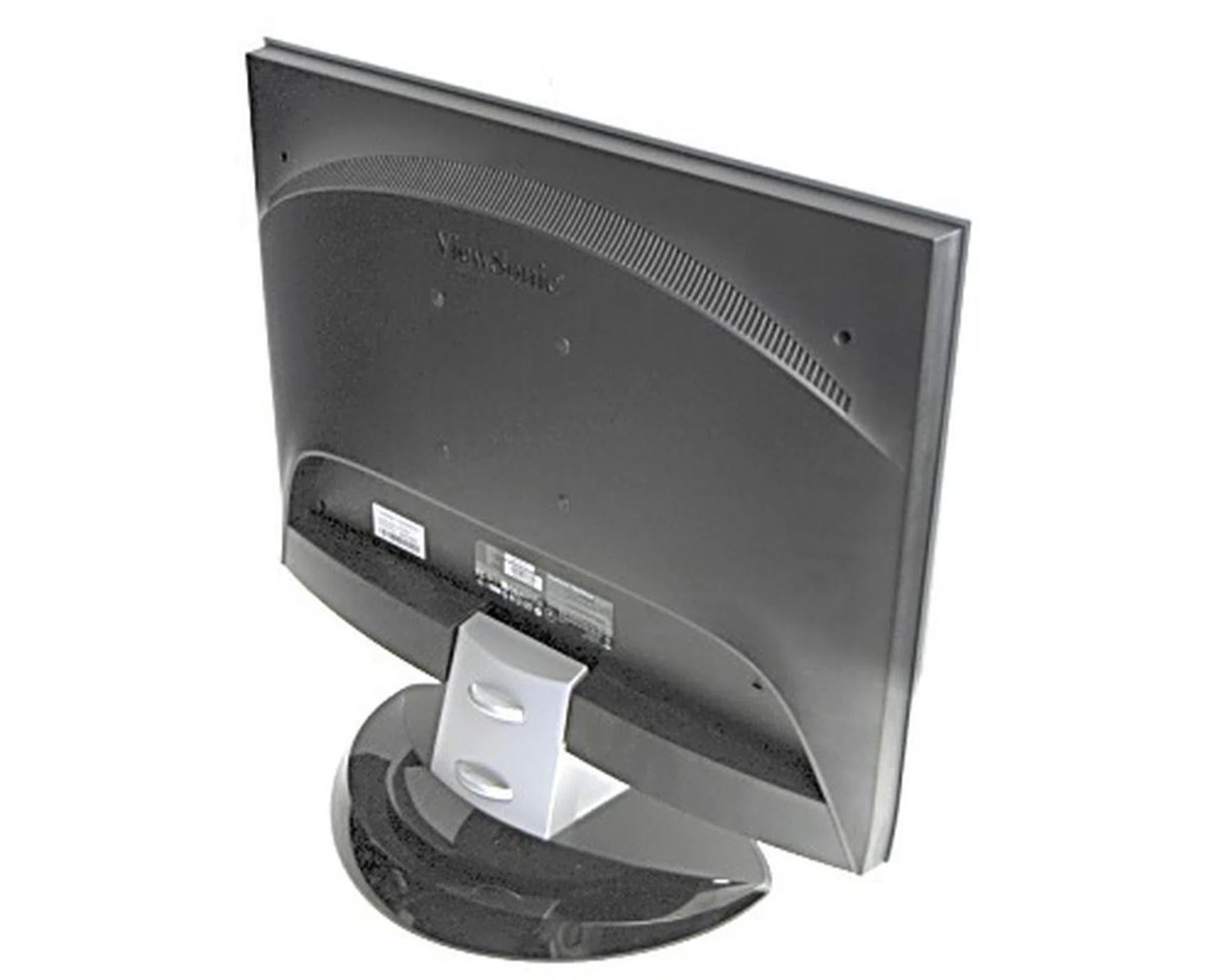
And now, the rear view of the VX2235wm.
Same Old, Same Old
Even though the specs of the monitor has definitely been upgraded, we're still looking at the same design, regardless of the monitor size. Case in point, the VX2835wm 28-inch may be one really big monitor that came into retail late last year, but it still looks the same as its 19-inch cousin, the VX1932wm, which was one of the earlier models to sport this design. We do wish however, and as noted by our good buddies at HWM, that it's about time Viewsonic did away with the dual-color bezel. Otherwise the VX2235wm is a nicely designed monitor with cable management and speakers for those looking to save space by doing away with stand alone speakers for basic audio needs.
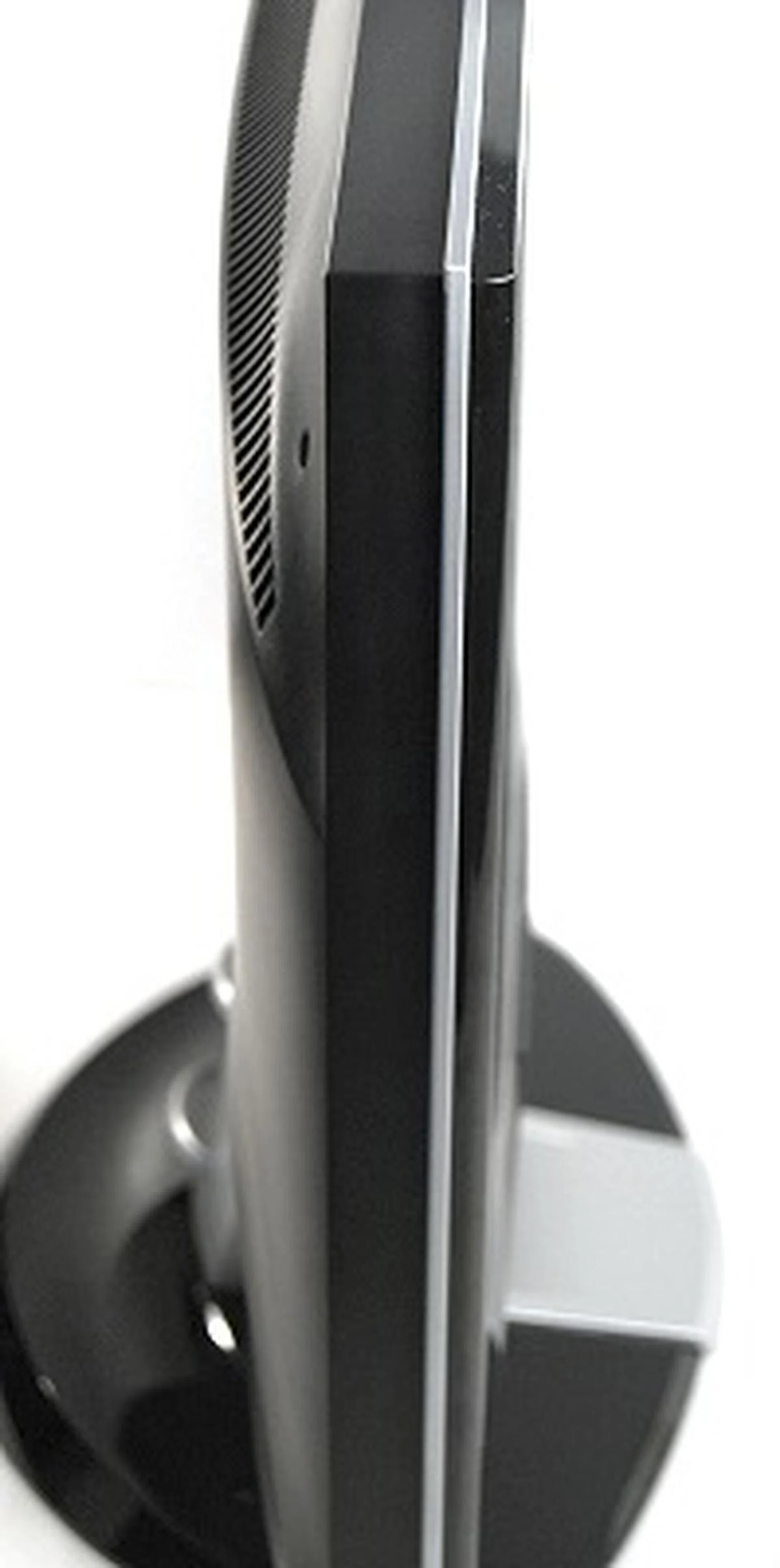
The VX2235wm as seen from the side. The silver outlines of the monitors remain a standard feature of the X series range.
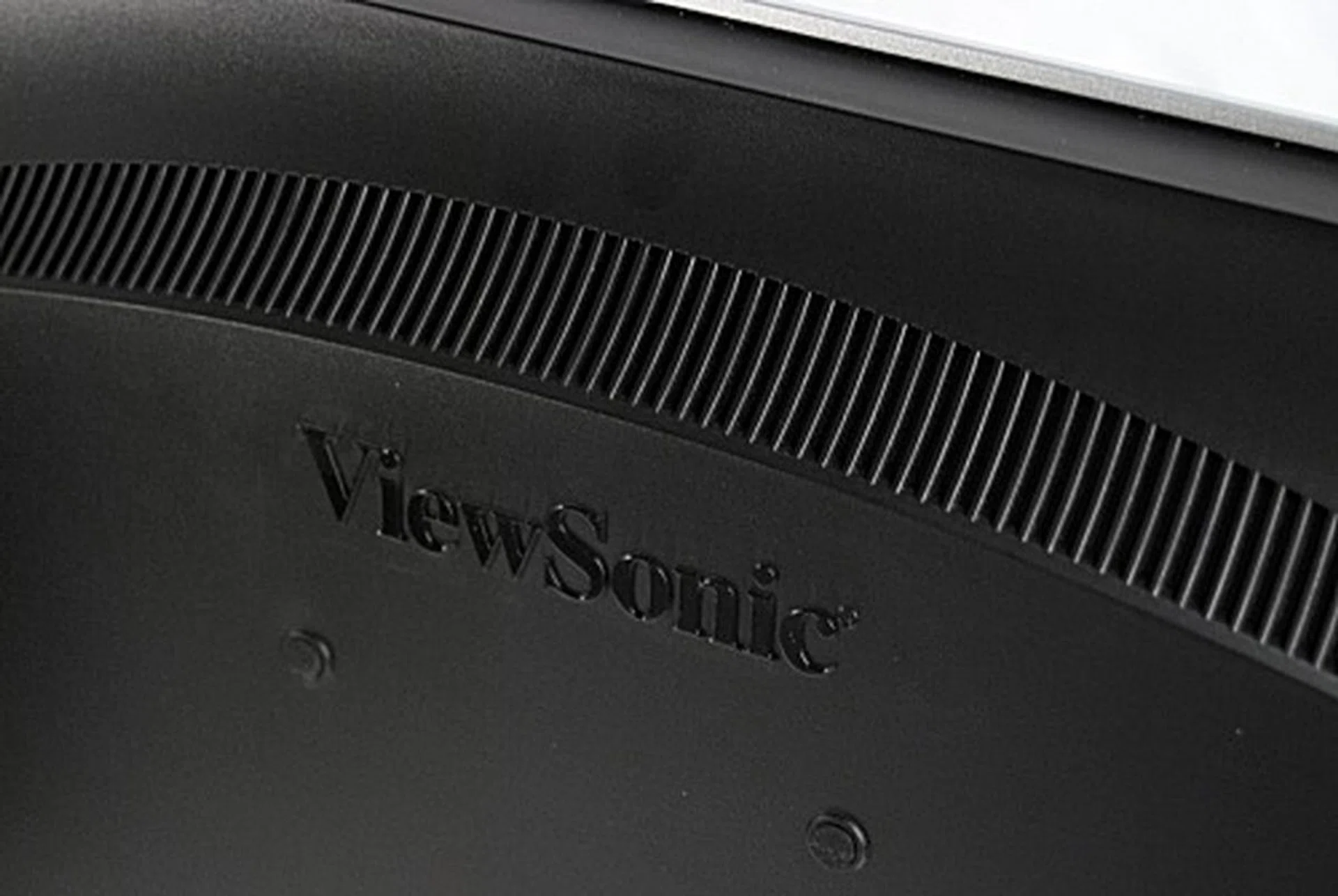
Here we see the ventilation slots and the ViewSonic logo located at the top rear of the monitor.
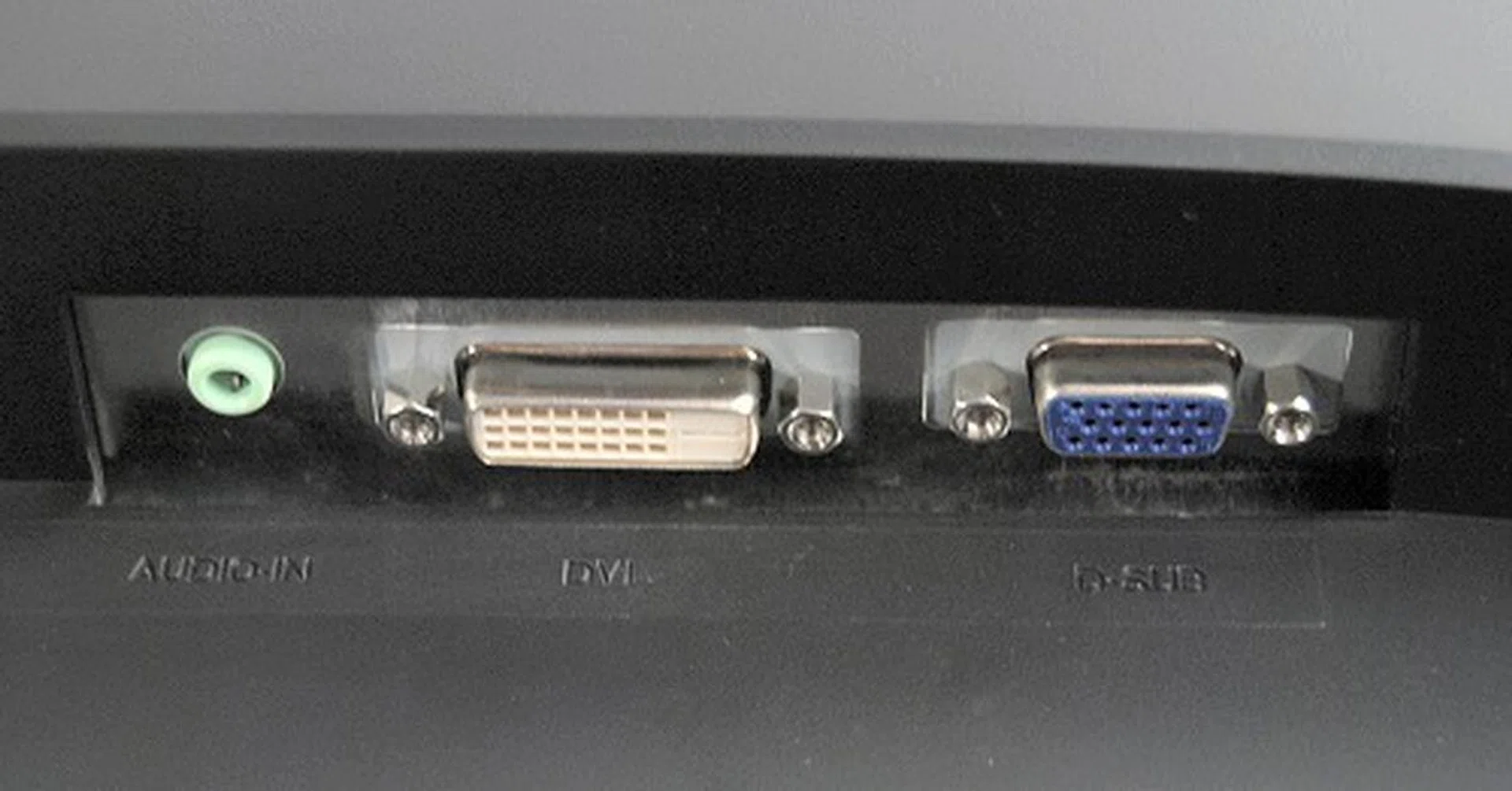
Sadly the VX2235wm only has a DVI and analog port, together with an audio jack for the speakers. Component and S-Video ports would have been really nice additions for auxiliary connectivity.
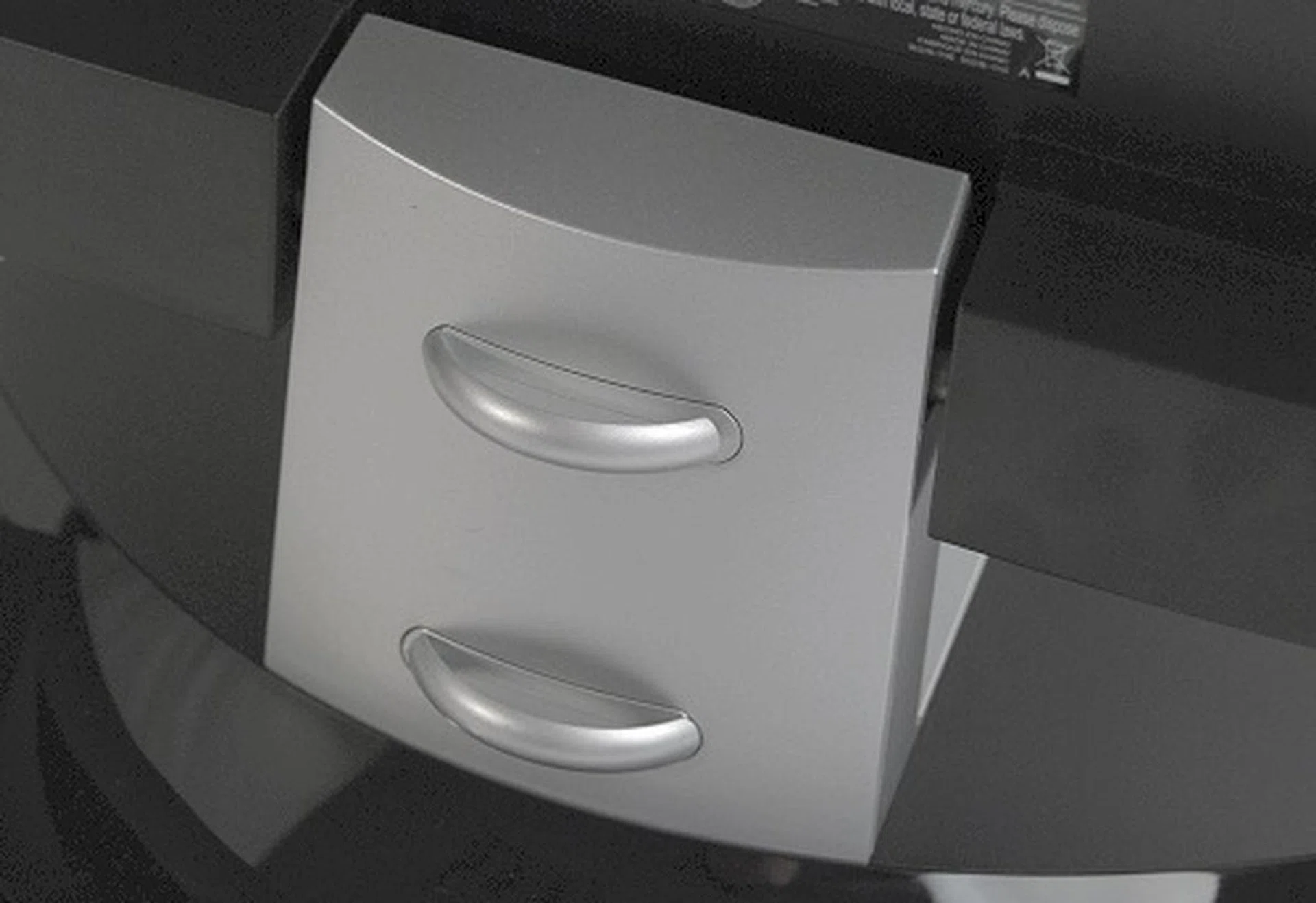
Located on the spine are clips to hold the cable securely in place.

If you look closely you can see some tiny scratches on the cables, which are caused by trying to slide the cables inside the clips. Once in, the cables are pretty much secure.
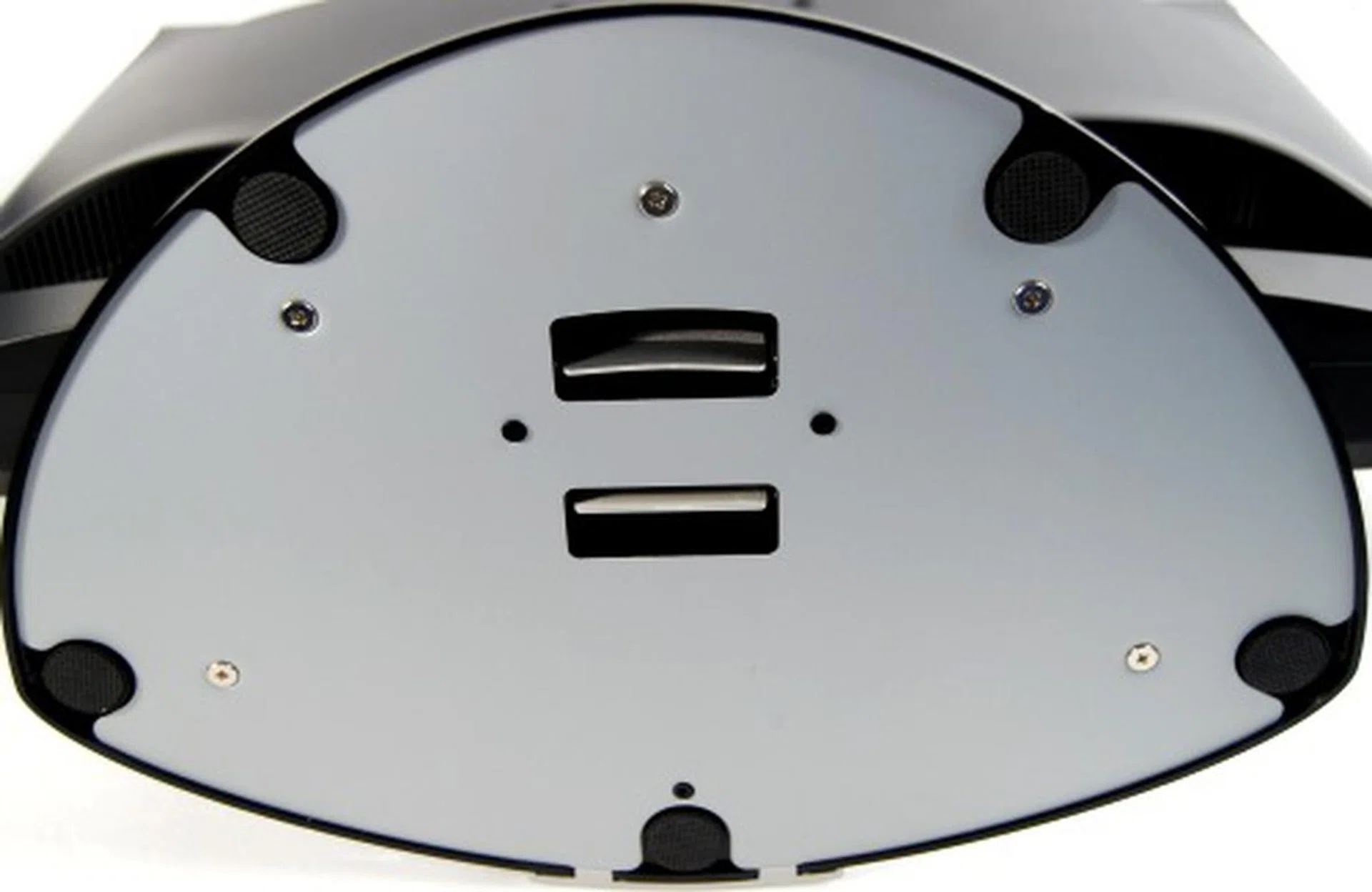
The base of the VX2235wm is removable, which about sums it up as the tilt functions are located on the spine.
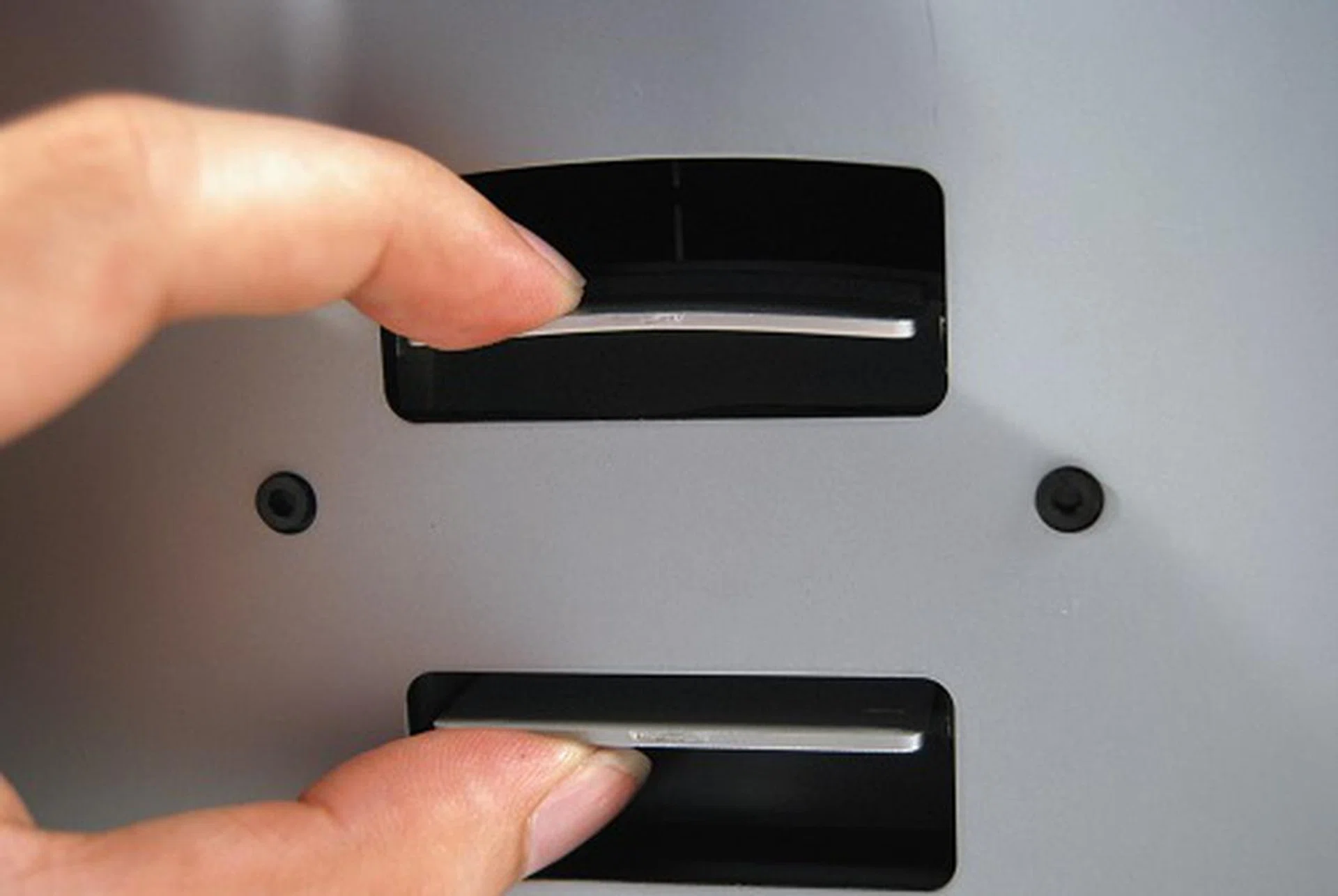
Removing the base is as simple as pressing the two clips and then pulling it apart. It does take a while to get the hang of it, though we can't see why you would constantly need to remove the base.
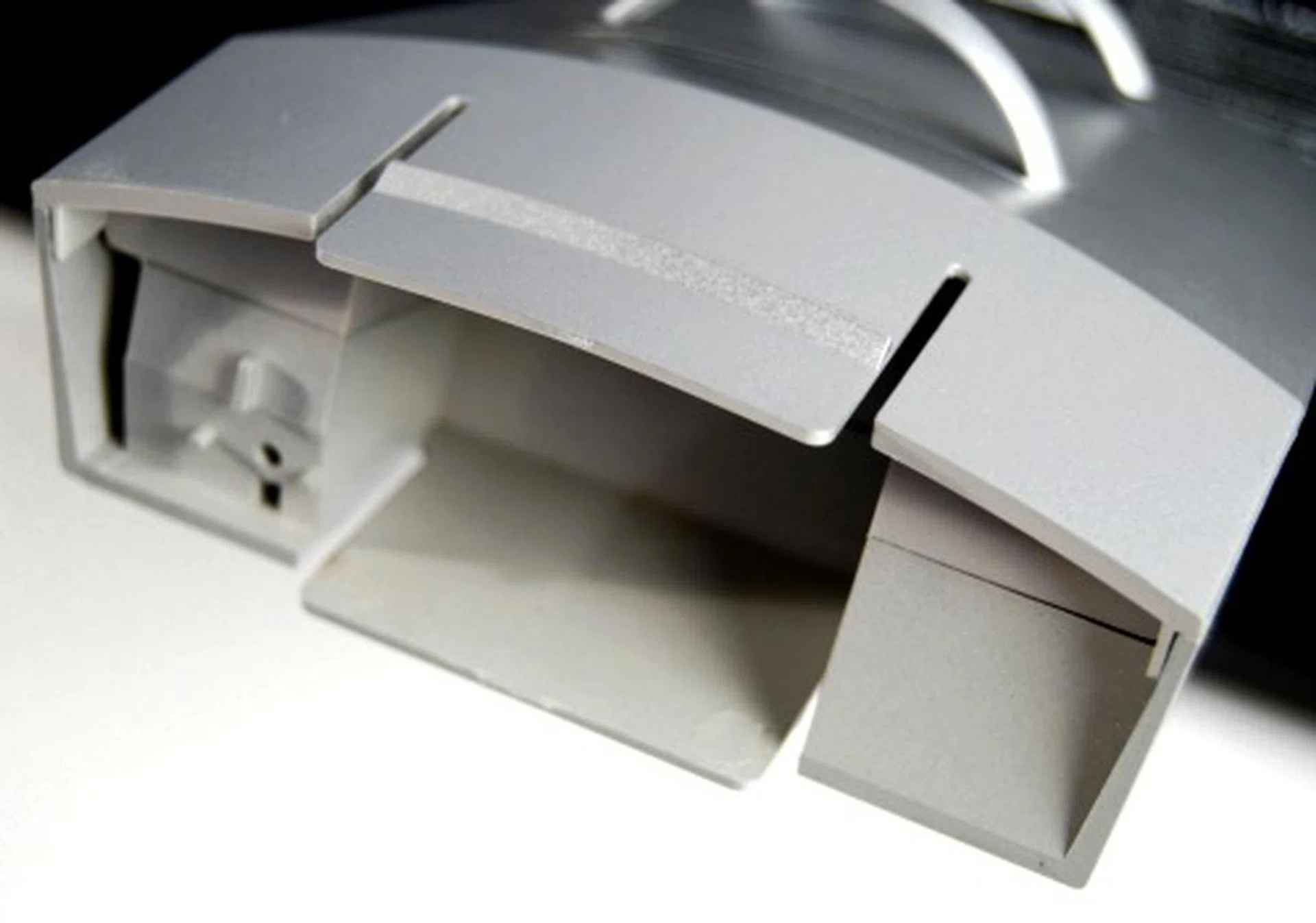
What the top of of the unit looks like when your remove the weighted base.
Performance
Before we began any testing on the monitor, we calibrated the brightness and contrast setting using the Datacolor SpyderTV Pro software. Tests were then done using DisplayMate for Windows Multimedia with Motion Edition 2.0 at the native resolution of 1680x1050 @ 60Hz. This is a standard test we perform to help identify display anomalies and while the VX2235wm does have both analog and digital output, we will only be testing the digital output of the monitor. With a contrast ratio of 4000:1, we will be expecting some really good results on the darker shades of the monitor and hopefully no ghosting thanks to its speedy response time.
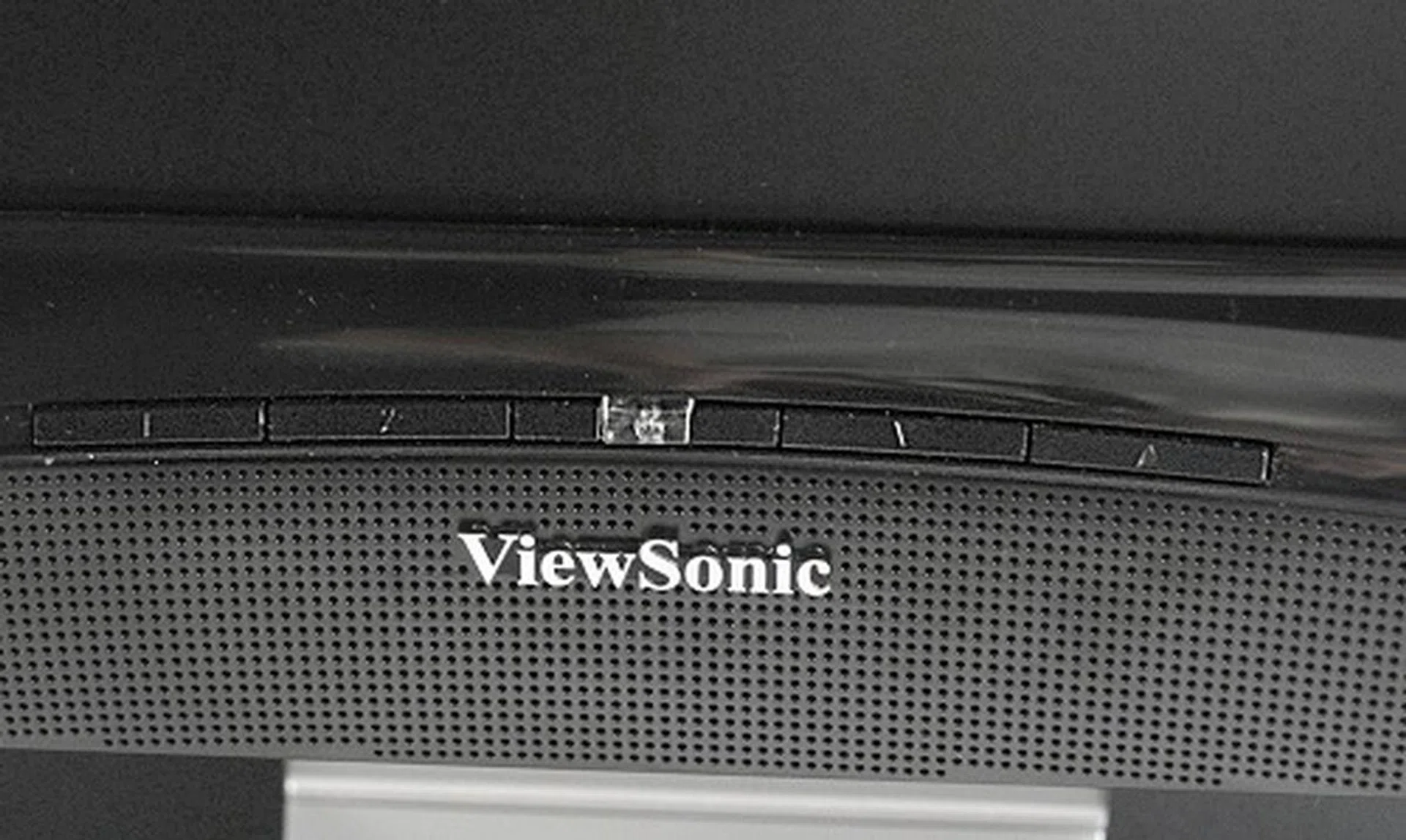
The buttons of the VX2235wm were difficult to manipulate and we found it aggravating to change the display settings while we were calibrating the monitor.
- Circular Geometry, Cross hatch and Dot
There were no distortions of the circles displayed meaning all horizontal and vertical lines were properly displayed despite the wide-screen the aspect ratio of the monitor. This is to be expected from a DVI input and thankfully it came out fine.
- Screen Uniformity
Screen luminosity was even throughout the whole panel and we were unable to detect any variations or tints across the color tests.
- Stuck Pixel
While horror stories abound of LCD panels having dead pixels on fresh new units, the VX2235wm that we tested had no stuck pixels, which makes us happy reviewers.
- Pixel Tracking and Timing-Lock
We hardly encountered any problems with this test, thanks to the DVI interface that was used. Patterns were flawless, no noise was seen and no readjustments were required. That doesn't mean all monitors on DVI connection ace this test as we've had our fare share of quirky displays, usually of poor build that give us nasty results. As such, ViewSonic's outcome is a welcomed one.
- Dark Gray Scale
The test is actually to determine the sensitivity of the black levels when set to the highest brightness setting. It was good to note that the VX2235wm held up well as the background was still black (instead of gray) and we could differentiate between the dark gray scales of the test pattern up to the threshold recommended by program (an index value of 6), thanks to the high contrast ratio of the monitor.
- White Level Saturation
White level saturation for the monitor was good as we could comfortably discern pattern index up to 251 out of maximum of 255. While it may have been possible to distinguish up to an index of 254, we felt that it was not distinct enough nor was it easy to detect.
- Color Tracking
We only had a slight problem with the red hues for the monitor as it was slightly dark in our testing. Otherwise the colors for monitor were clear and did not show any weird tints.
- 64/256 Intensity Level Ramp, 256 Intensity Color Level Ramp
No anomalies were detected for the both the 64/256 Intensity Level Ramps, which means that the gradients were generally smooth and individual bands could be easily made out. We had a small concern with the darker spectrum of the color level ramp though. This was really minor as we noticed Red and Blue having a wider separation range and thus ramped up to the highest intensity levels a little sooner.
- Scaled Font
The smallest font reading at 9 pixels (6.8 points) turned out to be quite legible and clear on both serif and san serif fonts. While obviously the high screen resolution did make the fonts hard to read from far, at normal working/reading distance with the monitor, the fonts were crisp and sharp and could be read without any problems.
Movies and Gaming
This section is probably where the VX2235wm should do best due to the specs of the monitor. With its blazing fast 2ms response time (extremely suited for gaming) and the 4000:1 contrast ratio (for watching movies shot in dark environments), we put the monitor through the darkest scenes in Lord of the Rings (as well as the more vivid scenes too) and the fast paced jumping action of Quake IV. Lastly, Pixel Persistence Analyzer was an additional test used to check on ghosting effects.
- Video Playback
As mentioned, we tested the VX2235wm's contrast ratio using the extended version of the Lord of The Rings: The Fellowship of the Ring. We left the monitor at the calibrated setting of 4% brightness and 91% contrast and color temperature was unchanged. While running the movie, we observed that the colors were vibrant for the scenes we tested, but what made the VX2235wm stand out in terms of performance was when we got to the dimly lit scenes in the mines of Moria. We could see the little details such as the perspiration on the actors, and we were able to see the CGI Orcs who were hiding even though our lab lights were turned on.
- Gaming Performance
Unlike our older tests, where we tested the monitors on Quake III Arena, this time around we will be using Quake IV. We weren't really expecting to see any ghosting issues for this monitor and our expectations were met reasonably well. Jump around as much as we could against the black background, we didn't detect any ghosting and everything went smooth.
- Pixel Persistence Analyzer
In addition to testing the monitor for ghosting effects via Quake IV, we also used PPA's Streaky Pictures test and even then, we still could not detect any ghosting. Based on the results, we can safely say that gamers will probably love this monitor to bits due to its proven rapid response time. Not to mention action movie watchers would be pleased too.
Conclusion
ViewSonic has been in the monitor industry for years now, and it shows in the quality of their latest builds, such as the ViewSonic VX2235wm-5. With its quick 2ms response time thanks to ViewSonic's ClearMotiv II technology and 4000:1 contrast ratio, the VX2235wm is a power packed monitor for gamers who will surely appreciate its qualities.
That's not to say the VX2235wm is flawless as it does lack a few functions that would have made it a winner in our books and also including some stuff we could have lived without. Firstly, let's talk about the connections. As you may have already noted in our photos, the VX2235wm only has an audio jack for the speakers, one DVI and one analog input jack. While you may question the lack of an HDMI port, it all adds up when you realize the maximum resolution of the panel which is 1680 x 1050 pixels, versus 1920 x 1080 pixels required for true Full HD (1080p) that requires a bigger panel size to comfortably accommodate (such a 24-inch model). For a multimedia gaming monitor, it would have been more convenient for the customer if it had incorporated a built-in USB hub, as well as other connectivity options to hook up game consoles (such as S-Video and Component).
The monitor's control buttons were also another issue we had highlighted in the review. No doubt that these buttons are sufficient for the bare necessity use, they could have been more ergonomically designed for ease of use. As it stands now, using those buttons during our calibration process was aggravating to say the least. Shiny and glossy black materials are the trend these days and the VX2235wm is no exception. While it does look nice initially, fingerprints will soon start to smudge that glossy shiny exterior - just an additional note for folks with fingerprint phobia. Lastly, the limited angle of the tilt (up to 20 degrees) marks our last grouse for the panel as we would have preferred something more flexible.
Despite these drawbacks, the ViewSonic VX2235wm's brilliant performance more than overshadows these flaws and gamers interested in this panel will probably be very satisfied. At a suggested retail price of S$459, the VX2235wm might not be the most competitive around in overall features and usability, but if you can overlook that, the monitor delivers in its panel quality and performance.
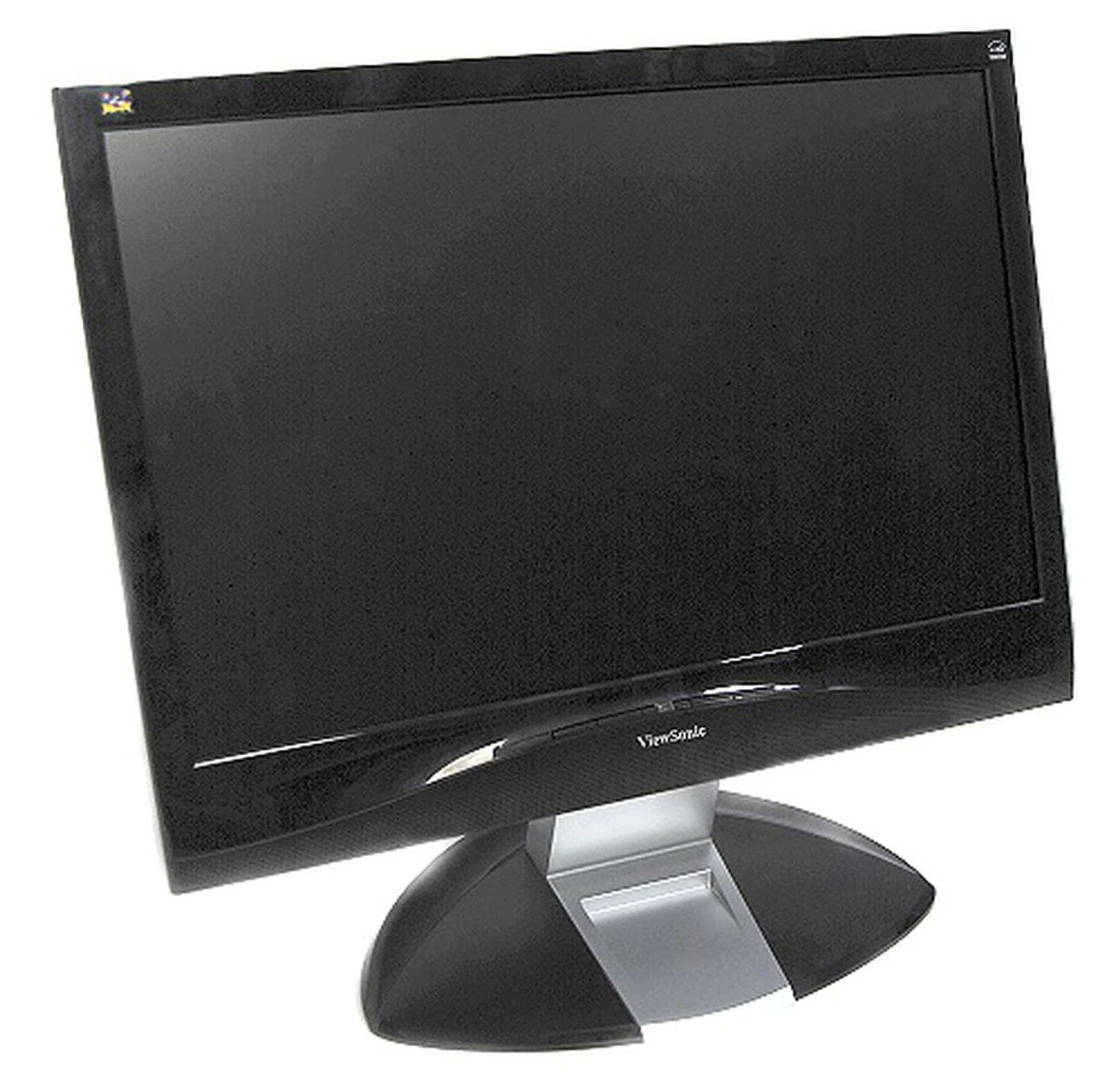
If great panel performance is what you seek, ViewSonic's VX2235wm-5 delivers that well. It has some catching up to do on the other finer aspects though.
Our articles may contain affiliate links. If you buy through these links, we may earn a small commission.