
The True Navigator - Nokia 6710 Navigator
Have mobile phones evolved beyond its original intent? With the Nokia 6710 Navigator, it does seem so. This navigation-centric device has much to offer with Nokia's latest Ovi Maps and lifetime navigation license on top of its basic cellular functionality. Here's what we thought of the new Navigator after an epic journey.

The New Tour Guide
Don't fancy a separate GPS navigation unit on your road trips? Truth is, you can probably save yourself some luggage space by using your phone as a GPS device. Most multimedia mobile devices of late do come with their own GPS chipsets for navigation purposes. Going one step further, there are phones that do place a strong emphasis on its navigational capabilities. What comes to mind are the HTC Touch Cruise and the Nokia Navigator series.
The latest navigation-centric phone device to hit the stands is the new Nokia 6710 Navigator. Besides just a device by itself, the 6710 Navigator is bundled with a bunch of features that is unique to the Finnish company. Keeping in line with its navigation focus, these features are aimed at Nokia's services such as Maps on Ovi and its lifetime navigation capabilities. The question that should be on everyone's mind is - does all that make a difference in this new Navigator device? We'll find that out as we take you on a guided trip with the 6710 Navigator on the following pages; so stick with us and we'll show you around.
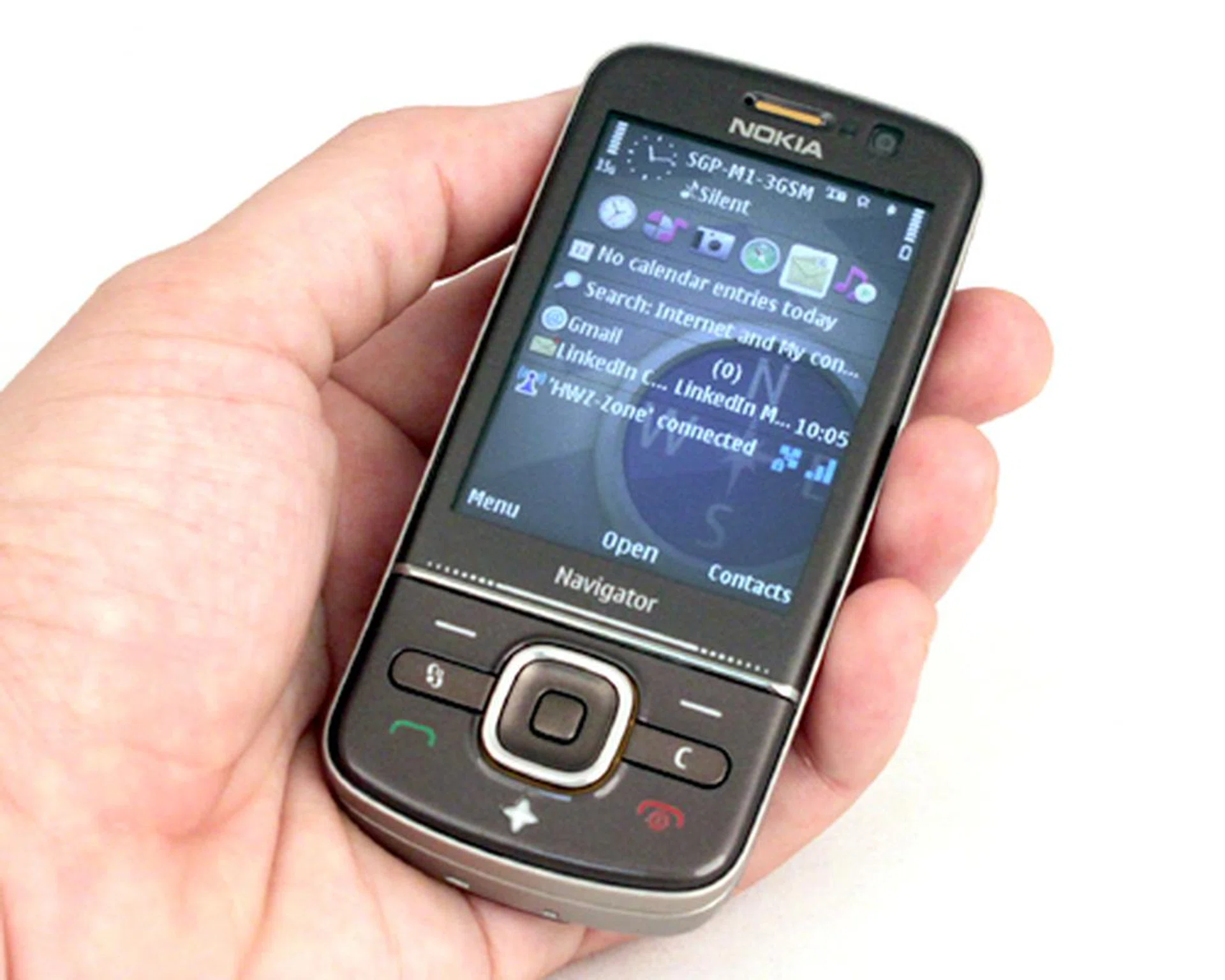
Nokia 6710 Navigator
Designing the Mobile Compass
Like its predecessor, the 6710 Navigator comes in a slider form factor. Nonetheless, there are some key differences in its design. This includes a contoured bottom which deviates from the normal flat surface as seen on similar devices. We didn't find it prominently curved to the point that it'll be a hindrance nor giving us a better level of comfort for extended call periods.
Lighting gimmicks are aplenty on the 6710 Navigator, such as the star icon that lights up when you have Nokia Maps running on the device. The five-way directional pad will sport a similar light that acts as a notification for incoming emails or messages on the device.
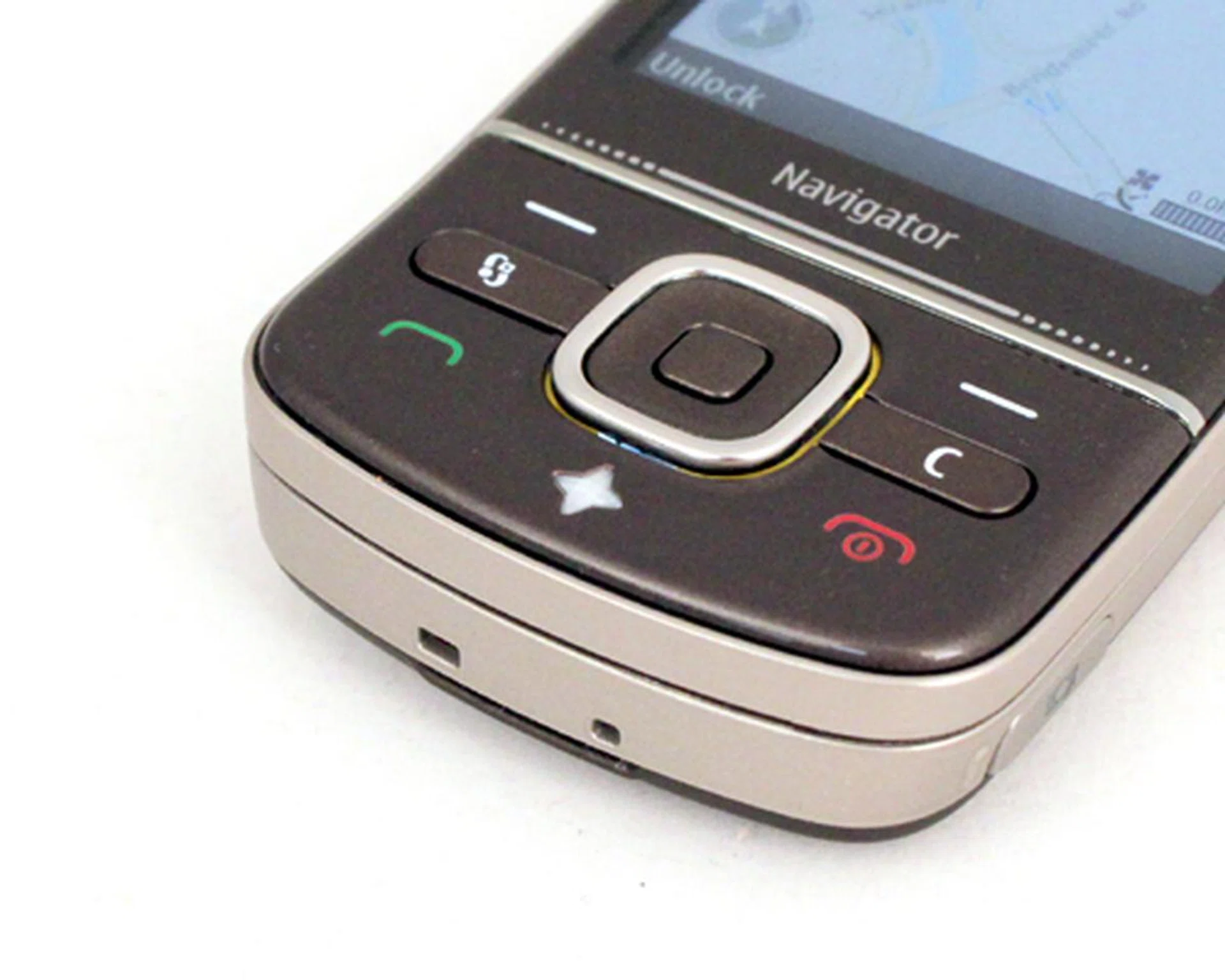
The lights might seem gimmicky, but it does help in informing you about incoming messages or emails. More importantly, if you see the star button staying lit, it's a reminder that the GPS is still active and it would be in your best interests to exit Nokia Maps and deactivate the GPS chipset that would otherwise guzzle up the device's battery stamina.
We've seen a strong adoption of the microUSB port for both data synchronization and power charging on recent Nokia devices. The 6710 Navigator is no stranger to this concept. What we found rather interesting is the housing for the microUSB port and the microSD card slot. This is best illustrated in the images below.
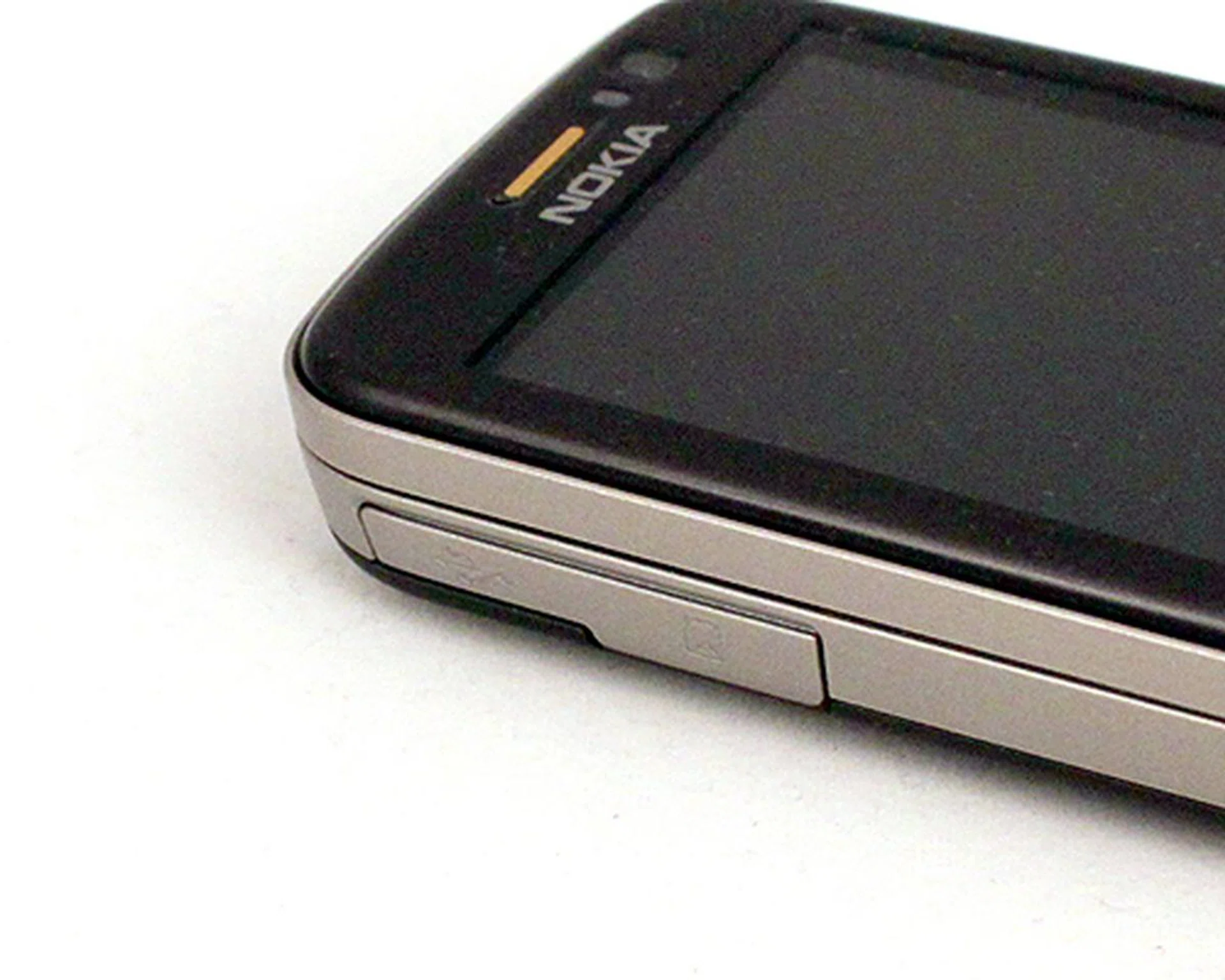
Notice how it looks like a regular cover for both your microUSB port and microSD card slot?
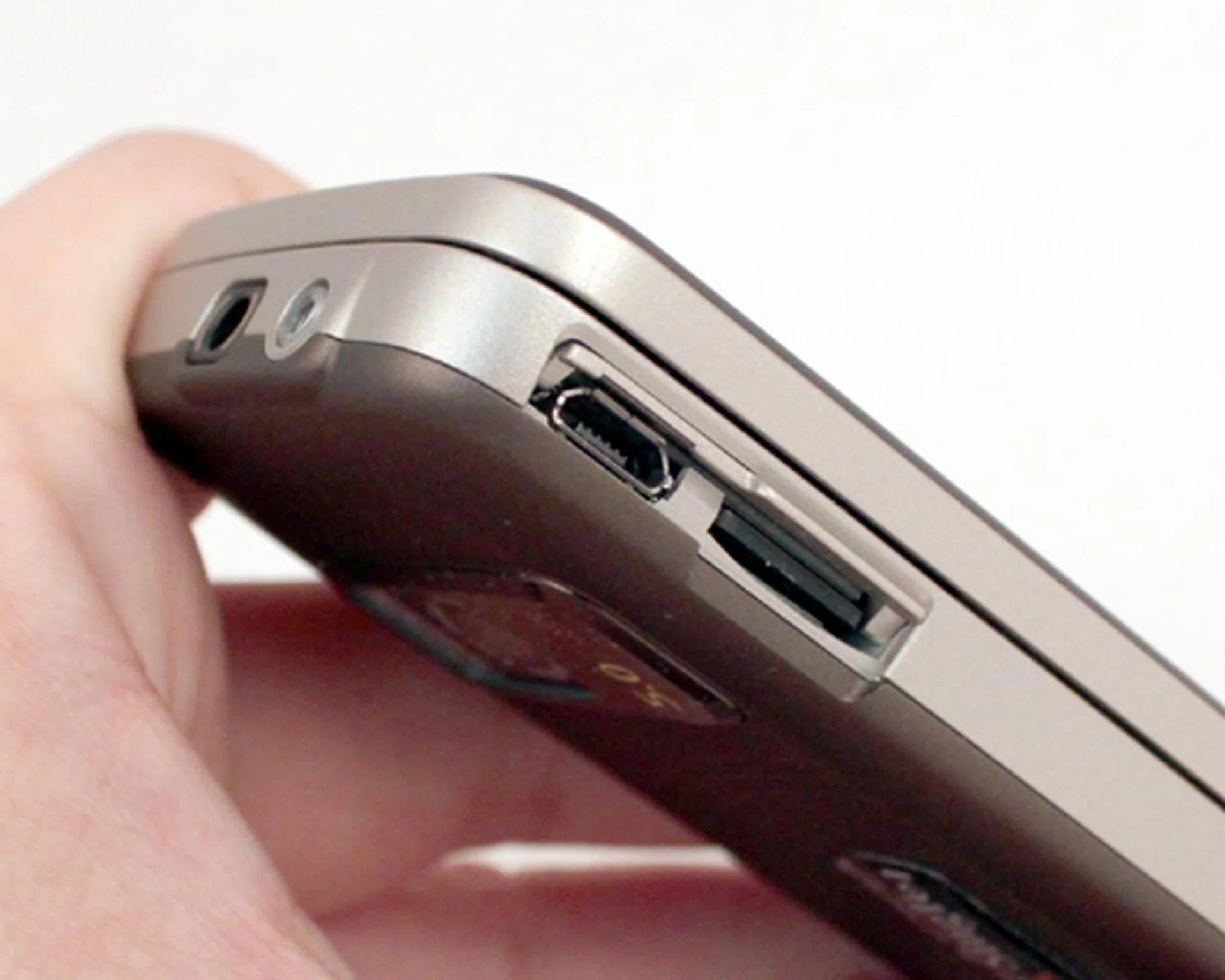
But when you want to access both ports, it flips up and into the chassis. Voila, easy access to your microSD card and microUSB port. Better yet, no dangling plastic that makes it unsightly.
Nokia understands that there might be users who wish to utilize the usual power adapter for charging purposes. To that effect, we still have the power port at the crown of the device. Sitting right beside that is the 3.5mm audio jack.
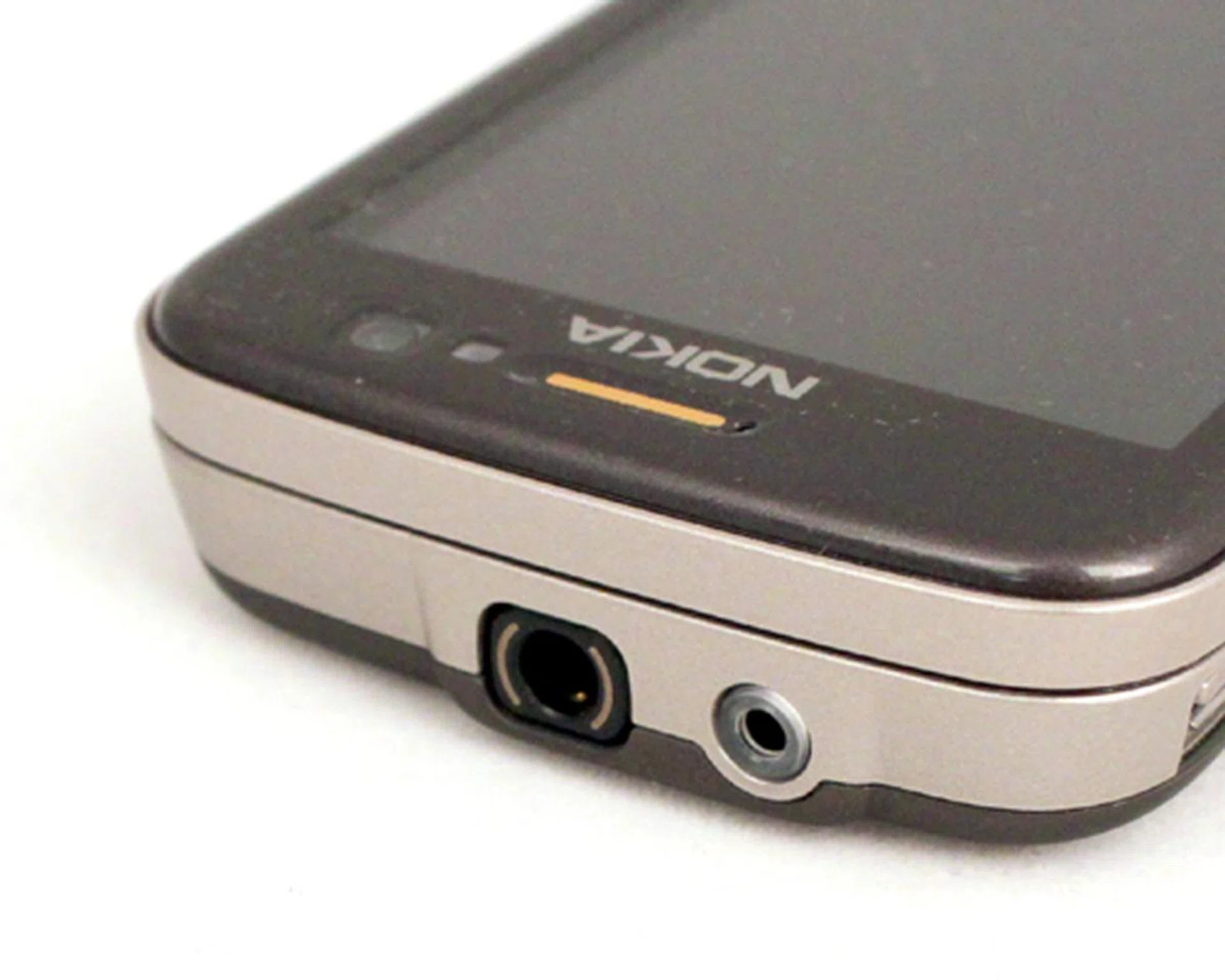
Another light indicator is apparent when you're charging the device via a power adapter. During the charging phase, the port will blink constantly, and ceases to do so when the battery is fully charged.
The volume and camera buttons are adequately raised for one to locate it without relying on sight. However, the buttons felt a little too stiff for our liking. Thankfully, this isn't the case with its directional pad and accompanying keys at the side. Once we slid the display upwards, we noticed another common grouse - the lack of space for the three buttons on the top row.
Aside from that, we did find the numeric keypad to be reasonably comfortable on the fingers. However some of our colleagues who gave it a try felt that it gets kind of stiff after prolonged use even a sore thumb at times. So button comfort is a mixed bag on the whole and it's best that you give it a try at any retail outlet. Suffice to say this is only a problem for heavy SMS users, but others might find it reasonable.
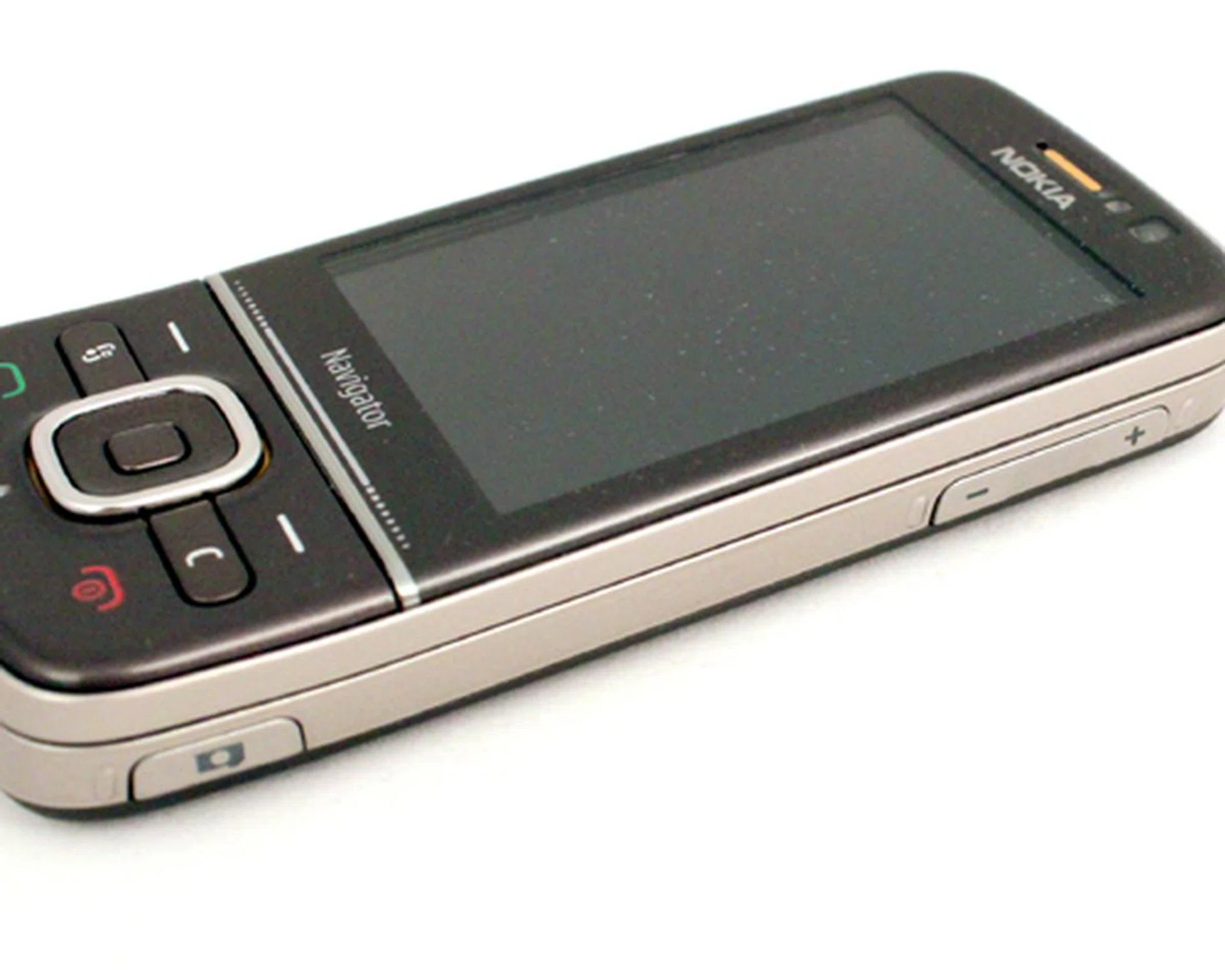
The volume and camera buttons are easy to locate, but does require an adequate amount of pressure for usage.
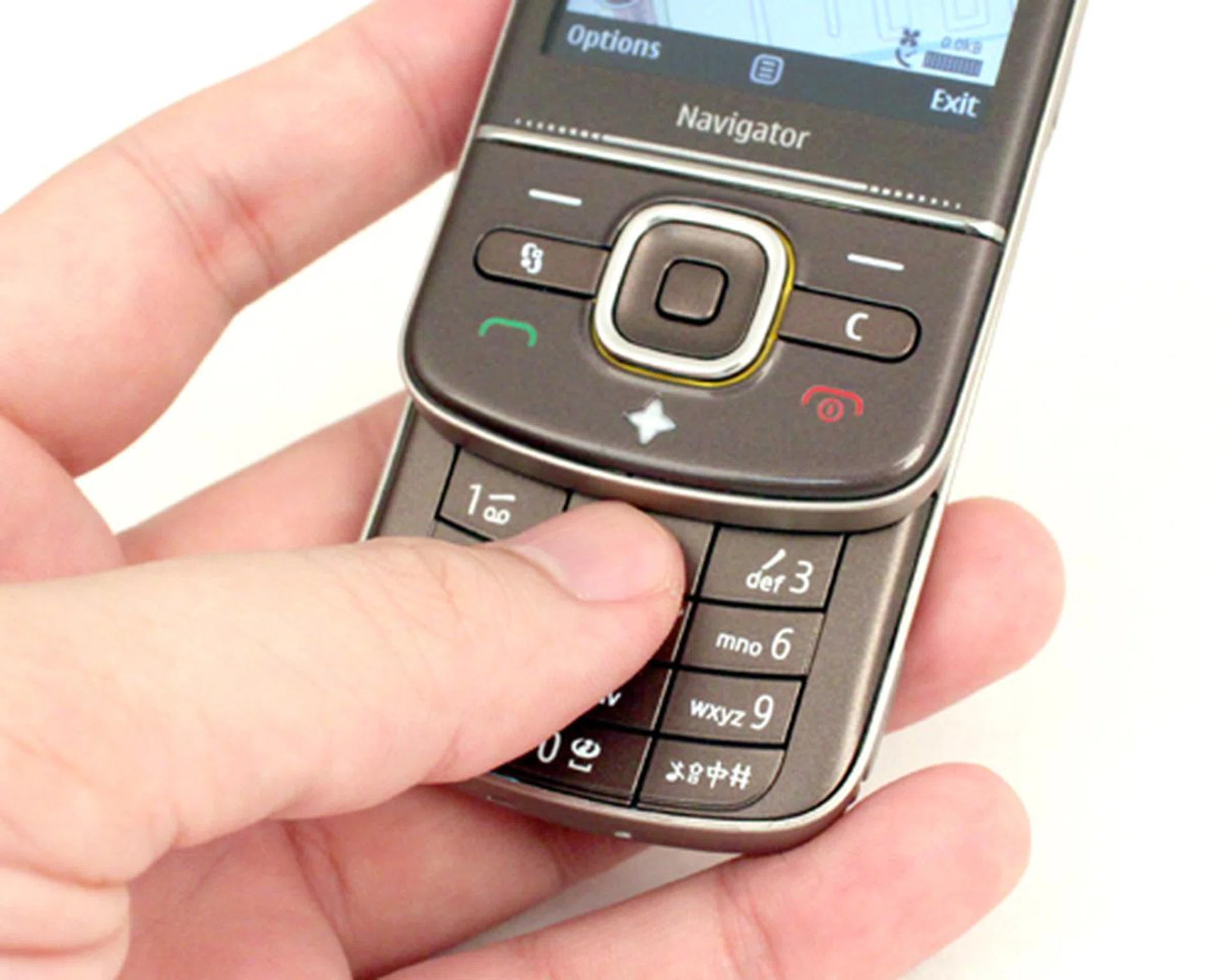
As always, we've lamented the lack of space for our fingers to work the top three keypad buttons. Thankfully, that didn't stop us from getting our test message out at above average speeds.
Maps for Treasure Hunting
For this review, we'll focus the bulk of our attention on the one single application that makes this a Navigator device - Nokia Maps. Now in its third iteration, Nokia Maps 3.0, also known as Ovi Maps under its Ovi umbrella, comes with a whole truck load of features that'll knock your socks off. In the next couple of minutes, we'll highlight some of the more practical new features in this version.
First off, we'll touch upon a more obvious feature that's hardware-based. Right below the display is a touch sensitive panel which is actually the zooming bar. Within Ovi Maps, we were amazed at the speed and sensitivity of its zoom functionality when we slid our fingers on the zoom bar. This is an extremely handy and underrated function as zooming in and out of maps is almost a requirement on any screen; plus it works effortlessly and promptly without any lag that's typically a trait on other devices or even its predecessor. This isn't limited to just the Maps feature, and applies to the web browser too. However, we noticed that zooming on the web browser isn't as smooth as what we've seen on the Maps. Perhaps something that new firmware would iron this kink?

Found only on the 6710 Navigator is the touch sensitive zoom bar that's usable on the maps and web browser within the device.
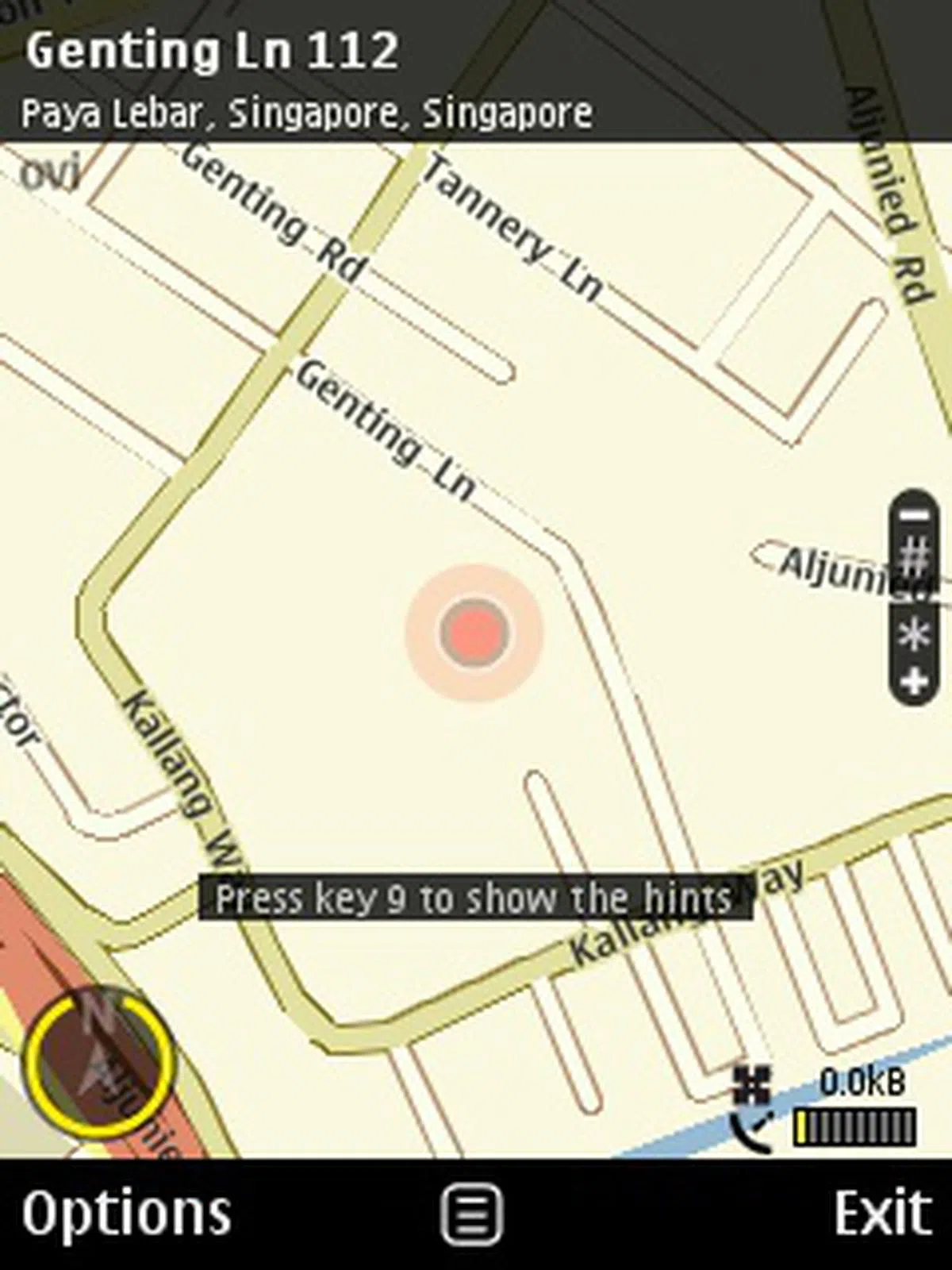
Aesthetically, there aren't many changes with the interface. As we started up Ovi Maps, what we saw is exactly what we've been seeing over the past few iterations. Similar to its earlier versions, you'll have the option of choosing your maps in 2D or 3D viewing mode. Going one level deeper, there's the normal Map, Satellite and a Terrain mode that highlights the actual ground level of the map. The latter would see some practical usage for hikers who depend on the 6710 Navigator as their primary GPS device.
The biggest aesthetic change is apparent with the inclusion of 3D landmarks on the maps. Visually speaking, it does add a nice touch to the whole user experience. For practical purposes, it does give the user a means of identifying landmarks of familiarity and help guide and find out unfamiliar spots too. However, during our time with the 6710 Navigator, we appreciated its simpler 2D view over the 3D maps. The reason? A more responsive and speedier interface to use, but the 3D option is just an option away if you need a more visual cue. Note that 3D landmarks won't appear in navigation mode. And you won't really need it since you are being provided with directions.
 | 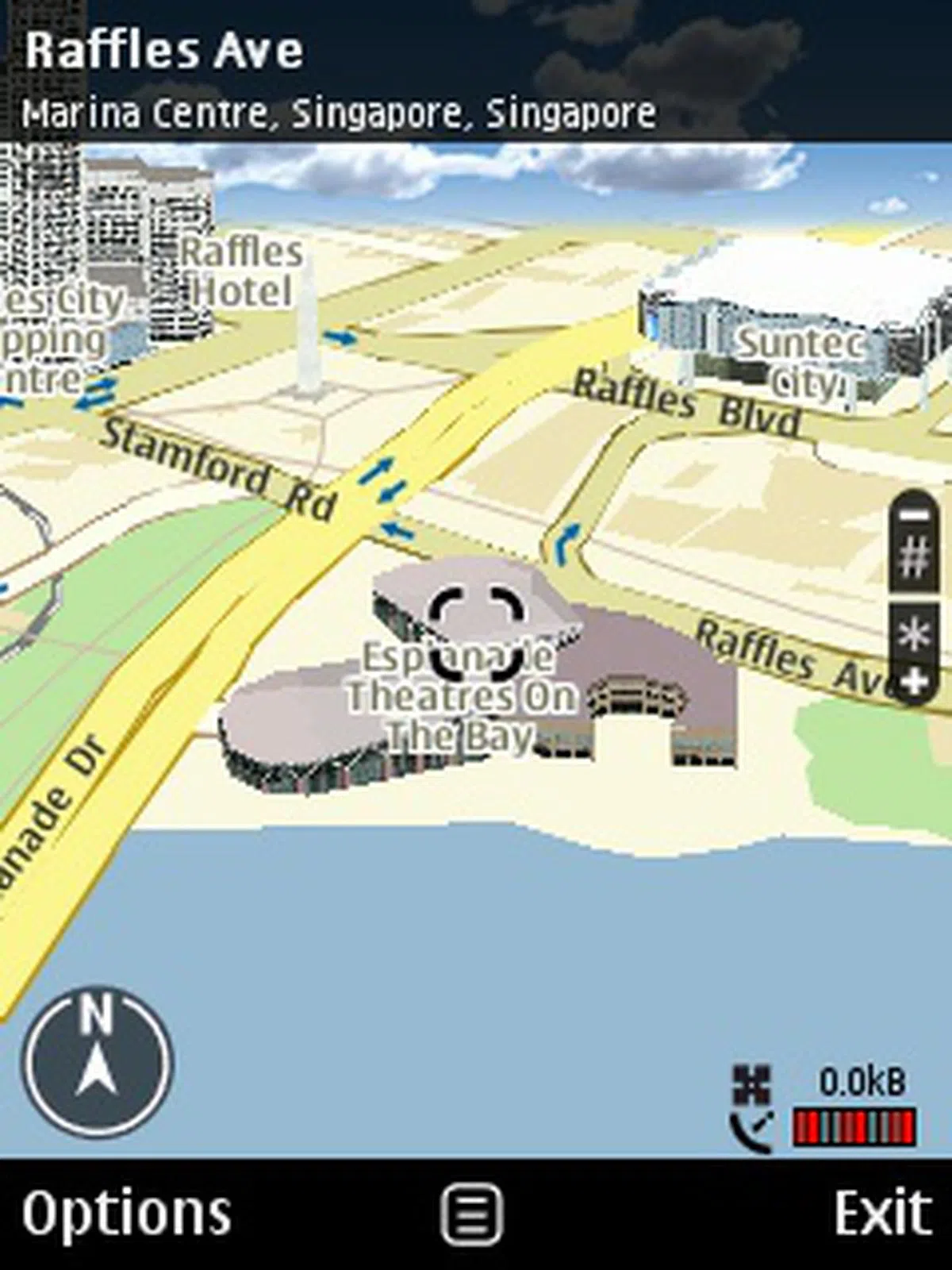 |
Some of the more prominent changes are mostly invisible. The reason why we've been calling it Ovi Maps is due to its ties with Nokia's Ovi portal. The latest Maps 3.0 software will allow the Navigator to remotely synchronize with the online Ovi Maps portal. By doing so, you can pre-plan your journey on Ovi Maps easily via your PC. To do so, the first step is to create your own Ovi account on the website. For those who aren't familiar with an Ovi account, take note that this same account is usable for the other Ovi services. This includes the Nokia Music Store, Nokia Ovi Store, Files on Ovi and Ovi Mail. But let's not digress, and stay focused on Ovi Maps.
Essentially, you can search for your desired destination and starting point, and request for a routing to be done online via Ovi Maps using your PC. Once that's done, all you need to do is to save the route as a Favorite. All that's required of you is to access the Synchronization function on the 6710 Navigator, and voila, the map and route plan is saved on the mobile device.
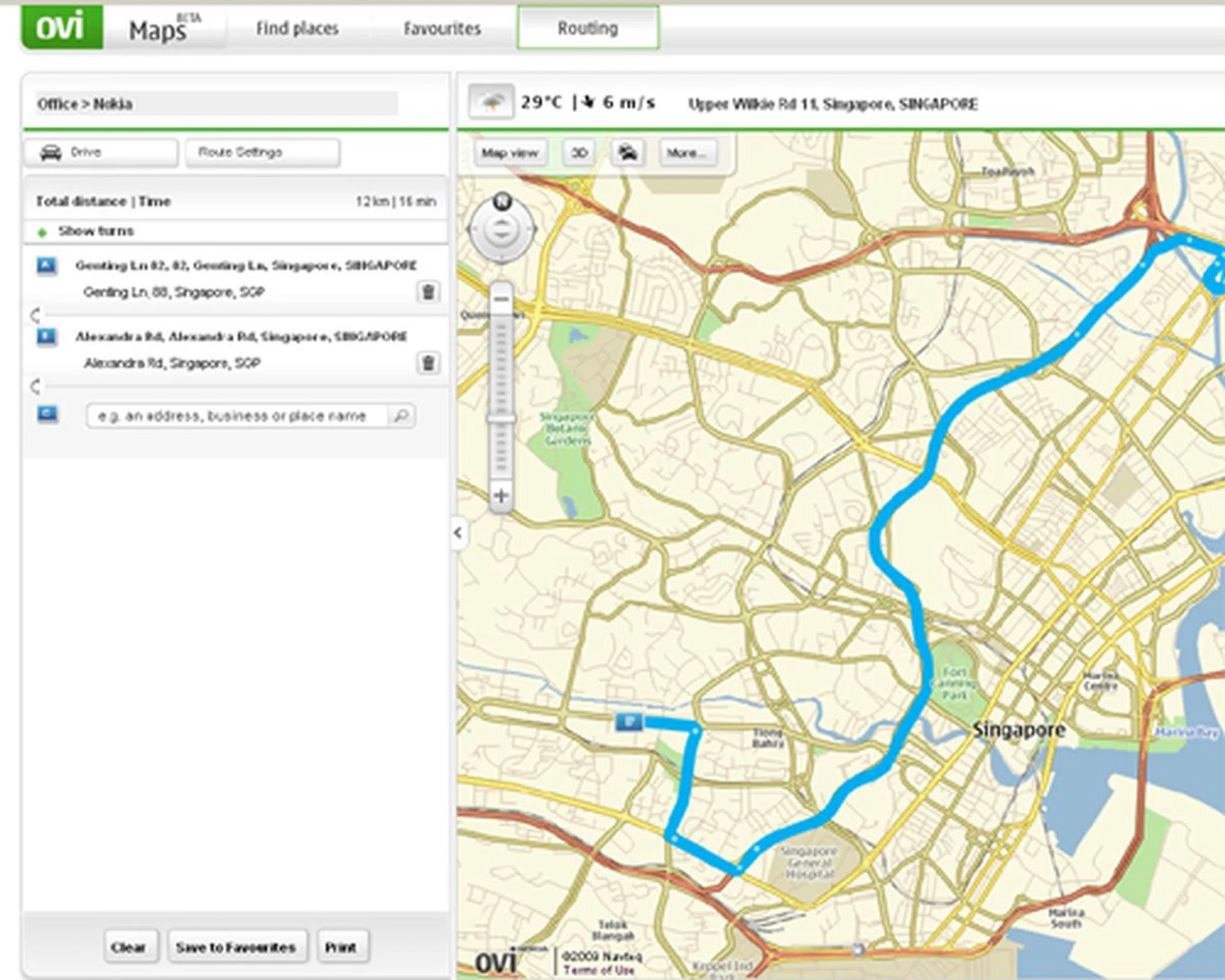
The whole idea of routing on the Ovi Maps site is to provide a seamless integration between the Ovi portal and any Nokia devices capable of supporting the latest Nokia Maps 3.0.
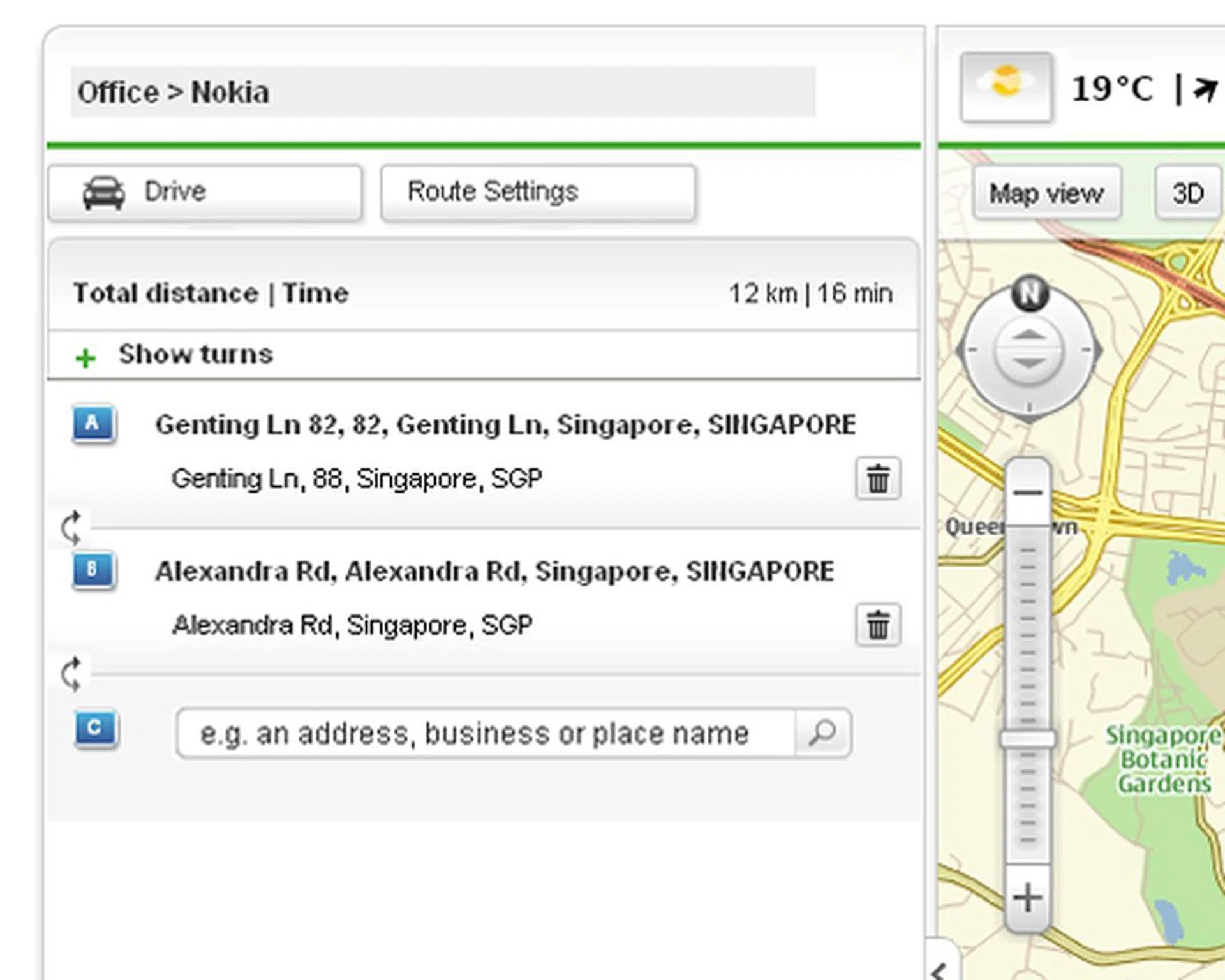
Basically, whatever you've saved as a route on the Ovi Maps site...
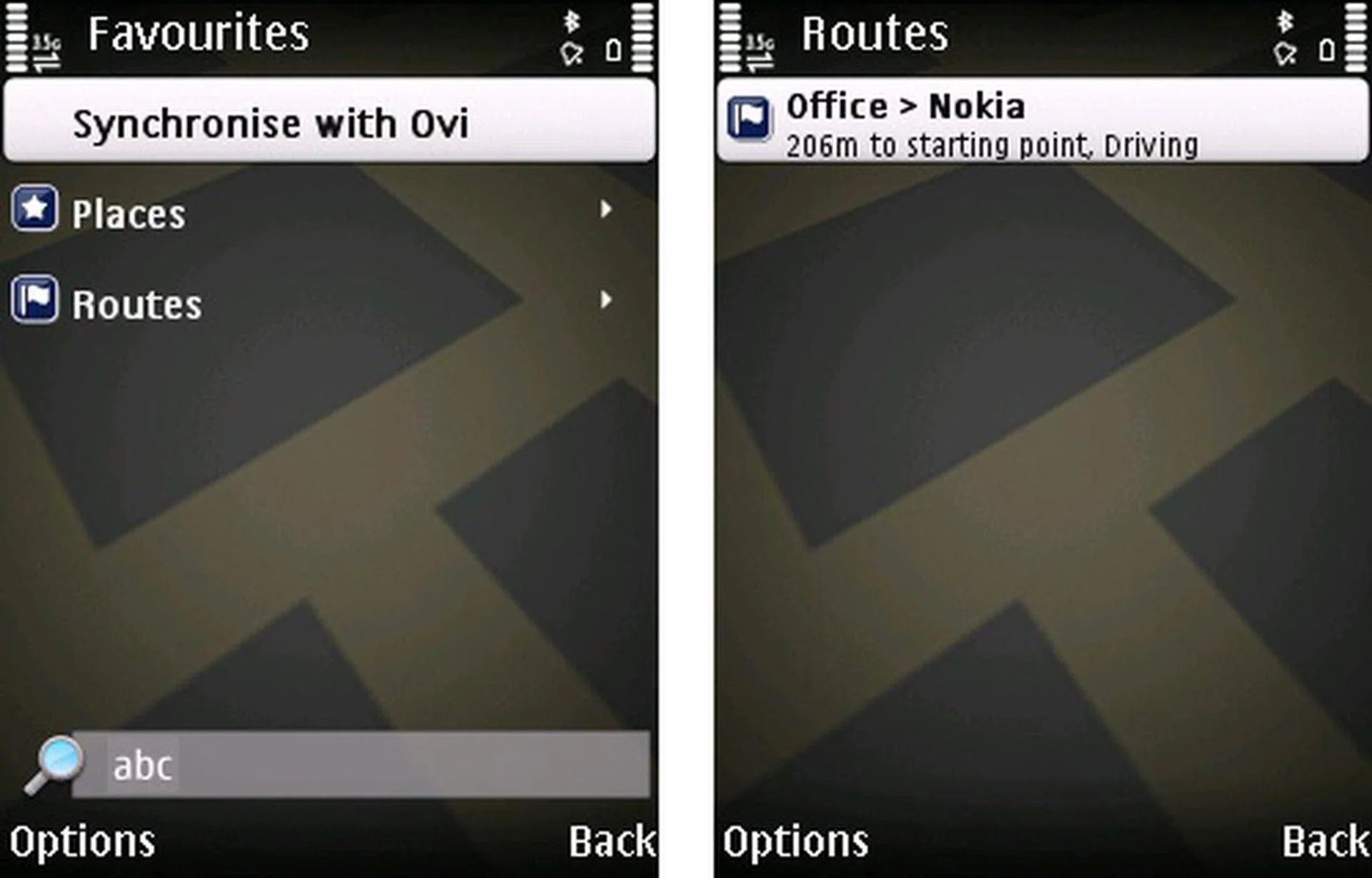
...can be synchronized onto your Nokia device. This synchronization works two-ways, so herein lies the seamless integration between the device and the Ovi portal.
With its Ovi services in full swing, we've seen how the recent Nokia devices have revolved themselves around these services. This includes the Nokia 5800 XpressMusic that's tied to the Nokia Music Store with the unlimited Comes with Music download service. For the Nokia E75 and possible future E-series devices, you'll get a lifetime license for the Nokia push email service, Nokia Messaging.
Maps have always been provided as a free download for consumers. The only feature that requires payment is the voice navigation licenses. Likewise, the Navigator series will come with a unique selling point tied to its map service - a lifetime voice navigation license tied to the country of your purchase. This actually makes the 6710 Navigator a full-fledged GPS device with the necessary voice guidance to go with the maps. So while many other of Nokia's latest devices can support Nokia Maps as long as they have a built-in GPS chip, only the Navigator series have these extra perks and features.
And we saved the best for last. The routing system has been given another boost in the form of real time traffic information that's incorporated into Ovi Maps. Its name is a clear indication of its function - an information system that captures the latest traffic status on the roads and feeding it back to the user. This system does have its usefulness. For one, drivers will be able to have a better estimation of their driving time when traffic congestions are reported. Secondly, this allows the road-savvy drivers to skip such traffic jams and travel the less known, and less congested routes.
The real time traffic info integrates itself into the routing system, which prompts you for a possible detour to avoid the reported traffic congestion. This could be useful were it to provide an actual detour - and that, it didn't. Problem is as Nokia mentioned and we found out first-hand is that the service isn't able to factor in minor roads as part of the detour, which in many cases is required in real situations. Hence, you might do better to keep yourself well-informed about the roads ahead, and rely on the navigation system only if you truly feel lost.
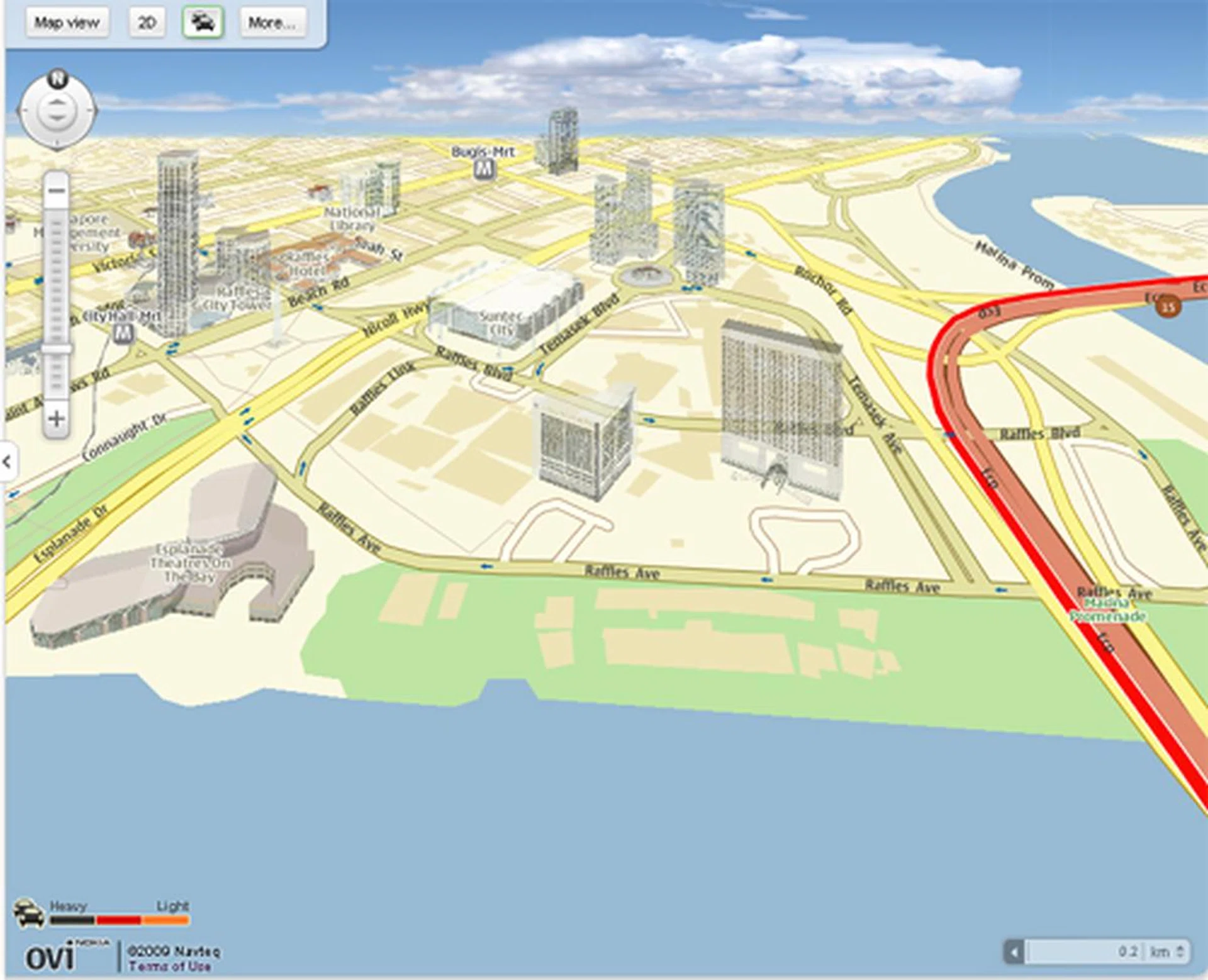
What you see on your mobile device, is what you'll get on the Ovi Maps website. This includes all the 3D landmarks and any traffic congestion as reported by the real time traffic info.
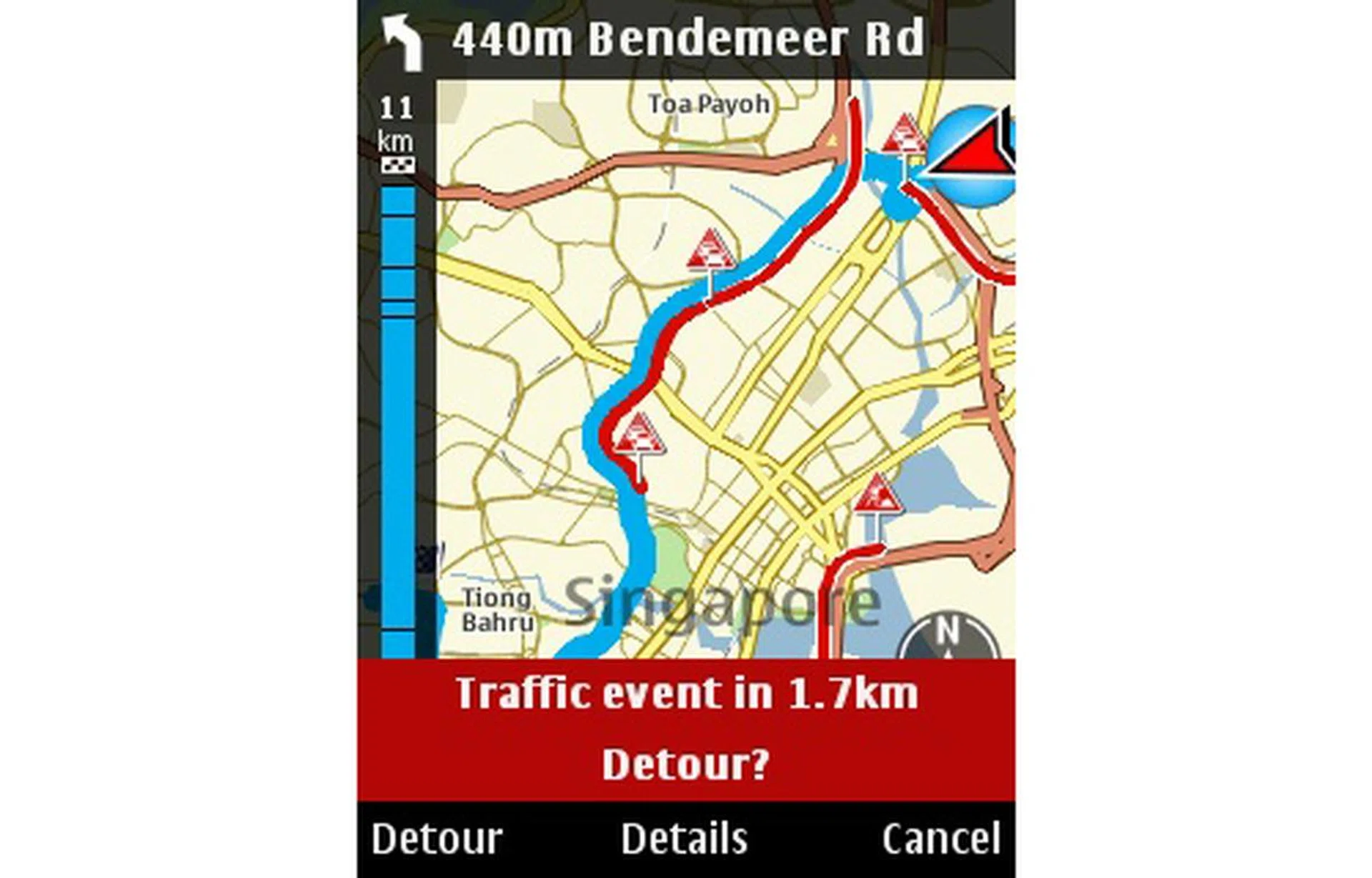
And as we've mentioned, the live traffic update is part of the routing algorithm, providing detour warnings and alternatives for areas with heavy traffic. As tested, detours aren't exactly provided even after you selected yes to detour, but it does help somewhat in route planning and travel time estimation.
Lock and Loaded
We've seen how the 6710 Navigator is packed to the brim with mapping features. But remember, it is still a mobile device at heart. As usual, we'll evaluate it on the whole, from its speed (user interface and GPS), multimedia performance to its mobility stamina and portability index.
Overall, the 6710 Navigator's user interface was pretty fast and snappy. Navigating through the menus didn't induce any slow downs. However, certain areas might experience a slight lag and become less responsive. One such example is the Gallery, which tended to slow down as it loaded the images and videos within. The Nokia Maps application is a different story altogether. As compared to its previous version, maps loaded much faster in its 2D mode. But take heed, any 3D landmarks that are loaded at the area you're located will see a distinctive drop in loading speeds. So you might want to keep the 3D mode only for spot visual identification only and stick to 2D mode for a smoother user experience.
Speaking of maps, we paid more attention to its GPS performance. On average, the 6710 Navigator took less than ten seconds to attain a satellite lock. This is quite a feat on its own, but it is also thanks to its A-GPS feature that helped obtain such a fast lock. While locking down your position quickly is admirable, it's only useful if you managed to lock it accurately. There were times when we found our actual position to be slightly off the mark on the map. This doesn't occur often, but it is still something to take note.
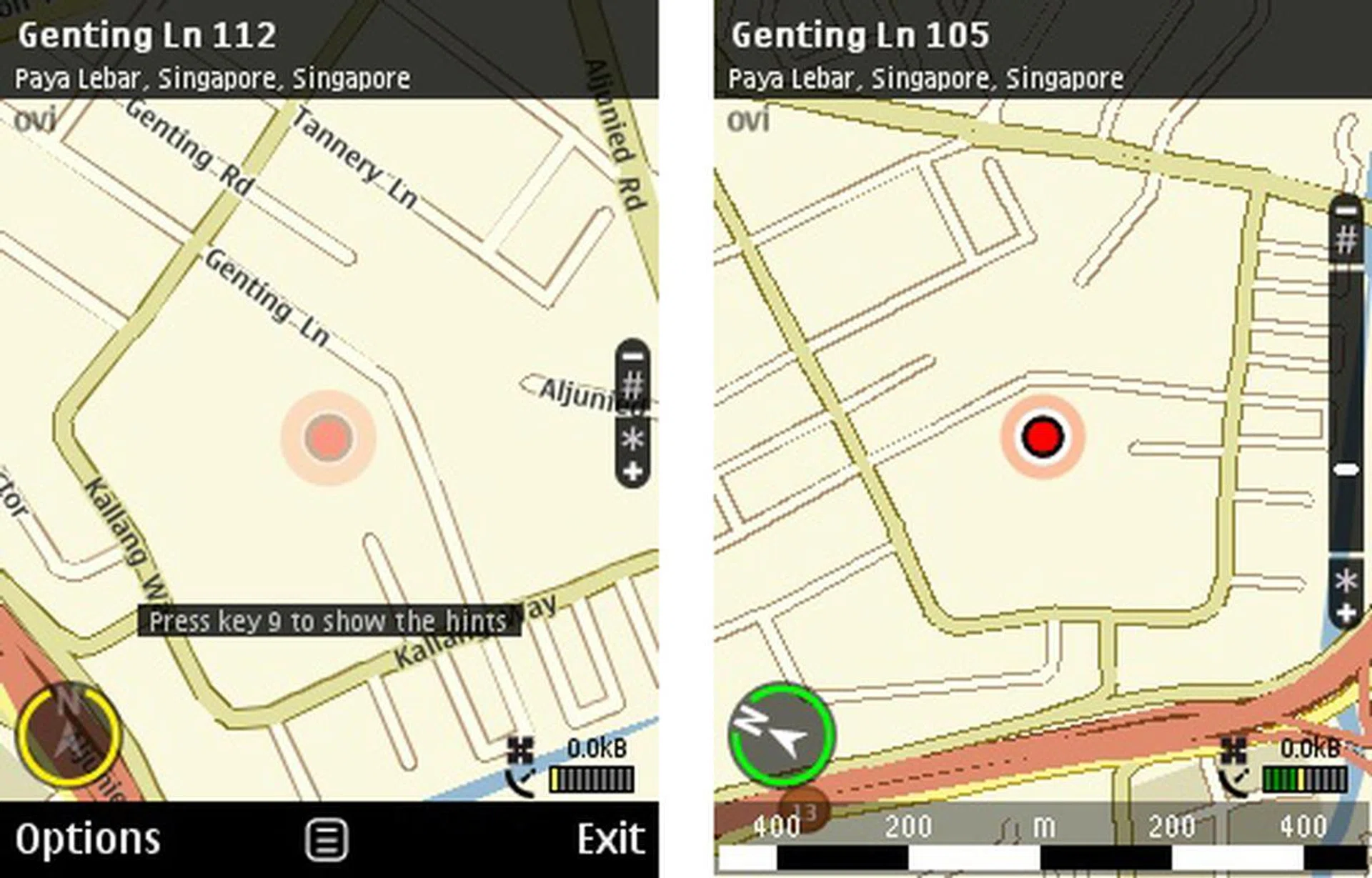
Satellite lock speeds were impressive, netting no more than ten seconds on average. We did notice that our positions are sometimes misreported, but it was rectified shortly.
Multimedia-wise, the device performs just like any other average device capable of music playback. Its 3.5mm audio jack allowed us to plug our own set of cans and listen to a variety of tracks on the move. Don't place too much hopes on its audio delivery which sometimes sounded flat on the high and mid tones. Movie viewing on the small 2.6-inch screen on the 6710 Navigator could be questionable in practicality. But on performance aspects, the device handled itself well and showed no lag in our test movie running at 24fps. Frame drops were almost non-existent, except for some exceptionally fast scenes.
As with most successors, the 6710 Navigator was given a few hardware updates as well. One of these is the 5-megapixel camera sensor instead of the 3.2-megapixel sensor on its predecessor. As expected, geotagging is available on the device, and as we've mentioned, satellite lock was achieved in record time. In essence, this would also make geotagging much smoother for the user. There is a slight issue with its imaging quality, or in this case, the lack of it. With the camera on auto mode, noise levels were high and images had a washed out feel. Details weren't as prominent when we took a closer look , lacking sharpness along the edges with a greenish hue, which is the mark for artifacts in the image.
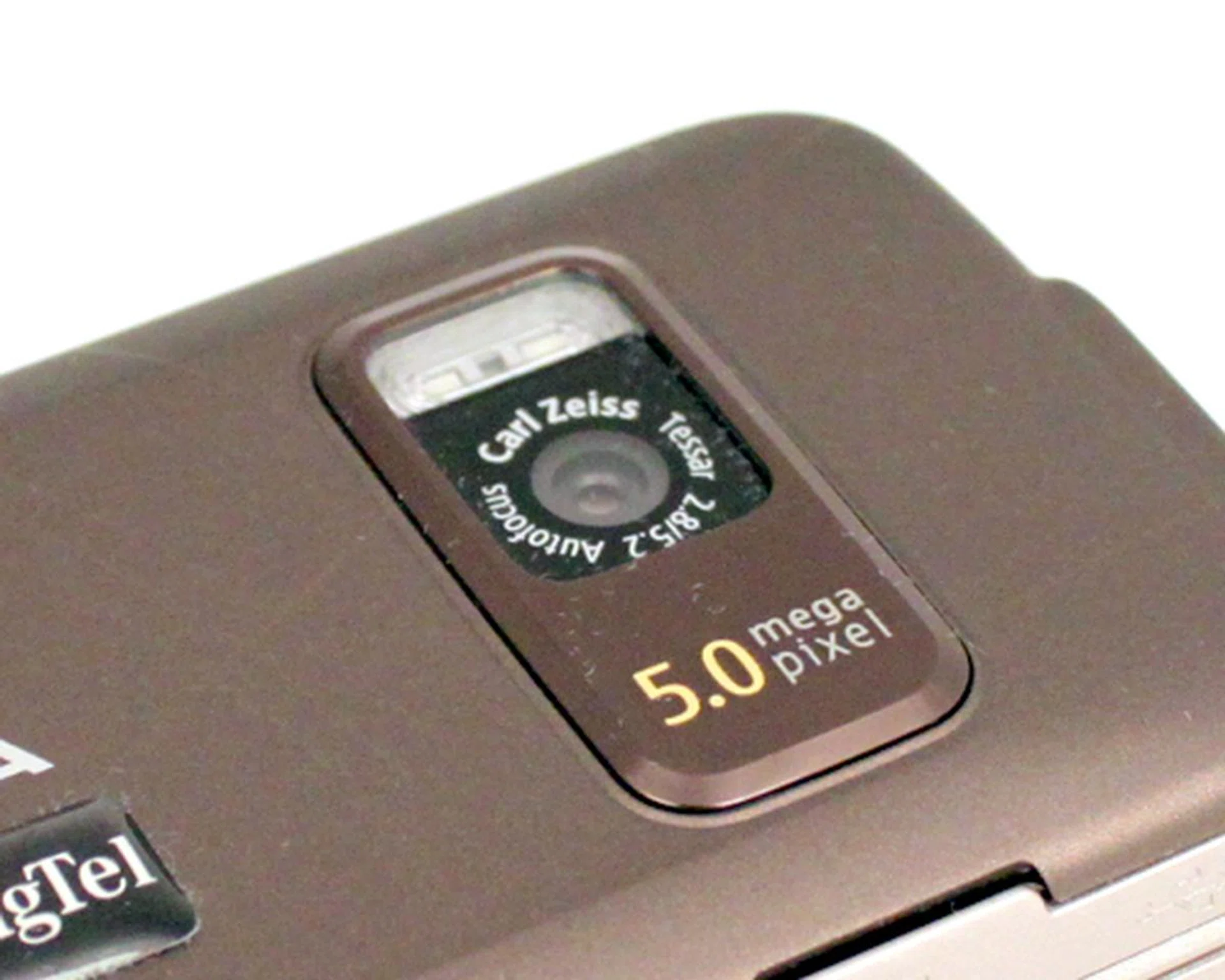
Bumped up from the previous 3.2-megapixel count, the 6710 Navigator's new 5-megapixel camera should theoretically provide better quality images.
 |  |
The 6710 Navigator comes with a 950mAh battery. Will this be able to keep the device juiced up throughout our journey? Once again, we push it to the limits with the standard battery test. Similar conditions such as an activate Wi-Fi and Bluetooth connection in addition to 100% audio volume and screen brightness were used when we looped our 240 x 320 resolution, 24fps video.
Specifications/Device | Nokia 6710 Navigator | HTC Hero | Sony Ericsson Walkman W995 |
Connectivity |
|
|
|
Dimensions |
|
|
|
Weight |
|
|
|
Screen size |
|
|
|
Battery |
|
|
|
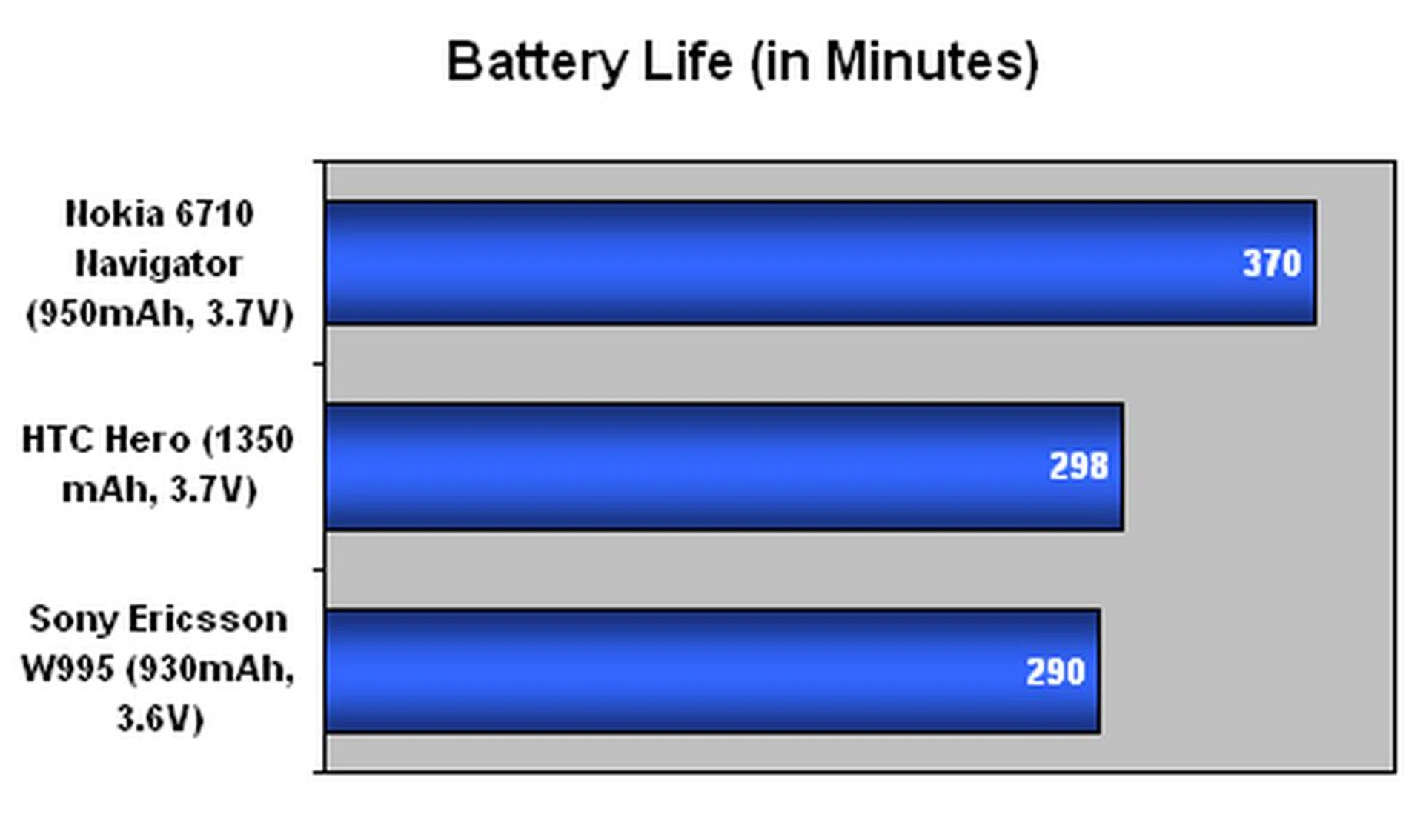
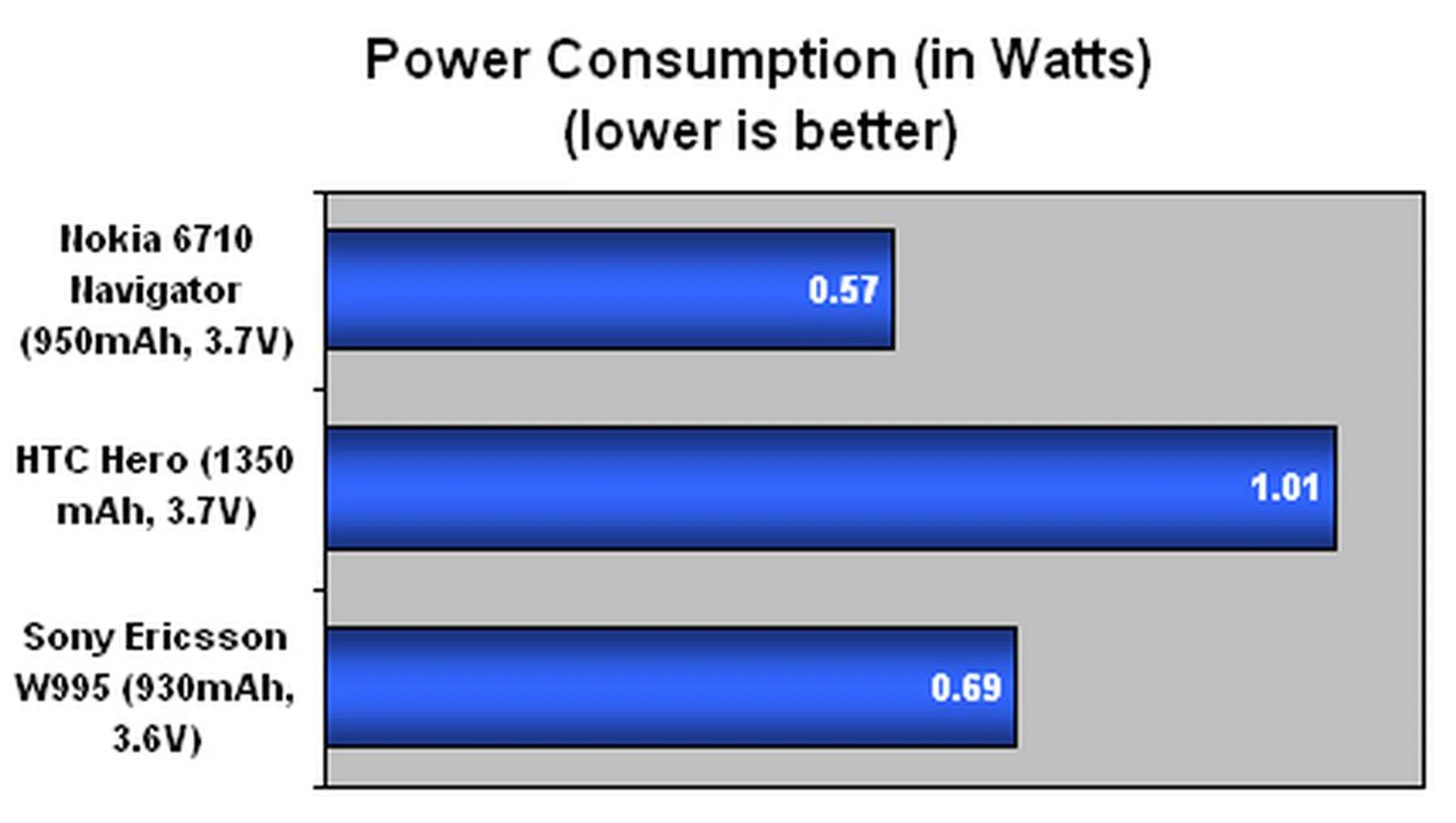

Surprised at the result? We aren't. Consider the following facts: the 6710 Navigator has a modest screen size at 2.6-inches. With less real estate to light up (and lower resolution at 240 x 320 pixels), this also translates to less power required over time. Compare this with the Sony Ericsson Walkman W995 and its similar specifications. The added capacity on the 6710 Navigator along with its more frugal power consumption helps gave it more an extra hour's worth of mileage. While you might not get the same level of interactivity and features as the HTC Hero, do note that the 6710 Navigator is truly compact in nature. Though it does rank slightly higher in the volume department than the Sony Ericsson W995, it has a better power efficiency and thus comes off as a more portable device for its given mileage.
Our daily usage pattern with the 6710 Navigator includes the usual text messaging and cellular calls. Web browsing is also part of the deal, and couple this with GPS usage and multimedia playback, we pushed the device slightly beyond 2 days worth of usage. It's apparent that Nokia has managed to optimize its recent non-touchscreen Symbian devices. This is a stark difference from its other recent devices using the latest Symbian version 5.0 OS such as the Nokia N97 which has an awful battery uptime.
The Finishing Line
By itself, the 6710 Navigator is similar to most other devices. It has the bells and whistles that come with it that make it worth your attention. Free maps of any countries with Ovi Maps? That's one brownie point. Lifetime navigation license for the place of purchase? Make that two. Integrated real time traffic info that's practical and allows you to estimate your journeys properly and avoid possible traffic congestion. Score one more for this Navigator.
There are some downsides which doesn't give the device a rosy outlook. As pleasing as the 3D landmarks look on the maps, it does slow down when there's a substantial amount of it to load. It does help when you are in unfamiliar territory and the represented landmark does give you a clear identification point for you to refer to. The real time traffic info has the ability to integrate itself within the routing, but sadly it didn't manage to give an effective detour for reported traffic jams in our usage.
But the features aren't limited to just the device. Besides the new and improved Ovi Maps on the device, one has to consider its online Ovi Maps website. Nokia has taken a huge step in such online services, and is finally ready to showcase the culmination of its efforts with the Ovi portal. The 6710 Navigator might have its focus on the mapping aspect, but make no mistake that you can also enjoy the full suite of services, from the Nokia Music Store to the recently launched Nokia Ovi Store.
As a mobile device with navigation as its main selling point, the 6710 Navigator achieved its primary aim. But be mindful that this device isn't exactly the most well-rounded smartphone
on the market. Though strong in its navigational prowess, the 6710 Navigator does find itself on the shorter end of the stick with its imaging capability. And although one might not appreciate the modest 2.6-inch screen for web browsing and movie viewing, it does have its advantage. This is reflected in its strong battery life from our extended time spent with the unit.
The Nokia 6710 Navigator has proven itself worthy of its name. In fact, one might utilize it more for its navigation than its actual cellular features. While dedicated GPS devices from the likes of Garmin or Holux could cost you up to the S$300 range or more, the Nokia 6710 Navigator, at its highest price point, is only S$348. Yes, it's tagged with a varying price range from $0 to $348. That's because this will be available exclusively to SingTel customers who sign up for a 2-year plan. All things considered, the 6710 Navigator is a compact navigation oriented smartphone that excels in its primary tasks and has a reasonable price point. Sounds like Nokia finally got the right mix on this Navigator device and is worthy of its identity. Now if only if it had better multimedia and imaging capabilities, it could have been a good all-rounder.
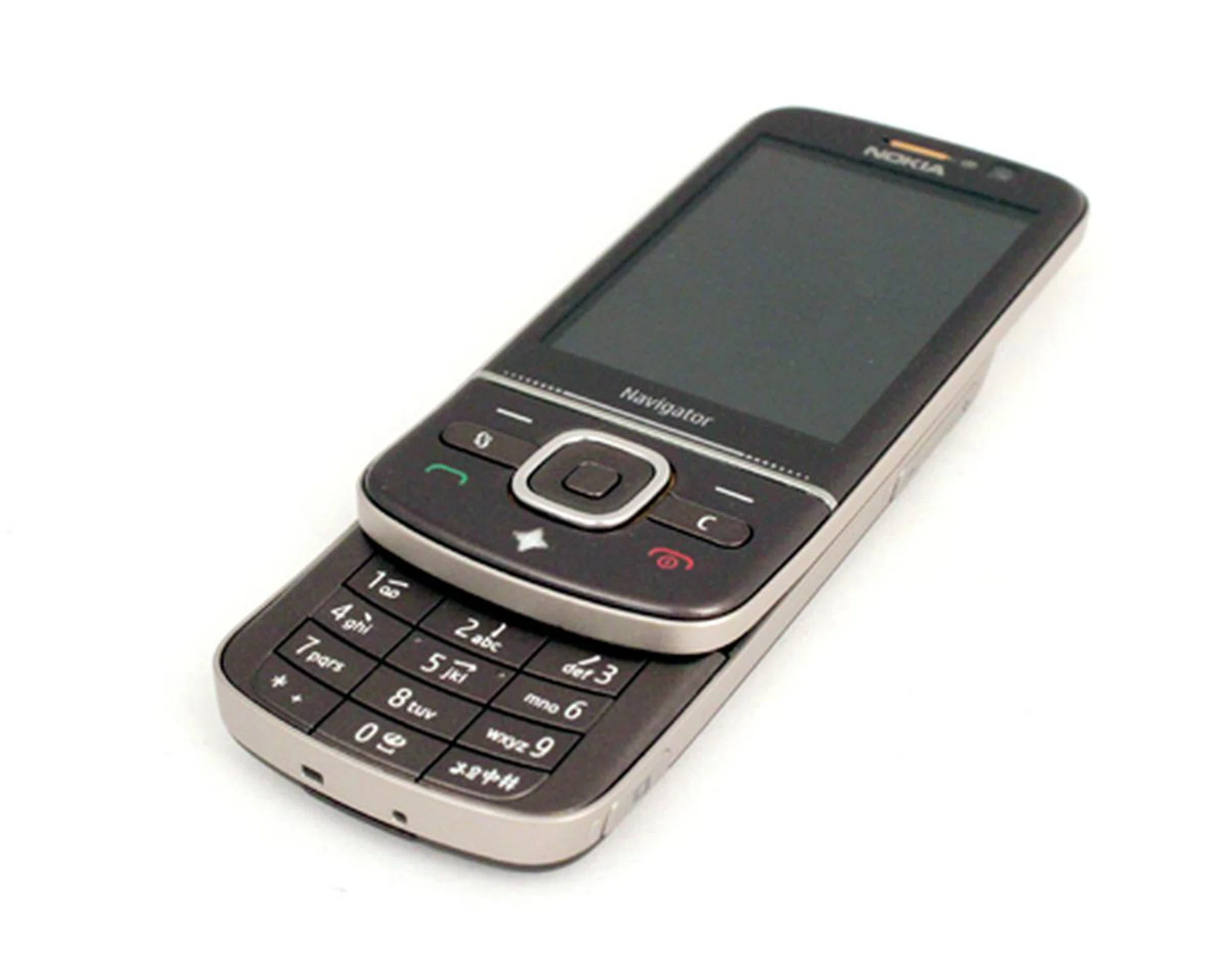
While there are a myriad of devices that comes with GPS capabilities, it's hard to find one that's truly dedicated to its navigational features. The Nokia 6710 Navigator will have little trouble providing directions for those who are lost, and living up to its Navigator namesake.
Our articles may contain affiliate links. If you buy through these links, we may earn a small commission.