
Sony Vaio Fit 13A - Fit to Flip
The Sony Vaio Fit 13A is Sony's second convertible Ultrabook. In fact, Sony boasts the Fit 13A has the best of the older Vaio Duo 13 and Pro 13 laptops. Using the latest fourth generation Intel Core U-series processor, 8GB RAM and SSD storage, we check out this good looking convertible and if it can best its close competitors - including Sony's own stable of Ultrabooks.


Say what you want about Sony’s performance lately, but there’s one thing you just can’t say -- that they’re not trying. A few short months after revealing their flagship Ultrabooks, the Sony Vaio Duo 13 and the Sony Vaio Pro 13, Sony has yet again launched another Ultrabook at the tail-end of 2013, the 13.3-inch Sony Vaio Fit 13A that's targeted at users who’re looking for a notebook that offers the best of what the Duo 13 and Pro 13 have combined. Since the proposition is so interesting, we got one in for review.
Despite having a whole stable of high-performance Ultrabooks already on the shelf, the Fit 13A is in no way handicapped to avoid cannibalizing on Vaio Duo and Vaio Pro sales. It has all of the top-tier components commonly associated with Ultrabooks, like its speedy fourth generation Intel U-series processor and SSD.
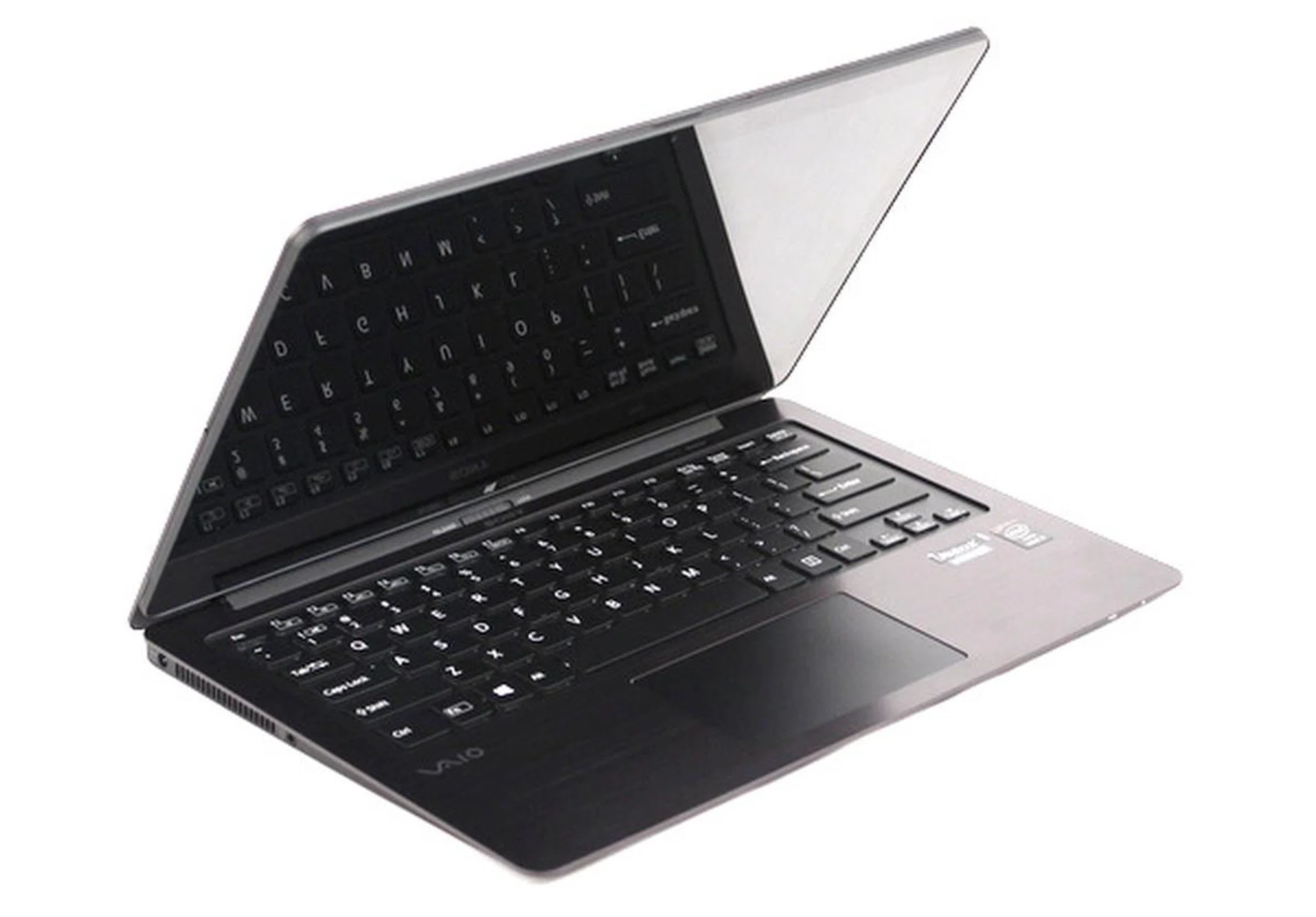
The Sony Vaio Fit 13A is Sony's second convertible 13-inch Ultrabook, and comes with a multi-touch display, and an N-Trig digitiser.
So then, where does the Fit 13A fit in Sony's Ultrabook lineup? Simply put, the Duo 13 (being a convertible notebook) has certain limitations (refer to our hands-on article), like a smaller keyboard and trackpad, while the Pro 13 (being designed as a light-weight Ultrabook) doesn’t have an option of using it as a tablet, nor does it come with a digitizer.
Hence the 1.31kg, 14.3mm slim (at its thinnest point) Vaio Fit 13A sits right in between the two machines in terms of functionality. It has a full sized trackpad and wrist rest area that the Duo 13 doesn’t have, and is able to convert into a tablet, a form factor that the Pro 13 doesn’t have.
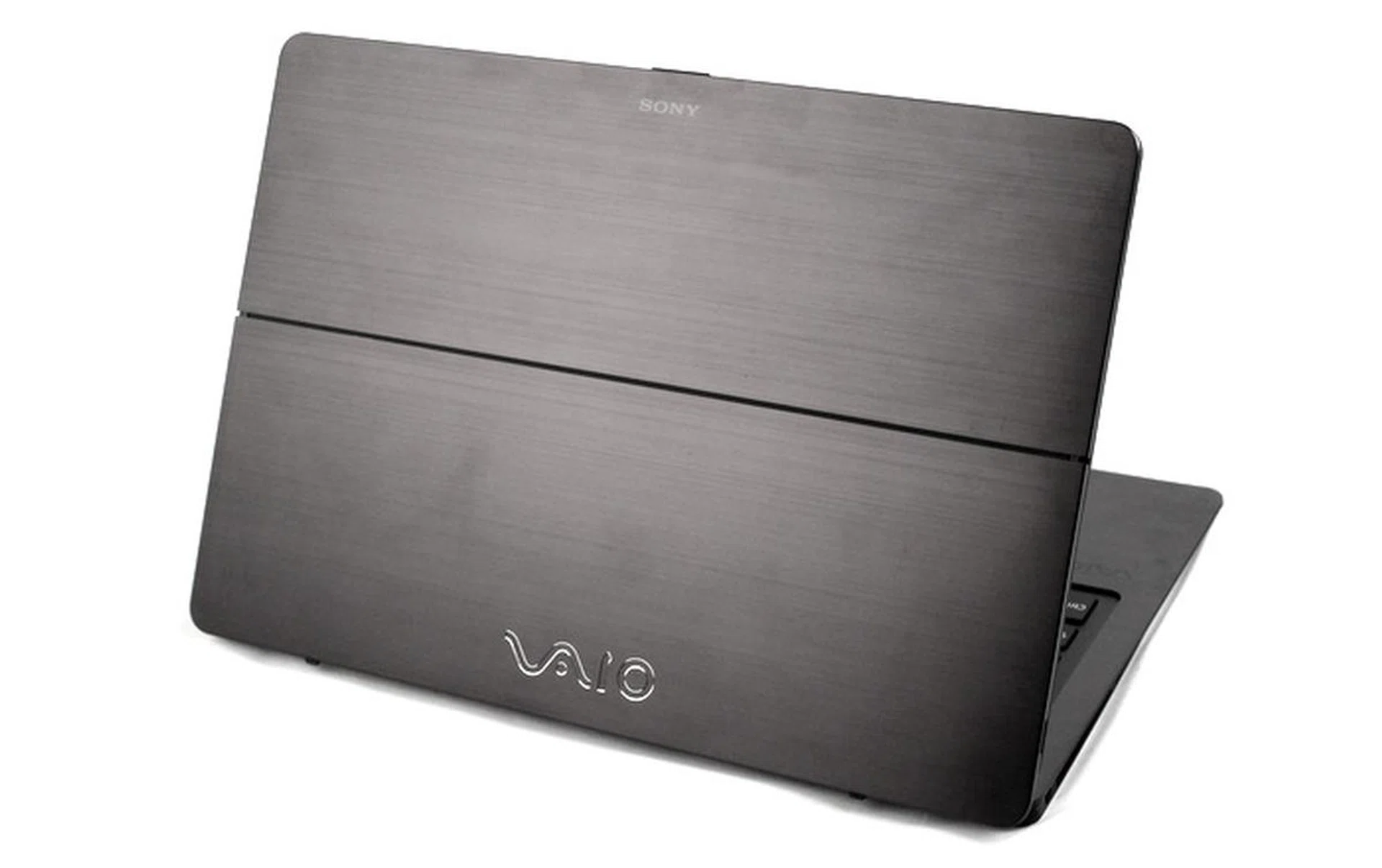
The solidly built hinge that sits midway behind the display, allows the machine to convert into a tablet, making transitions from tablet to notebook and back again, a worry-free experience.
The Fit 13A is able to convert into a tablet with the help of a unique hinge that sits in the middle of its display. Simply unlock the hinge, and flip the screen backwards, and it will stay securely in place thanks to strategically placed strong magnets. If you leave it as it is, you’ll have the Fit 13A in display mode, which is great for viewing content without having the keyboard in the way.
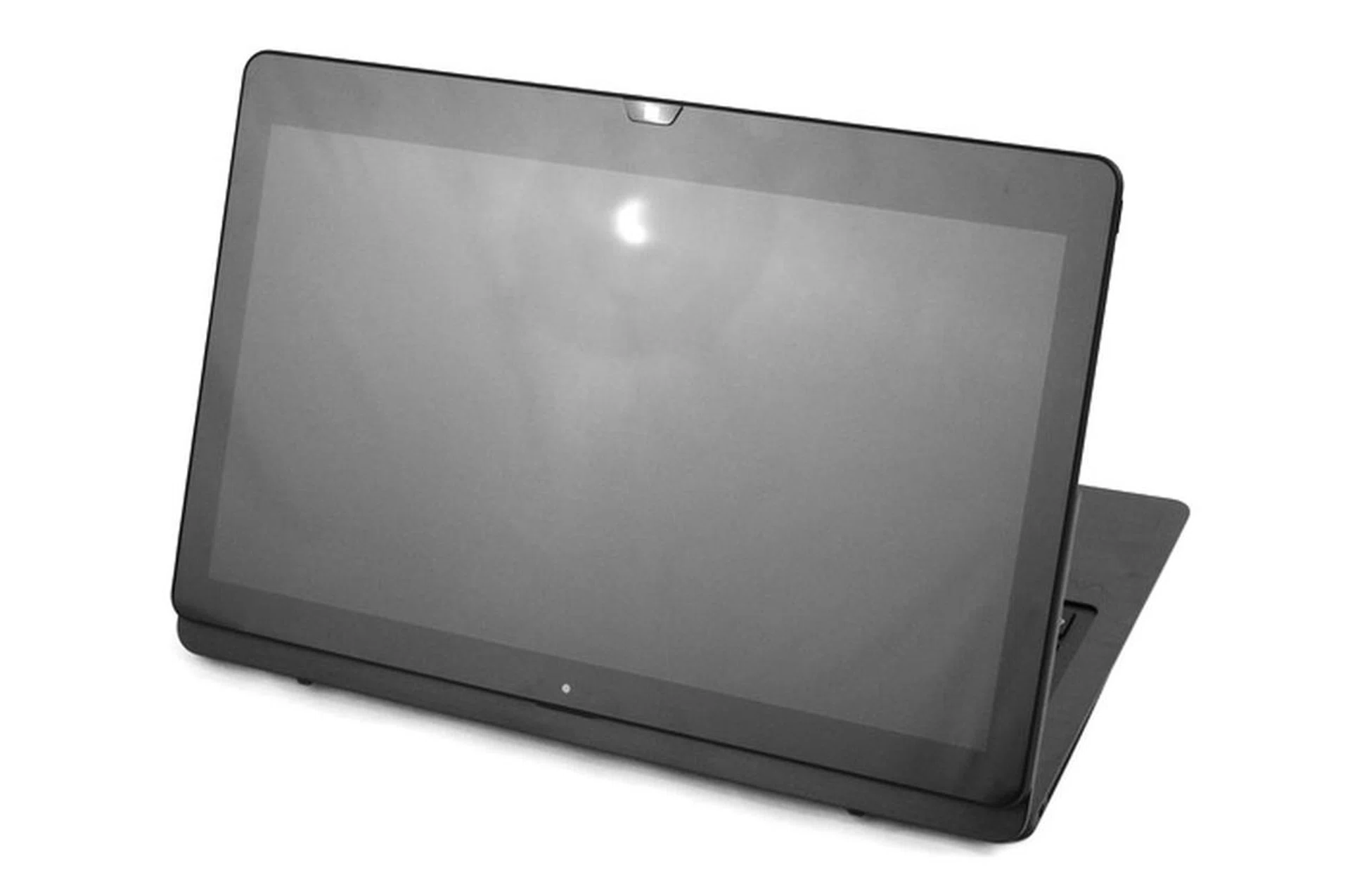
This is what you get when you first flip the screen back, known as the Stand or Display mode, where the keyboard is out of the way while you're watching videos or giving presentations.
Close the lid after flipping the display, and you’ll immediately have it in tablet mode. In this mode, users will be able to interact with the machine’s touch display with either their finger, or the included digitizer (powered by N-Trig technology) stylus.
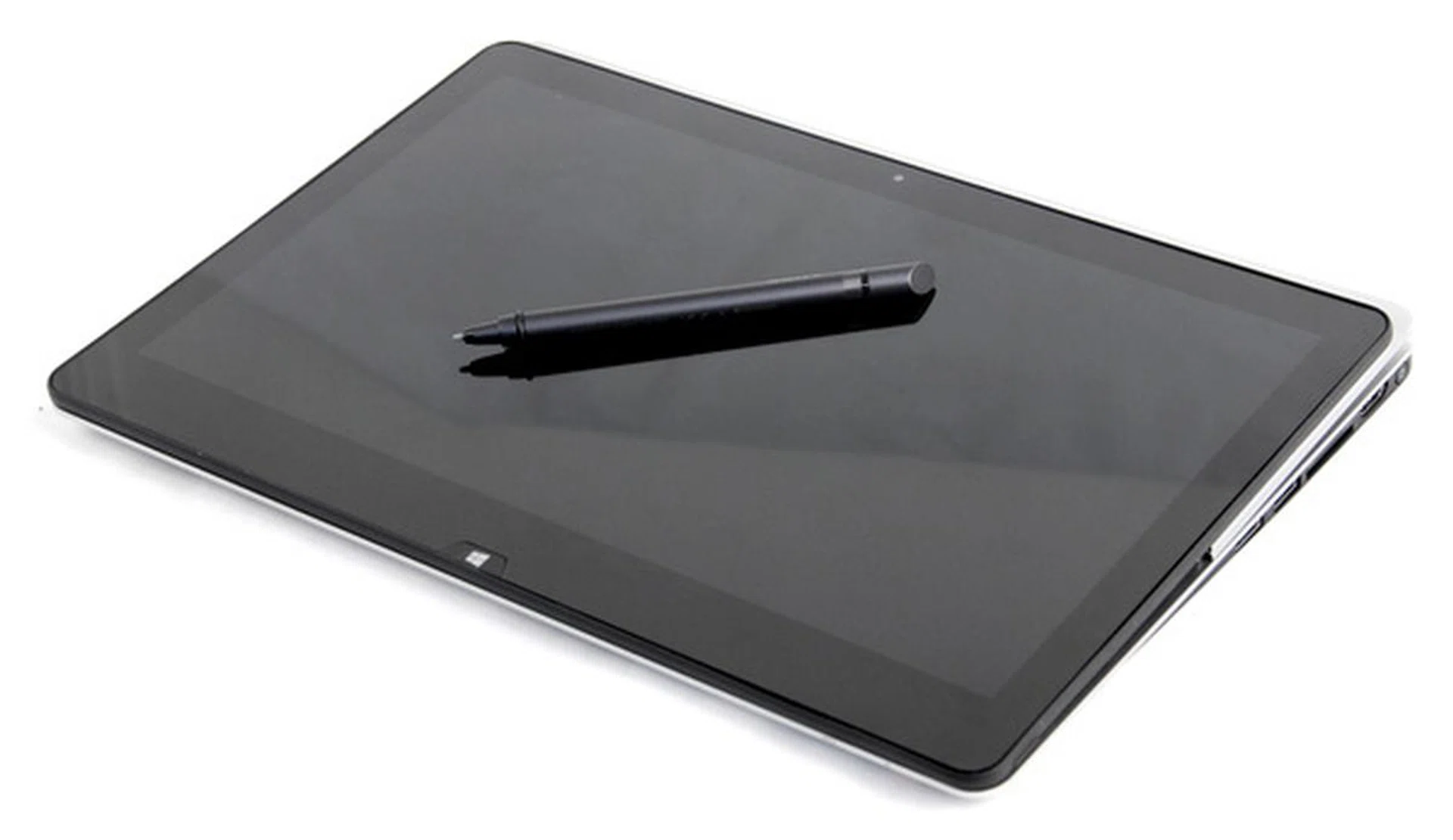
In tablet mode, users can interact with the Fit 13A using its multitouch display as well as its bundled digitizer (powered by N-Trig technology).

Since the Fit 13A notebook can transform into a tablet, it has certain design characteristics of a tablet, such as the external power button and volume rocker.
While this kind of versatility is present on many convertible Ultrabooks, the Fit 13A’s implementation is simple yet elegant. Conversion from notebook to tablet is smooth, without any elaborate mechanisms to get in the way, or present problems due to wear and tear. However, take note that the machine’s lid has to be fully open (90 degrees or more) before you attempt to flip the display, because the machine’s keyboard will be in the way.
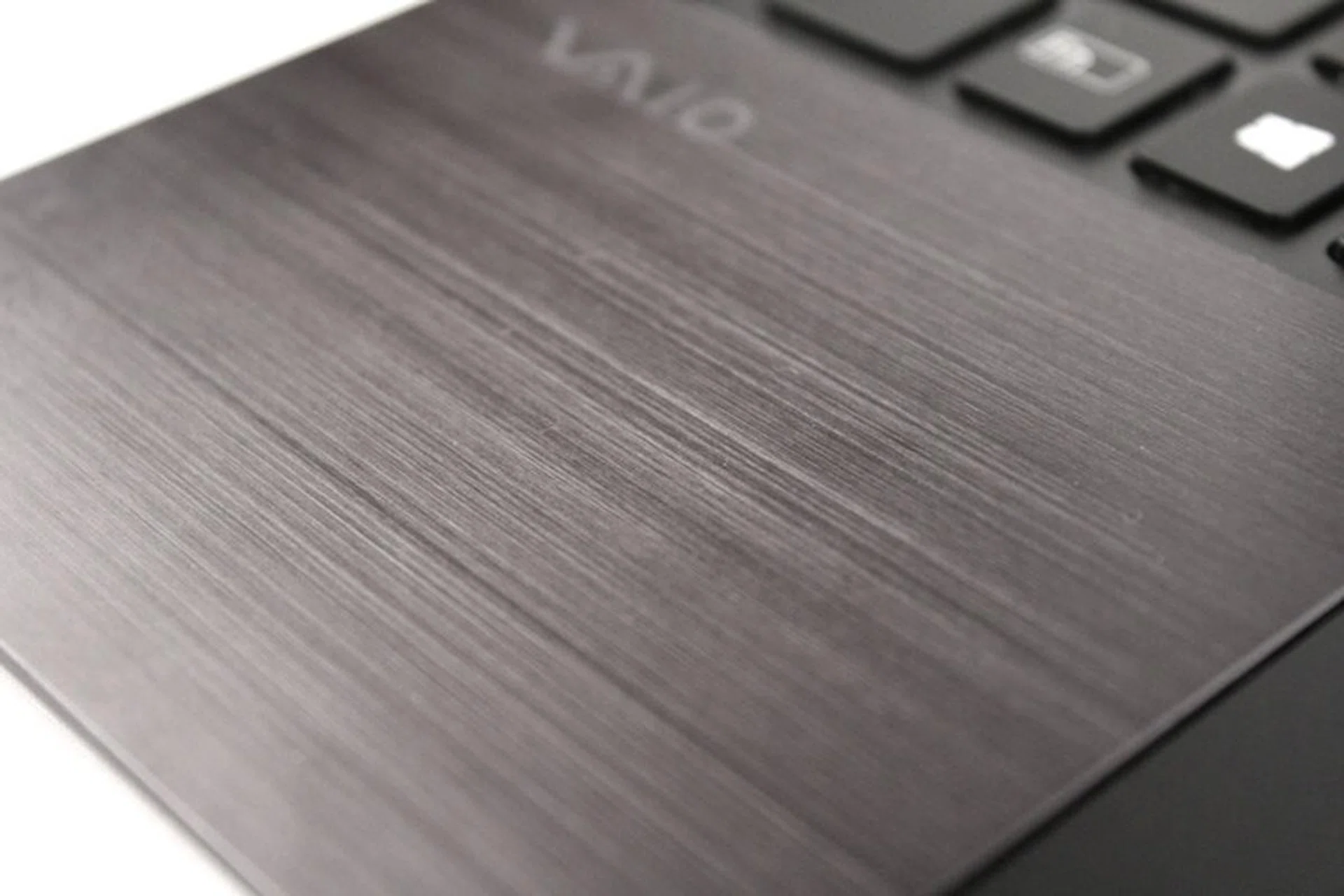
The hairline brushed aluminum on the palmrest and lid gives the Fit 13A a premium look and feel.
In terms of design, the Fit 13A deviates from the design philosophy applied to the Duo or Pro notebook models. Instead of simply plastic, or carbon fibre, Sony opted for brushed aluminum, which gives it the premium look that it deserves. Using aluminum, not only looks great, it’s also light and strengthens the whole machine. There is still plastic at the bottom of the machine, but it has a soft-touch coat that gives the user a better grip when holding the Fit 13A in tablet mode.
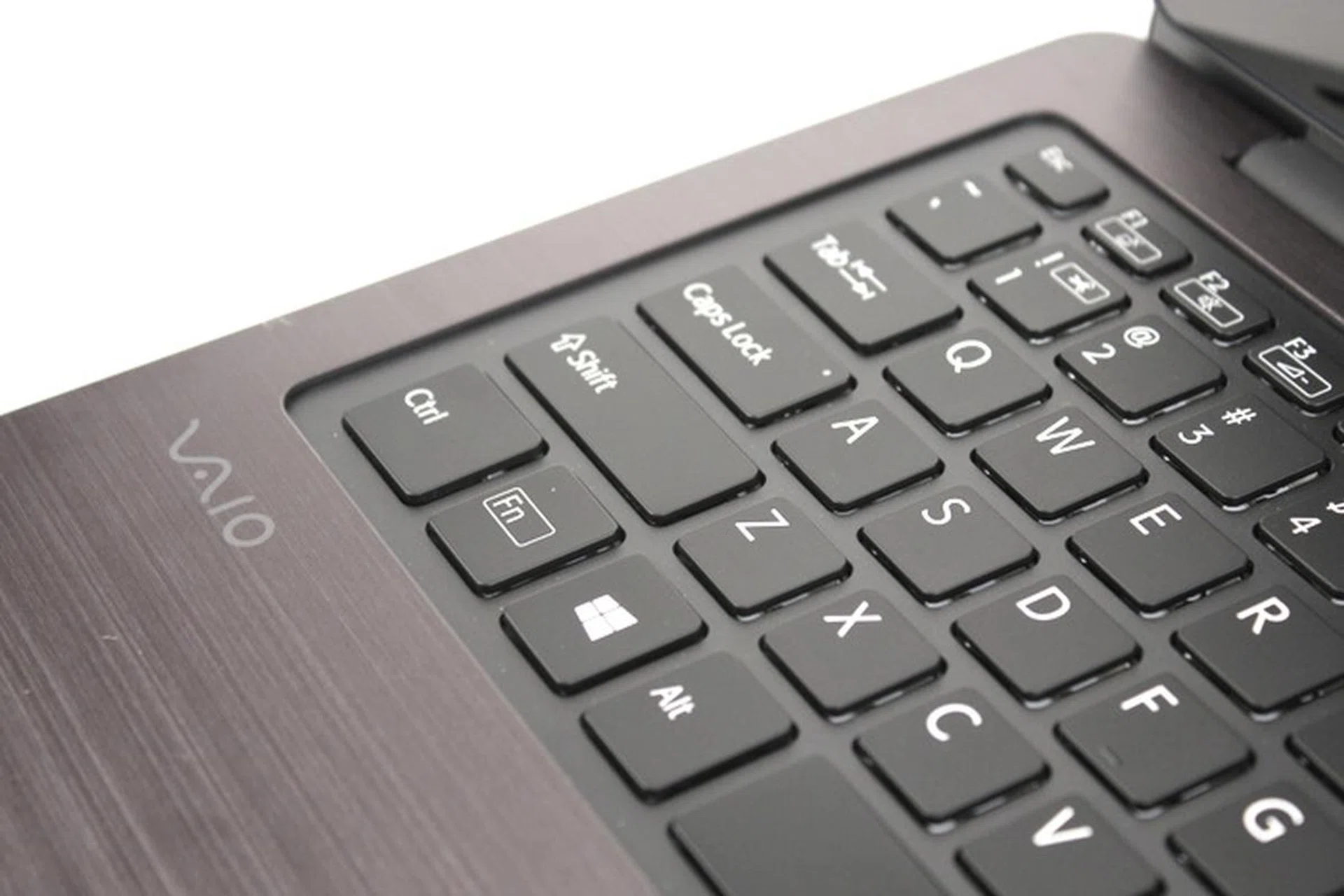
The keyboard well is a separate piece, and feels quite flimsy compared to the rest of the machine. There's some flex present, which aggressive typists might not appreciate.
While everything about the machine looks good, right down to the plastic interior of the machine, which has the same shade of silver as the palm rest, the choice of plastic for the machine’s keyboard well isn’t a very good one. Since it’s also separate from the palm rest, the keyboard presented plenty of flex when typed on aggressively. This is probably fine in Japan where people type considerately, but for aggressive typists who need plenty of feedback, it could be a problem. The good news is that while the keys themselves are shallow (like the keys on most Ultrabooks), they're quite rigid and have a strong feedback, which helps to give typists the necessary assurance for accurate typing given the limitations.
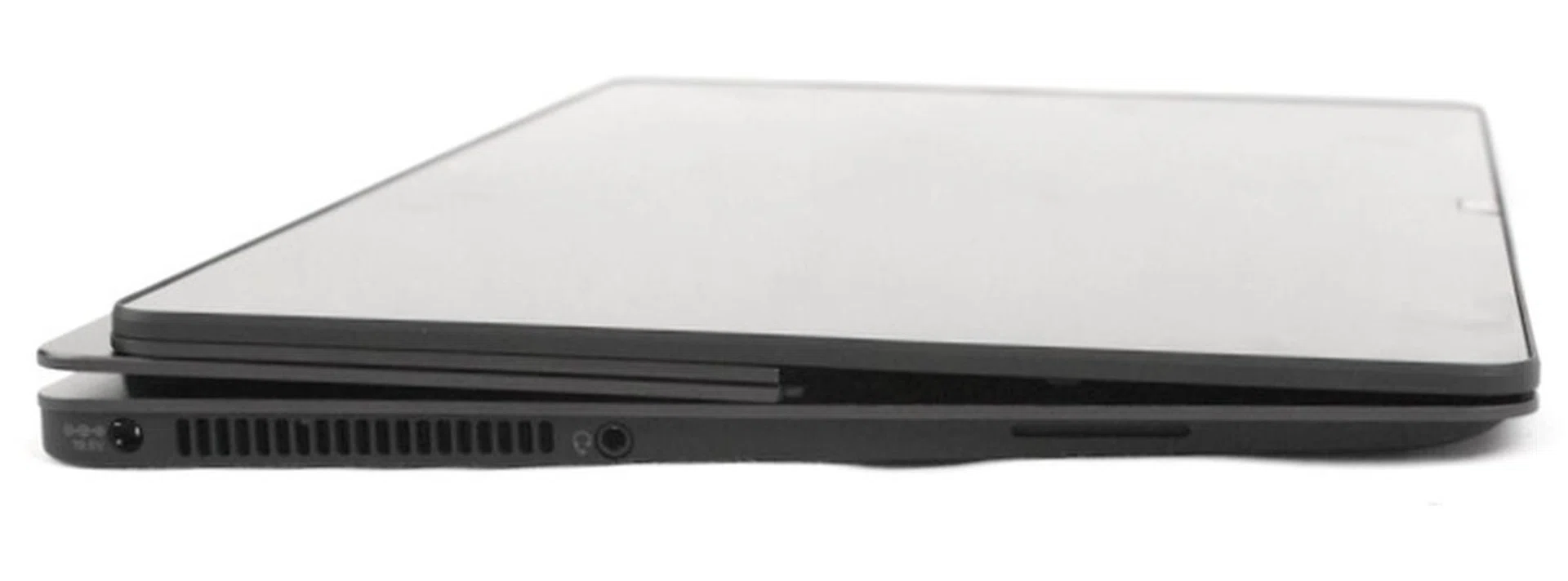
On the left of the machine is a small heat vent accompanied by an audio combo port.
Another problem we found while conducting benchmark tests was that Sony neglected one very important aspect of the machine - adequate cooling. The machine's small cooling vent on the left of the machine isn’t enough to allow the machine’s CPU and onboard GPU reach their full potential, the same issue that Sony’s Vaio Pro 13 faced. Despite our findings, it won’t make much of a difference to most users in their day to day usage needs, but when pushed to its limits, the Fit 13A will not perform as well as another equally specced notebook that has been endowed with a more aggressive cooling system.
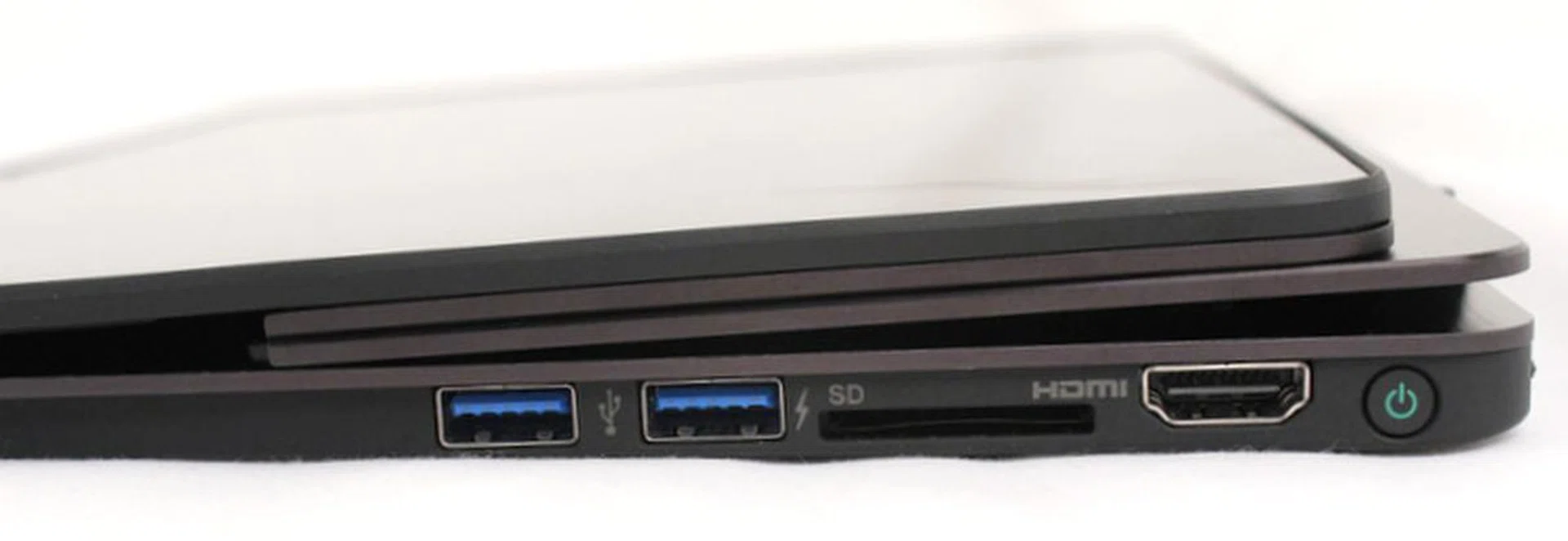
On the right side are the two USB 3.0 ports, a full-sized HDMI port and a card reader. Take note that the power button is located at the right corner as well.

The Fit 13A is the first notebook we've encountered in 2013 to feature dual cameras. There's a standard 0.92MP front facing camera, and an 8MP back facing camera located at bottom for use in the machine's tablet mode.
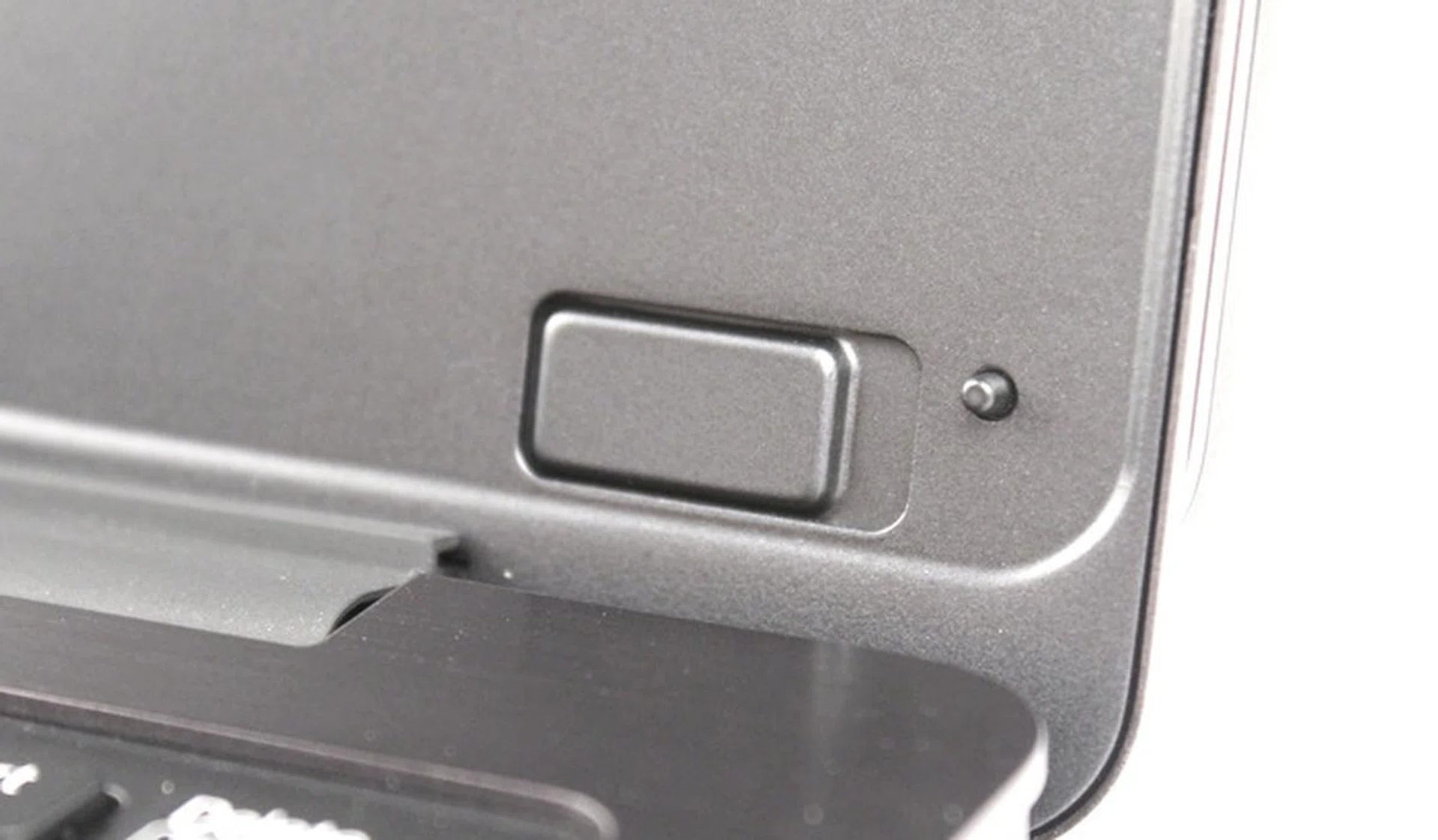
There are numerous magnets strategically placed to lock the lid in place. This not only provides ease of use but also prevents wear and tear.
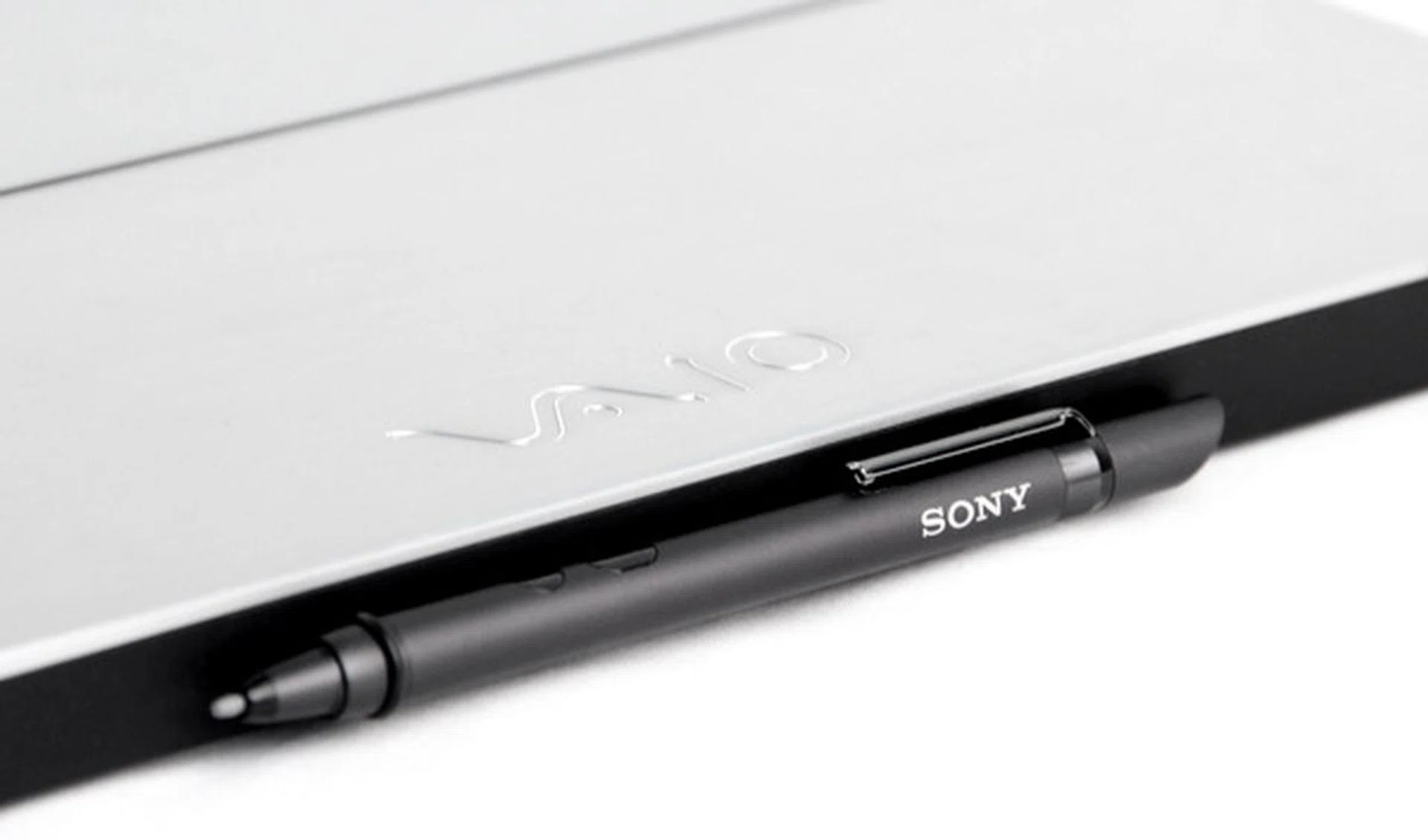
At the back of the machine are magnets that can hold the included digitizer.
Performance and Benchmarking
To get a gauge on how the Vaio Fit 13A performs, we've selected synthetic benchmark scores from other Ultrabooks such as the ASUS Transformer Book Trio, Sony's own Vaio Pro 13, as well as the Lenovo Yoga 2 Pro.
Note that the machines selected have Intel Core i7 processors, and are expected to perform better. However, also take note that machines with an Intel Core i7 processor tend to perform only marginally better than identical machines with an Intel Core i5 processor.
PCMark 8
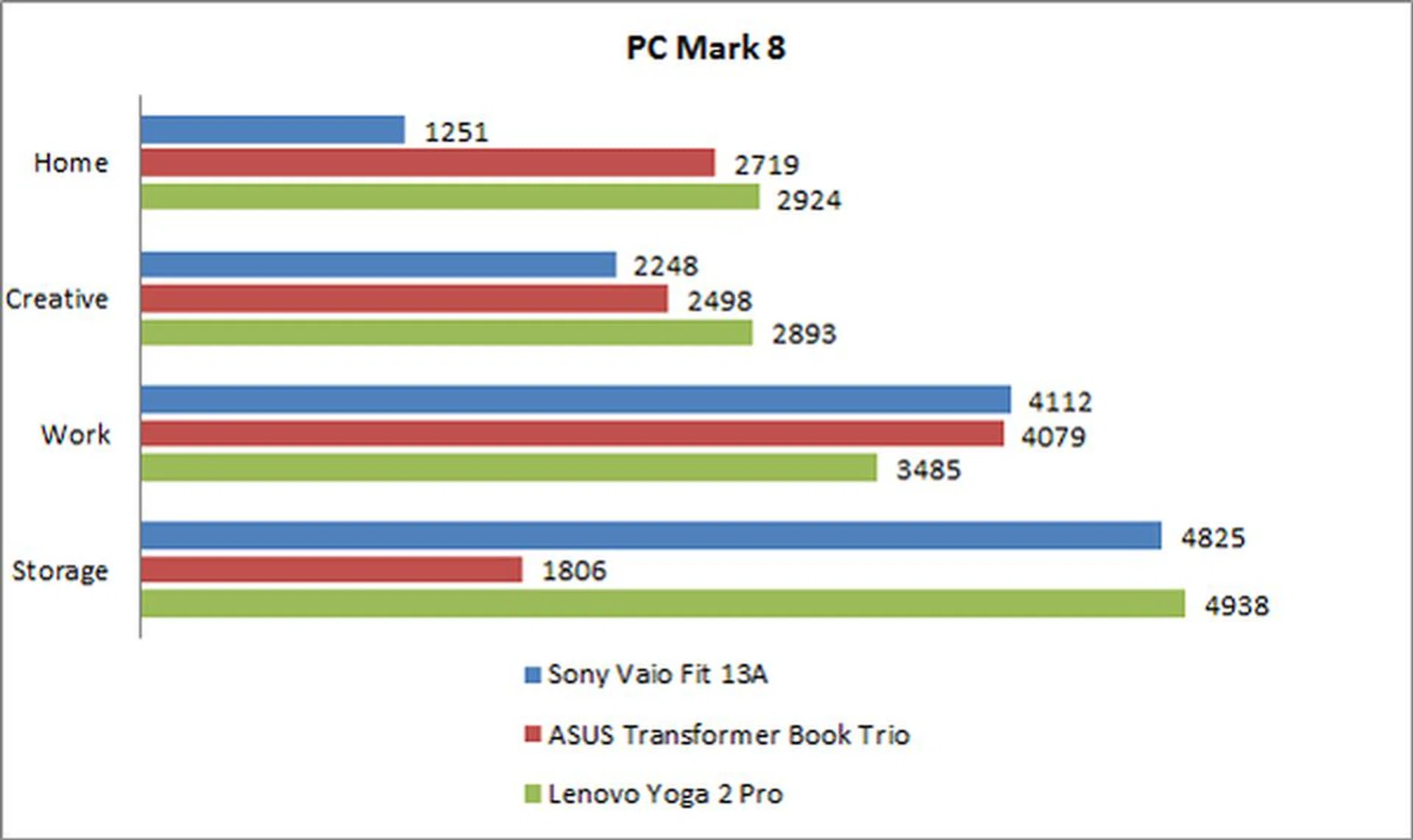
PCMark 8 is a synthetic benchmark that puts the machine through workloads that a device is expected to go through everyday. The workload comprises tasks like web browsing, multimedia editing and document editing.
In the general "Home" benchmark, machines are made to go through a mix of tasks, while the "Creative" and "Work" benchmarks are more specific, and tests the system’s performance with specific workloads.
In our performance benchmarks, the Fit 13A only managed a Home suite score of 1251, despite having the same Intel Core i5-4200U (1.6GHz) CPU, Intel HD Graphics 4400, 8GB RAM and 128GB SSD as other mainstream Ultrabooks.
In comparison, the similarly specced Lenovo Yoga 2 Pro (but with an Intel Core i7) managed a score of 2924, more than twice of what the 13A is capable of. Before you attribute the large margin due to the Yoga 2 Pro’s Core i7 chip, we’d like to remind you that the performance difference between a Core i7 and a Core i5 chip in identical machines, is generally much smaller (around 20%).
While this shows that the Fit 13A isn’t as efficient in synthetic benchmarks, casual users won’t be able to tell the difference during everyday use, thanks to its SSD which generally masks any inefficiencies and makes the system still feel fast. As you can see from the storage test suite, the Fit 13A fares almost as well as the Lenovo Yoga 2 Pro. So in tests that make heavy utilization of the Fit 13A’s SSD, the scores are much better. For multimedia editing (Creative benchmark) and document editing (Work benchmark), the Fit 13A managed to keep up without any issues.
This means that despite the low scores on the Home benchmark, when it comes to actual usage of the notebook, the Fit 13A won’t let you down.
3DMark and Far Cry 2
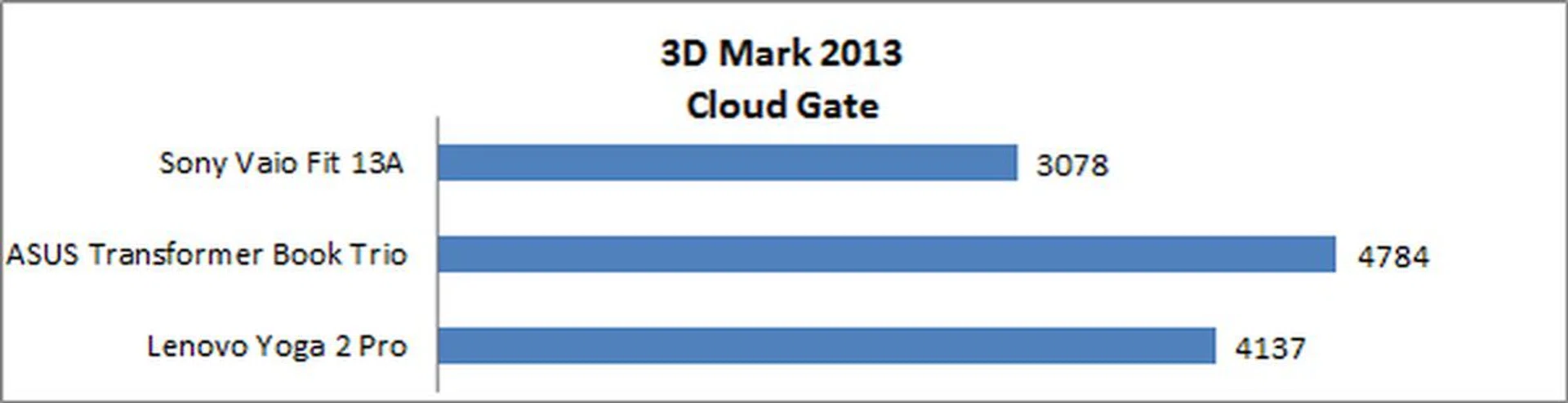
3DMark is another synthetic benchmark that approximates the machines’ gaming proficiency. Using its own rendering engine and tests, its primary role is to run a series of varied graphical tests and put a number that sums up the results. Given the integrated graphics engine's meager capabilities, we settled on the Cloud Gate test suite.
Note that while each comparison machine uses the same Intel HD Graphics 4400 GPU, the Intel Core i7’s graphics module is clocked just 100MHz faster. However the Sony Vaio Fit 13A's lackluster performance was contributed by its poor thermal output design. Simply put, it seems that Sony design the cooling system for the everyday usage needs and not well equipped to tackle the maximum TDP of the platform. We checked the system's thermal status and clock speeds while running these tests and found it to spike and dip respectively much more often than a standard Ultrabook.
The Fit 13A’s score of 3078 was about 35% lower than the Transformer Book Trio, and about 25% lower than the Lenovo Yoga 2 Pro. While you won’t be gaming with any of these machines, take note that an Ultrabook’s GPU is well used in the modern Windows 8 OS to power several subtle animations, hardware-accelerated graphics in both the OS and web browsers, and several other under-the-hood aspects. Thankfully, in standard day-to-day usage, users cannot feel this performance deficit. But once we start checking on gaming performance, the discrepancy is as clear as night and day:-
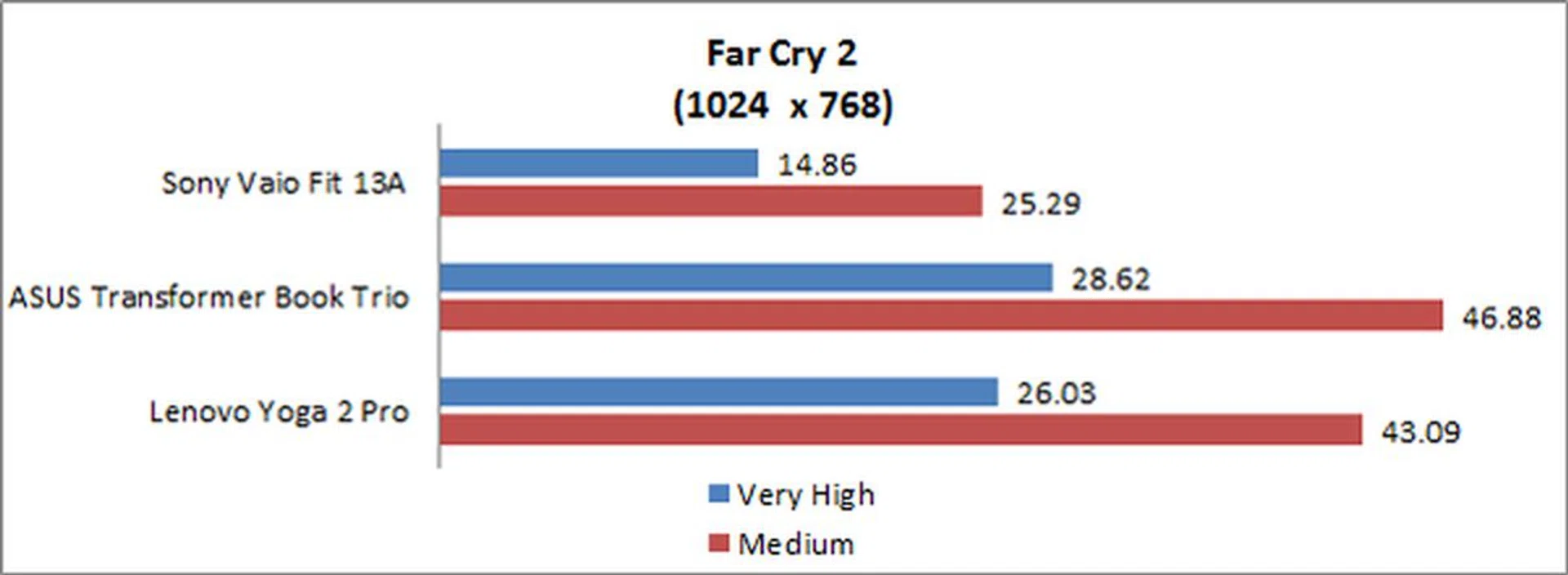
In an actual gaming benchmark using Far Cry 2, the resultant outlook took on similarities we spotted from the 3DMark test run. It had a below average performance at 25.29 frames per second when most most Ultrabooks manage at least 40fps at medium image quality settings. While most Ultrabooks with onboard graphics aren’t built to tackle gaming, given the performance discrepancy seen above, the Vaio Fit 13A is unift for any light gaming needs outside of web and flash-based games on the internet. Even as we say this, this aspect might not be a concern for its intended audience, and that's probably the luck and genius of Sony's product positioning.
Battery Life and Power Consumption
Ultrabooks are meant to be sleek and portable, but if the machine’s battery life isn’t very good, it wouldn’t be of much help. To test how long the battery of the Fit 13A would last, we used Powermark, which puts the machine through various workloads, and records the approximate amount of time needed to completely drain the Fit 13A.

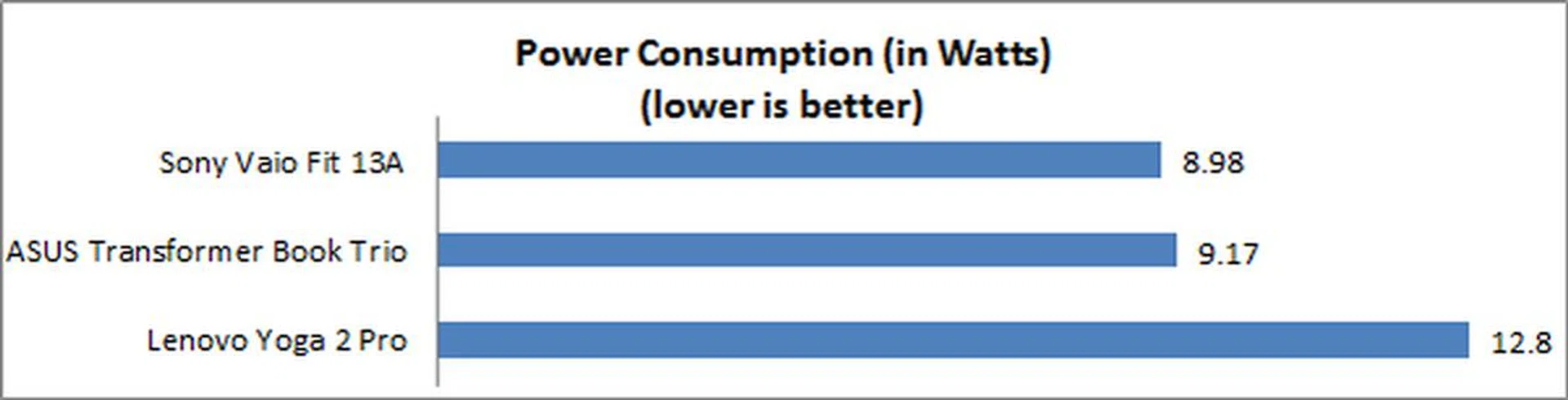
Its battery performance of 3 hours 56 minutes didn’t overwhelm, but it’s still within expectations. If you were working with less CPU intensive applications like document editing or casual web browsing, the Fit 13A would be able to last almost a full work day. That’s because the Fit 13A has pretty good power management, and consumes much less power than we expected. With more thoughtful power-saving measures, you’ll be able to pull a lower figure than what we manged and squeeze even more battery life out of the Fit 13A.
Portability Index Ratio
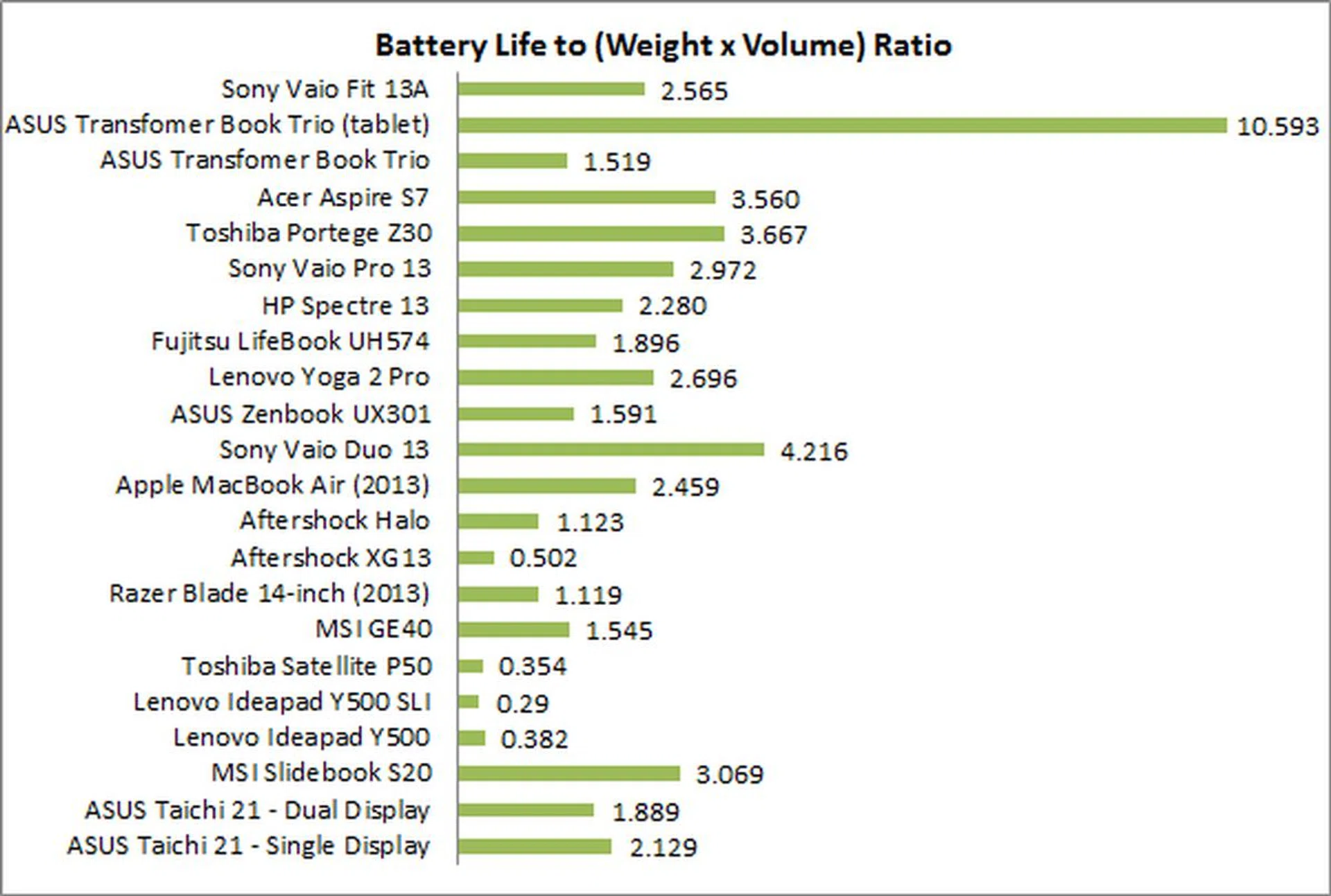
Our portability index ratio is a gauge to see if the machine’s balance of mass and battery life is good enough to warrant users bringing it out of the house. Its ratio of 2.565 is within an expected range, though it isn’t as good as the Acer S7 or Toshiba Portege Z30, which have better numbers due to either longer battery life, or lighter body.
Take note that while the Sony Vaio Duo 13 has a ratio of 4.216, it doesn’t mean that it’s almost twice as portable. Due to the nature of the chart, what it actually means is that you’d be get much more work done if you were to bring the Vaio Duo 13 out with you because it has more than 30% battery capacity than the Fit 13. This is why the Vaio Duo 13 ranked much higher as its dimensions and weight doesn't differ much from the Fit 13. You can compare their figures here.
Conclusion: A Pricey Fit
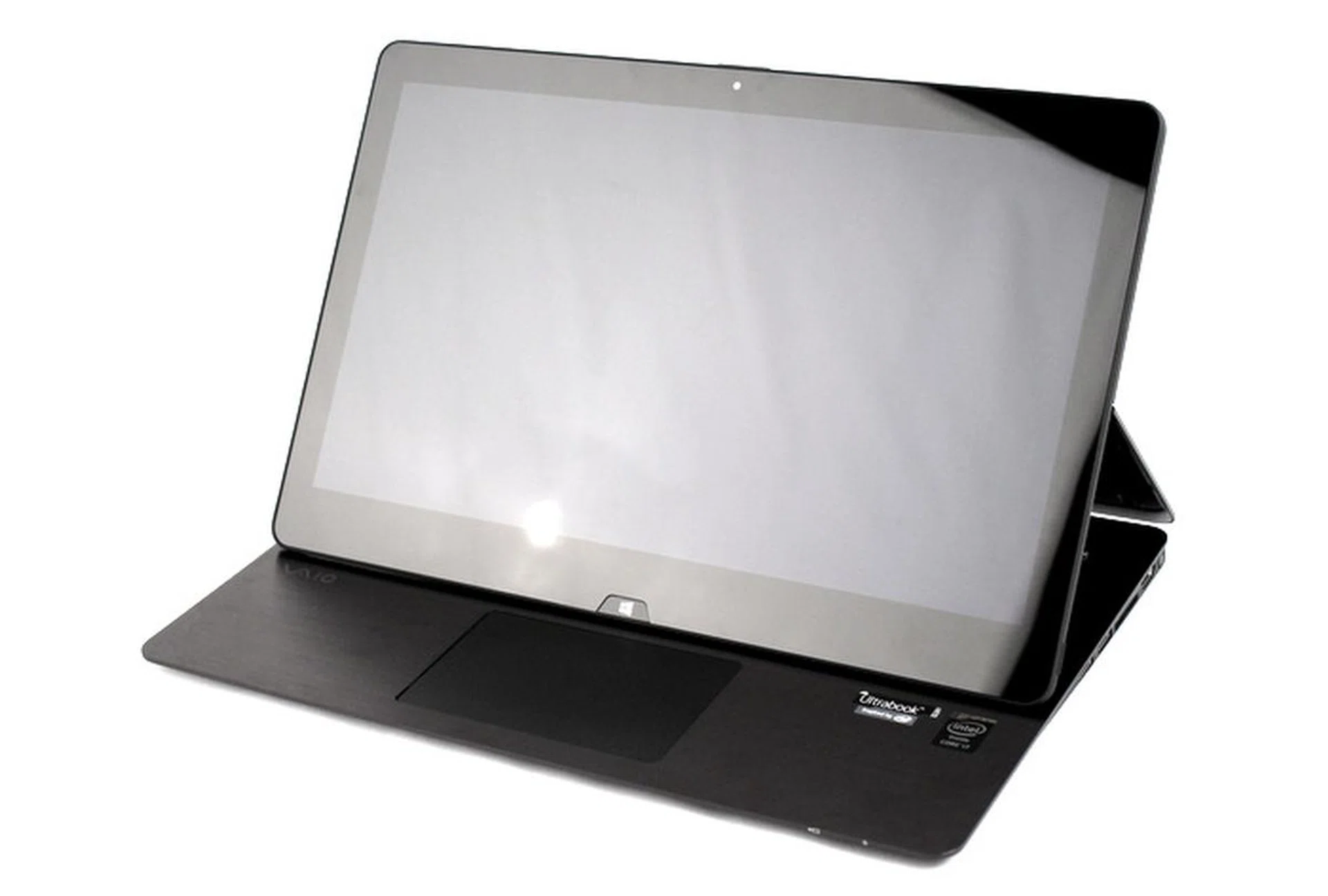
The Vaio Fit 13A is a great Ultrabook that's thin-and-light, gives users the option of tablet mode usage, comes with a digitizer, but only has a full HD display and is pricier than other Ultrabooks in the market.
To recap, the Sony Vaio Fit 13A is a notebook that’s positioned in between the Vaio Duo 13, and the Vaio Pro 13. It’s able to transition into a tablet with ease, thanks to its extremely robust hinge, allowing users to flip the display over, which is then held very firmly in place with strong magnets.
Out of all the ways a notebook can convert into a tablet and back again, this method employed on the Fit 13A is definitely one of the more thoughtful ones. It’s smooth, and can be done without flipping the notebook around with both your hands (like the Lenovo Yoga 2 Pro), and also enables the notebook to retain full size keyboard and a full-sized trackpad.
Its thick aluminum lid screams and feels premium. Although the lid and display combined makes the machine a tad thicker than the usual Ultrabook, it still weights only 1.31kg, so portability isn’t an issue. For reference, the 13-inch Apple Macbook Air also weighs around 1.3kg.
Besides featuring an easy conversion process to a tablet and back, the Fit 13A also comes with a multi-touch display and an N-Trig digitizer for increased interactivity options, something which most manufacturers are unable or unwilling to provide.
However, the Sony Vaio Fit 13A isn't as competitive as some of its contenders from a price and value perspective. Compared to its S$2,199 (Intel Core i5 edition) price tag, the Lenovo Yoga 2 Pro which is equally flexible and a better overall performer for S$2,099 (Intel Core i7 edition) is hard to ignore and so is the S$1,488 (Intel Core i5) Apple MacBook Air (even though it can't transform). The Fit 13A costs as much as S$2,699 if it was to at least match the Lenovo counterpart from a specs perspective - not withstanding the performance discrepancy which the Sony still has to live with.
For this price, the Fit 13A is also unable to provide a higher than full HD display (such as QHD or QHD+), which we’ve seen on the latest flagship devices from Lenovo, HP, Dell and ASUS. if you're wondering, the Lenovo Yoga 2 Pro boasts of a QHD+ display, which is 3200 x 1800 pixels resolution. So it seems all that the Fit 13A has to command for its price is its Sony pedigree, excellent design and great build.
The good news is however, if you’re willing to look past its 'just adequate' display resolution, non-competitive benchmark performance, high price and flexing keyboard well, this machine will not disappoint. It looks great, has a premium build, performs relatively well for the average user, converts to a tablet effortlessly, and an N-Trig digitizer for writing or doodling on your notebook.
Our articles may contain affiliate links. If you buy through these links, we may earn a small commission.