
Sony BDU-X10S Internal Blu-ray Drive
Following its recent triumph as the HD format of choice, Sony's Blu-ray is going places. As it happens, it's coming to the PC in the form of a more affordable sub US$200 Blu-ray drive - the Sony BDU-X10S. Check it out as we test its Blu-ray capabilities.

Introduction
It took almost two years before the HD format war between Blu-ray and HD DVD finally produced a verdict. Yet near the end, it only took mere weeks for Toshiba, the main advocate for HD DVD, to throw in the towel after the decisive move by Warner Bros to choose Blu-ray over HD DVD. What followed was a chain of unfortunate events for Toshiba, as major retailers defected en mass like falling dominoes.
For some consumers, this is the green light that they have been waiting for while others continued to enjoy the subsequent plunging prices of DVDs. Critics who used to slam Sony for adding the Blu-ray drive to its PlayStation 3 console now had to admit that it was the right decision after all. Meanwhile, Microsoft started to slash the prices of its external HD DVD drive for the XBox 360 and rumors of a future Blu-ray version were circulated. The aftermath of this format war has certainly produced its fair share of drama, with losses in the millions for Toshiba and more significantly, adoption rates for both formats have been quite low.
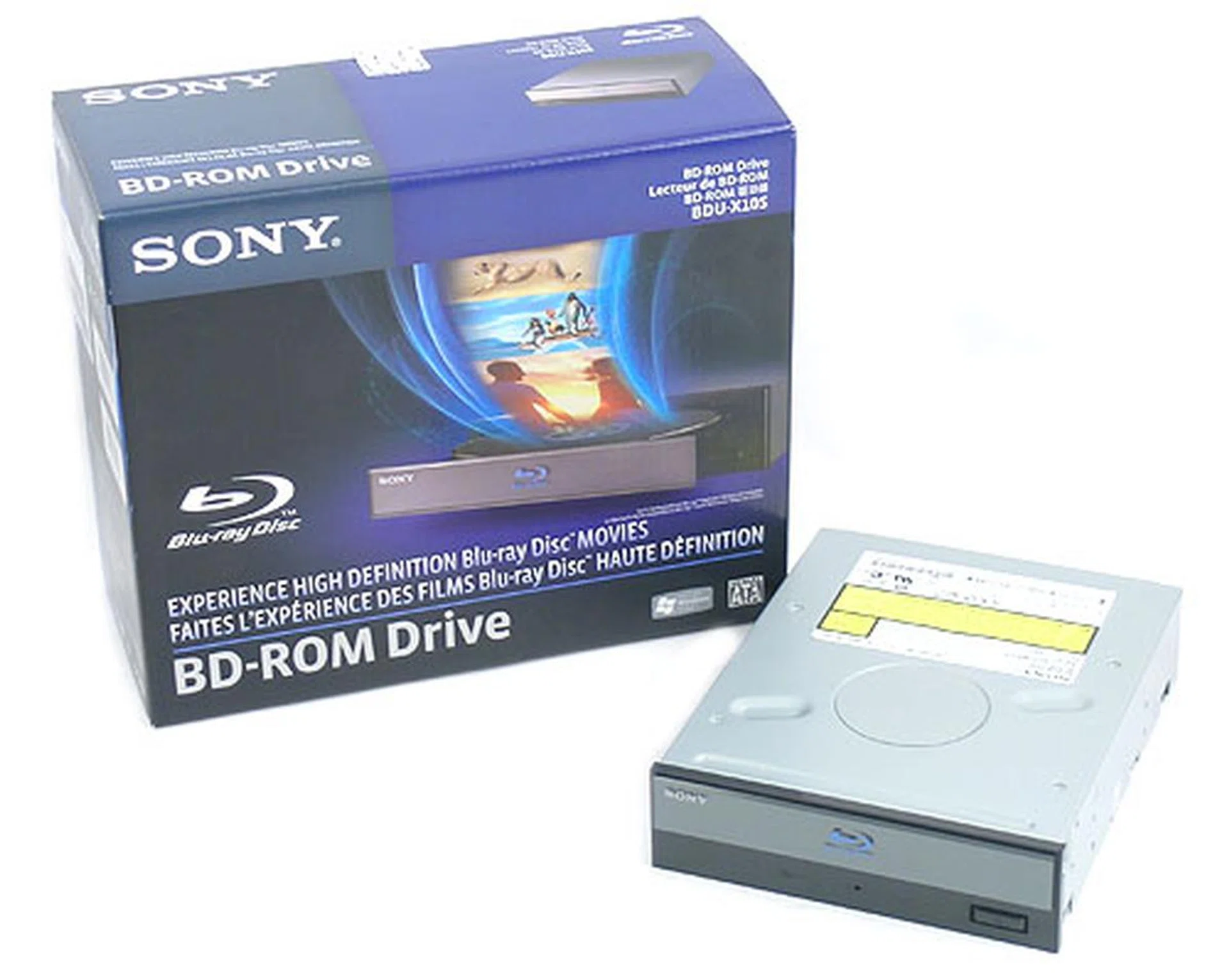
With Blu-ray apparently the winner of the HD format war, there should be no qualms for consumers about dipping into Blu-ray and here to offer you this option is Sony. But of course.
With Blu-ray media likely to become more affordable with mass production, these previously low adoption rates are expected to increase. Of course, a HDTV is also an important prerequisite for the true HD experience and this is still a relatively high barrier of entry for consumers. The other obviously is a Blu-ray player and with impeccable timing, Sony launched a new internal BD-ROM drive at CES 2008, the venue where HD DVD ultimately suffered its deathblow. Available now, this is the Sony BDU-X10S, which seems to be your basic BD-ROM drive for the PC.
The Sony BDU-X10S
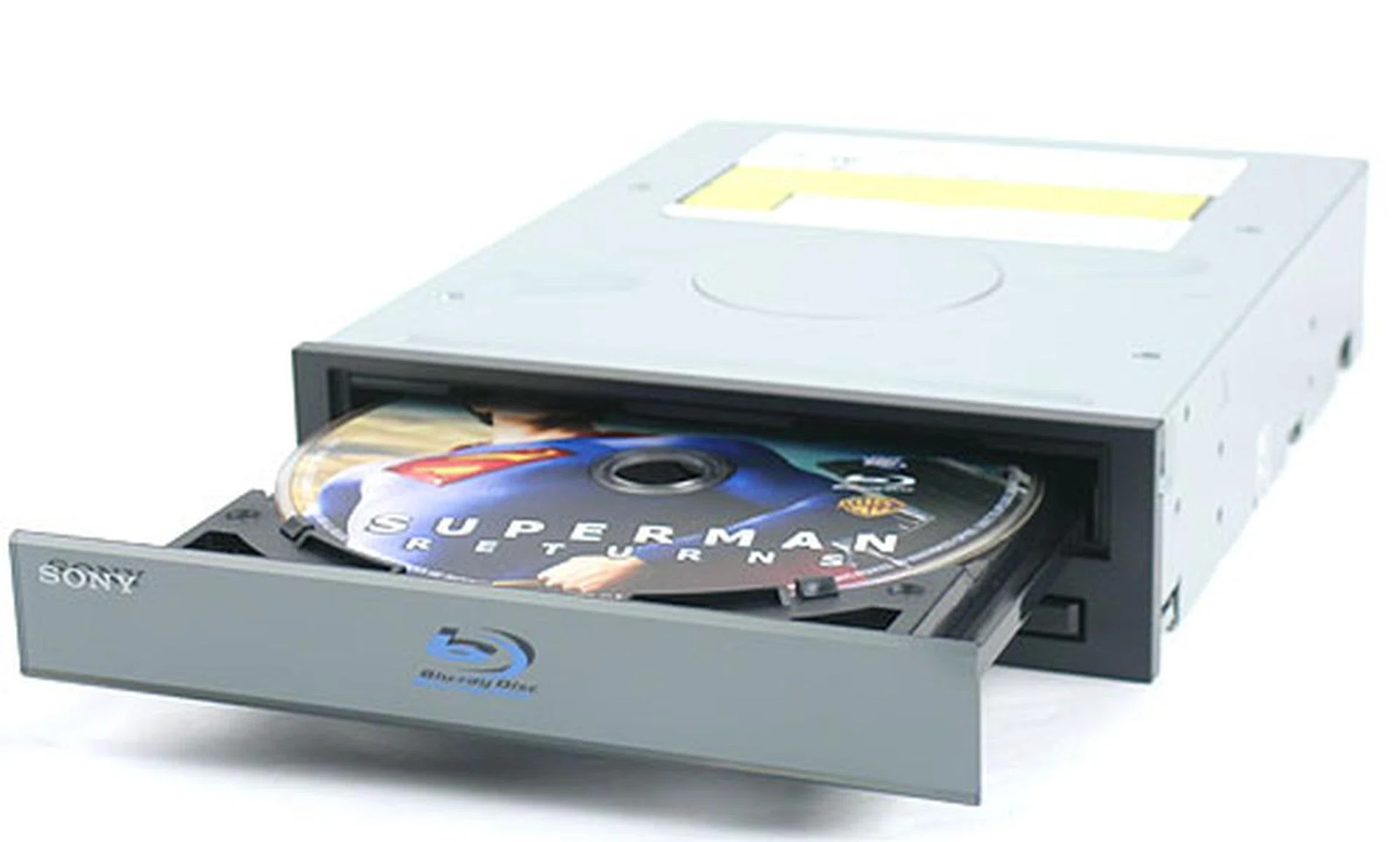
Like its Blu-ray writer that we had reviewed previously (Sony BWU-100A), the Sony BDU-X10S has a similar design, with a front bezel that gives it a space-age feel. This minimalist, sleek design makes this drive seem more than what it actually is: a perfectly ordinary BD-ROM drive. A rundown of its technical specifications showed that in some areas, like DVD and CD read speeds, the BDU-X10S is actually some way behind the average DVD-ROM of today's standards. A DVD read speed rated at 8x and CD read at 24x is definitely slower than what consumers are used to. Obviously, Sony had to make some compromises here, including the absence of DVD-RAM capabilities (arguably a niche market). Blu-ray media read speeds however were uniformly set at a consistent 2x.
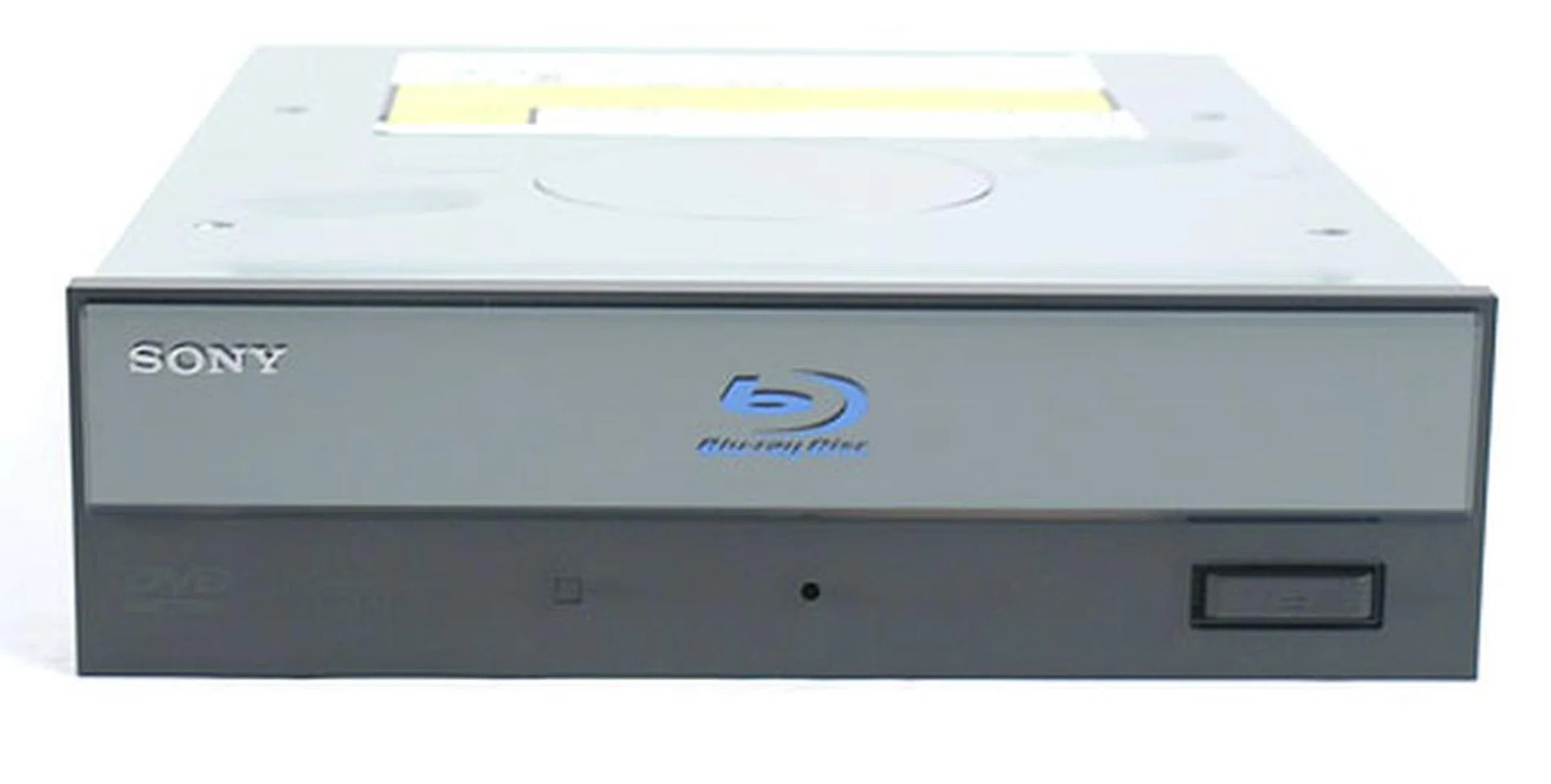
A new format requires a new look too. This is Sony's attempt to give the tired optical drive bezel a modern, techie feel.
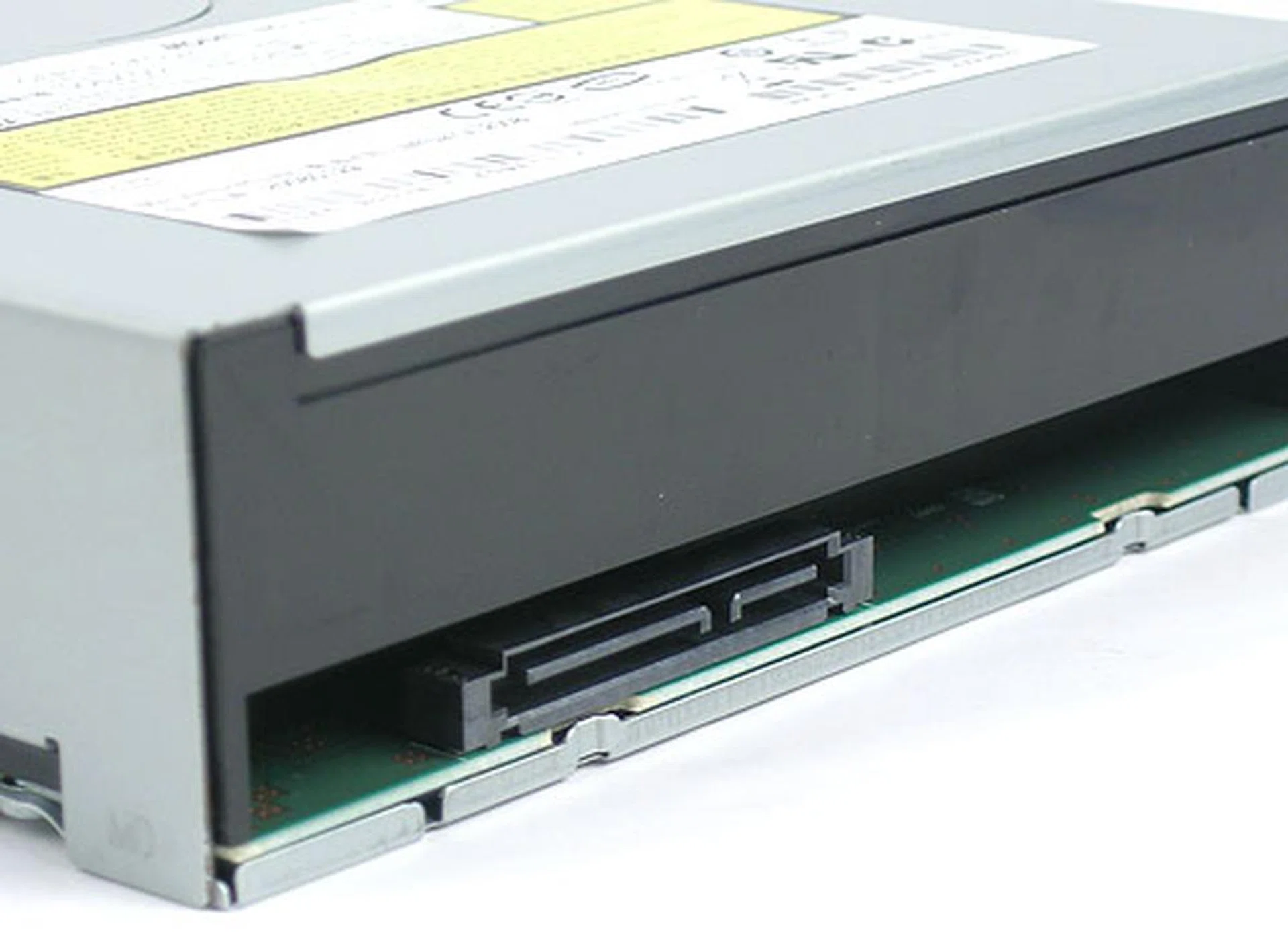
Switching to SATA means there's no need to set Master/Slave anymore and the cables are so much thinner.
The drive itself performed very quietly and with its lower than average read speeds, that could be a reason. The rear of the drive was mostly free of clutter, thanks to the switch to the SATA interface, which has thinner cables. The burst transfer rates are hence now at 150Mb/s to conform to the newer standard.
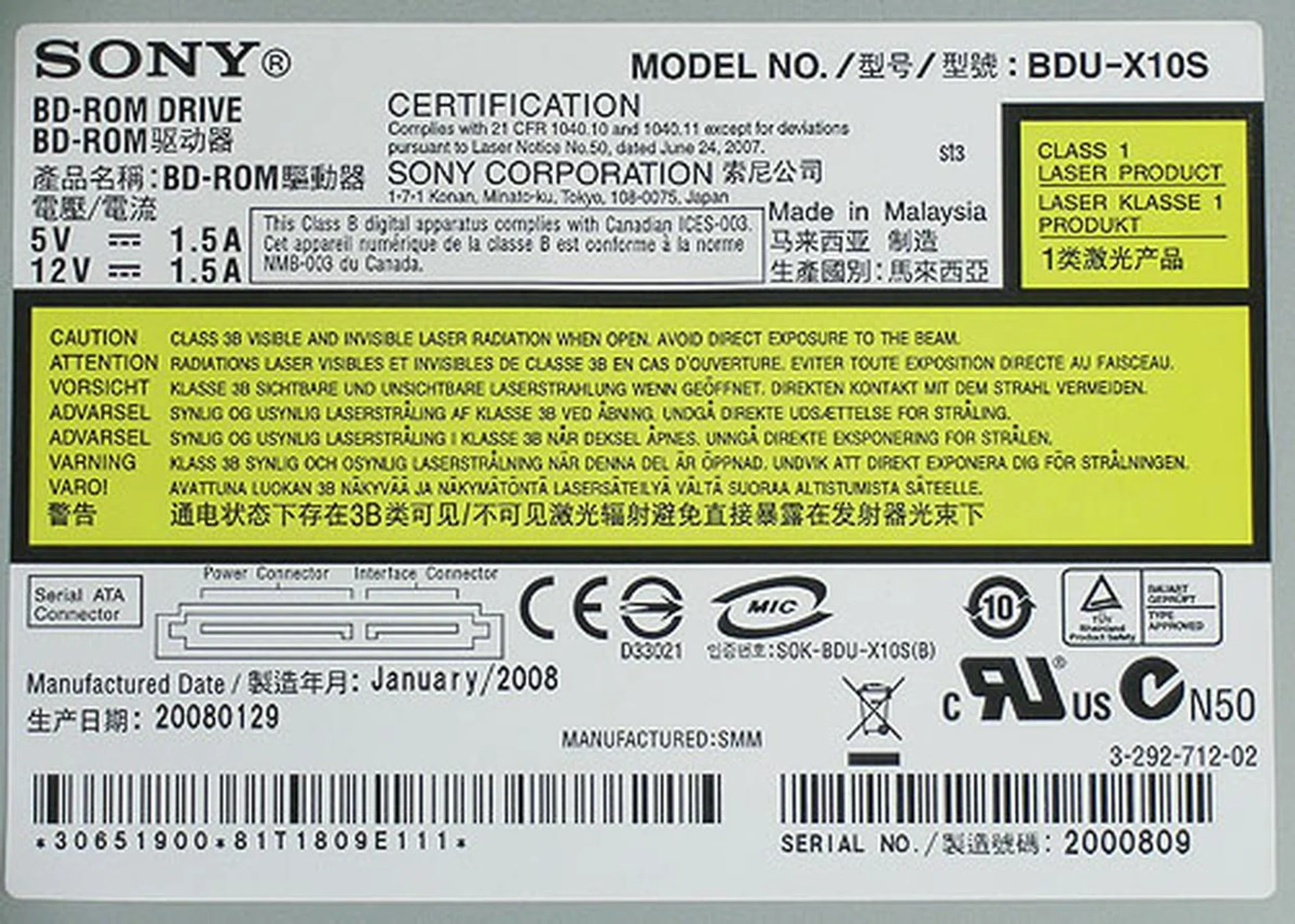
As you can see, this drive is newly minted this year.
Sony touts this product as a complete HD solution for the PC and to fulfill this, CyberLink's Power DVD playback software (HD edition) is included. Since this is a read-only drive, consumers should have no need for burning software, though obviously it would have been very useful. Other accessories that we found in the retail package include:
- Cyberlink PowerDVD BD Edition Player software
- Spare front bezel
- Mounting screws
- SATA data cable
- SATA power cable
- User Manual & Quick Start Guide
Blu-ray Benchmarks
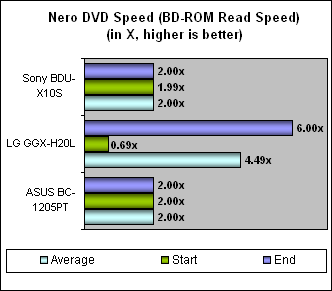
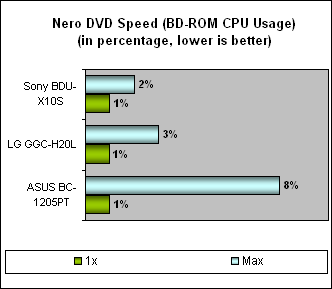
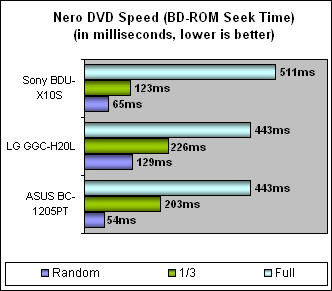
Since this is just a BD-ROM drive, we decided to test it using Nero DVD Speed with a commercially pressed Blu-ray disc. We then compared it against two other recent Blu-ray capable drives from two competitors, ASUS and LG.
In terms of drive speed, the Sony BDU-X10S performed exactly like its specifications, starting off at almost 2x speed and maintaining that throughout the test. This result was on par with the ASUS drive, which was only capable of reading BD-ROM but not writing. The LG Blu-ray writer however turned out to be fastest, with up to 6x maximum and with its writing feature, is probably the most complete (and most expensive) of the three here.
The Sony also fared decently when it came to the other test segments. CPU usage was remarkably low when playing Blu-ray media while its seek times were also competitive with the other drives. What was important was that this Sony drive did not really stand out and given that its bread and butter rests solely on its Blu-ray playback performance, we'll have to say Sony has got its work cut out for it. When one considers the slower DVD and CD read speeds listed on the specifications of the BDU-X10S, this drive certainly is at a disadvantage.
DVD Decrypting and Additional Information
A free and popular utility used by many to decrypt original DVDs and hence backup the contents onto a computer's hard drive, DVD Decrypter has unfortunately succumbed to the pressure of a certain company whose technology it was circumventing and has since ceased development. There will not be a new version but the most recent v3.5.4.0 remains in the wilds of the Internet if you should need such a program. While there are other commercial solutions, it is still one of the best and of course, free.
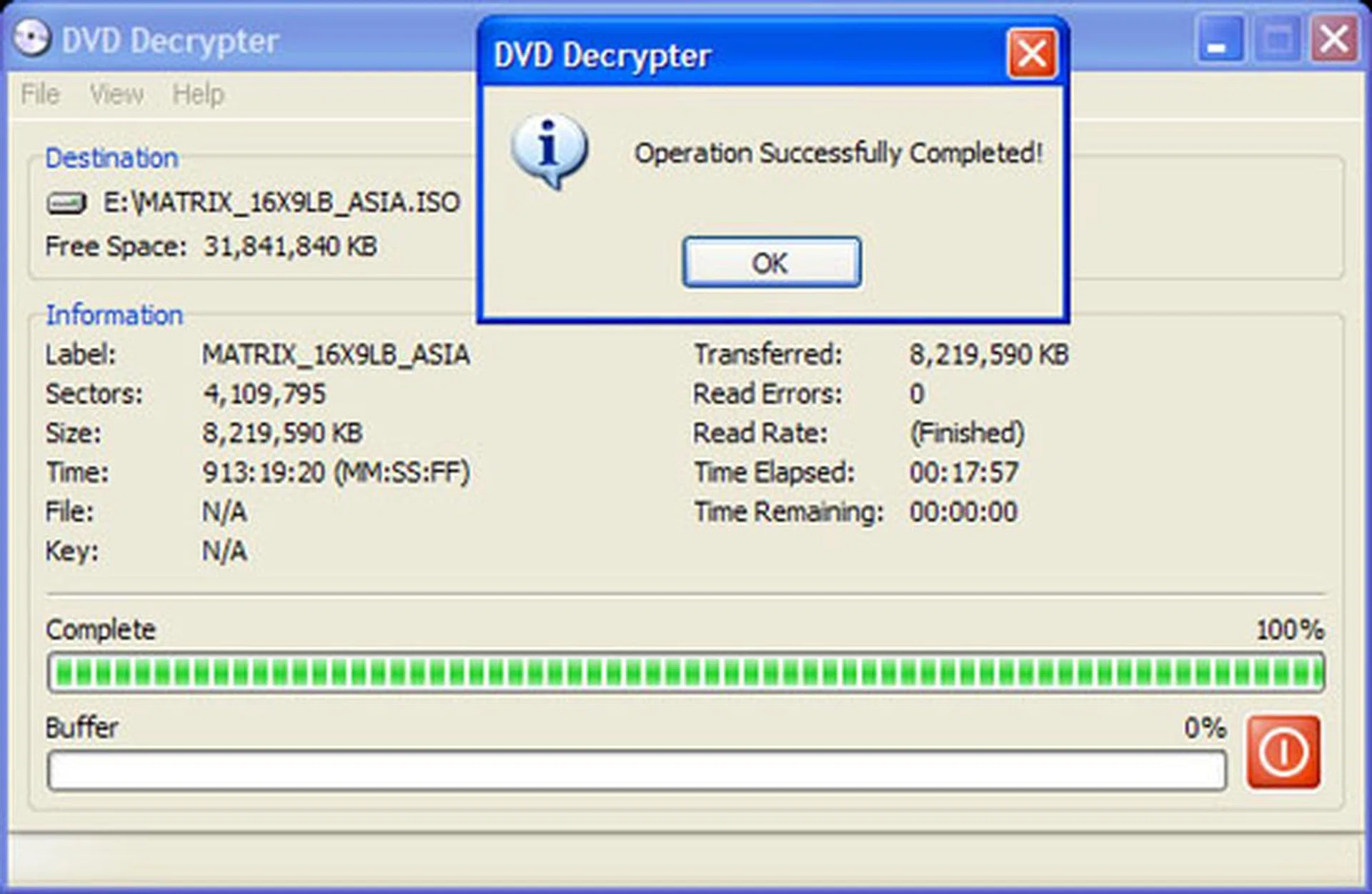
The Sony drive took a decent time of around 18 minutes to complete the DVD rip of the Matrix. Compared to the typical 17 minutes we found on other drives, it's not as slow as its 8x DVD read speed may suggest.
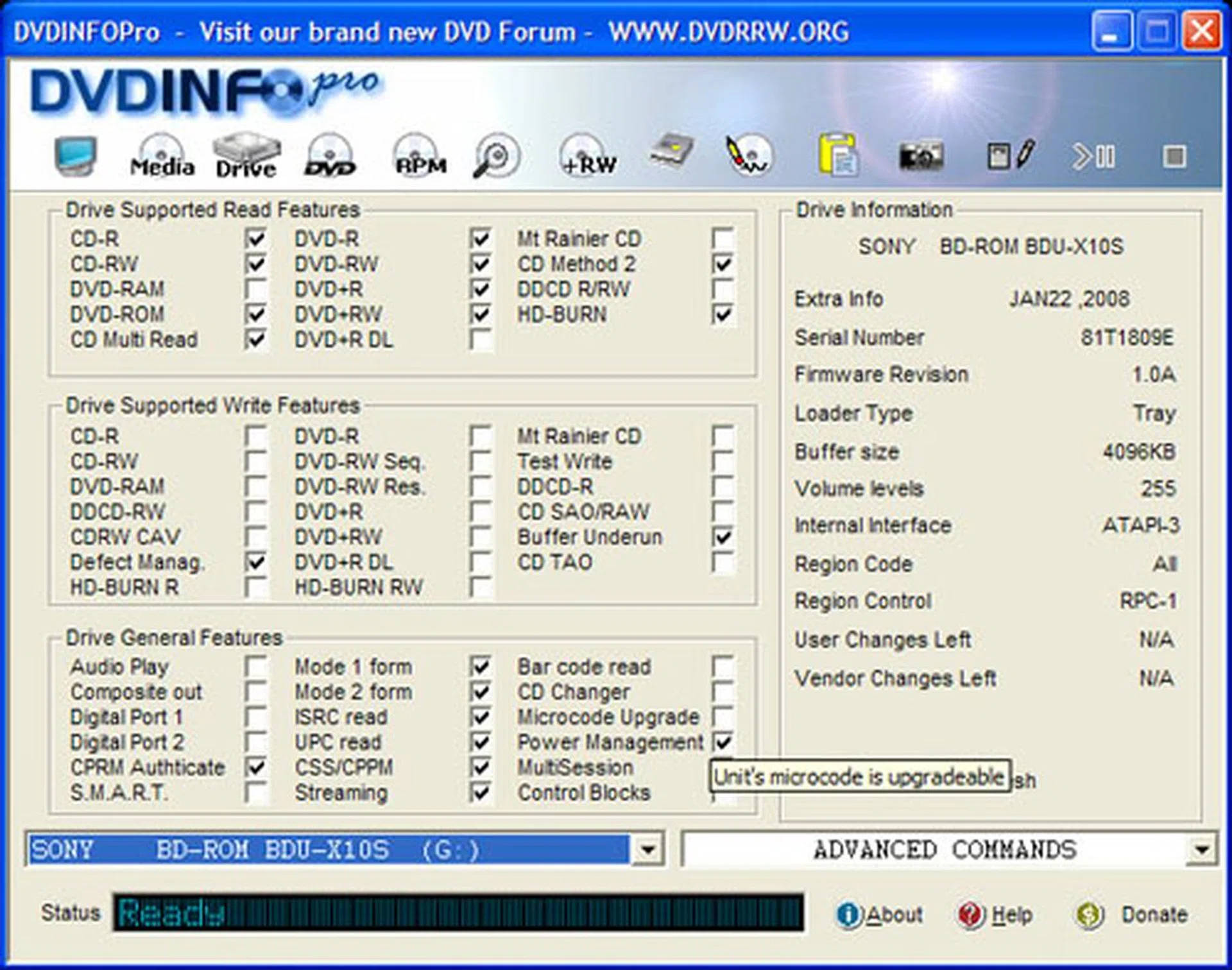
Like most optical drives today, the firmware on the Sony BDU-X10S is upgradeable.
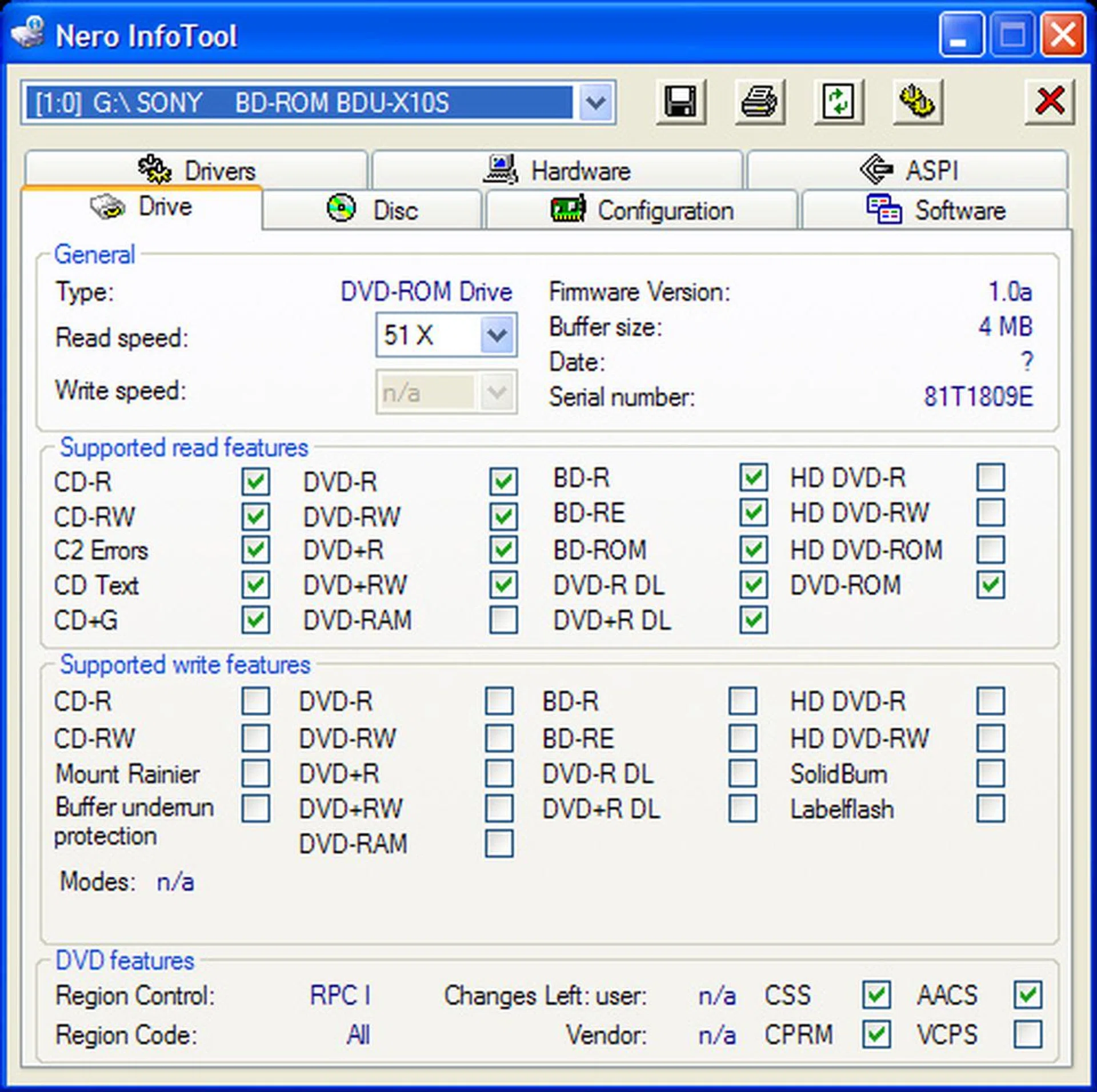
Although it's has never been a common format, DVD-RAM is missing from the list of supported formats on the Sony.
Conclusion
In the short period following the demise of the HD DVD as a viable competitor, Blu-ray manufacturers have taken the opportunity to start earning back their investments in Blu-ray technology. Profiteering or the laws of supply and demand, we leave it up to you but we have been reading about Blu-ray players increasing in prices, while HD DVD players take a drastic plunge into obsolescence and bargain bin prices. Such developments are not exactly what consumers are hoping for, though we hope that this is a temporary situation.
Not that there is anything wrong with this Blu-ray drive but for its average read performance (mediocre for DVDs and CDs) and high price, it just doesn't provide sufficient value.
In any case, the consumer electronics arena may not always mirror the situation in the PC world. In fact, the Sony BDU-X10S was touted as one of the first sub US$200 BD-ROM drive when it was launched in January at US$199.99. When we checked again recently, this price remained the same and while it is certainly cheaper than a lot of the earlier drives, it is also strictly a BD-ROM drive, with absolutely no writing capabilities.
This then could affect its competitiveness against a rival like the ASUS BC-1205PT Blu-ray combo drive, which can read Blu-ray and write to DVDs and which has also fallen to around US$200 from US$270 before. Compare the slower rated read speeds for DVD/CD media on the Sony and it doesn't look as appealing as its marketing blurb suggests. The lack of DVD-RAM read functionality could be a concern to some users but it is only a very minor segment. Mostly, it's up to the consumer whether they can stomach the slight compromises that they have to tolerate on the Sony in order to play Blu-ray media. If you ask us, Sony's own PlayStation 3 is a more complete (and arguably cheaper) solution for those interested in Blu-ray movies unless you need a PC BD-ROM drive for other reasons. In which case, we counsel holding on as long as possible for further price cuts before getting one.
Our articles may contain affiliate links. If you buy through these links, we may earn a small commission.