
Sharp AQUOS Quattron 3D TV - Three Dimensional Four-play
Finally here in all its 60-inch glory, we devoted ourselves to the 3D Quattron for a few days to determine its stereoscopic worth. Amassing daunting new technologies such as Sharp's FRED and side scanning LED backlights, we were determined not to let the fluffy tech sway our impressions. Here's our report.

FRED On The Quattron
You might have spotted Sharp's "RGB+Y" advertisement on taxis, billboards and television commercials recently. In the midst of 2010, Sharp stormed the HDTV scene with its AQUOS Quattron series, equipped with a 4-color X-Gen panel and high-contrast UV2A qualities. To recap, the edge-lit Quattrons supposedly offer a brighter luminance, faster response time, and more vivid picture quality than conventional LCD displays. As anticipated, the 3D Quattron edition followed soon after in December last year. Besides its quad-pixel display, the LE925M is perhaps more noteworthy for its dexterous 3D to 2D and 2D to 3D flair. The retail bundle will consist of the 60-inch LE925, a 3D Blu-ray player (BD-HP90D), and two pairs of active-shutter glasses (AN-3DG10-S). The entire shebang is yours if you have S$9,999 to spare. Unfortunately, Sharp is only retailing the 60-inch 3D behemoth for the near timeline.
Sharp is using a four-pronged approach to better 3D quality on its new AQUOS HDTV. By combining its Quattron, UV2A, FRED and scanning LED backlight technology, they are hoping to reproduce more vivid images with minimal crosstalk.
Apart from its 3D processing, you'd probably be asking - so what's new with the enhanced Quattron? Well, two key differentiators are used to boost its performance. One of them is FRED, which stands for Frame Rate Enhanced Driving. Simply put, FRED is essentially Sharp's high-speed LCD drive technology designed to improve light transmission and shave power consumption, credit to reduced wiring and components. In addition, a side-mounted LED unit is deployed with rapid strobing backlights, which works together with frame interpolation techniques to acquire a pseudo 200/240Hz frame rate. According to Sharp, these new additives were designed primarily to enhance the 3D experience, and more importantly, to reduce crosstalk.
We won't be touching upon the LE925M's design or features since they are comparable to the an we'll jump straight into testing the TV. Based on our 3D analysis thus far, has trumped the LCD competition with its definitive contrasts and speedy motion resolution. Can Sharp's yellow-augmented Quattron do any better? It's time to find out as we put the TV through its paces in the following pages.
Calibration - Spyder3TV Report
We calibrated the AQUOS LE925M with a Spyder3TV Home Theater Color Calibration kit prior to our display tests to maintain a standard across our review units. At this juncture, we've also disabled all of the TV's picture enhancements to minimize the variables during the calibration process.
To begin with, first-time Sharp users might be puzzled by the LE925M's oddball range. For example, Contrast is given as 0 to 40, and Brightness at -30 to 30. So take note if you are punching in the minimum and maximum values during your own calibration. Apart from selecting the Standard preset, we also used mid-point values for the backlights and color temperature. For the latter, Sharp recommends the "Middle" setting to acquire a more natural tone. Other variables include the "High" option for typically colder and bluish hues, and "Low" for a warmer and reddish result. Advanced users can make further changes to the RGB values (white balance) if they wish to
After calibration, optimized values were as recorded as such:- Brightness: +1, Contrast: +31, Color: -3 and Tint: +5, with black and white luminance readings measured at 0.144 cd/m2 and 223.210 cd/m2 respectively. Compared to the smaller LE820M model (0.133cd/m2 and 191.098 cd/m2), black luminance levels were comparable although the LE925M yielded a marginally brighter white luminance.
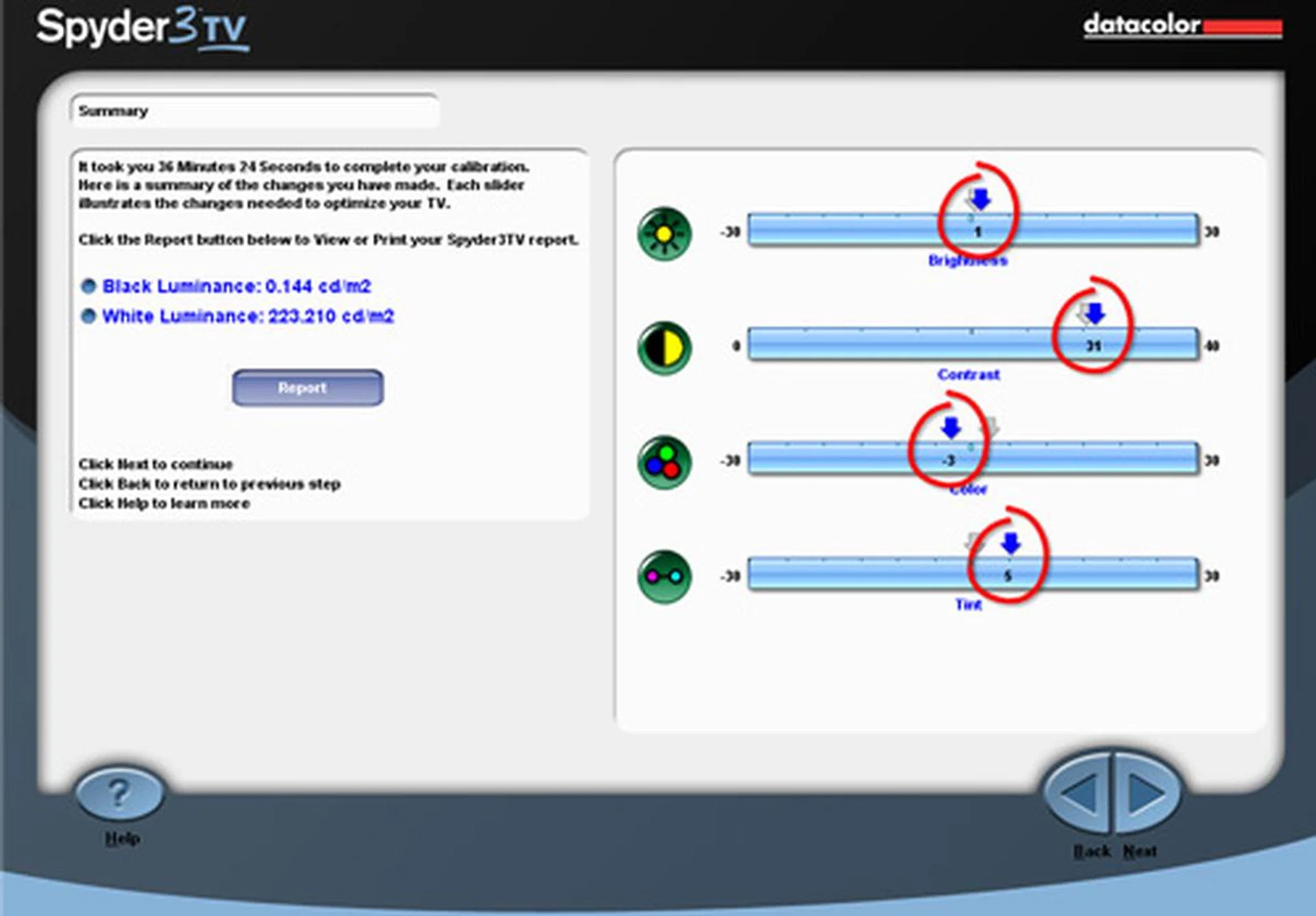
Spyder3TV calibrated values: Brightness +1, Contrast +31, Color -3 and Tint +5. For calibration, the Standard picture preset was used with backlights values locked at "0". Color temperature was fixed at the Middle setting.
DisplayMate Tests
DisplayMate is an application which generates a sequence of test patterns to determine the capabilities of imaging devices like color and gray-scale accuracies for example. For our tests, we've hooked up the LE925M to our display test-bed PC via its HDMI connection. To be fair across the board, we have also disabled all visual enhancements on the TV in order to reduce the variables involved. Here are some findings based on the relevant and critical test patterns:
Screen Uniformity
Typical of edge-lit displays, the LE925M displayed even luminosity on the white test image, but exhibited signs of poor uniformity with darker hues. Take the dark gray test pattern for example, where the horizontal bands became evident due to Sharp's choice of side-mounted LEDs. One way to resolve this is to tone down the backlights or brightness.
Dark Gray Scale
Retains black levels relatively well, but the panel is prone to contrast shifts at wider viewing angles. The gray blocks were consistent except for a visible discrepancy on box "24", whose hue differs from the corresponding "24" block. Balance between blacks and grays looked best with a Brightness value of "+10".
Color Scales
Color accuracy is better than average with generally uniform color gradations. Our only gripe is the premature darkening on the two blue bands. If we should nitpick further, we also spotted a tonal shift on the darkest step of the cyan strip.
256-Intensity Level Color Ramp
The LE925M demonstrated consistent gradients on the white, red, and green bands except for the blue strip. Similar findings were gathered from the LE820M, with subtle compression spotted on the green band as well.
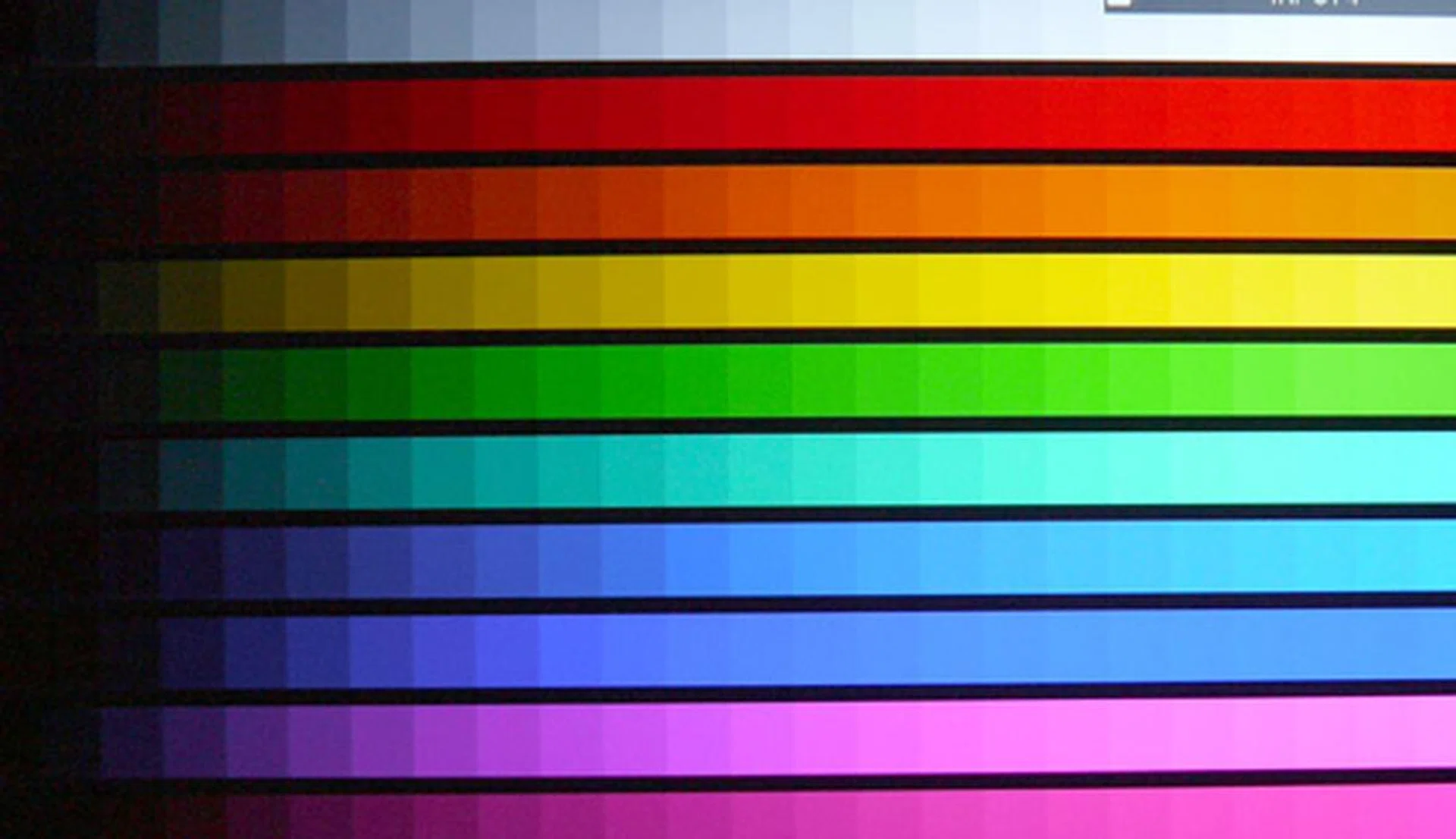
DisplayMate Color Scales Test - Realistic color accuracy and uniform color gradations were observed on Sharp's LE925M, barring the premature darkening of the blue bands. At wider viewing angles, the panel managed to retain its color fidelity but is susceptible to contrast shifts.
IDT HQV Tests
IDT's HQV Tests are designed to assess image quality and the handling of digital displays and players through a variety of video signal processing tasks which includes decoding, de-interlacing, motion correction, noise reduction and film cadence detection. We've programmed the Blu-ray player to playback in 1080i in order to stress the TV's video processor. This compels the TV's processor to convert interlaced signals into progressive to accommodate the HDTV's panel. Here are the results we noted on two of the most crucial tests:-
Digital Noise Filtering
Technically, we were expecting similar noise filtering results as the LE820M, but this was not to be. In reality, Sharp's latest LE925M fell short when compared to its 2D predecessor which demonstrated a more adaptive temporal noise filter. A sizable level of noise grains persisted, even with the DNR settings clocked to "High".
Diagonal Filter Test
This is the only HQV test where the AQUOS Quattron truly shone. Its de-interlacers showed excellent reconstruction techniques with little signs of feathering or "jaggies" on the 1080i rotating bar.
Film Resolution Loss Test
Unfortunately, the TV was unable to apply the proper inverse cadence. Strobing persisted on the SMPTE pattern (originally recorded at 1080p24), despite trying out the TV's Film Mode in the Advanced (High), Advanced (Low) and Standard settings. It's best to disable its 24p recreation if you encounter any visual anomalies, say with a Blu-ray movie shot on film mode for example.
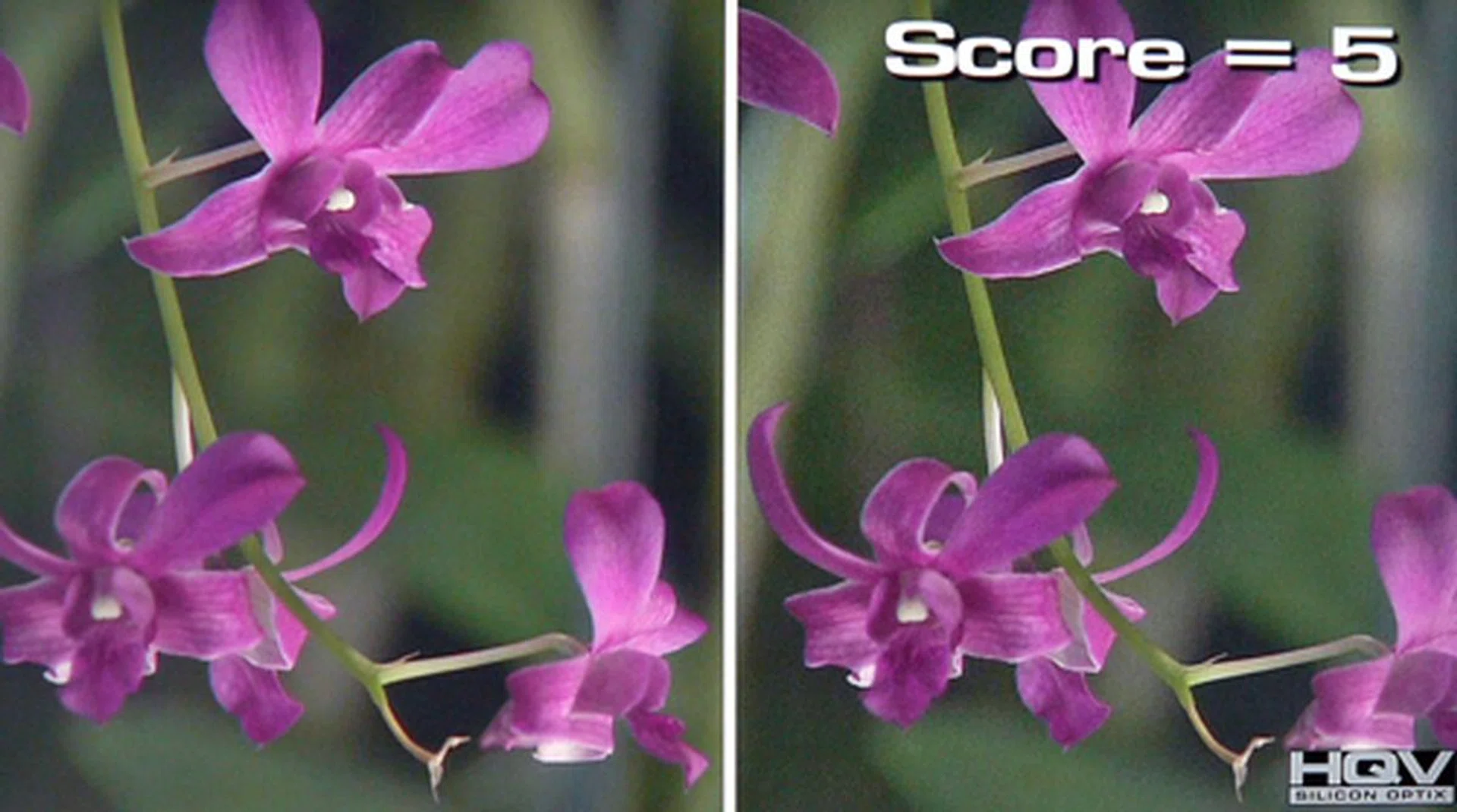
HQV Digital Noise Filtering Test - The LE925M has a less adaptive noise filter compared to its LE820M sibling. Little improvements were made in removing spurious noise between the TV's Low and High DNR settings.
High Definition Tests
Sharp has added a few image enhancements to the LE925M's advance configuration which the LE820M lacks. To name one, there's "AquoMotion" which combines backlight scanning and frame interpolation to attain its rapid 200/240Hz frame rates. Other notable qualities of the LE925M includes "Quad Pixel Plus", designed to "reproduce high-definition images with higher resolution" in Sharp's own words. And as noted in our LE820M review, there's the dynamic contrast sweetener disguised as "Active Contrast". Ironically though, we had the best experience with Blu-ray discs without relying excessively on the Quattron's picture boosters.
On Corpse Bride, and on its own, the LE925M was capable of producing lively visuals and depth. Still, we weren't satisfied with the relatively murky blacks and soft contrasts. Plus, the letter box bars were more dark gray than black at this point. Under our dimmed lab environment, we realized an optimum setting by enabling Active Contrast and further reducing the backlights' intensity to -3 and Gamma to -1. In an instant, detailing was improved. Also, note that we left the rest of the picture settings unchanged as per our calibrated figures. To add, enabling AquoMotion resulted in accelerated and somewhat unreal paces on moving subjects, albeit a more fluid motion was observed, like one particular scene where Victor Van Dort was running over the bridge for instance. Quad Pixel Plus did little to improve the overall picture quality, on Corpse Bride at least.
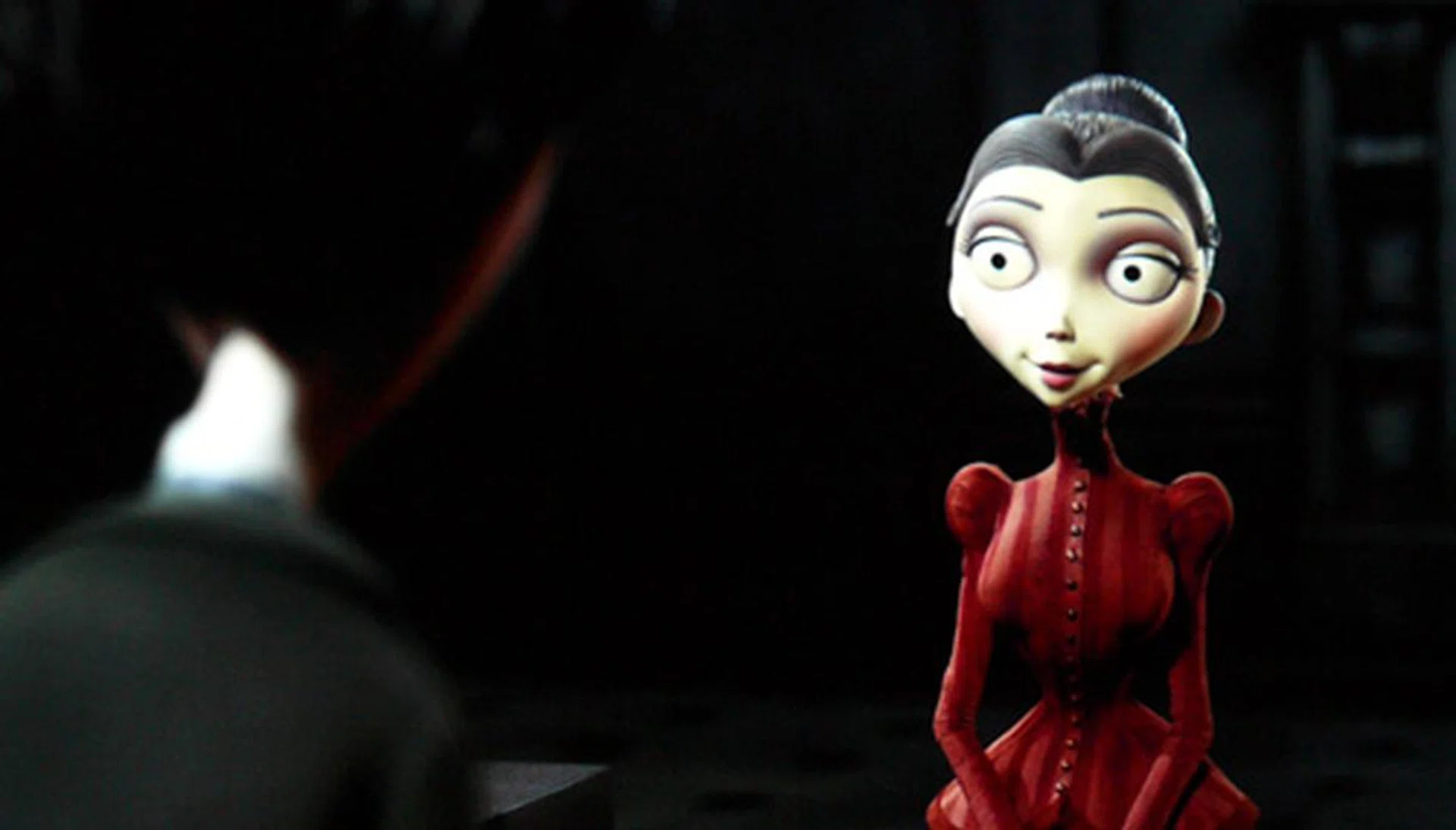
Expect brilliant visuals and rich colors on the AQUOS Quattron, although further adjustments is required to achieve an ideal picture setting. Fine details such as Victoria's hair was also nicely defined, more so after Active Contrast was enabled. The Standard preset worked well on less visceral animations such as Corpse Bride, while the usually favored Movie preset tend to bring on a discernible yellow tinge.
Similar results were gathered with Vantage Point. Skin tones and color accuracy were healthy, although further tweaks to the CMS palette (Color Management System) may be required to nail the best color settings according to your preference. Generally, the Movie preset yielded warmer hues and softer details on the LE925M. Conversely, the Dynamic preset was simply god-awful with its saturated and exaggerated levels. What about its 1080p24 cadence? Pacing on the telly's Film Mode Standard option was acceptable, although pushing it to Advanced (High) would result in unnatural and "tearing" artifacts. On the whole, we were pleased with the TV's black levels and depth. To enhance the TV's motion processing, Sharp has combined both backlight scanning and frame interpolation in AquoMotion. With the Scan (backlight strobing only) selection, movement was tolerably fluid, but not so much with the High preset which combines both features. In a nutshell, enable backlight scanning if you must, but we won't advise deploying the two of them in tandem. For a crisper picture quality, Active Contrast is desired.

Be careful when you are enabling the LE925M's Film Mode processing, for it does not always render the best results with each BD title. Take Vantage Point for example. At 12:48, when Matthew Fox and company were walking towards the podium, evident feathering and artifacts was observed around the periphery of Fox's head. Such intermittent issues were revealed with the High option, but not on the Standard 24p selection.
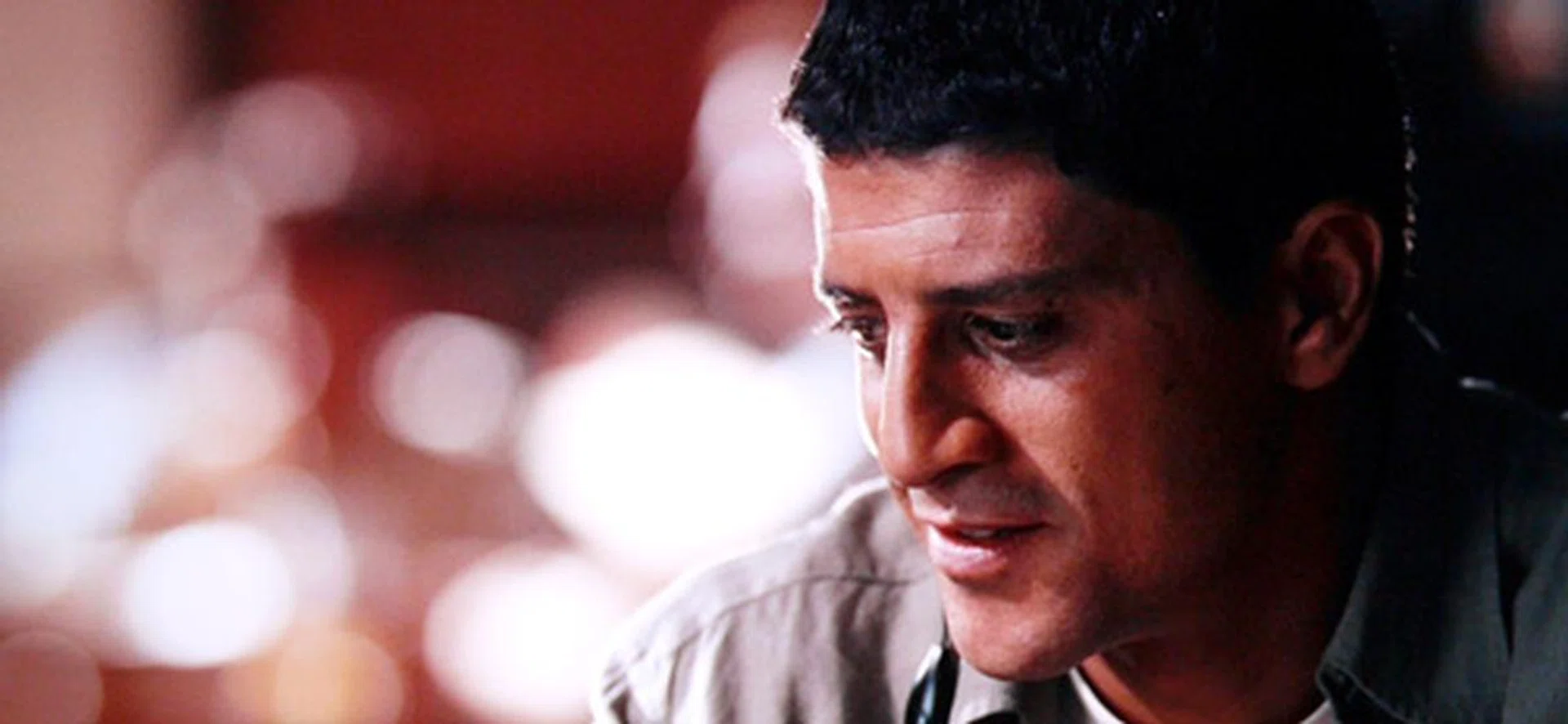
Sharp's UV2A photo-alignment tech is most evident when handling rich HD details. With a brighter luminance and improved contrasts, finer nuances such as skin pores are nicely defined on the X-Gen panel. Vantage Point really came to life on the 60-inch screen.
Here's our recommended settings for Blu-ray sources:
Calibrated Values | |
Picture Mode | Standard |
Brightness | 1 |
Contrast | 31 |
Color | -3 |
Tint | 5 |
Sharpness | 0 |
Backlight | -3 |
Color Temp | Middle |
Gamma | -1 |
Film Mode | Off |
Active Contrast | On |
DNR | Low |
AquoMotion | Scan |
Quad Pixel Plus | Off |
OPC | Off |
Standard Definition Test
We've said it before for the LE820M, and we'll say it again for the LE925M - this HDTV is a force to be reckoned with when souping up standard-def signals. Our DVD of choice is the X-Men "The Last Stand". Clamping the BD player to a 480p output, we found little to complain about on the Quattron's SD performance, apart from the inevitable aliasing and pixelation issues typical of DVD content.
Honestly, we braced ourselves for the possibility of crappy picture quality on the mammoth 60-inch display, since DVD sources don't show up very well on large screens. We were, instead, blown away by the way the video processor tackled the upscaling tasks and motion details on its native 1920 by 1080 display. Levels of noise grains persisted, but confident picture processing and convincing blacks definitely made up for the noisy blemishes. We cannot say for certain if the presence of the yellow sub-pixel is the cause behind the X-Men's richer colors, but hues are visibly a notch more saturated than other LED offerings on this DVD.

Not all LCD TVs are masters at upscaling DVD content, but suffice to say, Sharp has mastered that fine art on the LE925M. With its palatable detailing, you might think you are watching a BD instead of a DVD when viewed at an appropriate viewing distance (2.2m).
Eyeing Sharp's 3D Eyewear
Dressed in silver and black, Sharp's AN-3DG10-S eyewear is noticeably heavier than most of its competitors due to the built-in circuitry found in both legs. Even so, it is still relatively comfortable on the nose and ears when we tried it on. The infrared receiver is situated right between the lenses, so be sure not to obstruct that spot. Although the active-shutter glasses is equipped with a mini-USB slot, the terminal is used mainly for servicing and not for other purposes. Speaking of which, the AN-3DG10-S isn't rechargeable like LG does. It's powered by a CR2032 lithium button cell if you're curious. Given the TV's versatile 3D finesse, you can also toggle between 3D and 2D modes by pressing the power button twice. The LED blinks twice when in 2D mode, and thrice in 3D. However, you'll need to remove the glasses to read the LED status since it resides at the top of the glasses' leg. The 3D eyewear also also comes with a cleaning cloth, glasses band, travel pouch, two nose pads and two mini screwdrivers.
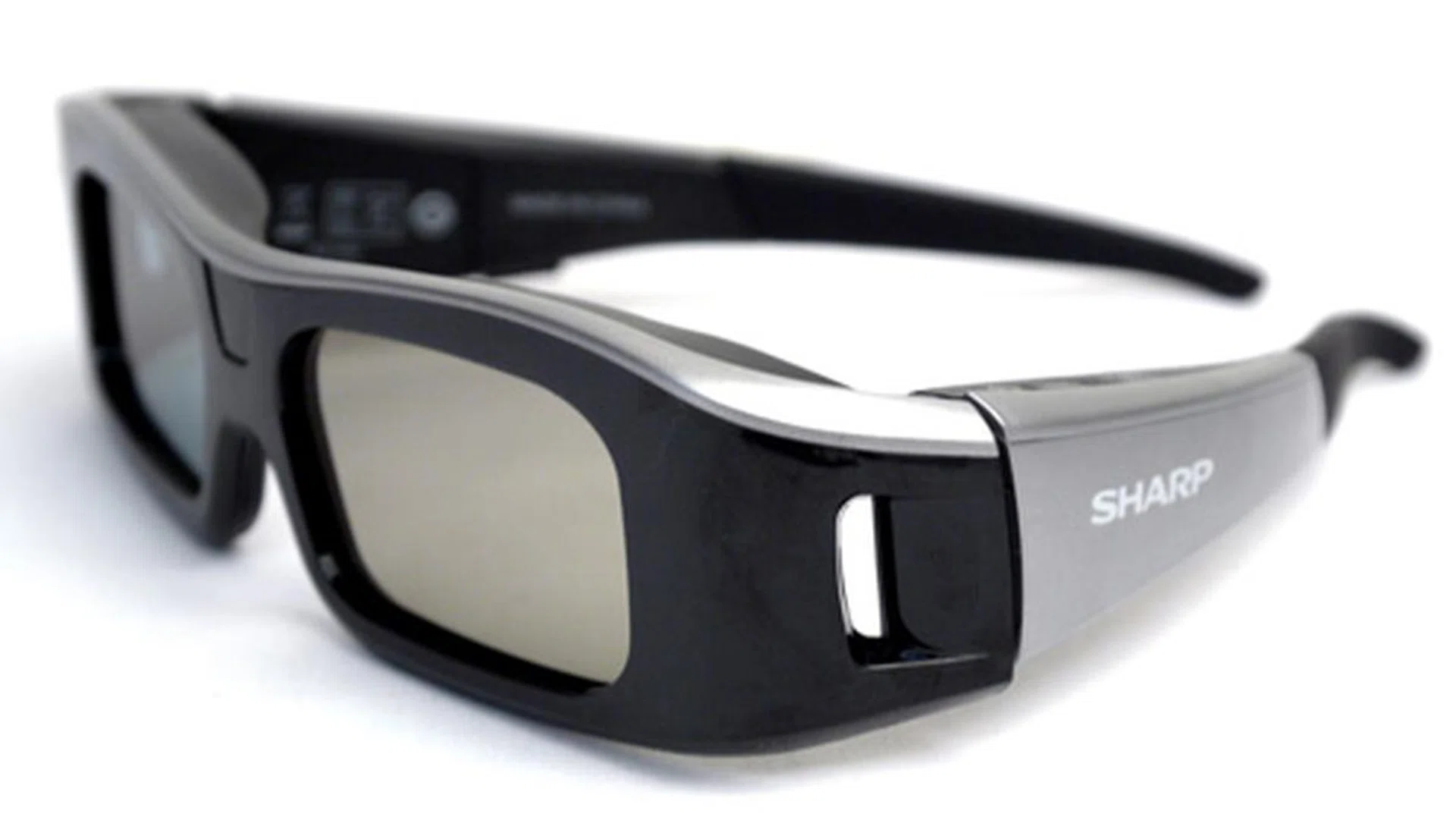
Weighing 65 grams, Sharp's 3D eyewear is visibly clunkier and heavier than most of its competitors. Surprisingly, it is fairly comfortable when worn, though we tend to favor the slimmer nose pad over the chunkier one. The glasses power itself off if no 3D signal is detected after three minutes.

The power button also doubles up as a toggle switch for its 3D and 2D modes. To confirm its operational status, however, you'll need to remove the glasses to read its LEDs.
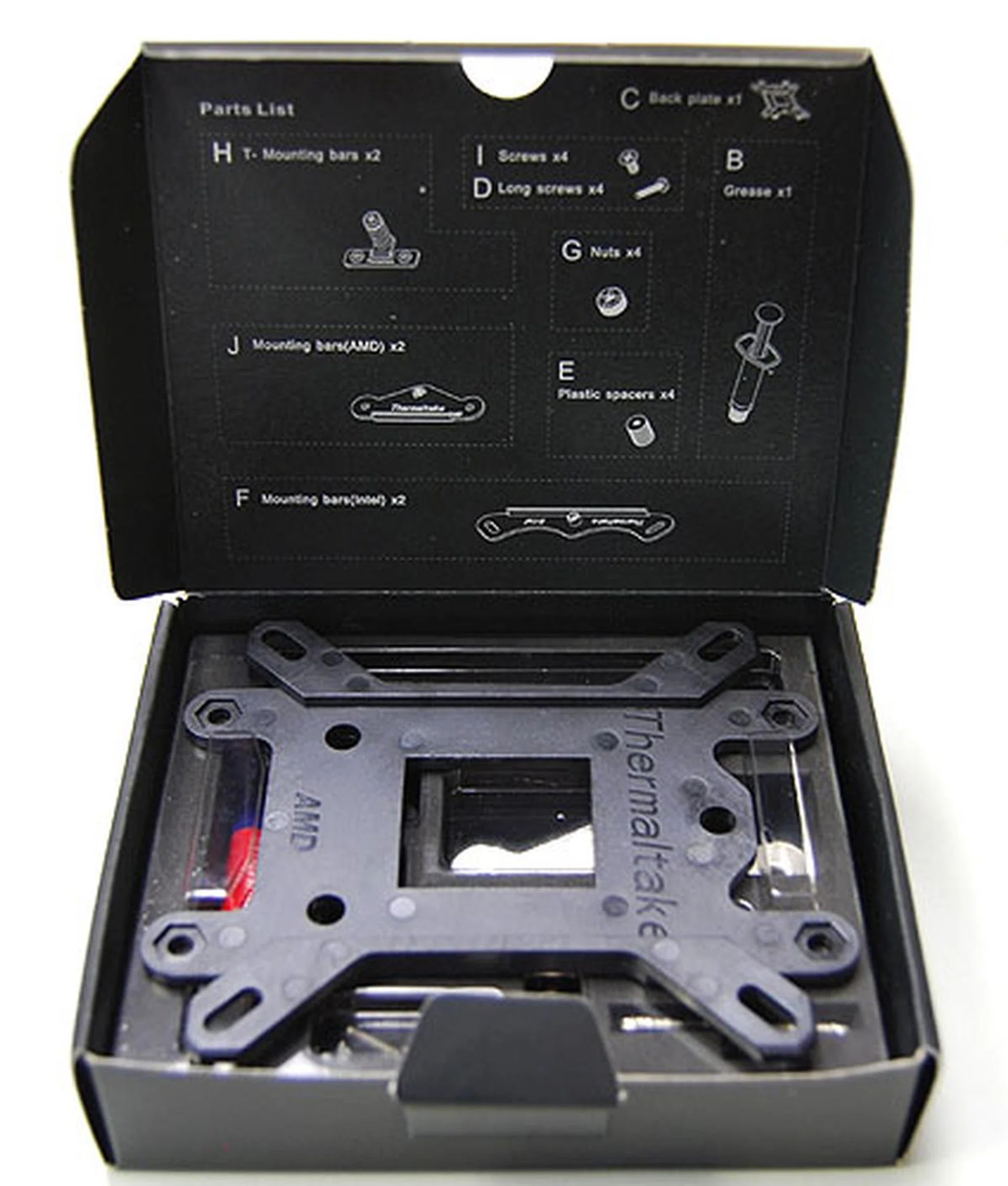
The AN-3DG10-S comes with all the necessary fittings such as two nose pads, a travel pouch, cleaning cloth, glasses band (to secure the glasses) and two teensy screwdrivers.
Sharp Stereoscopy
Sharp is late to the 3D revolution compared to rivals such as Sony, Samsung, LG and Panasonic. On the flip-side, they have packed enough 3D firepower into the flagship LE925M to rattle the competition's cage. For starters, the AQUOS Quattron is not only capable of displaying 3D sources, it can also convert that signal to 2D in real time. Just hit the "3D" button on the remote to kickstart the 3D-to-2D process. The opposite is also possible if you prefer to eyeball 2D pictures in stereoscopic form. Simply hit the same 3D button when running a 2D reel, like a standard Blu-ray movie for example, to convert the output to 3D form. Additionally, Sharp's active-shutter glasses also has a similar 3D to 2D feature to scream about. For all its fancy moves, how did the 60-inch Quattron really fare in the real world? Here's our assessment based on the "Monsters vs Aliens" 3D BD title.
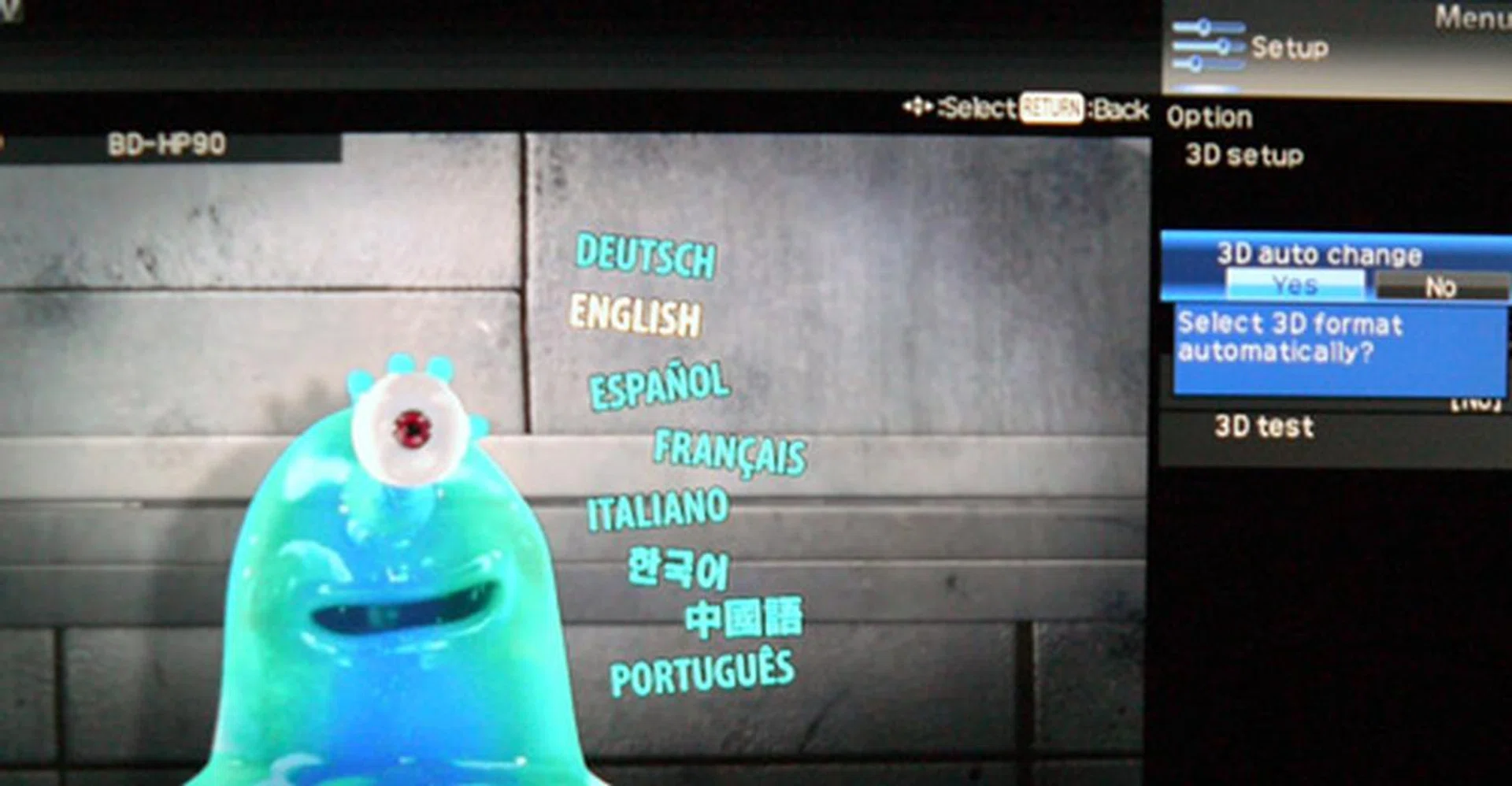
The LE925M's 3D Setup interface allows you to enable or disable the 3D Auto Change mode, which automatically detects a 3D signal. We'd recommend enabling this function if you have a slew of 3D movies waiting to be watched.
AQUOS Quattron LE925M - 3D performance: From start to finish, the LE925M exhibited impressive 3D depth, contrast and detail. The X-Gen's panel high luminance also makes it ideal for 3D excursions with its punchy clarity. The HDTV comes with three levels of brightness, which you can engage via the R button on the remote after hitting the 3D button. Although intermittent crosstalk was still evident from scene to scene, it appeared more of a shimmer rather than a shadow image in most cases. Motion resolution was equally delectable. For the LCD genre, we'd rate it above the and , and a notch more impressive than the .
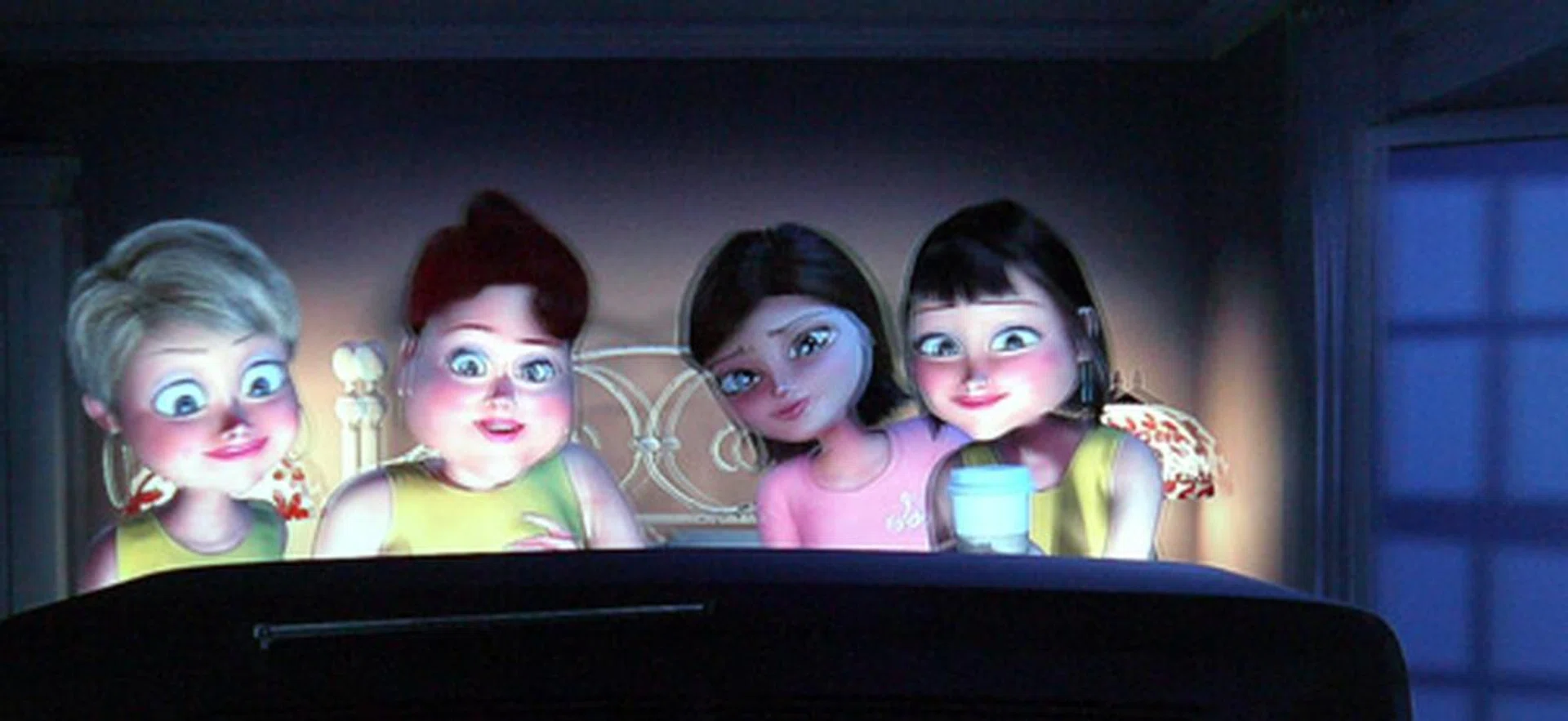
The Quattron stamps home its point with laudable 3D depth and detail. However, niggling crosstalk issues are still a bane as observed on one the earlier scenes on Monsters vs Aliens.
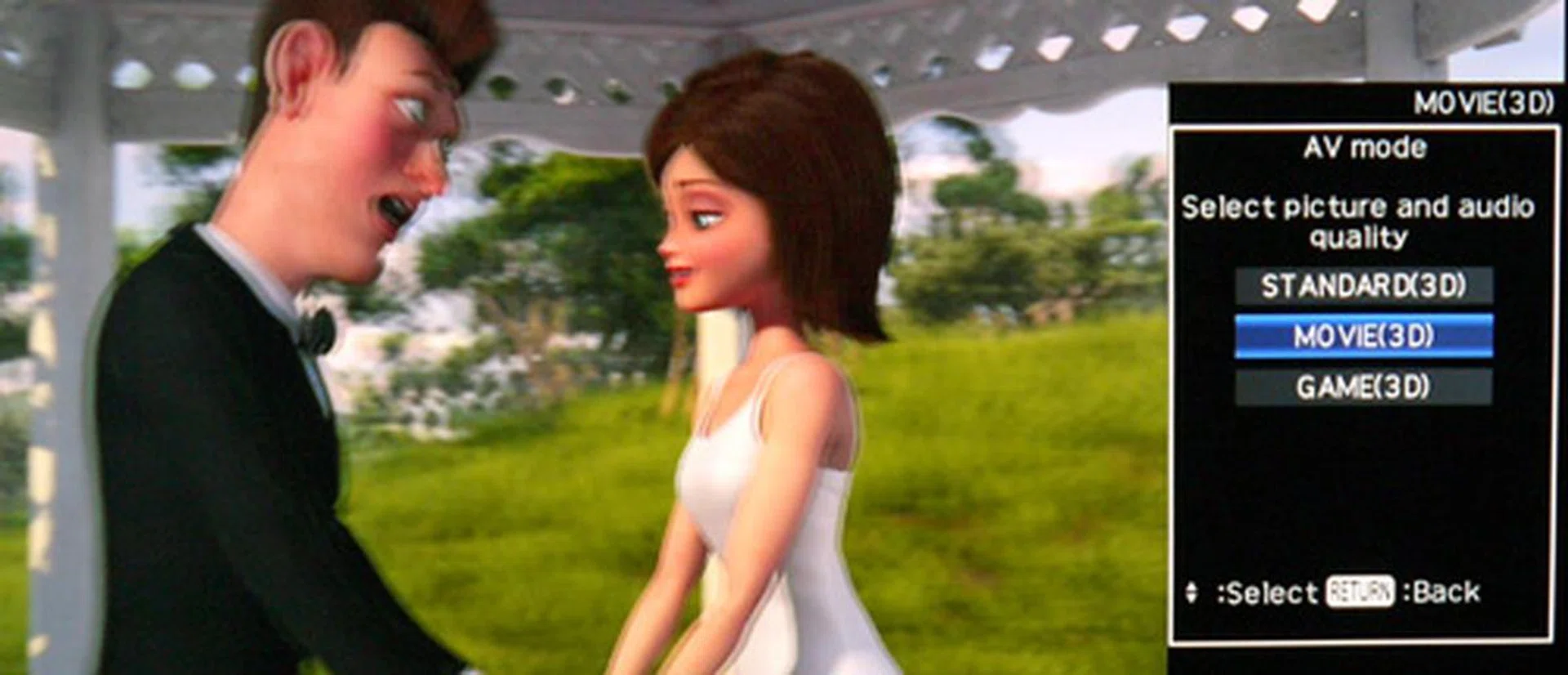
You'll have to forego your 2D picture customizations in 3D mode. But note that Sharp is offering three 3D presets for the LE925M as well. The Standard (3D) option has the highest brightness setting for brightly lit rooms. Alternatively, you can switch to Movie (3D) which delivers a warmer and dimmer result.

For all the flak directed at 3D TVs, the entire stereoscopic experience really comes together when subjects are precisely defined to project sufficient depth, such as this scene with the huge alien bot with ground troopers in the foreground.
Active-shutter glasses - 3D to 2D performance: At this point in time, Sharp is the only player in the industry with 3D to 2D conversion by means of its active shutter glasses. The conversion process is relatively easy to understand, since all the lenses do is to shutter in sync instead of alternating between the sequential frames. Simple as it is, occasional crosstalk remained visible during the "converted" 2D experience, and we also had trouble focusing on certain subjects from time to time. Truth be told, Sharp's feature is more gimmicky than convincing in this case. On the bright side, there were also instances where timing between transmitter and receiver rolled in perfect harmony, which led to a formidable 3D display to behold.

In this scene, ghosting was apparent around the BOB (that gooey blob) character as the monsters prepared to board the aircraft. It appears that Sharp still has some refinements to make to its eyewear's 2D conversion technology.
AQUOS Quattron LE925M - 3D to 2D performance: While the TV may have faltered in its 2D processing with the glasses on, the Quattron's internal 3D to 2D conversion promised better results on the whole. Needless to say, ghosting or crosstalk was not an issue here, and the animated characters were sharply rendered with satisfying clarity. To engage this function, press the remote's 3D button, and select "Yes" when prompted for the 2D transformation.
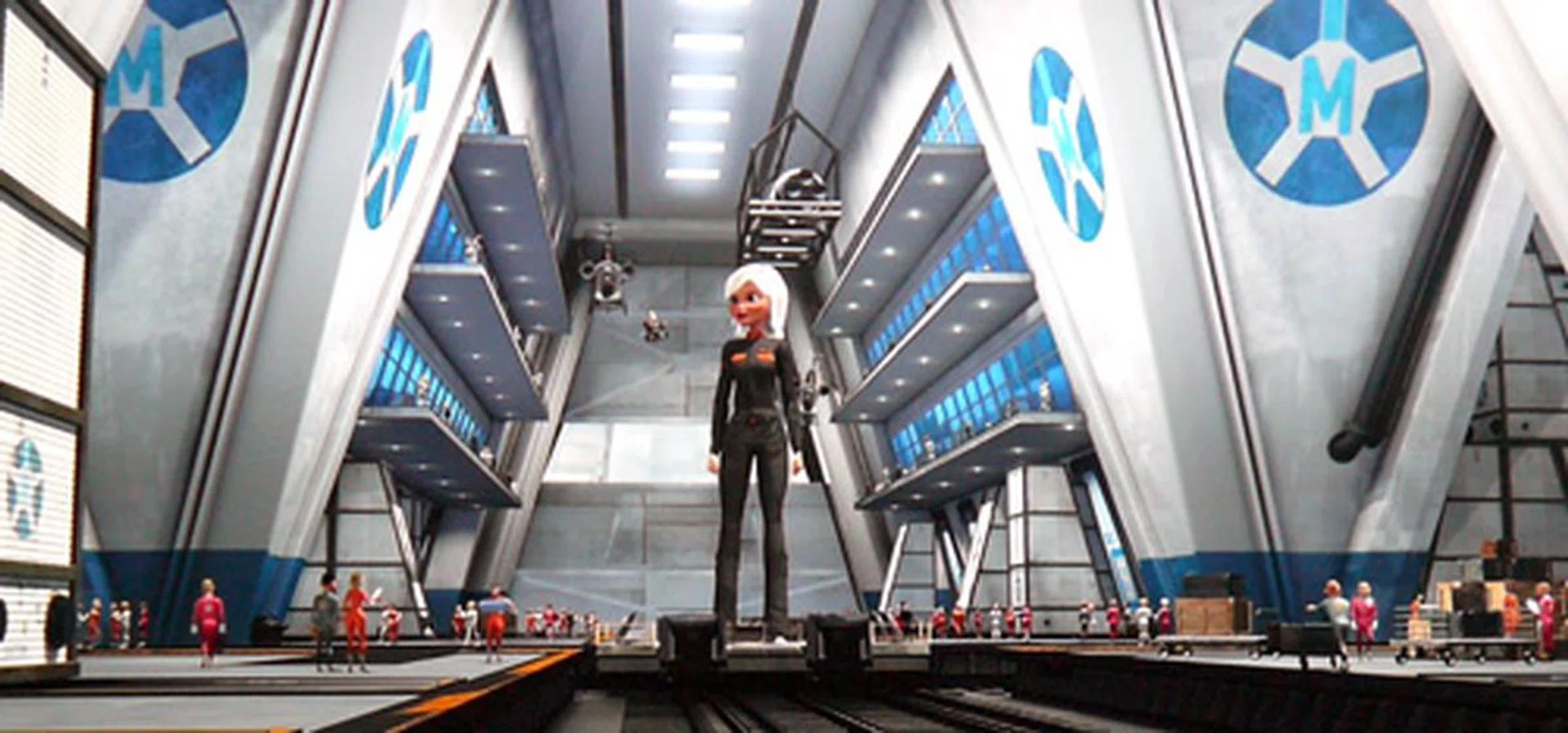
With Sharp's competent 3D to 2D programming, you are effectively getting a 3D and 2D movie for the price of one. This way, family members whose eyes don't handle 3D well can also enjoy the film in 2D form.
AQUOS Quattron LE925M - 2D to 3D performance: We popped Vantage Point back into the Blu-ray player for this test. Now, 2D to 3D translation involves complex algorithms and processing on the part of the TV's engine. Unfortunately, 3D displays from Sony and Samsung with similar features have yet to convince us of a truly effective 3D conversion from a 2D source. The same can be said about Sharp's LE925M, where 3D depth is slight and hardly noticeable on the Blu-ray title. And your eyes, if not your brain, might be annoyed by the occasional flickering on the screen's moving subjects. It might bring you pleasure to know that you can transform 2D content to 3D with the Quattron, but we'd rather use a dedicated 3D Blu-ray source if we desire a stereoscopic experience. The AQUOS Quattron offers three conversion modes: 2D to 3D (frame sequential), Side by Side, and finally, Top and Bottom.
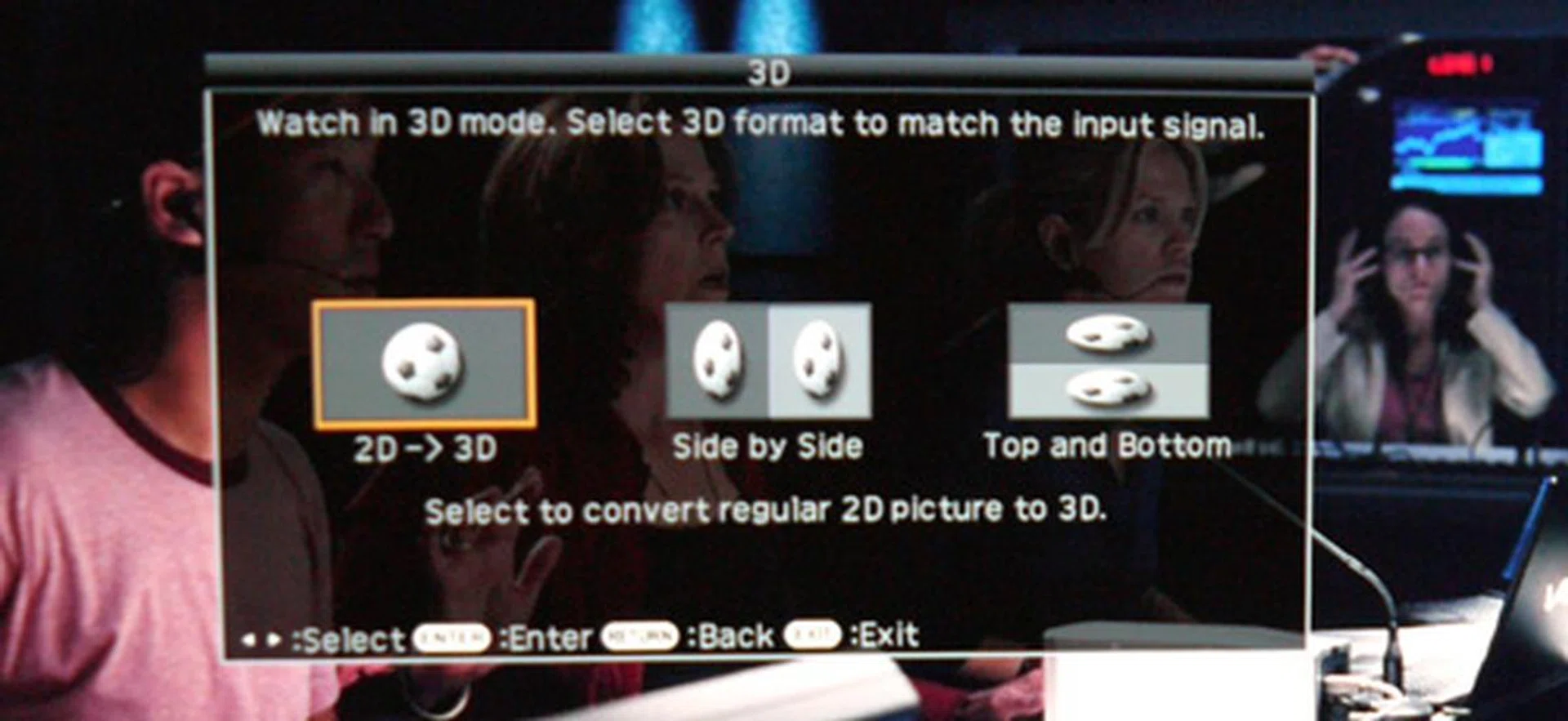
Honestly, 3D movie makers might go out of business if TVs are able to convert 2D sources to 3D effectively. For now, this feature is a "nice to have" but far from critical. Apart from the frame sequential method, the LE925M also supports Side by Side and Top and Bottom conversion.
Closing Thoughts
It is clear that Sharp has invested a tremendous amount of effort into their latest 3D offering to make themselves heard in a growing 3D display market. To round off its strengths, the 60-inch LE925M boasts of sleek looks and a substantial array of multimedia support. Not to mention a formidable screen which impressed us with its high luminance levels rather than the quad-pixel count. While it is true that the HDTV does not offer local dimming features, this Quattron has the right qualities such as brilliant clarity and vivid details to ensure an enjoyable HD ride. Some of its enhancements are visibly not up to speed, such as its noise reduction filters and motion enhancing features, but the final HD result is still as punchy without relying on the added perks.
Sharp isn't going all out to impress with widgets and applications, but its dependable capability for vivid details and robust picture quality should sway the odds in its favor. And just in case you are wondering why is its "arrowhead" logo is blue, well, it actually turns blue once the TV detects a 3D source.
Sharp still has some kinks to iron out, such as refining its glasses' 3D to 2D conversion and TV's 2D to 3D process. When evaluated as it is, however, its 3D performance is by far more digestible than the Koreans (Samsung and LG), and a peg better than Sony's BRAVIA NX810 we've reviewed previously. Its tenacity for brighter levels also helps when watching 3D. To add, the panel's 3D to 2D impression wasn't too bad either. In a nutshell, we'll rank the LE925M as one of the more impressive 3D LCD TVs we've encountered although it still pales in comparison to the faster Panasonic VIERA VT20S (a plasma panel) with its rapid response and black levels. Final word is, would we pay ten grand for the expensive AQUOS Quattron 3D package? The answer's no. Would we recommend the versatile LE925M as a credible 3D LCD TV then? Hell yes. Now it's up to you to take it from here.
Our articles may contain affiliate links. If you buy through these links, we may earn a small commission.