
Samsung Galaxy Z Fold4 5G review: A multi-tasker’s dream machine
Is it really worth the upgrade if all the changes are under the hood? Let’s find out.

Note: This review was first published on 4 September 2022.
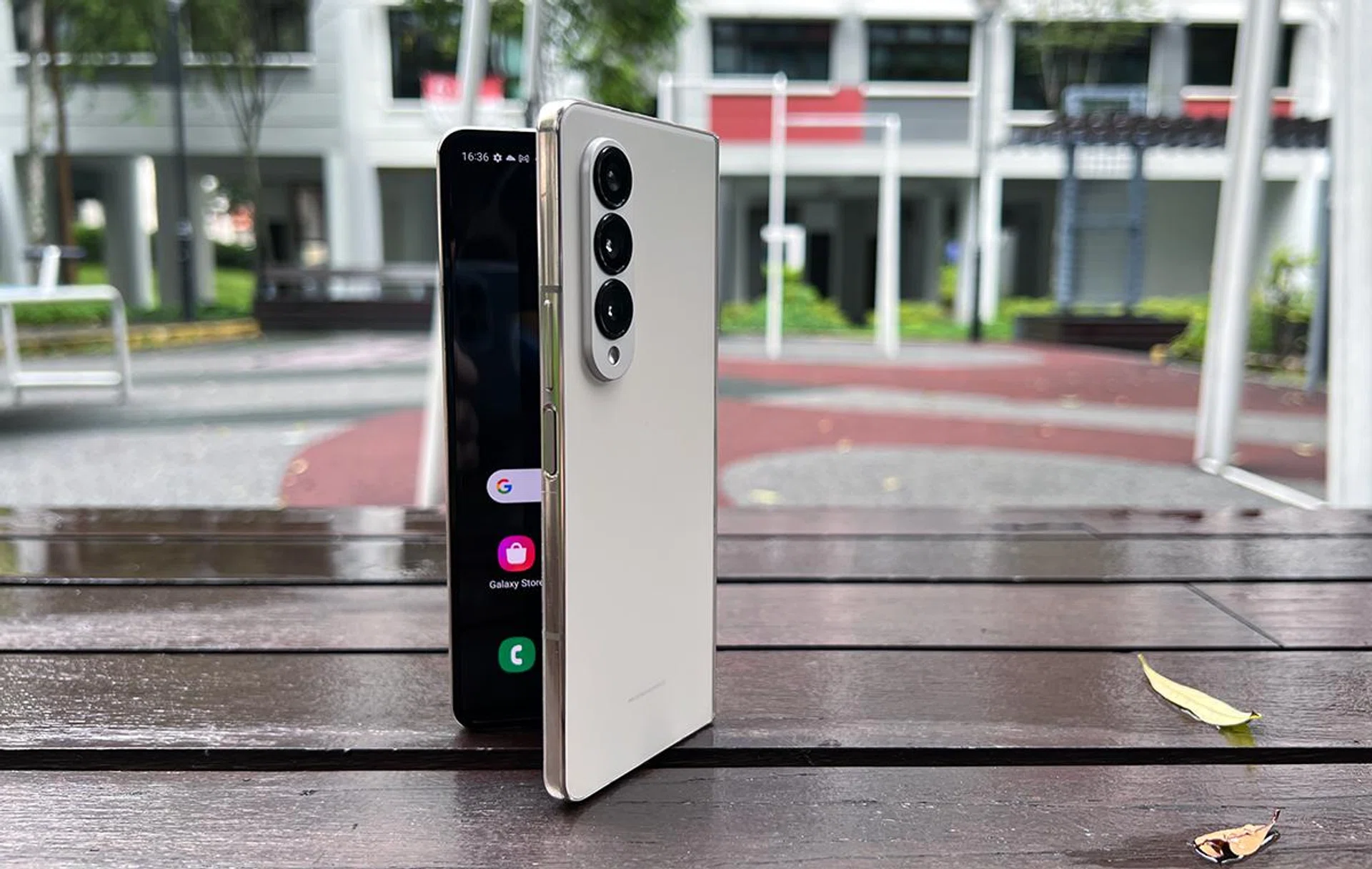
Samsung Galaxy Z Fold4 5G.
Overview
By now, you would know that the Samsung Galaxy Z Fold4 5G kept plenty of what made the Z Fold3 good. It’s a return to the book-style form factor with S Pen support that made its predecessor a true multi-tasking companion.
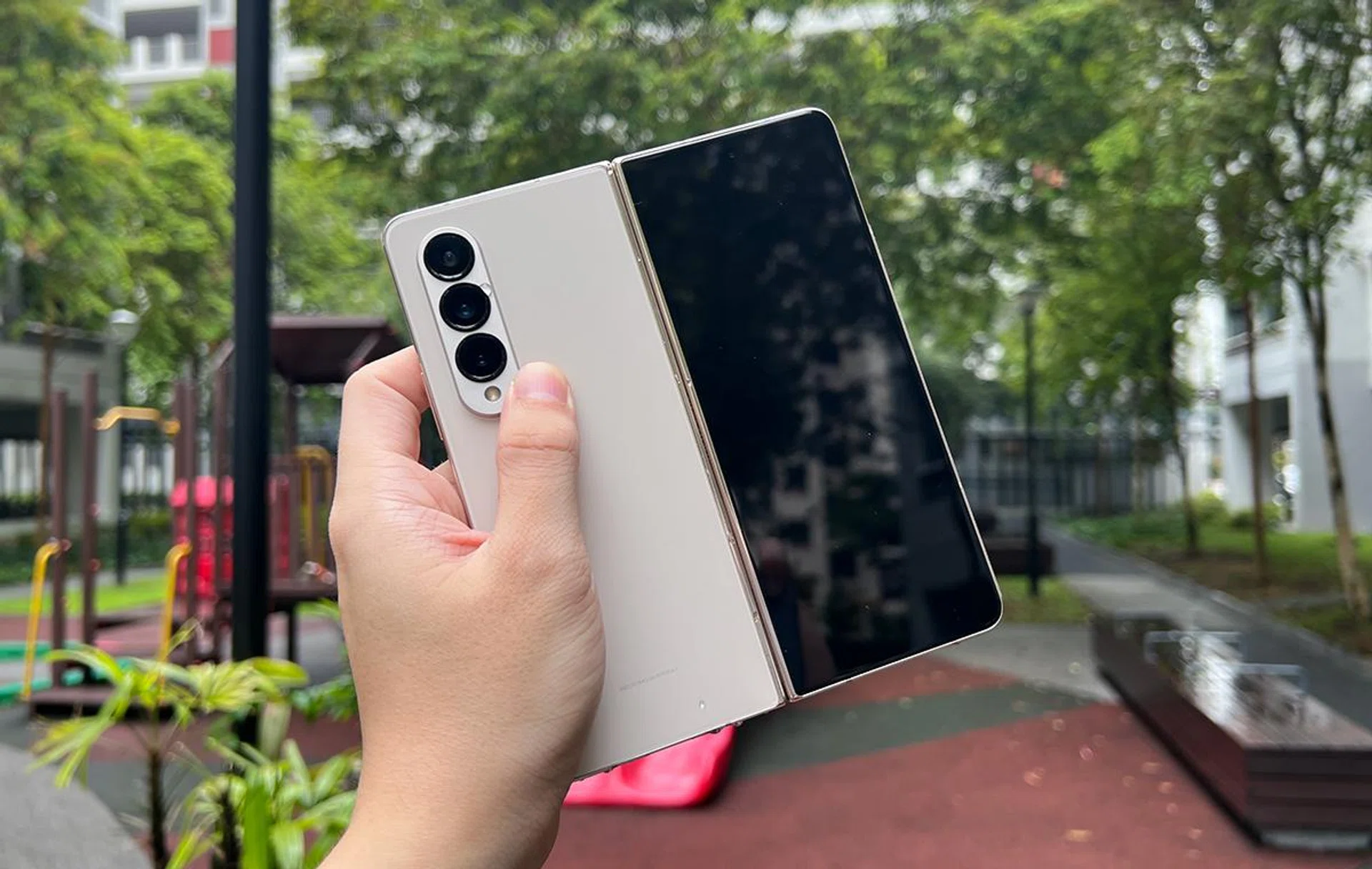
Upgrades to the handset come in many little ways, most of which are invisible to the eye. You’re getting an upgraded processor (Qualcomm Snapdragon 8+ Gen 1), an improved main camera (now at 50MP) and an improved telephoto camera with higher 3x optical zoom and 30x Space Zoom. The device is also oh-so-slightly slimmer (about 0.2 to 3mm) and lighter (8g).
Then, there’s also the switch to One UI based on Android 12L (instead of Android 12), which means that the operating system now plays even nicer with its unique form factor.
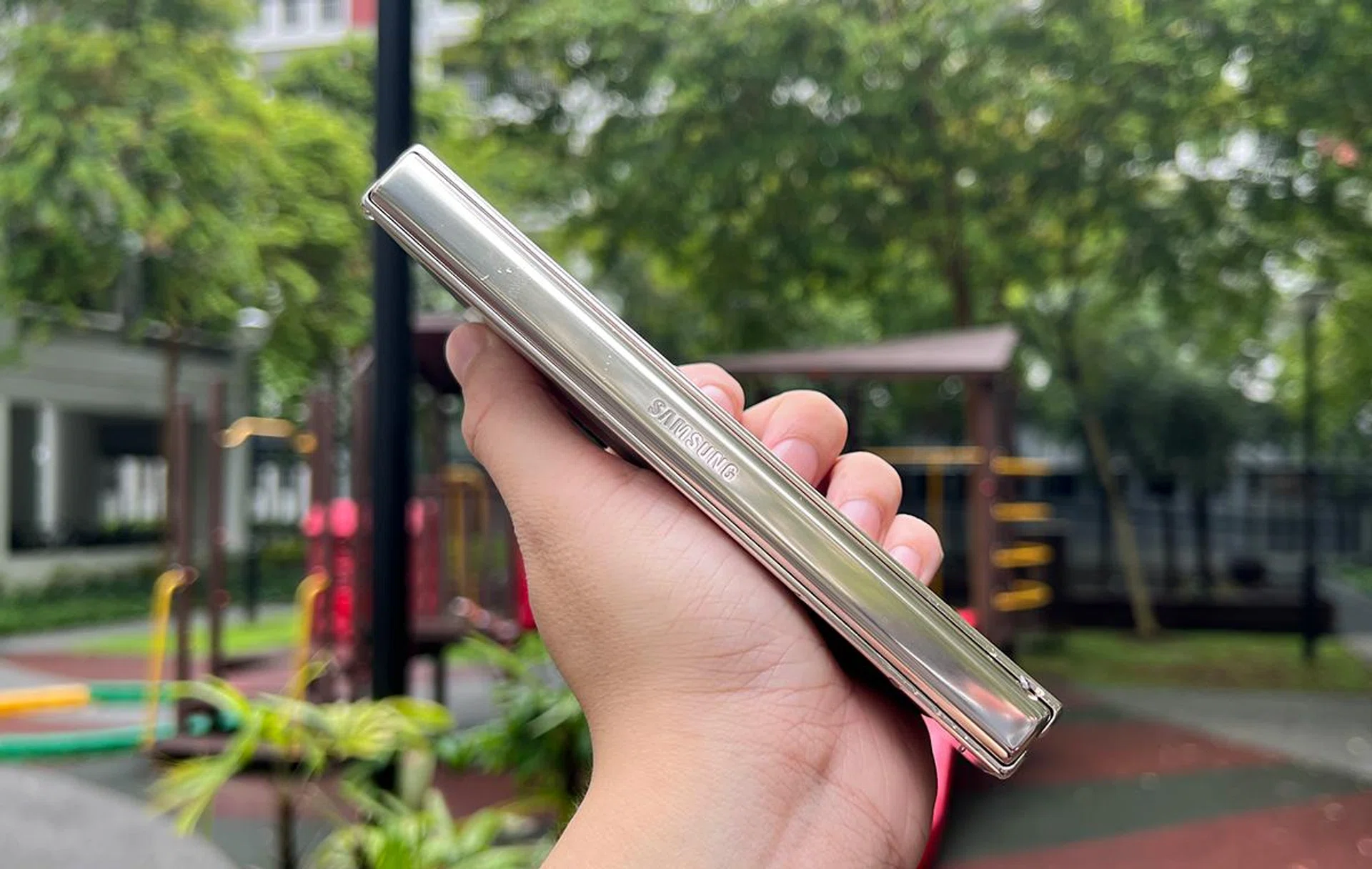
Just about everything else stayed nearly the same – from its battery capacity (4,400mAh) to its display sizes (7.6-inch Main Screen, 6.2-inch Cover Screen, both AMOLED 2X), and the choice of materials for its hinge. So, is it really worth the upgrade if all the changes are under the hood? Let’s find out.
Hardware and software handling, right down to Android 12L
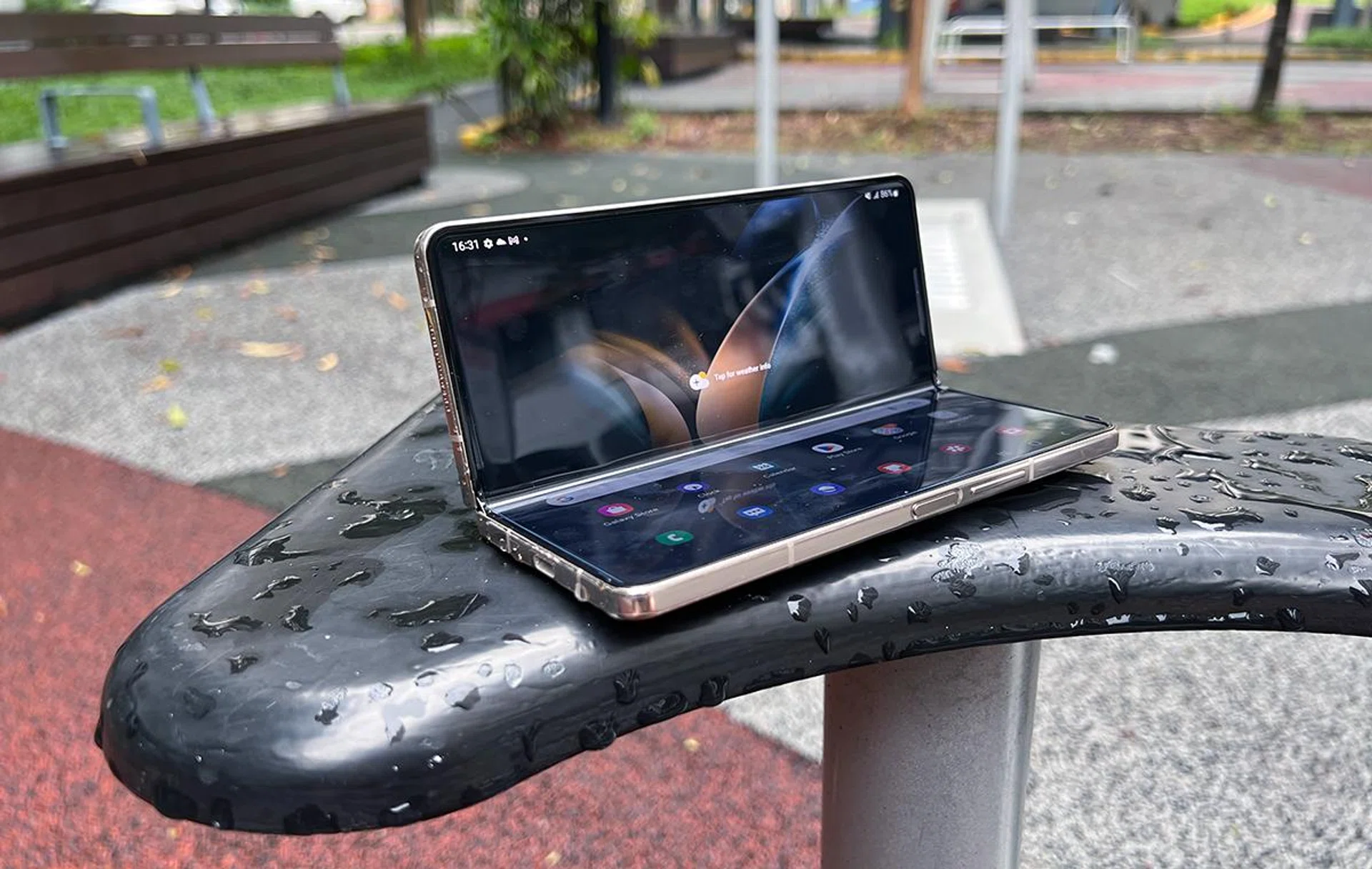
The core design of the Galaxy Z Fold4 5G book-styled fold isn’t new to us, which means its main benefits are also clear to users who need its big 7.6-inch Main Screen. The benefits of extra real estate shine through if you do most of your digital reading on well-designed websites, documents and ebooks. In addition, certain productivity tasks, like managing your calendar and cross-checking product listings on different shopping apps, would be a less painful experience compared to normal phones.
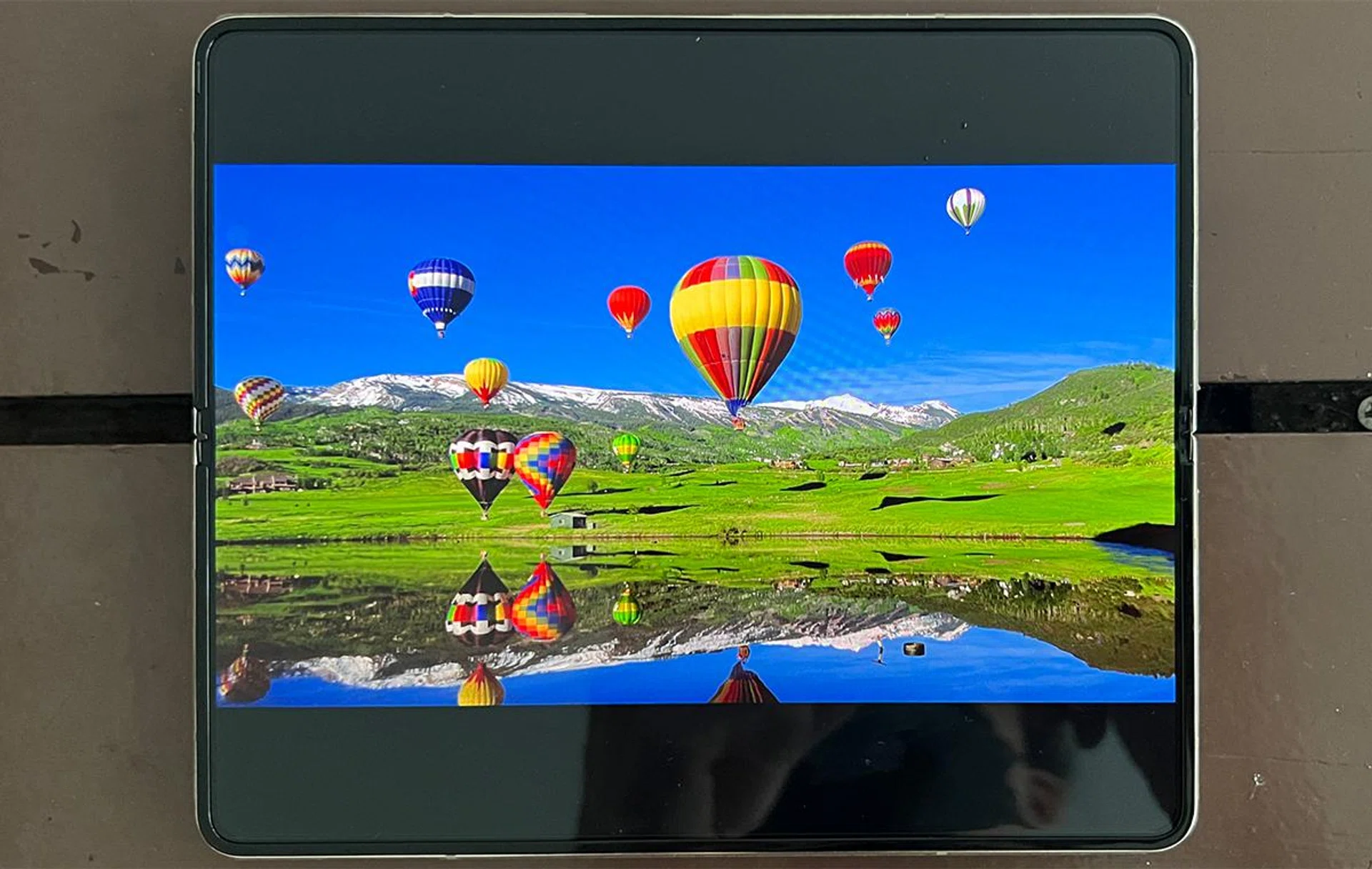
If you’re more of a show watcher, the Main Screen in landscape orientation helps reduce the black bars around your Netflix and YouTube content. Of course, portrait-oriented content like TikTok clips, FB Reels, and IG Stories works just fine too.
Pro-tip: If your apps aren’t rotating correctly, try going into the Settings app and looking for Advanced Features > Labs > Auto Rotate Apps. Play around the three rotate options to get the app orientation you want.
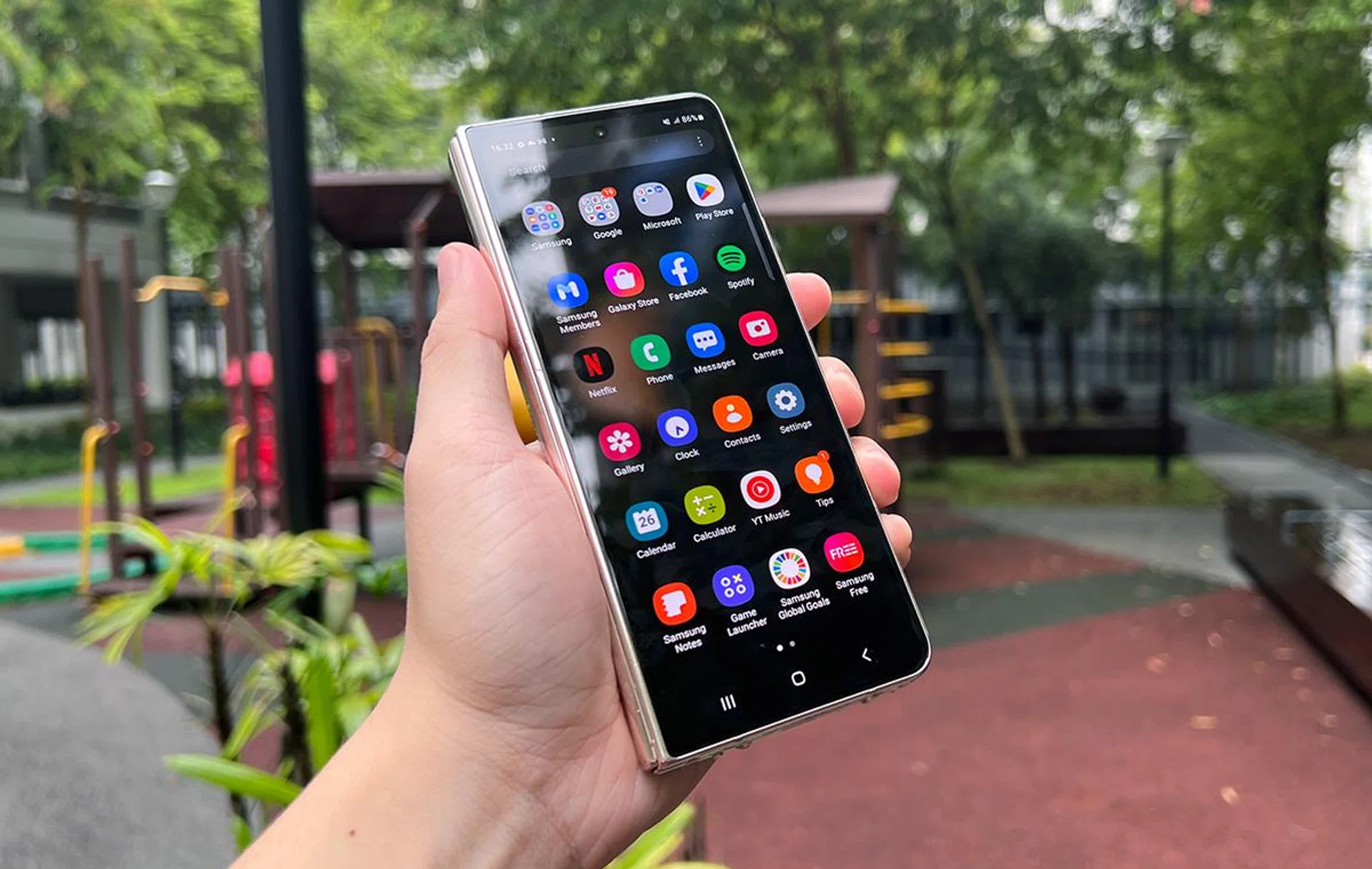
Would you be able to tell this is Android 12L at a glance?
If anything, the switch to Android 12L doesn’t really change how we consume reading and watching material on the Fold4, so the device is good to go, just like its predecessor. After all, Android 12L is just a variant of Android 12 that’s more suited for mobile devices with larger screens.

Taskbar runs across the bottom, much like how your PC or Mac's taskbar/dock work.
What Android 12L does provide for Galaxy Z Fold4 5G is the “PC-like” taskbar that runs across the bottom of your Main Screen. You’d likely catch on fast if you tried Mac OS’s Dock feature before. For the Fold4, tapping on an app in the taskbar immediately brings you to your next app choice, and dragging the app out onto your screen initiates split-screen mode. Best of all, it automatically hides away when you’re watching shows in full-screen mode (swipe up gently from the bottom to bring it back).
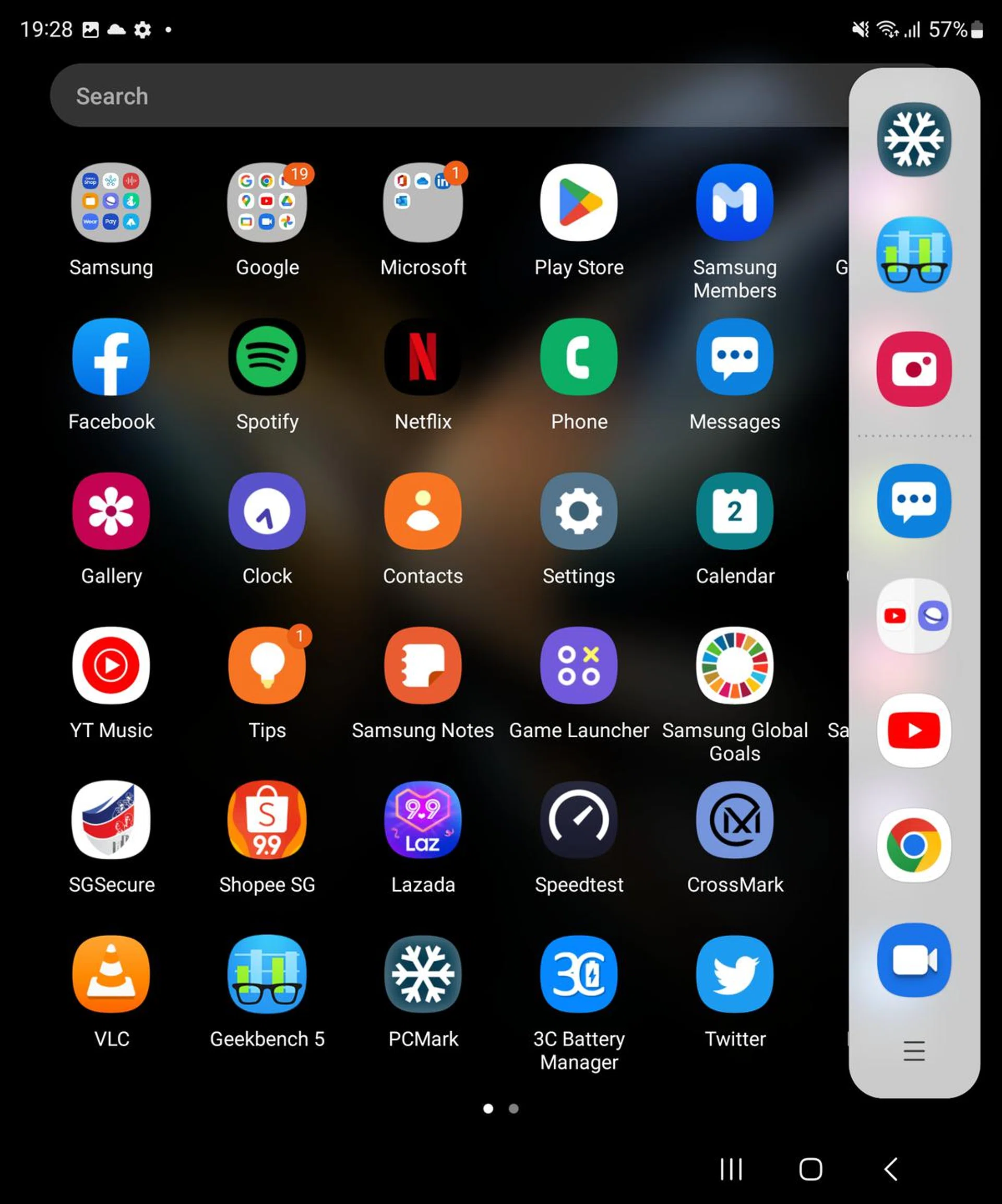
Edge Panel (right) for even more multi-tasking shortcuts.
If you have a specific split-screen or multi-view orientation needs for specific apps, there’s also the old Edge Panel feature (tucked away at the display’s right side) that lets you orientate a group of apps in your preferred split-screen positions, and have them fire all at once. Does the taskbar and Edge Panel combo make the Galaxy Z Fold4 5G more competent at multi-tasking than before? We think so.
Samsung did not provide an S Pen for our review period, but our many brushes with the demo Galaxy Z Fold4 5G units in the wild (at events, conventions, and demo units we came across) tell us that the S Pen works as intended. So if you’re one of the few remaining folks still pining for a Galaxy Note, the Z Fold4 might be able to help you to move on from your ex – with the same S Pen support you’re so used to.
S Pen still doesn’t work on the 6.2-inch Cover screen, but you probably won’t need the stylus for the narrow display. Like before, the phone’s heft doesn’t get in the way of one-handed Cover Screen texting and scrolling, but you might still struggle to reach both top and bottom corners unless you put in some palm-work.
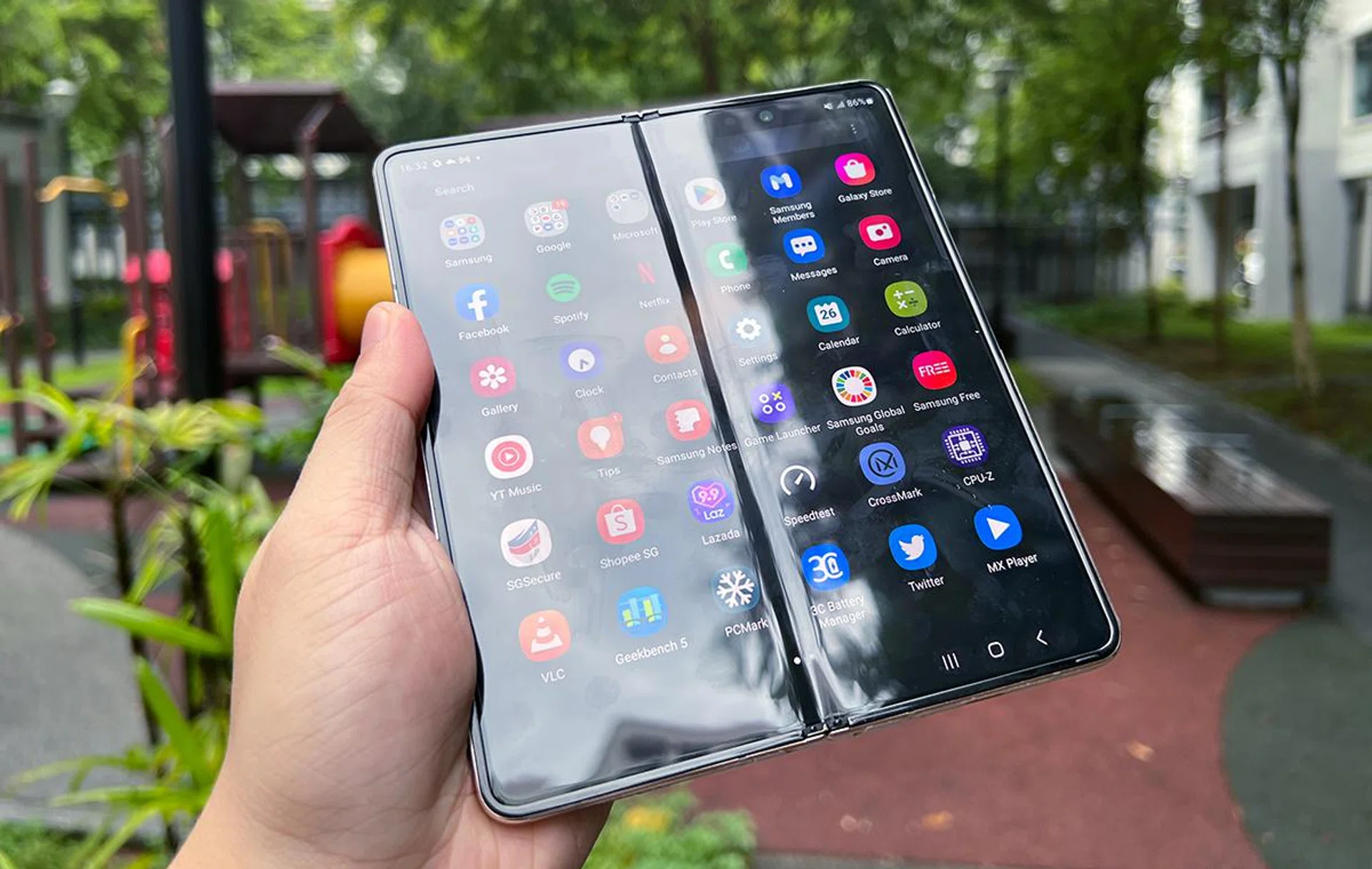
Are you concerned about the display crease and its durability? In our view, it’s not very different from what we expected from the Galaxy Z Flip4 5G, which you can read about in our Galaxy Z Flip4 review here. However, the Fold4’s crease is more prominent, and a little harder to ignore than the Flip4 since it’s longer.
What else is different about the Galaxy Z Fold4 5G?
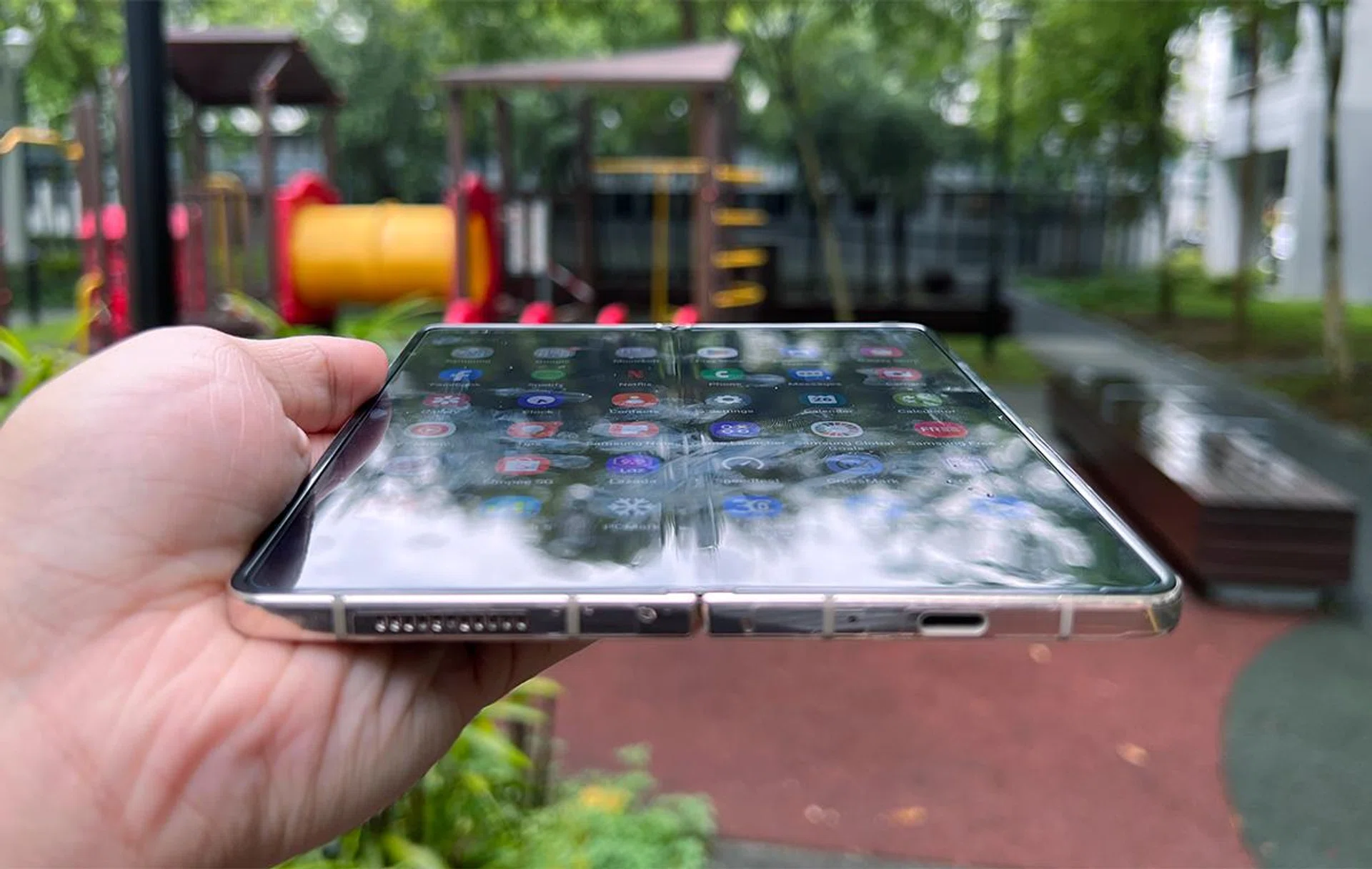
Everything else about both displays is nearly the same as the older Fold3. The Main Screen’s 4MP under-display camera doesn’t get in the way, they keep to similar display resolutions (QXGA+ on Main Screen and HD+ on Cover Screen), and panel quality is still as good as before (at least AMOLED 2X for both screens). It still uses the same trademarked Armor Aluminum material for its hinge and keeps the same IPX8 water resistance rating.
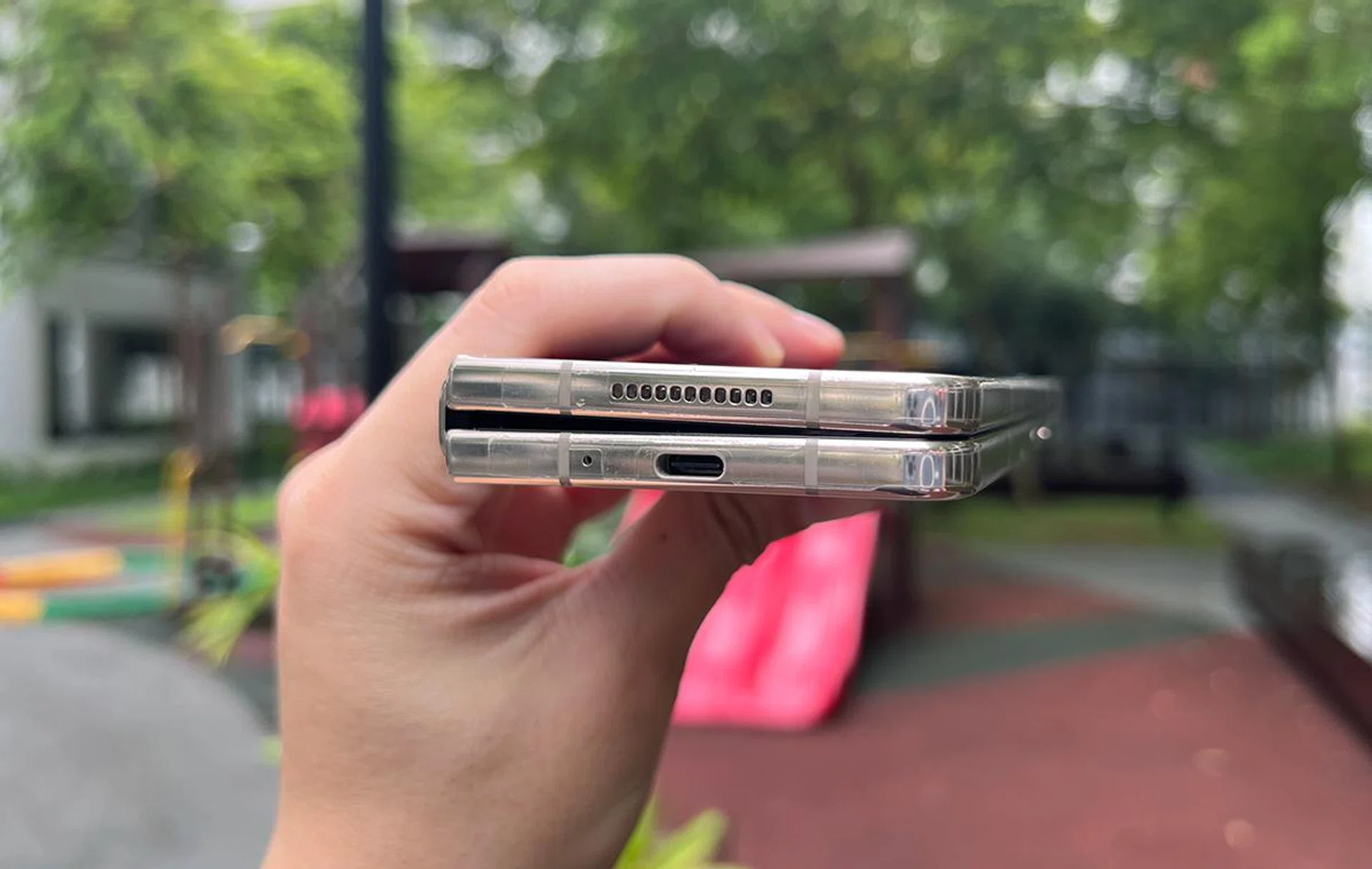
Perhaps you’ll like the minimum 1Hz refresh rate on the Main Screen, which likely saves tons of battery when idling. But, you’re more likely to keep it folded away when it’s not in use. You may also like the upgraded Corning Gorilla Glass Victus+ protection on the device, but you’ll not notice it unless you deface the handset.
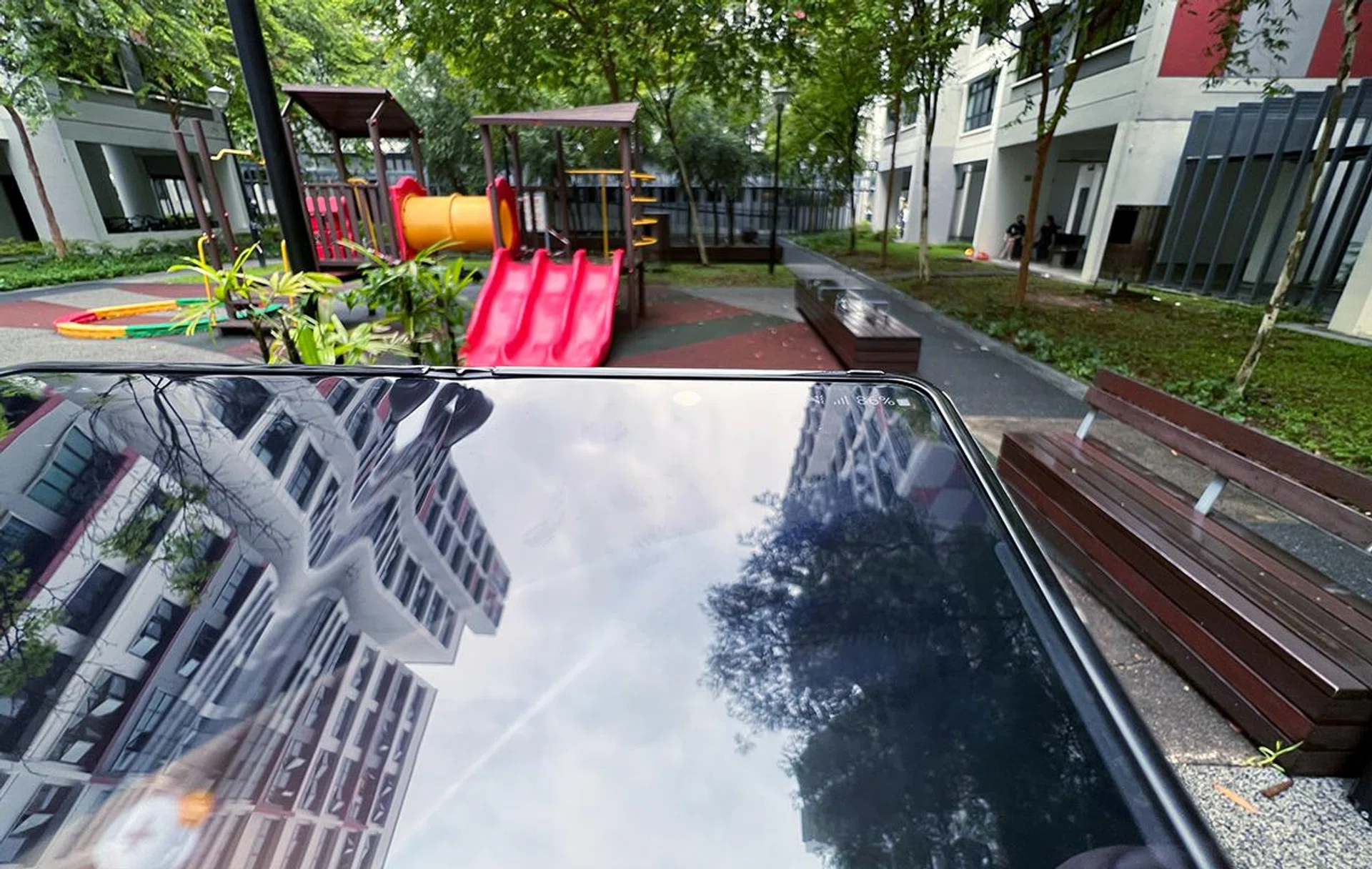
A well-hidden under-display camera.
Its under-display camera would still be the last Fold4 camera we’d use since it still suffers from the traditional disadvantages of under-display lenses (hazy, weird white balance, and lack of detail).
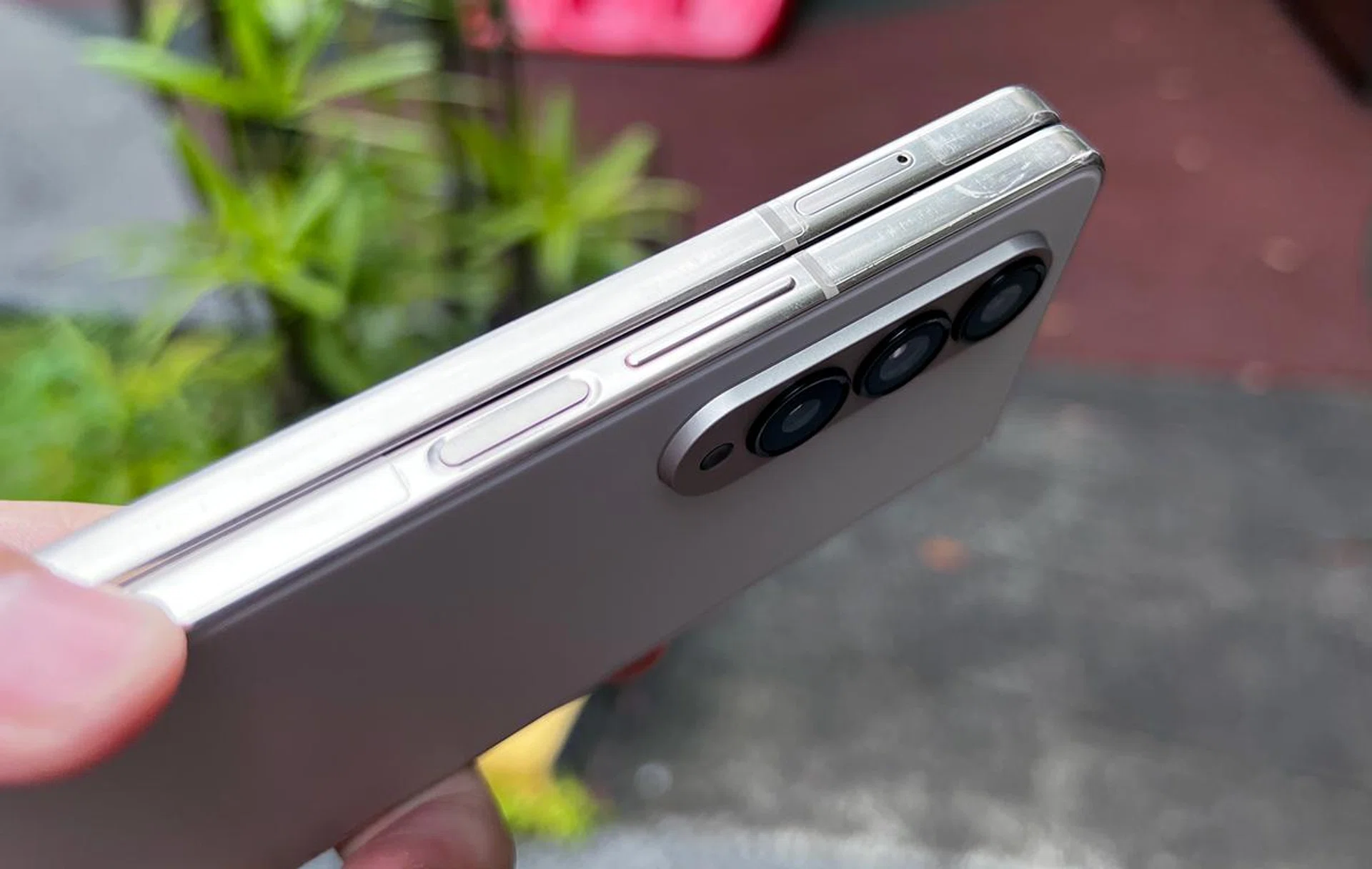
Fold4 also inherits both its strengths and weaknesses from its older variant. For example, it still supports two physical SIM cards, but no MicroSD card slot just like before. The lack of external physical storage feels like a missed opportunity for Samsung.
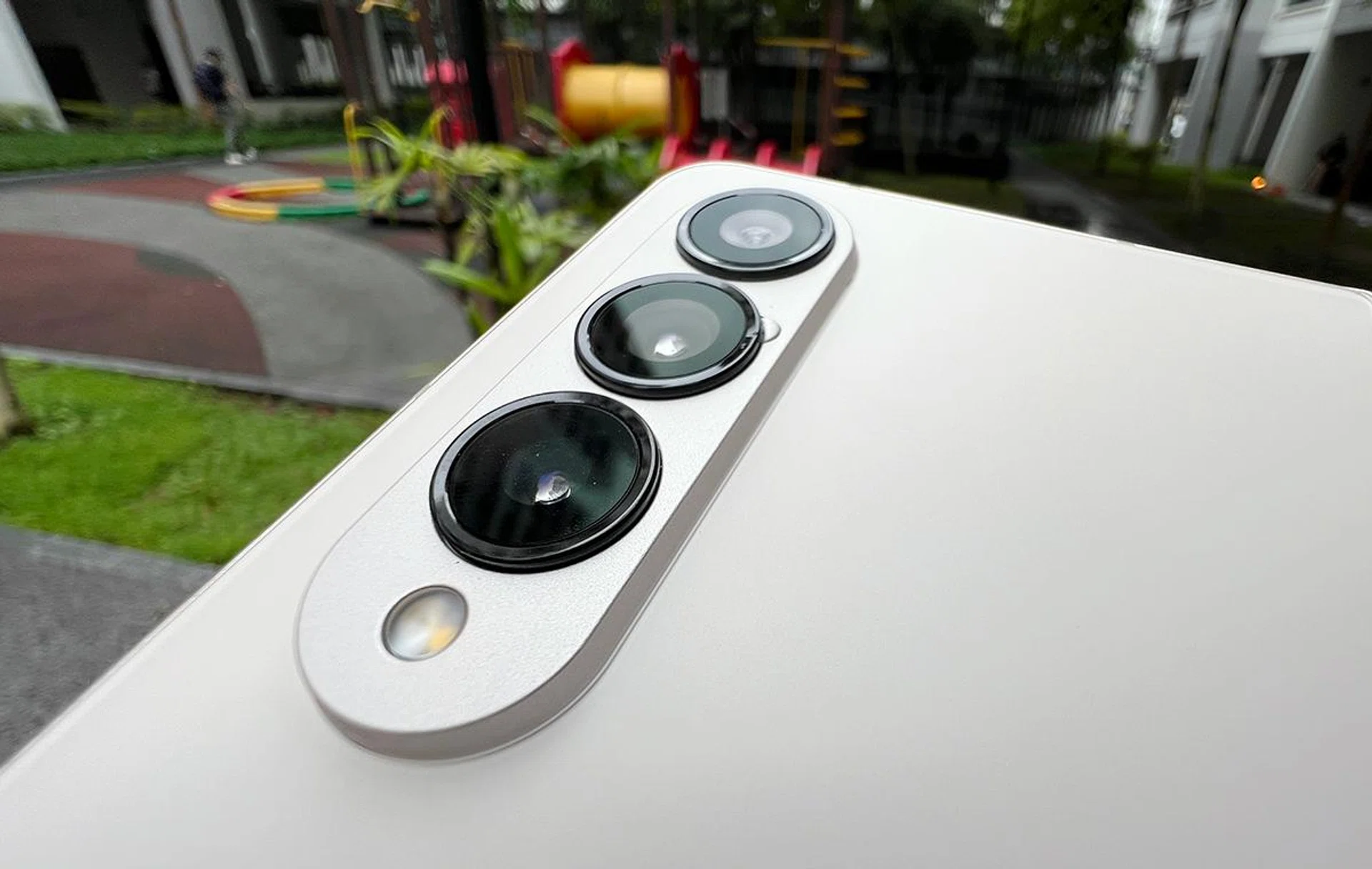
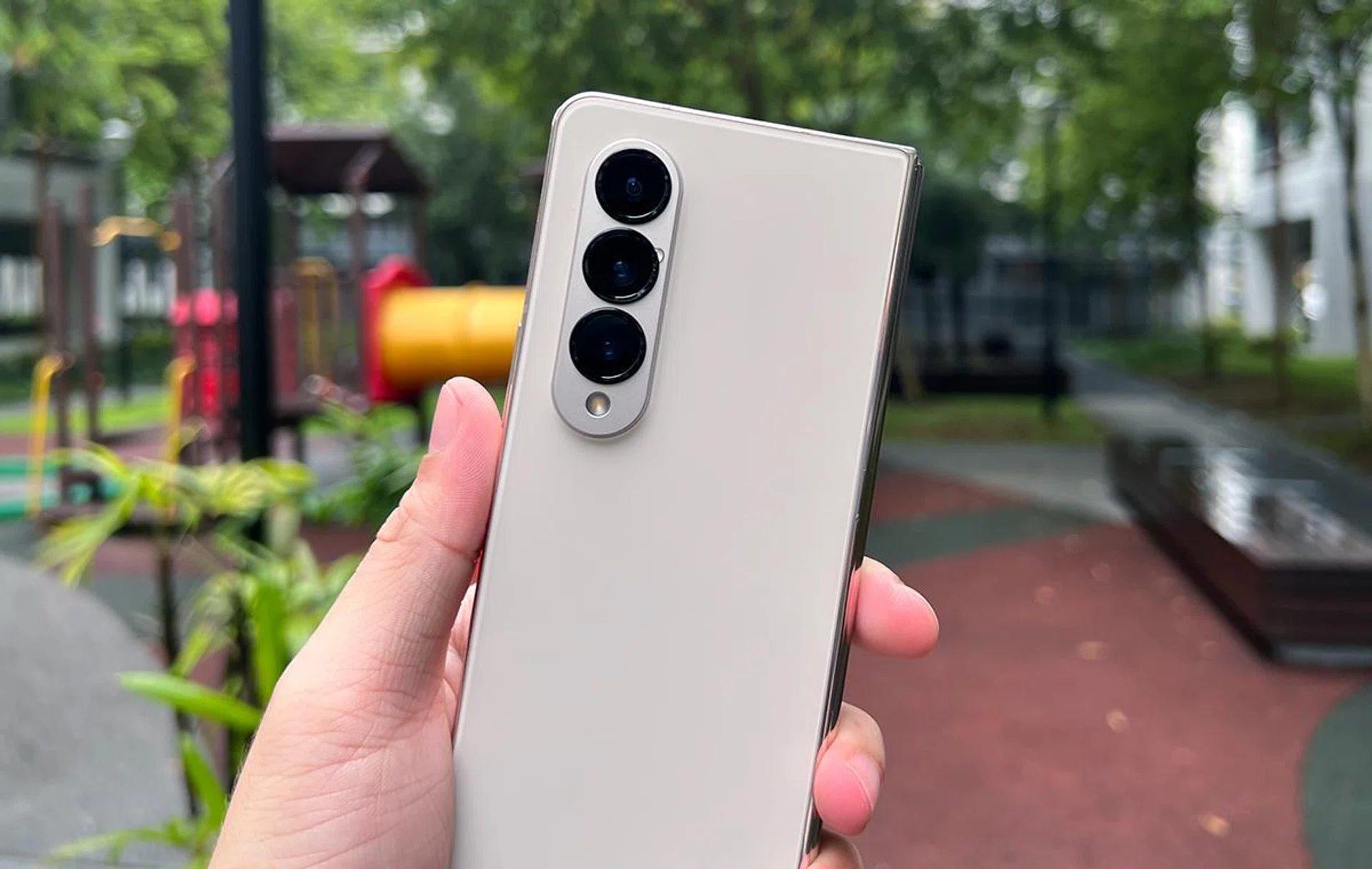
However, the brand did give its triple rear camera some upgrades. Z Fold4’s main camera now sits at 50MP (up from 12MP) with a bright f/1.8 aperture and 1.0μm pixels paired with Dual Pixel AF and OIS. It’s quite an upgrade from the Fold3 in terms of imaging quality.
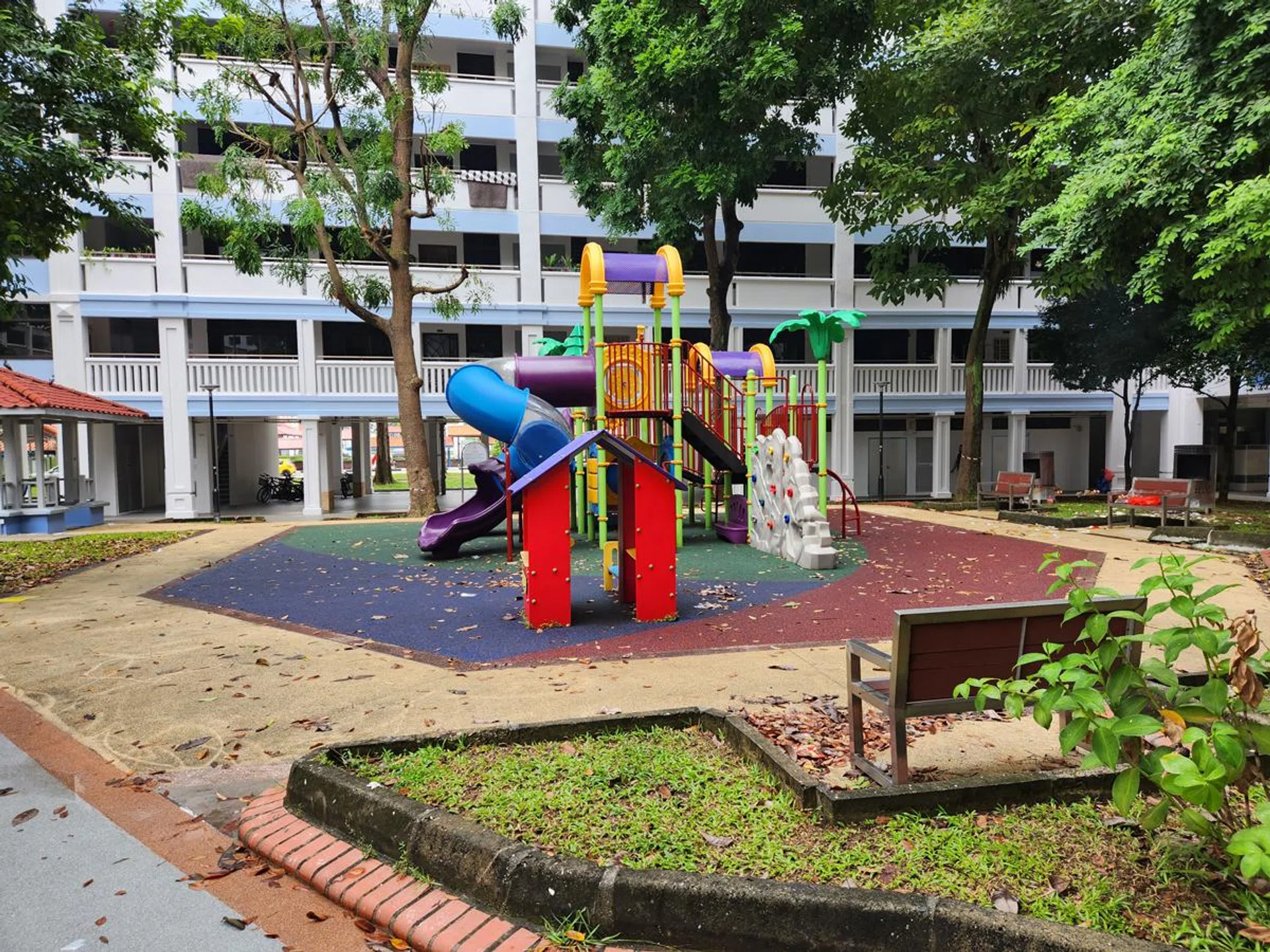
Main camera.
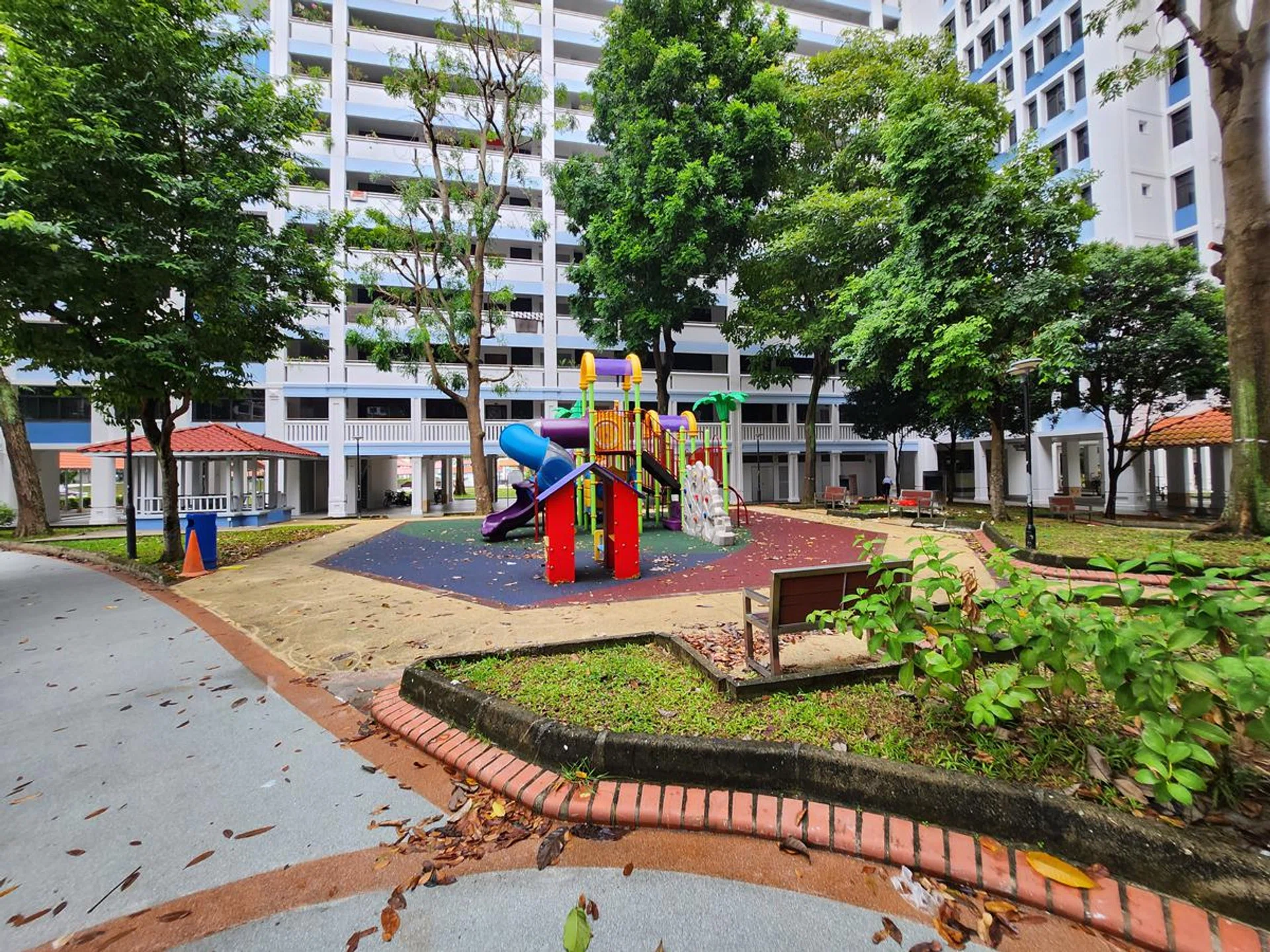
Ultra-wide-angle camera.
You may also like its new 10MP telephoto camera with 3x optical zoom and 30x Space Zoom. These lenses are nice to have, which slightly improve upon its predecessor’s capable rear shooters. That said, Space Zoom isn’t something we’d use on a daily, unless forced to.
3x optical zoom.

30x space zoom.
Benchmark Performance
Like the Galaxy Z Flip4 5G, the Galaxy Z Fold4 5G uses a Qualcomm Snapdragon 8+ Gen 1 chipset to harness the phone’s overall performance and capabilities. It’s 1.5 generations ahead of the Snapdragon 888 inside the Z Fold3, and one of the few non-Chinese Android smartphones with this powerful chipset that’s also available in Singapore.
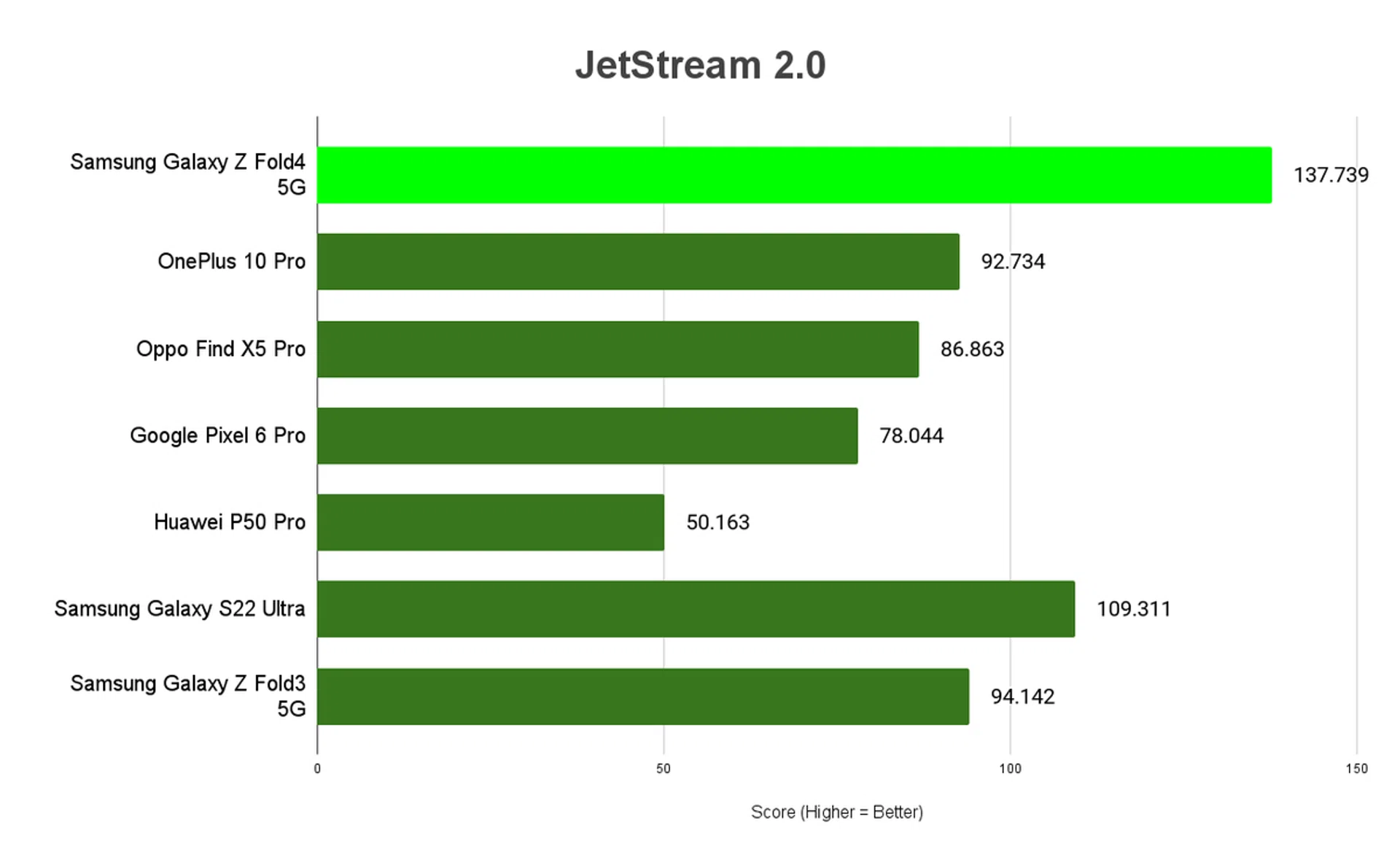
JetStream 2.0
JetStream 2 is a combination of a variety of JavaScript and Web Assembly benchmarks, including benchmarks that came before like SunSpider and Octane. It primarily tests for a system’s and browser’s ability to deliver a good web experience. It runs a total of 64 subtests, each weighted equally, with multiple iterations, and takes the geometric mean to compute the overall score. The higher the score, the better.
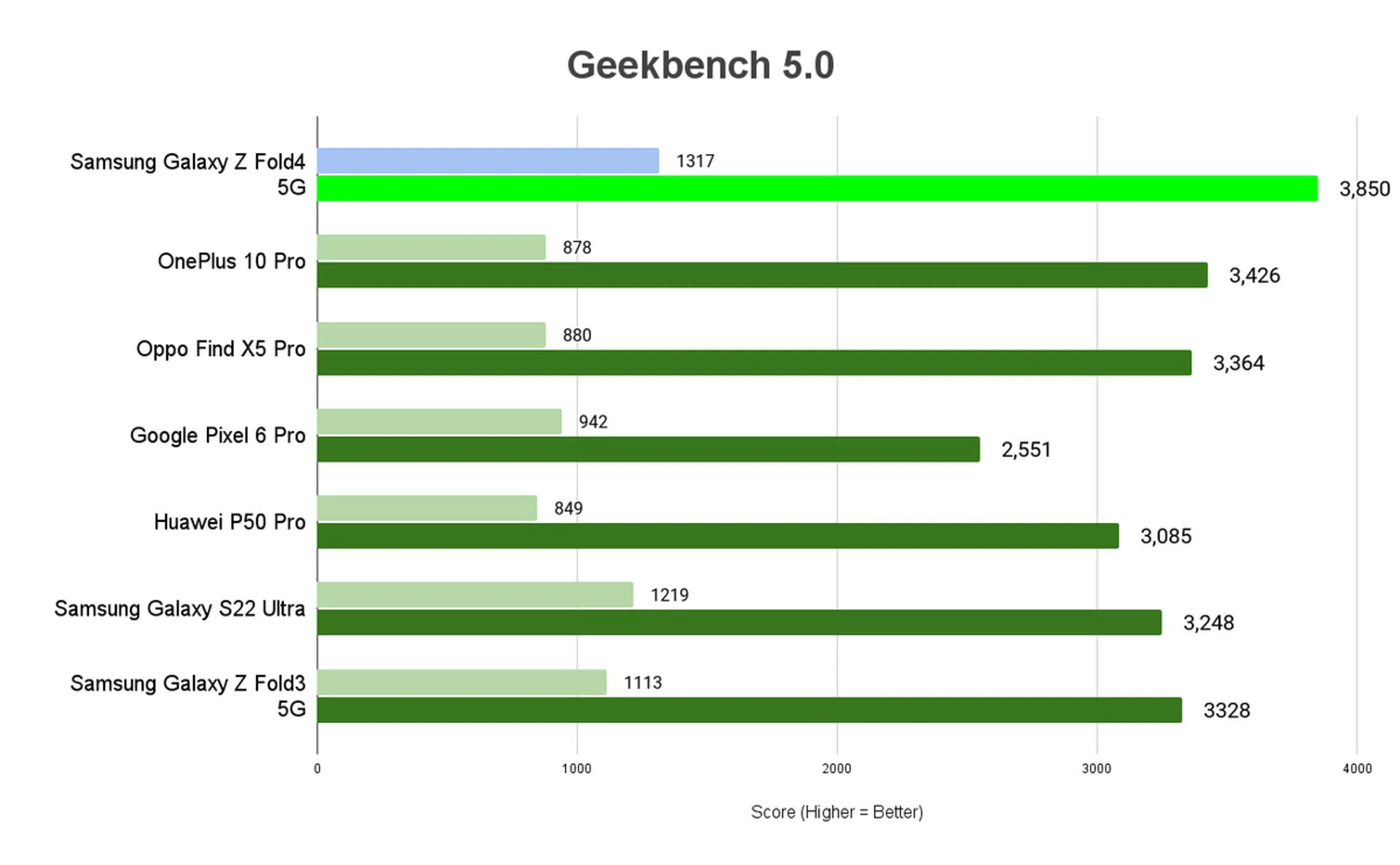
Geekbench 5
Geekbench CPU is a cross-platform processor benchmark that tests both single-core and multi-core performance with workloads that simulate real-world usage. Geekbench 5 scores are calibrated against a baseline score of 1000, which is the score of an Intel Core i3-8100. The higher the score, the better.
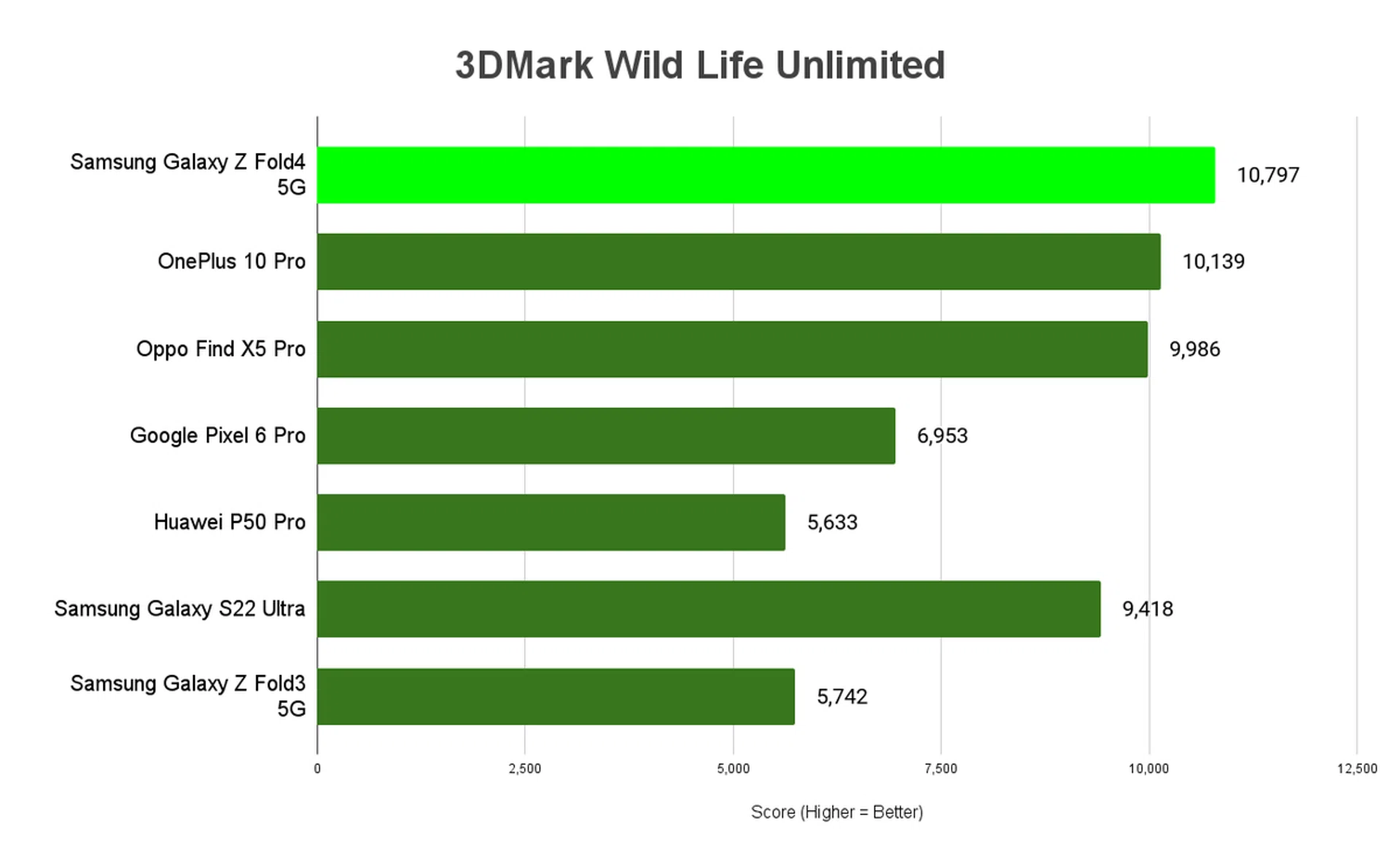
3DMark Wild Life (Unlimited)
3DMark Wild Life is a cross-platform benchmark for Windows, Android and Apple iOS for measuring GPU performance. Its graphics test consists of multiple scenes with variations in the amount of geometry, lights and post-processing effects, mirroring mobile games that are based on short bursts of intense activity. Wild Life uses the Vulkan graphics API on Windows PCs and Android devices. On iOS devices, it uses Metal.
In Unlimited mode, the benchmark runs offscreen using a fixed time step between frames. Unlimited mode renders exactly the same frames in every run on every device, regardless of resolution scaling. The higher the score, the better.
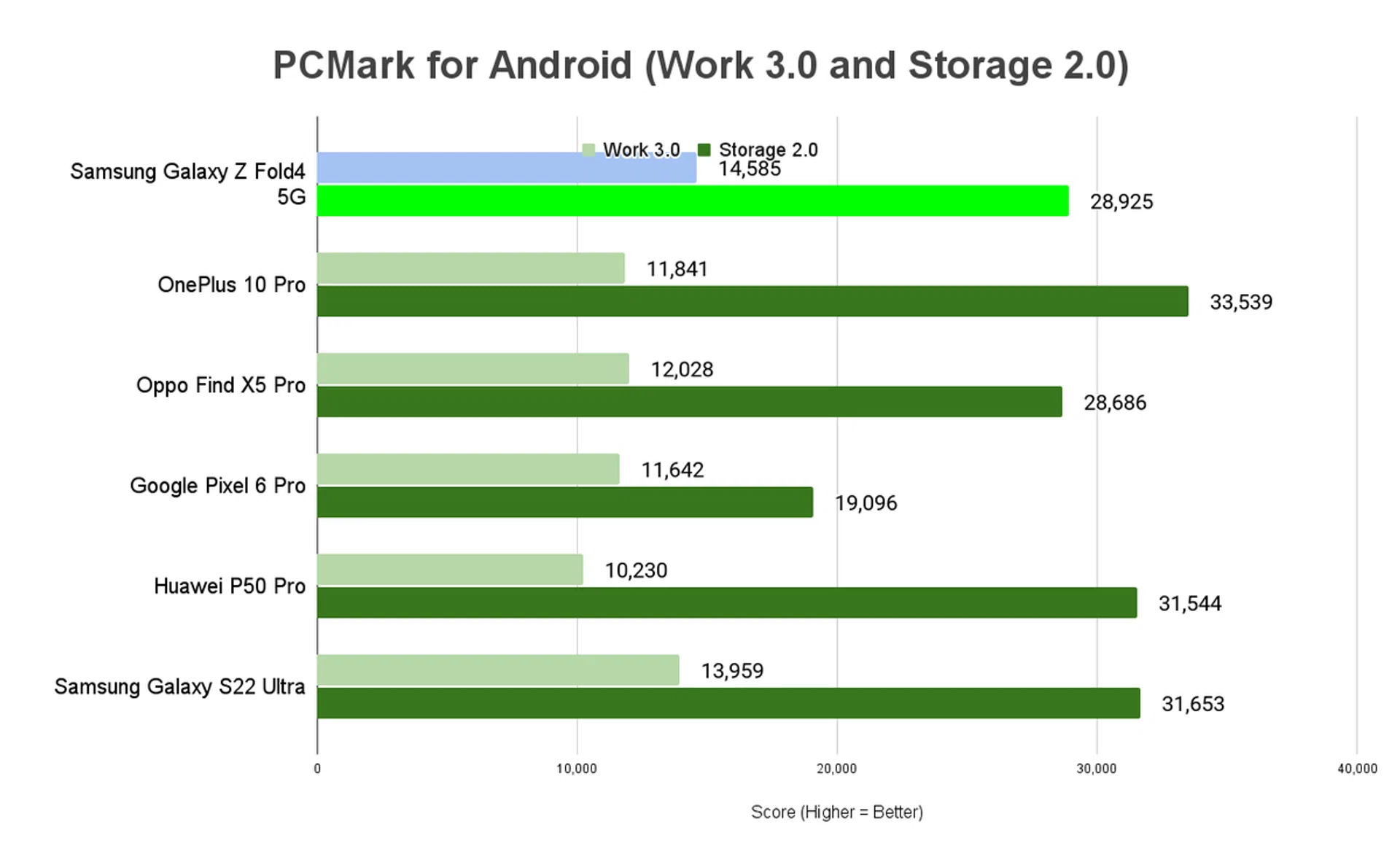
PCMark for Android - Work 3.0 and Storage 2.0
PCMark for Android is a benchmark for testing the performance of Android phones and tablets. The Work 3.0 test checks how the device handles common productivity tasks such as browsing the web, editing videos, working with documents and data, and editing photos. Storage 2.0 checks write-in and read-out performance for internal storage, external storage (if applicable), and SQLite database management. Together, the benchmarks can clue us in on how capable a phone is at handling everyday use. Work 3.0 scores are above, while Storage 2.0 scores are immediately below for each device - the higher the score, the better.
Battery Life
Our standard battery test for mobile phones has the following parameters:
- Looping a 720p video with screen brightness and volume at 100%
- Wi-Fi and Bluetooth connectivity turned on
- Constant data streaming through email
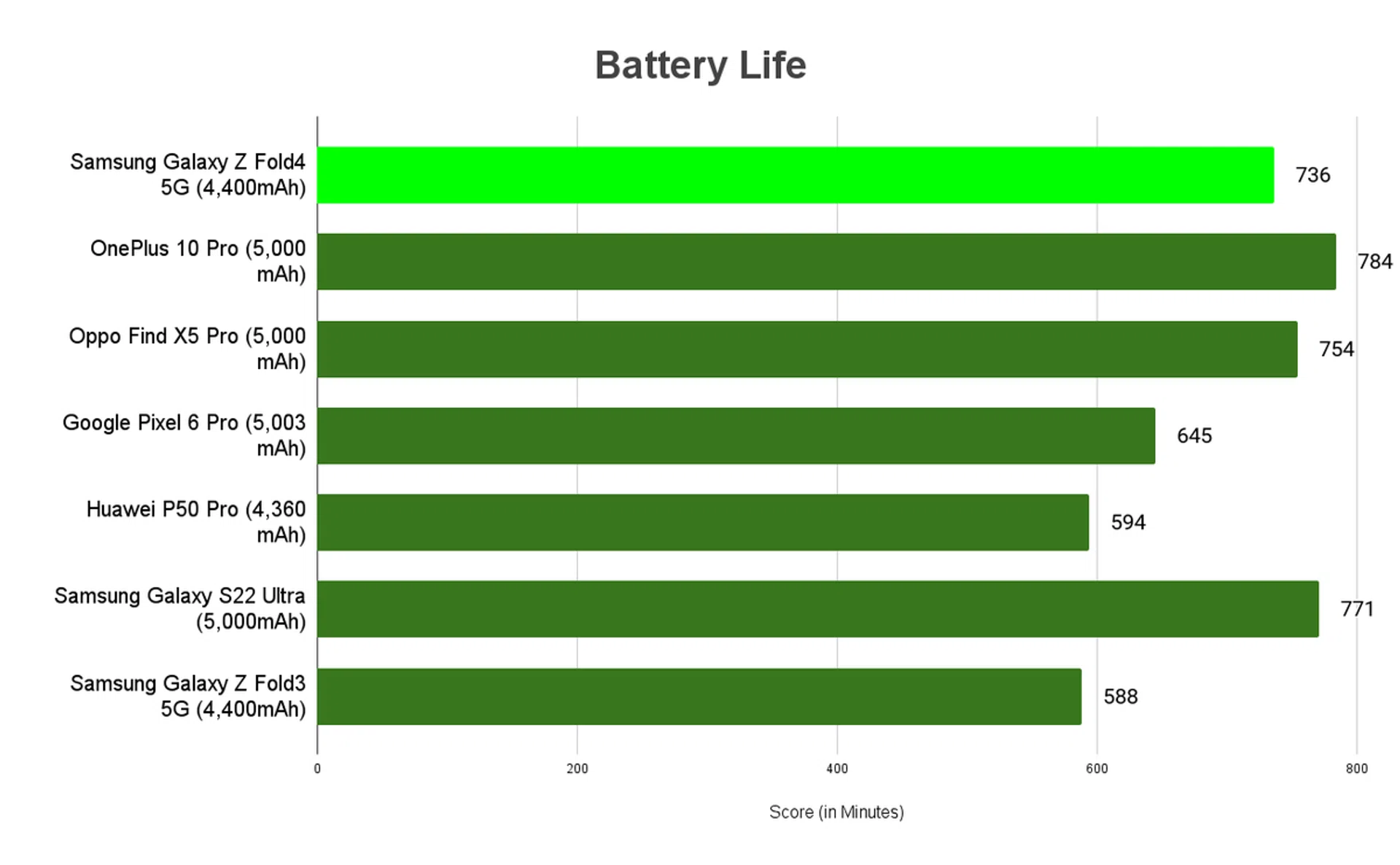
Galaxy Z Fold4 5G clocked in a healthy 12 hours in the same battery test than the Z Fold3 (which lasted under 10 hours). There’s been no change in its 4,400mAh battery capacity or display quality either, so we chalked up the improved stamina to the efficiency of its new chip.
Our Galaxy Z Fold4 took exactly one hour to charge from 0% to 100% with its wired 25W fast charging support. The older model took an extra 30~ minutes for a full tank, making the Fold4 faster than before.
Conclusion
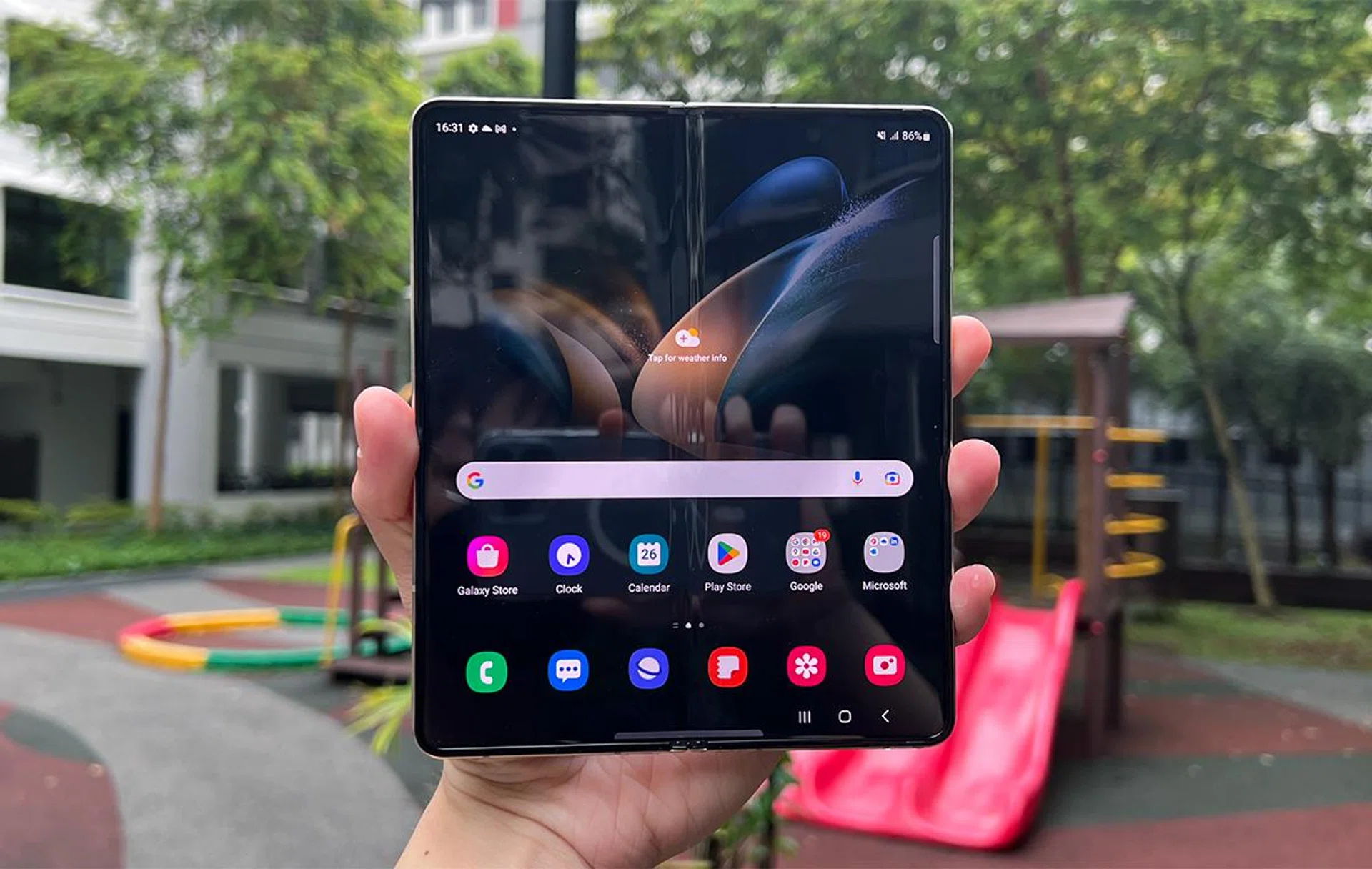
With so many iterations of Samsung’s Galaxy Z Fold-type handsets launched over the years, we’re starting to understand it’s a device of absolutes. You either love or hate the Galaxy Z Fold4 5G, and the reasons for either would be generally fair.
It has a handling learning curve that’s steeper than the clamshell-styled Galaxy Z Flip4 5G, and you’re giving up a fair bit of portability given how chunky the Z Fold4 5G is when folded. It’s more difficult to mount onto phone stands, plus you’ll likely need both hands free to use the Main Screen safely while out and about. It’s also not as stylish as the Flip4 while costing a pretty penny (starting at S$2,398 for 256GB).
In return, you can easily use at least two mobile apps simultaneously without compromising on the layout, and you have a pocketable ‘mini-tablet’ for reading and watching on the go. That’s on top of its optional S Pen accessory with all the main functionalities the stylus always had.
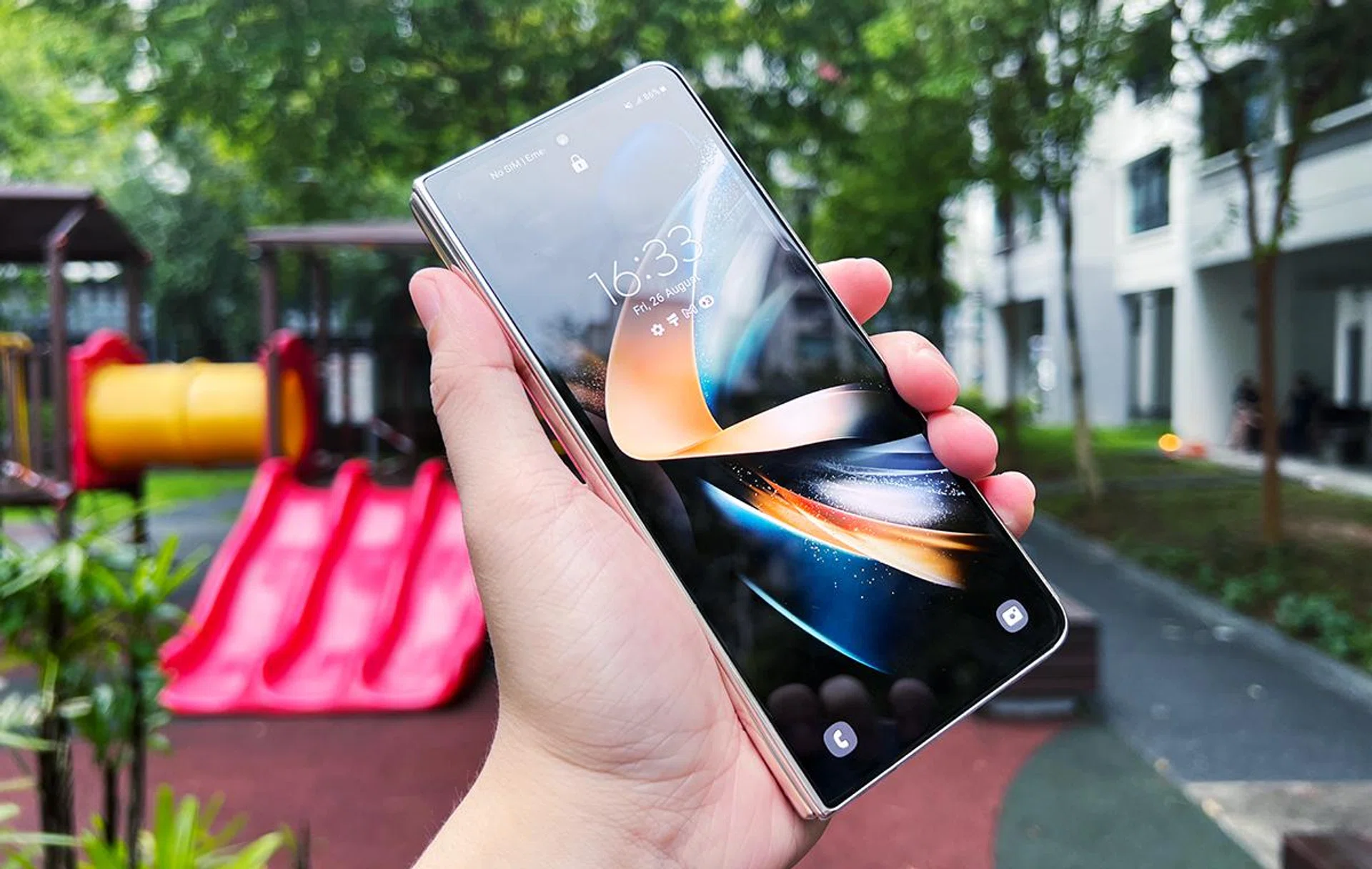
As a multi-tasker’s dream machine in a single device, Samsung Galaxy Z Fold4 5G would be an easy choice if you enjoy or need this form factor. It’s essentially asking for the same launch price as its predecessor, and it now has the advantages of a new Taskbar feature, a more powerful processor, longer-lasting battery uptime, and improved rear cameras.
Whether it’s worth upgrading from Fold3 depends on your personal handset budget, but we’d take the Fold4 if we haven’t gotten a new phone in a while and want a handset that lets us do even more than what conventional ones can.
Of course, a device like Galaxy Z Fold4 5G would always have room for improvement. Putting aside the uncertainty of creases, Samsung could also try a version with even better IP ratings and add a MicroSD card slot, or ramp up the Main Screen’s resolution for even more enjoyment. But these suggested changes – like the ones that already went onto the Fold4 – are also mostly under the hood, so the form factor’s pros and cons are here to stay (until Samsung creates something entirely different).
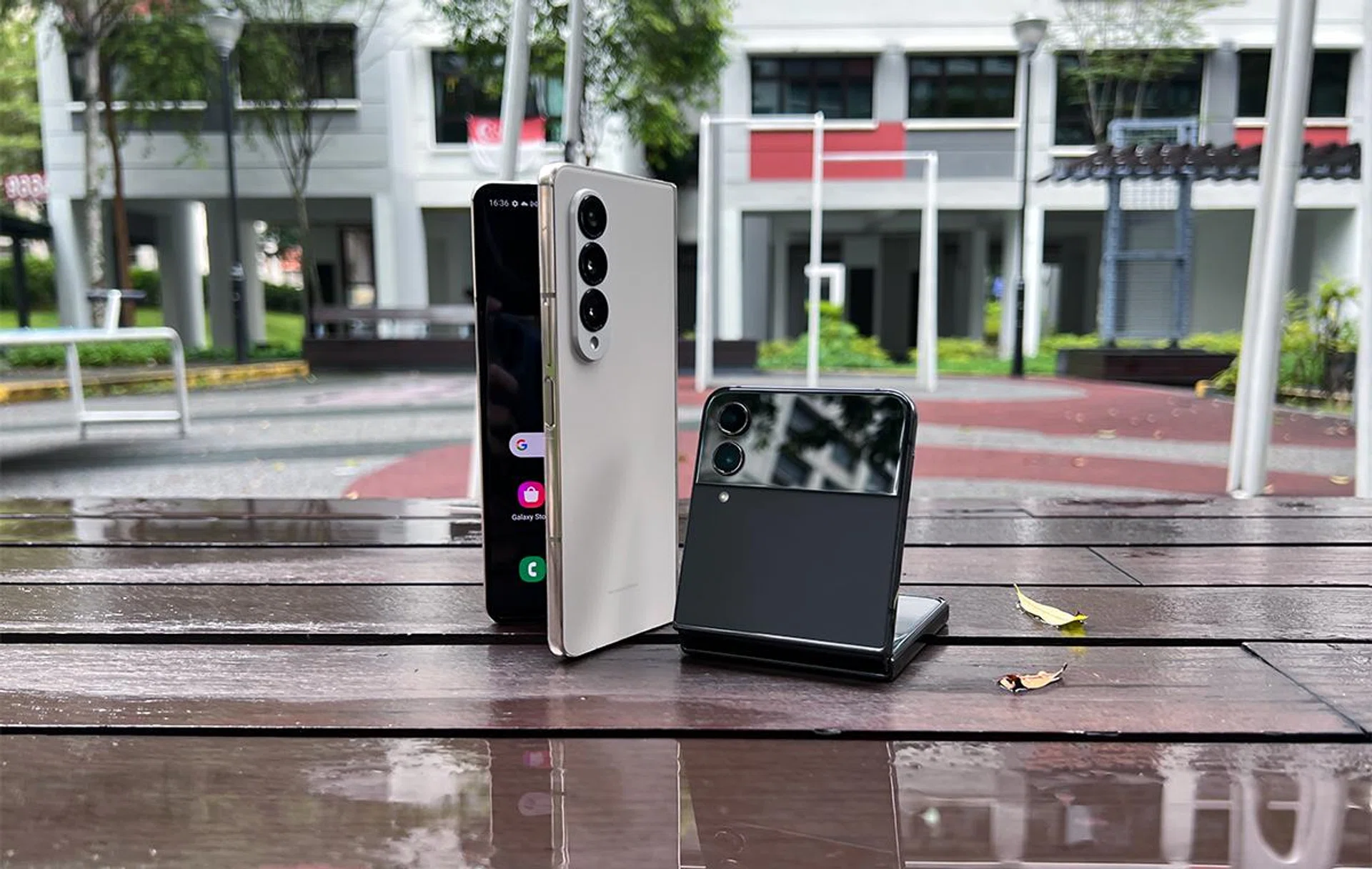
If you want none of the additional multi-tasking benefits, but still want a phone with a foldable display, you can grab the Galaxy Z Flip4 5G and spare yourself from spending an additional $1,000+. But, if the extra useability and functionality sound enticing to you, consider giving the Galaxy Z Fold4 5G a spin.
Our articles may contain affiliate links. If you buy through these links, we may earn a small commission.