
Nikon COOLPIX S80 - Touch to Snap
The 14.1-megapixel Nikon COOLPIX S80 looks set to impress with a high ISO sensitivity of 6400 and a 3.5-inch OLED touchscreen. Sounds impressive? Check the jump for more details.

Introduction
Finding the right compact camera isn't easy these days, given the frequent influx of new camera models. Now that the manufacturers are slowly abandoning physical buttons and turning its gears to touch-friendly controls, users have even more variety to choose from. What we've here today is the 14.1-megapixel Nikon Coolpix S80, the successor to its 12.1-megapixel predecessor, the S70, which was released back in 2009.
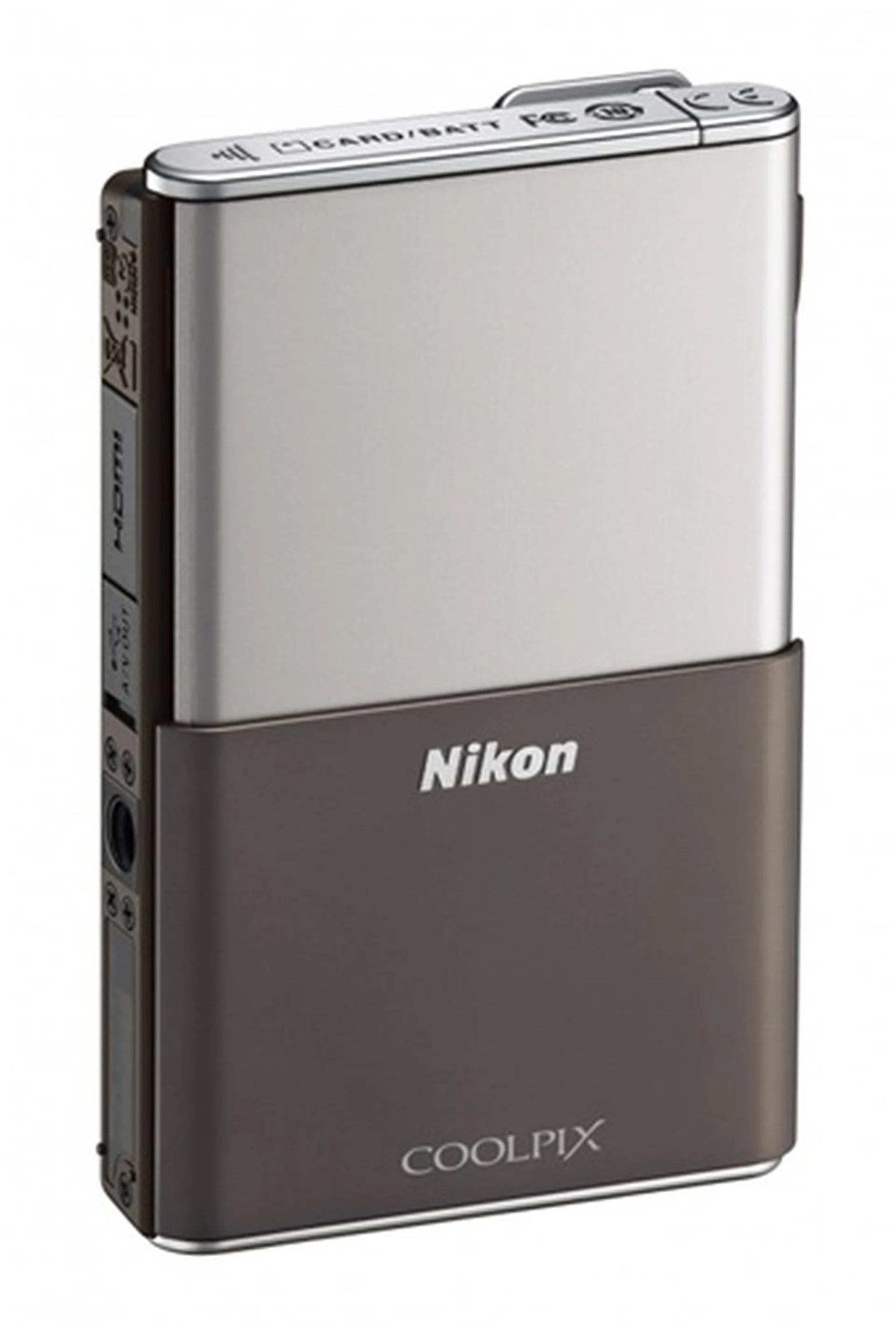
Aside its heavy reliance on touch controls, the 14.1-megapixel Nikon S80 stands out for its clean, and unobtrusive design. The large 3.5-inch, 819,000-dot organic light emitting diode (OLED) screen also sets it apart from other competitors. Furthermore, it's equipped with a 5x optical zoom lens (35-175mm in 35mm equivalent) and has the ability to capture 720p HD video at 30 frames per second. So how does it fare in actual use? Hit the jump for more details on its performance.
Design & Handling
The Coolpix S80 stands out for its stylish and thin appearance, giving it a classy look that's rather different from most of its flashier contemporaries. We were given a grey and silver set to tinkle with, but like many compacts these days, the camera comes in five other shades: red, black, blue, gold, and pink. The S80 has a very minimalistic design, comprising of a slide-out cover on the front and a 3.5-inch OLED touch screen taking up almost the whole area at the back. Otherwise, it's equipped with only one physical control (a shutter button), with ports and battery/card compartments safely tucked out of sight. The huge OLED display offers good brightness and color fidelity, making image viewing on it a pleasant experience generally.
It also doesn't hurt that the camera weighs a relatively light 133 grams. That and a 16.5mm thin body makes it easy to slide the S80 into your jeans' pockets, much less a satchel or a lady's purse. As a result of its streamlined design, sturdy build, and well-distributed weight, the camera felt just right in our hands.
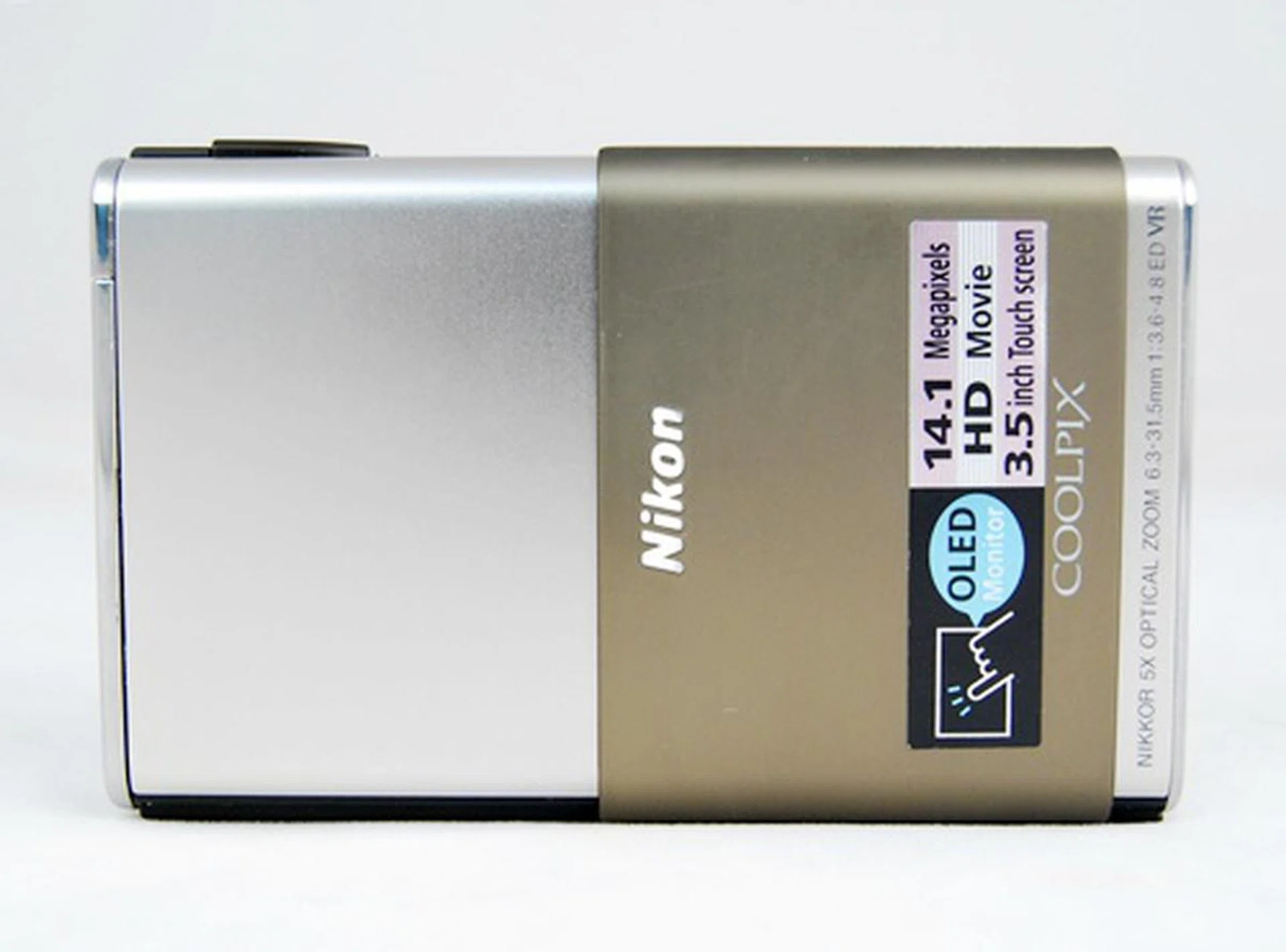
The camera is powered on by sliding the cover (which hides the lens and flash). A catch keeps the slide out cover in place.
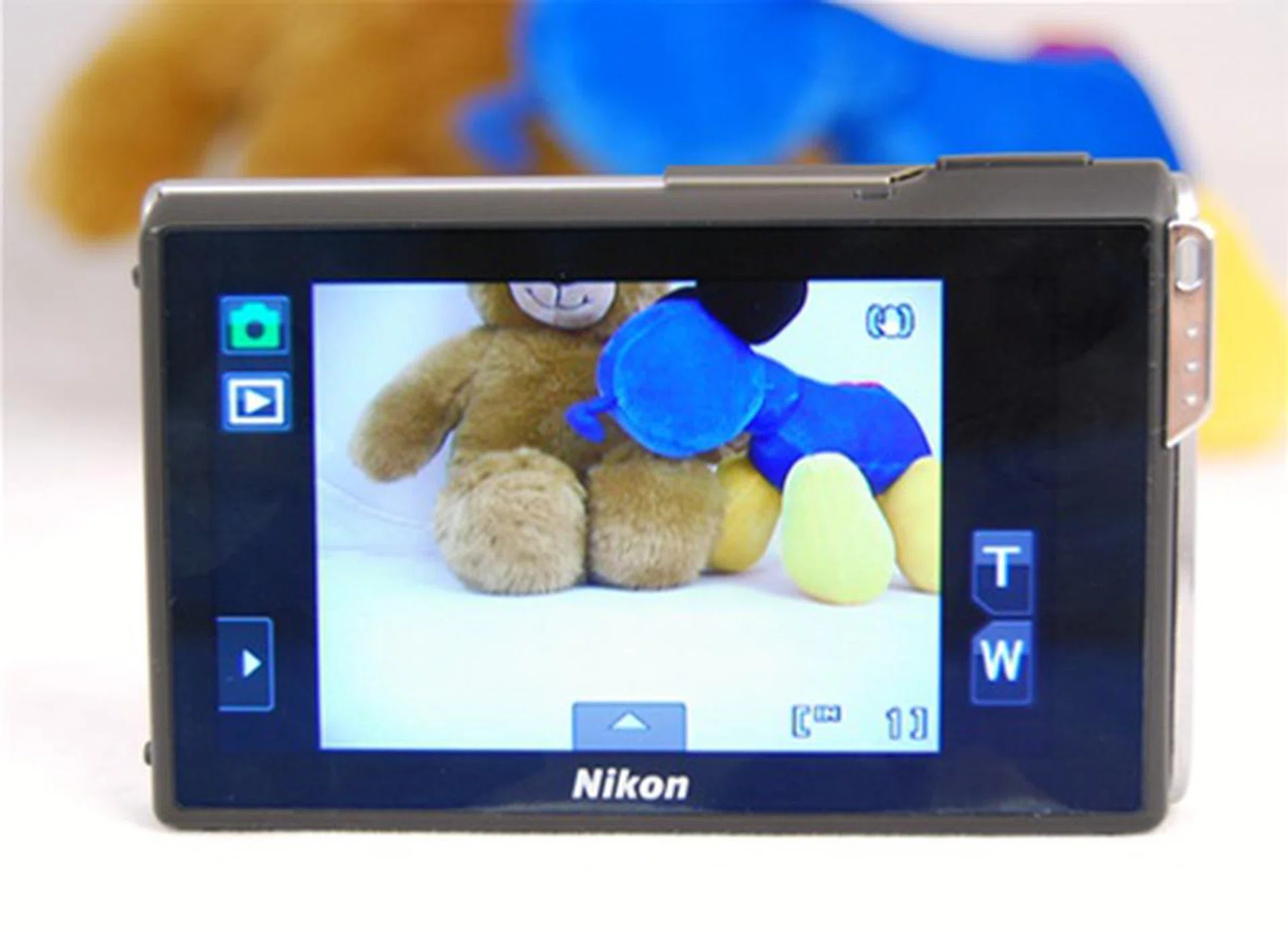
The Nikon S80 relies heavily on its touch functions with almost no physical buttons on the camera. The back is entirely covered by a 3.5-inch OLED screen. As you can see, even the zoom controls are touch-sensitive.
When you power up the camera, you'll be greeted by a simple, and almost bare graphical interface. Because of space constraints on the screen, many features are hidden within tabs; though all you've to do is tap on the directional symbols to reveal them. Changing the parameters from there on is merely a tap away - and it does help that most symbols give a good indication of what to expect.
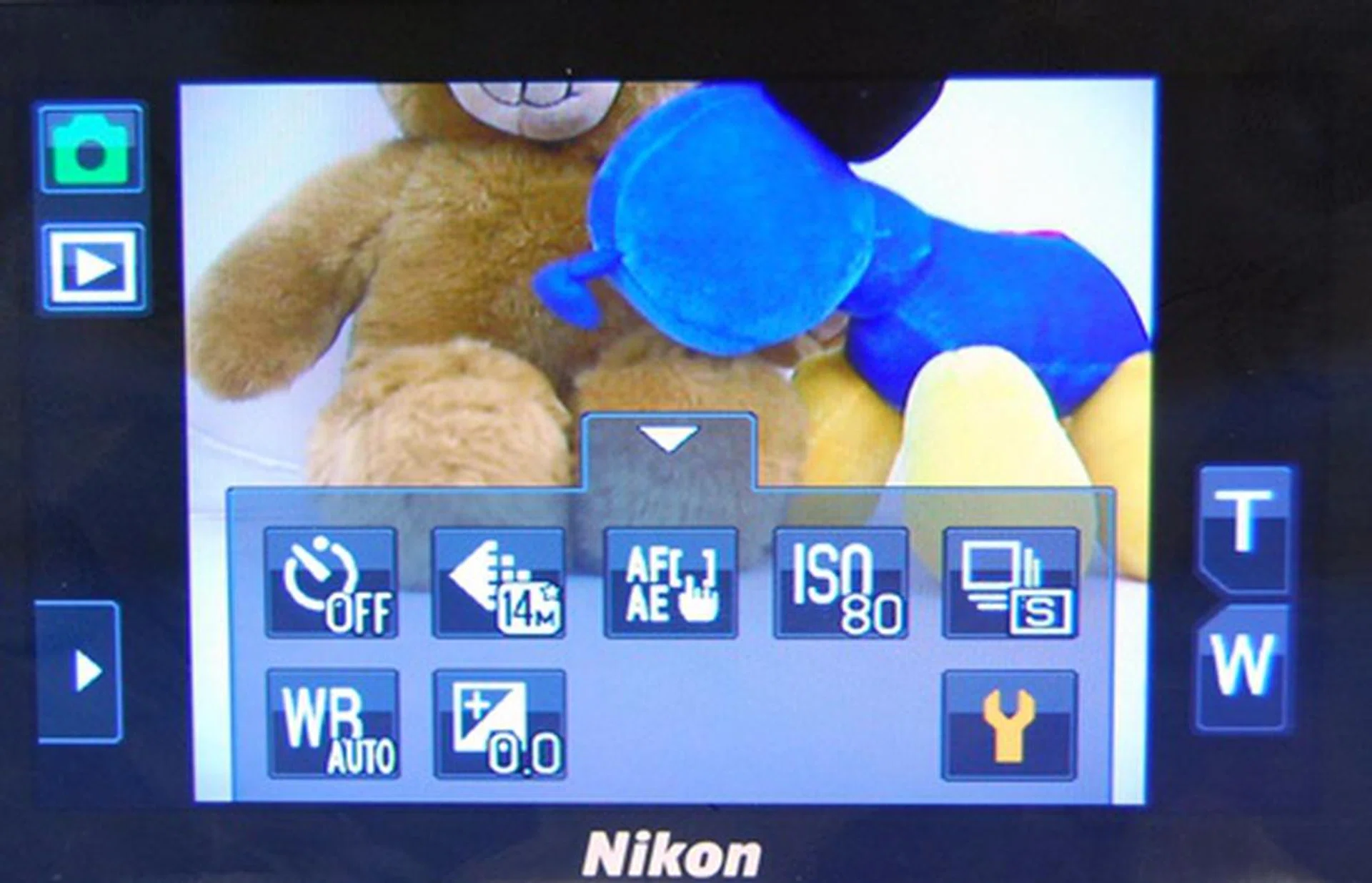
From top left, anti-clockwise: Shooting modes, Playback, tab with Flash and Macro modes (hidden), tab with shooting parameters such as ISO and white balance, and zoom controls (T/W).
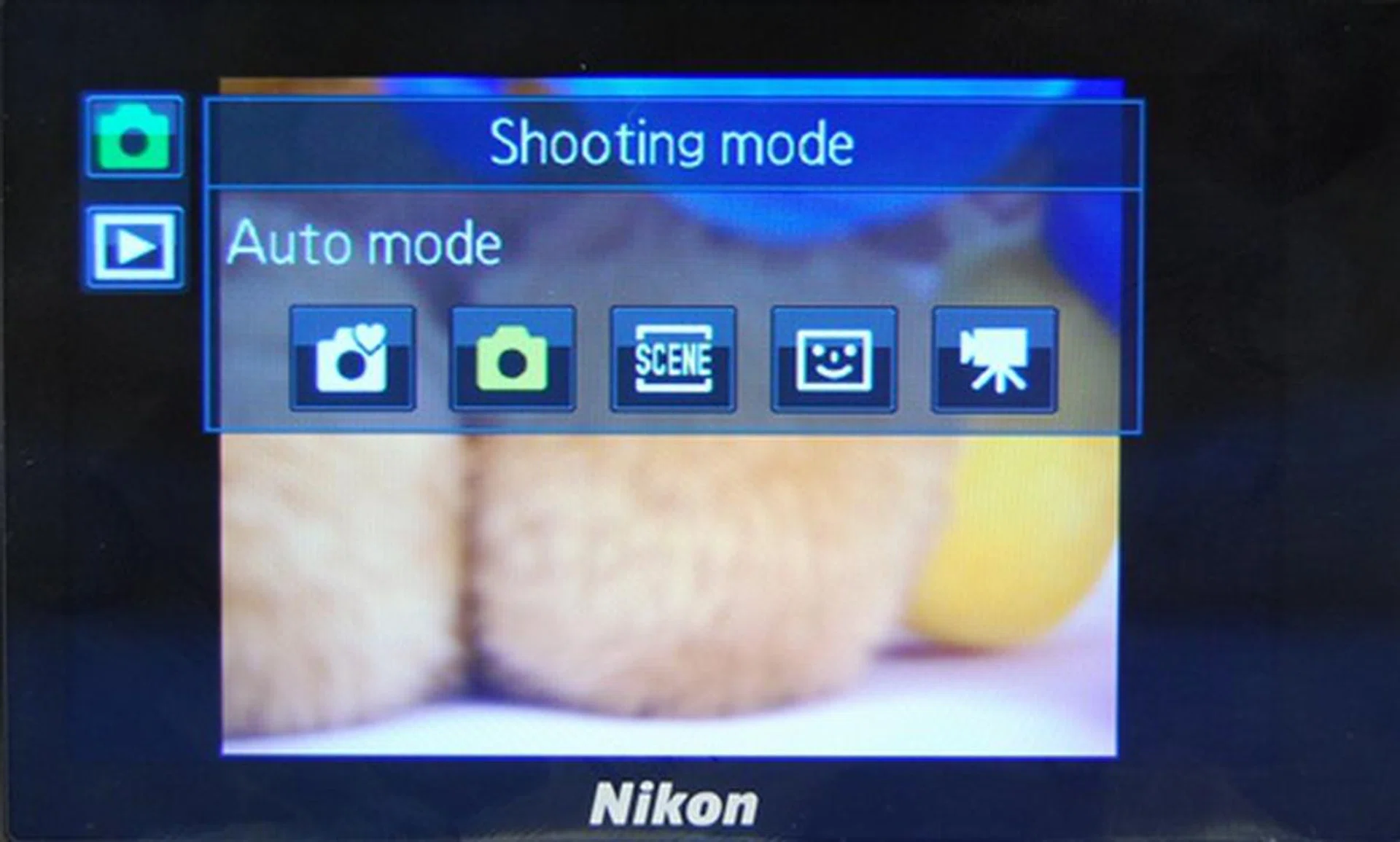
On tapping on the top green icon, users will get to take their pick from these basic modes of shooting: Easy auto, Auto, Scene, Smart portrait, and Movie.
As its name suggests, the Easy Auto mode allows you to take photos without much work on your end. In this mode, the camera will decide the best settings to apply. The user literally just need to point and shoot. There's also an Auto mode for the slightly more adventurous users. Under this mode, you're allowed to change settings pertaining to the continuous shooting and subject tracking functions. Pictures can also be taken using the flash or macro mode setting.
A total of 17 scene presets (Portrait, Beach, Close-up, Backlighting, Landscape, Snow, Food, Panorama assist, Sports, Sunset, Museum, Night portrait, Party/indoor, Dusk/dawn, Night landscape, Fireworks show, and Copy) are available on the S80. There's also a separate Smart portrait mode whereby the camera engages face detection to detect for human faces, and then automatically releases the shutter when a smile is detected.
Speaking of releasing the shutter, by default, this can be achieved by simply tapping a subject on the monitor. We prefer changing this "Touch shutter" function to "Touch AF/AE" instead (via the menu). For the latter, the camera will adjust focus and exposure based on the area which you've touched. The shutter is only released when you press the shutter release button.
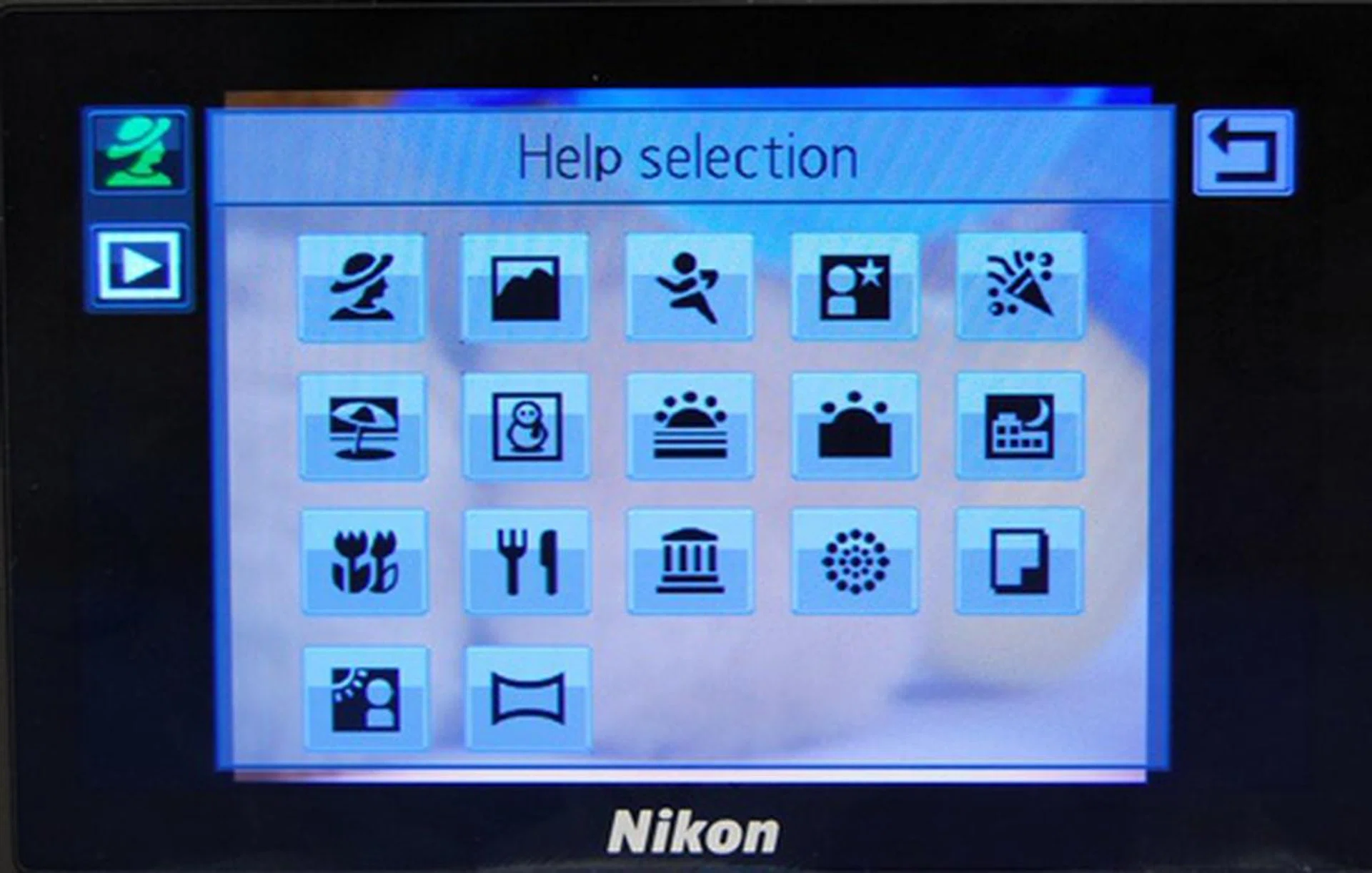
The Help selection gives a concise explanation of each mode. Usual suspects like Food, Fireworks, Sunset and Action make their appearances here.
The S80 also allows the user to make minor in-camera picture edits. Simply navigate to Playback mode, and click on the hidden tab at the bottom to reveal the various options. The Paint tool, for example, allows you to write/draw on your photos, decorate them with simple symbols, as well as add a frame to them. Quick Retouch lets you enhance the contrast and saturation, while D-Lighting adjusts the brightness and contrast to reveal more details in your pictures. You can also apply filter effects (there are six of them), and edit the photo's perspective. With Glamor Retouch, you can soften the skin tones; and get this, make faces look smaller, and eyes bigger!
Another post-snapping feature that we quite liked is the ability to rate the photos using a star-ranking system. While a tad tedious to use, it does provide for a rudimentary method to sieve through photos that you like best (or dislike the most) easily.
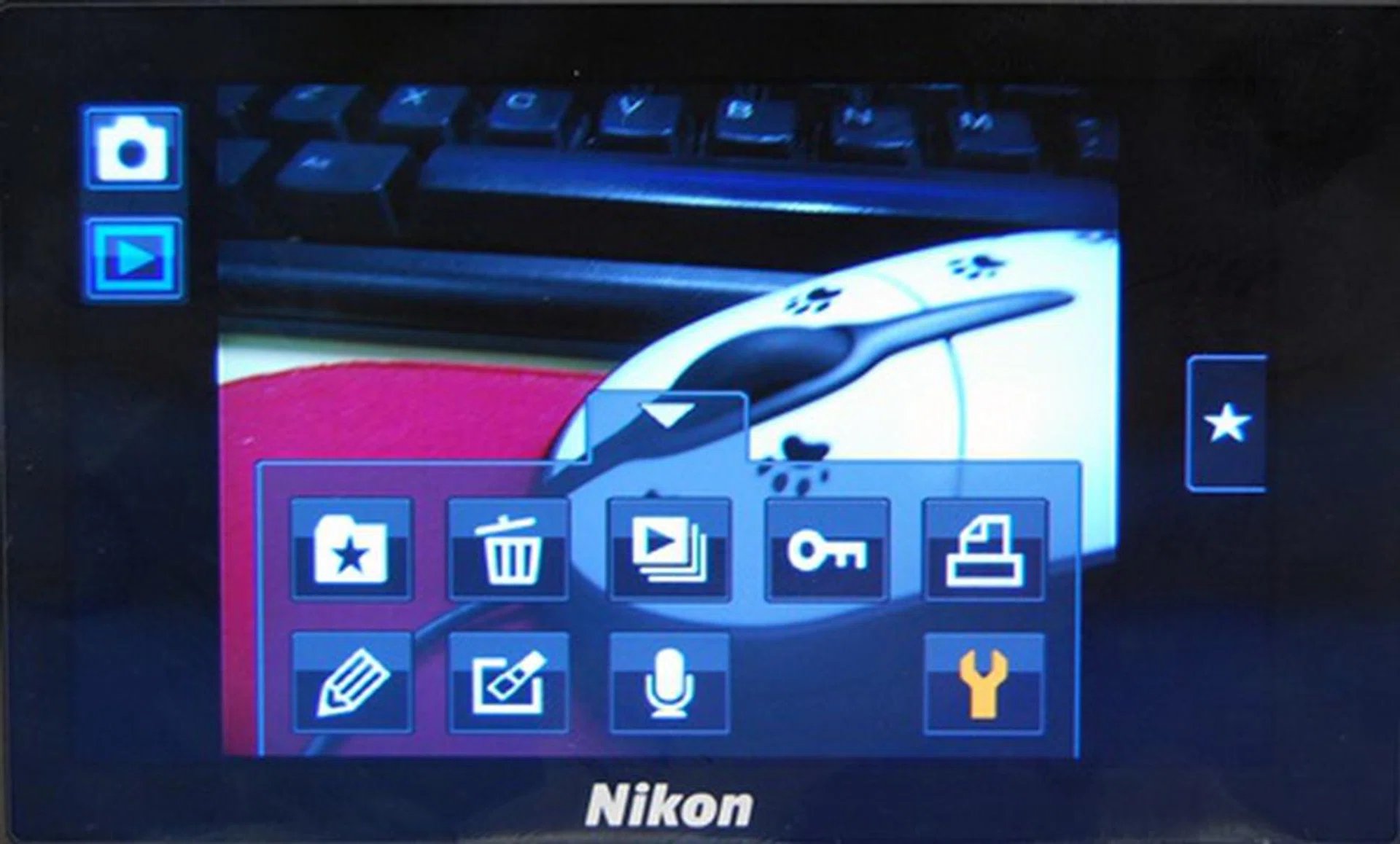
Post-shooting editing options can be found when users switch to playback mode.
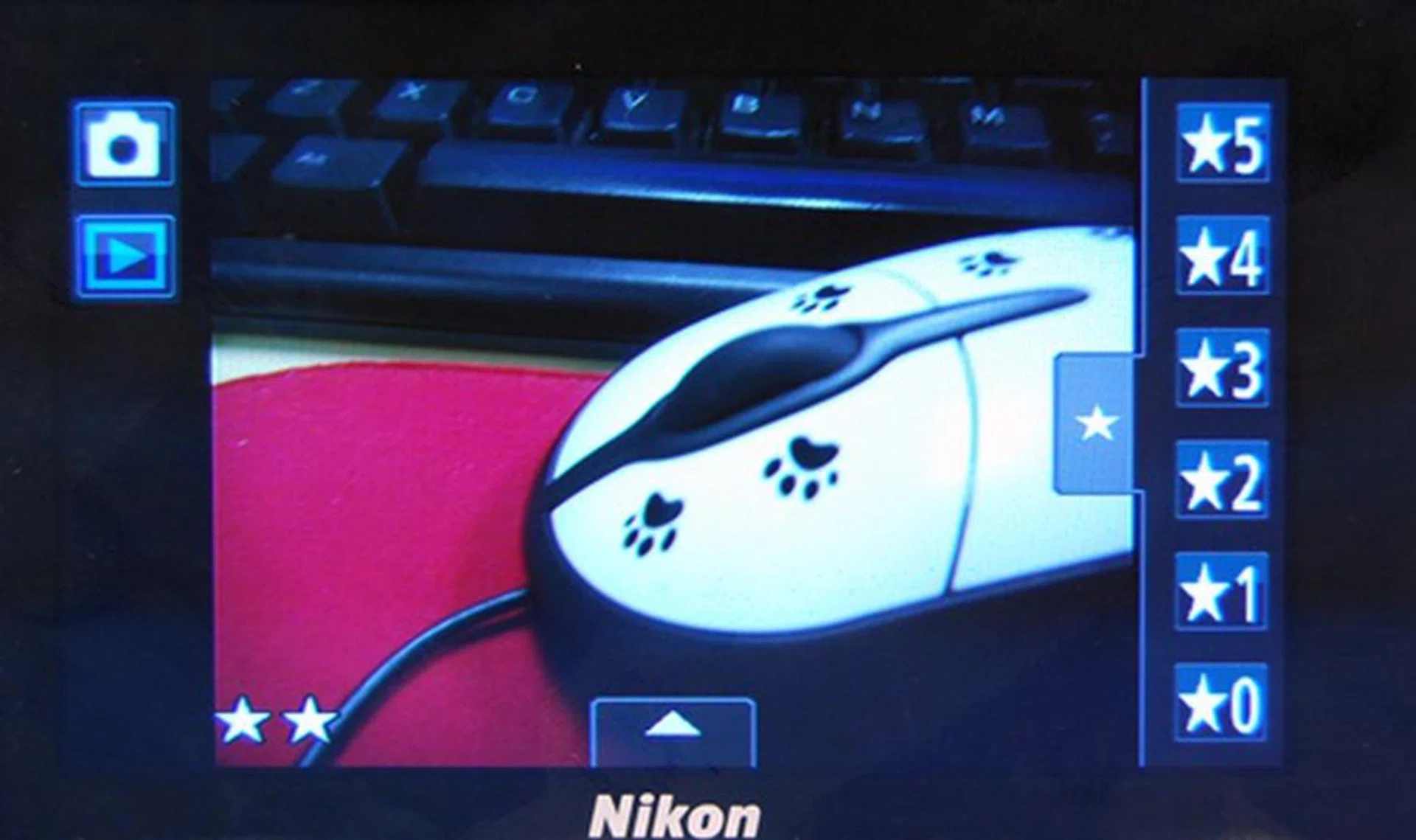
During image review, simply tap the tab with a star to bring up the rating menu. Then, press and hold your chosen rating and drag it onto the photo to rank it.
All in all, the interface is not one that's hard to get used to, but it's easy to see how frustrating and tedious it can be when one needs to tap the screen a few times in order to arrive at the appropriate page to change a setting. For now, we can't hope for the S80 to have physical buttons to solve this issue; but we hope to see a future firmware update that adds a shortcut touch control to allow users to tag a commonly used function to it.
The user interface would have also been more workable if the touchscreen responded well. Sad to say, that was not the case. We encountered sluggish, unresponsive touch controls and awkward haptics (or tactile feedback), further crippling the already clumsy user experience. And this brings us to our next point: while we liked Nikon's focus on keeping the camera as simple-looking as possible, we would've appreciated a physical zoom dial. Relying on the touchscreen for zoom controls isn't exactly ideal since the screen isn't that responsive in the first place.
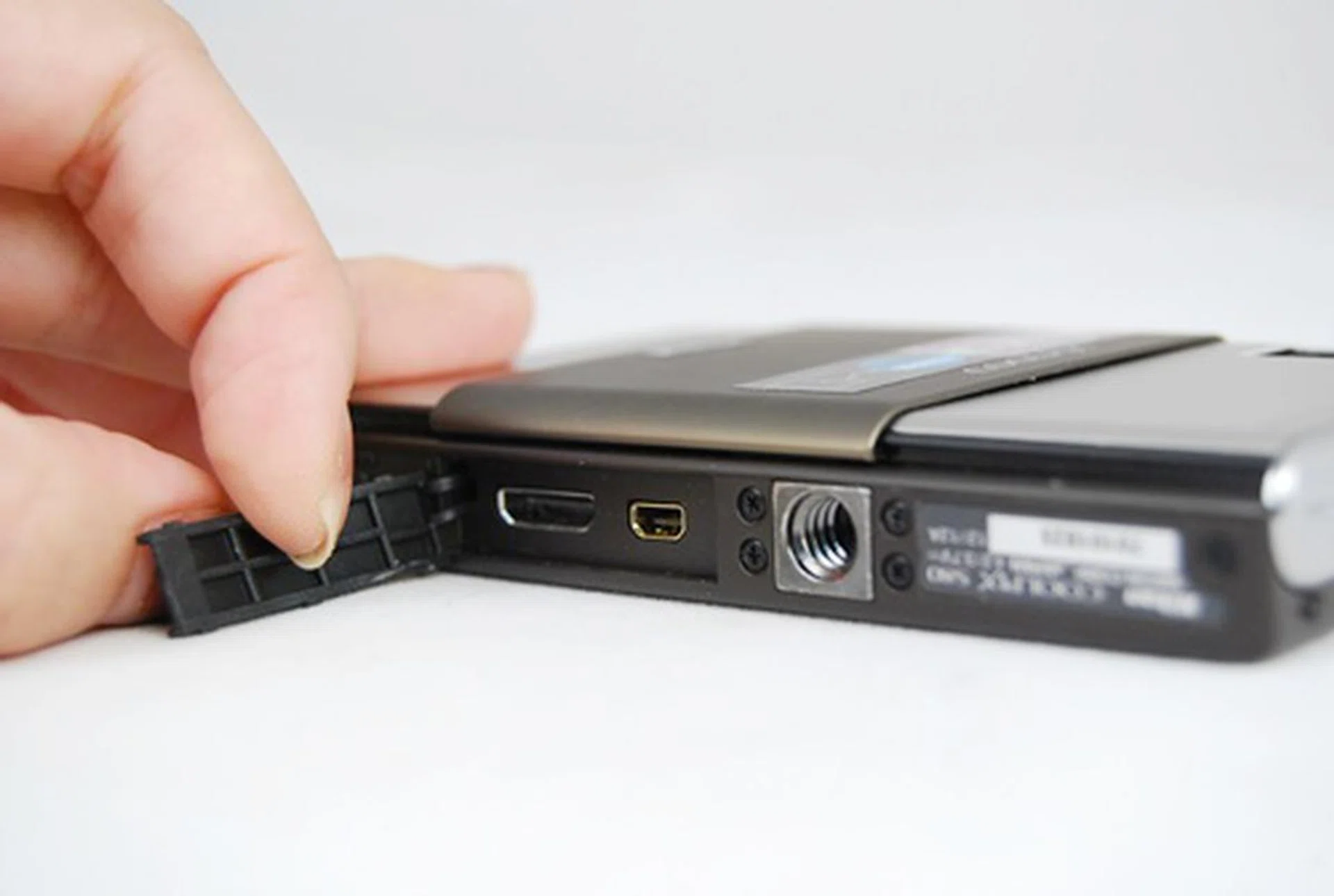
The inconspicuous A/V out and mini HDMI ports are tucked at the bottom and covered by a rubber cap.
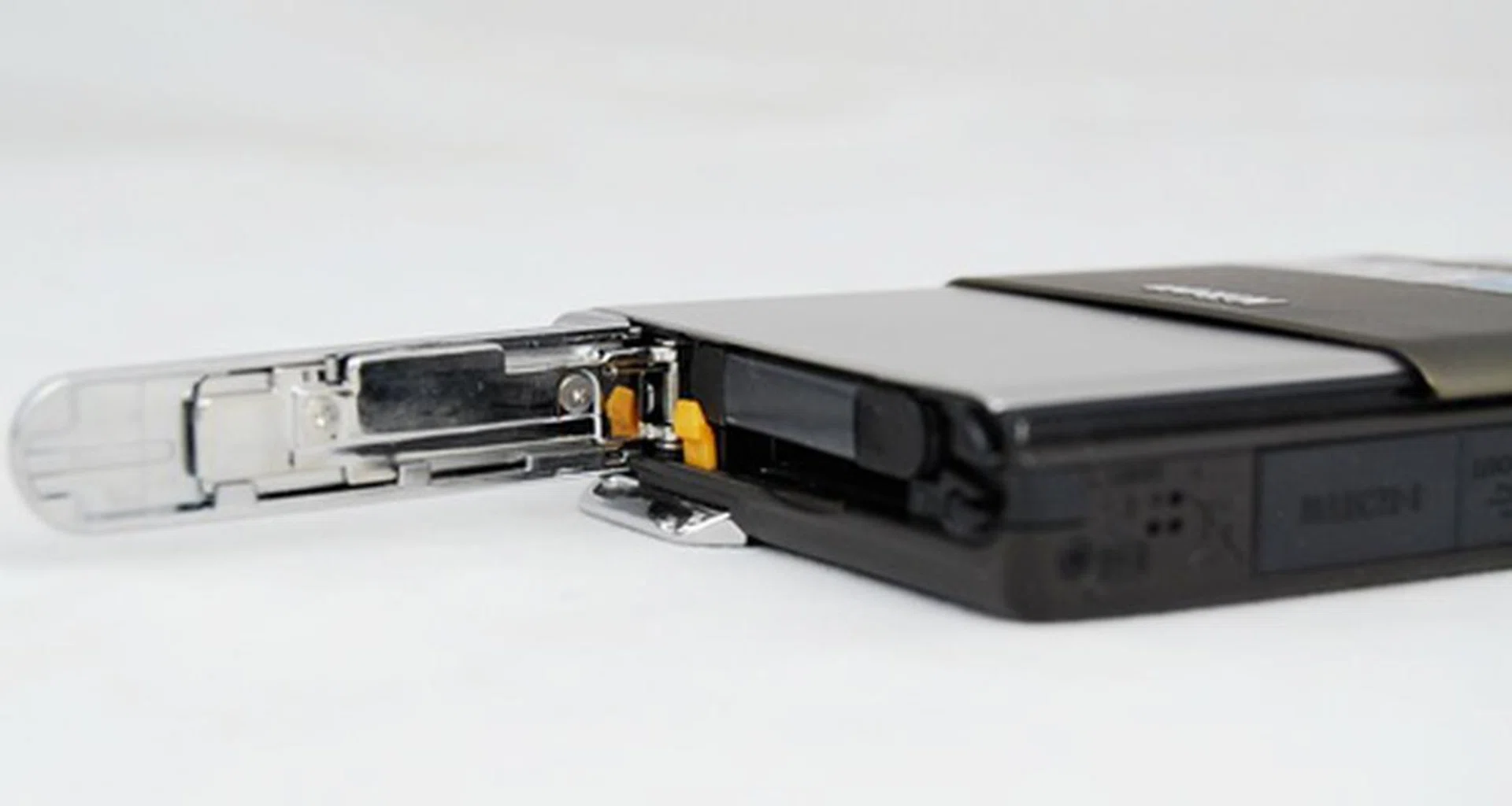
The SD memory card slot is embedded within the battery compartment. It is compatible with SDXC cards.
Performance
The Coolpix S80 is largely an automatic camera. Its large and bright OLED screen is a double-edged sword: on one hand, it comes with better viewing angles and colors than its LCD counterparts. On the other hand, it saps the battery pretty badly.
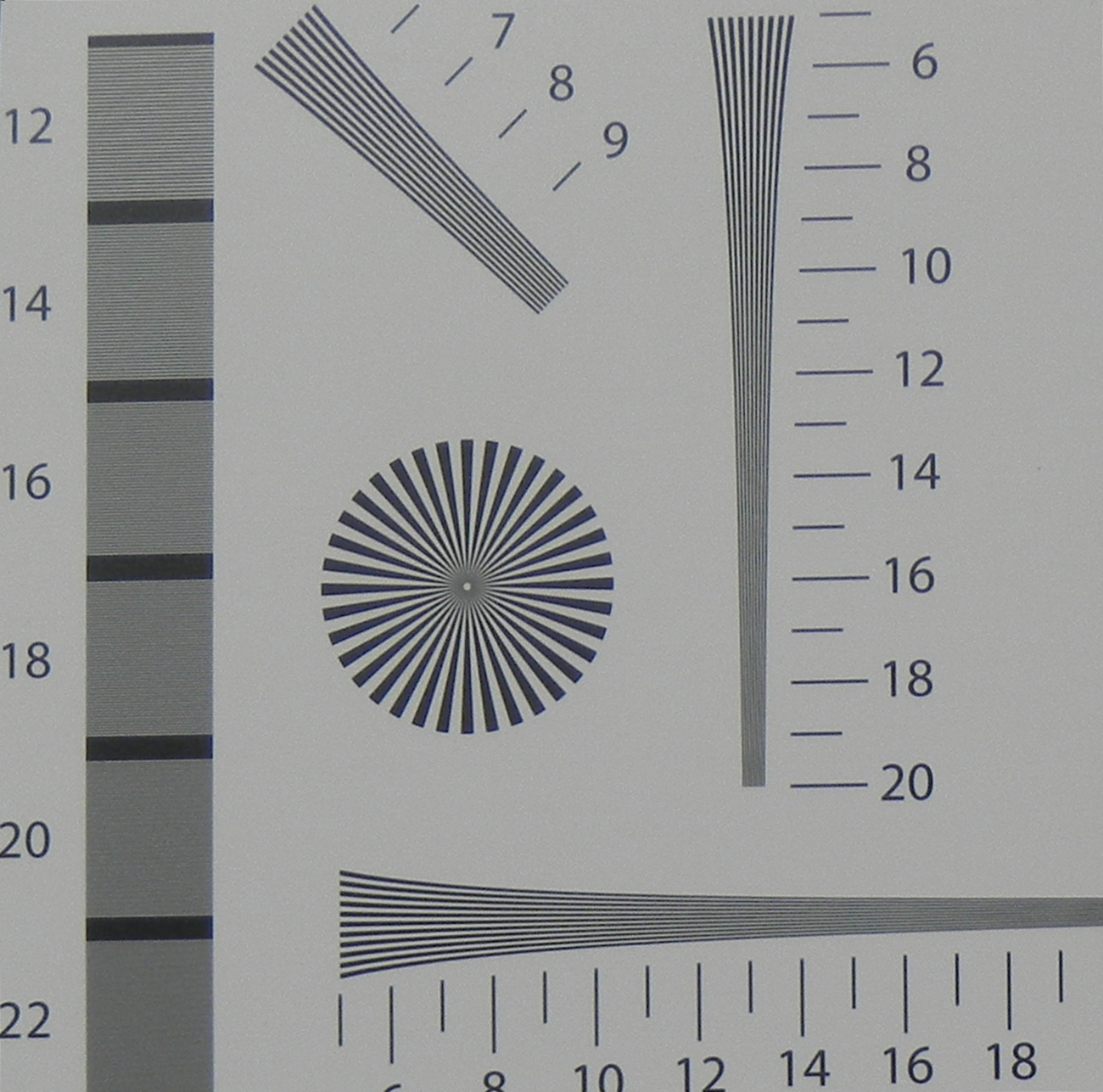
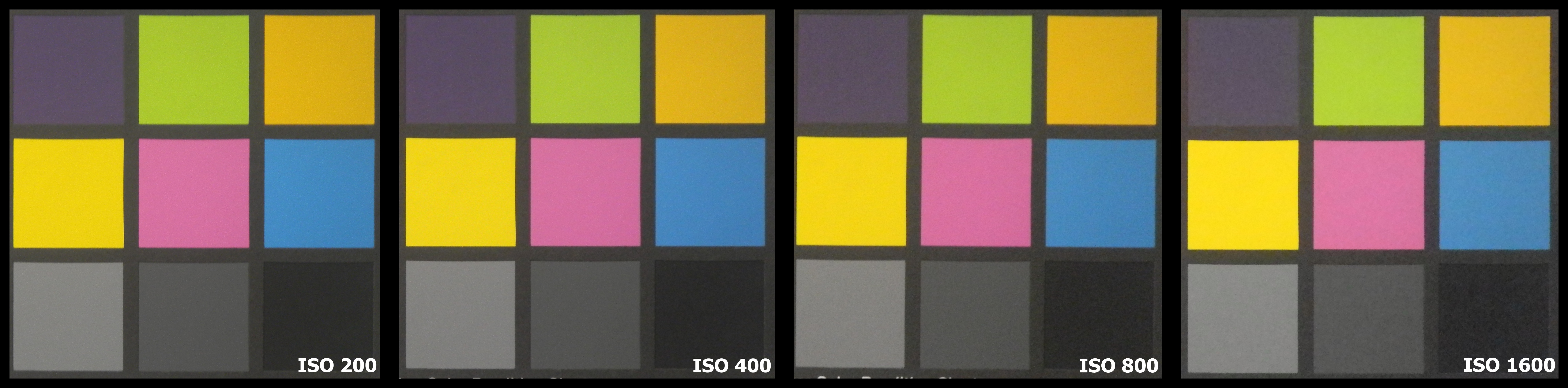
Our test results showed that the camera's 14.1-megapixel sensor managed readings of 1700 LPH (vertical) and 1600 LPH (horizontal) on our resolution chart. Noise-wise, the camera exhibited average noise control for a compact - noise cropped in at ISO 400 and became increasingly prominently from then on. The camera is equipped with a decent range of ISO settings from 64 to 6400, but you can't shoot at the full 14-megapixel resolution at ISO 3200 and 6400. At these two sensitivity settings, you're restricted to 3-megapixel captures. The results are fairly usable if you don't mind viewing or printing them at small sizes.
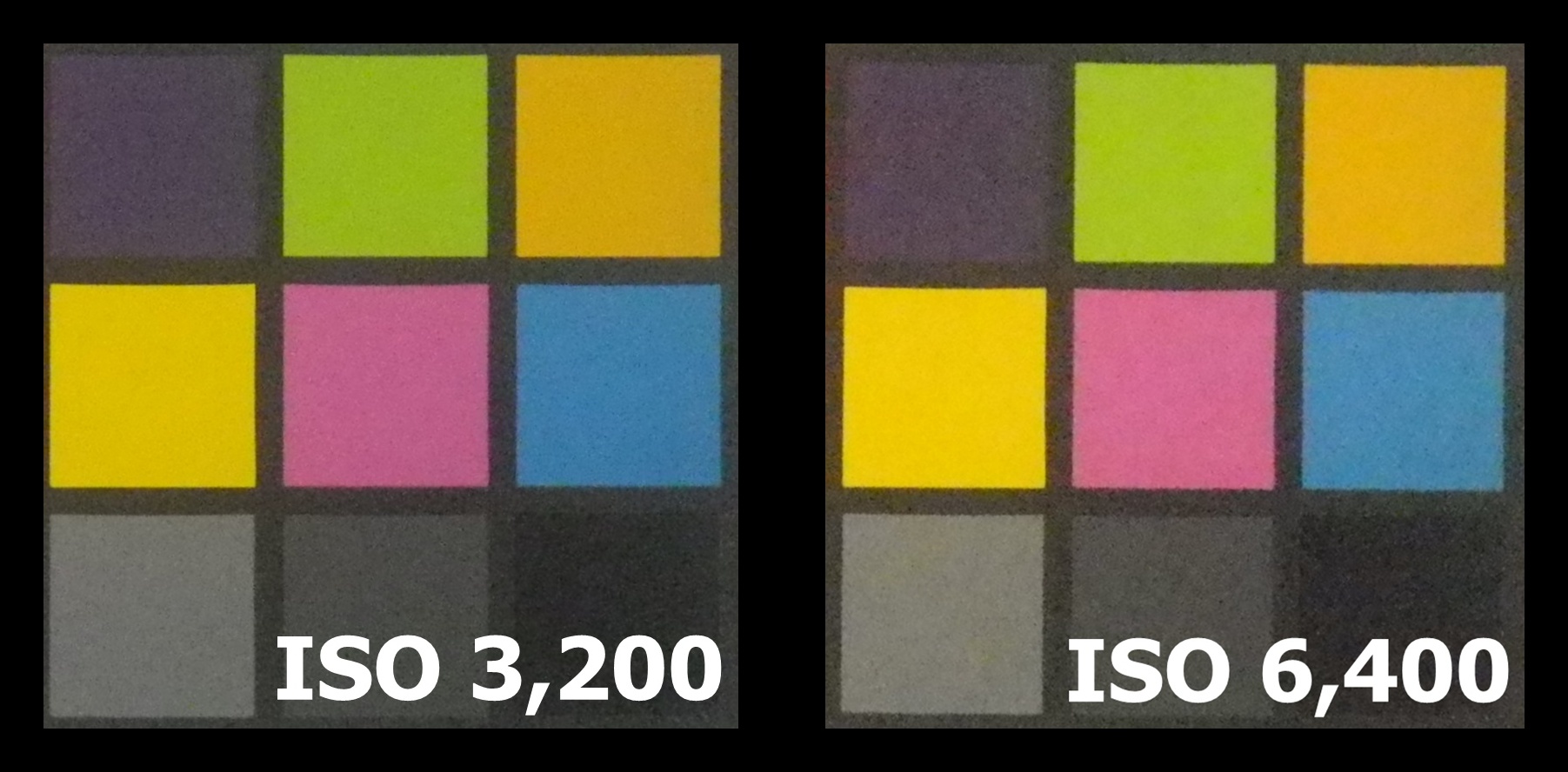
Generally, shots turned out well in well-lit areas. As a rule of thumb, night shots generally suffer from a dip in quality due to the compensation of light through increases in ISO values, resulting in grainier and blur images. This is more prominent on point-and-shoot compact cameras due to their smaller imaging sensors. Under low-light circumstances, we recommend that you've Vibration Reduction turned on. The S80 has two VR settings: by default, it uses the lens-shift method only. There's a hybrid mode that combines the lens-shift method with electronic VR (i.e., software-based corrections).
To our surprise, the S80's auto white balance function worked quite well, even under mixed lighting. We do have one complain though: the auto-focus took a while to achieve a focus lock - as long as 3 seconds in some cases (and these are common, non-challenging scenes).
Sample Images - Pt 1
These are sample images shot with the Nikon Coolpix S80. The images have not been post-processed and are copyright to SPH Magazines. We kindly ask that you do not reproduce them elsewhere. Click to see the original full resolution images (which are rather large).

f/3.7, 8.1mm (35mm equivalent: 45mm), 1/23 sec, ISO400.

f/3.6, 6.3mm (35mm equivalent: 35mm), 1/9 sec, ISO400.
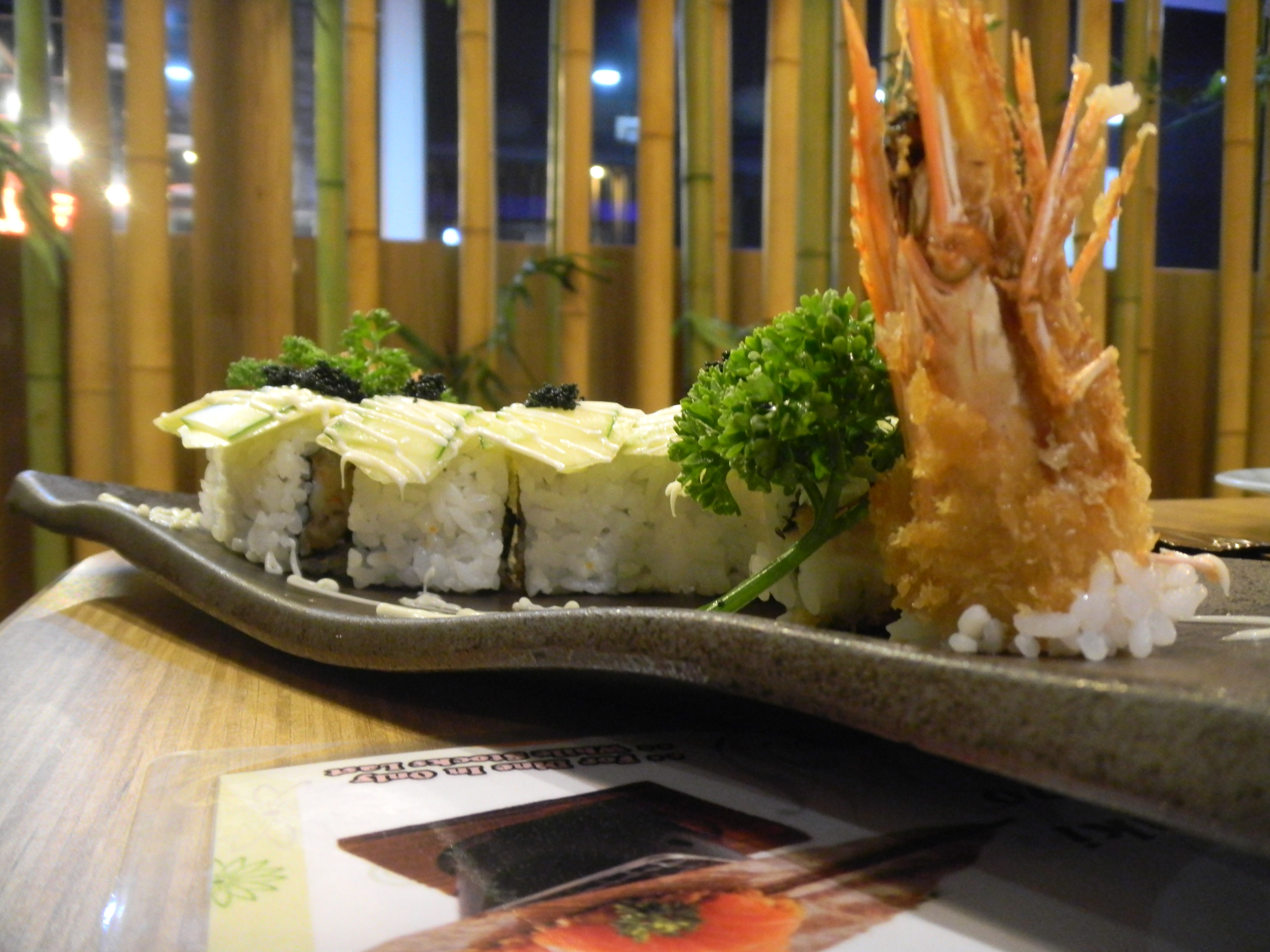
f/3.6, 6.3mm (35mm equivalent: 35mm), 1/4 sec, ISO400.
Sample Images - Pt 2
These are sample images shot with the Nikon S80. The images have not been post-processed and are copyright to SPH Magazines. We kindly ask that you do not reproduce them elsewhere. Click to see the original full resolution images (which are rather large).
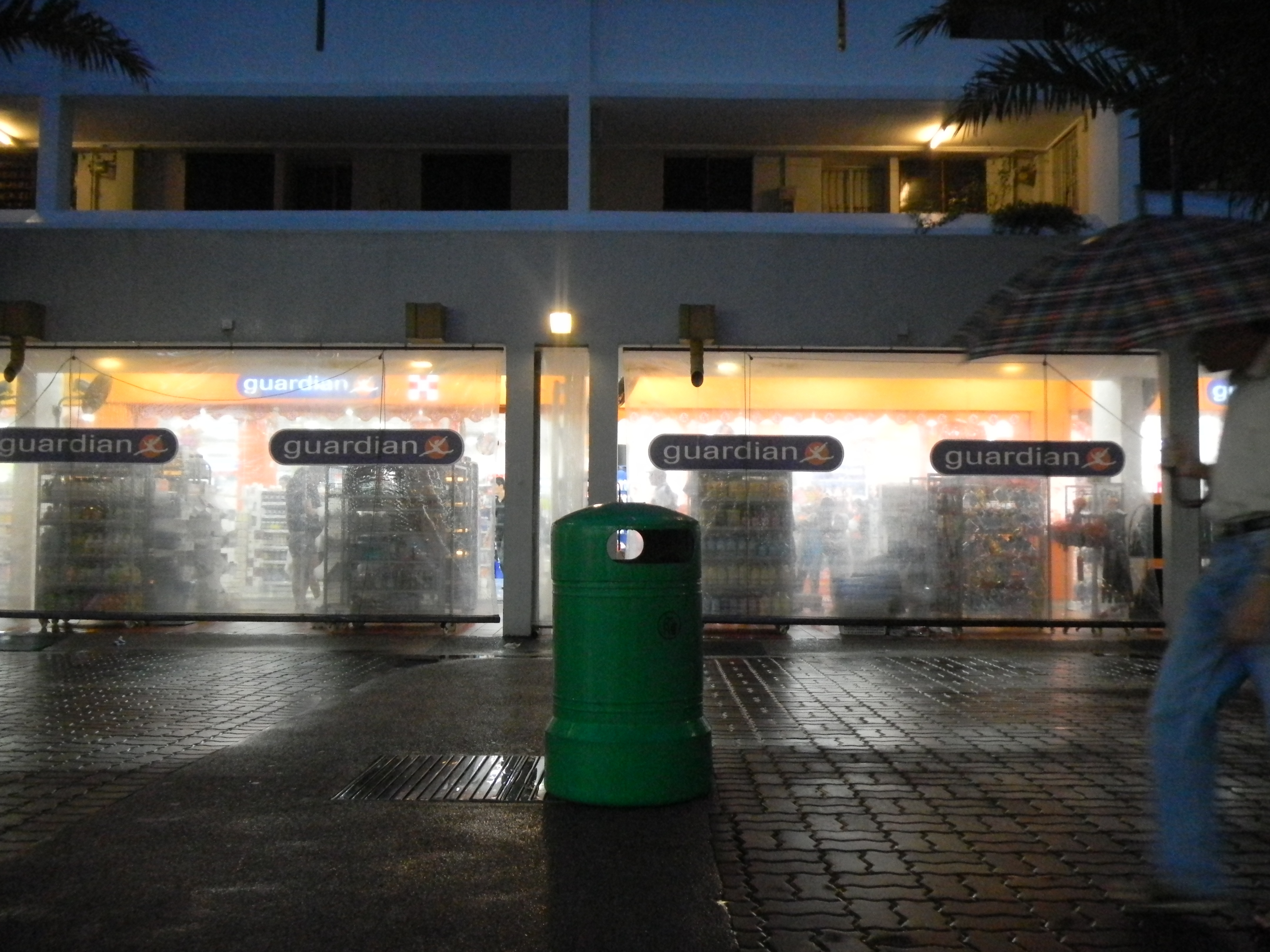
f/3.6, 6.3mm (35mm equivalent: 35mm), 1/42 sec, ISO800.

f/3.6, 6.3mm (35mm equivalent: 35mm), 1/87 sec, ISO1600.

f/3.6, 6.3mm (35mm equivalent: 35mm), 1/80 sec, ISO1600.
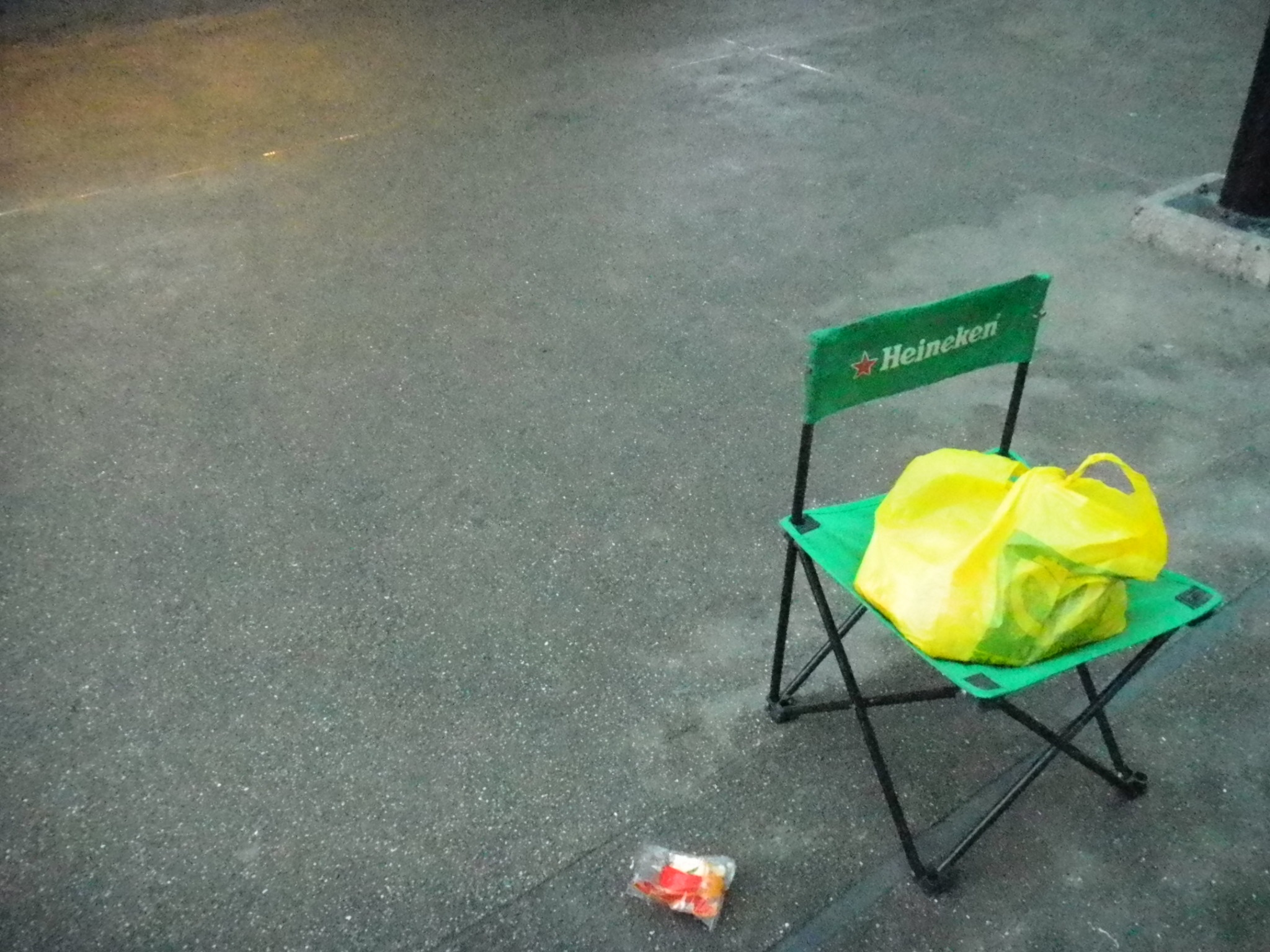
f/3.6, 6.3mm (35mm equivalent: 35mm), 1/62 sec, ISO6400.
Conclusion
The Nikon S80 scored massive points for having a slim and stylish exterior. The 3.5-inch OLED touchscreen is a great addition, but we found it to be quite a battery drainer (the supplied EN-EL10 Lithium-ion battery is rated at 150 shots). Nonetheless, colors were vibrant, and viewing angles were wider compared to its LCD-equipped competitors. However, it was penalized in the usability department, no thanks to the sluggish and unresponsive touch interface, and a menu that can be intimidating to a newcomer. Moreover, the zoom controls can only be operated through the touchscreen - which in our opinion, further hampers the photography experience.
Performance-wise, the S80 exhibited good resolution, decent noise control, and very good sharpness across the entire zoom range. We were also pleased with its in-camera picture editing functions, the decent subject tracking performance, and its superb macro shooting capability (you can go as near as 7 cm). It can also record 720p HD movies (with stereo sound) and output them via HDMI. All that said, at S$549, we feel that the camera is a little on the pricey side of things. Still, if you're searching for a point-and-shoot compact camera that takes good quality images, do give the S80 a look.
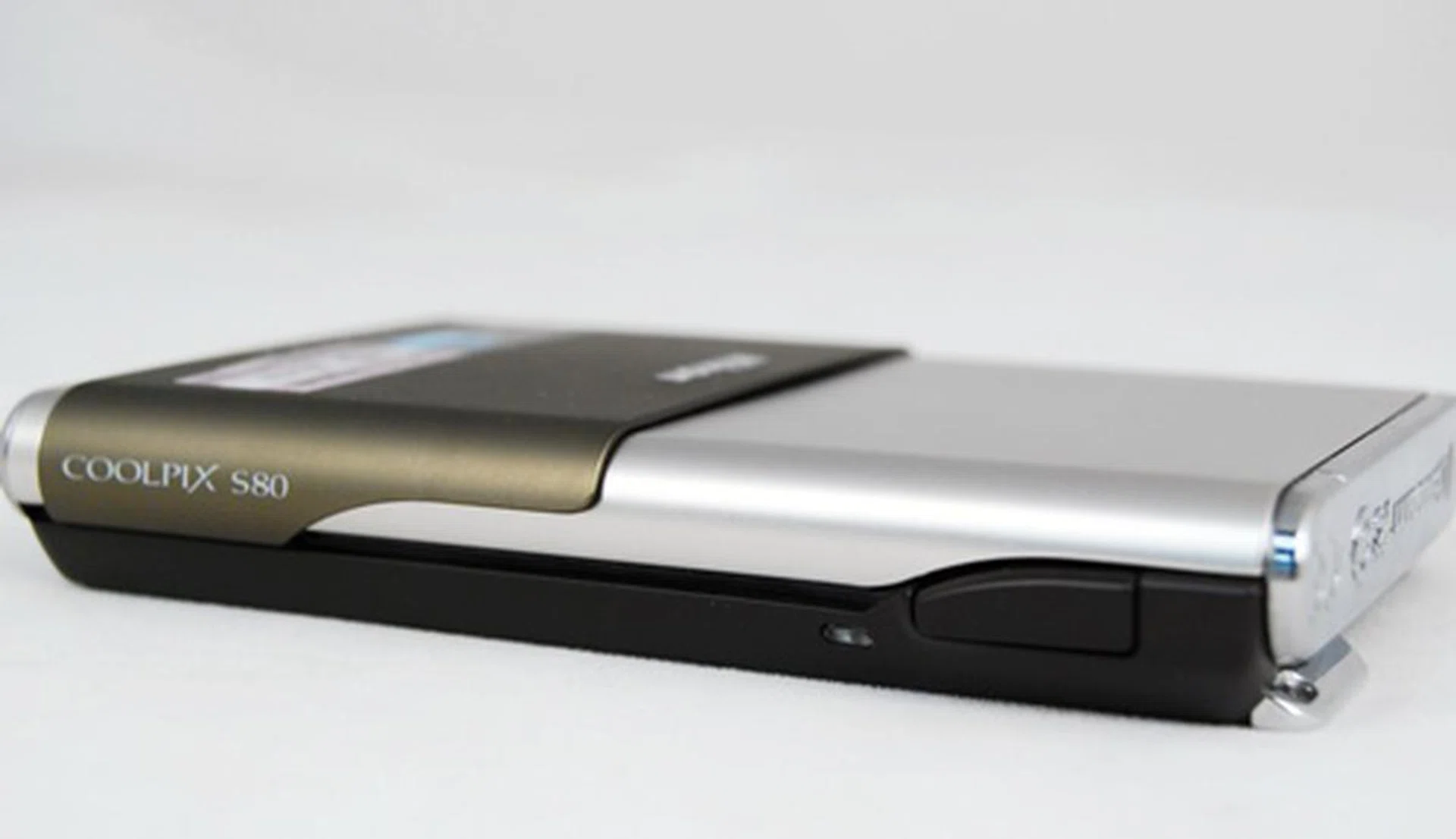
Slim and stylish, though not the easiest to use due to the touchscreen.
Our articles may contain affiliate links. If you buy through these links, we may earn a small commission.