

Note: This review was first published on 9 April 2020.
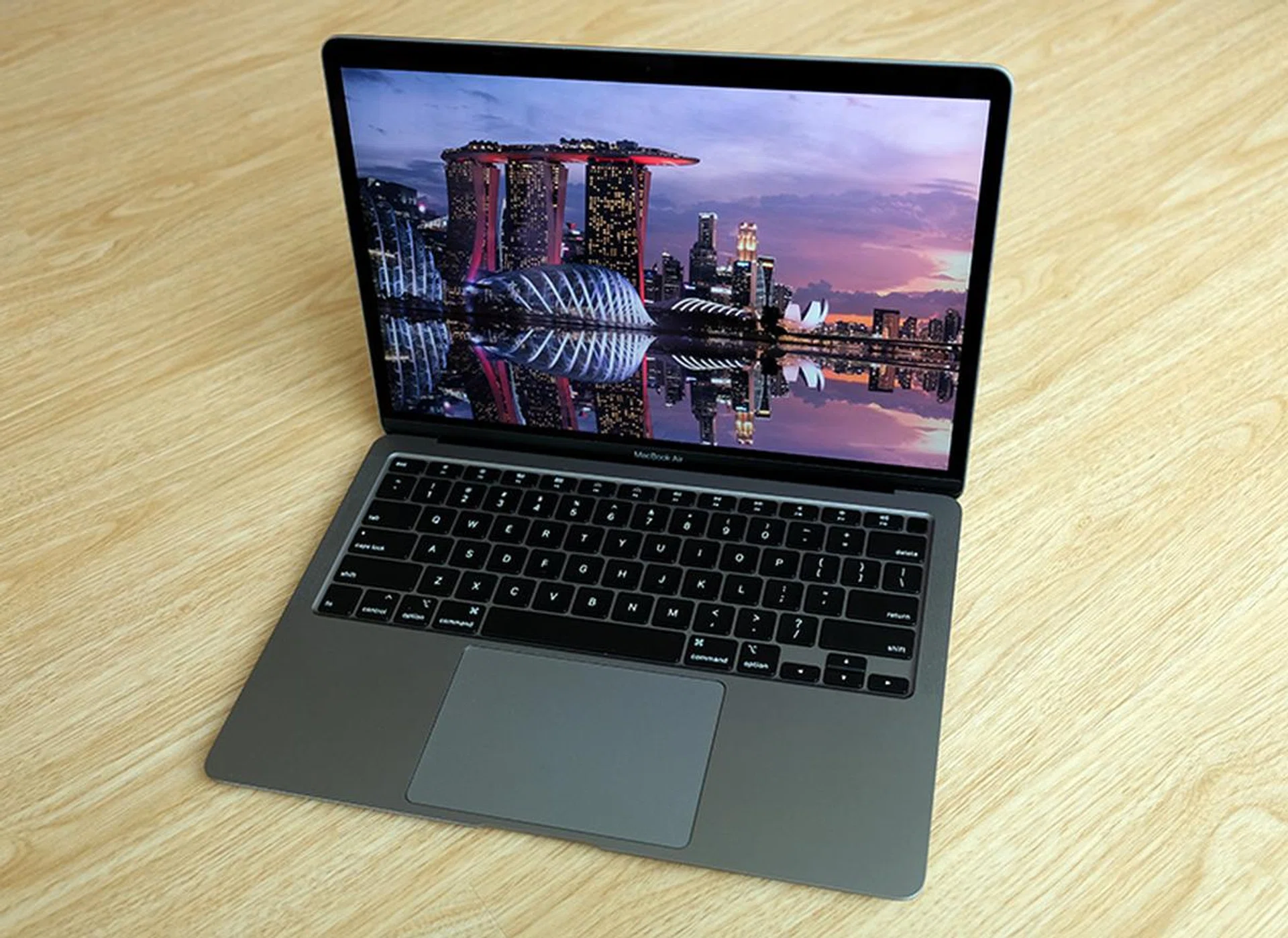
The latest MacBook Air has significant updates.
The Air you have been waiting for
In the middle of last month, Apple revealed a new MacBook Air. I wrote about it here first and then did a hands-on here. If you haven’t read them, here’s the quick low-down:
- The design and dimensions are largely unchanged. It’s roughly 0.5mm thicker and that’s because of its new keyboard.
- Ah, keyboard. It now has a Magic Keyboard – the same in the 16-inch MacBook Pro. It uses a more traditional scissor-switch mechanism that has more travel and, thus far at least, seems to be more reliable.
- It features Intel’s new 10th generation Ice Lake-Y processors. These are relatively low-power processors built more for efficiency than performance. However, there are quad-core variants for more demanding users.
Now that I’ve spent a few weeks with it, here are my findings. But first, some photos of the new MacBook Air. As you can see, with the exception of the keyboard, it’s almost visually identical to the model it replaces.
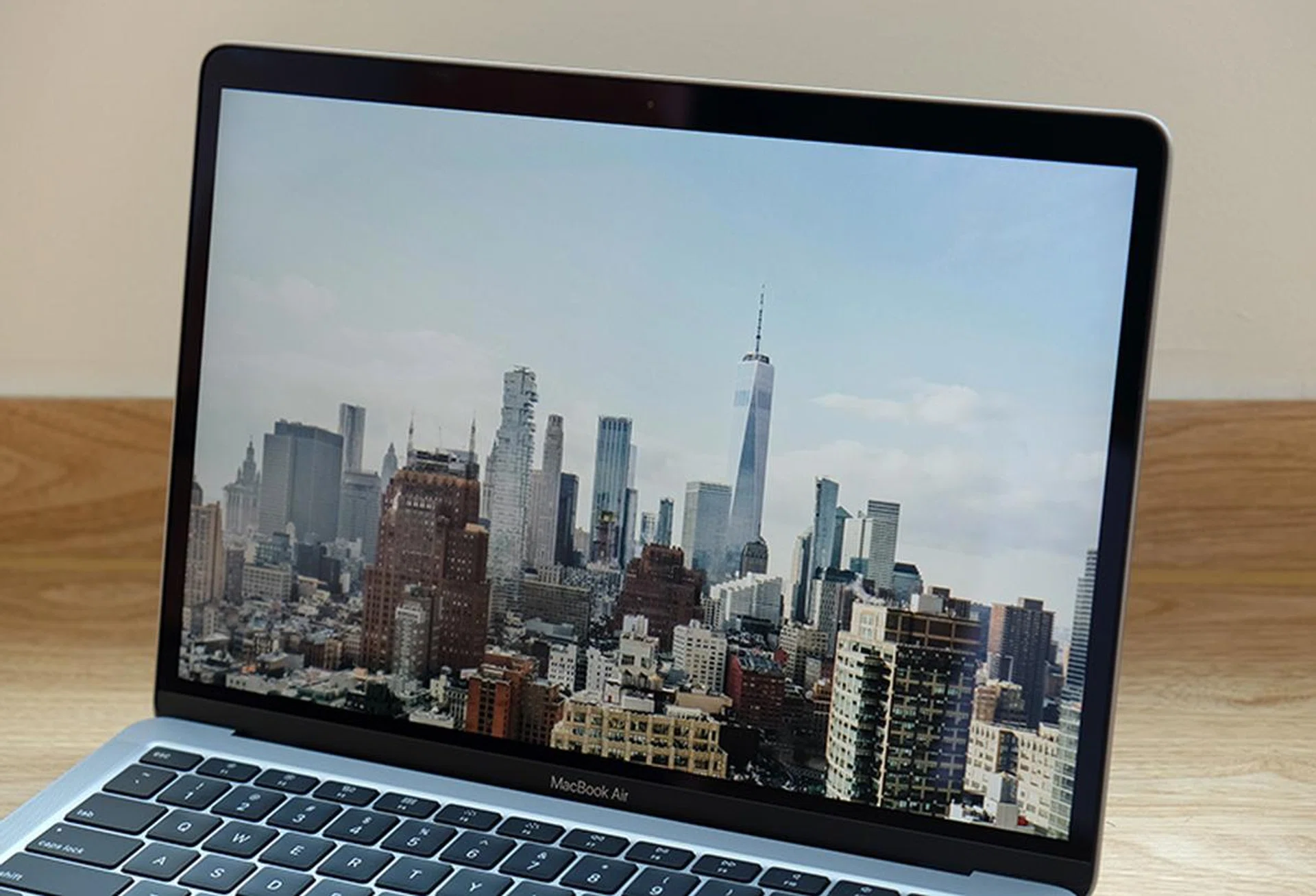
The Retina display is brilliant even if the bezels are quite conspicuous.

The newest MacBook Air still comes with two USB-C Thunderbolt 3 ports.
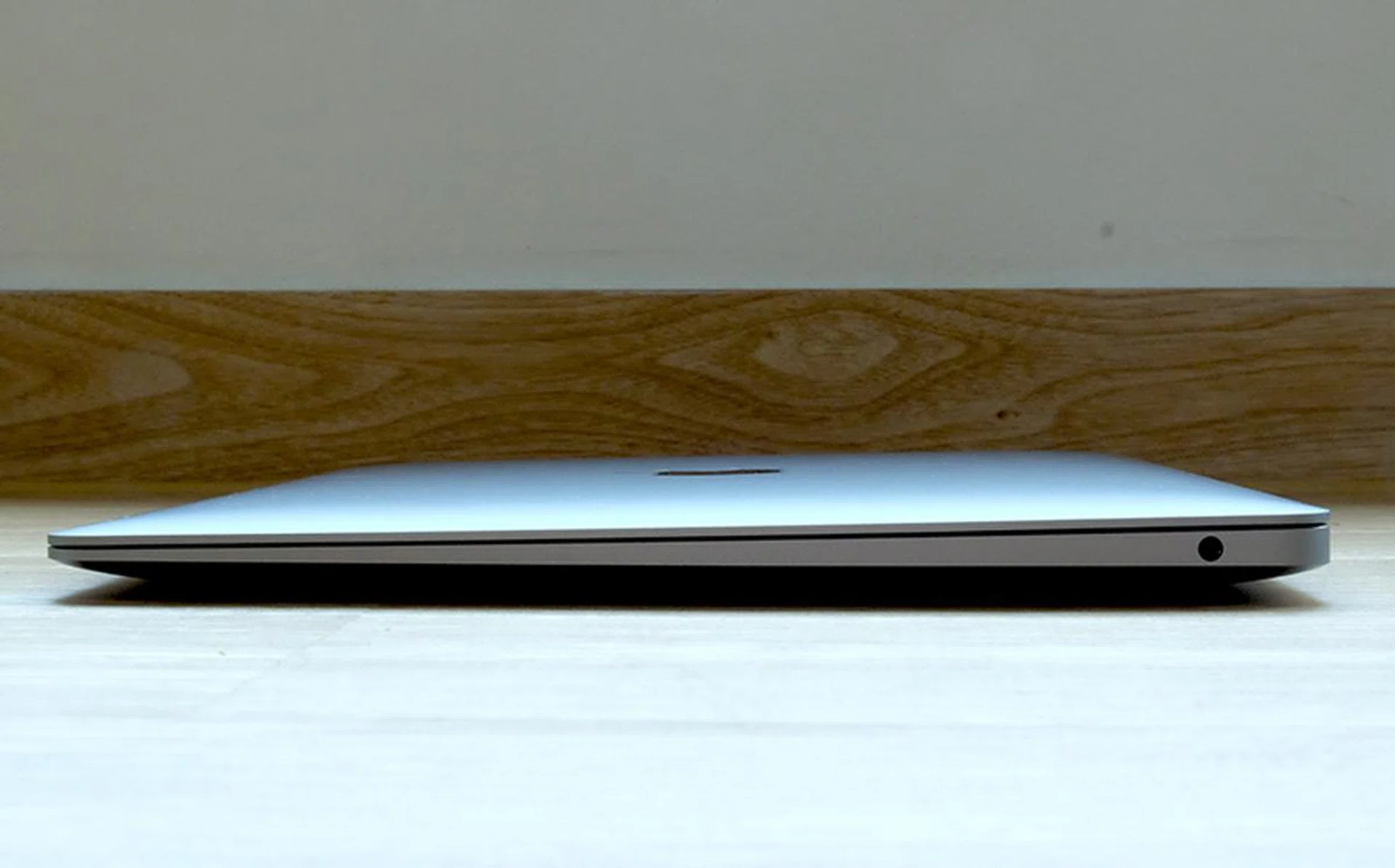
The latest MacBook Air retains its iconic wedge-shape profile.
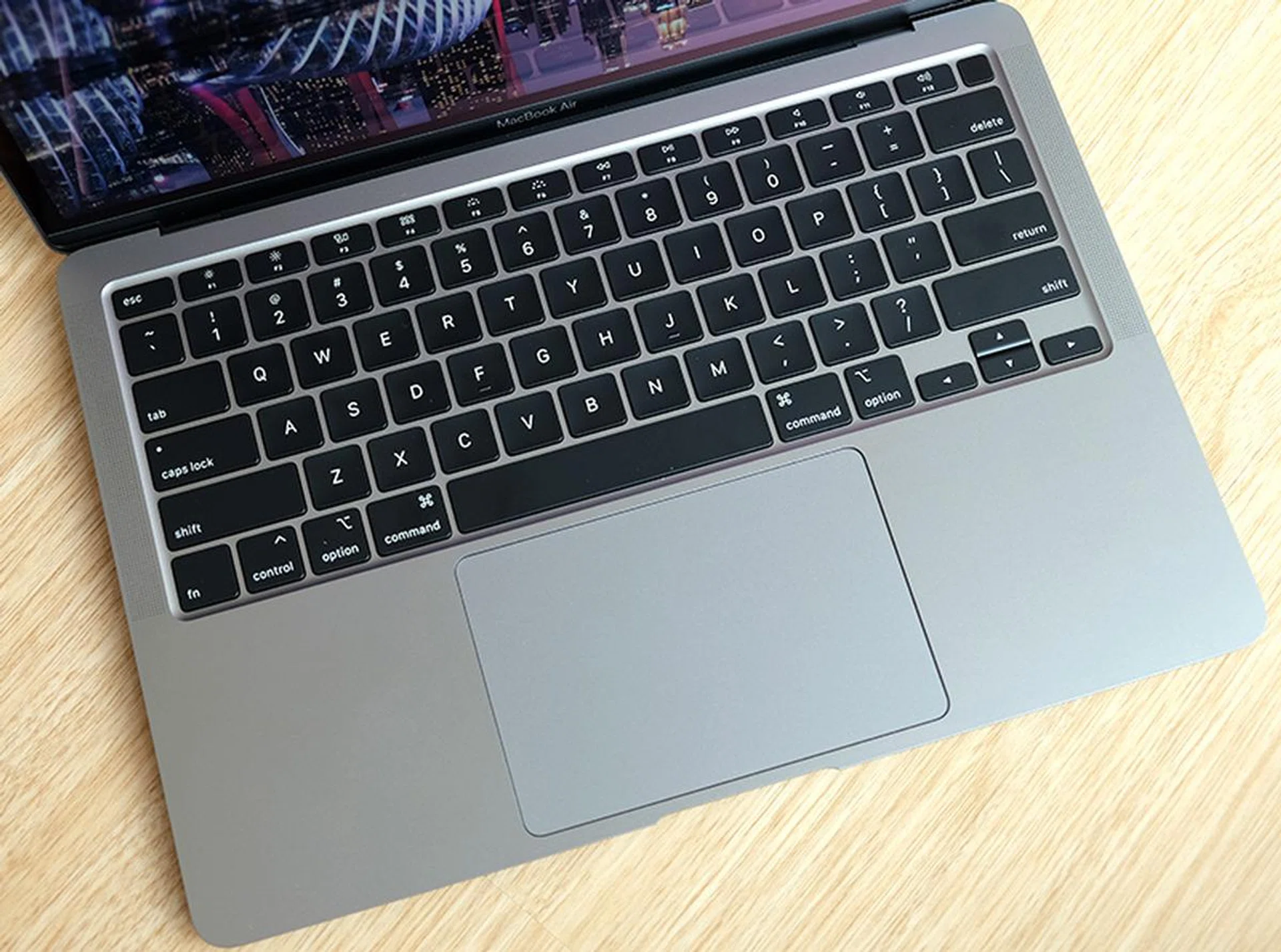
Apple has gone back to a more traditional scissor-switch mechanism for the MacBook Air's keyboard. The trackpad is huge.
Performance
The unit that I’m testing is the more powerful configuration with a quad-core Core i5 processor with 8GB of memory and a 512GB SSD. It’s worth mentioning that Apple has doubled the storage on the MacBook Air without increasing the price so even the entry-level configuration comes with 256GB of SSD storage.
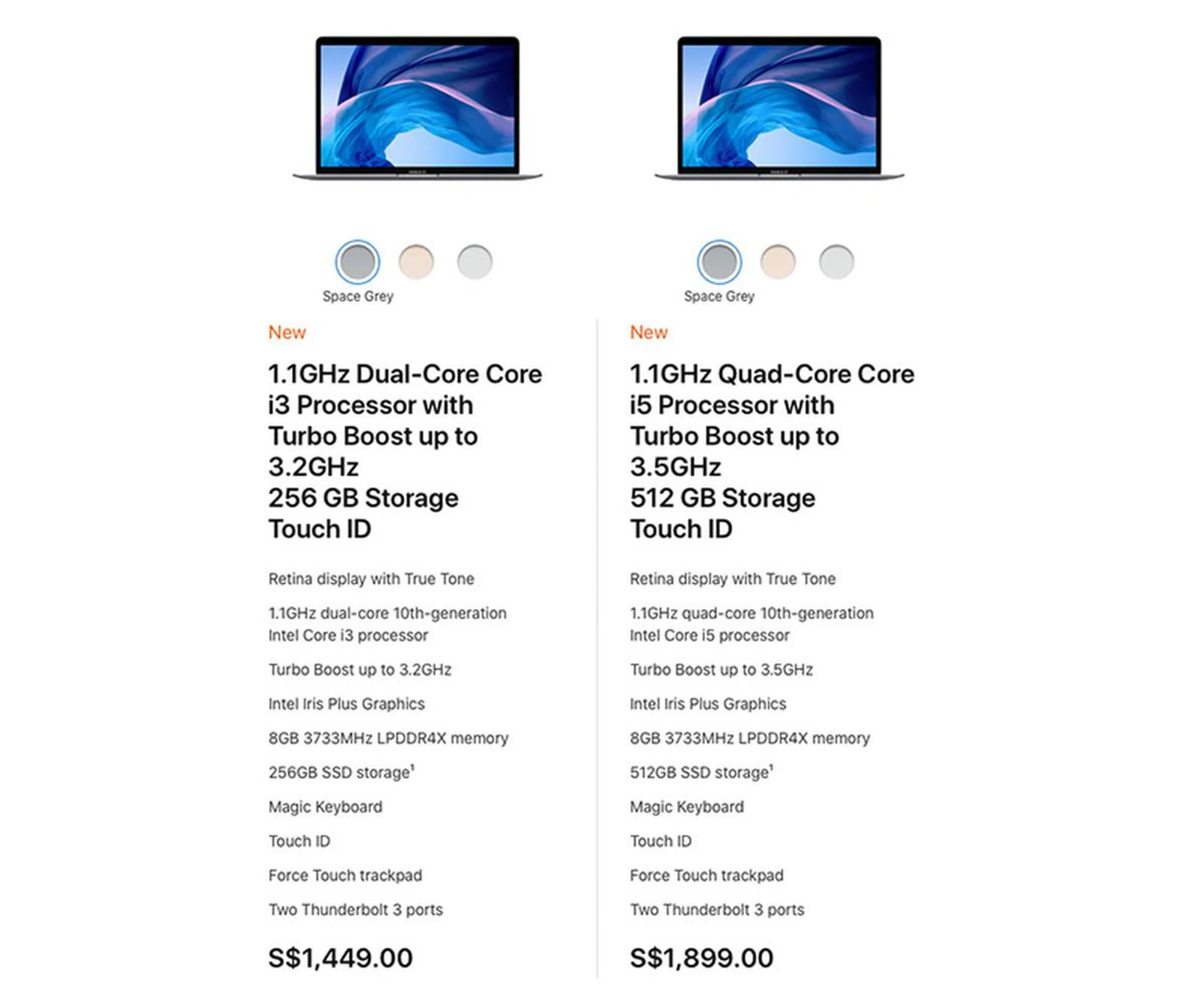
The latest MacBook Air is available in two off-the-shelf configurations. If more performance is required, you can customise the processor, memory, and storage.
This is the first time the MacBook Air is available with a quad-core processor and it’s actually the Core i5-1030NG7. This is a Y-series quad-core chip with 8 threads and Iris Plus Graphics. TDP is just 9W. To give some perspective, the 13-inch MacBook Pro typically uses processors that have a higher TDP of 28W.
The chip also enables this new MacBook Air support 6K displays, which means it’ll work perfectly with Apple’s Pro Display XDR. If you intend to pair the MacBook Air with an external monitor, then know that it can drive either a single 6K display, a single 5K display, or up to two 4K displays, all at up to 60Hz.
And while the MacBook Air is available in two off-the-shelf configurations, users seeking more performance can choose to customise the processor, memory, and storage. There's a more powerful Core i7 processor as an option, and the maximum memory and storage that can be oufitted on the MacBook Air is 16GB and 2TB respectively.
I ran some benchmarks and here are the results:
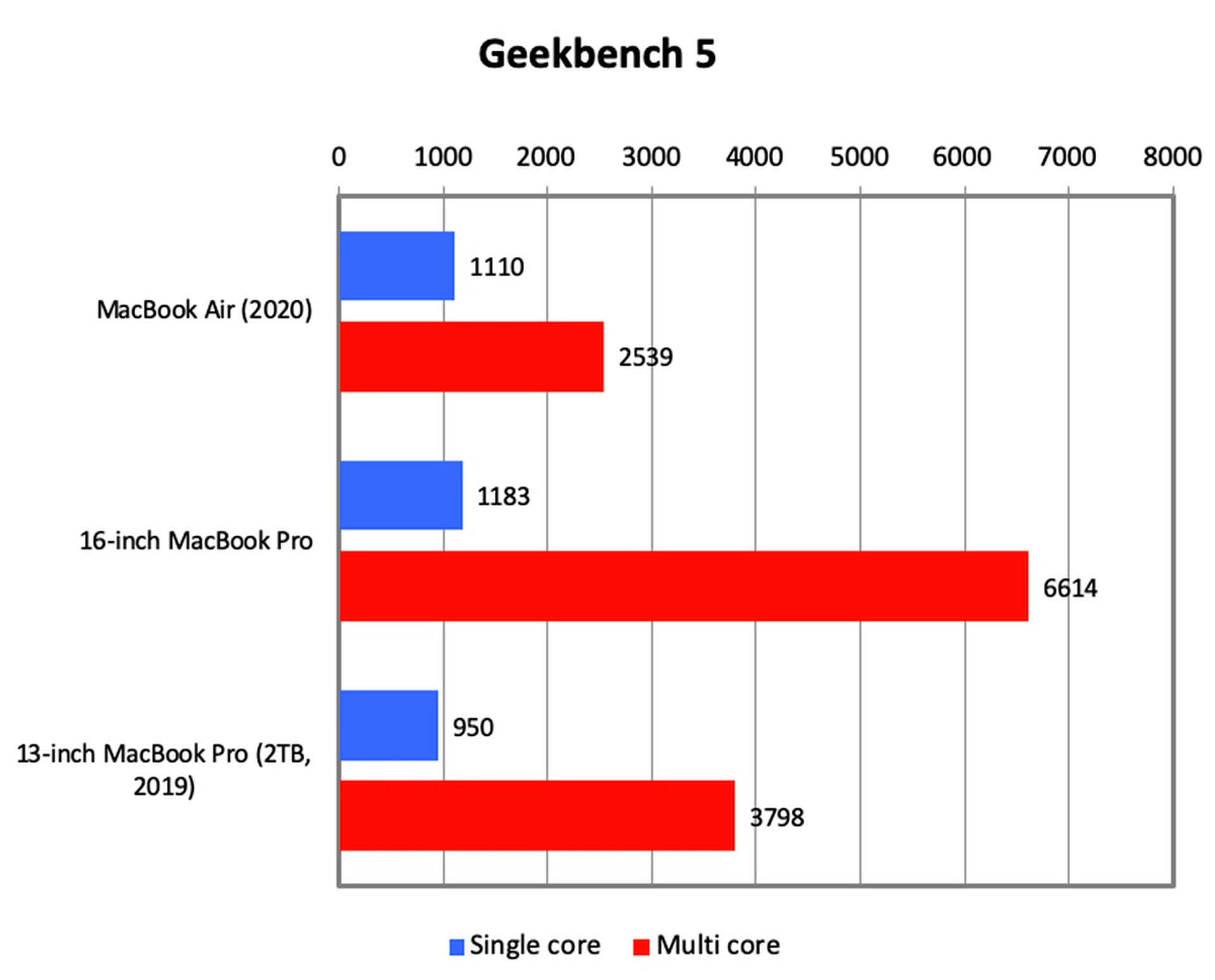
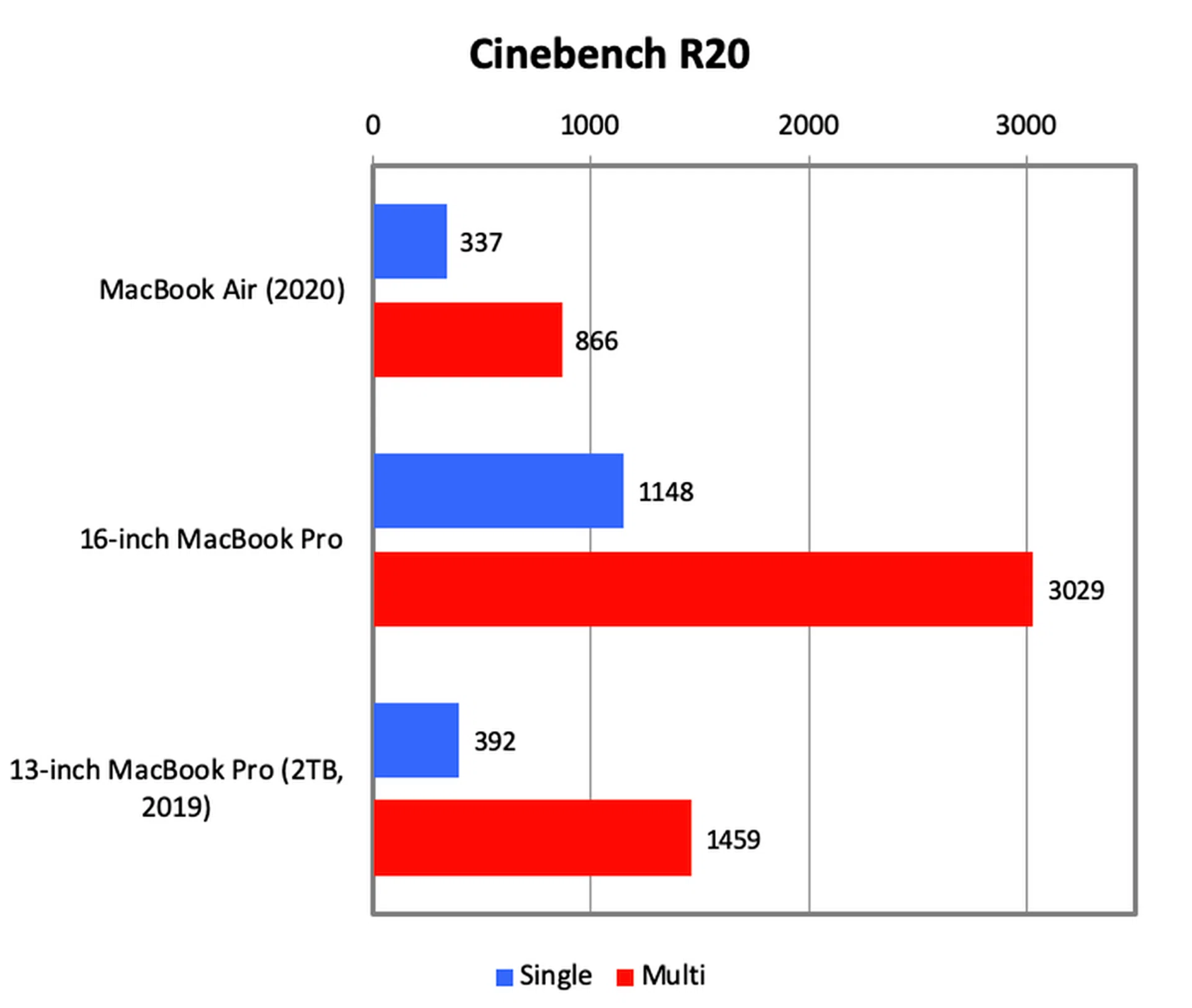

Geekbench and Cinebench results were quite good. Looking at the single core results, we can see that the MacBook Air wasn’t that far off from a 13-inch MacBook Pro. However, the 13-inch MacBook Pro has a substantial advantage when it came to multi-core performance. Needless to say, the new 16-inch MacBook Pro ruled the roost.
Rounding things up was a video transcoding test involving an hour-long 1080p video. The 16-inch MacBook Pro, with its beastly hexa-core processor, completed the task in just 17 minutes and 21 seconds. The 13-inch MacBook Pro took more than twice as long at a smidge over 40 minutes. The MacBook Air, on the other hand, took 74 minutes. Highly CPU intensive workloads are not the MacBook Air's forte.
In the real world
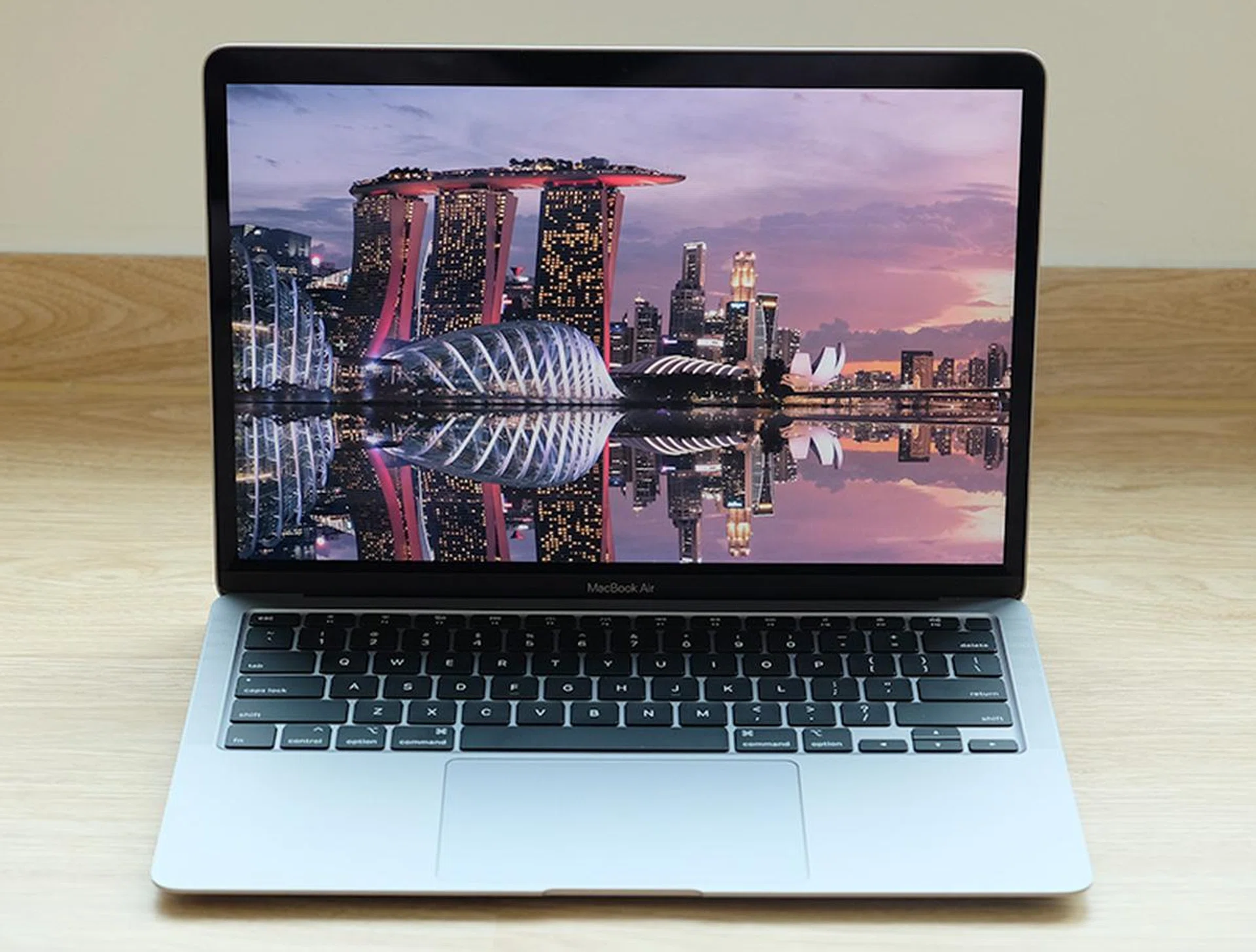
Unless you are editing videos or messing about with complex Photoshop files, the MacBook Air is good enough.
The new MacBook Air doesn’t look all that powerful in benchmarks, but in the real-world, I found it to be surprisingly sprightly. Even when I was using it with my external monitor (a 34-inch ultra wide) and had multiple windows and dozens of browser tabs opened, it chugged along quite capability. I think the quad-core model significantly bridges the performance gap between the MacBook Air and MacBook Pro. It may not be as fast but for the most parts, the two are quite close. If I had to give a number, I would say that it’s about 80% to 90% as fast as a MacBook Pro. The only time I felt it really slowed down was when I was making edits in Photoshop, otherwise, the two are quite comparable.
That said, I won’t recommend the MacBook Air for anything more intensive than that. If you have to edit videos or if you have to constantly apply complicated effects in Photoshop, I think you’ll have to dig deeper into your pockets and get a MacBook Pro.
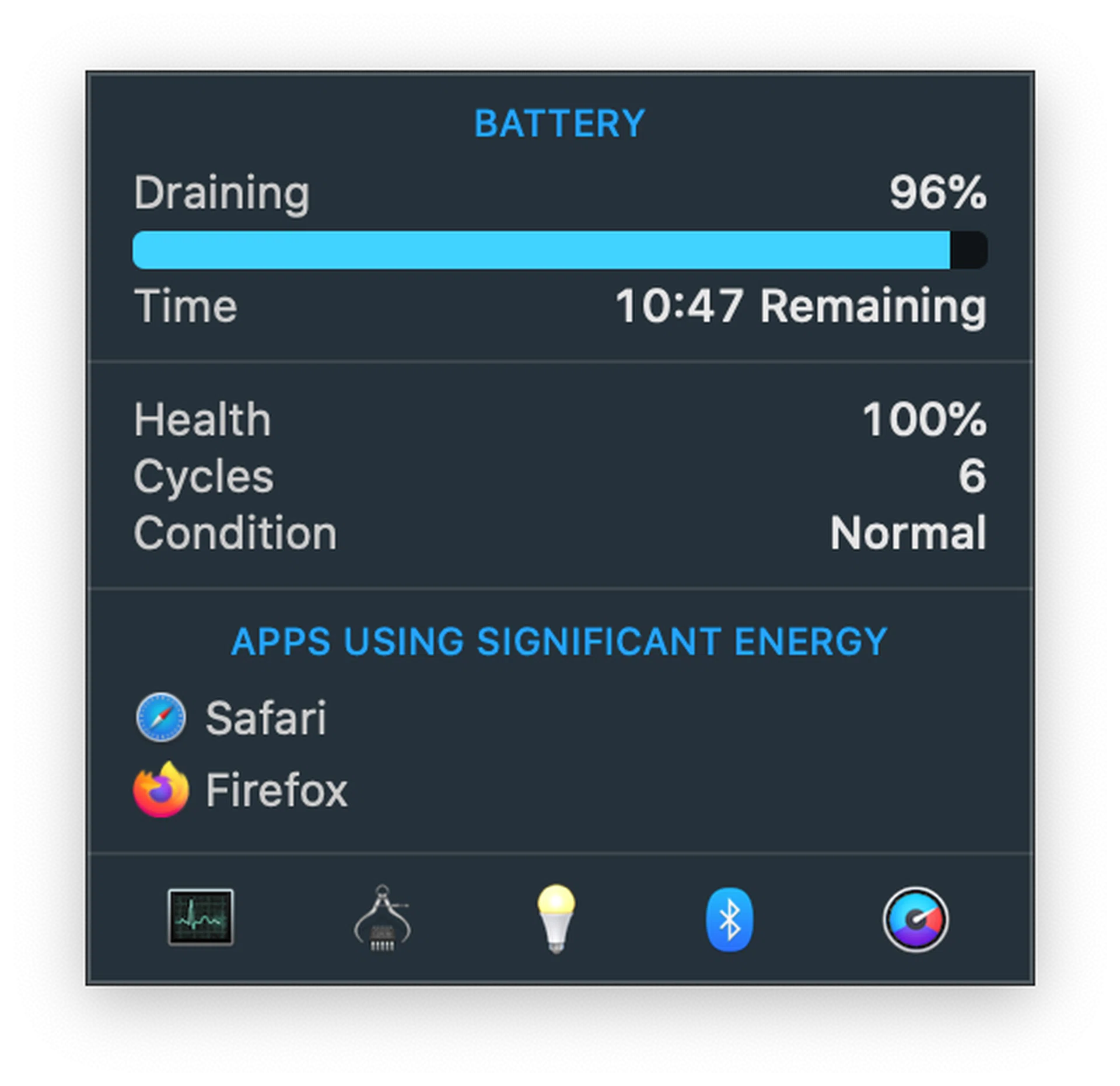
10-plus hours of web surfing with the brightness set to around 80% shouldn't be a problem for the new MacBook Air.
Battery life was decent too. It doesn’t have the largest battery – just 49.9Wh – but Apple claims up to 11 hours of wireless web surfing and that was just about what I got in my experience. It uses a 30W charger, which means it’ll work well with the bulk of affordable aftermarket USB-C chargers available in the market now.
A MacBook Air I can whole-heartedly recommend
The new MacBook Air is a return to form. It used to be that the MacBook Air was the notebook for everyone but you couldn’t really say the same of the model it replaces. Unreliable keyboard aside, it wasn’t the most powerful Mac. I always felt that it could use a little more oomph in the performance department. The latest MacBook Air, at least the quad-core version that I tested, bridges the performance gap to the point where I think most users, unless they are doing a lot of heavy image editing or video editing, is going to be satisfied. Apple’s optimisation of that low-power processor should be applauded.
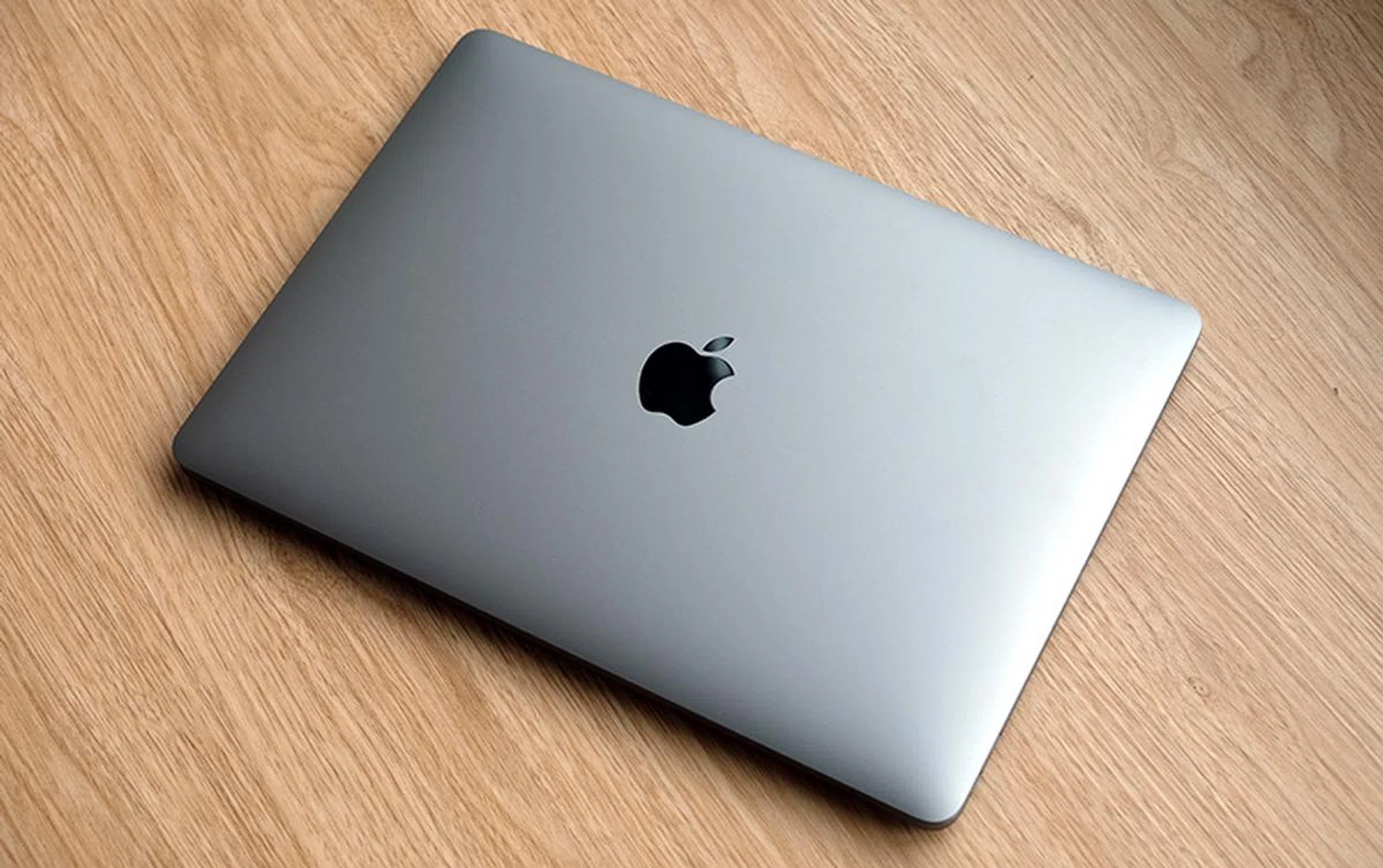
This is a return to form for Apple and the MacBook Air
And yes, that keyboard. It’s probably the single biggest thing that’s holding people back from getting a MacBook these days. Not only was the typing experience subpar, it was also woefully unreliable. It might have taken Apple a while but it’s good to see that they have finally gone back to a more traditional scissor-switch mechanism. As I mentioned in my hands-on, this is a solid keyboard with a positive tactile feel and a decent amount of travel. And given that we haven’t heard widespread complaints about the reliability, it’s probably safe to say that wonky keyboards are now a thing of the past for the MacBook Air.
If you ask me, all things considered, the only thing I wished it had was support for Wi-Fi 6. Wi-Fi 6 routers are getting plentiful these days and with the iPad Pro, iPhone 11, and iPhone 11 Pro already supporting this new wireless standard, it makes sense only for Apple’s newest notebooks to do the same. But that’s just a small blemish on an otherwise fantastic notebook. This is easily the best MacBook Air yet.
Our articles may contain affiliate links. If you buy through these links, we may earn a small commission.