
Logitech G Yeti Orb: An oddly shaped but solid microphone that's also wallet-friendly
Straight out of the box, the mic's sound quality impresses and the simplicity of its setup is a boon.

Note: This review was first published on 29 December 2023.
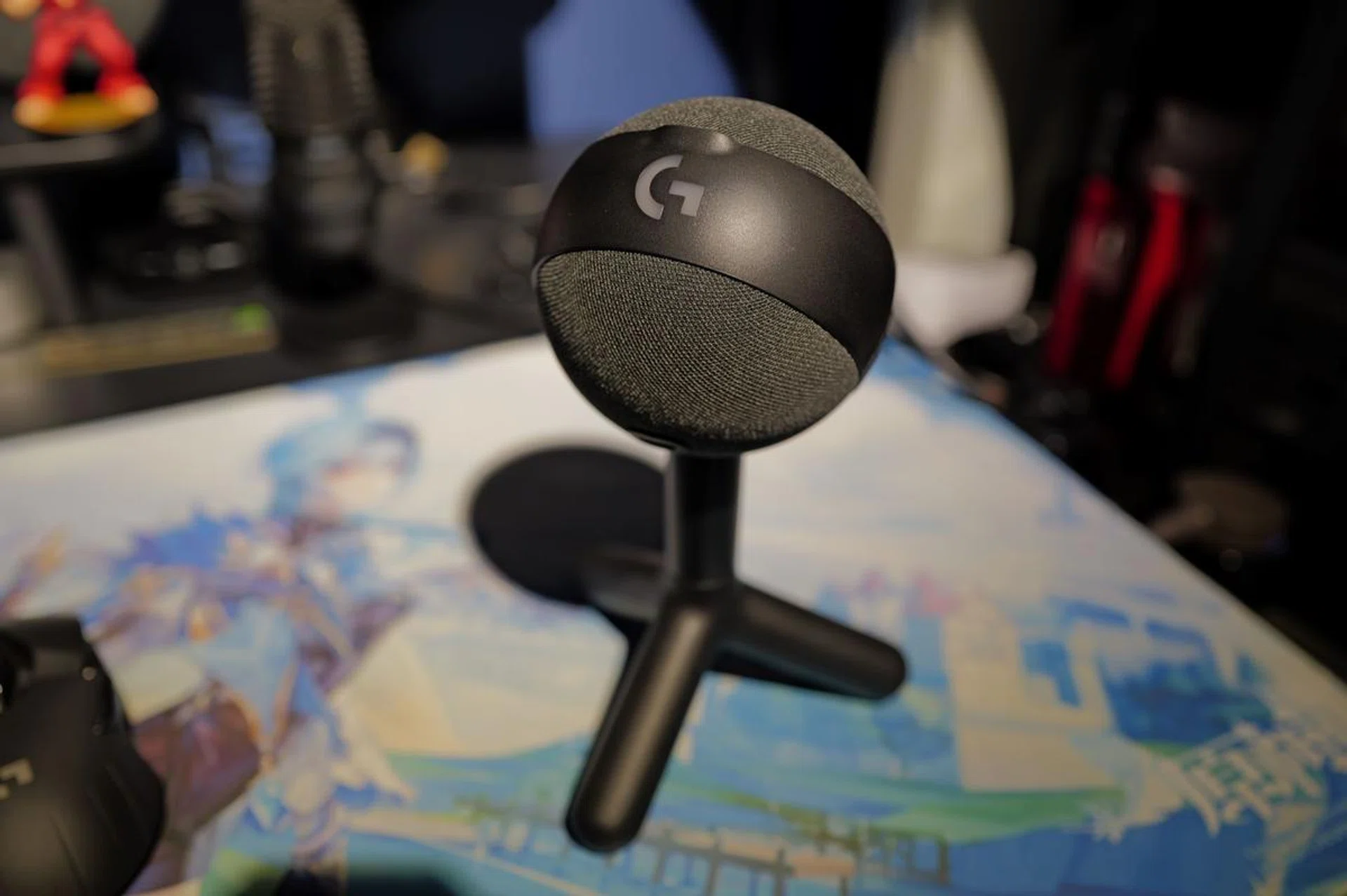
The Logitech G Yeti Orb is a solid, fuss-free microphone that's very wallet-friendly too.
The use of dedicated microphones on one’s desktop has become more prevalent in recent years, as internet activities such as Zoom calls and live casting turn into norms rather than exceptions. These microphones come in all sorts of sizes and pricetags, and while the built-in microphone on webcams is sufficient for video calls, you’ll want a standalone microphone if you’re doing more serious live content. Such as the Logitech G Yeti Orb.
The Yeti Orb is unique in its design, sporting a globe-like shape that’s wrapped in a tastefully done combination of black plastic and grey fabric. If you’re familiar with Logitech’s Blue Snowball mic, then the Yeti Orb’s lineage is unmistakable. I find the overall design to be unobtrusive yet strangely sophisticated (it reminds me of the gatekeeper droid in Star Wars). There’s also a discreet Logitech G logo that lights up with RGB – a subtle nod to its gaming pedigree.
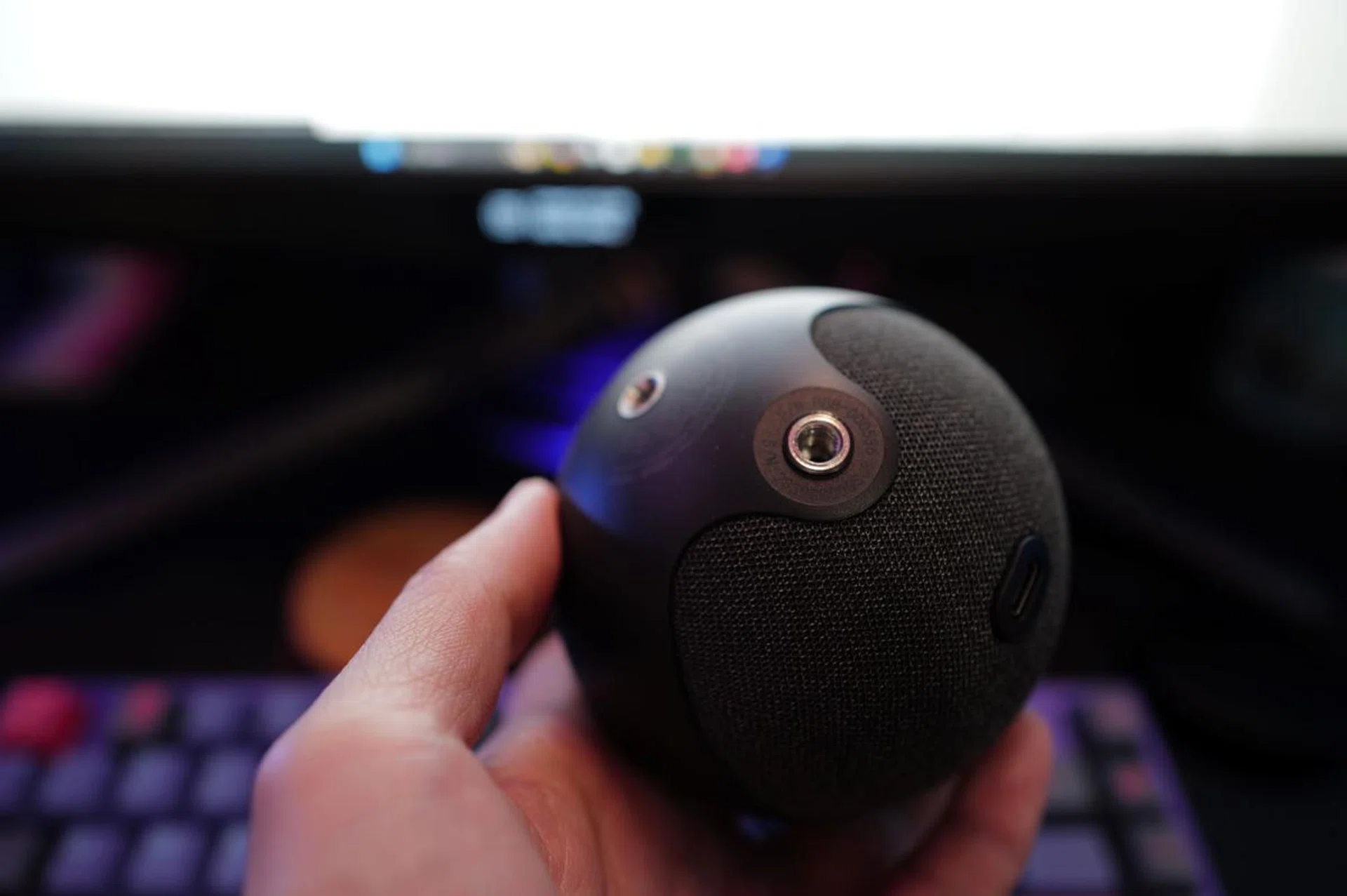
Flipping the Yeti Orb upside down will reveal the two tilt options as well as the USB-C connection.
Functionally, the Yeti Orb’s got this neat little indicator light, positioned strategically to face the user, giving a clear sign if you're live or on mute – a small but important visual cue for any broadcaster or podcaster.
The stand that comes with the mic is made of black plastic and sturdy enough for desk use. Certainly, no frills there, and sure to illicit comments when you have visitors over. But if you're the type who likes a bit more flexibility, you can easily detach it and mount the Orb on a mic arm. The dual threaded brackets are a smart add-on, offering both mounting options and two tilt adjustments for the desk stand.
Now, here's where it gets interesting. The Yeti Orb goes full minimalist in its operation – no buttons, no dials. For better or worse, everything is controlled via the G Hub software once the mic is connected to the computer via USB-C. This might be a bit of a curveball for some, but it's a clear nod to a more streamlined, digital-first approach.
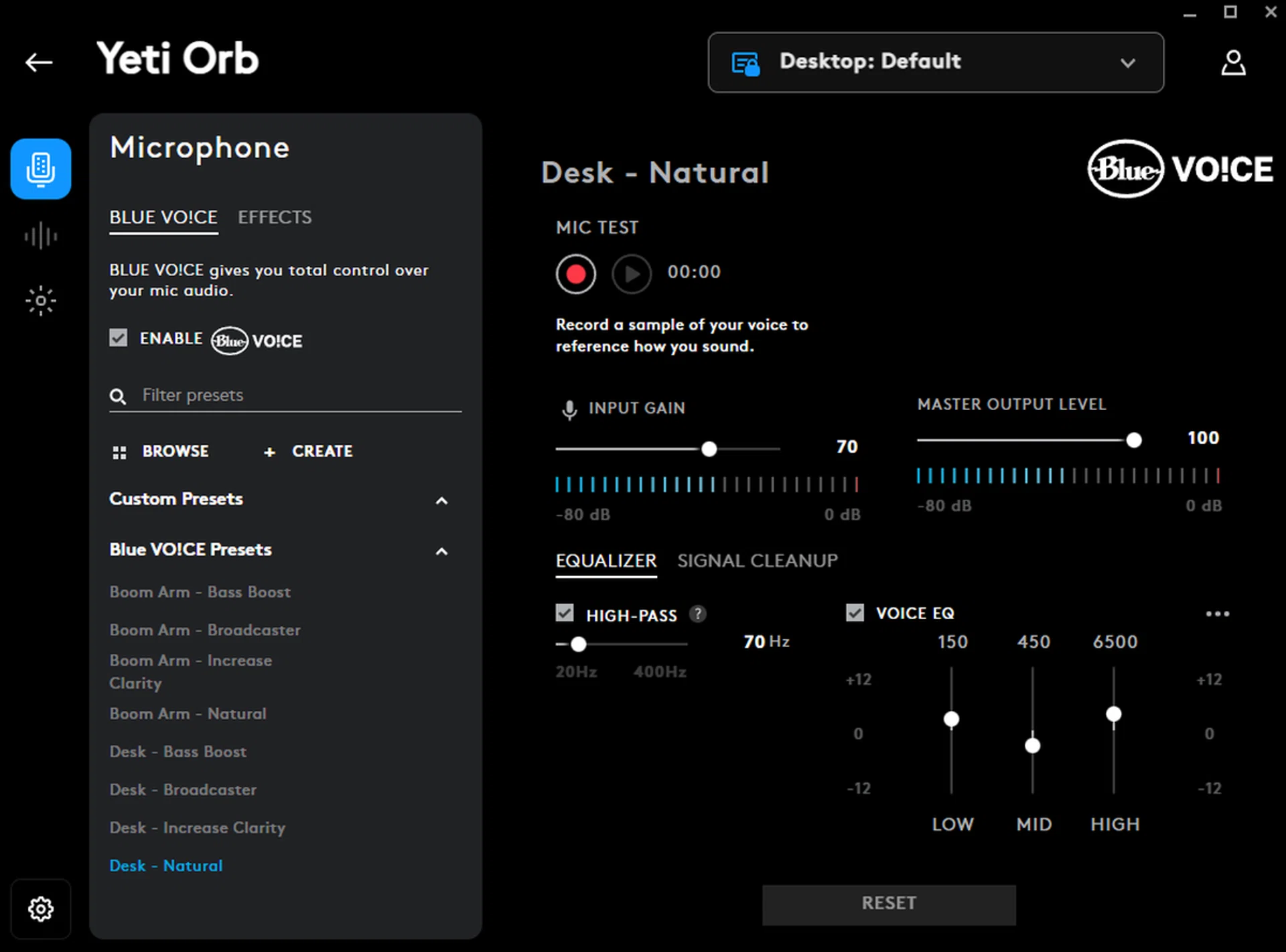
Without any physical buttons on the mic, all settings have to be done via the G Hub software.
With Logitech’s G Hub as your command centre, there are quite a lot of settings that you can tweak besides the usual input and output volumes. Dominating a large chunk of the software's landscape is the Blue VO!CE customisations – essentially an EQ adjuster. You get four ready-made settings, but there’s room to play around and craft your own.
Then I stumble upon something a bit more whimsical – a palette of voice effects. Fancy sounding like a robot, an extraterrestrial being, or a chipmunk hopped up on helium? It’s not quite my thing, but I imagine some of the more playful streamers and casters will have a ball of a time with it. In my time with the Yeti Orb playtesting it with a few Baldur’s Gate 3 multiplayer sessions as well as Zoom meetings for my review, I leaned towards using the mic in its raw, unfiltered state.
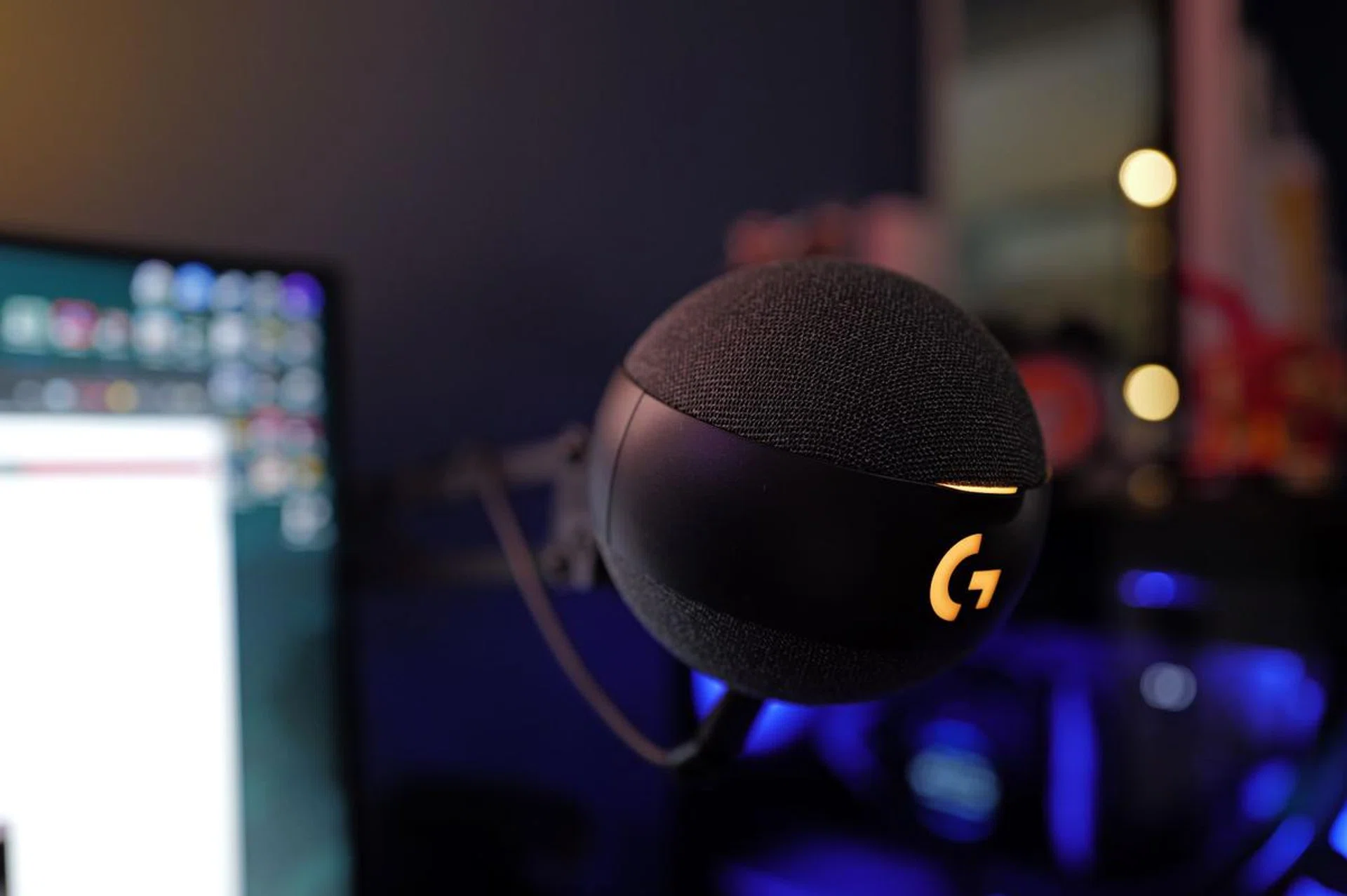
Any true-blue Star Wars fans will get this reference.
There’s also a nifty feature where you can compile a sound library for Macro functions. Think sound effects or your own voice clips, ready to be unleashed with a simple keystroke mid-stream. You can also use pre-set Profiles to fluidly switch settings based on the application or game in use.
A word of caution though – proximity matters with the Yeti Orb. The further you are, the more you'll find yourself cranking up the gain, which inadvertently invites more background noise. And on that note, the Yeti Orb isn't exactly a maestro at noise cancellation. If your gaming rig includes a clacky mechanical keyboard, you'll want to keep this mic close, or else brace for a bit of audio intrusion.
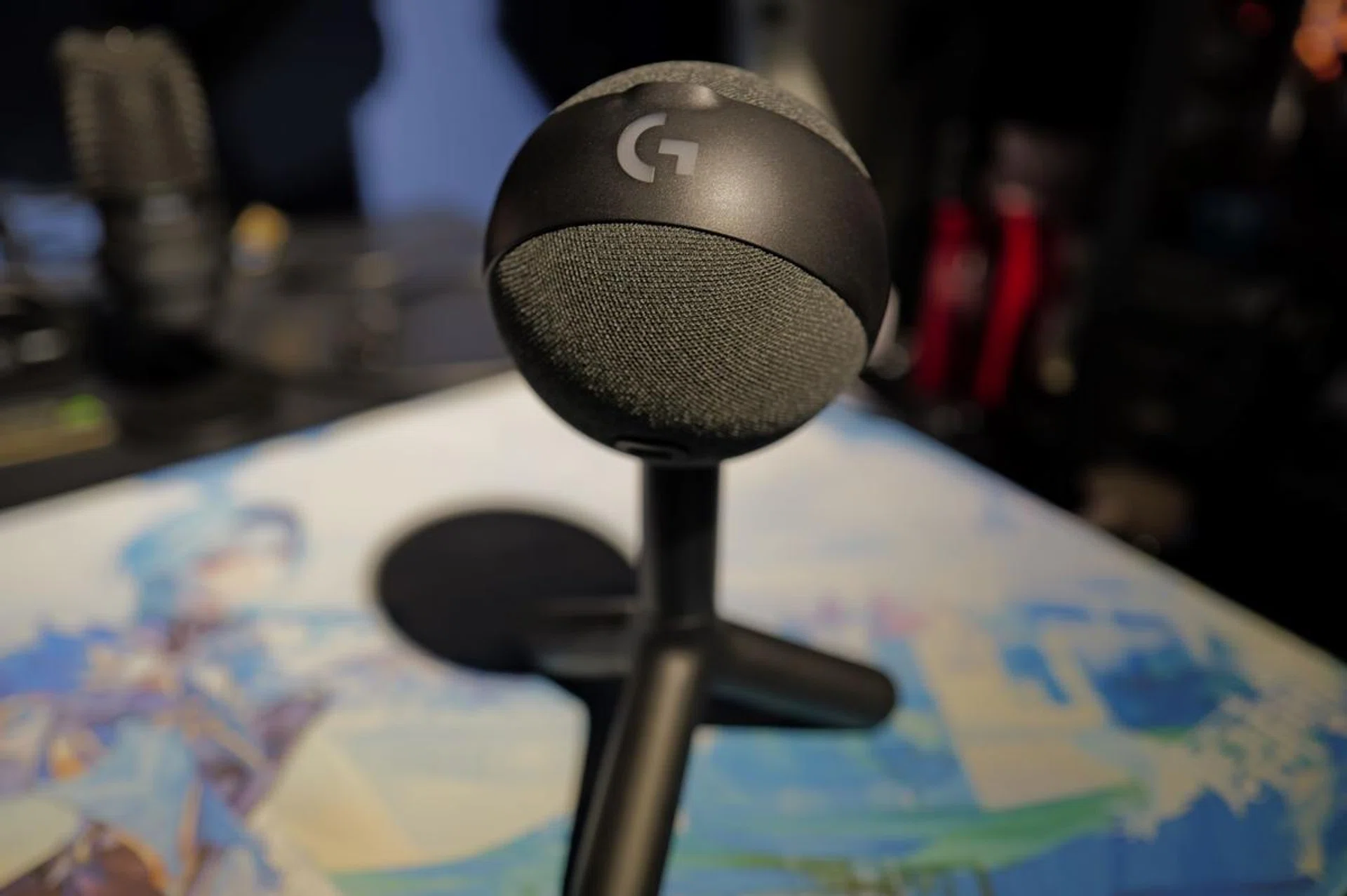
If you're a little tight on budget but still want a solid microphone, the Yeti Orb is a worthy consideration.
So what do I think of Logitech's Yeti Orb overall?
Straight out of the box, the sound quality impresses and the simplicity of its setup is a boon. That said, the lack of physical controls for basic functions like gain and mute could be a deal breaker for some – everything is tied to the G Hub software.
Price-wise, the Yeti Orb is priced at S$89, or about half the cost of its higher-end sibling, the Yeti GX (S$219). The trade-off? You're missing out on some practicalities, like those elusive physical buttons. If the absence of tactile controls isn't a deal-breaker for you, the Yeti Orb stands as a solid choice for a USB mic, balancing commendable sound quality with a wallet-friendly price tag.
Our articles may contain affiliate links. If you buy through these links, we may earn a small commission.