
LG Chocolate - Sinful Delight
LG's fourth Black Label device, the LG BL40 Chocolate, is one of those things that you can never ignore - if not for its sexy looks, then for its unusual elongated form factor. We check out how the Chocolate that neither melts in your mouth, nor in your hand fares in our full review.

A Chocolicious Treat
LG has built a name for itself in creating really attention-grabbing mobile phone devices. So when the fourth device under the Black Label series, the LG BL40 Chocolate was announced, we were enamored by its looks. To say that the Chocolate is a gem amongst the stones is an understatement. But looks can only get you that far. As a mobile device, how does the new Chocolate hold out against the torrent of phones competing for the limelight? We give you a taste of what the Chocolate is, right after these specifications.
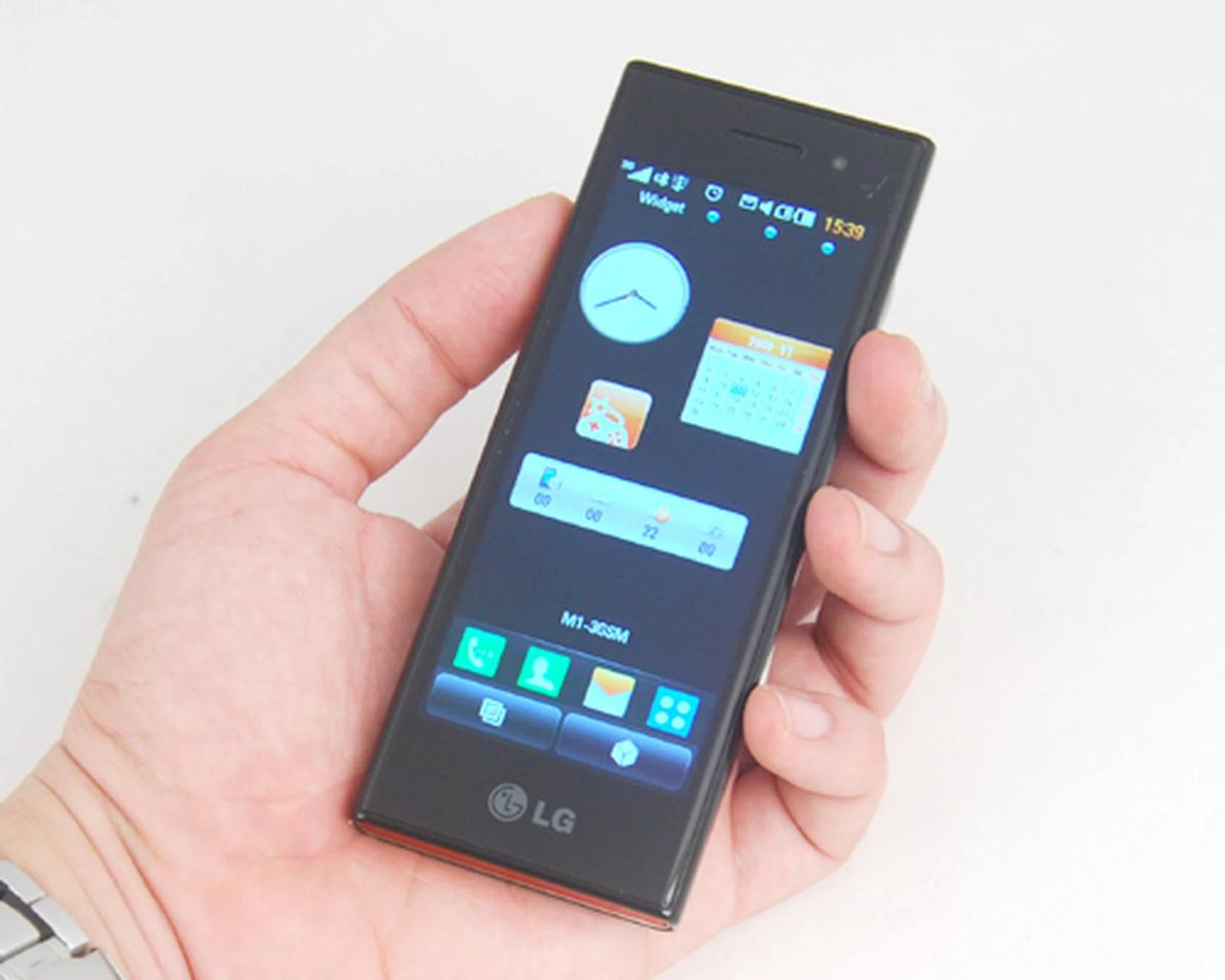
LG BL40 Chocolate
Sex and the Chocolate
Strictly speaking, the Chocolate adopts a candy bar form factor common amongst many other devices. Even so, the Chocolate manages to stand out with its absolutely huge 4-inch screen. In theory, that sounds like a lot of screen real estate. But its unusually elongated shape doesn't give you more room to work with on the portrait mode. Flip it over to landscape orientation, and you'll have a new perspective to work with. But let's not get ahead of ourselves with the unique features that come with the landscape mode. What we will say right now is that the Chocolate is going to take some getting used to no thanks to the unusual aspect ratio for its 4-inch capacitive touch screen display.
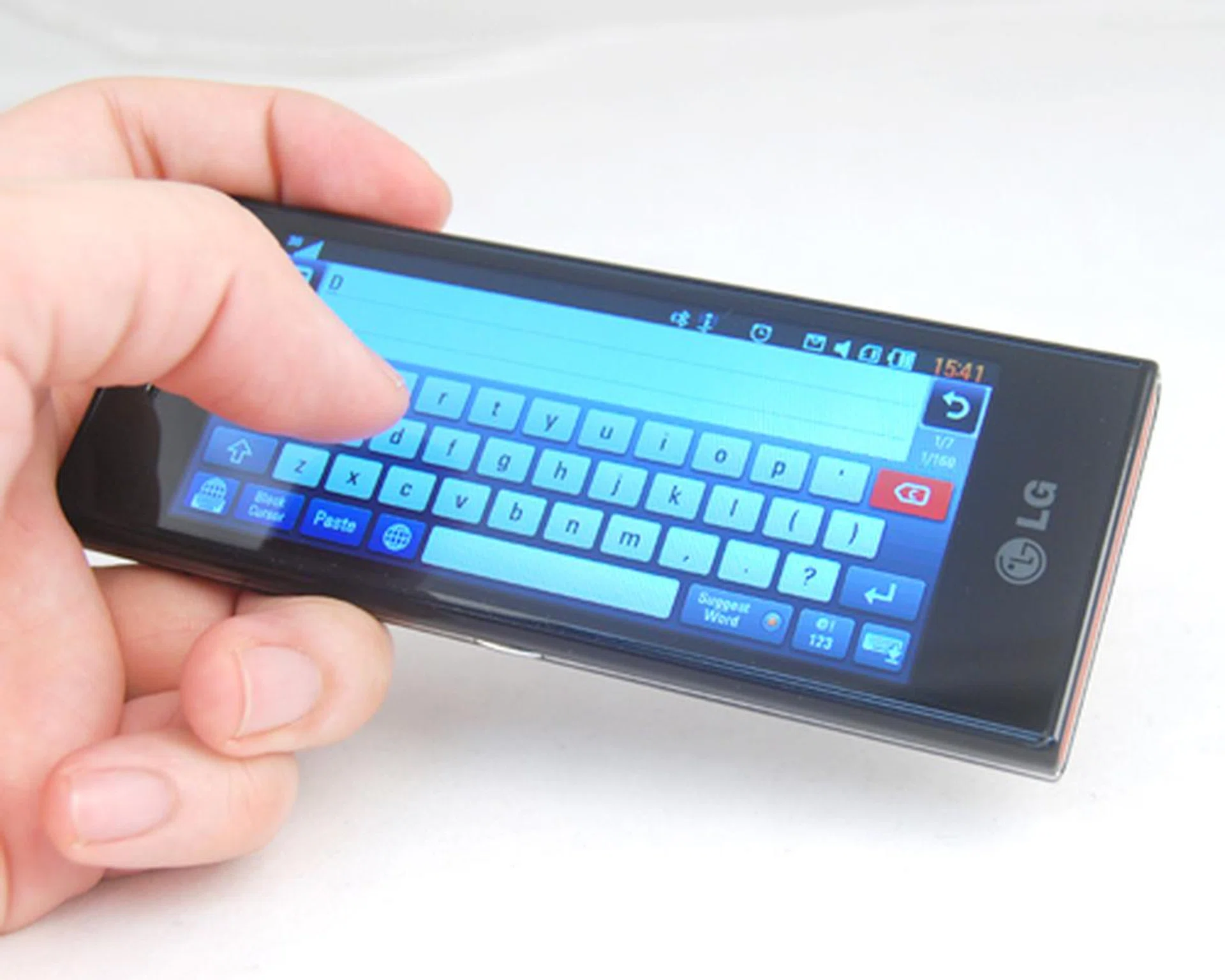
The unusually elongated 4-inch tempered glass screen will be quite a stretch to use, but flip it to landscape mode and all's good.
The Chocolate's surface gleams and shimmers with its tempered glass display, and is supposedly scratch-resistant. As such, you might find the Chocolate a tad heavier than normal. For us, it was just nice, and the added weight does give it a level of sturdiness. Besides, the unusually glossy surface adds the sense of premium ownership to the user. Unfortunately for all that glitters, it is also susceptible to serious smudging. While you won't get stained by this Chocolate, it is you who would end up staining it with your finger oils and prints across its whole body. Not surprisingly, a lot of time will be spent on wiping the Chocolate's surface to keep it pristine and clean. Our advice? Live with the fingerprints if you can.
There isn't a lot of noticeable buttons on the Chocolate, but they do exist. Such as the Volume and Camera buttons that seamlessly integrates itself into the silver border running along the Chocolate. Surprisingly, they were easy to locate without relying on eye contact. Thus proves the point that with the right design concept, a device can retain its usability level while keeping its aesthetic beauty. Design isn't the only strong point as the Chocolate is also quite focused on its multimedia aspect. The proof is in not only a 3.5mm audio port on the crown of the device, but also a button on the left that instantly activates the music player.
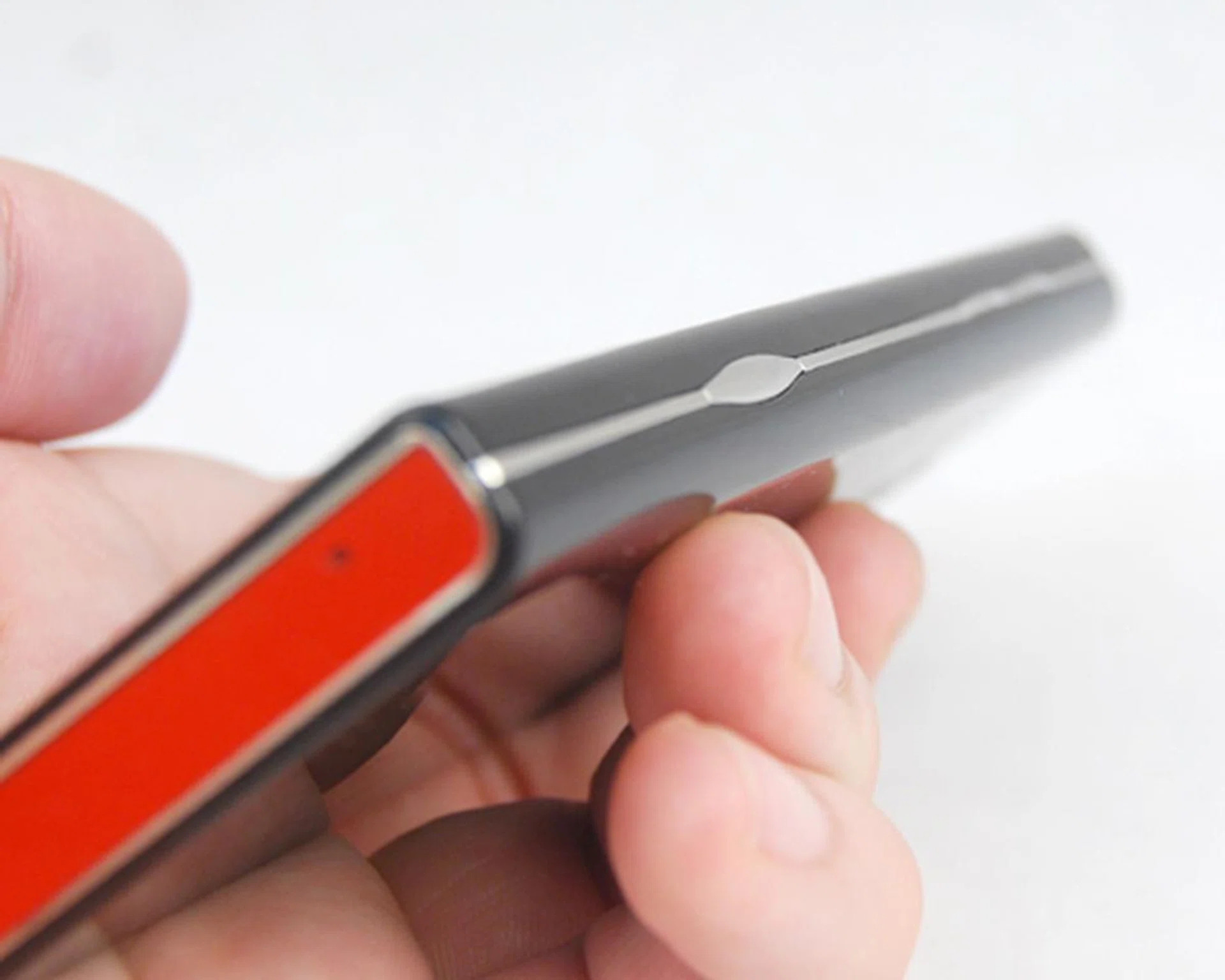
The buttons are streamlined with the borders, but are given adequate tactile feedback for ease of usage.
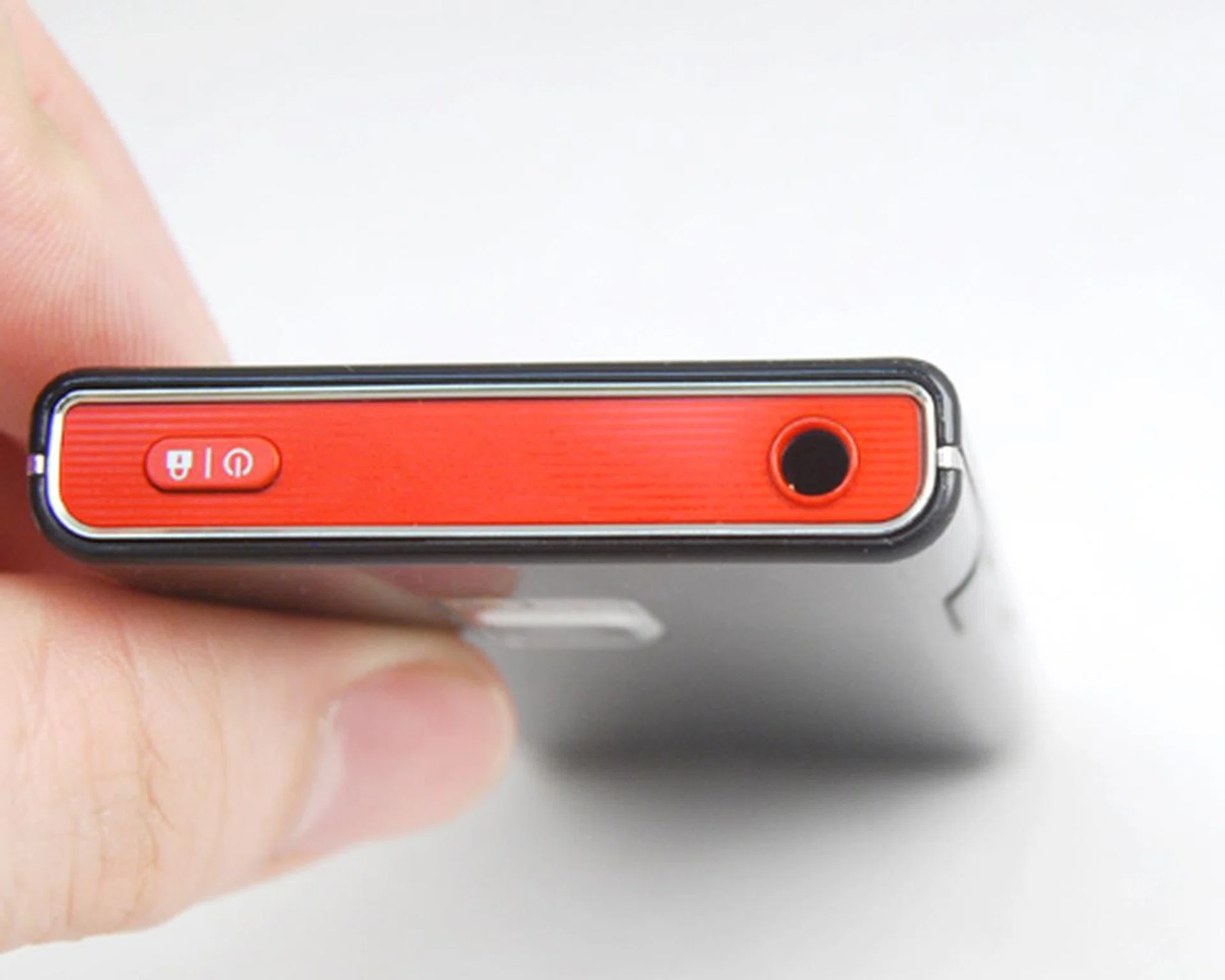
Besides the 3.5mm audio port that's now a common sight on recent mobile devices...

...the Chocolate also comes with a button specifically for music playback.
During our earlier Nokia 6710 Navigator review, we mentioned how its microUSB and microSD slot is well-designed with an inward-sliding cover. The Chocolate adopts a similar, albeit slightly different concept here. The microUSB cover slides outwards instead, but thankfully, the cover is small and thin, plus it doesn't look out of place at all.
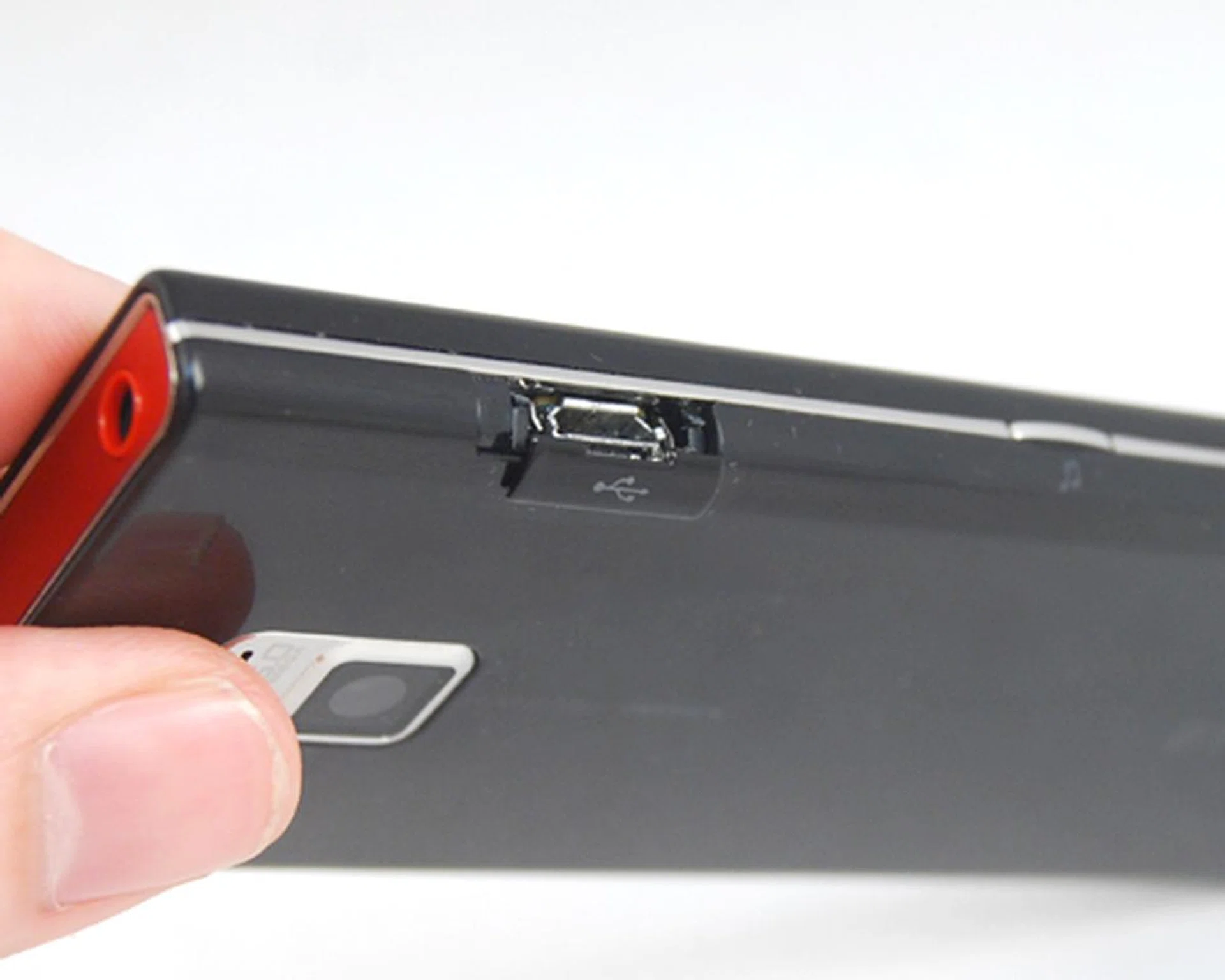
We've always loved how devices such as the Chocolate does away with dangling covers and integrates with a slider cover instead.
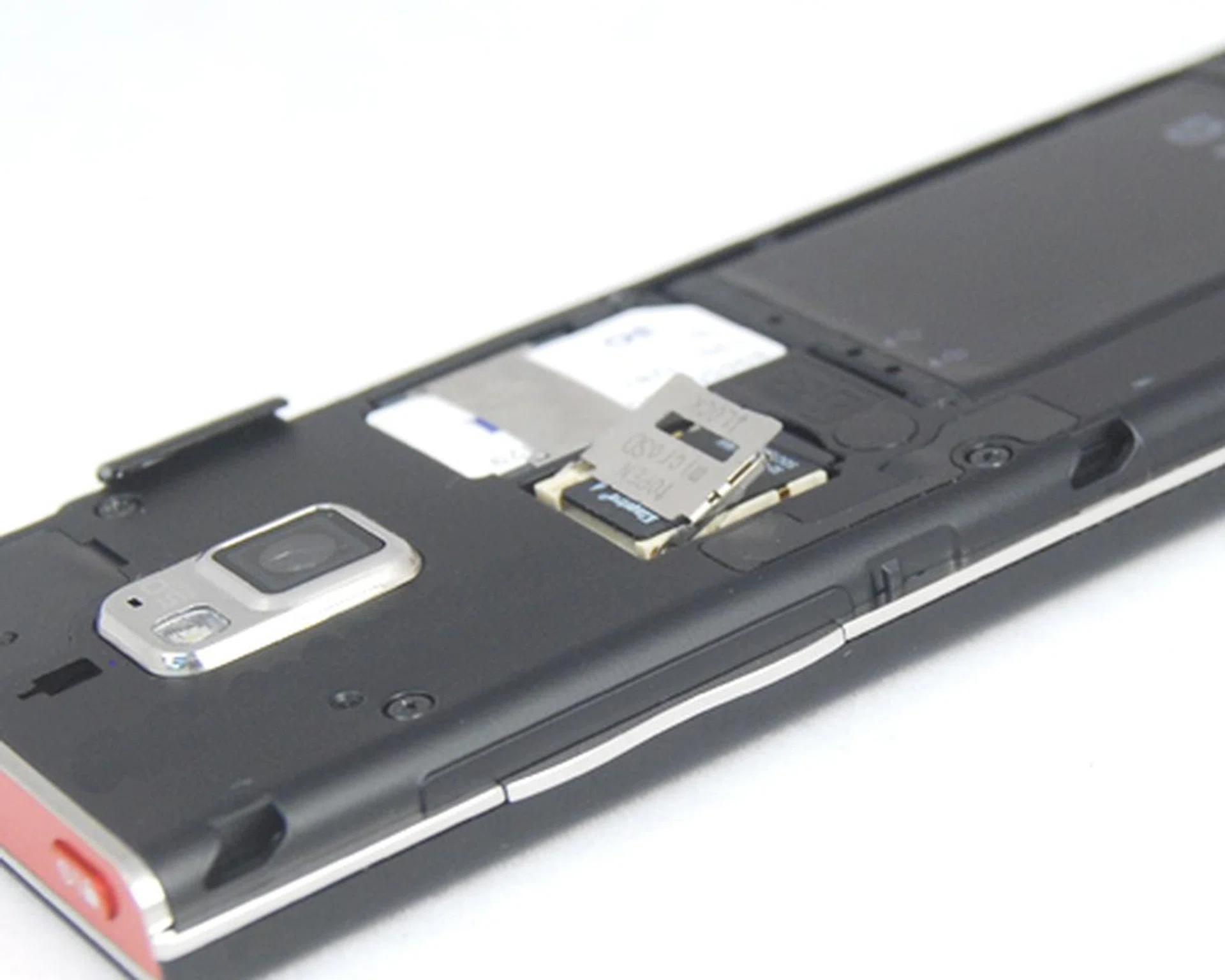
microSD card removal is a real chore, and at times, the holder wasn't able to lock the microSD card into position properly.
S-Class in Session
By now, most of us would be familiar with LG's S-Class interface, which will also be based heavily upon widgets. On the Home screen, you get four different pages for you to work with. The first of which is your Widgets page, which displays the usual clock, messages, and weather widgets amongst others. However, widgets are pretty limited on the Chocolate's list.
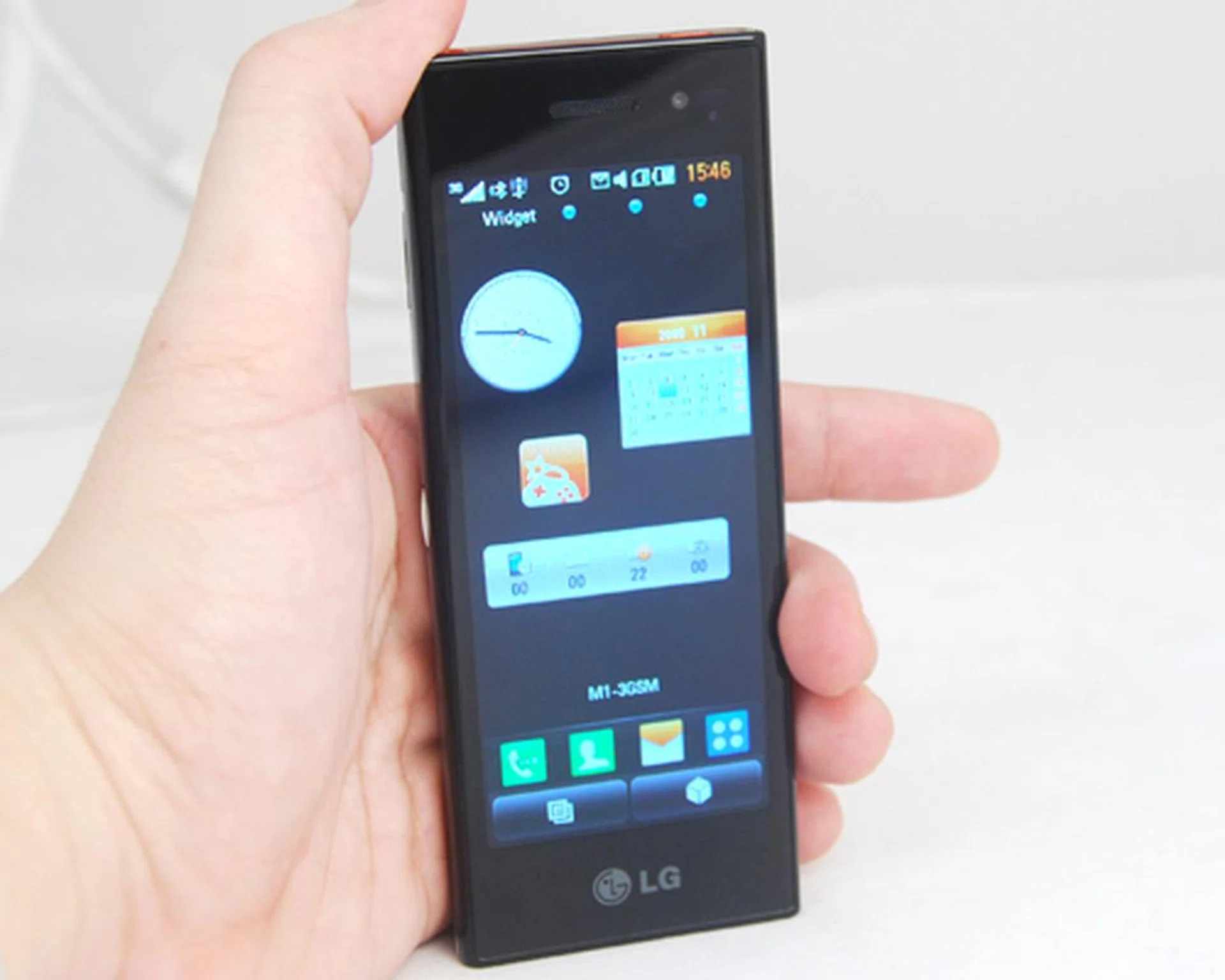
Flicking left or right will bring you to the next home screen. And you'll spend most of your time either on this Widget page here...
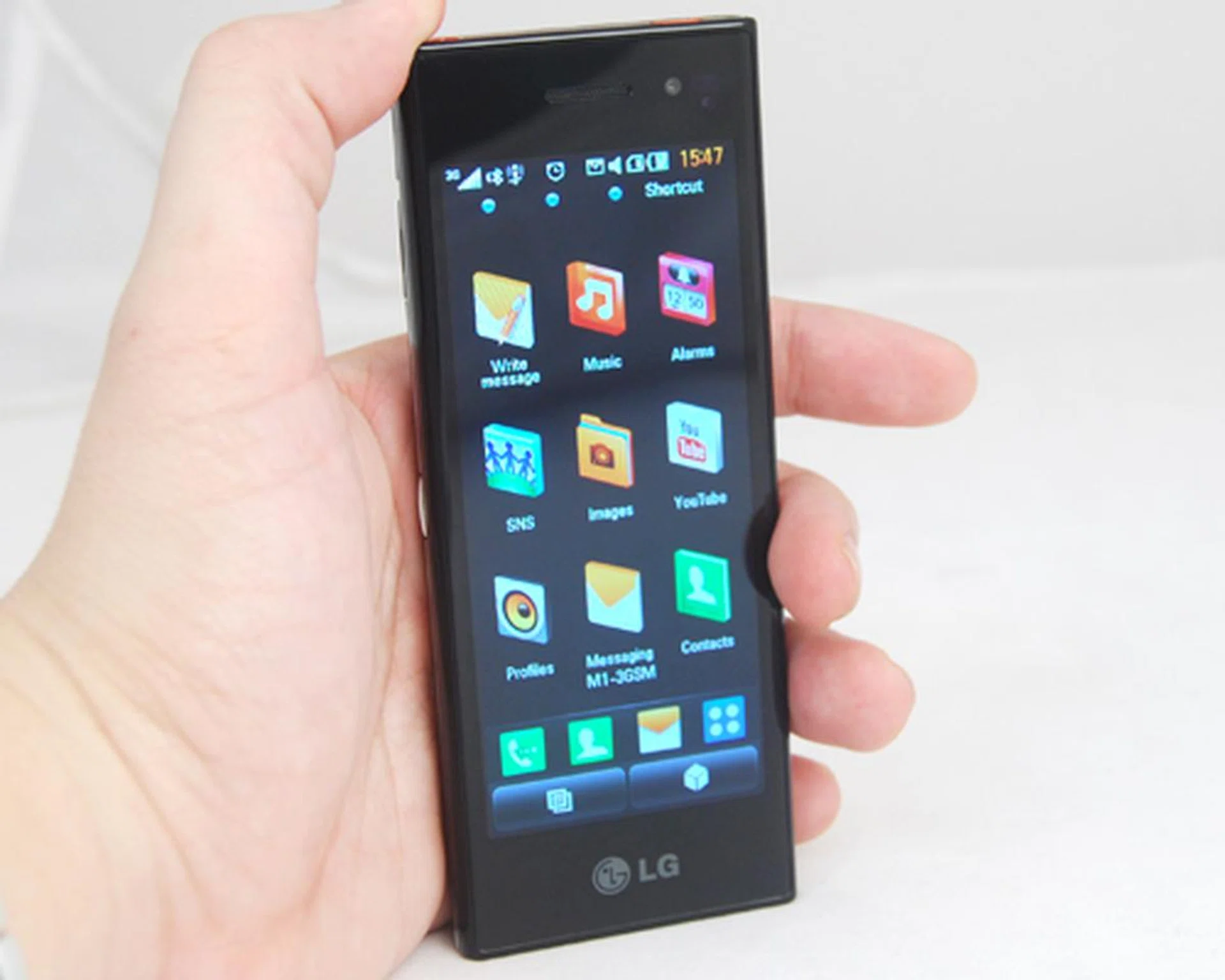
...or the Shortcuts page here. But as usual, be wise with how much you lay on the page, because when there's one too many, it becomes more of a hassle than an advantage.
The other three pages comprise of your Contacts, Browser and Shortcuts. The Shortcuts page is useful, if you know what you really need on a daily basis. Examples include direct access to your messages, calls, music player, connectivity options just to name a few. Some of these are also available on your Widgets page, so you'll have to weigh your options accordingly and figure out what fits into which page. Unlike the Widgets page, you are able to add as many contacts, bookmarks or program shortcuts to these pages. Likewise, exercise due caution when you customize these pages to prevent unnecessary clutter.
As expected, LG is also hopping onto the social networking scene with the Chocolate. Within the Shortcuts page, we also noticed an app known as SNS, or Social Networking Services. The app basically links you up to your Facebook, Twitter or MySpace account, and allows you to stay updated with your social network. This isn't exactly one of the more astounding additions to a mobile device, but due credit still has to be given to the company for including it.
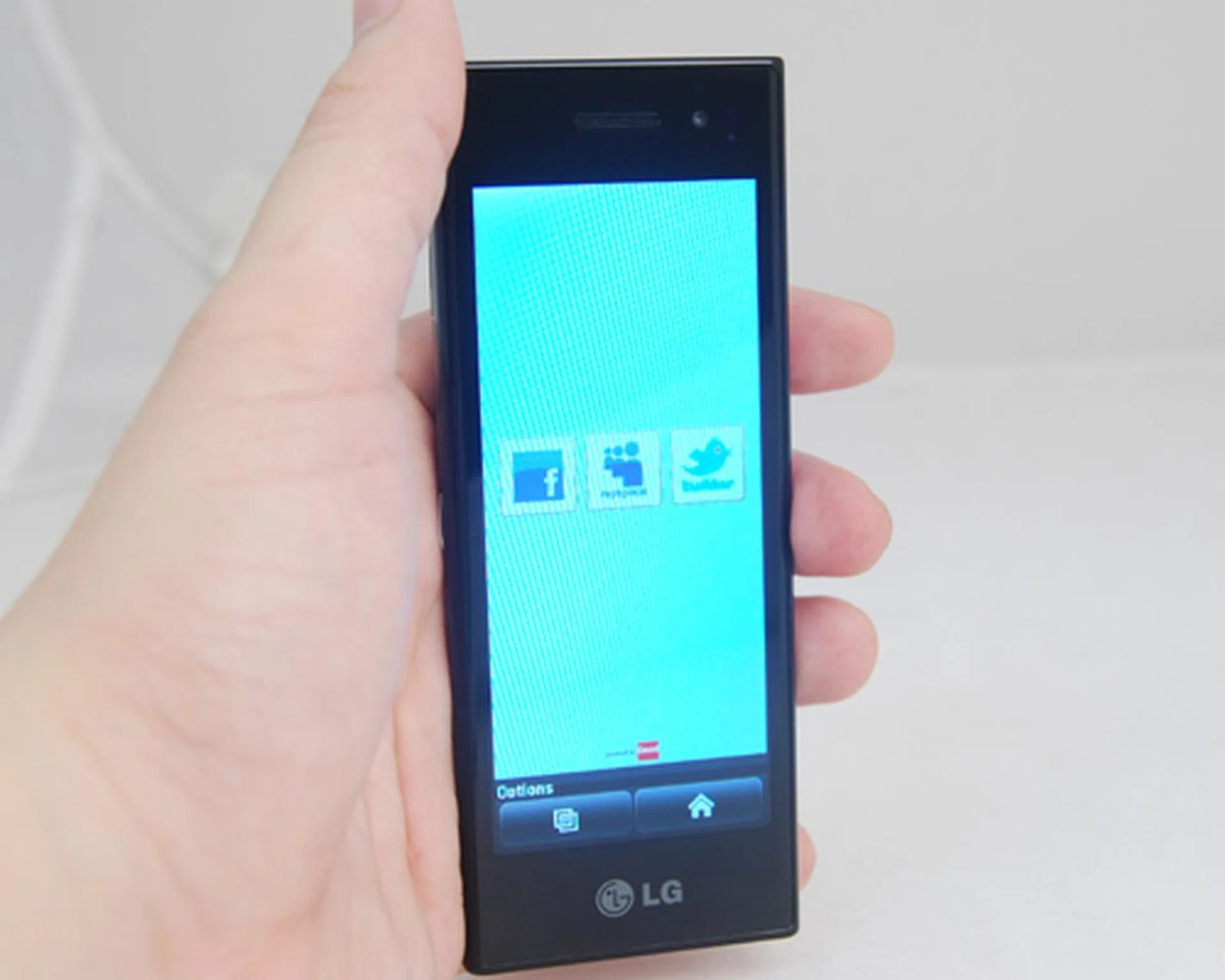
While you can have access to your Facebook, Twitter and MySpace via SNS, we figured it'll be easier to make use of the web browser and visit the mobile versions of these social networking sites.
The Chocolate's wide-screen presents its full potential when we accessed most of its features on the landscape orientation. Such as the web browser that gave us ample space to work with on its widescreen mode. And couple this with the multi-touch capacitive touch screen, web browsing is made all the more better with just a few pinches of the screen for zooming in and out.
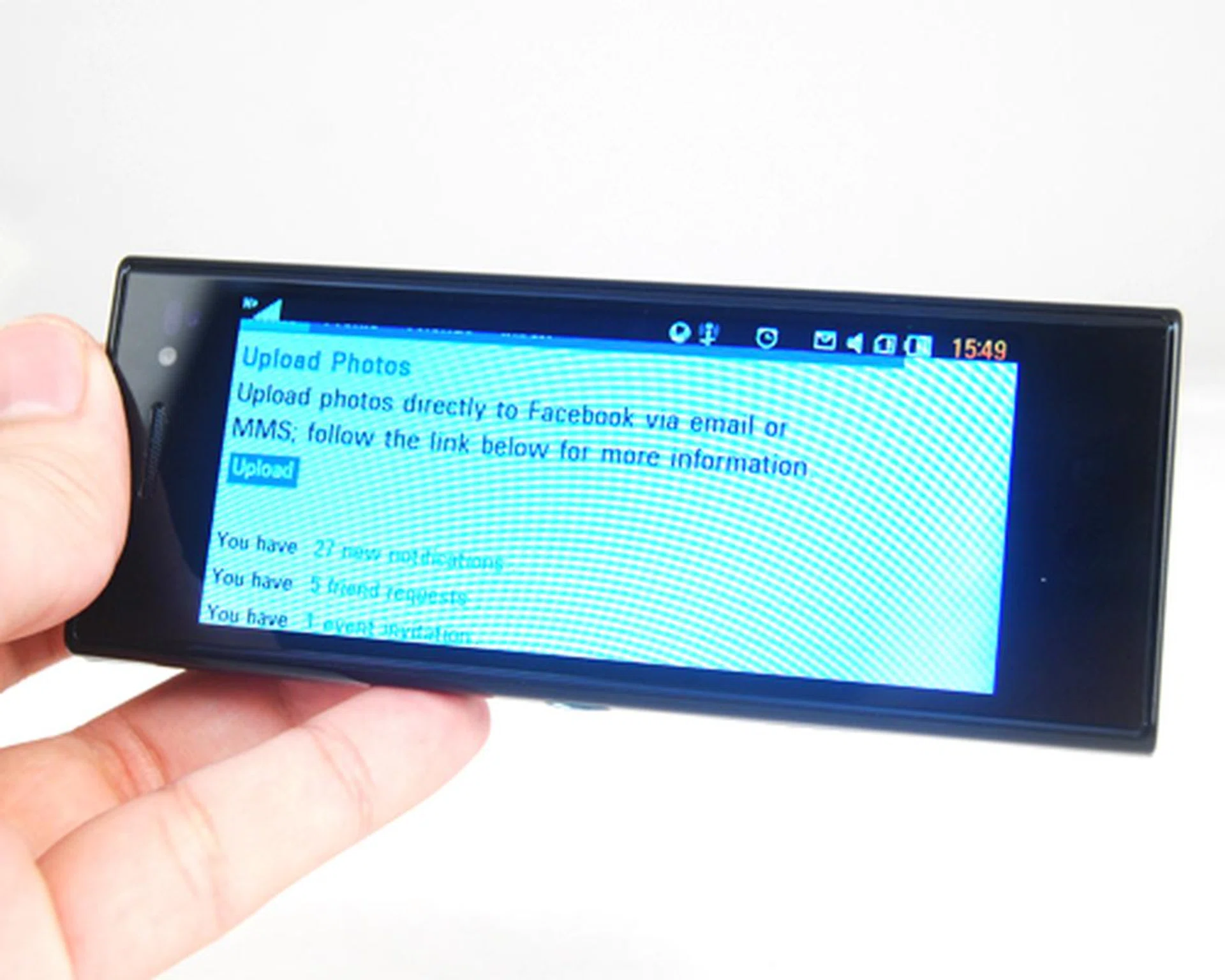
When it comes to a full page experience, the Chocolate's web browser gave us more room to work with.
Thanks to the wide 4-inch screen, the email client's user interface (UI) is also given a dual-screen feel. Departing from the usual one page layout, you can display all your emails and have a preview pane of the selected email. Note that this is only limited to the email client, and within landscape mode. Back on portrait, and you'll be faced with a drab and normal looking UI.
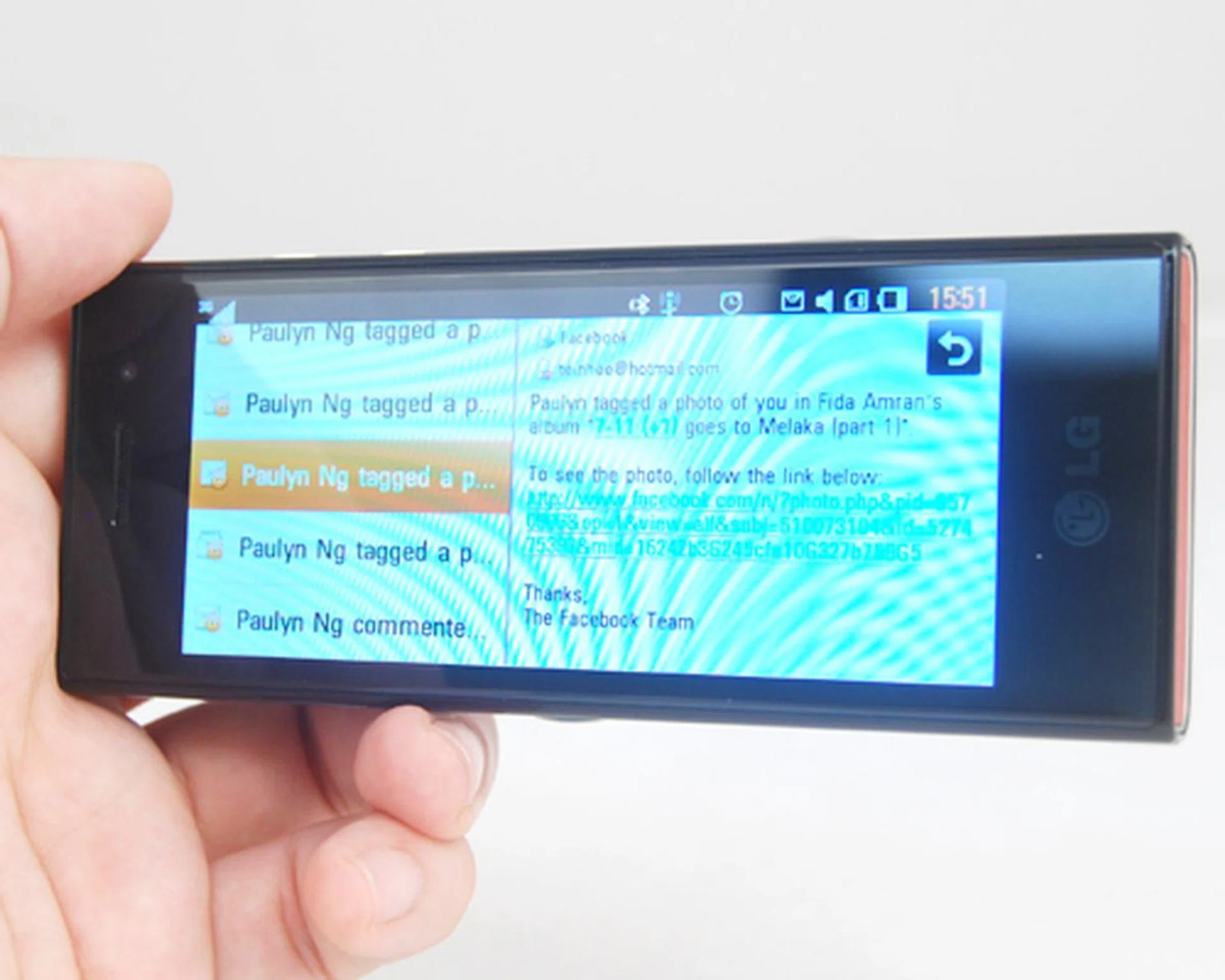
One of the more practical approaches to utilize the wide 4-inch screen is found in the email client where it creates the dual-screen effect to select and preview your emails.
LG's S-Class interface has always been about aesthetics, and this is once again apparent in its multimedia lineup. The best examples that exude this are the image gallery and music player. Under landscape mode, you'll have the music player displaying all available tracks in a spin wheel style interface. Its image gallery is given the carousel treatment, which grants you with a better overview of all your images arranged by date and time.
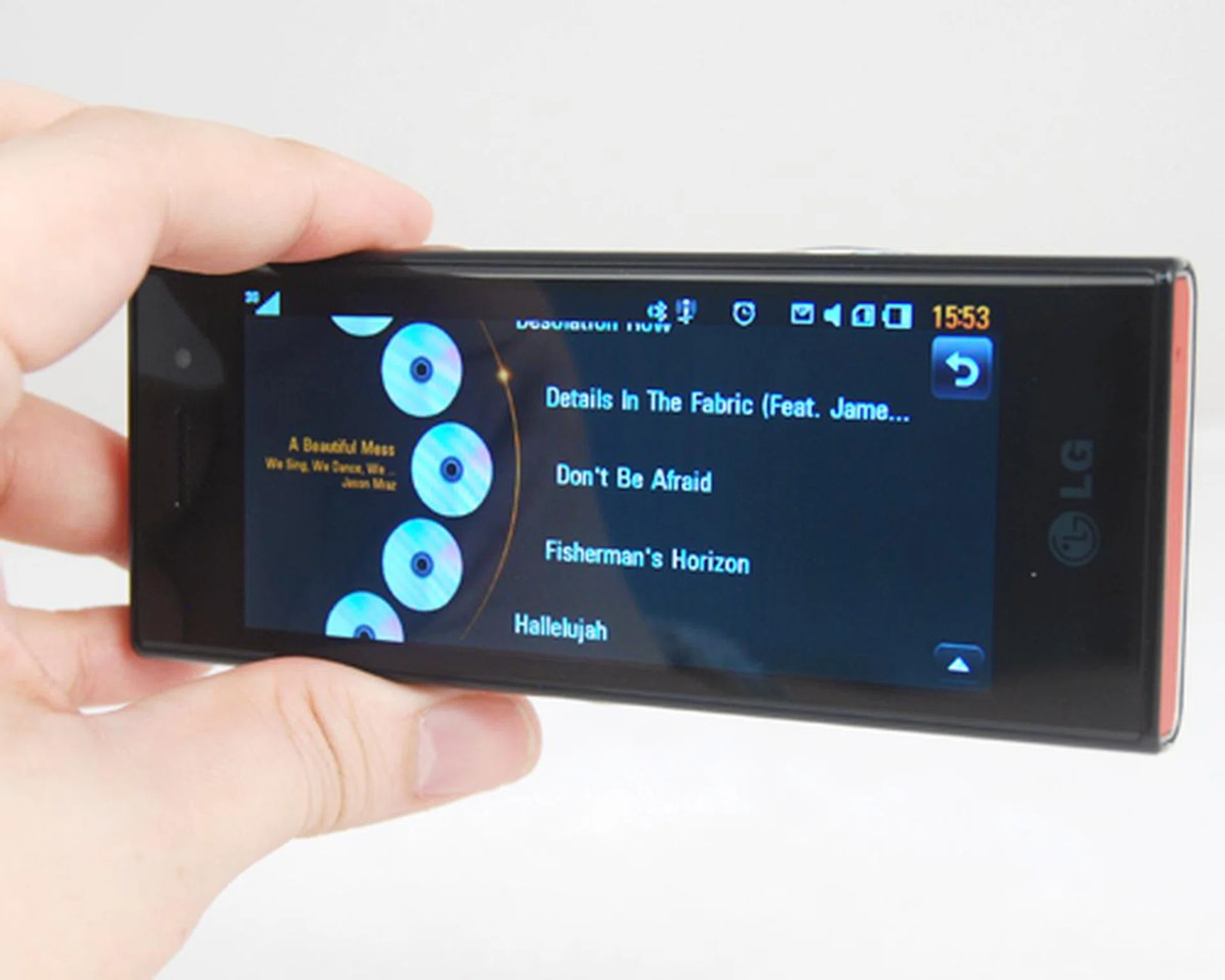
The spin wheel interface is reminiscent of what you see on the Chocolate's camera interface.
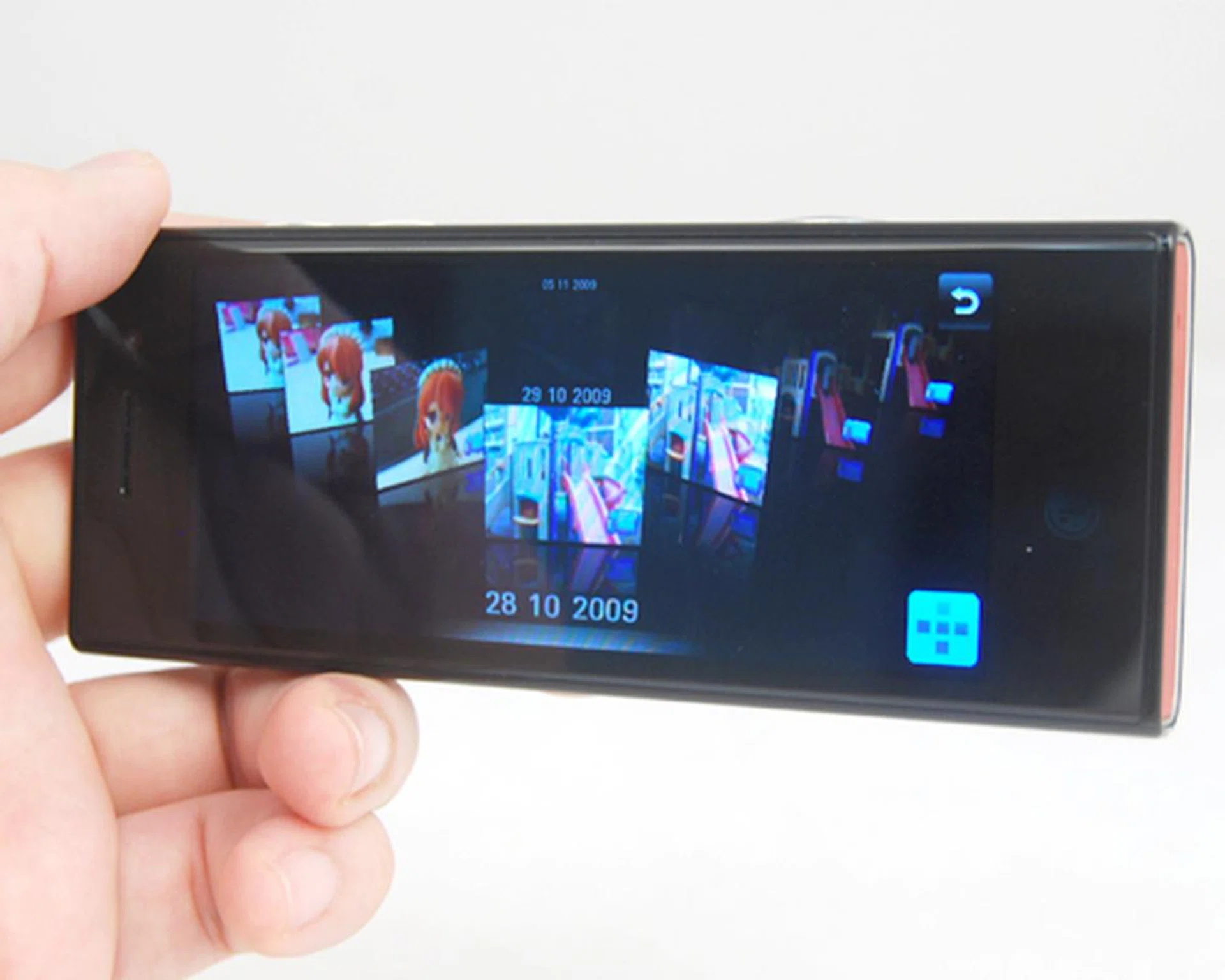
The image gallery looks great, but our grouse with it is the lack of fluidity in scrolling through the various images.
So, for all that looks good on the Chocolate and its S-Class UI, you would think we struck gold with this phone's interface. Unfortunately, there are downsides and it's readily apparent on the same function that actually makes it look so good - its auto-rotation. While its music player's landscape orientation looks snazzy, that same orientation will also see you losing access to some of its deeper features such as its equalizer. The same can be said for its Email feature. Under landscape orientation, it becomes just a viewer and doesn't give you access to the basic email functions such as deleting or replying to an email. A shame indeed.
Cocoa Power
We've demonstrated how gorgeous the Chocolate is, but there is still the inner beauty to consider. This is, of course, referring to the device's general usability of its features. The Chocolate isn't exactly going mainstream by adopting the common operating systems such as Windows Mobile or Android. It stuck to its guns and juiced up the Chocolate with its own OS, plus LG's own S-Class UI.
Texting tends to become a chore on this phone, especially so with its landscape full QWERTY keyboard. Its lengthy 4-inch screen meant that we had to stretch our fingers to reach the keys on the edges. Mind you though, this reviewer has large hands and the problem gets worse for those with smaller hands. The phone's portrait numeric keypad will also take some getting used to if you've been on resistive keypads for most of your mobile life.
When it comes to speed, the Chocolate looked to be smooth with its screen transitions. On the surface, we sped through its various home screens with no lag. The same can be said with the graphics intensive UI within the image gallery or the music player. However, for all the smoothness that we enjoyed, we did experience the device reporting on its opened applications limit being reached with the music player running in the background. This seems to point to a memory limitation issue, but at the moment, we couldn't get details on that aspect.
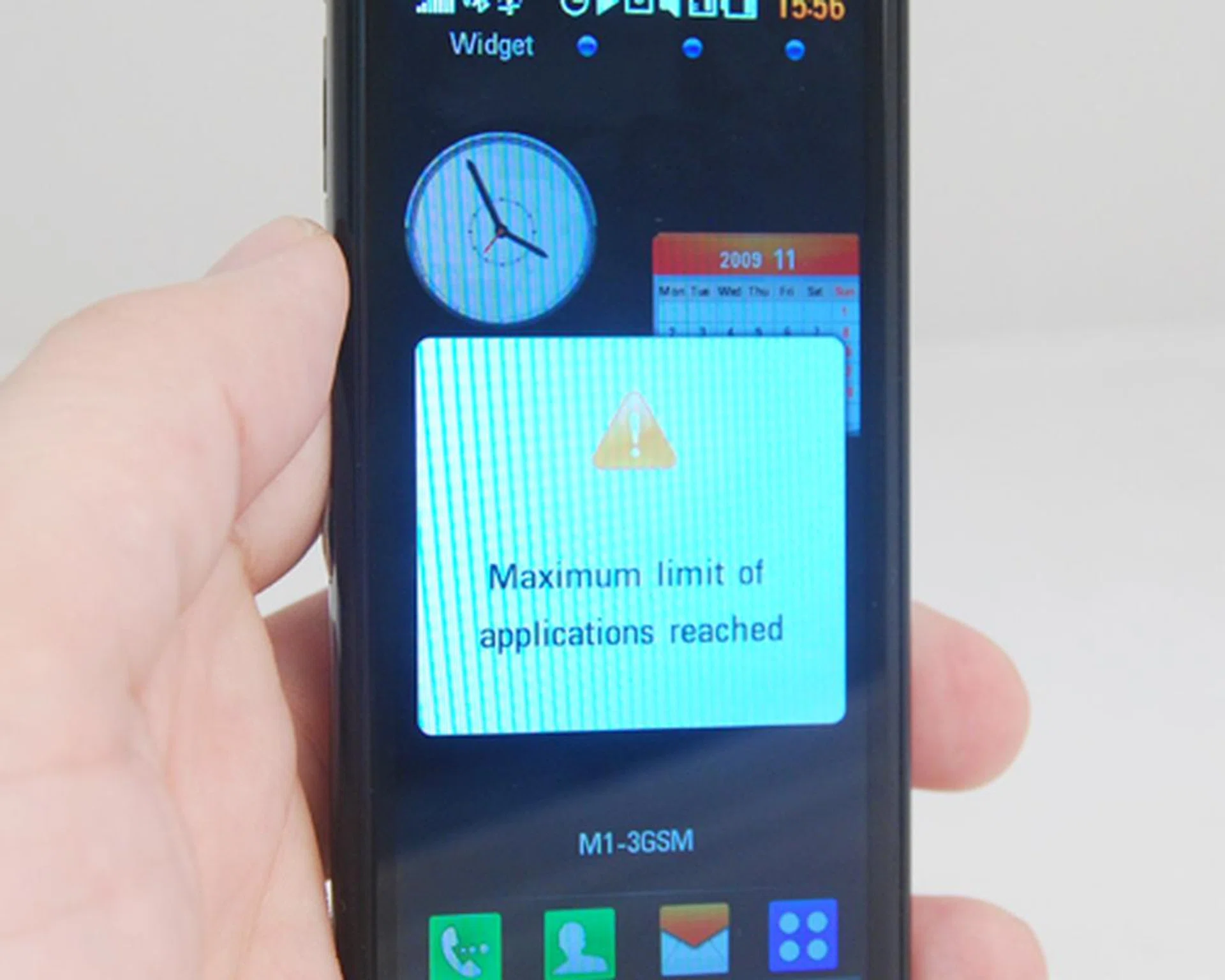
Running multiple applications on the Chocolate isn't such a good idea, and most likely, you'll face this message when you get too ambitious with your app usage.
Like its earlier siblings, the Chocolate's music player is equipped with Dolby Mobile, now in its 2.0 iteration. While it does perform admirably to please our audio receptors, there seems to be a tinny quality when we activated its Dolby Mobile feature. As usual, your best bet will be to switch off the equalizer and enjoy your music in its natural tone. The 4-inch screen is once again the subject of oddity for its video playback, due to its deviation from the usual resolutions found on most mobile devices.
Its 5-megapixel camera was our biggest grouse. In terms of quality, there's much more room for improvement, seeing as how noise levels and white balance were slightly off in our tests.
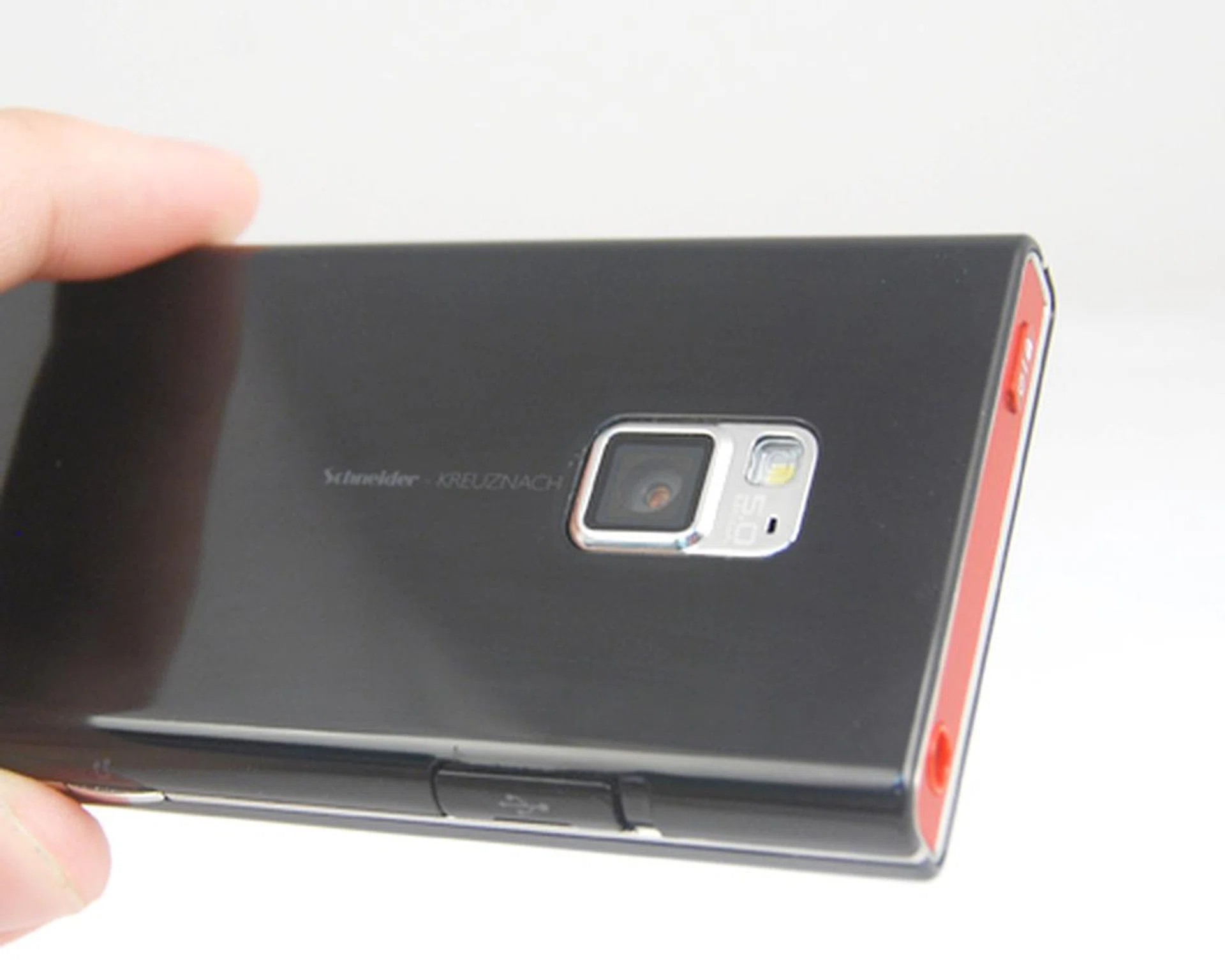
A 5-megapixel nested at the rear of the device with an LED flash.

White balance on the 5-megapixel camera was quite debatable. Colors weren't exactly rich and vivid, and the detail level on the test subject wasn't as sharp as we expected it to be for a 5-megapixel sensor.
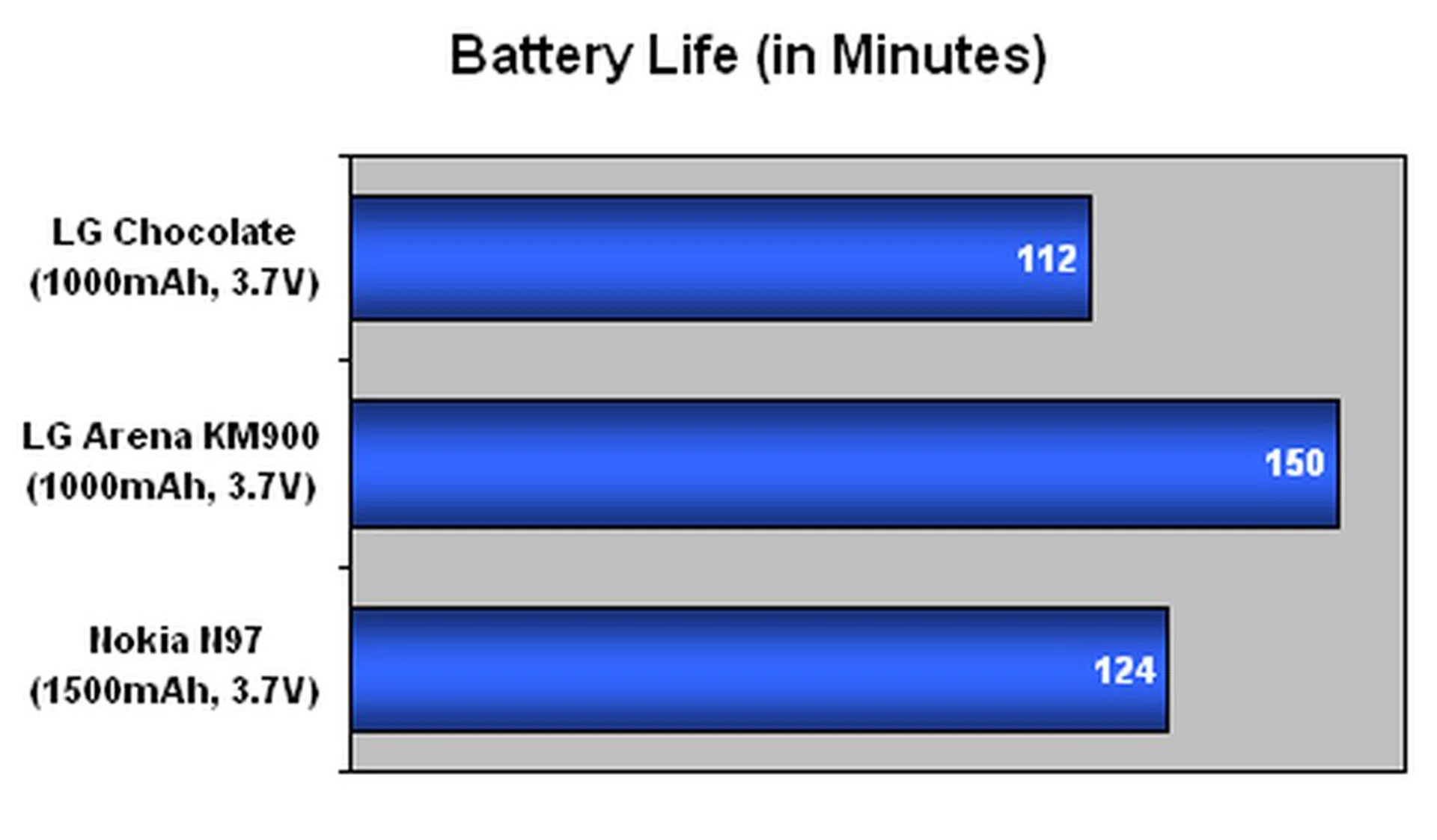
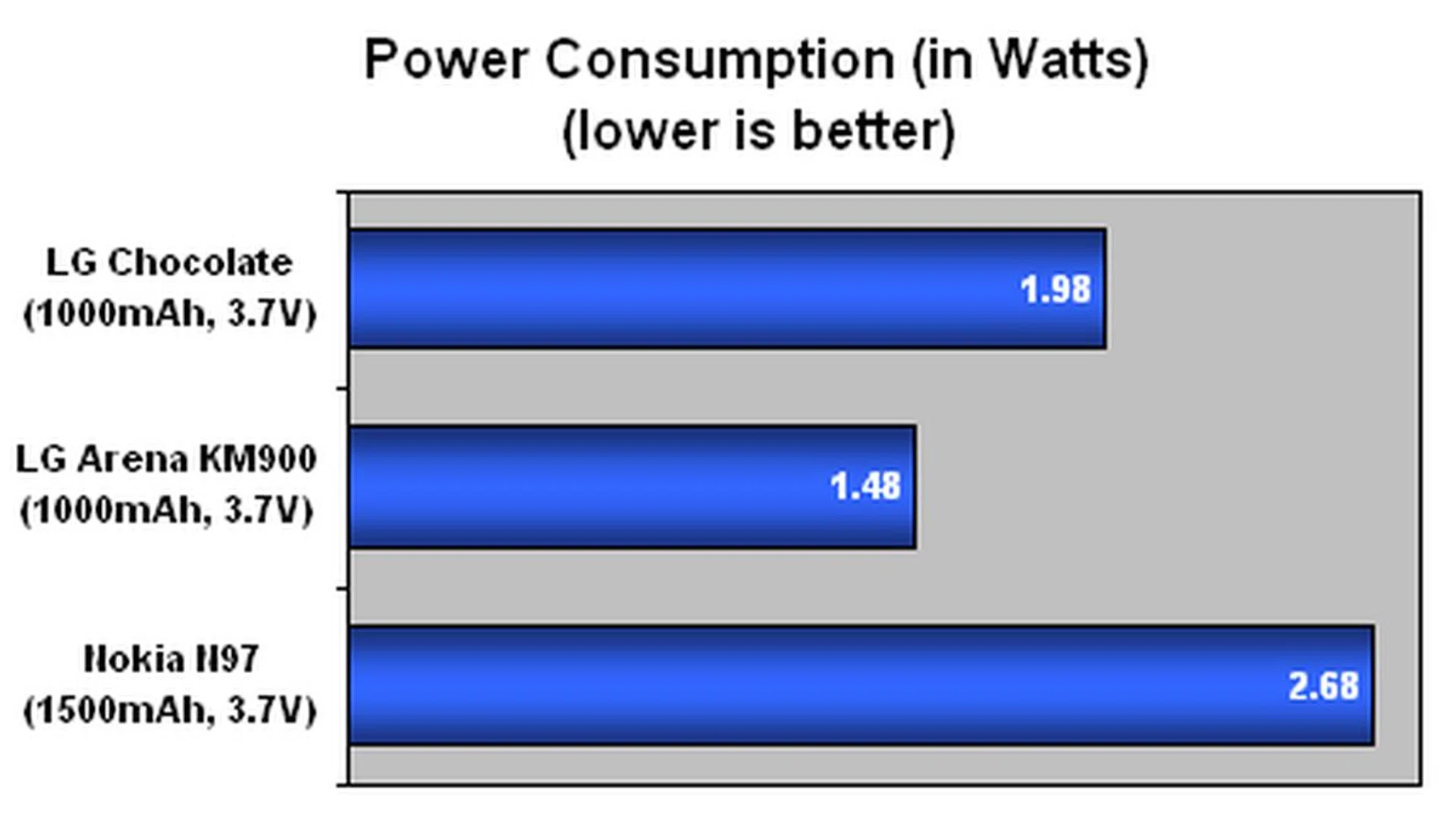
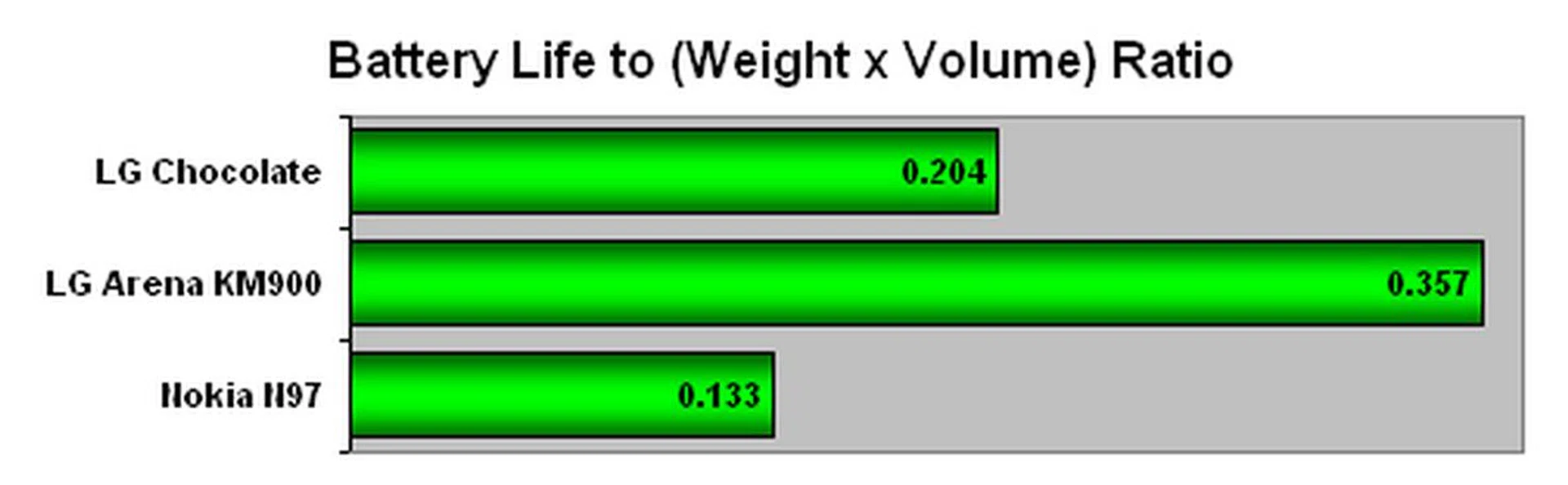
Running on a 1000mAh battery, the Chocolate kept running for slightly beyond a day with the usual calls and web surfing on the go. Bringing in our standard battery test of looping a video, the Chocolate didn't manage to hold out for long and managed only 112 minutes. Looking back at its previous LG Arena, we foresee a pattern of LG products running its proprietary OS having some power management issues. And with a larger screen size at 4-inches with a higher resolution, it's not surprising that the Chocolate couldn't last as would hope for.
Bite-Sized Conclusion
If our opinion of the LG Chocolate's aesthetics hasn't been ingrained in your mind, let us say it again - it looks gorgeous. Odd as the 4-inch screen may be, the Chocolate still looks that much better than any other mobile phone designed for fashion. While this is our opinion, you might have other tastes and we totally agree that beauty is in the eye of the beholder. Still, we think the new Chocolate is striking enough to warrant attention. Under its sleek and smooth form factor, the Chocolate should be the center of attention, both good (gloss and all) and bad (smudges galore).
Its S-Class UI, after a few refinements from its earlier devices, has also shown great fluidity and is able to perform just as well as any mobile OS with its stock UI. Couple this with the capacitive touch screen and the intuitive user interface within the image gallery and music player, and the Chocolate passes off as a decent multimedia device. Besides, with its 4-inch screen, we also had a much easier time with web browsing and email checking.
Widgets won't be the strongest suite within the Chocolate, and truth is, there are better options out there such as Samsung's TouchWiz 2.0 or HTC's Sense UI from our previous usage of the respective devices.
As much as we can understand that the Chocolate needs to look great, it has to perform just as well. This was let down by its lackluster 5-megapixel camera. For applications usage, we were baffled at the device's limitation in opening multiple applications.
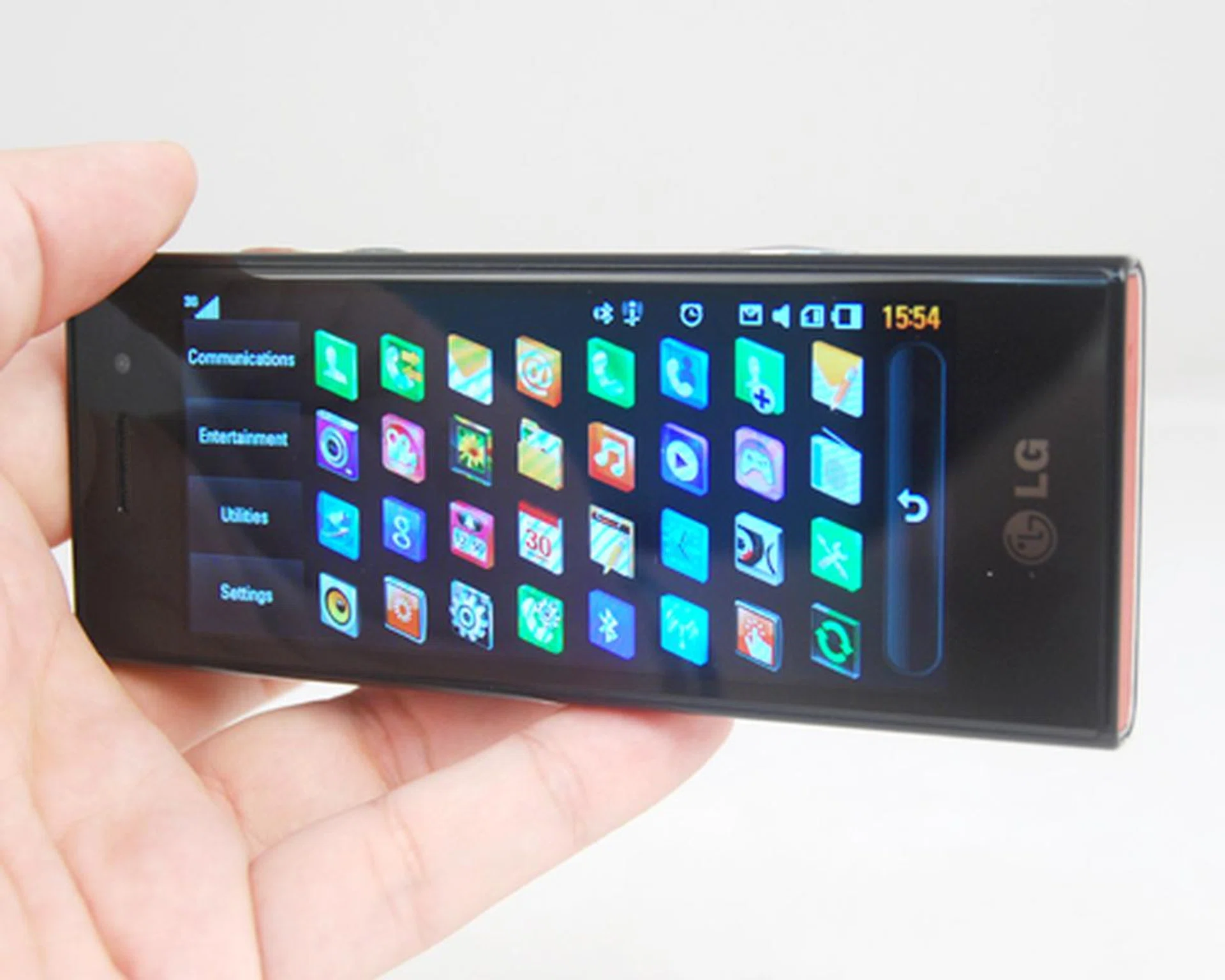
With the LG Chocolate, it's all about the looks, and less emphasis on the features within.
Overall, the Chocolate is a great addition to your daily accessories, if you're willing to fork out the S$988 asking price for this premium-looking device. After all, with the Chocolate, it's not about how it works for you, but how it compliments you with its head-turning looks and cool user interface. However for those seeking to gain more mileage, both in the power and feature aspects, you might want to go on a diet and skip this Chocolate in favor of something meatier on the Windows Mobile, Symbian or Android platforms.
Our articles may contain affiliate links. If you buy through these links, we may earn a small commission.