

ThinkPad Branding
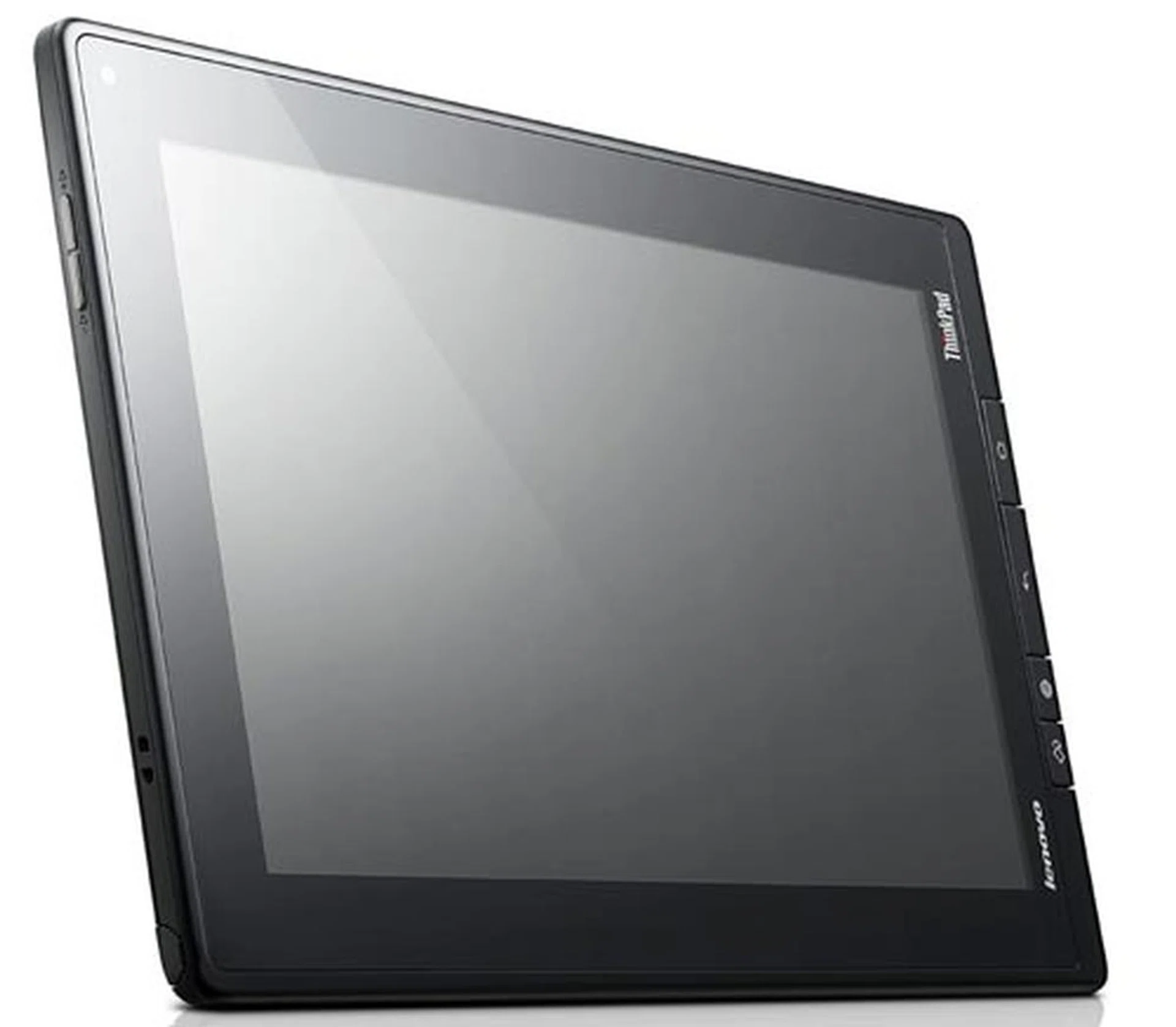
Many of the tablets today are catered for the mainstream consumers, who are looking for a portable device to view multimedia content on-the-go (e.g browse the Internet). While the consumer market is indeed lucrative, not many brands dare to venture into another substantial market - the enterprise sector. This is due to the different and more complex needs of corporate users who need a device that helps them stay abreast of the latest developments, work on-the-go and survive the daily brunt of working life. In addition, a solid reputation of security, reliability and manageability of a product or brand is an important consideration for these users. It seems that Lenovo understood these issues by incorporating the ThinkPad branding in its latest offering - the Lenovo ThinkPad Tablet.
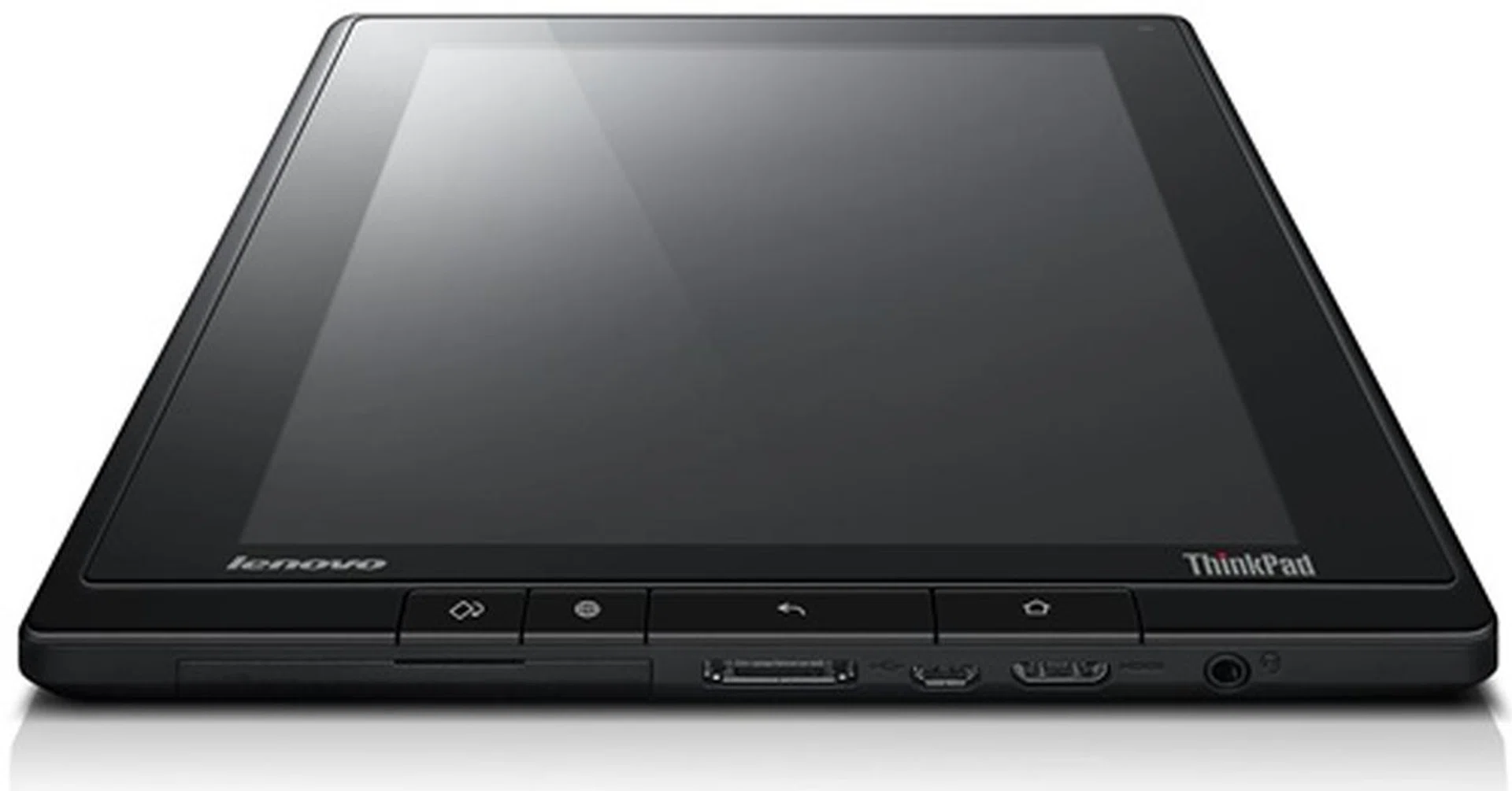
Is the Lenovo ThinkPad Tablet as good as its ThinkPad laptop comrades? Read on to find out.
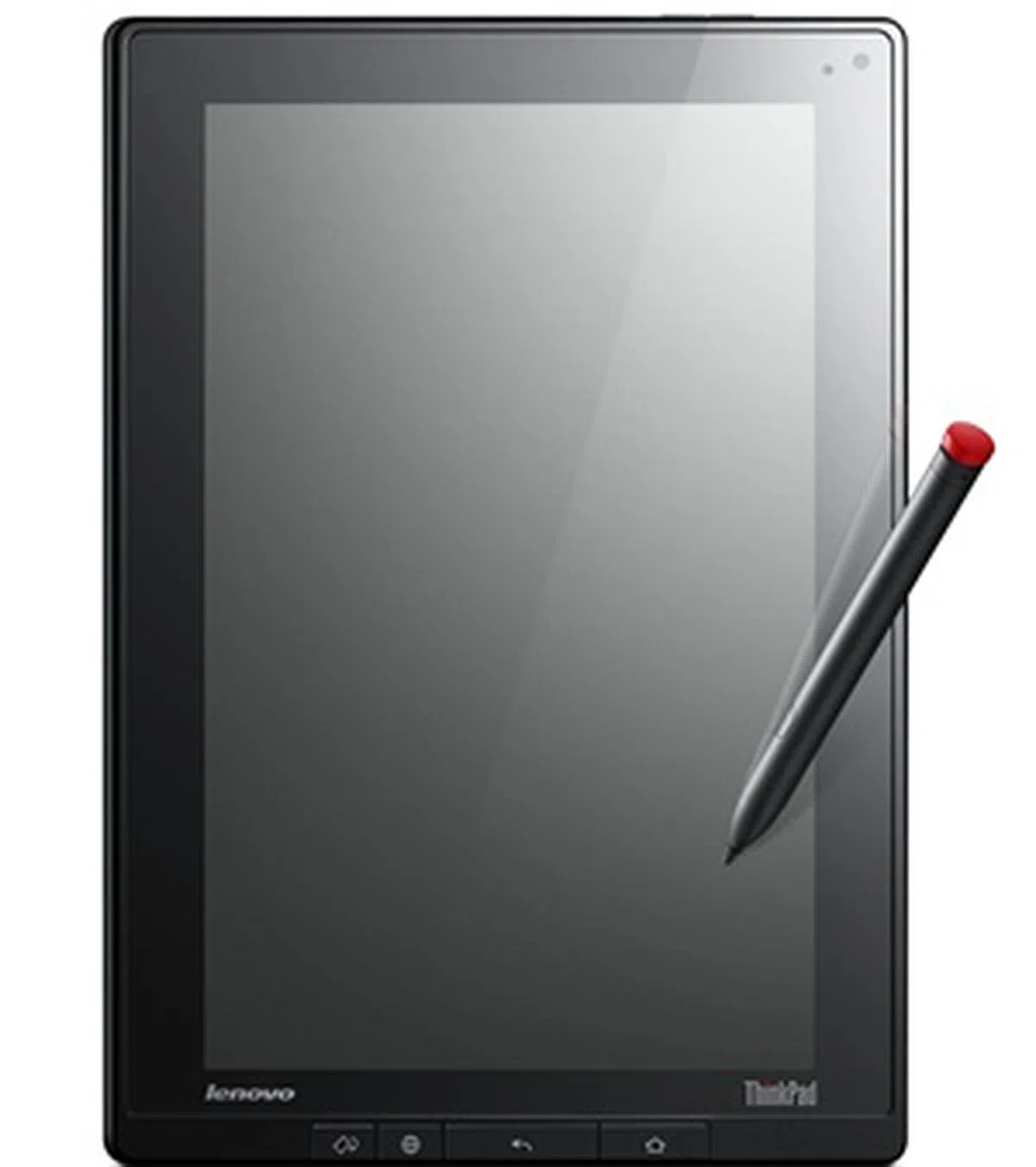 | Key highlights of the Lenovo ThinkPad Tablet (3G)
|
Design
If you have seen Lenovo's ThinkPad laptops, you will find the ThinkPad Tablet familar. It sports the signature boxy design that is clad in black. This gives the device a no-nonsense and strict business look. As expected of a ThinkPad-branded device, the build quality is excellent. In terms of handling, the hefty weight of 730.5g may turn off those who are looking for a lightweight tablet. As a result, you may want to avoid using the ThinkPad Tablet in portrait mode with only one hand.
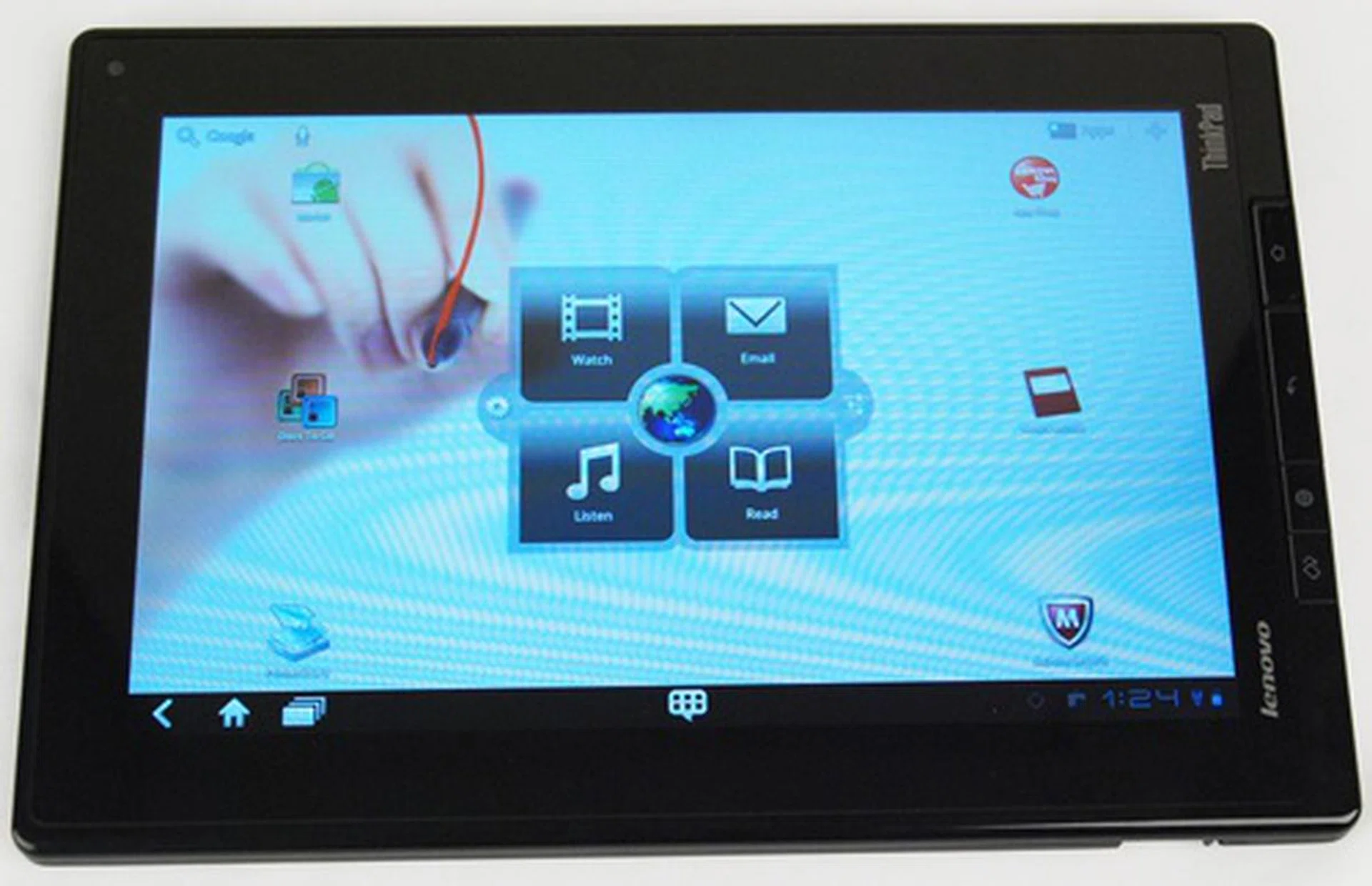
The boxy design makes the Lenovo ThinkPad Tablet look a bit odd in terms of its proportions. It is slightly taller and wider than other 10.1-inch tablets, leading to an unbalanced weight distribution.
Lenovo seems to take a liking for physical navigation buttons on their tablets, similar to its IdeaPad Tablet K1 which has a hardware menu navigation button on the right side of the device. For the ThinkPad Tablet, it has not one but four physical buttons at the bottom of the screen (in portrait mode). The four buttons allow you to lock the screen orientation, access the browser with one tap, backward navigate and go to the main home screen (left to right). Besides the screen orientation lock button which we found handy, the rest of the buttons are redundant as the on-screen buttons provide the same functions.
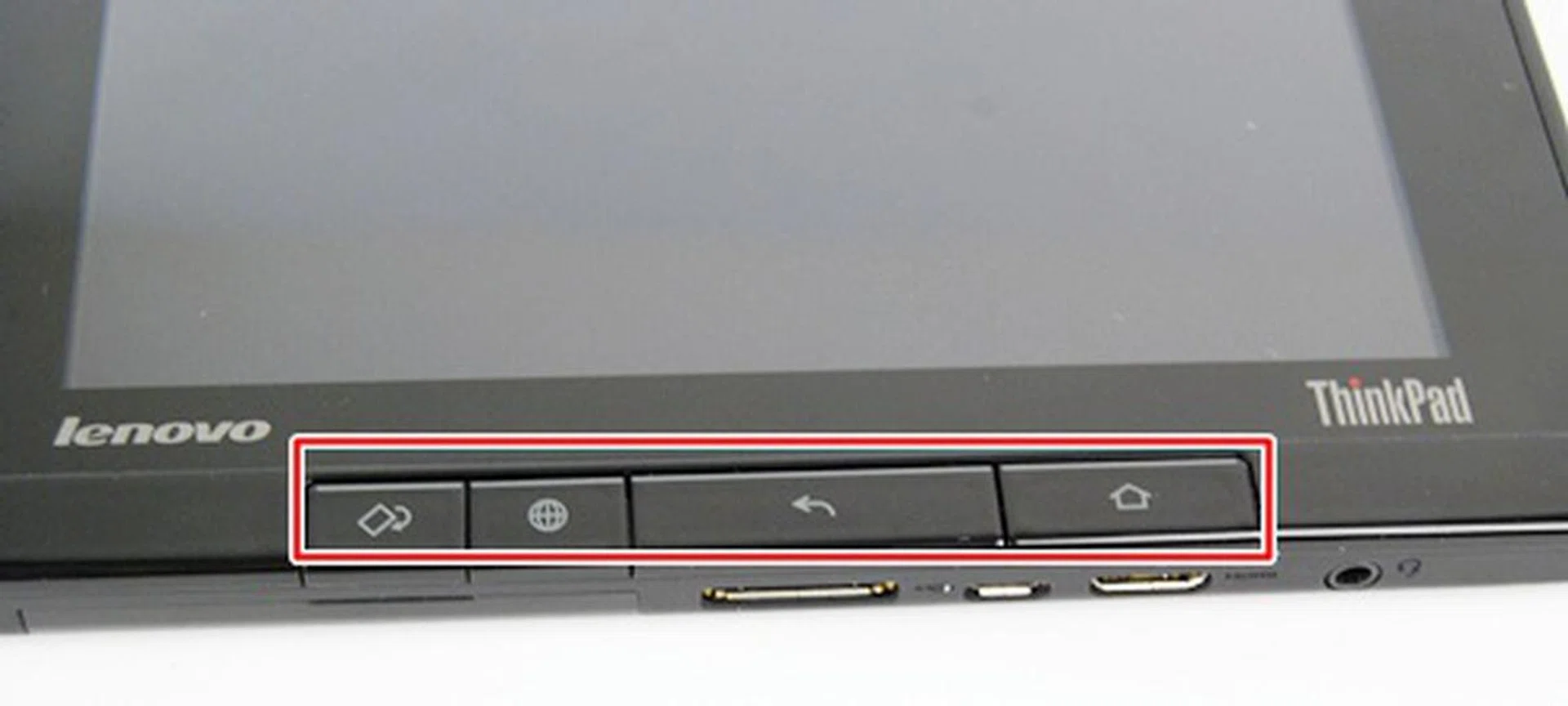
We found the buttons to be a little too stiff for our liking.
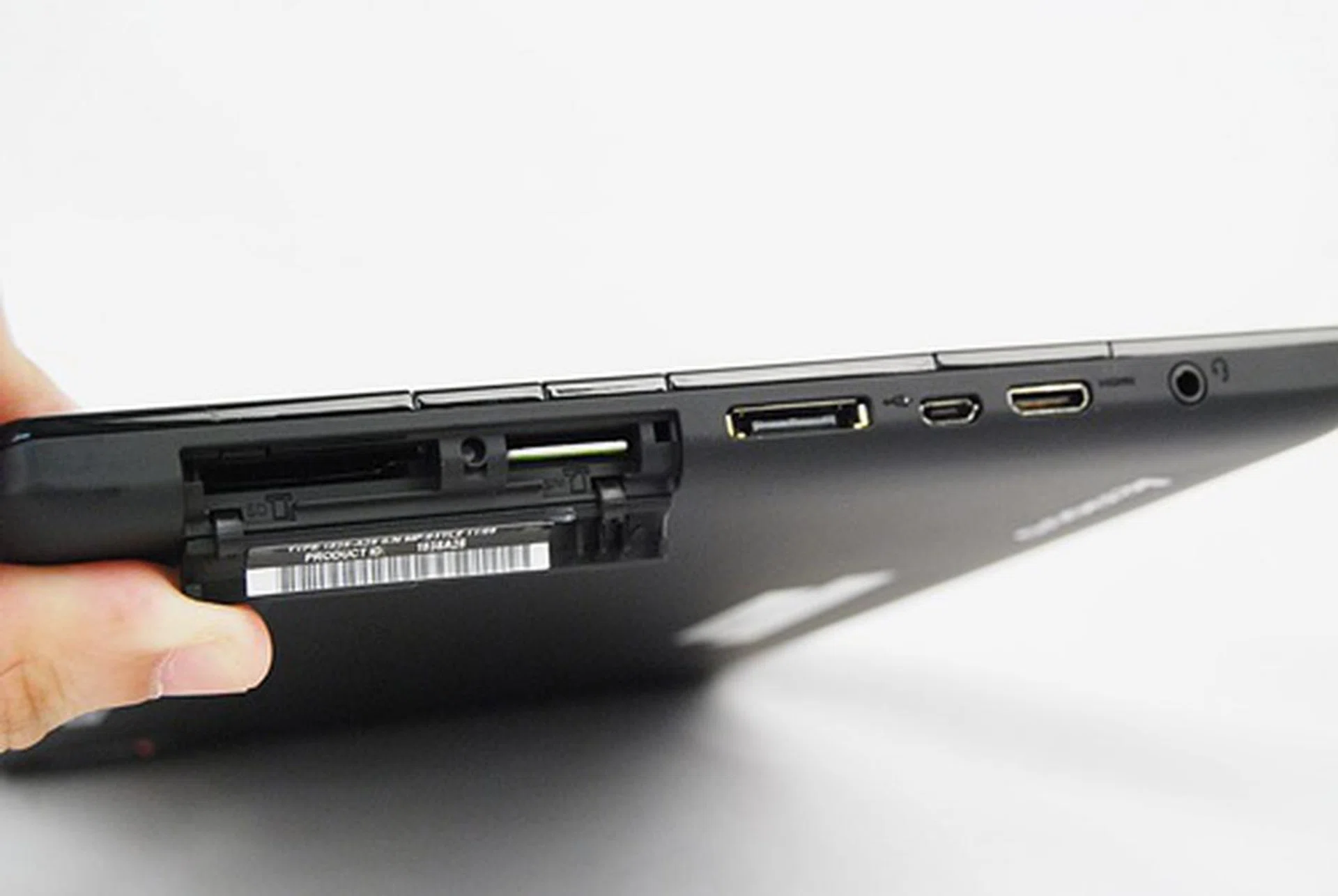
From left to right: SD card reader, SIM card slot, dock connector, micro-USB port, mini-HDMI port and a 3.5mm audio output jack. These connectivity options are found at the bottom of the tablet in portrait mode.
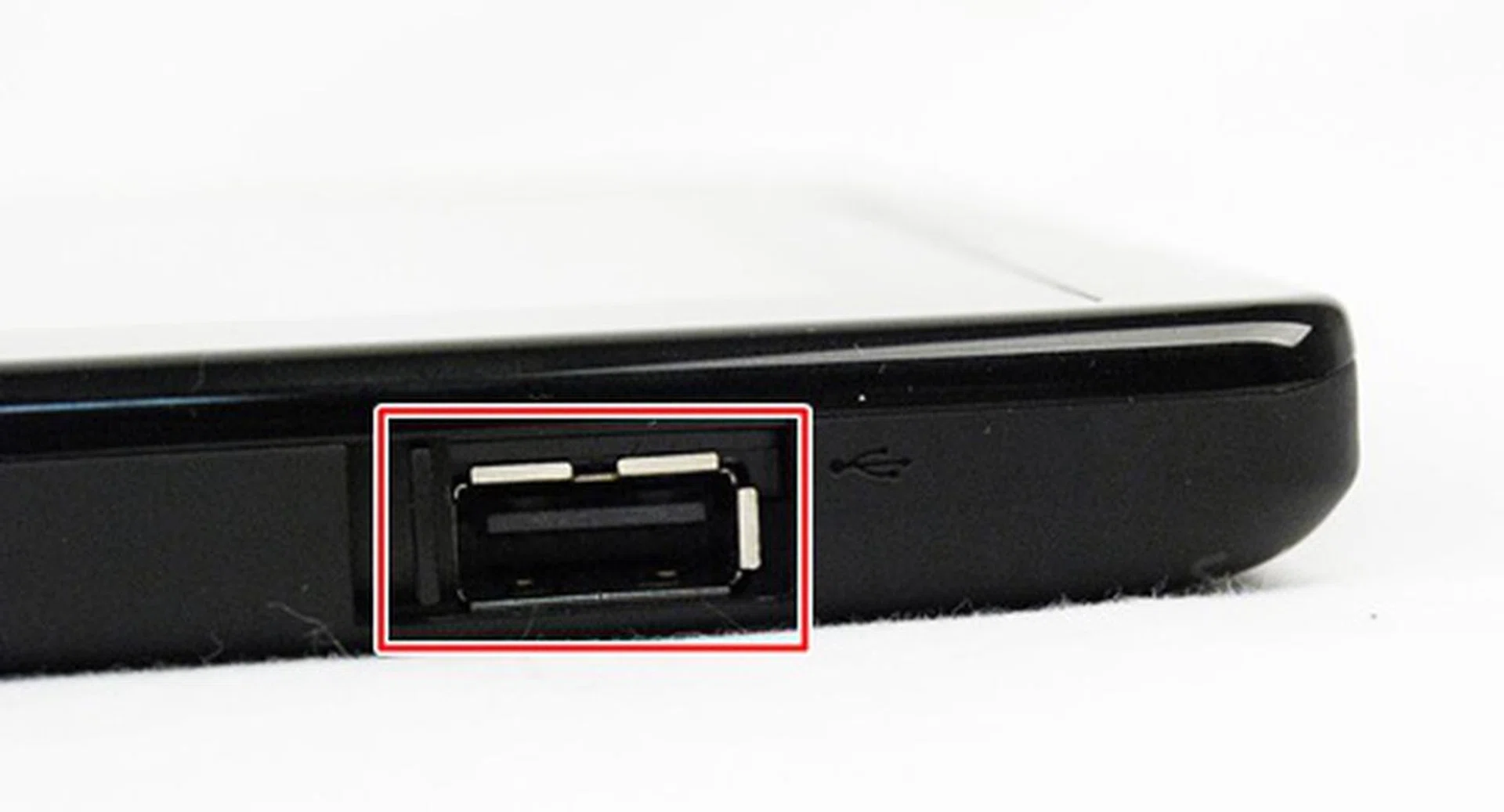
The Lenovo ThinkPad Tablet has one USB 2.0 port located on the bottom right hand corner of the device in landscape mode. The port can be used to connect the device to its keyboard Folio case. Lenovo does a good job here with the sliding cover to protect the USB port whenver it is not in use.
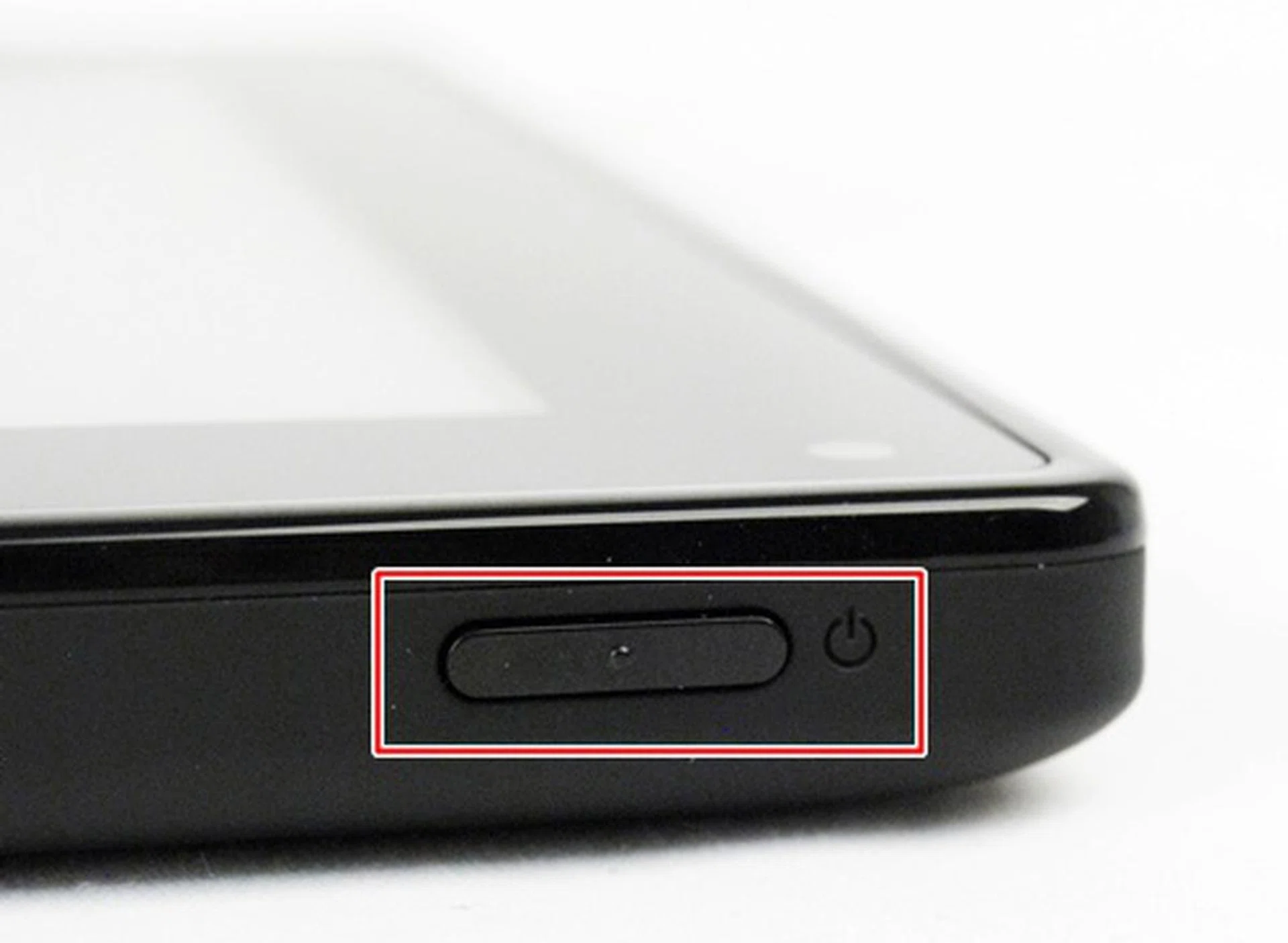
We had no problems with the Power button. It is sufficiently raised and offers a good feel when you press it.
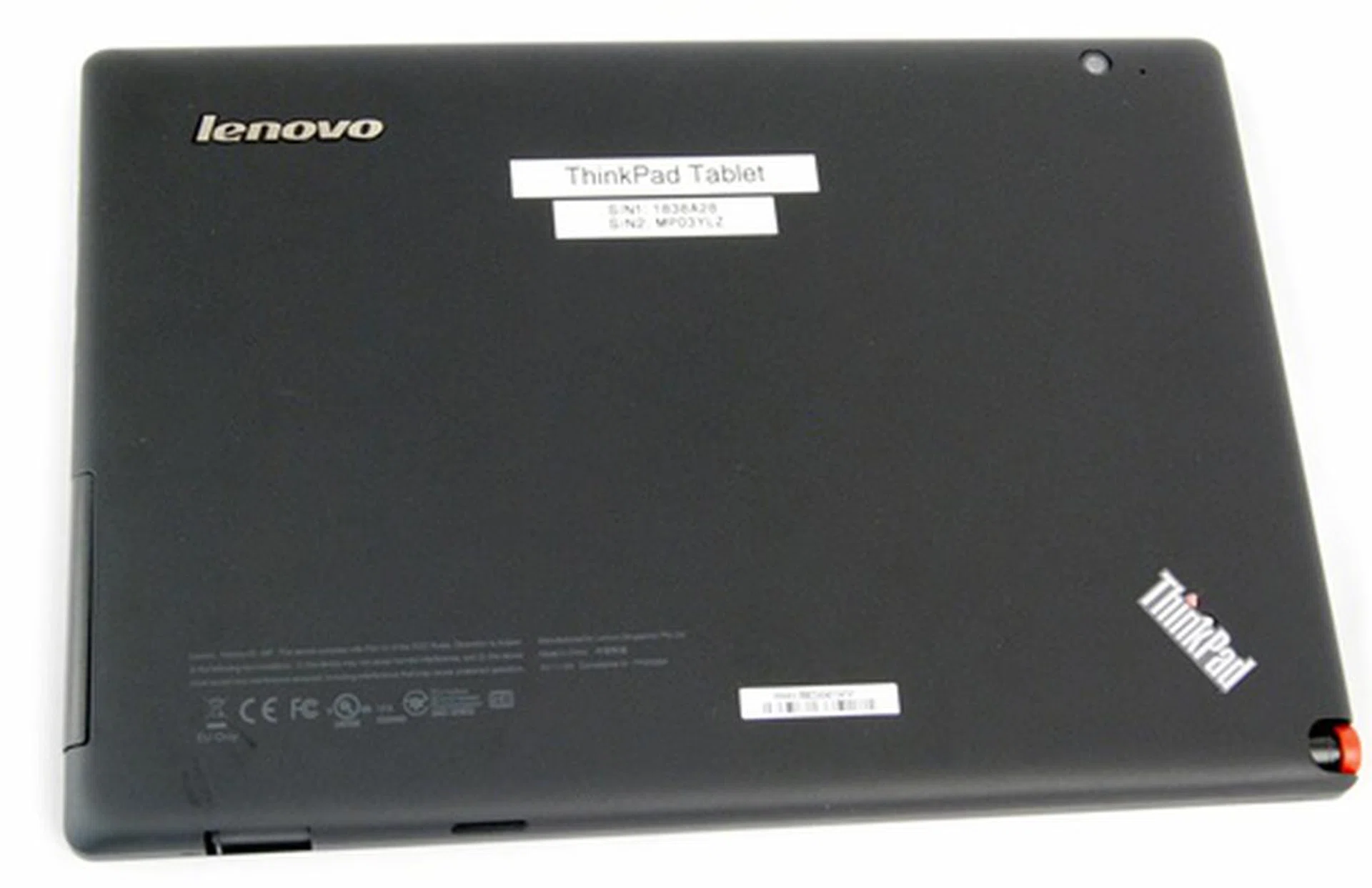
Thanks to the matt texture, ugly fingerprints and smudges will be less of a problem on the back of the Lenovo ThinkPad Tablet.
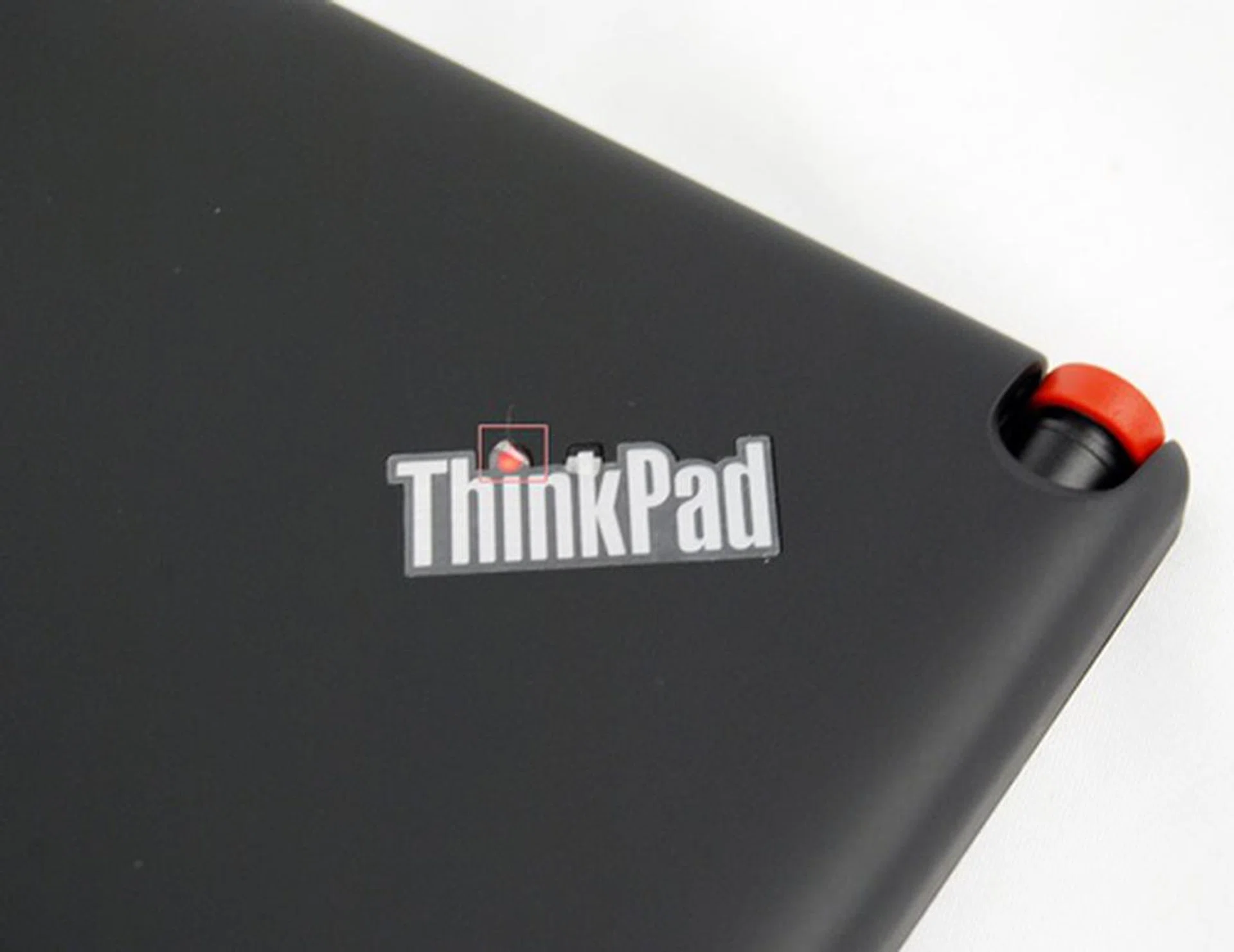
While it may be a cool feature to have a glowing red "i" in the ThinkPad logo when the tablet is powered on, it might unnecessarily drain the battery. On the right is the slot to house the ThinkPad Tablet Pen.
In terms of the overall design aspects, we are inclined to say Lenovo did a reasonably good job with the ThinkPad Tablet. Even though the weight and dimensions of the device may be aggravating issues for some, the solid build quality of the tablet more than made up for it.
In addition, the ThinkPad Tablet has one of the most comprehensive suite of connectivity options that edges out the competition. It is rare to see a tablet with a full-size USB port out of the box, another example being the ASUS Eee Pad Slider. The ThinkPad Tablet noses out the Slider with the microUSB port, which allows for data transfer and power charging.
The BlackBerry PlayBook, which Research in Motion claimed as the world's first enterprise-ready tablet, is no match for the ThinkPad Tablet as it lacks a SD card reader and full-sized USB port, which we feel will be handy in business settings such as transferring files. If you take these factors into account, its thick profile of 14mm will not bother you that much as extra space is needed to accommodate these connectivity ports.
BFF - Business Friendly Features
Similar to the IdeaPad Tablet K1, the Lenovo ThinkPad Tablet runs on Android Honeycomb 3.1 OS out of the box. As such, you will not expect anything significantly different from the rest of the Honeycomb tablets.
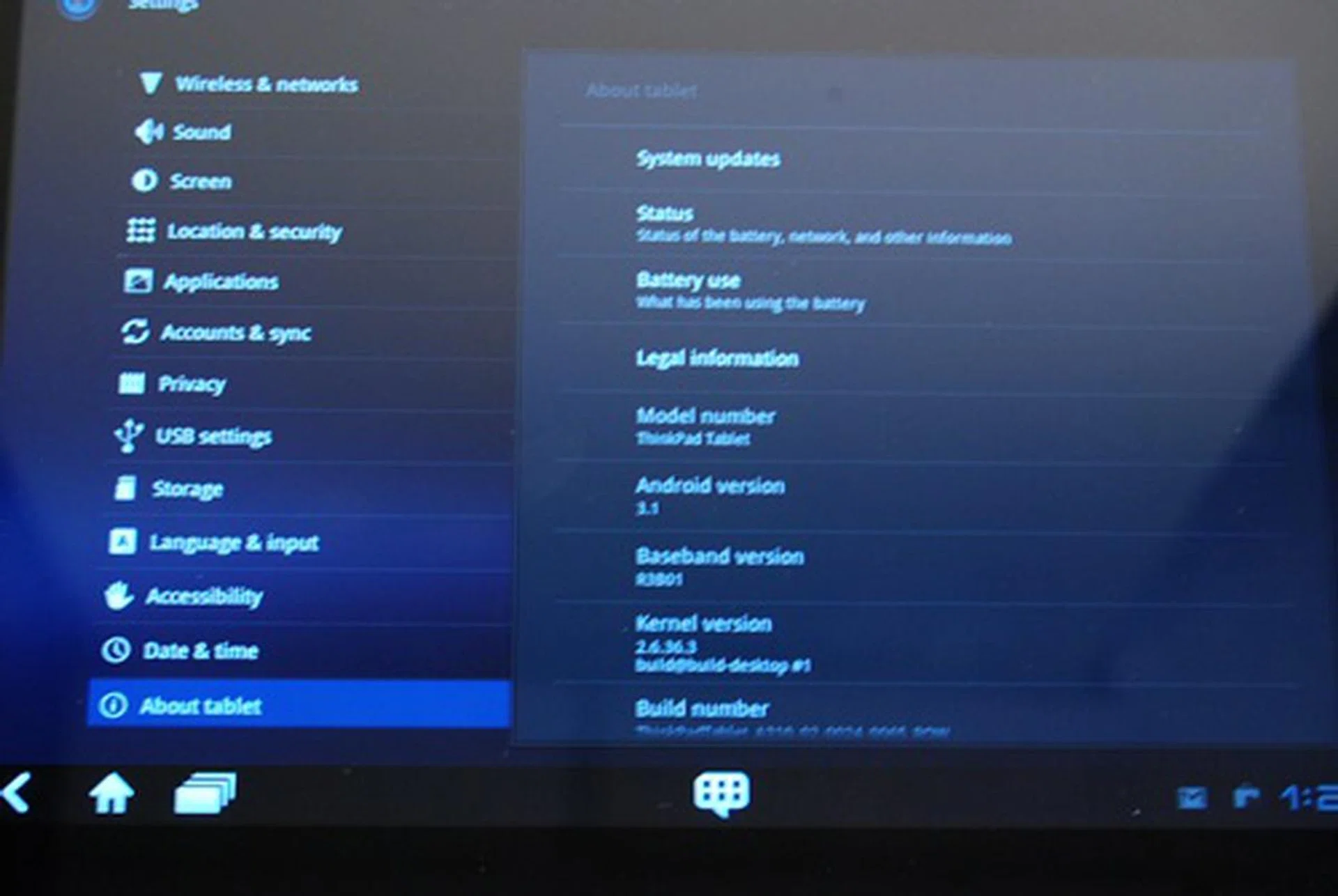
Android 3.1 OS has became the standard Honeycomb version on most tablets today.
Unlike the Samsung Galaxy Tab 10.1 or HTC Flyer where the stock Android user interface is heavily skinned by their own overlays, you will only notice subtle changes on the Lenovo ThinkPad Tablet. As we have covered the refinements that Lenovo made to the interface in the IdeaPad Tablet K1, you can find out more about these refinements here.
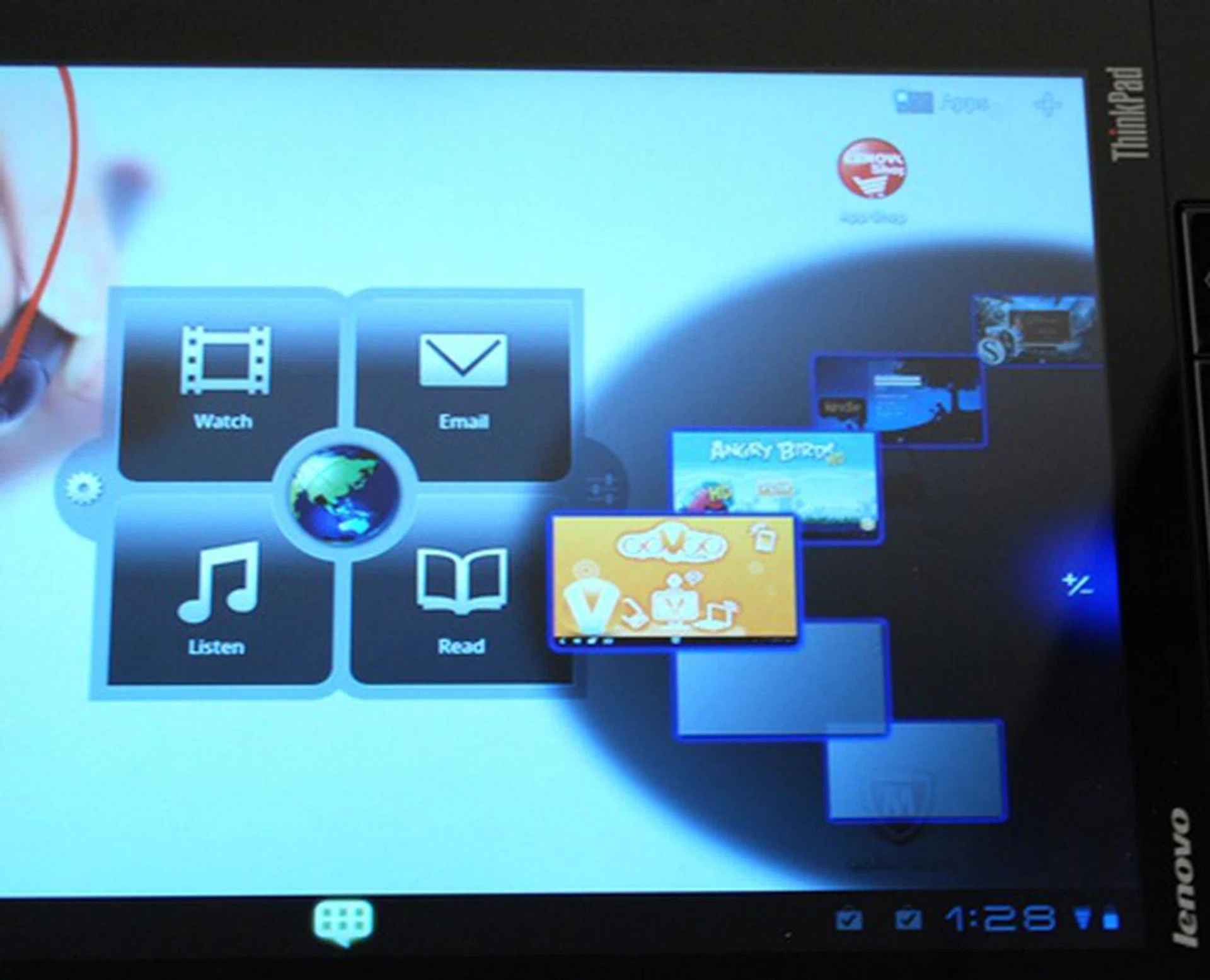
Located at the centre of the home screen is Lenovo's Launch Zone app that provides one-touch access to videos, web browsing, email, music and e-books. You will find the App Wheel on the right side where you can easily scroll through six of your favorite apps.
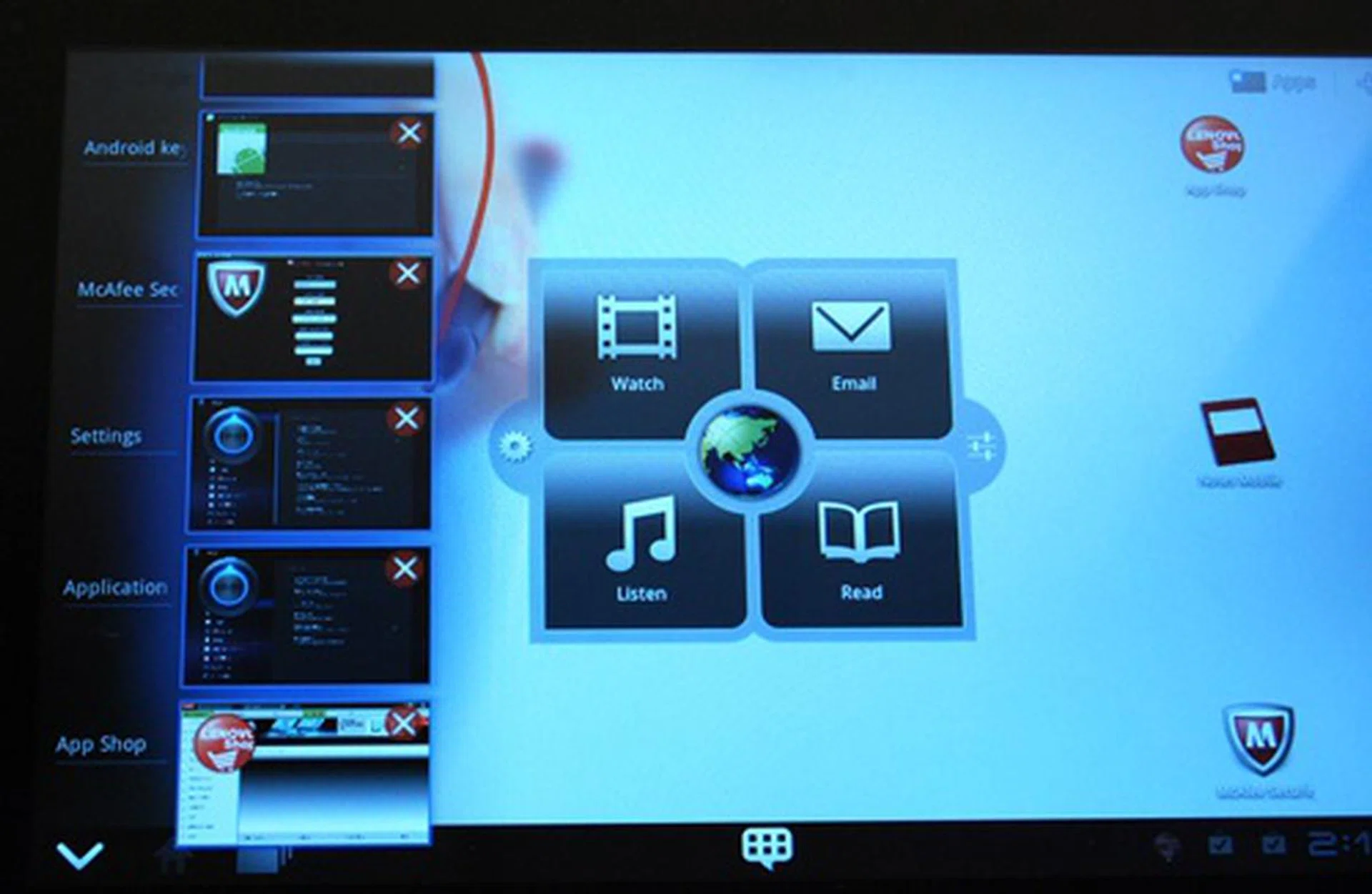
Adding onto the Honeycomb multitasking menu, Lenovo has made it even more convenient by allowing users to close apps through this feature.
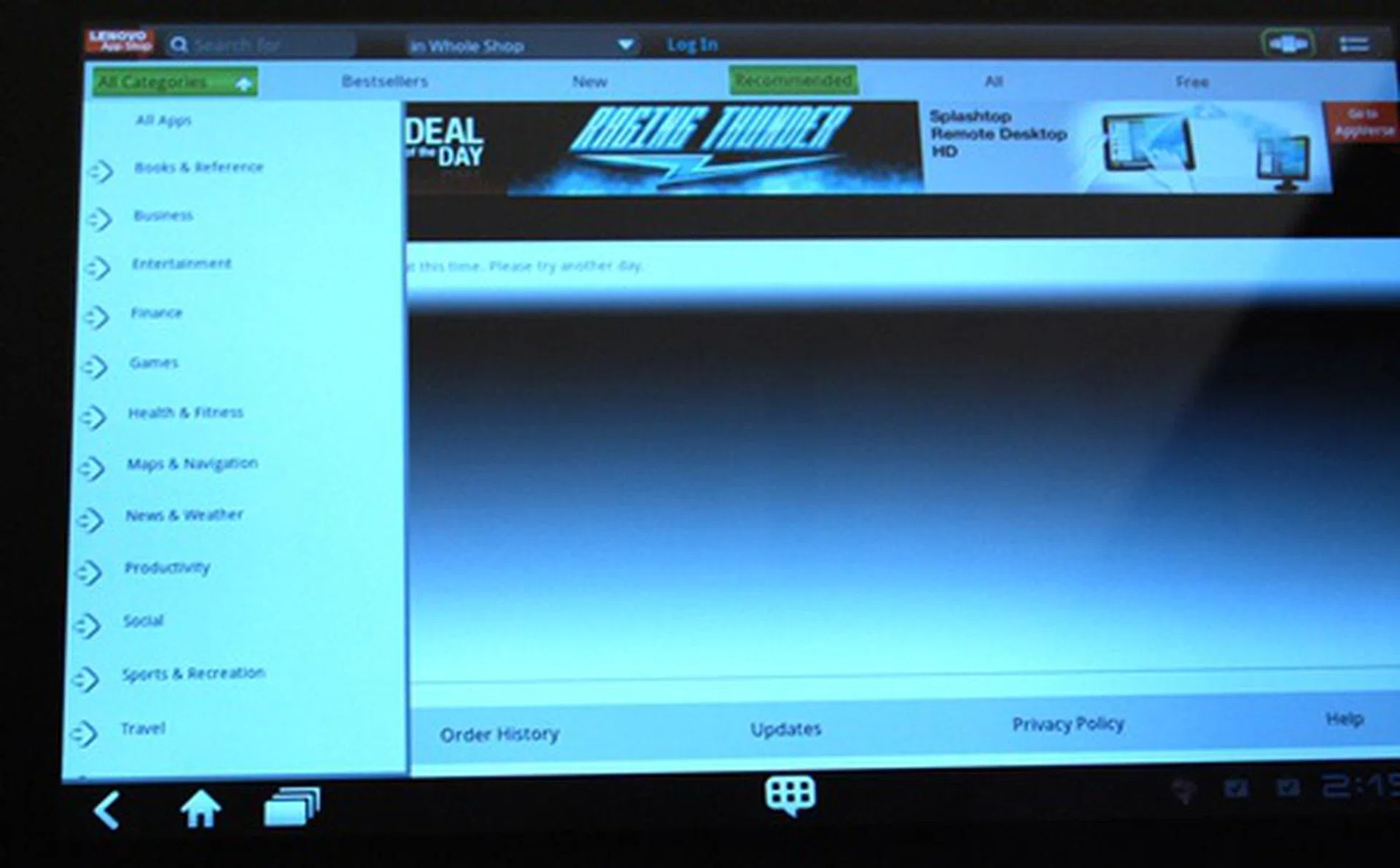
One of the main highlights is its own App Store, named the Lenovo App Shop. It has a collection of unique and popular apps that are tested specifically for Lenovo tablets
The problem with mainstream tablets today is that most of them are unable to match up to the requirements or conditions necessary in the sensitive and complicated corporate environment. They do not possess the security, reliability and manageability features that IT departments of companies need in order to deploy the use of tablets among their employees.
This is where the branding steps in.The ThinkPad branding is widely recognized as one of the best brands in the corporate world. By leveraging on its solid reputation, Lenovo hopes that it will be easier for companies to buy and deploy the ThinkPad branded devices.
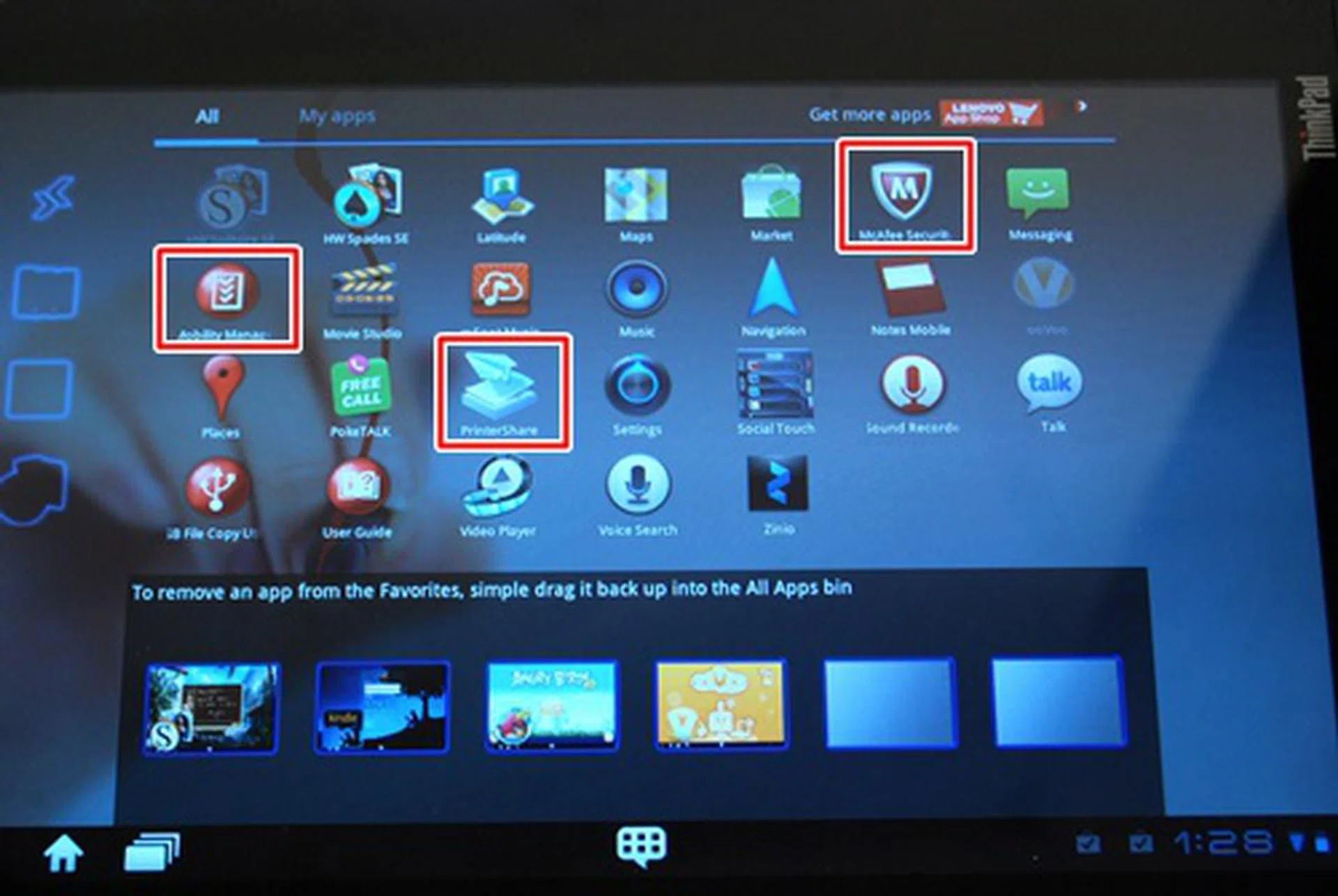
You can find some business friendly apps preloaded on the Lenovo ThinkPad Tablet. The Mobility Manager app enables IT departments control over the tablet, allowing them to remotely wipe date and encrypt data to guard against unauthorized access of sensitive information.
What's a business-centric tablet without the trusty keyboard and optical trackpoint? Well, Lenovo has the ThinkPad Tablet equipped with an optional accessory, the Keyboard Folio Case. As the name suggests, this is a keyboard with an optical button for cursor use. The exterior of the case is mainly leather, giving it a premium look and feel. Business users will appreciate the convenience of having a keyboard in a case if they are considering serious productivity on-the-go with the ThinkPad Tablet. However, if you are using the tablet for basic internet surfing, you can save some money by skipping the Keyboard Folio Case.
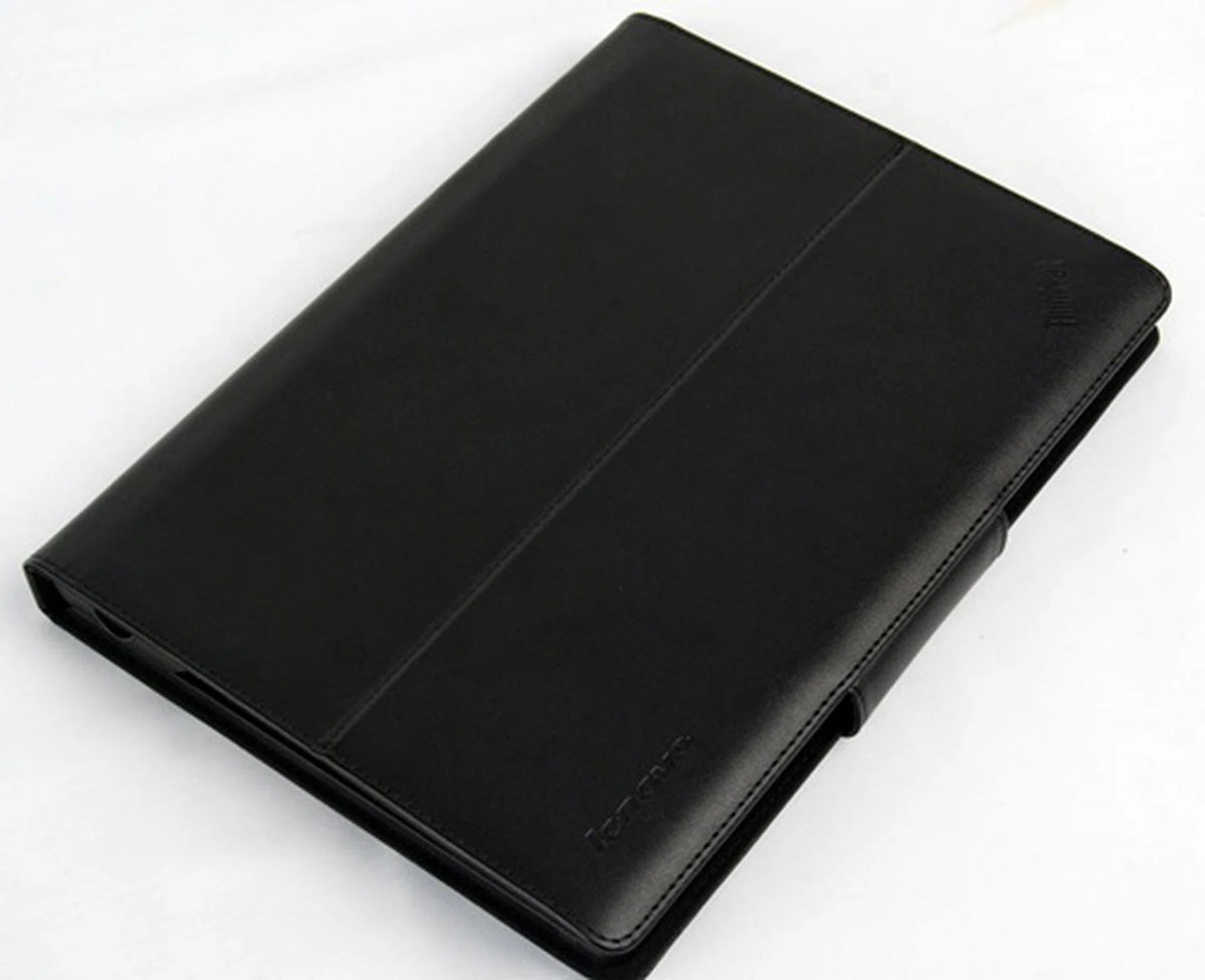
The ThinkPad Tablet Keyboard Folio Case is an optional accessory that you can get at S$129.
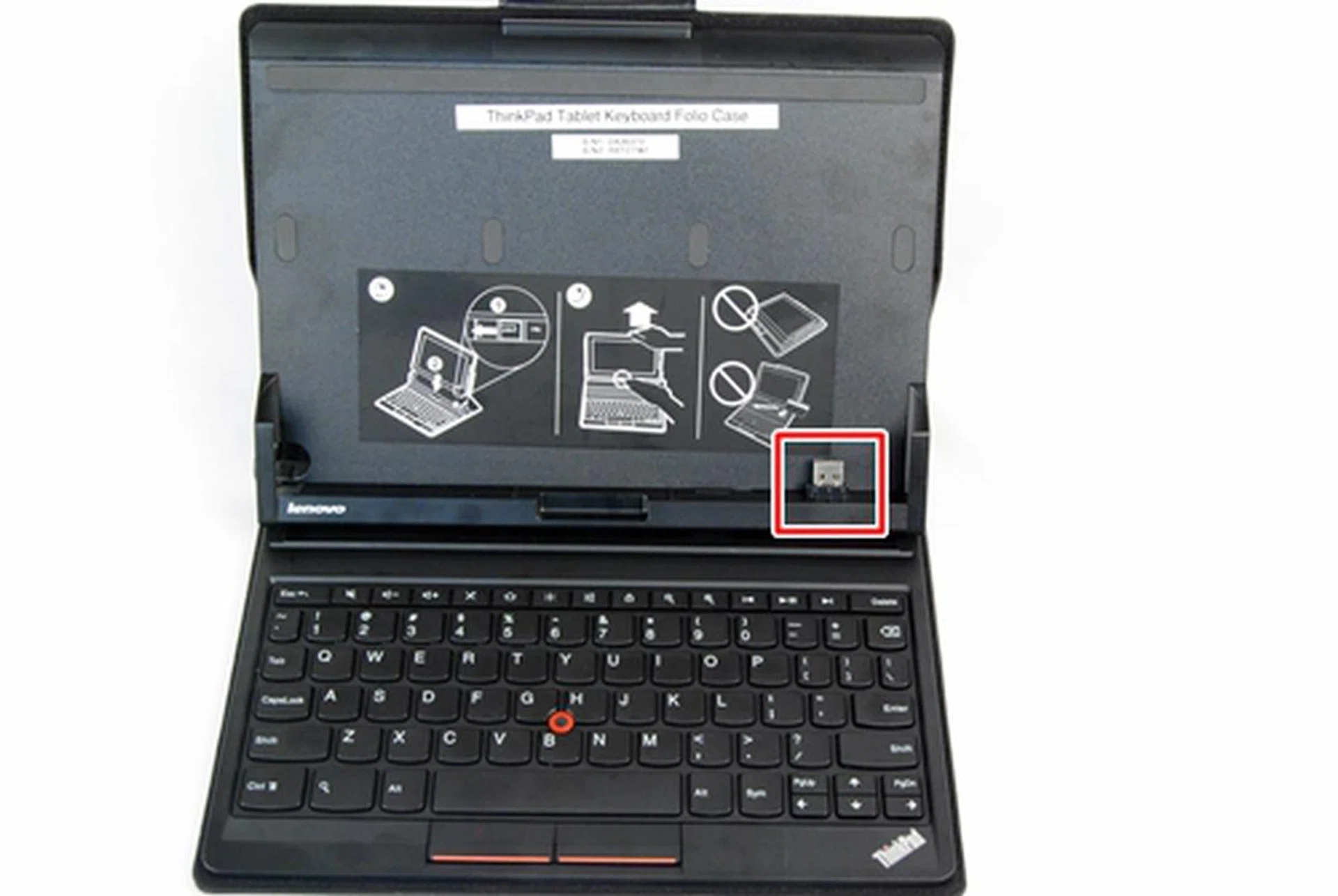
A USB port locks the tablet in place. We are glad that Lenovo opts for this physical connection over a Bluetooth connection as it does not affect the battery life of the tablet.
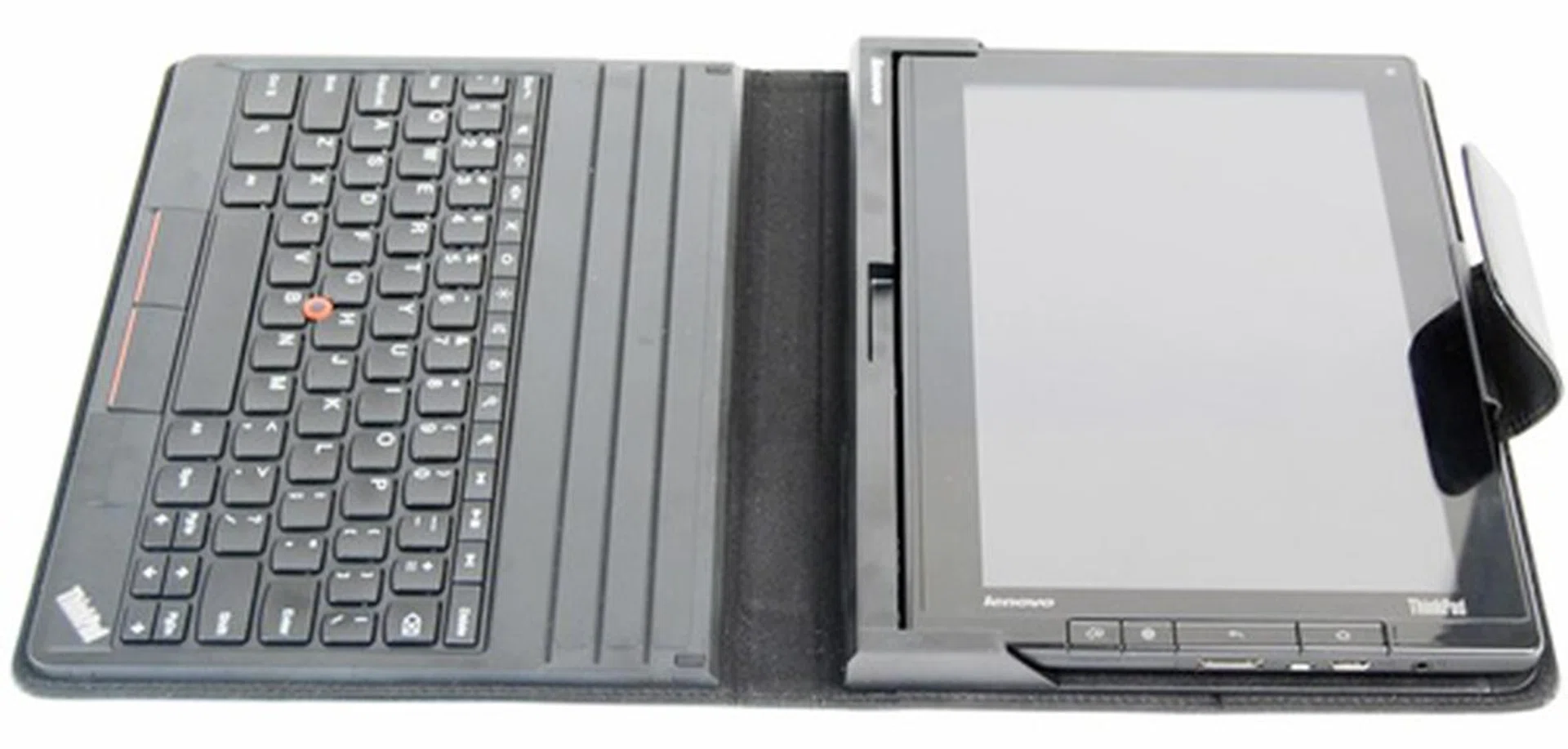
The keyboard folio case (650g) needs to go on a diet as it weighs almost as heavy as the tablet itself (730.5g). When you take into account the tablet in the case, you are looking at a combined weight of about 1.4KG. In addition, folding the keyboard to the back of the tablet is not recommended. As such, you are unable to use the tablet on its own when it is in the case.
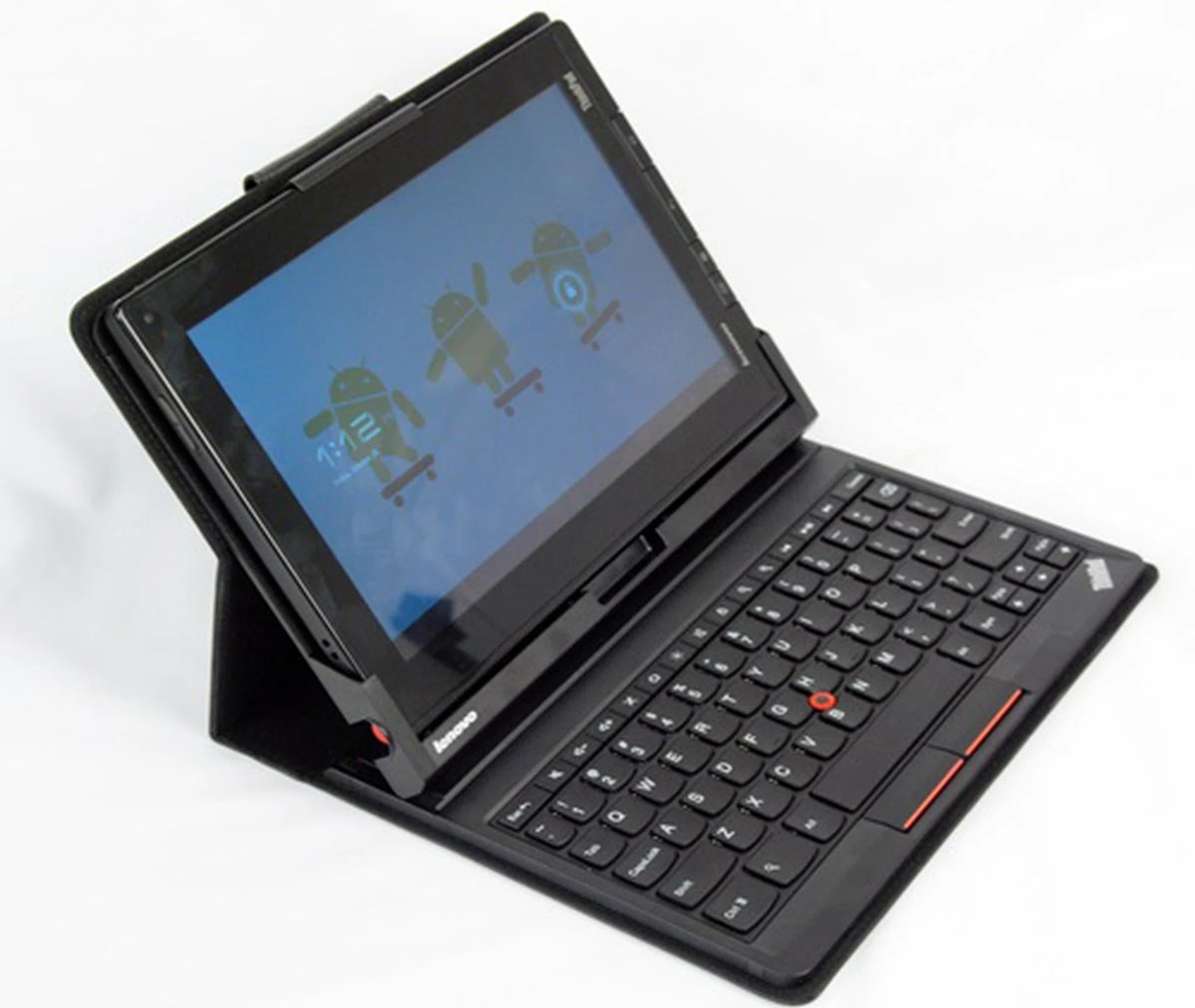
Once you place the tablet inside the case, it fits securely in place. This also means that you will require more force to remove the tablet from the case when the need arises. You can position the table at three different angles although the difference is minimal. Keeping the tablet in position is a magnetic catch at the bottom, which locks the top part firmly in place.
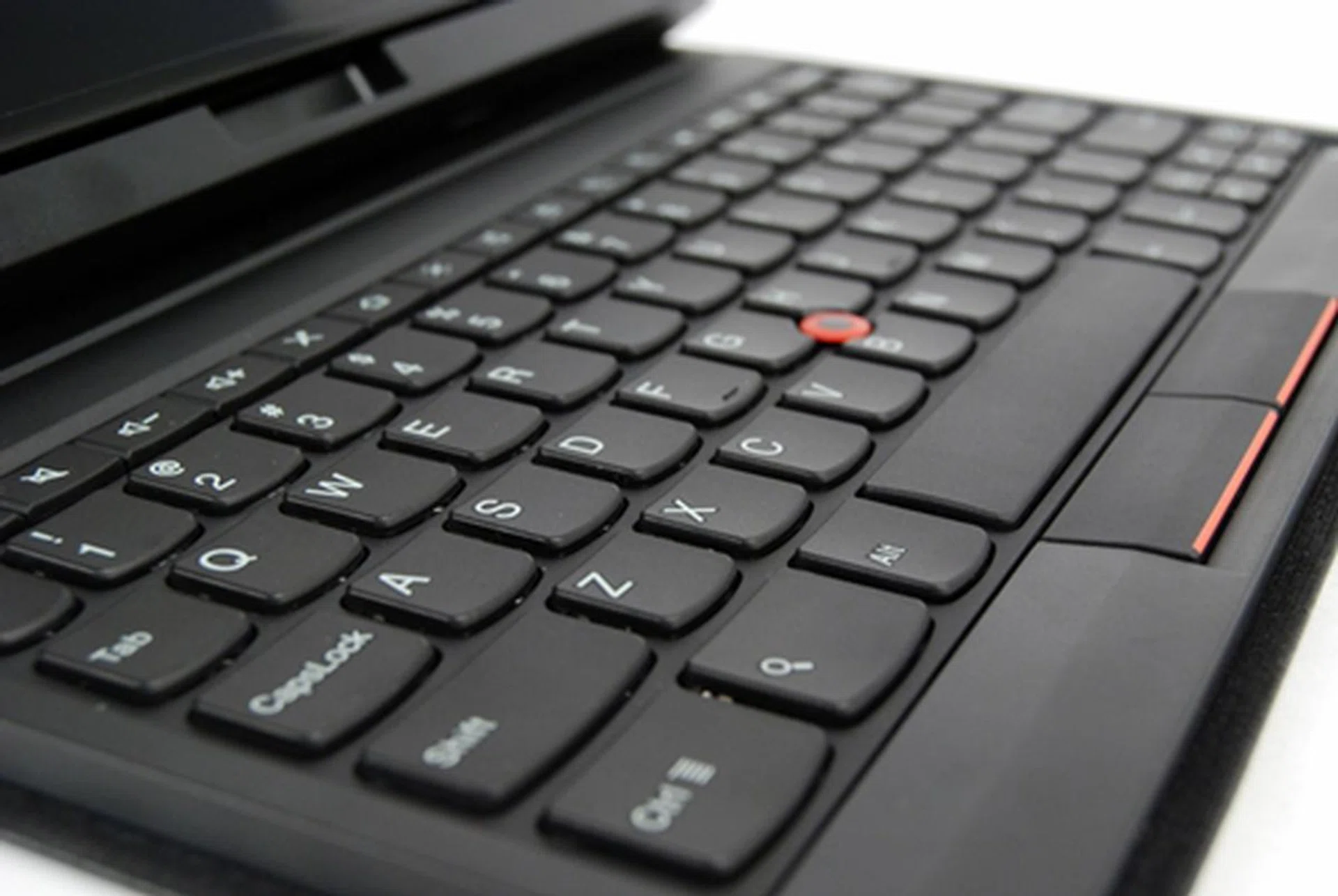
We had no problems typing on the keyboard. The key size is good and comfortable to type on. This is expected of a ThinkPad-branded device although the typing experience cannot be compared to a full fledged ThinkPad notebook. You will notice the signature red optical trackpoint in the middle of the keyboard.
If you need to jot down notes during meetings occasionally and do not need the S$129 keyboard folio case, Lenovo has included an optional ThinkPad Tablet Pen which you can get for S$41. (Note that the Pen is included as part of the current sales package.) So far, we have only seen one other brand that utilizes a digitizer pen on a tablet, that being the HTC Flyer. Both Pens use the same N-Trig's DuoSense digitizer technology, which rely on battery for operation. In both cases, the Pens draw power from a single AAAA battery. While you can use the HTC Pen in most applications (e.g. browser) on the Flyer, you are limited to using the ThinkPad Tablet Pen on the native note-taking app and PDFs.
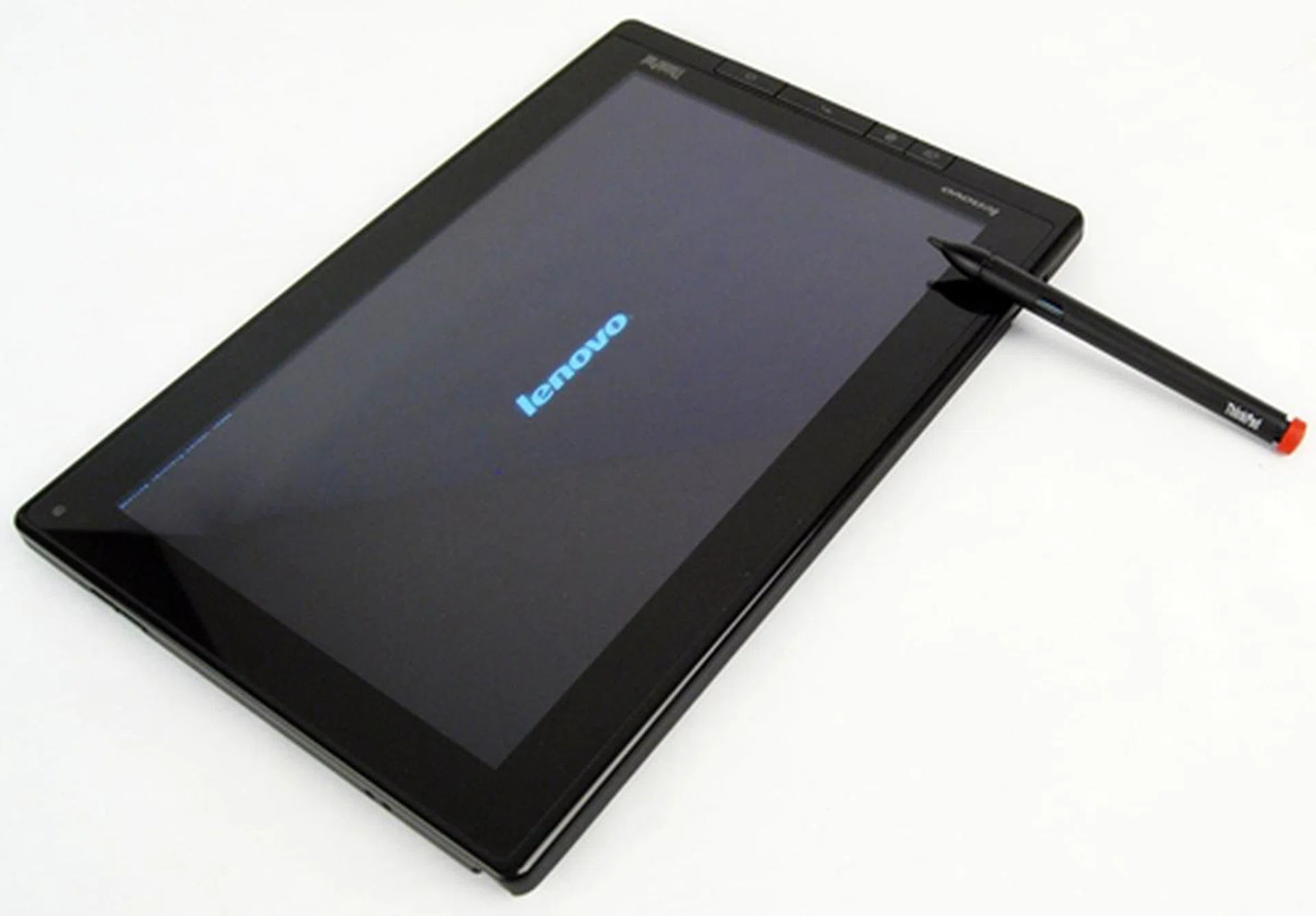
In true ThinkPad fashion, the Tablet Pen is easily identified by its red cap on the top.
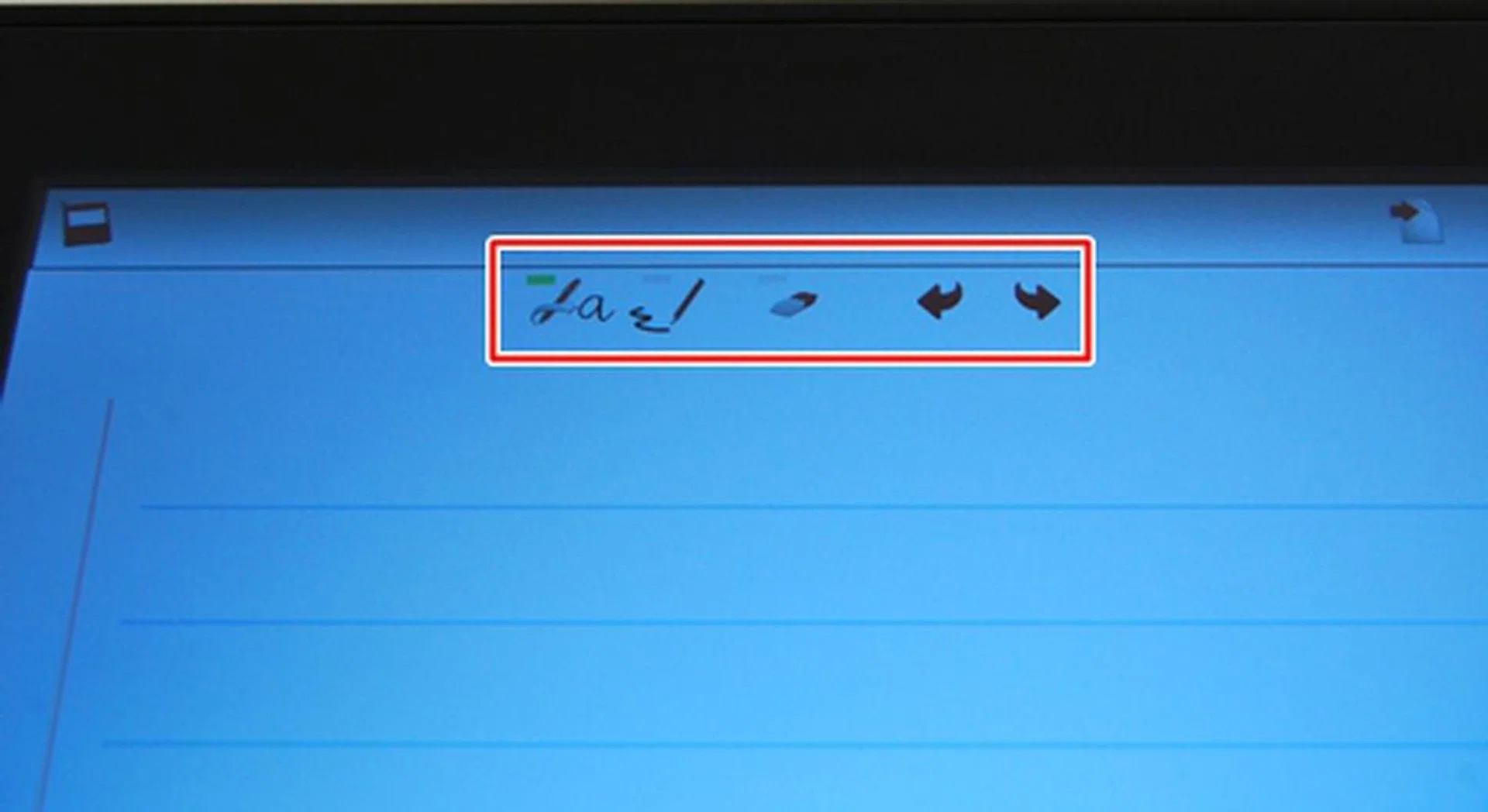
You have the options to change the color of your font,
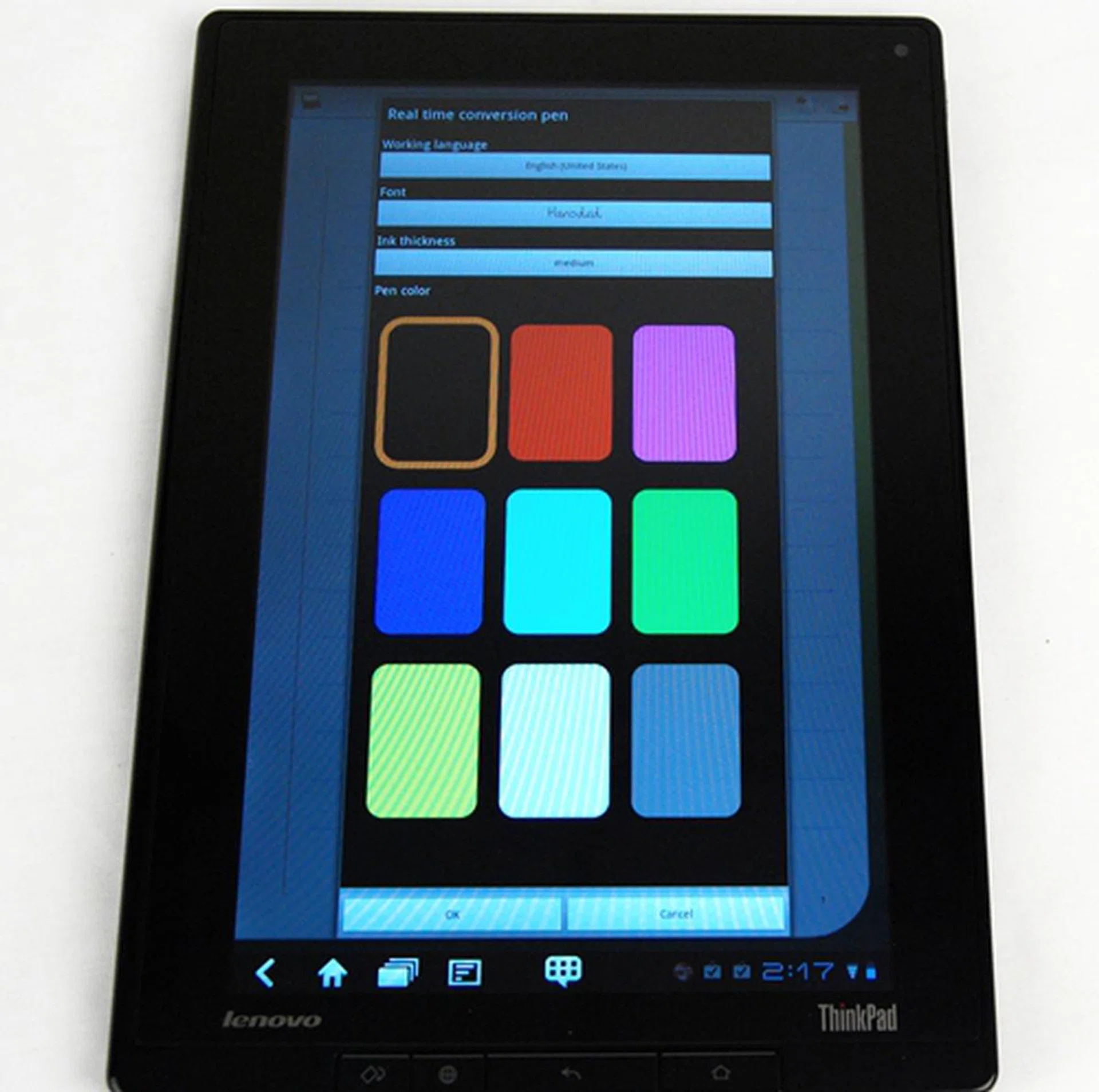
You have the option to change the language, font, ink thickness and pen color.
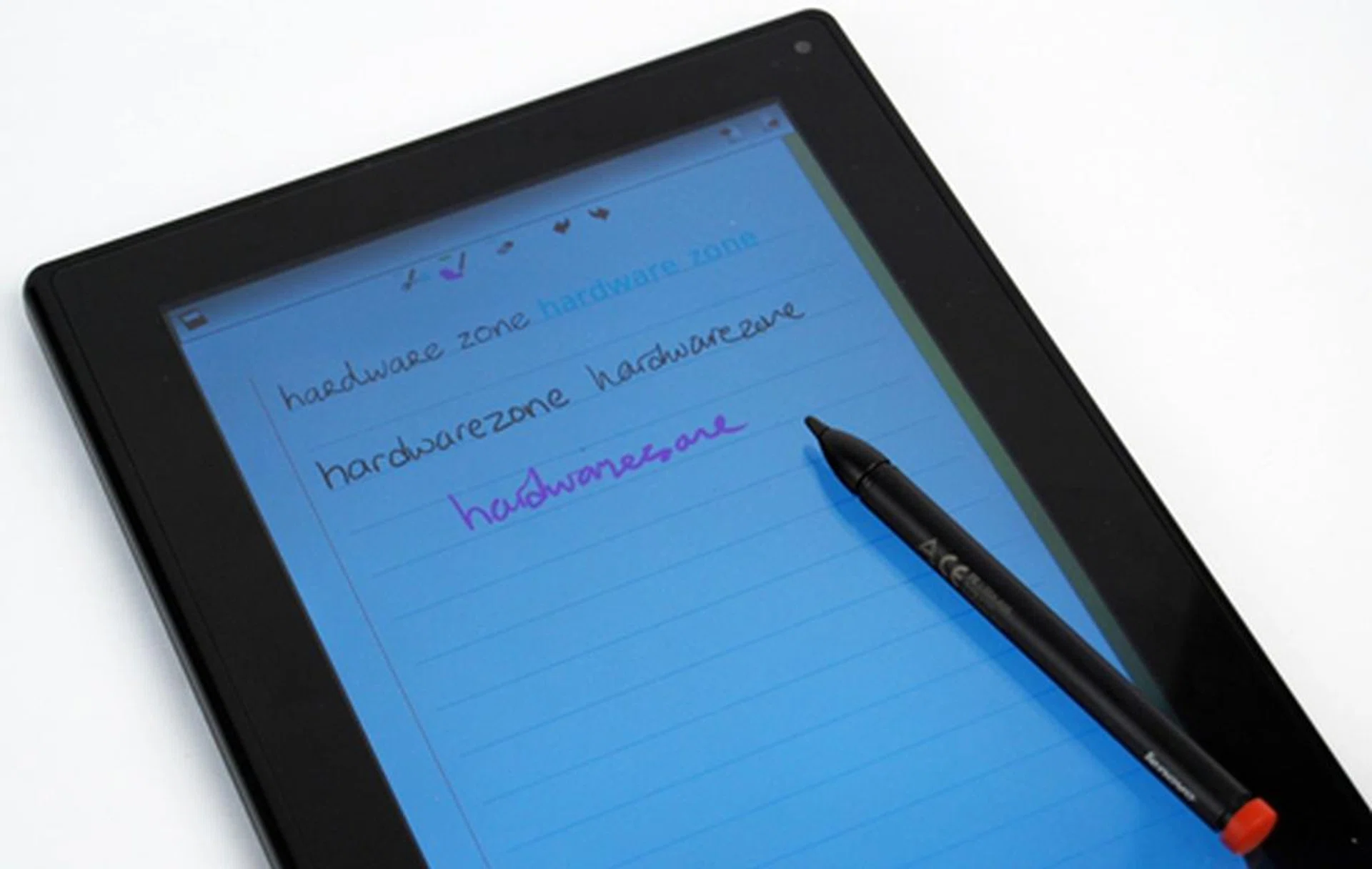
Here are some examples of the capabilities of the Pen and its native note-taking app. The Real Time Conversion Pen Input converts your handwritten notes automatically into uniform fonts while the Standard Pen Input maintains the style of your writing.
Overall, we found the implementation to be better on the Lenovo ThinkPad Tablet. We liked how the display responded smoothly to each pen input and the software integration. However, there is certainly room for improvement as the handwriting recognition software is not perfect.
As seen in the photo above, "hardwarezone" is initially written together but was converted to two words, "hardware" and "zone". Although Lenovo claims that the display can differentiate between the input of a pen and interferences from our palm, we still encountered issues. As Notes Mobile can only be used in portrait mode, we tend to put our palm on the display first before using the Tablet Pen to write. The display registered our palms, and as we moved across the screen, faint lines appeared where they were not supposed to.
As part of its unique selling propositions, Lenovo preloads some paid apps onto the ThinkPad Tablet. These apps are from a number of categories such as tools, communications and entertainment. If you are feeling bored during travelling or in between office hours, the preloaded Zinio app comes in handy as you can browse from thousands of magazine titles including our digital version of HardwareMag Singapore. You also have games apps preinstalled such as Angry Birds HD and Hardwood Solitaire to help you kill time.
No Time for Play
Now that NVIDIA has announced its latest quad-core Tegra 3 processor, the days of the Tegra 2 processors in Honeycomb tablets are numbered. You are most probably looking at the last few Honeycomb tablets that ship with NVIDIA Tegra 2 dual-core processor before the first quad-core Honeycomb tablet from ASUS arrives sometime in December.
Positioned as a business tablet, we are intrigued to know if the Lenovo ThinkPad Tablet is able to perform as well or even better than its Android peers. Hence, we lined up the ThinkPad Tablet against the Samsung Galaxy Tab 10.1 and Sony Tablet S, two of the most recent tablets in the market. As per other tablet reviews, we also included the Apple iPad 2 to measure the ThinkPad Tablet's capability with the leading slate.
Do note that the benchmarks are conducted with stock firmwares, and hence may not reflect the day-to-day usage performance of the tablet. The following benchmarks are used for raw performance evaluation: -
- Quadrant evaluates the CPU, memory, I/O and 3D graphics performance. This is an Android OS based test.
- Smartbench 2011 is a multi-core friendly benchmark application that includes both the Productivity and Games Indices for a more complete gauge of the overall performance of Android tablets.
- SunSpider Javascript benchmark measures the browsing performance of the tablet.
Device | Lenovo ThinkPad Tablet | Samsung Galaxy Tab 10.1 | Sony Tablet S | Apple iPad 2 |
CPU | NVIDIA Tegra 2 dual-core 1GHz | NVIDIA Tegra 2 dual-core 1GHz | NVIDIA Tegra 2 dual-core 1GHz | Apple A5 dual-core 1GHz |
GPU | ULP GeForce | ULPGeForce | ULP GeForce | PowerVR SGX 543MP2 |
RAM | 1GB | 1GB | 1GB | 512MB |
OS | Google Android 3.1 | Google Android 3.1 | Google Android 3.2 | Apple iOS 4.3 |
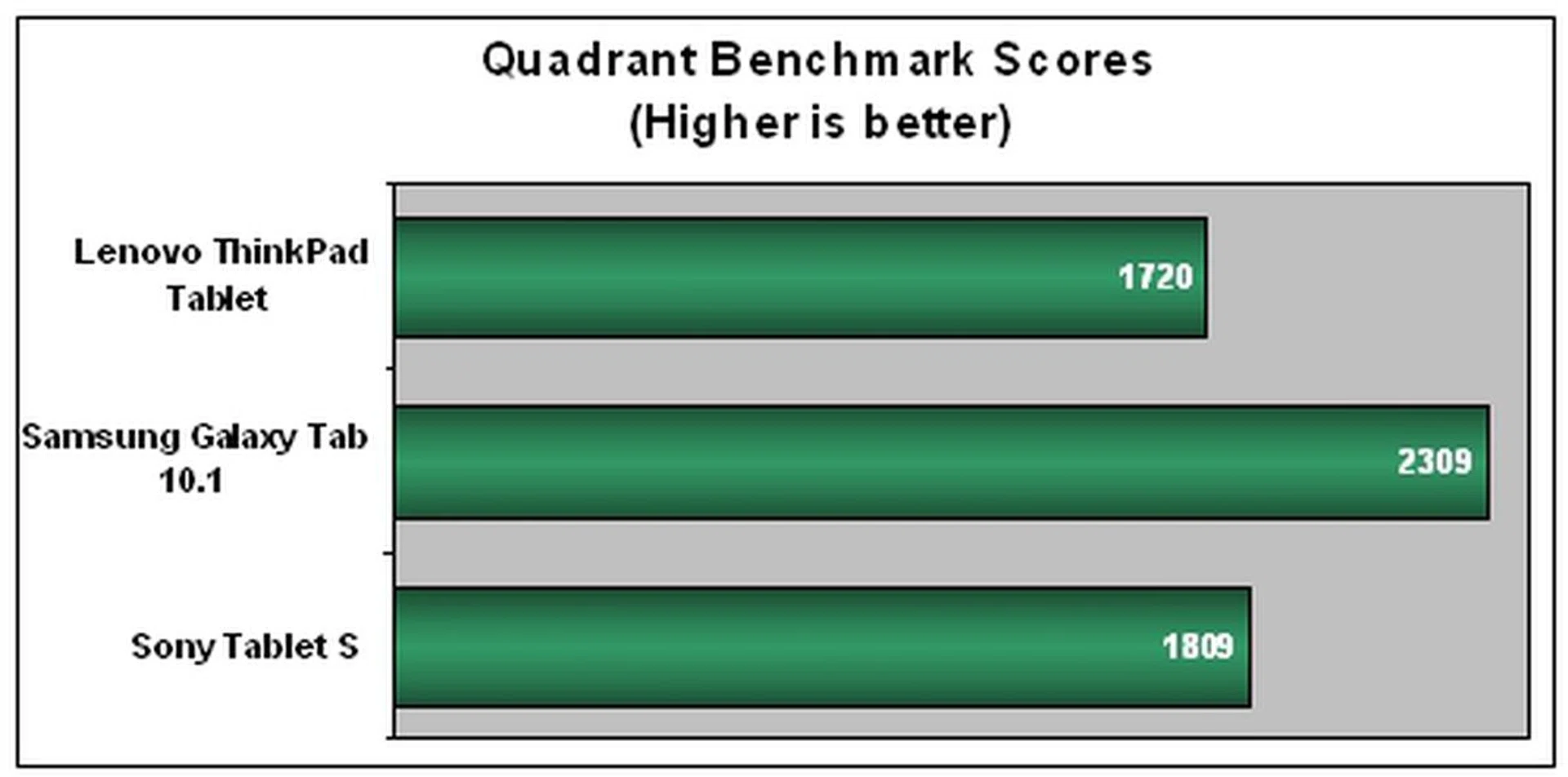
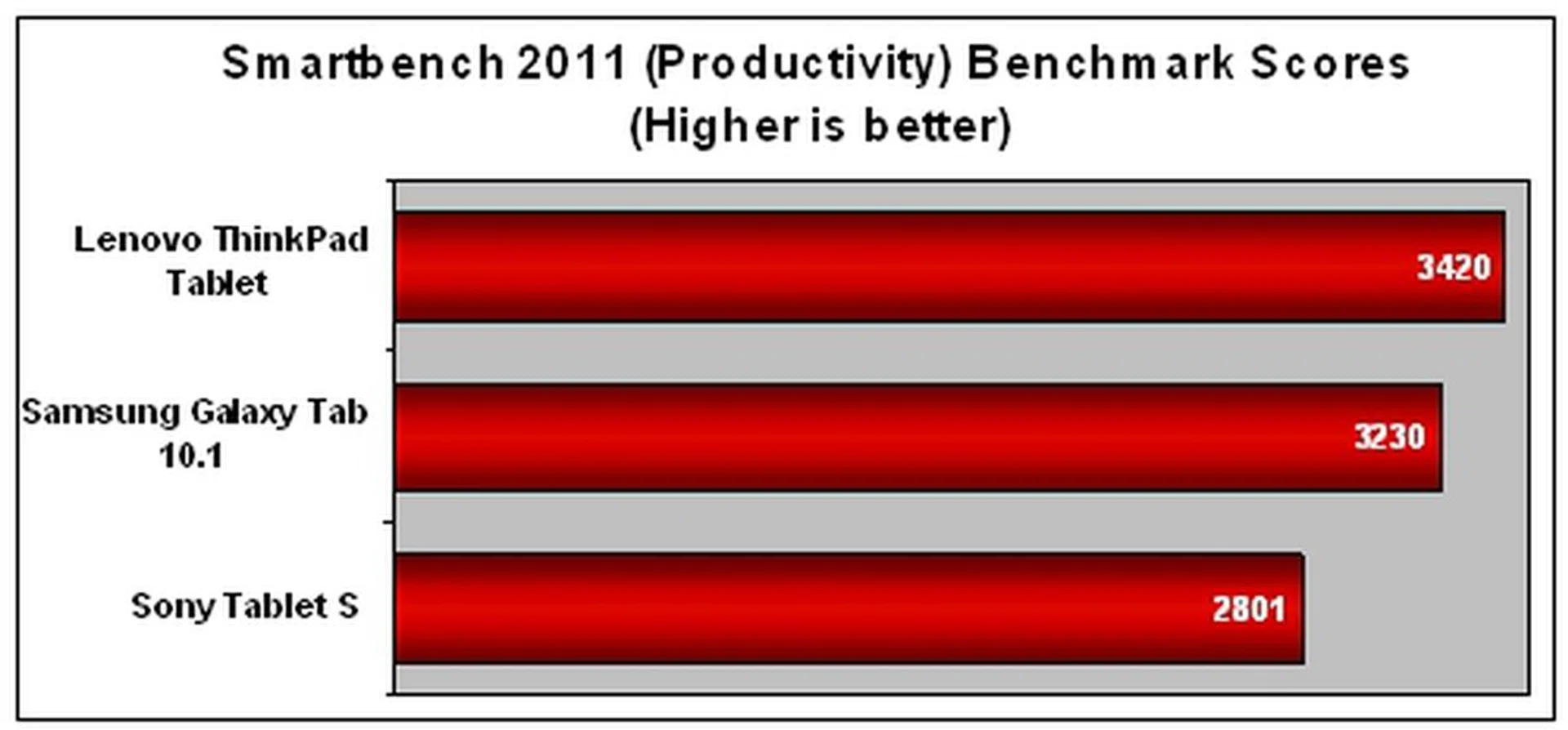
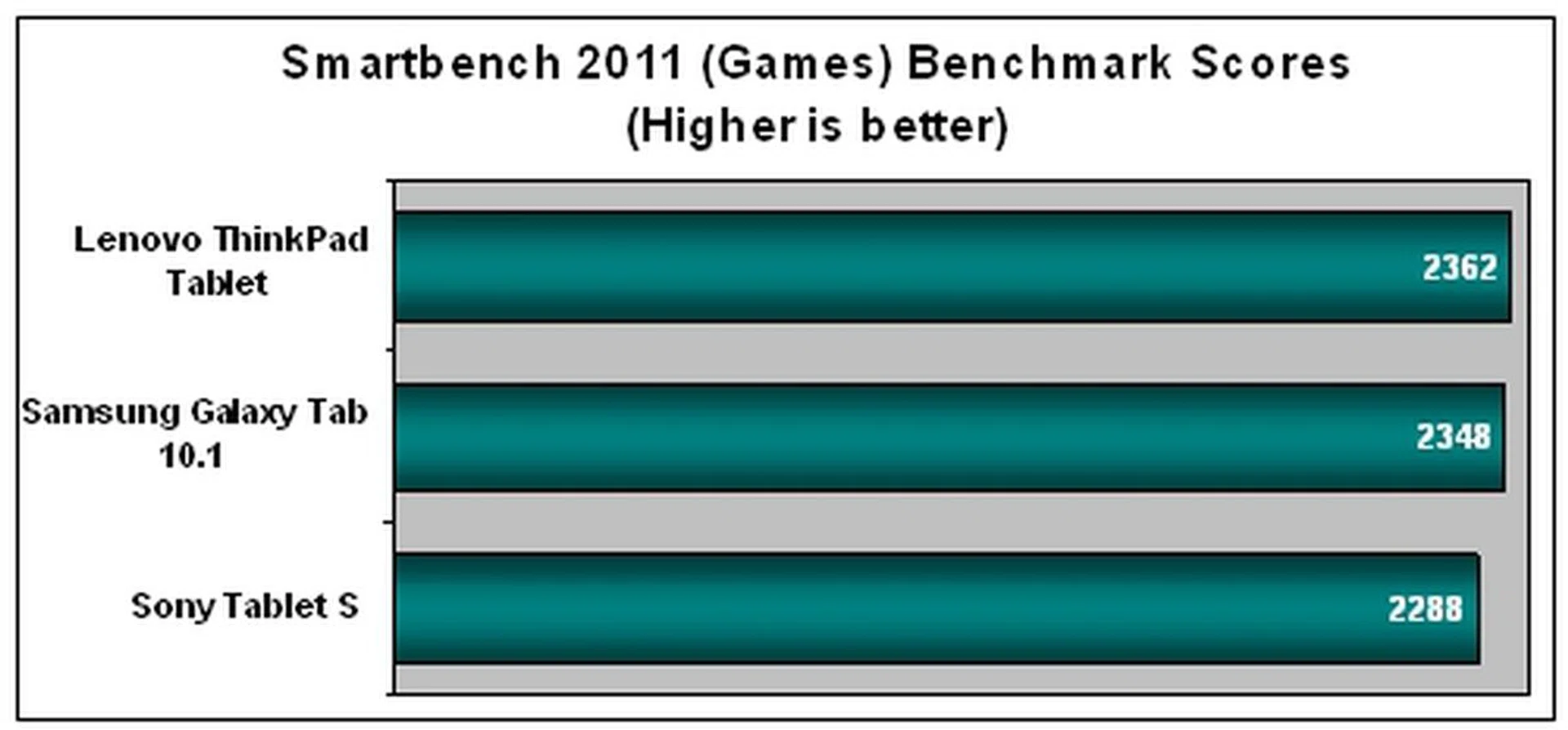
From the figures above, you can see that the Lenovo ThinkPad Tablet's performance in the Android benchmarks was not consistent. While the ThinkPad Tablet took a slight lead in Smartbench 2011, it fell behind the competition by quite a margin for the Quadrant benchmark. Generally, benchmarks and numbers alone give you a rough gauge, not a definitive assessment of the tablet's overall performance.
During our time with the ThinkPad Tablet, we found the overall user experience to be average. The display was unresponsive at times as it failed to registered our touch inputs. We had to tap on the icons a few times before it registered. Navigating the user interface wasn't as smooth as the other tablets we have reviewed. To be honest, we were slightly disappointed with the performance of the ThinkPad Tablet. It isn't far fetched to say that at this stage, if a tablet is still unable to provide a comparable or decent user experience to the Apple iPad 2, then it will fail in its bid to gain any traction in the market.
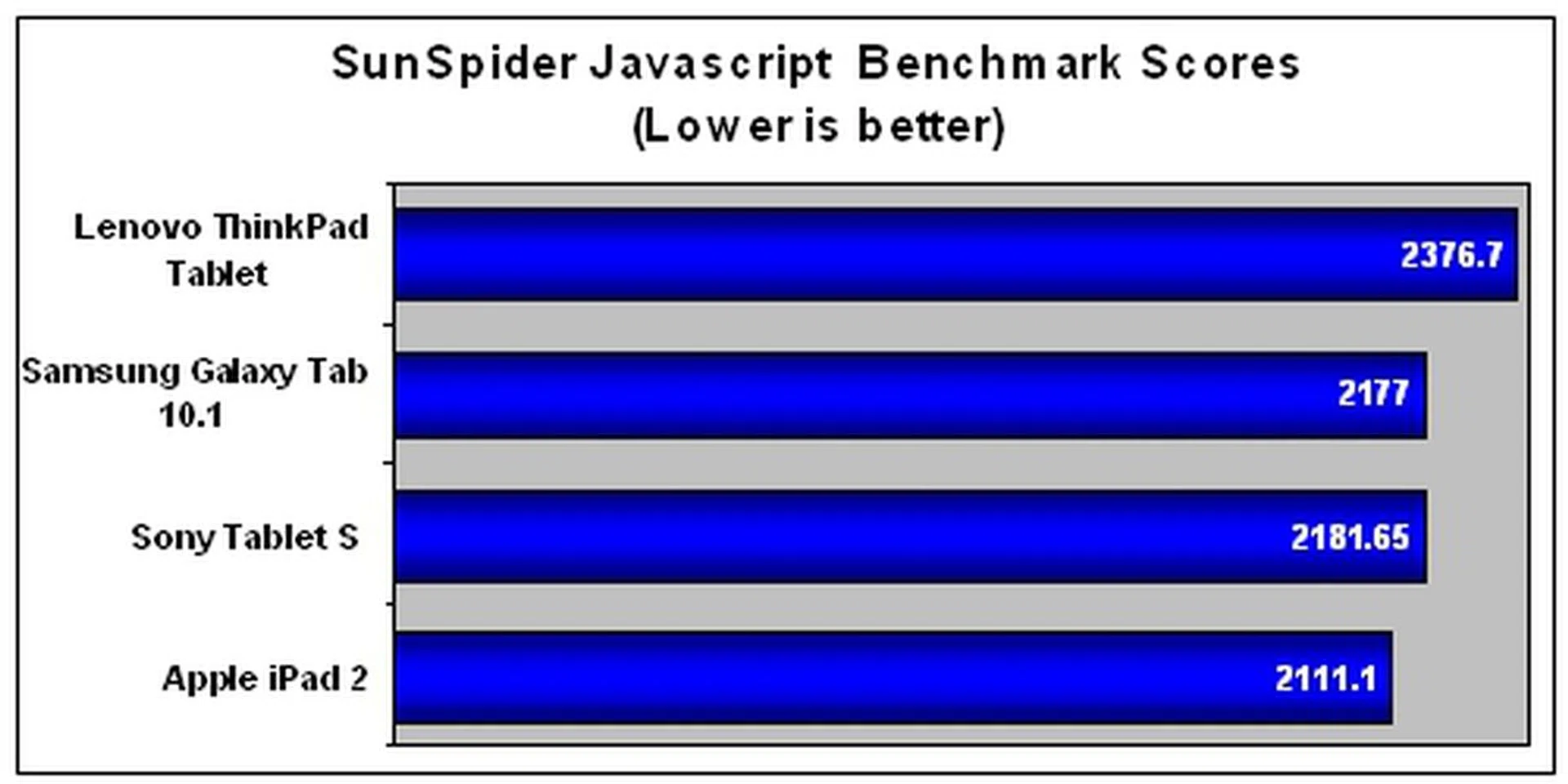
In terms of web browser performance, the Lenovo ThinkPad Tablet fared the worst among the tablets. Again numbers aside, we found the web browsing experience to be similar to other Honeycomb tablets that we have reviewed. Adobe Flash support is no longer considered as a key advantage of Android devices over iOS devices since Adobe has ditched it in favor of HTML 5.
Not All About Work
Despite being a business-centric tablet, Lenovo has thrown in some nifty multimedia features to ensure that you can have some fun on your ThinkPad Tablet outside working hours.
No matter where you are or what you do with the ThinkPad Tablet, Lenovo has its 10.1-inch display covered. Reinforced with the scratch-resistant Corning Gorilla Glass, you can be assured that the ThinkPad Tablet is more than capable to go through the daily abuses of working life with you. In addition, the display uses the In-Plane Switching (IPS) panel to provide wide viewing angles (up to 178 degrees), crisper and more accurate colors. This makes the viewing experience on the ThinkPad Tablet an enjoyable one although it is tainted by fingerprints and smudges on its display.
The Lenovo ThinkPad Tablet is equipped with two cameras - a 2-megapixel front facing camera for video conferencing (business users will find this useful) and a 5-megapixel rear camera for taking casual photographs. As usual, we put the Lenovo ThinkPad Tablet through our camera test to assess its performance: -
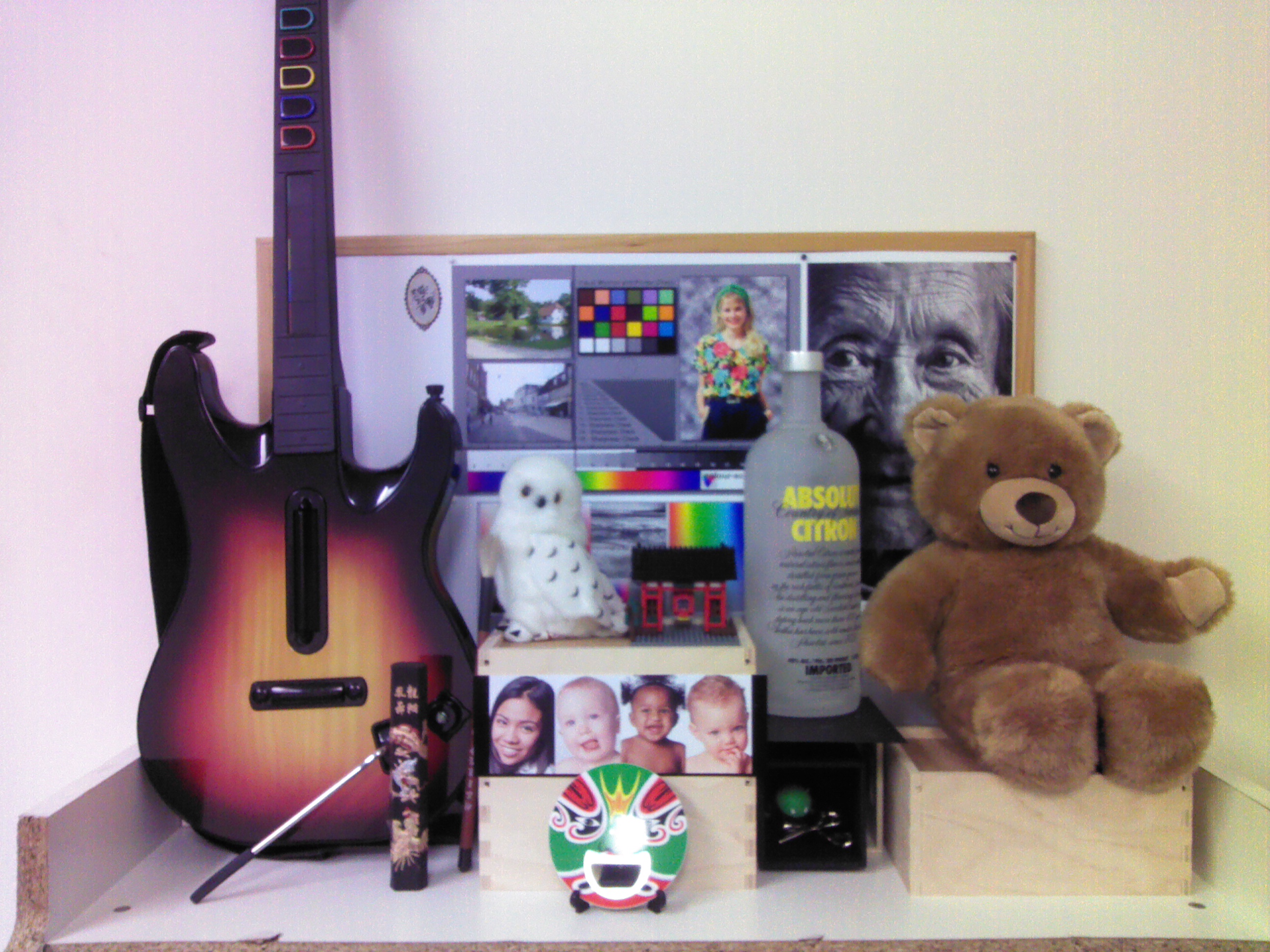
We were not surprised by the unpleasant image quality. In addition, we noticed a purplish hue on the left, and a yellowish hue on the right of the image. Tablets in general do not perform well in the imaging aspect as they are not meant to be used as imaging devices.
Priding itself as the first true business-class tablet, the next part of our test will determine if the ThinkPad Tablet can live up to the company's claims. For the battery assessment, we pit the Lenovo ThinkPad Tablet against the Samsung Galaxy Tab 10.1, Sony Tablet S and the reigning champion in battery performance, the Apple iPad 2. Our standard battery test includes looping a 720p video with screen brightness and volume set at 100%. We also turned on Wi-Fi and Bluetooth connectivity to ensure constant streaming of data through email and Twitter.
Specifications/Device | Lenovo ThinkPad Tablet | Samsung Galaxy Tab 10.1 (3G) | Sony Tablet S | Apple iPad 2 |
Processor |
|
|
|
|
Display Size |
|
|
|
|
Display Type |
|
|
|
|
Display Resolution |
|
|
|
|
Dimensions |
|
|
|
|
Weight |
|
|
|
|
Judging from the results above, the Lenovo ThinkPad Tablet did a fairly good job in terms of battery performance. It clocked a battery mileage of close to five hours, a respectable figure when you take into consideration the display sizes and battery capacities of the tablets.
Despite having a smaller 9.4-inch display and a larger battery capacity of 5000mAh, the Sony Tablet S powered off at least 40 minutes earlier than the ThinkPad Tablet, which has a smaller battery capacity (3250mAh) to support a slightly larger and more power hungry 10.1-inch display. Similarly, the Samsung Galaxy Tab 10.1 outlasted the ThinkPad Tablet by about 40 minutes thanks to its 7000 mAh battery. Taking all these into perspective, it is hard not to give credits to Lenovo for its somewhat efficient power management on the ThinkPad Tablet.
Due to its overall dimensions, the Lenovo ThinkPad Tablet did not do that well in the Portability Index. The wide range of connectivity ports (which contributed to its 14mm thickness) and hefty weight of 730.5g placed the ThinkPad Tablet as the least portable tablet in this comparison.
Using the Lenovo ThinkPad Tablet under normal conditions, we were able to get through the day with occasional web surfing, checking social feeds and replying emails. You may be able to get a slightly higher battery mileage as compared to our battery test since the test stimulates fairly stressful usage conditions. However, it is important to take note that actual battery mileage will vary under different usage conditions.
Serious Business
We forsee the Lenovo ThinkPad Tablets being favored by IT managers of corporations due to its strong suite of business friendly features and decent performance.
When we reviewed Lenovo's first tablet, the IdeaPad Tablet K1, we were left disappointed by its unsatisfactory performance and user experience which was marred by persistent system crashes. Hence, when we heard that the ThinkPad Tablet was coming into our labs, we pinned our hopes that Lenovo would correct some of the wrongs it made in the K1. We were glad it did as the ThinkPad Tablet is a more competent device in most aspects.
From a business user's point of view, we liked the ThinkPad Tablet for its sturdy build. While some tablets have plasticky frames, the ThinkPad Tablet actually felt like it can survive a bump or two without a scratch. In addition, the display on the ThinkPad Tablet is reinforced with the renowned Corning Gorilla Glass, making sure that you do not have to worry about accidental scratches. Power users and enterprise users alike will greatly appreciate the convenience of having a whole suite of connectivity options such as full-sized USB port and card reader at their disposal. The preloaded apps, of which some are business friendly, will find themselves in the good books of IT managers who have to cope with the tedious tasks of ensuring the integrity of sensitive corporate information on the tablets. Even though the ThinkPad Tablet Pen and its implementation are not perfect on the device, it performed decently enough for actual practical usage. The battery performance for the ThinkPad Tablet is reasonable but could be better for a business-centric device.
While we encountered no system freezes or crashes, we did encountered scenarios where the user interface became sluggish. In all honesty, it is unacceptable for a tablet to provide such inconsistent user experience at this point in time when other tablets with similar specs can perform better. In addition, those who prefer slimmer and lighter tablets might avoid the ThinkPad Tablet totally because of its larger dimensions such as a 14mm profile and heftier weight at 730.5g.
The Lenovo ThinkPad Tablet is currently sold in a bundle, which includes the 32GB model (S$999), the ThinkPad Tablet Pen (S$41) and the Tablet Folio Case(S$34), for S$999. It may seem like a good deal here but when squared off against the competition, it becomes less tempting. We are hesitant to recommend the ThinkPad over the S$898 ASUS Eee Pad Transformer (with the keyboard docking station) and the S$799 ASUS Eee Pad Slider.
The Eee Pad Transformer is a better option for three reasons. First, it will save you S$100. Second, the keyboard docking station (which also acts as a battery pack) gives you the additional benefits of typing on a physical keyboard and longer battery life of up to 16 hours. Third, you have access to two full-sized USB ports compared to one on the ThinkPad Tablet. Even though the Eee Pad Slider may not offer any advantage in terms of connectivity options, its slider keyboard form factor is a point of consideration for those who want to work on the go.
Given these factors to consider, the reasons aren't compelling for the general tablet user to adopt the ThinkPad Tablet. Nonetheless, we still believe companies will opt for Lenovo's offerings because of the business friendly features, apps and not forgetting, the ThinkPad branding.
Our articles may contain affiliate links. If you buy through these links, we may earn a small commission.