
HTC ChaCha - Dancing with Facebook
The HTC ChaCha comes with a dedicated Facebook button, a full QWERTY keyboard, Android 2.3 Gingerbread and a optimized HTC Sense 2.1. Check in for our detailed review.

HTC Adds Facebook Integration
While other manufacturers stay contended with running third party Facebook apps on their mobile phones, HTC decided to take one step further by collaborating with Facebook on the next generation of smartphones that are specially built for social networking on the move. The joint development process resulted in the unveiling of HTC ChaCha and HTC Salsa, which are the first devices in the world to feature a dedicated Facebook button. We had our first preview of the HTC ChaCha during our hands-on at . Fast forward to present day, the HTC ChaCha through an official launch event with HTC and SingTel. Not only are we proud that Singapore is the first in the Asia Pacific region to receive the phone, we were also glad to spend some intimate time with the HTC ChaCha over the last week for our full review today.
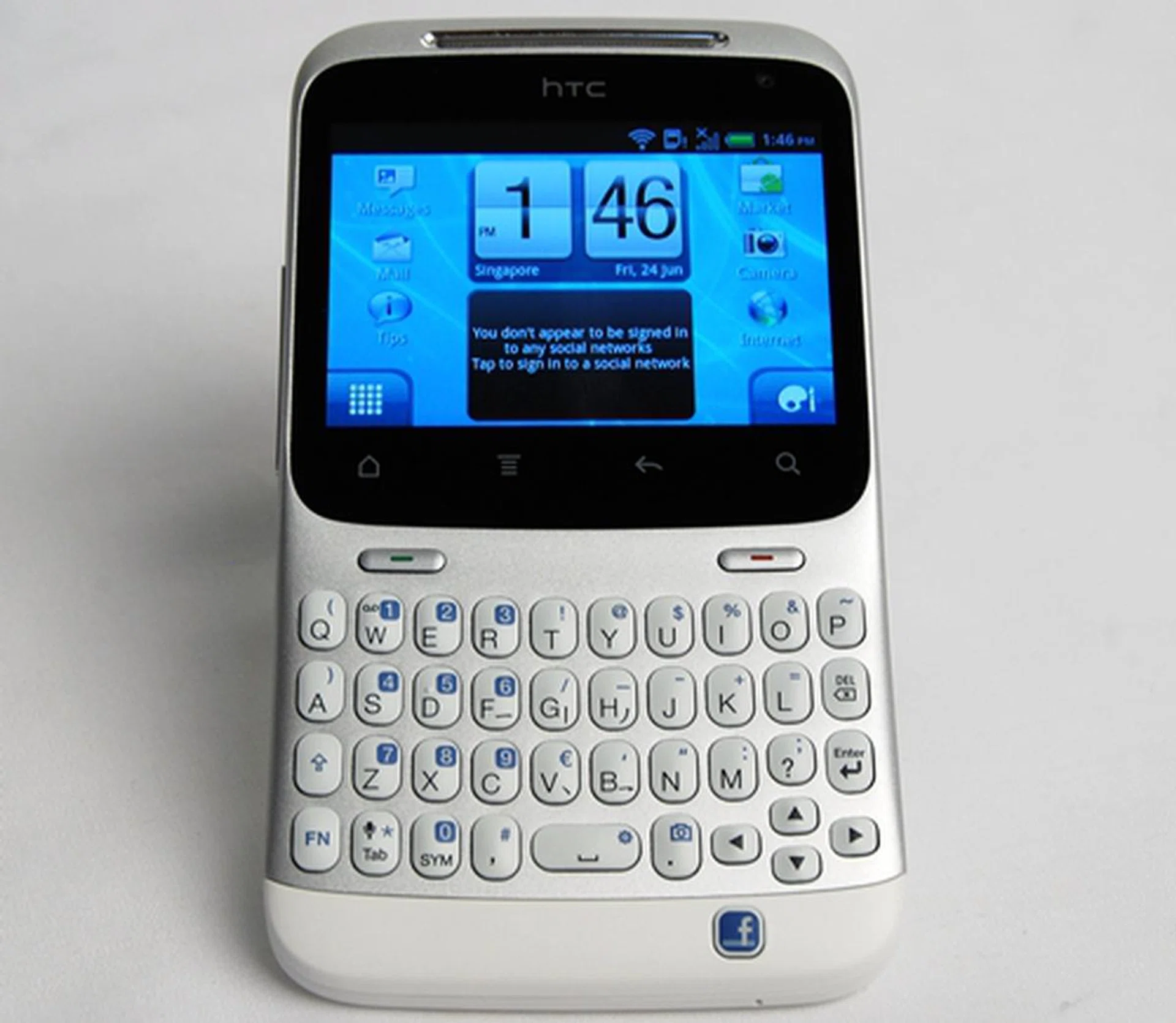
The HTC ChaCha is one of the two HTC phones that feature a dedicated Facebook button.
The first thing that caught our eyes is its unique tilt design that reminded us of the HTC Hero. Face-front, the center of the body seems to sunk in a little. According to HTC, this design shapes the display and physical QWERTY keyboard so that it is easy to view and comfortable to type. During our time with the ChaCha, we found the viewing experience to be a tad better as the screen seemed to be raised higher and tilted towards our eyes for a clearer view.
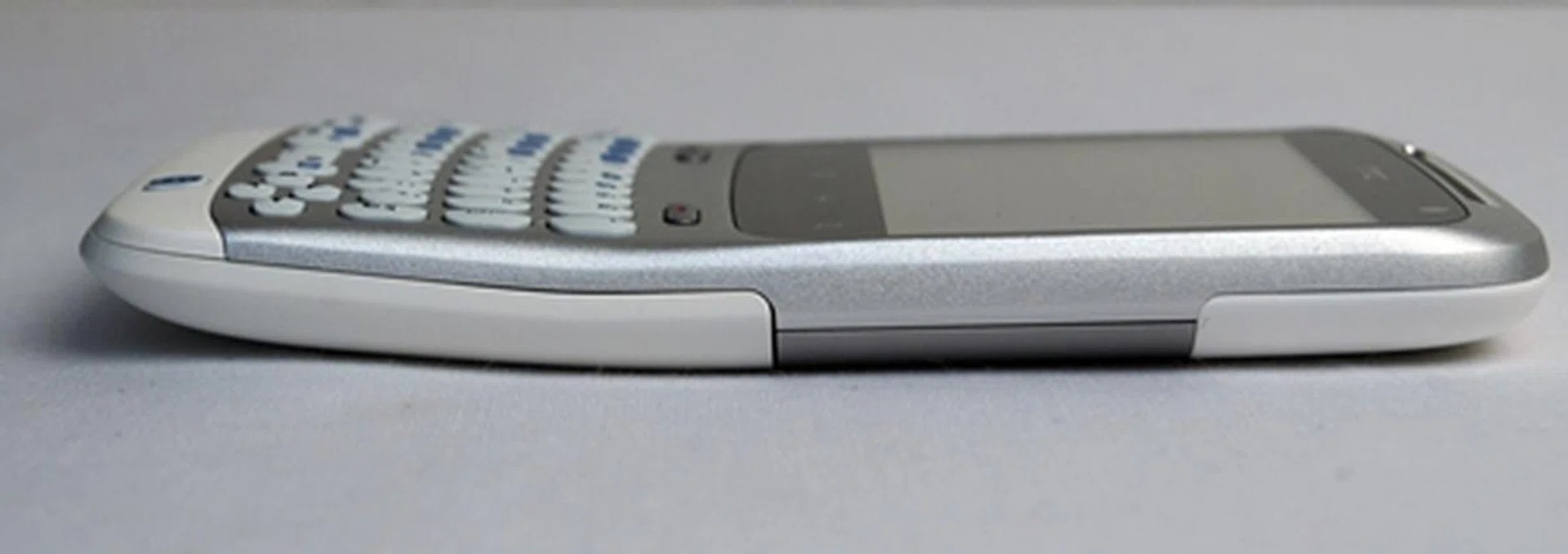
Notice the slight bend towards the middle of the ChaCha. It is designed to enhance the viewing and typing experience.
The body of the HTC ChaCha is made up of a combination of metal and plastic, which not only gives the device a sturdy look, it also makes it feel comfortable in your hands. In comparison with the , the HTC ChaCha is slimmer at 10.7mm but wider by a slight margin to accommodate the full QWERTY keyboard.
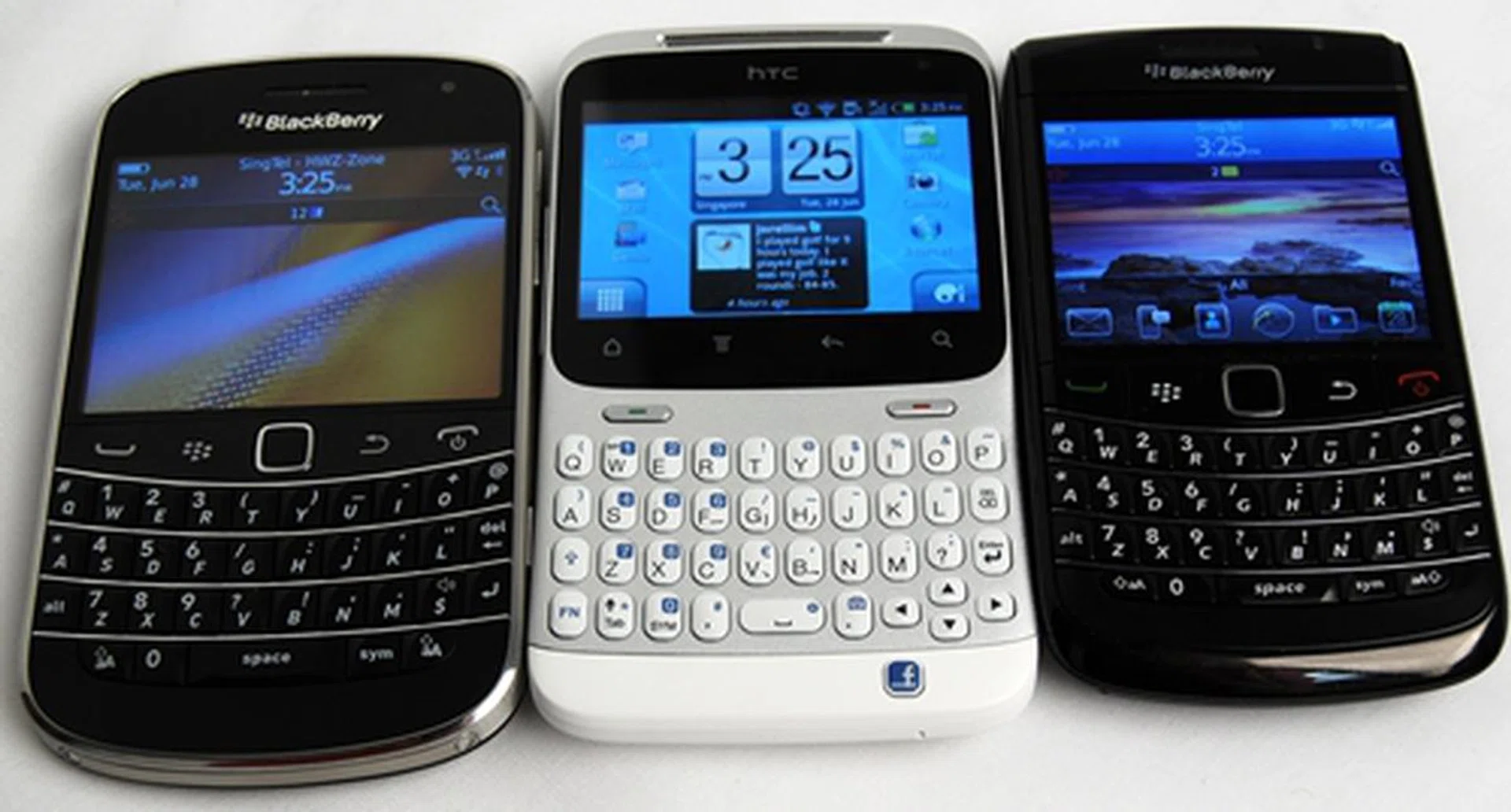
Pictured here are the upcoming BlackBerry Bold 9900 (left), HTC ChaCha (center) and BlackBerry Bold 9780. You can see that the buttons on the HTC ChaCha are indeed spaced wider than those on the BlackBerry phones.
The HTC ChaCha features a four-row keyboard with sufficient spacing in between keys. HTC claims that the QWERTY keyboard found on the ChaCha is 10% more spacious than its competitors. During our time with the device, we found the company's claims to be true. Besides having just the right amount of travel, the keys also provide reasonable tactile feedback. However, the keys give off a "clicky" sound whenever you press them, which can be rather annoying in quiet environments. The keyboard also has a directional pad at the bottom right. We wonder if it will be ever used since navigation of the user interface can be done faster using touchscreen. Below the directional pad is the dedicated Facebook button, which we will cover in more details in our next section.
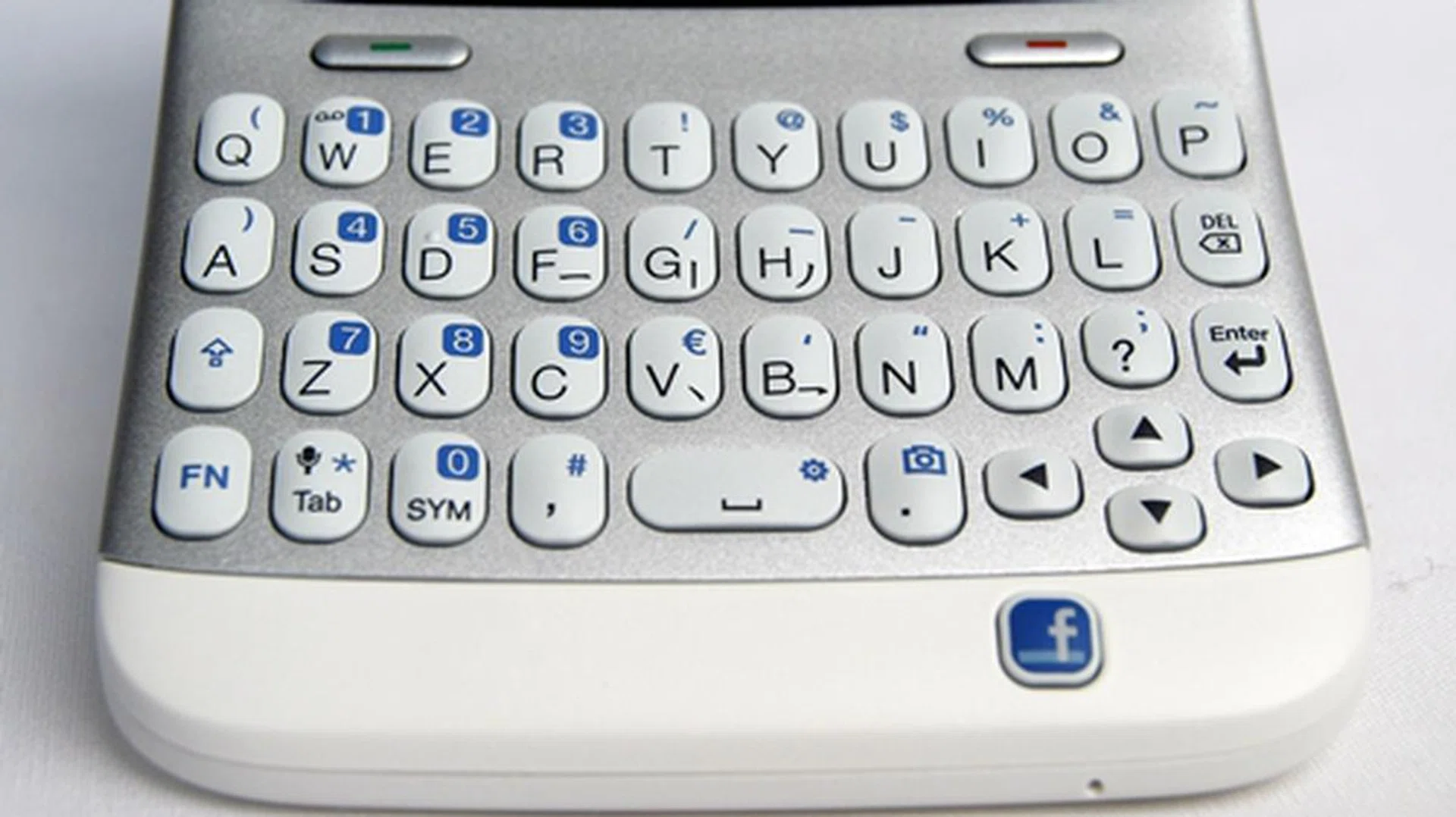
We find the QWERTY keyboard on the HTC ChaCha to be one of the best out there in the market, albeit a tad 'noisy'.
While the keyboard is sufficiently wide enough for comfortable typing, the display suffers from the lack of screen estate. Even though phones of this form factor usually comes with smaller screen sizes, we would have preferred if HTC bumps up the 2.6-inch screen size of the ChaCha. We have seen Motorola achieve this with their Motorola PRO and we think that users will appreciate a larger screen size as there is more room to work with. Nevertheless, HTC knows of this shortcoming and has made necessary alterations to the user interface to fit the landscape screen.
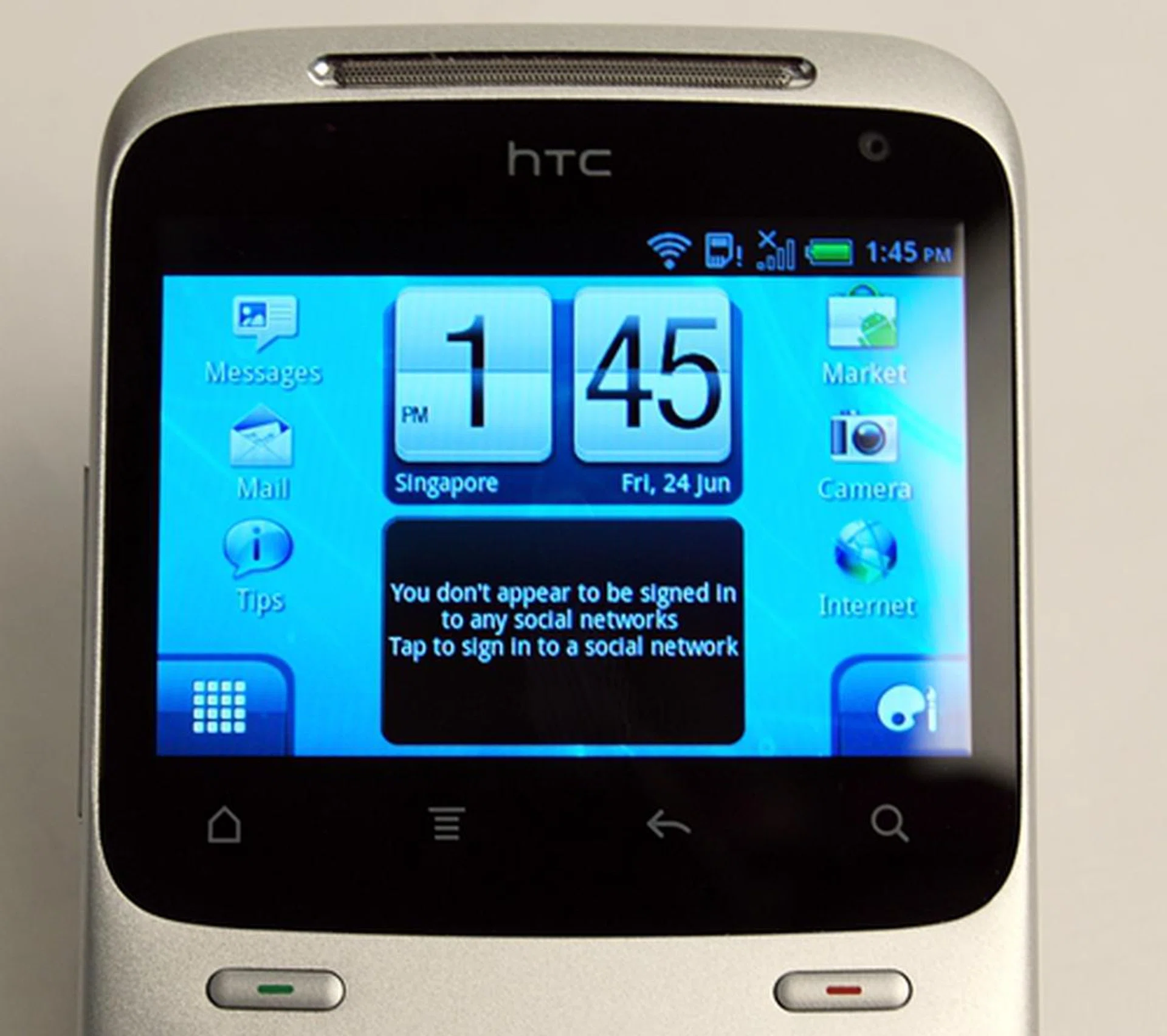
Located below the screen is a row of four touch-sensitive controls (Home, Menu, Back and Search) At the top right corner of the screen, you will find the VGA front camera for video chat purposes.
On the left side of the ChaCha, you will find the microUSB port and the volume controls. The volume controls are sufficiently raised above the body for easy pressing. On the crown of the device, as expected, you'll find the Power button and 3.5mm audio jack.
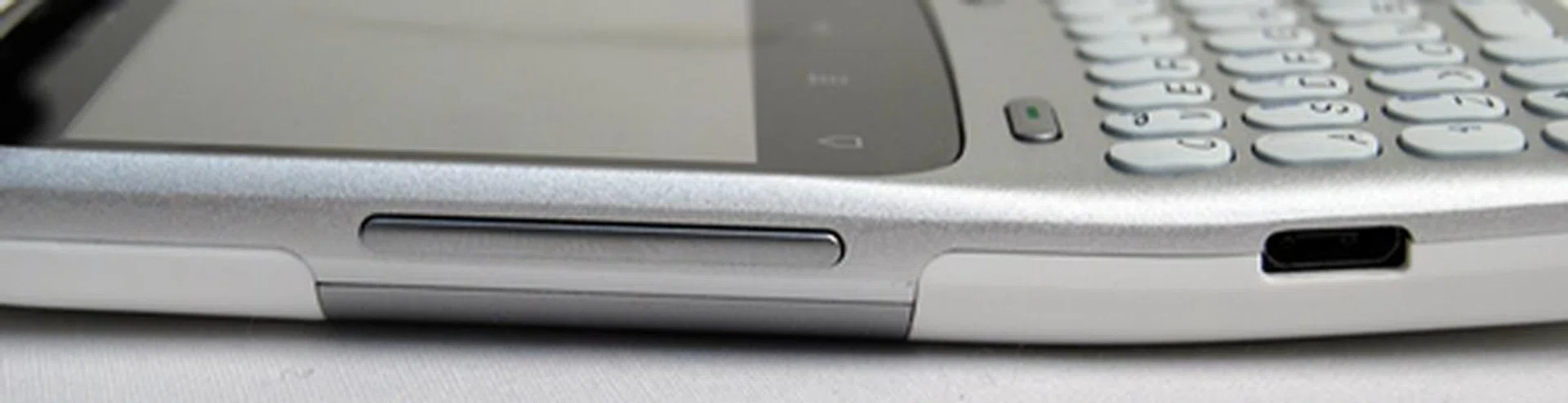
Left handers, watch out. The location of the microUSB port means that the USB cable will get in your way when messaging and charging at the same time.

Though the Power button is small, it is raised slightly above the body for easy access.
The back of the HTC ChaCHa consists of the speaker, the 5-megapixel camera and LED flash. Also, it seems to be becoming a standard feature of all HTC devices to have the center of their backs inscribed with the HTC brand name.
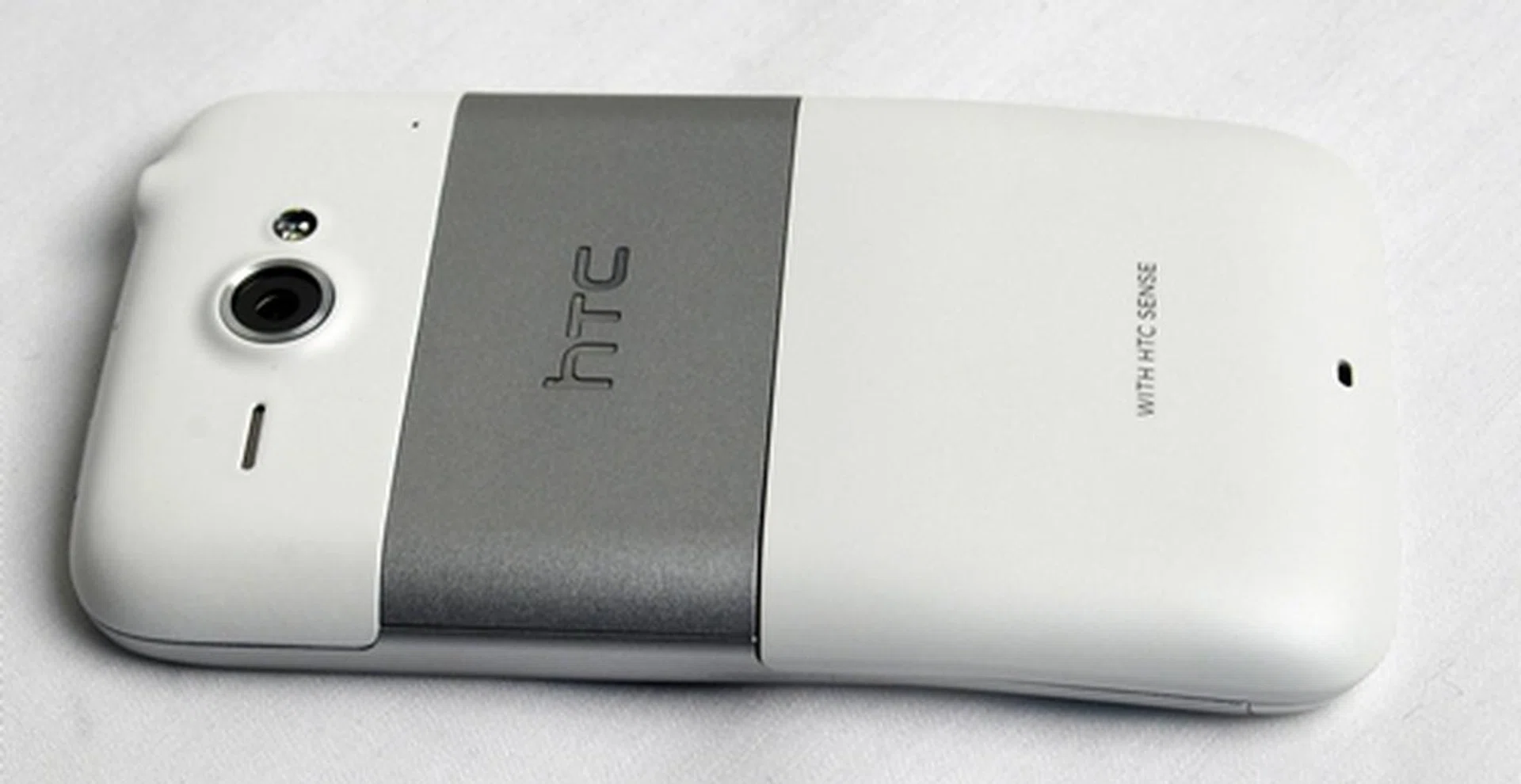
Similar to the HTC devices we reviewed recently, the HTC brand name is inscribed on the back of the ChaCha.
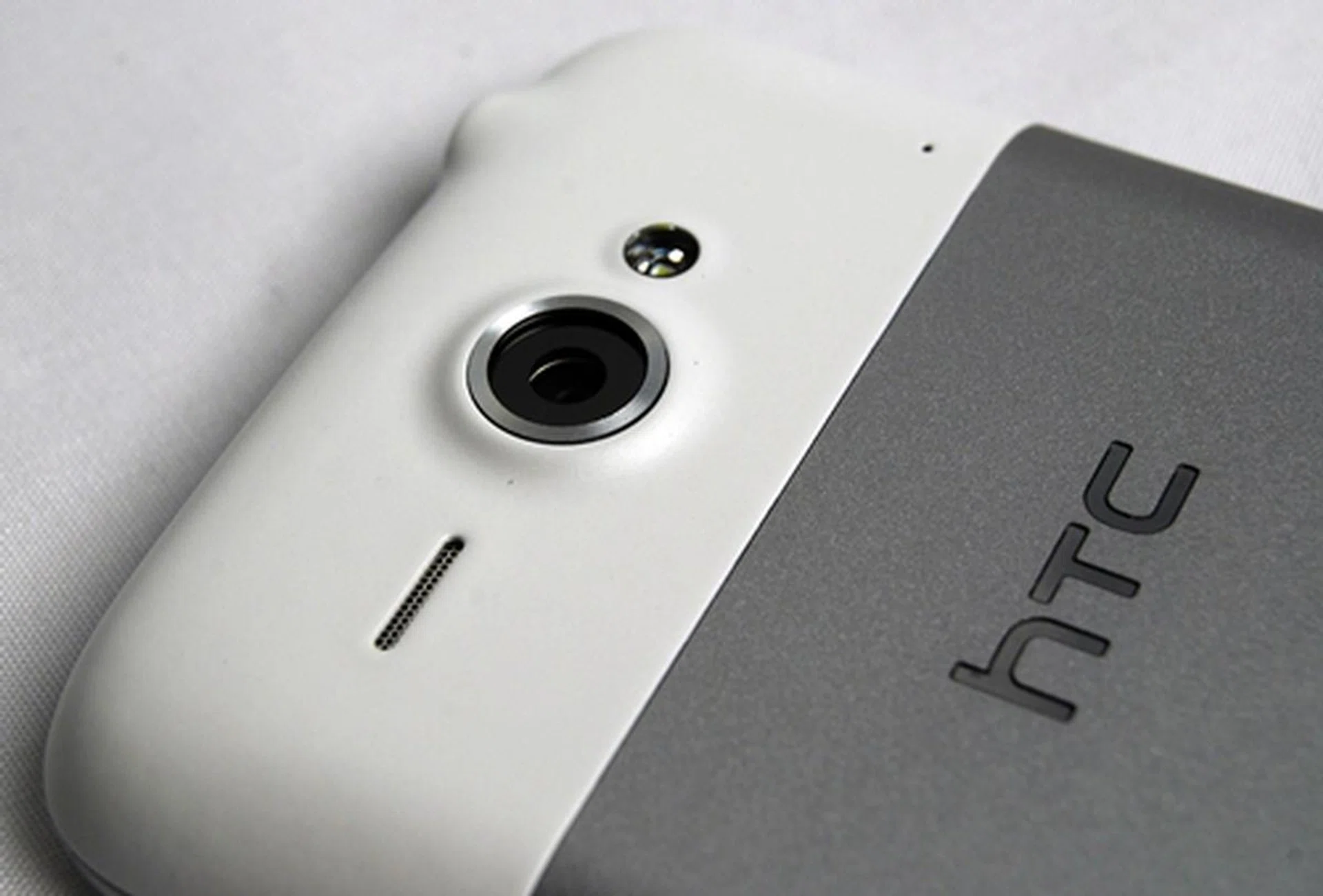
You can find the speaker, 5-megapixel camera and LED flash at the top rear section of of the HTC ChaCha.

You have to slide out the bottom white cover to access the battery, microSD memory card and SIM card slot.
Gingerbread with HTC Sense 2.1 and Facebook
Do not belittle the HTC ChaCha. It is actually one of the more powerful smartphones out there in terms of software integration. The ChaCha runs on the latest Android 2.3 Gingerbread OS with HTC's very own Sense user interface. According to HTC, the Sense interface (codenamed 2.1 for Messenger) is optimized for use in the landscape screen of the ChaCha.
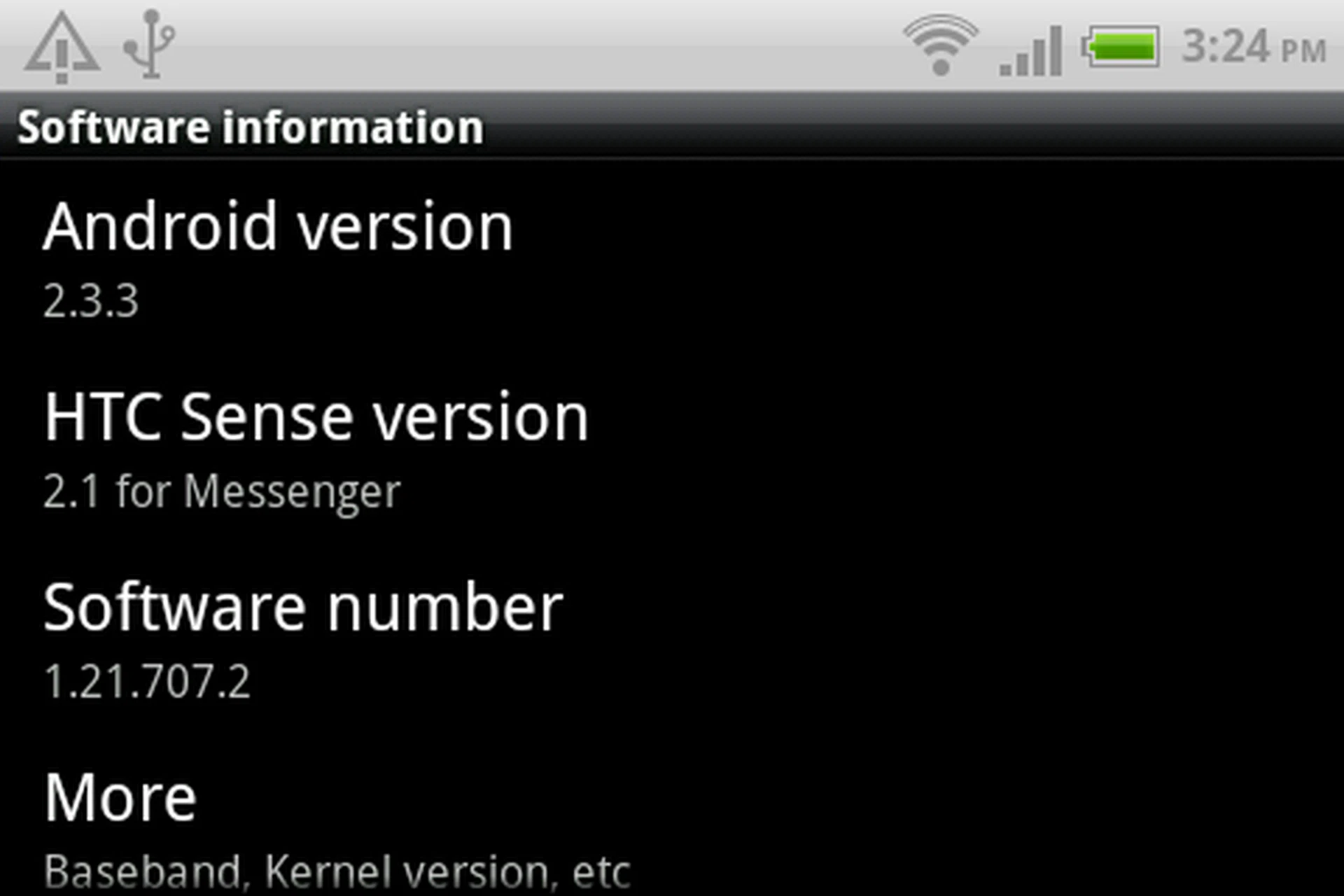
In terms of software, the HTC ChaCha is among the top with the Android 2.3 OS and intuitive HTC Sense user interface.
The HTC Sense 2.1 for Messenger is quite different from the HTC Sense 2.0. It takes a leaf off Sense 3.0 by featuring the new lock screen, where you can drag an app into the circle to unlock the screen and open the app simultaneously. There are only four devices at the moment which has this new lock screen: , , HTC ChaCha and . For detailed description on how the new lock screen works and looks different from HTC Sense 2.0, you can check here.

The HTC ChaCha is one of the four HTC devices which come with the new lock screen at the moment.
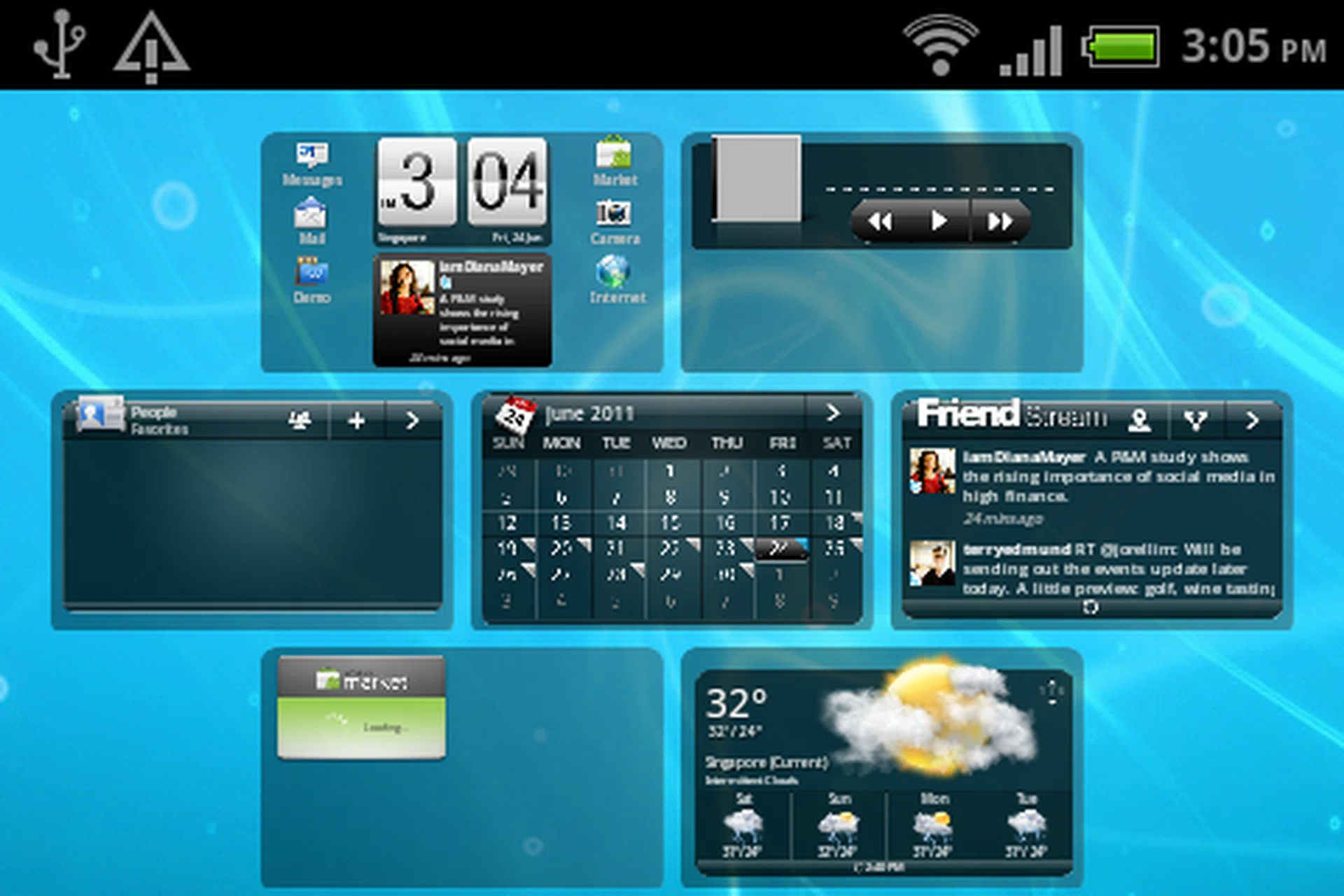
HTC Sense 2.1 for Messenger still retains the familiar overview feature where you can see all seven home screen panels.
To accommodate the smaller 2.6-inch landscape screen, HTC tweaked the Sense interface on the ChaCha. For example, the home screen takes on a new look where three apps are arranged vertically on each side, with the clock taking the center focus and social feed widgets situated just below it. While some changes are necessary to maximize the available screen estate, some apps look unusual on the ChaCha, forcing you to switch between portrait and landscape mode.
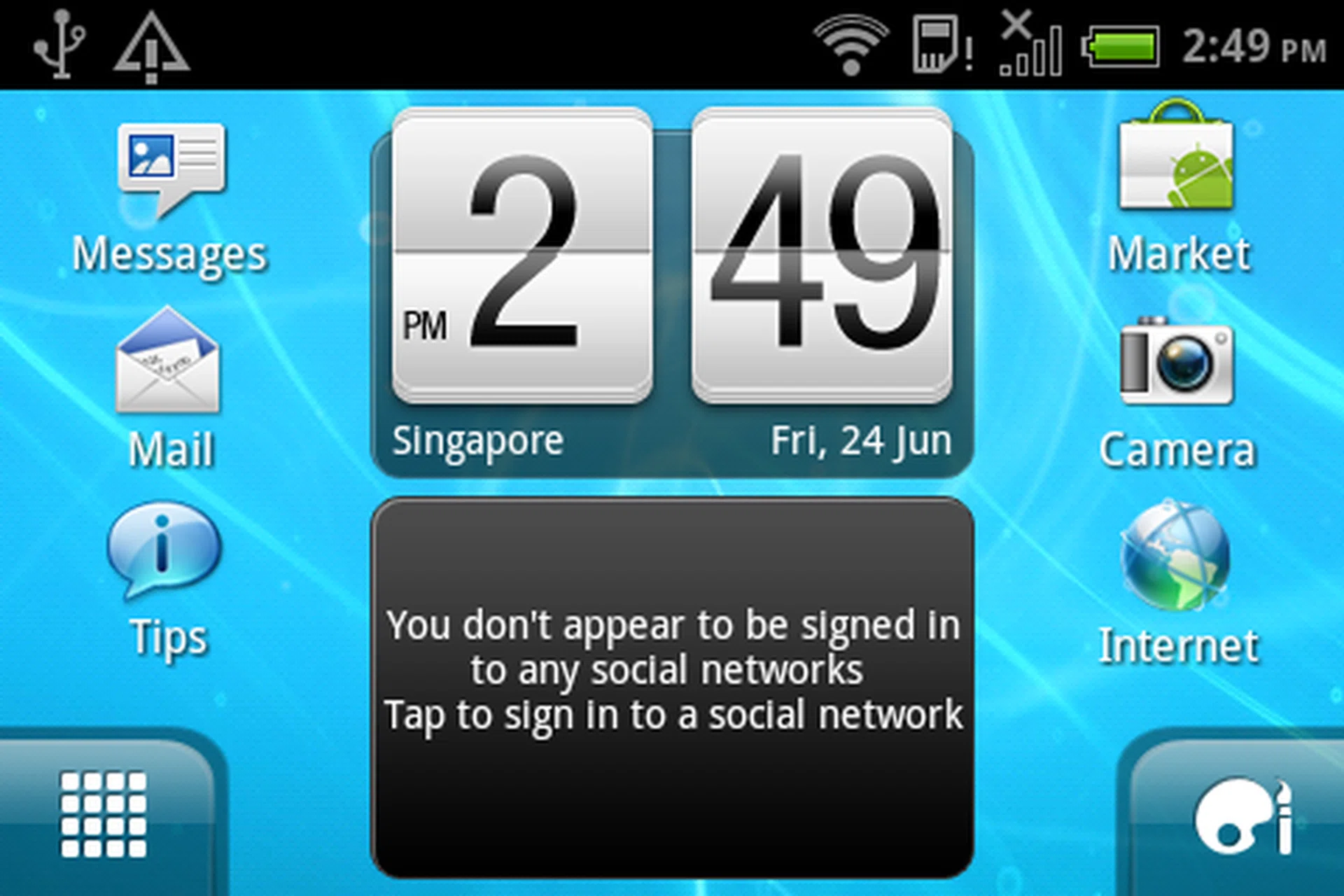
Due to the small display of the HTC ChaCha, the screen looks very crowded.

To make better use of the available screen, the menu bar is relocated from the bottom to the right side of the screen.
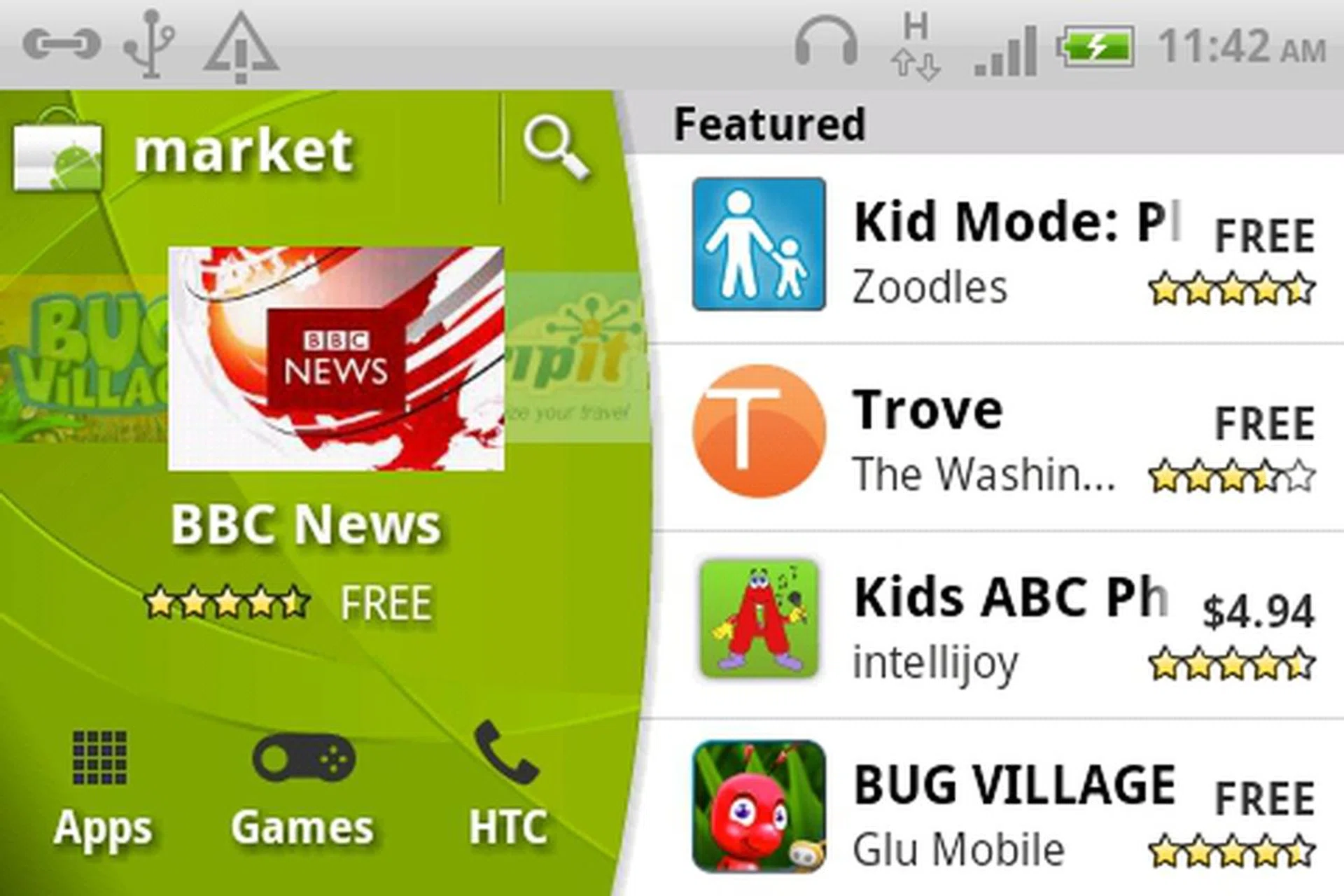
The Android Market interface sees a slight rearrangement of the Featured section to the side.
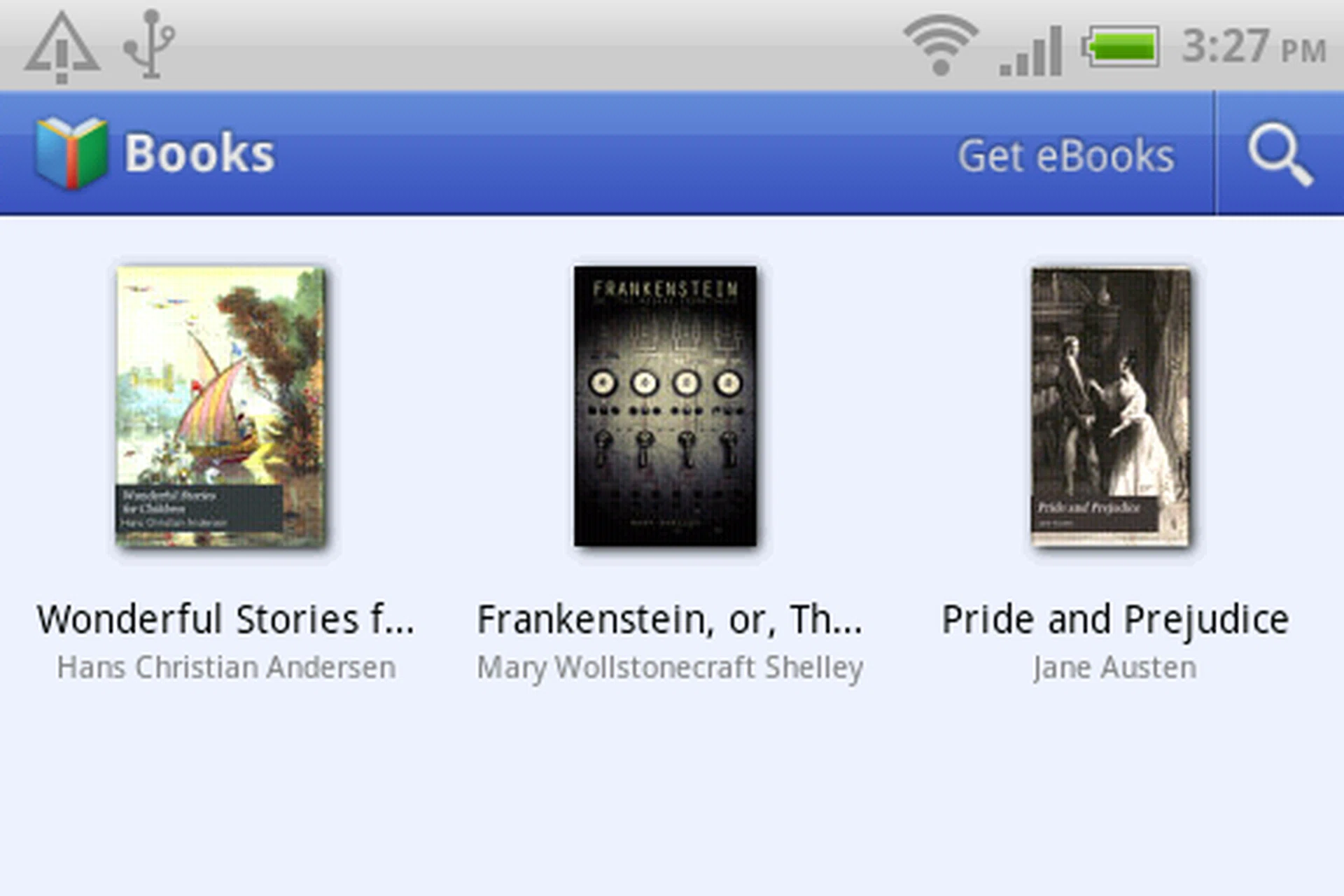
Take the Books app for example, The main screen of the Books app requires you to view it in landscape mode.

However, when you open an eBook to read, the page is orientated to portrait. Hence you have to switch orientation of the phone to read, which looks weird.
Facebook in a Button
Of course, the main highlight of the HTC ChaCha is its dedicated Facebook button. The button allows you to update your status, upload photos, "check-in" to locations, share the music titles you are listening with a single press. It is also context-aware, giving off gentle pulses of light whenever there is an opportunity to share content or updates on Facebook. The button basically eliminates the need to go through several layers of menu to accomplish the same tasks.
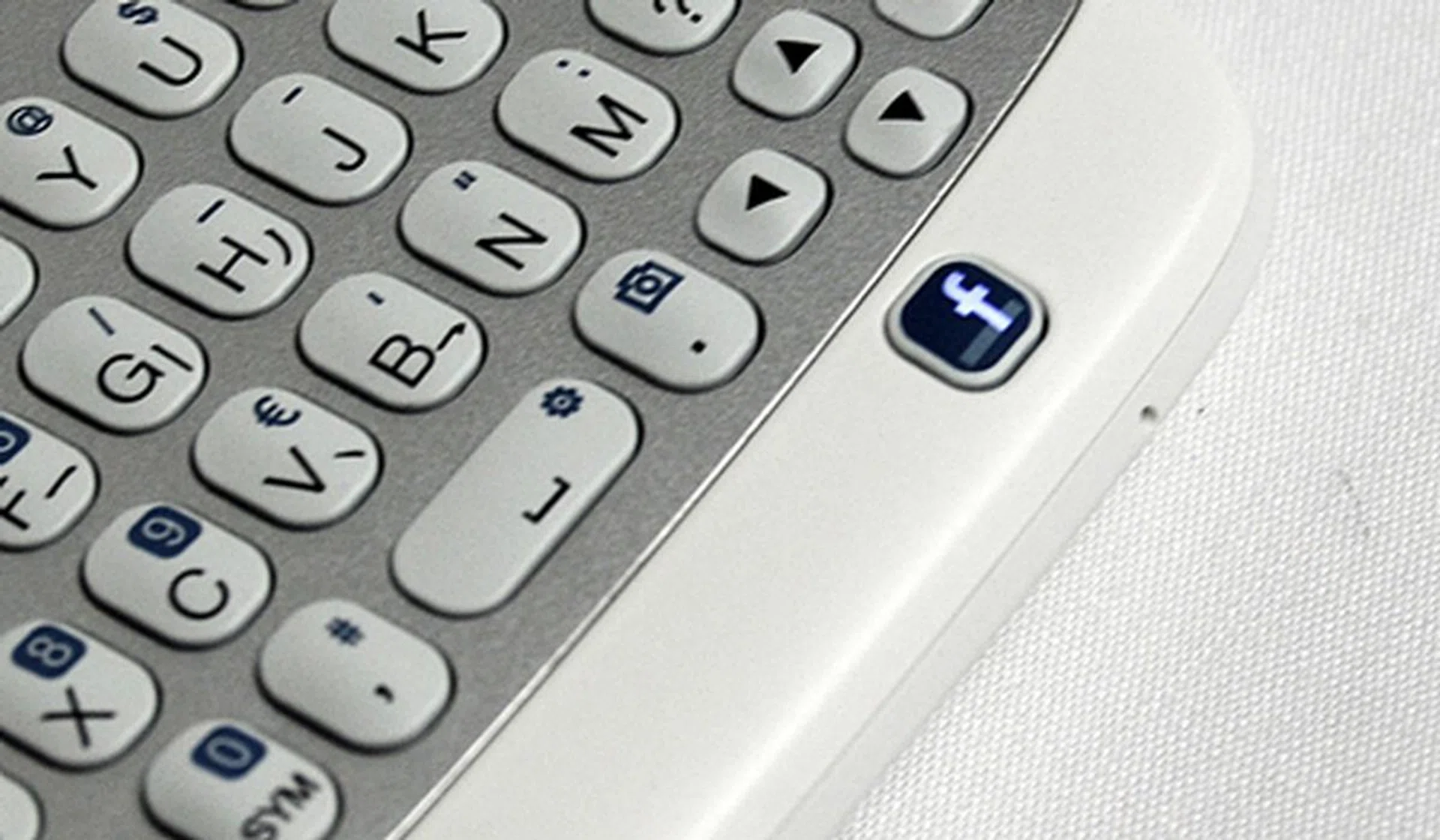
We particularly like the light pulsing from the Facebook button. It makes the HTC ChaCha seem as though it's almost alive.
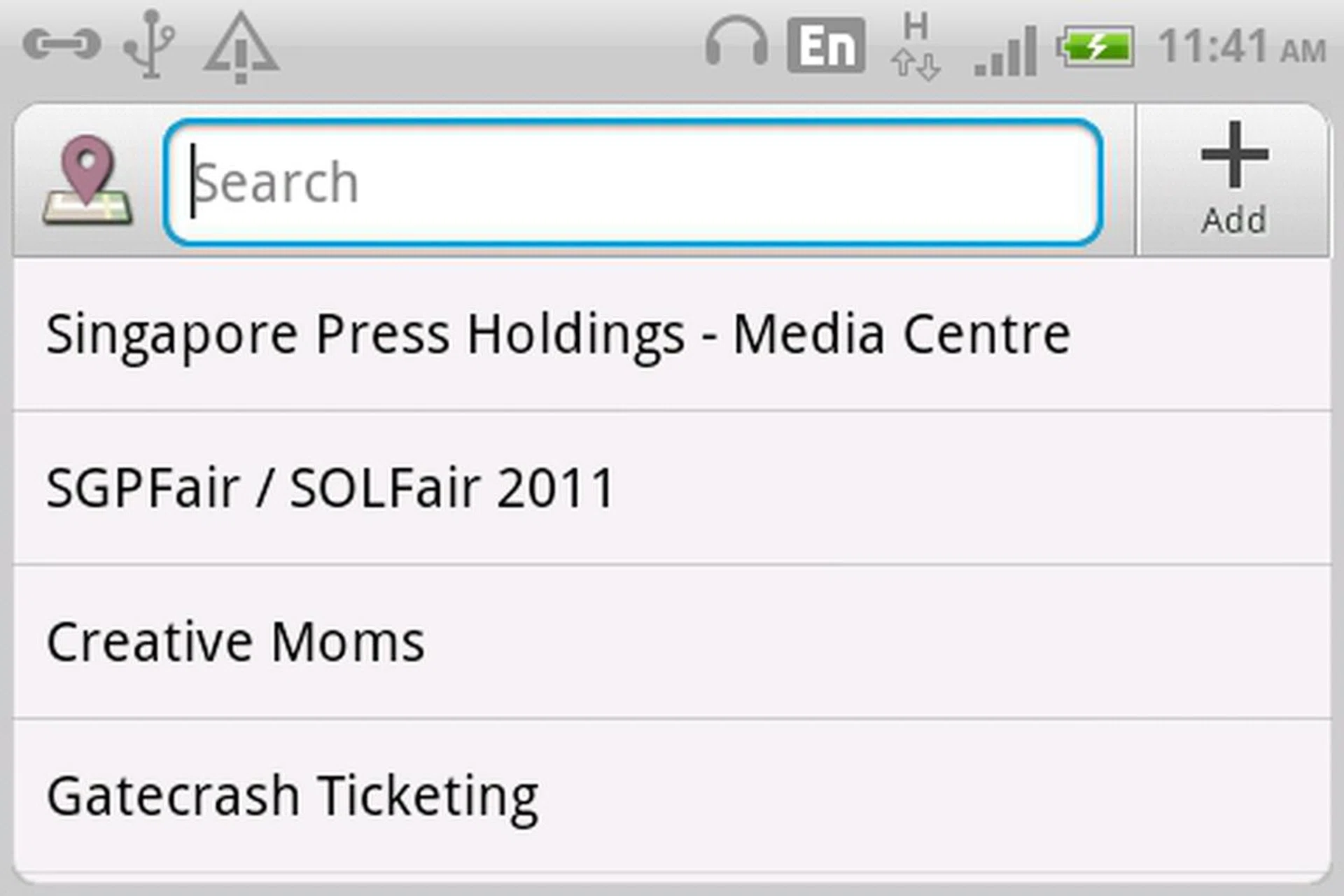
To "check-in" to a location, you just have to press and hold the Facebook button.
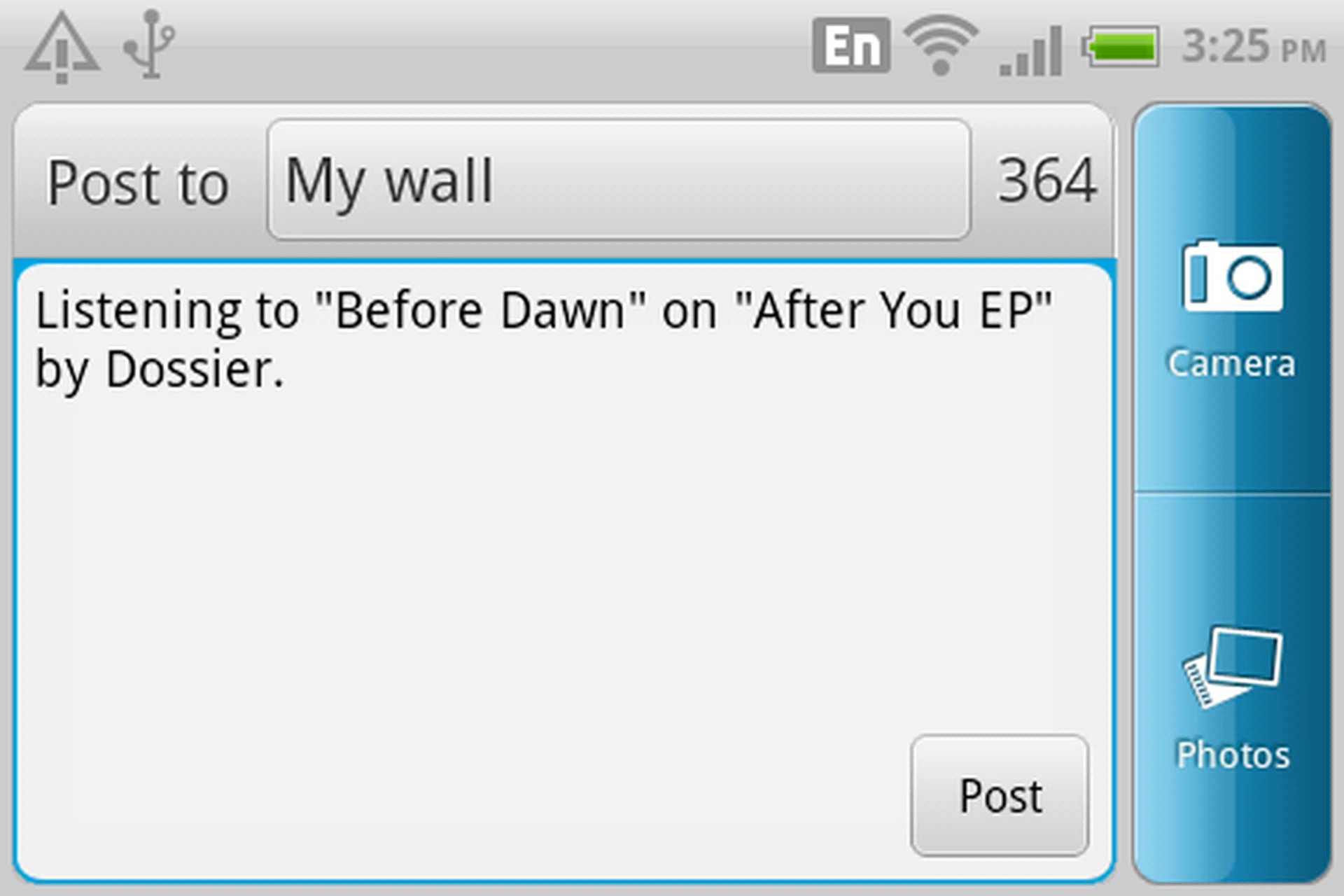
If you are listening to a nice song that you want to share with your friends on Facebook, just press the Facebook button and the song information is available for sharing.
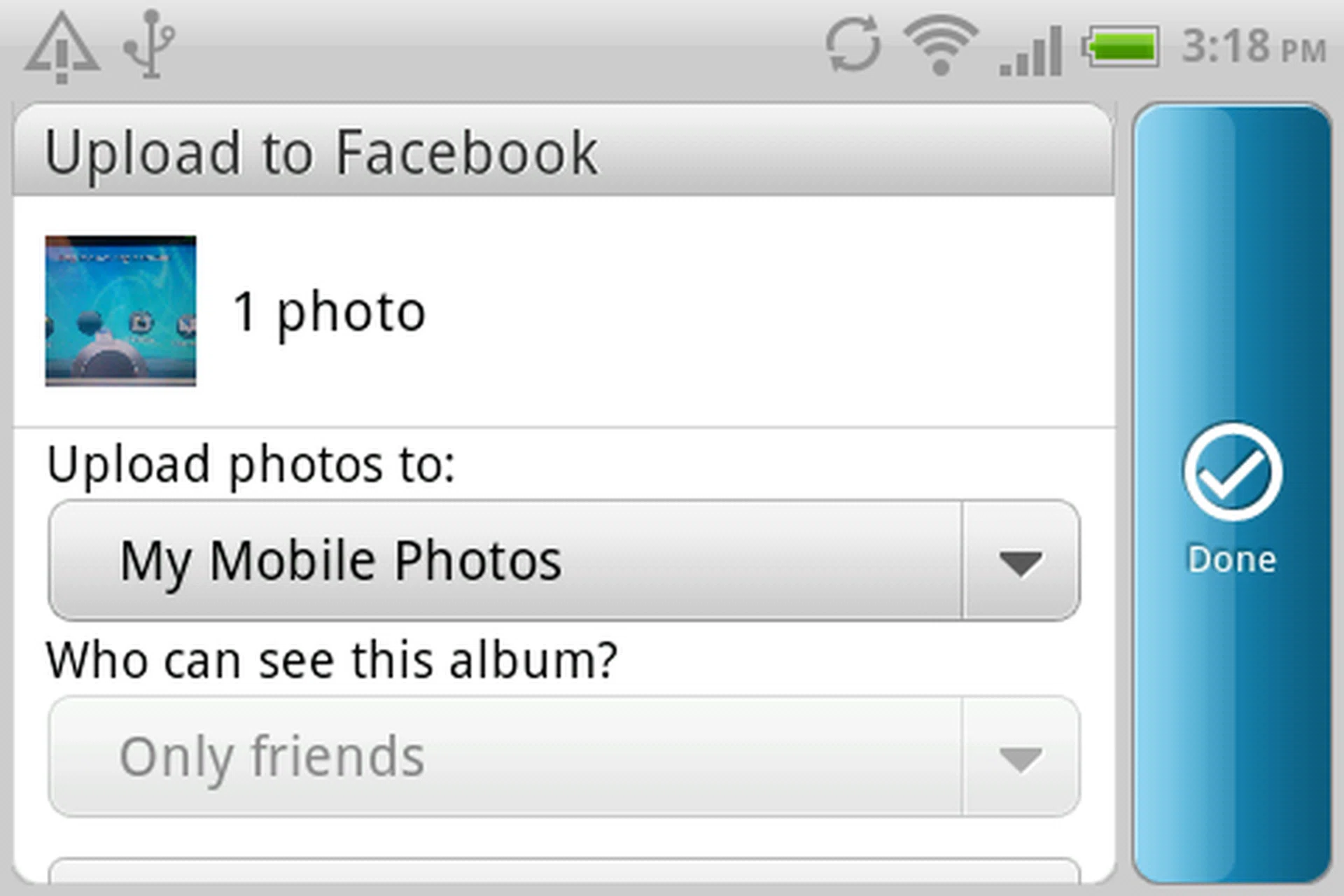
A useful feature of the Facebook button is that it doubles as a shutter button when taking pictures. It will lead you directly to the upload menu where you can select which album to upload, add tags, descriptions and set the privacy settings for access to the album
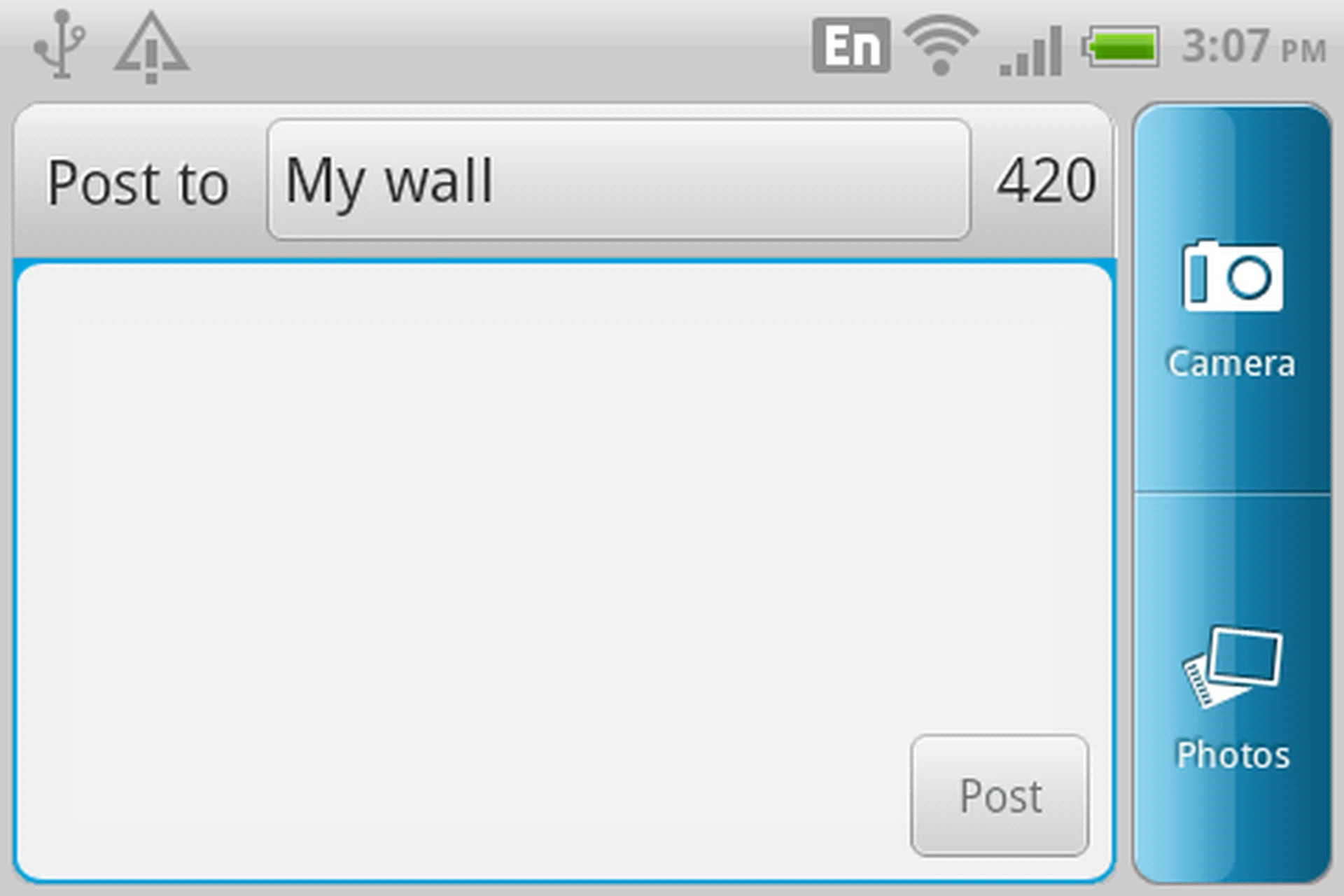
For Facebook addicts, the button allows you to instantly post an status update with a single press.
HTC has thoughtfully included a Facebook Chat widget on the ChaCha. On the widget itself, you can see if anyone is online and available for chat. Tap on their names and start an instant live chat.
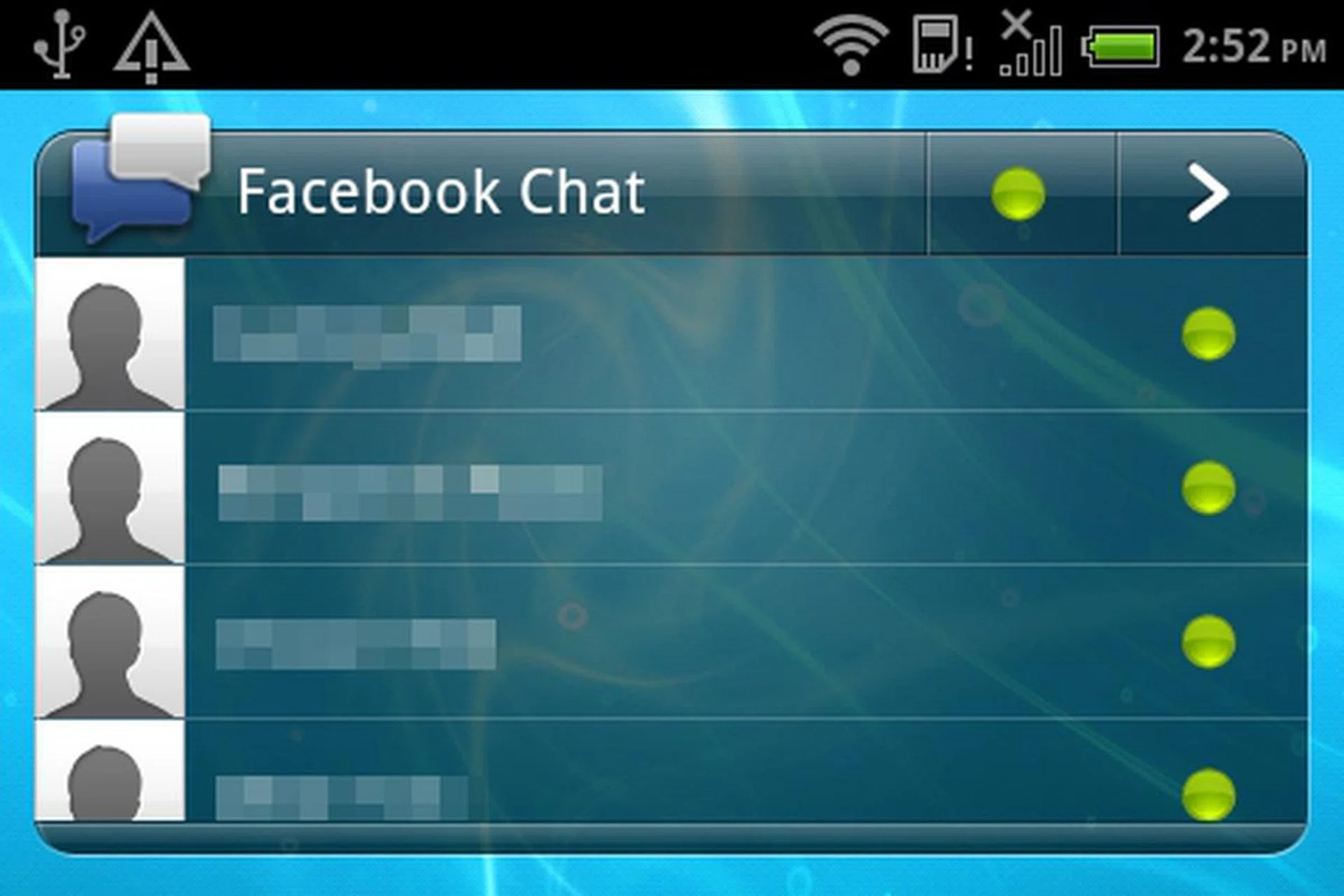
The Facebook Chat widget has a similar interface to the browser variant of Facebook Chat, allowing you to view contacts who are online and/or offline.

On the left, you will see the standard Facebook Chat interface of the Facebook app that is available on Android devices. On the right is the HTC ChaCha's Facebook Chat interface which resembles many third party messengers out there.
Fun's Over, Let's Get Serious
While it can be considered a star performer in the software aspects, we cannot say the same for the hardware specifications. The HTC ChaCha runs on a single-core 800MHz single core processor and 512MB of RAM, which is considered to be midrange by today's standards. We know the ChaCha is not built to slaughter the competition, and is more geared towards a target market where raw processing power is not the key consideration. This is in line with HTC's stand that they want to create the ultimate socially connected phones with mass market appeal.
It is hard balancing between providing a great Facebook experience and having top rated hardware in a mobile device. We feel that HTC did a decent job with the ChaCha. When reviewing the phone, navigation was generally smooth. However, there were several times when we encountered the screen freezing up when opening apps. We also encountered slight lags when transiting between several home screen panels. A game of Angry Birds on the HTC ChaCha went smoothly without any hiccups although the screen size was not favorable for playing over long periods of time. The web browsing experience was below average due to the small screen estate. You have to do a lot of screen panning to navigate a webpage. Text and images look pretty fine, thanks to the screen resolution of 480 x 320 pixels. Video playback is passable on the small screen.
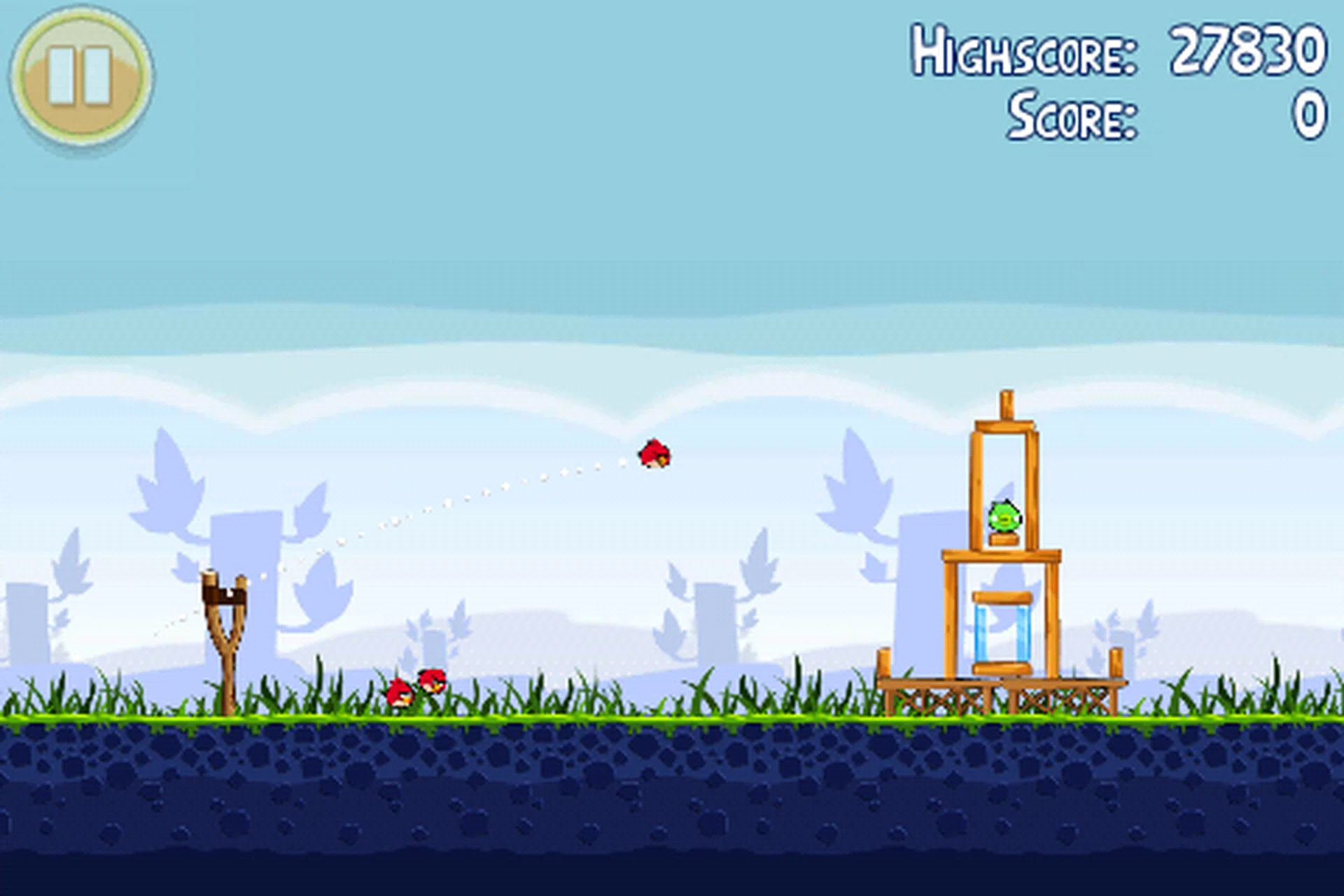
The experience of playing Angry Birds on the HTC ChaCha is the same as other smartphones albeit on a much smaller screen.

You may not want to surf the Internet on the HTC ChaCha too often as the web browsing experience is less than satisfactory with its limited screen size and resolution.
Not Picture Perfect
HTC phones are not known for their camera performance, despite having so many phones launched under their belt. Nevertheless, we put the HTC ChaCha through our standard camera tests to determine if there were any improvement in its latest phone models. The HTC ChaCha comes with a 5-megapixel auto-focus rear camera and LED flash. It also has a VGA front camera for video calls.

The camera scored decent results on the resolution and colors charts. Howver, colors are a bit cool.

Details are fuzzy and there is slight fringing. Having said that, it should be sufficient for taking casual shots.
Battery Performance
The HTC ChaCha comes with a 1250mAh rechargeable Lithium-ion polymer battery. The talk time is rated at up to 450 minutes for GSM. Keeping that in mind, we put the HTC ChaCha through our usual battery test which involves looping a 240 x 320 pixels resolution video at full screen brightness and volume. Bluetooth and Wi-Fi are turned on to keep pulling data at regular intervals. For the test, we throw in the as it has a similar form factor. The is also included as we feel that it occupies the same niche group of consumers who demand a portable touchscreen device of this screen size for basic usage. Do note that actual battery mileage may differ under different usage conditions.
Specifications/Device | HTC ChaCha | BlackBerry Bold 9780 | Sony Ericsson X10 Mini |
Processor |
|
|
|
Display Size |
|
|
|
Display Type |
|
|
|
Display Resolution |
|
|
|
Dimensions |
|
|
|
Weight |
|
|
|
Battery |
|
|
|
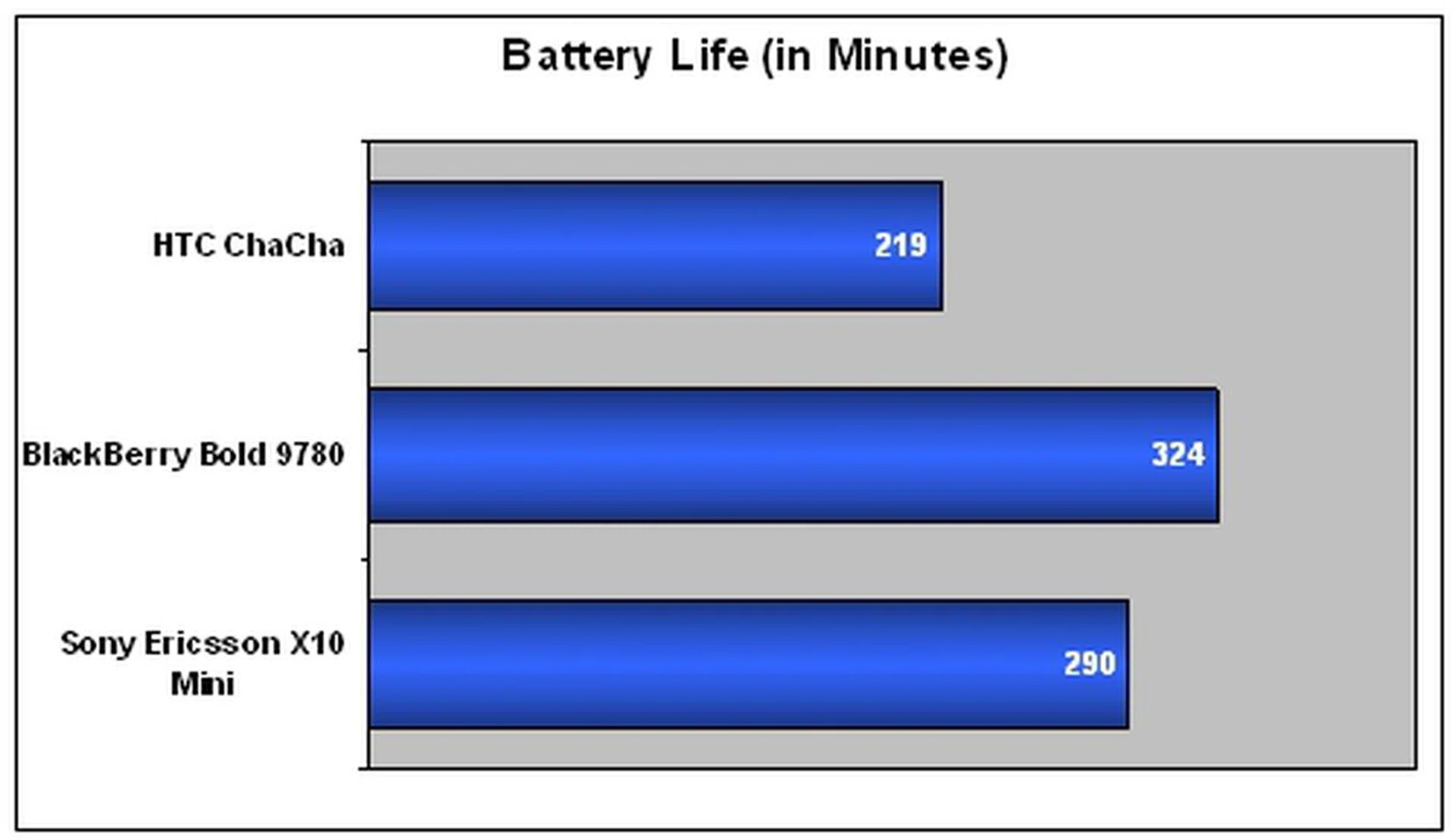
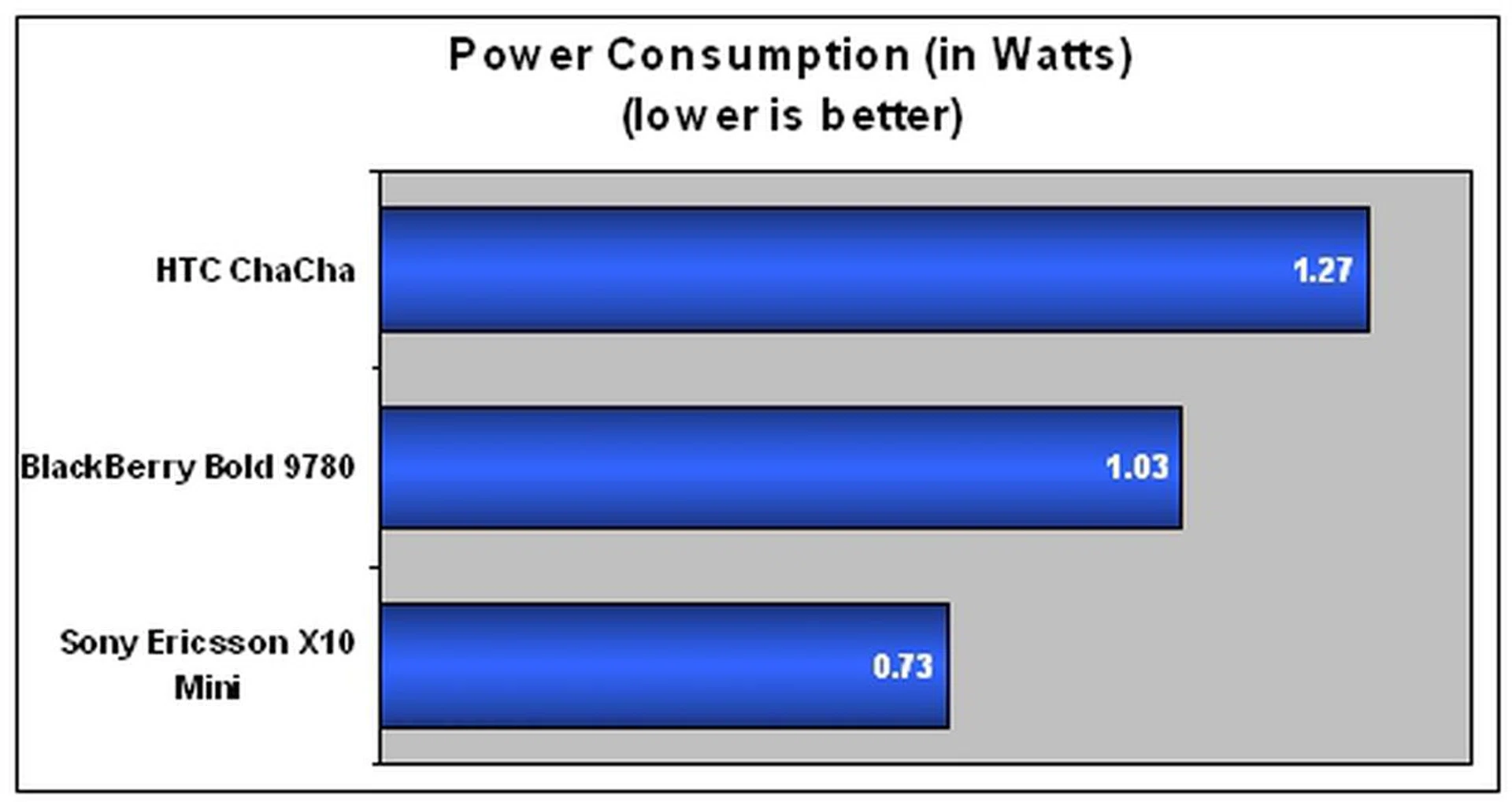
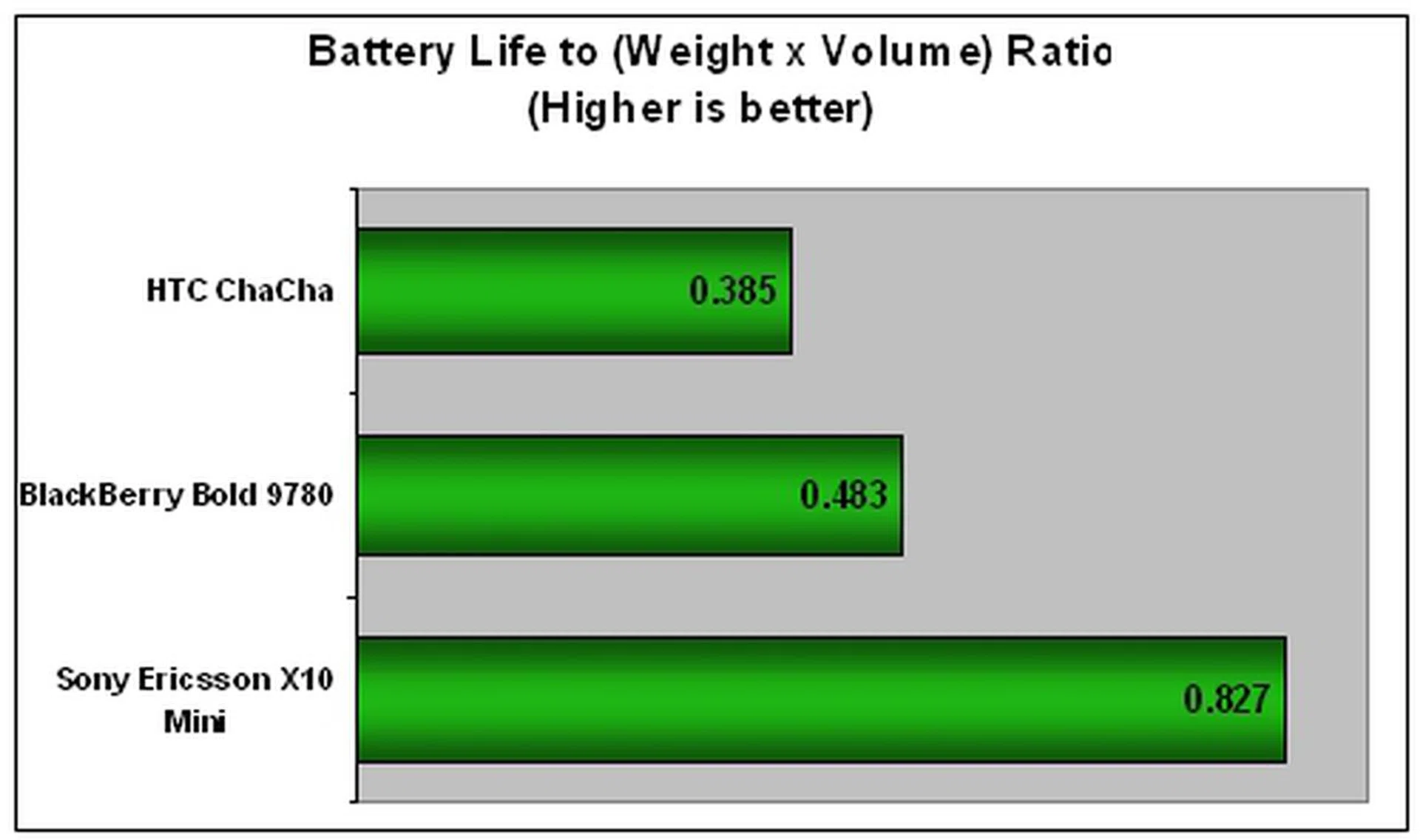
As you can see from the results above, the HTC ChaCha didn't fare as well when compared to the other two devices. Although the Sony Ericsson X10 mini has a smaller battery capacity of 950mAh, it managed to outlast the HTC ChaCha by more than an hour. We attributed the poor performance of the HTC ChaCha to two reasons. First, we cannot deny the fact that the HTC ChaCha runs a faster processor, which will drain more power faster. Second, we believe that HTC can improve the power management on the ChaCha device, to better its competition. For a mass market social phone, the HTC ChaCha should come with better battery life as dealing with many of Facebook functions such as uploading pictures and checking in at locations will demand more battery juice.
Should you get the Facebook phone?
When we first heard of HTC's Facebook phones, we had our doubts on how a mobile device will integrate with Facebook. To be frank, we are quite impressed with the innovative idea of a dedicated Facebook button. It is definitely more than just a marketing gimmick, it is practical. We believe the HTC ChaCha will be warmly embraced by Facebook addicts who spend more time on the social networking site than anything else.
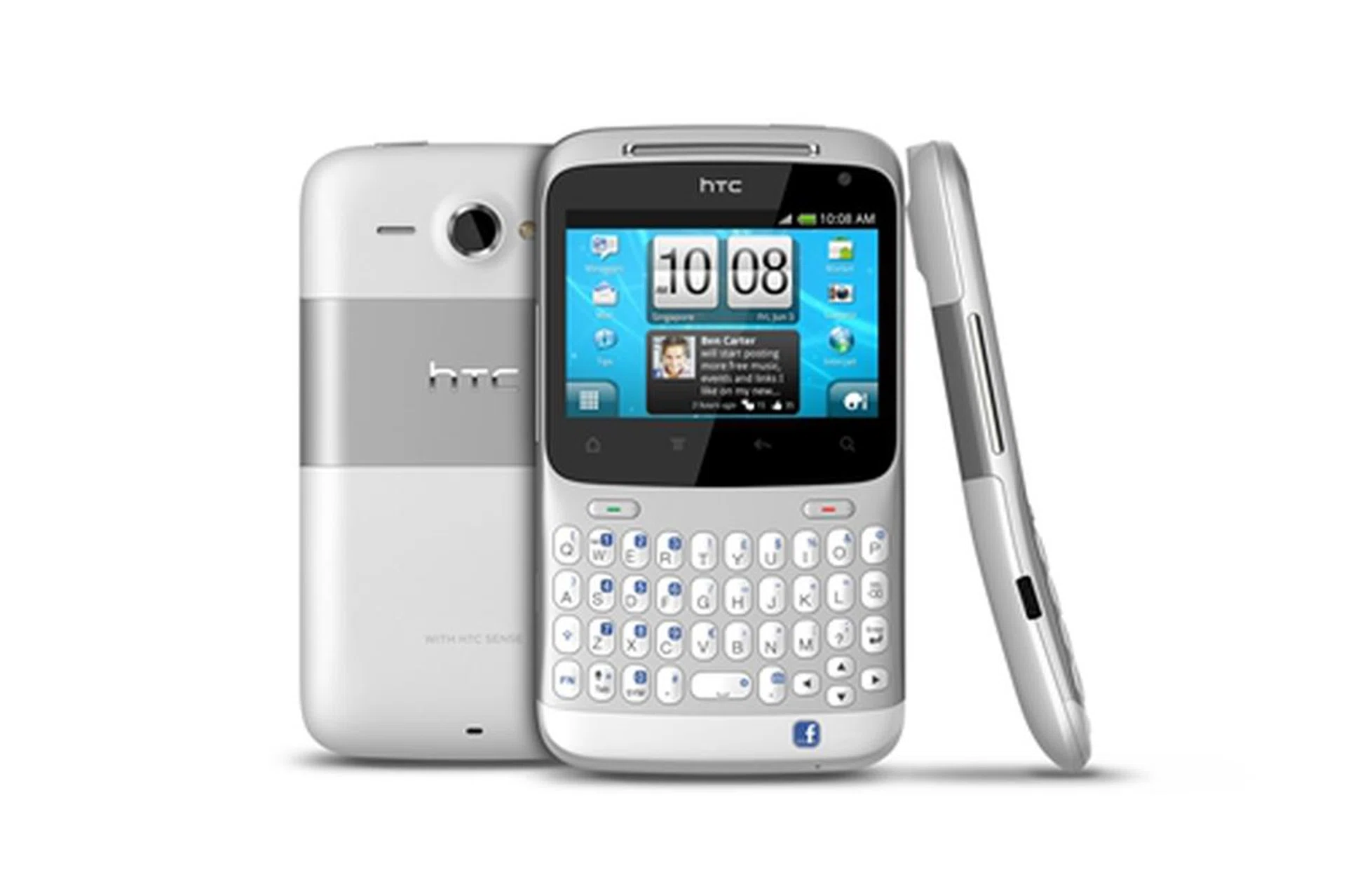
The HTC ChaCha is the first of two Facebook phones we are going to see this year. If the concept takes off, we believe that HTC ChaCha will go down in the history books as one of the major factors in ushering the Facebook experience onto mobile phones.
We like the dedicated Facebook for making it very convenient to access many of Facebook's powerful functions such as updating status, uploading pictures, sharing websites, sharing music and checking in at locations. We admit that we like the gentle pulsing of light emitted by the Facebook button whenever there are opportunities to use it. The QWERTY keyboard also impressed us a lot, which is comparable to those found on BlackBerry and Nokia mobile devices. It will appeal to an audience who prefer the traditional method of typing on a physical keyboard instead of touch typing. Despite being positioned as a mass market and midrange smartphone, we support HTC's decision to ship Android 2.3 OS on the ChaCha. Even though the stock interface is replaced by HTC Sense, it will help to reach out to consumers who want an affordable Android device running the latest Android OS.
However, the HTC ChaCha is not perfect, as with all devices. We are disappointed with the poor battery performance as we expect more from a phone that is built for social networking on the move. You certainly do not wish to have the phone power off halfway through the day with your friends. The 2.6-inch screen size is barely sufficient for reading Facebook content. We all know that Facebook News Feed is like the stock market with updates and information flooding the social network in real time. We would appreciate a bigger screen to view more at a single glance instead of resorting to constant scrolling. In addition, the unusual screen size and aspect ratio do make the user interface look slightly cluttered. We also do not like that some apps display content in portrait mode, forcing you to use the phone in an awkward orientation. Camera performance can be better, especially for the social-centric HTC ChaCha.
Nevertheless, as one of the two phones that comes with the Facebook branding, we feel that HTC should be given a pat on its back for having the guts to venture into untested waters. If the concept takes off, HTC will have not one but a pair of winners on its hands. We also believe that given more time and feedback from this first project, HTC will come up with more compelling Facebook phones. Till then, we will be eagerly waiting.
Our articles may contain affiliate links. If you buy through these links, we may earn a small commission.