
HP Pavilion Elite m9090a Desktop PC
Representing the cream of the crop from HP's desktop PC division, we have the HP Pavilion Elite m9000 desktop series. Equipped with the latest multi-core processor and technologies designed for the HD digital entertainment scene, this is an ambitious high-end offering from the PC vendor. Does it deliver on its promises?

The Meaning of Elite
In a world where there's growing alarm about the widening income disparity between the haves and have-nots, the word 'elite' has undoubtedly acquired some negative connotations among the less privileged. Of course if you're already a member or aspire to such a lofty status, that's another story but in any case, HP has just the PC for your rarefied station. Commonly used to describe the best and select members of any grouping, this word is now used by HP to distinguish its high-end desktop offerings from its more ordinary brethren.
Representing the best of HP's desktop PCs, the new HP Pavilion Elite m9000 series is targeted at those who desire the highest performance available on a desktop today, with features that make high-definition digital entertainment a reality, thanks to its use of the latest, multi-core processors and its extensive multimedia capabilities that's more often seen on HP's Media Center PCs. Since there's an entire (and potentially confusing) range of models to choose from this series, we are only focusing on one of the truly high-end versions in this review, the Quad core powered m9090a.
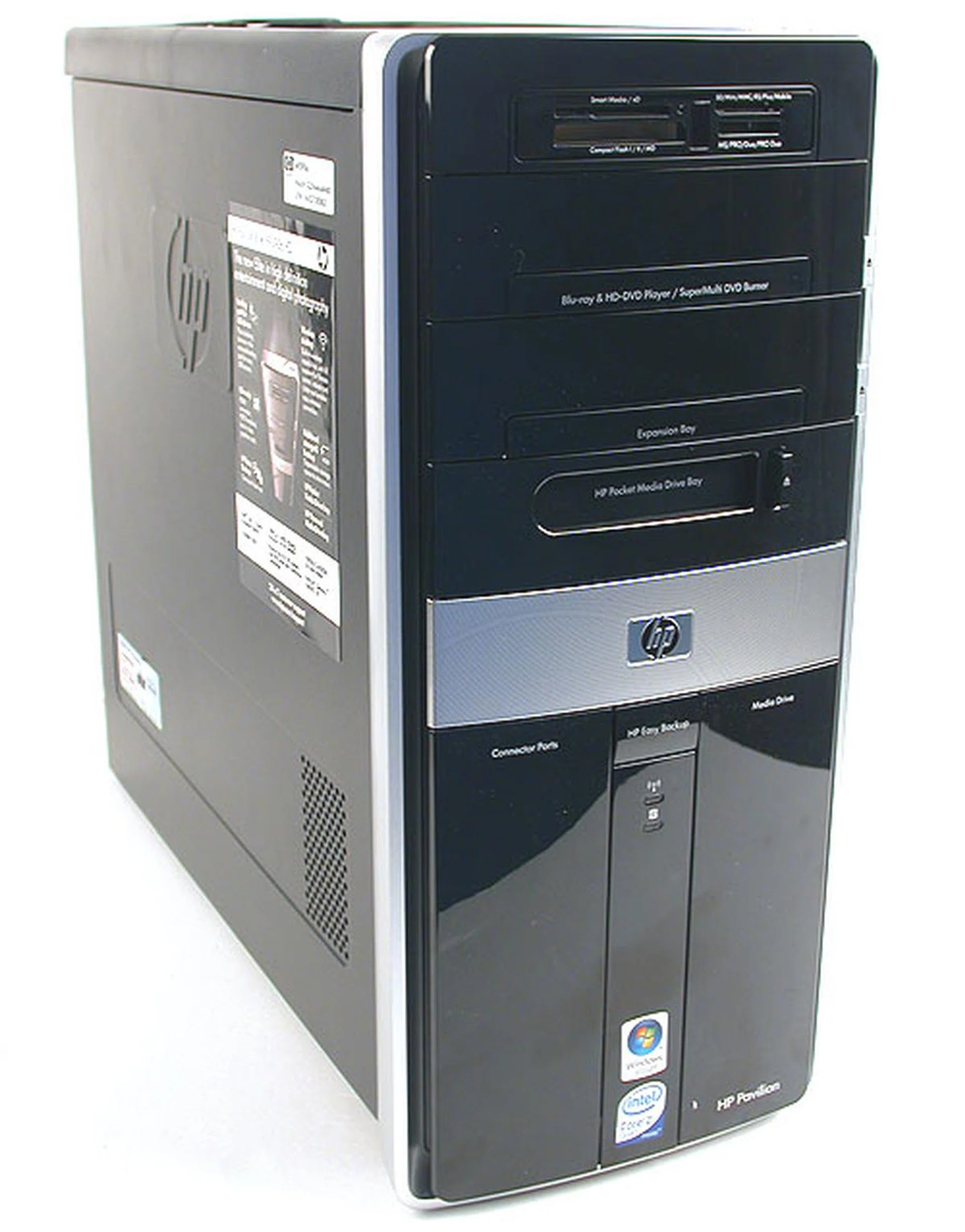
HP's recent desktops and notebooks have all been in glossy black and this Elite series is no different. While it no doubt looks very glamorous in press images, it's a fingerprint magnet in reality.
With its impressive list of specifications that includes a 2.4GHz Quad core Intel CPU, 2GB of DDR2 memory, a total disk capacity of up to 1TB, a Blu-ray/HD DVD-ROM combo drive, a DirectX 10 capable graphics card with HDMI output and even a tv tuner, this Elite PC certainly looks to live up to its billing as the ultimate desktop (at least among HP's offerings).
Looking Good
HP has been rather consistent in its exterior design of the Pavilion branded desktops and notebooks and this approach continues with this Elite m9090a desktop. That means the chassis comes in glossy black, with touches of silver to break the monotony. Naturally, this is all very photogenic though in reality, the surface picks up every fingerprint and smudges easily. We suppose it's useful for tracking down amateur thieves trying to run off with this expensive PC but the plastic nature of the chassis's exterior shell doesn't exactly spell classy to us.
While we may disagree with the choice of chassis material, we have to say that it's a rather handsome design from the front, with most of the unsightly slots and ports concealed behind panels. HP did make some practical and commendable design decisions, like having the power button located at the top for convenience, the rubbery non-slip top surface of the chassis to rest your other external peripherals and an extremely useful and hard to miss Easy Backup button to activate the included backup utility.
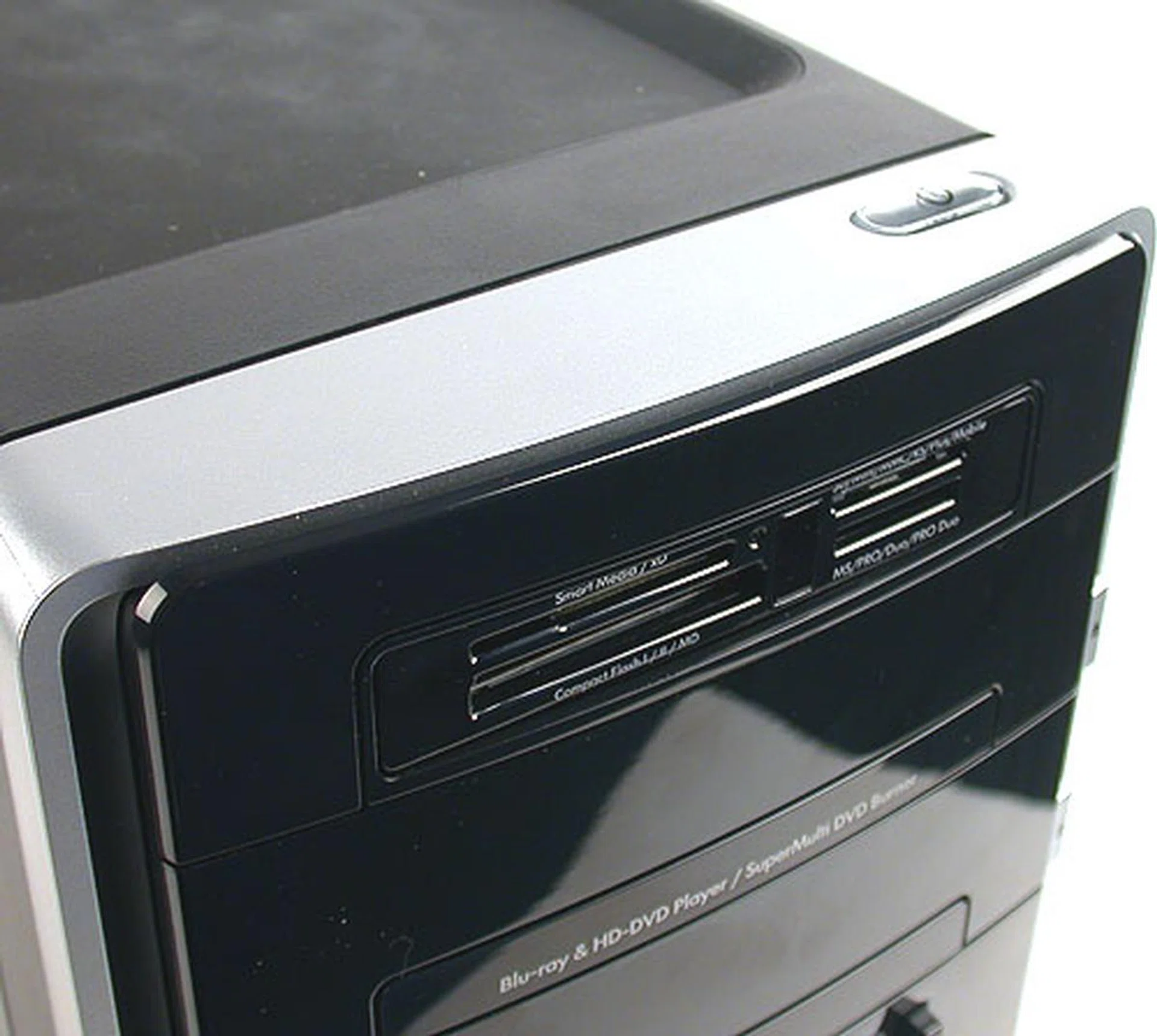
An excellent and practical decision by HP (and by a few other chassis and PC vendors nowadays) is to place the power button at the top of the chassis. After all, most users place their 'desktop' on the floor and having the button at the top is convenient.
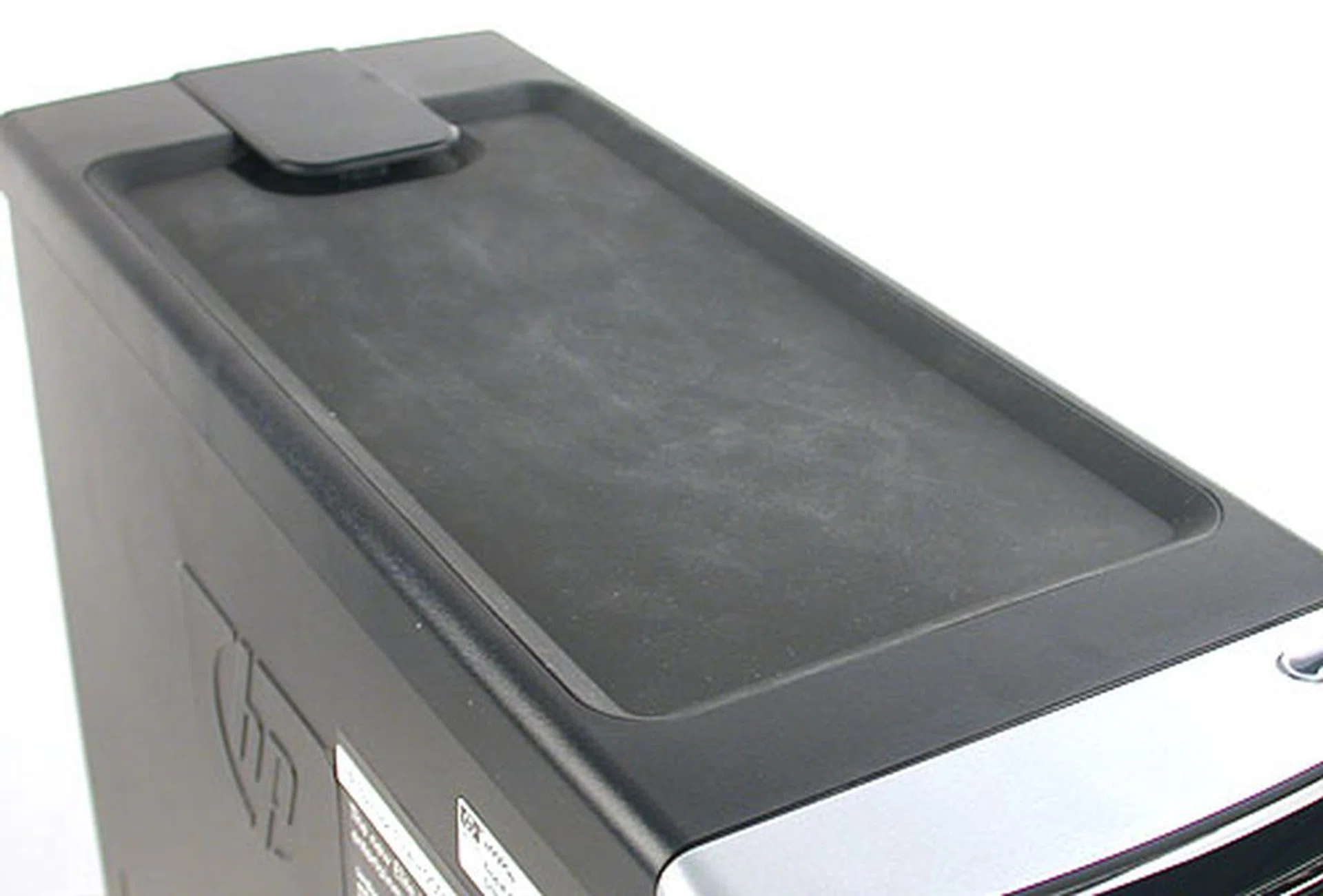
The top has a rubbery non-slip surface which is ideal for placing your USB peripherals, like a portable hard drive, card reader or even a USB mug warmer if you're so inclined. HP gives it the rather grand sounding name of "Universal technology Pad".
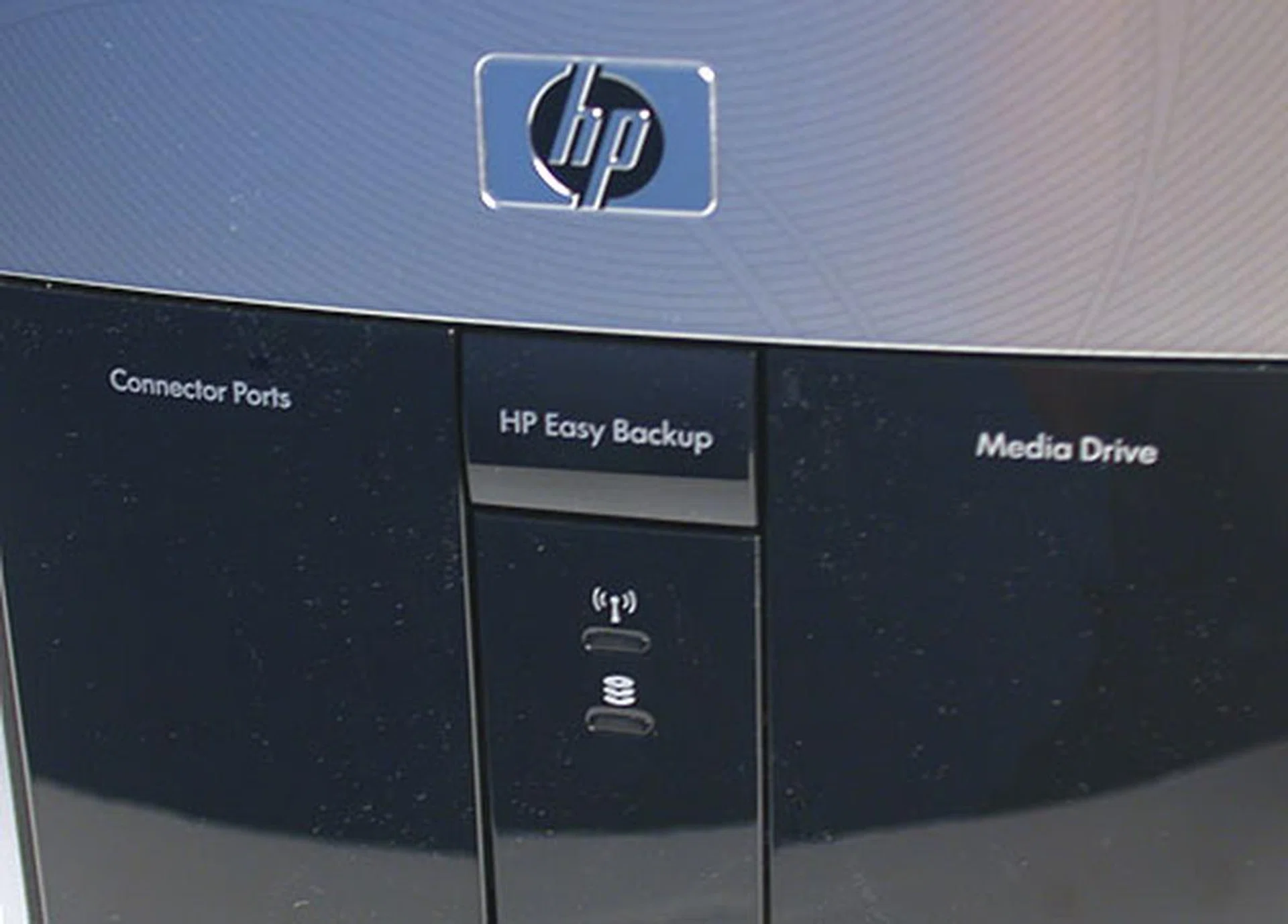
Most of the unsightly connector ports have been hidden, giving the front bezel of this PC a polished look. HP's Easy Backup button here is a quick one-touch feature that triggers a wizard to assist users in backing up the contents of their system to external or internal devices, USB or FireWire.
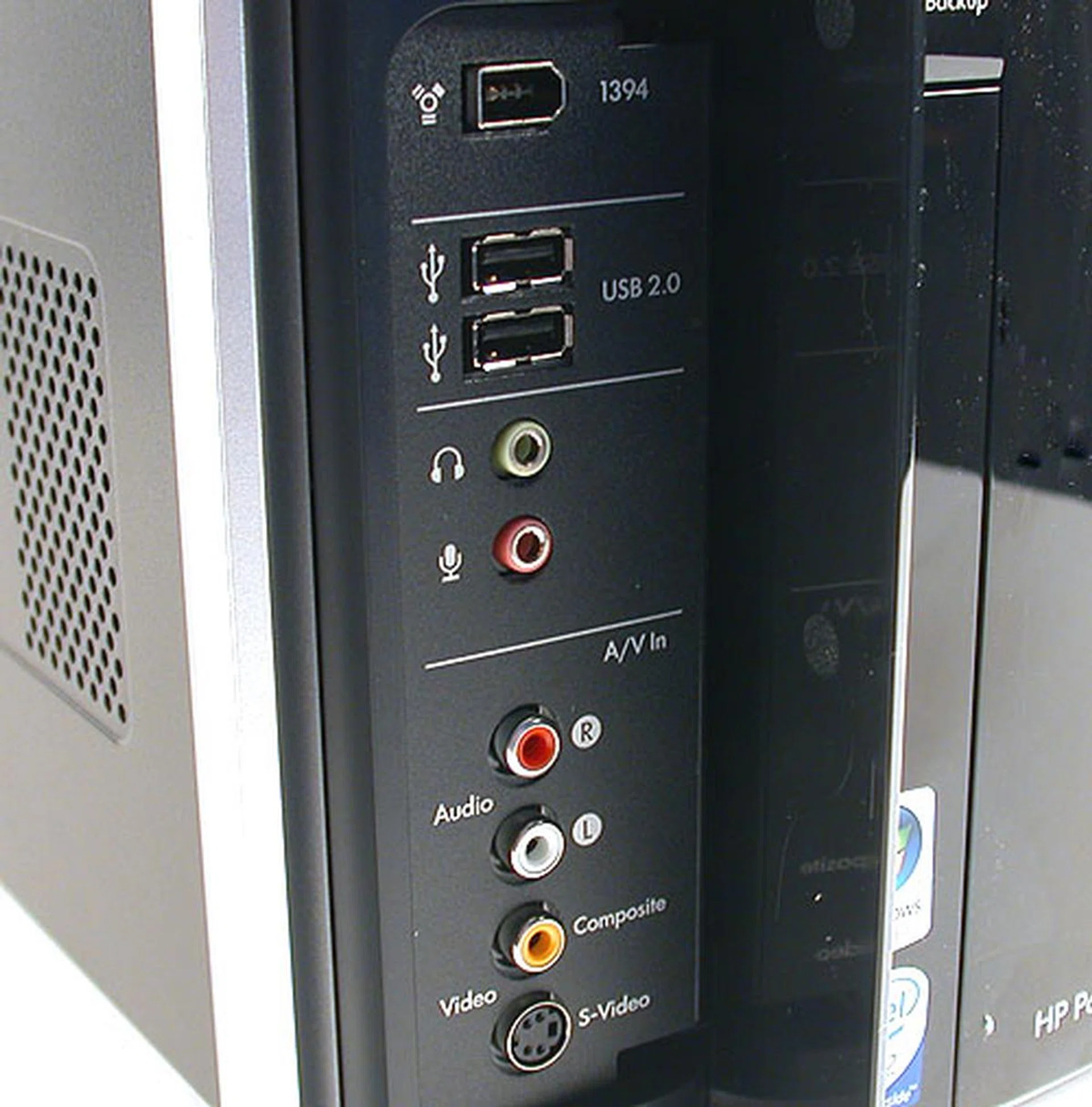
HP has included more than the usual array of front I/O ports, like the S-Video and Composite outputs.
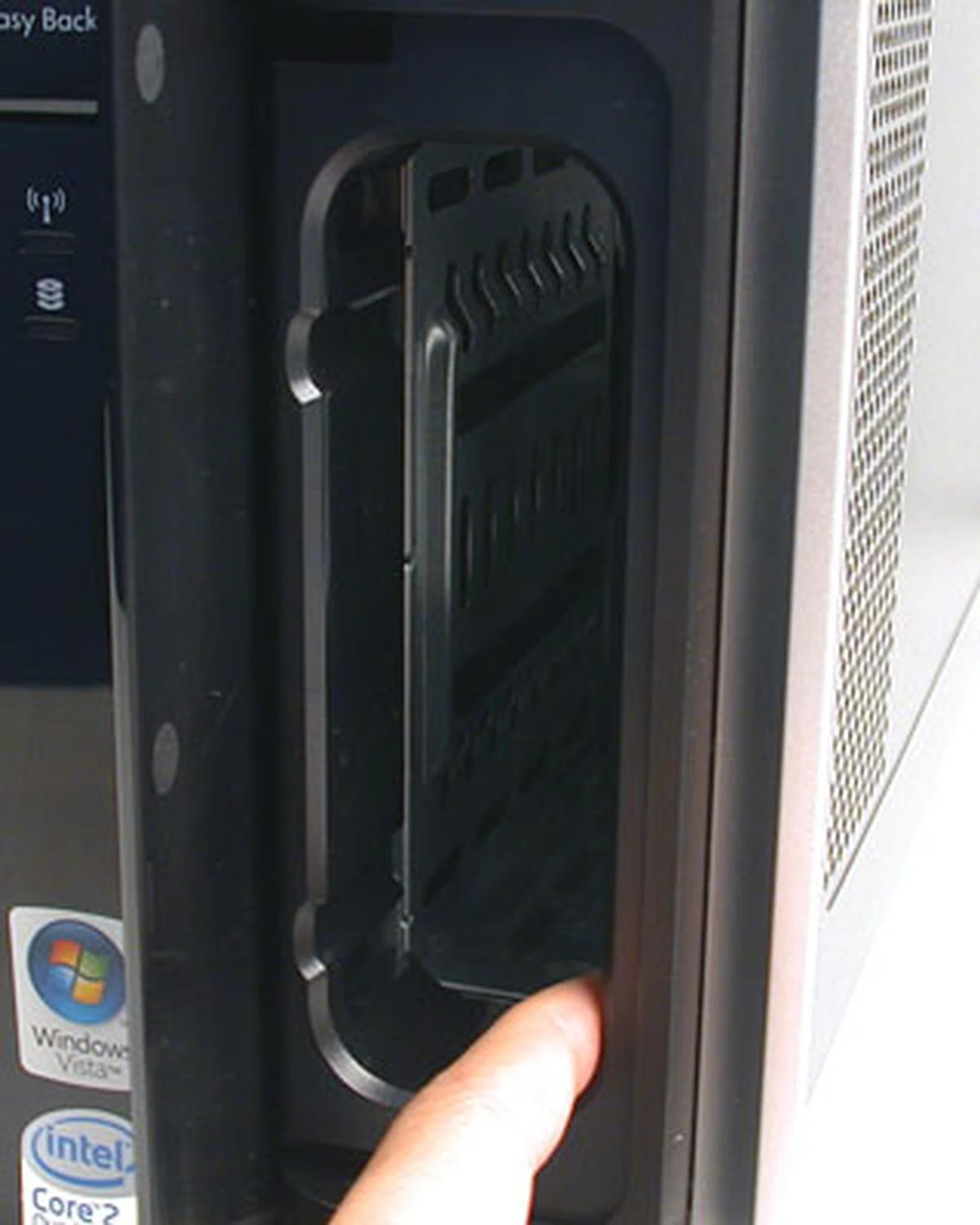
If you have bought into the whole HP ecosystem for your computing needs, you may have the HP Personal/Pocket Media drives. Essentially, these are external hard drives that you can slot into for use in conjunction with the Easy Backup feature. The one shown here is the slot for the larget Personal Media drive. There's another slot for those who have the handier version (Pocket Media drive). For those who don't have either, these two slots would just be a waste of space.
From the rear, one would realize that this is not your usual ATX chassis but is instead based on Intel's abortive BTX design. Personally, we aren't too sure about the merits of this design (and the market too doesn't seem to have adopted it), though it does places the CPU away from the warmer PSU. However it's not the first time that this chassis orientation has appeared in a HP desktop before and it probably won't be the last.
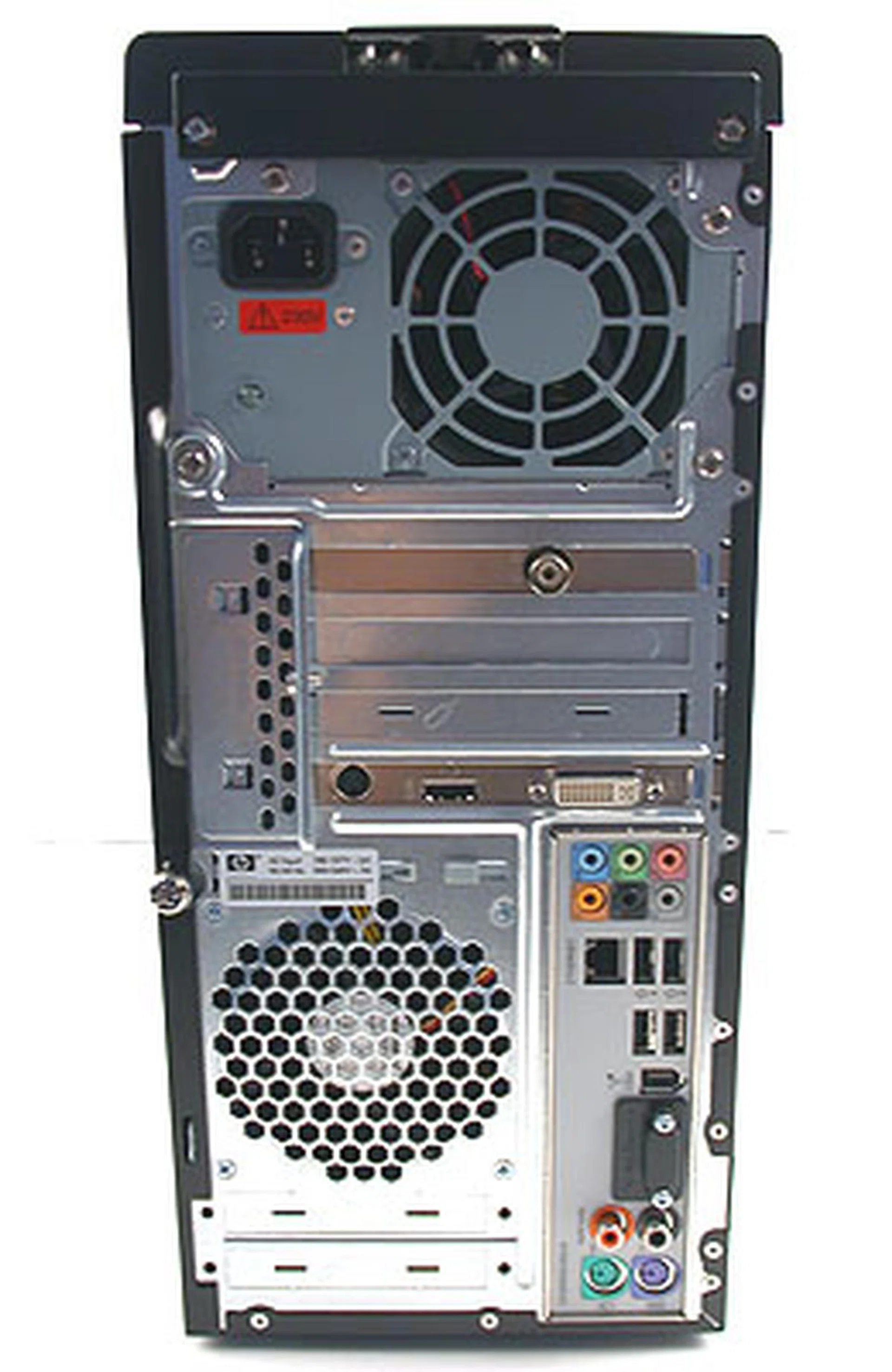
Even from the rear, you can see that the chassis of this desktop is not your conventional ATX arrangement but BTX instead.
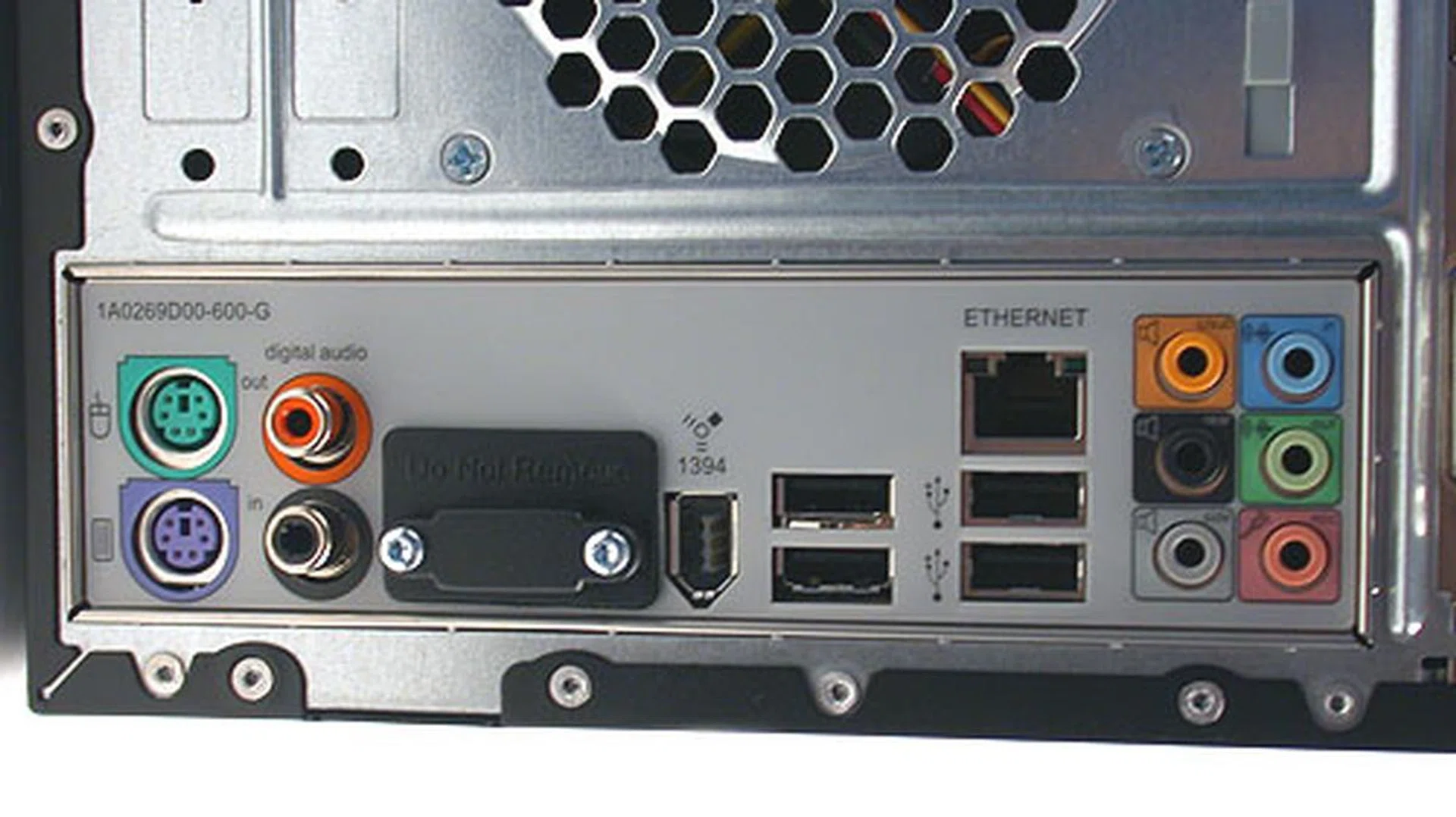
A rather typical set of inputs and outputs at the back of the chassis. The addition of digital audio I/Os however are very welcome and appropriate for its designation as a multimedia machine.

The included graphics card is a GeForce 8600 GT with DVI and HDMI outputs and there's also a TV tuner.
Interior Decorator Needed
So we opened up the HP Pavilion Elite and it's not a comfortable sight, especially if you're one of those with a meticulous, orderly nature. You would be aghast then at the bird's nest of cables smack in the center of the chassis. We had expected better cable management from a reputed vendor like HP. Also, the lack of ventilation fans in this rather small and enclosed chassis means that proper cable management is more important than ever as clutter will hinder what little air flow that already exists in a chassis with only two fans.
Changing the components could also be a potential hazard due to the cable clutter and rather unorthodox internal arrangement. Getting the hard drives out for instance looks quite daunting, with the number of cables in the way. Thankfully, with 1TB of storage present, it's probably not as high a priority. The same could be said of upgrading the memory, though 2GB should be mostly adequate. With such a tight enclosure, adding in new components like another optical drive or even a sound card is not a trivial task.
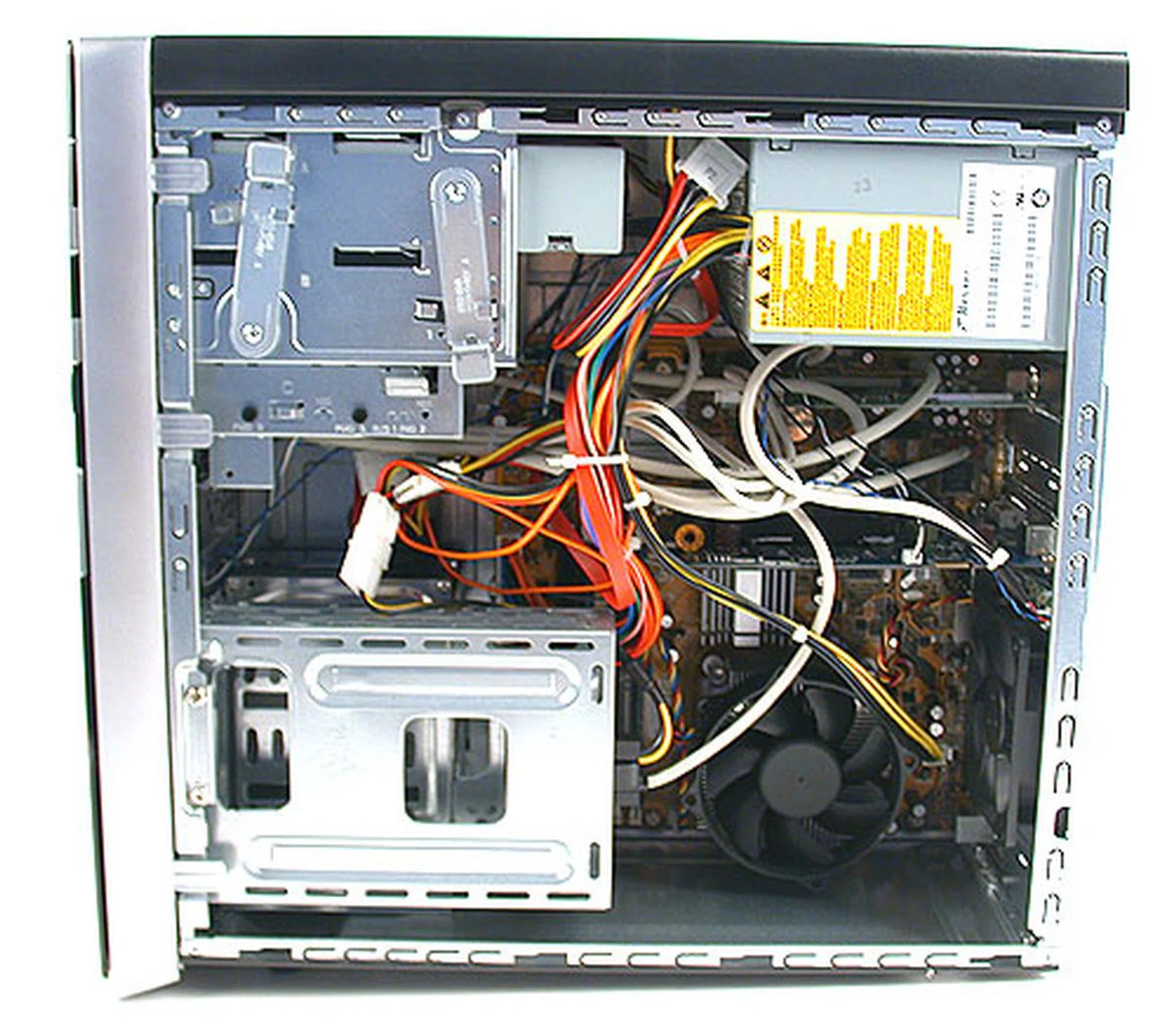
It's quite a mess internally, with the cables resembling a bird's nest. We expected more capable cable management from an established vendor. Together with the relative lack of ventilation fans, this is definitely not ideal. Looking at this arrangement, upgrading any of the components by yourself could also be a chore.
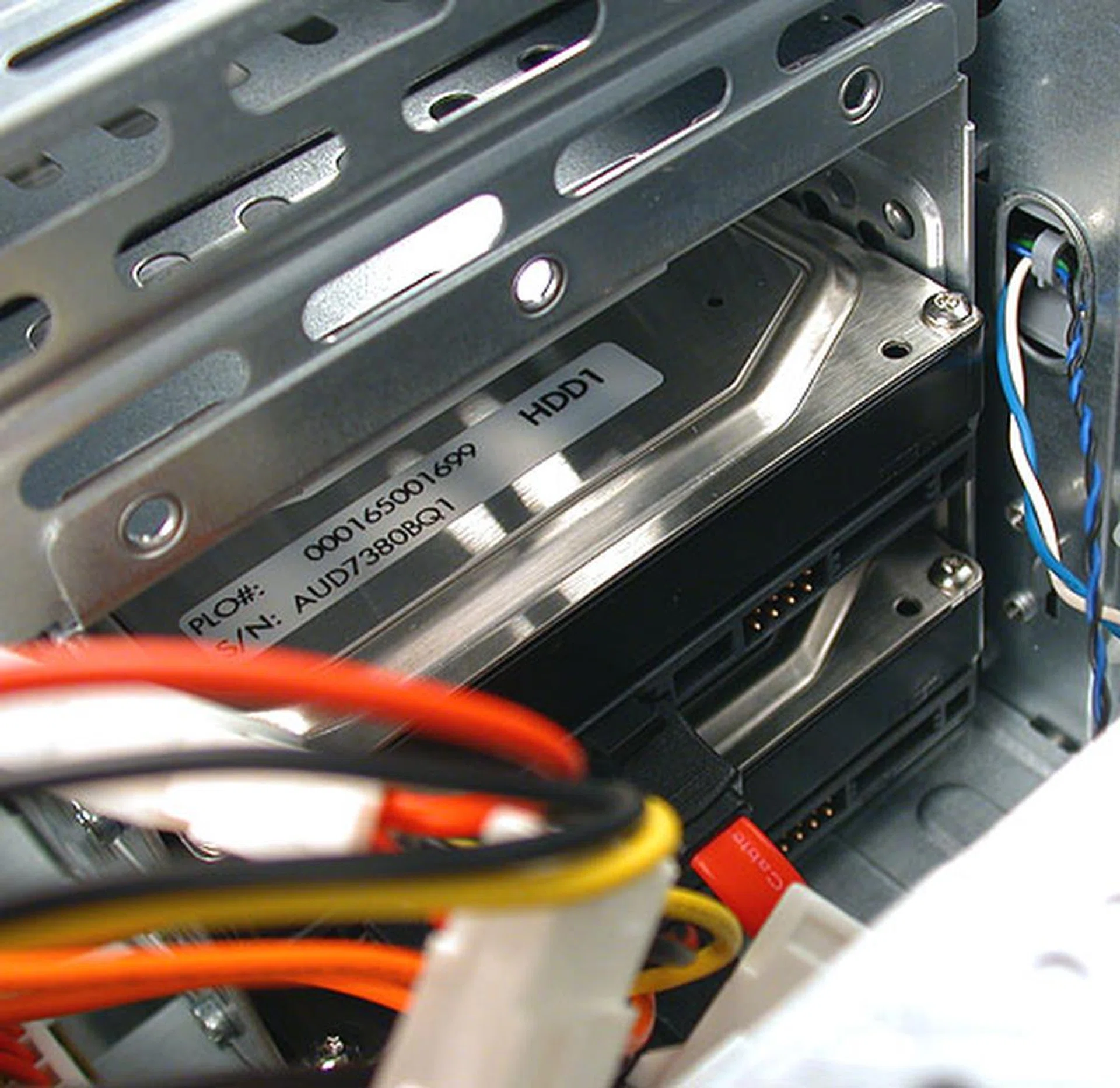
The two 500GB hard drives are also oriented in quite an unusual fashion, with their rear ends facing upwards towards the sky. Removing or changing them seems like a rather troublesome task.
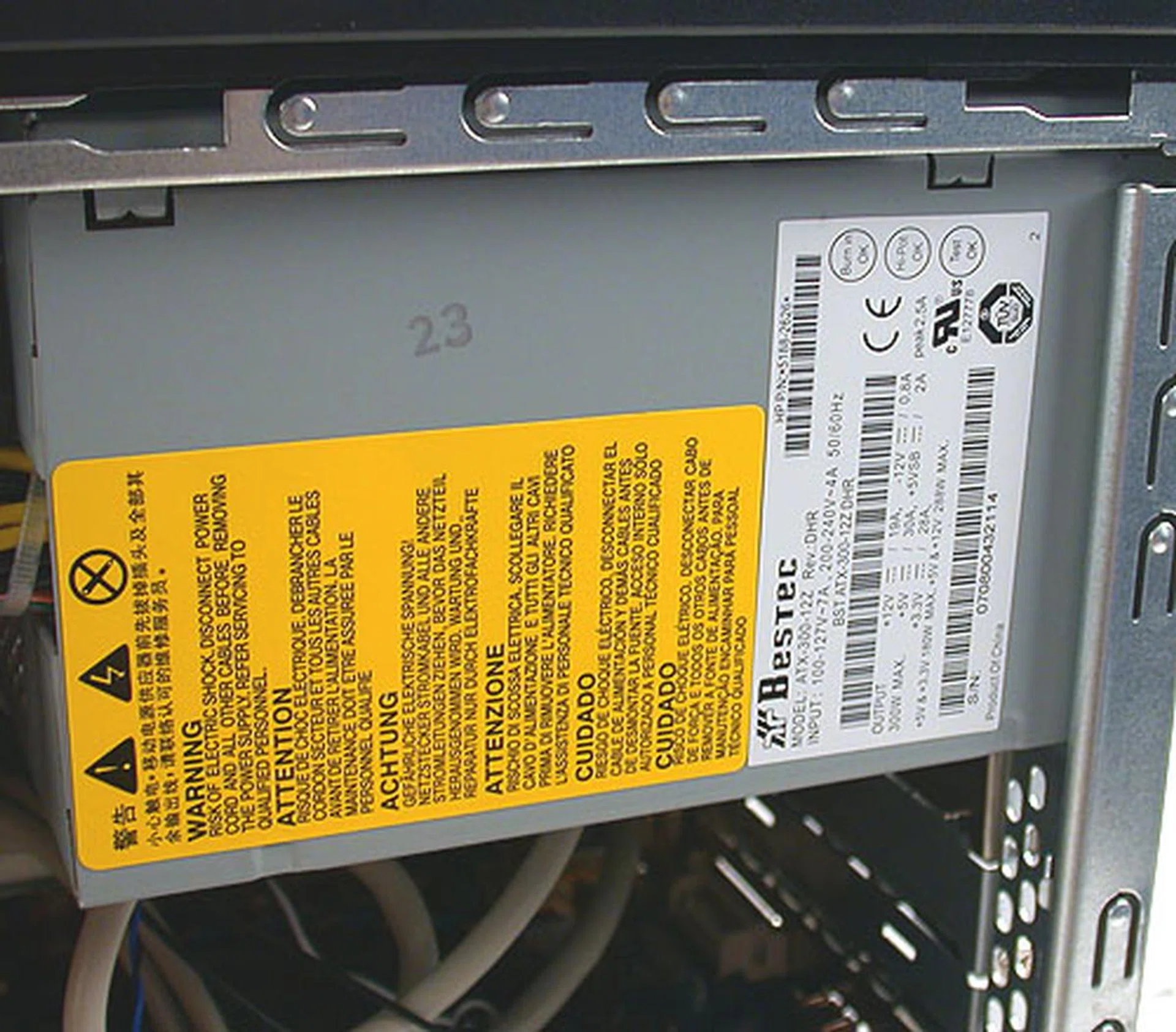
For its specifications, we had expected a more powerful PSU but what we got instead is a 300W unit. With its mainstream graphics card, it's probably more than adequate but it does stymie any user looking to change to a more powerful graphics card.

As you may notice, it's an ASUS graphics card inside this HP desktop. In fact, the motherboard too is from ASUS and we're betting the Taiwan company probably assembled this system for HP.

A very secure and unorthodox, tool-free method of holding the optical drives in place.
Dream Hardware?
Mention the Quad Core processor at the heart of this HP Pavilion Elite PC and you'll probably get your share of raised eyebrows since HP has not exactly made its name on enthusiast oriented high-end systems that the likes of Alienware or Falcon Northwest cut their teeth on. Nevertheless, that's what you'll find under the hood of this Elite PC and this multi-core processor is complemented by 2GB of DDR2-667 RAM. Enthusiasts will probably sniff at this amount of memory, particularly its DDR2-667 pedigree and this is somewhat illustrated by the Windows Experience Index, which lists the memory as one of the weaker aspects of this system.
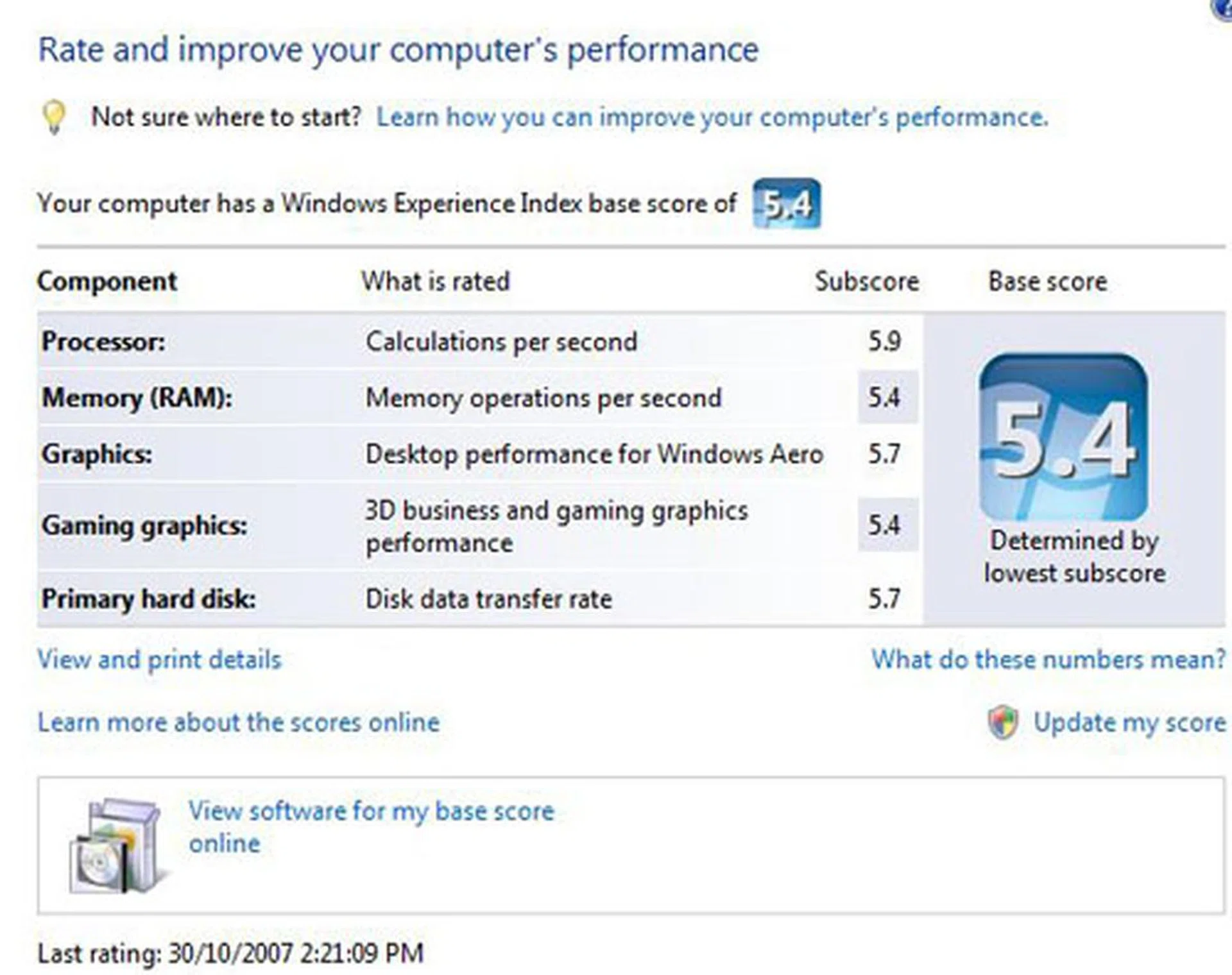
It's not everyday that one can say 2GB of RAM is the bottleneck for a system but that seems to be the case for this Elite PC.
Looking at this index, you'll also notice that the other weak link here has to be the graphics and we have to agreed wholeheartedly too. Granted that HP itself states in its press release that this is a system for "high definition digital entertainment and immersive mainstream gaming experiences", so the key word here is mainstream and the GeForce 8600 GT that we found within the m9090a is certainly it. Even with 512MB of video memory, the limitations of the GPU mean that there are probably gaming notebooks with a superior graphics chipset. Playing the latest DirectX 10 games is of course viable but performance will suffer when the settings are set to the maximum or when you try the native 1680 x 1050 resolution of a typical 22-inch LCD monitor (that HP is apparently bundling with this Elite PC as an option). In our opinion, we would have taken a better graphics card over the other luxuries afforded by this system, even sacrificing one of the two 500GB hard drives . However, even if you're inclined to upgrade to a more expensive graphics card, the fact that the given PSU is rated at a rather low 300W could make such an upgrade impractical for most users.
On the bright side, a feature that will certainly get the enthusiasts to sit up and pay attention is the Blu-ray/HD DVD-ROM combo drive, which can read both HD formats, single or dual layered at more than decent speeds. In fact, as we found out from the Control Panel, the drive is the same as this LG drive . Besides its reading capabilities, it's also a decent Lightscribe capable DVD writer and for the purpose of providing HD digital entertainment, we can't think of a better alternative now.
These multimedia aspirations are one of the key cornerstones of this system and they are bolstered by the addition of a PAL TV tuner so that users can easily record their TV programmes onto the huge hard drives provided. With two 500GB Samsung hard drives inside, this is a system where storage space is not an issue and one can set it to record entire seasons of TV shows. Unfortunately, the presence of a single tuner means that if you're recording a TV show, you can't watch another channel. At the very least, HP should have provided a dual tuner setup if it was really serious about this machine being a true media center equivalent but we suppose there has to be some compromises given its space and cost constraints. HP however did get the outputs correct here, with the graphics card having both DVI and HDMI outputs so connecting this to a HDTV should be no issue. Then there are the other perks that come with a media center PC, like the Windows Media Center Remote, wireless keyboard and mouse.
The massive amount of hard drive space also comes into play when you consider HP's Easy Backup utility. This is an user friendly tool to assist novices in doing the necessary but tedious task of backing up their data and we recommend using it since it's already integrated. There's also HP's Recovery Manager application, which helps to create recovery disks in the event that you need to format or change your hard drive. Other HP-centric software include the usual auto-update utility and HP DVD Play (CyberLink OEM), which is an application to play DVDs, Blu-ray and HD DVD-ROMs and probably the most important application here for any movie buff. However, it's not the most polished of applications and for some inexplicable reasons, there were some minor issues with the HD DVD menus of a HD DVD movie (Black Snake Moan) that we tested when we tried navigating with a mouse. Using the remote was fine though.
Performance Benchmarks
So now that you know what's inside this Elite PC, it's time to assess how it performed. Our review unit came with Windows Vista Ultimate pre-installed, an option that we understand from HP is only available for m9000 desktops sold in Australia and New Zealand. Local versions in Singapore will have Home Premium installed instead and frankly, we think there's hardly any practical difference between the two for most users. Overall, the system felt responsive and fast, as one would expect from its specifications. Our grouses were related to the application bloat that HP has added to the system. Many of these extras, like the Microsoft Office trial version or the 60-day Norton Antivirus subscription are not really attractive to users and only add desktop clutter. There are also a bunch of other demo games and applications that's not worth mentioning except as more things to uninstall.
Moving on to the benchmarks that we ran on this Elite m9090a, we had quite a difficulty getting the appropriate comparisons, given that this is our first Quad Core based system on Windows Vista. Hence, many of the comparisons below are less than ideal and should serve only as a rough reference point to the performance of this PC.


First, we used PCMark05 to test the overall performance of this system, comparing its final CPU score with an older result that we had gotten for our evaluation of an Intel Core 2 Quad Q6600. An important difference was that the HP desktop was running Windows Vista while our Q6600 processor was on Windows XP. Both results were quite similar here, which shows the CPU in the Elite m9090a performing to expectations. Meanwhile, we also found its dual hard drives to be very competent, easily besting a SATA 7200RPM model we had tested on the Dell XPS M1330 notebook.
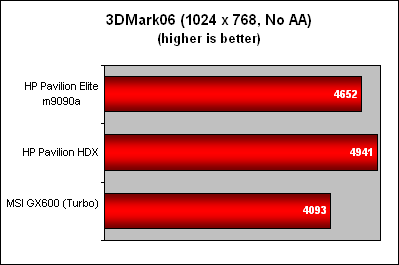
Like we had mentioned earlier, the graphics is where the Elite m9090a falters and our 3DMark06 scores saw it behind HP's own 'Dragon' notebook which uses an ATI Radeon Mobility HD 2600. The Elite was also only slightly ahead of the MSI GX600 gaming notebook, which is equipped with the GeForce 8600M GT, again a notebook class 'equivalent' of the Elite m9090a's own GPU. Compared to the typical desktop graphics that a high-end enthusiast would probably recommend now i.e. GeForce 8800 GT, the GeForce 8600 GT on the Elite PC falls short of its name.
Conclusion
HP's new Pavilion Elite m9000 series is not the answer to an enthusiast's vision of a high-end desktop. Despite having some rather impressive components, the sum is not sufficient to truly belong to the 'dream machine' genre that hardware enthusiasts and reviewers are so keen to discuss and argue about. The Quad core Q6600 processor is no doubt very nice and so is having two 500GB SATA hard drives in either RAID 0 or 1 configuration. 2GB of RAM is just the entry ticket for a dream machine and with the exception of its other additional multimedia features, the m9000 does not have more compelling reasons to recommend. It's relatively weak graphics chipset is another reason enthusiasts will disdain this desktop, especially when upgrade options are limited by the 300W PSU. Finally, the fact that it's based on the Intel G33 Express chipset is already a hint that it leans towards being a digital home media center machine.
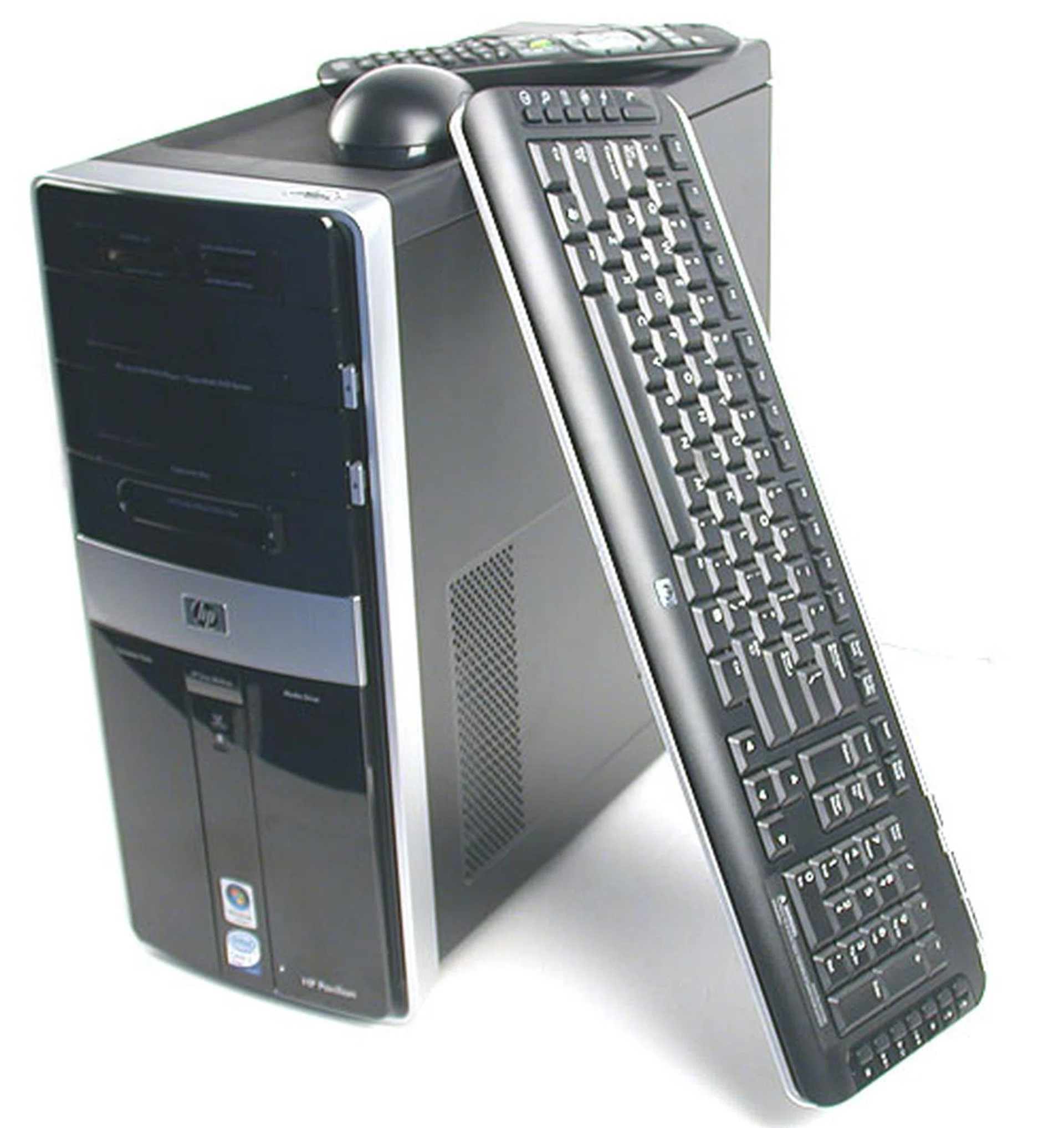
You can expect the HP Pavilion Elite m9090a desktop to come with the full complement of peripherals. An LCD monitor will likely be bundled with this desktop, though the size could either be 19-inch or 22-inch, depending on which 'model' you purchase. The version we reviewed, the m9090a however is at this moment unavailable locally in Singapore. There are so many variations of this Elite m9000 series that it's best to check the website and configure it to your liking.
In the end, there are many enthusiast oriented desktops out there in the market, not to mention the DIY versions that are constantly changing as new technologies and products are introduced. What the m9000 seem to be equipped for is digital entertainment. A Blu-ray/HD DVD combo drive fits the bill, ensuring that consumers will have the best of both worlds and conveniently bypass the format struggle occurring now. The TV tuner is also part of this multimedia experience angle, but it's not the ideal solution since it's only a simple single tuner and not the better dual tuner solutions available now. Together with the large amount of storage space and this desktop has already been categorized into that niche in our minds. In short, it's a reasonably good media center PC but intensive gaming is probably not its strength.
When it comes to purchasing this desktop, it can be quite confusing. Apparently, there are many variants of the m9000 series available, with differing model names that seem to us to depend on your geographical location. Hence, the review unit we received, the m9090a is not actually sold locally in Singapore, at least not in this existing configuration. What's available locally is the m9090d and the m9098d, which differs by what model of LCD (and hence the price) is bundled together with them; the S$2299 m9090d has a 19-inch widescreen LCD and the $2899 m9098d has a 22-inch version. Both models will also have Windows Vista Home Premium installed and may not have the same technical specifications as the m9090a featured here. Browsing HP's Singapore website also fails to uncover the specifications besides a factsheet that told us to check with the local HP representative. Lest this turns into a rant on the usability and transparency of HP's web portal, we shall stop here and recommend any interested parties to just contact HP directly. As for us, we're not going to stop assembling our PCs just yet.
Our articles may contain affiliate links. If you buy through these links, we may earn a small commission.