
Gigabyte Poseidon (GZ-XA1CA-STB)
Following its successful entry into the competitive casing arena, Gigabyte hopes to sustain the momentum with two new series launched simultaneously early this month. We managed to get our hands on the higher end series, the Poseidon and here's what we felt.

Introduction
Showing that its initial foray into casings was not just a one-off show, Gigabyte has followed up its distinctive debut, the 3D Aurora with two new offerings. These new mid-tower casings were introduced simultaneously at the beginning of March and consists of two series bearing mythic names like Poseidon and Triton. Going by the press materials we found on the Poseidon and the Triton , these two may be marketed as disparate series but based on our impressions, they look unmistakably like a product conceived by the same team of designers and engineers.
Both their chassis and outward appearances are mostly similar and the Poseidon seems like a more elaborate version of the Triton as it also has the 'fortune' to be the second recipient of Gigabyte's patent pending light beam projector. Mounted at the front bottom of the casing, the projector blends into the design quite seamlessly. Meanwhile, the Triton has most of the features of the Poseidon but lacks the projector. Overall, both these new series seem more conventional and less attention grabbing than the unique 3D Aurora.
To find out if these cursory impressions are valid, we have today a Poseidon casing from Gigabyte for our review. To be specific, we received the GZ-XA1CA-STB, the model name presumably referring to the black version, while the silver one is known as GZ-XA1CA-STS. Here then is a picture of this new Gigabyte casing:
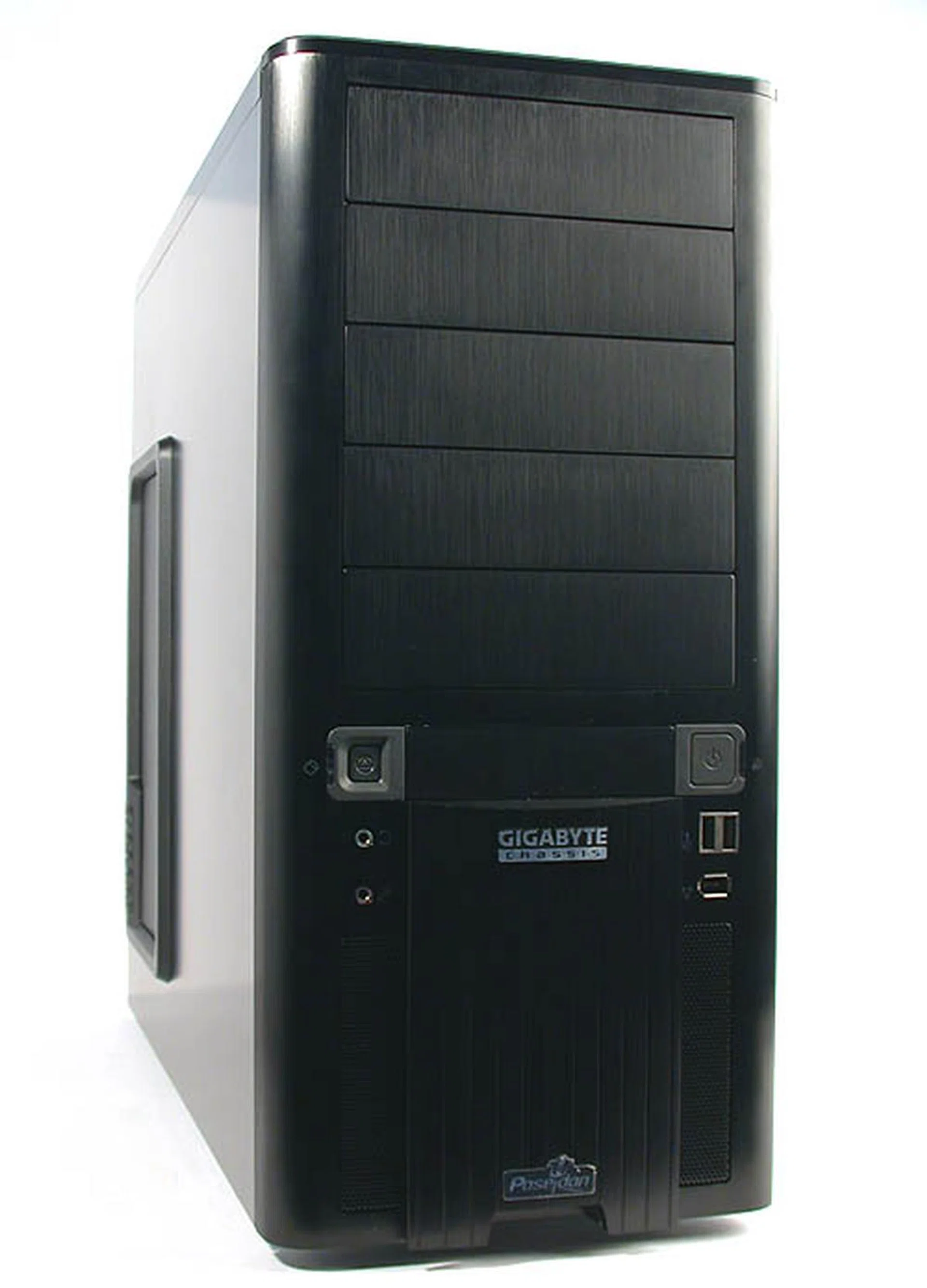
It may be as black as Gigabyte's 3D Aurora but the Poseidon is of a different breed.
Exterior Design Part 1
Black is ever-fashionable and with manufacturers long past the stereotypical beige case designs, the dark side has been found in almost every casing brand and available from the largest of system integrators to small boutique firms specializing in high-end gaming rigs. No doubt, dust shows up more prominently on black surfaces compared to white or beige but it certainly gives a modern look to any casing. Gigabyte's Poseidon series comes in two colors, black and silver, though our personal preferences tend towards the handsome black casing that we have on our hands.
Made from brushed aluminum and clad all in black, the Poseidon looks like your standard mid-tower, with regular lines and rectangular boxy dimensions. All that aluminum makes the Poseidon a fairly light casing. Compared to the 3D Aurora, it is slightly smaller and lighter at around 8kg when unloaded. The chassis remains steel-based to ensure that the casing is rigid and strong enough. There is however no drive bay door to conceal your external facing drives (such as an optical drive), so be sure to get those with black bezels to preserve the Poseidon's looks. Beige and black do not mix at all.
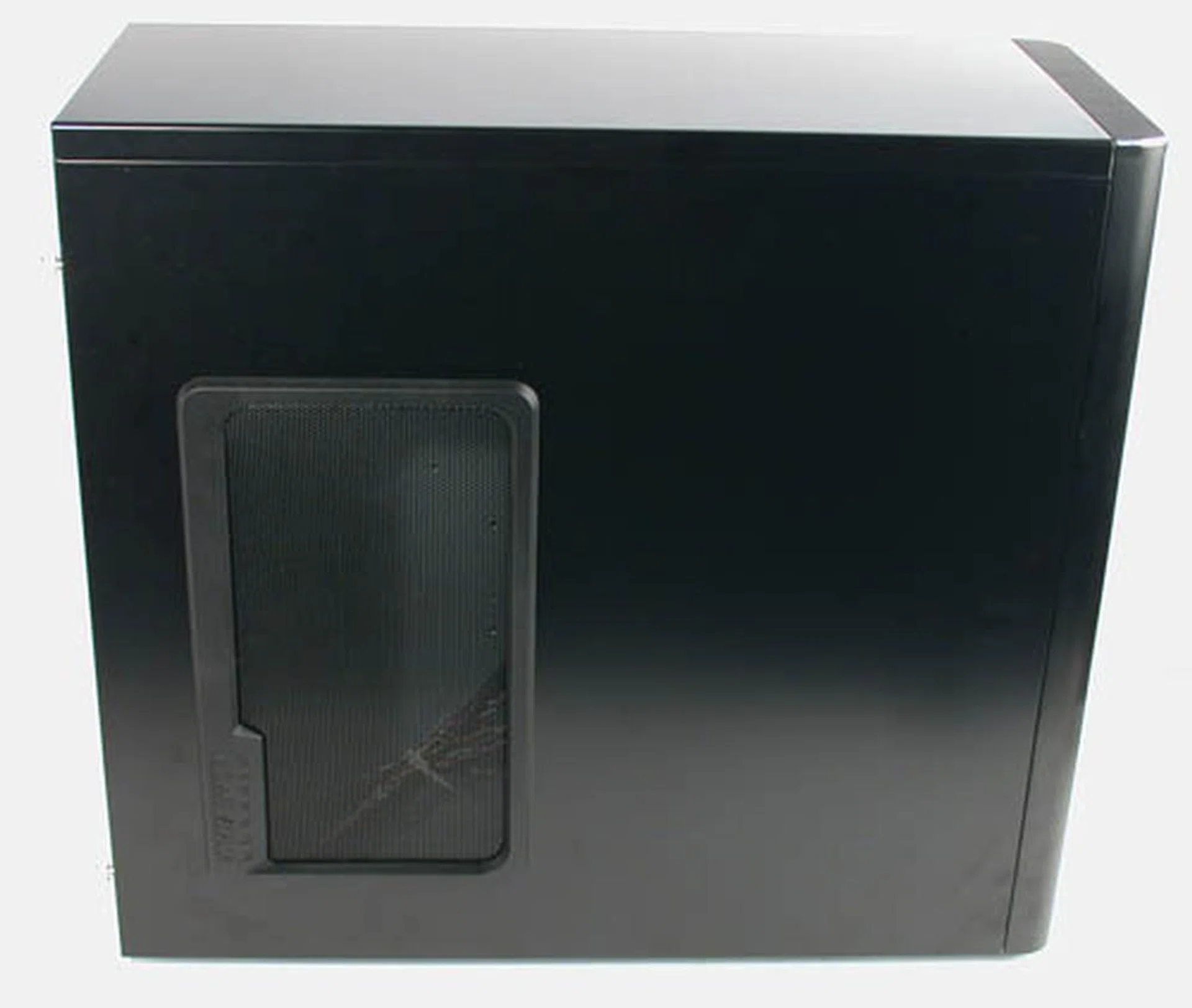
The large meshed vent at the side helps to draw in air from the exterior to cool the CPU and graphics cards. You could change it to a transparent window too for the Poseidon.
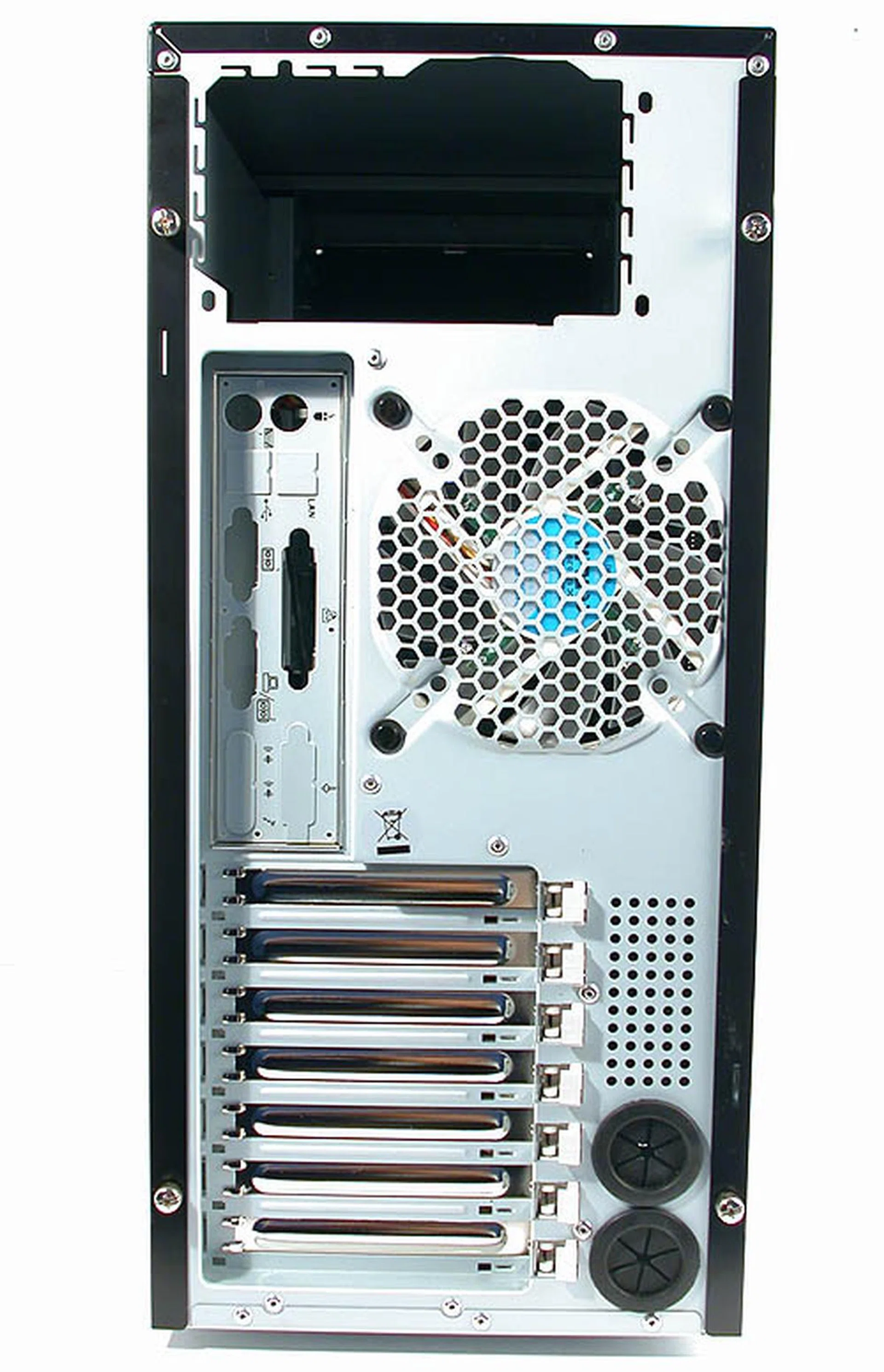
A rather standard layout at the back, just like any ATX casing.
The front bezel of the Poseidon is quite ordinary, with five exposed 5.25-inch drive bays, followed by a 3.5-inch below, which is then flanked by the two standard buttons on a casing, the Power and Reset. You will need to remove the front bezel entirely to install your 5.25-inch drives. This involves removing both side panels first and then releasing the catches exposed as a result. It is not difficult but takes a bit more time than some casings. Luckily, the process is well documented by the user manual.
LED indicators are set beside the buttons to show the status of the system power and hard drive(s). Both buttons give a nice, tactile feel so don't feel guilty if you start fiddling around with them. The audio jacks for the headphones and microphone are located below the Reset switch while you can also find two USB2.0 ports together with a FireWire port below the Power button.
Exterior Design Part 2
The main highlight of the front bezel - intended by Gigabyte – is the light beam projector. A rather gimmicky addition by Gigabyte introduced in its first casing and covered in more detail in our 3D Aurora review, the projector returns to shine more light into our lives. A small blue LED (the blue can be changed to white by a switch) enables the default word Poseidon to be projected onto the ground below the casing. This word can be customized to anything you want, as long as it fits within the space constraints. Those who want to delve more into this will find the user manual quite helpful and they would also probably want to refer to Gigabyte's website for more tips. Frankly, we don't find the projector to have any merit besides dubious aesthetics and the projector blocks quite a fair bit of the front ventilation. Still, there are probably some LED fanatics out there who won't mind having their names displayed in its blue glory. For those who feel they could make-do without the projector might want to consider the Triton case instead.
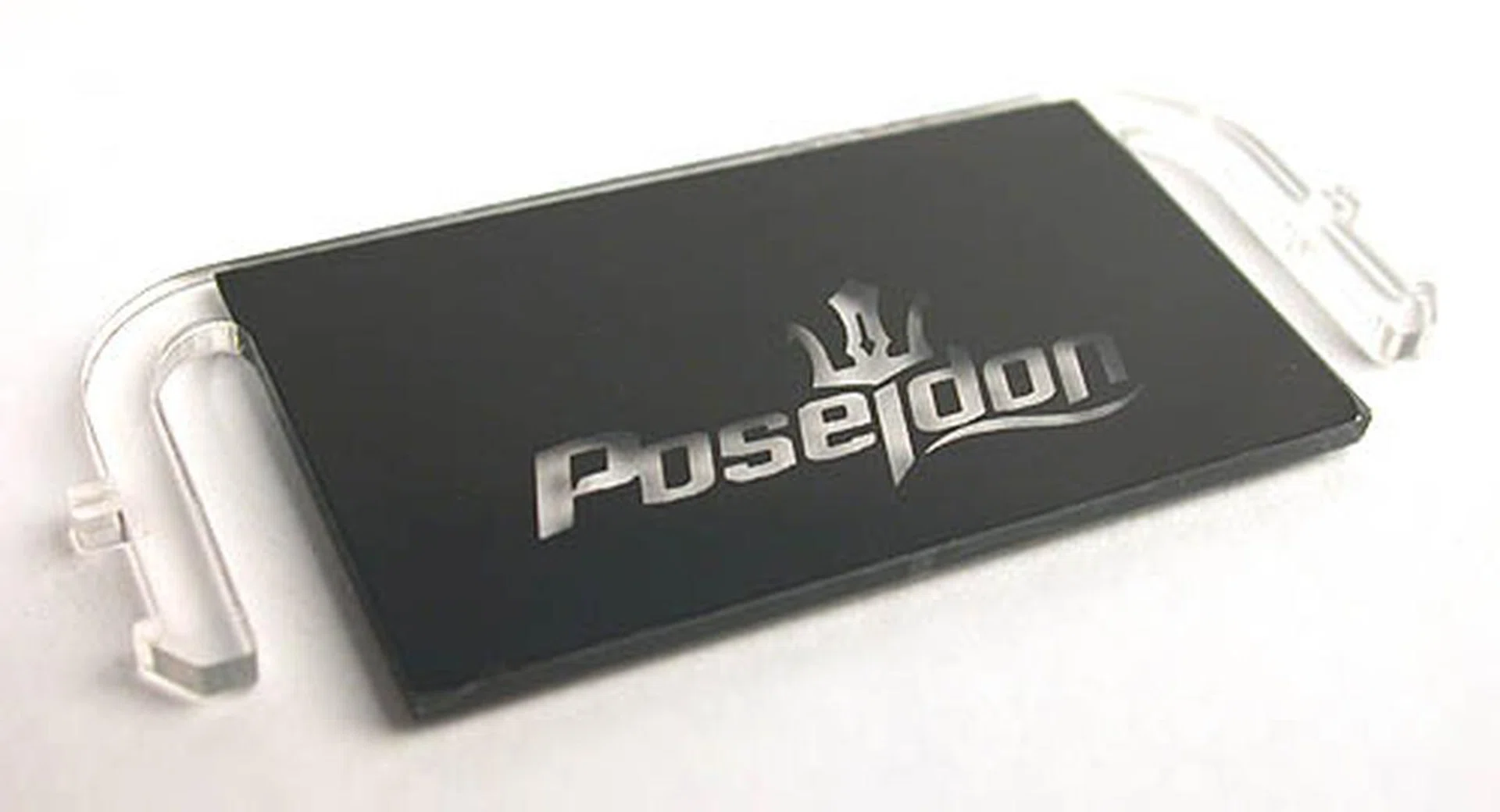
The default light beam 'slide' comes with Poseidon inscripted on it. You can also change it to any word you like using the spare included in the package.
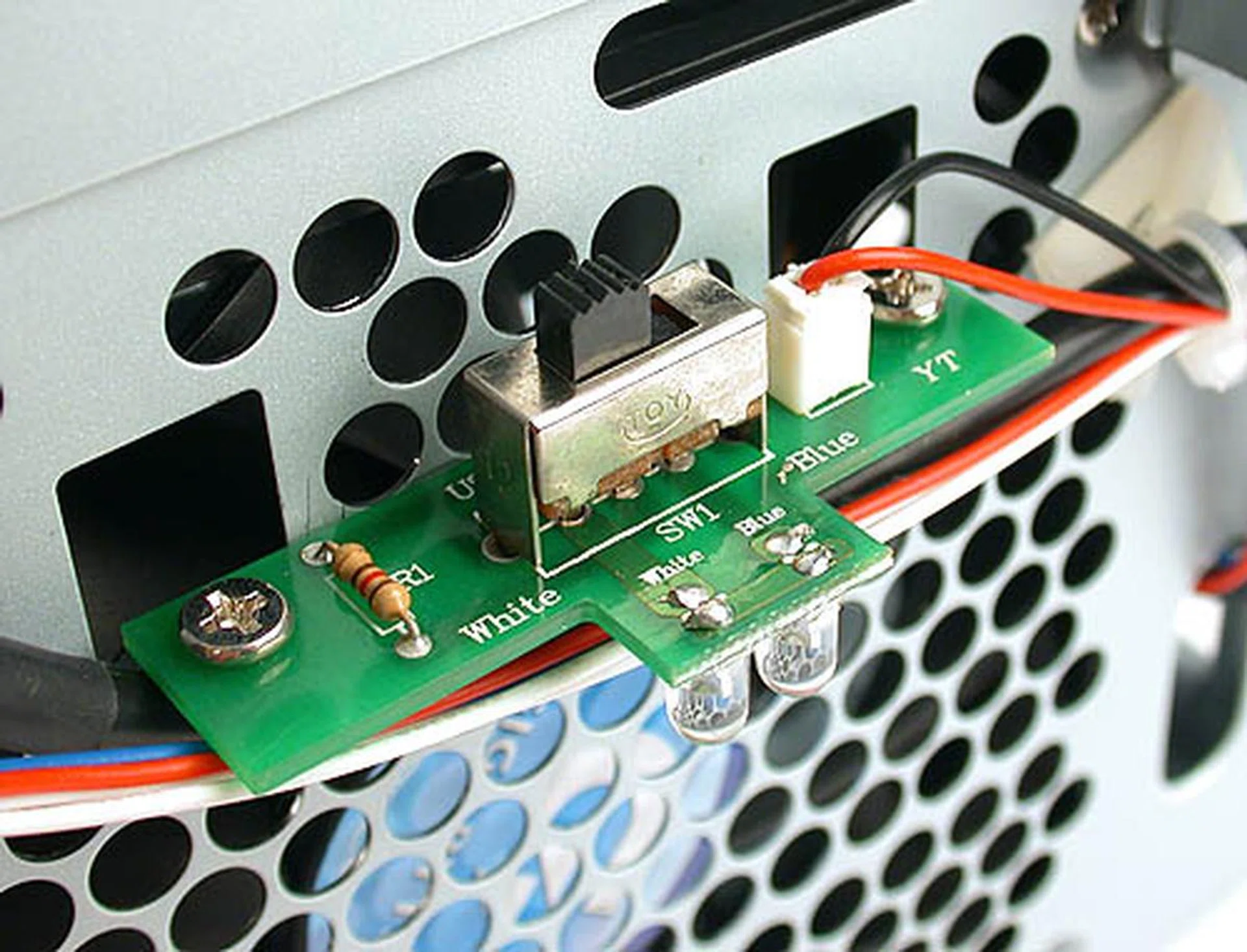
Gigabyte even allows you to choose between blue or white LED for its light beam projector by simply toggling the switch behind the front bezel.
Just like the 3D Aurora casing, removing the side panels of the Poseidon is very easy, thanks to the large thumbscrews used to secure both panels. One of the side panels also comes with a meshed air vent, which can be changed to a transparent plastic window if you don't need the extra ventilation. This window is included with the casing and refitting the side panel should be a relatively trivial task.
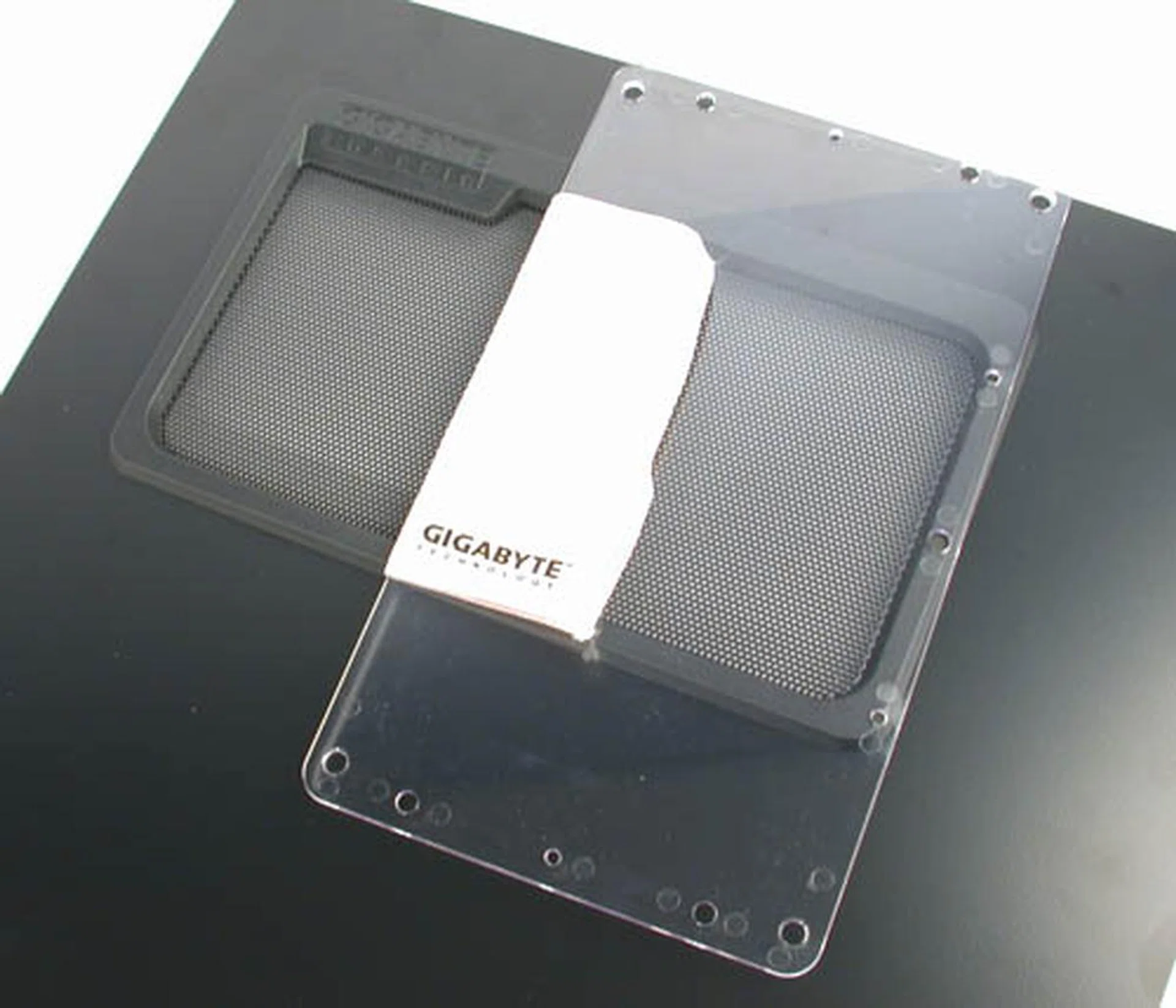
Here's the side panel with its default mesh and the plastic window that you can choose to replace the mesh with. Hey, there's even a polishing cloth included to clean the window.
One thing that we liked about the Poseidon is its very stable footing. The four rubber foot stands used are deemed 'skid-proof and shockproof' by Gigabyte. While we are naturally not going to test the shockproof claim, they are definitely skid-proof as far as we are concerned; it was quite difficult to move the casing by pushing or pulling on it. The resistance that we encountered could fool anyone into thinking that the casing is much heavier than it actually is. Like its name, the Poseidon has the sea legs to stay on its feet (maybe even the deck on a moving ship).
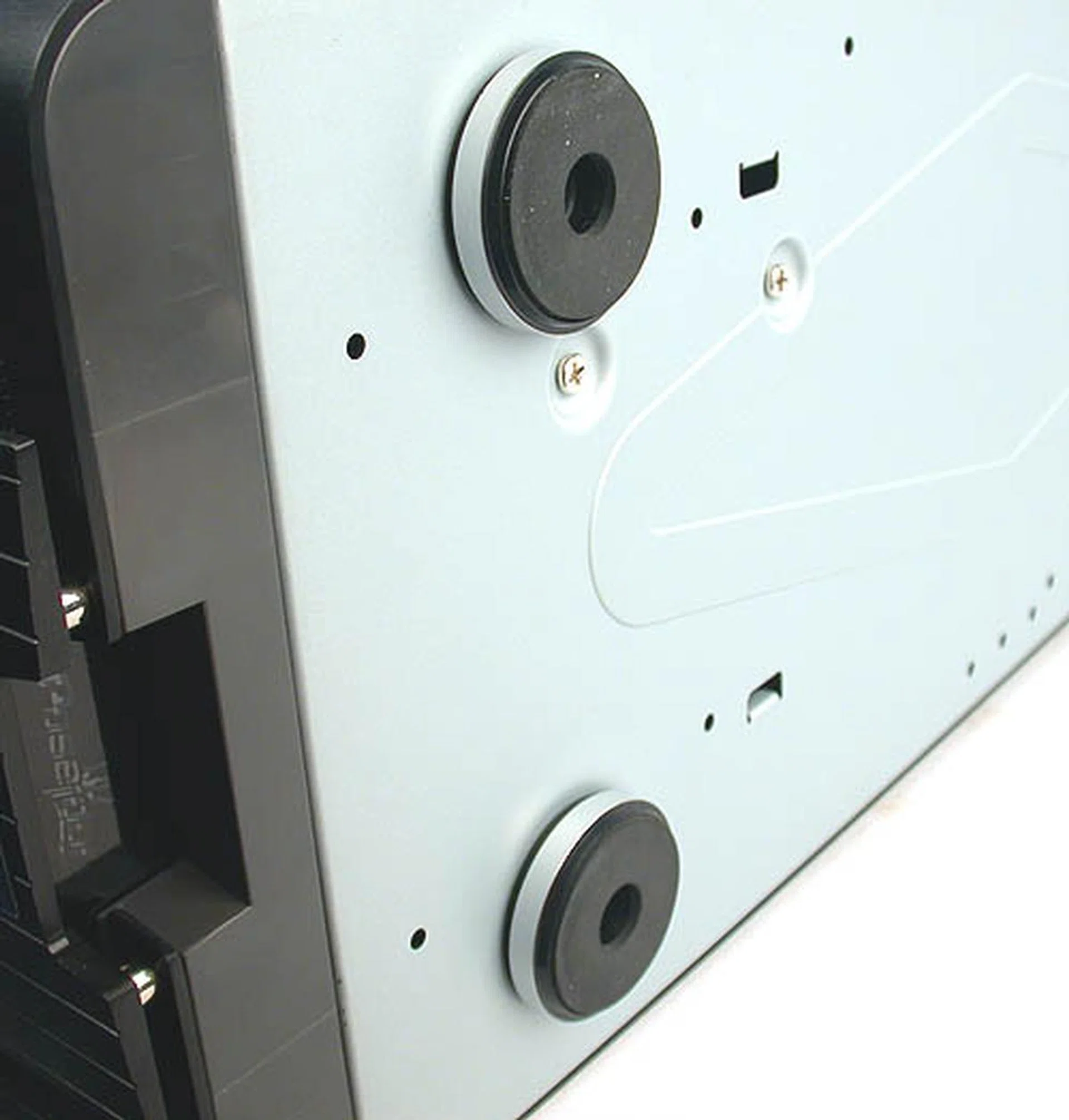
These are quite the skid-proof foot stands and they do a great job keeping the casing secure at its location as we found out.
Similar to the 3D Aurora, the Poseidon has drainage outlets in the form of grommet-lined holes at the back, catered especially for those who have installed liquid-cooling units. As Gigabyte's manual reminds us, the company has its own liquid cooling kit, which is fully supported by the Poseidon. Of course, other commercial units out in the market may also be suitable, but they might require more work to be fitted if the tubing is already pre-attached to the main cooling unit.
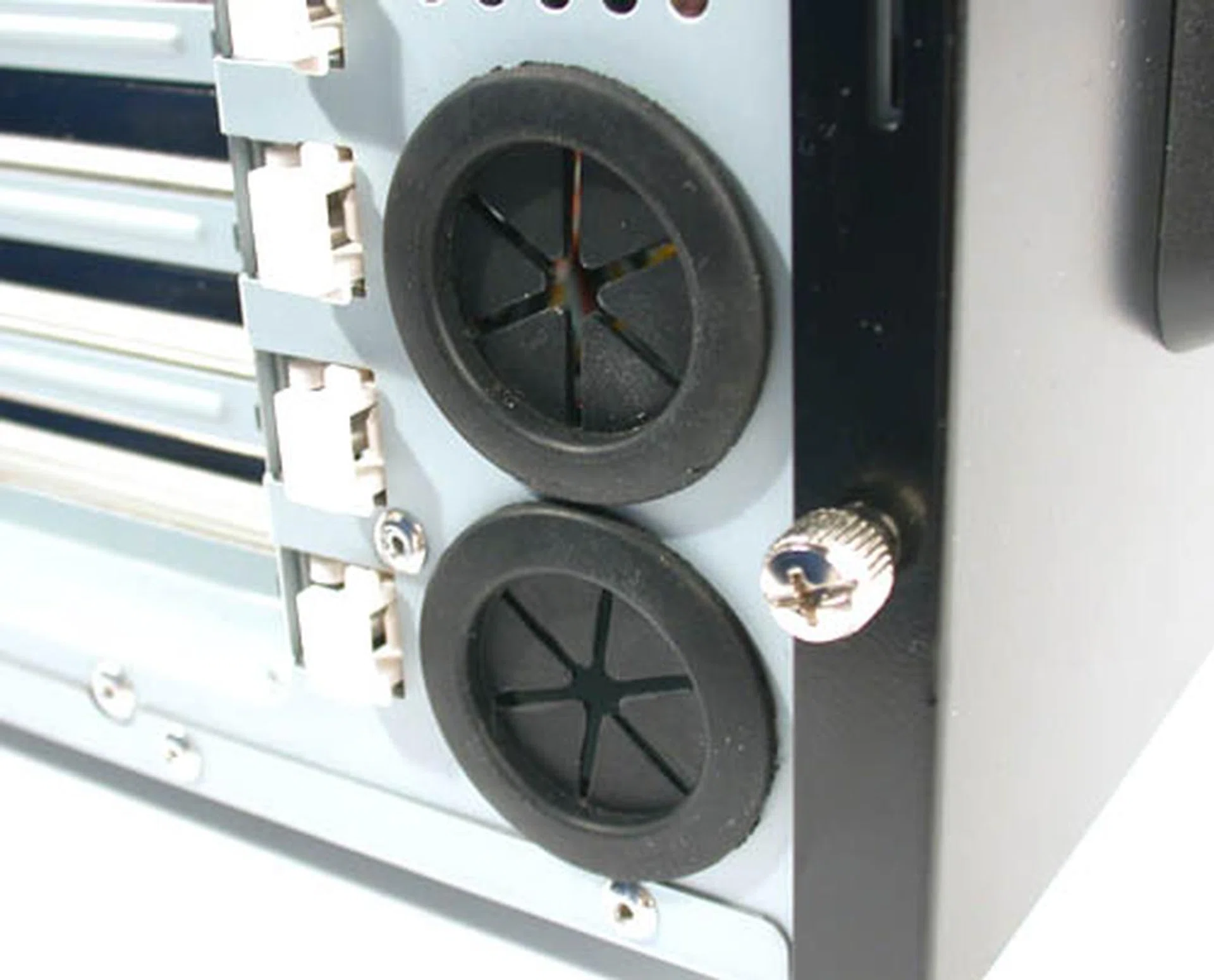
These two drainage outlets are customized for those with liquid cooling units. Of course Gigabyte was unable to resist suggesting its own 3D Galaxy cooling units in the user manual.
Interior Design
The Poseidon does not come with a power supply unit, so the interior looks quite spacious and bright. This impression is probably further aided by the neat cable management instilled by Gigabyte. However, once the user starts using them to attach the various devices, it may likely end up a mess if not properly managed. The power cable for the 120mm rear fan is pre-routed and both the front and rear fans are rated at 1000RPM, which should be quiet enough.
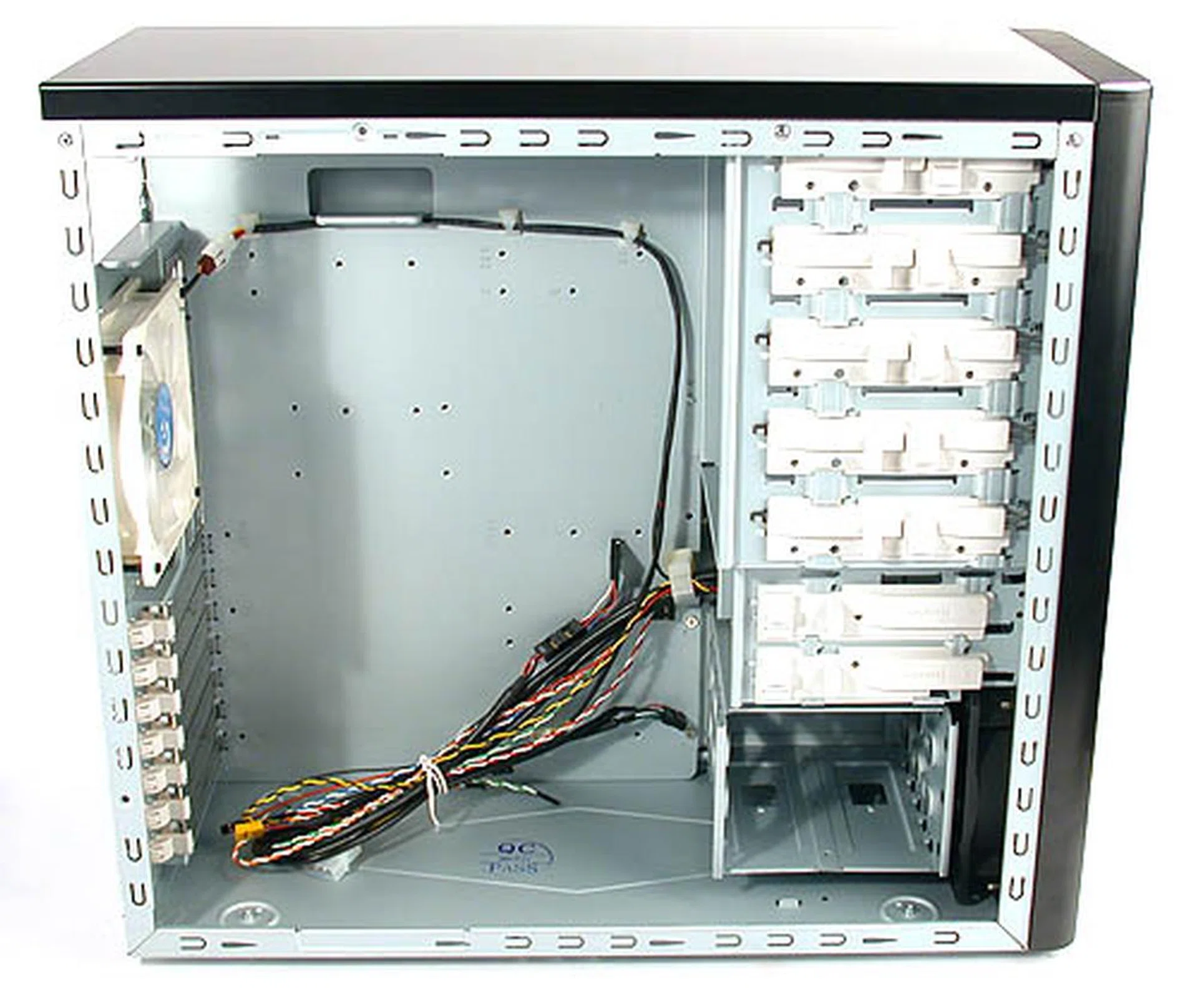
The casing has ample space inside, though its smaller dimensions mean that Gigabyte's 3D Aurora has the edge over the newer Poseidon. Notice the neat and clean interior.
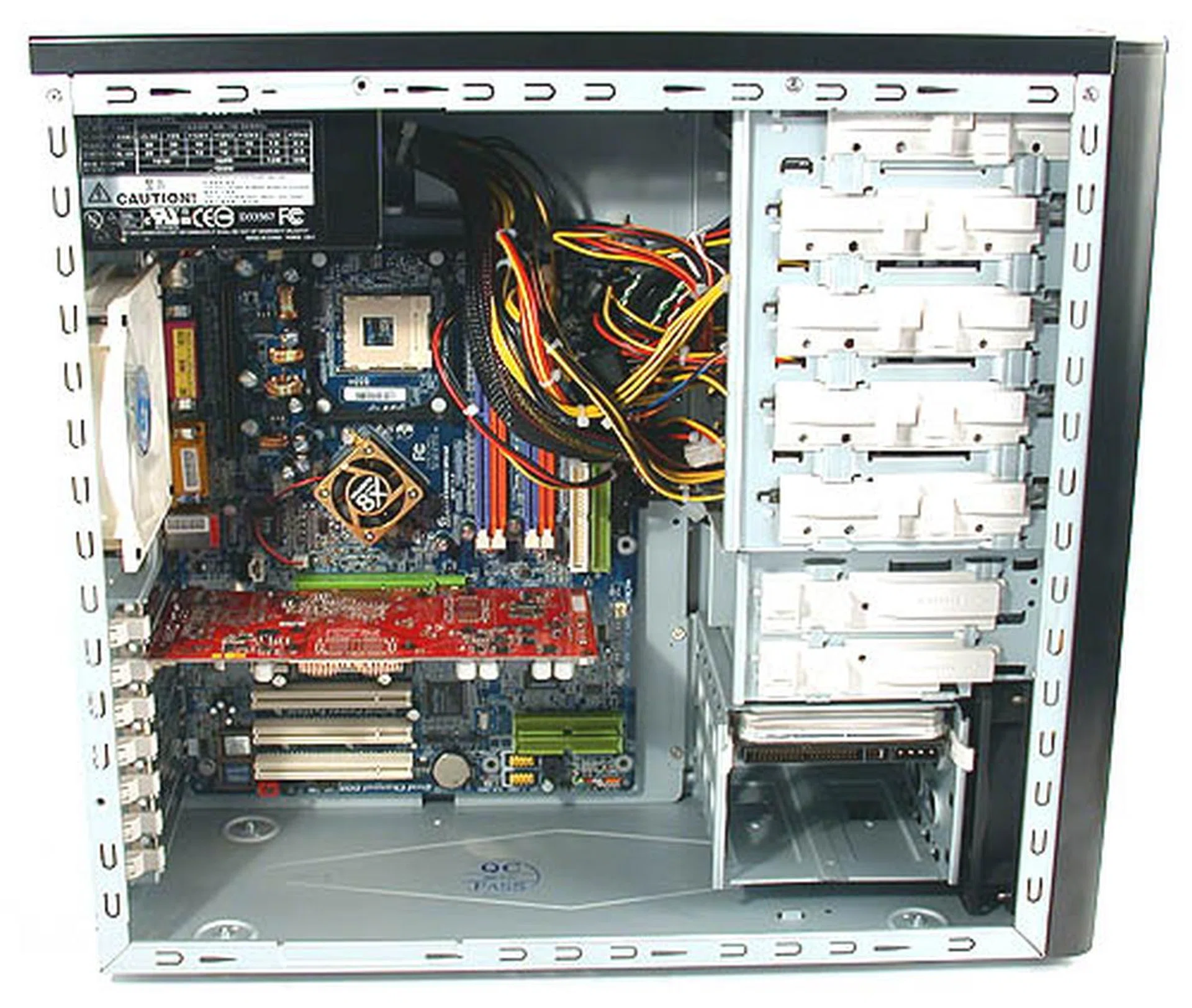
Thanks to the tool-free design, all these were installed in around 15mins.
The conveniences of a modern casing are all present in the Poseidon. User-friendly features like tool-free installation are arguably a standard fixture among the better quality casings in the market now. Even value casings are starting to implement these features, mainly because it makes the end-user's task so much easier. Hence, it was no surprise to find them on the Poseidon as well.
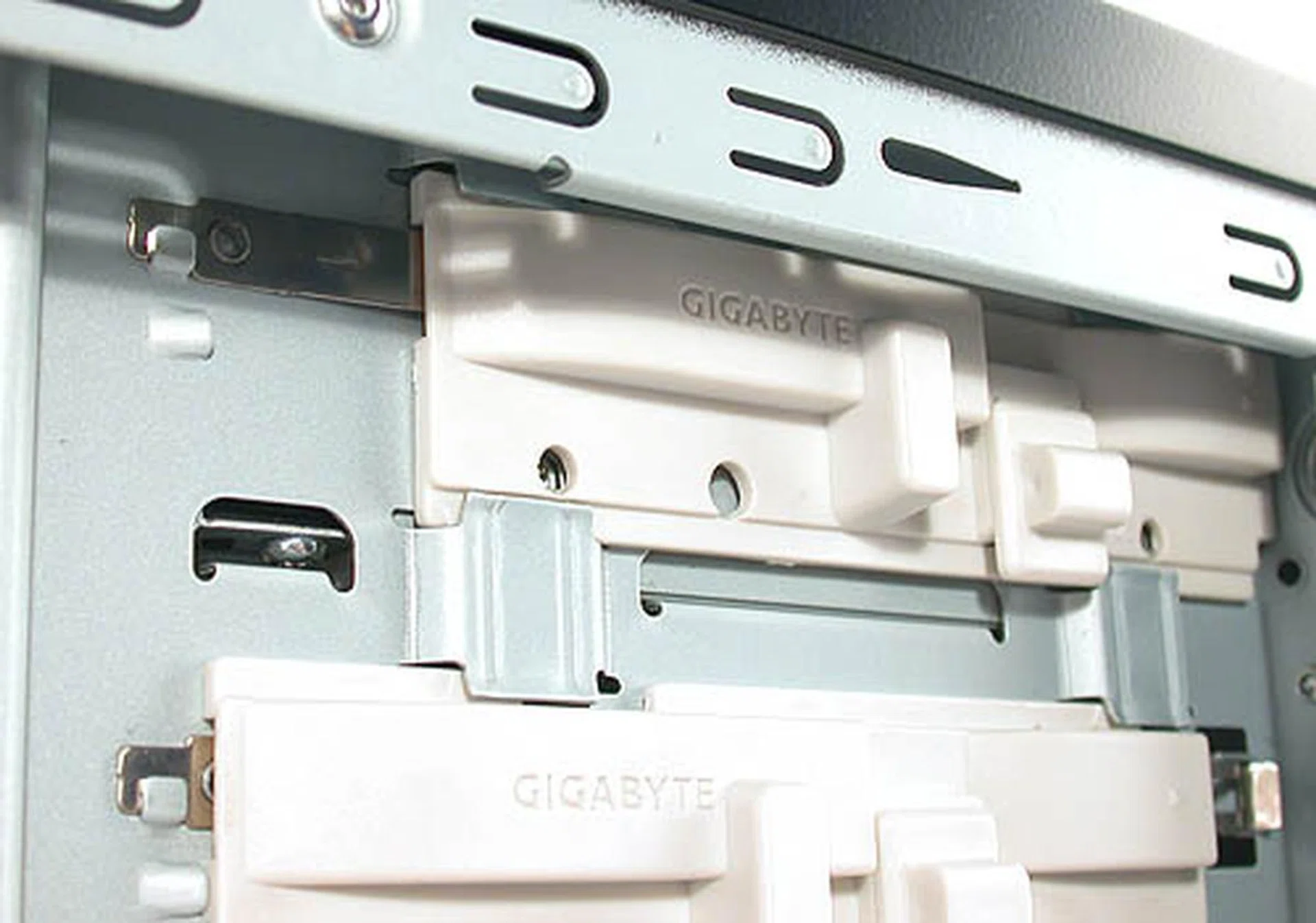
Push in and down, two easy steps to securing your 5.25-inch drives.
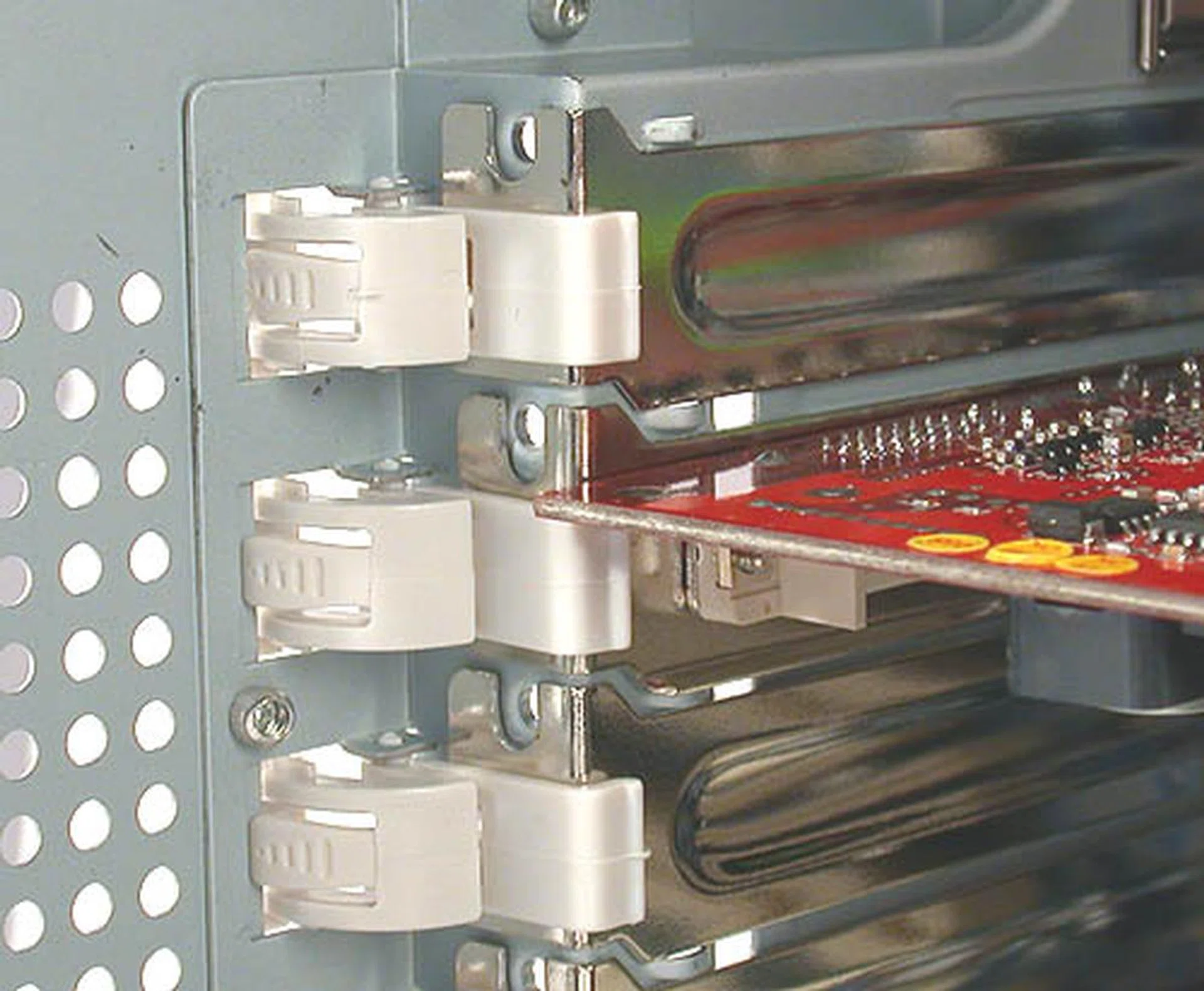
Locking your expansion cards was also very simple though it was not as secure as screws so we recommend that you add your own screws if you have any worries.
The hard drive cage can fit up to three 3.5-inch drives comfortably and being just mere centimeters away from the front ventilation fan, it gets the coolest air in the casing. The orientation of the drive cage also enables end-users to remove the connectors conveniently and helps reduce the chances of installation injuries like bruises and cuts.
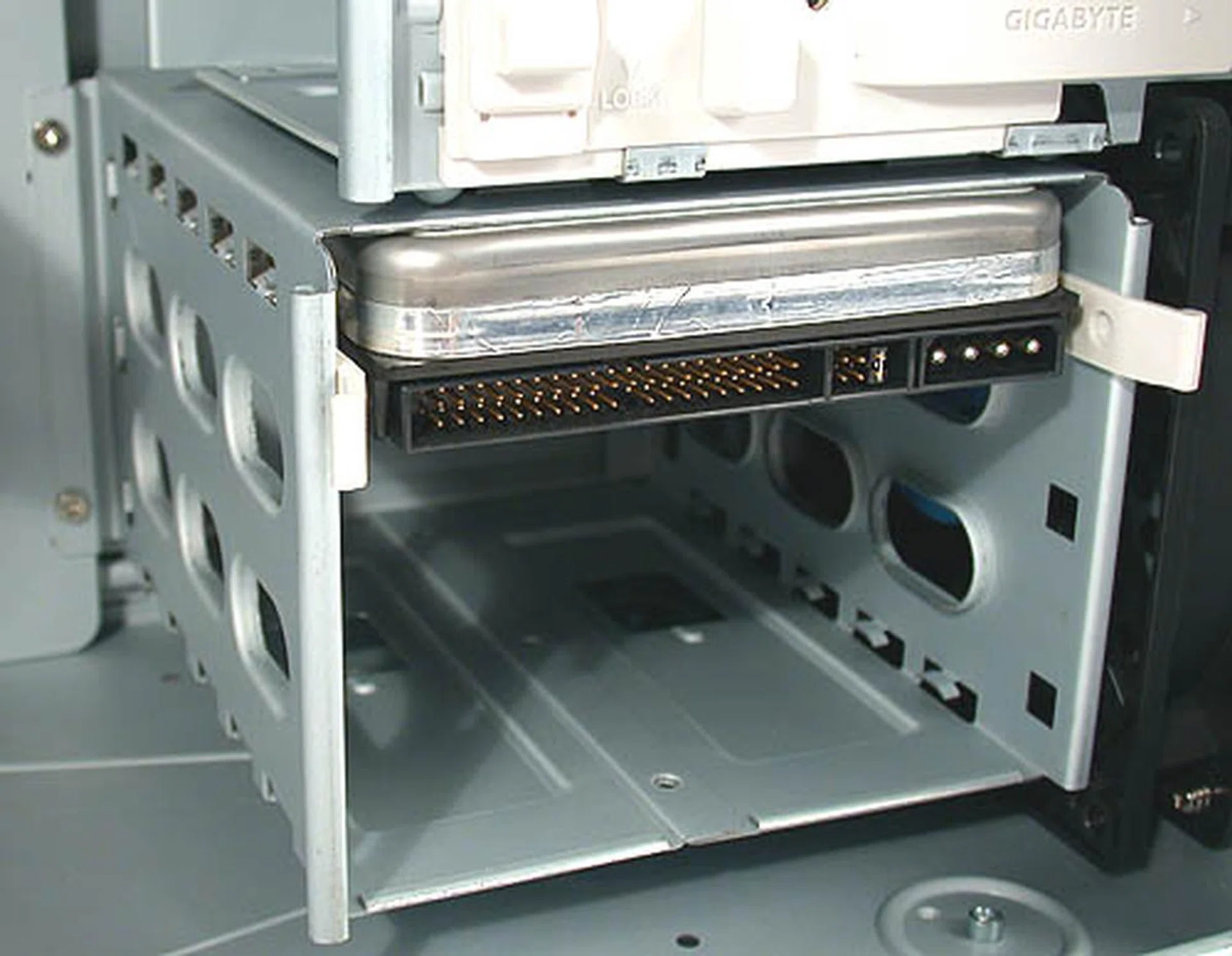
This is another increasingly common fixture in casings nowadays - the hard drive cage. Aligned to make installation and removal more convenient, it also receives the coolest air due to the close proximity of the forward 120mm fan.
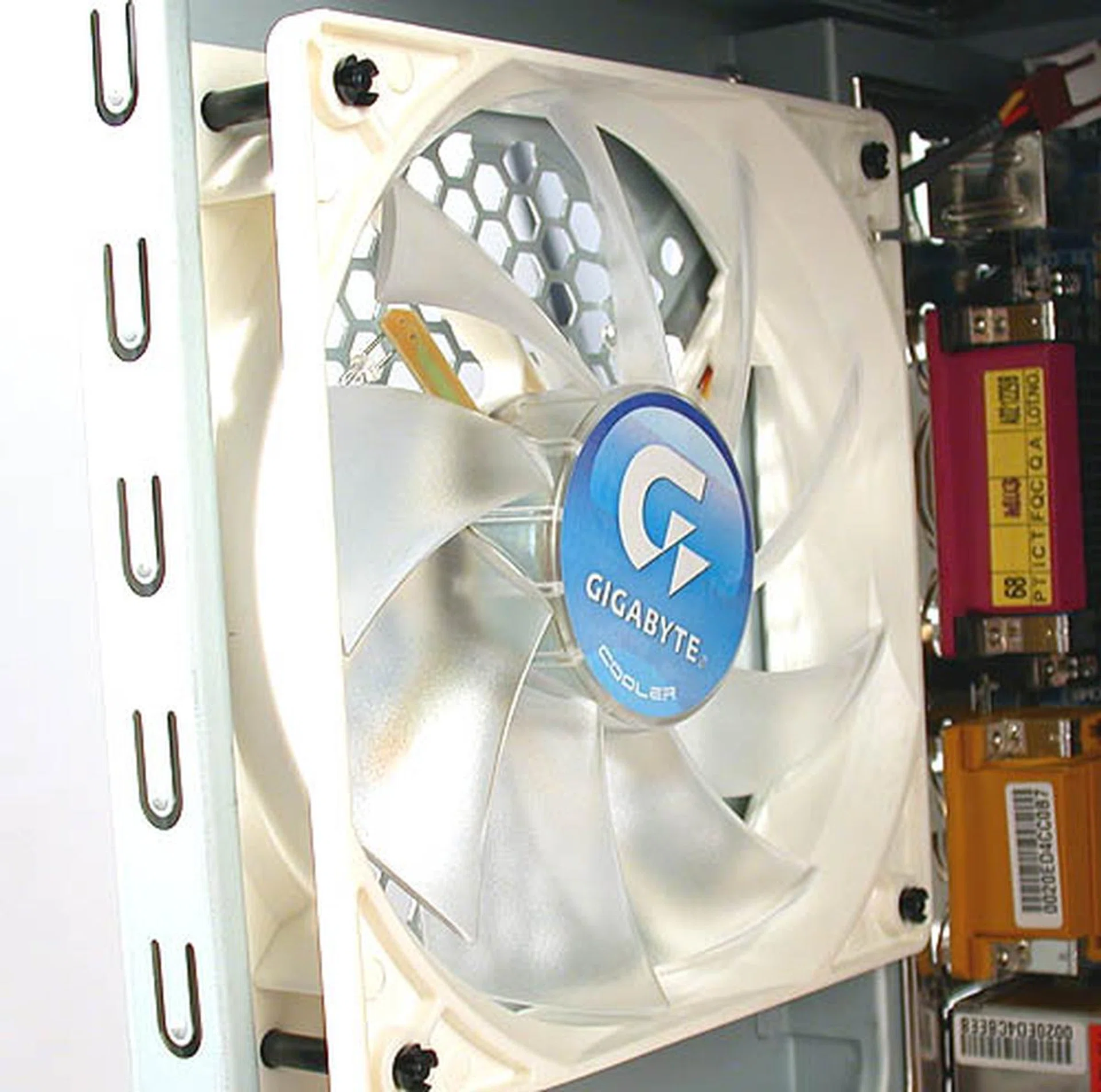
The large rear 120mm fan spins at around 1000RPM and has blue LED.
With these aids to installation, we were able to set up our system quite soon and like the 3D Aurora, the clear and detailed multi-language user manual, liberally dotted with photographs and pictures should be commended.
Sea Goodness
As many up and coming musicians know almost instinctively, the follow up to a successful debut is as crucial if not more so, than the first hit album. History is littered with countless accounts of one-hit wonders that soared too high, too fast before sinking without a trace. Gigabyte had shown much promise with its debut 3D Aurora casing, making a bold statement with its unique looks and quality finish. And the new Poseidon series aims to keep the momentum going with more of the same goodness.
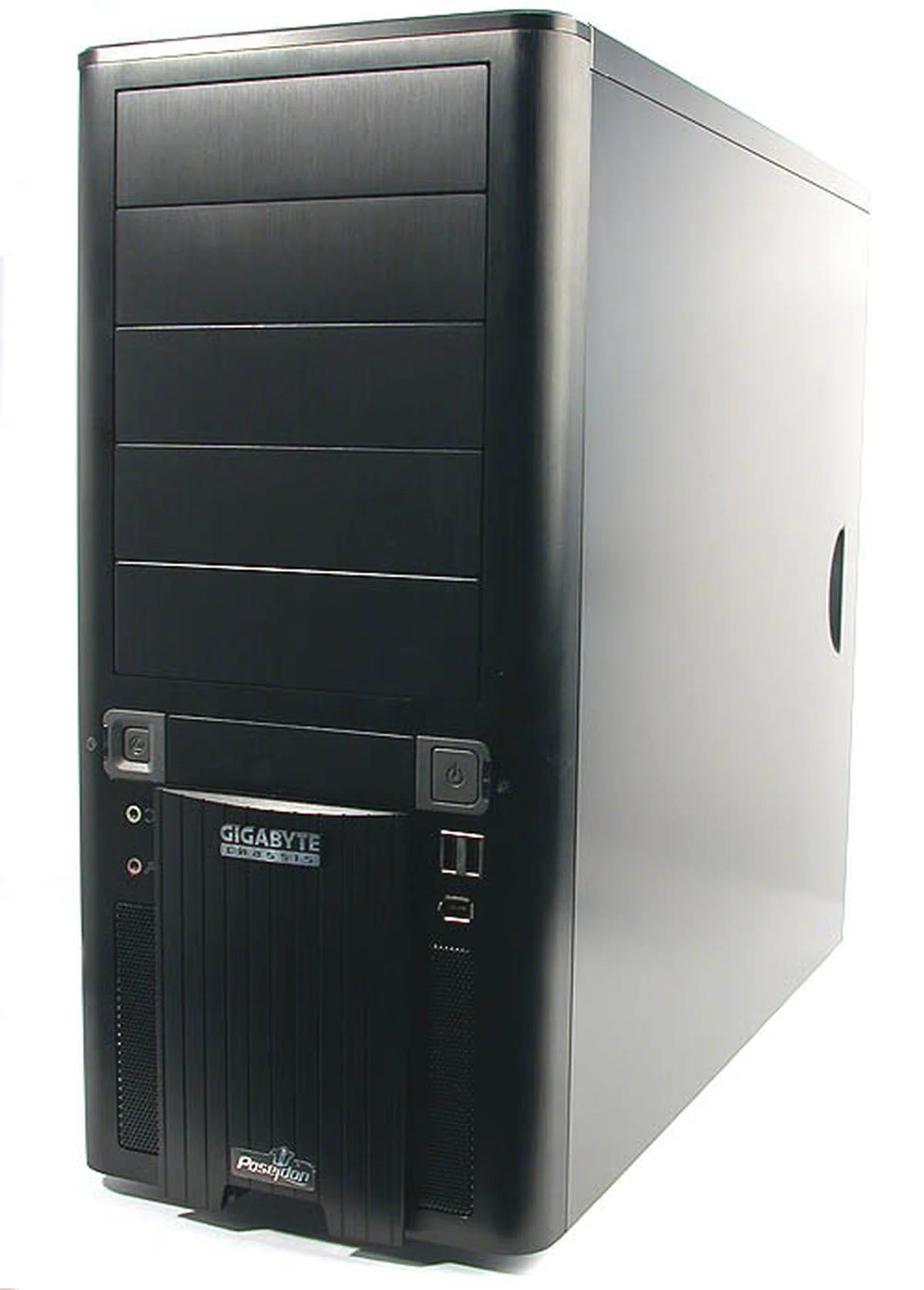
Those who didn't like the appearance of Gigabyte's first casing, the 3D Aurora, will probably have no complaints about the conventional looks of the Poseidon.
All the features found in the 3D Aurora are again seen in the Poseidon. From the quality finish and construction and its liberal use of brushed aluminum, reinforced by a steel chassis, the Poseidon looks easy on the eye in black. Its tool-free design is definitely a must-have for all aspiring premium casings and Gigabyte has satisfied us with its abiding emphasis on that.
Other characteristics like the drainage outlets for liquid cooling units are uniquely Gigabyte and the Poseidon continues this tradition, though to be fair, it is merely a nice bonus rather than a necessary feature. The light beam projector is also another Gigabyte special that you either love or hate. While we are not fans of it, it's up to the individual user if they want to utilize it or just leave it alone. The casing probably looks better without it but if you like something a bit over the top, we guess the projector fits the bill.
A nice feature added in the Poseidon is the interchangeable mesh/window for the side panel. Changing from either a ventilation mesh to a transparent window and vice versa was a simple affair and we welcome the choice of either provided by Gigabyte. As an added touch, there is even a polishing cloth included to remove any stains or fingerprints from the plastic window. Gigabyte's attention to detail stands out again as one of its strengths though the luxury of having such choice is inevitably, a higher price tag.
Therefore, we were not too surprised that the Poseidon has a suggested retail price of about US$90. The alternative is the cheaper Triton series (US$65), which should be a very decent and comparable casing for those who don't require the extra features found on the Poseidon. Compared to the flashy 3D Aurora, both the Poseidon and the Triton certainly show more maturity in design. There was no need for fanciful designs to attract the headlines this time round and the Poseidon reflects this with a more conventional appearance that should widen its fan base to those preferring simplicity. It may not be particularly groundbreaking but why tweak a winning formula?
Our articles may contain affiliate links. If you buy through these links, we may earn a small commission.