
Cooler Master CM 690
Enthusiasts with a fetish for fans will be eager to lay their hands on the Cooler Master CM 690, which can support up to seven 120mm system fans. This mid-tower chassis also comes with an unique meshed design and all the tool-free mechanisms you have come to expect from the vendor.

A Fetish for Fans
For as long as computers have been around, so has the issue of cooling them. From the very first computers that took up an entire room to its numerous modern incarnations, getting rid of the excess heat generated by the computer has remained an essential consideration. Servers for example are housed in cool, temperature controlled environments so as to achieve optimal performance and stability. Though on a much smaller scale, these are also valid concerns for the consumer market and especially DIY enthusiasts, as their own systems are usually configured with more powerful (read: heat producing) components.
Unsurprisingly, there is a whole cottage industry that has emerged to cater to enthusiasts and their cooling demands. While the traditional cooling method is to equip the system with capable fans and heatsinks to cool the components directly, this is ideally complemented with a chassis that allows all these coolers to work at their full potential. Often, this means a chassis with adequate ventilation and no 'heat traps' from improper cable management and design. In fact, we feel that case ventilation is an aspect that branded PC vendors may actually have the edge over most DIY-ers, as cable management may be neglected due to the hassle, especially since enthusiasts are likely to swap out their PC components quite often.
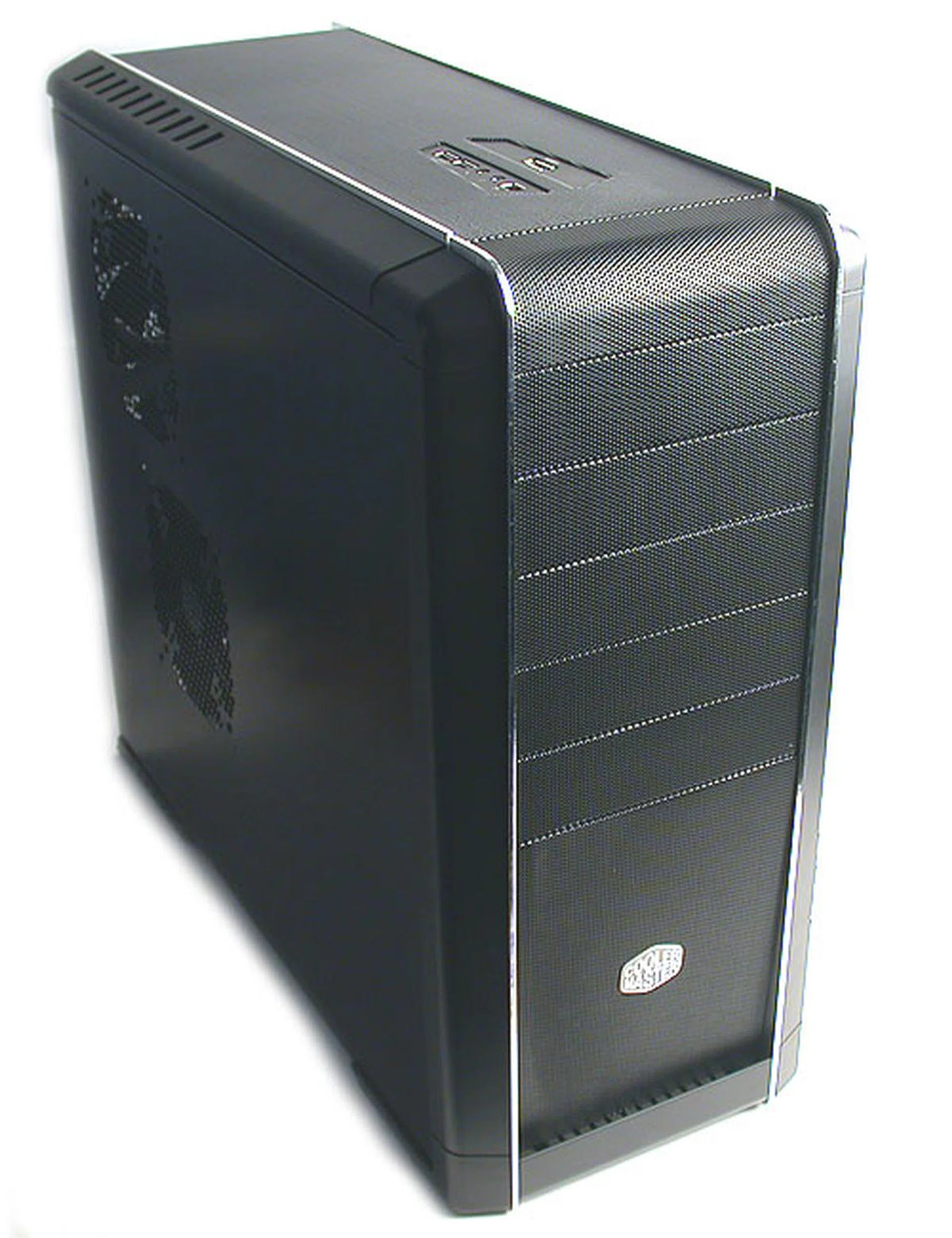
The entire front facade of the Cooler Master CM 690 is entirely meshed for optimal ventilation. This also applies to the top of the chassis while its bottom is dotted with ventilation holes.
Cooler Master's latest chassis attempts to give enthusiasts what they want with a solid emphasis on cooling and ventilation. A meshed exterior design allows ambient air to pass unrestricted into the chassis while enthusiasts with a fetish for fans can install up to seven system fans in this chassis. Although we can probably imagine how much of a din that many fans will make, Cooler Master clearly believes that there is a market for such an extreme air-cooled design.
Exterior Design
A mid-tower with up to five external 5.25-inch drive bays (one of which can be converted to a 3.5-inch compatible bay if required), the Cooler Master CM 690 has an average height of slightly less than half a meter tall. Its depth verges on the generous, losing out only marginally (~4cm) to behemoths like Gigabyte's 3D Aurora. However, at 9.8kg, the CM 690 is much more heavier than the predominantly aluminum Gigabyte chassis and that is most likely attributed to its solid SECC build.
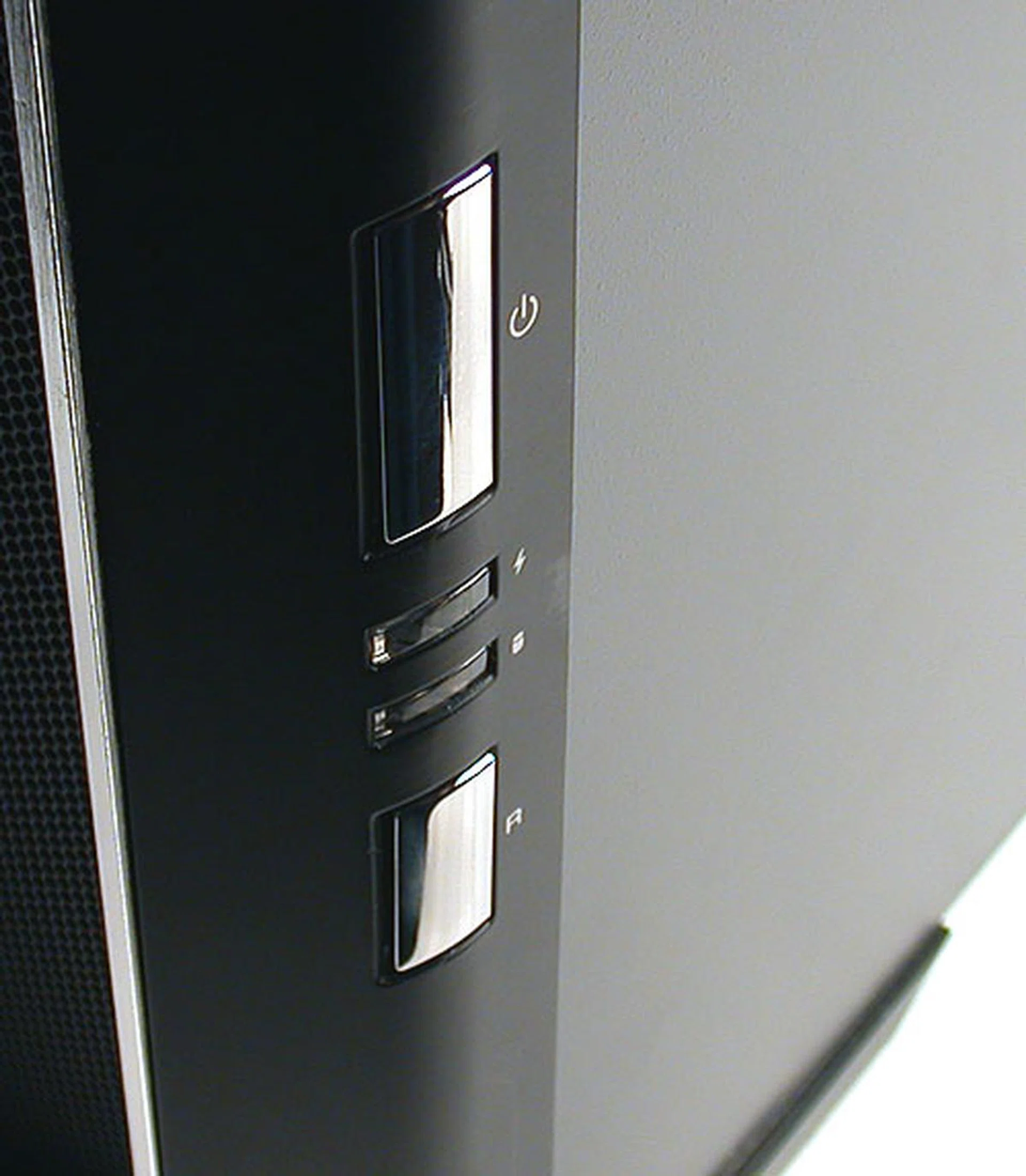
The power and reset buttons are frankly quite horrendous to use, with little tactile feedback. These silver plastic 'buttons' are actually connected to the actual buttons behind the bezel, which accounts for the lack of feedback.
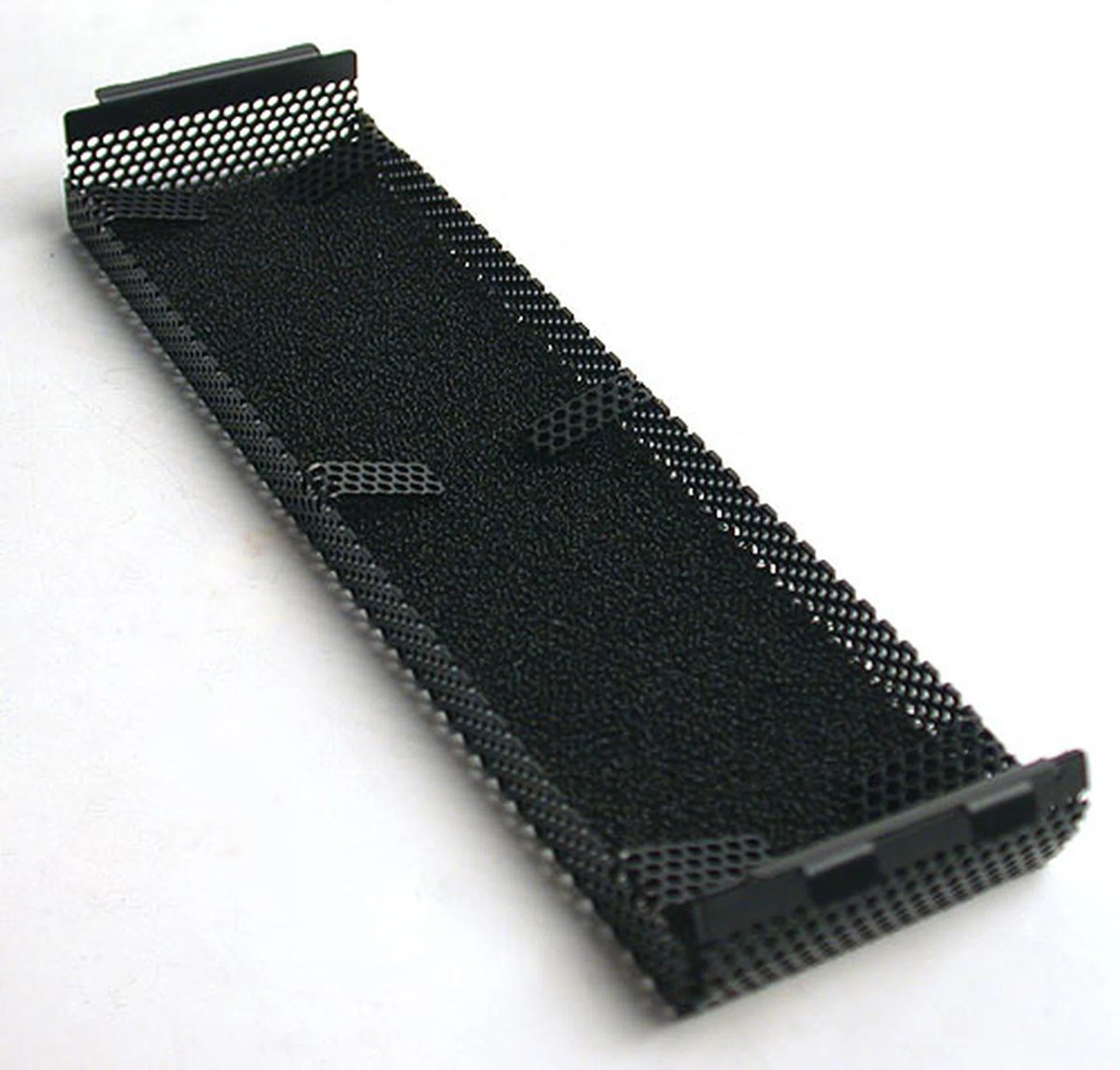
Every piece of the removable front bezel cover comes with its own dust filter. Cleaning them could be quite the hassle.
The weight of the chassis is exacerbated by its design - while it's easy to grip the rear bottom of this chassis with your hand (the chassis is elevated by two large rubber feet), the front bezel extends all the way to the bottom, making it rather difficult for the other hand to find purchase there. This makes lifting the CM 690 harder than its weight would suggest and we had to tilt it slightly backwards to get a grip at the front first before we could carry it. Now, the 9.8kg weight is before installation. After installing a full PC into the case, it will get a lot heavier. While it may not be a major inconvenience to some, it made us feel less inclined to want to lug this chassis around.
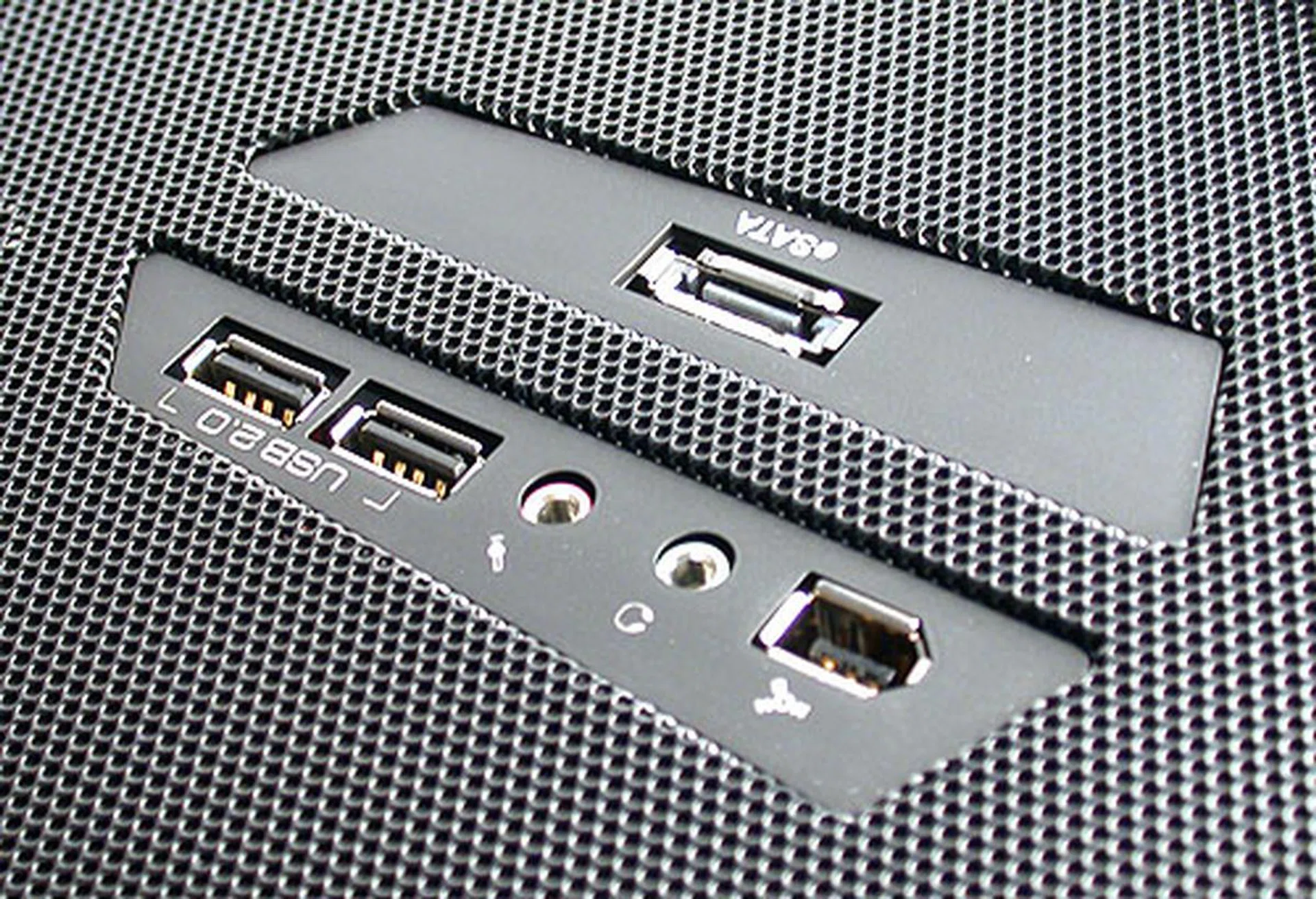
eSATA ports are increasingly popular on motherboards and Cooler Master has picked this up by having such a port on its new CM 690.
Like most Cooler Master designs, the entire meshed front bezel can be removed simply by pulling it outwards from the bottom. This is required when installing the optical drives. In order to keep dust out of the interior, the meshed areas are lined with filters. This goes for each removable drive bay bezel as well. Although these filters do help keep out the larger dust particles, cleaning them may not be on the 'to-do' list for many users and as time goes by, may actually impede the airflow of the chassis, thus defeating its design. As such, it is quite important to rinse out the filters from time to time, even if it is quite a chore to do so.
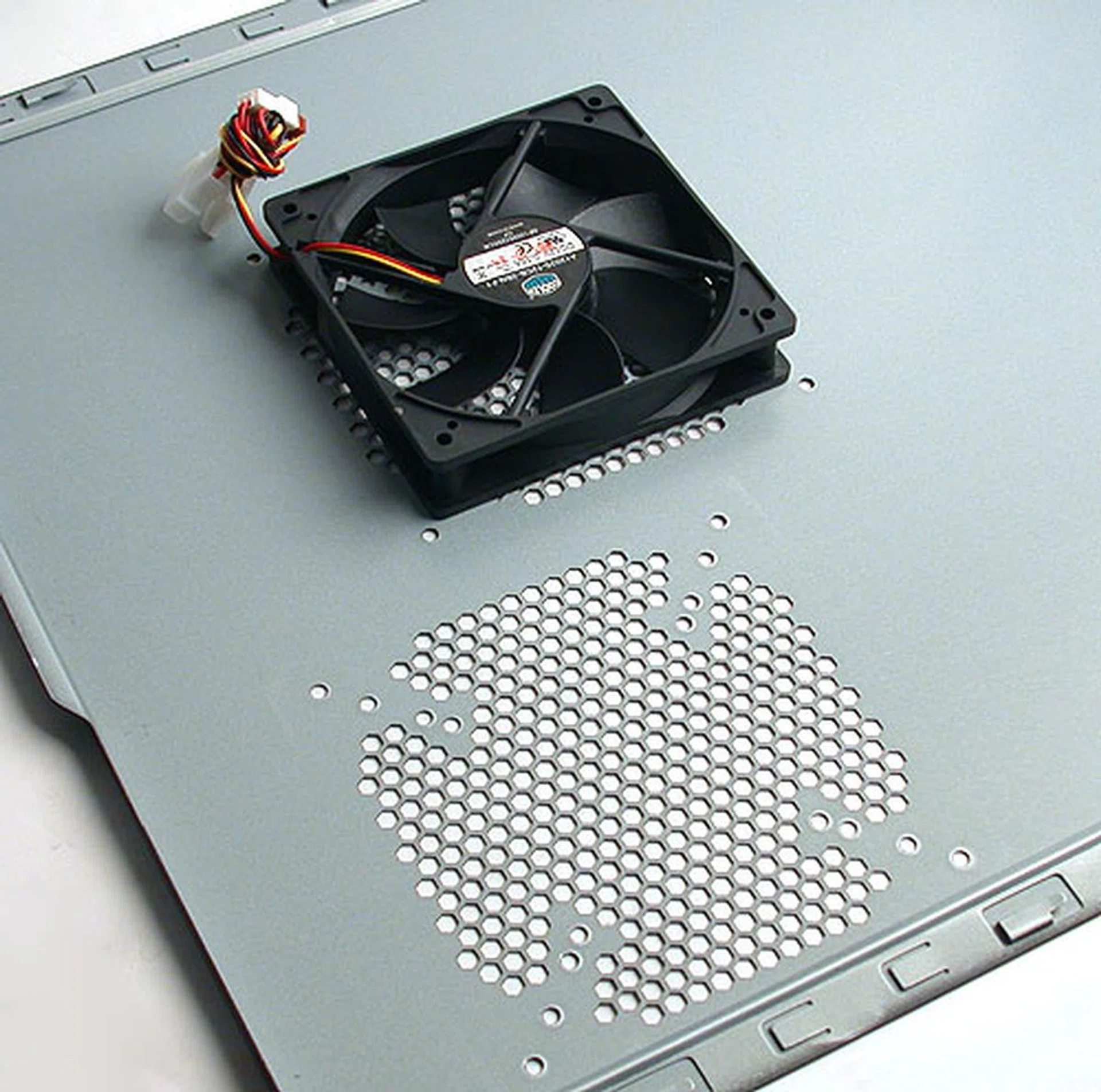
We didn't have the easiest of times sliding this panel out from the chassis. One 120mm cooling fan is installed by default. The other is optional for all but the most 'fanatic' enthusiast.
I/O ports are located at the top of the chassis, with Cooler Master adding an external SATA port in addition to the usual USB 2.0, FireWire and audio jacks. The removable side panels are dotted with ventilation holes, with the one on the right spotting two mounting locations for system fans. The two panels are secured with removable thumb screws but while we could remove them easily, the panels were rather stiff and took some effort to slide out from the chassis. Subsequent attempts did not fare much better and we have to give the thumbs down for this.
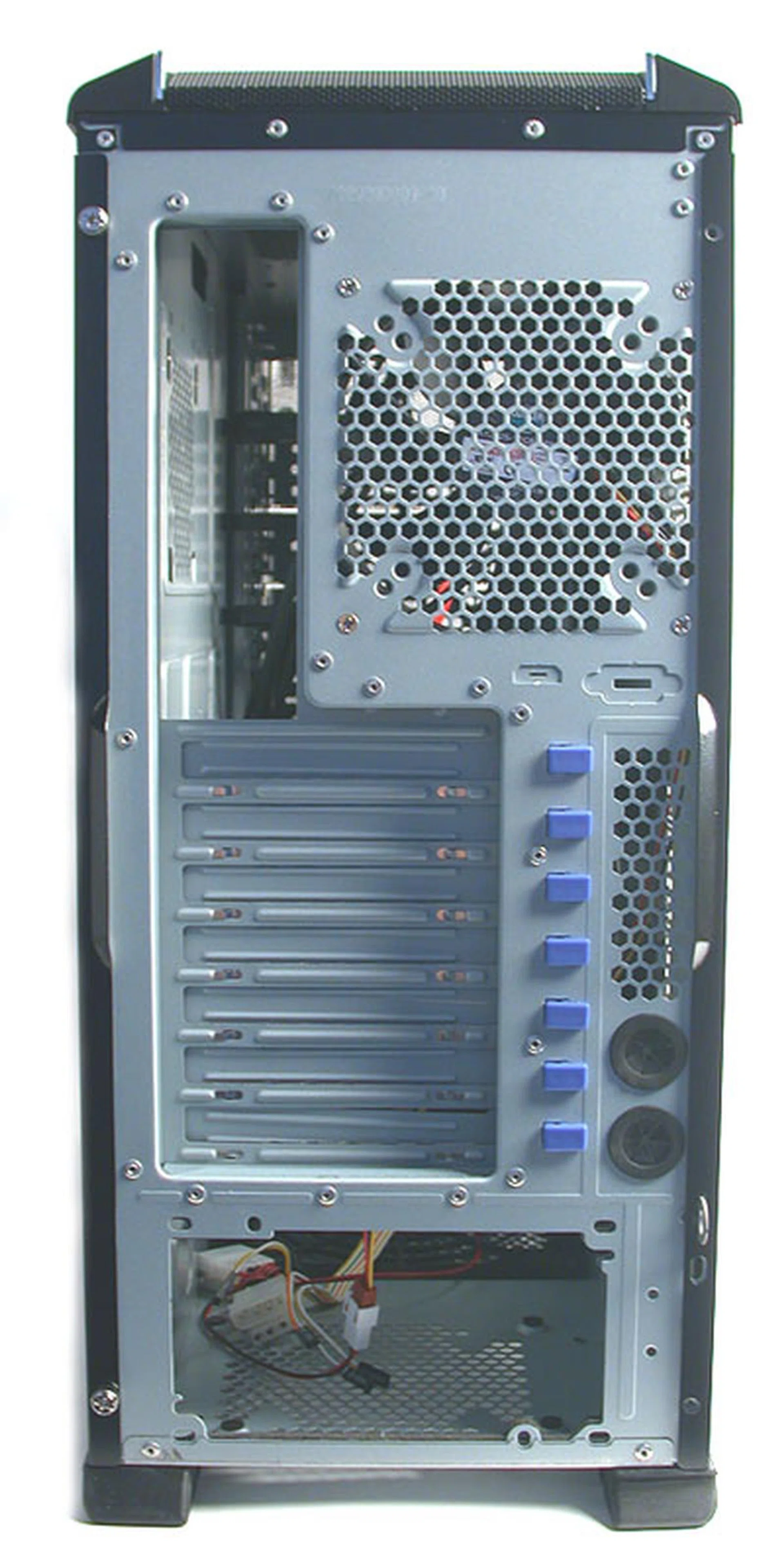
The PSU has been shifted to the bottom, lowering the center of gravity and making sure this chassis is least unlikely to topple, especially with the solid rubber feet we found at the back.
Like some chassis designs, the power supply (PSU) has been moved to the bottom, anchoring the chassis with its weight. There is ample space for even the larger and more powerful PSU retailing nowadays. A thin layer of vibration dampening material is also pre-installed between the power supply and the chassis.
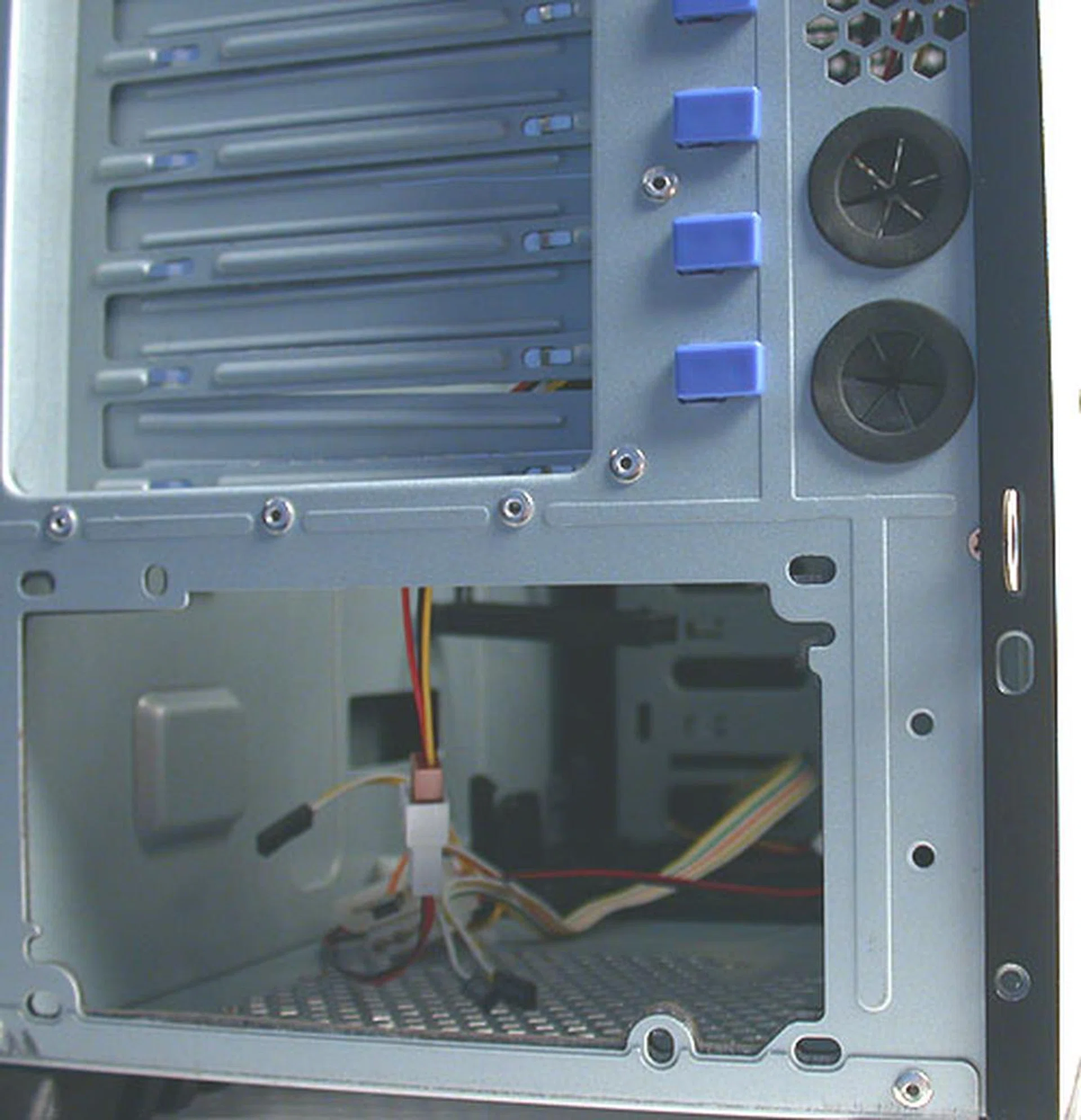
Despite its many options for fans, the CM 690 has not forgotten those using liquid cooling. These two grommets are meant for liquid cooling tubes to exit the chassis to an external radiator for example.
Interior Design
One of the major features of the CM 690 is the number of system fans that can be mounted in this chassis. The retail unit comes with three such fans already pre-installed, one at the rear, the front and one the side panel. These are 120mm fans rated at 21 decibels or less, so they should be very quiet. Additional mounting locations are found at the top of the chassis, one more at the side panel and another 120mm fan at the bottom. That's a total of seven and though it's hard to imagine anyone using the full complement available, keeping with slower spinning 120mm fans for all of them should keep the noise level humanly tolerable.
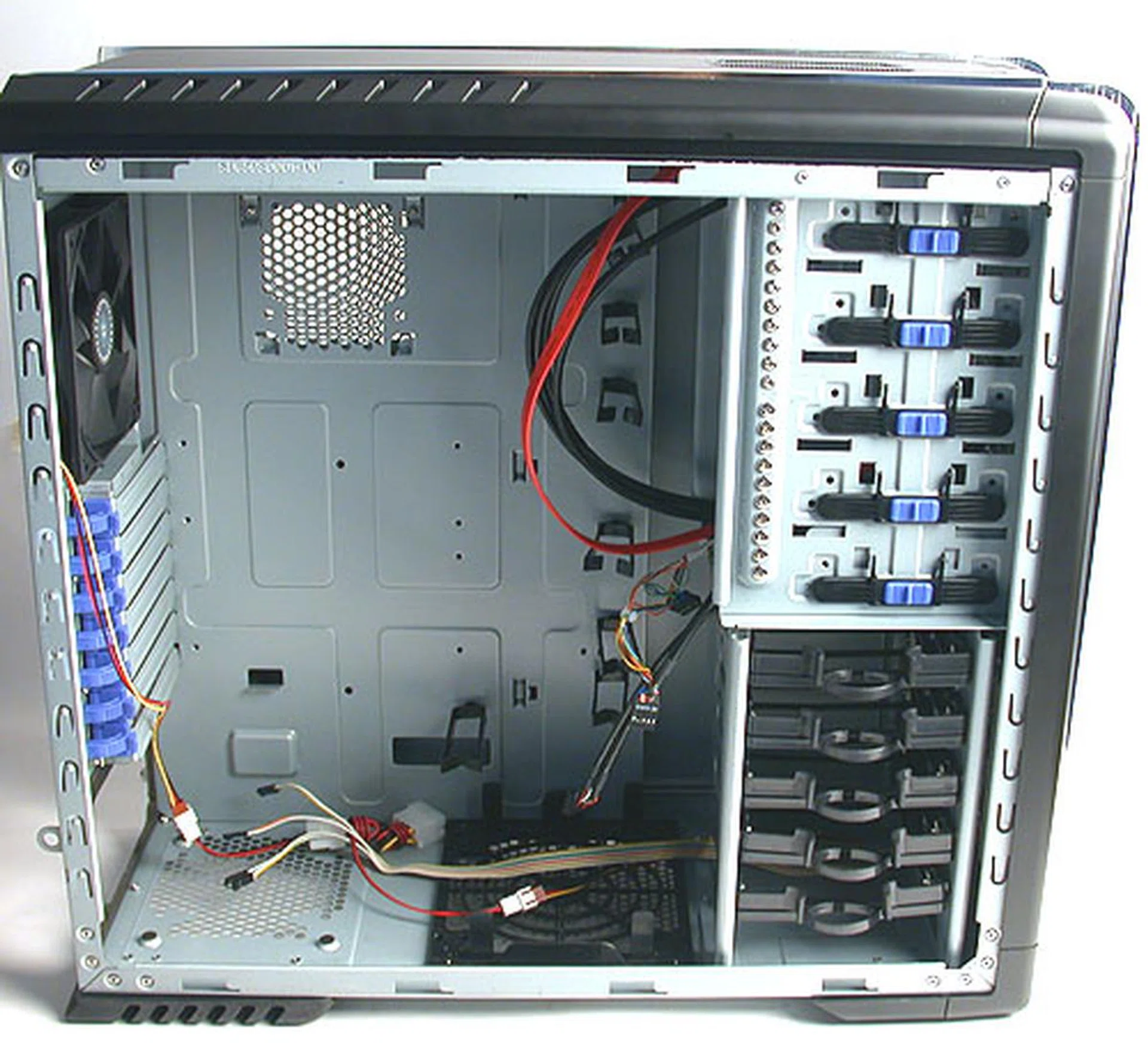
With nothing installed yet, the CM 690 is roomy enough, which is unsurprising considering its dimensions. According to Cooler Master, this chassis has more than enough room to fit dual NVIDIA GeForce 8800 GTX cards in SLI.
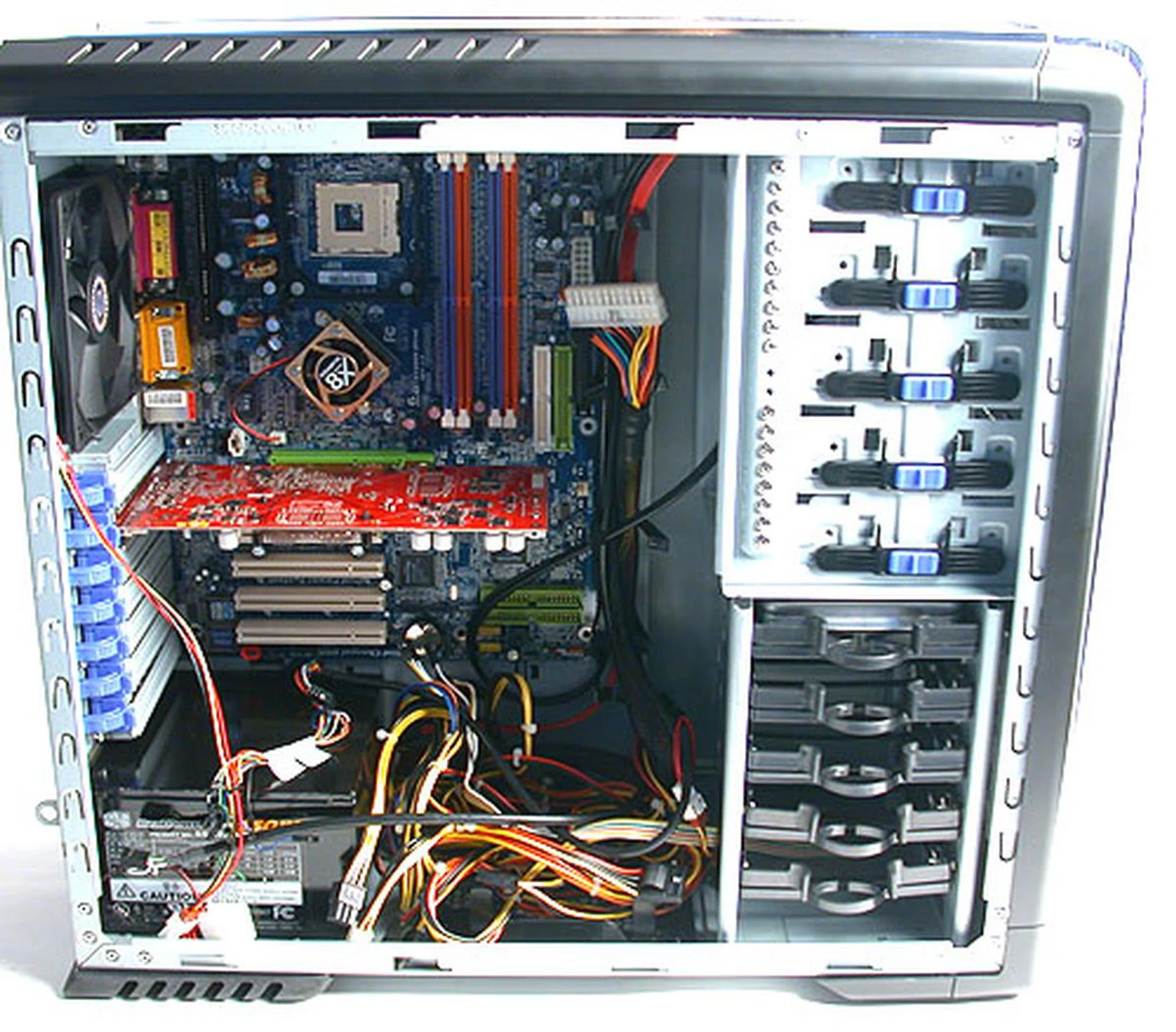
With the basic components installed, it gets a little crowded in the CM 690. The bottom where the PSU is located is particularly messy with all the power cables, but the cable management tools has its use, provided you have the patience to plan and route your cables.
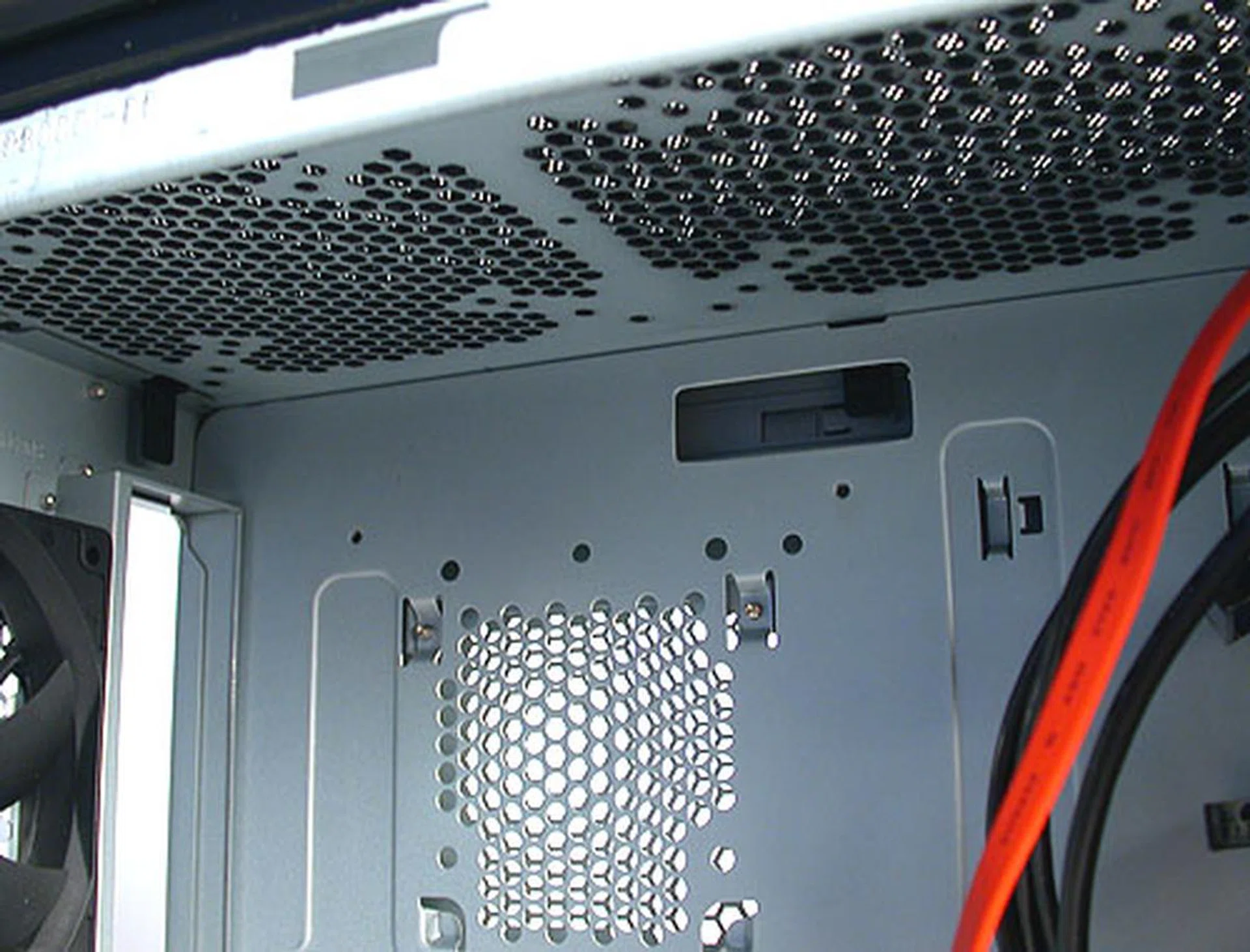
The top of the chassis has lots of room for up to two system fans since the PSU is at the bottom for the CM 690.
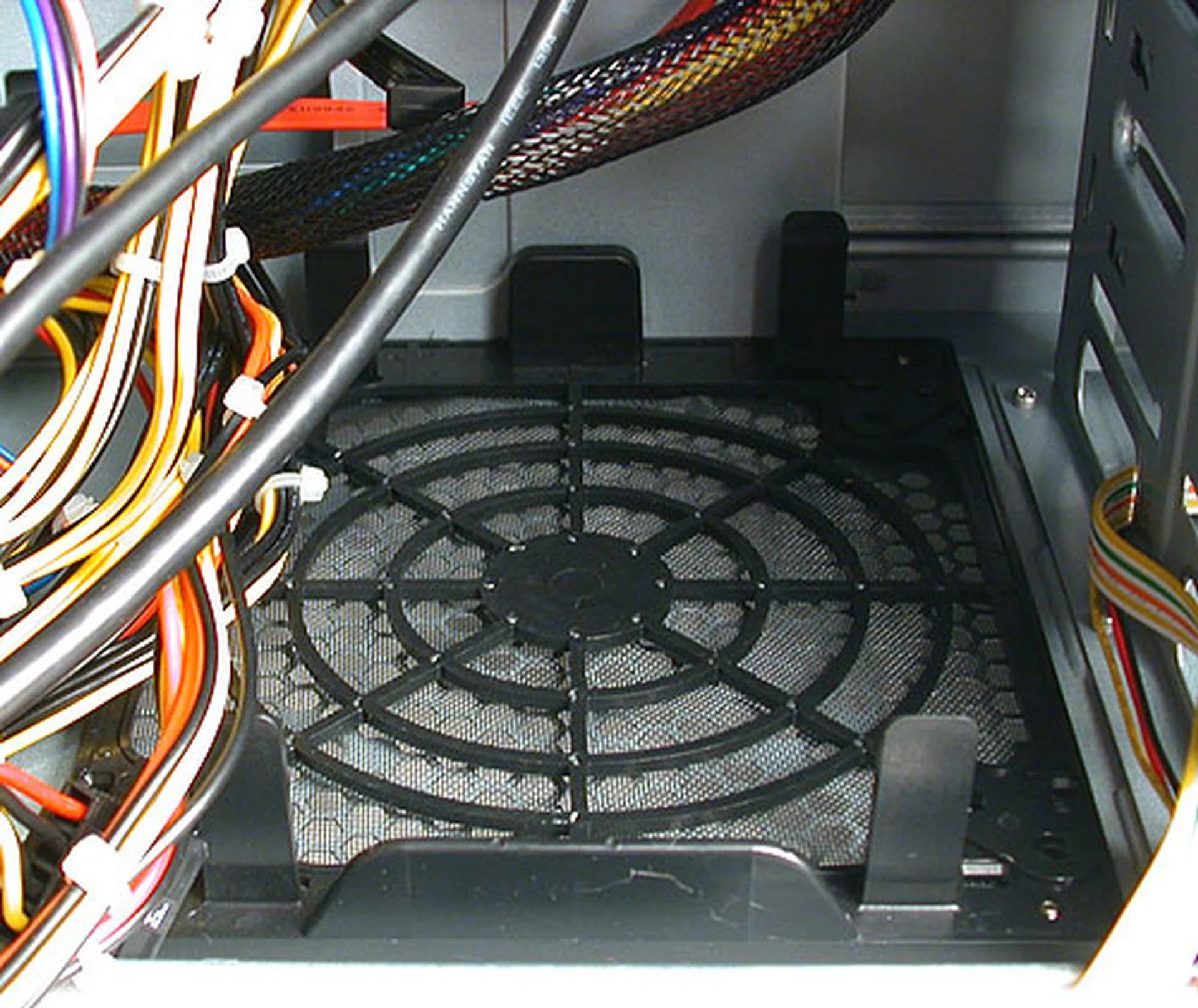
There may be a location here for another fan but with the power cables of the PSU so close to it, we doubt most users would utilize it.
As one would expect from a modern chassis, tool-free is the key word here and the CM 690 has made sure that the inevitable screwdriver is kept to a minimum. In fact, Cooler Master has integrated the screws into the chassis itself. Instead of having them packed in small plastic bags, all the screws you'll ever need have already been screwed into the chassis in the factory. All you'll have to do is to select and unscrew the ones that you require and use them at the proper locations.
The rest of the chassis is mostly tool-free, from the seven expansion slots that rely on plastic locks to the external drive bays, which are secured simply using a snap lock plastic mechanism that aligns to the screw holes on the drives.
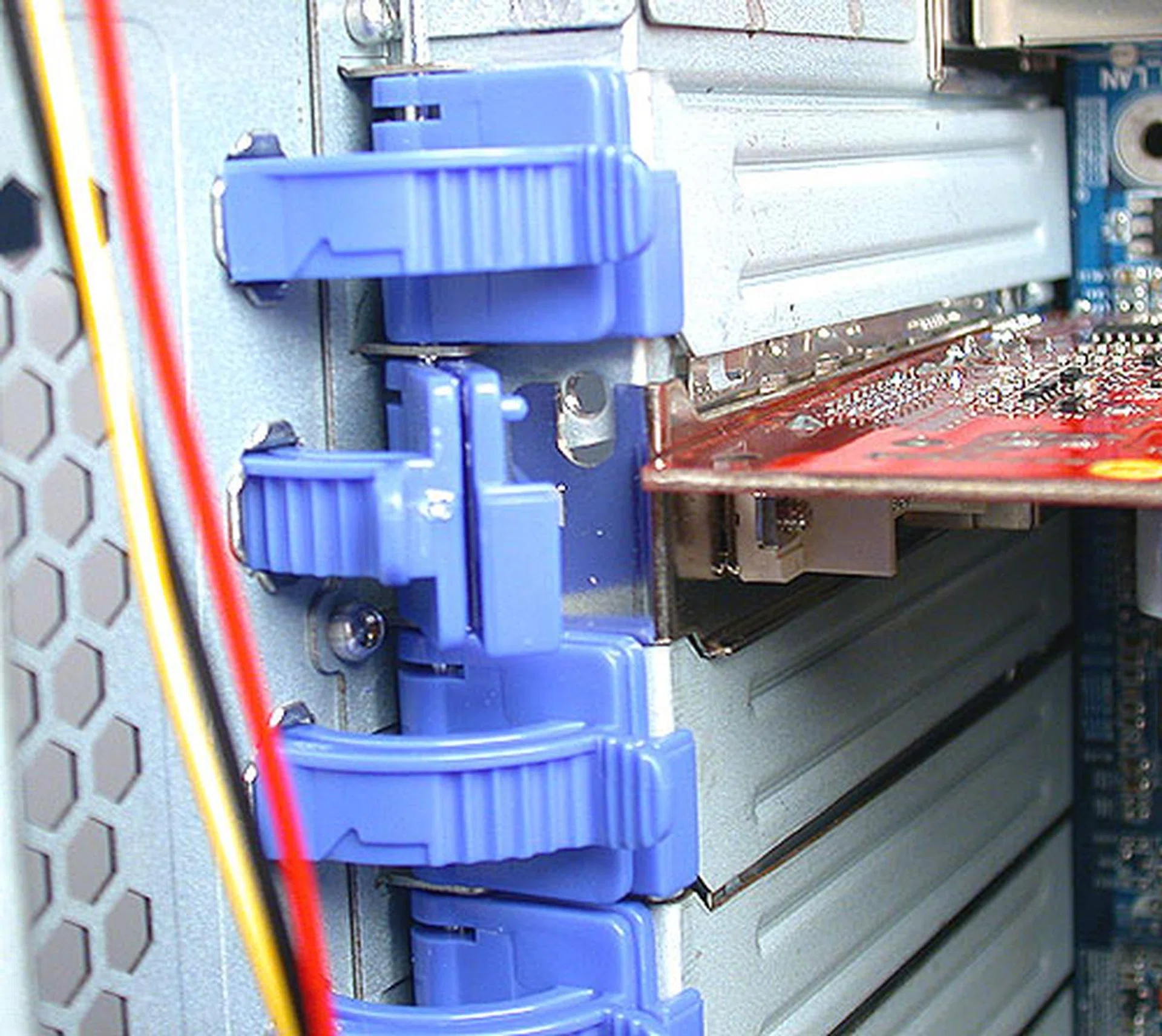
Such plastic locking mechanisms for the expansion slots have been in use for some time now. Despite its plastic origins, we have yet to find one break on us.
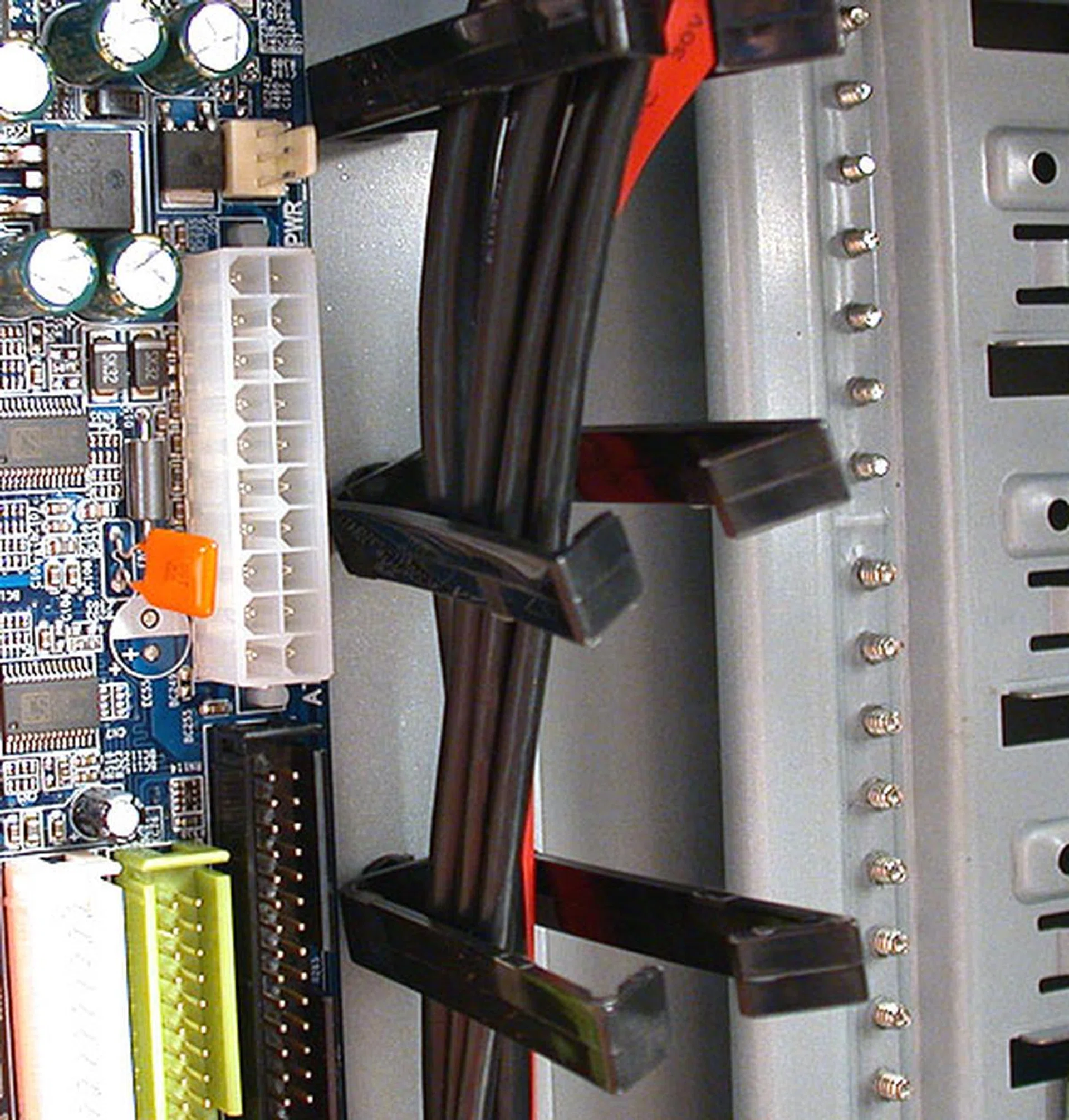
These plastic cable management tools help in getting those cables straightened out but they did seem a bit too close to the motherboard for our taste.
Obviously, the motherboard is one such area where screws are still necessary. The CM 690 supports microATX as well as standard ATX form factor motherboards. While the chassis appears to be roomy with ample space internally, Cooler Master's inclusion of integrated cable management tools has actually reduced available space. During installation testing, we found our motherboard touching the plastic grips that are included for cable management. If you happen to have a deeper non standard ATX board, fitting may become a problem with this chassis. Although having such cable management tools are a step forward, we would have preferred that there was more allowance given between the motherboard.
Another potential problem seems to involve the hard drive cage, of which there are five slots available. A handy snap-on holder allows each hard drive to be installed without any screws and users can easily slot the hard drive into the cage. This would have been very useful, but there is one drawback. Basically, there seems to be little room at the rear for the cables, hence installing them may involve some creative cable routing. This issue is alleviated somewhat if you're using the thinner SATA cables but for IDE hard drives, it does seem rather cramped at the back of the hard drives. At least vibration is reduced thanks to the dampeners found on the hard drive holder.
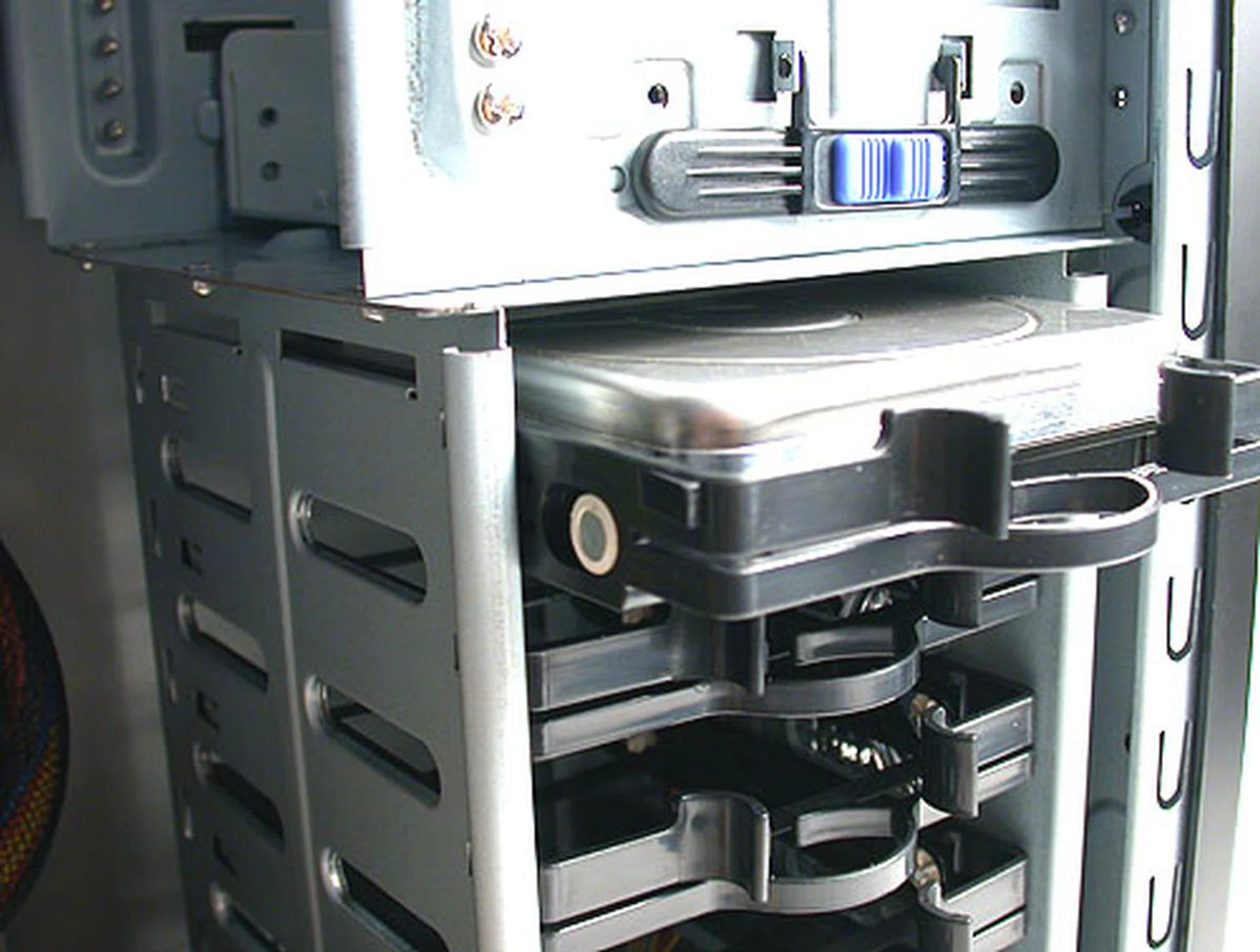
The plastic holder for the hard drive is tool-free and slots easily into the hard drive cage. The only problem occurs when you try to connect the power and SATA/IDE cables, since the connectors are facing the inside of the chassis. You can also see the two screws above the hard drive cage. This is where the included screws for the chassis are 'stored' prior to use. So there's no way you will misplace them.
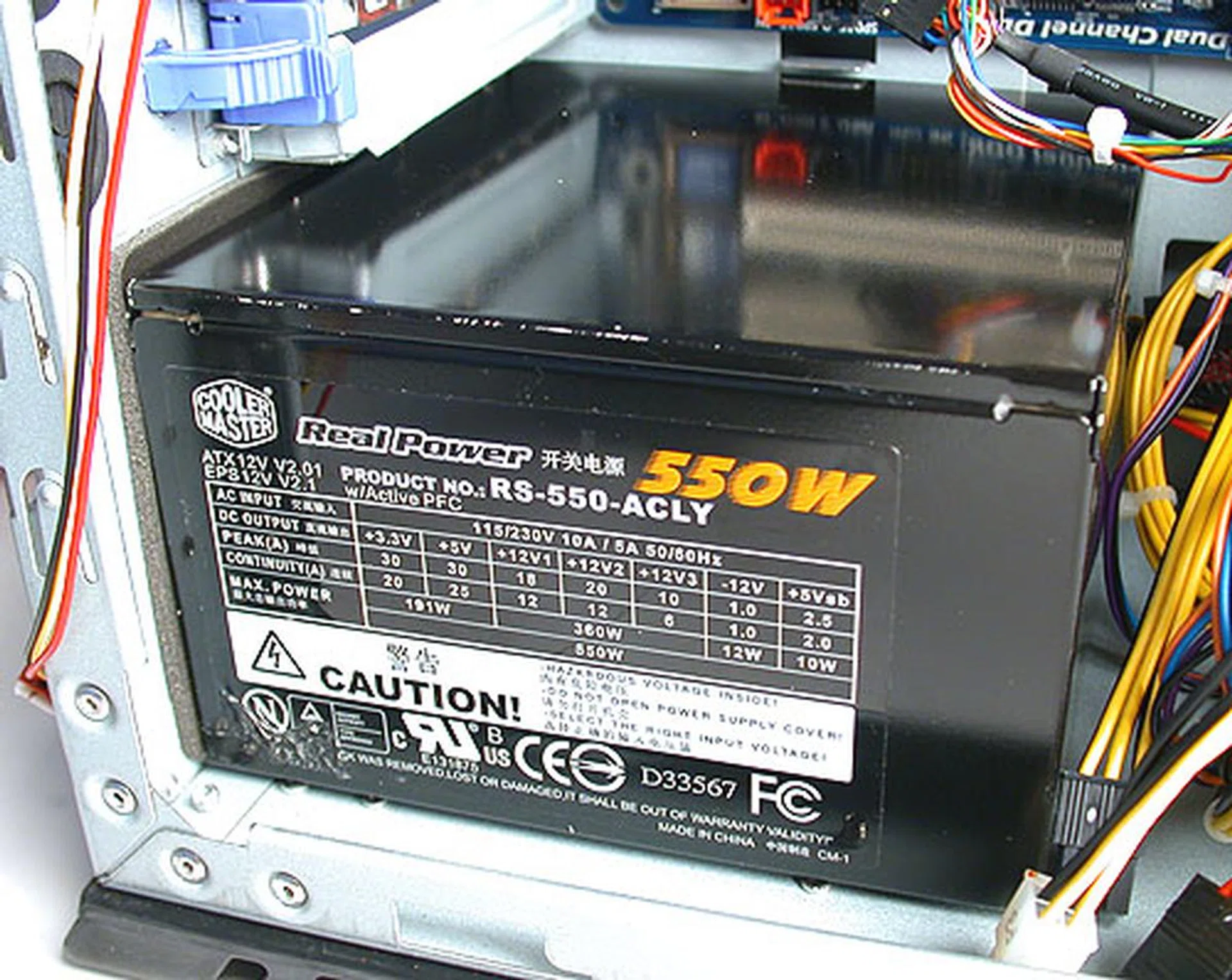
Padding (the grey layer between the PSU and the chassis) helps to reduce vibrations from the PSU from affecting the whole chassis.
Conclusion
Cooler Master's new CM 690 chassis takes case ventilation to the extremes with its meshed design that allows unhindered airflow in and out of the chassis. This is then bolstered by the support of up to seven system cooling fans, though we doubt few users would reach that limit. As it is, the three existing pre-installed 120mm cooling fans are in our opinion, sufficient for proper system vetilation while its low noise output is something we can appreciate more readily than a minute drop in temperatures. Other useful features that will lead to cooler case temperatures include having cable management tools to reduce the clutter and streamline the airflow. Placing the PSU at the bottom also separates the warmer PSU from the usual thermal hotspots from an ATX motherboard design like the processor and chipset. Finally, the tool-free movement continues to flourish, going by the number of tool-free mechanisms found on this chassis.
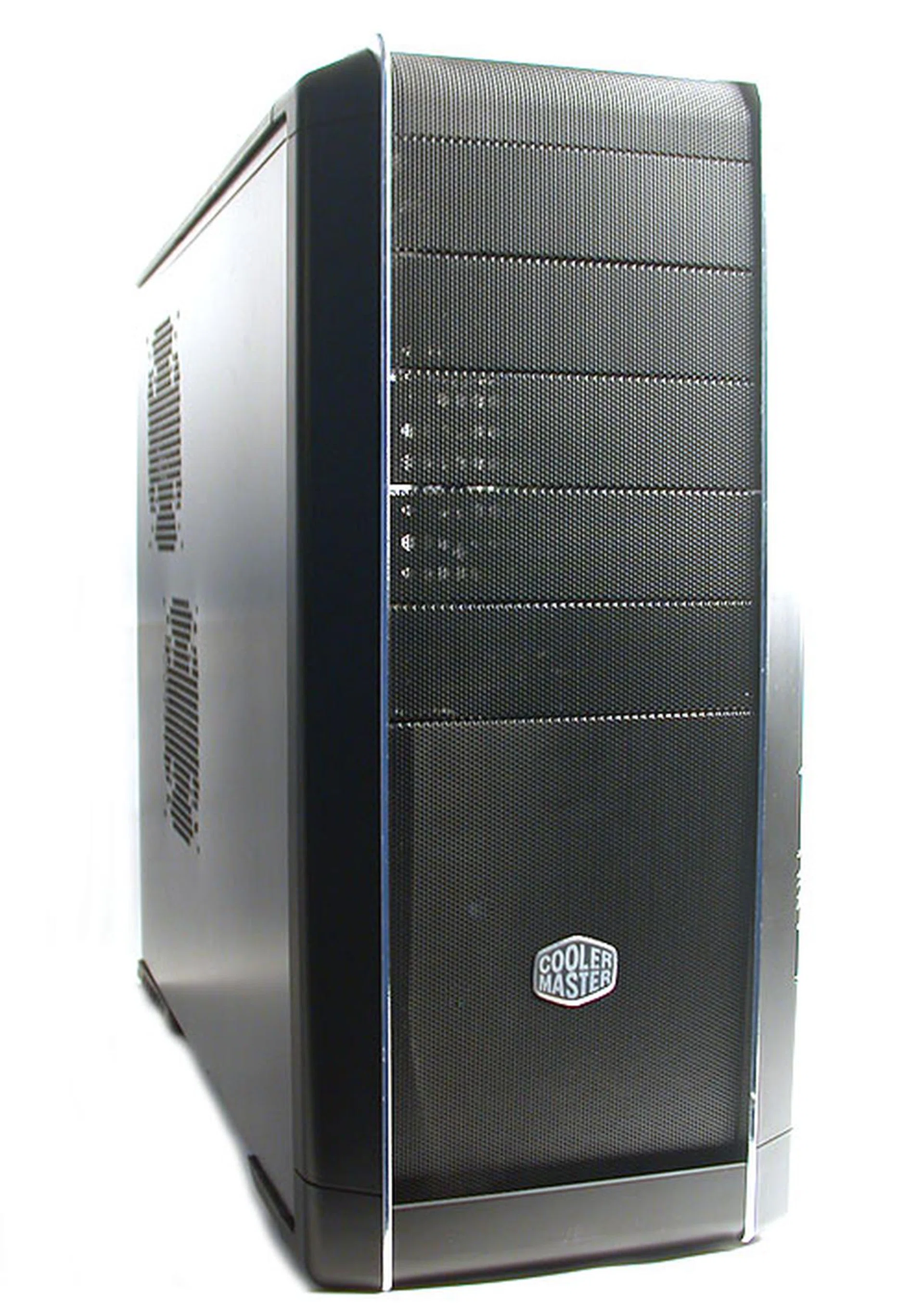
The design is rather conventional, except for its meshed bezel. There are some surprising features inside but we aren't fully sold on them yet.
Unfortunately, the CM 690 is not without its weaknesses. Its substantial weight at 9.8kg proves to be a problem, but is not as bad as it seems for a mid-tower. Rather, it's the design of the chassis that hinders users from getting a decent grip on the chassis. This could make moving this chassis around more difficult and we also didn't appreciate the stiff side panel which requires a fair bit of strength to slide open.
Inside the case, the spacious interior will be a welcome to most enthusiasts with ample room to accommodate even two of the latest NVIDIA high-end GeForce 8800 GTX cards, and although we have to give credit to Cooler Master for including integrated cable management tools, it would have been better if they had more clearance away from the motherboard. In our case, we had to adjust the plastic cable grips in order to fit the motherboard in during installation. The hard drive cage could also use a slight adjustment to provide more room for cabling, though it isn't a real situation if you're already fully using SATA drives.
Overall, the Cooler Master CM 690 has some nifty features that benefit enthusiasts looking to fit a whole battalion of cooling fans into a chassis. Cable management looks promising while the tool-free mechanisms are always welcome. It doesn't hurt too that the meshed design works from an aesthetic point of view, especially clad in black. However, we aren't too sure about the dust factor after a few months of usage. As this chassis has just been released by Cooler Master, we are unable to get a price quote for it currently. We are betting on a reasonable price that will reflect its quality and features but this chassis is definitely not for the budget crowd.
Our articles may contain affiliate links. If you buy through these links, we may earn a small commission.