

Note: This review was first published on 21 May 2020.
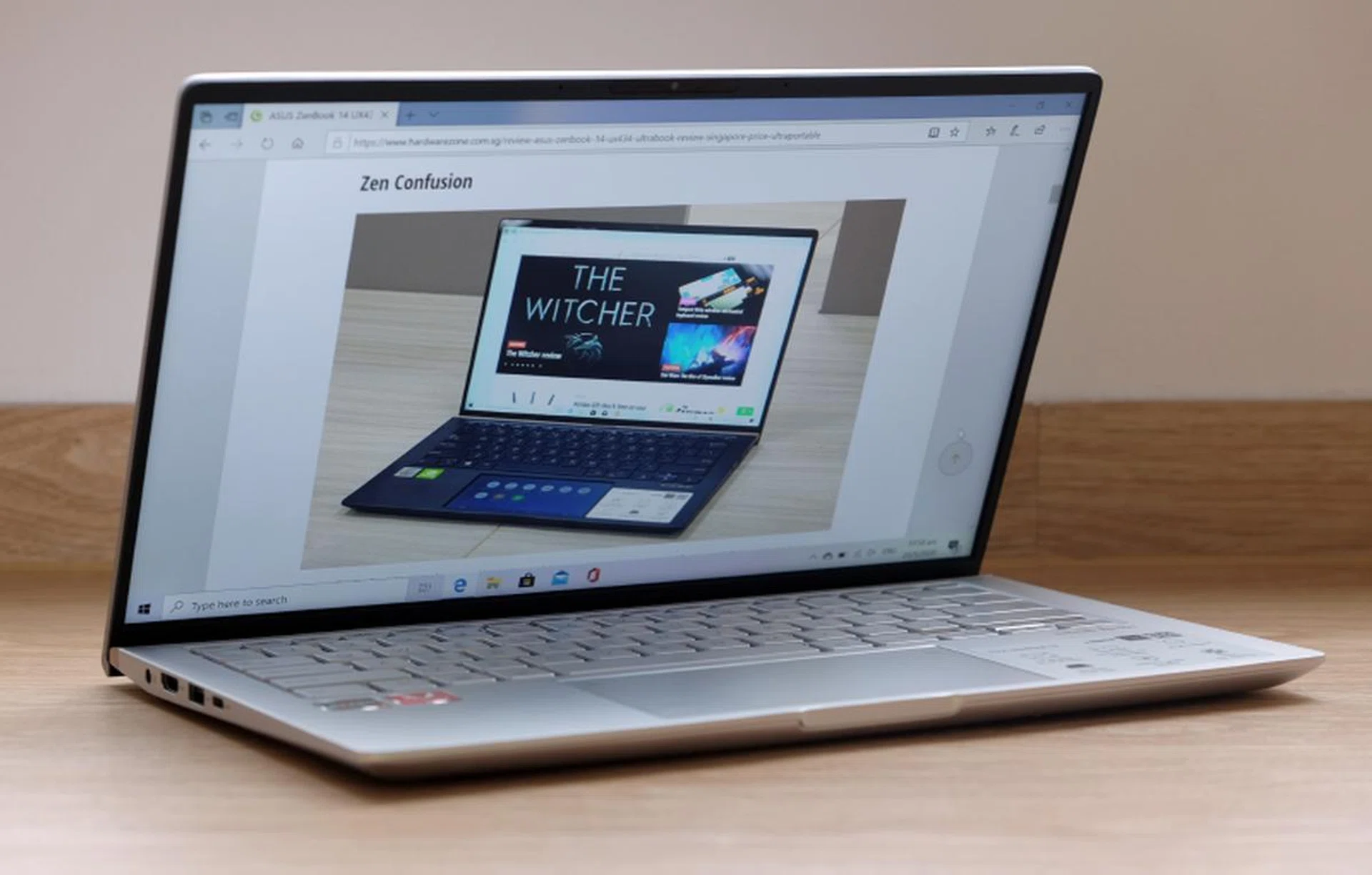
The ASUS ZenBook 14 UM433 is powered by an AMD Ryzen 7 3700U processor.
The AMD option
ASUS’ lineup of ZenBook notebooks is confusing. In mid-2018, they said at an event that they would be streamlining the collection. But as we know now, that hasn’t really happened. And now we have a new model to further add to the confusion. Ladies and gentlemen, I present to you the ZenBook 14 UM433.
In a nutshell, the ZenBook 14 UM433 is the AMD variant of ASUS’ ZenBook 14 lineup. Furthermore, it’s one of the most affordable ZenBook 14 models you can get, coming in at just S$1,398. Inside, it's powered by the Ryzen 7 3700U processor, comes with 8GB of memory and a spacious 1TB PCIe 3.0 SSD. On paper, it looks like great value.
In terms of design and features, it’s nearly identical to the Intel-powered ZenBook 14 UX434 that I reviewed earlier this year. So read that review to find out more. But to put it briefly, the ZenBook 14 UM433 is a relatively thin and light machine. It measures 16.9mm at its chunkiest point, and weighs just 1.15kg, which actually makes it 200g lighter than the UX434! That's pretty commendable for an affordable 14-inch notebook.
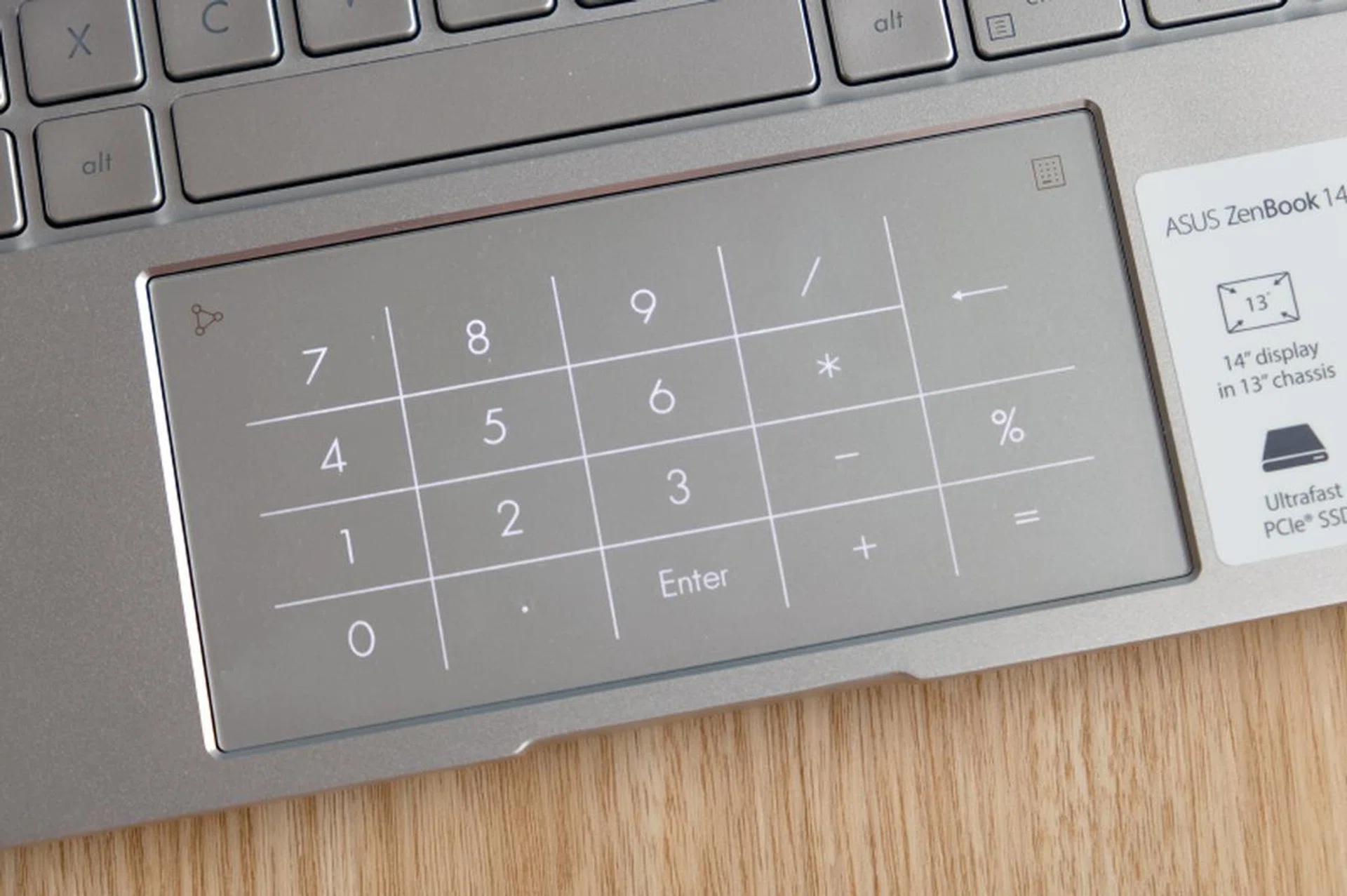
There's no ScreenPad 2.0 but the trackpad doubles up as a number pad. Useful, if you need to crunch numbers.
As for features, the ZenBook 14 UM433 lacks a number of features that are present on the ZenBook 14 UX433. Let me detail them below:
Display – It’s still 14 inches wide, Full-HD, and supports 100% of the sRGB colour space. The only difference is that it is not touch-enabled so don’t go swiping about on it.
Wi-Fi - Only support for Wi-Fi 5 standard and not the newer Wi-Fi 6 standard. Not too much of a loss for a notebook at this price point.
Trackpad - No ScreenPad 2.0 here, the ZenBook 14 UM433 has a more conventional trackpad. However, it doubles up as a number pad if required.
Performance
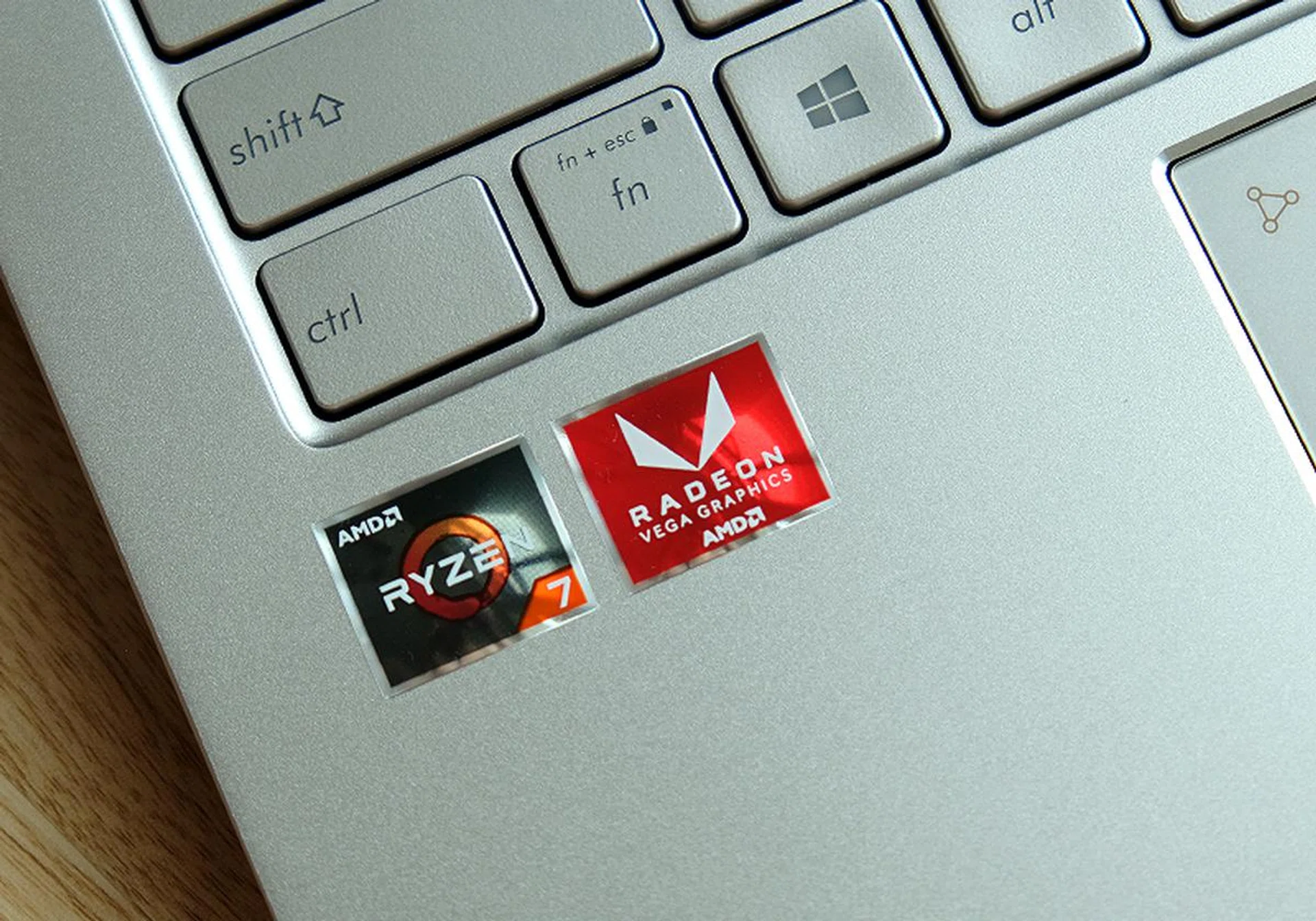
Powered by AMD.
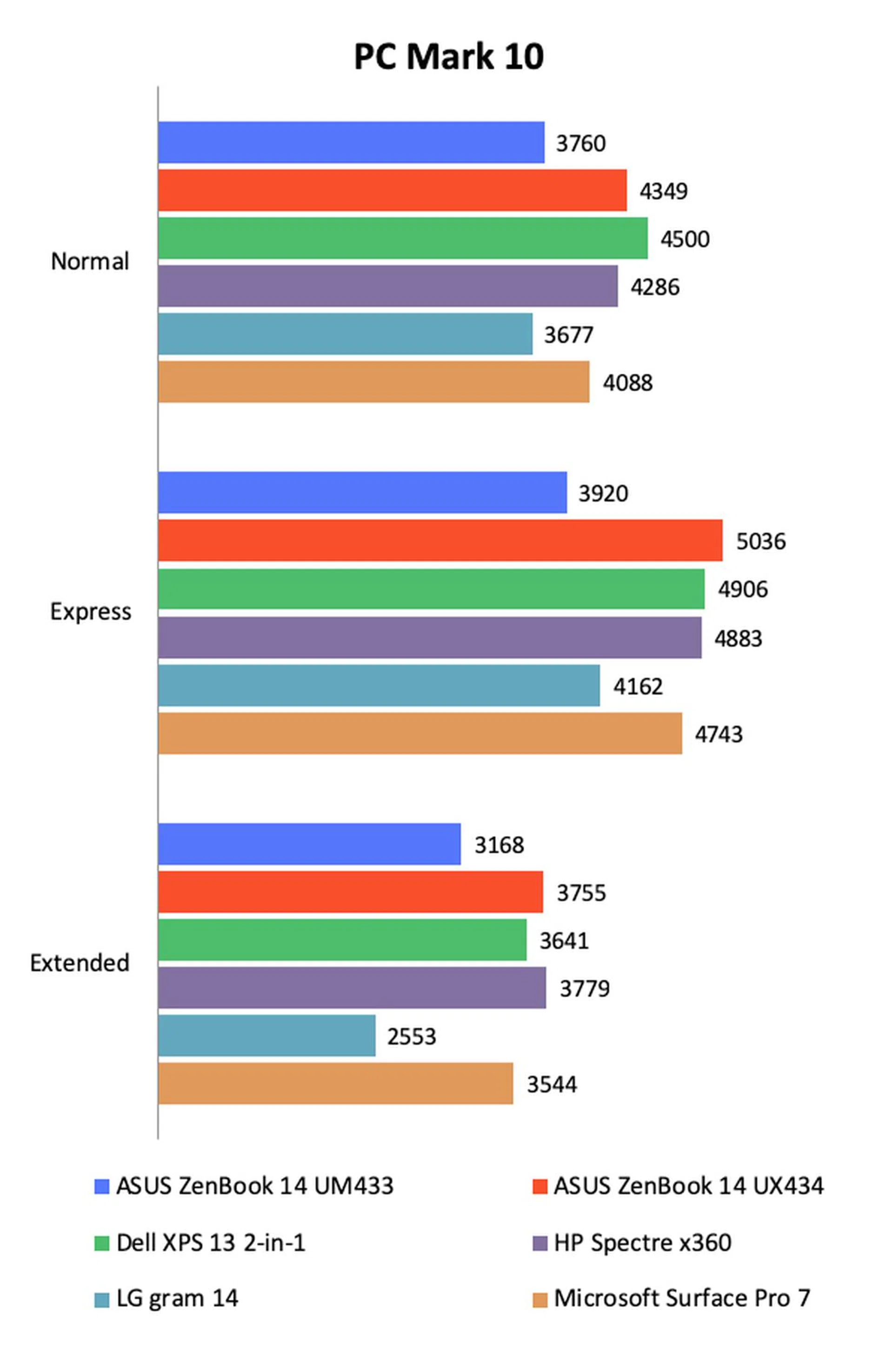
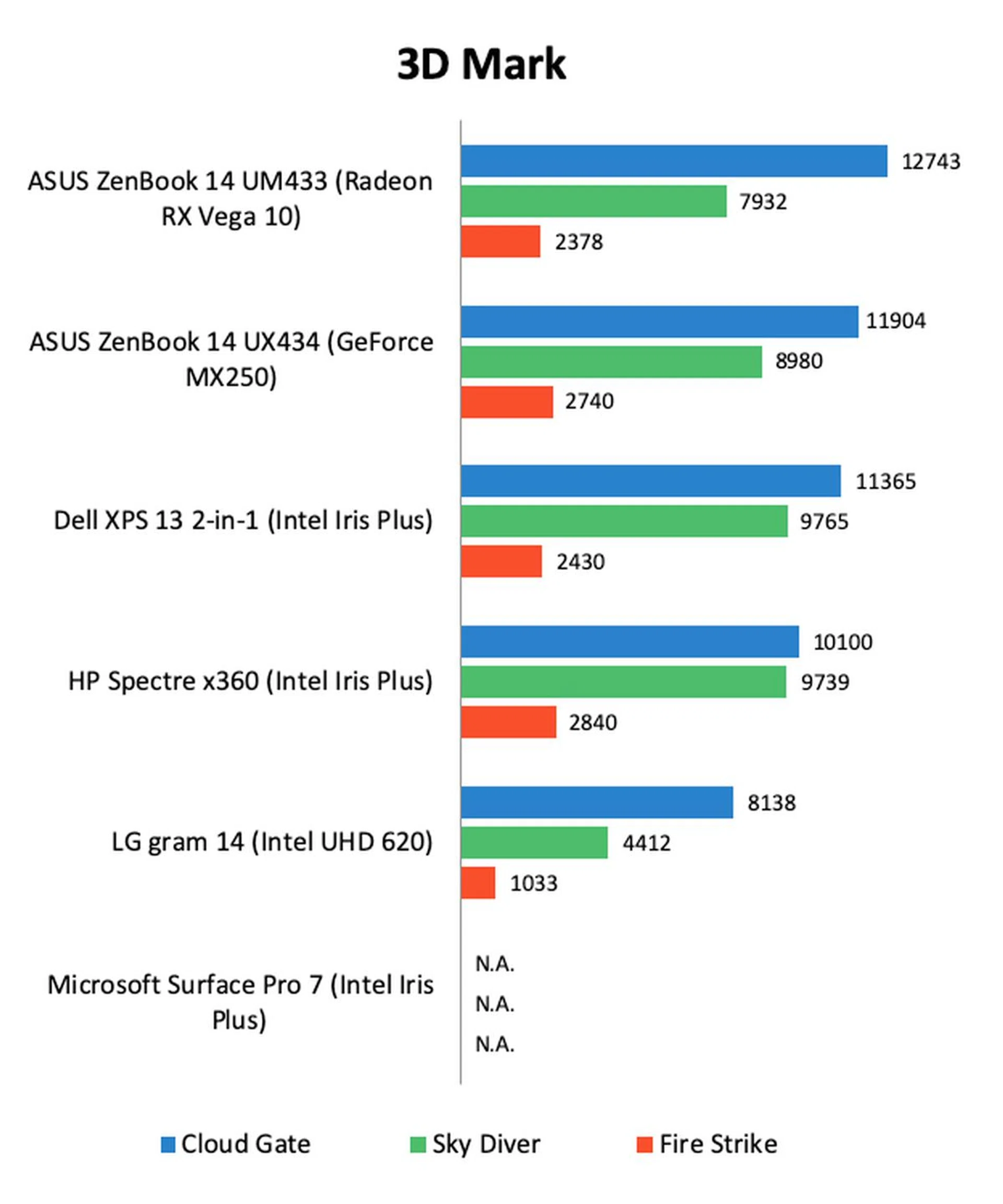
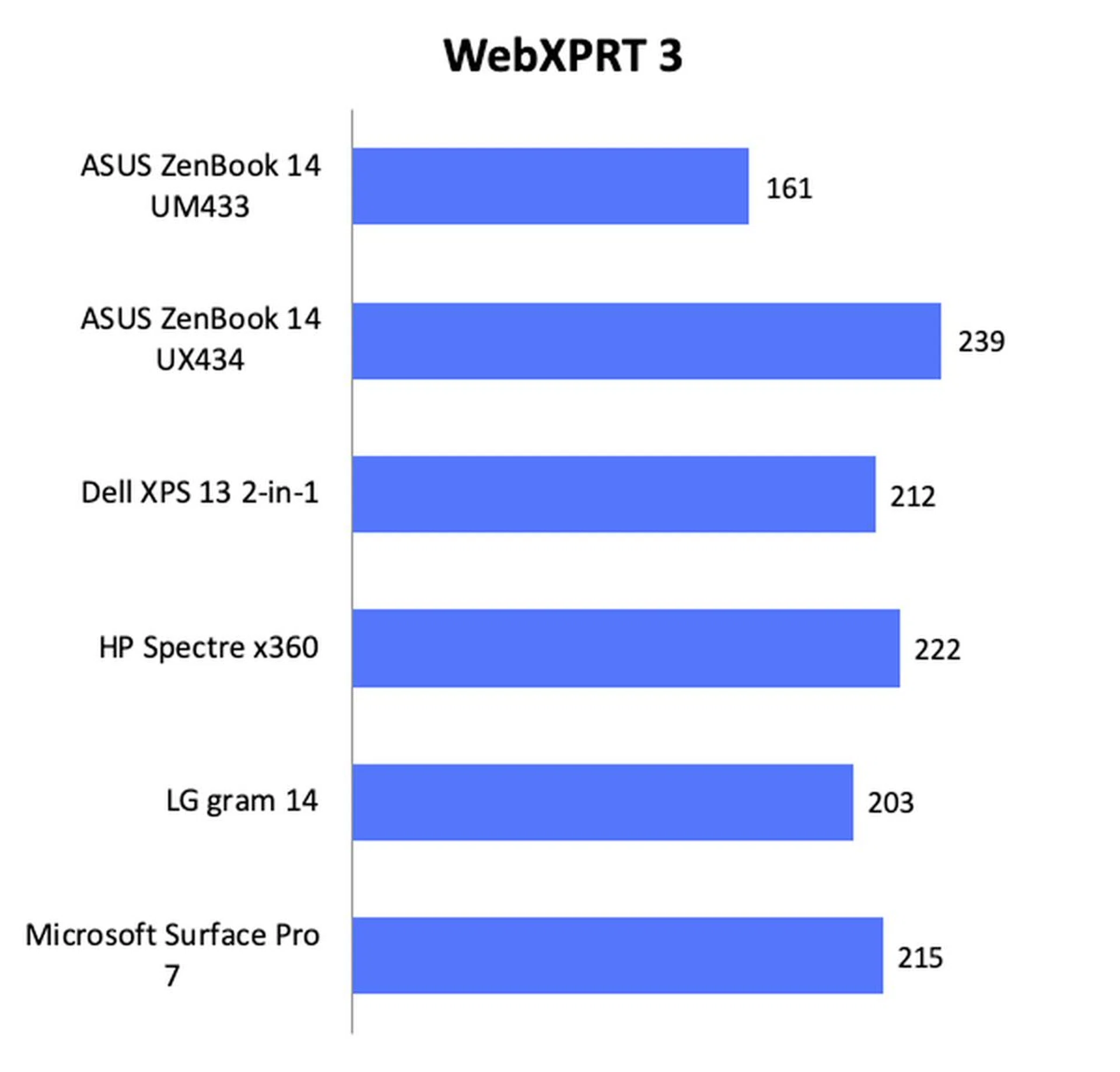
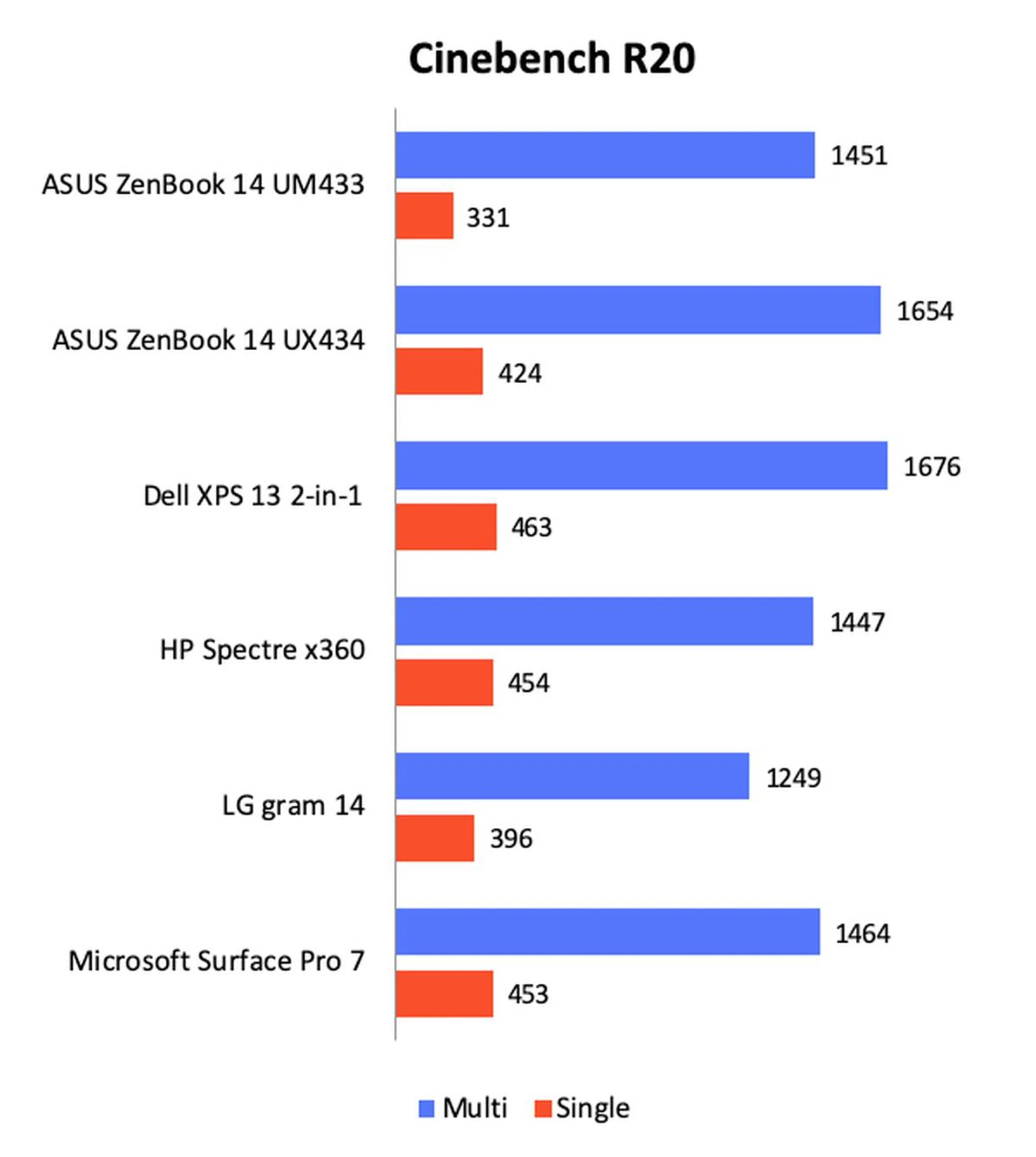
The biggest difference lies under the hood because the ZenBook 14 UM433 is powered by an AMD Ryzen 7 3700U processor. To be clear, this is AMD’s old 3000 series mobile CPU and not the newer Ryzen 4000 series that was announced earlier this year. It’s a curious decision but we’ll have to look at the benchmarks to see if the decision pays off. And to see if it does, we will be pitting it against the earlier reviewed ZenBook 14 UX434 and other comparable ultraportable notebooks such as the Dell XPS 13 2-in-1 and HP Spectre x360.
Here’s how the notebooks stack up against each other.
Model | ASUS ZenBook 14 UM433 | ASUS ZenBook 14 UX434 | Dell XPS 13 2-in-1 | HP Spectre x360 | LG Gram 14 | Microsoft Surface Pro 7 |
Processor | AMD Ryzen 7 3700U | Intel Core i7-10510U | Intel Core i7-1065G7 | Intel Core i7-1065G7 | Intel Core i7-8565U | Intel Core i7-1065G7 |
Memory | 8GB | 16GB | 16GB | 16GB | 8GB | 16GB |
Storage | 1TB SSD | 1TB SSD | 512GB SSD | 1TB | 512GB | 512GB |
Graphics | AMD Radeon RX Vega 10 (integrated) | NVIDIA GeForce MX250 | Intel Iris Plus Graphics | Intel Iris Plus Graphics | Intel UHD Graphics 620 | Intel Iris Plus Graphics |
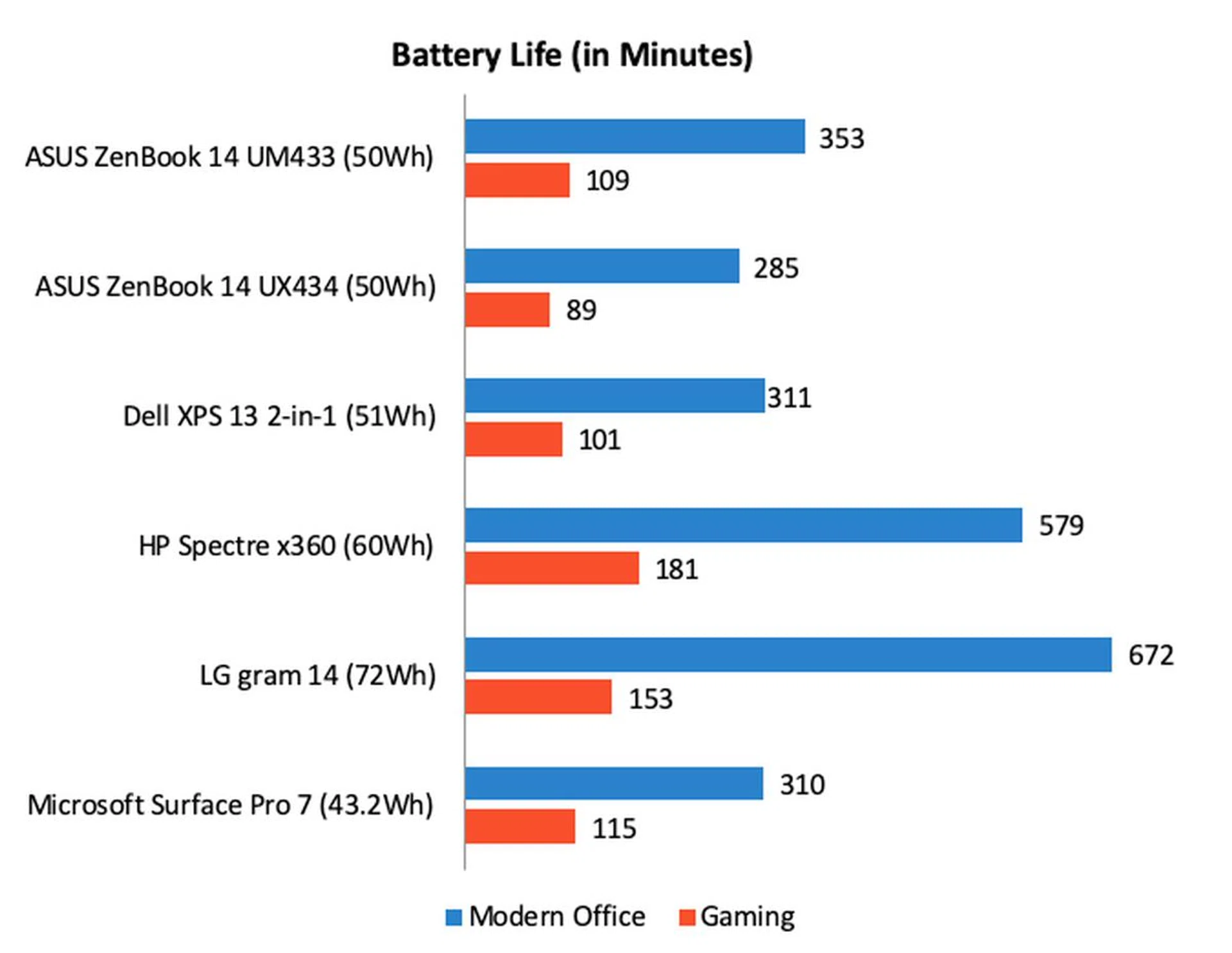
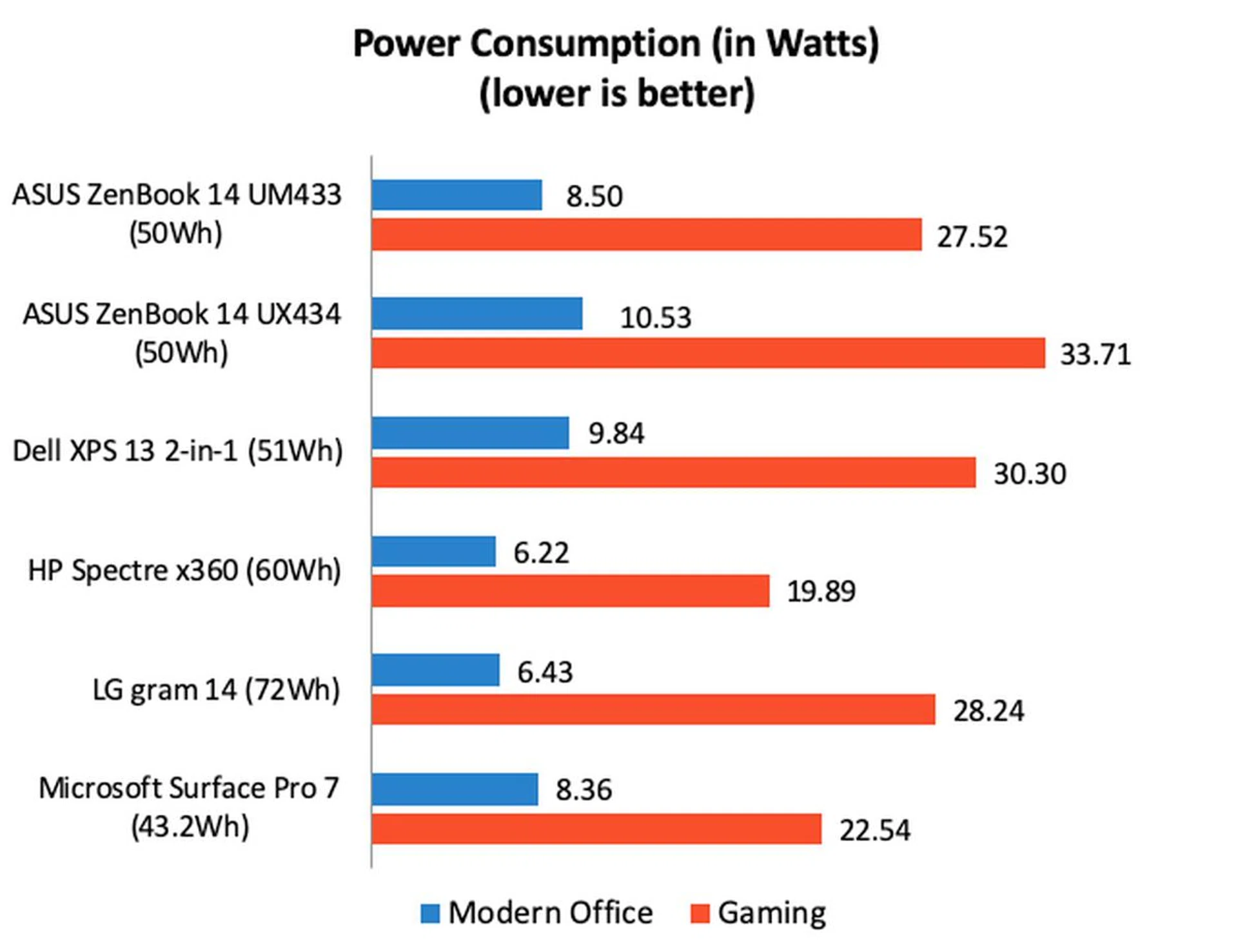
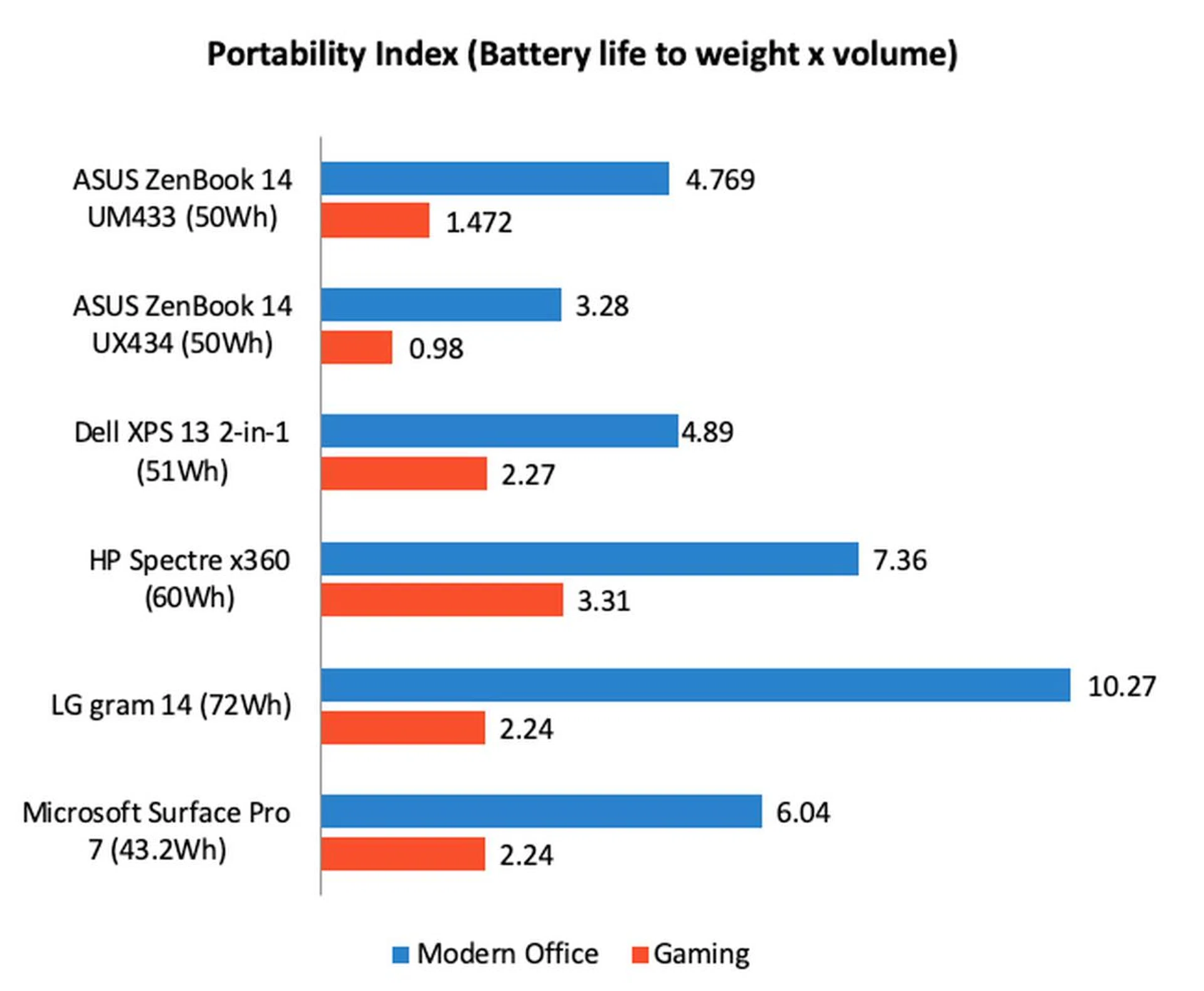
Closing thoughts
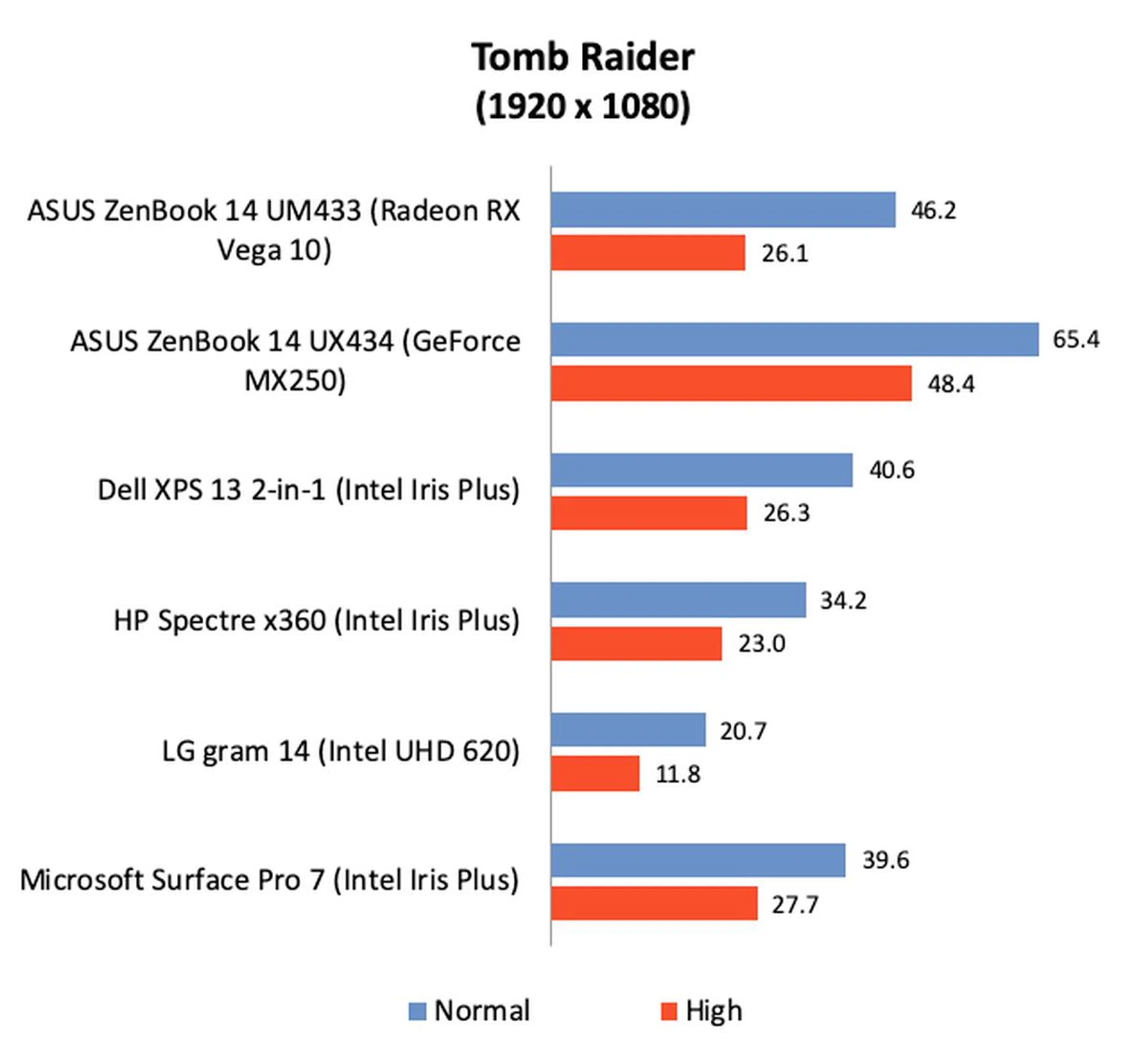
As you can see from the benchmark results, the ZenBook 14 UM433 and its Ryzen 7 3700U processor was mostly outclassed by notebooks with Intel’s new 10th generation Core processors. This is not surprising since the Ryzen 7 3700U is an older processor and it has since been supplanted by the new and improved Ryzen 7 4700U. Nevertheless, what’s interesting to note is that it was mostly faster than the LG gram 14, which was using an older 8th generation Core processor.

Performance isn't cutting-edge but it is priced appropriately and actually represents quite good value if you are looking for a general everyday use notebook.
In the real world, the ZenBook 14 UM433 feels like any typical ultraportable notebook. It’ll do fine for web browsing, productivity apps, photo-editing, light-gaming, and the occasional video editing. Gaming performance is actually quite good but I noticed that the notebook was prone to throttling which inevitably caused frame rates to dip after around 10 minutes.
For casual users and non-gamers, the ZenBook 14 UM433 represents quite remarkable value. The processor might not be the latest but performance is still quite decent and it’s certainly more than usable for most everyday workloads. Furthermore, it comes with a generous amount of storage. Really, if you are looking for an affordable everyday general computing notebook, the ASUS ZenBook 14 UM433 is not a bad place to start your search.
Our articles may contain affiliate links. If you buy through these links, we may earn a small commission.