

Note: This article was first published on 11 December 2019.
Righting wrongs
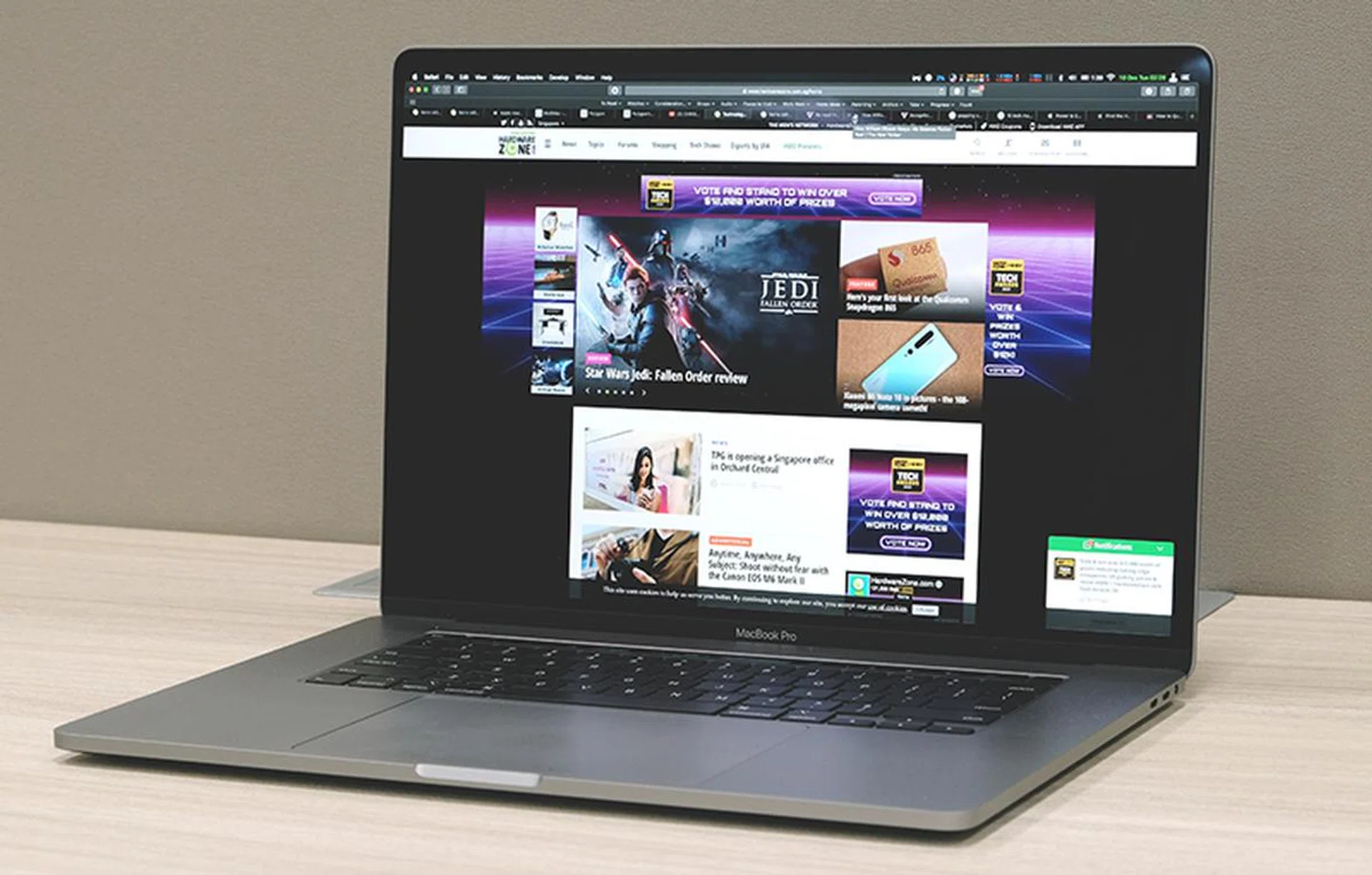
Say hi to Apple's new 16-inch MacBook Pro.
Apple recently announced a new 16-inch MacBook Pro and it did so with very little fuss. There’s no special event hailing its arrival, just a simple newsroom update alerting everyone that it was here and that it would be replacing the old 15-inch model.
From the outset, it looks like nothing much has changed. The new 16-inch MacBook Pro is still very obviously a MacBook Pro. But the context in which it was announced and the updates that Apple has chosen to make is a sign that we could be entering a new era of Mac notebooks.
Design, display, and specifications
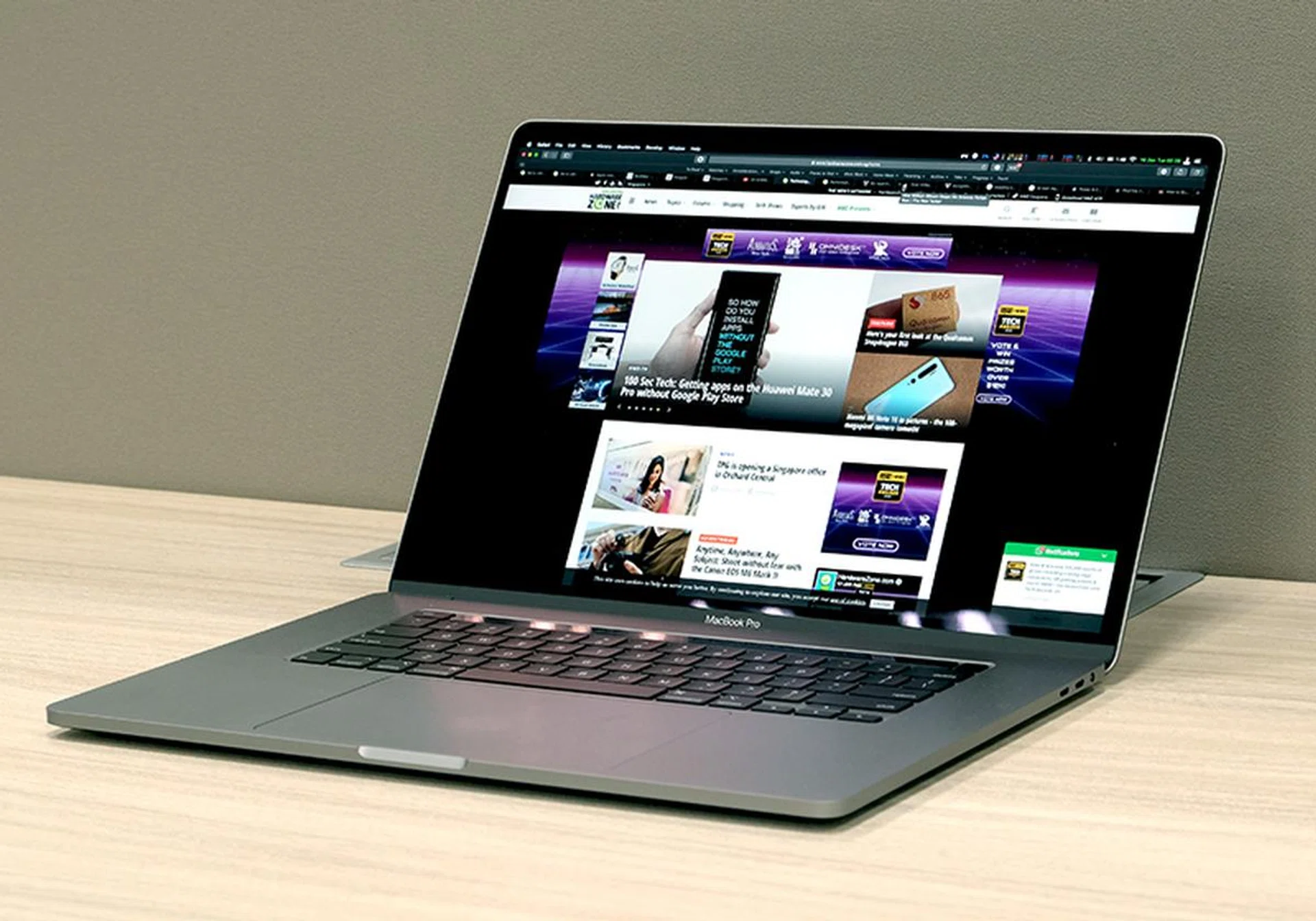
No radical new design here, the new 16-inch MacBook Pro looks just like any other MacBook Pro.
There’s no mistaking the new 16-inch MacBook Pro for anything other than a MacBook Pro. The display might be slightly bigger and the bezels slightly thinner but the overall design is similar. The display is surrounded by black bezels and the body is still crafted out of a single piece of aluminium. Unfortunately, Apple didn’t say if it’s made out of 100% recycled aluminium like the MacBook Air.
Build quality is superb, the 16-inch MacBook Pro feels rock solid. There's no flex in the body or any odd gaps that might suggest the person putting it together was dozing off at his or her job.
Because of the larger display, the 16-inch MacBook Pro has a larger footprint than the 15-inch model that it replaces. Also, improvements to the thermal system and a larger battery also mean this new notebook is heavier. Their dimensions are below:
Model | Width (in mm) | Depth
(in mm) | Thickness
(in mm) | Weight (in kg) |
15-inch MacBook Pro | 349.3 | 240.7 | 15.5 | 1.83 |
16-inch MacBook Pro | 357.9 | 245.9 | 16.2 | 2.00 |
If you are wondering if the difference can be felt, the answer is yes. Some reviewers say the two are about the same but I beg to differ. Maybe it's because I'm intimately familiar with the 15-inch MacBook Pro, having used it as my daily machine for the past year or so and even took it with me to WWDC earlier this year. The bottom of the 16-inch MacBook Pro, in particular, feels stuffed and I suspect it has got to do with its larger battery.

The 16-inch Retina display is expansive and brilliant.
In true Apple tradition, the 16-inch Retina display is gorgeous. It's expansive, sharp and crisp. Colours look great, and most crucially, it gets bright enough (500 nits). Resolution is now up to 3,072 x 1,920 pixels, which means you get the same 226ppi pixel density as the outgoing 15-inch model. It has TrueTone technology and it supports the DCI-P3 colour space. The bezels aren't as slim as the ones on Dell's InfinityEdge displays, but they are less chunky than older MacBook Pros and that's worth celebrating.
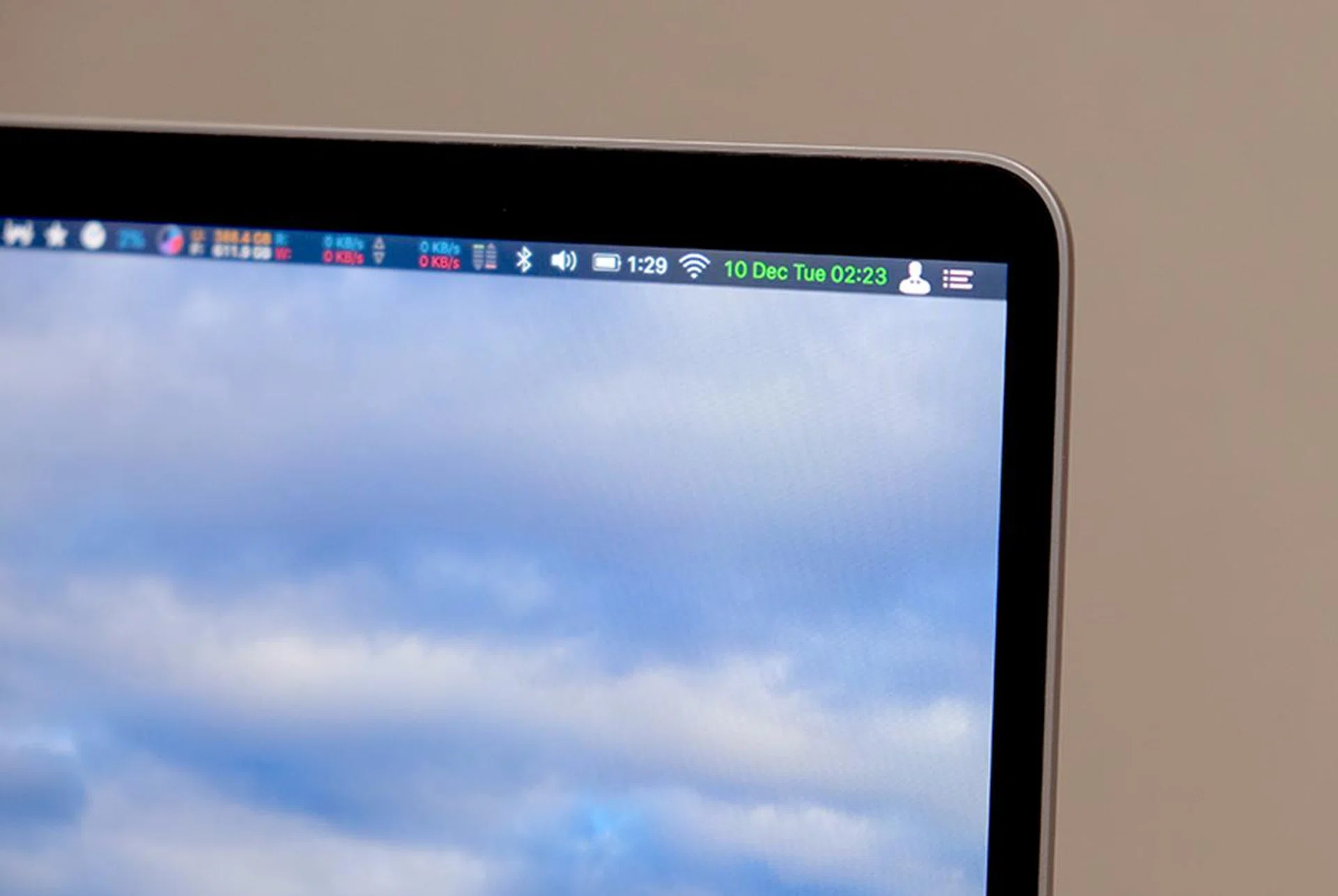
At any rate, the 16-inch MacBook Pro marks a change in tradition for Apple because for the first time in a long time, Apple has actually replaced a model with one that is thicker and heavier. That’s not necessarily a bad thing because improvements have been made in other areas such as the battery and thermals. I talk more about these later. Just know for now that if portability is crucial to you, the 16-inch MacBook Pro is just slightly but appreciably larger and heavier than the model it replaces.
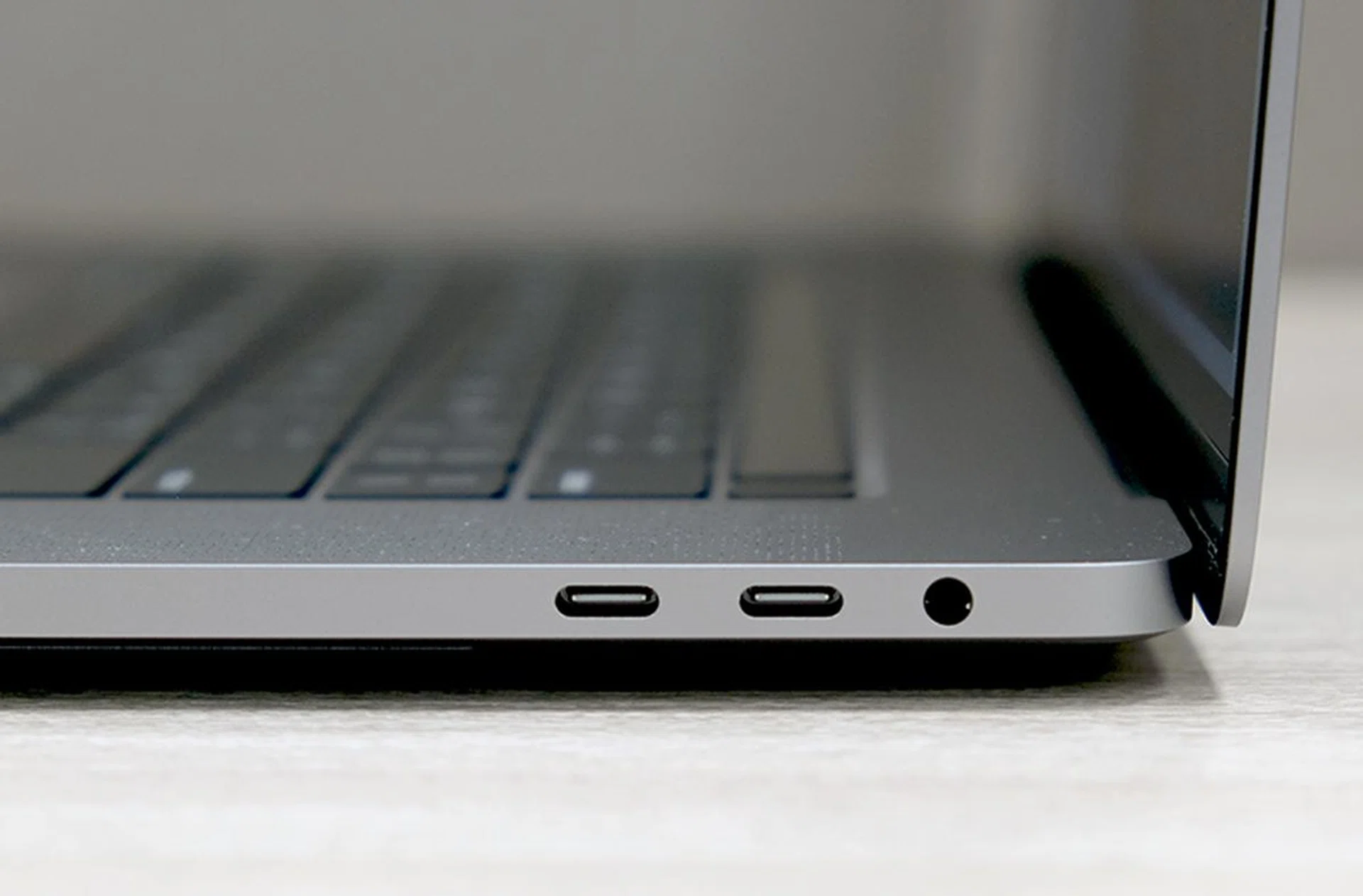
New 16-inch MacBook Pro has four USB-C Thunderbolt 3 ports. There's no SD card reader but Apple, thankfully, has decided to keep the headphone jack.
As for ports, you still get the same four USB-C Thunderbolt 3 ports ― two on each side. I can live with that because I have already embraced the dongle life but what I don’t understand is Apple’s stubbornness at refusing to include a SD card reader. As much as I would like to wirelessly transfer photos from my camera to my Mac, we have to concede that most cameras just aren’t good at that. And, given the increased thickness of this new MacBook Pro, surely there’s space for a SD card reader?
Now specs. Inside, the 16-inch MacBook Pro features the same 9th generation Coffee Lake Core processors used in mid-2019 15-inch MacBook Pro but memory and storage limits have been increased. You can now spec the 16-inch MacBook Pro with up to 64GB of fast 2666MHz DDR4 memory and have up to 8TB of SSD storage. I believe this is the largest storage option I have seen on any notebook. Unfortunately, it is unclear how this 8TB is configured in the MacBook Pro and if it’s possible to run them in, say, RAID 0 for even faster storage performance.
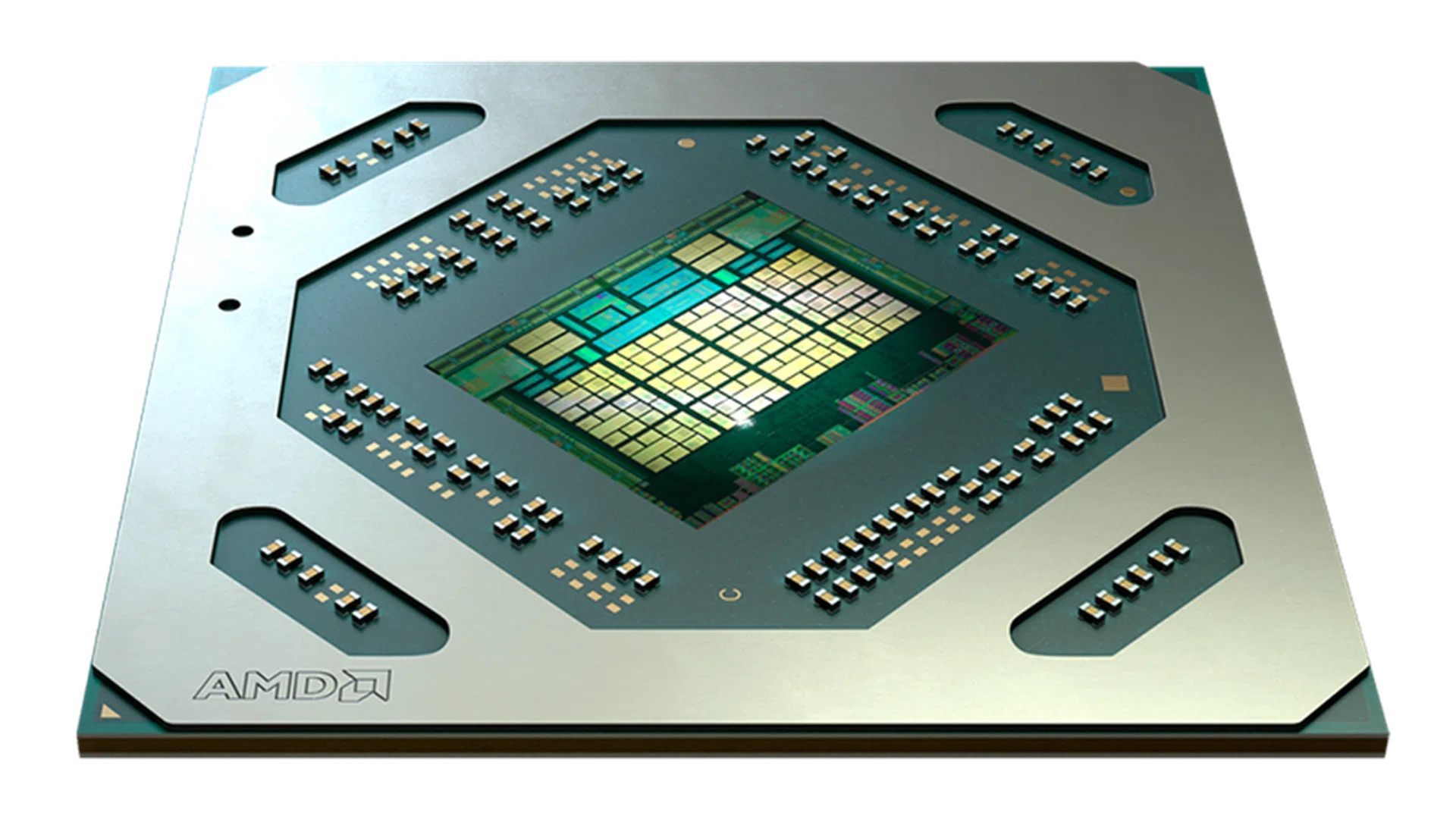
The big change internally is the new AMD graphics. This notebook uses AMD's newest Radeon Pro 5000M series GPUs.
As for graphics, the 16-inch MacBook Pro is powered by AMD’s newest Radeon Pro 5000M series. This GPU is based on AMD’s new RDNA architecture and Apple says it will provide over two times faster performance compared to the Radeon Pro 500X series GPUs found in the old 15-inch MacBook Pro.
Connectivity is a little curious because this new MacBook Pro doesn't support Wi-Fi 6. Most new notebooks do and so does the latest iPhones.
The 16-inch MacBook Pro will come in two off-the-shelf configurations and discerning users will have the option of upgrading the CPU, memory, storage, and even GPU. As usual, upgrades cost a pretty penny and a fully decked out system with the top-of-the-line octa-core Core i9-9980HK processor, 64GB memory, 8TB SSD, and a Radeon Pro 5500M with 8GB of GDDR6 framebuffer will set you back — get ready — S$8,619.
Fortunately, the two off-the-shelf configurations are much more affordable (relatively speaking) and have decent specs. Here they are:
Model | Core i7 model | Core i9 model |
Processor | 6-core Intel Core i7-9750H | 8-core Intel Core i9 9980HK |
Memory | 16GB 2666MHz DDR4 | 16GB 2666MHz DDR4 |
Storage | 512GB SSD | 1TB SSD |
Graphics | AMD Radeon Pro 5300M 4GB GDDR6 | AMD Radeon Pro 5500M 4GB GDDR6 |
Price | S$3,499 | S$3,999 |
Battery life > weight & thickness

Apple has crammed the 16-inch MacBook Pro with batteries. 100Wh worth. (Image source: Apple)
Apple’s obsession with thinness and lightweight is renown. However, they chose to sacrifice that in exchange for battery life. Much of the extra thickness and heft of the new 16-inch MacBook Pro can be attributed to its battery. The capacity is a massive 100Wh, the maximum allowed by the US FAA (Federal Aviation Administration). The old 15-inch MacBook Pro’s battery was 83.6Wh. This means an increase of nearly 20%. Because of the larger battery, claimed battery life is up just 1 hour. If you think that sounds little, don’t forget that this new MacBook Pro has a larger display and a thermal system that allows the processors to run faster for longer.
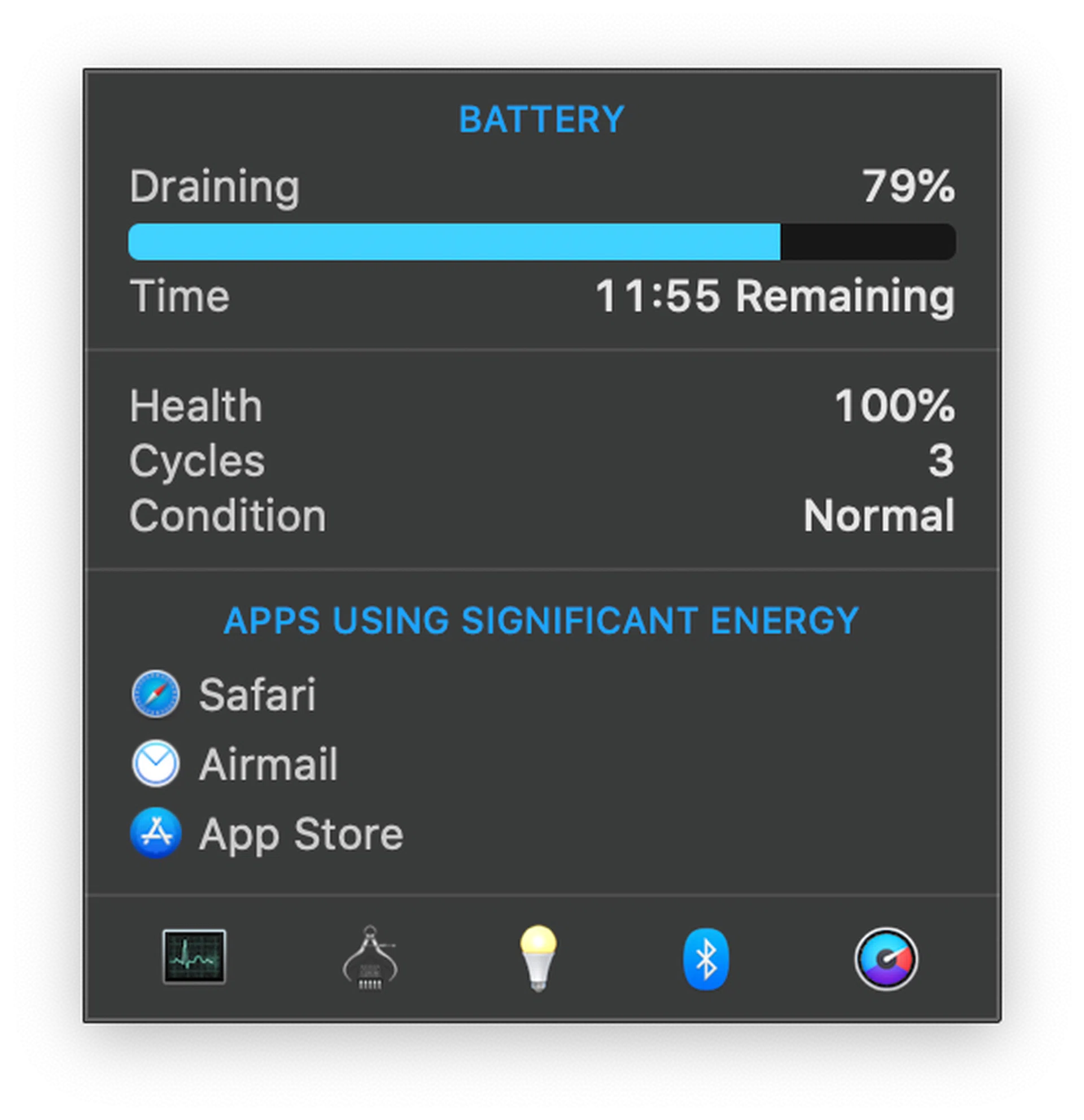
79% battery left and nearly 12 hours to go.
Battery life is commendable thanks to the huge battery. With the brightness level of the display set to around 80% and running my usual suite of apps — Airmail, Safari, Music, Pages, nothing crazy — I could easily get over 10 hours of battery life. That’s remarkable when you consider its mammoth display and its powerful hardware.
Also worth mentioning at this point is that this 16-inch MacBook Pro comes with a new 96W USB-C power adapter. If you have a 15-inch MacBook Pro, you could use its 87W power adapter and be fine most of the time. In fact, I have been using it with my 13-inch MacBook Pro's 61W power adapter and it holds its charge fine unless I'm running something really intensive then its batteries will start to drain.
Keyboard & trackpad
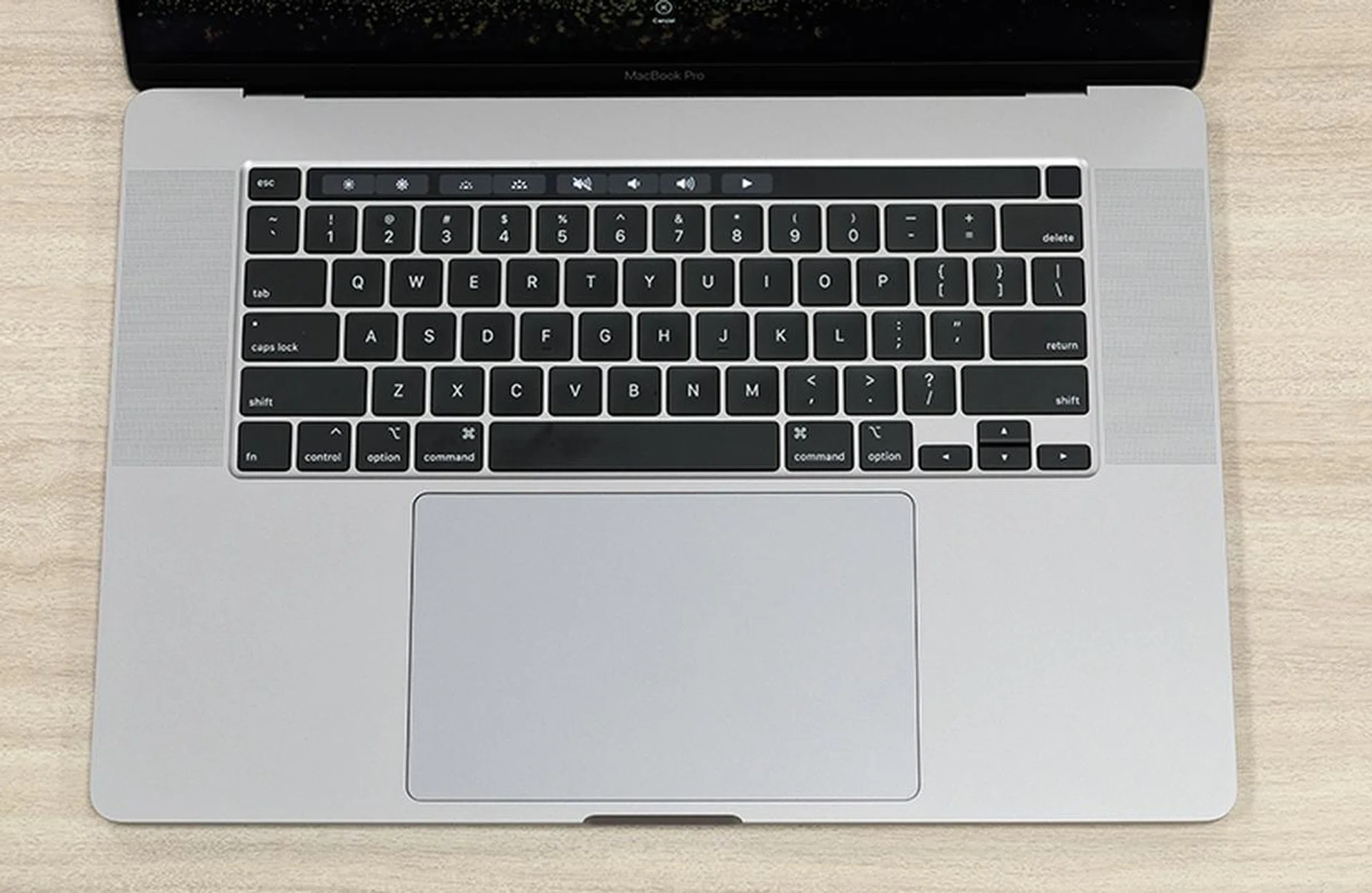
As expected, Apple has gone back to a more traditional scissor-switch for its MacBook keyboard.
Apple has finally replaced the butterfly mechanism keys. This new 16-inch MacBook Pro features what Apples calls a Magic Keyboard and it comes with a more traditional scissor-switch mechanism. In doing so, Apple is trying to invoke the positive feelings and thoughts that users have with its standalone Magic Keyboards (the ones that come with iMacs and you can buy separately). And a teardown by the folks at iFixit shows that the keyboard in the new 16-inch MacBook Pro is almost identical to that of its standalone Magic Keyboards.
When Apple first introduced its butterfly mechanism keyboard in 2016, I was quite fond of it. Key travel might be next to nothing but it has this clickety-clack action that I liked. I was also lucky that I never encountered any problems with it. My only gripe was that it was fatiguing to type, but I attribute this to my furious typing style (fans of Up in the Air will know what I’m on about). But over the years, other notebook manufacturers have really improved their keyboards and it made me wish that Apple would do likewise, which they finally did with the 16-inch MacBook Pro’s Magic Keyboard.
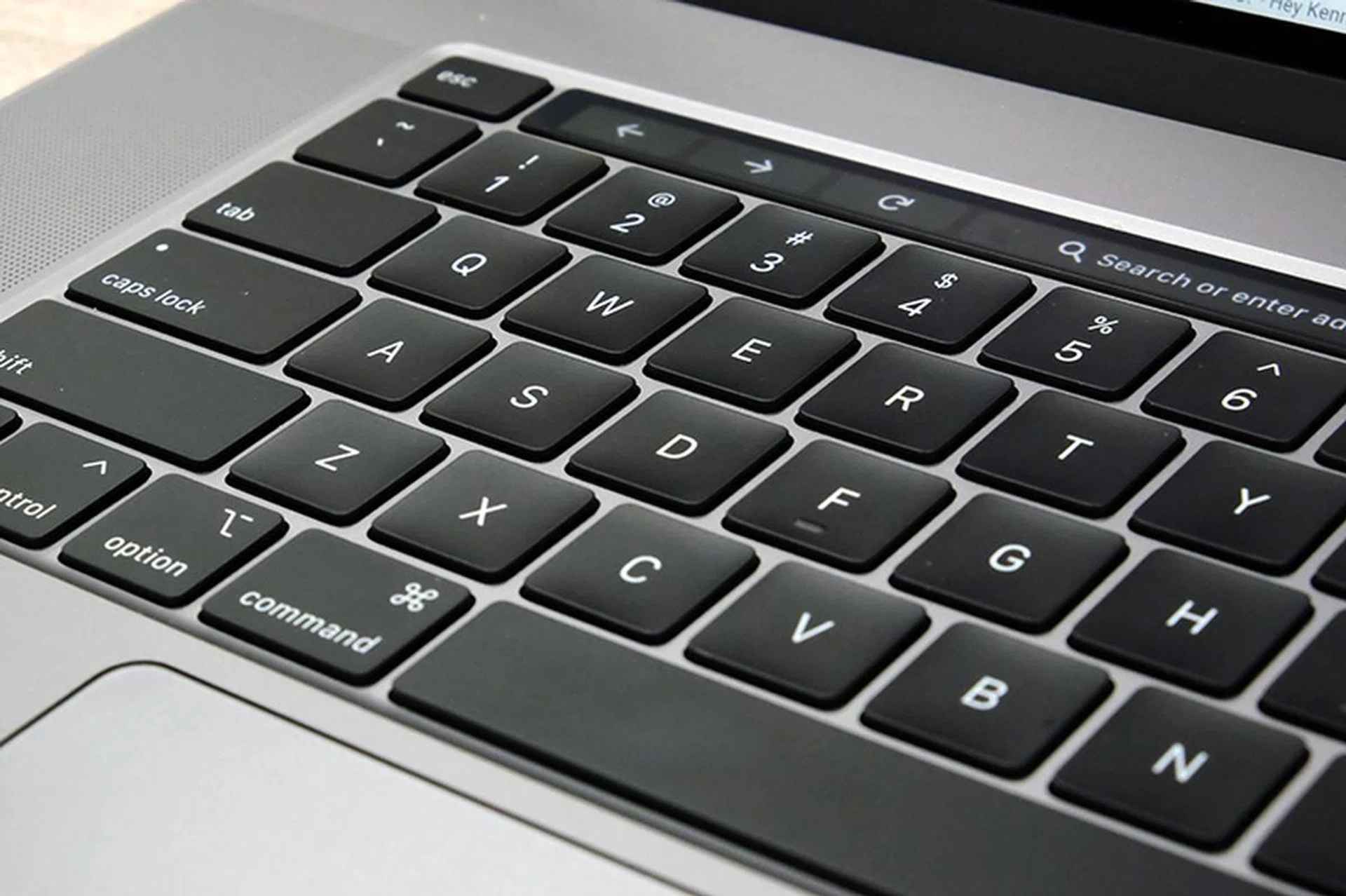
This new keyboard is much better to type on.
Ironically, they did so by actually going back to a tried-and-tested design that works. As I said, the Magic Keyboard now uses a traditional scissor mechanism and Apple says it has 1mm of travel. There are brands that offer more, but it’s sufficient for me. More importantly, it just feels so much better to type on. The feel is positive, tactile, and keys soak up your strokes well even if you are an angry typist like I am. If you are coming from a MacBook with the butterfly mechanism keyboard, the typing feel of this new keyboard will make you go ooh and ahh and maybe even scream unspeakable things.
As for reliability, we'll have to wait and see what owners of this new MacBook Pro say. But I suspect reliability issues will be a thing of the past given that Apple has basically used the same design that it does in its standalone Magic Keyboards. Those have been around for a long time and they haven't had any issues.
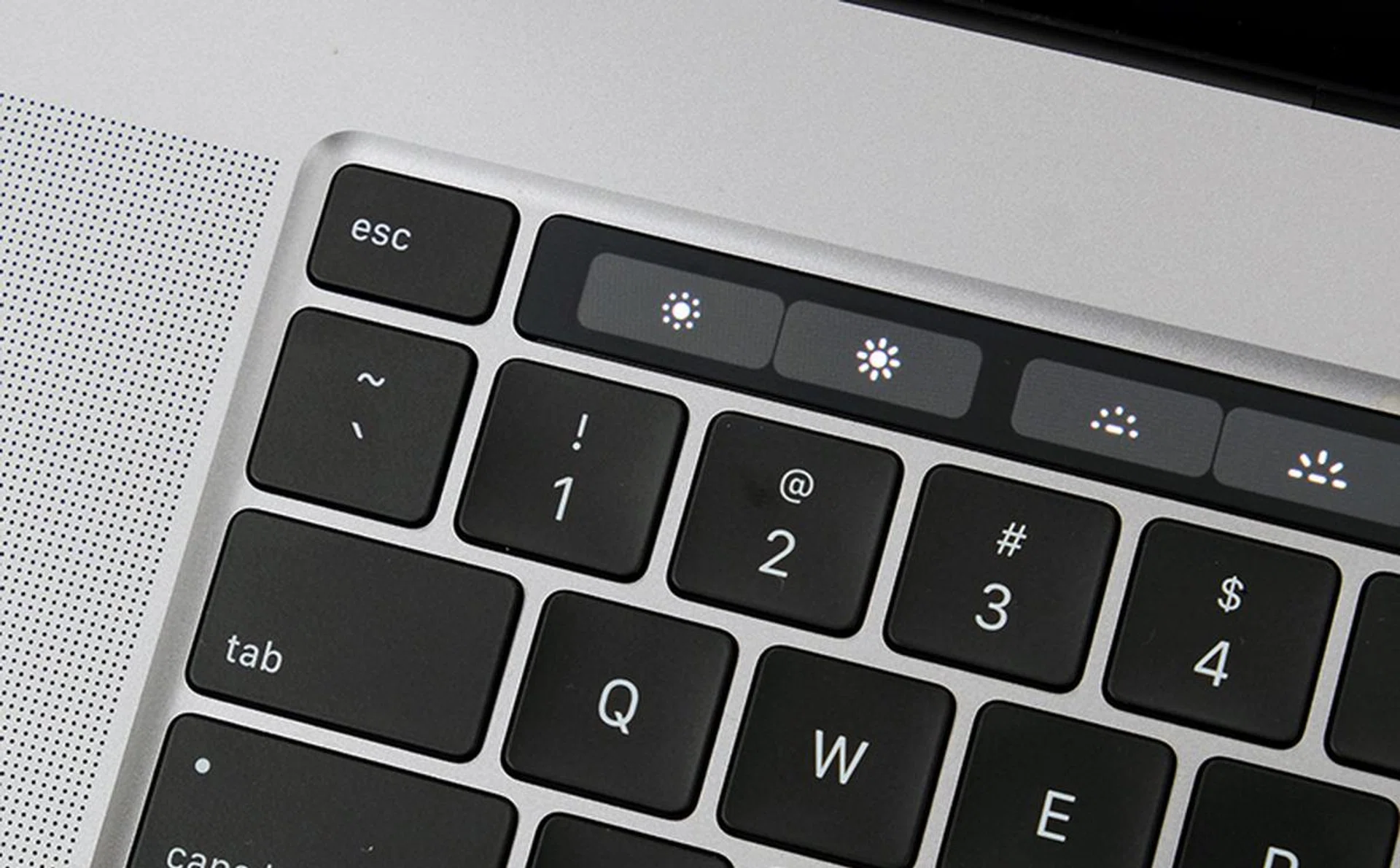
Yes, a physical Esc key! Now, if only they would remove the Touch Bar entirely...
There are also other minor but welcomed changes around the keyboard. There’s now a physical Esc key in the upper left corner (yay) and the Touch ID is now separate from the Touch Bar. The arrow keys have now returned to an inverted-T layout. I didn’t know this but apparently many people felt that having full-size left and right arrow keys made it hard for them to find the arrow keys. I didn’t feel that way but then I don’t think I use arrow keys very much.
I don't hide the fact that I'm not fond of the Touch Bar. When they were introduced I thought that they were promising, but a few years on I still haven't found any scenario that I would prefer them over using the keyboard and trackpad. Maybe it's because I'm a touch typist and so I seldom look down at the keyboard but then most MacBook Pro owners I know don't use their Touch Bar either. Your mileage may very well vary but I could do without the Touch Bar.
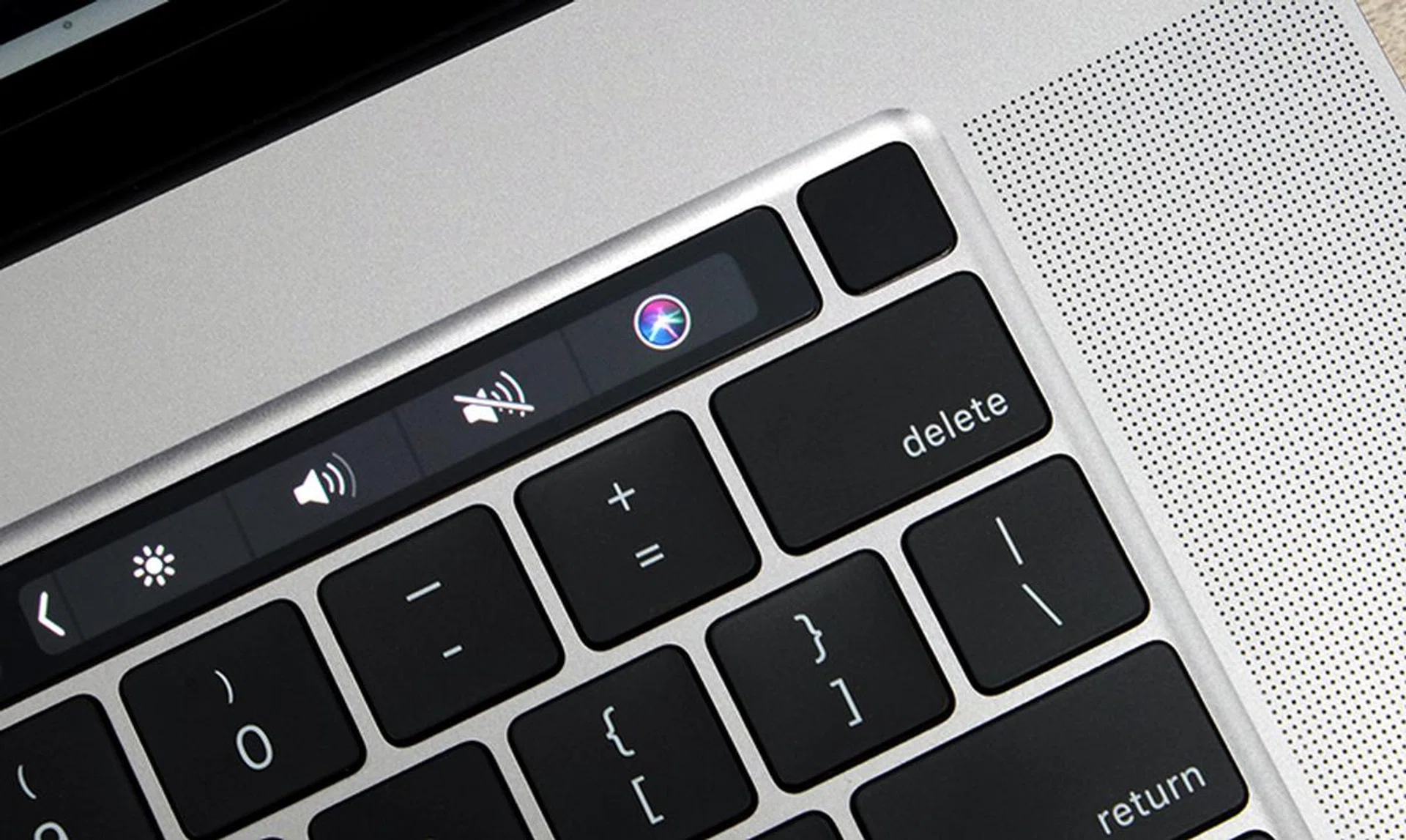
The Touch ID / power button is now separate from the main Touch Bar strip.
The trackpad, like all Mac notebooks, is one of the best you’d find on any notebook. It’s smooth, fluid, responsive, accurate, and on this 16-inch MacBook Pro, it’s gigantic, measuring 16cm across and 10cm from top to bottom. Put another way, it's even larger than an iPhone 11 Pro Max. Other notebook makers ought to pay more attention to the size of their trackpads. Ultra-thin bezels and smaller footprints are all good but that shouldn’t come at the cost of tiny trackpads that make scrolling a pain.
Speaker and microphone
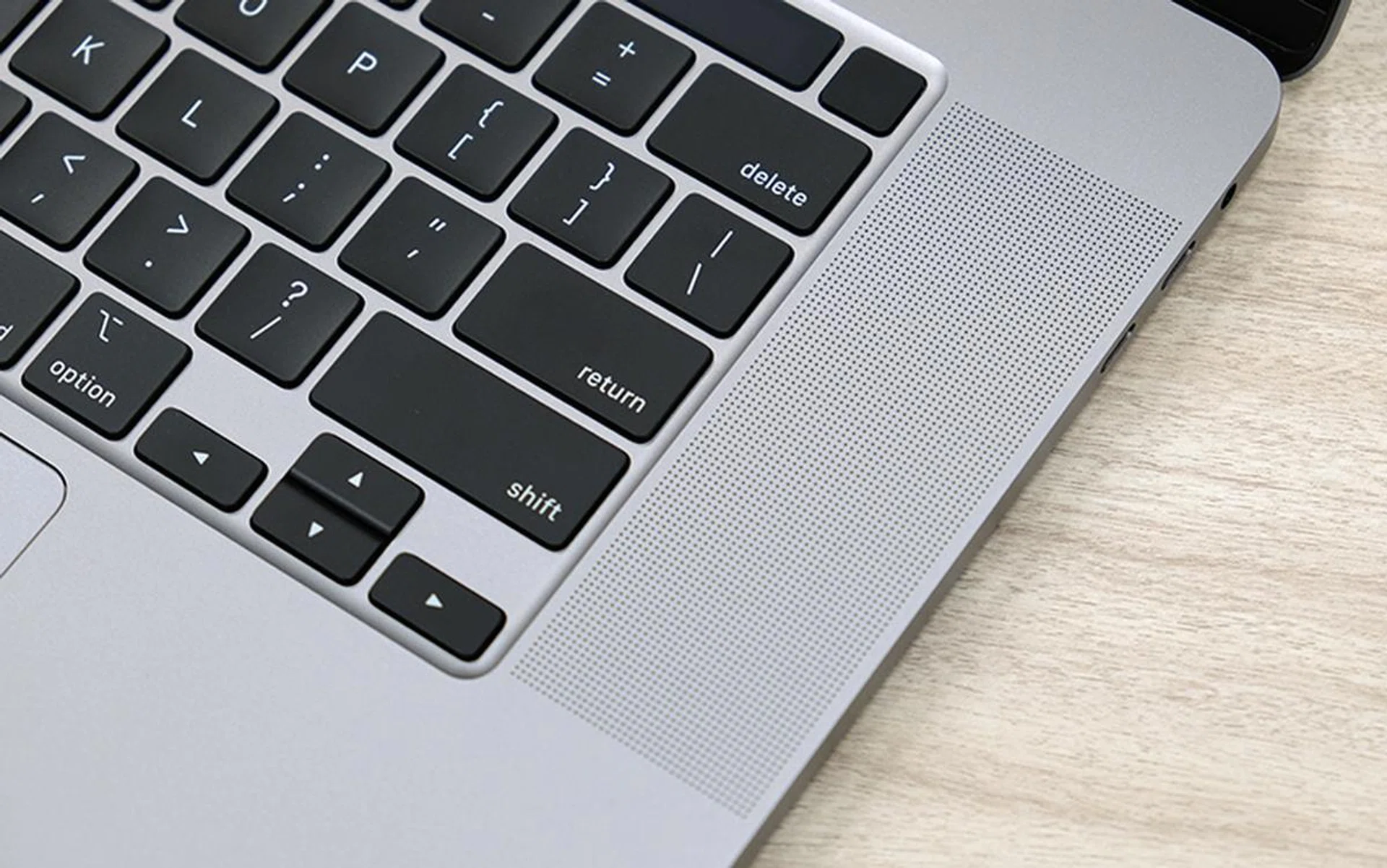
Easily the best speakers in any notebook, I reckon.
Speakers are often the most overlooked component in a notebook. Sure, many notebooks that “branded” speakers from the likes of Harman Kardon or Bang & Olufsen, but they often sound tinny and uninspiring. They make sound and that’s usually it.
Apple, however, has been making meaningful improvements to their MacBook speakers for quite some time. I thought the speakers in the MacBook Air were pretty impressive but the 16-inch MacBook Pro is even more incredible.
Here, we have an elaborate 6-speaker system that includes a patented woofer design that mounts two speaker drivers back to back. The effect of this is that the two drivers cancel out each other’s vibration and, according to Apple, dramatically reduces distortion.
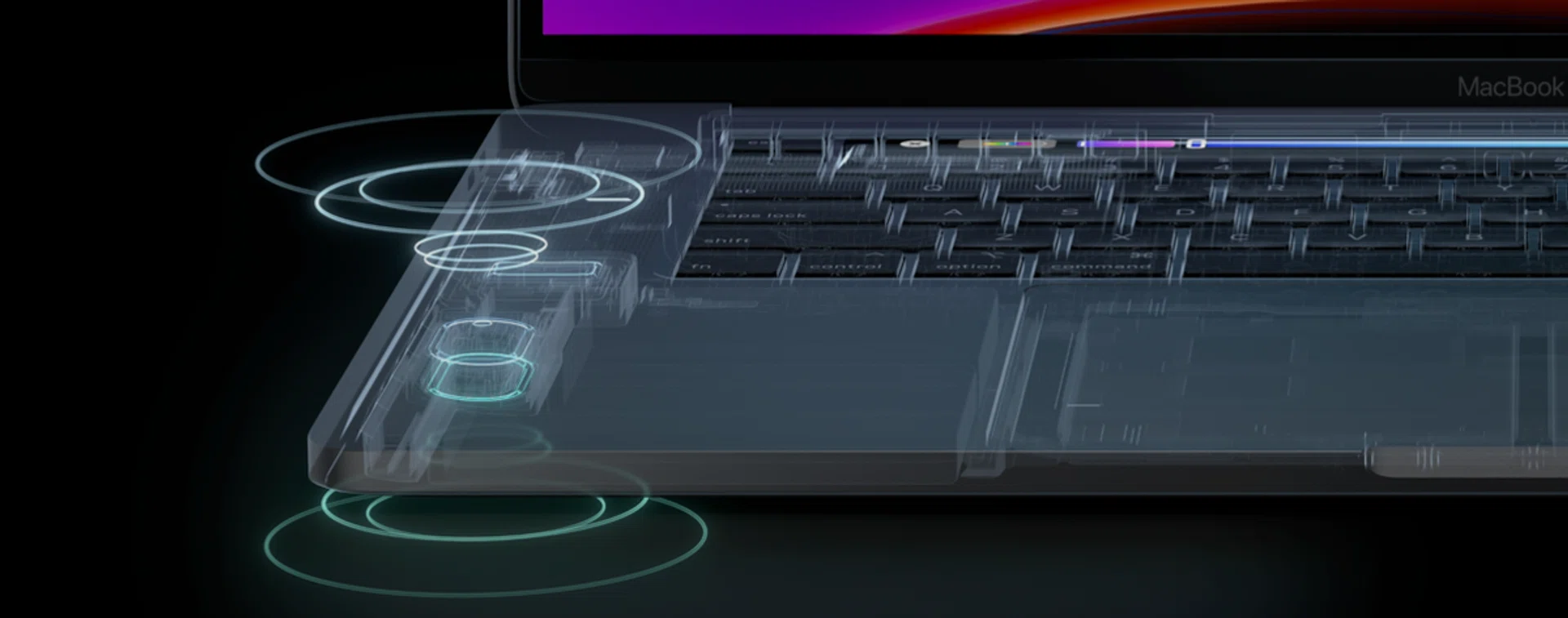
The woofers are placed back to back to reduce distortion. (Image source: Apple)
In the real world, the new 16-inch MacBook Pro sounds majestic insofar as notebook speakers are concerned. It sounds full-bodied and authoritative, it gets very loud, and there’s even palpable bass. And even at maximum volume, I can hear very little distortion. The overall tuning is very similar to Apple’s AirPods. Bass is strong, the mids are smooth, and the highs are tame. It’s a safe but pleasant tuning. But most crucially, this is one notebook that can forgo separate standalone speakers. The built-in speakers are good enough, they really are.
Work has also been done on the microphone. The 16-inch MacBook Pro has a 3-mic array that Apple says has 40% less hiss and a signal-to-noise ratio that rivals professional studio-grade digital microphones. The idea is that podcasters and YouTubers can rely on the built-in microphone to record on-the-go, and it improves the quality of FaceTime calls. I don’t much experience with high-end microphones but I did try FaceTime with the new microphone and I can confirm that it works very well.
Thermal considerations

The thermals have been thoroughly improved to help achieve the processor achieve its maximum potential. (Image source: Apple)
The old 15-inch MacBook Pro from 2018 received quite a bit of schtick when it was discovered to be throttling under heavy loads. But the truth was that Apple’s later software update fixed most of the problem. Furthermore, my test with a comparable 15-inch notebook with a similar Core i9-8950HK processor showed that the 15-inch MacBook Pro was actually faster.
To make sure such problems don’t resurface, the 16-inch MacBook Pro has a completely new thermal design with a redesigned heatsink that has 35% more surface area and fans that Apple says improves airflow by 28%. The result of these improvements is that the processor can sustain up to 12 more watts of power during intensive workloads. This also partly explains why the new 16-inch MacBook Pro can offer more performance despite having the same processor as the old 15-inch MacBook Pro. We'll have to look at the benchmarks below to see if it really works but what I can say now is that the fans get really loud when the machine is under heavy load.
Performance
The 16-inch MacBook Pro that I tested was the higher-end off-the-shelf configuration with the Core i9 processor. It also has 16GB of memory, a 1TB SSD, and an AMD Radeon Pro 5500M GPU with 4GB GDDR6 memory.
It's a speedy notebook. In the real world, it launches my frequently used apps without a hitch and it was mighty quick in applying filters and effects in Photoshop even when manipulating giant TIFF files. But the truth is, I don’t feel that it’s a whole lot faster than the 2018 15-inch MacBook Pro that I have been using for the past year or so.
On benchmarks, the 16-inch MacBook Pro showed marginal improvements over this year’s 15-inch MacBook Pro and also the 2018 15-inch MacBook Pro that I tested alongside the 15-inch ASUS ZenBook Pro last year. Both Geekbench 5 and Cinebench showed significant increases in scores, especially in multi-core scenarios.
In the real-world, the 16-inch MacBook Pro also successfully transcoded an hour-long 1080p video quicker than the 2018 15-inch MacBook Pro did. It took 17mins 21seconds, which meant it was over 5 minutes or nearly 25% faster than the 2018 15-inch MacBook Pro which took 22mins and 52seconds. That’s no small feat. I also used Intel Power Gadget to log the CPU’s performance when it was transcoding and I’m happy to report that the new 16-inch MacBook Pro held a steady clock speed of around 3.2GHz as it was transcoding the video.
But to be honest, performance is unlikely to be the biggest reason why anyone would upgrade to the 16-inch MacBook Pro, especially if you are coming from a 15-inch MacBook Pro that’s over two years old. The fact is this: advancements in processor technology have reached a plateau and newer processors are often just a shade faster than the models they replace. Just take a look at recent reviews of the new Core i9-10980XE and Core i9-9900KS to see what I mean. Which is also why there’s a lot of chatter about Apple possibly using its own A-series chips for its Macs someday but that’s a story for another day.


Is this the start of something new?

A triumphant return to form. This isn't a perfect MacBook Pro but it's a really good one.
If I was cynical then I would view the new 16-inch MacBook Pro as a mea culpa by Apple. An acknowledgement that their thinness and lightness at all costs approach was wrong and that butterfly keyboard switches were the invention of the devil.
But Apple has made some interesting choices that suggest we could be entering a new era of MacBooks. To me, it seems that Apple has finally realised that thinness and lightness isn’t everything and that they aren’t afraid to make their products a little heavier and thicker if it means a better experience for the user. In case you forgot, this year’s iPhones were thicker and heavier than last year’s and they are one of the best iPhones in years.
Sure, this new 16-inch MacBook Pro is by no means perfect. For one, it’s quite a chunky and heavy machine. To be fair, it's quite light for a notebook of its class but I still won’t want to bring it along with me on trips unless I know I won’t be moving around too much. Also, Apple’s decision to continue to omit a memory card reader makes me want to pull my hair out. Wi-Fi 6 may still be in its infancy but it's catching on fast and it's curious that Apple's newest flagship notebook lacks support for it.

Build quality is top notch.
But, Apple has done a good number of things that’s right with the 16-inch MacBook Pro. The large and gorgeous display makes working on it much more pleasant. The revamped keyboard is a godsend and the trackpad is peerless. The speakers are a revelation and the improved built-in microphones are also nice to have. And lastly, battery life has been extended.
This all makes the 16-inch MacBook Pro is a much more pleasant notebook to work on when you are away from your desk and you don’t have access to all your fancy peripherals like your ultrawide monitor, mechanical keyboard, and audiophile-grade nearfield monitors.
In other words, the new 16-inch MacBook Pro is the result of Apple listening and considering the needs of the people that actually use this class of notebooks. It may not be perfect, but it seems like Apple is taking a step in the right direction and that’s worth popping open the bubbly. I can’t wait to see what they will do to the rest of the MacBook line.
Our articles may contain affiliate links. If you buy through these links, we may earn a small commission.