
HP TouchSmart IQ506 PC - The Full Review
We promised you a review back when we did our preview of HP's TouchSmart IQ500 PC series. Well, it's finally here in our labs, so join us as we take on the HP TouchSmart IQ506 PC, fresh from its tour of duty in Berlin, where it was first unveiled.

Get Smart Touching
Last seen at our labs just before its unveiling in Berlin at the HP Connecting Your World event was the HP TouchSmart IQ506 PC, which made its way to our labs again for a full review as promised. But first, you might want to take a trip down memory lane and look at the IQ506's predecessor, the IQ770 PC , which while nice, didn't quite evoke the excitement and appeal of the newer IQ506. It's good to know that given the time span of about a year, HP has done a minor miracle in shrinking the previous design into something much more compact and stylish, something which we quite like and is sure to appeal to consumers too.
Besides shrinking the size down into a more compact package, HP has also upped the touch screen panel size of the IQ506 to 22-inches of glorious screen realty. Furthermore, HP also promises 4GB of memory for every variant that will be available on the market, which in our books makes the newer IQ506 that much sweeter (or powerful whichever way you look at it). So now that we've gotten your attention, let's start with the specifications listing of the HP TouchSmart IQ506 system before we take a closer look at its characteristics:-
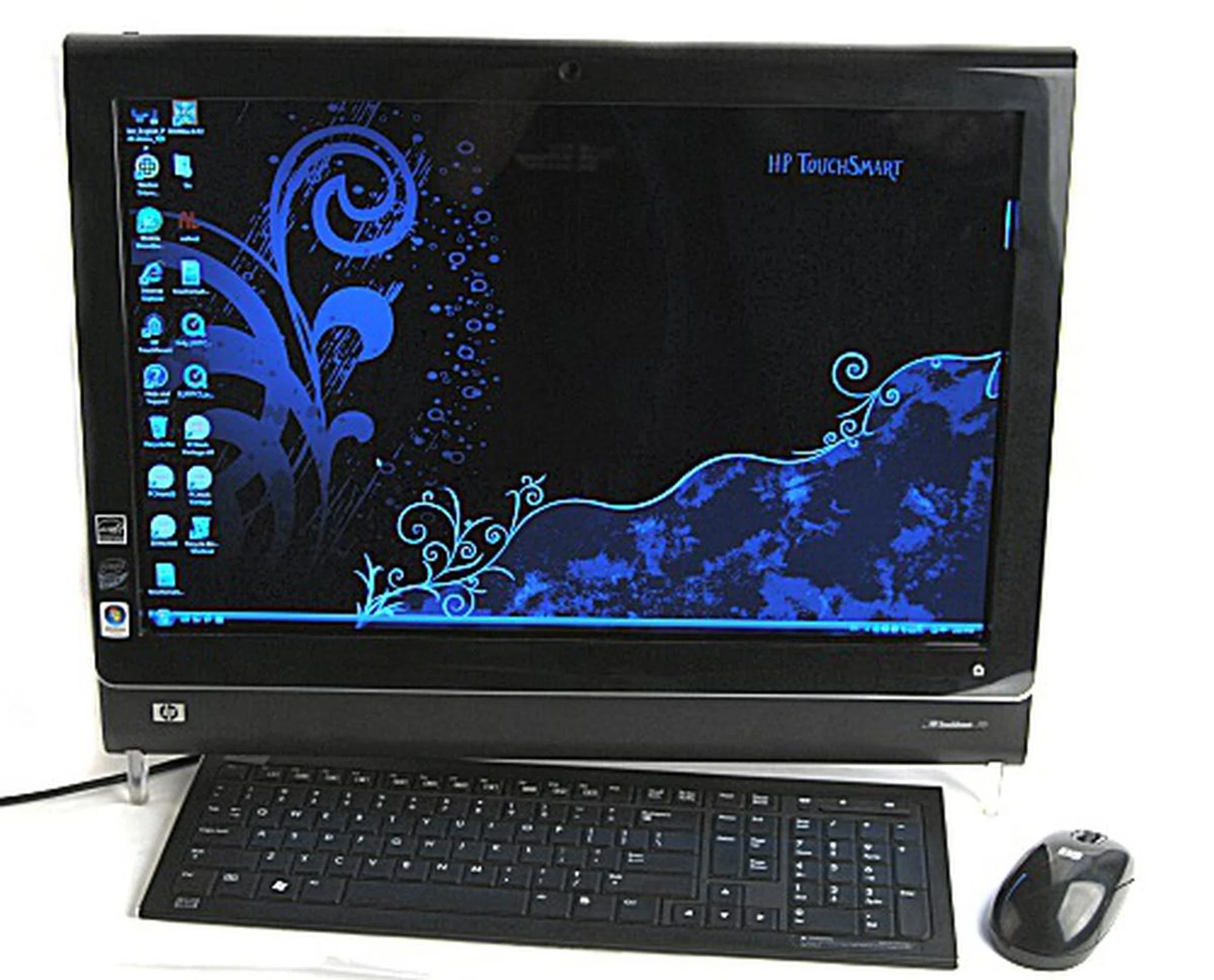
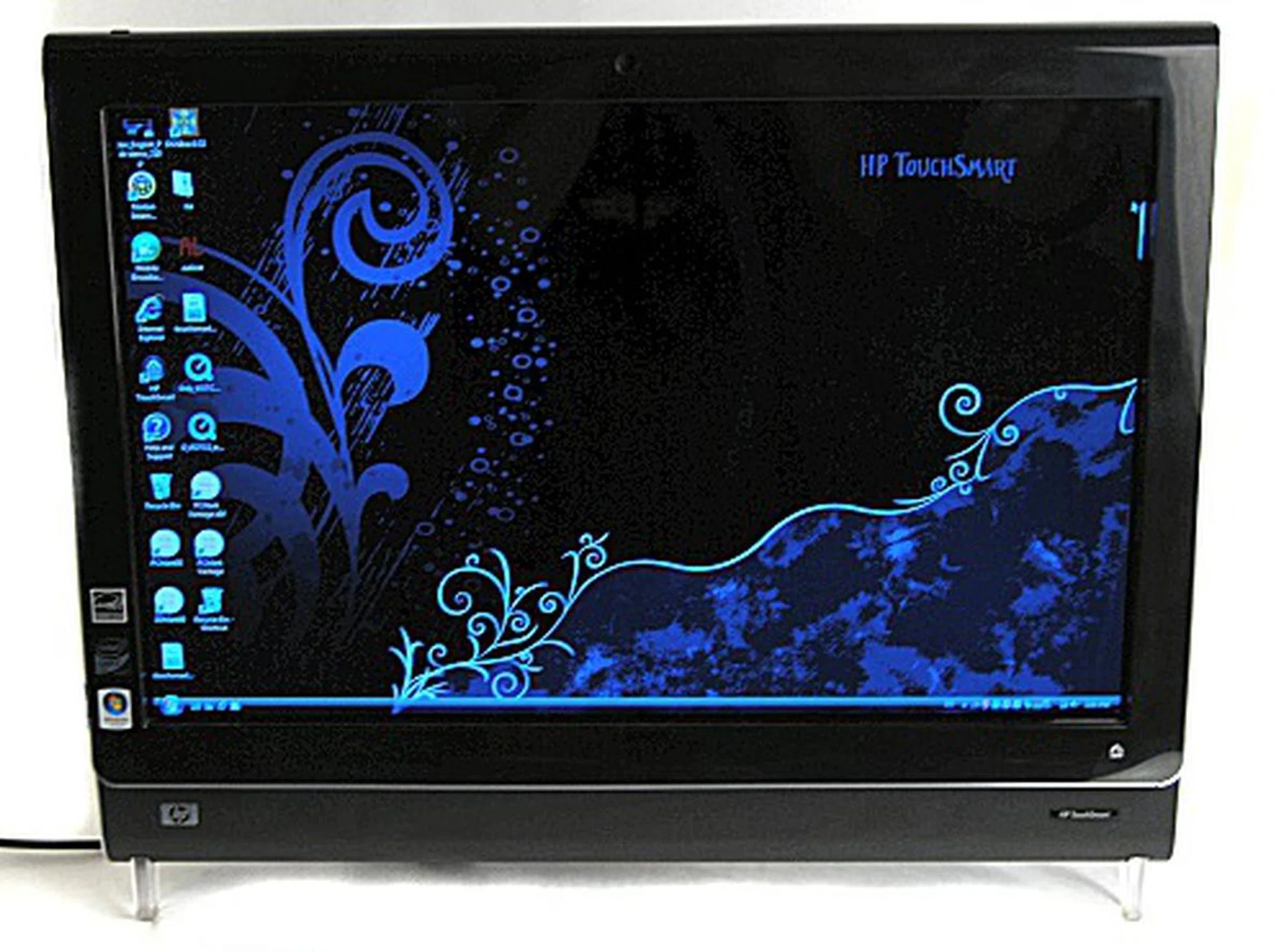
Looking all sleek and shiny is the HP TouchSmart IQ506 PC, which is ready for all your fingerprint abuse.
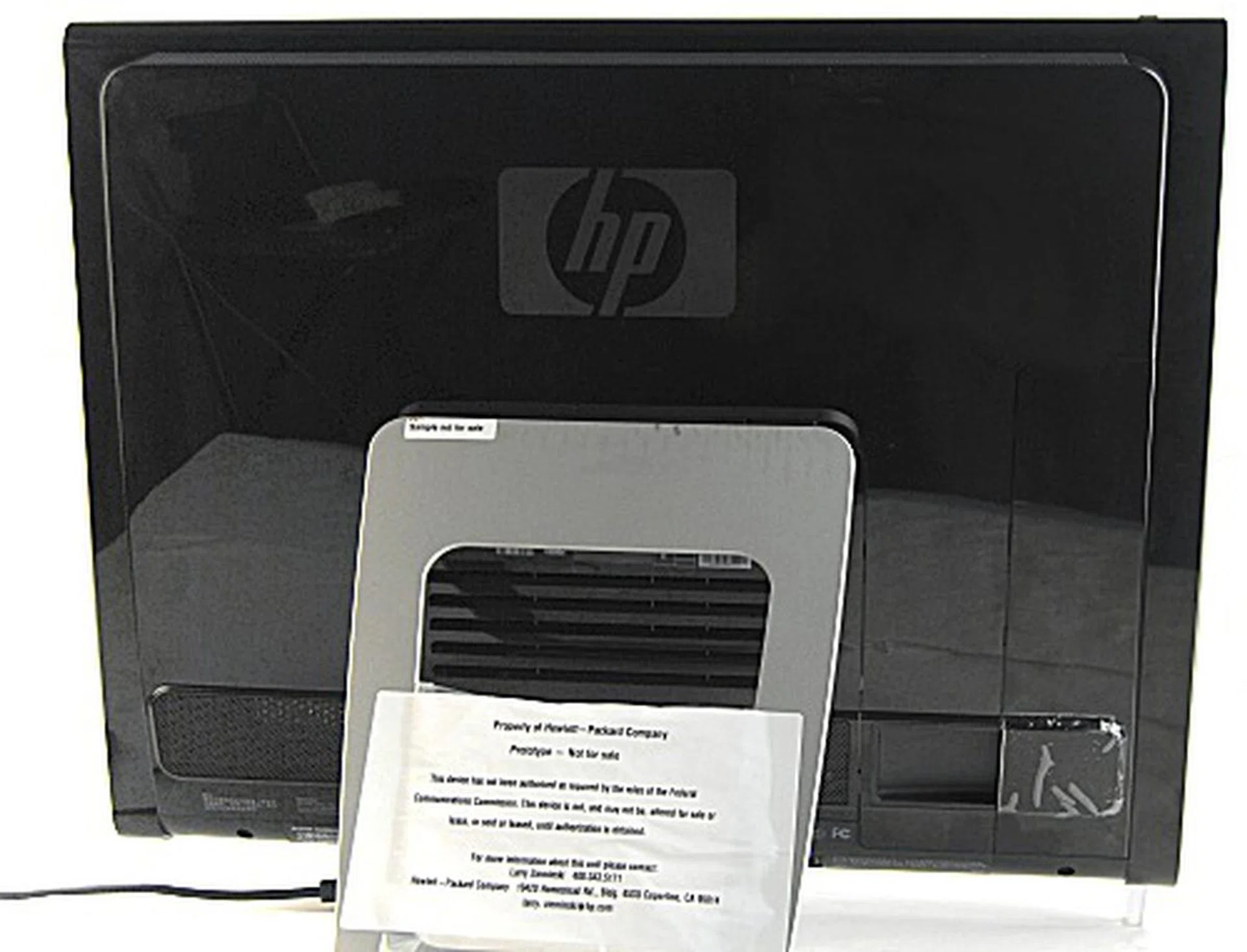
The IQ506 also keeps to a relatively clean back profile that's pleasing to the eye, though we could have done without the glossy surface on the back.
Touchy Feely
With a computer named TouchSmart, obviously there's going to be a lot of touching going on for the IQ506, so HP has made the screen scratch proof (to a certain extent) and while the thought of testing it with a screw driver did enter our minds, we were also quite leery of damaging the beautiful surface, so we skipped attempting that test. The screen also seems like it is fingerprint resistant as we didn't see any obvious smudges even after pretty heavy usage of us messing around with the touch friendly UI. Consequently, because it's resistant to smudges, you'll find that the screen isn't a smooth experience to slide you fingers across such as when navigating the TouchSmart UI (more on the software interface layer on the next page).
Like the older IQ770, the IQ506 can also be navigated via touch in Windows Vista, though we don't really recommend doing so as it can get quite tiring. Right clicking in particular, was somewhat tedious as it kept to the same "hold finger till menu appears" concept of the IQ770. There have been some improvements though, a 'ghost mouse' appears when your finger or stylus interacts with the screen and you can easily tap the left or right virtual mouse button for easy input.
As for design aesthetics, the IQ506 has been designed to look like a large messenger bag and it shows, from the design of the small flap that's located somewhere near the bottom edge of the otherwise straightforward looking unit. As for the glossy surface area which usually poses a problem with fingerprint smudges, thankfully we didn't notice it visibly this time around.
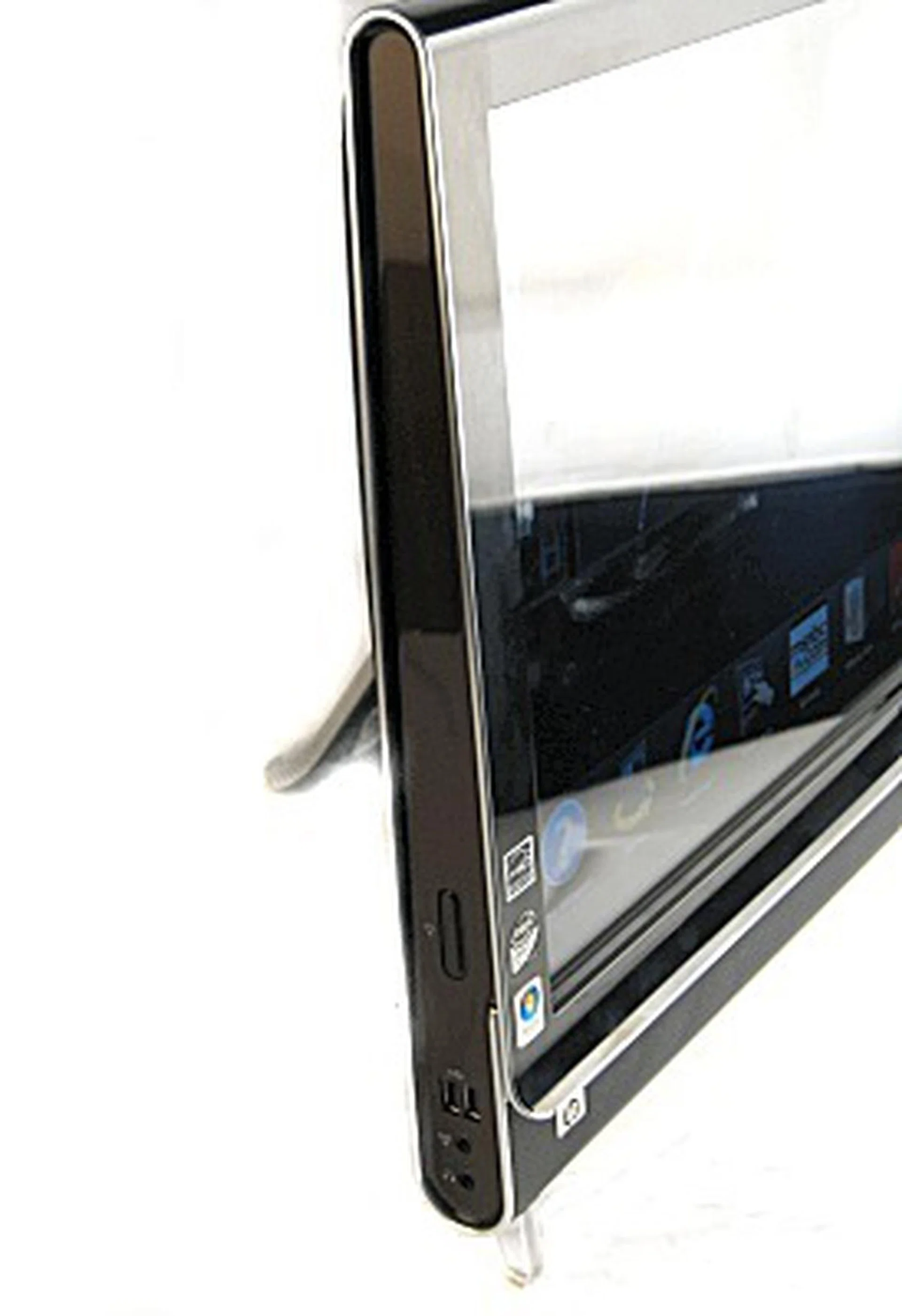
If you think that the side profile looks like a messenger bag, then you've basically got it as that was HP's intention all along.
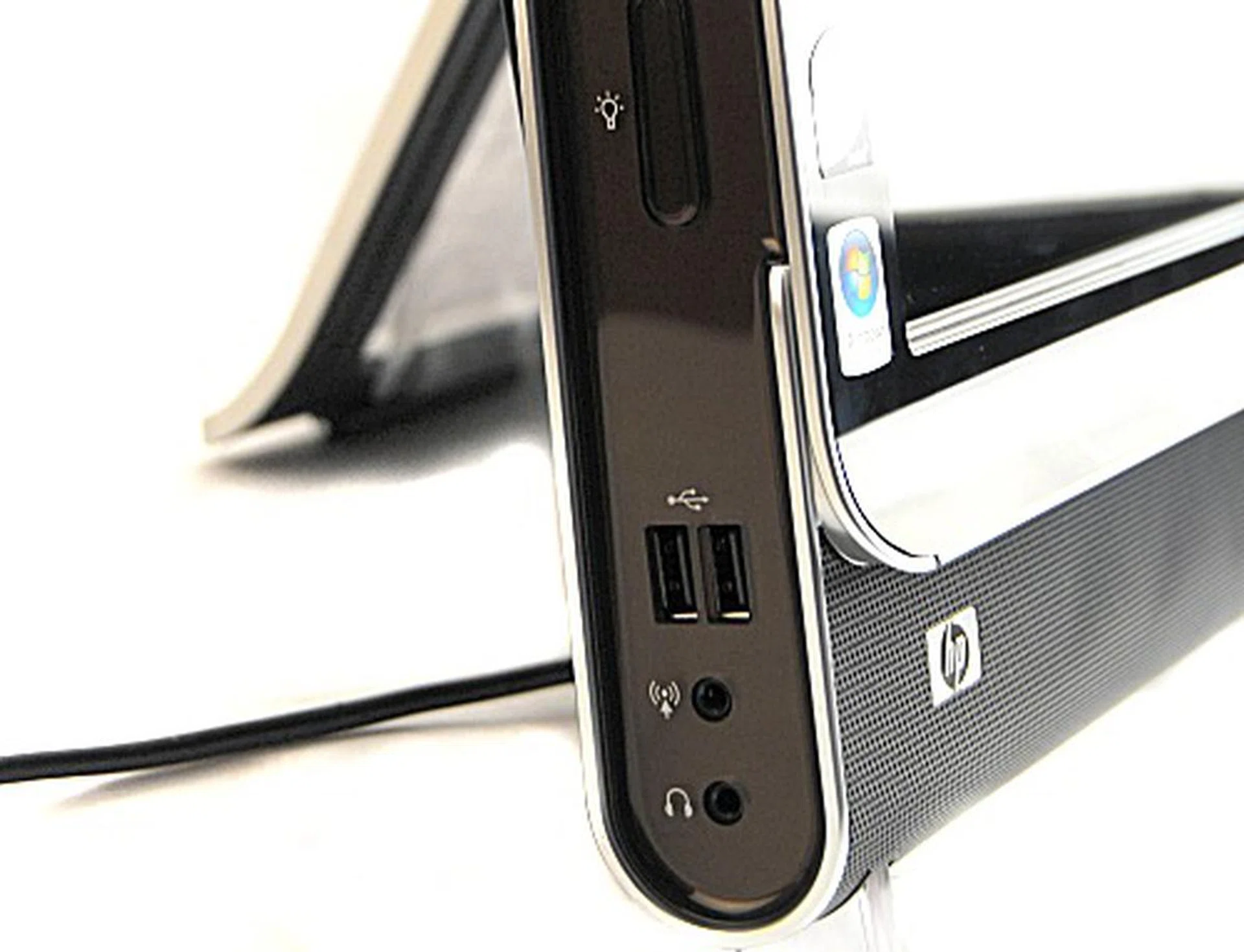
A closer look at the bottom of the unit reveals two USB 2.0 ports, the headphone and microphone jacks and a button to control the lights for helping you type in the dark (as seen during our preview ).
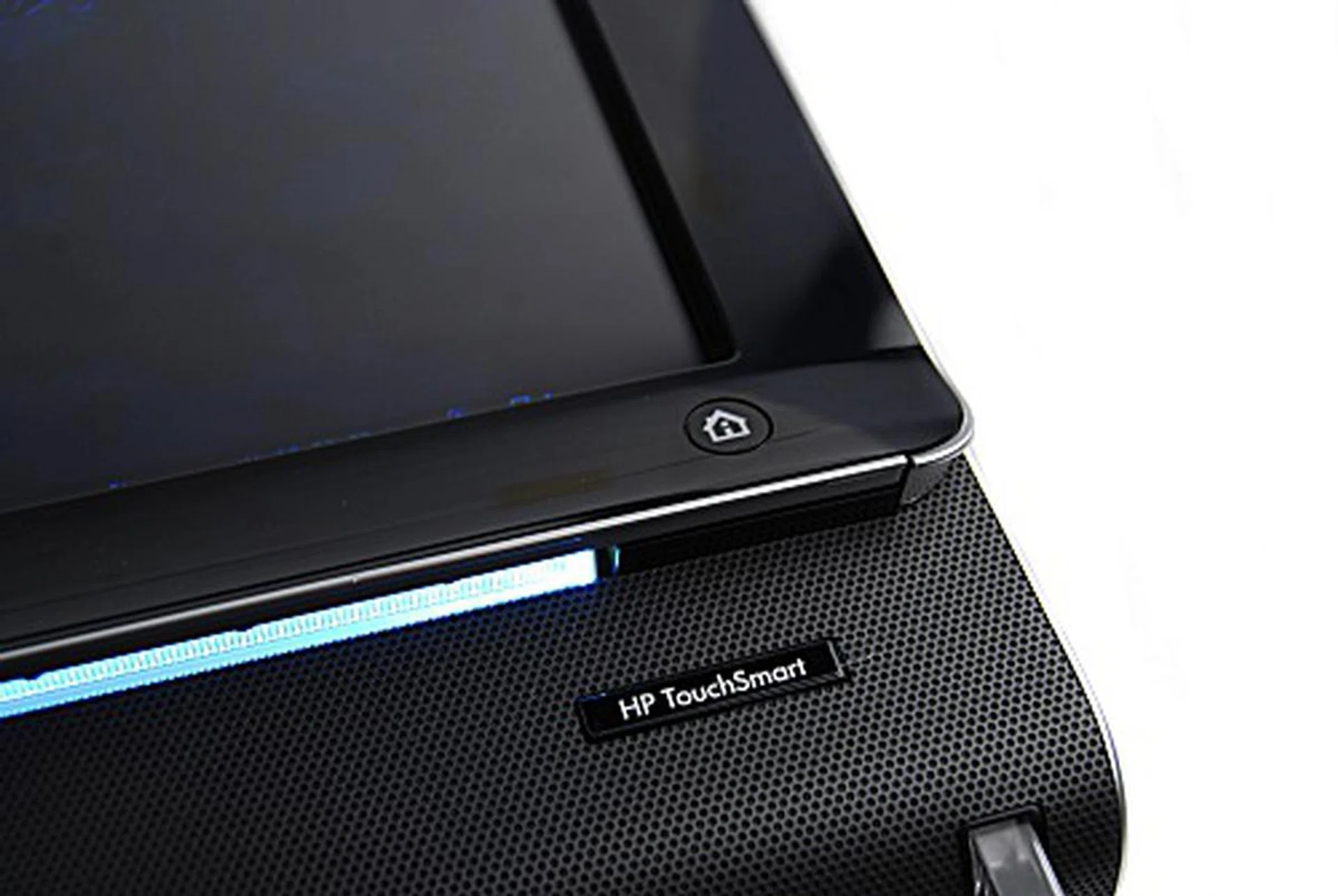
You can see where the light's coming from at this angle. The little House button also serves to launch the TouchSmart UI.
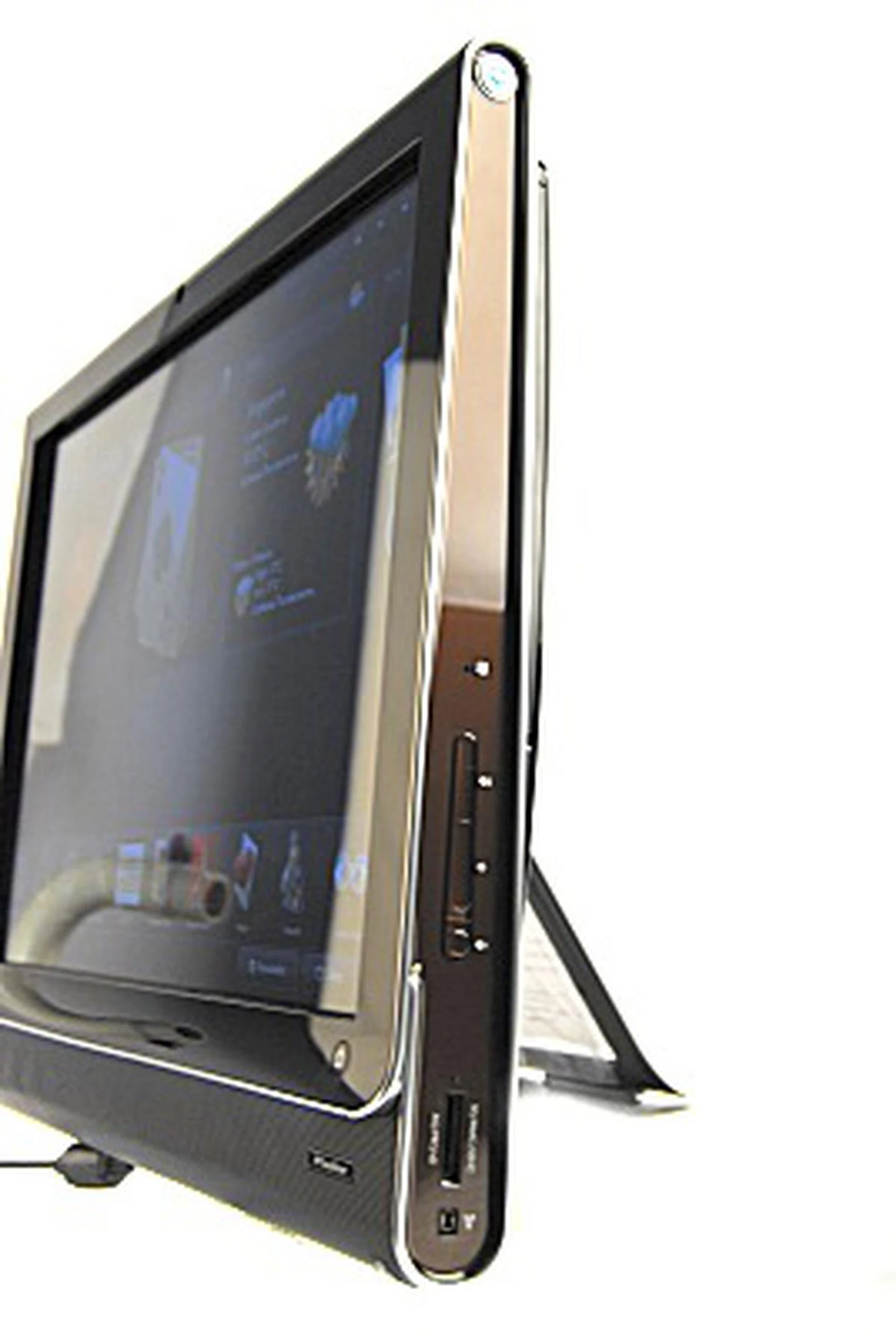
The right side of the IQ506 sports a 5-in-1 card reader, the volume controls and a IEEE 1394 port.
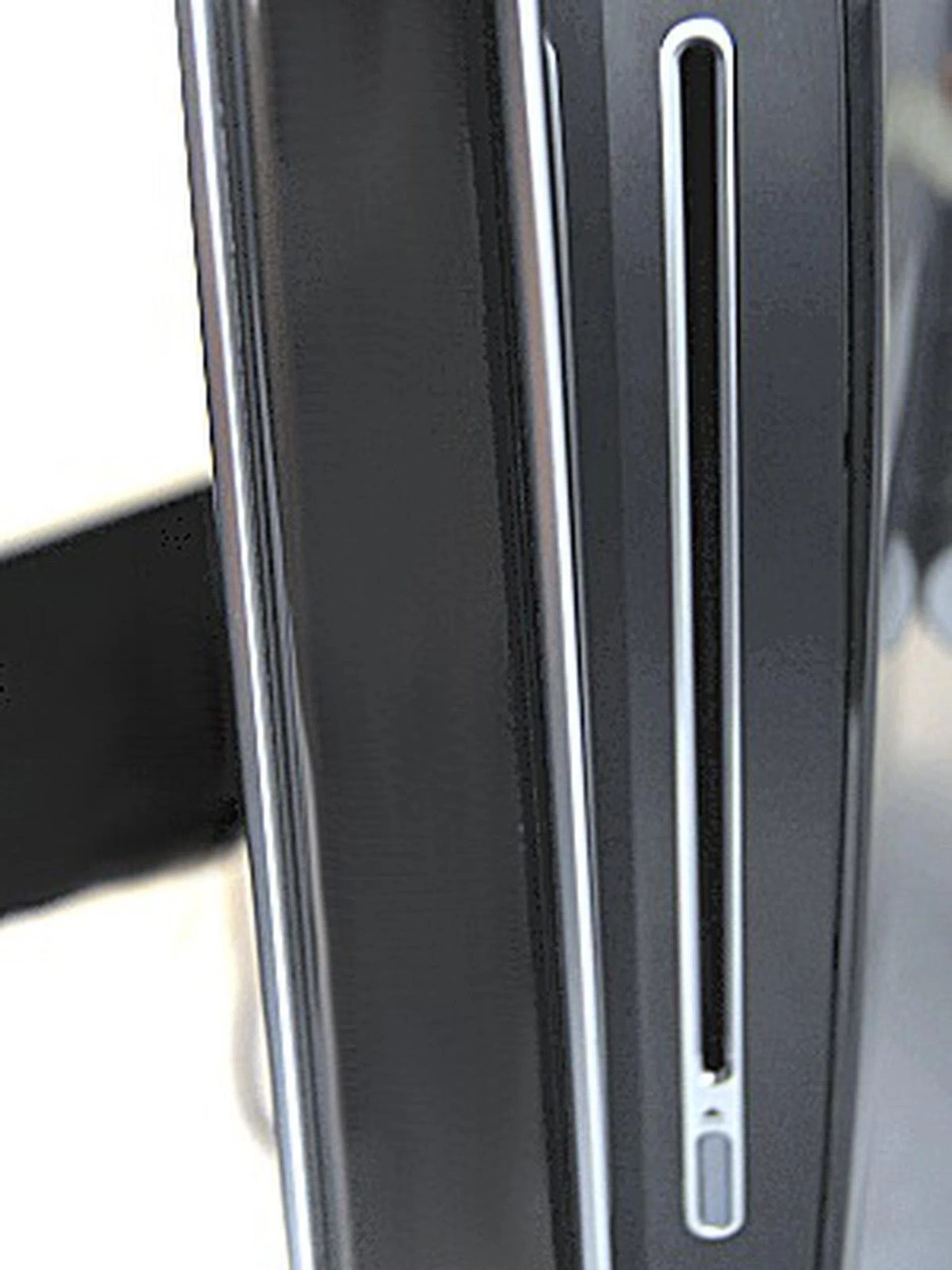
The same slot-loaded SuperMulti DVD Burner which we saw during our preview.
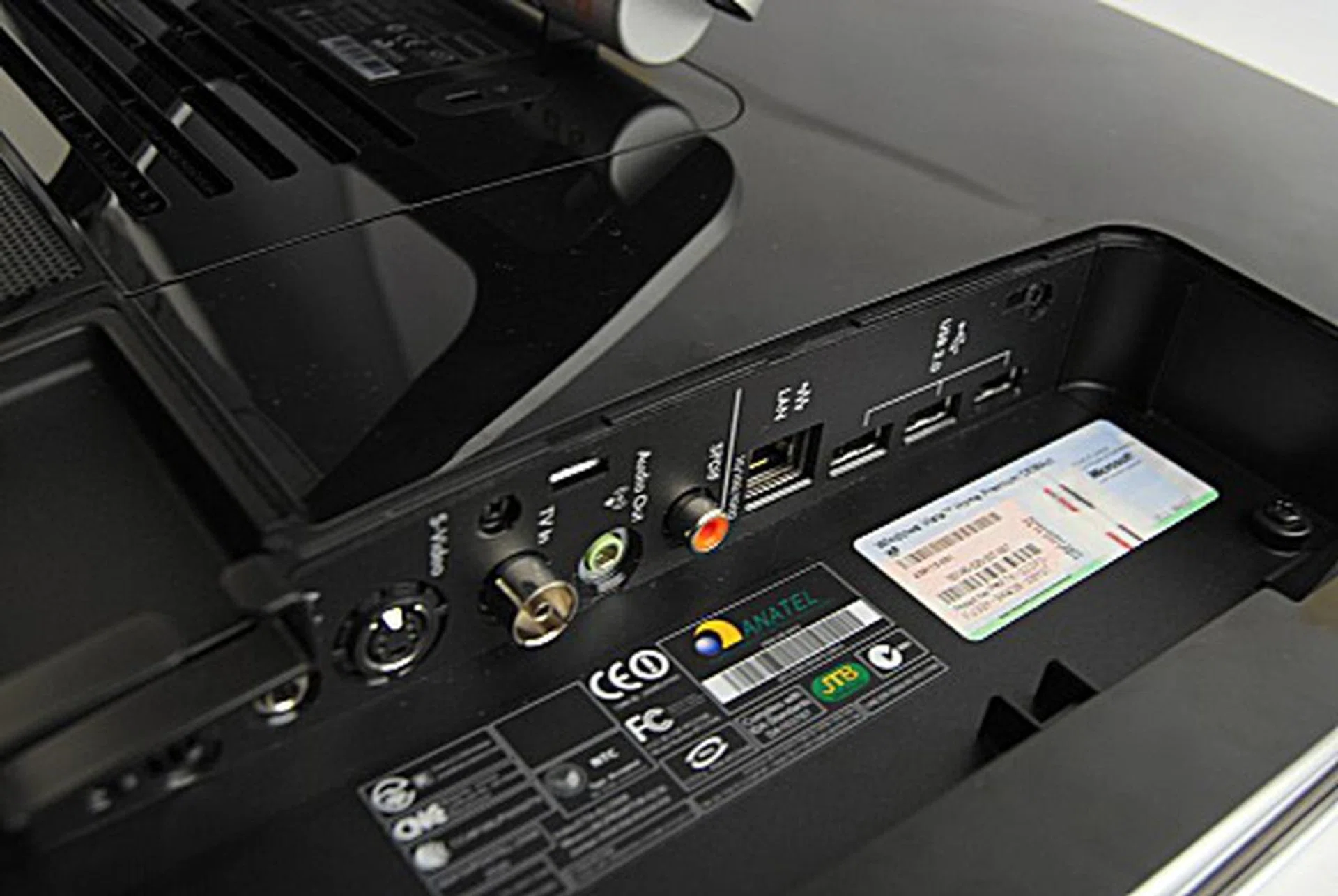
A hidden compartment on the back opens up to reveal three more USB 2.0 ports, a LAN port, an S/PDIF out, an audio in/out jacks, a TV-in and a S-Video port.
Audio clarity was also something the IQ506 excelled at, at full volume, our playback of the various tracks that came with out prototype made for easy and clear listening. Volume at maximum was loud enough to fill a room substantially, while distortions were barely detectable. Video playback also looked good on the glossy screen though reflections might be an issue especially if the unit was placed directly below a light source. Otherwise the screen display was crisp, bright and clear enough for our eyes.
Software Redux
If you like, instead of working in the native Windows Vista environment (which you can) and playing with the normal sized icons, the IQ506 comes loaded with HP's TouchSmart GUI which sits as a shell over the normal Vista interface. The UI also and delivers a better web 2.0-like experience. Furthermore, the UI also serves as a media player for audio and video, allows for easy access to a browser, has basic photo editing software and launcher for your applications which you can also add and delete by clicking on the personalize button located on the bottom right corner.
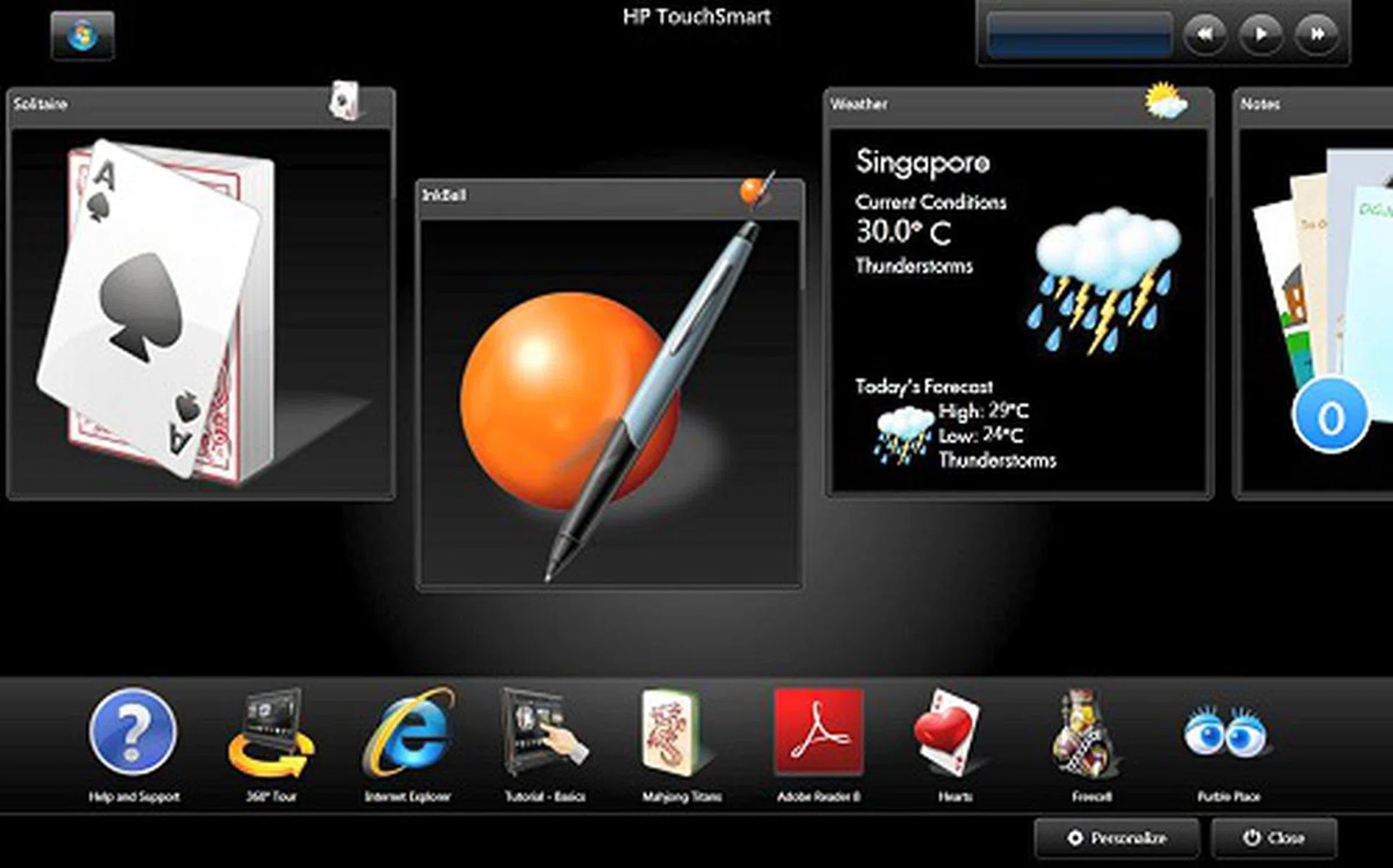
The HP TouchSmart UI that's been designed specially for the TouchSmart IQ500 PC series.
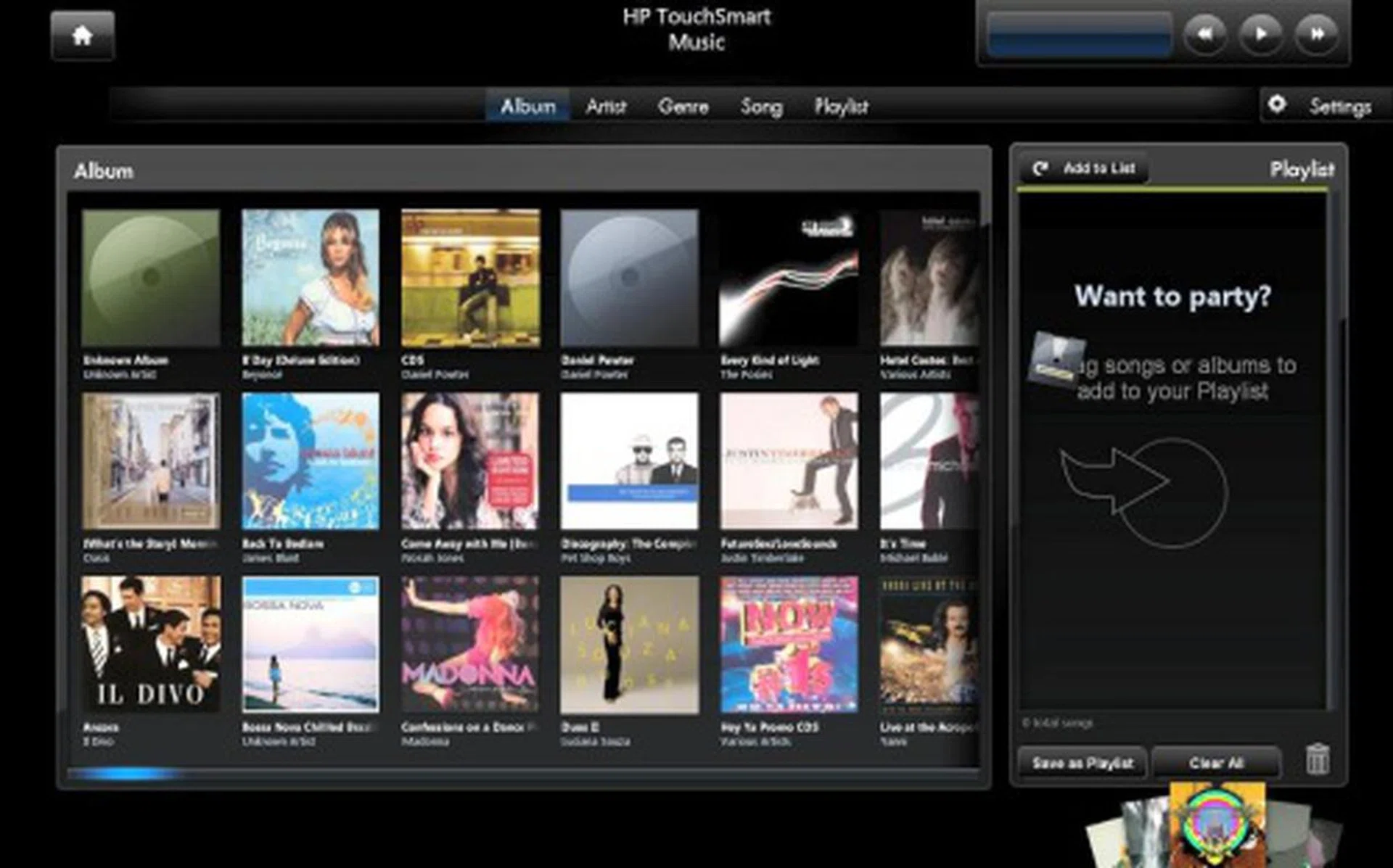
The music player supports drag and drop functionality while also providing an alternative playback mode...
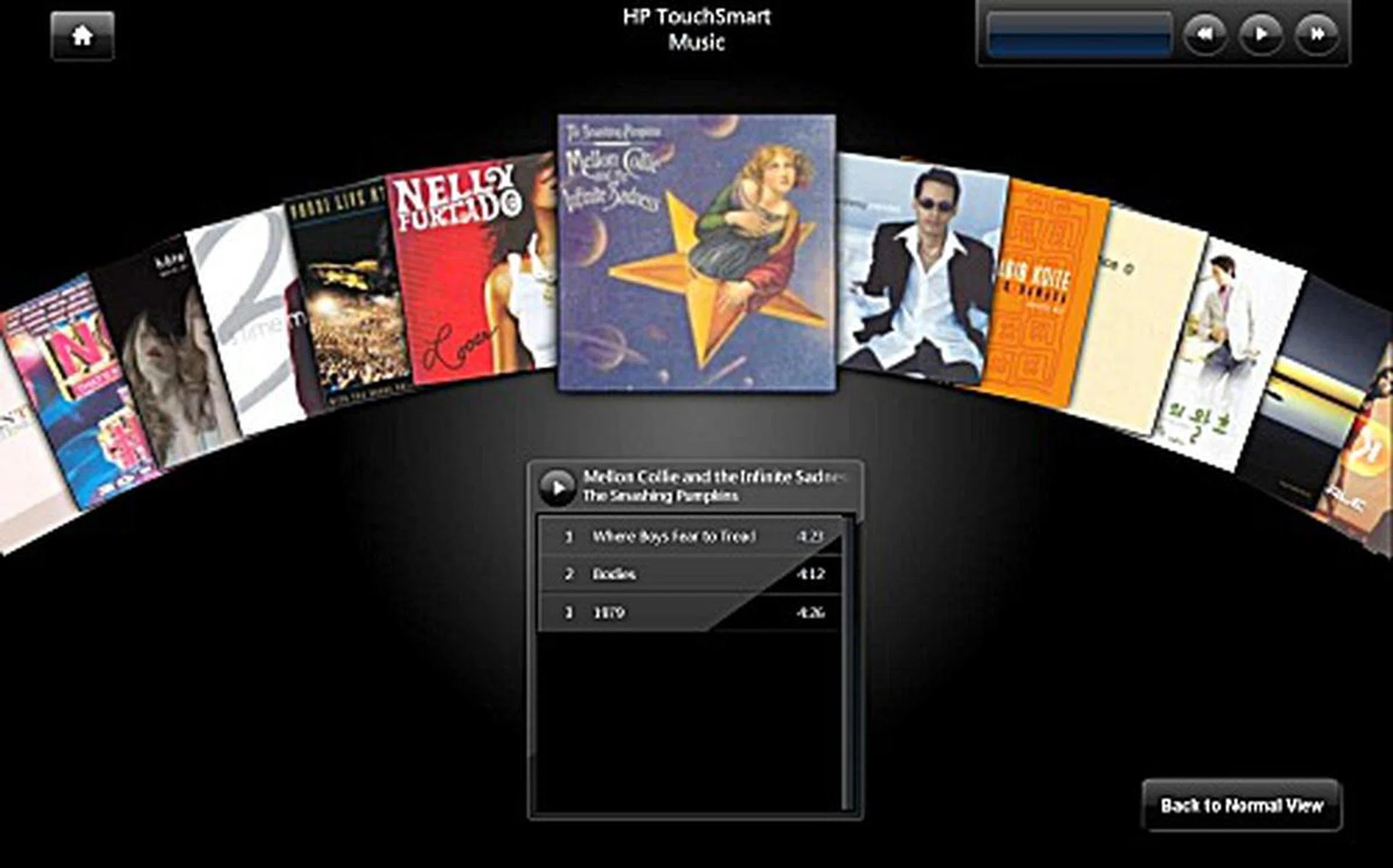
Somewhat similar to Apple's Cover Flow function, this mode allows you to scroll albums by flicking your finger from left to right and vice versa.
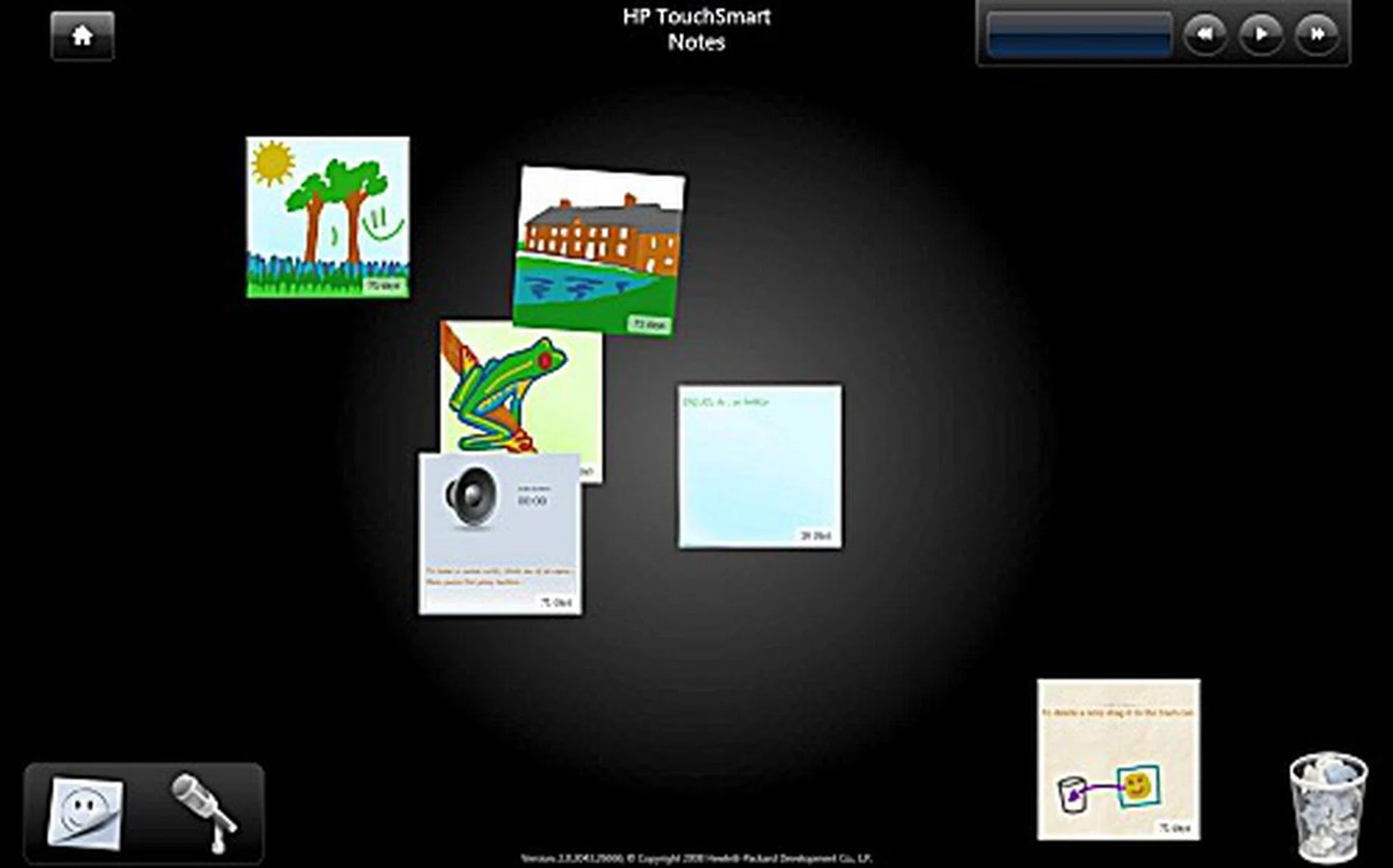
The Notes feature makes an reappearance in the newer UI but with a much less cluttered look.
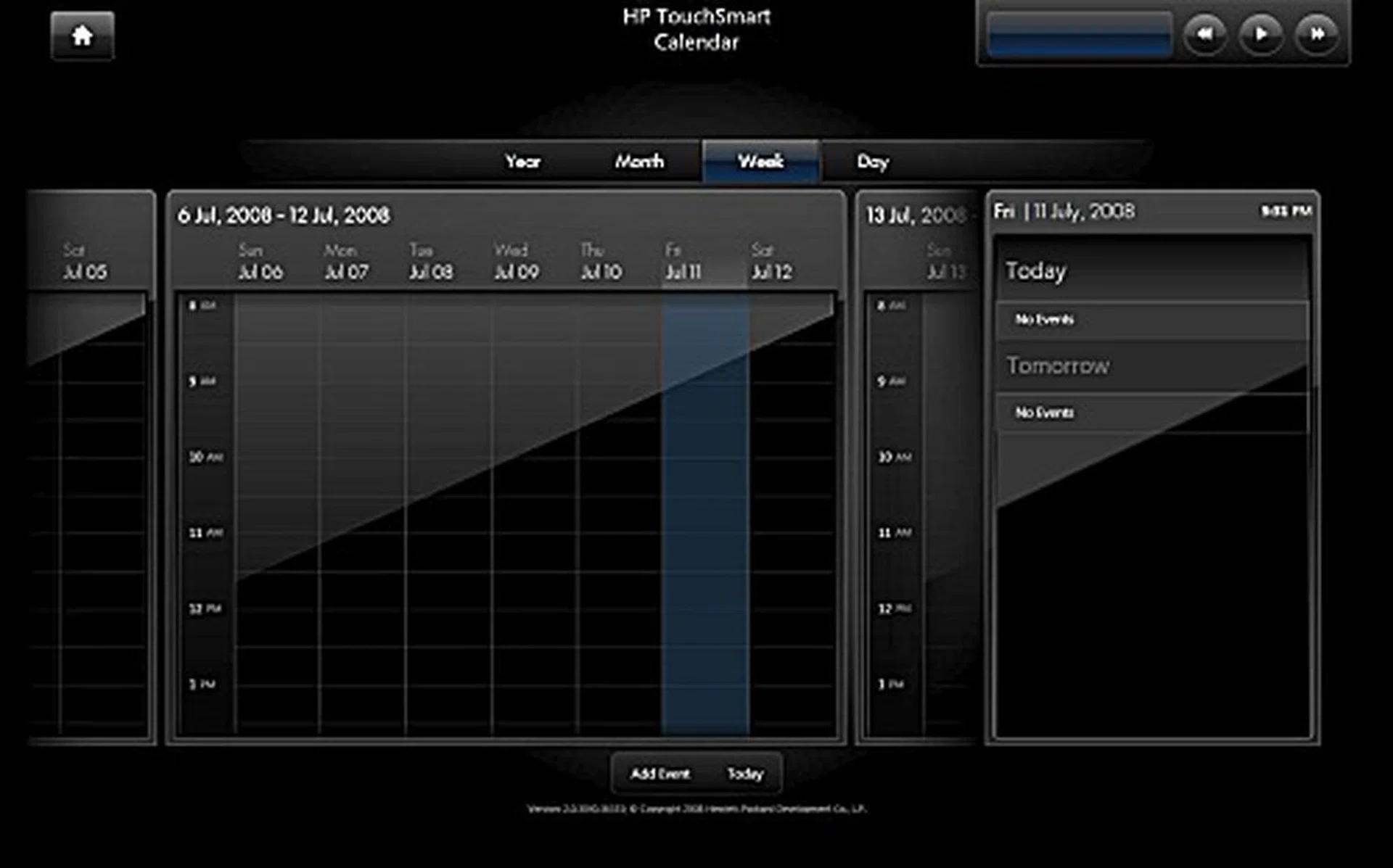
Similarly, the calendar function has been updated to a much nicer look.
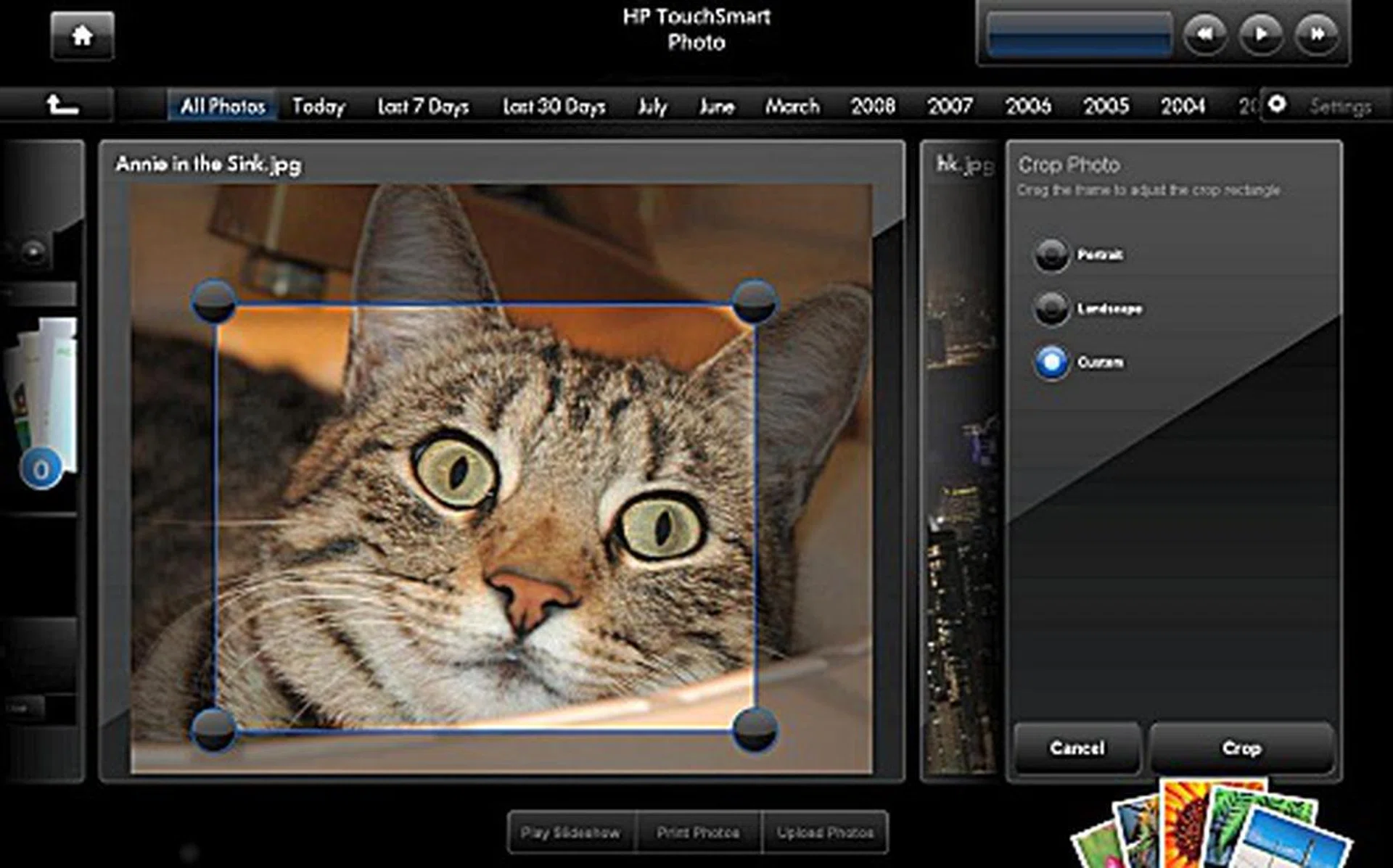
Basic photo editing is also available and allows for cropping, red eye correction, auto-contrast and photo rotation.
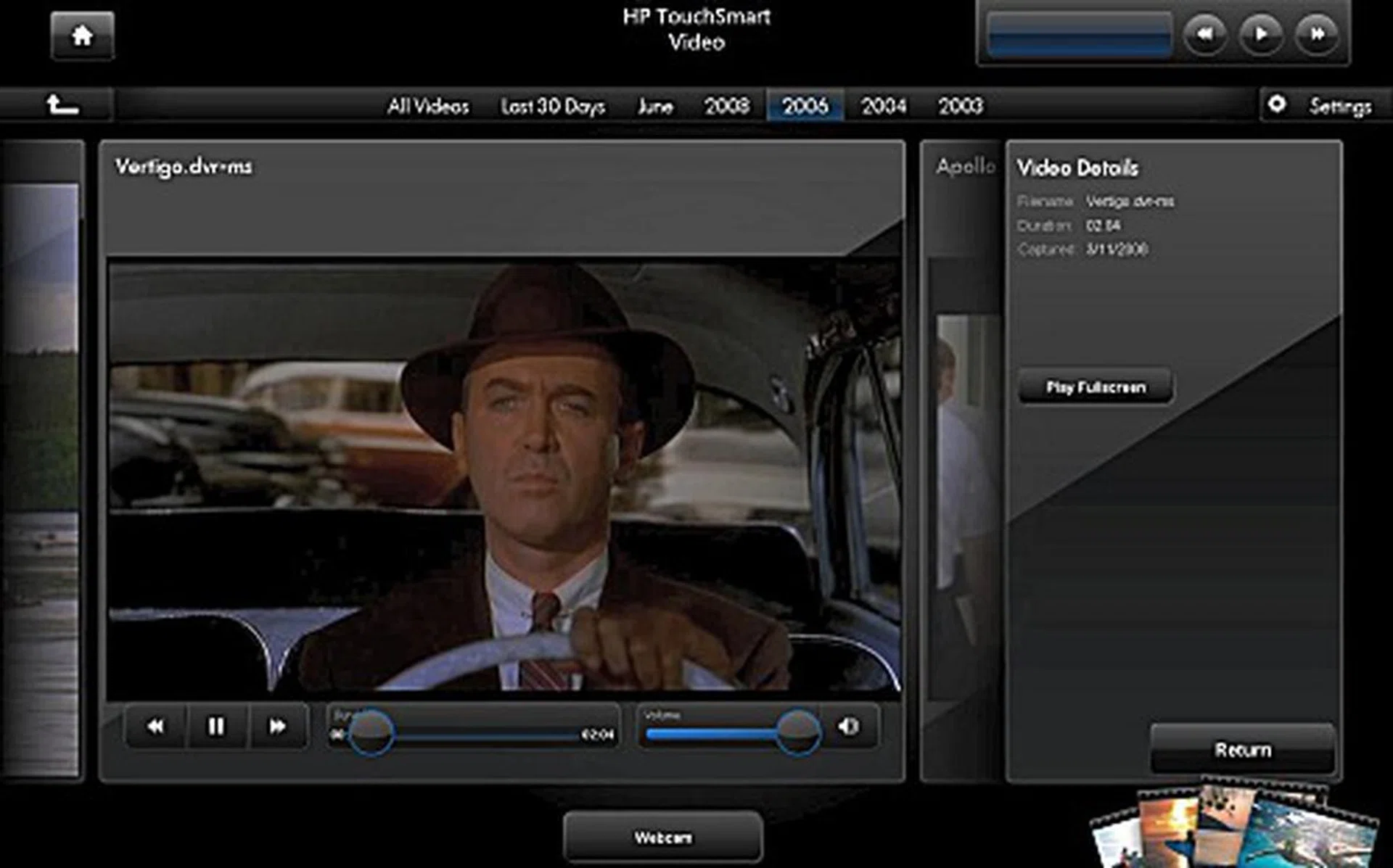
Video playback can also be done inside the shell, and you can also choose to watch your videos in full-screen mode.
Navigating through the UI was also a simple affair, flicking your fingers from left to right or vice versa allows you to quickly scroll through the UI for selecting applications. It's also possible to get quite annoyed with the sensitivity on your finger flicks as the items on screen might get flicked aside too fast for your eyes to follow. However, as it with most of such touch-based interactive devices, the more you familiarize with the device, the more you can get accustomed to its characteristics of control. The UI also features a pinching action (like those found on the iPhone and iPod Touch) for enlarging the panels and large buttons that you can easily press with your finger. Drag and drop is also supported for adding applications to the scrolling panel for even more touch goodness. This action however, is not supported on the Windows Vista interface, suggesting that HP need only improve the software/driver layer to even enable such functionality with other software running in Windows. Hopefully HP software engineers can improve the already nice functionality of the IQ506 even better via such subtle improvements.
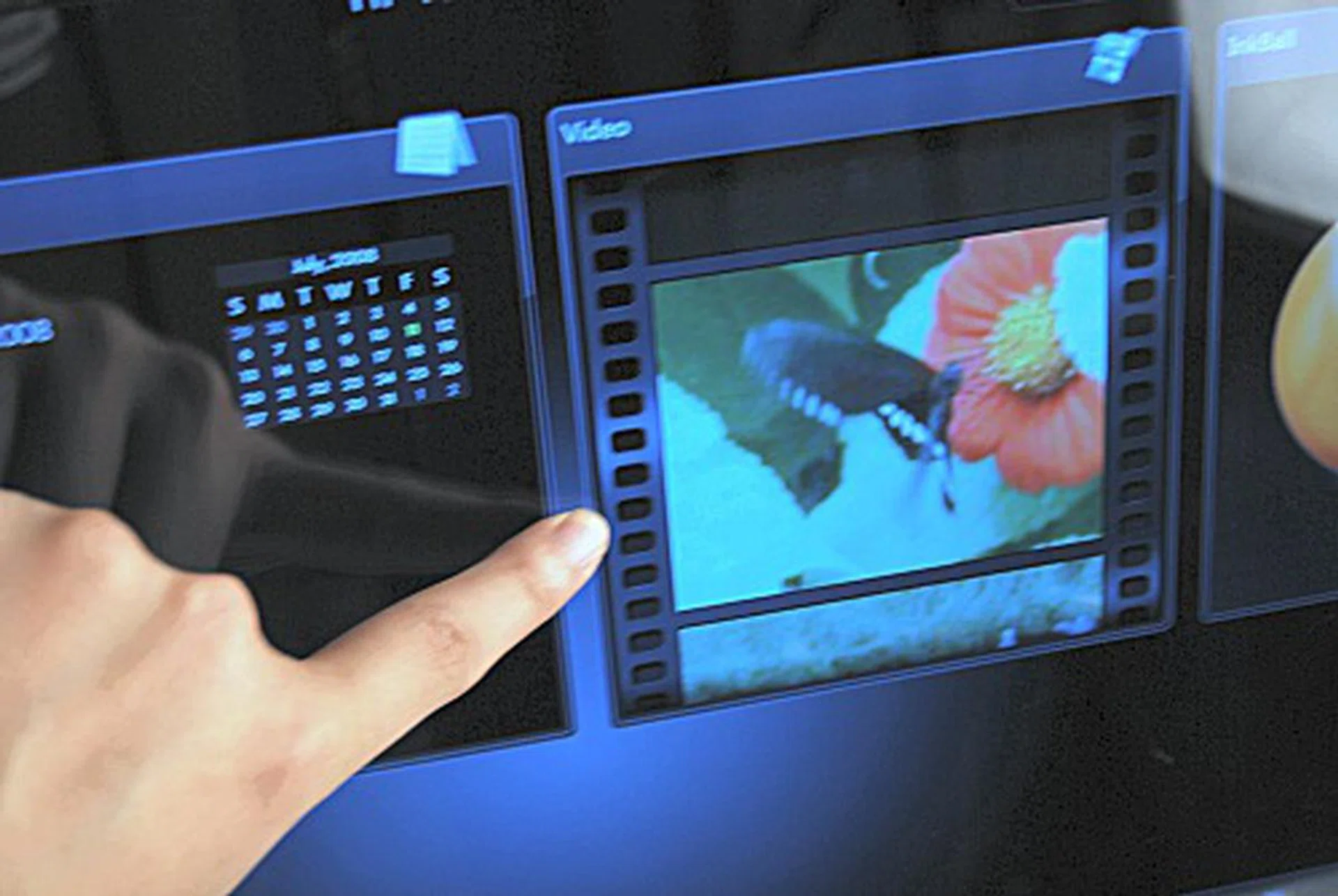
Scrolling is done with a simple flick of the finger. Alternatively, you can also tap and hold for a more smoother and accurate scroll.
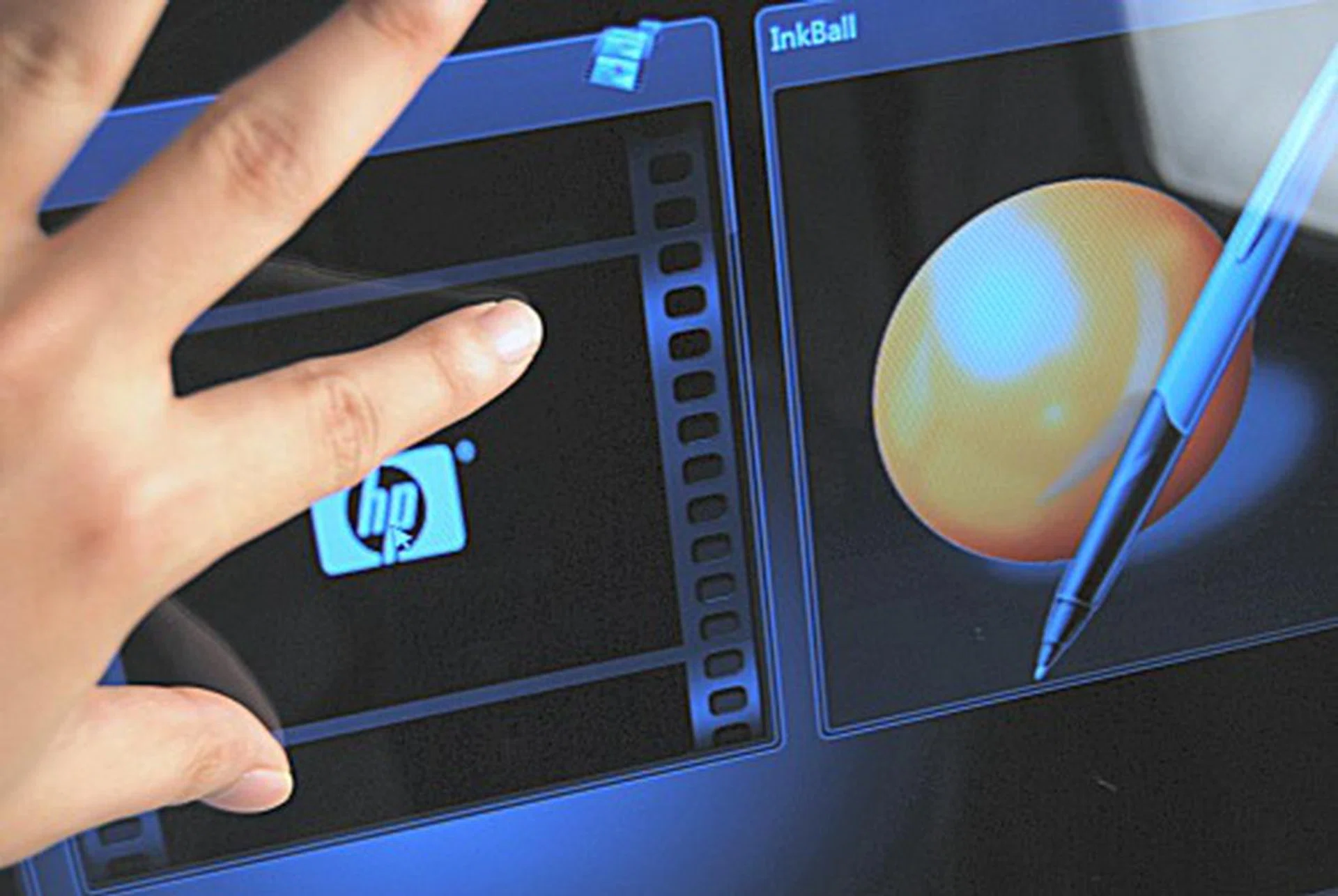
You can also use two fingers to enlarge and shrink the top panels.
Performance Benchmarking
This time around, the Windows Experience Index reflected a much lower score of 3.8 compared to the 4.6 of the older IQ770. This is due to the newer but not as powerful graphics processors used for the IQ506, which is also reflected in our 3DMark06 tests later. Performance wise, we found the unit sluggish when starting up the TouchSmart UI due to the UI loading the information and widgets that grab content from online. It does settle down somewhat after the initial load but do note that while swapping in and out of the shell for launching applications that are run outside the shell was seamless with only a slight graphical delay seen while it loads up the background graphics.
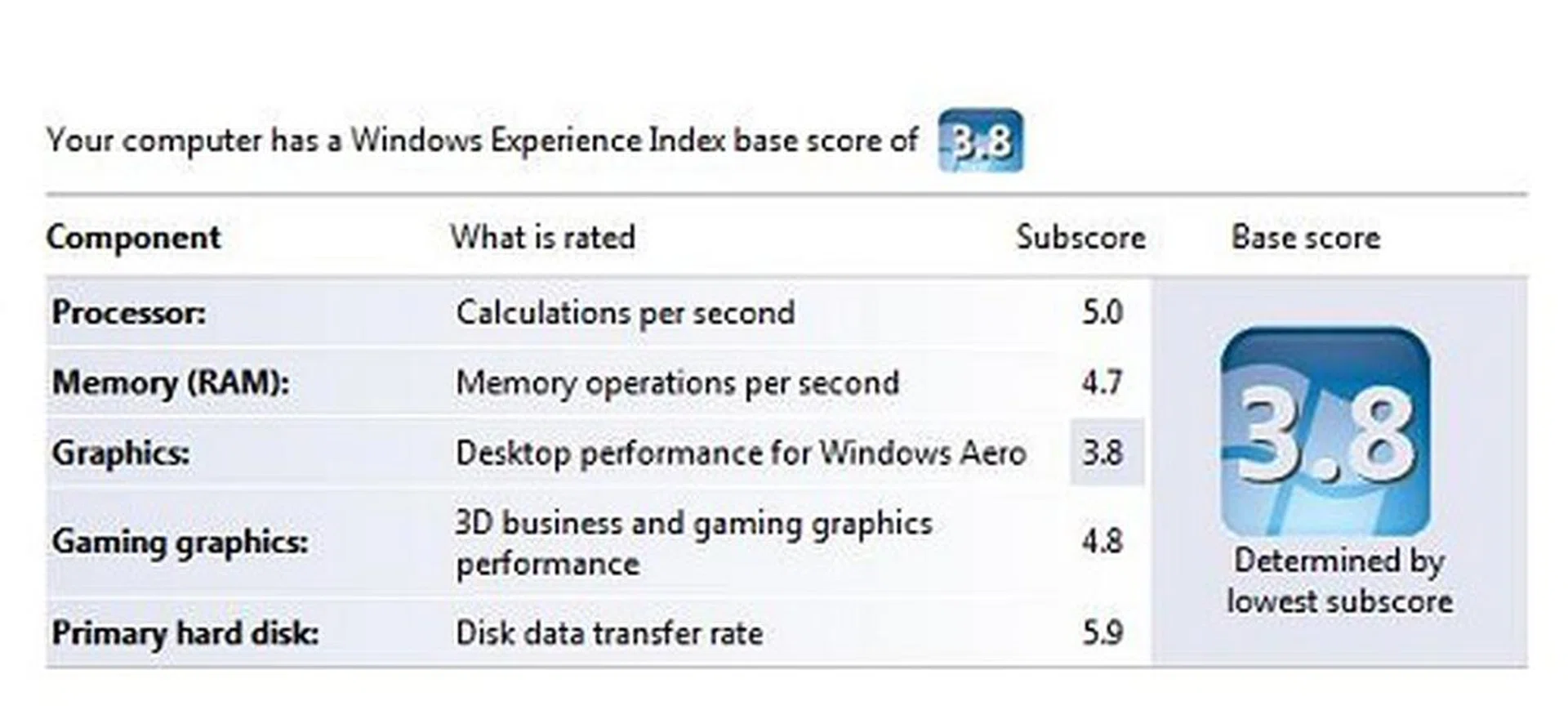
The IQ506's score of 3.9 is actually lower than the IQ770, which scored 4.6, possibly due to lower graphics performance of the IQ506.
PCMark 05 Results
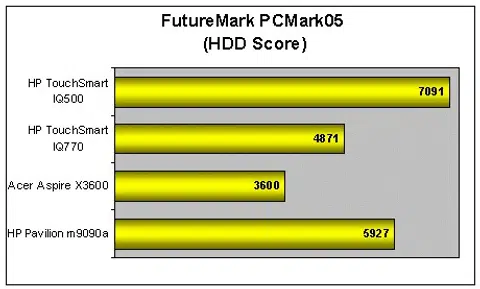
We were unable to find a suitable system that could be pitted against the TouchSmart IQ506, so instead we decided to use a range of desktops that we had previous reviewed and also throw the older IQ770's results into the mix. This also helps to give a general feel of where the newer IQ506 stands in relation to the other systems available on the market (though to be fair, the IQ506 is using a mobile-based processor compared to the normal desktop processors of the two desktop machines compared). Lastly, do note that our benchmarks on the IQ506 are run on a 64-bit Windows Vista edition which may produce results that differ a little, but the differences are small from our past evaluations so this isn't a big issue; but do take note yeah?
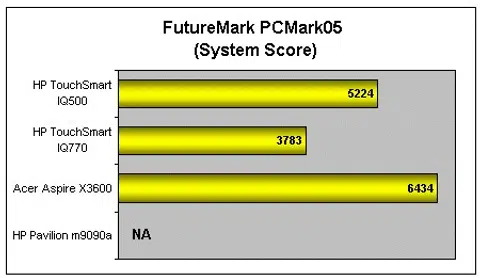
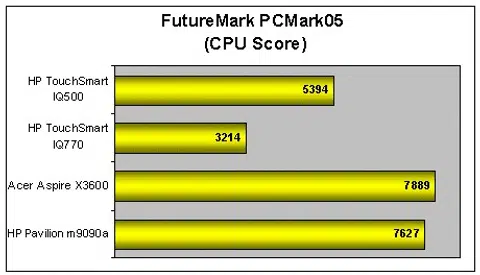
The HDD score here was exceptionally good compared to the rest, possibly due to the 16MB cache of the WD Caviar Blue drive that the new TouchSmart IQ506 PC is using.
3DMark 06 Results
The IQ506 not only uses a mobile-based processor, it also features the recently launched NVIDIA GeForce 9300M GS mobile graphics processor, whose performance was adequate at best. Pitted against all the other machines in the 3DMark06, we found its 3D performance lackluster. It even lost to its older cousin, the IQ770 by a margin of about 350 points.
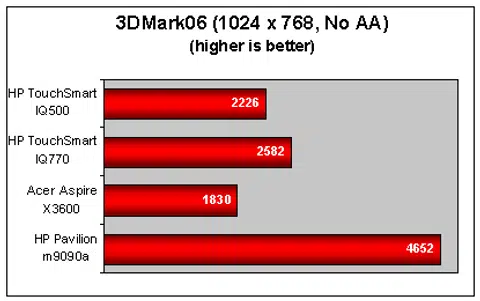
Of course one shouldn't lose sight of the class of the GPUs used, a new low-end part compared to the older mid-range GPU on the IQ770. This differentiation has thus yielded the performance that we've noted and it's quite in-line to their specifications. The downside is that the IQ506 being one year newer, doesn't bring an improvement in the 3D graphics department. Not that this class of a systems require more graphics horsepower, but it's just a note of the limitations for those who are concerned with gaming in addition to general usage.
A Loving Touch
Without a doubt, HP's TouchSmart IQ506 is a worthy successor to its predecessor, the IQ770. Design wise, shrinking down the somewhat clunky (by the new standards) design of the IQ770 (which weighed at hefty 17kg) to a more streamlined form factor (of about 11kg) was an improvement that we liked a lot and something that HP has done remarkably well. The IQ506 also keeps almost all of the same features that the IQ770 had, like the TV tuner, which should prove to be boon for TV addicts.
Performance wise, the IQ506 was an average all rounder, neither notably bad nor good either way you look at it. The 4GB of RAM included with the unit was beneficial and much appreciated, especially when you consider Vista's resource hogging ways in addition HP's own UI. The new TouchSmart UI was also a definite improvement over the old, but we hope to see regular updates to fix the bugs and to add on more multi-touch features (ala Minority Report). The system is definitely capable of doing so, and HP would be wise to take note of this advantage for even more marketing value.
Considering all the improvements and benefits that the new TouchSmart IQ506 PC brings to the table, it's quite a surprise to find that the price of the IQ506 is actually much lower than the older IQ770 which was priced at US$1799 when launched. With the new IQ506 priced at US$1499 onwards (about S$2035), the machine's affordability isn't out of the world and in fact is quite nicely priced for its features and the overall experience.
HP's TouchSmart series has come a long way since its conception in the form of the IQ770. Seen through our eyes, the IQ506 has taken the lessons taught by the initial model to heart and has reached a full circle when it comes to user interaction with the new TouchSmart UI. Factor in the multimedia capabilities and the affordability of the unit, there's no doubt that HP has a winner on their hands this time around for this niche market space.
The HP TouchSmart IQ506 PC delivers on almost all counts and is definitely a much improved version compared to its predecessor, the IQ770. With a relatively affordable price, the IQ506 is all set to take homes by storm.
Our articles may contain affiliate links. If you buy through these links, we may earn a small commission.