
ASUS Eee Box Nettop - Hands On!
Check out our hands on of the ASUS Eee Box, the first nettop to have made its way to our labs. Stay with us as we get our hands on action with this Intel Atom based nettop that may change the world of cheap miniature computing.

Where Tiny Reigns
With the plethora of netbooks arriving at our labs lately, it's nice to see a change in scenery with the ASUS Eee Box B202, a nettop from the makers of the popular Eee PC series. As you may have guessed, nettops are the non-mobile equivalent of the netbooks and are designed to provide a cheap alternative to the common household PC. These nettops however, are limited in scope and function and are mostly designed for internet surfing and simple productivity applications. They do allow for some video playback but don't expect the nettops to handle most HD content.
While some might say that the Eee branding is being milked for what its worth (and we do agree, to a certain extent), the Eee Box comes across as a logical extension of the entire Eee PC series. We still do find the name ironic, since ASUS has named theIR netbooks under the Eee PC branding, so they couldn't actually use "PC" for the naming the Eee Box, which shares more characteristics of a PC compared to the standard Eee PC machine.
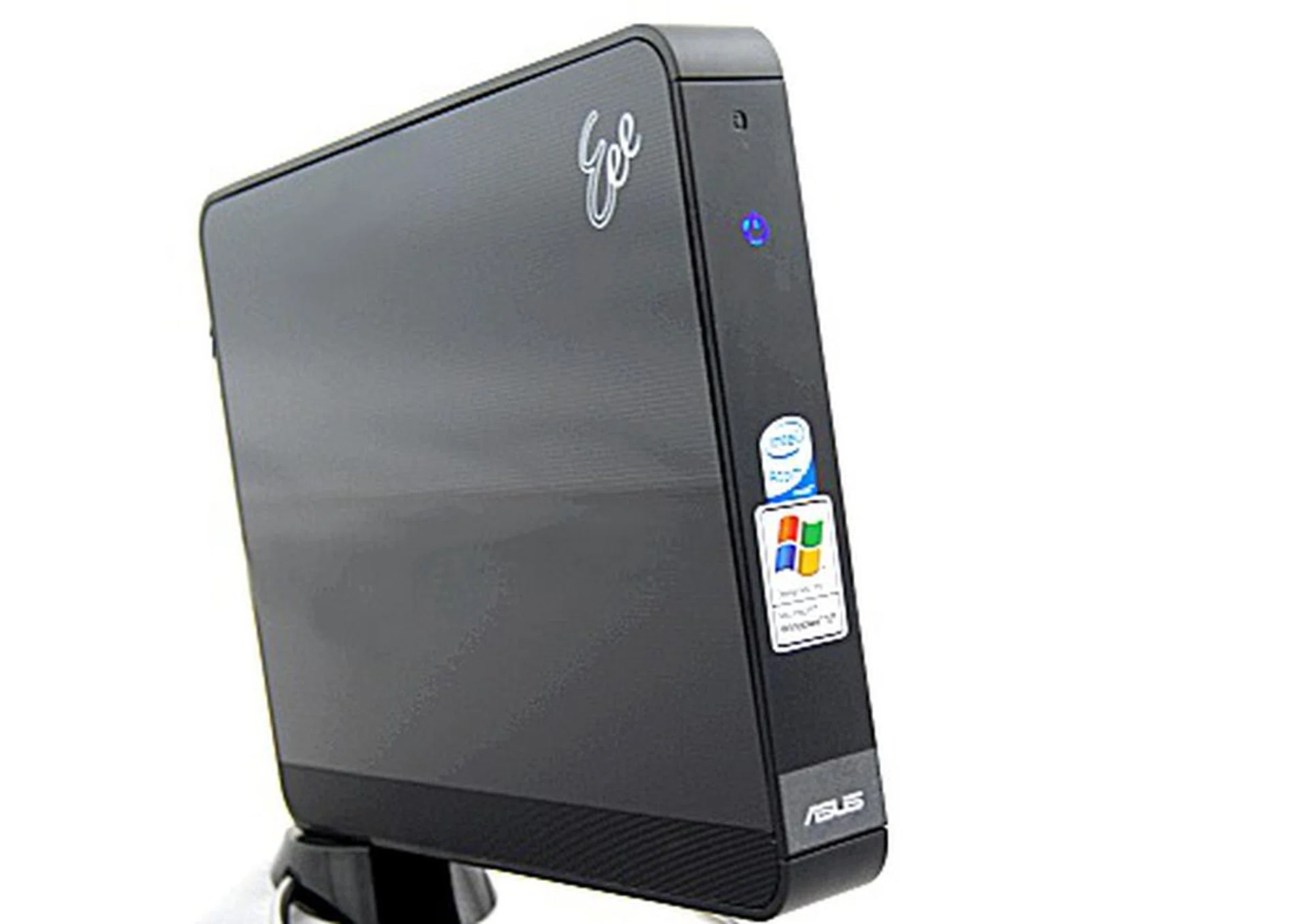
All lit up and ready to go is the tiny nettop, the Eee Box B202 from ASUS.
Packed Up and Everywhere to Go
The ASUS Eee Box is essentially an Eee PC without the monitor, speakers, and mobility, so if you were expecting anything else, get ready to be sorely disappointed. There isn't any HDMI port for high-def playback, or anything but a DVI output for hooking up to your monitor. If you can put aside these concerns, you'll find a very compact and pleasing nettop that's easy to set up and use.
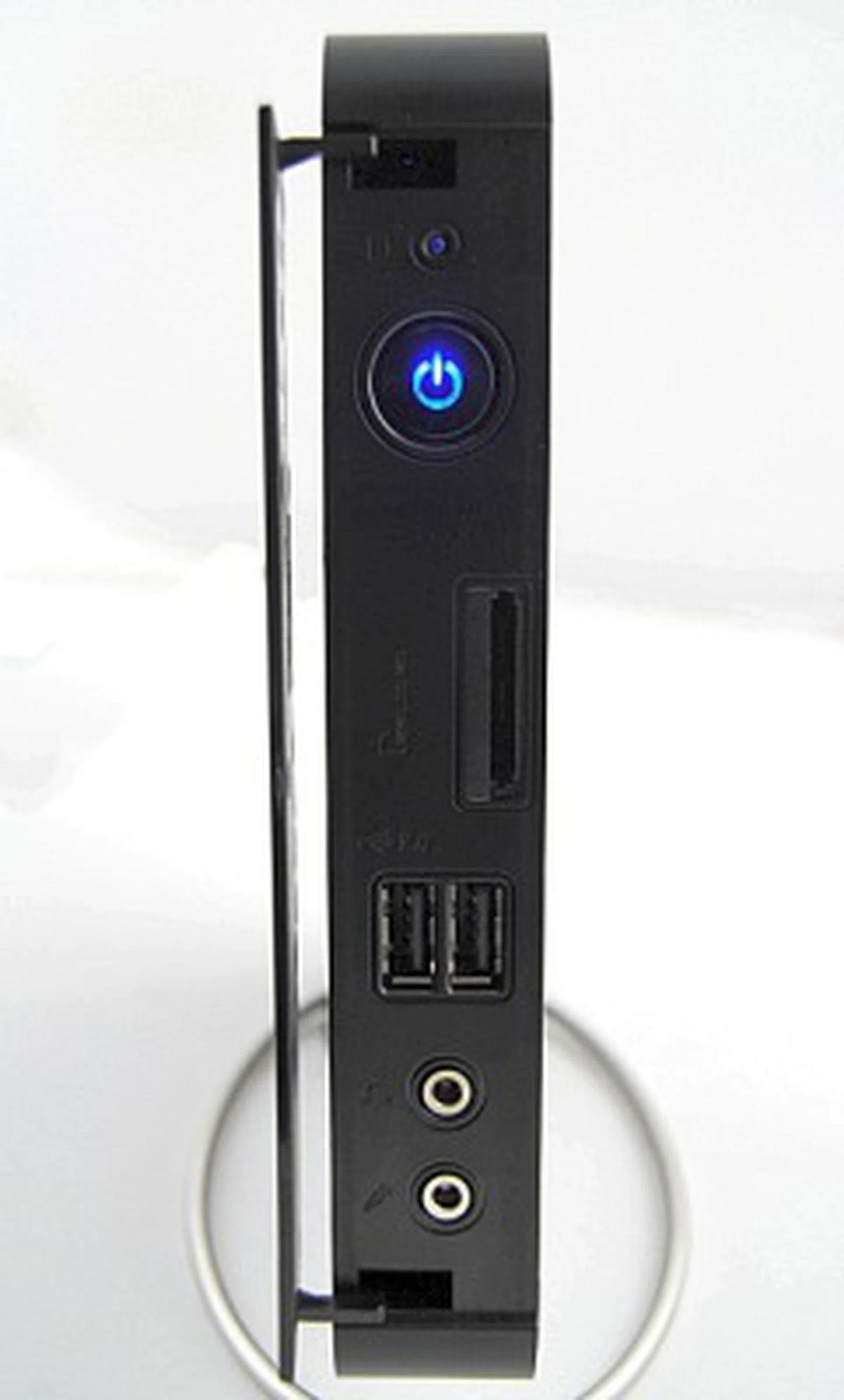
The front panel hides a 5-in-1 card reader, two USB 2.0 slots and the audio and headphone jacks.
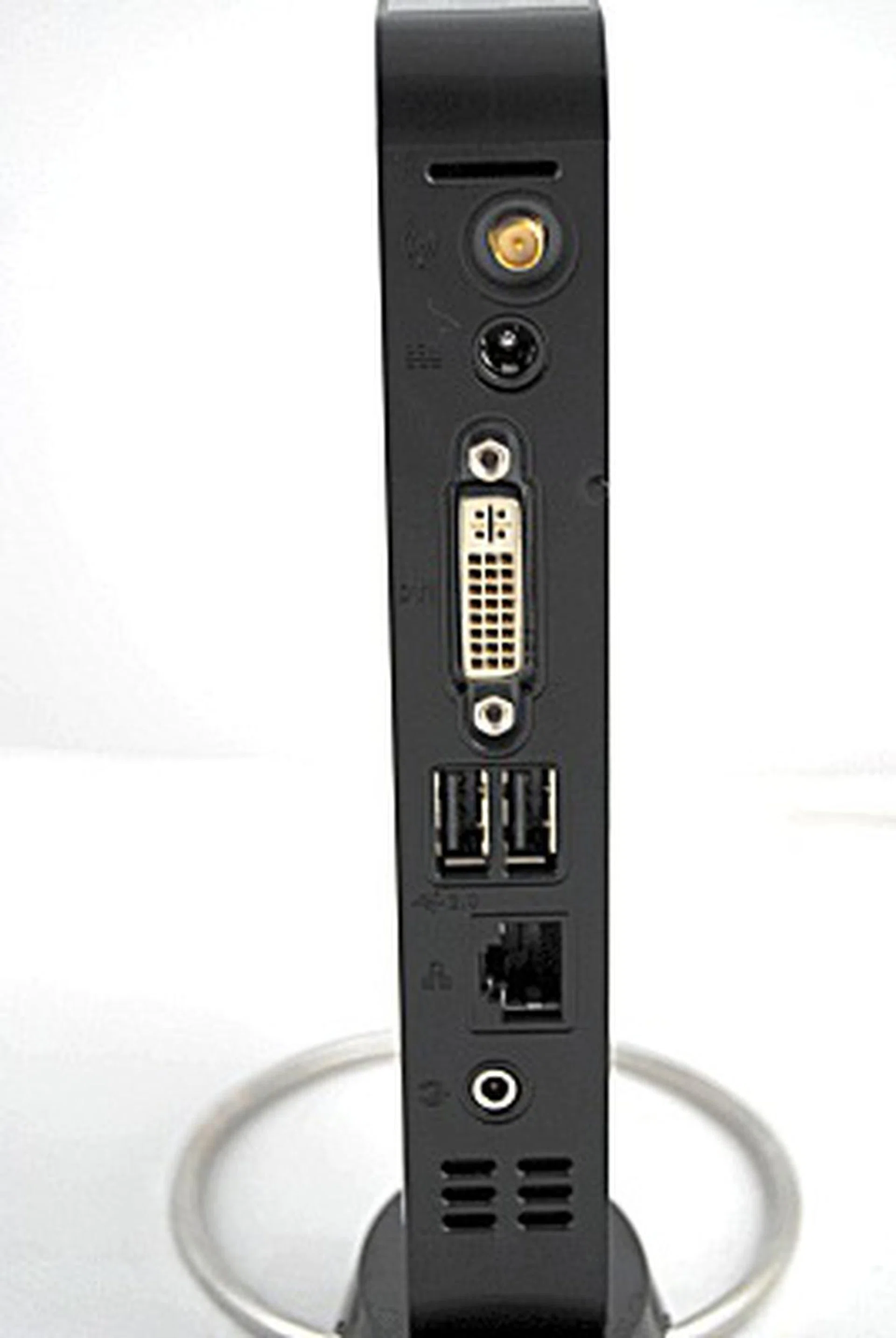
The back portion of the Eee Box features a jack for the wireless antenna, a DVI out, a RJ-45 LAN port and two USB 2.0 ports for your mouse and keyboard.
Being deliciously compact and all just made us want to open it up to see what's inside, and lo and behold, we did! While we didn't get very deep within, just to be certain we don't damage it, we did find out where the RAM modules were, which means you'll also be able to upgrade the Eee Box somewhat (but there's no free slot as you can see).
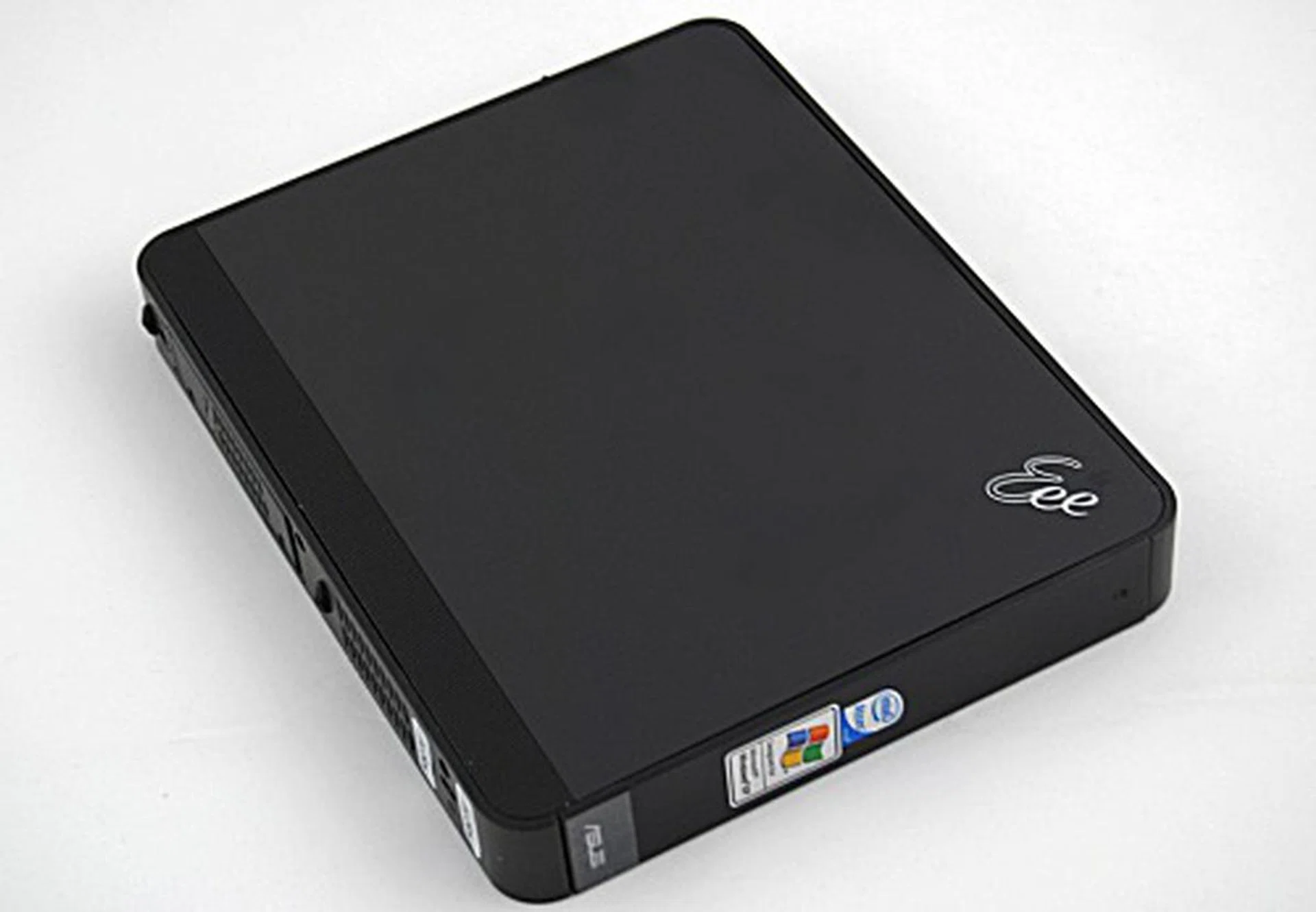
The base attachment is removable and you shouldn't really do without it as ASUS does warn you that you should never put the Eee Box this way when using it.
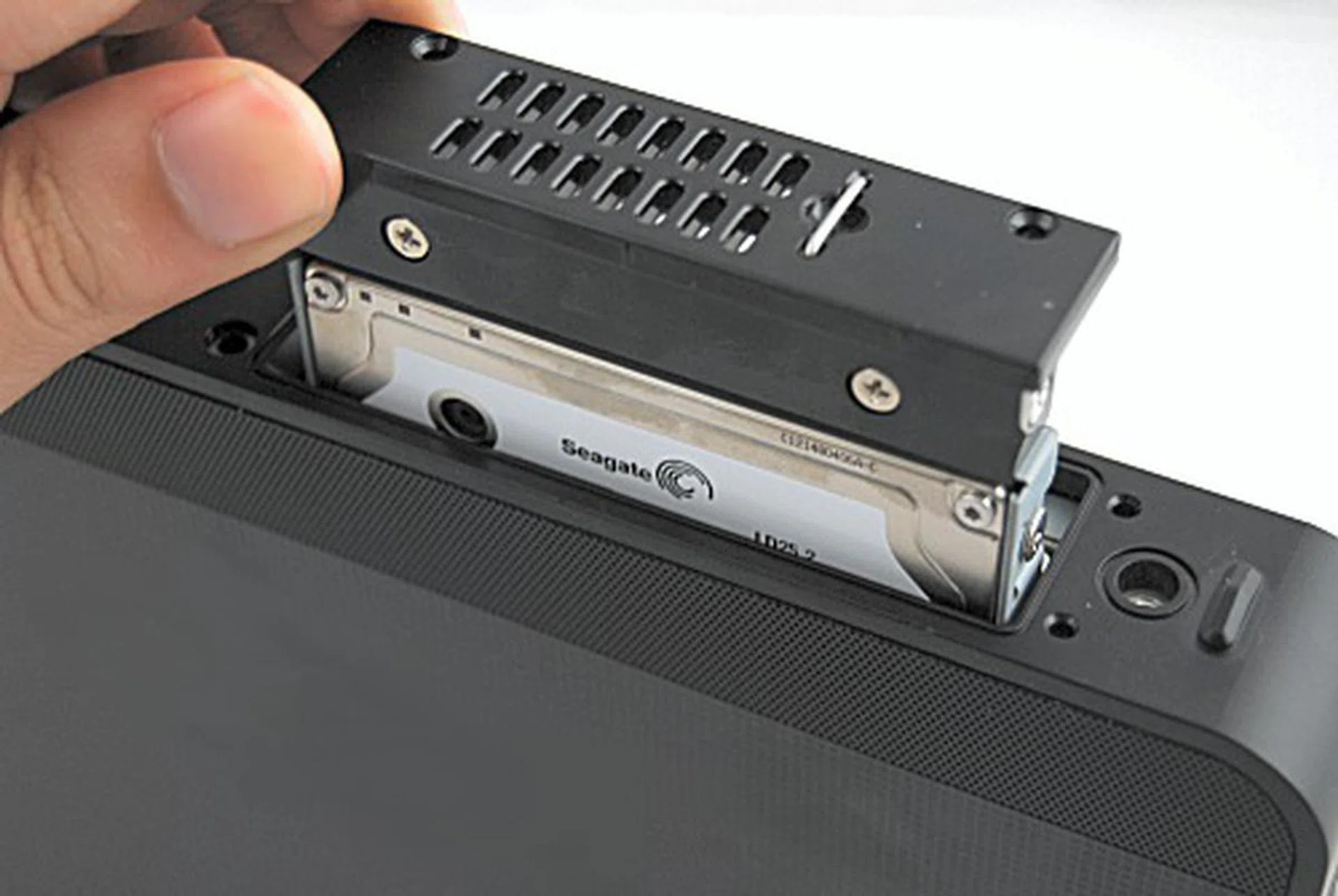
The hard disk is easily removable, making it easy for upgrading the 80GB HDD drive that the Eee Box comes with.
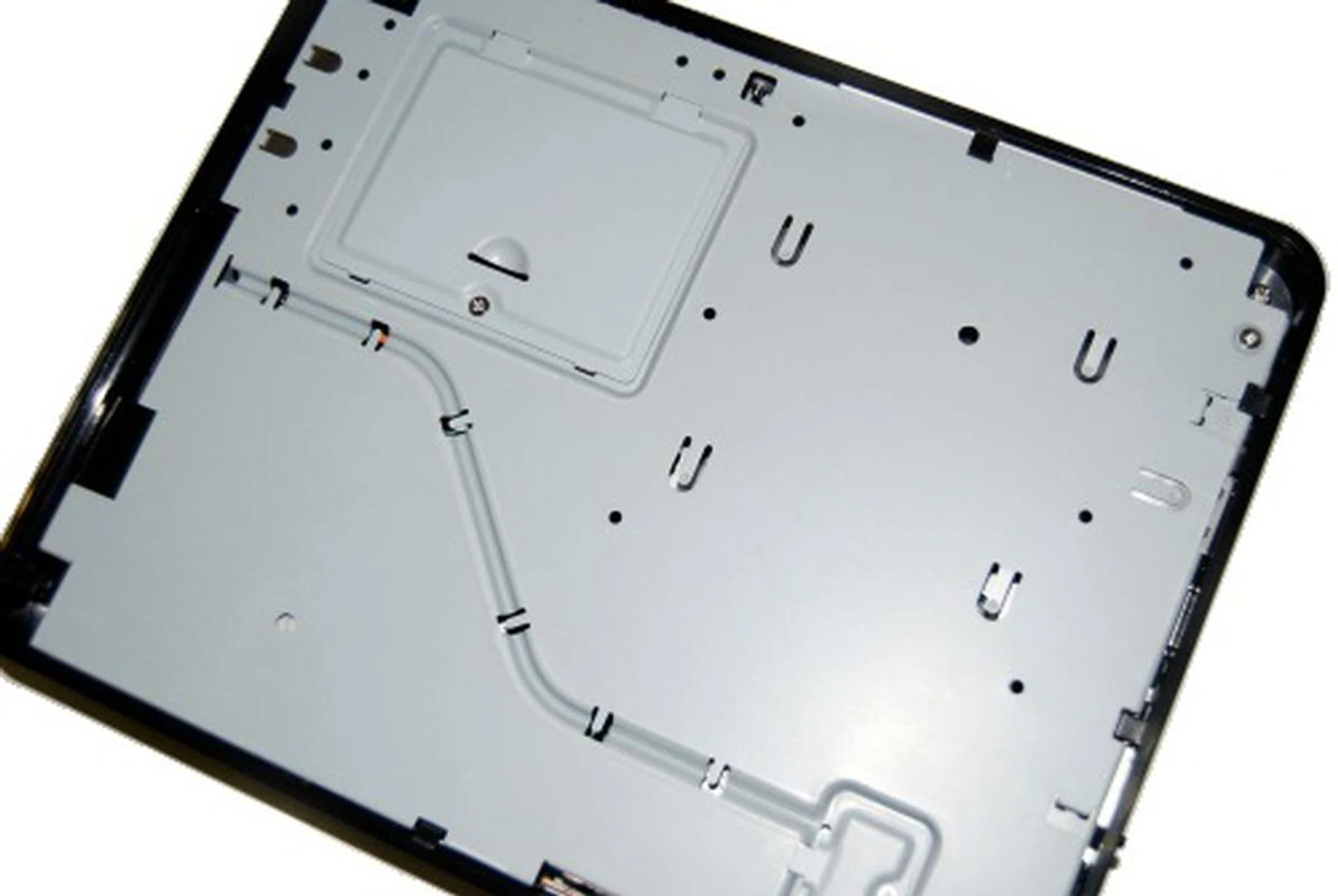
After removing the cover, you'll end up looking at this view, which was as far as we could get without damaging the Eee Box.
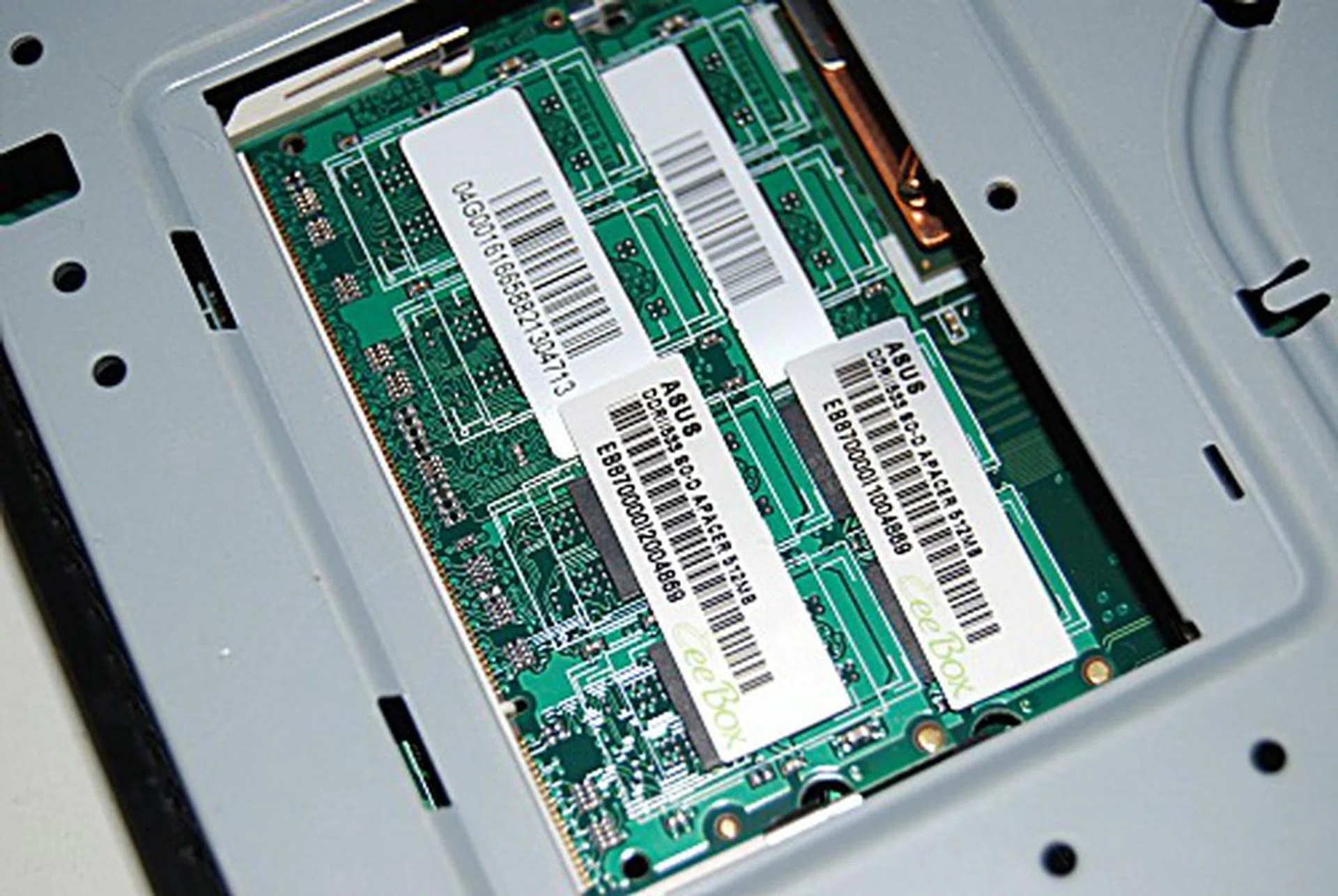
You'll note that your upgrade options for RAM are limited as there are no free slots to play with.
Checking Out the Box
Like most of their newer products, the ASUS Eee Box features Express Gate technology, a Linux type environment that works straight out from the motherboard in about five seconds. Our hands-on showed that this was pretty much so, allowing for quick access to web surfing, photo viewing, instant messaging and Skype. Alternatively, you can also choose to boot to the normal Windows XP operating system either from the main splash screen or the Express Gate environment itself.
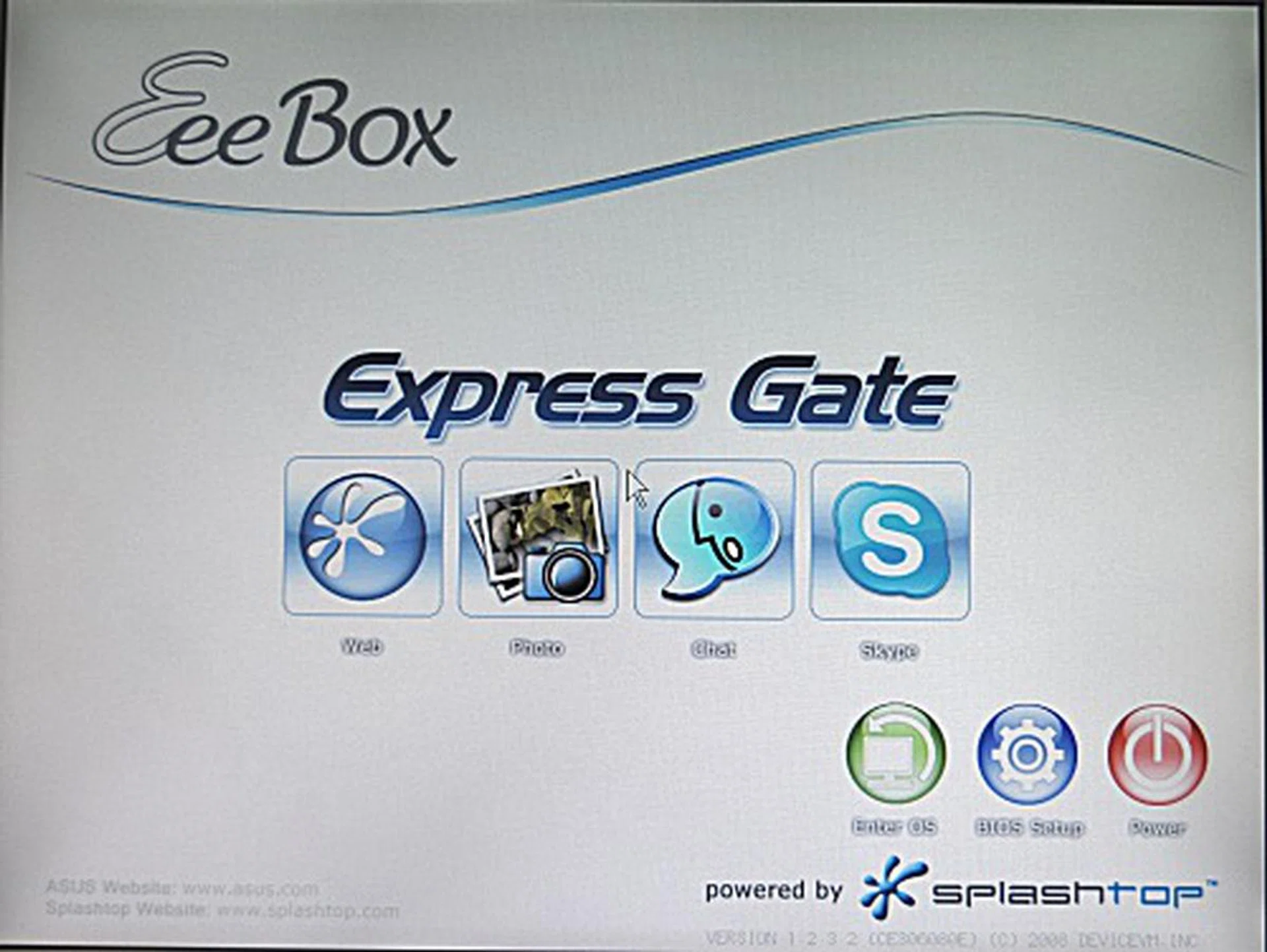
The Express Gate used for the Eee Box has been upgraded substantially since we last saw it on the ASUS P5E3 Deluxe motherboard. This time around, you can also view photos and chat on Skye without booting into the Windows XP OS.
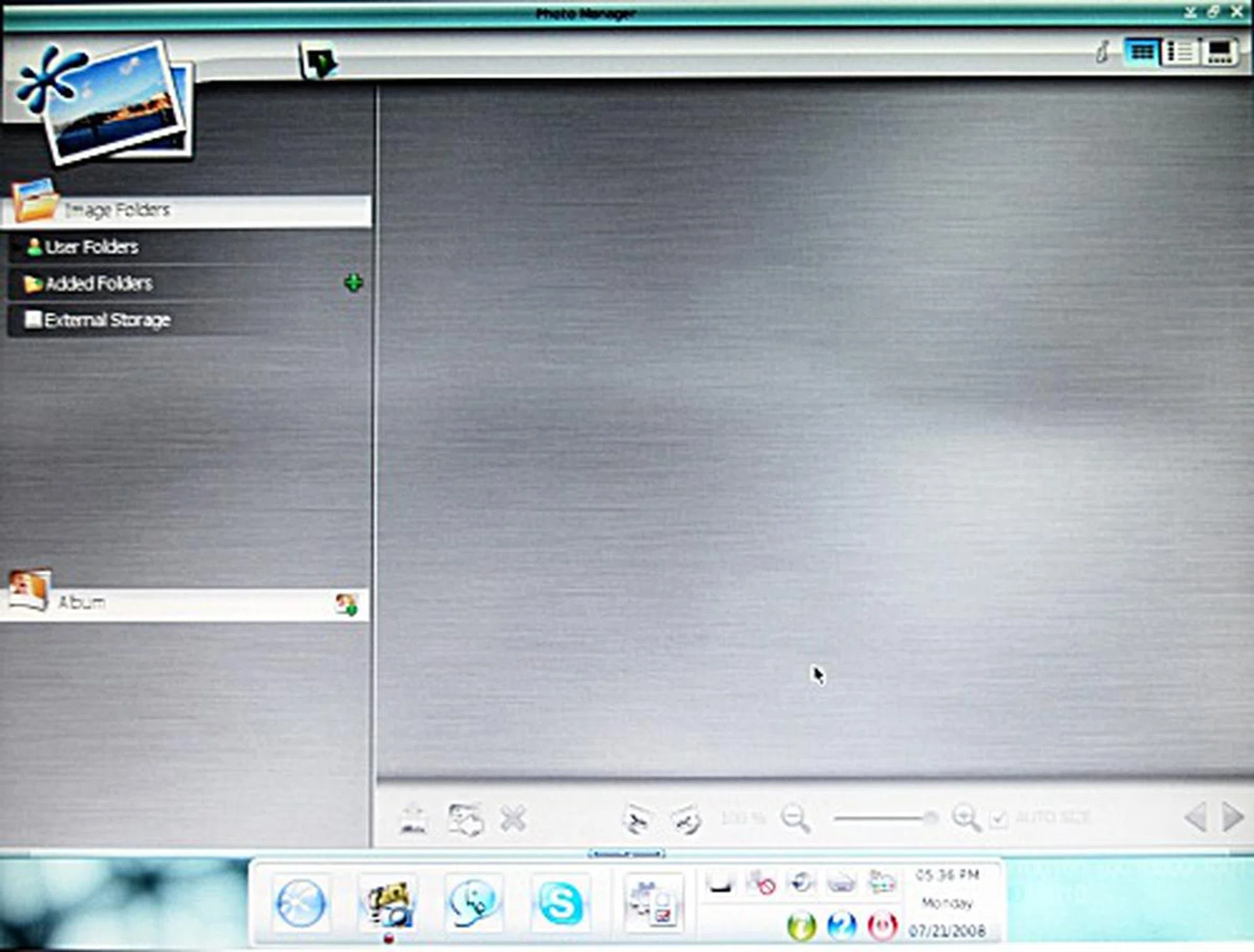
The Photo Manager allows you to access the hard disk folders for quick viewing of pictures. It also allows you to view pictures on an external USB storage device.
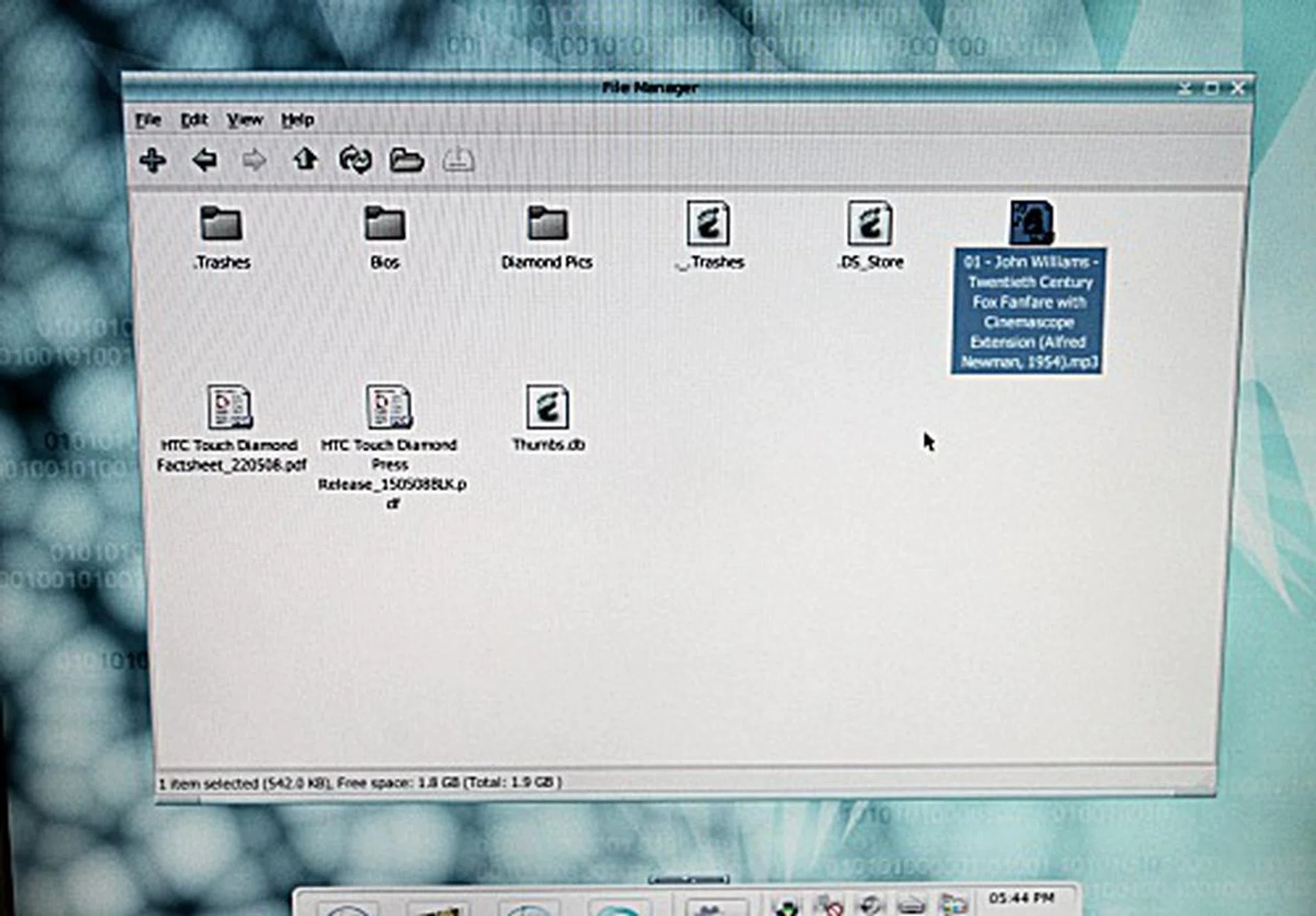
This newer version also allows for basic file access of your USB device. Be warned that this is really limited to copying and viewing properties. You won't be able to play music or watch videos, as can be expected.
Performance Benchmarking
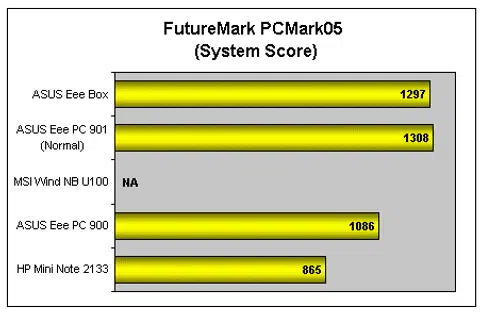
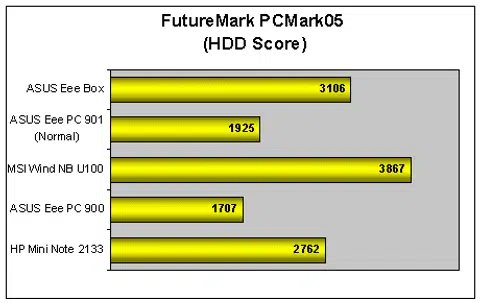
As the Eee Box is using a similar Intel Atom processor and platform as most netbooks, we didn't expect any changes (or pleasant surprises) to the results in our benchmarking tests. We used both PCMark 05 and 3DMark 06 to do our testing and we're pretty sure by now, you're familiar with our testing procedures. Based on what we can observe and deduce from the results, the processor doesn't fare any better than those on the other netbooks - in fact it managed slightly worse than the average we've been getting, so that's actually quite surprising. Though when it comes down to the crunch, we don't really expect to be doing anything that requires intensive processing power on the Eee Box, so the performance of the Atom processor does seem to be a moot point. Lastly, we also tried playing back a 720p H.264 QuickTime video, but found it to be quite an extremely laggy experience. Standard definition videos such as DVDs and equivalent video formats are what we would recommend for a smooth viewing experience.

Getting Down to Size
The ASUS Eee Box B202 is a worthy addition to the already huge stable of Eee products that ASUS already has. In fact it's basically a netbook sans the screen, keyboard and battery. While some detractors may find the lack of features and processing power to be something of a concern, the Eee Box does what it was designed to do, with minimal fuss and cost. Retailing at $439 (and $699 with a 19-inch monitor), the Eee Box will definitely not set you back when it comes to setting up a new system in the kitchen or other unusual places where a simple mini setup is required for casual web surfing needs.
Of course, do bear in mind that for a cheap nettop, you won't be getting much in the way of what you normally find in a traditional PC. If you were considering this for an alternative and cheap home theatre PC, think again. Without the ability to output high definition content through a HDMI port or having a Blu-ray optical drive to watch HD content, you're hard pressed to use the Eee Box for HTPC purposes, seeing as how even viewing HD videos can also be a problem.
With the Eee Box the first of possibly many more nettops to come, it's really hard to make a definitive conclusion on the entire nettop range. Whether it will take off successfully like the netbooks of today, only time will tell. Even if the nettop phenomenon fails to take off as anticipated, one thing's for sure: the ASUS Eee Box is definitely worth the little it's going for, but only if you need a really petite Internet-centric machine, some simple office applications and nothing more.
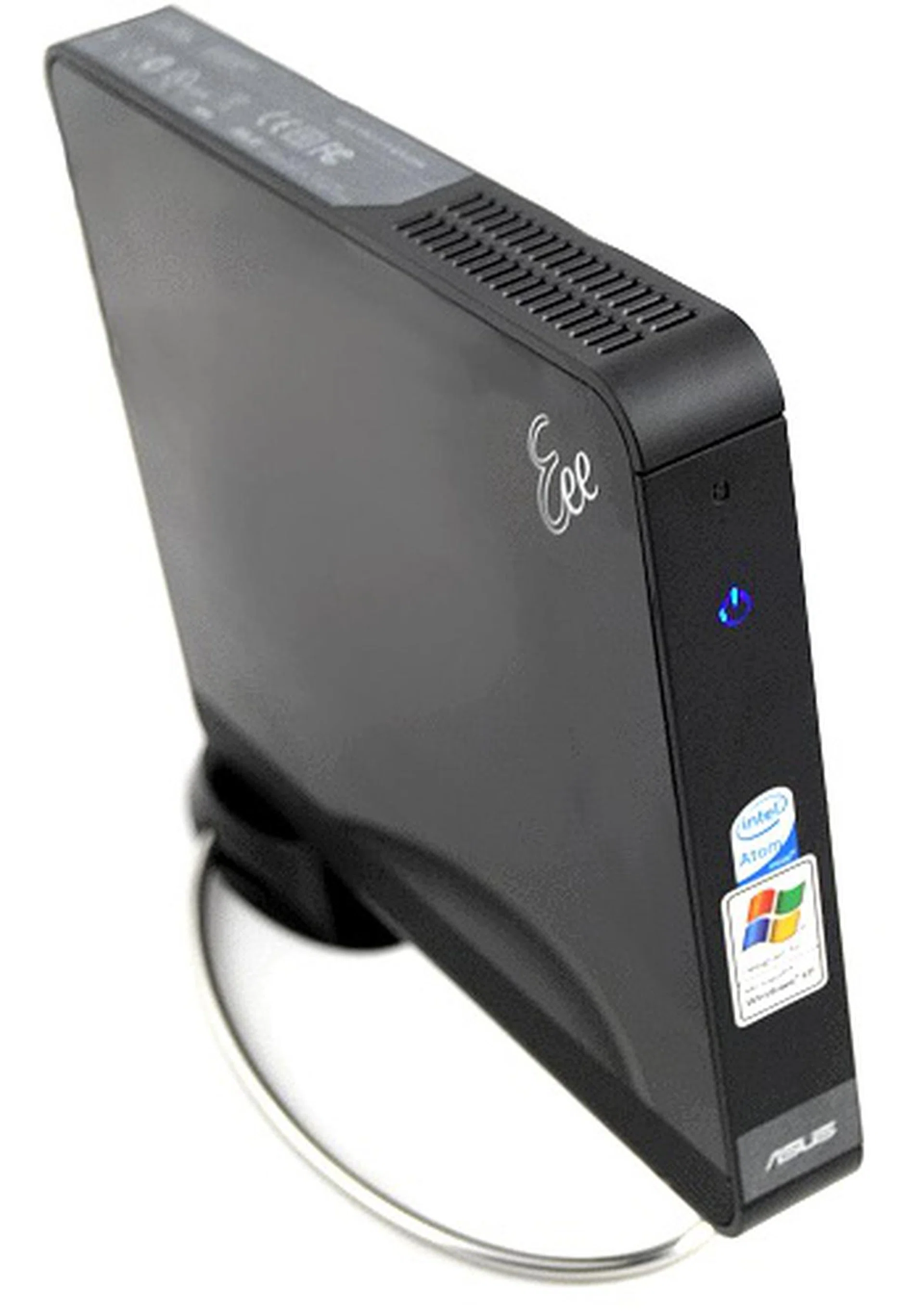
The ASUS Eee Box features a simple design, easy to set up features and Internet access all at a relatively cheap price. It's definitely an ideal purchase for those looking for another computer but don't want to pay too much or have much space to house one.
Our articles may contain affiliate links. If you buy through these links, we may earn a small commission.