
How to update your Samsung 5G handsets to take part in SG's 5G trials
Compatible Samsung devices include the Galaxy S20 Ultra, Galaxy Note20 Ultra, Galaxy Z Fold2, and Galaxy Tab S7+.

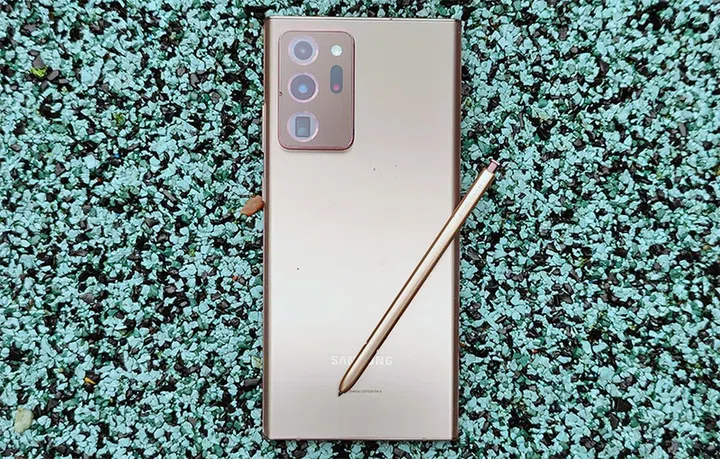
Samsung Galaxy Note20 Ultra.
By now, most folks should already know that both Singtel and StarHub have ongoing 5G trial networks for consumers to get a first taste of 5G connectivity until early 2021. If you're on a compatible Samsung 5G smartphone or tablet, you'll be pleased to know that the phones are about one software update away to be a part of these trials.
Currently, the devices supported by Samsung include the following:
- Samsung Galaxy S20 Ultra (update available now)
- Samsung Galaxy Note20 Ultra, Galaxy Note20 (5G variant), Samsung Galaxy Z Fold2 (update available 18 September 2020 onwards)
- Samsung Galaxy Tab S7+ (update available later, unspecified timeline)
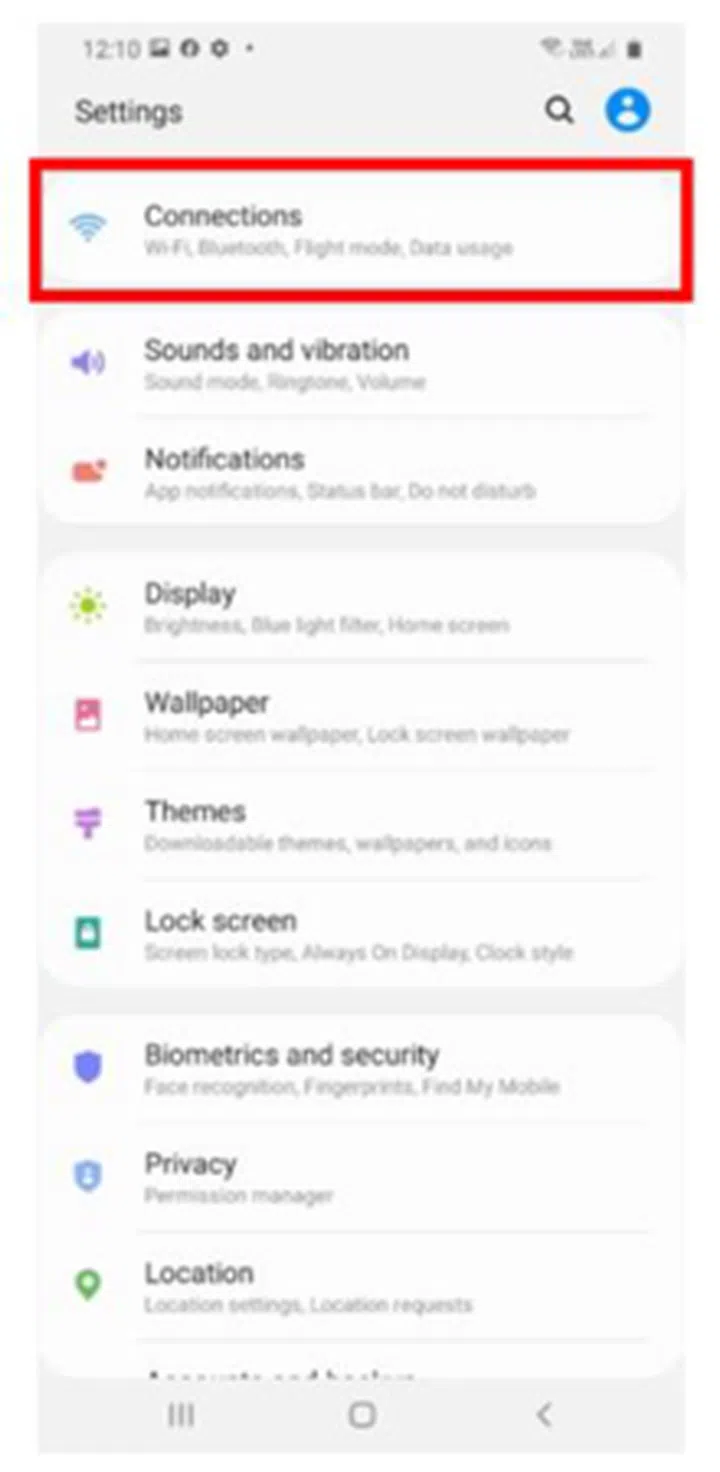
To turn on 5G after updating, start at "connections" inside Settings.
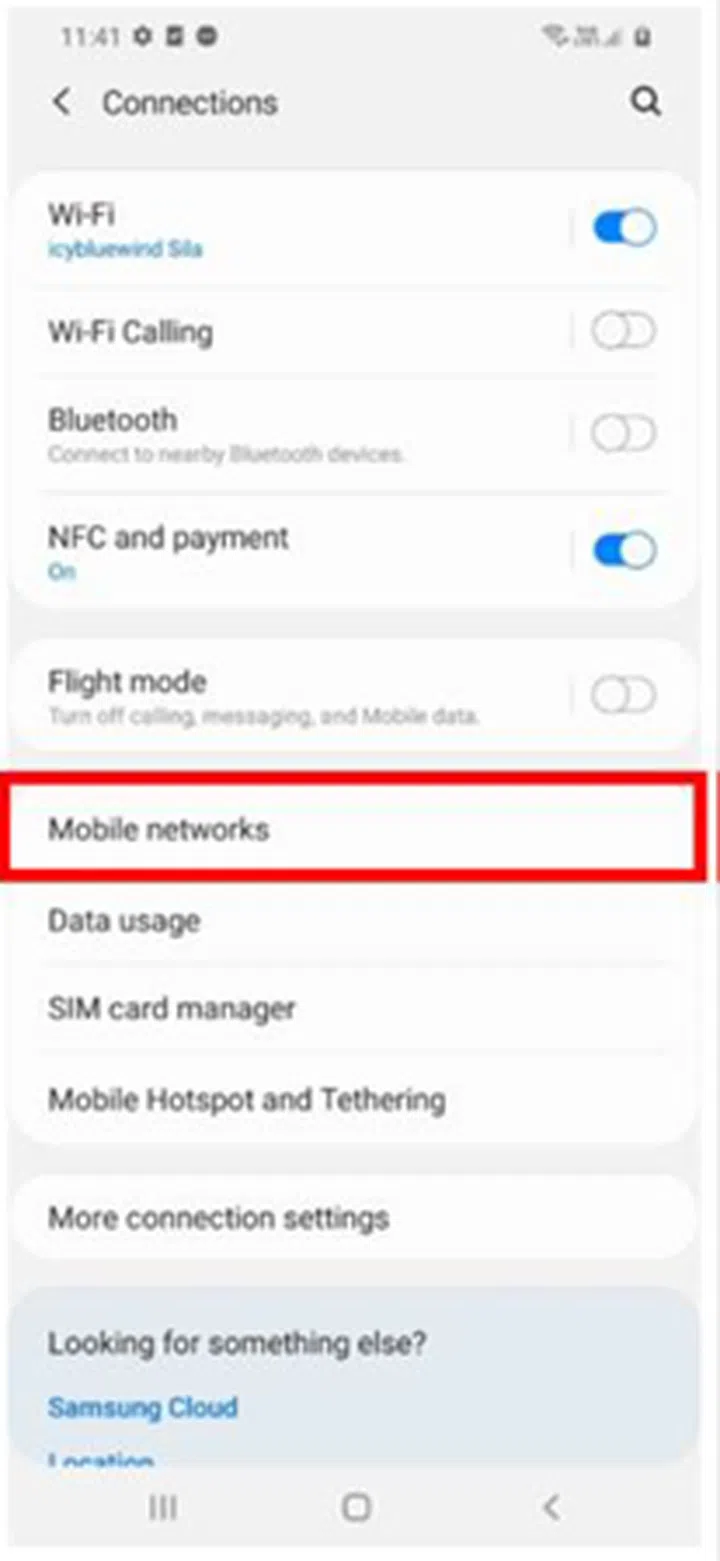
Then, go to "mobile networks"...
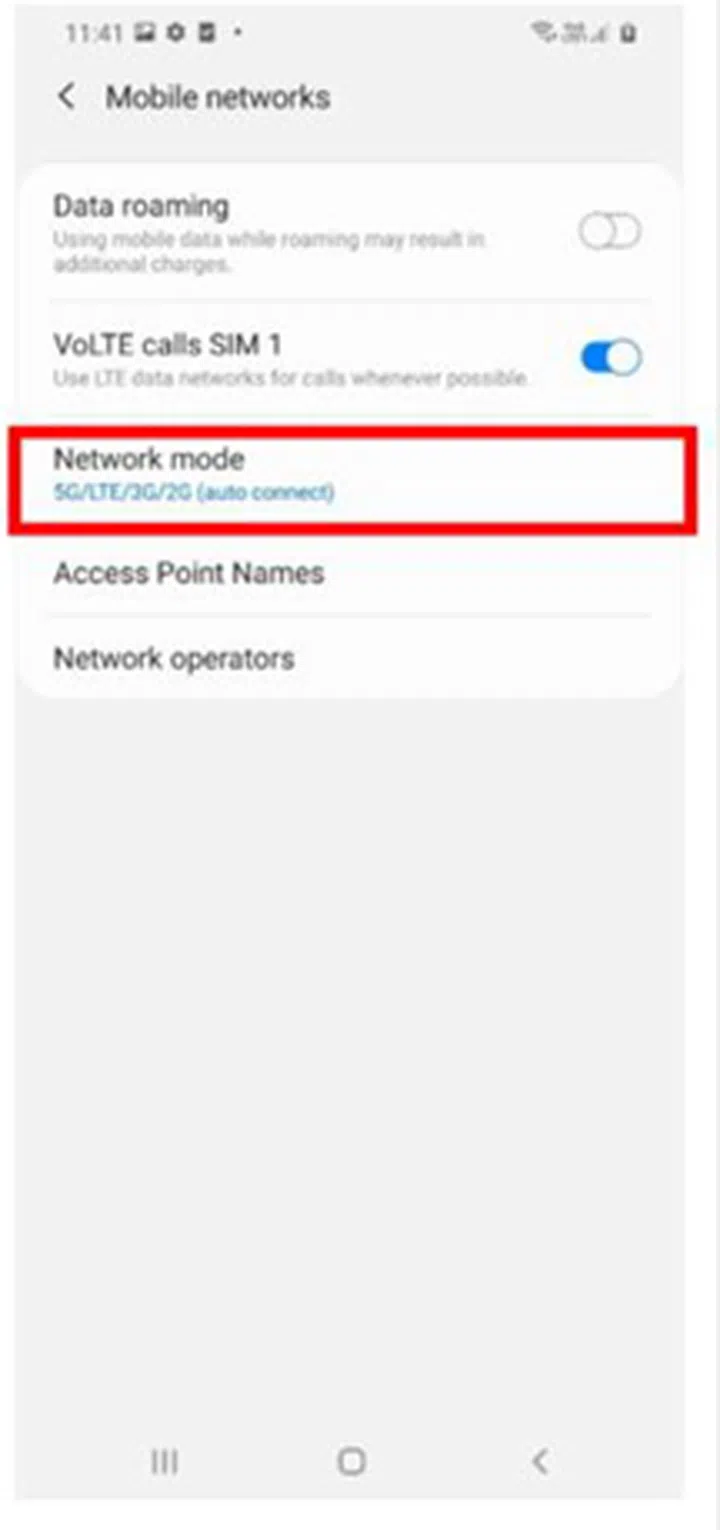
Updated devices will reflect "5G/LTE/3G/2G" as an option.
To manually trigger the update, head into the Settings app and install it under Software Update. A successful attempt will result in the device offering "5G/LTE/3G/2G" under the Mobile Networks settings page.
Obviously, getting 5G would rely on being a part of one of the existing telco trials. So there's that step too, if you've not enrolled into any of the existing trial options. Don't forget to check both articles on Singtel's and StarHub's trials.
Our articles may contain affiliate links. If you buy through these links, we may earn a small commission.