
Ubiquiti 8-Port Flex 2.5G PoE switch review: A solid upgrade for your home network
A compact multi-gig switch for users who demand high-speed wired connectivity.
#ubiquiti #networkswitch #multigig

Note: This review was first published on 29 April 2025.
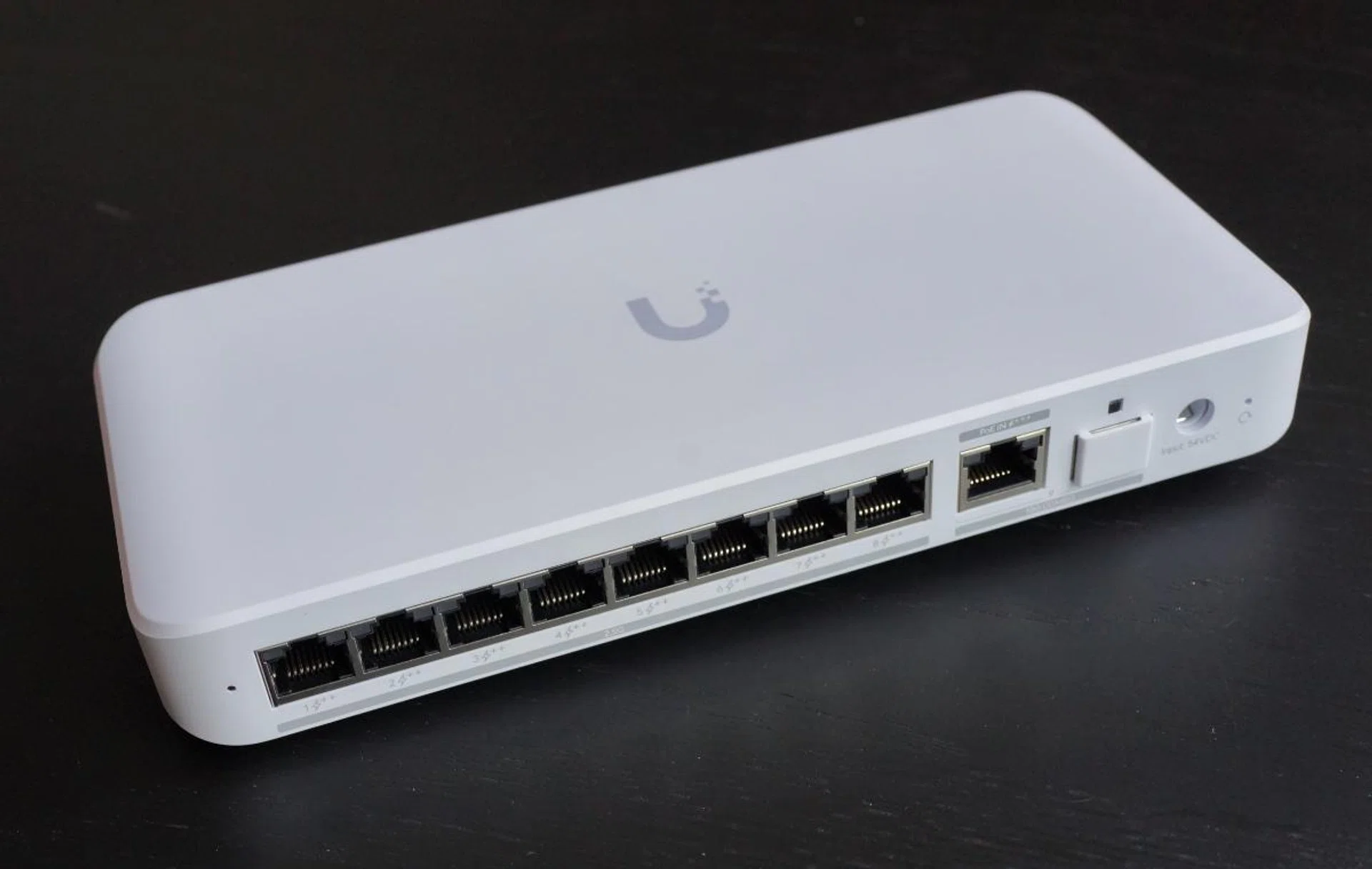
The Ubiquiti Flex 2.5G PoE switch is a compact network switch with 8 high-speed PoE ports. Photo: HWZ
With the high penetration rate of smart home devices, 4K streaming, and affordable multi-gigabit internet plans, many home networks are quietly showing their age and will require significant home upgrades to unleash the full potential of their 10G broadband plans. If you're ready to overhaul your home network in preparation for multi-gigabit fibre and Wi-Fi 7, but you're tired of juggling power adapters for your home network cameras and Wi-Fi access points, the Ubiquiti 8-Port Flex 2.5G PoE Switch is worth a closer look.
The Flex 2.5G PoE is one of the newer additions to Ubiquiti's lineup in recent months, at least in the United States, offering multi-gigabit switching and Power over Ethernet (PoE++) capabilities in a compact form factor.
The TL;DR version:
The Ubiquiti 8-Port Flex 2.5G PoE Switch is a compact, multi-gigabit powerhouse that delivers high-speed connectivity and robust PoE capabilities, making it an ideal choice for expanding modern home or small business networks.
Note: Although it's not officially available in Singapore yet, you can keep an eye out for it on the Ubiquiti online store.
At the time of writing, the Flex 2.5G PoE has yet to be listed on the Ubiquiti Singapore Store, but I managed to snag one through local reseller channels for around ~S$350. Even after factoring in exchange rates, shipping, and GST, this means a considerable premium over its US MSRP of US$199 (~S$260). That said, the Flex 2.5G PoE is not the cheapest multi-gig PoE switch on the market. A quick search on Amazon unearths a number of options that cost far less, but none with a feature set that's quite as compelling.
Design and build quality
The Flex 2.5G PoE comes in a rather plain recyclable cardboard box, which is probably a good thing to reduce wastage and packing costs. One of the first things you'll note about the Flex 2.5G PoE is its compact size and sleek design that looks like it'll fit in most homes. Crucially, it's small enough to fit on a small shelf inside your distribution board box. The fanless design is a plus, allowing the switch to operate silently, making it ideal for home offices or living spaces where noisy equipment would be a distraction. To Ubiquiti's credit, the units feel solid and well-built. The polycarbonate (plastic) enclosure feels durable and should hold up well over time.
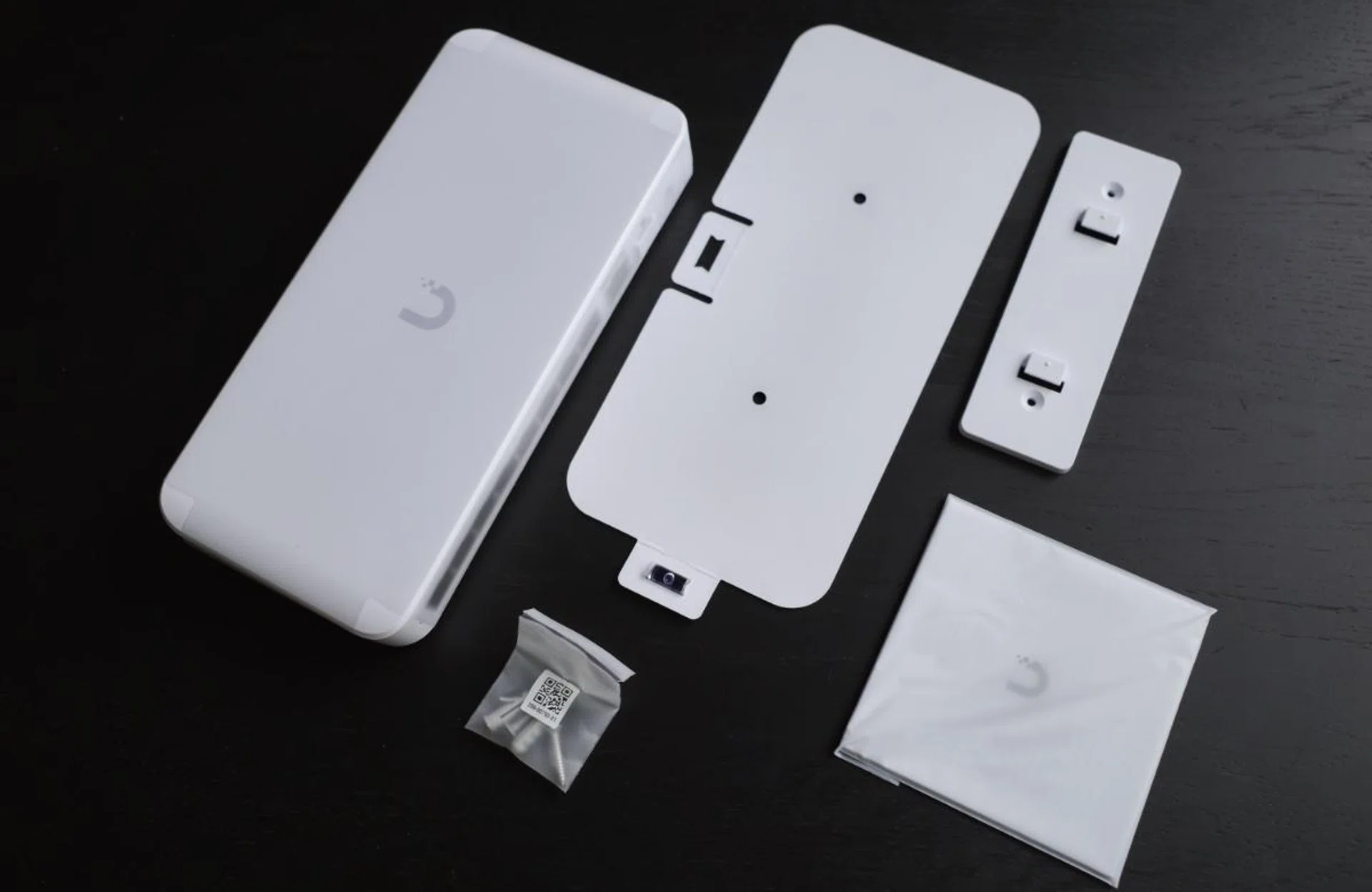
Apart from the switch itself, you get a set of mounting screws, a wall mount bracket, as well as a handy wall mount template that also comes with a built-in leveler. Photo: HWZ
The Flex 2.5G PoE switch comes with eight Ethernet ports that support speeds up to 2.5Gbps, a significant step up from the standard 1Gbps ports found on most consumer-grade switches. This means you can take better advantage of the many affordable high-speed internet plans available today. You could also connect it to bandwidth-intensive equipment such as network-attached storage devices (NAS).
One interesting feature of the Flex 2.5G PoE is PoE Power Forwarding. This lets the device function not just as a PoE device (powered over Ethernet), but also as a PoE power source for devices further down the chain.
For most users, this feature is likely to remain unused; however, it is essential to note that the Flex 2.5G Poe does not include a power adapter in the box. The presumption is that you have an existing PoE+++ switch to power it. The Flex 2.5G PoE is then able to obtain a maximum of 100W from its PoE-in uplink port, and after deducting the power required for its own operations, that leaves it a maximum power budget of 76W available to be distributed among its ports.
However, Ubiquiti also sells an optional 210W AC adapter (S$130) that gives the switch a total power budget of 196W—sufficient to handle multiple devices like security cameras, Wi-Fi access points, and even other switches as long as they support PoE. That said, though each port is capable of delivering up to 60W, the maximum power budget of 196W means you cannot use all eight ports at their maximum power delivery.
In my home setup, I use the Flex 2.5G PoE with the optional 210W AC adapter to power three access points (APs), all from Ruckus—the R750, R650, and the H350. Consuming just 22.34W, 21.59W, and 12.54W respectively, I now realise that my setup is overkill ¯\_(ツ)_/¯ .
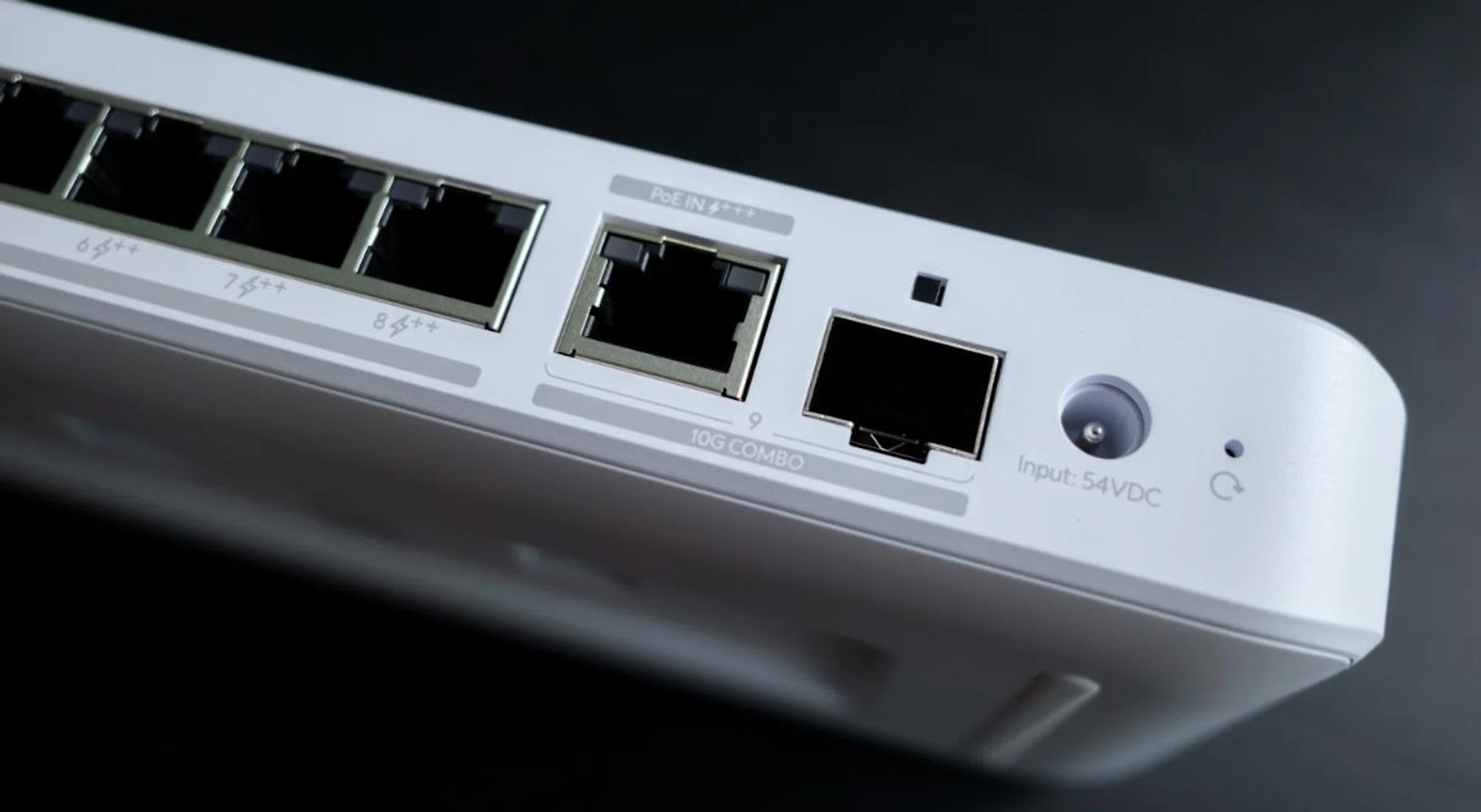
The switch features a 10G SPF+ / 10G Gigabit Ethernet port, making it ideal for users with high-speed fibre plans. Photo: HWZ
The switch includes a combination uplink port that supports either an RJ45 or an SFP+ 10Gbps connection. You cannot use both at the same time. This allows you to connect it to your router or another switch at speeds up to 10Gbps, ensuring your network backbone can handle heavy traffic loads without slowing down. In my setup, I used the RJ45 connector to connect the Flex 2.5G PoE to my main router's 10Gbps WAN port.
For those who prefer more control over their network, the switch supports advanced Layer 2 features, including VLANS (for creating separate networks), traffic prioritisation (to ensure critical devices receive bandwidth), and link aggregation (for combining multiple connections into one). These features are accessible through Ubiquiti's UniFi network controller software.
Last but not least, inside the box, you get some mounting accessories such as a wall-mount kit, some screws, as well as a wall-mount template with a built-in leveller.
Setup and using the Flex 2.5G PoE
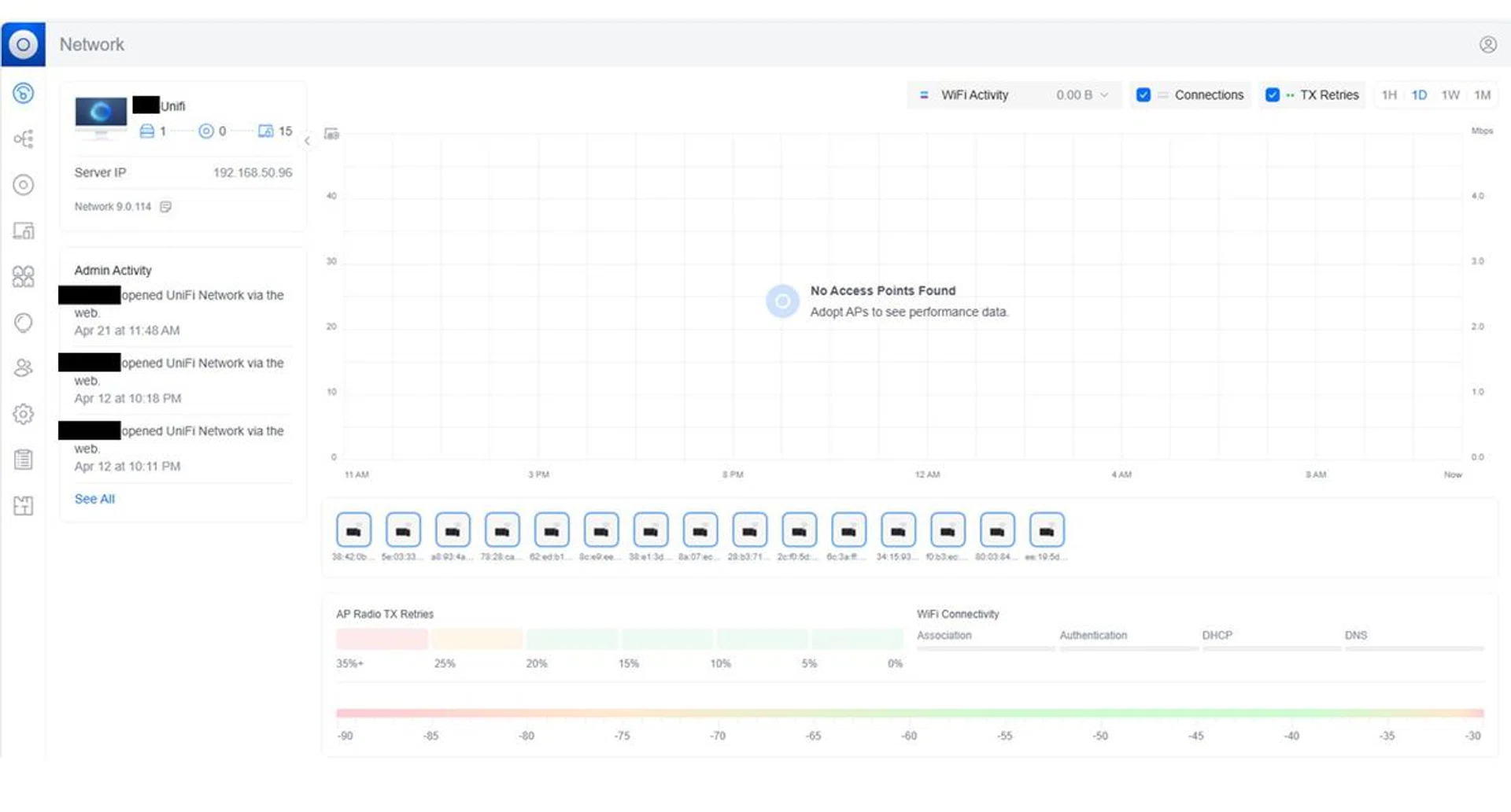
The Unifi software platform presents a lot of useful information to the user, but it only works if you’ve bought into the platform in its entirety. In my case, since the Flex 2.5G PoE is the only Ubiquiti gear I have now, so what I can tweak is extremely limited. Photo: HWZ
Setting up the Flex 2.5G PoE switch was super straightforward. Disconnect and replace the outgoing switch with the Flex 2.5 PoE switch, reconnect all network cables, and it works right out of the box as an unmanaged switch.
However, if you want to unlock its full potential, you'll need to use Ubiquiti's UniFi platform (along with compatible Ubiquiti hardware), which provides an intuitive interface for managing your network, allowing you to configure VLANs, monitor traffic, and prioritise bandwidth for specific devices or applications. On the whole, the software is user-friendly enough for those with some networking experience. However, it may feel overwhelming if you're new to managing advanced settings. One downside is that there's no standalone web interface for configuration—you'll need to use UniFi for anything beyond basic plug-and-play functionality.
My setup is currently a mishmash of equipment from ASUS and Ruckus. The ASUS RT-BE88U is my primary router. This is connected to the Flex 2.5G PoE switch, which functions as my primary switch and feeds three Ruckus APs (the R750, R650, and H350) that spread Wi-Fi throughout the concrete corridors of my home. Since my setup doesn't consist solely of Ubiquiti hardware, it means I am unable to utilise all the above-mentioned benefits that the UniFi platform has to offer, at least for now. The eventual plan is to switch to Ubiquiti's Wi-Fi 7 APs and to swap out the router for a Cloud Gateway Fiber.
Performance testing
Testing was done using a desktop PC and a 15-inch Surface Laptop 7 equipped with a 2.5GbE Ethernet adapter via USB-C. As you can see, the Flex 2.5G PoE consistently delivered near its theoretical maximum of 2.5Gbps per port.
Speeds with desktop PC
- Download: 2219.46Mbps
- Upload: 2086.85Mbps
Speeds with 15-inch Surface Laptop 7
- Download: 1230.55Mbps
- Upload: 2255.57Mbps
Oddly enough, testing with the same adapter and a 15-inch Surface Laptop 7 powered by the Snapdragon X Elite processor produced results that were a little different, with upload speeds close to maxing out, while download speeds were much lower. This could possibly be a quirk of the USB controller or a glitch due to drivers. Unfortunately, we don't have another Snapdragon X Elite system on hand to test and verify.
Nevertheless, it has been a few weeks since the Flex 2.5G PoE switch was installed, and things have been smooth sailing since.
Verdict and Buying advice
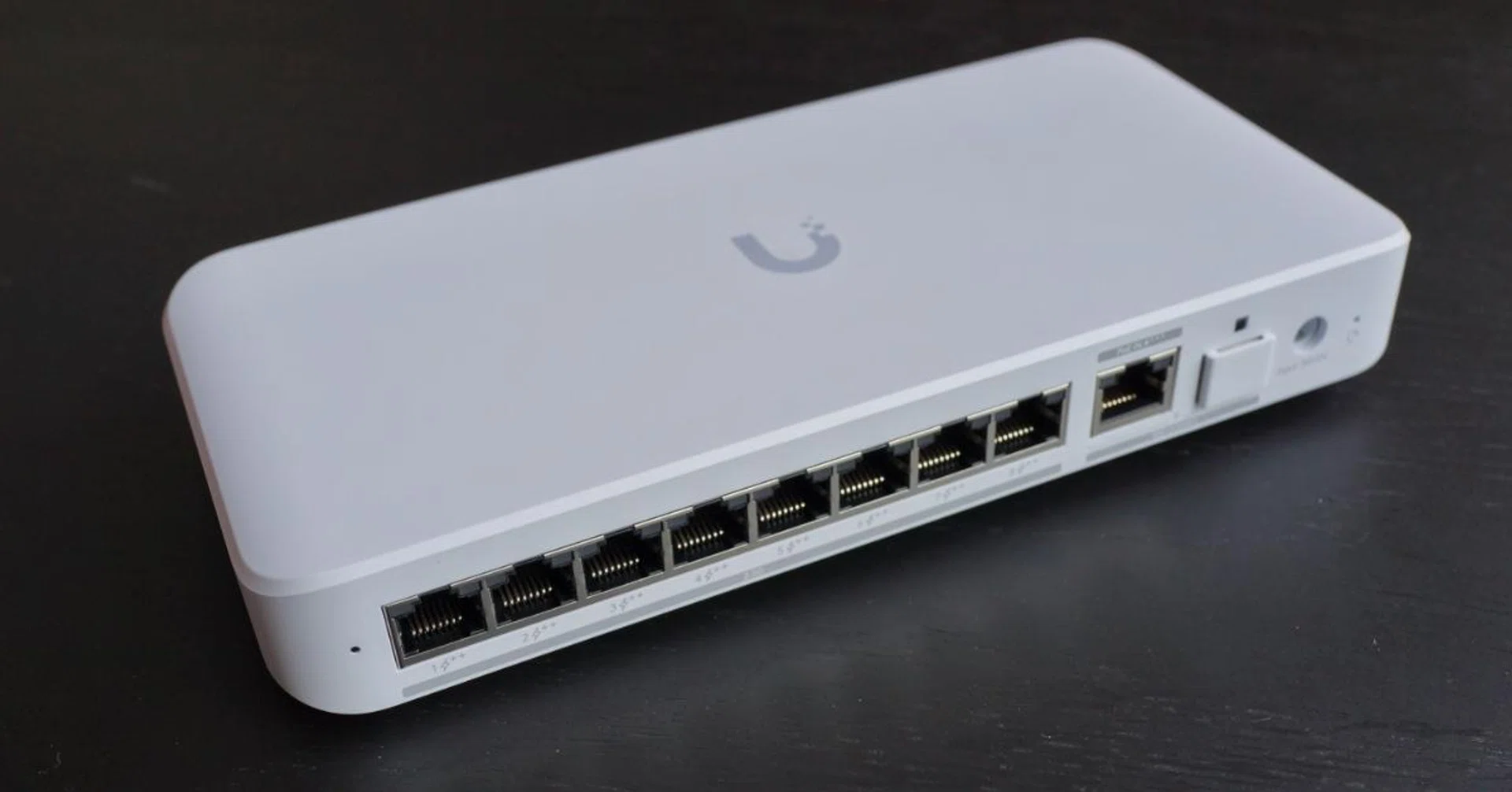
There are cheaper switches, but if you are ready to embrace high-speed fibre plans and Wi-Fi 7, the Ubiquiti Flex 2.5G PoE switch is well worth checking out. Photo: HWZ
Connecting multiple PoE devices (three APs in my case) was a seamless affair. The Flex 2.5G PoE switch delivered stable power without interruption. It did feel a bit warm to the touch, but never uncomfortably so to the touch. Its fanless design and passive cooling system seemed to work well, even after putting the Flex 2.5G PoE into a network cabinet enclosure next to its 210W AC adapter.
If you're already invested in the Ubiquiti ecosystem and are looking to upgrade now that Wi-Fi 7 is more widely available, the Flex 2.5G PoE is an excellent choice to consider. Even if you are not (like me), this is an excellent drop-in replacement for a multi-gig PoE switch. It also has the benefit of being a future-proof solution that can scale as the requirements of your network evolve. While it may be a bit overkill for basic setups, it is an outstanding choice for anyone serious about upgrading their home or small office networks with an eye toward future technologies like Wi-Fi 7.
For the price I purchased the Flex 2.5G PoE (~S$350 from Carousell), it's not exactly cheap, but it offers excellent value for anyone who needs multi-gigabit performance and robust PoE capabilities in a compact package.
Note: Though it's not officially available in Singapore yet, you can keep a look out for it on the Ubiquiti online store.
Our articles may contain affiliate links. If you buy through these links, we may earn a small commission.