

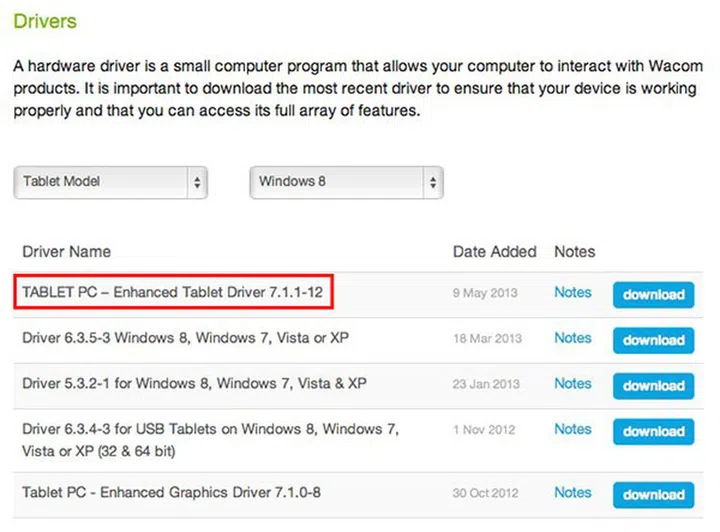
The new driver works on the Surface Pro and brings pressure sensitivity to apps like Photoshop. (Screenshot from Wacom website.)
While the Surface Pro comes with a digital pen that supports 1,024 levels of pressure sensitivity, unless an app supports the new Windows inbox drivers or Ink APIs, the pressure feature won’t work. In other words, this affects apps (like Adobe's Photoshop) that rely on the Wintab API.
Well, after a tweet just a few days ago by Panos Panay (who’s in charge of the Surface at Microsoft) about a beta Wacom driver, a new Windows 8 driver is made available at Wacom’s website. Titled ‘TABLET PC - Enhanced Tablet Driver 7.1.1-12’, the release notes make no mention of Surface Pro, but does say that its purpose is to ‘support advanced features such as pressure-sensitivity in graphics applications such as Adobe Photoshop and Corel Painter’. In addition, it enables the user to ‘adjust the pen tip pressure sensitivity and to program the side switch of the pen for a wide range of alternative settings and functions’. And indeed, we can confirm that it does work for the Surface Pro’s pen.
As of now, Microsoft has yet to officially comment on this driver, nor make it available via Windows Update. For Surface Pro owners who can’t wait, just head over to the link we’ve put above.
Source: Wacom, Panos Panay’s Twitter.
Our articles may contain affiliate links. If you buy through these links, we may earn a small commission.