

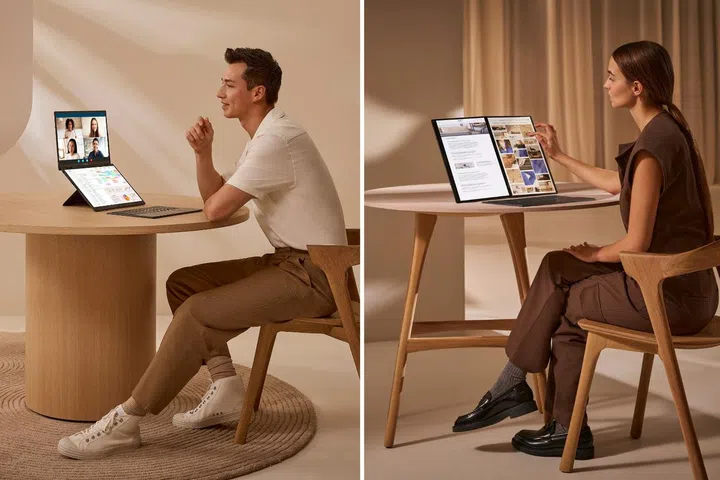
Multitasking is easier with the ASUS Zenbook DUO (UX8406), which has two screens and a detachable keyboard. PHOTOS: ASUS
One screen is no longer good enough in today’s busy digital world. If you’ve found yourself shopping online with your phone while watching TV, you are not alone.
Second-screen viewing habits have become increasingly common, as multitasking becomes a part of our everyday lives. Also known as “split-screening”, the habit is especially popular for enhancing productivity and optimising digital workspaces, with most second-screeners using two devices simultaneously.
Enter the new ASUS Zenbook DUO (UX8406), a laptop tailored for the lifestyles of today’s second-screeners. Claiming to be the world’s first AI-powered 14-inch dual-screen laptop, this multitasking digital workhorse features a sleek twin-display design that lets users work and play even more efficiently and flexibly.
Versatile dual-screen design
You can do more with the ASUS Zenbook DUO (UX8406), which combines a versatile user-centric design with solid computing power.
Sporting an elegant and professional look, its clamshell chassis opens up into two equally-sized 14-inch touchscreens. Paired with the detachable ASUS ErgoSense wireless keyboard, which features a large touchpad and full-sized quiet keys, the Zenbook DUO can be easily configured into four user modes to suit various occasions.
These include:
- Dual Screen mode: For maximum visual real estate, the laptop can be arranged vertically, and is an ideal setup for work, creativity and gaming. The twin screens feature a built-in kickstand for easy positioning, and can be used independently or combined into a single expansive 19.8-inch screen.
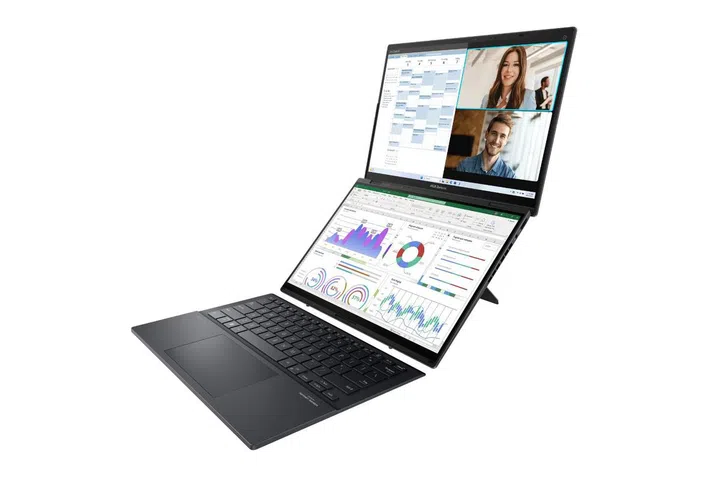
Dual Screen Mode. PHOTO: ASUS
- Desktop mode: The laptop can be placed horizontally with the screens in portrait orientation. Ideal for programmers, writers, and people who need to work with large data spreadsheets, the screens in this mode can be used separately, or merged to form a single large 19.8-inch display.
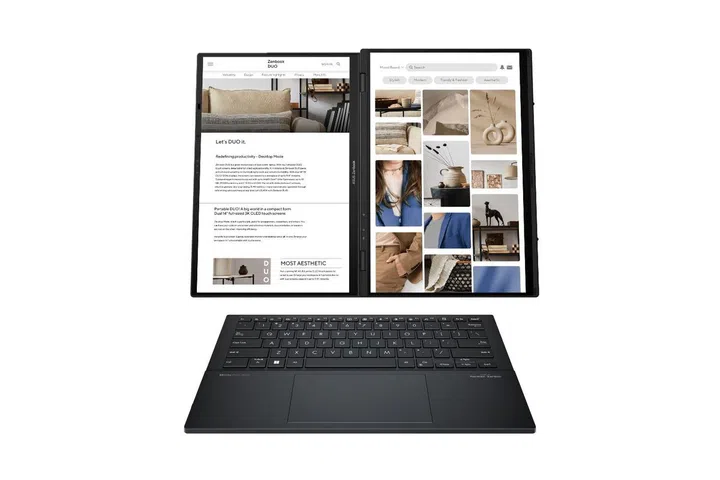
Desktop Mode. PHOTO: ASUS
- Laptop mode: To activate this mode, simply place the keyboard onto the lower display. A built-in pogo-pin connector positions the keyboard automatically with a magnetic snap, and recharges it as well. Alternatively, the lower screen can be configured into a full-sized virtual keyboard.
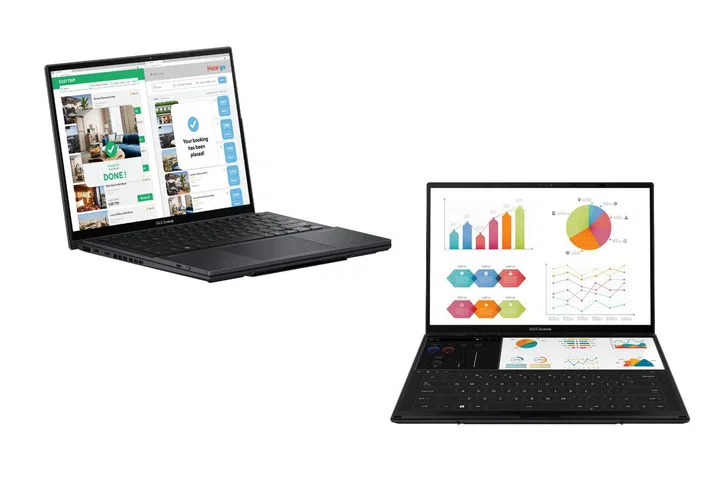
Laptop Mode. PHOTOS: ASUS
- Sharing Mode: Ideal for presentations and business meetings, this mode makes use of the laptop’s lay-flat 180-degree display hinge so it can be placed flat on a table. For better viewing, content on the upper screen can be rotated 180 degrees.
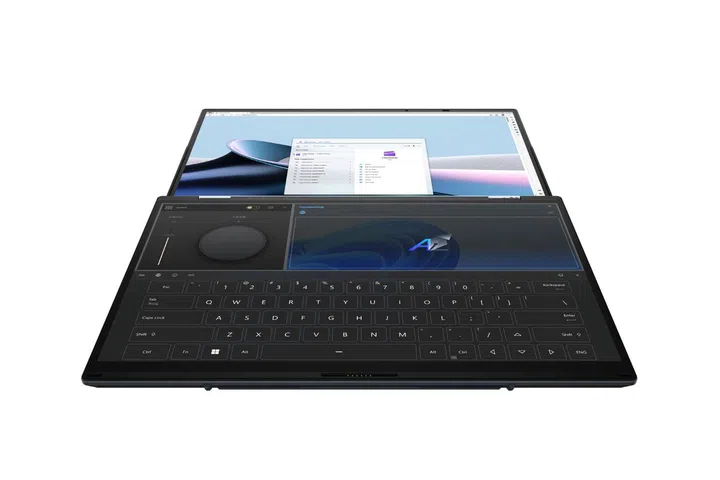
Sharing Mode. PHOTO: ASUS
These versatile user modes are made possible by the Zenbook DUO’s two high-resolution ASUS Lumina OLED 3K displays, which sport a refresh rate of 120Hz. The screens are Dolby Vision certified and Pantone Validated, so they are capable of displaying detailed images and accurate colours.
The Zenbook DUO can also be folded into a compact size for carrying. The closed laptop is slimmer than 2cm and tips the scales at only 1.65kg with the keyboard included.
More ways to multitask
In our high-octane world of online collaboration, PVP games and Zoom calls, the ASUS Zenbook DUO (UX8406) can help you do more things in less time or, even better, do more things at the same time.
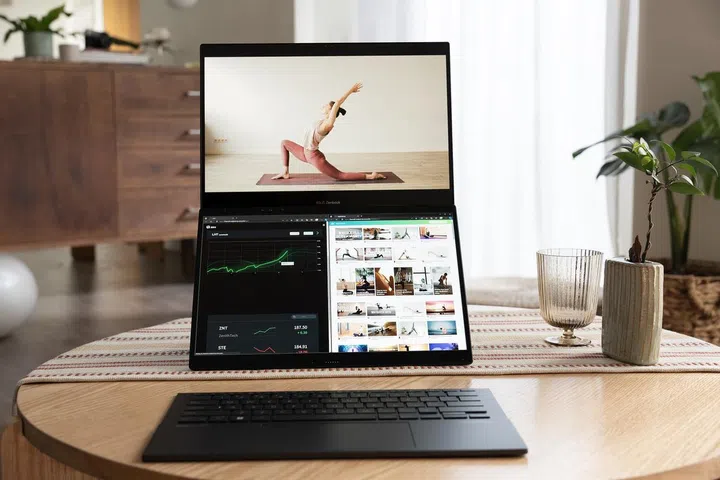
Do multiple things at once with the ASUS Zenbook DUO (UX8406). PHOTO: ASUS
For instance, if you need to keep track of multiple things at once at work, one screen can be used for key tasks such as email or video calls, while the other can display to-do lists or shared documents. When working with large data sets and spreadsheets, the twin screens can even be combined into one large display for easy viewing, making it convenient for data or financial analysis.
In the gaming space, having two screens not only enhances the gaming experience, it may also give players an edge over others. A dual-screen setup means more visual real estate, giving gamers a more immersive experience of the in-game world.
In PVP titles, the second screen can be used to display in-game maps and statistics or serve as the dedicated screen for in-game chats with other players, leaving the main game screen less cluttered and easier to navigate.
The UX8406 can even let you work and play at the same time. When working from home, one of the laptop’s screens can serve as a dedicated display for your Spotify playlists, letting you be your own DJ while you reply to emails on the other display.
AI-enabled computing power
Sleek and svelte, the ASUS Zenbook DUO (UX8406) is built with the computing power to be a true multitasking machine to support both work and play apps, even when they are running simultaneously.
It features the latest Intel Core Ultra series of AI-powered processors, with configurations up to the high-performance Intel Core Ultra 9. The Core Ultra Series is the first to be integrated with Intel’s Neural Processing Unit (NPU). The NPU has a dedicated engine that can deliver low-latency AI computing, helping the laptop to run complex workloads and achieve a higher performance with less drain on power.
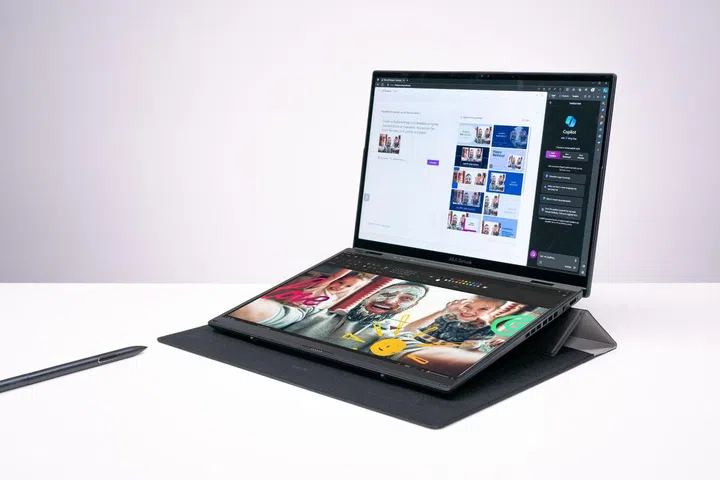
The ASUS Zenbook DUO (UX8406). PHOTO: ASUS
Combined with 1TB SSD storage, up to 32GB of RAM and a high-capacity all-day battery, the Zenbook Duo (UX8406) is capable of handling work, creativity and entertainment apps efficiently.
Planning to listen to music while you game or work? The Zenbook Duo comes with a powerful Harman Kardon-certified audio system with Dolby Atmos features for rich, immersive sound.
With its adaptive versatile dual screens, and AI-powered computing capabilities, the ASUS Zenbook DUO UX8406 is set to be your new digital companion for both productivity and entertainment, wherever you go. Don't forget to check out the editorial team's review of the laptop and why they were impressed.
The ASUS Zenbook DUO (UX8406), from S$2,999, is available at the ASUS e-shop and retail stores.

Our articles may contain affiliate links. If you buy through these links, we may earn a small commission.