

Not a Netbook, Not Yet a Notebook
HP's Pavilion dm1 feels like a strange breed of a portable computing device. Like Britney Spears' chart topping pop song, the notebook is neither a netbook, nor yet a notebook. While HP does call the dm1 a netbook, this 11.6-inch device isn't as small as your usual 10.1-inch netbook. Compared to a standard notebook though, the dm1 is on the lighter side. In terms of the form factor, the dm1 has more in common (and appears to compete) with the 11.6-inch Apple MacBook Air, but strictly in terms of its hardware capabilities, the dm1 fits more comfortably in the netbook segment. It's probably best then to label the dm1 as an inexpensive ultraportable notebook.
Weighing in at 1.53kg, the dm1 feels heavier. In fact, we found it uncomfortable to lift with just one hand despite being relatively slim; the weight appears to be concentrated towards the rear of the netbook, making it rather unbalanced.
For the hardware, the dm1 packs AMD's with an E-350 processor (Zacate) running at 1.6GHz, 4GB DDR3 RAM, 640GB HDD and integrated graphics in the form of the AMD Radeon HD 6310. Design wise, this ultraportable looks nice, with the cover featuring HP's Imprint Finish with a pattern of overlapping circles. It's subtle, none too flashy and pretty much what we've seen on other HP notebooks.
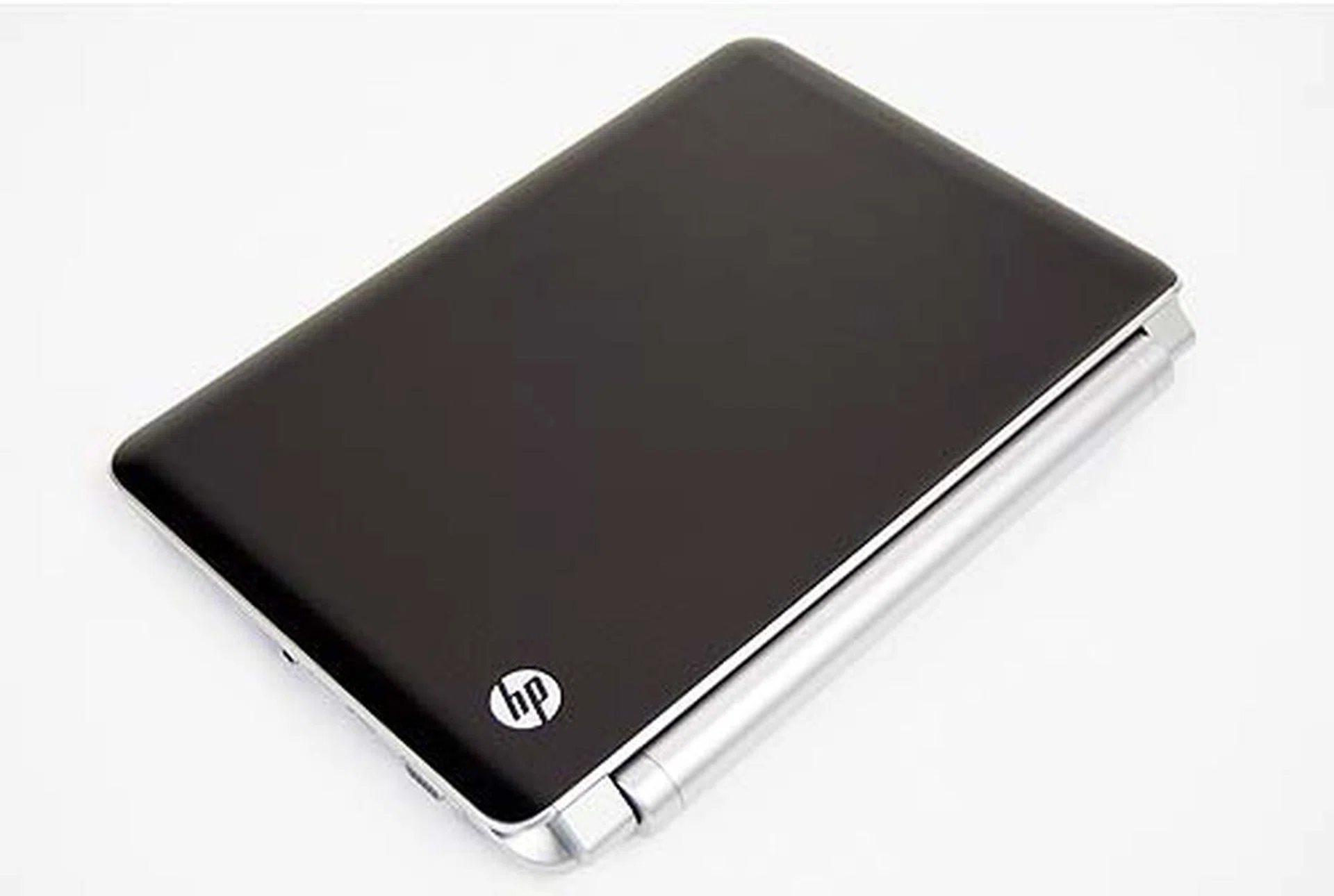
It's not a very shiny surface, but oily fingerprint marks will still be visibile.
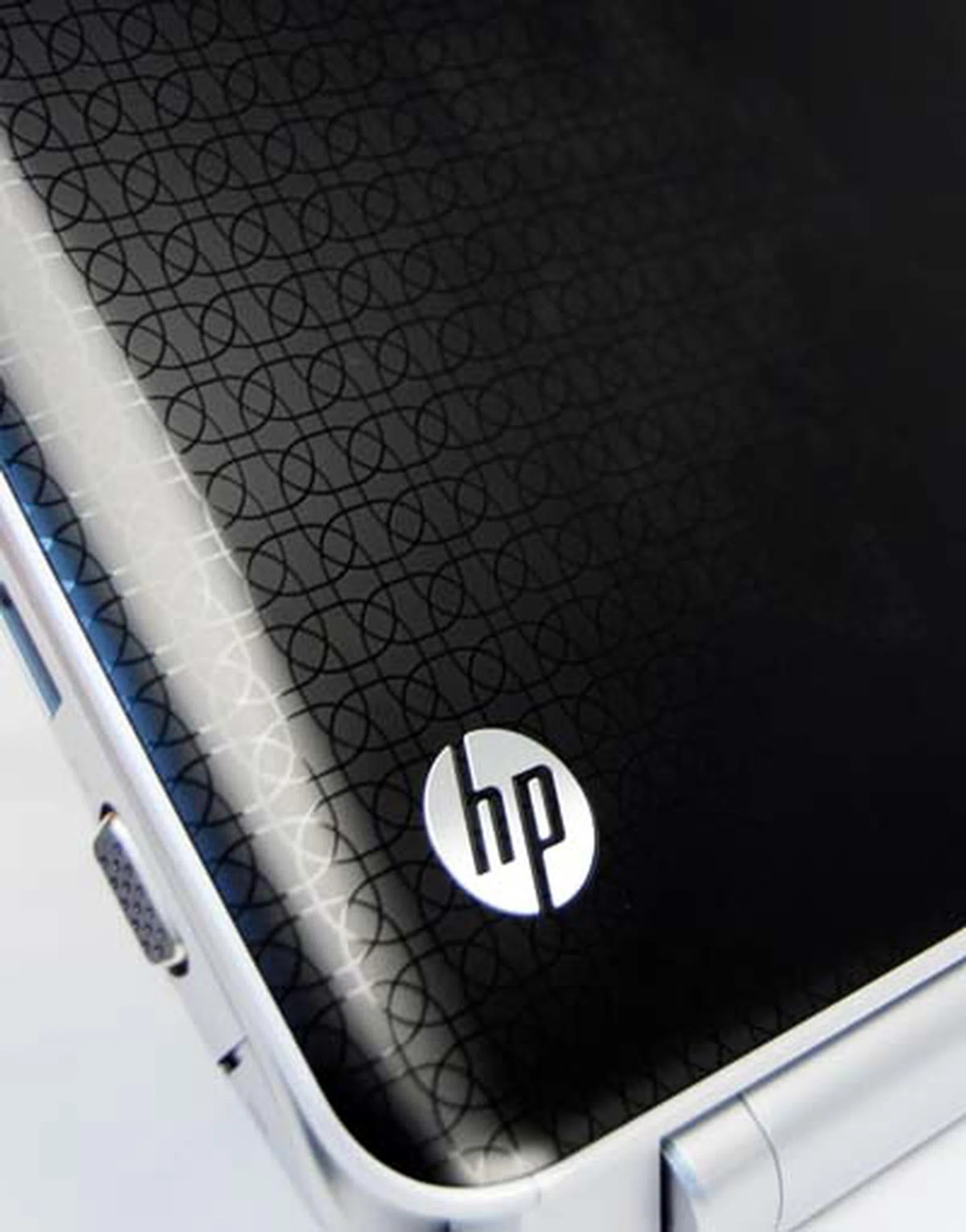
Note the HP Imprint finish.
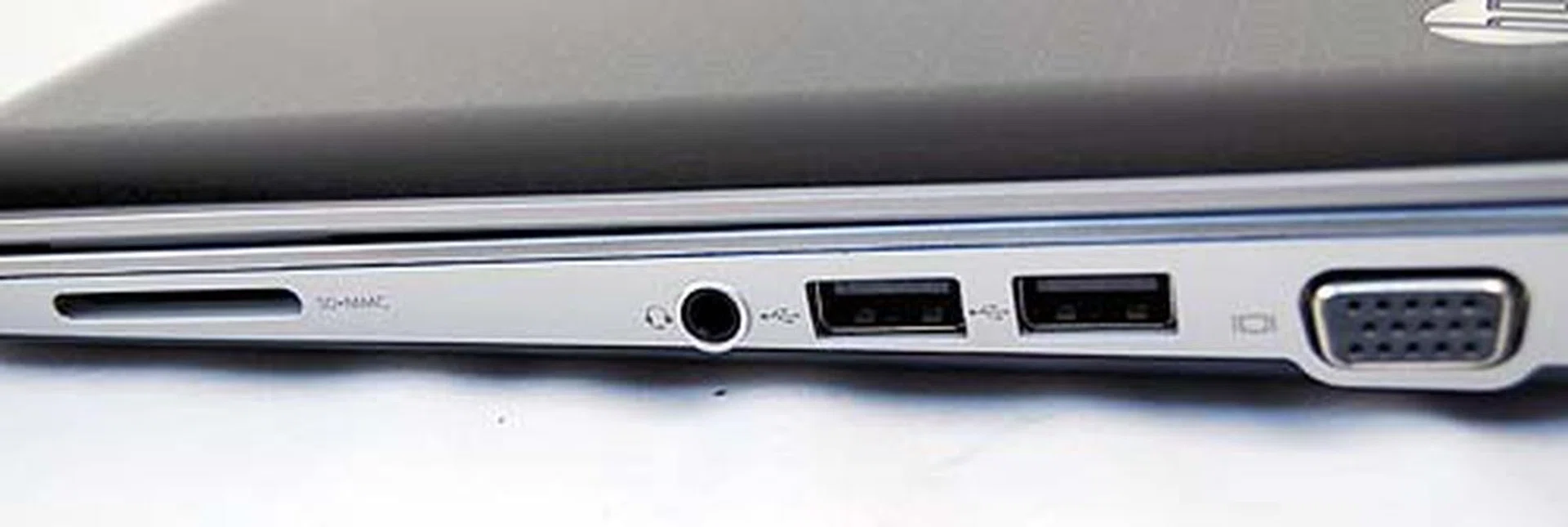
The right side of the notebook has a SD/MMC card reader, the audio out, two USB 2.0 ports and a VGA out.
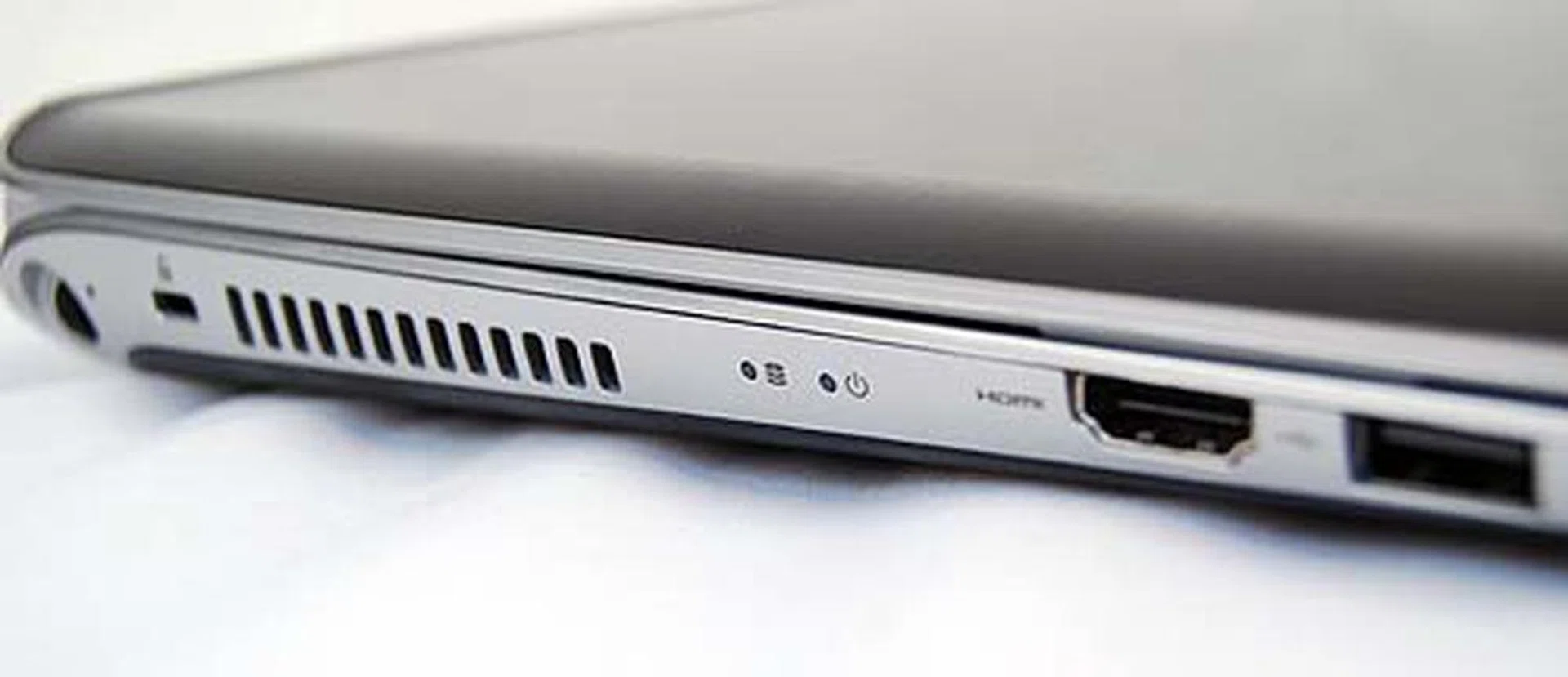
The left side has space for a HDMI and a third USB 2.0 port.
Cooling Feeling
Inside the HP Pavillion dm1, we get a familiar looking Envy-inspired design (which well, looks like it was inspired from another notebook we shall not name). It's good looking, right down to the chiclet keyboard and buttonless trackpad, and we have no complaints about the minimalistic design. As mentioned, the notebook borrows much from the Envy line: the Function buttons are now buttons for controlling brightness, media playback and turning on/off the Wi-Fi. If it sounds familiar, well, you know where that came from.
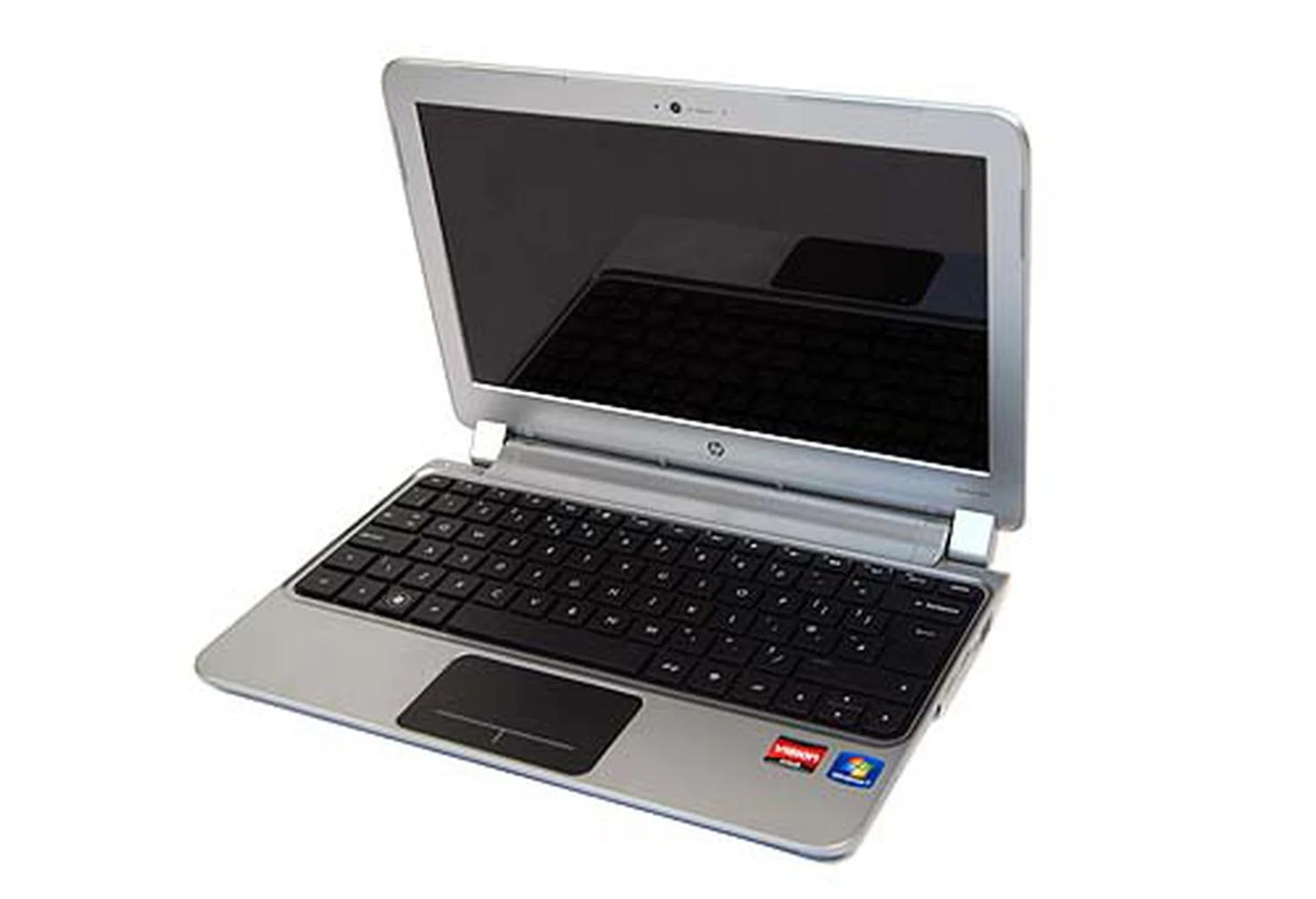
The inside of the HP Pavilion dm1 looks pretty nice.
The chiclet keyboard on our review unit uses a European layout though retail units will come with the usual configuration. The buttonless trackpad can be a little off-putting to use. The whole trackpad is clickable but it's only at the bottom area where the buttons normally are that you will find your clicks being registered. Elsewhere, pushing down and hearing a click does nothing except generate frustration. For the typists, there's also a trackpad lock that you can activate with a simple double tap to prevent accidental swipes.
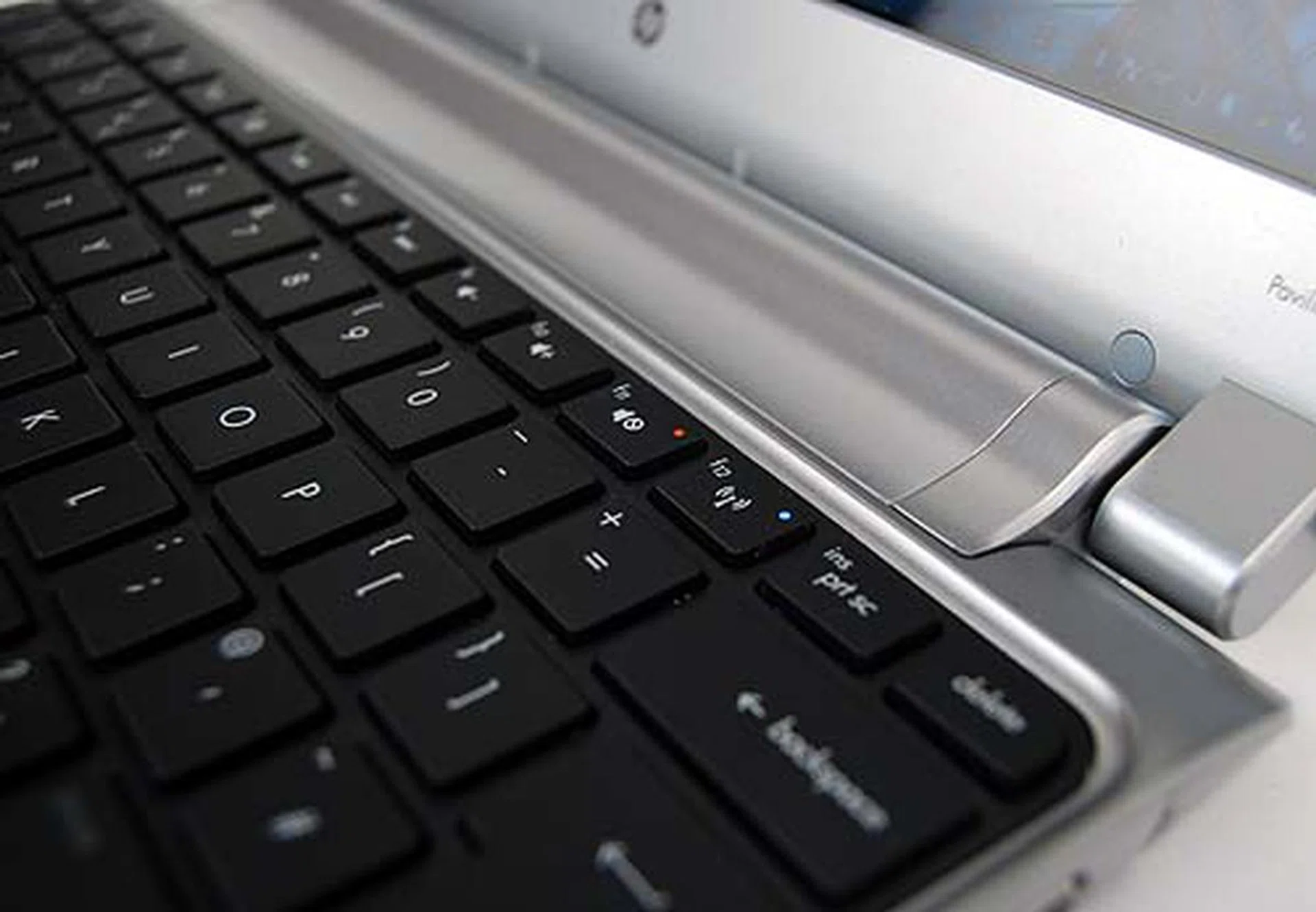
Note how the function keys are now more multimedia centric.
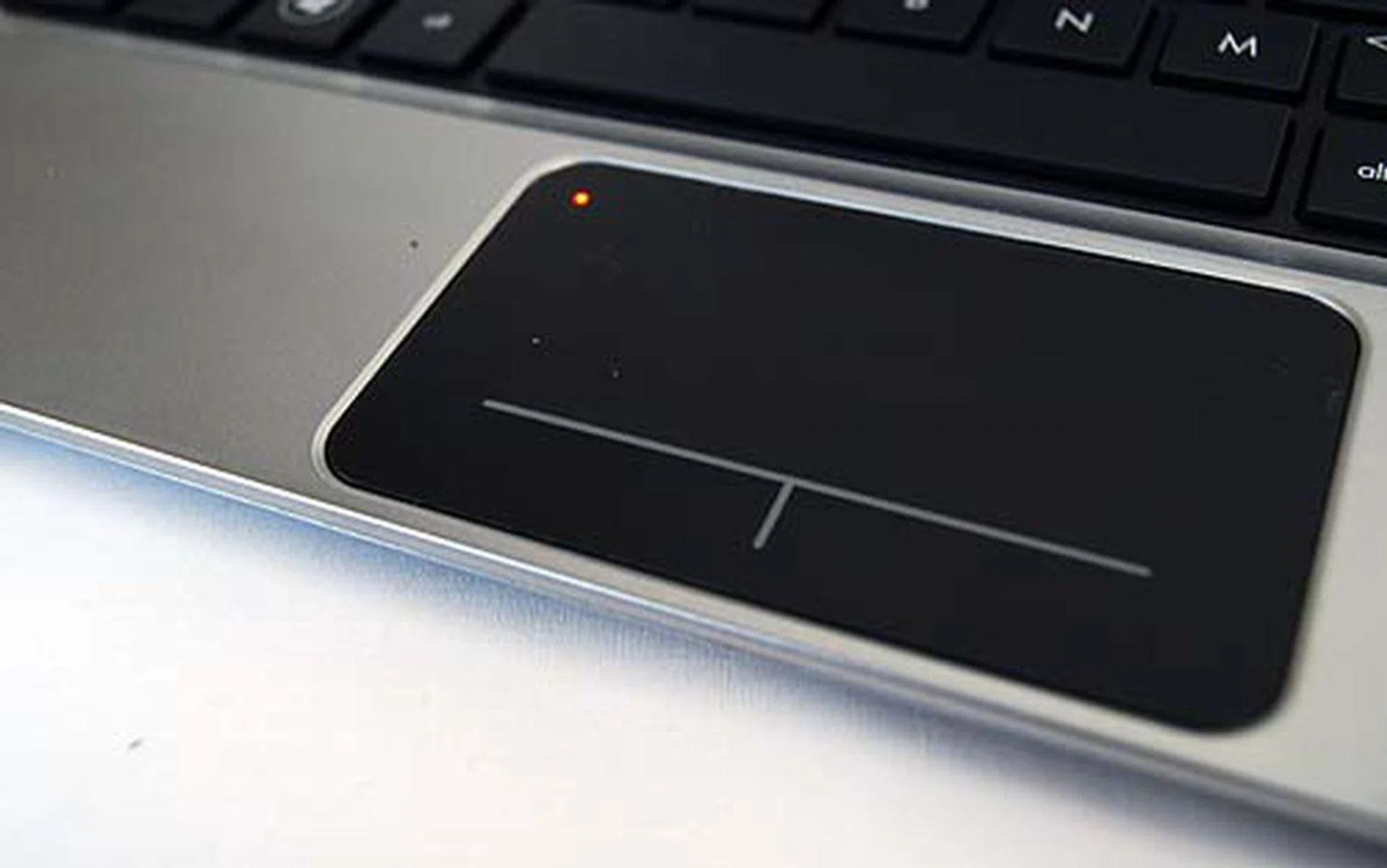
The trackpad can be locked by a simple double tap on the top left corner.
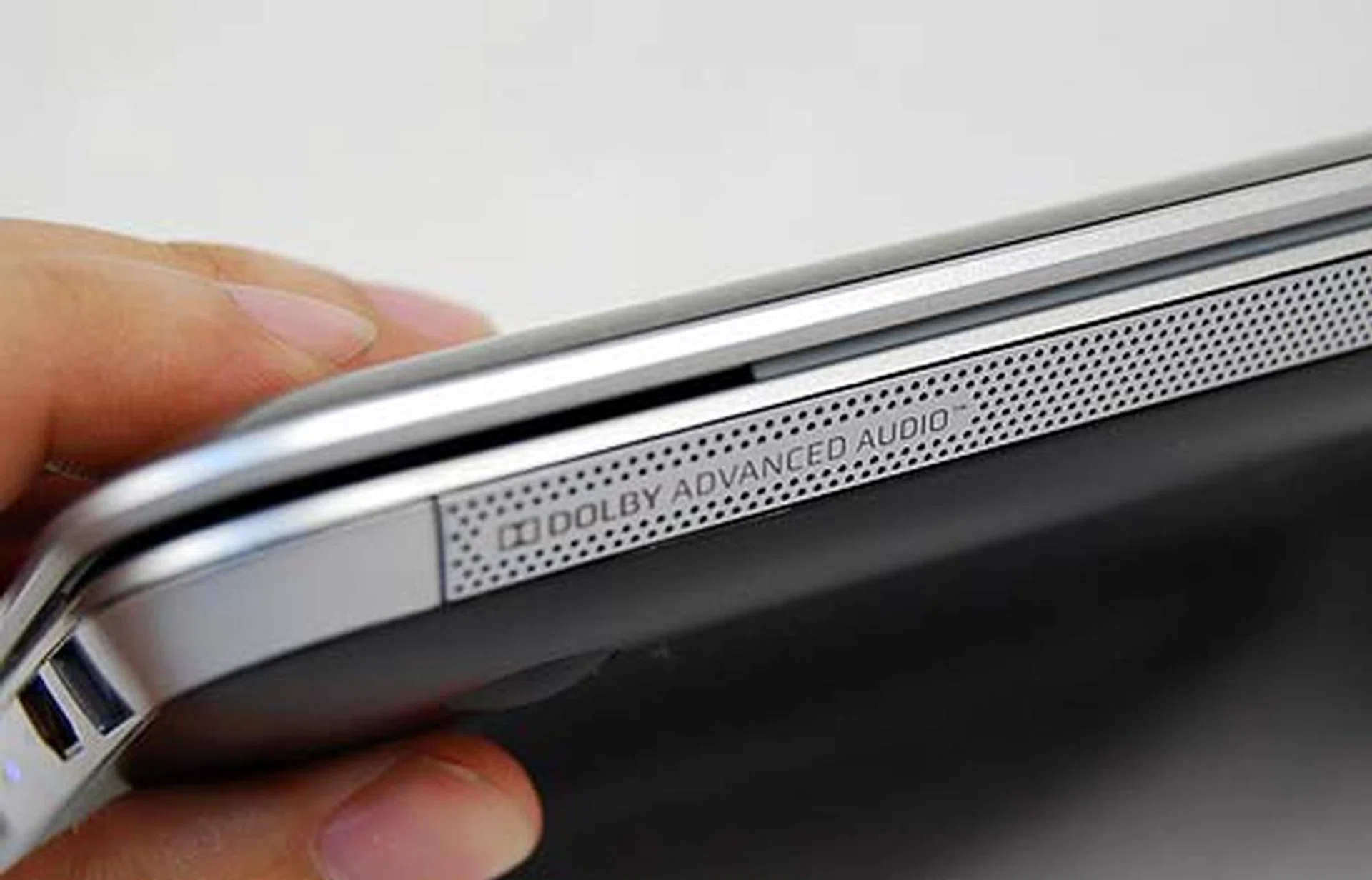
The decent audio experience of the dm1 comes from these speakers placed at the front.
This notebook is one of the first to use HP's CoolSense technology, which allows you to calibrate the noise level of the netbook's fans. The cooling technology can supposedly detect when the netbook is not on a stable surface (e.g. if it's on your lap) and will then attempt to keep the heat down. Otherwise, you can set how cool you want the notebook to be and while the coolest mode is supposed to downclock the processor, we didn't notice any drop in the clock speed. Lastly, a quick touch of the notebook bottom while running a benchmark felt relatively cool and comfortable, even at the lowest (and quietest) setting.
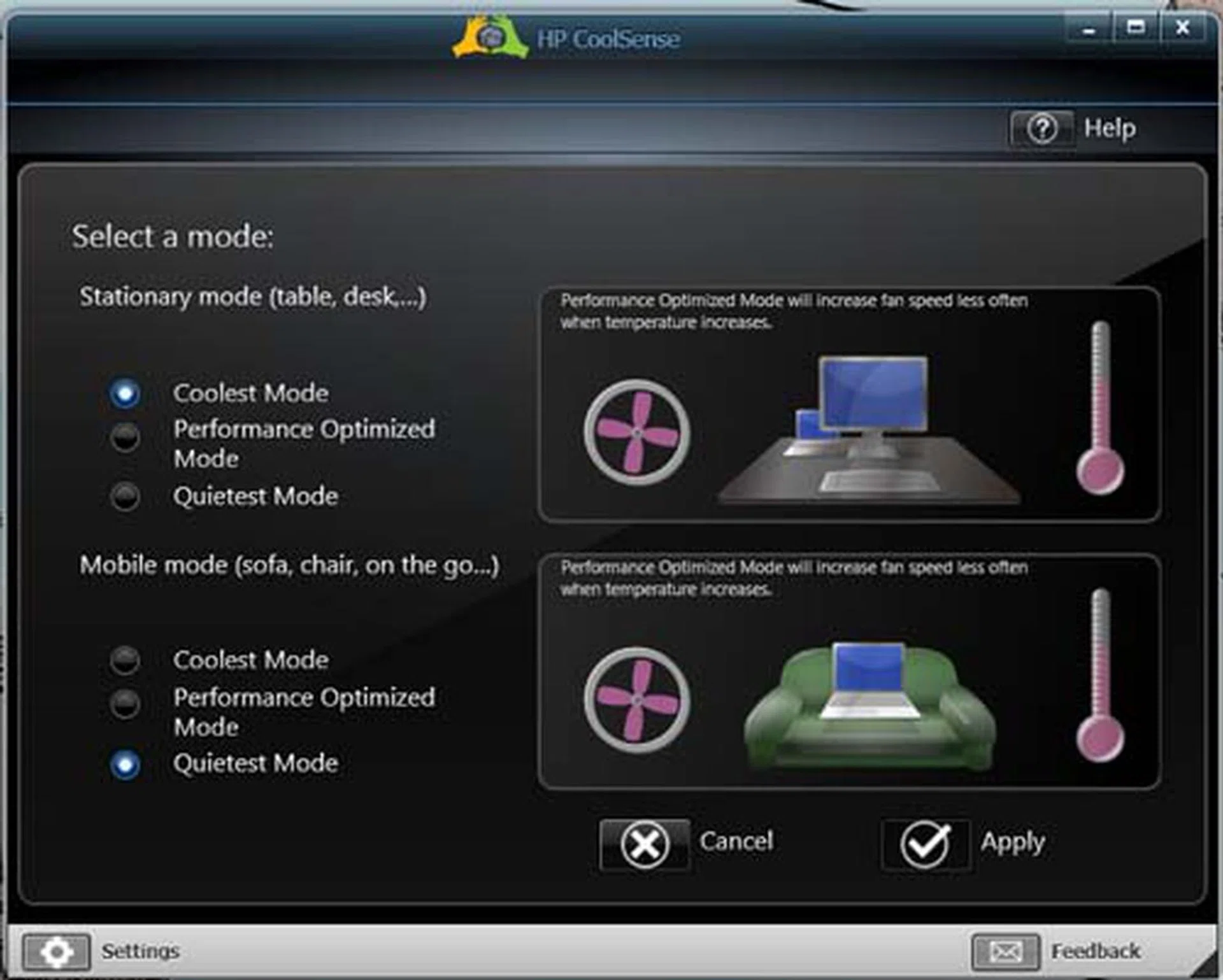
Some of the settings available for HP CoolSense technology.
Performance Benchmarking
We've rounded up our previously reviewed Toshiba NB550D which uses a similar chipset, and we've already seen between the Intel and AMD platforms. So, with the HP Pavilion dm1 using the more powerful E-350 processor, a larger amount of RAM and twice the TDP draw at 18W compared to the Toshiba NB550D's C-50 and 9W draw, we're expecting to see higher numbers from the HP. The Intel Atom based Toshiba NB520 is added to represent the Intel side of the story.
Specifications/Notebook | HPPavilion dm1 | Toshiba NB520 | Toshiba NB550D |
Processor | AMDDual Core E-350 (1.6GHz) with 1MBL2 cache | Intel Dual Core Atom N550 (1.5GHz) with 1MBL2 cache | AMD Dual Core C-50 (1.0GHz) with 1MBL2 cache |
Chipset | AMD A50M FCH | Intel NM10 | AMD A50M FCH |
Memory | 4GBDDR3 | 1GBDDR3 | 1GB DDR3 |
HDD | 640GBHDD | 1 x 250GB SATA - 5400RPM | 1 x 250GB SATA - 5400RPM |
Video | AMDRadeon HD 6310 (integrated graphics) | Intel GMA 3150
(integrated graphics) | AMDRadeon HD 6250 (integrated graphics) |
Benchmark Results
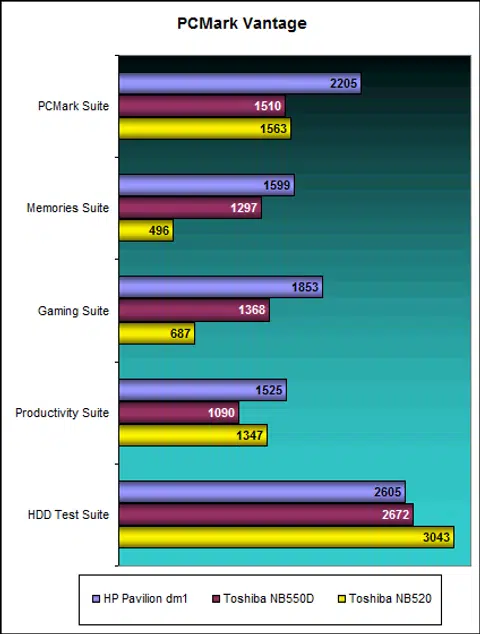
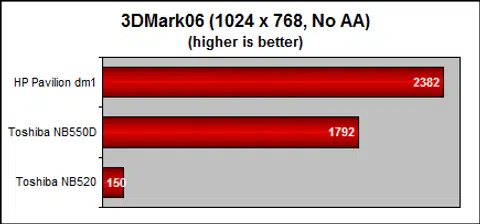
With a faster processor, the HP dm1 scored high with a result of 2205, much better than the C-50 processor of the Toshiba NB550D. On the GPU front, the notebook scored 2382 3DMarks, which is quite impressive for a a machine designated as a netbook. A real-life test of Far Cry 2 at Low settings however only showed a 20.06 fps, We did try L4D2 on the machine, which ran surprisingly well on the native resolution (if you don't crank up the settings). Just don't try playing on the trackpad like we did.
Battery Performance and Portability Index
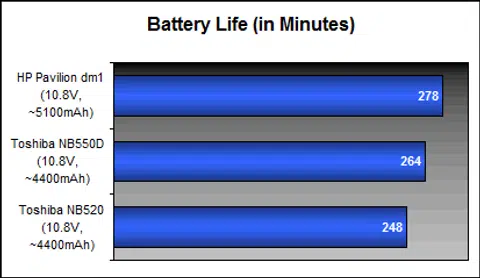
Given what we know of the battery performance from the new AMD Brazos platform, we're expecting to see a decent result. Furthermore, this netbook is bottom heavy, with most of the weight balanced around a massive 10.8V, ~5100mAh battery.
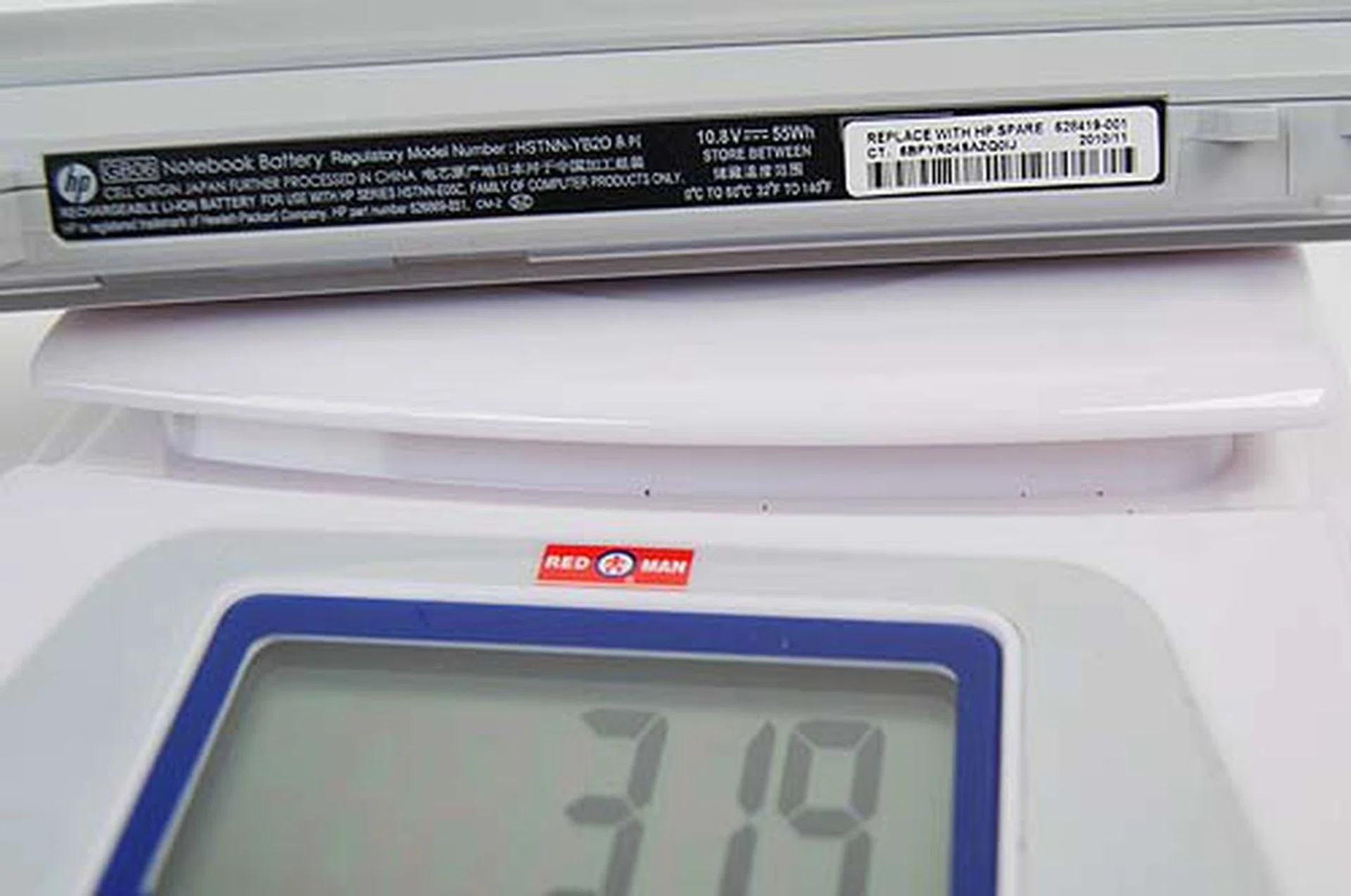
We thought the battery felt heavy, so we decided to weigh it. Most notebook batteries are heavy, but this one felt much heavier.
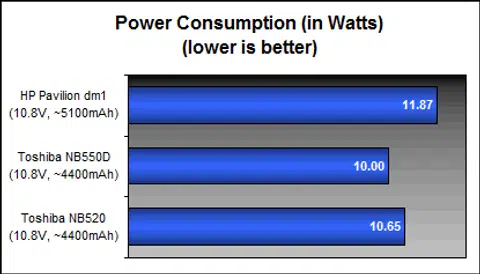
Power consumption figures also show at least twice that of the AMD C-50 processor powered netbook. This is in line with TDP figures, but thanks to that big battery on the dm1, you're still getting pretty decent battery life at 278 minutes (or 4 hours and 38 minutes).
Portability Index
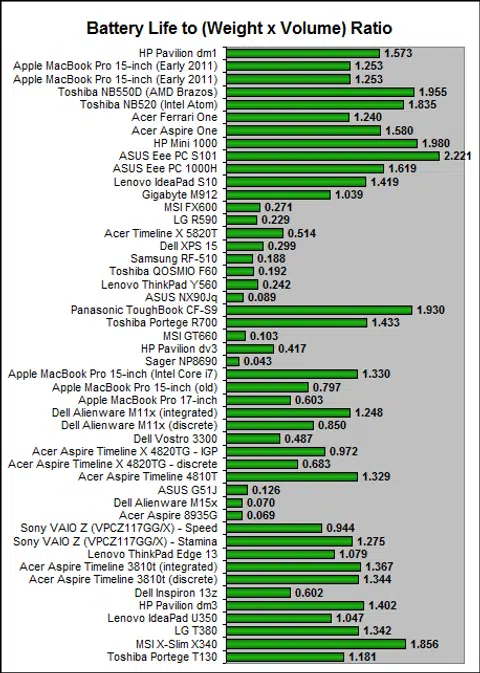
The portability index test is a simple one, and for those who haven't come across our test before, it basically takes the battery uptime of the netbook, which then gets divided by the product of the netbook's weight and volume. What you get is a ratio that shows how portable a device is. While the ratio does give a good indication of a notebook's portability, sometimes common sense must be in place to interpret the results. A heavy battery with good battery life may give you a notebook with a high score, but you might not want to carry the notebook around too much. Similarly, a lighter notebook with a weaker battery life (but still decent enough) may post a high score, but the battery life may not be enough.
The HP Pavilion dm1, despite feeling heavy in our hands, only checks in at a comfy 1.53kg. You already know the battery life is pretty good, so the dm1's score of 1.573 should not be surprising. So, in our opinion, yes, the dm1 is quite the portable device.
The Not-Notebook Netbook
HP's Pavilion dm1 is a netbook that delivers on the performance front, though given its size, we're hesitant to call it that. Running on the AMD Brazos platform, this netbook is a pretty decent example of what you can expect from such devices now and in the future. Back in the days of the first netbook, these devices were underpowered and lacked graphical capabilities, even to the extent of being unable to play Adobe Flash videos.
Since then, thanks to Intel's Atom processors, netbooks have come a long way. AMD's Brazos platform has upped the ante with much better graphical performance compared to the Intel Atom while being relatively competitive on the TDP requirements. Netbooks on the Brazos platform like the HP dm1 have enough juice to match Atom based netbooks while allowing you to play some games (at the lower settings).
The overall design of the HP dm1 borrows much from the Envy line. Its sleek, thin profile works in its favor of this slightly larger than normal netbook. That's a good thing too, because a larger screen does make for easier reading, and a bigger keyboard means more comfort for your fingers. Having said that, the dm1 isn't perfect. While it looks thin with a competitive weight, the distribution of that 1.53kg weight means it's not that easy to carry with just your fingers alone (as we found out).
It does score highly in the price department. The HP dm1 retails at an affordable starting price of S$699*, which positions it nicely against some of the higher end netbooks while offering so much more.
*Editor's Note: The $699 version only has 2GB RAM and a 500GB HDD.
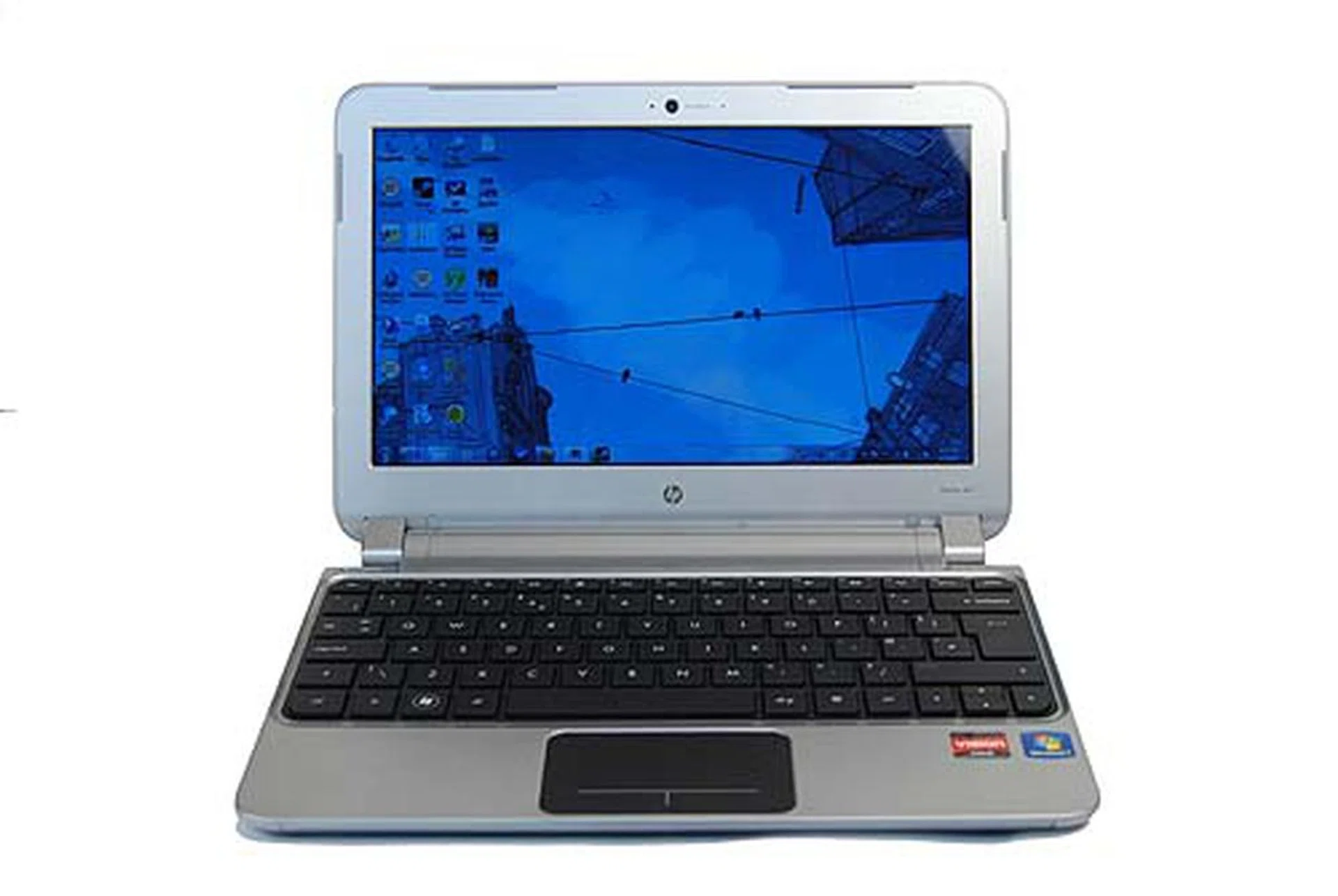
Retailing from a low, low price of $699, the HP Pavilion dm1 is a netbook...and more.
Our articles may contain affiliate links. If you buy through these links, we may earn a small commission.